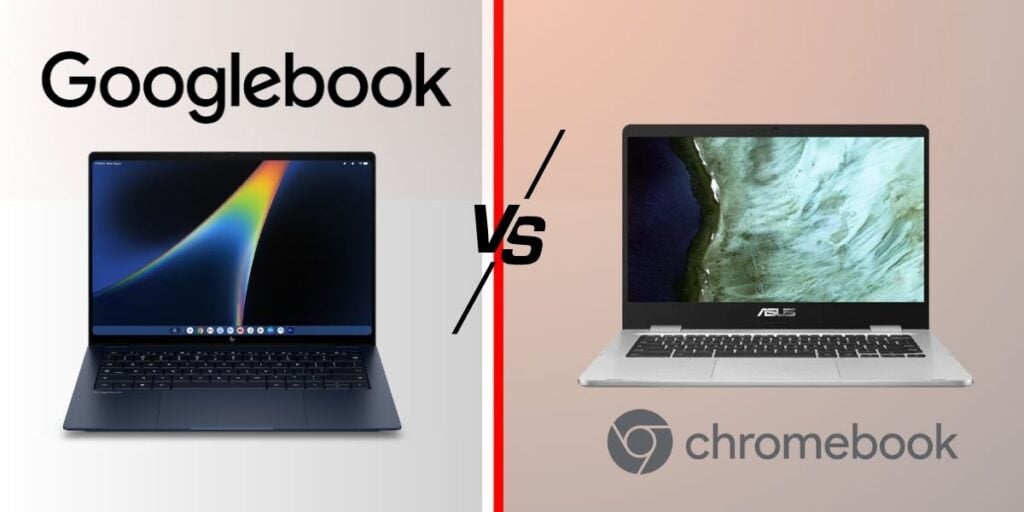
Google just made the Chromebook decision a little more complicated. After confirming back in May that it was building an Android-based alternative to ChromeOS, Googlebook is now official, available for pre-order, and set to hit stores on October 4. It’s not a rebrand, either. Google has created a new laptop category with its own operating system, hardware, and features, with prices starting at $899.
The interesting part is that Google isn’t replacing the Chromebook with Googlebook. Both lines are staying around, but they are targeting different sets of users. Chromebooks continue to cover the simpler and more affordable side of Google’s laptop lineup, while Googlebook brings Android, higher-end hardware, and deeper Gemini integration into a more premium package.
So, before you think of Googlebook as simply “the new Chromebook,” here’s a closer look at what actually separates the two.
Chromebooks have always followed a simple formula: open a browser, use cloud-based services, and get on with your work. That hasn’t changed, and it’s one reason you can buy a Chromebook for under $200 and hand it to a student without spending much. Android apps are available on Chromebooks too, but they run inside a separate container. As a result, some apps can still feel like phone software adapted to a larger screen.
Googlebook works differently. It runs Googlebook OS, which combines parts of Android and ChromeOS into a single platform instead of keeping Android apps separate from the main system. Google Play apps are designed to work with a keyboard, mouse, trackpad, and resizable windows. So rather than adding Android apps to a ChromeOS laptop, Google has built Android into the laptop’s operating system.
2. Gemini goes beyond the sidebar
Chromebook Plus already includes Gemini. You can open the sidebar, enter a prompt, get a response, and return to whatever you were doing. It’s useful, but the AI remains a separate part of the interface.
Googlebook puts Gemini into more of the things you do on the laptop. One example is Magic Pointer, developed with Google DeepMind. It turns the cursor into a way to access Gemini features directly.
Point at a date in an email, for example, and Gemini can offer to schedule a meeting. Select two images, and it can merge or compare them. There’s also Create My Widget, which lets you describe the information you want in a dashboard. You could ask for flight details, hotel bookings, and dinner reservations for a trip, and Gemini can put that information together using Gmail, Calendar, and the web.
Google is also using Gemini Nano v3 on the device for tasks such as file search. This means some tasks, including summarizing a document, can be handled on the laptop without sending the file to the cloud first. Google has already used a similar on-device approach on phones such as the OnePlus 13, and Googlebook brings it to the laptop.
Chromebook users can still access Gemini through Chrome, but it doesn’t have the same level of integration with the operating system.
3. What you can actually buy, and how much it costs
Pre-orders for the first five Googlebooks are now open, with sales starting October 4. Prices range from $899 to $1,299, with each manufacturer offering a slightly different configuration:
Acer Googlebook 14 — Priced at $899, it’s the cheapest model and the only 2-in-1 in the lineup. It has a 14-inch 2.8K OLED touchscreen, Intel Core Ultra 5 or Ultra 7 processors, and up to 16 hours of claimed battery life.
ASUS Googlebook 14 — At $1,299, this is the most expensive model. It’s also the lightest at 1.0kg and has the most ports among the five laptops.
Dell XPS Googlebook — Uses a Snapdragon X Elite processor and shares much of its design with the XPS 13. It has two USB-C ports.
HP Googlebook — Also comes with a Snapdragon X Elite chip and offers up to 1TB of storage, the highest capacity in the lineup. It supports both face and fingerprint unlock.
Lenovo Googlebook — Has the largest display at 15.3 inches, with a 2880×1800 OLED panel running at 120Hz. It’s also the only model available in white. Lenovo has added a “Glowbar” light strip to the lid for battery and charging information, along with a dedicated Google key on the keyboard that is expected to provide quick access to Gemini.
All five models come with a 12-month Google AI Pro subscription, 5TB of cloud storage, and three months of YouTube Premium, Photoshop, and CapCut. Google is also promising up to 10 years of system updates, matching the update period already offered with Chromebooks.
The pricing is quite different from the Chromebook lineup. Entry-level Chromebooks start at around $179, while Chromebook Plus models such as the ASUS Chromebook Plus CX34 are closer to $400. Even more expensive Chromebook Plus configurations generally stay below $800.
Googlebook sits in a different price range. With prices starting at $899, it’s positioned alongside premium laptops such as the MacBook Air rather than the budget and mid-range Chromebook market.
4. So is the Chromebook dead? No.
Google has been clear that Chromebooks and Chromebook Plus aren’t going anywhere. Both will continue to receive up to 10 years of updates, and schools and businesses can keep managing them through the same admin console they already use. Google executive Sameer Samat has also said Googlebook is intended for people who already use Android, rather than specifically targeting MacBook users.
That Android connection does come with some requirements. Cast My Apps and Quick Access, which let you stream phone apps and access files from your phone on the laptop, require an Android phone running Android 17 or later.
iPhone users can’t use those features for now. Google says iPhone support is coming, but it hasn’t announced when it will be available.
For someone who mainly browses the web, needs an affordable and durable laptop, or is buying computers for a classroom, the existing Chromebook lineup still makes sense within Google’s range. Googlebook is for users who want Android to play a bigger role on their laptop, along with deeper Gemini integration and closer connections with their phone.
The two platforms are therefore serving different parts of Google’s laptop lineup rather than one replacing the other. The main difference is that Googlebook starts at $899, while Chromebooks remain available at much lower prices.
We use cookies on our website to give you the most relevant experience by remembering your preferences and repeat visits. By clicking “Accept”, you consent to the use of ALL the cookies.
This website uses cookies to improve your experience while you navigate through the website. Out of these, the cookies that are categorized as necessary are stored on your browser as they are essential for the working of basic functionalities of the website. We also use third-party cookies that help us analyze and understand how you use this website. These cookies will be stored in your browser only with your consent. You also have the option to opt-out of these cookies. But opting out of some of these cookies may affect your browsing experience.
Necessary cookies are absolutely essential for the website to function properly. This category only includes cookies that ensures basic functionalities and security features of the website. These cookies do not store any personal information.
Any cookies that may not be particularly necessary for the website to function and is used specifically to collect user personal data via analytics, ads, other embedded contents are termed as non-necessary cookies. It is mandatory to procure user consent prior to running these cookies on your website.