
Add GIZMOCHINA as Preferred Source on Google
Xiaomi has left the competitors in lurk after announcing the Mi A3 in China, India and other parts of the world. The company keeps surprising users with new smartphones at competitive prices. Xiaomi Mi A3 is also a useful device which is launched recently with decent specifications and affordable pricing. Many users are interested in buying the Mi A3 over the other Android One devices. As like always, the development of the new Xiaomi device has started. A senior developer at XDA has published the patched boot image to root Xiaomi Mi A3 using Magisk.
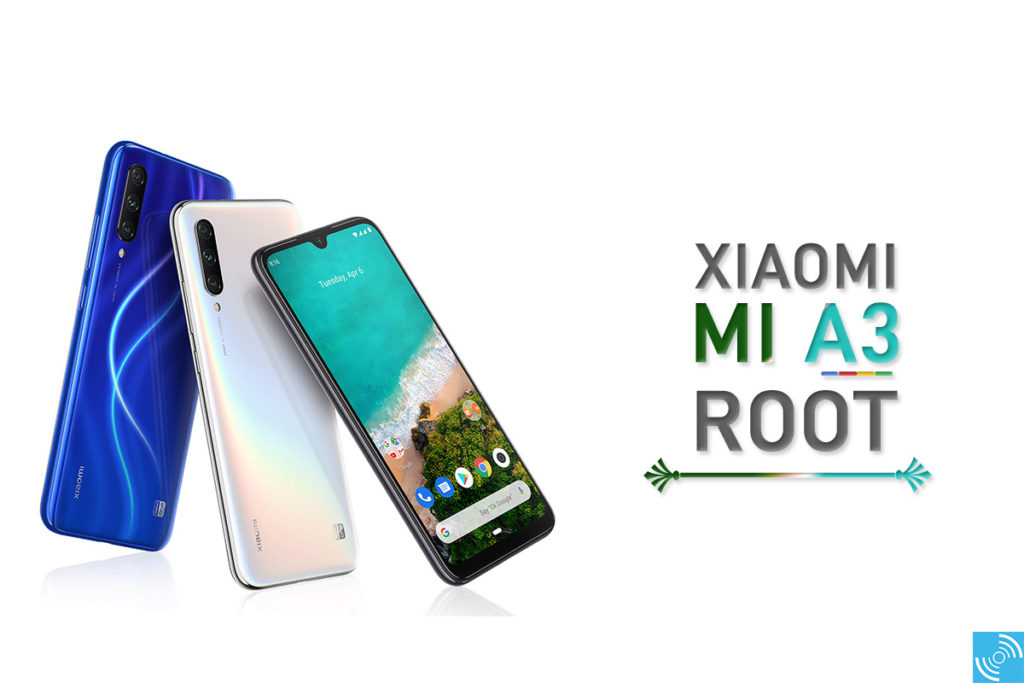
Xiaomi Mi A3 specification
Xiaomi Mi A3 is a mid-range smartphone with Qualcomm Snapdragon 665 SoC packing an 11 nm Octa-core Kryo 260 CPU at 2.0GHz of clock speed. The Adreno 610 GPU is sufficient to handle the graphics-intensive tasks. The device is available two different storage options of 4GB+64GB and 4GB+ 128GB internal storage. The user can also expand the storage up to 256GB via MicroSD card. A 6.088-inch AMOLED DotDrop display makes it more beautiful with the HD+ resolution of 1560 x 720 pixels. The rounded display corners with 2.5D glass and Corning Gorilla Glass 5 makes it look premium and durable.
In the optical department, Xiaomi Mi A3 carries an AI Triple rear camera featuring a 48 MP primary Sony camera, an 8 MP ultra-wide-angle camera, and another 2 MP depth camera. It is optimized with AI portrait mode, night photography mode, and AI scene detection. A 32 MP AI selfie camera is present in its dewdrop display with the ability of AI face unlock, Panorama Selfie, etc.
Other features include an in-screen fingerprint sensor, hybrid SIM slot 4030 mAH battery supporting QC 3.0 18W fast charging. In connectivity, the phone offers support for WiFi, Bluetooth 5.0, GSM/VoLTE, 3.5 mm audio port, GPS, GLONASS, AGPS, and Beido. It also packs a Gyroscope, Accelerometer, Electronic compass, IR blaster, light sensor, and proximity sensor to make it smarter.
Related: Xiaomi Mi A3 vs Realme 5 Pro vs Redmi Note 7 Pro: Specs Comparison
What is rooting?
Rooting is an aspect of Android smartphone through which users gain superuser access to the whole Android system on a particular device. It is done to attain full access to the smartphone. It open doors to uninstall the bloatware, flash mods and customize as per need which is typically impossible in the stock configuration.
Advantages
- Full control across the device and applications.
- Improves customizability
- Brings the ability to install custom ROM.
- It also brings support for custom themes.
- Ability to uninstall bloatware or unnecessary system apps from the phone.
- Install custom ROM mods such as Magisk, Xposed and others.
- Upgrade to the newer Android version
Disadvantages
- It voids warranty
- The user won’t be able to receive OTA updates
- Risk of bricking the smartphone
- It may also lead to poor performance
Now, let’s see how to root the Xiaomi Mi A3 using the patched boot image. Before proceeding further, please set up the environment with the dependencies as mentioned below.
Note: GizmoChina.com is not responsible for any damage to data or device while performing the unlocking. It will also void the device’s warranty and remove all data on the device. You’re proceeding at your own risk.
Pre-Requisites:
- Download and Install ADB and Fastboot drivers on PC/MAC.
- Download Xiaomi USB Drivers.
- Unlock bootloader of Mi A3 using our guide.
- Ensure the phone’s battery is more than 60%
- Backup important data on any external media
- Download Mi A3 stock boot.img found on this GITHUB.
(Note: Download the boot image file of the respective version of MIUI that is installed on your phone. The link added above corresponds to MIUI v10.3.5.0 as it matches the version on my Xiaomi Mi A3.) - Download latest Magisk manager and install it on your phone
Steps to root Xiaomi Mi A3
Follow all the steps carefully. Otherwise, your device might get bricked.
- You should have unlocked the bootloader of Mi A3.
- Enable Developer Mode by tapping MIUI version 7 times after heading to the Settings > About Phone.
- Also, enable USB Debugging by heading to the Settings>Developer Option and toggle USB Debugging.
- Now, connect your phone with PC via the USB cable.
- Copy the downloaded boot.img to your phone’s internal (or external) memory.
- Also, place a copy of boot.img in your ADB and Fastboot extracted folder.
- Download and install Magisk Manager on your phone.
- Open Magisk Manager app and patch the file by going to Install > Install (once again) > Select Patch a file and then browse the location where you stored the stock boot.img.
- Upon selection, the Magisk manager will patch the boot image and will store it in internal memory/Download/magisk_patched.img.
- Move the patched file from your mobile to PC. (Note: place the patched file in the same extracted ADB and Fastboot folder).
- If you can’t find the file using MTP mode, you can pull it via below mentioned ADB command:
adb pull /sdcard/Download/magisk_patched.img
- Now, uninstall Magisk manager App from Xiaomi Mi A3.
- Connect the phone with PC via USB cable. Now flash the patched boot image on your smartphone. Execute the following command:
adb reboot bootloader
- After rebooting into the fast boot mode, type the following command to flash patched boot:
fastboot flash boot magisk_patched.img
- Just after successfully flashing the fastboot, type the continue command instead of reboot:
fastboot continue
- Upon successful boot-up, install Magisk Manager and enjoy the root access.
If you followed all the step accurately, then you would have rooted Xiaomi Mi A3 using patched boot image. If any error pops-up while rooting Mi A3, then do let us know via the comments below.
The method above is strictly for Xiaomi Mi A3. Other devices may get bricked.


Comments