
Add GIZMOCHINA as Preferred Source on Google
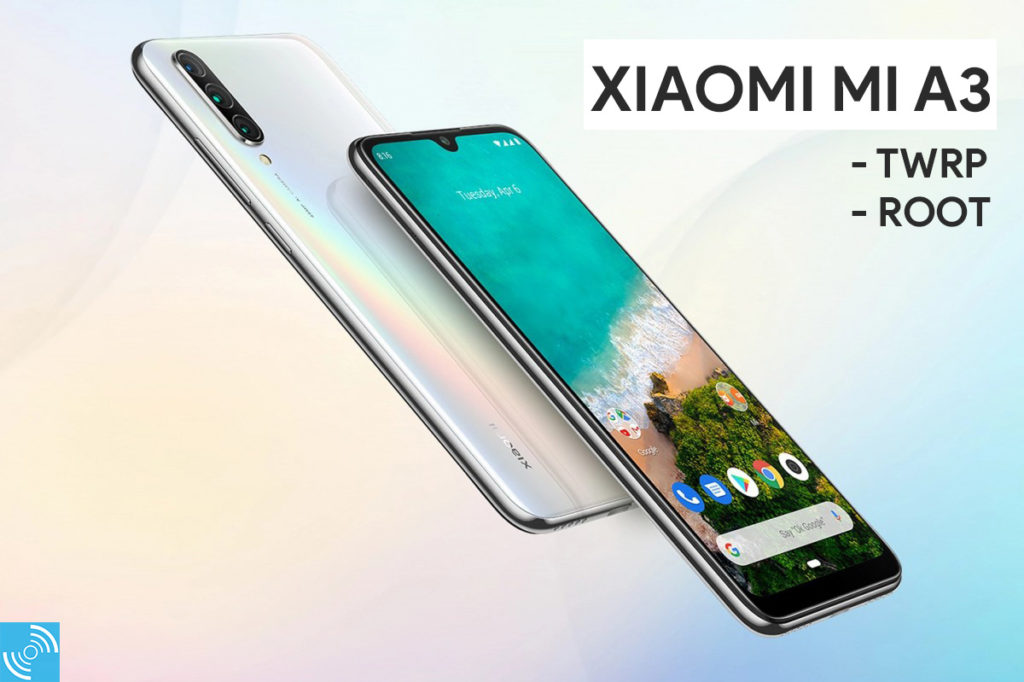
Xiaomi Mi A3 is quite a popular device in the mid-range segment running on the Android One program. It is the third smartphone on the Android One series that is co-developed by Google as part of its Android initiative. The smartphone is well-received by users in Europe and some developing nations like India. The third-party developers are also eagerly developing new mods, working on frameworks to make them compatible. Similarly, Xiaomi has received official TWRP support a few days ago.
Must See: Xiaomi India says Android 10 coming to Mi A3 next month
In our guide, we will get root access after installing TWRP on Xiaomi Mi A3. Over some time, the device had an unofficial port of TWRP available with some bugs. The flashing process will be different as the device uses the A/B partition system.
There are various advantages of using the TWRP recovery to get root access and flash other MODs. It also brings the capability of creating and restoring a system backup. The TWRP is GUI based custom Recovery that helps the users to do modification on the Android system by flashing respective MODs.
Xiaomi Mi A3 Specifications
The Xiaomi Mi A3 comes with a huge 6.08-inch Super AMOLED HD+ display featuring a 1560 x 720-pixels resolution and a pixel density of 293 PPI. The display is protected with Corning Gorilla 5 to protect against usual falls. The smartphone is powered with a Qualcomm Snapdragon 665 chipset featuring Adreno 610 GPU and an octa-core processor.
In Optics, the smartphone carries an AI-assisted triple rear camera setup with the 48-megapixel primary camera, 8-megapixel ultrawide sensor, and 2-megapixel depth-sensing lens. A 32-megapixel front camera is present for selfies and video calling. There’s a 4030 mAh battery with 18W quick charging via Quick Charge 3.0.

Xiaomi Mi A3 comes in different storage variants of 64GB + 4GB, 128GB + 4GB, and 128GB + 6GB. It supports WiFi, Bluetooth 5.0, GPS, Infrared Port, FM Radio and USB 2.0. There’s an under-display fingerprint sensor, accelerometer, gyro, proximity, and compass. It comes in three different colors of Kind of Gray, Not just Blue and More than White.
Install TWRP on Xiaomi Mi A3
Installing TWRP on Mi A3 will open doors for unlimited possibilities to customize the smartphone.
Note: Gizmochina.com is not responsible if any damage to your device or data occurs while following this guide. You are proceeding at your own will. Unlocking Bootloader or rooting the device will void the warranty. The device will not receive any official OTA update from the company.
Prerequisites:
- Download and Install ADB and Fastboot drivers on PC/MAC.
- Download Xiaomi USB Drivers.
- Unlock bootloader of Mi A3 using our guide.
- Ensure the phone’s battery is more than 60%
- Backup important data on any external media
- Download the latest TWRP from here.
- Download the latest Magisk manager and install it on your phone.
Steps to install TWRP on Xiaomi Mi A3
Follow the below-mentioned instructions carefully to successfully install TWRP. Before proceeding, please ensure your Xiaomi Mi A3 bootloader is unlocked.
- Enable Developer Mode by tapping the MIUI version 7 times after heading to the Settings > About Phone.
- Enable USB Debugging by heading to the Settings>Developer Option and toggle USB Debugging.
- Connect your smartphone with the PC via USB Cable.
- Download the TWRP image from the above section and place it into the extracted ADB and Fastboot tools folder. Also, ensure to copy the same file on your phone’s internal storage.
- Open Command Prompt or Powershell by pressing SHIFT + RIGHT-Click in ADB and Fastboot folder.
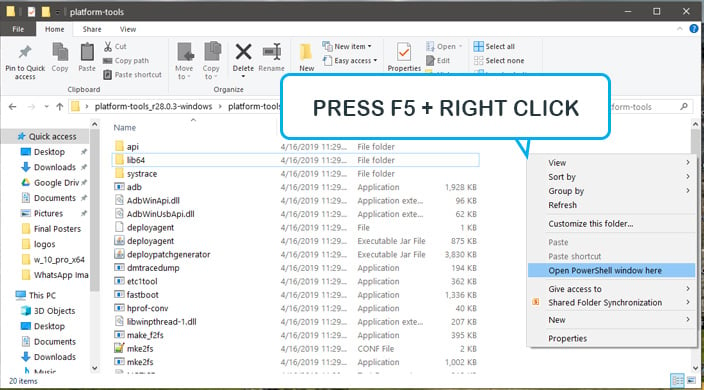
- Reboot your smartphone into fastboot mode by executing below mentioned command.
adb reboot bootloader
- In order to temporarily flash the TWRP on Mi A3, execute the following command:
fastboot boot twrp.img
- Once in TWRP after boot, navigate to Advanced > Install Recovery Ramdisk option > Browse the TWRP image.
- After Installing the TWRP image in the above step. Again head to Advanced > and “Fix Recovery Bootloop” option to avoid boot loops.
- Reboot your device and enjoy TWRP custom recovery.
You’ve successfully installed TWRP on Xiaomi Mi A3. In order to attain root access, you need to follow the steps below.
Root Xiaomi Mi A3 with Magisk
Rooting Xiaomi Mi A3 needs a custom Recovery installed, or you can root the device using a patched boot method. Otherwise, you can get the root privileges by flashing the Magisk manager on Xiaomi Mi A3 by following the below steps.
- Download Magisk manager File on your smartphone.
- Boot into the recovery, after taking the recommended backup of your stock ROM.
- Tap Install, and then browse ‘magisk.zip’ file you downloaded, and swipe to confirm the flash.
- After a few seconds, you can successfully reboot the device from the TWRP manager.
- Enjoy!
The user has successfully rooted the Xiaomi A3 using the above steps. You can now install your favorite MODs, can tweak the performance and battery efficiency. If you get any problem, let us know via the comments below.


Comments