
Add GIZMOCHINA as Preferred Source on Google
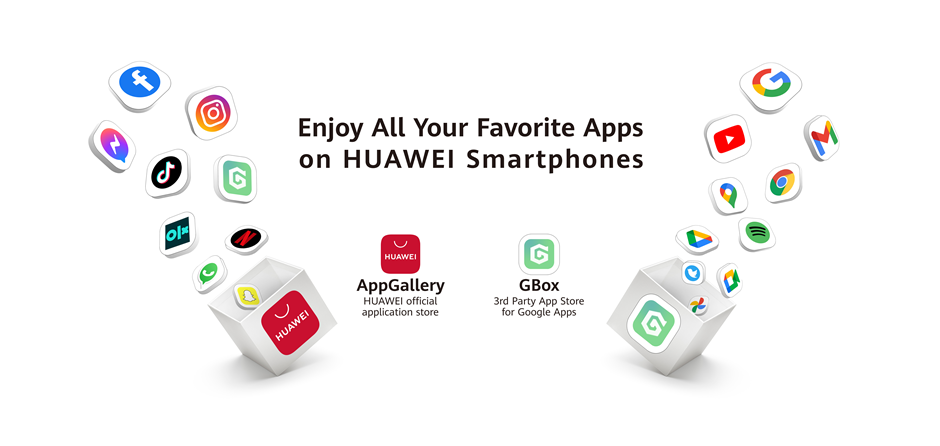
It’s been four years since the Trump administration placed Huawei on the US Entity list. It barred American companies from doing any business with Huawei, including Google. As a result, all the Google Services were no longer working for the Huawei smartphone across the globe. As an alternative, Huawei replaced GMS – Google Mobile Services with HMS – Huawei Mobile Services. However, users are still looking for alternatives to access Google Services on Huawei smartphones. The wait seems over as the Gbox is here with the ability to install Google apps on Huawei Smartphones without any further ado.
Must See: Huawei MateBook E Go 2023 Goes on Sale in China
How GBox Is Better than Other Apps?
Huawei introduced some apps to replace the default Google apps, but they never matched the quality of Google. To address the issue, several third-party users started developing apps or workarounds to enjoy Google services and offered apps like Gspace. However, there are some differences between Gspace and Gbox which became public in December 2022. The previous apps like Gspace were causing battery drain, and even carried ads. Unlike the competition, Gbox is officially available from the Huawei App gallery and doesn’t affect the battery life. It can work with other apps without causing any system applications to crash. GBox also provides access to other popular apps that are not available on the official Huawei AppGallery, such as WhatsApp and Facebook Messenger.
It is a boon for Huawei users who want to expand their device’s capability.
Features of GBox
- YouTube and Google Maps Works Flawlessly
- Available from Huawei App Gallery
- Open Natively on Huawei Smartphone
- Minimal Impact on battery
- Doesn’t affect other System Apps
Prerequisites
- You should install GBox from Huawei App Store or sideload it after downloading APK from here.
- Make sure you have a Google Account to enjoy GMS.
Steps to Install GBox on Huawei Smartphones
Below are some simple steps to enjoy Google Services on Huawei Smartphones using the GBox. Make sure to download the GBox from Huawei Gallery App or from the third-party website link.
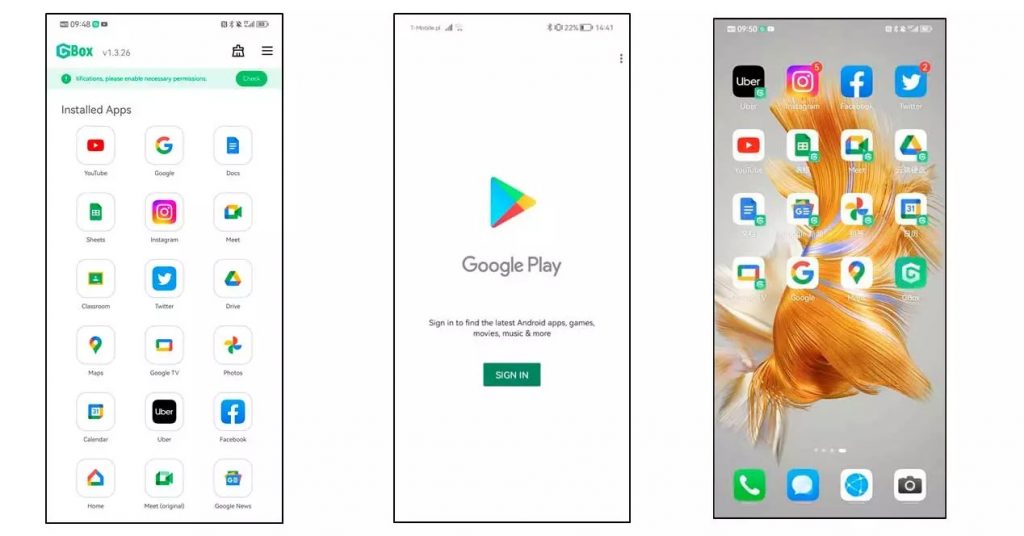
- Once Installed, Open GBox App on Huawei smartphone.
- Now, Select the Google Play Store Icon, and Sign In or Sign Up using the respective links.
- After successful sign-in, you will be able to install or download any app from the Play Store directly. The app will create a shortcut on your home screen from where you can access the apps without any issues.
Despite the challenges posed by the US Entity List, Huawei has continued to innovate and offer new products and services to its customers. Gbox is just one example of how third-party developers are stepping up to provide solutions to Huawei’s app store limitations, and it remains to be seen how the app ecosystem will continue to evolve in the coming years.
Related: Huawei Mobile Service is now the third-largest globally with over 2.3 million developers
As per our testing, YouTube, Google Maps, and other such apps are working without any issues. Huawei device users would be delighted to enjoy Google Services.



Comments