
Add GIZMOCHINA as Preferred Source on Google
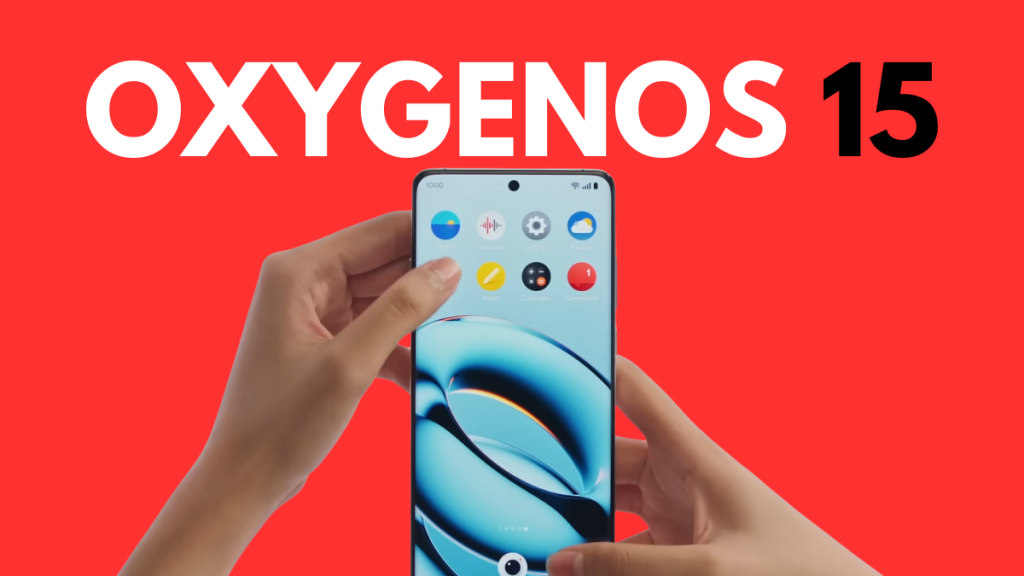
OxygenOS 15, based on Android 15, is the best software upgrade for OnePlus phones in recent years. The animations are now a lot smoother, thanks to parallel processing, and there are many new features, such as Share with iPhone, Circle to Search, flux themes, live alerts, and more.
The stable rollout is expected to kick off by the end of the year. However, those looking to get an early taste of the new software can download and install the OxygenOS 15 beta.
OnePlus is already rolling out the beta version of OxygenOS 15 to select devices, with more to follow in the coming days. See the official beta rollout timeline below to know when it’s coming to your phone. And if you’re interested in joining the beta party, follow the steps mentioned in this post.
OxygenOS 15 open beta rollout timeline
- From Oct 30: OnePlus 12, OnePlus 12R, OnePlus 12R (Genshin Impact Edition)
- From Nov: OnePlus Open, OnePlus Pad 2
- From Dec: OnePlus 11 5G, OnePlus 11R 5G, OnePlus Nord 4, OnePlus Nord CE 4, OnePlus Nord CE 4 Lite 5G, OnePlus Pad
- From Jan: OnePlus 10 Pro 5G, OnePlus 10T 5G, OnePlus Nord 3 5G
- From Feb: OnePlus 10R 5G, OnePlus Nord CE 3 5G
As of writing this post, the OxygenOS 15 open beta is live for OnePlus 12, OnePlus 12R, and OnePlus 12R Genshin Impact Edition. The OnePlus Open and OnePlus Pad 2 should join the party in the coming days, followed by the remaining models in the coming months.
Open beta, also known as public beta, is the final testing phase of software before it rolls out as a stable update to a broader audience. The goal is to analyze users’ feedback and ensure the software is ready for public use. This phase generally lasts for a few weeks. However, it can take months if critical bugs are discovered.
How to install OxygenOS 15 beta?
Before you follow these steps, make sure that the OxygenOS 15 open beta program is live for your OnePlus device. You must also visit the open beta announcement page on the OnePlus Community to see the application time and other important details.
Step 1: Ensure your device is up-to-date, as older versions might not detect the open beta version.
Step 2: Go to Settings and tap Software update.
Step 3: Tap three dots on the upper-right side and choose Beta Program.
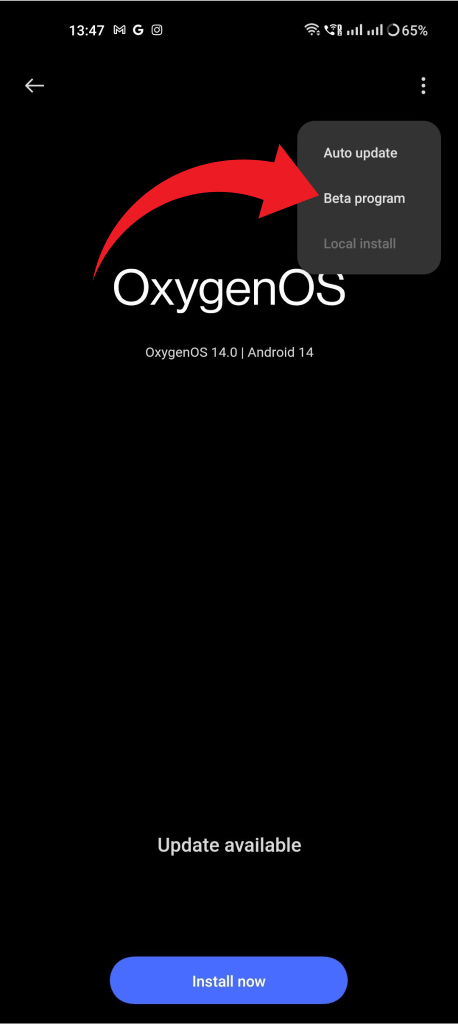
Step 4: On the Release candidate screen, you’ll see the open beta builds available for your OnePlus phone.
Step 5: Download and install a beta update, if available. Otherwise, check back again later.
OnePlus takes open beta applications in batches. If you see a “no updates available” message after following the steps, it means the day’s quota is fully booked. Then, you should try the next day.
If the open beta quota is already booked, you can download the update package using the Oxygen Updater (a third-party app). To install it, you must enable the developer mode (by tapping 7 times on the build number) and use the Local install option.
For any reason, if you want to go back to OxygenOS 15, download the rollback package from the OnePlus Community and use the Local install option.
What’s new in OxygenOS 15?
OxygenOS 15 brings parallel processing for smoother app switching. No other smartphone brands, including Apple and Samsung, are currently offering this feature. There’s also Circle to Search for quick Google searches without leaving the app.
With the newly added Share with iPhone feature, transferring files between OnePlus and iPhones is a little easier, though it still requires many steps. Additionally, new AI-powered image enhancement tools have been introduced, such as AI Detail Boost, AI Unblur, and AI Reflection Eraser.
OxygenOS 15 also brings Google’s Gemini AI model for intelligent search. AI-smartness also comes to Notes for quick summary, formatting, generating new content, and tone adjustment. There are also flux themes, which are preset themes that give your device a fresh look in one click.
Also Read:
1. OxygenOS 15: 7 features you must try
2. Prepare your smartphone for Android 15 upgrade
3. These OnePlus devices are eligible for Android 15 update



Comments