Add GIZMOCHINA as Preferred Source on Google
After reviewing several keyboards this year, I was curious to try the Luminkey Magger 68 HE, particularly because it’s positioned as a magnetic switch keyboard, ideal for both gaming and productivity. It’s available in two variants: Performance and Professional, with slightly different features and price points.
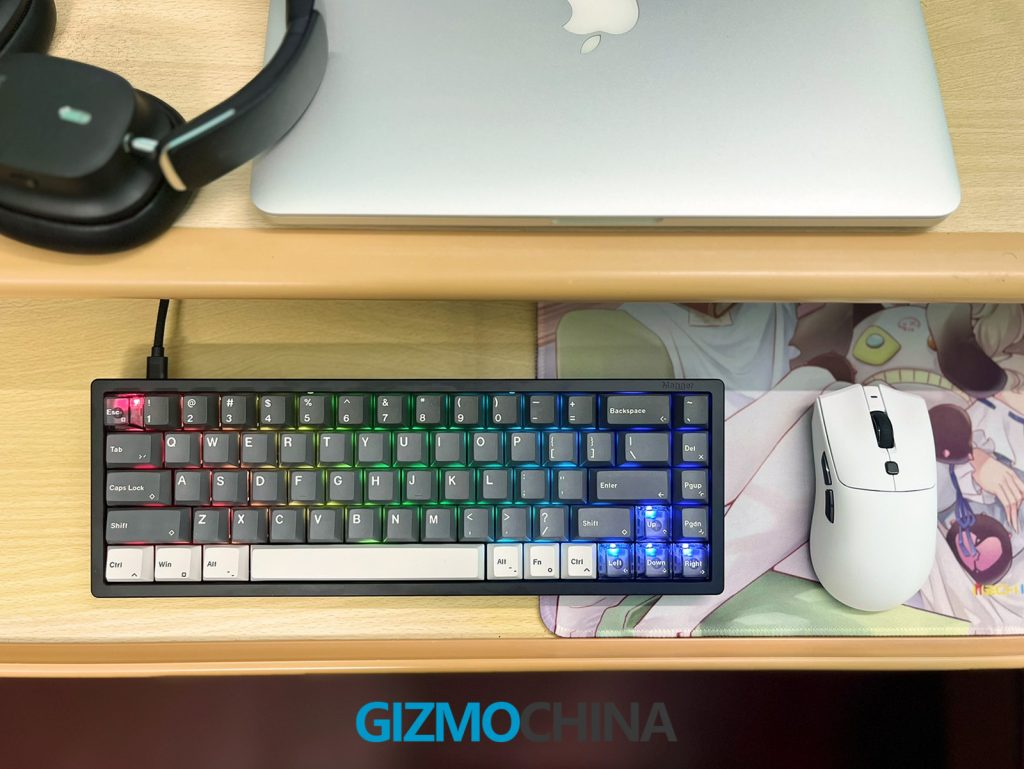
I got the Performance version in Ano-Black, which features Gateron Magnetic White Pro switches. After using it extensively, I’ve noticed a few standout features as well as some drawbacks that may affect whether this is the right choice for everyone. Here’s my full breakdown.
1. What’s in the Box
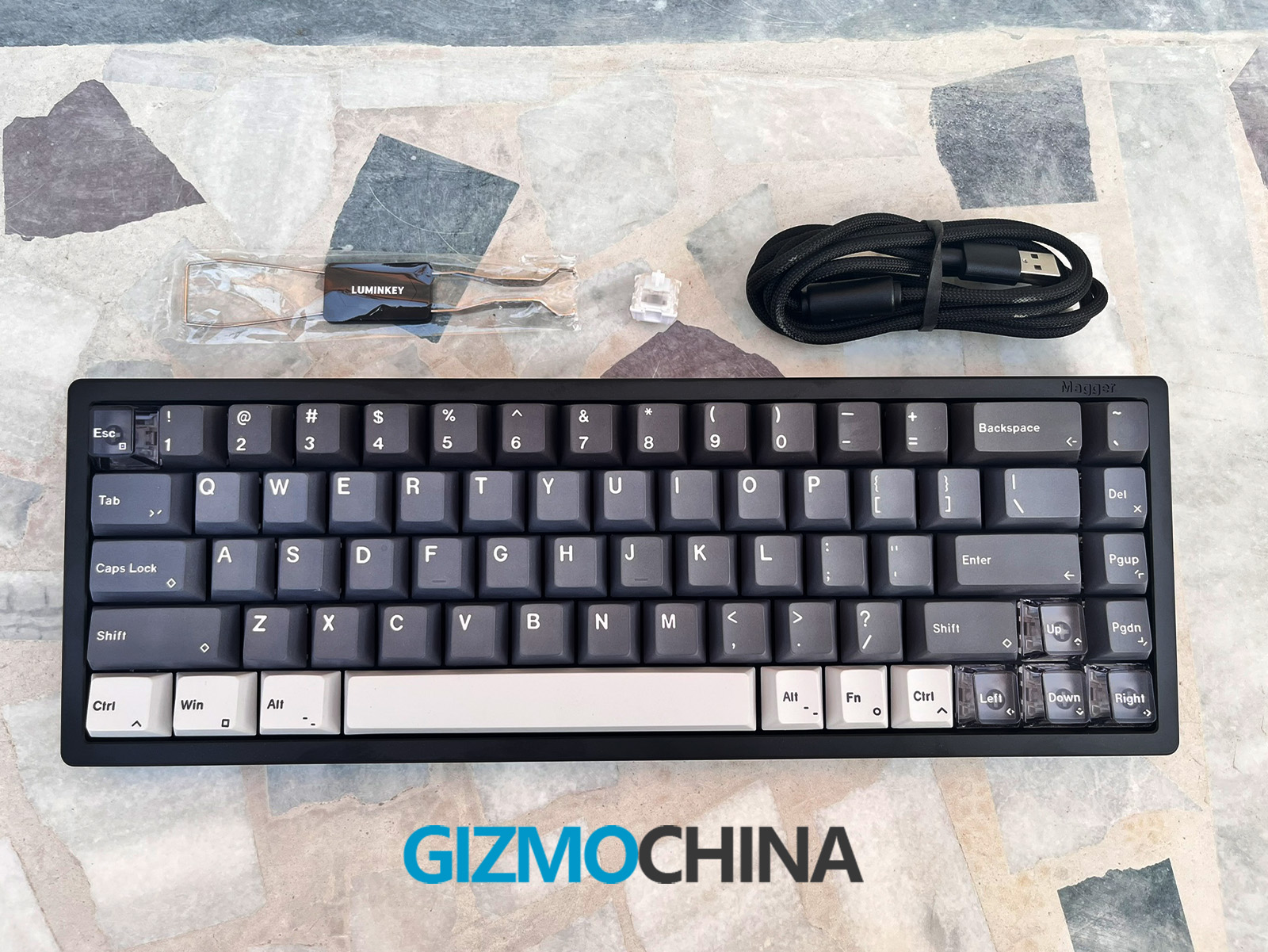
The Magger 68 HE arrived in a straightforward box with a few essentials. Inside, I found the keyboard, a USB-C cable, a combined keycap and switch puller and one extra switch. The cable, while sturdy and braided, is only 1 meter long, which might feel restrictive for some users.
2. Design and Build Quality
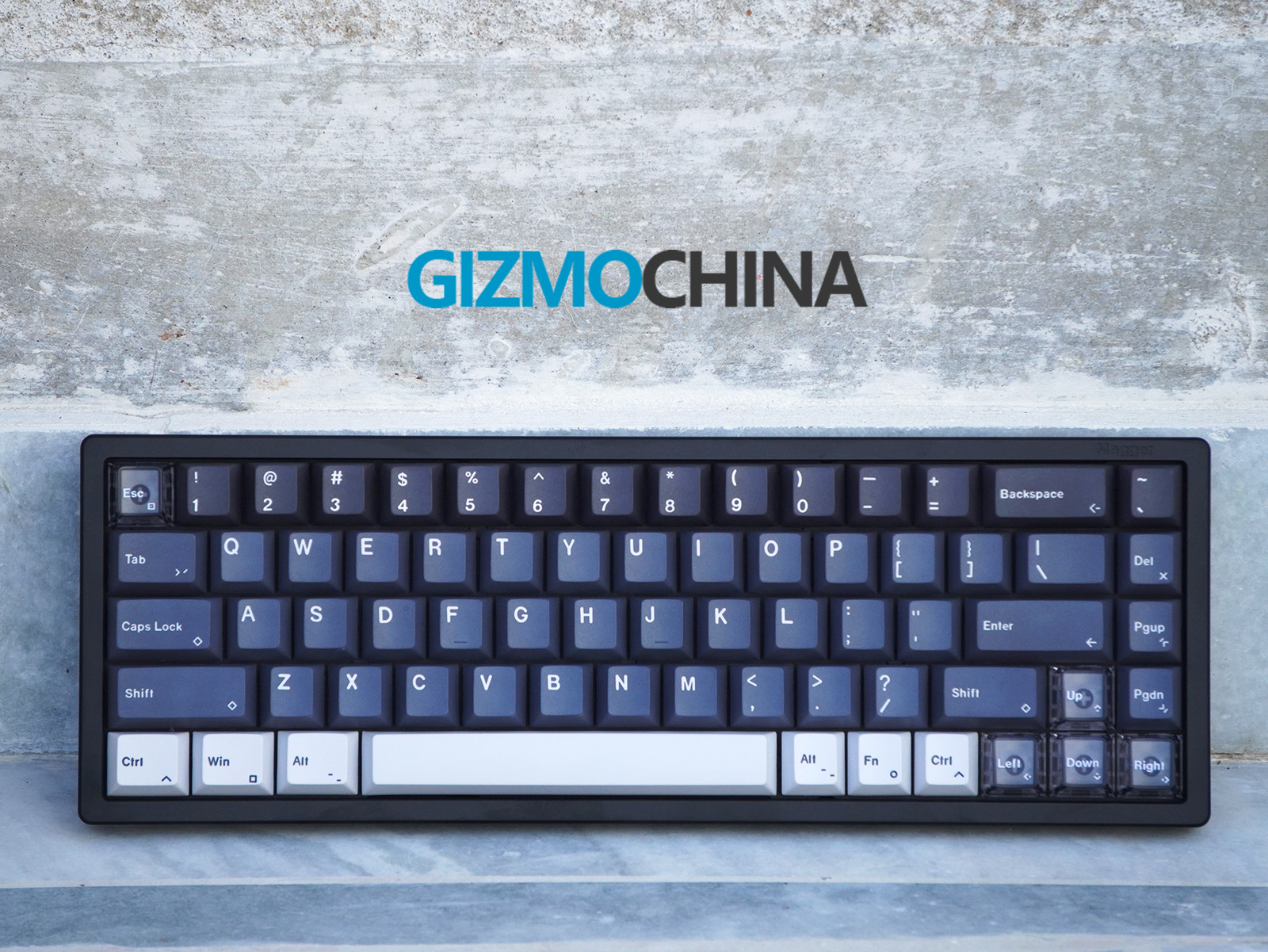
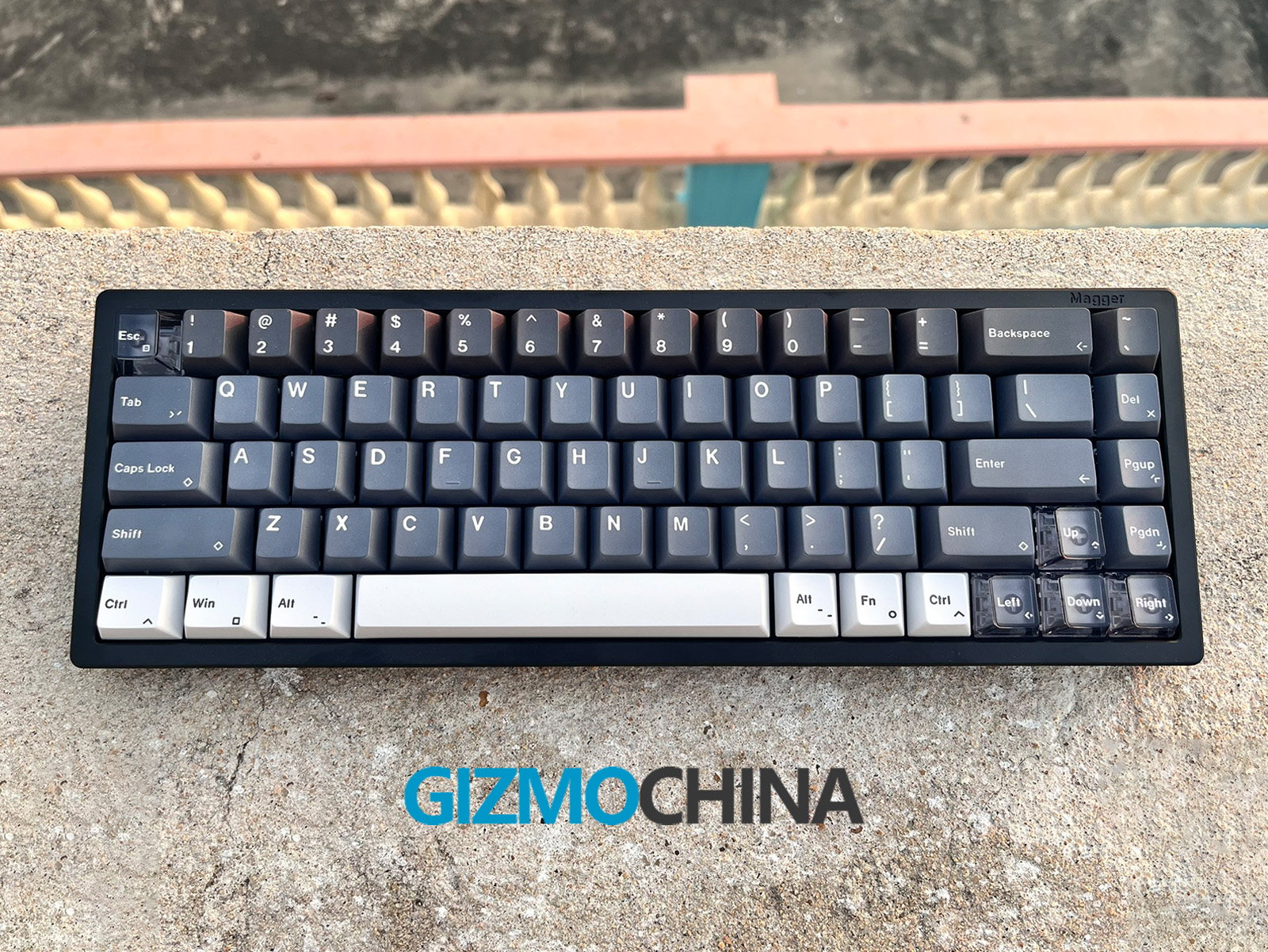
The first thing I noticed was the quality of the build. The keyboard has an anodized aluminum case, which not only gives it a premium feel but also adds durability and heft (1.2 kg). The finish on the aluminum is smooth, providing a comfortable touch without feeling slippery. It’s also available in other color options like Champagne Gold and E-Milky White, so there’s a bit of customization for those who are particular about aesthetics.
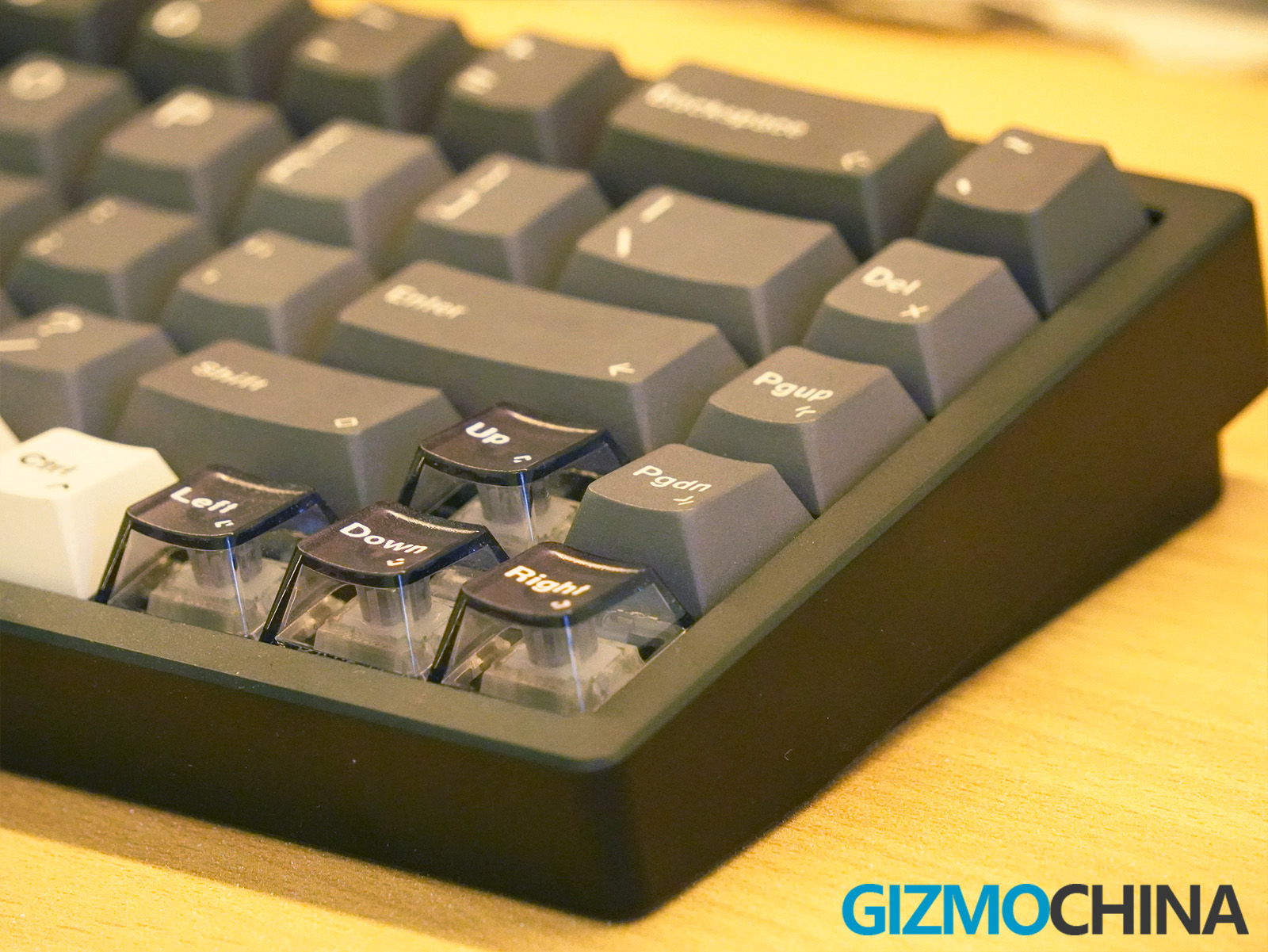
The keyboard features a 68% ANSI layout, which strikes a nice balance between compactness and functionality. This layout omits the function row and number pad but retains arrow keys and some navigation buttons on the right.
It’s a straightforward design choice that frees up desk space, a benefit I’ve come to appreciate, especially during extended typing or gaming sessions. While the lack of a dedicated number pad might be inconvenient for some, I found the compact design well-suited to my needs.
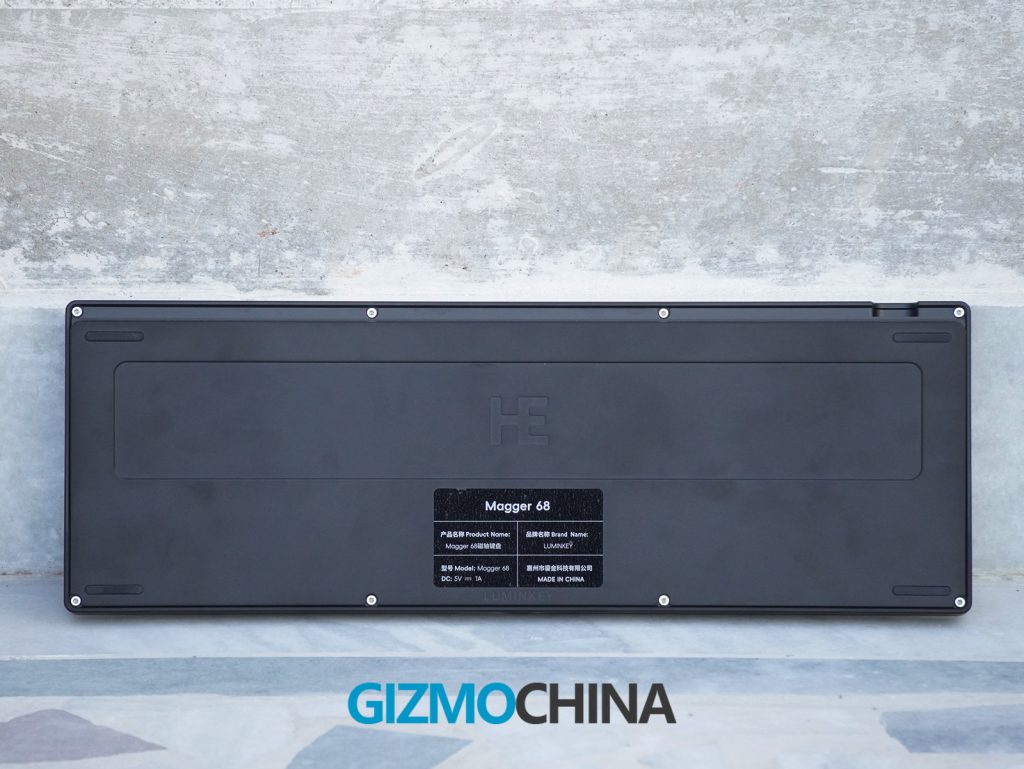
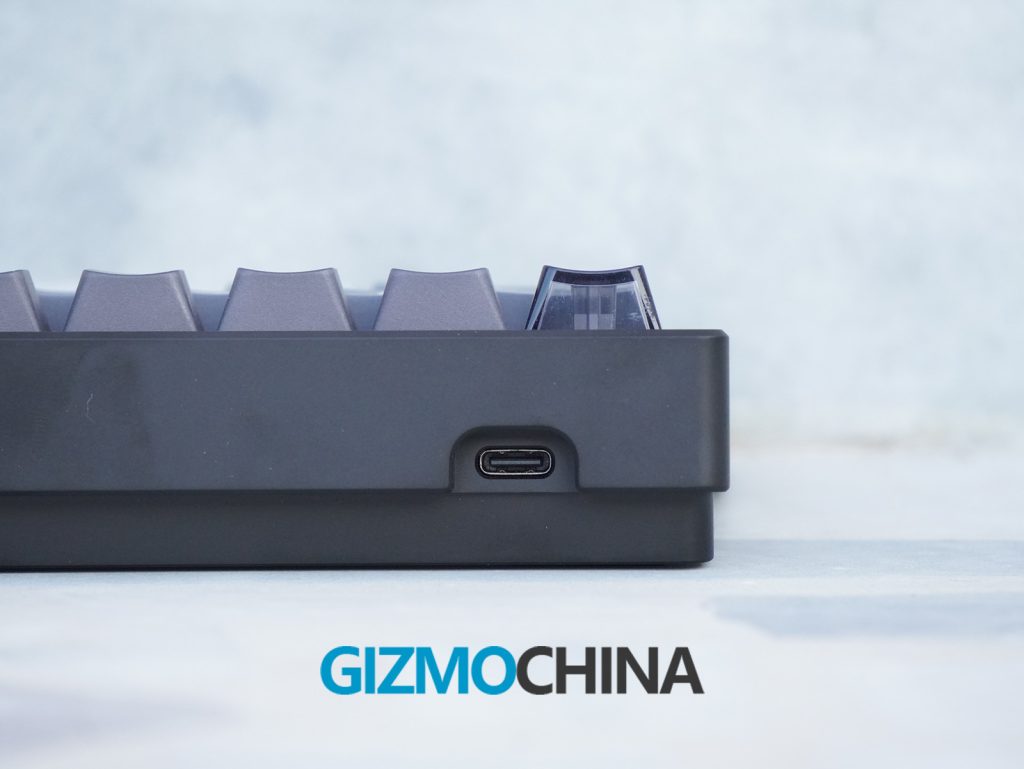
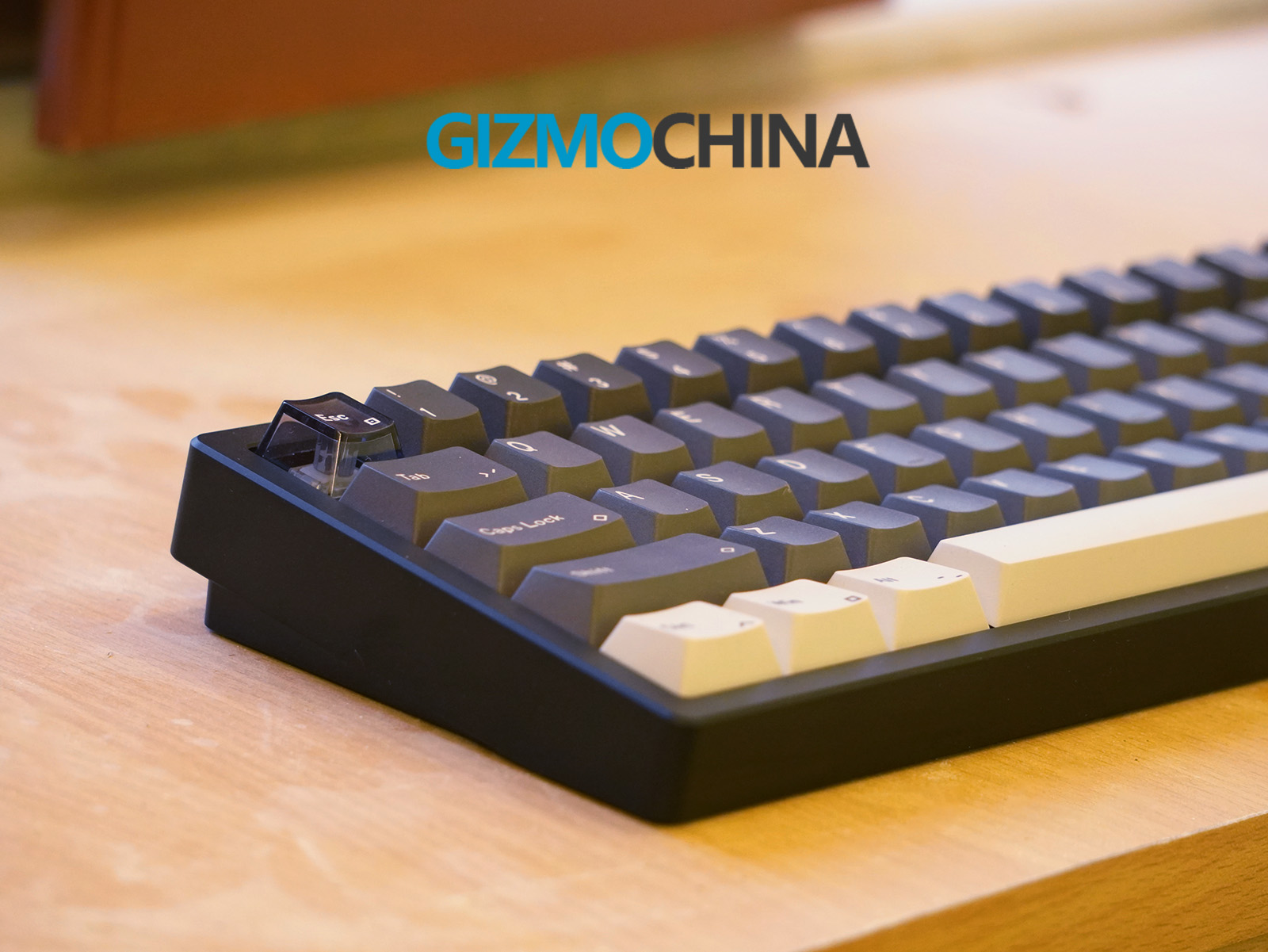
The keyboard features a 7° typing angle, ergonomically designed to reduce wrist strain during long typing sessions. This angle, while fixed, strikes a balance that feels natural and supports a more relaxed wrist posture. Unlike adjustable feet typically found on keyboards, this fixed typing angle might take some getting used to for those who prefer customizing their keyboard angle. The low front edge and beveled edges give the keyboard a sleek profile, allowing it to sit comfortably close to the desk’s surface, making it easier to type without a wrist rest.
The keyboard comes with custom PBT keycaps co-developed with ALOHAKB, known for its high-quality keycap production. The PBT material is resistant to shine, so the keycaps will retain their matte texture even after extensive use. These keycaps are dye-sublimated, ensuring the legends won’t fade or wear down over time.
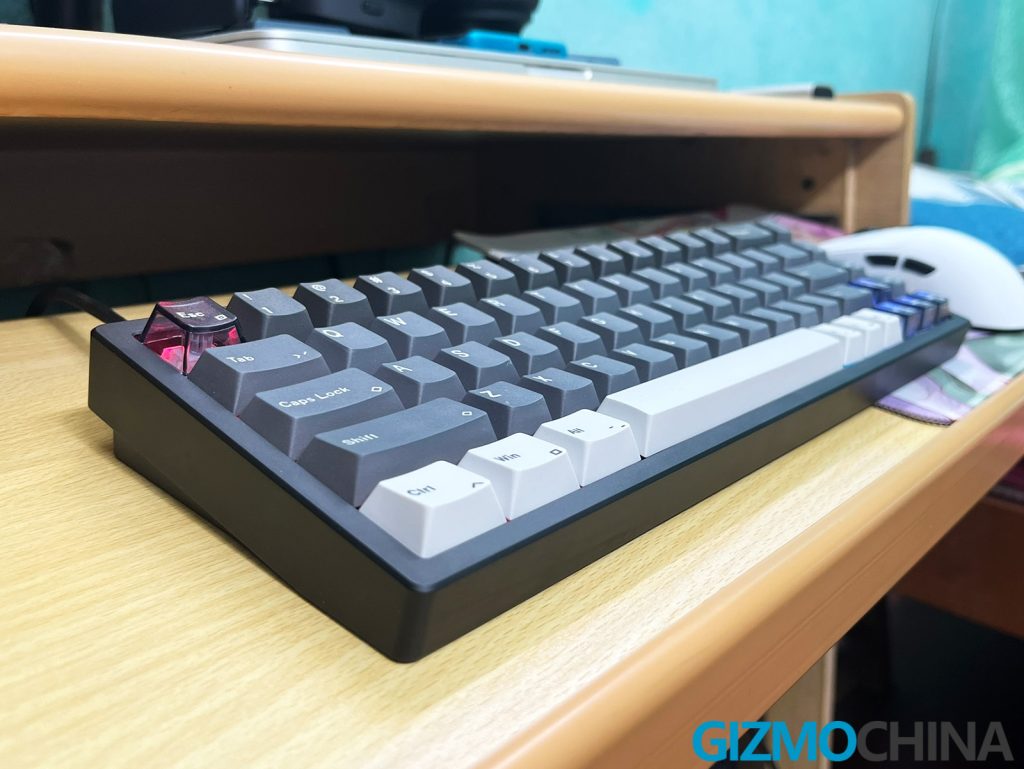
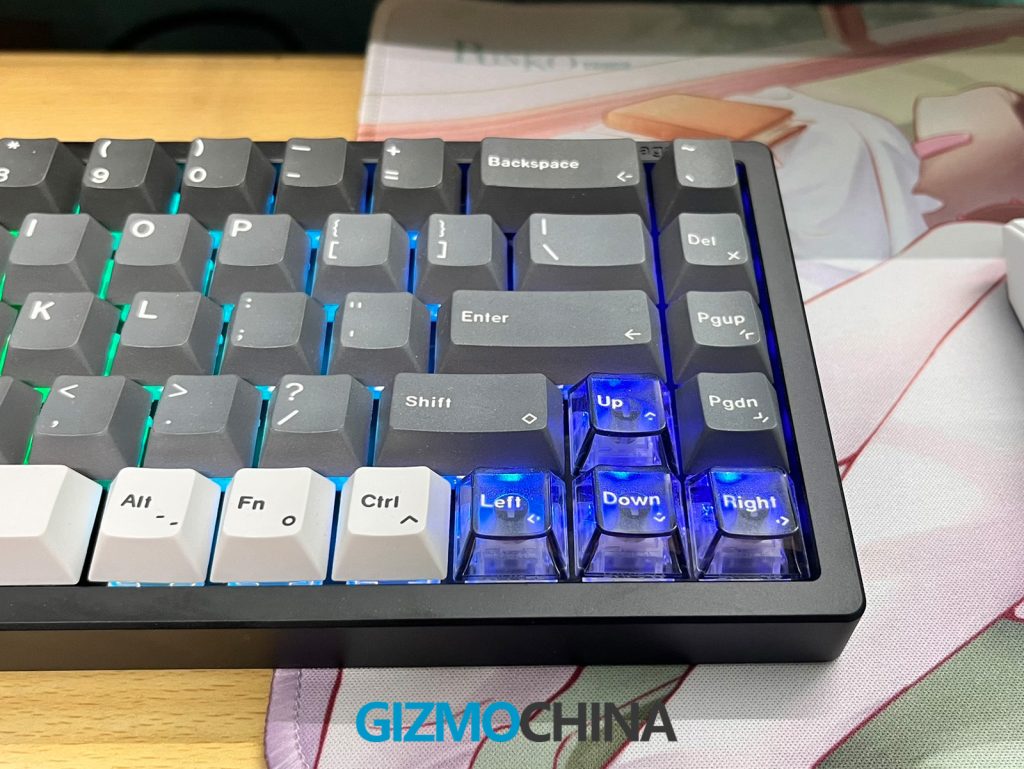
Additionally, the keycaps are slightly thicker than standard, giving a more substantial feel and a satisfying tactile response. Some keycaps, like the Escape and Arrow Keys, have translucent elements, allowing a subtle glow from the RGB lighting to enhance aesthetics without overwhelming brightness.
The Magger 68 HE includes per-key RGB backlighting with North-facing LEDs. However, it lacks an RGB through-letter backlight, which may be a minor letdown for night-time users, though ambient lighting and a simple RGB glow along the edges and base provide a decent aesthetic touch.
The keyboard is fitted with small silicone feet that keep it securely in place on various surfaces. While the feet are thin, they effectively anchor the keyboard, even during vigorous typing sessions. The stable base, combined with the keyboard’s weight, ensures minimal movement across the desk, providing a solid typing experience without the need for additional non-slip mats.
3. Connectivity
The Magger 68 HE is a wired keyboard only, which may disappoint users seeking a wireless option. That said, the wired connection does enhance its polling rate and minimizes latency, making it ideal for gaming. It uses a standard USB-C connection, and while the cable is short, the keyboard is compatible with any other USB-C cable if you need a longer one.
4. Features
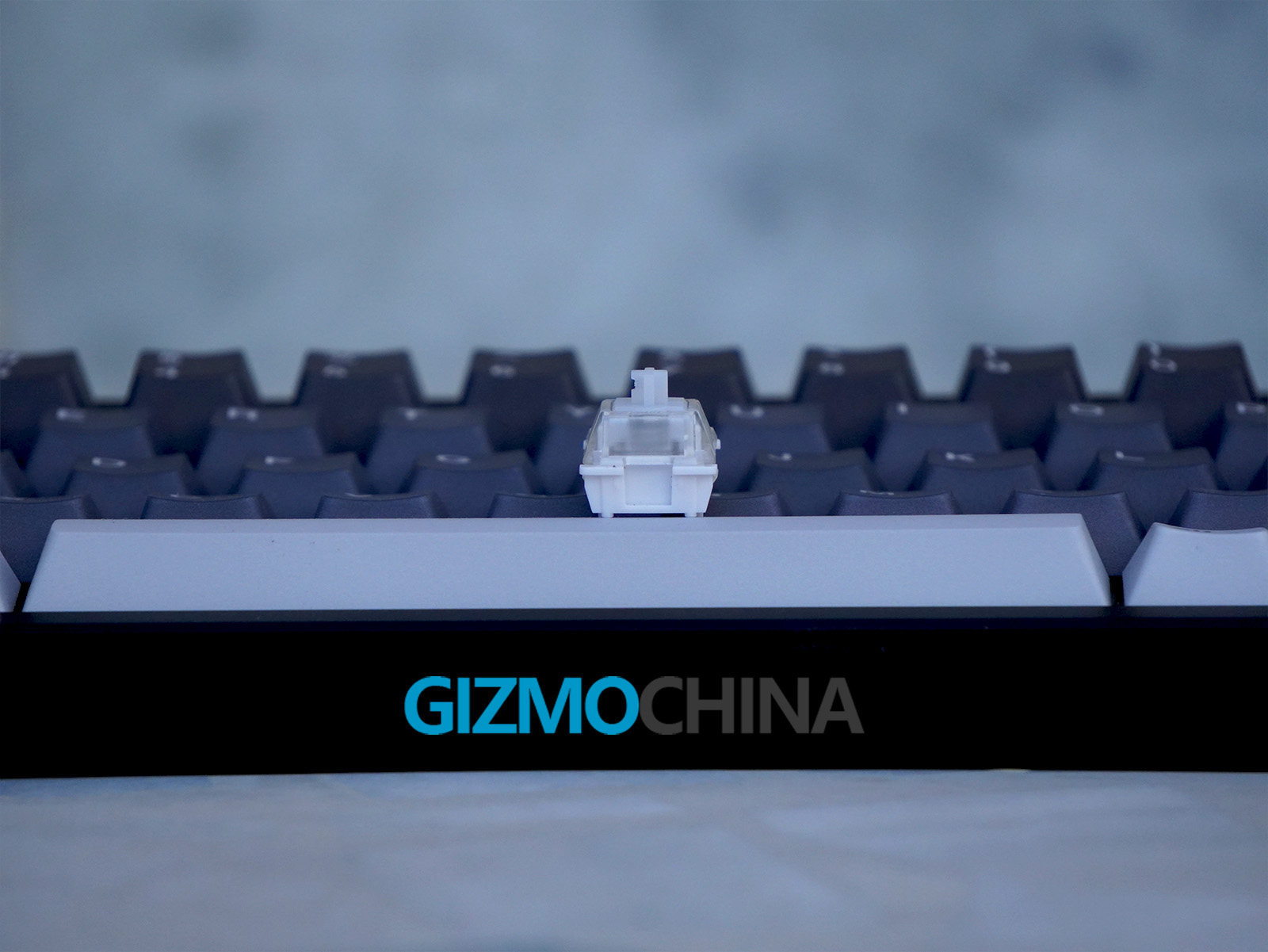
The keyboard packs several features tailored for customization and high responsiveness. Key among these is the Gateron custom dual-track Magnetic Pro switches, which allow adjustable actuation points from 0.1mm to 3.5mm. This is especially useful for those looking to fine-tune key sensitivity based on whether they’re gaming or working.
The keyboard also features an 8000Hz polling rate means it registers inputs with minimal delay, an important factor for competitive gamers, though casual users might not notice much difference. The magnetic Hall Effect switches enable features like Rapid Trigger, letting you register multiple keystrokes without the need to release the key fully, which can be a real advantage in FPS games where quick reactions are crucial.
Despite its compact layout, the Magger 68 HE includes the most essential functions through secondary layers. While there aren’t function key labels or onboard instructions, the manual outlines how to access these functions.
The keyboard also incorporates Dynamic Keystrokes, which allow up to four different actions to be triggered based on the depth of a single keypress (two actions on press, two on release). This means that gamers can assign complex commands to a single key, saving precious time and enabling quicker access to in-game actions without relying on multiple key combinations.
Additionally, the Magger 68 HE supports SOCD (Simultaneous Opposing Cardinal Directions) cleaning, which registers a second directional key to cancel out the first. However, it’s worth noting that this feature is banned in certain competitive games, as it can offer a strategic advantage.
5. Software
Luminkey’s proprietary software handles customization, allowing you to remap keys, set up macros, and adjust RGB lighting and actuation points. While functional, the software interface feels a bit rough around the edges.
For instance, it doesn’t go full screen, and navigating through various settings can be less intuitive than more polished keyboard software options out there.
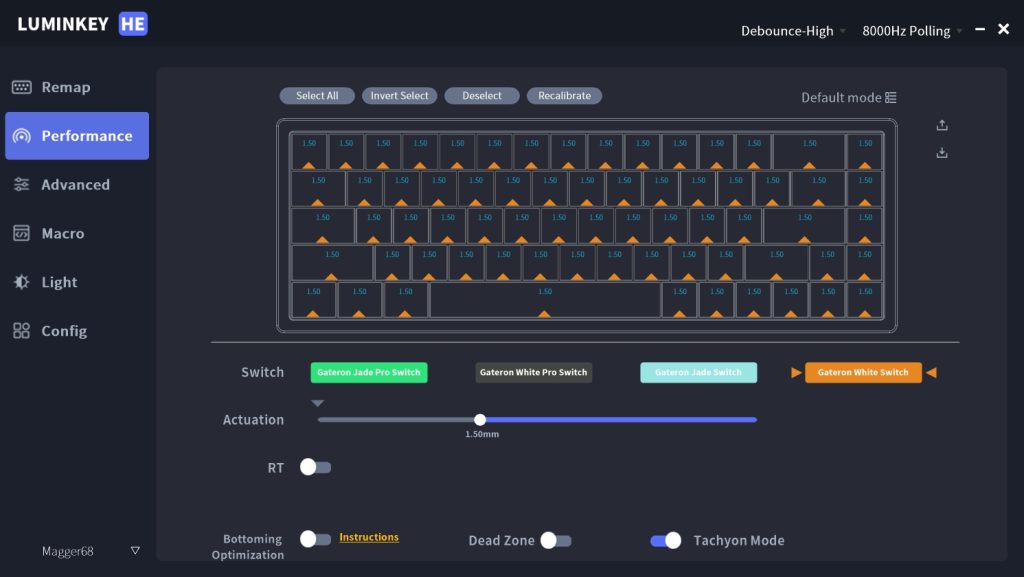
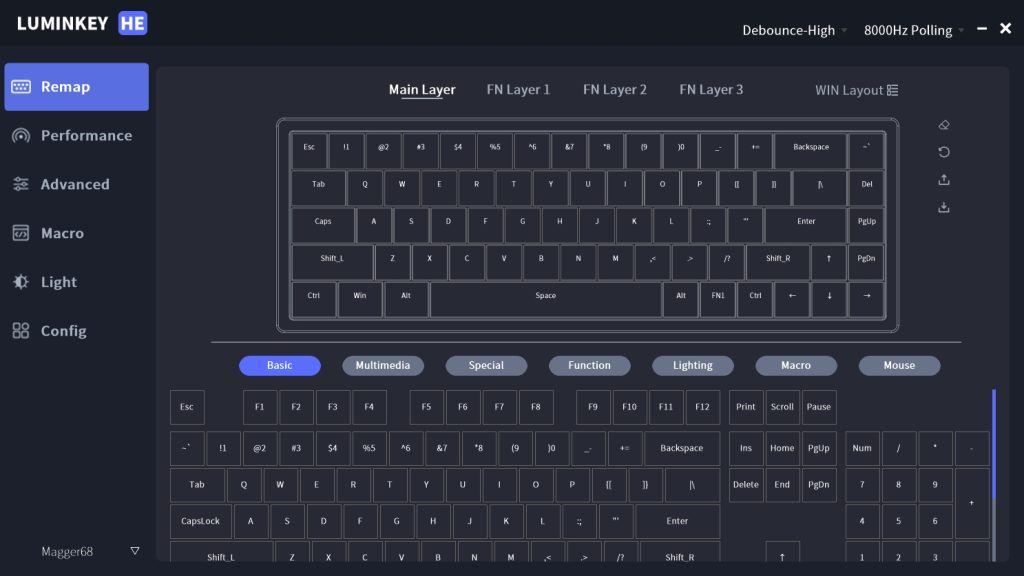
For Windows users, the software offers decent functionality, though Mac and Linux users are left out. Features like custom layers, dead zone configuration, and macros are present but lack the depth and simplicity of QMK or VIA. The RGB customization options are straightforward, featuring different lighting modes, adjustable brightness, and a customizable color palette.
The software would benefit from refinements to improve user experience, especially for beginners, and could be more inclusive by adding support for Mac, Linux, or a web-based platform.
6. Performance
When it comes to typing and gaming performance, the Magger 68 HE shines. The Gateron Magnetic White Pro switches feel smooth, with no tactile bump, which makes them suitable for both fast typing and quick in-game actions. The adjustable actuation point is a handy feature, especially for users who like to fine-tune their keyboards based on different tasks or games. I am not a heavy gamer, so I found myself sticking to a mid-range actuation point for a balanced response.
The overall sound profile is on the quieter side, thanks to the dense silicone layers inside, which dampen hollow sounds often found in metal-cased keyboards. While the magnetic switches give it a stiffer feel, I adapted to it quickly and found it comfortable. Typing on the Magger 68 HE feels natural, and the layout, though compact, is spaced well enough to prevent accidental key presses.
Another thing I really loved about this keyboard is how quickly I adjusted to it. It took only an hour, whereas I usually need at least 2-3 days or even a week to get comfortable with a new keyboard. Perhaps the layout is similar to my current keyboard, which made the transition easier. While this experience may vary for others, it was a definite plus for me.
The keyboard also has a polling rate of 8000Hz, translating to a minimal delay in key response. For fast-paced games, this could be beneficial, though personally, I didn’t notice a massive difference from 1000Hz polling rates in my casual gaming sessions.
7. Conclusion
The Luminkey Magger 68 HE is a capable keyboard for both casual and serious users. Its sturdy build, compact design, and magnetic switches make it ideal for gamers looking for a more customizable typing experience. While the software could use some polish, this is a minor setback in an otherwise solid product.
Priced at $119 for the Performance version, the Magger 68 HE offers a great balance of features and build quality without unnecessary extras. It’s a practical choice for those who want a keyboard that performs well and looks good, without breaking the bank. For anyone looking to explore magnetic switch technology in a compact layout, this keyboard delivers on its promises without too much compromise.
8. Pricing and Availability
The Luminkey Magger 68 HE is available for purchase on Mechkeys, AliExpress, and Amazon. Mechkeys is currently offering up to 30% off keyboards, mice, and keycaps for the Double 11 sale. Originally priced at $119.99, this keyboard is now available for just $104.39 during the sale.
We recently reviewed another HE gaming keyboard called the Varmilo Muse65. Check out our article to find out if it truly lives up to the hype or if it’s just overpriced.