
Add GIZMOCHINA as Preferred Source on Google
After a lot of back and forth, Samsung finally released the One UI 7 beta to the Samsung Galaxy S24 series in early November, the time when it should have released the stable build. It will be released alongside the Galaxy S25 series next week. This also means the S25 models will boot One UI 7 out of the box. But when is it coming to older Galaxy devices, such as the S23 series, and others?
Well, Samsung hasn’t spilled many details about the One UI 7 release and rollout plans. So far, the brand has only confirmed that the newer One UI skin, based on Android 15, will be released alongside the Galaxy S25 series, and that announcement was made back in October. However, some recent reports have revealed that the One UI 7 distribution could begin the early February, in the first or second week.

As always, recent high-end models will be the first in line to get the newest One UI build, followed by mid-range and cheap models. So, the Samsung Galaxy S23, Galaxy S22 series, and Galaxy Z Flip 6/Fold 6 should get the initial treat.
Also Read: These Galaxy devices are eligible for One UI 7 upgrade
What’s new in One UI 7?
One UI 7 is a one-of-a-kind update in recent years that brings massive upgrades and new features. The animations are now much smoother, further improving switching apps and multitasking experience. The camera app is less-cluttered, easy to navigate, and switching between camera modes and zoom levels is easier with one hand.
Samsung has finally added a vertical app drawer. It felt like an eternity, but it’s finally here. You can switch back to the horizontal layout, although we think most people wouldn’t.
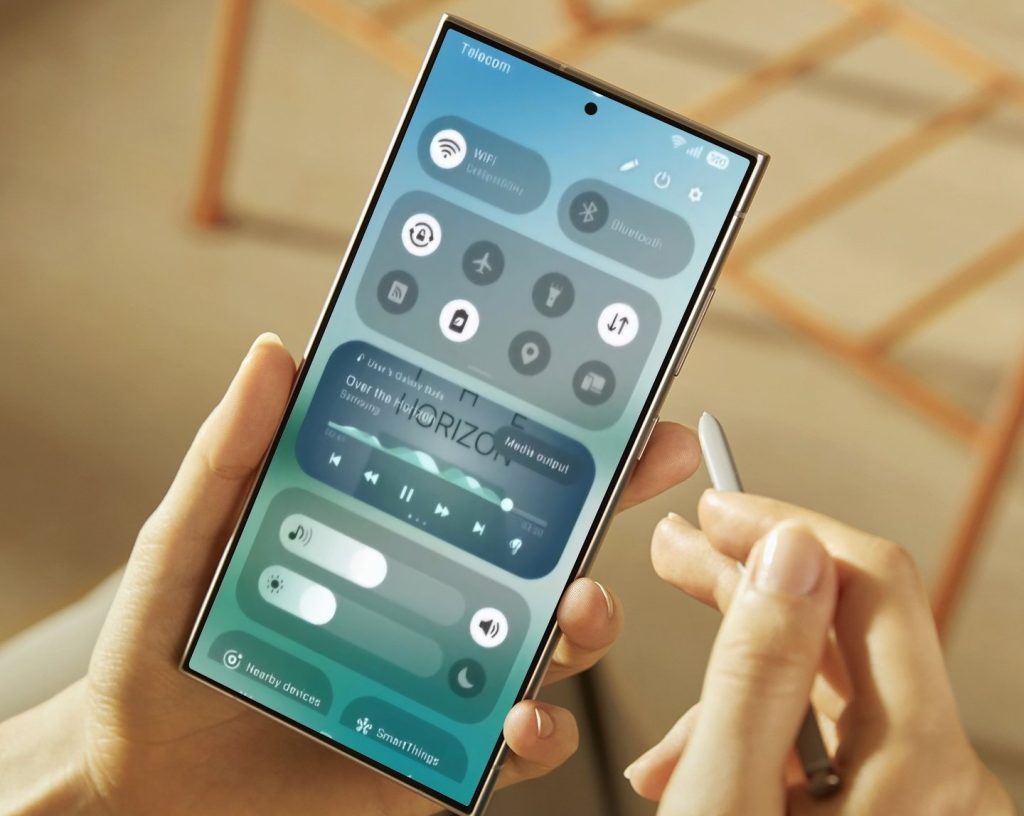
One UI 7 also brings Now Bar, probably the most significant visual upgrade in the newest software. It is Samsung’s take on Apple’s Dynamic Island feature that shows helpful information on the lock screen. It works with music, recording, stopwatch, interpreter, reminder, and more.
With One UI 7, Samsung now lets users split the notification center and Quick Settings panel, which is already present in many Chinese devices. So, you can now open Quick Settings by swiping down from the right and the notification center by swiping down from the left of the selfie camera.
There’s a redesigned battery indicator and icons for native apps. You can now choose between several adaptive charging options, such as limiting charging to 80%. Samsung has also added new widgets and improved Galaxy AI features.
Recent leaks have revealed that the brand is integrating Gemini AI into its stock apps, including Samsung Calendar, Samsung Notes, and Samsung Reminder for easier access. So, there’s a lot to look forward to in One UI 7, which I’m pretty excited about.
Tech enthusiast? Get the latest news first! Follow our Telegram channel and subscribe to our free newsletter for your daily tech fix! ⚡



Comments