Add GIZMOCHINA as Preferred Source on Google
As an Amazon Associate, Gizmochina earns from qualifying purchases. Links on this page may earn us a commission at no extra cost to you.
When I first came across the Zhiyun Cinepeer Crane 4E, I was intrigued by its positioning as a budget-friendly gimbal in Zhiyun’s lineup. It’s marketed as a slightly stripped-down version of the Crane 4, removing a few features but keeping the essentials intact. With my lightweight Sony ZV-E10 setup, this gimbal seemed like an ideal match. After putting it through its paces, I can say it delivers solid value, but it’s not without its quirks.

1. What’s inside the box?
The Zhiyun Cinepeer Crane 4E comes with all the essential accessories needed to get started right away. Here’s what you’ll find inside the box:
- Crane 4E Gimbal
- Tripod
- Quick-Release Plate
- Lens Support
- Lens Support Screw
- 3/8″ Screw
- 1/4″ Screws (x3)
- Wrench
- USB-C Cables (x2)
2. Design and Build Quality
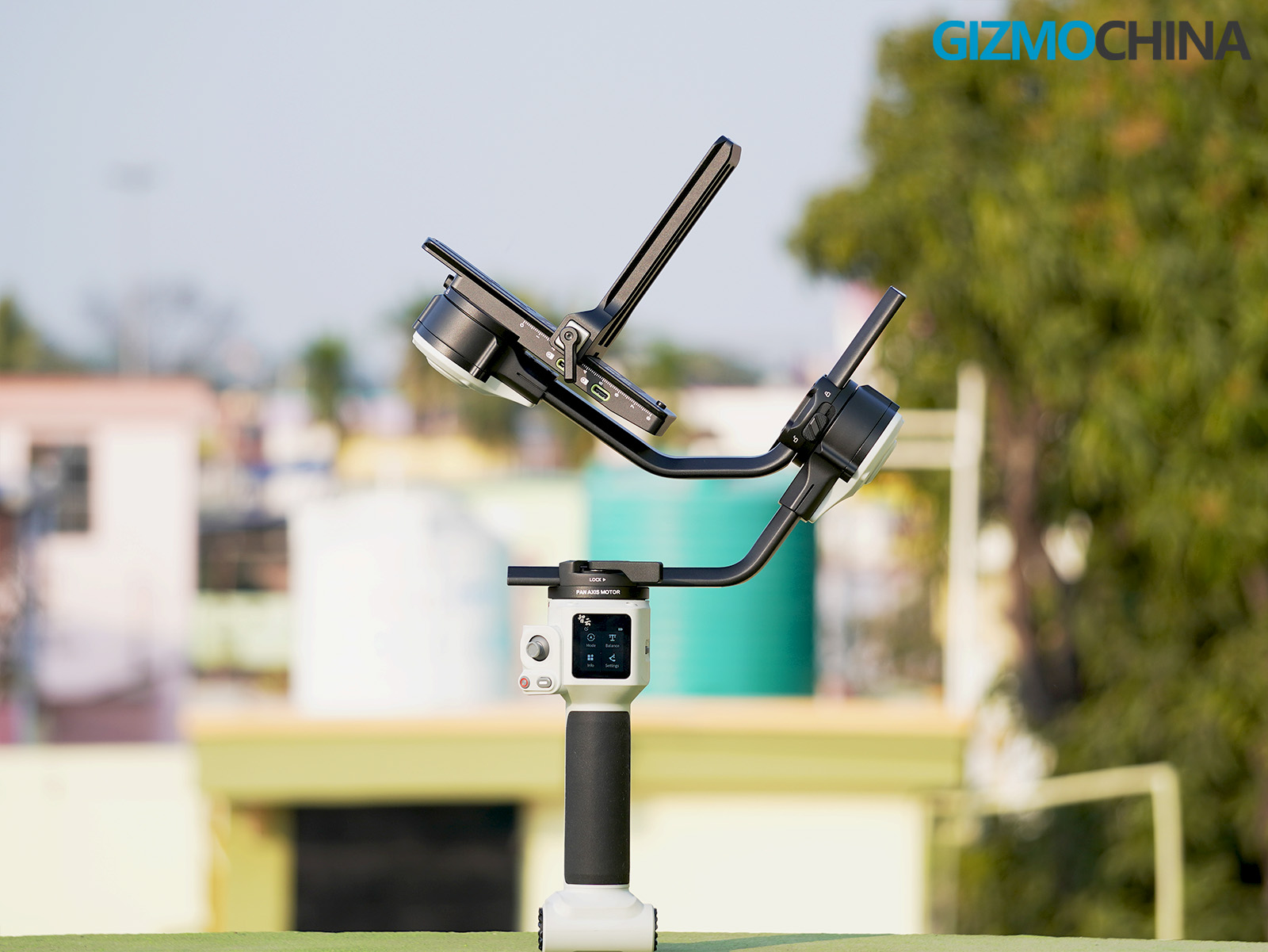
The Zhiyun Cinepeer Crane 4E is crafted from a mix of aluminum alloy and high-grade plastic, giving it a durable yet lightweight feel. Despite being part of Zhiyun’s budget-friendly Cinepeer line, it doesn’t feel cheap or flimsy. Every component feels solid and well-assembled, which speaks volumes about Zhiyun’s attention to detail in crafting this gimbal.
The handle is designed with ergonomics in mind, providing a comfortable grip that reduces strain on your wrist during long shooting sessions. It has a slightly textured finish to ensure a secure hold, even if your hands get sweaty. The weight distribution of the gimbal is well-optimized, reducing the fatigue typically associated with prolonged handheld use. The gimbal weighs 1.63 kg, which is slightly lighter than the Crane 4.
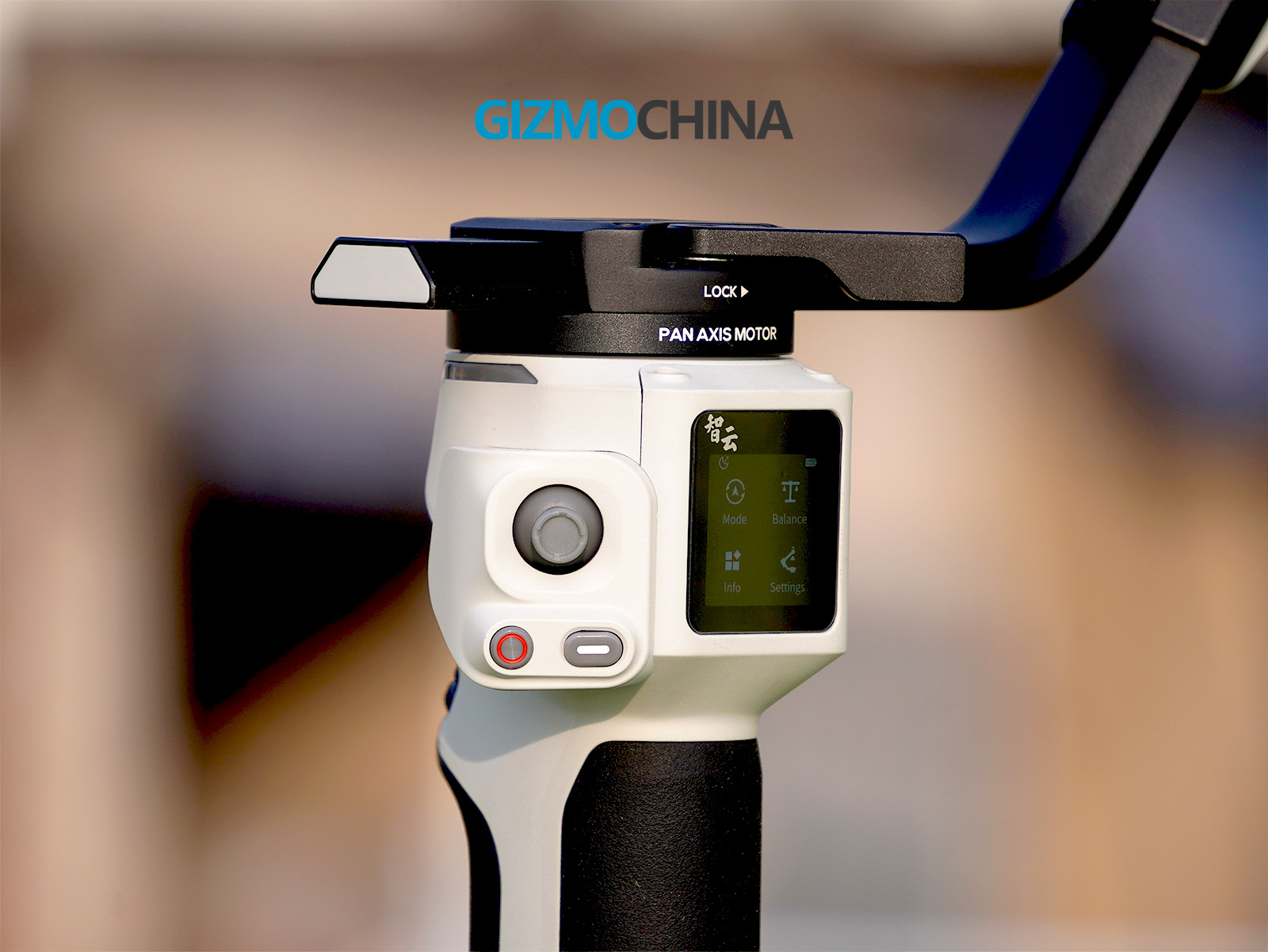
The layout of the buttons and controls is intuitive, but it does require a short adjustment period, especially if you’re new to gimbals. On the front of the handle, there’s a customizable control wheel that allows you to adjust zoom or focus depending on your preference. Directly on top of it, you’ll find the record button, which is easy to access. This button doubles as a focus trigger when held down.


On the side of the gimbal, there’s another control wheel designed for adjusting camera parameters like ISO, shutter speed, and aperture. The side wheel is placed conveniently for quick adjustments, making it easy to switch settings without needing to touch your camera. Adjacent to this wheel is the power button, which feels firm and responsive. The button placement, while functional, feels slightly right-hand oriented. Left-handed users might need some time to get used to it.

The back of the gimbal features a 1.2-inch display screen that serves as the control hub for the gimbal’s settings and modes. The screen is small but offers excellent clarity, making it easy to navigate the menus. You can select shooting modes, check the gimbal’s status, and even run balance checks through this display. The Crane 4E features a sleek mix of grey and black, a color combination I really liked for its cool and modern aesthetic.


Every axis of the gimbal has a locking mechanism, which I found very useful during transport and setup. These locks ensure the gimbal doesn’t move around when it’s not in use, preventing accidental damage. The adjustment levers on each axis feel sturdy, though the process of fine-tuning balance can sometimes be a little fiddly, especially for beginners.
In terms of accessories, the package includes all the essentials. However, I was disappointed by the lack of a carrying case or bag, which would have been a practical addition. For a gimbal aimed at budget-conscious users, this feels like an oversight. Including even a basic carry bag would make it easier to transport and protect the gimbal.
3. Balancing and Setup
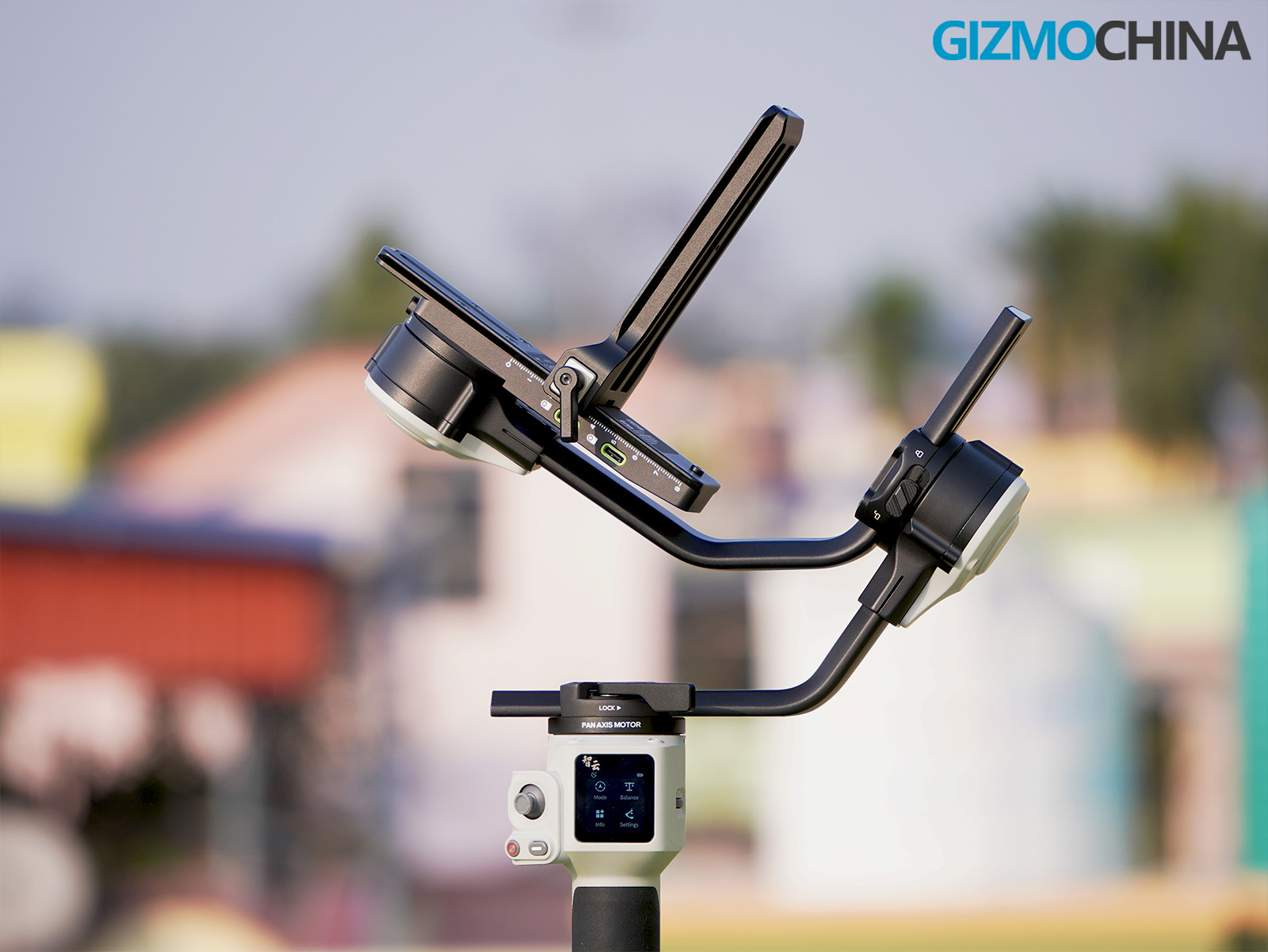
Setting up the Zhiyun Crane 4E requires a bit of patience, especially if you’re new to gimbals, but once you get familiar with the process, it becomes straightforward and manageable.
When starting the setup, the first step is to attach your camera to the included quick-release plate. The plate has a solid construction and slides smoothly into the mounting bracket on the gimbal. It’s equipped with a locking mechanism to ensure that your camera stays secure during use. The quick-release system allows for easy detachment of the camera, which is particularly helpful if you frequently switch between handheld shooting and gimbal operation.
The balancing process itself involves adjusting the tilt, roll, and pan axes until the camera stays level in all orientations without motor assistance. This can be tricky for beginners because even a millimeter of adjustment on one axis can throw off the balance of another. The gimbal’s design includes clear markings on the adjustment arms, which help in making incremental changes. The levers used to adjust the axes feel sturdy, though it can be a bit fiddly to find the optimal balance point, especially with longer or heavier lenses.
One limitation of the Crane 4E is the absence of balance indicator lights, a feature available in the higher-end Crane 4 model. These lights provide visual feedback to confirm when each axis is properly balanced, which can be very helpful for beginners. Without this feature, you’ll need to rely on manual checks and the balance test feature within the gimbal’s menu system. The balance test runs a diagnostic of the motor strength and performance after balancing, providing a pass/fail result for each axis. While not as intuitive as indicator lights, it’s a functional workaround.
Switching between horizontal and vertical shooting orientations is another part of the setup that requires attention. The Crane 4E supports native vertical mounting, but this requires you to detach and reattach the quick-release plate in a different position. Rebalancing is necessary when switching orientations, but the process is relatively quick once you’ve balanced the camera a few times and understand how each axis behaves. This native vertical capability is a useful feature for content creators producing social media videos, as it eliminates the need for additional accessories to achieve vertical shots.
The gimbal’s menu system, accessed via the small display on the back, includes a motor calibration feature. This is particularly useful after balancing, as it ensures that the motors are optimized for your specific camera setup. Automatic motor calibration takes only a few seconds and adjusts the torque settings based on the camera’s weight and balance. This feature helps reduce motor noise and vibration, ensuring smoother performance during operation.
For first-time users, the balancing process might feel overwhelming, especially if you’re unfamiliar with gimbals. I highly recommend watching setup tutorials or referring to Zhiyun’s official resources for guidance. The manual included in the box is limited, but Zhiyun’s online videos for the Crane 4 can be used as they share a similar design. With a bit of practice, balancing becomes a quicker and more intuitive task.
4. Features
The Zhiyun Cinepeer Crane 4E is loaded with features that make it a versatile and user-friendly gimbal for various shooting scenarios, whether you’re a casual content creator or a professional filmmaker. Its functionality strikes a great balance between creative flexibility and ease of use, offering tools that enhance both shooting efficiency and the final output.
It offers a Bluetooth Shutter Control feature, which allows you to control your camera’s recording and photo capture directly from the gimbal. This feature eliminates the need to touch your camera mid-shoot, reducing the risk of unintentional movements that might disrupt your composition. It’s a particularly handy feature for solo operators who need to manage both camera operation and stabilization on their own.
The shooting modes offered by the Crane 4E are another highlight, providing a versatile toolkit for creating various cinematic effects. There are five primary modes: Pan Follow, Lock, POV, Vortex, and Go, each catering to different shooting requirements.
Pan Follow Mode (PF): This mode ensures the camera follows the pan movements of the gimbal, while keeping the tilt and roll locked. It’s ideal for capturing smooth, sweeping shots, like tracking a subject across a room or following a moving object.
Lock Mode (L): In this mode, all axes are locked, ensuring the camera stays fixed on a specific direction, regardless of how you move the gimbal. This is perfect for static framing when you need stability in shots like interviews or establishing scenes.
Point of View Mode (POV): The POV mode unlocks all axes, allowing the camera to follow the tilt, roll, and pan movements of the gimbal. This mode is great for creating immersive, first-person-style footage where the camera mimics the operator’s perspective.
Vortex Mode: One of the most exciting and creative modes, Vortex Mode allows the camera to rotate 360 degrees around the roll axis, enabling barrel-roll effects. This adds a dramatic, cinematic flair to your footage, especially in music videos or high-energy scenes. While this mode is a lot of fun to use, it can become physically demanding if you’re working with heavier camera setups, as it requires precise control and stability.
Go Mode: This is a high-speed tracking mode designed for fast-paced scenes. In Go Mode, the gimbal reacts to your movements much quicker than in other modes, making it suitable for action sequences or scenarios where you need rapid adjustments to follow a subject.
Switching between these modes is seamless and can be done through the gimbal’s touchscreen or via the ZY Play app. The touchscreen interface is intuitive, showing clearly labeled options, while the app allows for remote adjustments, giving you greater control when operating the gimbal in challenging shooting setups.
5. Performance in Real-World Scenarios
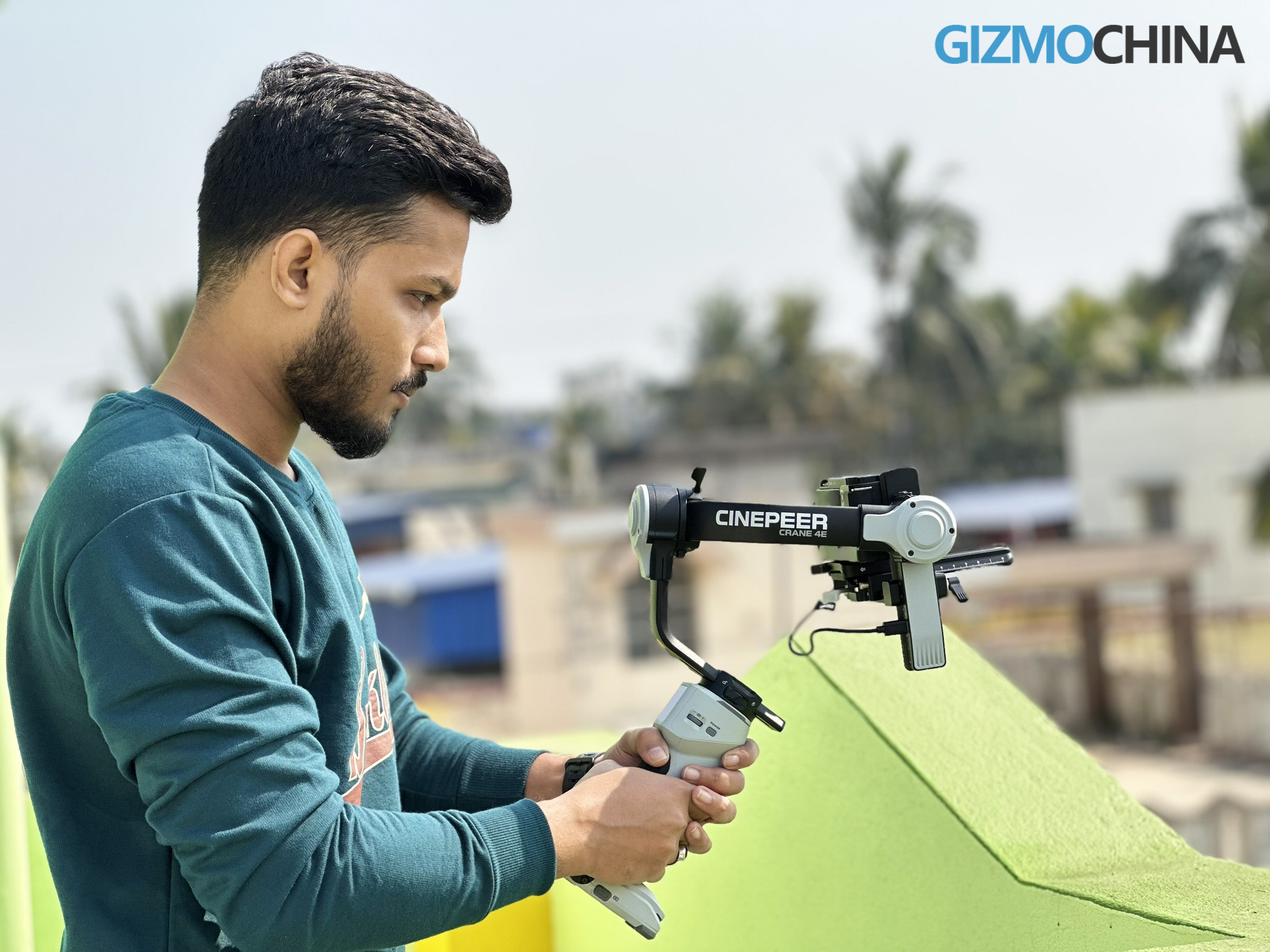
In real-world use, the Zhiyun Cinepeer Crane 4E proves to be a highly capable and reliable tool for various shooting situations. Whether you’re filming indoors, outdoors, or in fast-paced environments, the gimbal demonstrates excellent stabilization and adaptability, making it a great choice for both beginner and intermediate videographers.
The gimbal performs exceptionally well with a variety of camera setups. While Zhiyun doesn’t officially specify a payload capacity, the Crane 4E effortlessly supports heavy rigs. During testing, I used it with my Sony ZV-E10 paired with the lightweight 16-50mm kit lens (116 grams), the 50mm lens (186 grams), and even the much bulkier Sony 55-210mm lens (345 grams), and it handled them all with ease.
The gimbal delivered smooth, jitter-free footage across all these configurations. With the 55-210mm lens attached, I made use of the lens support accessory included in the package. This small addition played a crucial role in stabilizing the heavier lens and ensuring proper balance during operation. The fact that the Crane 4E can manage such varied setups highlights the strength of its motors and overall engineering.
When filming moving subjects, the gimbal’s responsiveness is impressive. The Crane 4E reacts quickly to directional changes, ensuring that the camera remains focused on the subject without lag or overcorrection. This is particularly noticeable when using modes like Pan Follow or POV, where smooth transitions are critical.
During a test shoot at a park, I followed a moving cyclist, and the gimbal performed remarkably well, even when I had to make rapid adjustments to keep the subject in the frame. The precision of the motors and their ability to compensate for sudden movements was evident in the resulting footage, which was stable and professional-looking.
The gimbal’s stabilization capabilities also shine in handheld shots where walking or climbing stairs is involved. Even in these challenging situations, the Crane 4E effectively smooths out vibrations and jerks. This was particularly useful during a test shoot in an uneven, outdoor environment where I had to move over rocky terrain. Despite the natural shakiness of walking on such surfaces, the footage came out fluid and steady, eliminating the need for additional post-production stabilization.
Another area where the Crane 4E excels is in creative shooting scenarios. For instance, Vortex mode, which allows the camera to perform barrel rolls, adds a dynamic and cinematic element to footage. While using this mode during a low-light shoot indoors, the gimbal maintained precision and control. However, I did notice that prolonged use of this mode can become physically demanding without accessories like a wrist rest or sling grip, particularly if you’re using a weighty camera setup.
In controlled, static environments like indoor shoots or interviews, the Crane 4E offers a stable foundation for capturing consistent, well-framed shots. During one such session, I tested its Lock Mode to keep the camera firmly fixed on a subject. The results were impressive, with no unwanted drift or movement, showcasing the gimbal’s reliability for professional or semi-professional settings such as corporate videos or sit-down interviews. Additionally, the Crane 4E’s motors operate quietly, making it an excellent choice for scenarios where audio recording is critical, as it minimizes interference with sound quality.
6. Battery Life and Charging
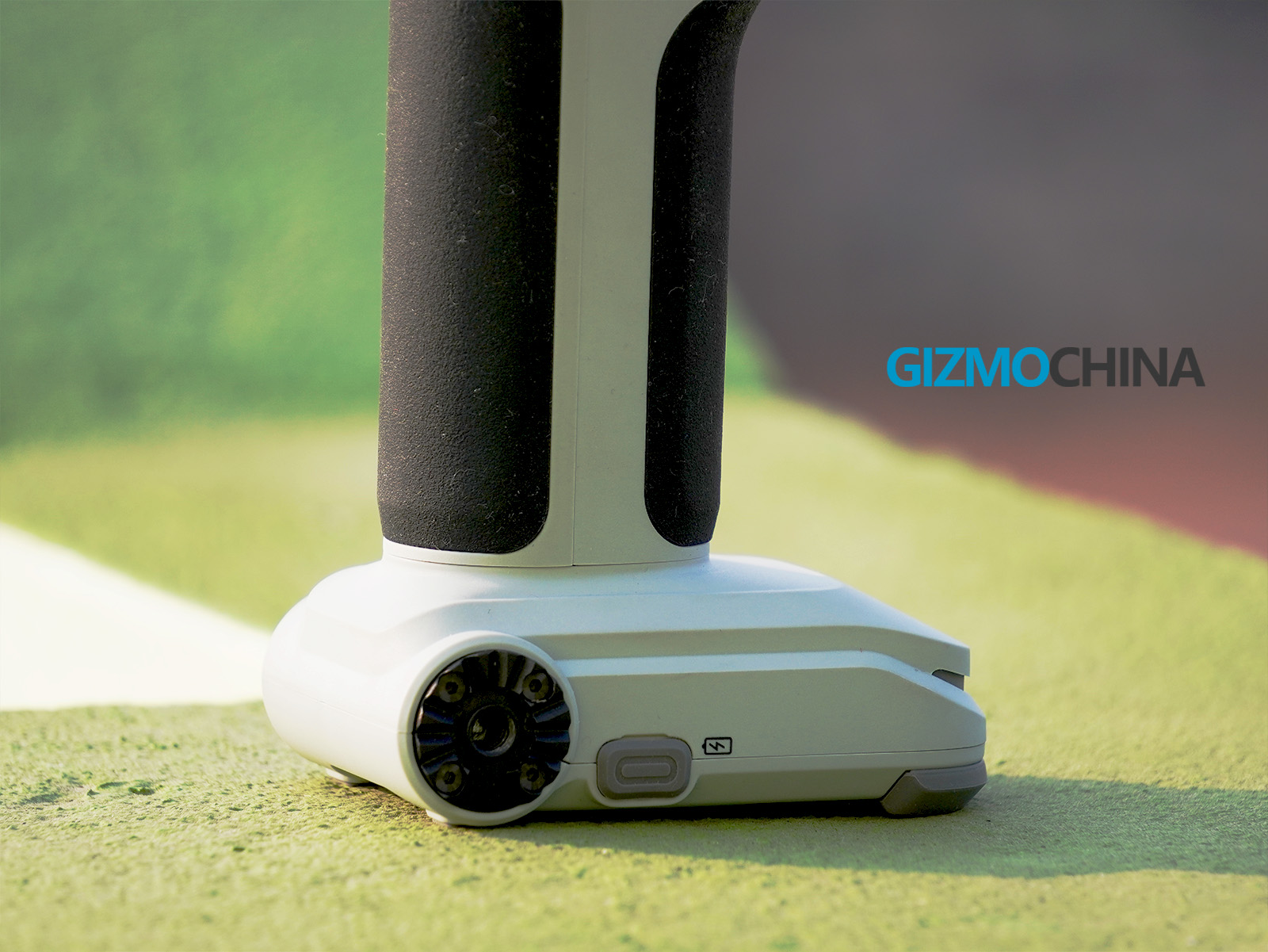
The Cinepeer Crane 4E offers a reliable battery life of up to 12 hours, sufficient for most filming sessions. It supports PD fast charging, allowing a full recharge in approximately two hours via USB-C, minimizing downtime during shoots. The gimbal also functions as a power bank for your camera, extending its runtime via the included USB-C cable, which is helpful for longer projects.

The battery performs efficiently, adjusting power output based on the weight of the attached camera and lens. While heavier setups may reduce battery life slightly, it remains consistent throughout use.
7. Final Thoughts
The Zhiyun Cinepeer Crane 4E is a capable, budget-friendly gimbal that delivers strong performance for its price. While it lacks some premium features like a fill light or balance indicator lights, its ergonomic design, customizable controls, and excellent stabilization make it a solid choice for beginners and intermediate videographers. The gimbal handles lighter setups like my Sony ZV-E10 with ease but also has the motor strength to support heavier rigs when needed.
Its minor limitations, like the absence of a carrying case or screen lock, don’t detract much from its overall value. For those new to gimbals or looking for an affordable yet reliable stabilizer, the Crane 4E is worth considering. It has a slight learning curve, but once you get the hang of it, it becomes a dependable tool for creative filmmaking.
8. Pricing and Availability
The Zhiyun Cinepeer Crane 4E, originally priced at $499, is now available for $399.20. You can purchase it on Zhiyun’s official website and Amazon.
Samsung has recently launched the Galaxy S25 Ultra—check out our hands-on review for a closer look at its enhanced AI features and refined aesthetics.
For more daily updates, please visit our News Section.
Stay ahead in tech! Join our Telegram community and sign up for our daily newsletter of top stories!