
Add GIZMOCHINA as Preferred Source on Google
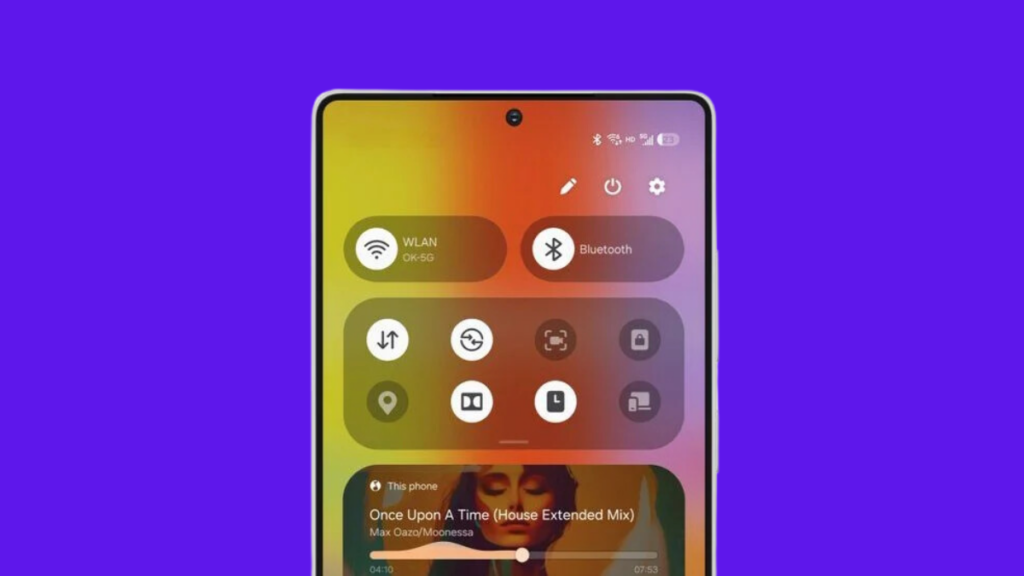
One UI 7.0 is the biggest upgrade for Samsung devices in over half a decade, and that’s why the development stretched more than usual. It was released alongside the Galaxy S25 series at the Galaxy Unpacked 2025 last month. This also means we had no major One UI releases in 2024.
Samsung announced the One UI 7.0 beta program in early December 2024, which has surprisingly remained exclusive to the Galaxy S24 series, so far. The stable build, however, will start rolling out to Galaxy devices in the next few days. As always, flagship devices will be the first in line to get the One UI 7.0 treat, followed by mid-range and cheaper models. However, no matter how cheap or expensive your Samsung Galaxy is, you must follow these steps for a smooth upgrade.
Check your device’s update policy
While Samsung offers the best software support among Android brands, every Galaxy device obviously will not be upgraded to One UI 7.0 (based on Android 15). Every device gets a certain number of One UI and OS upgrades. Therefore, you must check the software update policy to see if your device is eligible for the next major upgrade.
We’ve prepared a list of One UI 7 eligible devices in this post.
Backup your data
Whenever a major One UI upgrade arrives on my Samsung Galaxy, I don’t rush to hit the download and install button. Instead, I take a complete backup of my data to ensure it remains protected, and I would urge you to do the same.
Although we don’t hear much about instances of an update bricking a device or resulting in data loss, you wouldn’t risk your important data. So, it’s wise to be cautious.
There are multiple ways to backup your data, the easiest being the Temporary cloud backup feature. It uses your internet connection to back up the data on Samsung cloud. The best part is that it’s completely free, and there’s no limit on backup size, although you’ve to ensure no individual files are larger than 100GB. So, you don’t have to be selective about what to back up and what to leave.
There’s one critical thing to remember, though. The backup is stored on the cloud for 30 days, so remember to restore your data before it’s gone.
Here are the steps to follow:
- Open Settings and go to Device care.
- Tap Maintenance mode and choose Temporary cloud backup.
- Click Back up data.
If your backup size is too large, you’d require plenty of internet data, so be prepared for that. Alternatively, you can also backup your data to another smartphone or computer using Smart Switch or transfer your files to a PC via a USB cable.
Update all apps and software
Samsung updates its apps to include One UI 7 compatibility. Most of them are released even before the One UI 7 update hits your device. Installing those updates is recommended to ensure they will work smoothly after upgrading to One UI 7.
Remember to check for updates after installing the One UI 7 update, as some may arrive after the upgrade. Most Samsung apps can be updated via the Galaxy Store, and some via the Google Play Store.
Also, make sure that your Samsung Galaxy doesn’t have pending updates. To check for updates, go to Settings > Software updates and tap Download and install.
Free up storage space
Major updates like One UI 7.0 can be quite large, a few gigabytes in size. If your device doesn’t have sufficient storage, the download might fail, and sometimes, the installation, too.
It’s recommended that you should have at least 5-10GB of free internal storage. It also benefits the overall performance of the device.
The battery should be above 30%
Major One UI upgrades might take longer to finish the installation. Charging to 30% (at least) will ensure that it won’t run out of juice during the installation, which can potentially lead to issues like a corrupted installation, missing files, or unstable software.
Playing too safe? Check others’ experience first
Stable builds aren’t guaranteed to offer an utterly bug-free software experience. There can still be some bugs, sometimes severe bugs as well, which can break apps or functionalities.
If you aren’t in a hurry and want to see if the update has any critical bugs, don’t hit the download button. Instead, explore the Samsung Community and Samsung’s subreddits on Reddit to read others’ reviews for the same device and build. You can then decide whether to install the update or wait for a more stable build.
One UI 7.0 is a pretty significant upgrade that brings a host of awesome features and improvements. We’ve detailed its top features in this article.
Also Read:
1. When is the One UI 7 update coming to older Samsung Galaxy devices
2. 6 lesser-known Android 15 features (but are super useful)


Comments