
Add GIZMOCHINA as Preferred Source on Google
As an Amazon Associate, Gizmochina earns from qualifying purchases. Links on this page may earn us a commission at no extra cost to you.
I’ve always been a big fan of dual-screen setups. Whether I’m writing, researching, or just keeping X (formerly Twitter) open on the side while I work, an extra screen makes life so much easier. But when I’m working from a coffee shop or traveling, carrying around an extra monitor just isn’t practical.
That’s why the Mobile Pixels Duex Float caught my attention, a stacked 15.6-inch 1080p touchscreen monitor that attaches directly to my laptop. It promises extra screen space without taking up more desk space, which is exactly what I needed.

Unboxing Experience
Mobile Pixels keeps things pretty straightforward with the packaging, which I appreciate. Inside the box, I found:
- The Duex Float monitor itself
- A USB-C to USB-C cable with a USB-A adapter
- A mini HDMI to HDMI cable
- Four magnetic plates for attaching the monitor to my laptop
- A built-in kickstand
- A setup template for aligning the magnets
- A user guide
The base package doesn’t include a carrying case or protective sleeve, which would have been useful for portability. However, those can be purchased separately.
Design & Build Quality
The Duex Float has a sleek, modern design that blends well with most laptops. It’s made from a mix of ABS plastic and aluminum alloy, giving it a sturdy yet lightweight feel. While it’s not as premium as an all-metal build, the materials make sense for a portable monitor, keeping it durable without adding unnecessary weight. That said, at 4 lbs (1.8 kg), it’s a bit heavier than I expected for something marketed as ultra-portable. It’s not a dealbreaker, but I definitely feel the added weight when carrying it around.
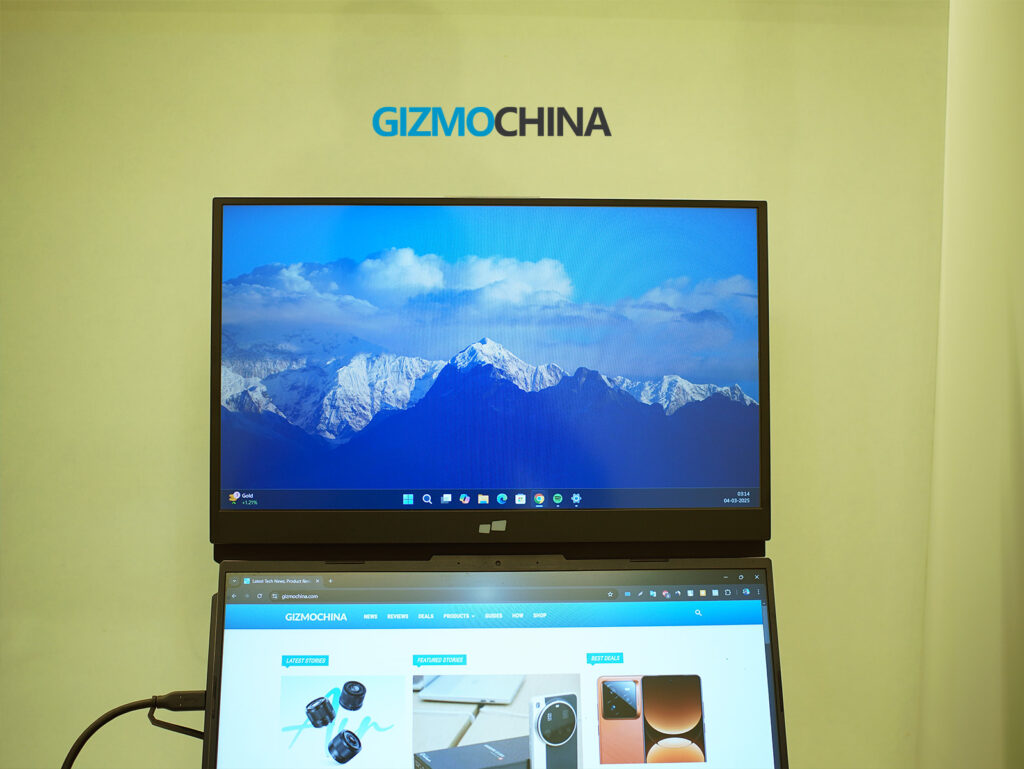
One of the biggest design wins is the stacked screen layout, where the monitor sits above my laptop screen instead of beside it. This vertical setup is a game-changer for working in tight spaces, like coffee shops or small desks, since it doesn’t take up extra horizontal room. It also helps with ergonomics, reducing the need to constantly tilt my head from side to side like I would with a traditional side-by-side monitor. Instead, my gaze moves up and down, which feels more natural for multitasking.
The built-in kickstand is another smart addition. If I don’t want to attach the Duex Float directly to my laptop, I can pop out the kickstand and use it as a freestanding display. The hinge mechanism feels solid, holding the screen at various angles without slipping. However, if I’m using it in stacked mode, the magnetic attachment system provides better stability.
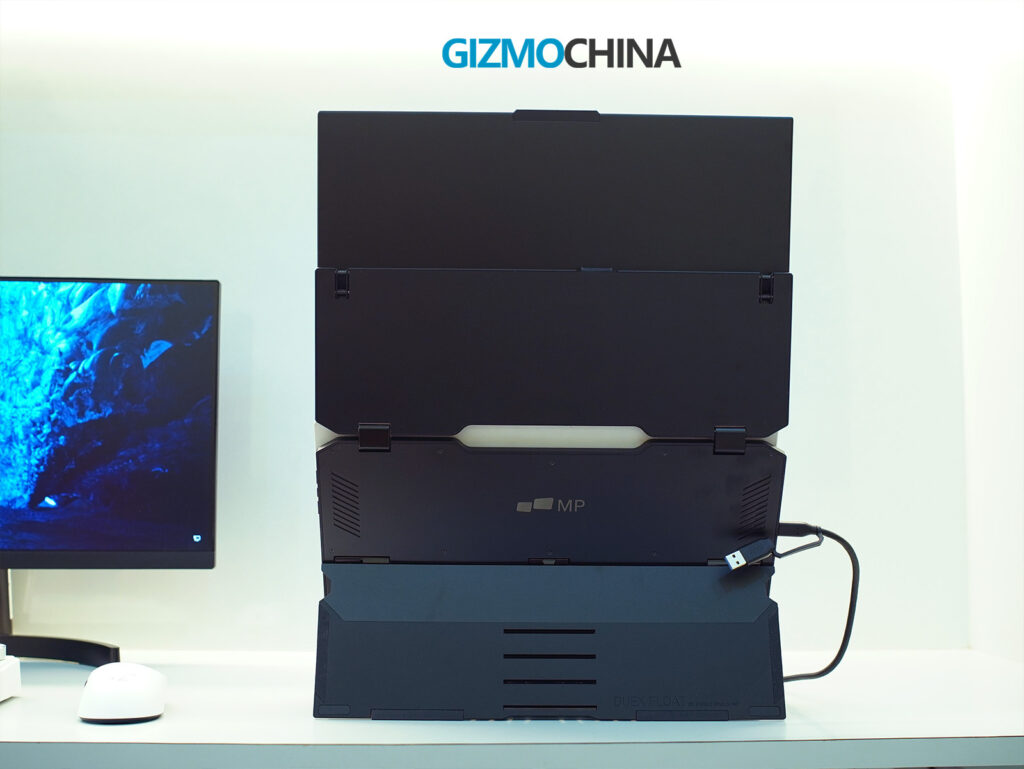

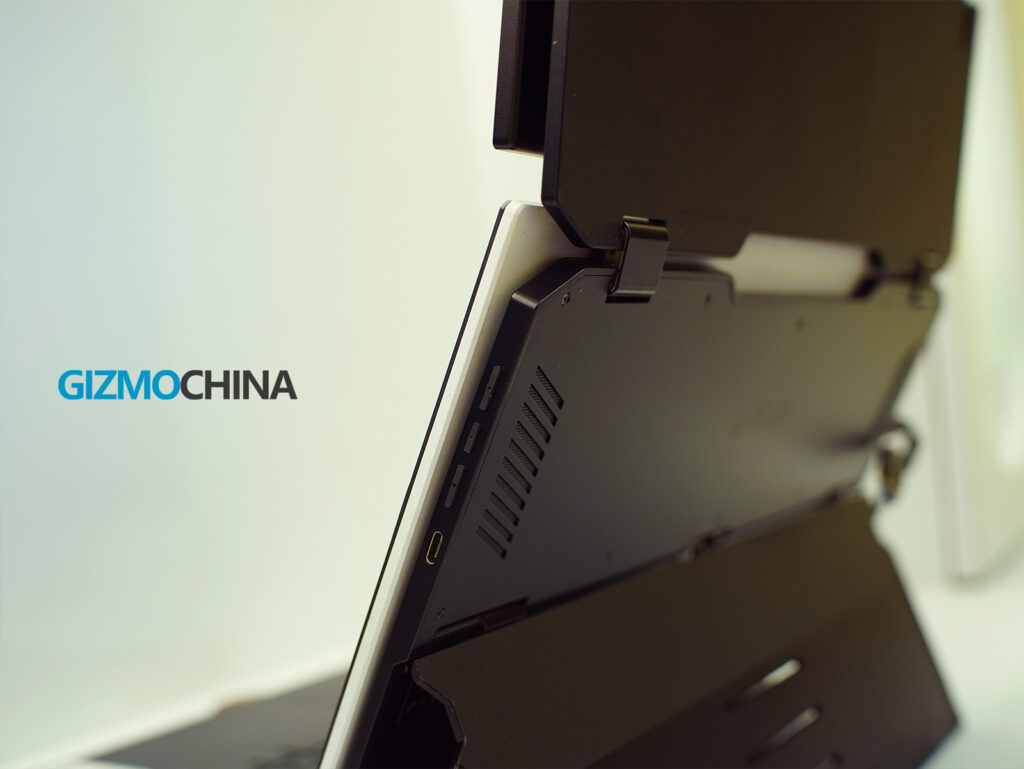
Speaking of magnets, the four included magnetic plates stick to the back of my laptop, allowing the Duex Float to snap on and off easily. It’s a great concept, but there’s a small catch, removing the magnets can leave some sticky residue. If I plan to keep them on permanently, it’s not an issue, but if I frequently switch between different devices, cleaning off the adhesive can be a hassle.
At 0.87 inches thick, the monitor is relatively slim for a portable dual-screen setup. It folds down compactly, making it easy to slip into my laptop bag alongside my main device. However, I do wish it came with a protective case or sleeve for better portability.
On the left side of the monitor, there’s a USB-C port and a mini HDMI port for connectivity, while the right side has another USB-C port and function buttons for adjusting brightness, contrast, and other display settings. The buttons are small but tactile, and the menu system is simple enough to navigate.
Connectivity and Setup
Setting up the Duex Float was pretty straightforward. It offers multiple connection options, making it compatible with a wide range of devices, but there are a few things worth noting.
The primary way to connect the Duex Float is via USB-C, which supports both power and video transmission in a single cable. If my laptop has a full-featured USB-C port, all I have to do is plug in the cable, and I’m ready to go—no external power needed. However, if I’m using a device without a USB-C video output, I need to use the mini HDMI port instead, which also requires the monitor to be powered separately via USB-C.
The dual USB-C ports serve a practical purpose. They feature pass-through charging, meaning I can charge my laptop while using the monitor with just one power source. This is particularly useful for laptop users who have limited USB-C ports.

If I’m setting up the stacked display mode, I can either attach the monitor magnetically to my laptop or use the built-in kickstand for a freestanding setup. If I choose the magnetic attachment, the included template helps align the magnets properly. Once in place, the monitor snaps on securely, and despite the extra weight, it doesn’t feel unstable. But if I don’t want to attach magnets permanently, the kickstand is a reliable alternative.
For Mac users, touchscreen functionality requires downloading and installing a driver, while Windows users get plug-and-play support. If I plan to use the monitor with Samsung DeX or an M-series iPad (via Stage Manager), the setup is simple, just plug in a USB-C cable, and the device automatically recognizes the screen.
Display & Performance
The Duex Float has a 15.6-inch Full HD (1920 x 1080) touchscreen display with a 60Hz refresh rate. It’s great for productivity and general multitasking, but if I were expecting high-end color accuracy or deep contrast, I’d be disappointed.
Since it uses a TFT LCD panel, colors aren’t as vibrant as an IPS or OLED display. They look slightly washed out, and contrast is on the lower side, making it less ideal for photo or video editing. However, for office work, spreadsheets, coding, and presentations, it gets the job done.

Brightness is rated at 250 nits, which is fine for indoor use but struggles in bright environments or direct sunlight. If plugged into external power, brightness can boost up to 300 nits, but it’s still not on par with premium laptop displays. Viewing angles are decent but not as wide as IPS panels.
The touchscreen functionality is smooth and responsive. The 10-point multi-touch support allows for pinch-to-zoom, scrolling, and swipe gestures, which feel natural, especially on Windows devices. As previously mentioned, Mac users need to install a driver for touch support, which is a slight inconvenience, but once set up, it works well.
Final Thoughts
The Duex Float is a unique take on portable monitors, and it definitely delivers on its core promise of expanding screen space vertically rather than horizontally. The stacked design is ergonomic, making it great for productivity-focused users like me who need a second screen without cluttering their desk. The touchscreen functionality, multiple viewing modes, and broad compatibility make it a versatile choice for remote workers and even casual gamers.
That said, it’s not perfect. The extra weight and bulk make it less ideal for frequent travelers. The display quality is also decent but not exceptional.
At $269.99 (down from $399.99), it’s not cheap, but if ergonomic productivity is a priority, it’s a solid investment. If I just needed a basic second screen, I might consider a cheaper, lighter alternative. But for a stacked portable monitor with touchscreen support, this is one of the few options available, and overall, it does a great job.
You can buy this portable monitor from the official website and Amazon.
You can also check out our recent review of the Baseus Bowie MC1, an open-ear earbud with surprisingly good sound.
Stay ahead in tech! Join our Telegram community and sign up for our daily newsletter of top stories! 💡




Comments