
Add GIZMOCHINA as Preferred Source on Google
As an Amazon Associate, Gizmochina earns from qualifying purchases. Links on this page may earn us a commission at no extra cost to you.
I’ve spent the last few weeks living with the Eureka J15 Pro Ultra, testing it in my home under real-life conditions, on dusty floors, under furniture, and around the daily messes that collect thanks to human hair and open windows in an Indian summer.
I don’t just want a robot vacuum that scrapes the surface. I want something that actually earns the “hands-free” badge by automating the dirty stuff: emptying, mop-washing, hair-cutting, even navigating the weird corner of my hall where furniture and a doormat always trip up my older bots.
Eureka calls the J15 Pro Ultra its flagship, and by all accounts, it has the specs to match: 16,200Pa suction, hot water mop cleaning, an extending mop pad for edges, and self-maintaining features that sound great on paper. But after weeks of testing, does it actually deliver? Mostly yes, with some frustrating caveats that keep it a notch below industry leaders like Roborock and Narwal.
Let’s break it down.
Design & Build Quality
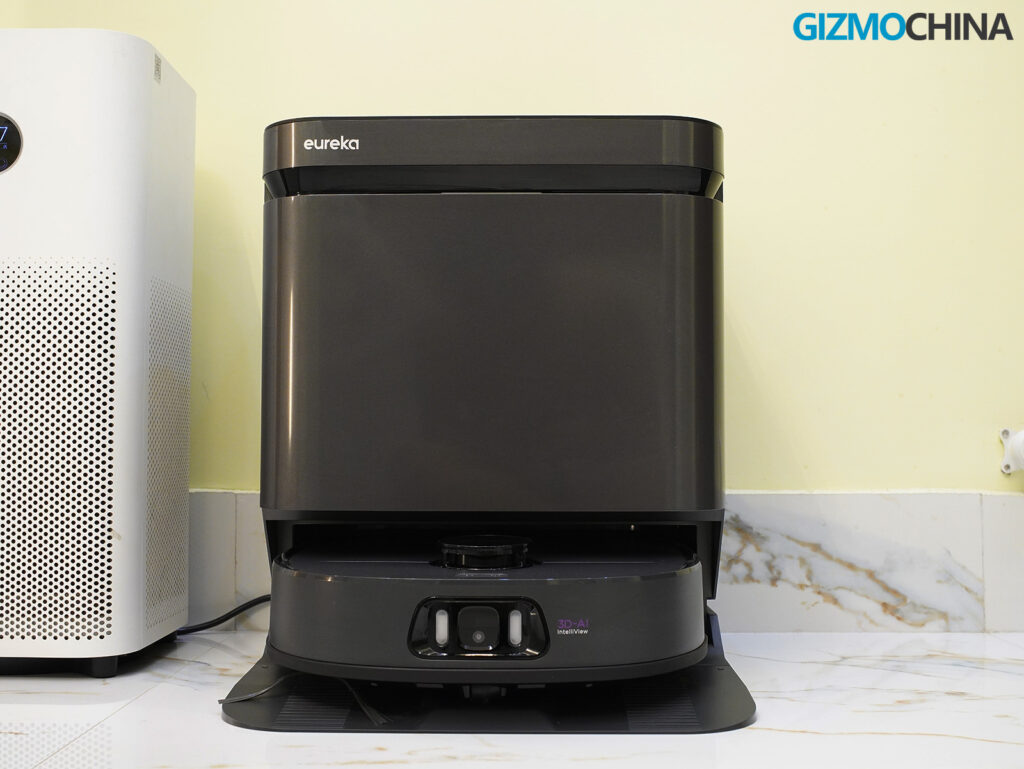
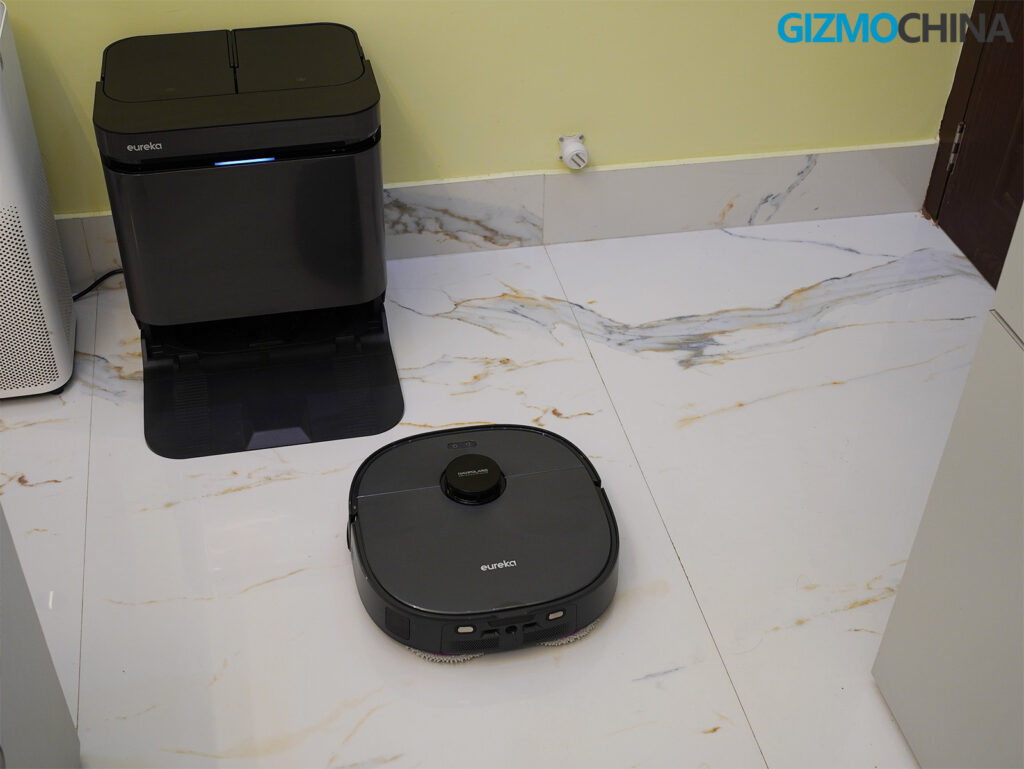
The first thing I noticed when unboxing the Eureka J15 Pro Ultra was how serious the hardware felt. The robot and dock combo doesn’t try to be minimalist or discreet. It leans into the idea that it’s a full-service cleaning machine, and honestly, I respect that. It looks like a flagship product should.
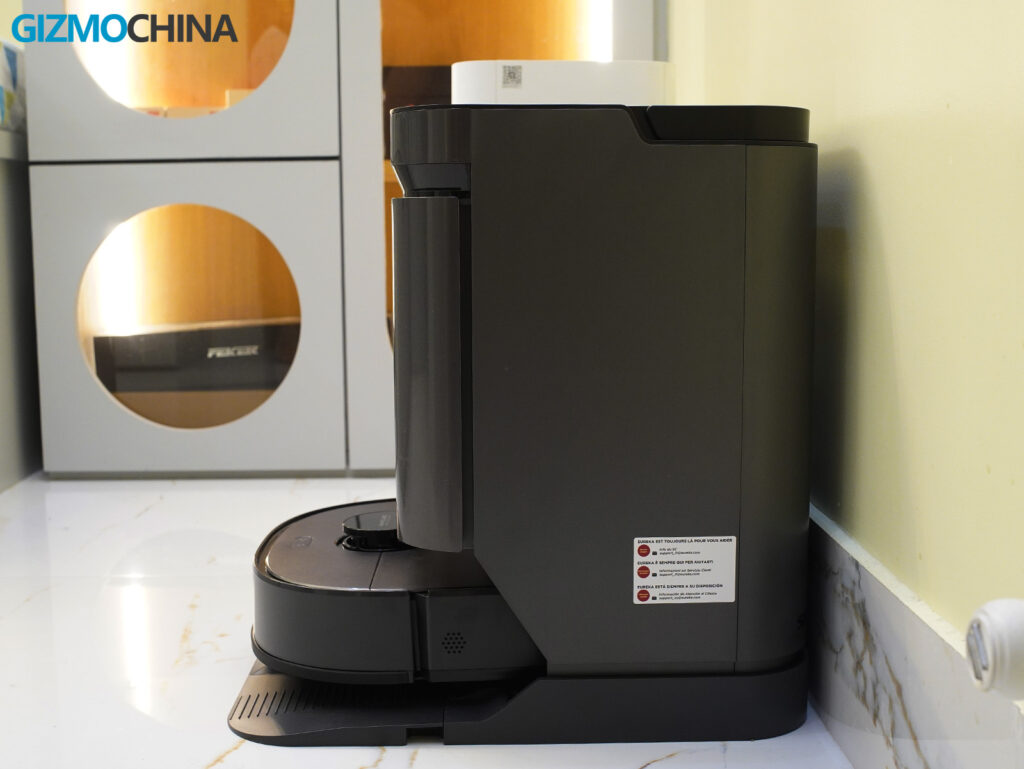
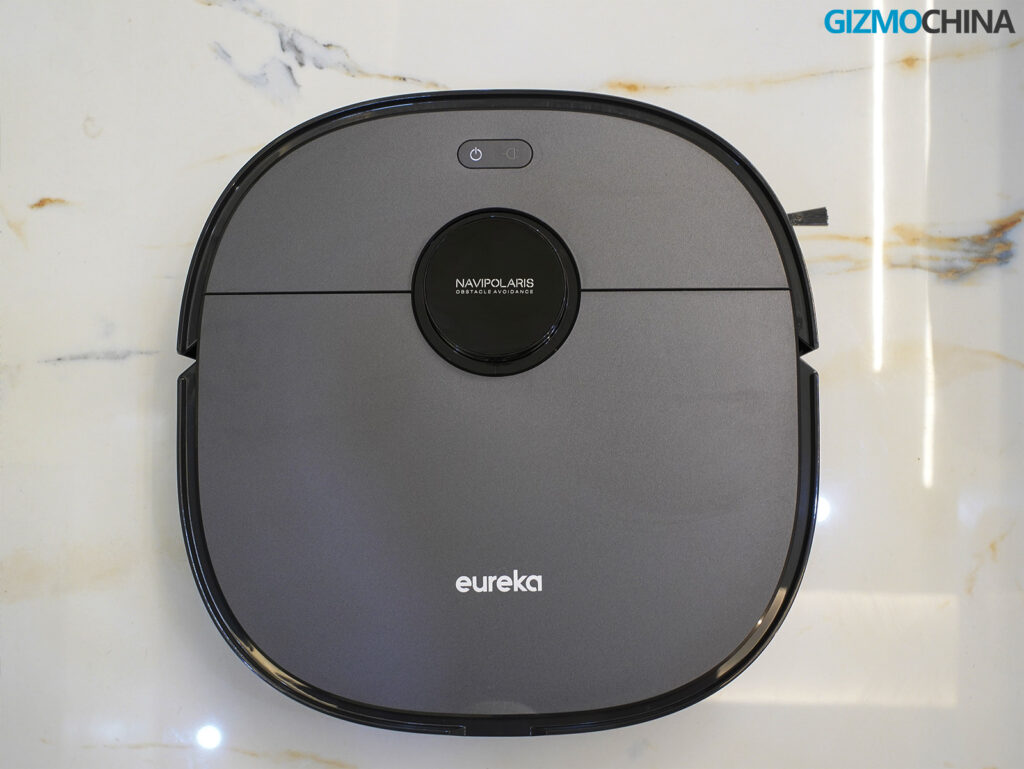
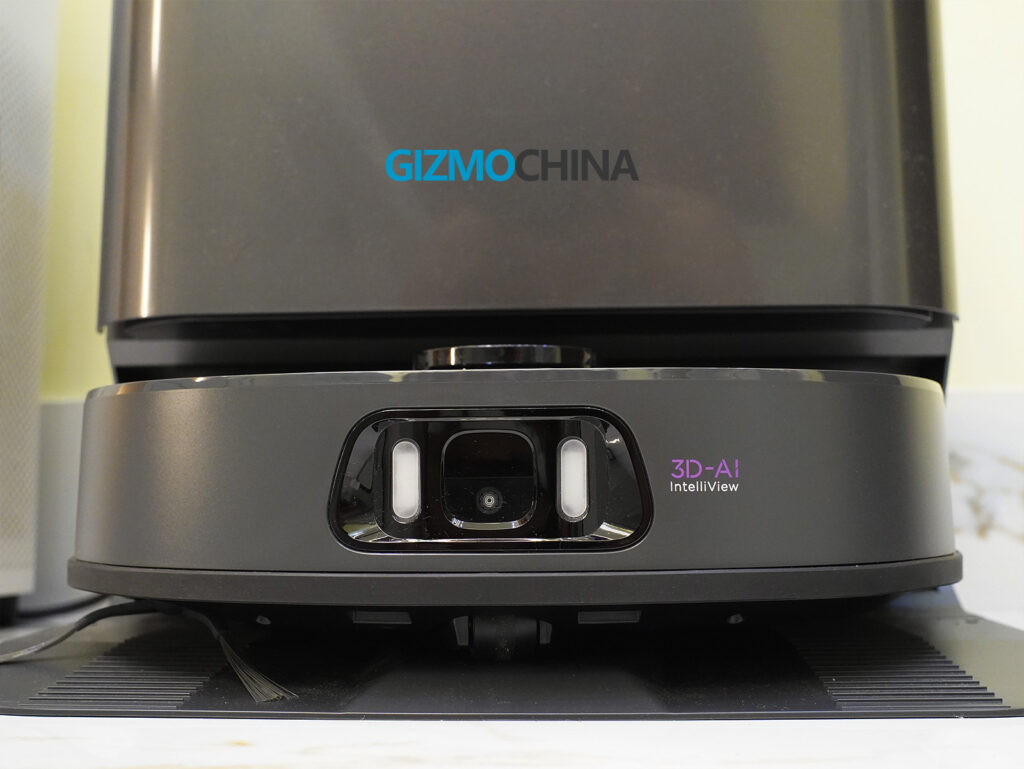
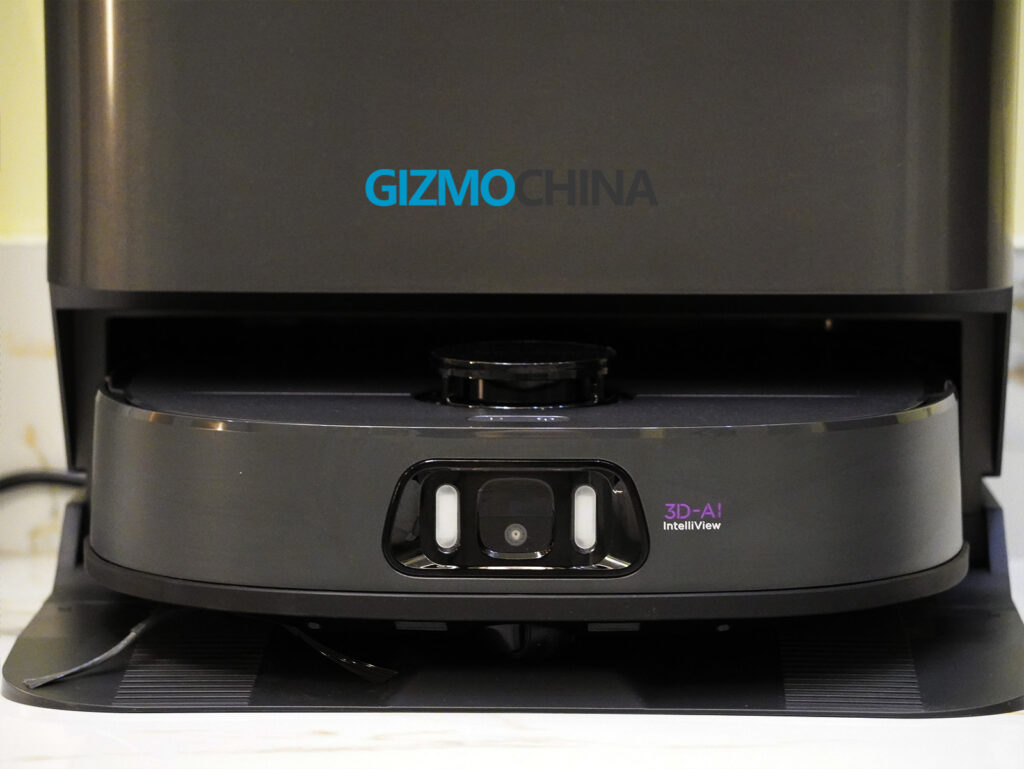
The robot itself is a rounded-square shape, which at first seemed a bit unconventional to me since most robot vacuums are still clinging to the circular form factor. But after using it in rooms with sharp corners, this shape started making sense. It gets into tighter edges and up against walls more naturally than any of my circular bots ever could. The robot isn’t slim though. It measures around 4.6 inches tall, which means it won’t slide under low sofas or coffee tables. That’s largely because of the LiDAR turret and the onboard RGB camera system sitting up top like a little periscope. The turret doesn’t retract either, so you’re stuck with that height.
Visually, the J15 Pro Ultra has an understated but premium look. My unit is in black, and the finish alternates between matte and gloss depending on where you’re looking. The main shell is matte, which I appreciate because it resists fingerprints and minor scuffs. The glossy sections around the camera and edges give it a more polished, high-tech look, but they do attract dust and smudges more easily. If you live in a sunny home like I do, you’ll notice those dust flecks more often than you’d like. Still, the overall impression is that of a solidly built device. Nothing feels cheap or rushed.
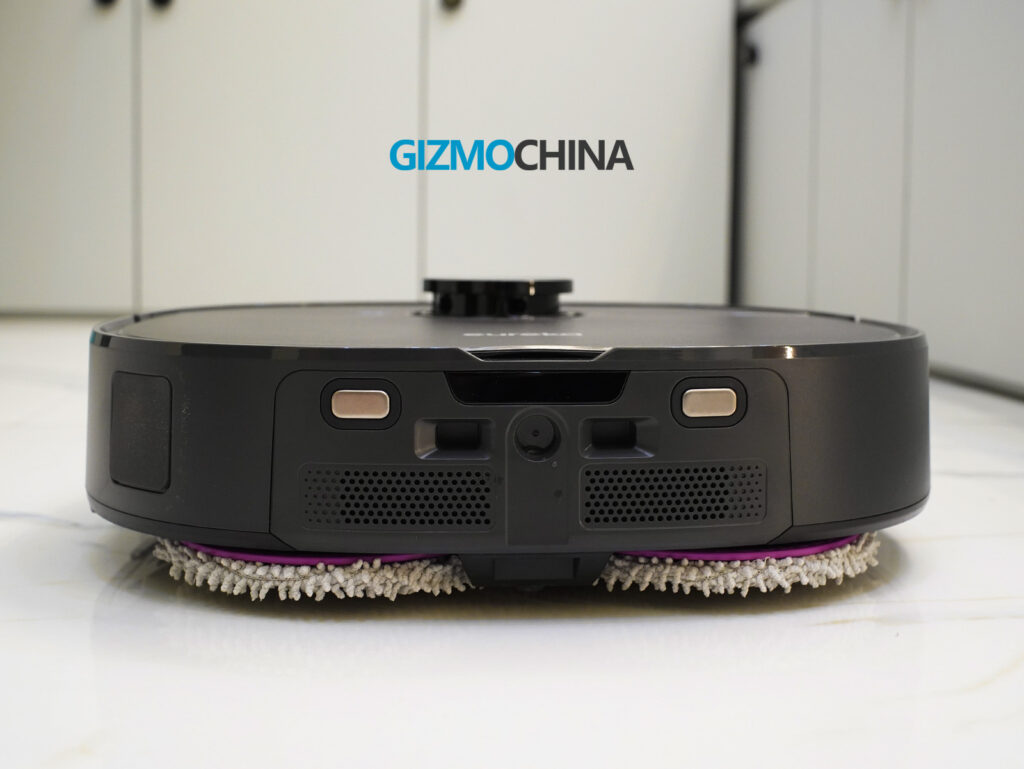
Everything on the robot feels well-integrated. The front bumper is thick and has a satisfying click when you press it. It’s not a hollow rattle like you’d find on mid-tier vacuums. It’s surrounded by a soft rubber ring that helps buffer impacts when the robot bumps into furniture. I’ve seen it lightly tap table legs and cabinets and then course-correct without leaving marks.
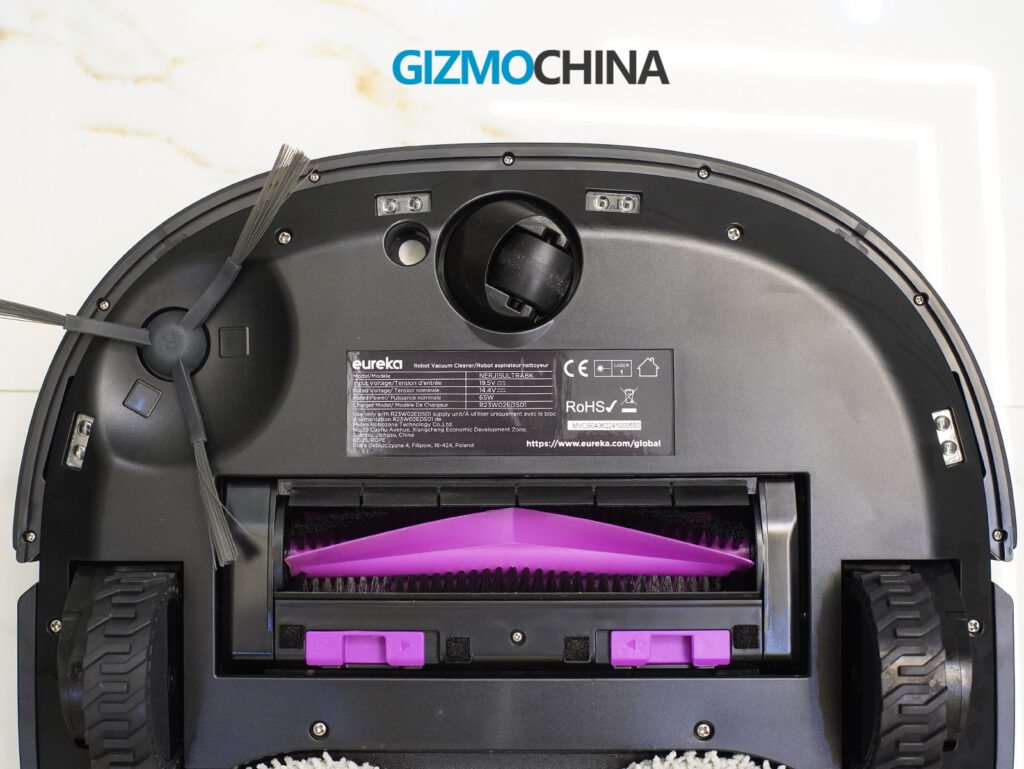
Underneath, the design gets more interesting. The side brush is mounted at a slight angle and sits on a spring-loaded arm, which lets it dip into low grooves or thresholds without snapping. The main roller brush is part-bristle, part-rubber, and it’s surrounded by the FlexiRazor hair-cutting mechanism. I didn’t realize how well this worked until I opened the brush after a week of use and found almost zero tangled human hair.
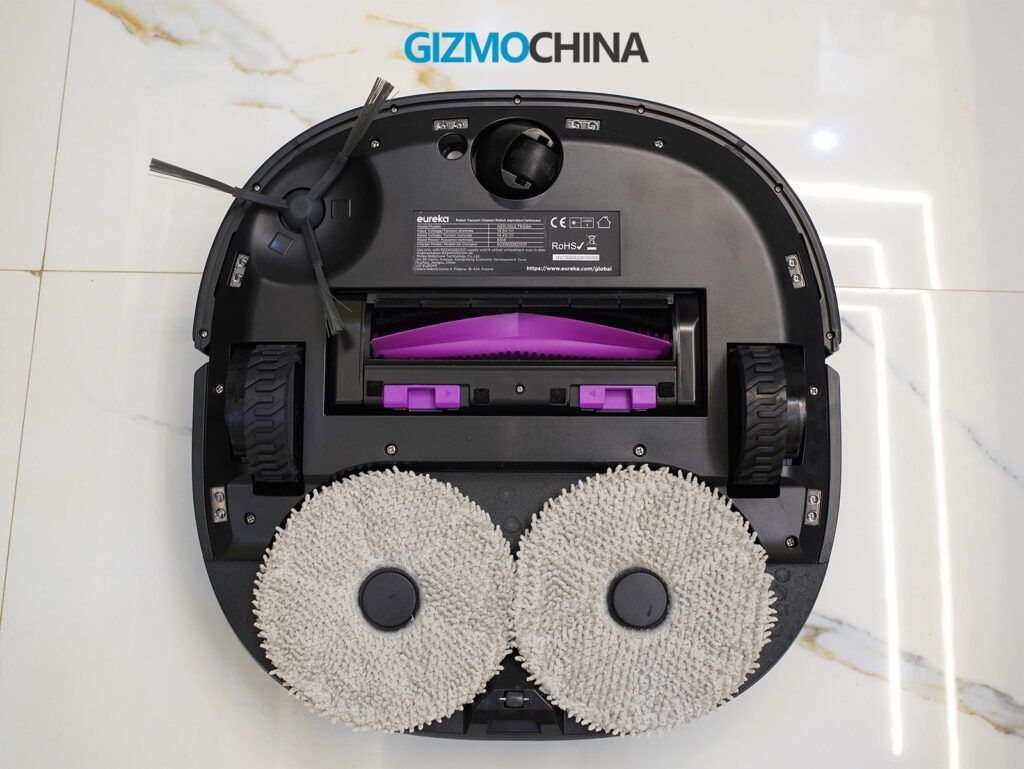
The mop pads are circular and attach magnetically underneath. They’re firm but flexible, with textured microfiber that rotates during use. One of the pads is connected to a mechanical arm that extends sideways. This is Eureka’s “ScrubExtend” design, and it gives the mop that extra reach for baseboards and corners. When I watched it operate in narrow areas like behind the dining table or along the bedroom skirting, I could see it actually pushing the pad out beyond the robot’s chassis to grab that extra inch.
The wheels are robust and coated with textured rubber treads. Each wheel has independent suspension, and you can feel the resistance when you press them. They’re clearly built to handle uneven surfaces and moderate carpet pile. I’ve seen the J15 Pro Ultra cross over thick rugs and slight thresholds between rooms without slowing down or scraping. Even my bath mat, which tends to curl at the edges, didn’t trip it up.
Now, the dock. It’s big. Bigger than I expected. Taller too. At 18.4 inches tall and 16 inches wide, it demands real estate. If you’re trying to tuck it behind a couch or into a corner, you may have to rearrange. It’s a blocky matte-finish station with an angled front that houses the dust bin, water tanks, and cleaning tray. On top, two large compartments pop open to reveal the 3-liter clean water tank and an equally sized dirty water tank. Both have ergonomic handles built in, which makes removing them and refilling or emptying them far less annoying than on some other systems I’ve used.
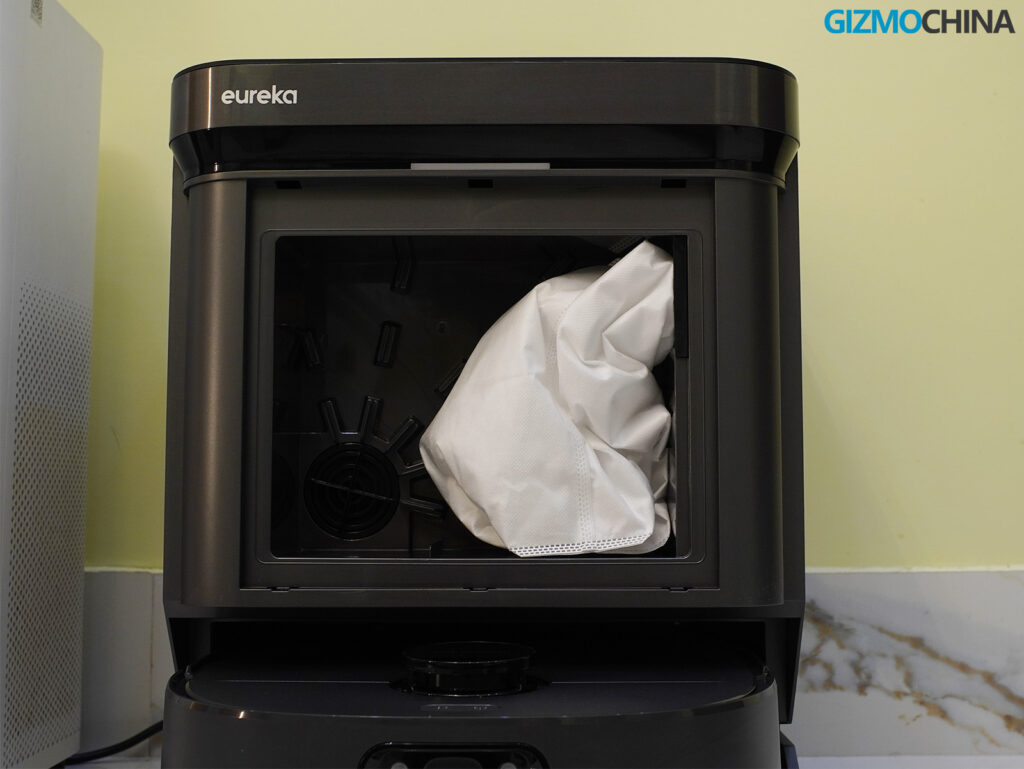
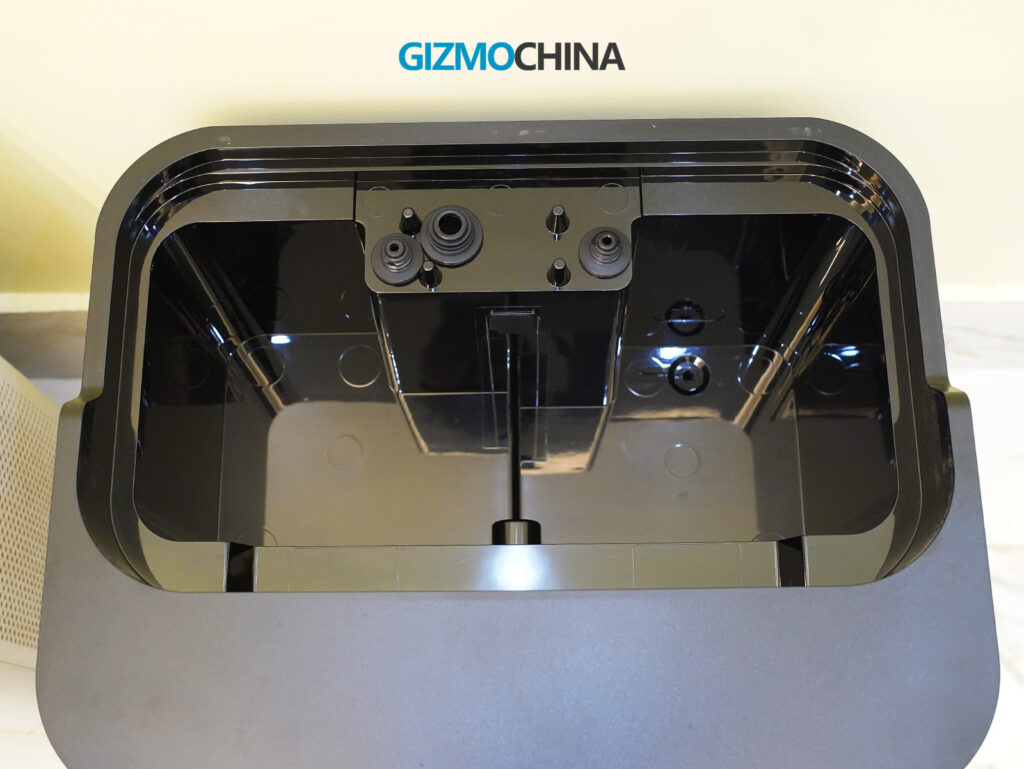
The dock has an LED indicator that glows softly during operation and fades out afterward. It doesn’t feel like a spotlight in the room, and it dims automatically when idle. That’s a nice touch for anyone who keeps this in a bedroom or shared space.
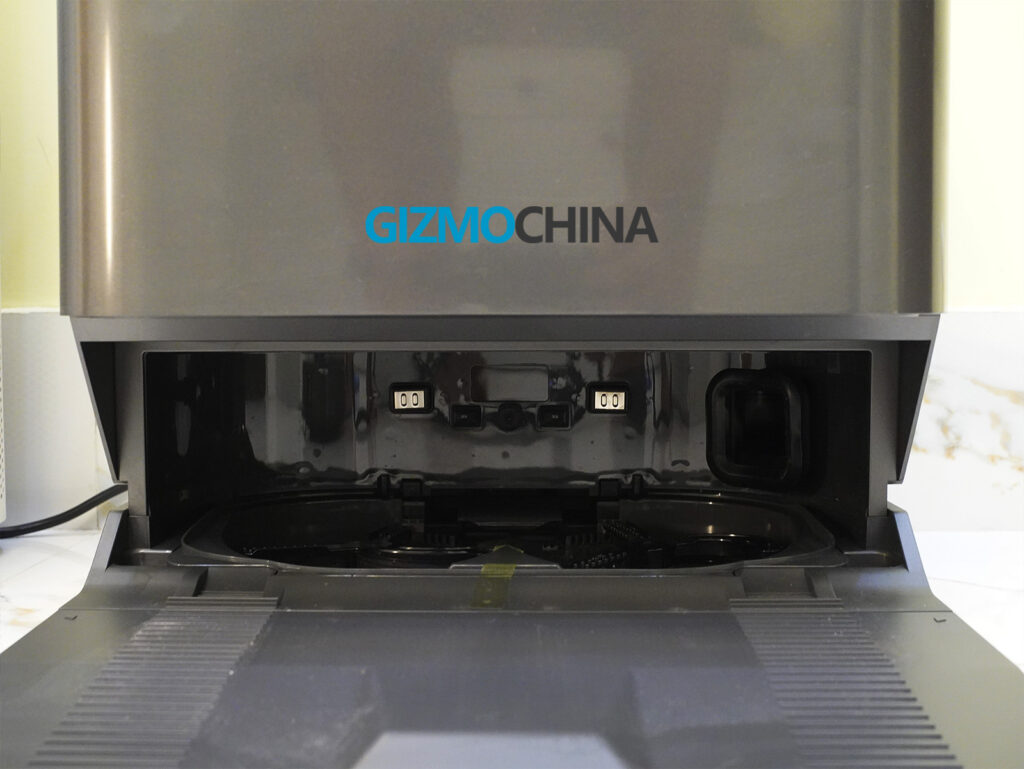
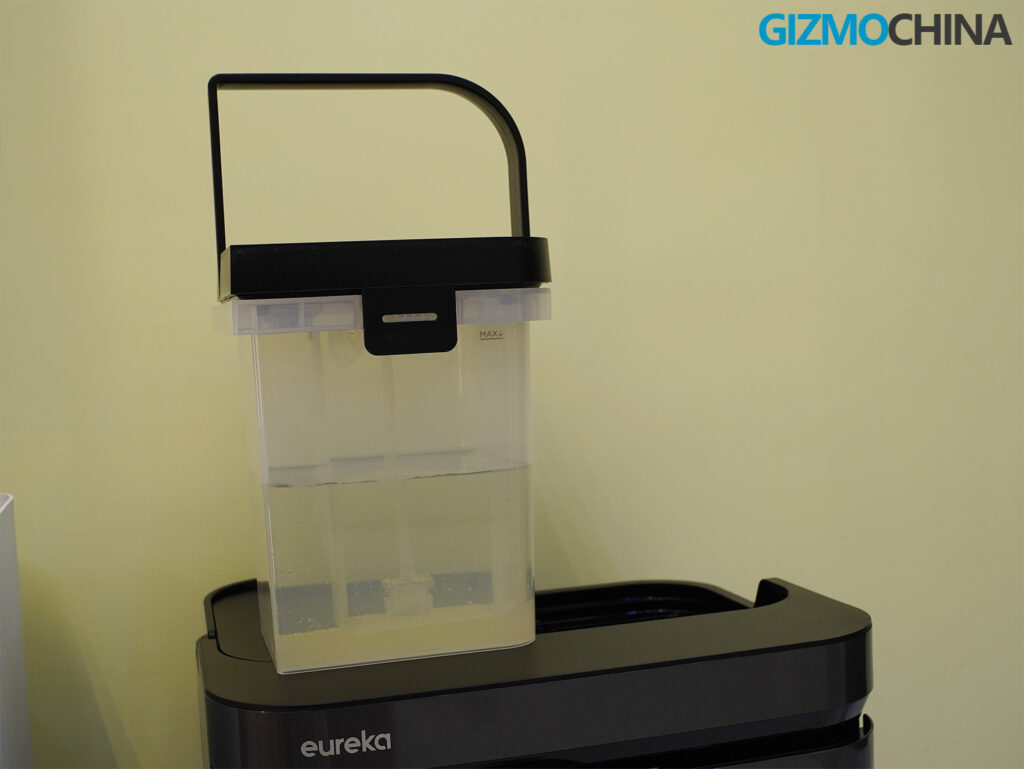
Build-wise, there are still some quirks. There’s no compartment or slot for cleaning solution, unlike some premium competitors, which means you’ll have to manually add a few drops of detergent to the clean water tank if you want that extra shine on your floors. Not a huge deal, but it’s a quality-of-life feature I’ve come to expect at this price point. Also, while the robot and dock feel solid, they are heavy. Moving the whole setup isn’t something you’ll want to do often. Once it’s installed, it’s best left in place.
Setup
Setting up the J15 Pro Ultra was mostly smooth, though not without some first-time friction. For starters, the robot only supports 2.4GHz Wi-Fi, which isn’t uncommon, but worth remembering if you use a mesh system. I had to split my network temporarily just to get it paired.
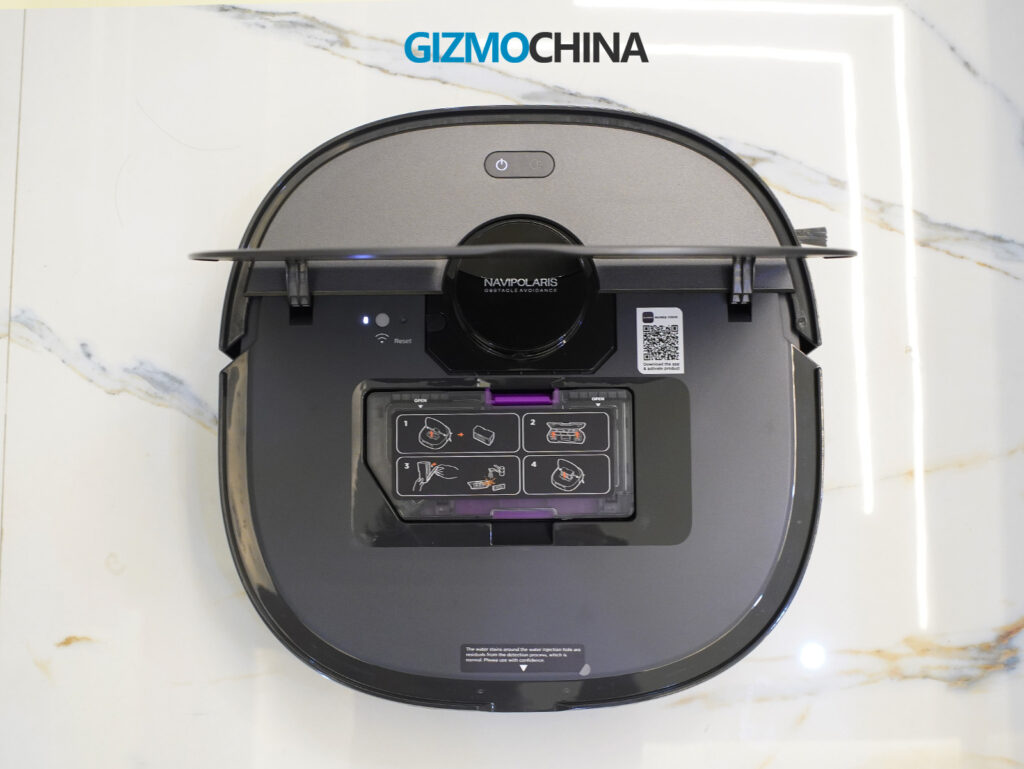
The Eureka app walks you through the setup process step by step. It takes a bit of time, but once you’re through the initial pairing and firmware updates, the robot maps your space fairly quickly. My advice is to let it run a full mapping cycle before initiating any cleaning jobs. The map editor in the app lets you merge, rename, and zone out areas, which helps a lot in daily use.
After the setup, it’s mostly hassle-free. I mapped my house, adjusted the zones, and the robot has since handled regular cleaning on a schedule without much intervention, except when I purposely pushed it with edge cases.
Performance
Once the setup was complete and the Eureka J15 Pro Ultra got to work on its first scheduled cleaning, it didn’t take long to see both the potential and the quirks of this robot in real-world use. Over the past few weeks, I’ve run it through a mix of conditions: dusty corners, long strands of human hair (I don’t own pets), kitchen drips, and a hallway rug that’s seen better days. The takeaway? This machine can be excellent but it’s not flawless.
Let’s start with vacuuming. On hardwood and tile, the suction performance is consistently strong. I typically keep it on the “Standard” or “Turbo” setting, depending on how recently I’ve cleaned, but even on “Quiet,” the robot picks up fine dust, food crumbs, and hair fairly well. The 16,200Pa suction power is no gimmick. It has the raw power to dig into grout lines and clean between subtle floor textures where grime tends to accumulate.
One feature I genuinely appreciated is the robot’s ability to recognize surface types and respond accordingly. When it hits a low-pile carpet, it automatically boosts suction. On tile or vinyl, it slows the side brush slightly to avoid scattering debris. This transition is smooth and almost imperceptible unless you’re watching it closely. I didn’t have to configure these reactions. They’re part of the IntelliView AI system baked into the firmware. Though not perfect, it’s smart enough to handle the basics of mixed flooring without babysitting.
That said, the robot has a strange habit of leaving behind debris that it has clearly seen. This isn’t a mapping problem or an obstacle confusion issue. It’s more like the robot simply passes over something and doesn’t bother to suck it up. I noticed this a few times with longer strands of hair and once with a small piece of plastic near the hallway baseboard. It’s frustrating because you can literally see the path it just followed, and the debris is sitting right in the center of it. Even with multiple passes turned on, the issue occasionally resurfaced. This didn’t happen often, but enough to make me double-check after runs.
On the mopping front, things are mostly excellent. The dual spinning mop pads do a better job than traditional flat drag-mop systems at lifting dried stains and tackling sticky areas like the faint dried tea or coffee trail I didn’t notice until it had been there for a few hours.
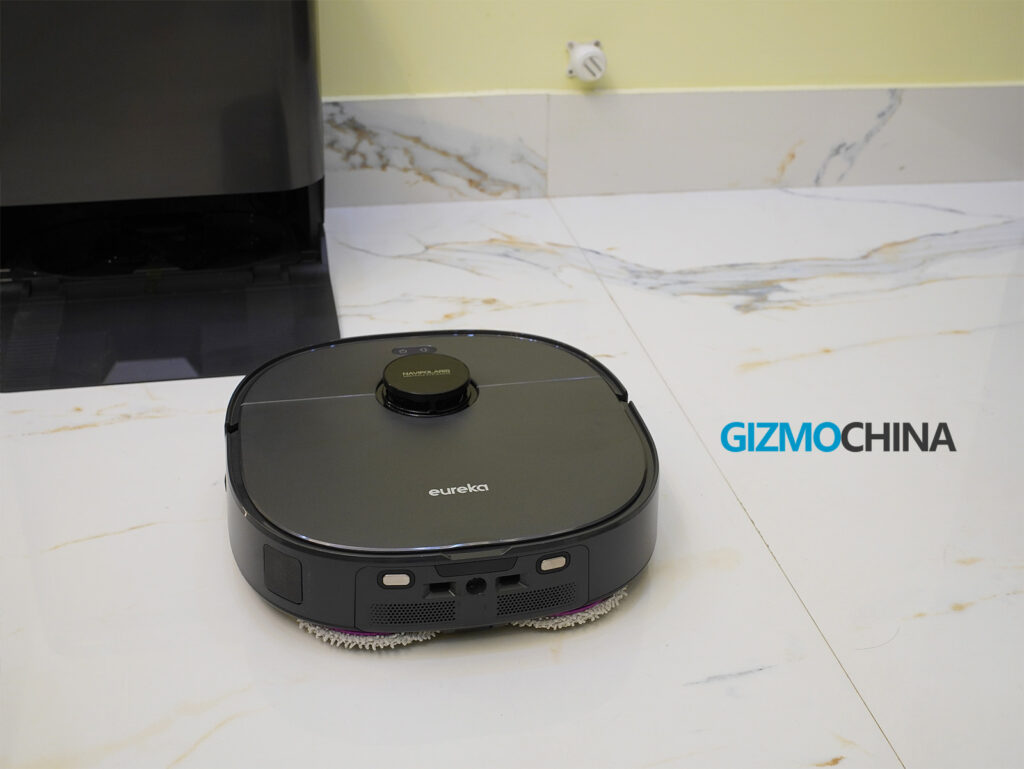
Eureka has nailed mop pad maintenance here too. After each cleaning session, the robot returns to the dock where the mops are washed with hot water and then dried with warm air. The mop pads still look fresh after multiple uses, and there’s no lingering odor in the station.
Still, there are some blind spots. The J15 Pro Ultra consistently avoids the area immediately in front of its own dock, which means the very zone it exits from remains untouched unless you specifically add it to a custom cleaning zone. This became more noticeable over time. Hair and dust would build up right at the threshold of the dock and go completely ignored. I ended up manually drawing a spot clean zone in the app to hit that area daily, but it feels like a small oversight that shouldn’t exist in a robot this advanced.
When it comes to hair handling, though, I’ve been genuinely impressed. My home is cursed with long human hair, mine and others. But the FlexiRazor anti-tangle tech in the J15 Pro Ultra actually works. The robot returns to base and initiates a self-clean cycle where a hidden blade cuts through hair wrapped around the brush roll. I’ve pulled the brush a few times to check, and aside from minor buildup at the edges, it’s been remarkably clean.
Navigation is another high point, especially after the initial mapping. The combination of LiDAR and RGB camera allows the robot to “see” not just furniture but small obstacles like trash bins, shoes, bags, or boxes. I left a small trash bin half-open in the living room just to see how it would react. It approached slowly, mapped around it, and moved on. No bumping, no struggling. It even tiptoes around cables, although if one is loose and hanging mid-air, it still might get snagged.
Threshold climbing and rug transitions were also solid. The robot had no problem getting up onto my medium-pile hallway runner, nor did it trip over the fringes. It doesn’t roll over doormats like a bulldozer, but it doesn’t avoid them either. It treats them like any other surface unless they’re unusually thick. I’ve seen robots get caught at transitions before. This one glides over most of them like it’s no big deal.
Noise levels are worth discussing. During regular cleaning, it’s relatively quiet. Not whisper-silent, you’ll hear it humming in the background, but never loud enough to disrupt a phone call. The app’s “Quiet” mode helps reduce noise further, but the real disruption comes after the cleaning ends. That’s when the robot returns to base and the self-emptying and mop washing kick in. The suction burst to clear the dustbin is jarringly loud, easily the noisiest part of the entire process. It only lasts 10 to 15 seconds, but if you’re working from home or on a call, you’ll notice. The mop drying is more subtle, emitting a low white noise hum that fades into the background, but it does run for a while.
In day-to-day use, the Eureka J15 Pro Ultra has been reliably consistent. The only time it got stuck was when it tried to squeeze between my office chair and a storage cabinet. That’s a win in my book, especially when so many robots still struggle with cables, rugs, or low furniture.
So while the AI smarts still lag a step behind what Narwal and Roborock offer in terms of visual obstacle refinement and nuanced object avoidance, the J15 Pro Ultra is no slouch. It does the job and does it well enough that most people, myself included, won’t care that it missed a stray hair strand or a few centimeters of baseboard once in a while. In a house with real clutter and real dust, it feels dependable and that’s what ultimately matters.
[affiliate_genie_cta]Software
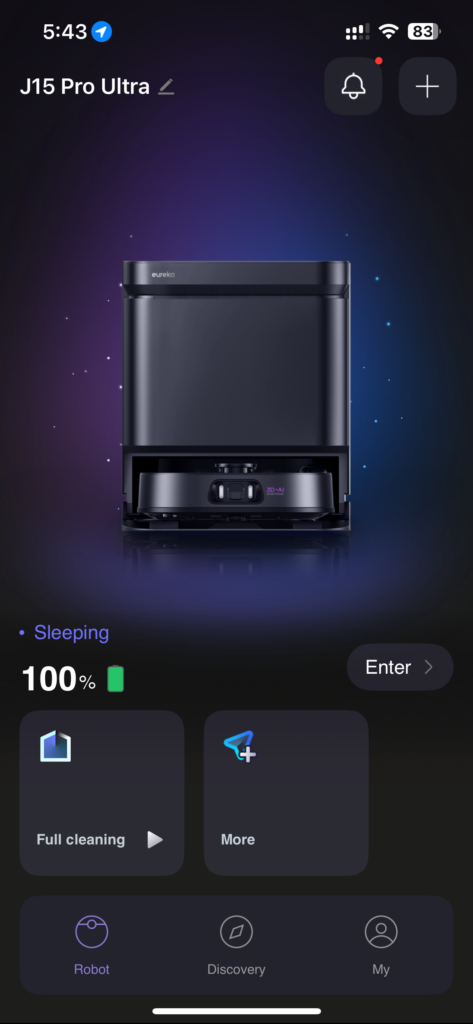
Eureka’s companion app is better than I expected. Compared to some of the clunky UIs I’ve used from other brands, this one feels responsive and thoughtfully designed.
You can customize nearly every aspect of the cleaning routine: suction power, mop water levels, path style (zigzag, crisscross, quick clean), and even the drying time and water temperature for mop cleaning. There’s also support for Alexa, Google Assistant, and Siri, though I haven’t found voice control to be that essential.
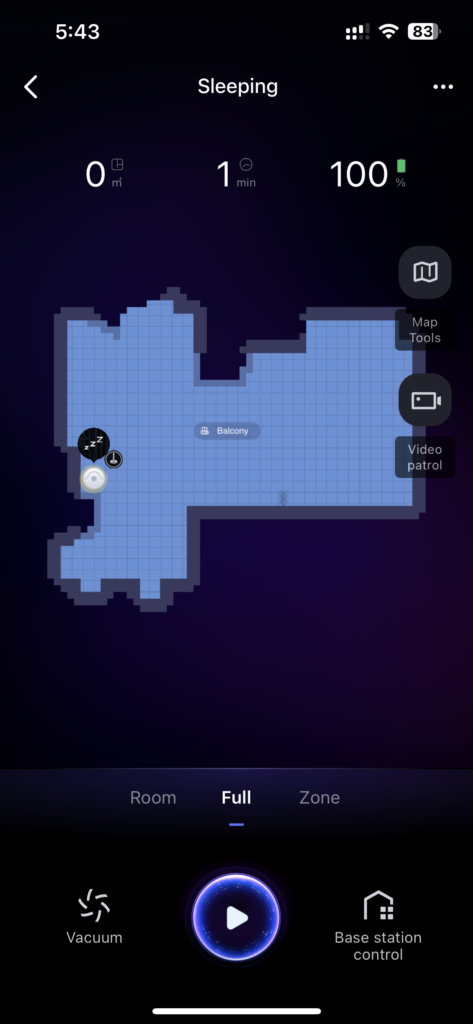
I also spent some time with the patrol camera function, which lets you drive the robot around like a slow-moving home monitor and view a live feed from its front camera. It’s a weird feature, kind of like strapping a GoPro to your vacuum, but surprisingly fun. You can snap images and even record short clips through the app. It’s more gimmick than necessity, but it works.
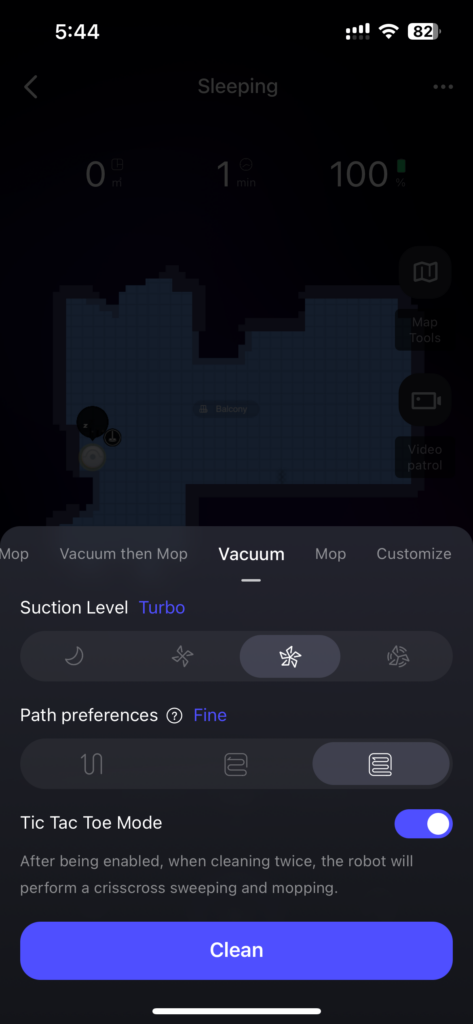
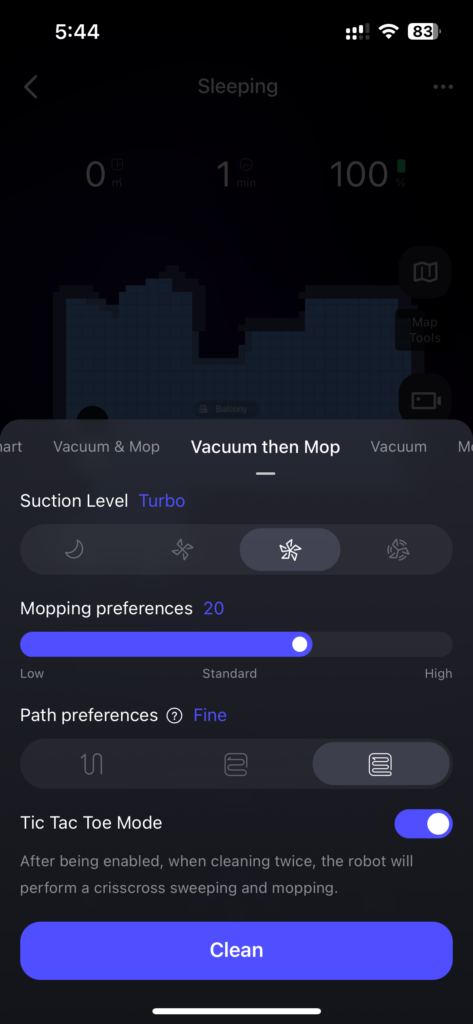
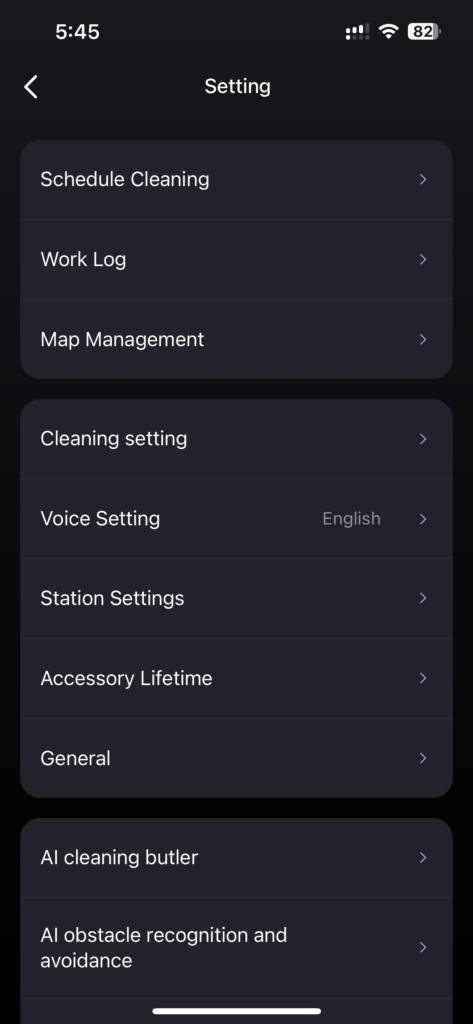
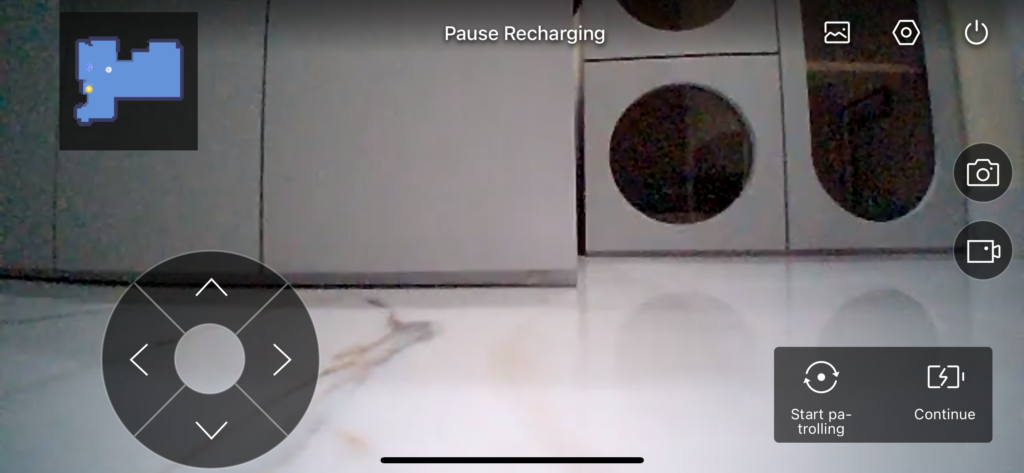
Another underrated gem is the history tab. It shows where the robot cleaned, what it missed, and why it returned to the dock. This helps troubleshoot if a room isn’t cleaned properly.
Still, the AI-driven cleaning logic needs polish. For example, the robot often resumes cleaning too early after recharging and ends up needing another charge mid-job. There’s also occasional lag when adjusting maps or switching between modes. Eureka has been pushing updates, so I hope this improves over time.
Limitations
No product is perfect, and the J15 Pro Ultra has a few noticeable shortcomings.
First, the robot can get quite loud, not during the cleaning process itself, but during self-cleaning and mop drying. If you’re nearby when it starts rinsing with hot water or drying pads, it can be jarring. It’s quieter than some earlier robots I’ve used, but it’s still something to consider if your dock is near a living area or workspace.
Second, there’s no detergent tank. You can manually add a bit of cleaner to the water tank, but there’s no automatic dispenser like some Narwal and Roborock models offer. For the price, that omission stings.
Battery life is just okay. It’s rated at 100 minutes, but real-world use often clocks in at 75 to 85 minutes with vacuum and mop combined. In larger homes or during deep cleaning, it may need multiple charges to finish.
Lastly, the robot occasionally misidentifies areas on the map or creates duplicate zones if a door is opened mid-cleaning. It’s rare, but when it happens, you’ll need to re-map.
Final Thoughts
After weeks of testing the Eureka J15 Pro Ultra, I can confidently say that it’s a compelling robot vacuum-mop combo with real flagship potential. It gets a lot of things right: the hot water mop cleaning, the hair-cutting system, the detailed app control, and surprisingly good edge cleaning.
It’s not flawless. The AI could be smarter, the base station is massive, and the self-cleaning process isn’t exactly whisper-quiet. But for the price, especially when discounted to around $850, the J15 Pro Ultra punches above its weight.
If you want a smart cleaning companion that can mostly run on autopilot, tackle human hair without tangling, and doesn’t need babysitting every day, this robot is a solid investment. Just don’t expect it to be as refined as the Roborock flagship models or as intuitive as the Narwal flagships. Eureka is almost there, and if they keep iterating, I wouldn’t be surprised if their next-gen model lands among the very best.
You can purchase this model from Amazon.
For more daily updates, please visit our News Section.
Stay ahead in tech! Join our Telegram community and sign up for our daily newsletter of top stories! 💡



Comments