
Add GIZMOCHINA as Preferred Source on Google
Testing thin-and-light laptops usually involves looking for the compromises the manufacturer had to make. When a device gets thinner, you often lose ports. When it gets lighter, the battery capacity usually shrinks. If it packs a high-end processor, the cooling fans tend to get loud under load.
For the past two weeks, I have been using the new Asus Zenbook S14 (UX5406AA) as my primary work machine. This model comes equipped with Intel’s Panther Lake Core Ultra 9 386H processor, an OLED display, and a chassis made from a material Asus calls Ceraluminum. I received the Antrim Gray variant for this review, which retails in India for Rs. 249,990.
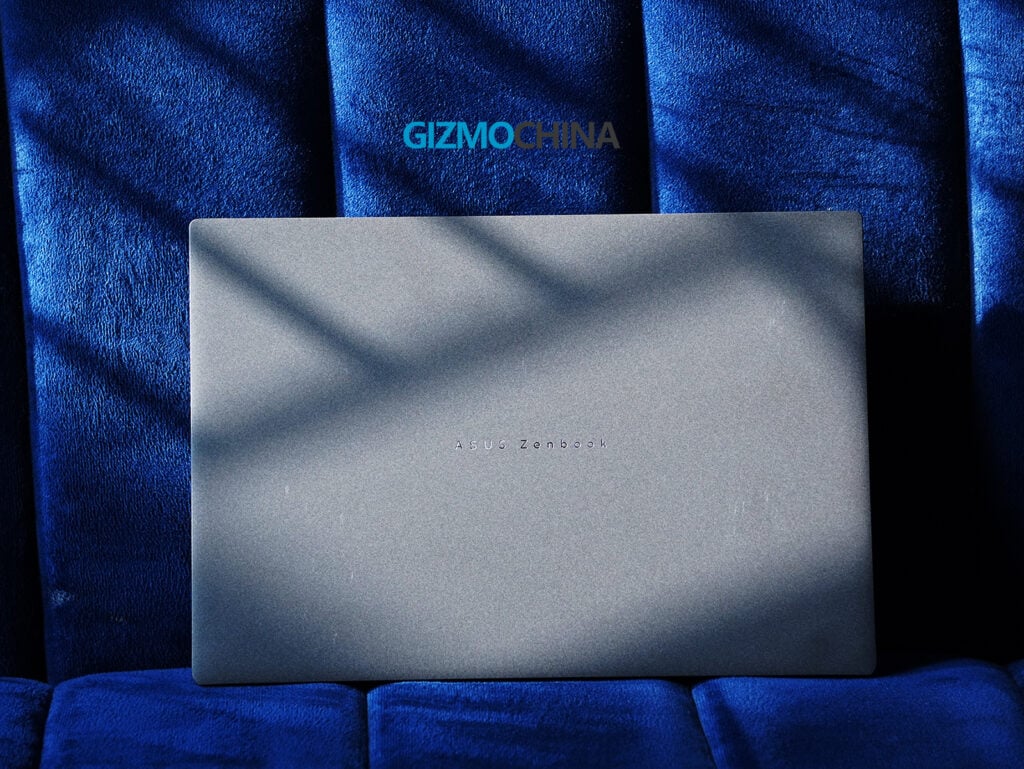
After spending a significant amount of time working, running benchmarks, and trying to play a few games on it, my takeaway is fairly straightforward. This is a very capable and well-built laptop for professionals who prioritize battery life and portability. However, its reliance on integrated graphics means it won’t be the right fit for everyone, especially at this price point. Here is a detailed breakdown of my experience.
Design and Build Quality
When a new laptop arrives, the first thing I check is whether the lid can be opened with one hand. It is a minor detail, but it shows how well the manufacturer balanced the weight and hinge tension. The Zenbook S14 passes this test easily; the lid opens smoothly without lifting the base off the desk.
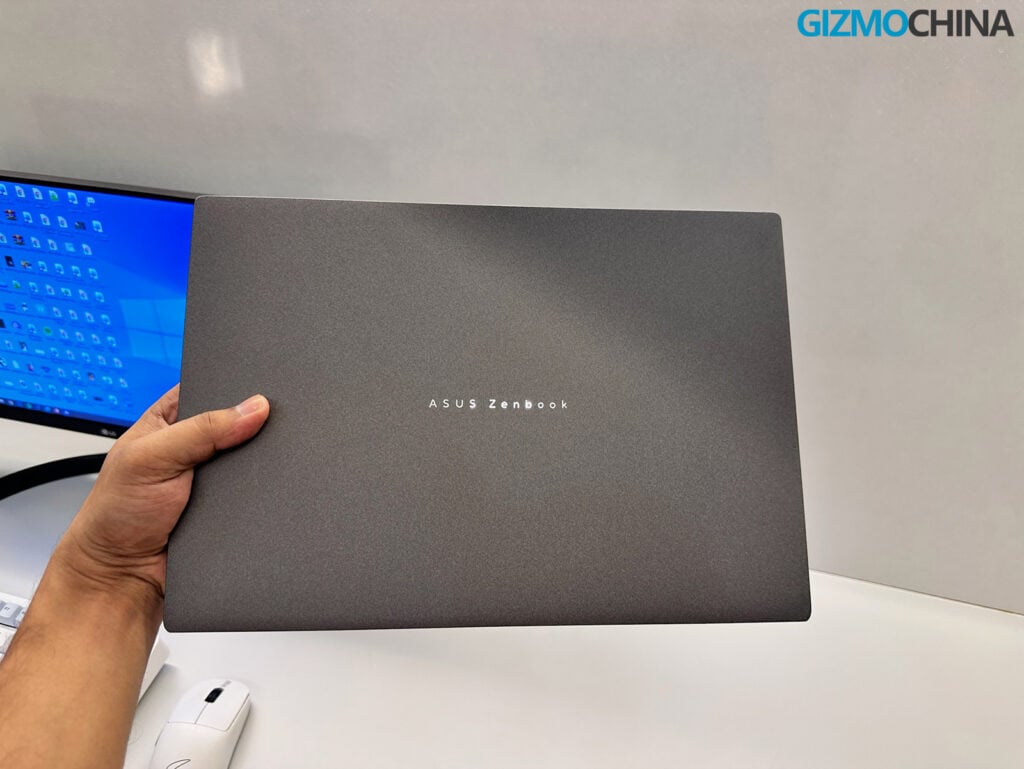
The chassis feels different from the standard aluminum laptops on the market. Asus uses Ceraluminum, which is essentially aluminum that has undergone a ceramization process. The result is a laptop that feels sturdy but has a matte, slightly textured finish. I received the Antrim Gray version for this review, and the texture does a good job of resisting fingerprints, which helps keep the laptop looking clean throughout the workday.
At 1.19 to 1.29 cm thick and weighing 1.20 kg, the Zenbook S14 is very easy to carry. It fits comfortably into a backpack without adding much weight. Despite being so light, the build feels rigid.
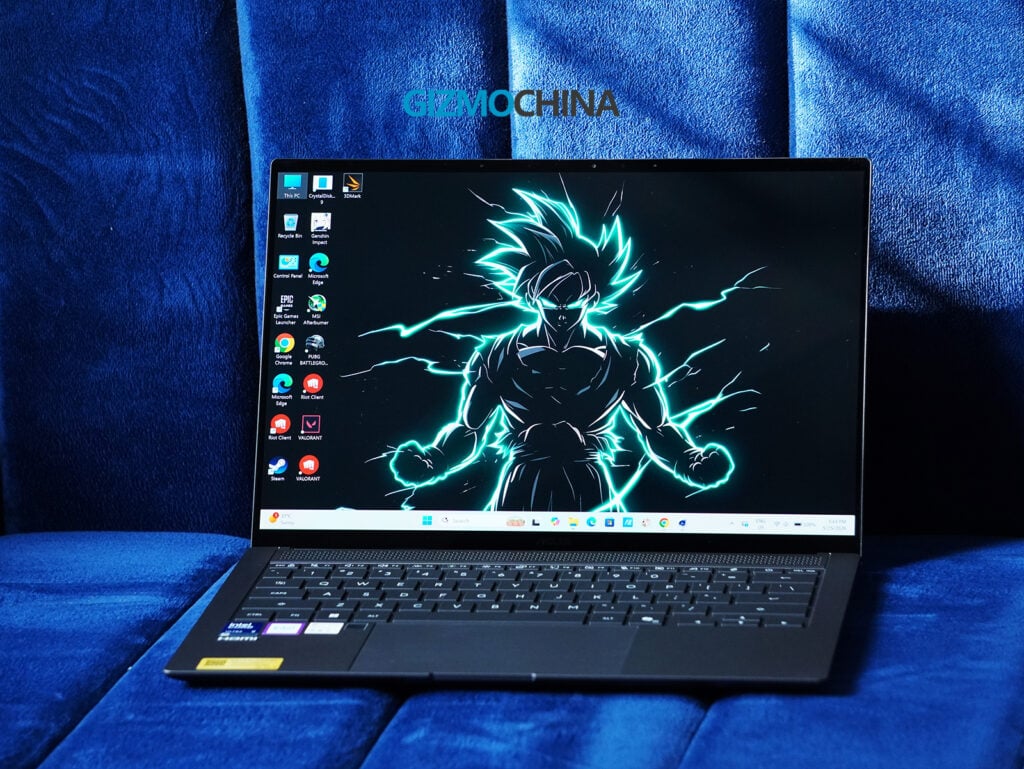
There is no noticeable flex in the keyboard deck, and it carries a MIL-STD 810H military-grade certification for durability. Above the keyboard, there is a geometric CNC-machined grille. While it looks like a speaker setup, it is actually a thermal venting system designed to help with cooling.
Display & Audio
For a laptop in this price range, the display needs to perform well, and the 14-inch 3K (2880 x 1800) Asus Lumina OLED panel delivers. It has a 16:10 aspect ratio, a 120Hz refresh rate, 500-nit SDR brightness, and a peak HDR brightness of 1100 nits.
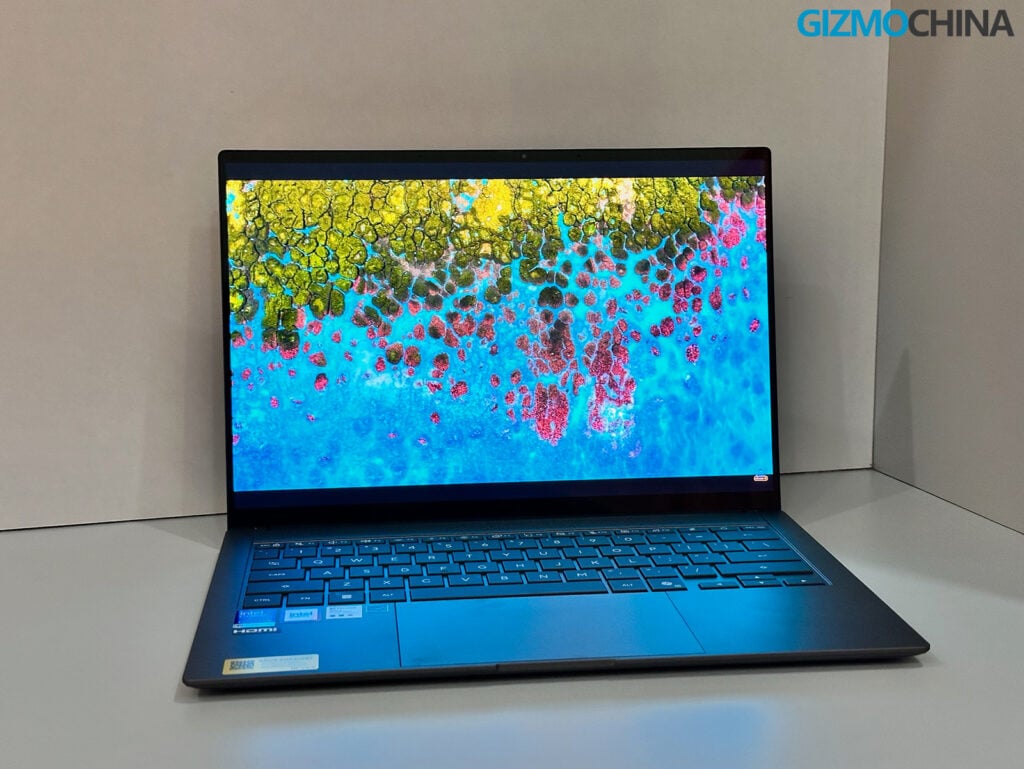
During my testing, whether I was looking at spreadsheets, editing photos, or watching videos, the OLED panel provided deep blacks and accurate colors that cover 100% of the DCI-P3 gamut. The 120Hz refresh rate makes scrolling and navigating Windows 11 feel smooth. The touchscreen is also a helpful addition for quickly tapping through menus or zooming in on images.
The main drawback here is the glossy finish on the screen. If you are working in a brightly lit office or sitting next to a window, reflections can be noticeable. You can increase the screen brightness to compensate, but a more effective anti-reflective coating would have been a nice inclusion. The display hinge is also fairly flexible, allowing the screen to recline to roughly 120 to 130 degrees. It doesn’t offer a full 180-degree lay-flat design, but the available range should be sufficient for most everyday use cases.
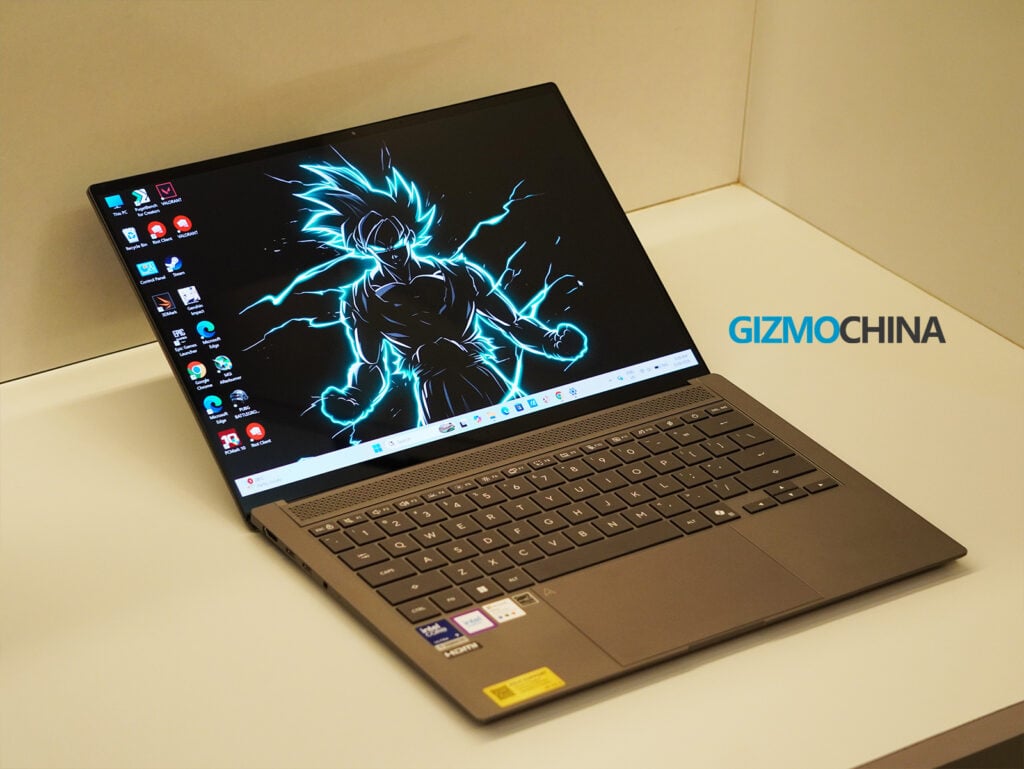
For audio, the laptop has a four-speaker system tuned by Harman Kardon, with Dolby Atmos support. The sound quality is good for a laptop of this size. The mids are clear, which makes human voices in videos and online meetings easy to hear. However, if you turn the volume all the way up, the bass starts to sound a bit thin. It is fine for casual listening, but you will still want headphones for a better audio experience.
Ports & Connectivity
The common issue with thin laptops is the lack of ports, but Asus has provided a practical selection here.
On the left side, there is a full-sized HDMI 2.1 port, two Thunderbolt 4 Type-C ports (both support charging and display output), and a 3.5mm audio jack. On the right side, there is a USB 3.2 Gen 2 Type-A port. Having a standard USB-A port and an HDMI port means you can connect older flash drives or external monitors without needing to carry a dongle.
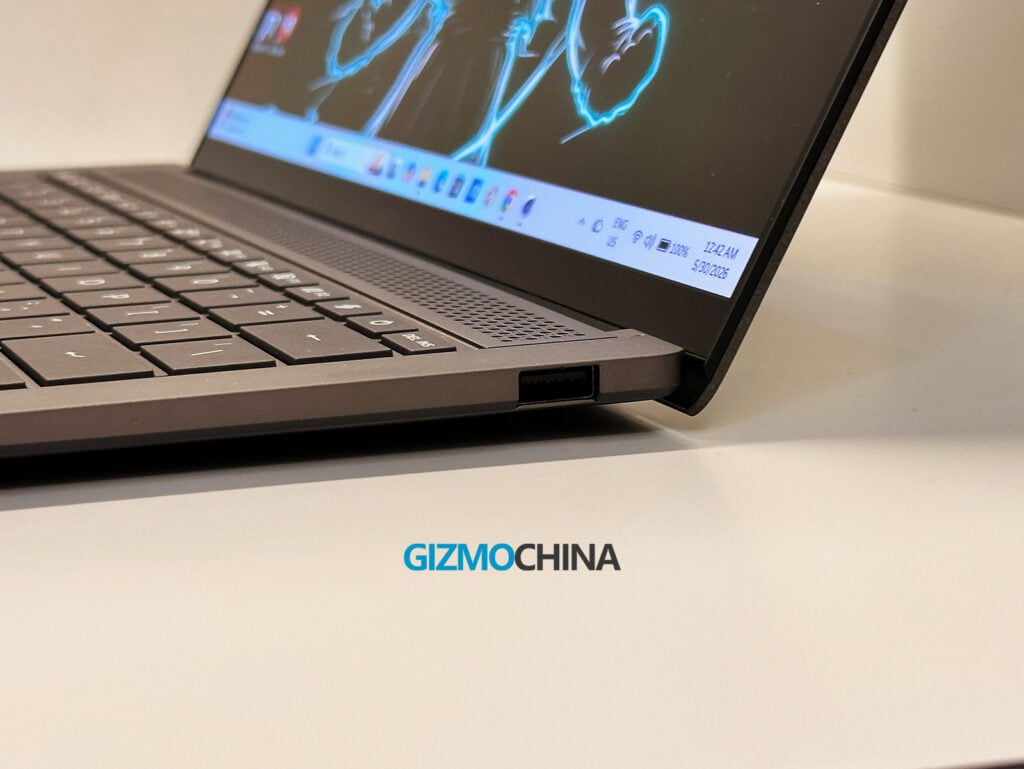
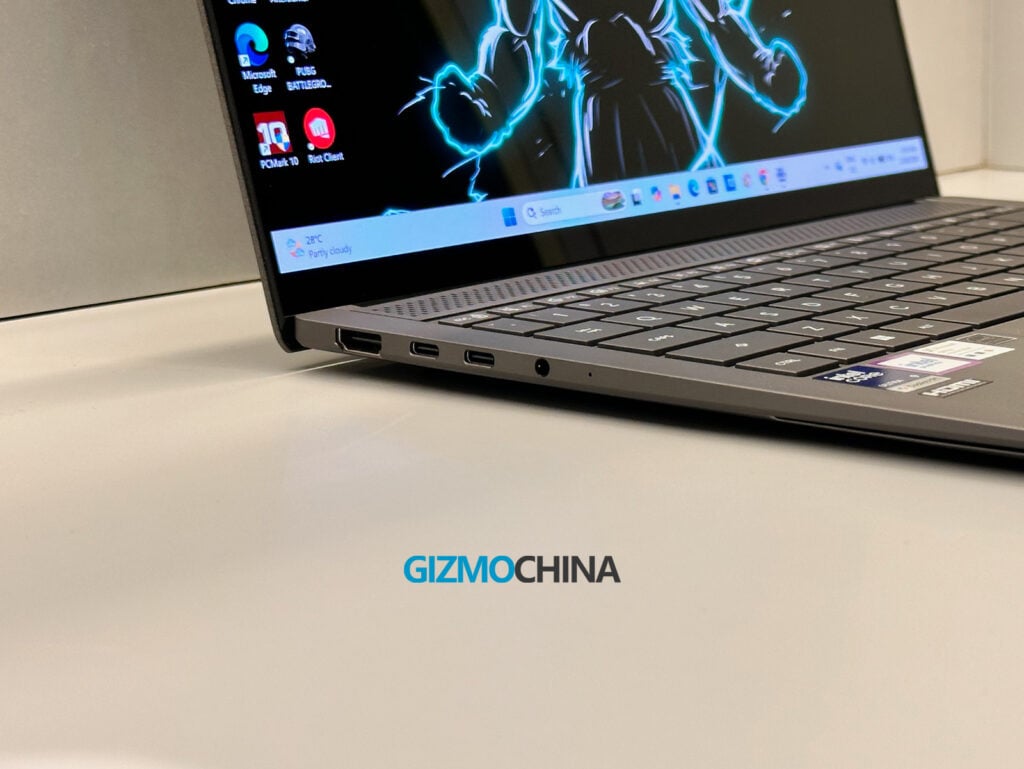
The only omission that stings is the lack of an SD or microSD card slot. If you are a photographer or videographer, you will still need to carry an adapter. For wireless connectivity, the laptop is fully future-proofed with Wi-Fi 7 and Bluetooth 6.0, ensuring rock-solid connections on modern networks.
Keyboard, Trackpad & Biometrics
The keyboard on the Zenbook S14 is comfortable for long typing sessions. It is a backlit chiclet keyboard with 1.1mm of key travel, which is a decent amount of depth for a thin laptop. The keys have a slight 0.1mm indentation that helps guide your fingers. I got used to the layout quickly and had no issues maintaining my normal typing speed.
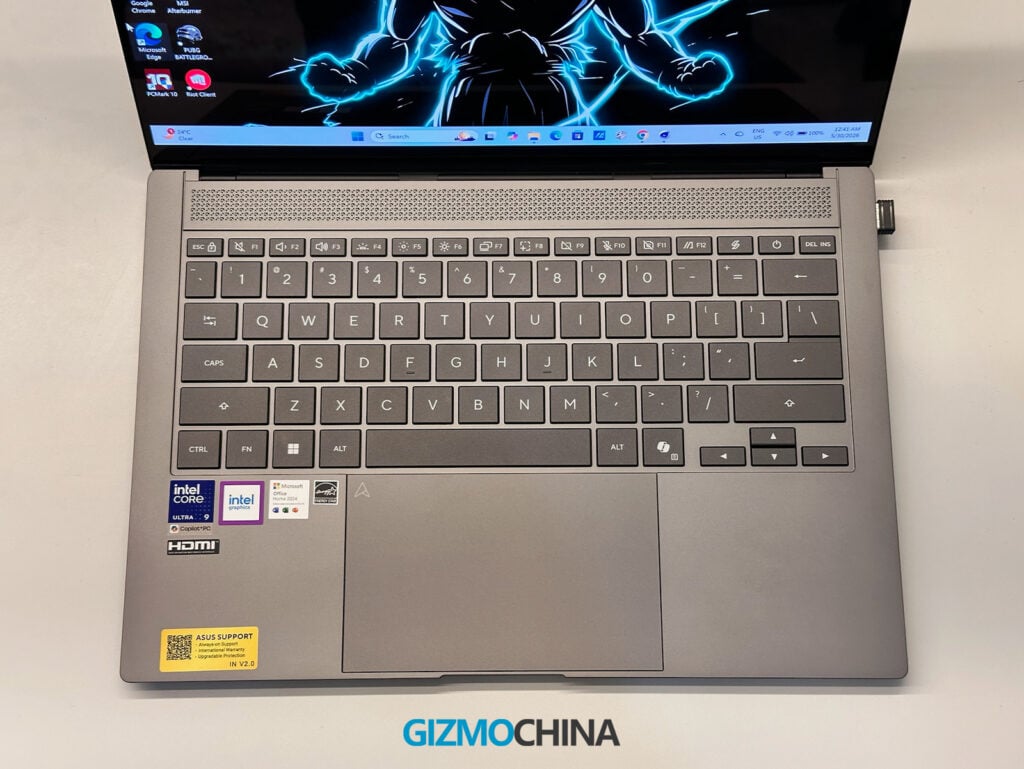
The trackpad is large, measuring 127 x 79mm, and has a smooth, anti-fingerprint coating. Tracking and swiping feel accurate. However, it uses a traditional mechanical click rather than a haptic feedback system. While it works fine, the physical click doesn’t feel quite as refined as the haptic trackpads found on some competing laptops in this price range.
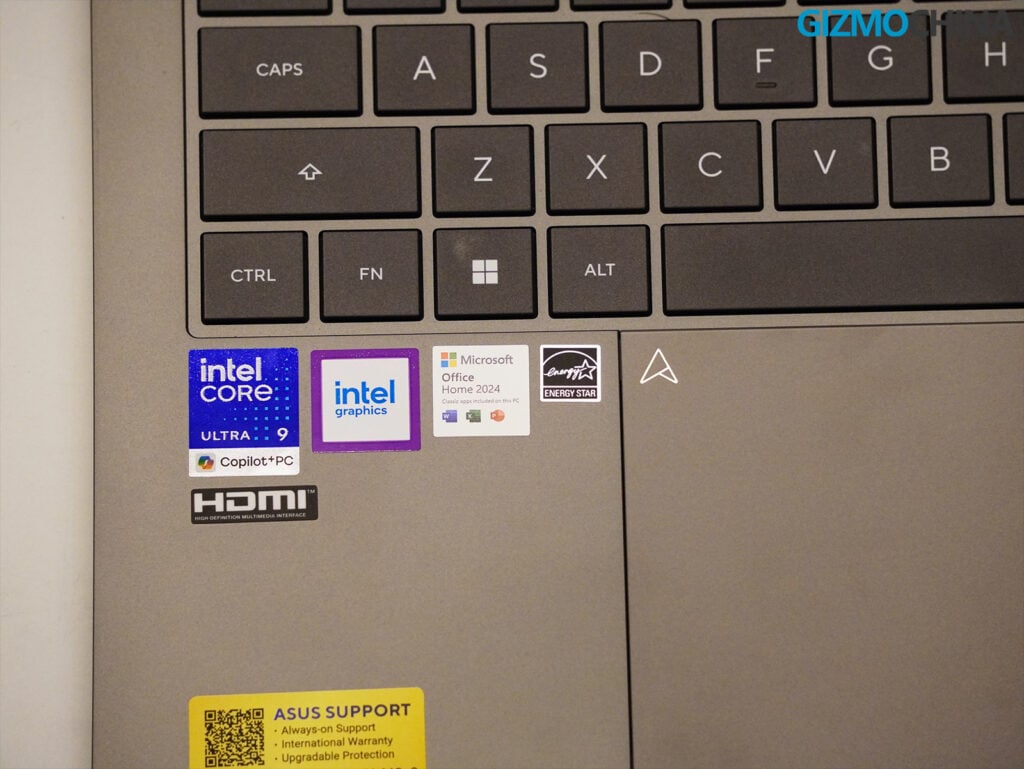
For security, the laptop relies entirely on Windows Hello IR facial recognition because there is no fingerprint sensor. The face unlock works reliably in most lighting conditions, but I generally prefer having a fingerprint reader as a backup option.
The 1080p webcam is adequate for standard video calls, but the image quality can look a bit soft and noisy. Given the price of the laptop, I expected a slightly better camera sensor. If you rely heavily on video meetings and need a clearer picture, you might want to consider an external option like the Obsbot Tiny 3 series, which we recently reviewed.
Benchmarks
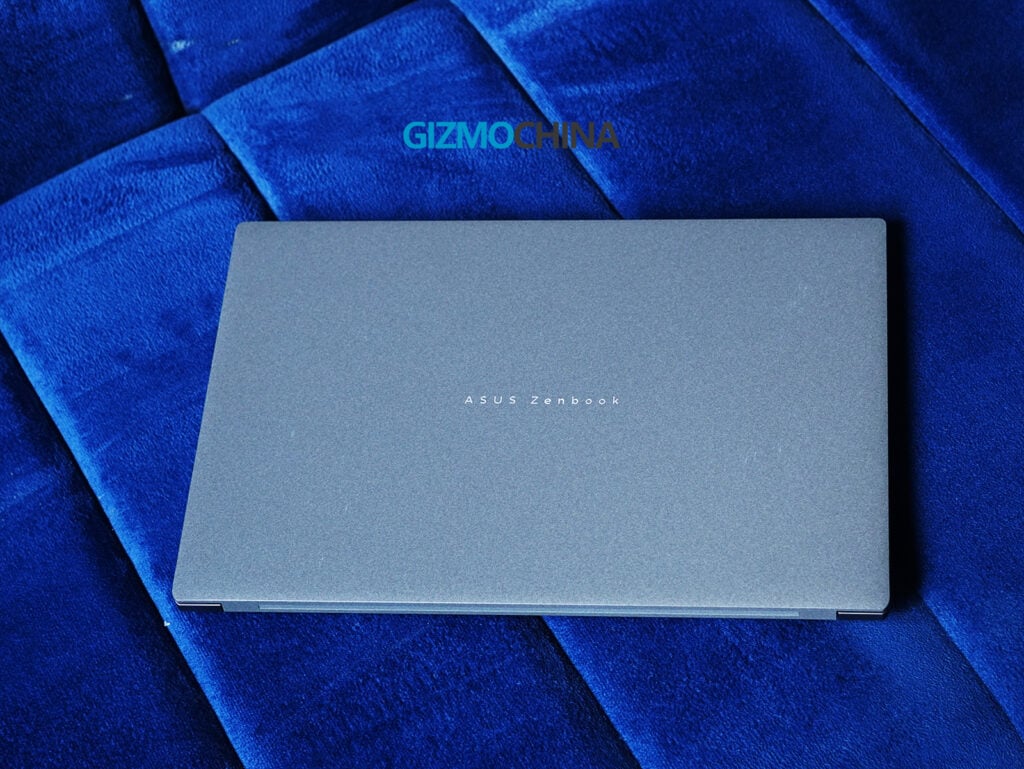
To give you an idea of the laptop’s raw performance, here are the benchmark scores I recorded during my testing:
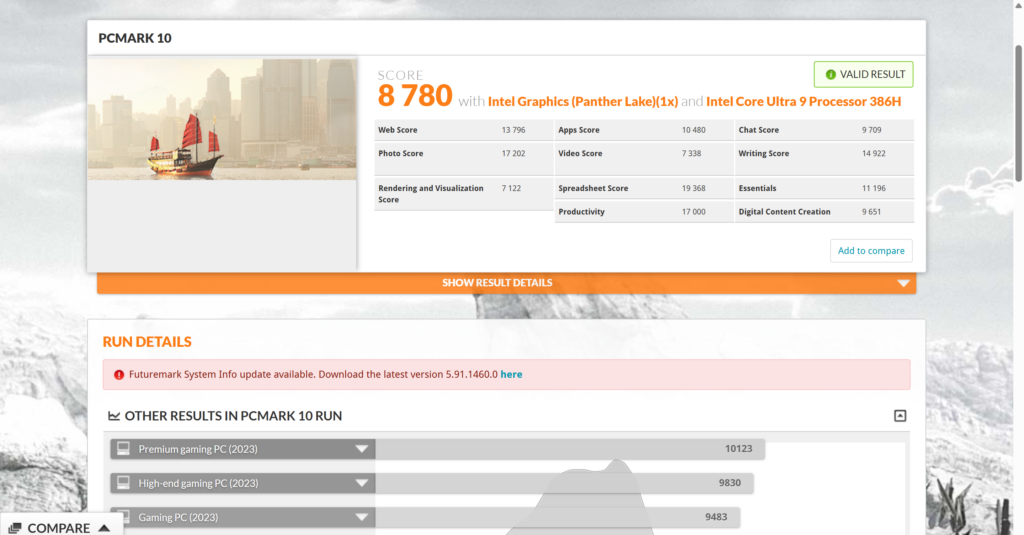
- PCMark 10: Overall Score: 8,780 (Essentials: 11,196 | Productivity: 17,000 | Digital Content Creation: 9,651)
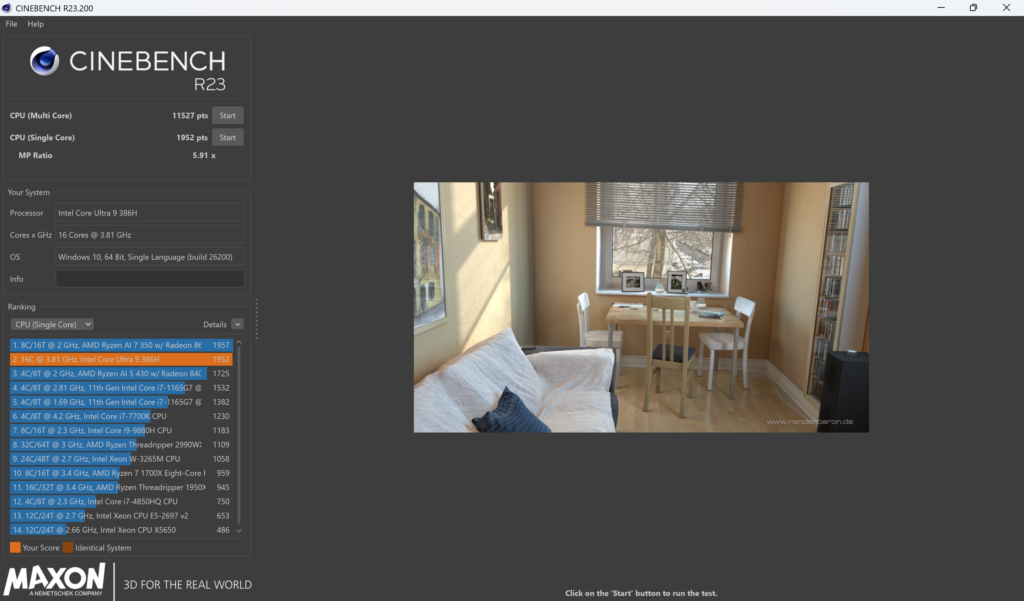
- Cinebench R23: Multi-Core: 11,527 pts | Single-Core: 1,952 pts
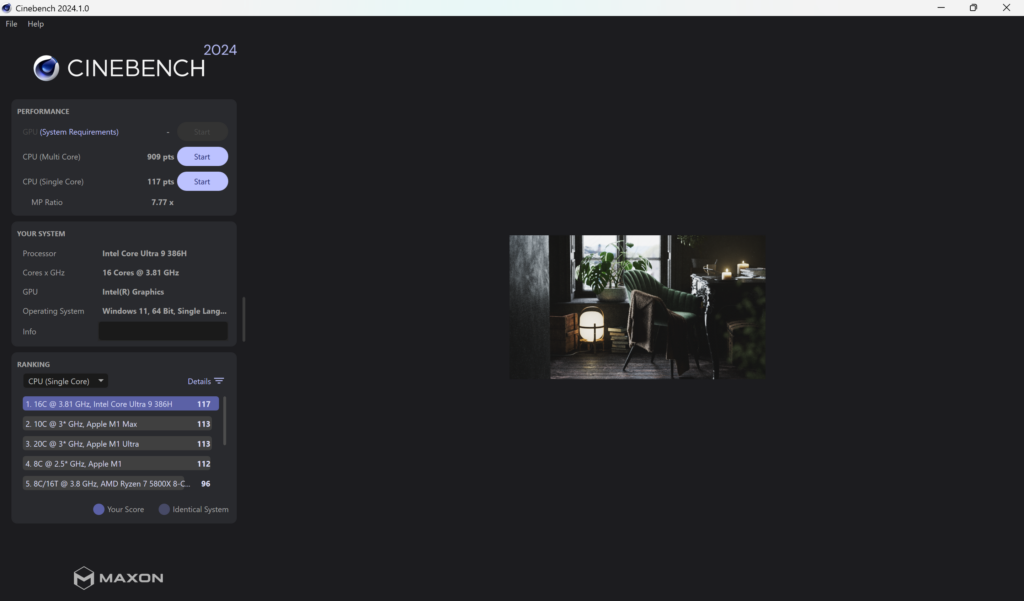
- Cinebench 2024: Multi-Core: 909 pts | Single-Core: 117 pts
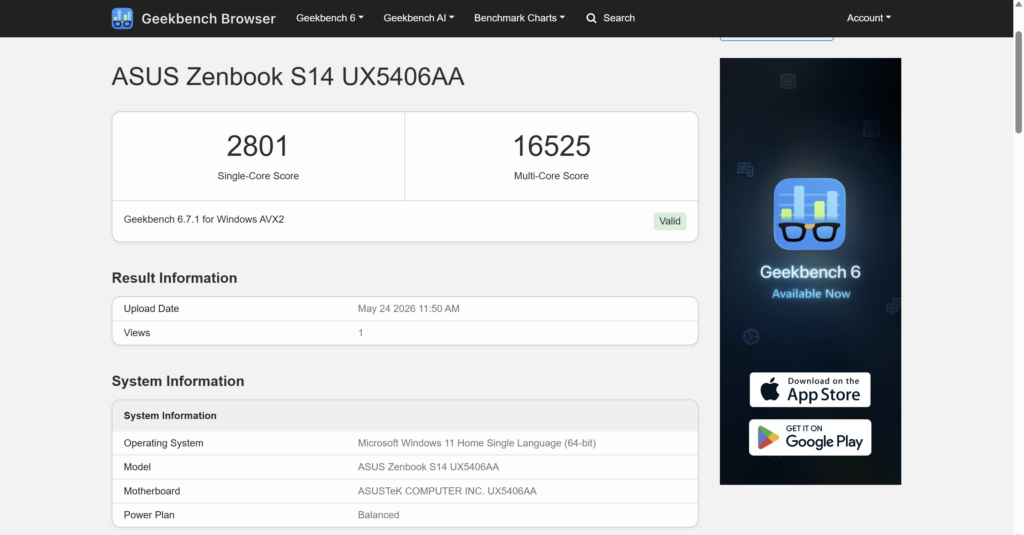
- Geekbench 6 (CPU): Single-Core: 2,801 | Multi-Core: 16,525
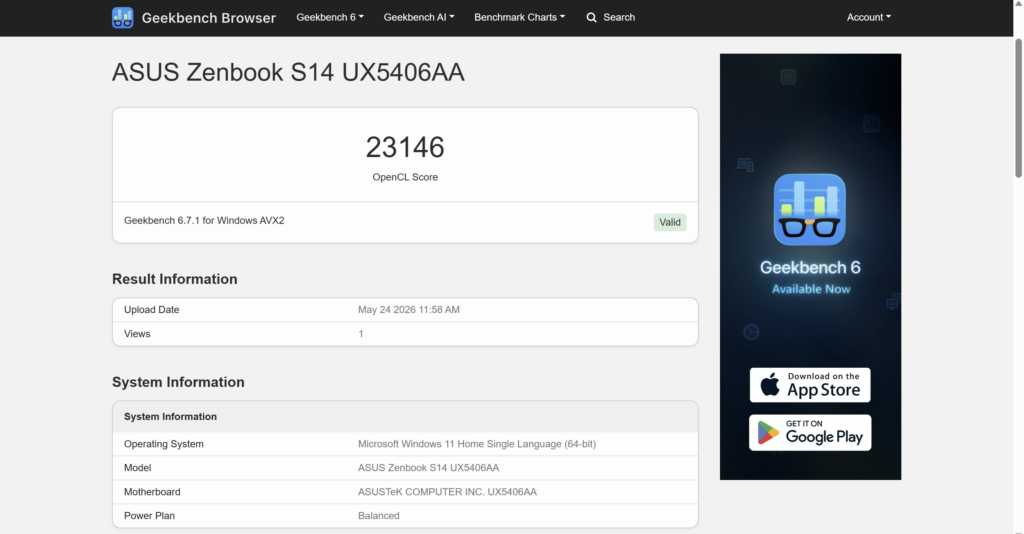
- Geekbench 6 Compute (OpenCL): 23,146
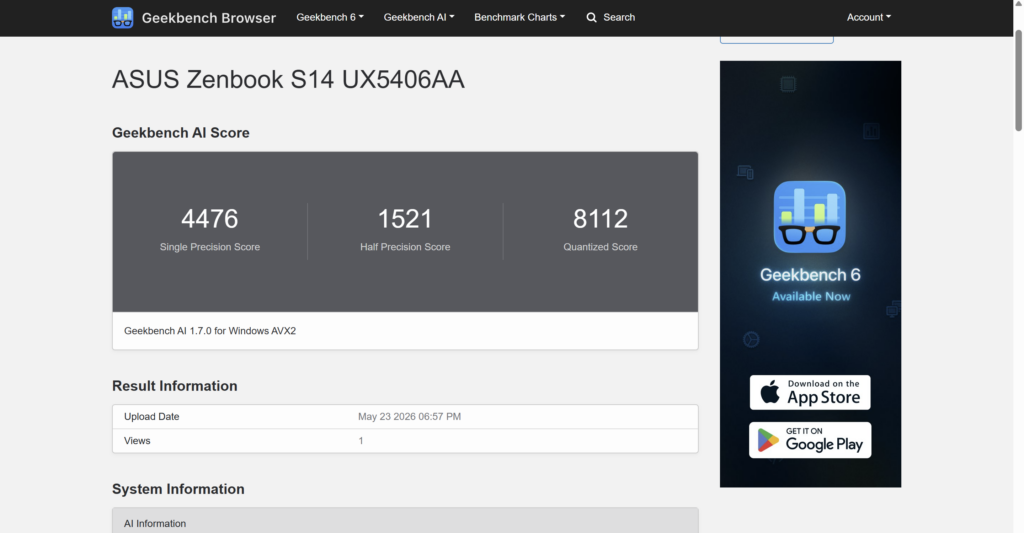
- Geekbench AI: Quantized Score: 8,112 | Single Precision: 4,476 | Half Precision: 1,521
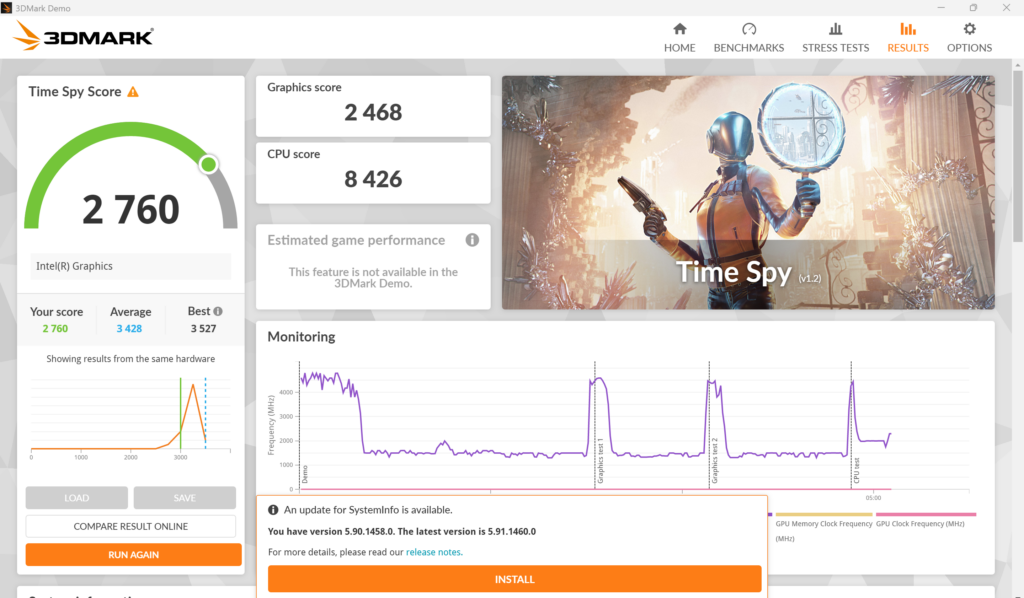
- 3DMark Time Spy: Overall Score: 2,760 (Graphics: 2,468 | CPU: 8,426)
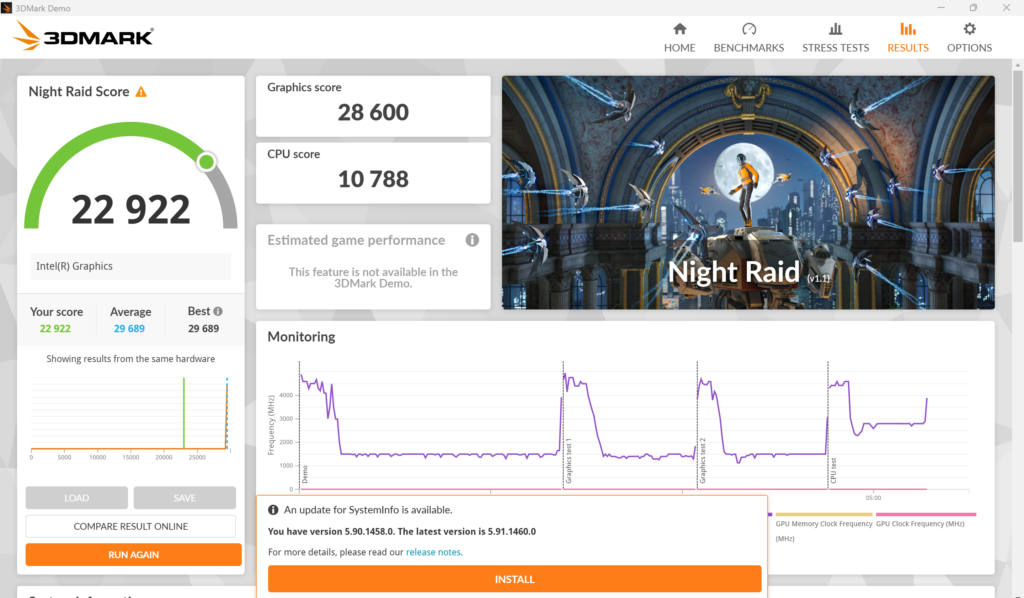
- 3DMark Night Raid: Overall Score: 22,922 (Graphics: 28,600 | CPU: 10,788)
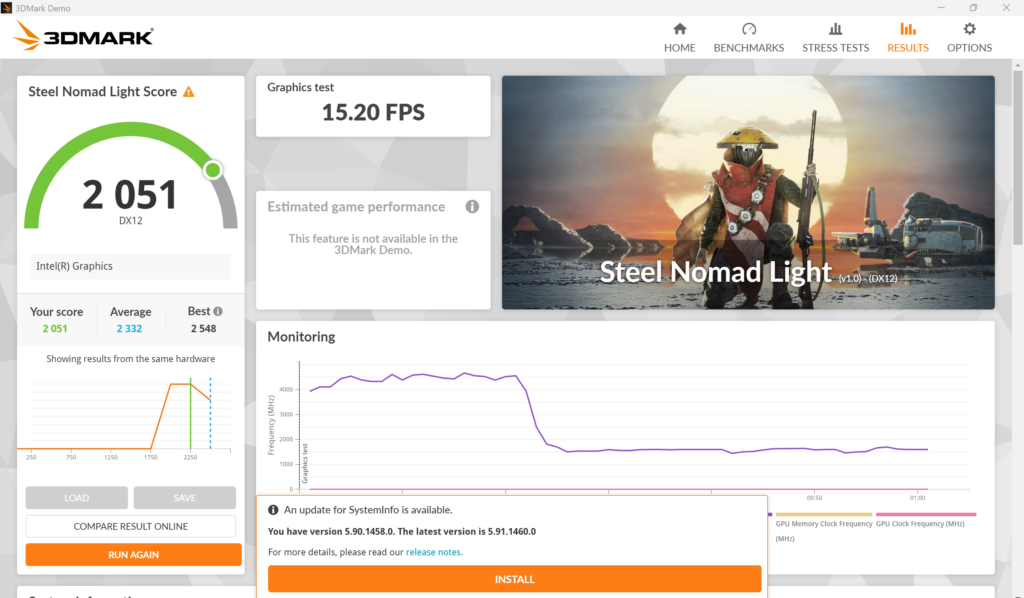
- 3DMark Steel Nomad Light: 2,051 (15.20 FPS)
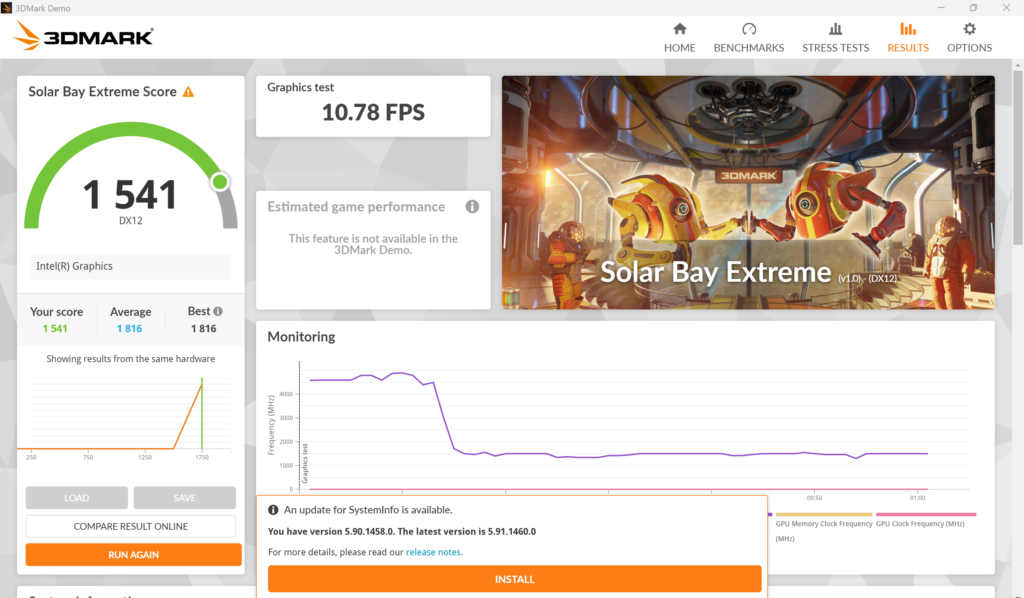
- 3DMark Solar Bay Extreme: 1,541 (10.78 FPS)
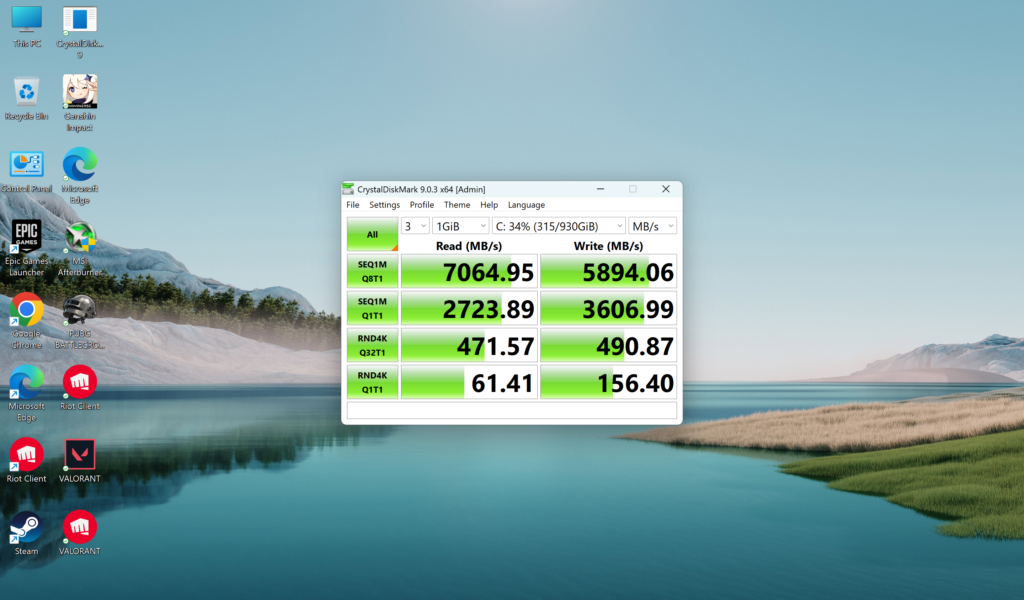
- CrystalDiskMark 9.0.3 (SSD): Sequential Read: 7,064.95 MB/s | Sequential Write: 5,894.06 MB/s
CPU & AI Performance
My review unit came with the Intel Core Ultra 9 386H processor. This chip has 16 cores (4 Performance, 8 Efficiency, 4 Low-Power Efficiency) and is paired with 32GB of LPDDR5X RAM and a 1TB PCIe 4.0 NVMe SSD.
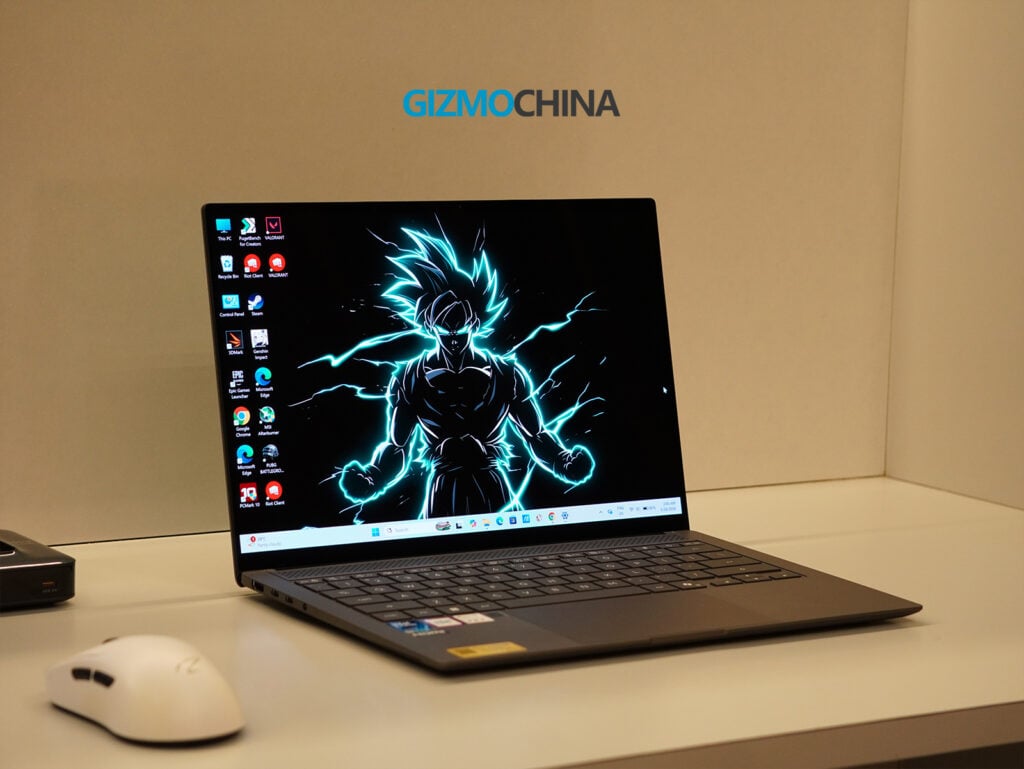
In daily use, the laptop handles standard tasks easily. Whether I was working with multiple Chrome tabs, editing documents, or doing some light photo editing, the system remained responsive. The single-core Geekbench score of 2,801 reflects this snappy day-to-day performance, and the multi-core score of 16,525 shows it can handle moderate multitasking without slowing down. The boot times are minimal, and transferring large files takes very little time.
As a Copilot+ PC, it includes an NPU rated for up to 50 TOPS. This allows local AI features, like Live Captions and Windows Studio Effects (which handles background blur and auto-framing on video calls), to run directly on the device rather than relying on cloud processing. It also includes a dedicated Copilot key, allowing quick access to the AI assistant with a single click.
GPU Performance
While the CPU performance is strong, the graphics performance is where the Zenbook S14 shows its limitations. Because this laptop uses the Core Ultra 9 386H, it relies on Intel’s integrated Xe3 graphics rather than a dedicated GPU.
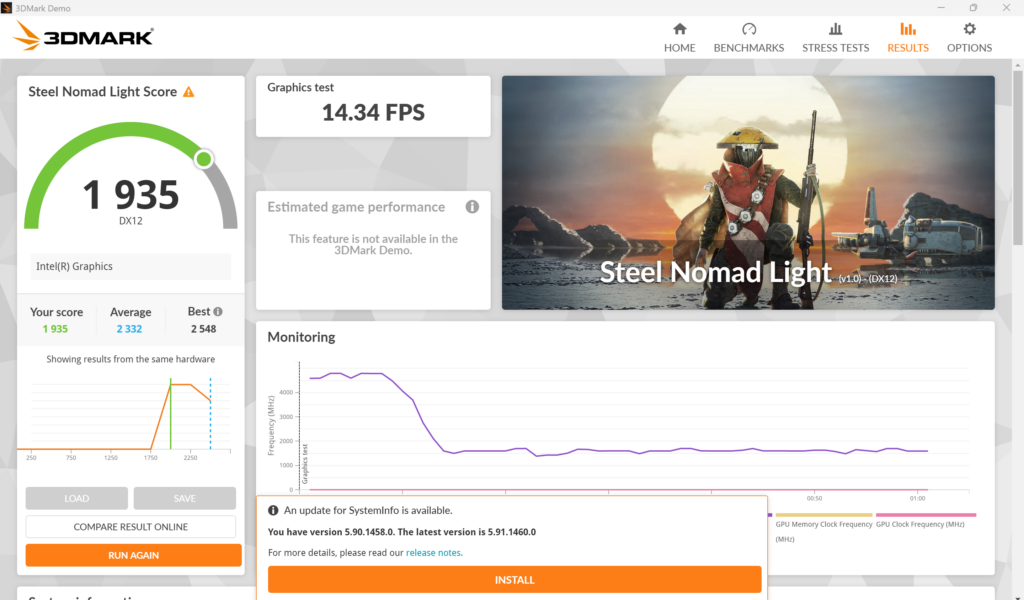
In synthetic graphics tests, the scores reflect this. In 3DMark Time Spy, it scored 2,760 overall. The Night Raid test, which is designed for integrated graphics, yielded a score of 22,922. In the Steel Nomad Light test, it hovered around 1,935 to 2,051 points, outputting roughly 14 to 15 frames per second.
I tested a few games to see how this translates to real-world use. If you play lighter, optimized esports titles like Valorant, the laptop performs well. I was getting between 153 and 200 FPS, making it highly playable.
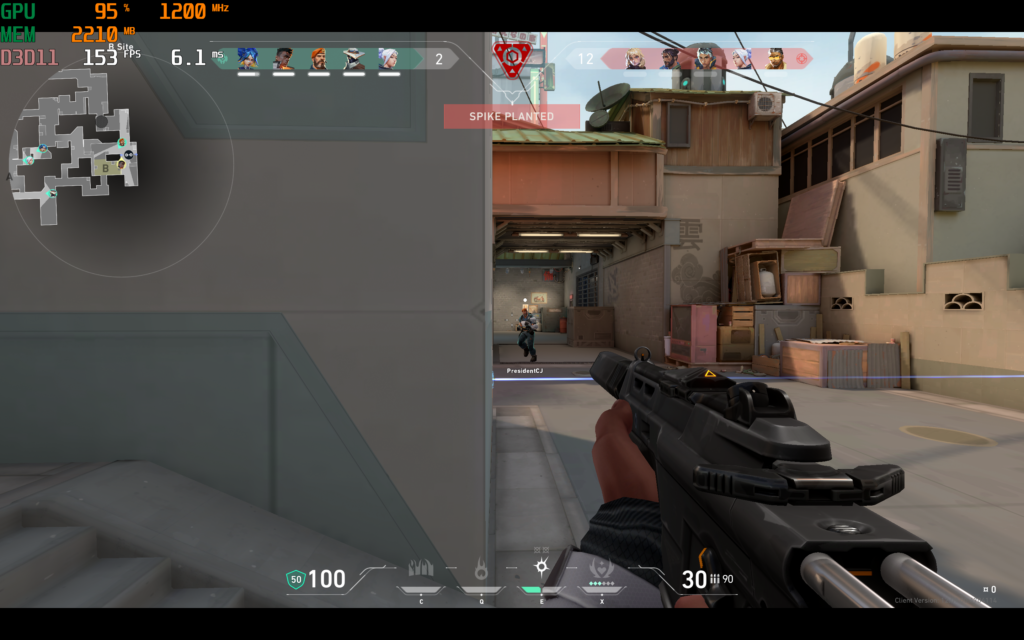
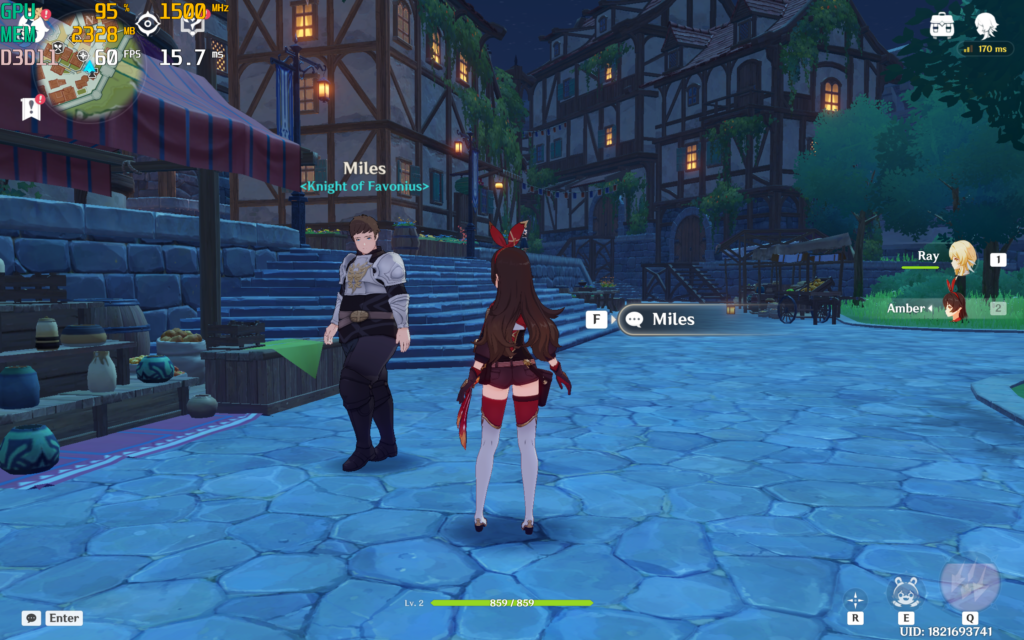
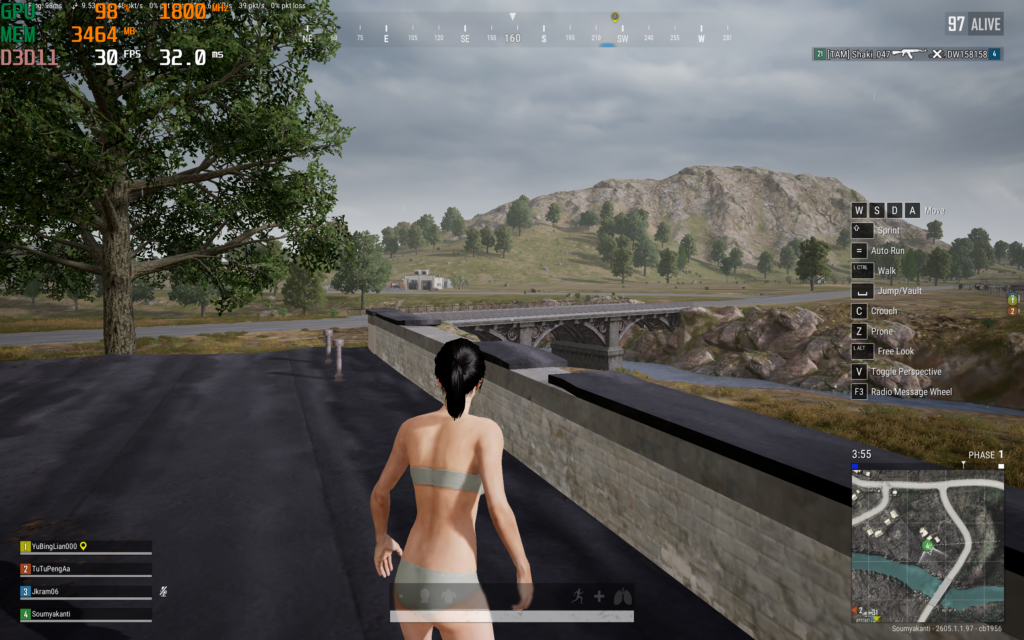
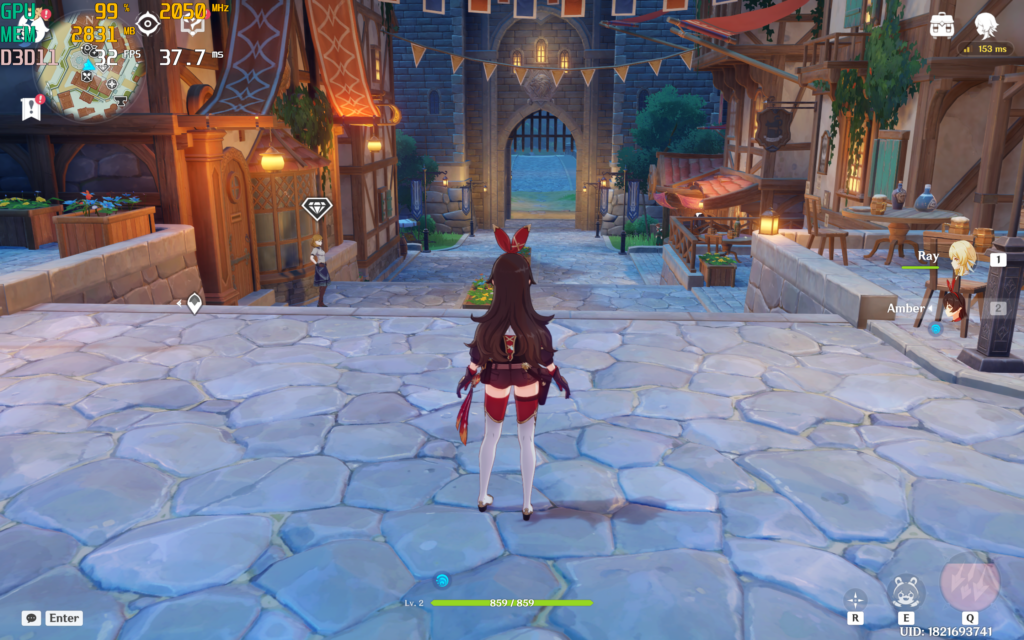
However, when you move to more demanding games, the integrated graphics struggle. In PUBG, running on DirectX 11, the frame rate hovered around 30 FPS with the GPU usage maxed out at 98%. It is playable if you don’t mind lower frame rates, but you will need to turn the settings and resolution down for a smoother experience. Genshin Impact showed varying results depending on the environment; it hit 60 FPS on low settings but dropped to around 32 FPS on high settings in more complex scenes.
Ultimately, this is not a laptop for serious gamers or professionals who need heavy GPU acceleration for 3D rendering or complex video editing. It can handle basic online multiplayer games, but it has a clear ceiling.
Thermal and Fan Performance
Managing heat in a 1.1 cm thick chassis is difficult, but the cooling system here works reasonably well. It uses a vapor chamber, dual fans, and the venting grille above the keyboard.
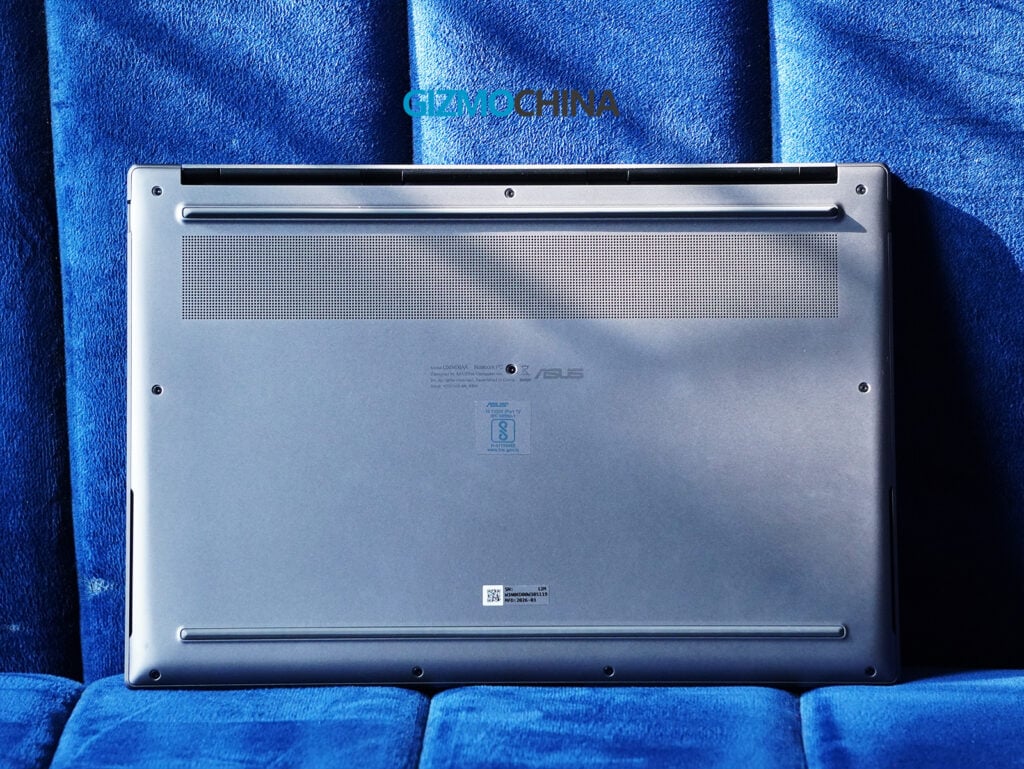
Using the MyAsus app, you can choose between Whisper, Standard, and Performance fan profiles. I left it on Standard for most of my testing, and the laptop stayed quiet during regular work.
The fans only become noticeable (44dB) when running benchmarks or games. Under heavy load, the bottom of the chassis and the area near the exhaust vents do get warm, but the keyboard and palm rests stay cool enough to type comfortably.
Battery Life
Battery life is one of the strongest aspects of the Zenbook S14. While I kept the power cable plugged in during benchmark testing to ensure maximum performance, I used it purely on battery power for my regular daily work.
The laptop is equipped with a 77Wh battery, which is a generous capacity for a 14-inch thin-and-light device. With moderate usage, which for me includes web browsing, writing documents, checking emails, and watching YouTube videos at medium brightness, the laptop consistently lasted around 14 to 16 hours.
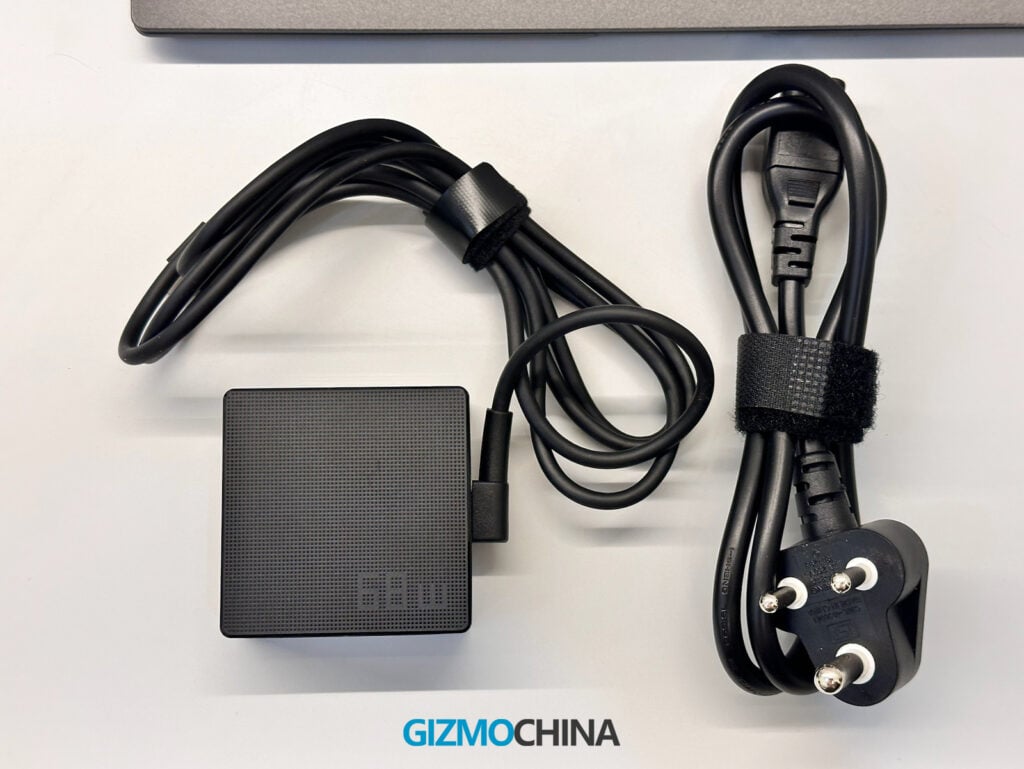
This level of endurance means you can comfortably take the laptop on a business trip or to a coffee shop without needing to bring the charger along. It easily gets through a full workday with power to spare. When you do need to recharge, the included 68W USB-C adapter works fine, though the brick itself is a bit traditional in its design and slightly bulky compared to the sleekness of the laptop.
It is also worth mentioning that the S14 actually supports up to 100W fast charging via its USB-C ports. However, to take advantage of those faster top-up speeds, you will need to purchase and carry your own 100W adapter, as Asus only includes the standard 68W charger in the box.
Final Verdict
After two weeks of testing, the Asus Zenbook S14 (UX5406AA) proves to be a well-executed ultrabook that knows its target audience.
The Ceraluminum build is practical and looks professional, the OLED display is vibrant and sharp, and the keyboard is comfortable for long typing sessions. Most importantly, the combination of the Intel Core Ultra 9 processor and the 77Wh battery provides a great balance of snappy office performance and genuine all-day battery life.
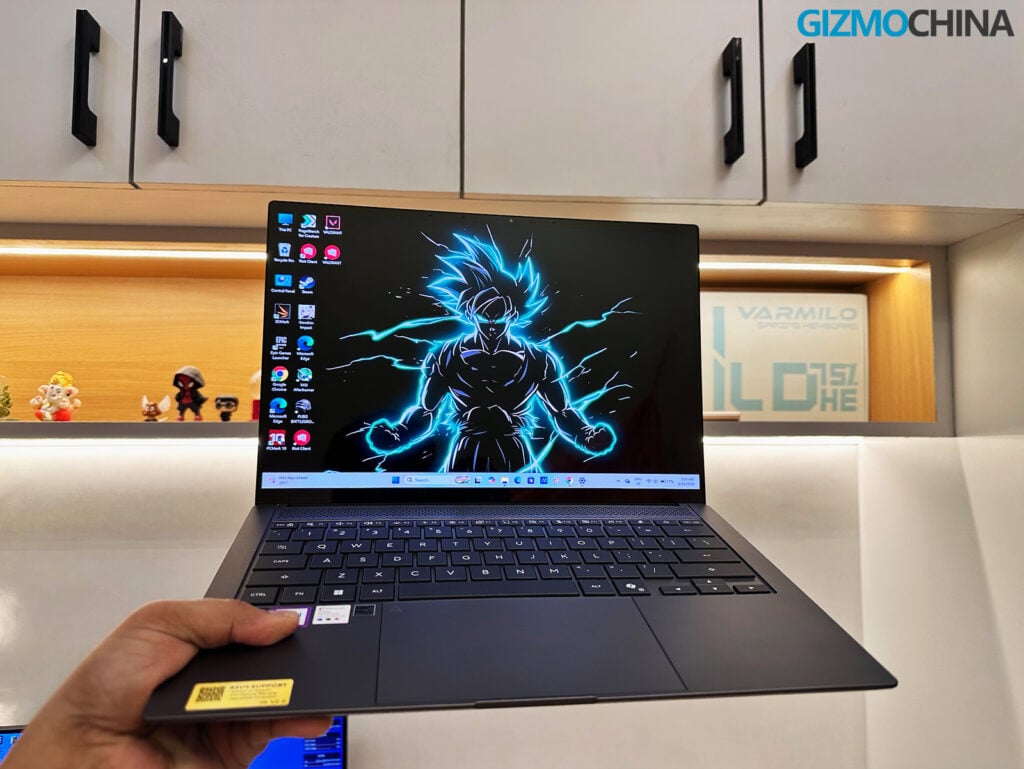
However, the current pricing in India is quite steep. At Rs. 2,49,990, you are paying a premium for the thin-and-light form factor and the new materials. For that price, the average webcam, the lack of a fingerprint sensor, and the slightly hollow feel of the trackpad click are noticeable drawbacks. Furthermore, the integrated Xe3 graphics mean this laptop is strictly for productivity and media consumption, not for gaming or heavy graphical workloads.
If you are a professional whose daily routine involves documents, web-based applications, and frequent travel, the Zenbook S14 is a reliable, long-lasting companion. But if your work or hobbies require strong GPU performance, you will need to look at other options in this price range.
You can purchase the Asus Zenbook S14 (UX5406AA) from Asus’s official website.
FAQ
Can I charge the laptop with a portable power bank?
Yes, via USB-C. Just make sure your power bank supports 65W Power Delivery (PD) if you want to charge it while actively using the laptop. Standard phone power banks will only charge it slowly when the device is turned off.
Can I upgrade the RAM or storage later?
The RAM is permanently soldered to the motherboard and cannot be upgraded, though the included 32GB is plenty for heavy multitasking. The 1TB SSD, however, is in a standard M.2 2280 slot and can easily be swapped out for a larger drive later.
How many external monitors can I connect?
You can connect up to three external displays at once using the full-sized HDMI 2.1 port and the two Thunderbolt 4 (Type-C) ports.
Is the Ceraluminum finish actually scratch-resistant?
It is much more durable and fingerprint-resistant than standard anodized aluminum, handling daily wear very well. However, it isn’t entirely scratch-proof, so using a protective sleeve for travel is still recommended.
What does the NPU (AI chip) actually do for me right now?
It handles background AI tasks to save your main battery. You’ll notice it most with Windows Studio Effects (background blur and eye tracking on video calls), real-time Live Captions, and when using AI-accelerated tools in apps like Adobe Lightroom or Premiere.
Does the laptop get uncomfortably hot if I use it on my lap?
For everyday tasks like web browsing or watching videos, it stays perfectly cool. However, during heavy workloads or gaming, the thin chassis will get quite warm, so it’s best used on a hard desk for those tasks.
Is this laptop a good choice for programming or running virtual machines?
Absolutely. The fast single-core CPU performance ensures quick compile times, and the 32GB of RAM makes it excellent for running local servers, Docker containers, or virtual machines without lagging.
For more daily updates, please visit our News Section.
Stay ahead in tech! Join our Telegram community and sign up for our daily newsletter of top stories! 💡



Comments