
Add GIZMOCHINA as Preferred Source on Google
Portable projectors have come a long way in recent years. They used to be niche devices with clunky interfaces, dim images, and poor sound. Now, they’re increasingly positioned as lifestyle gadgets you can toss in a backpack for movie nights anywhere.
I’ve tested quite a few of these portable projectors, and recently, I spent a few weeks with the Yaber T2 Plus. It promises a lot: Full HD resolution, JBL speakers with Dolby Audio, a 2.5-hour built-in battery, Google TV streaming via an included dongle, and a retro-modern design. It retails for around $349.
Of course, that price bracket is crowded with alternatives from brands like Xgimi, Anker, and Nebula. The big question is whether Yaber’s latest model does enough to stand out. After using it in various scenarios, outdoor movie nights, office presentations, and impromptu Netflix binges in my bedroom, here’s my verdict.
What’s in the Box?
The Yaber T2 Plus comes neatly packaged with everything you need to get started. Inside the box, I found the projector itself, a lens cap, power cable, HDMI cable, a Remote (batteries included), a cleaning cloth, and the standout inclusion: a Google TV dongle with a right-angled HDMI adapter. There’s also a quick-start guide and a small warranty card.
I liked that Yaber didn’t skimp here. Having a dedicated streaming dongle in the box is a nice touch, too many projectors in this range rely on clunky, unsupported app stores.
Design and Build Quality
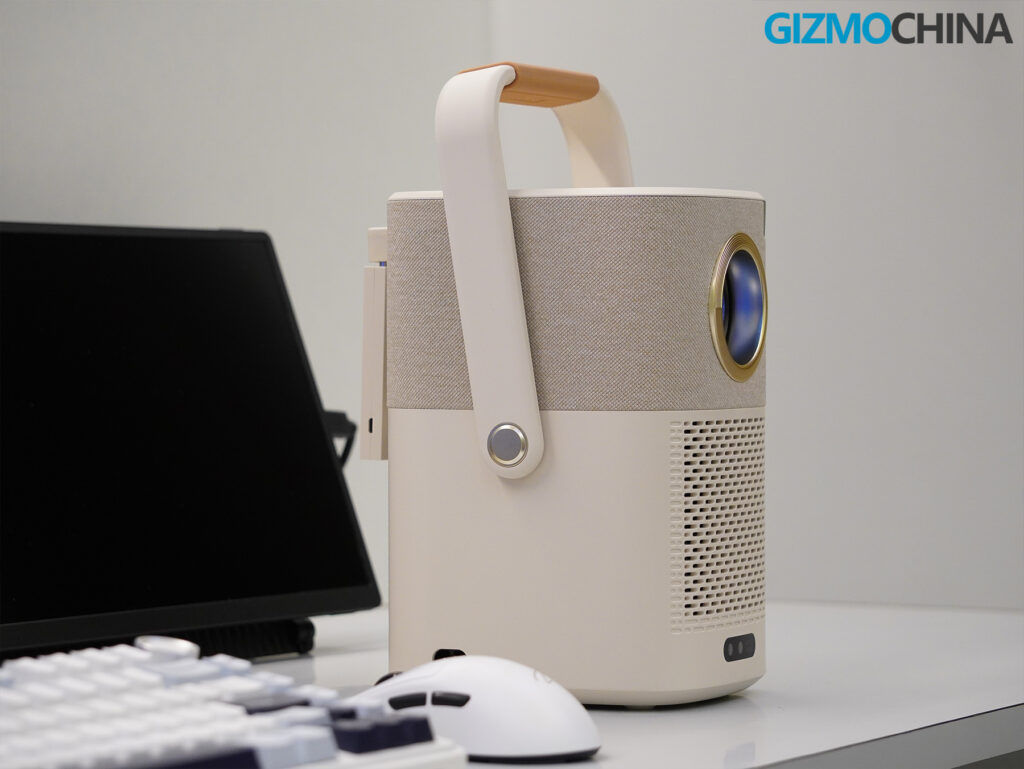
The first thing I noticed when unboxing the Yaber T2 Plus was how much more considered its design feels compared to most budget projectors. Many entry-level models either go overboard with gamer-inspired looks or settle for plain black plastic boxes. The T2 Plus takes a different path. It leans into a retro-inspired aesthetic that feels playful yet tasteful. It fits naturally in a living room, bedroom, or even a modern workspace.
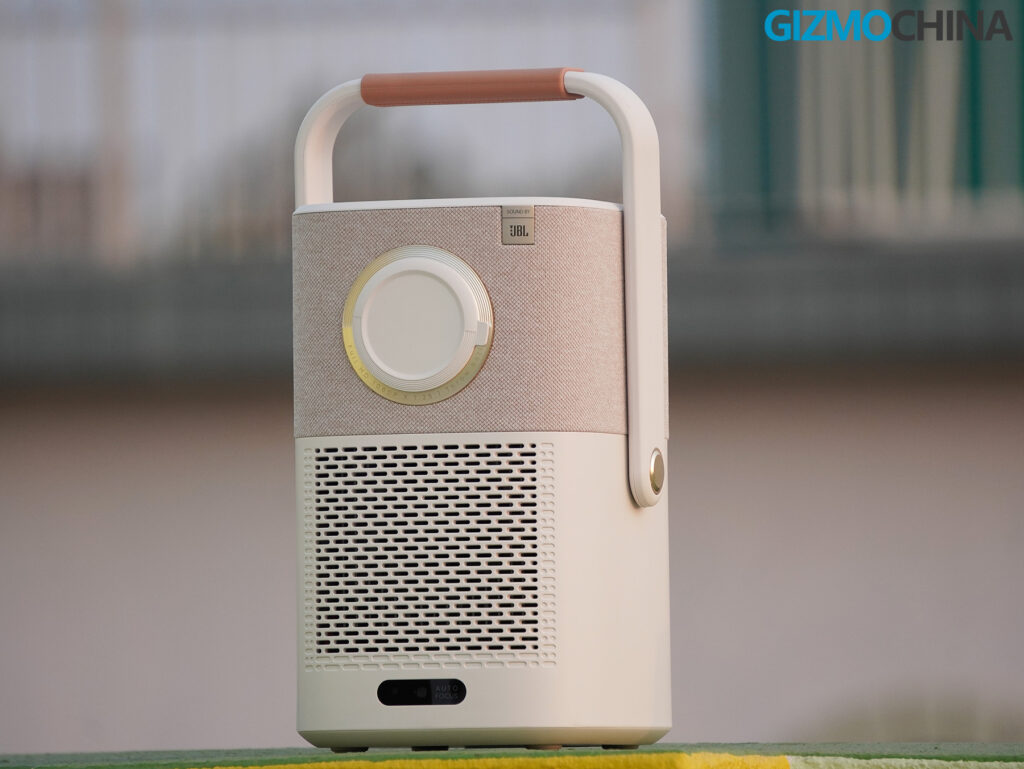
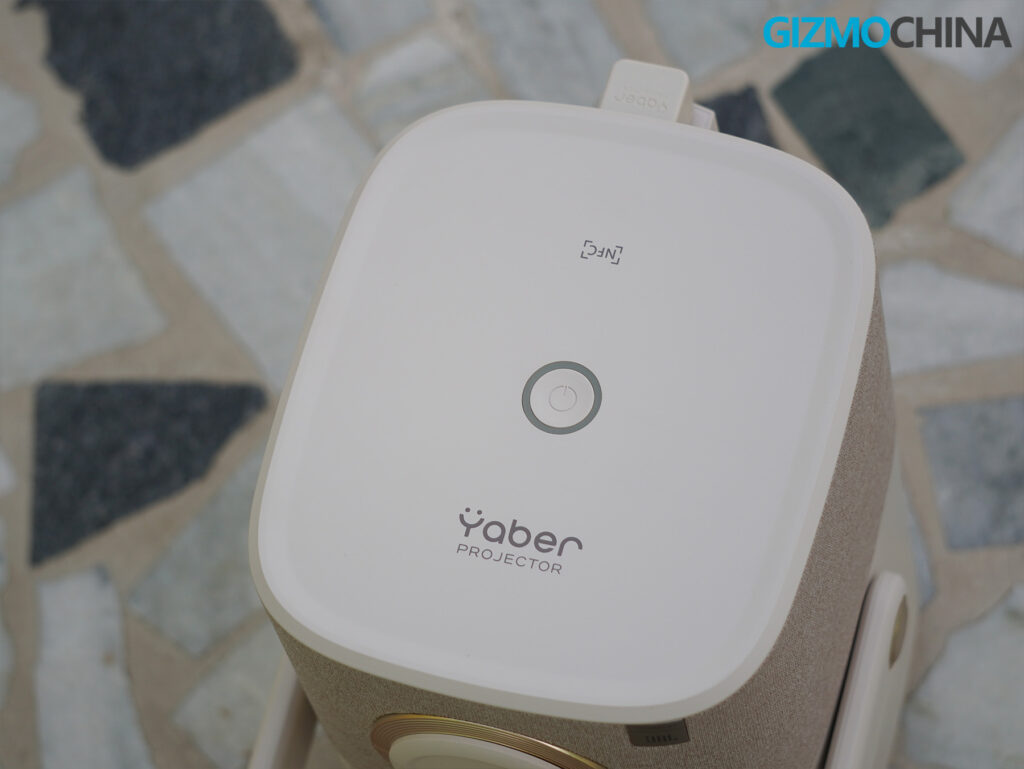
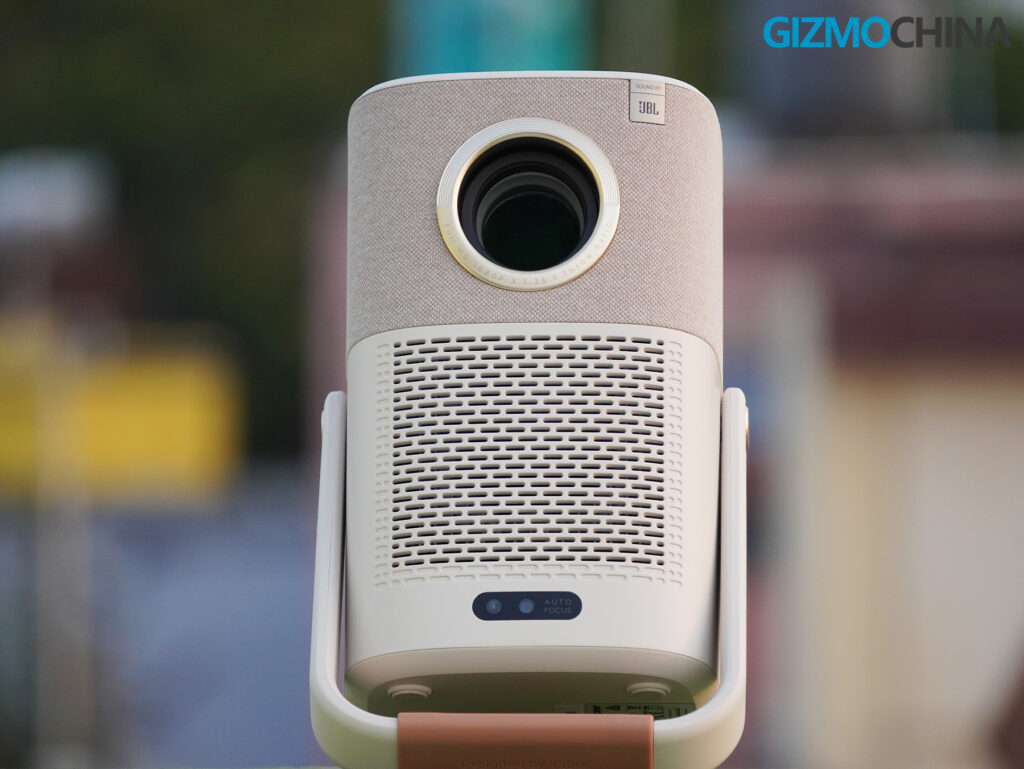
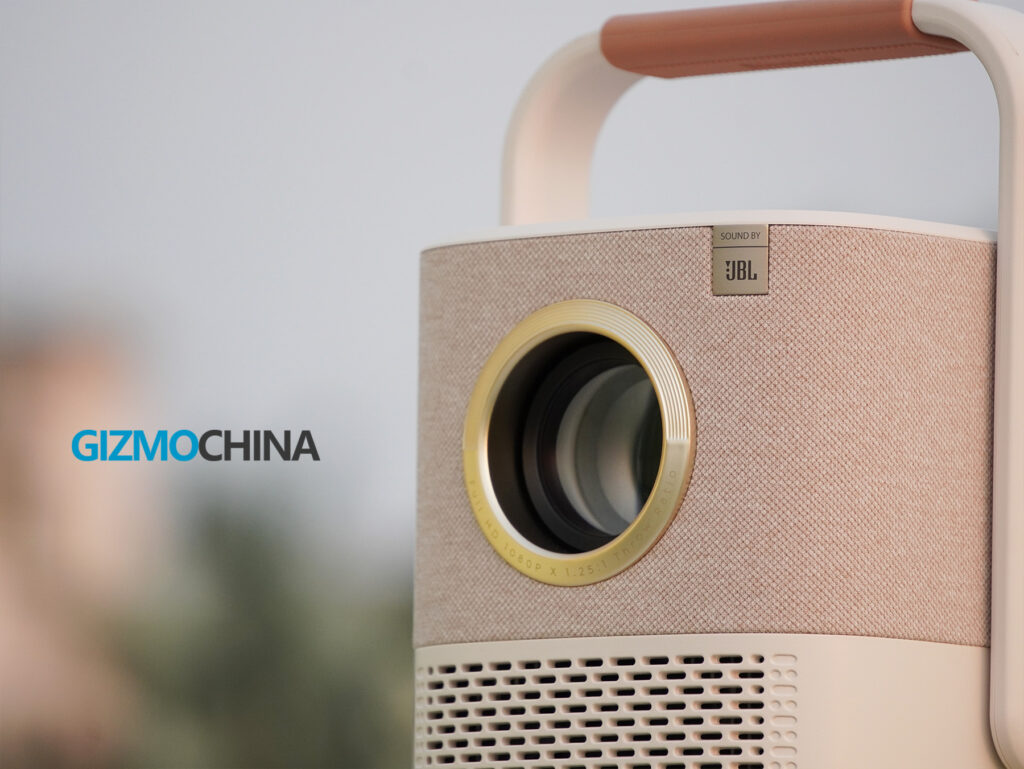
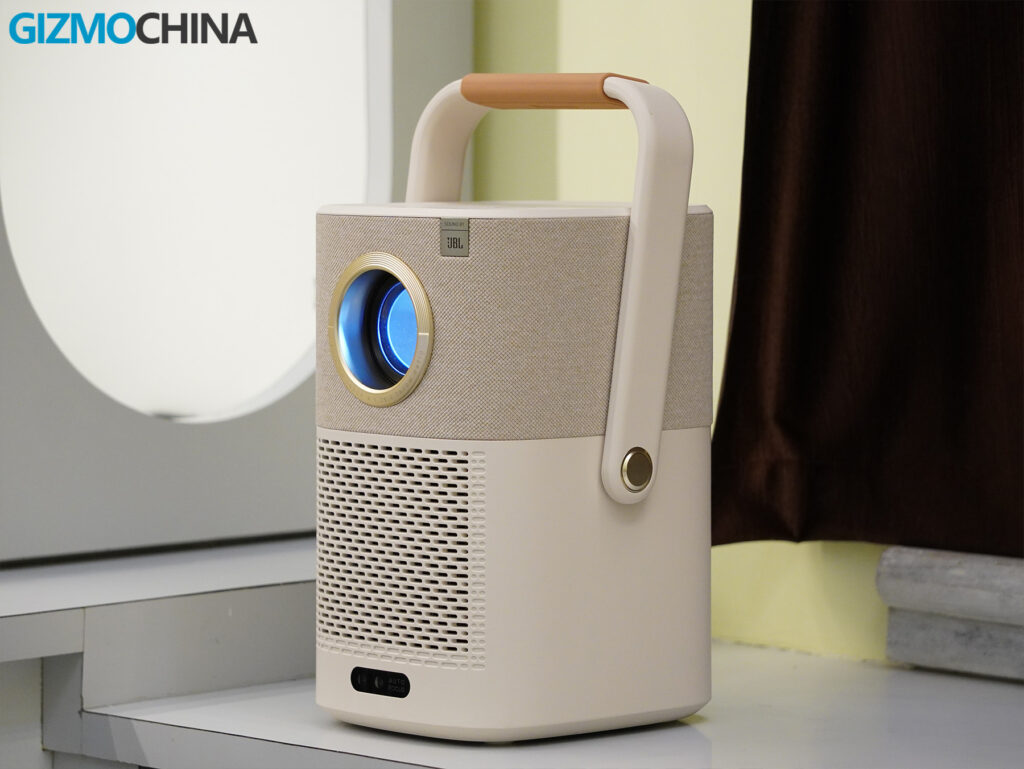
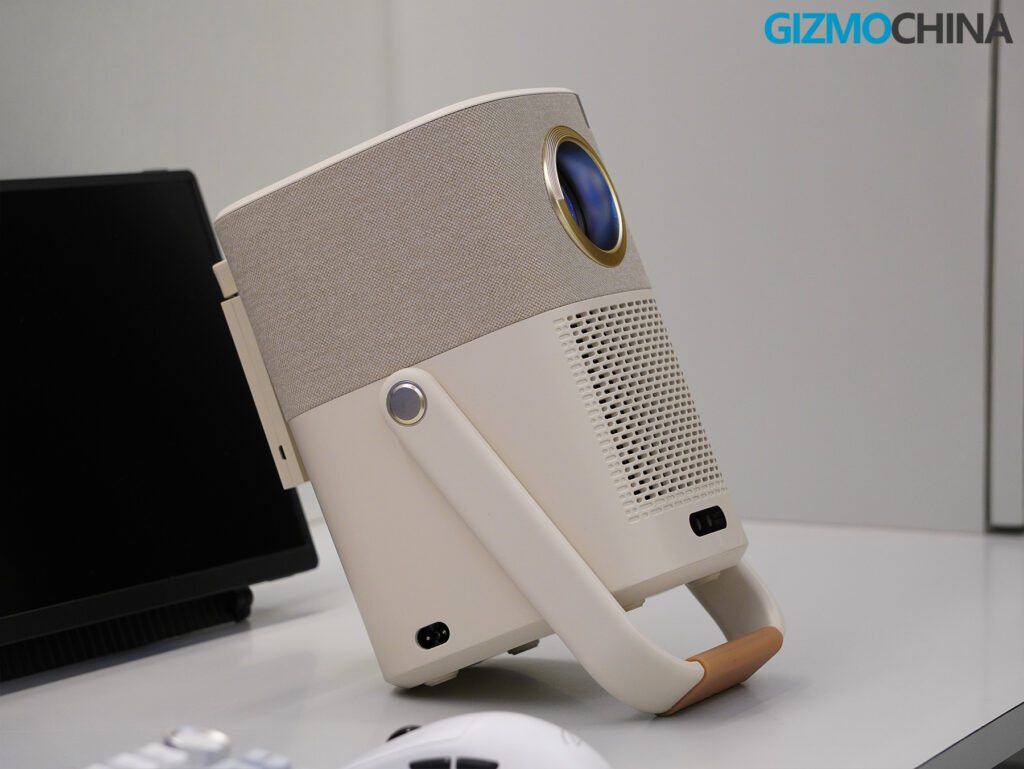
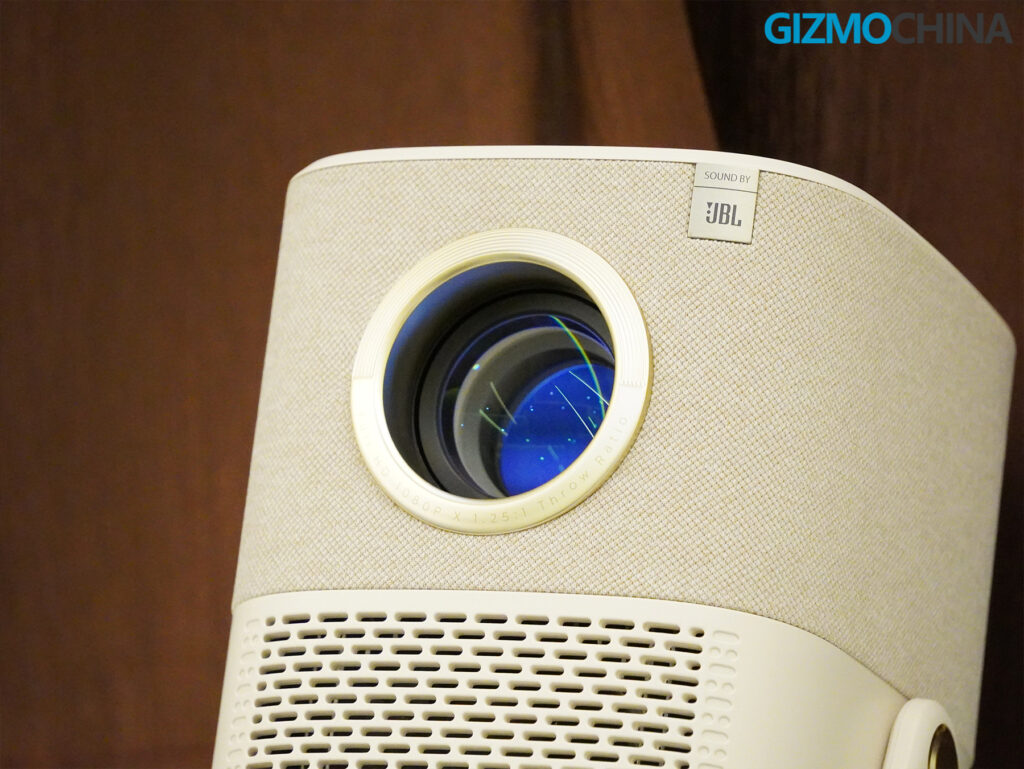
Its cream-colored plastic chassis looks soft and clean. The fabric-wrapped speaker grille runs along the top third of the body, giving it a warmer, more home-friendly feel. It looks more like a piece of modern decor than a typical electronics device. The subtle JBL logo on the front fabric adds a nice detail, and the single minimalist power button on top keeps the interface uncluttered. The finish holds up well to handling and does not show smudges or fingerprints easily, which helps it stay looking sharp over time.
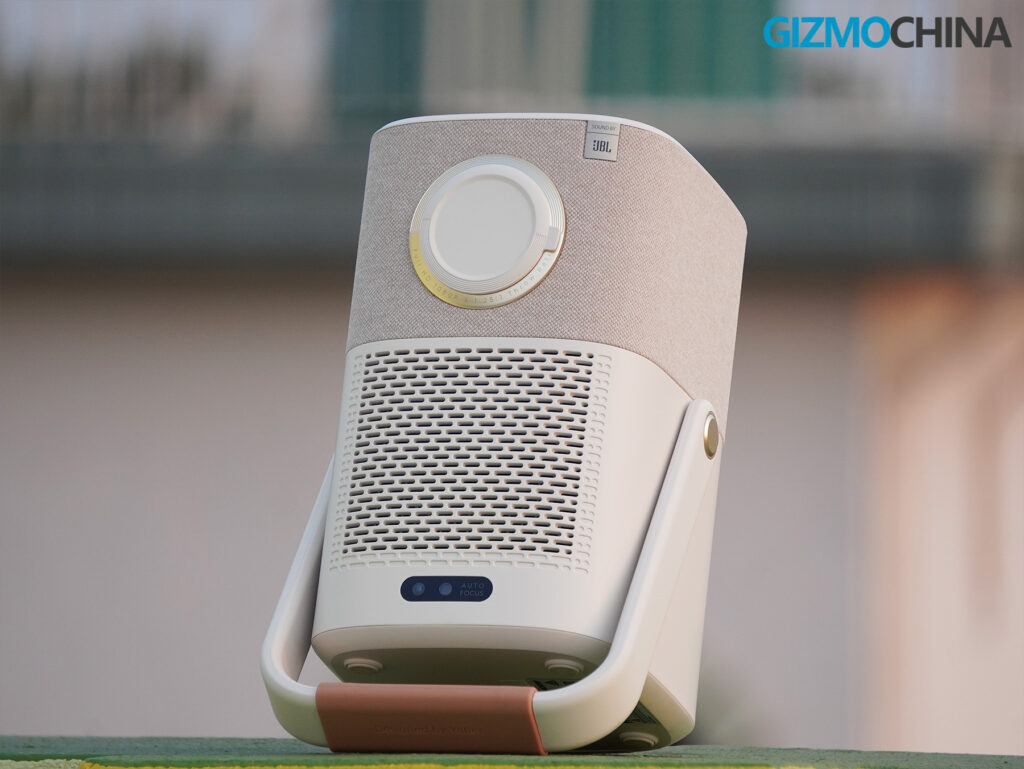
The front of the projector is dedicated to the lens, and Yaber includes a dust cap in the box. I appreciated having it, though I did wish it came attached to the projector in some way, as it is very easy to misplace. The autofocus and keystone correction sensor sits near the bottom front of the chassis. I noticed that when placing the projector flat on a table, the sensor sometimes misreads the edge of the surface as an obstruction. It is something to be mindful of during setup.
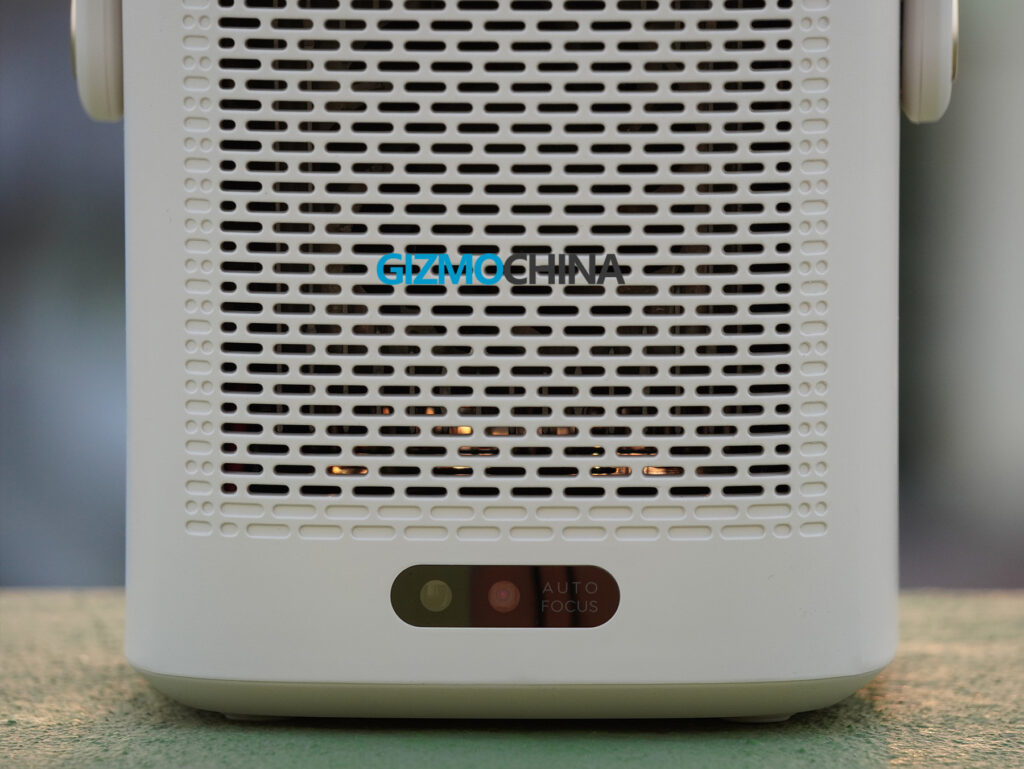
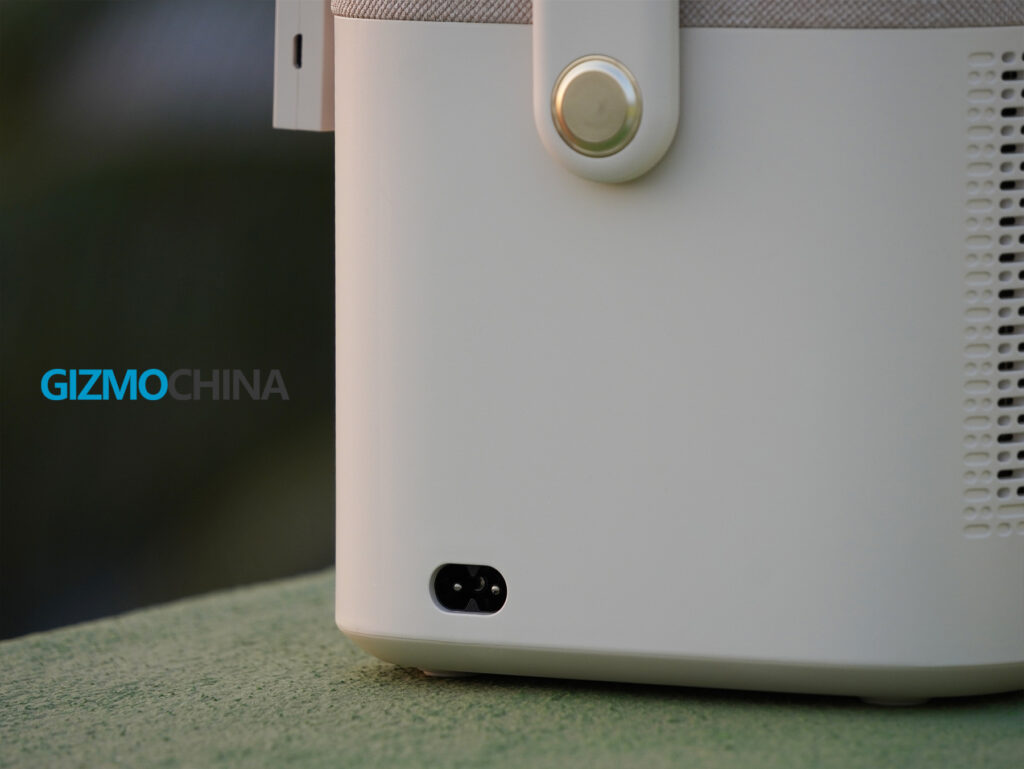
The size may surprise some users expecting a compact portable projector. It stands about 11.4 inches tall and weighs roughly 5.5 pounds (2.5 kg). Even so, I had no trouble moving it around the house or packing it for a weekend trip. The integrated handle adds real versatility. It is not just a carry loop. Yaber designed it to double as a tilt-adjustable stand. I could easily angle the projector up or down without needing a separate tripod. The handle uses a soft silicone grip, which feels good in the hand and keeps it from slipping when used as a stand.
Build quality feels solid throughout. The plastic panels do not creak, and the unit carries a reassuring heft that makes it feel ready for regular handling. The bottom of the projector shows similar attention to detail, with four rubber feet that provide good grip and a standard ¼-inch VESA tripod mount.
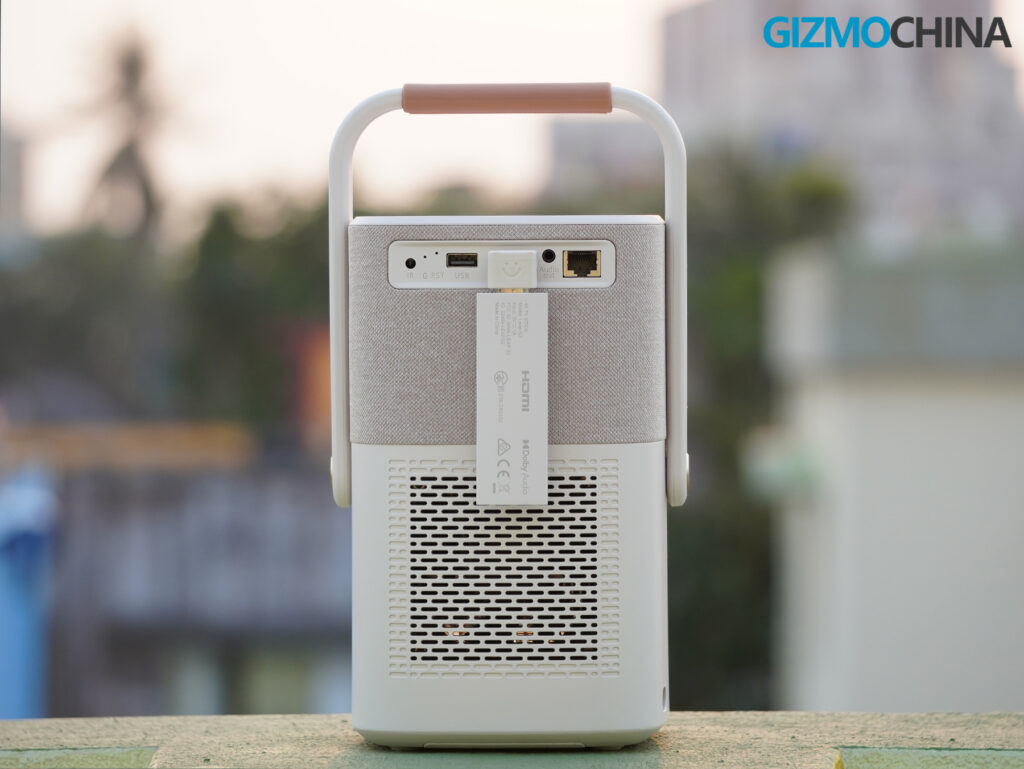
The port selection covers the basics well. On the rear, Yaber includes an HDMI 1.4 port, USB 2.0, 3.5mm audio out, and an RJ45 Ethernet port. I liked having the Ethernet port as an option, though I mostly relied on the Wi-Fi connection. The power connector sits on the side of the unit, which makes it easier to plug in compared to models where the port sits deep in the rear.
Features
The Yaber T2 Plus packs an impressive set of features for a projector in this class, and many of them genuinely improve everyday use.
The most practical feature right out of the box is the included Google TV dongle. It offers the full Google TV experience and supports apps like Netflix, YouTube, Disney+, and Prime Video.
The native Yaber OS is basic but handles essentials well. It supports file playback, screen mirroring, and basic settings adjustments. File compatibility is solid. The projector had no trouble with MP4, MKV, JPG, PNG, and TXT files from a USB stick.
In terms of wireless connectivity, the T2 Plus delivers stable Wi-Fi 6 streaming, flexible Bluetooth 5.0 audio support, and NFC pairing, which is a nice future-ready option for compatible phones.
The projector comes with autofocus and auto-keystone correction for aligning the image correctly. It works well most of the time, though occasionally the auto-keystone fails to adjust properly, especially at sharp angles. Manual adjustments are supported too. The four-point keystone control is easy to use and allows me to square the image with little effort when needed.
There is also a thoughtful touch in the system interface: it displays battery level and network status, so you always know how much battery is left when unplugged.
Setting Up the Projector
Out of the box, I first connected the included Google TV dongle to the HDMI port using the right-angle adapter, then powered it through the USB port. I appreciated how this adapter lets the dongle sit flush with the back of the projector rather than sticking out awkwardly. Yaber also thoughtfully includes batteries in the box, so I had the remote ready to go in seconds.
Powering on the projector for the first time triggers an autofocus and auto-keystone calibration sequence. A test pattern appears on screen, and within about 10 seconds, the T2 Plus has produced a sharp, aligned image on my wall with very little manual intervention.
Once the image was set, I went through the familiar Google TV setup process: connecting to Wi-Fi, signing into my Google account, and installing streaming apps. The Google TV interface felt smooth and snappy on this dongle, with no obvious lag. It also detected my Bluetooth speaker immediately when I paired it for one session. I liked that the remote had dedicated Netflix, Disney+, YouTube, and Prime Video buttons, which saved time jumping between apps.
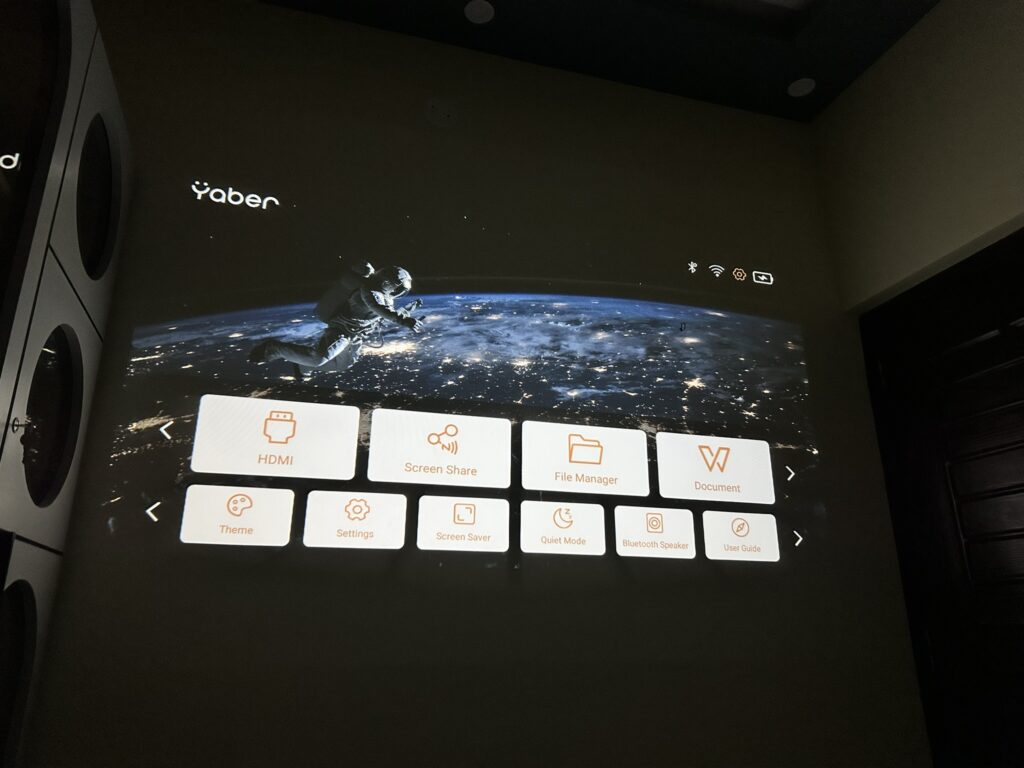
For testing local content, I plugged in a USB drive to the projector’s rear port. Yaber’s native file manager is simple but worked as advertised, I was able to play video files directly without needing to mess with codecs or third-party apps.
One minor quirk in the setup process: if you want to make manual keystone or focus adjustments, you have to exit Google TV and return to the projector’s native interface. The remote has a Focus/Keystone button, but trying to use it while in HDMI input throws a small warning. It’s not a huge hassle, but it would be nice if future firmware allowed these adjustments without switching inputs.
Image and Sound Quality
Once I had the Yaber T2 Plus fully set up, I was eager to see how it performed in real-world viewing. On paper, 450 ANSI lumens and native 1080p resolution sound decent for a portable projector, but specs rarely tell the full story.
I started with a few familiar test clips, scenes from nature documentaries, fast-paced sports footage, and some darker cinematic shots. In a dimly lit room, the T2 Plus delivered a clear, sharp, and surprisingly vibrant image for this class of projector. The color reproduction felt balanced out of the box, with a slight lean toward warmer tones, but nothing unpleasant. Whites were clean, and skin tones looked natural enough for casual viewing.
The 1080p resolution held up well even when projecting close to the maximum 120-inch screen size. Text remained legible, and fine details like foliage or fabric textures came through better than I expected. I ran a couple of test patterns and confirmed that the lens produces an even focus across most of the screen; there was a tiny amount of softness at the extreme edges, but only if you’re hunting for it.
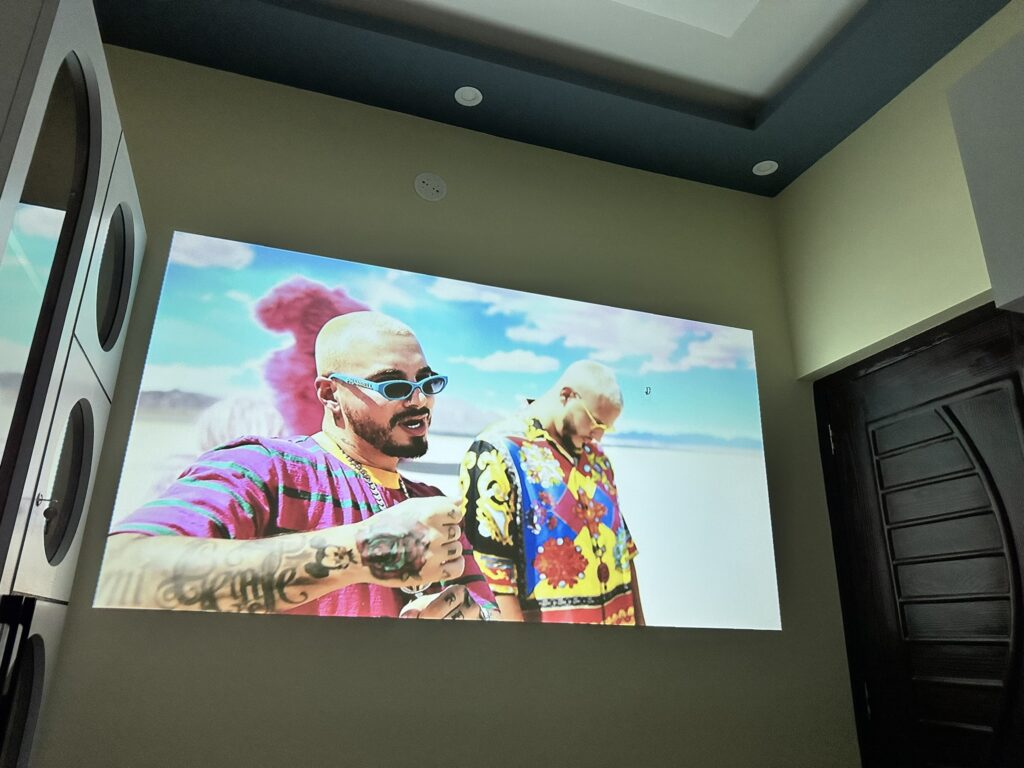
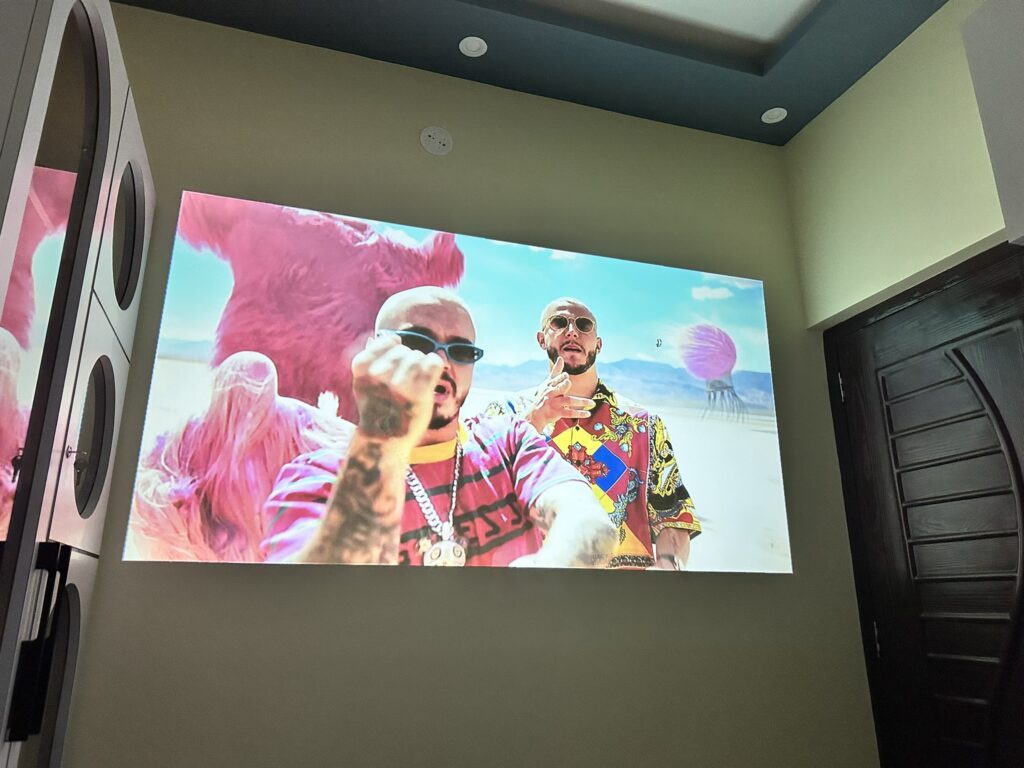
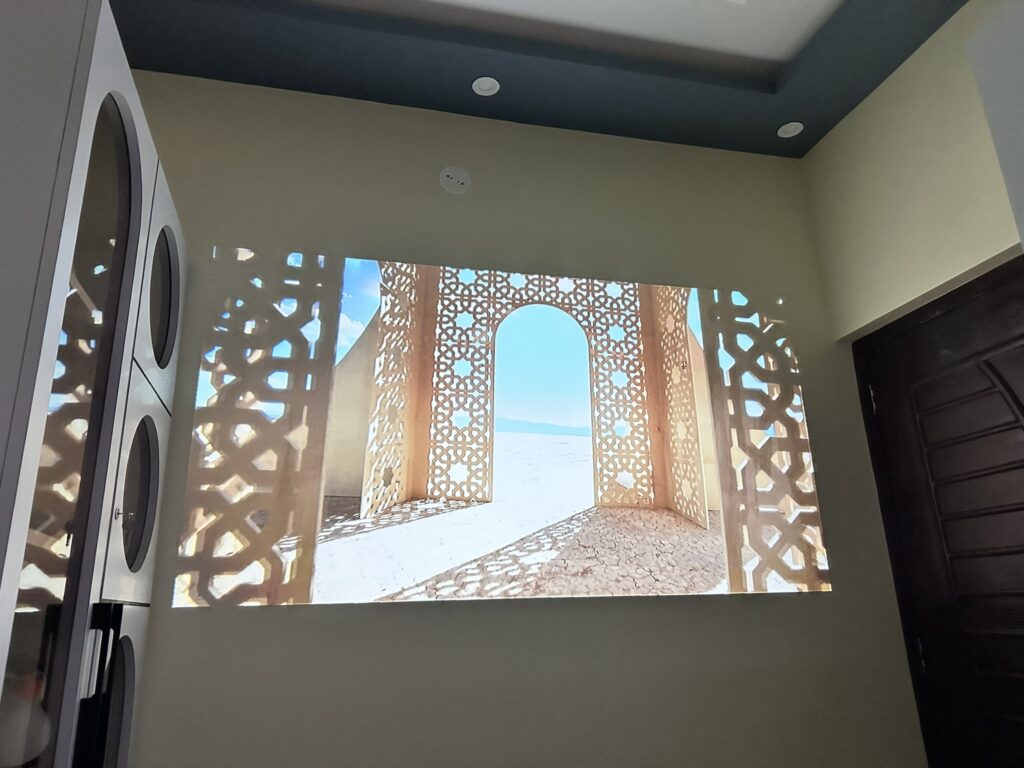
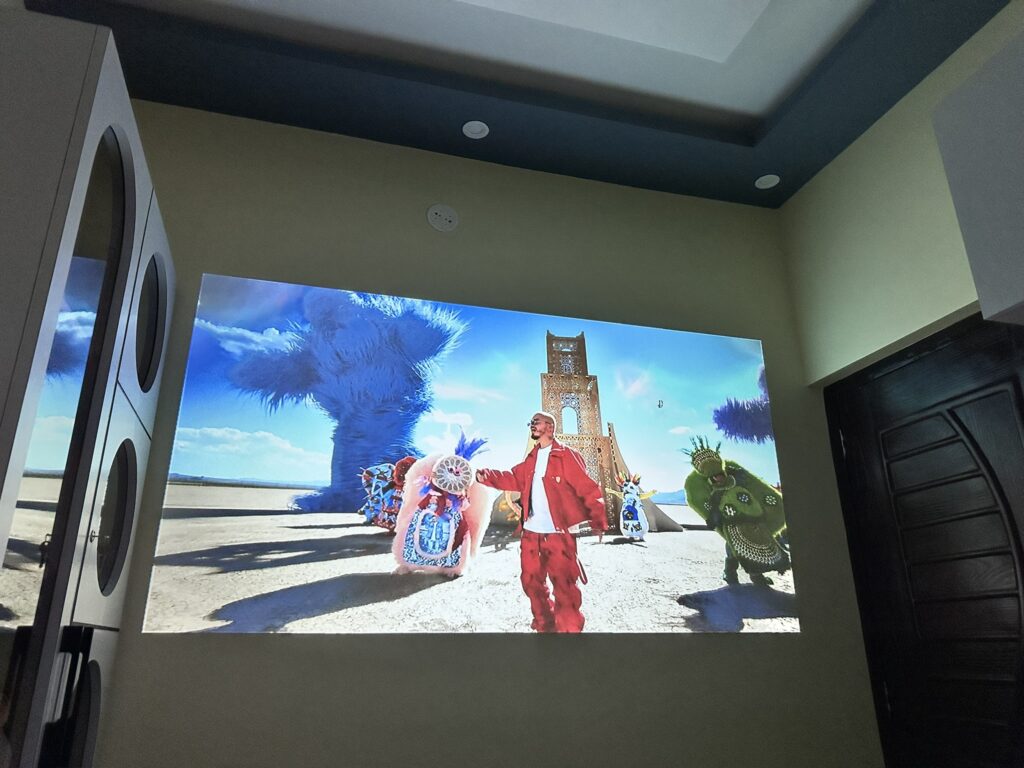
Brightness is where the T2 Plus shows its portable roots. In a fully darkened room, it looks great. In moderate ambient light, say, late afternoon with some indirect sunlight, it remains watchable but loses a fair bit of punch. This is to be expected at 450 ANSI lumens. I also found that projecting very large images (100 inches or more) caused a noticeable drop in perceived brightness. Keep that in mind if you’re planning to go big.
Contrast was serviceable. Dark scenes revealed good shadow detail in the center of the frame, though there is a noticeable drop-off in blacks when projecting onto non-optimized walls. Using a proper projection screen definitely helps if you want to get the best out of this projector. I also experimented with the picture presets and manual adjustments, bumping the brightness and contrast slightly helped offset some of the room’s ambient light.
I tested the screen mirroring feature using my iPhone’s built-in Screen Mirroring option, and it worked flawlessly. The connection was quick and stable throughout.
Now, about sound quality, this is an area where the T2 Plus genuinely surprised me. The dual 8-watt JBL speakers deliver a much fuller, more dynamic sound than I usually hear from compact projectors. Dialog remained crisp even at higher volumes, and there was enough low-end presence to add some weight to action scenes. But don’t expect it to replace a dedicated home theater speaker system.
I tested the projector both in video playback and in Bluetooth speaker mode, streaming music from my phone. In Bluetooth mode, the speakers handled a mix of genres with decent separation and punch. It’s not audiophile-grade, but perfectly good for casual use, great for outdoor movie nights, or even background music during parties.
Fan noise was another pleasant surprise. The cooling system on the T2 Plus is clearly well-tuned. During quiet movie scenes, the fan was barely noticeable unless I was sitting very close to the projector. In normal use, it quickly faded into the background and never distracted from the content.
One thing to keep in mind: if you’re projecting onto uneven or textured surfaces, the auto keystone and focus system does a good job of correcting distortion and maintaining image clarity, but expect a little trial and error when setting up in less-than-ideal spaces. Once dialed in, though, the image stays locked and stable.
Battery Life
The built-in battery is one of the most practical parts of using the Yaber T2 Plus. In my tests, I consistently got around 2 hours and 15 to 2 hours and 20 minutes of video playback at moderate brightness, close to Yaber’s 2.5-hour claim. Pushing the brightness to 100% shortens that a bit, while lowering it can comfortably get you through most films.
For Bluetooth speaker mode, the battery easily lasted over 7 hours in my testing, and Yaber’s claim of up to 18 hours seems realistic if you’re listening at moderate volume.
Charging takes about 3.5 hours in standby or roughly 5.5 hours if the projector is powered on. I do wish Yaber had used USB-C here instead of a figure-eight connector, which would have made it easier to pair with portable power banks.
Final Thoughts
After several weeks with the Yaber T2 Plus, I came away impressed with what it delivers for the price. It’s not perfect, no projector in this range is, but Yaber nailed the basics while adding thoughtful extras that elevate the overall experience.
You’re getting a genuinely portable 1080p projector with good speakers, a built-in battery, auto setup features, and a Google TV dongle that works well out of the box. The design is charming, and the handle-stand combo is genuinely useful. For casual home viewing, movie nights with friends, or light outdoor use, the T2 Plus is a great companion.
There are some trade-offs. Picture quality is decent but won’t rival top brands like Xgimi or JMGO. The UI could be more polished, and the single HDMI port feels limiting in 2025. But at this price, I’m okay with those compromises.
Pricing and Availability
The Yaber T2 Plus is widely available online through Amazon and Yaber’s own site. It retails for around $329 in the US, and I’ve seen it on sale for as low as $299. If you already own a streaming stick you like, you could save a bit by opting for the regular T2, which is sometimes discounted to under $200.
For more daily updates, please visit our News Section.
Stay ahead in tech! Join our Telegram community and sign up for our daily newsletter of top stories! 💡


Comments