
Add GIZMOCHINA as Preferred Source on Google
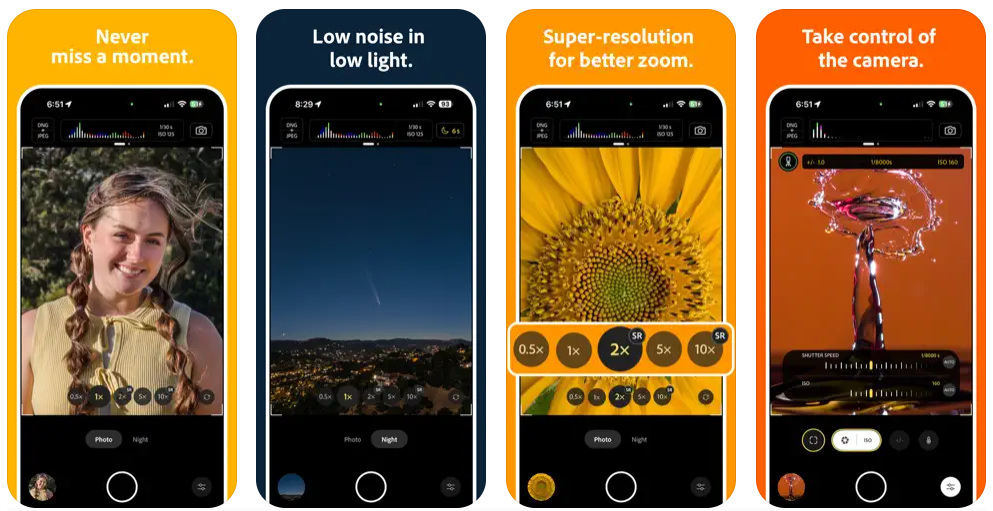
Adobe has launched a new experimental camera app for iPhone called Project Indigo. Built by Adobe’s research team, the app is free to use and gives mobile photographers more control over their shots. It’s designed to improve image quality and deliver a more natural look, similar to what you’d get from a DSLR. This article breaks down what Project Indigo is all about, including its main features, how the photos turn out, editing options, and special tools.
What is Adobe Project Indigo?
Project Indigo is available for iPhones (12 Pro and newer, or 14 and newer for non-Pro models). It gives users full manual control over the camera and uses computational photography to produce high-quality images. It’s meant for users who want better results than default phone cameras offer, without needing separate editing apps or extra equipment.
Key Features
Indigo includes manual settings for focus, shutter speed, ISO, exposure compensation, and white balance (with control over both temperature and tint). It also lets users control how many frames are captured per shot.


When you press the shutter, Indigo captures up to 32 images in rapid succession. It then aligns and merges them to reduce noise, recover detail in shadows, and preserve highlight information. This approach produces photos with better dynamic range and lower noise, especially in low light.
Indigo supports JPEG and DNG (raw) formats. JPEGs are processed with Indigo’s natural look. DNGs retain the same look as a profile but preserve the original sensor data, offering more flexibility during editing. Both file types benefit from Indigo’s multi-frame image processing.
HDR and Night Mode
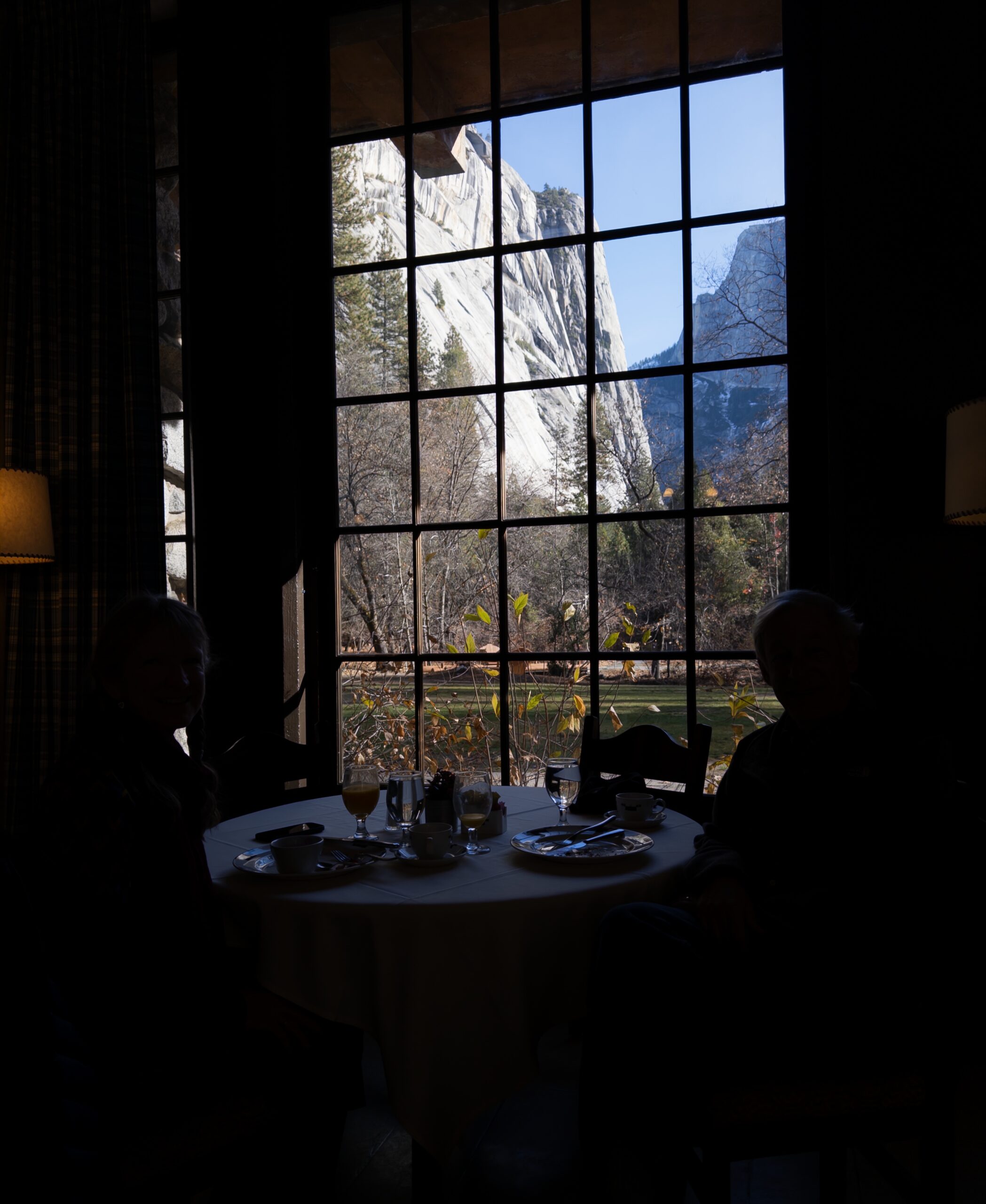

Indigo handles high dynamic range well. It stores both SDR and HDR versions in each JPEG using a gain map, allowing compatible screens and software to display either one. Night mode uses longer exposures and more frames to deliver cleaner low-light shots. The app detects if the phone is stable and adjusts capture settings to improve quality without needing a tripod.
Long Exposure and Super-Resolution

With the Long Exposure setting, Indigo captures multiple frames and adds them together to create effects like motion blur or light trails. This works best with the phone on a tripod and outputs both JPEG and DNG files.
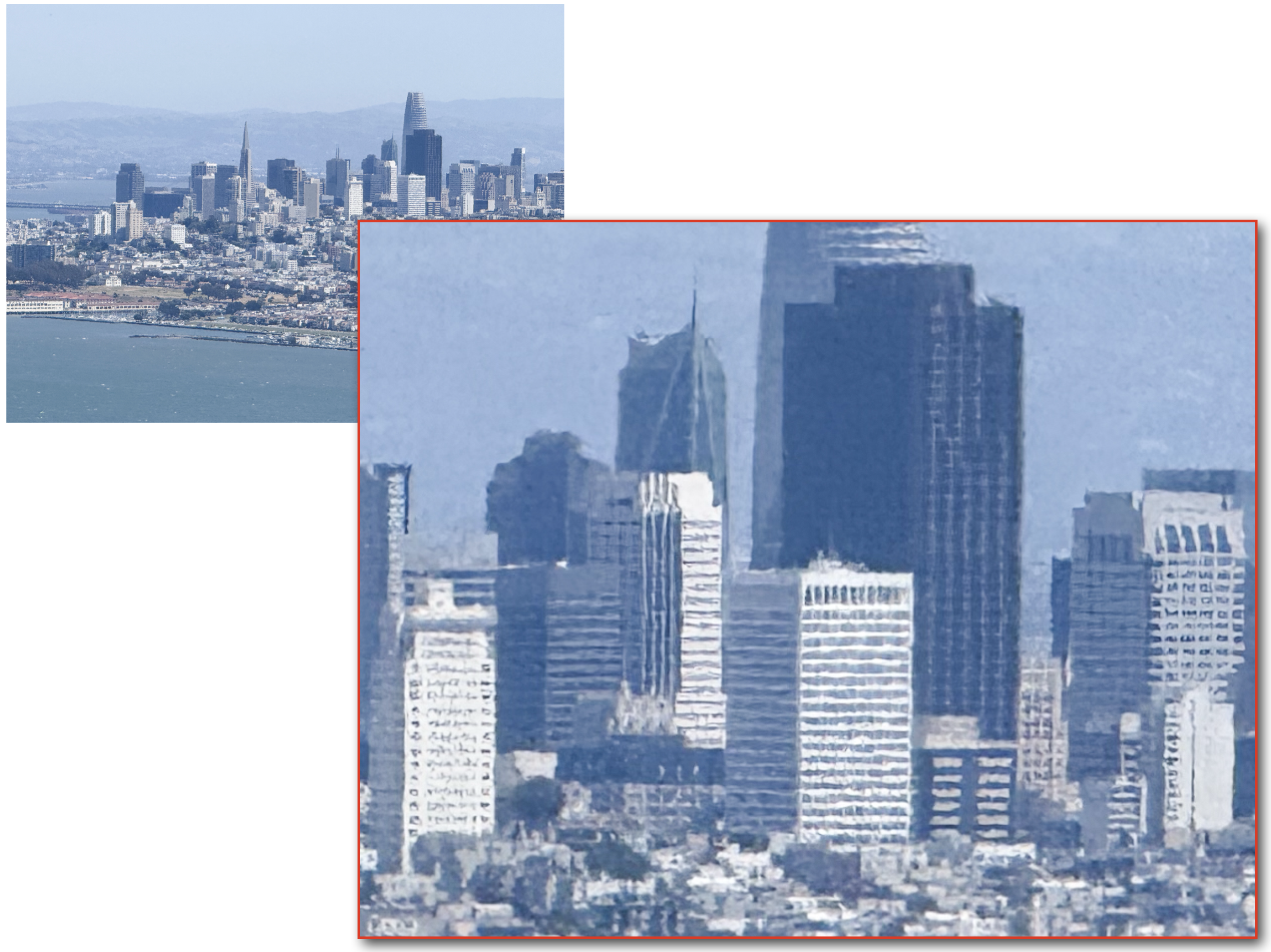
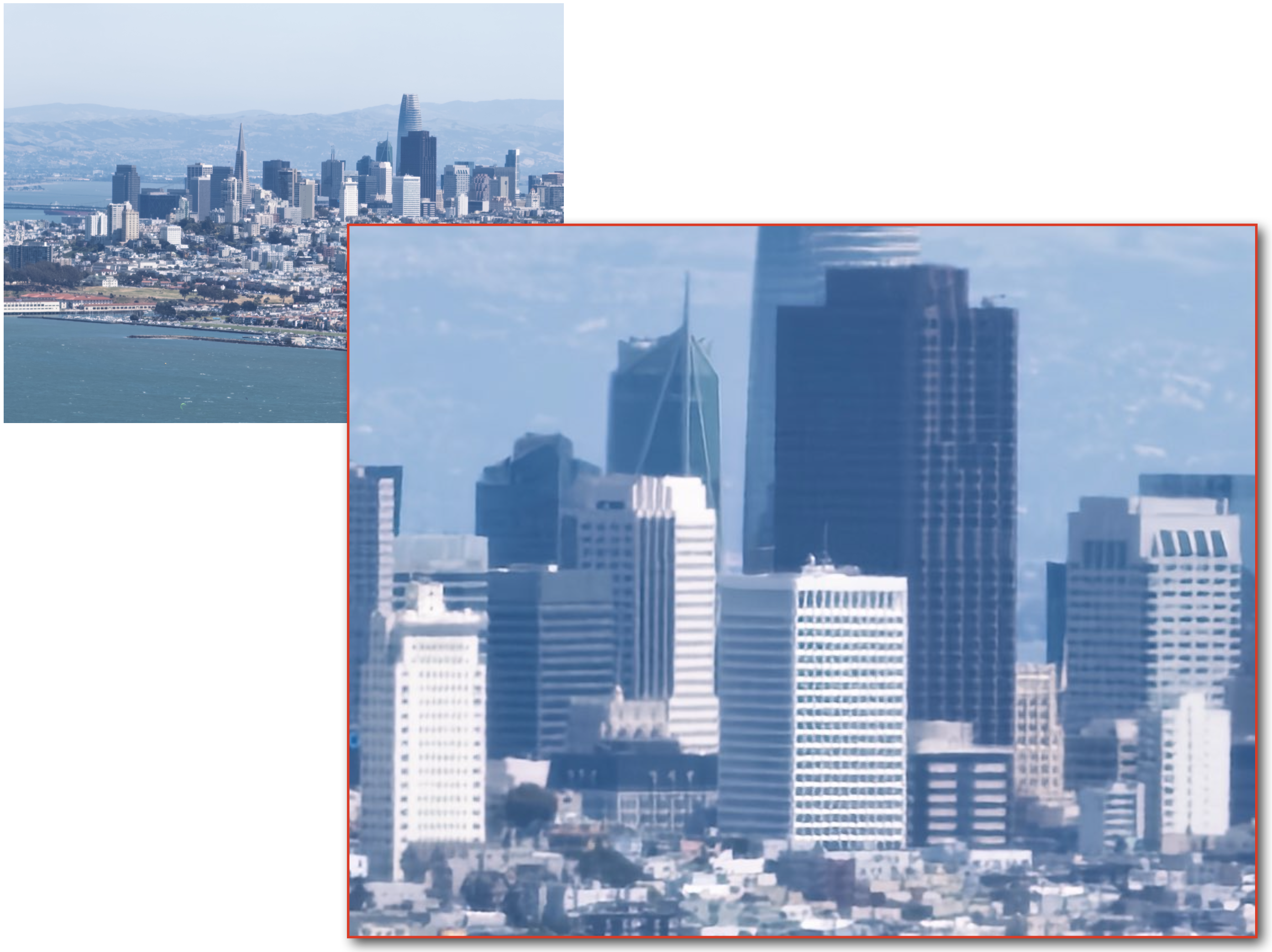
Indigo also improves zoomed-in shots using multi-frame super-resolution. If you zoom past the camera’s optical limit, the app takes several slightly shifted frames and merges them to increase detail. This reduces the usual loss in sharpness that comes with digital zoom.
Natural Look and Less Processing
Indigo avoids the heavily processed style of most phone cameras. It uses minimal tone mapping, moderate contrast and color adjustments, and less aggressive sharpening and smoothing. This keeps images looking more natural, especially when viewed on larger screens. Details like textures and lighting are preserved instead of being flattened.
Editing and Lightroom Integration
Indigo is fully integrated with Adobe Lightroom. After taking a photo, users can send it directly to Lightroom Mobile. If both JPEG and DNG were saved, Indigo opens the DNG by default. Lightroom recognizes Indigo’s embedded profiles and HDR data, giving users full control over editing without losing image quality.
Tech Preview and What’s Ahead

Project Indigo also includes experimental tools under a Tech Preview section. One such feature is reflection removal, which allows users to take photos through glass and remove glare with one tap. Adobe is also working on adding portrait mode, panorama, video, and advanced features like exposure and focus bracketing.
Project Indigo is available now on the App Store. It’s free to download, requires no Adobe sign-in, and is designed to improve mobile photography for both casual users and hobbyists who want more control and better output from their phone cameras.
(Source)



Comments