
Add GIZMOCHINA on Google:
As an Amazon Associate, Gizmochina earns from qualifying purchases. Links on this page may earn us a commission at no extra cost to you.
Introduction
‘USB4 supported’ has almost become the standard for the latest computers. Whether it is a PC or a Mac, users can easily realize super-fast data transfer. But the question is, with so many external SSD enclosures on the market, can they keep up with the TRUE speed of USB4? Then let’s torture the candidate of this review, the TERRAMASTER D1 SSD Plus, one of the most impressive portable high-speed SSD enclosures. We will take a closer look at it from several aspects – performance, cooling, and even disassembly.
Gizmochina Review is going to give away a new D1 Plus enclosure (SSD not included) to one lucky winner: Please check the giveaway out here.
Unboxing, Exterior Design
Now let’s start by checking the packaging accessories. First up are a set of instructions interspersed with 0.4mm thermal pads. The most notable note in the pile is this indemnification promise. TERRAMASTER promises an additional 6-month warranty if you are not satisfied with the performance of the D1 SSD Plus within 30 days of purchase. Sounds good.
The other thing is a protective pouch, a cable with 80Gbps support, and a screwdriver. Here, we weigh the hard disk enclosure, which now weighs around 240g without the SSD installed.

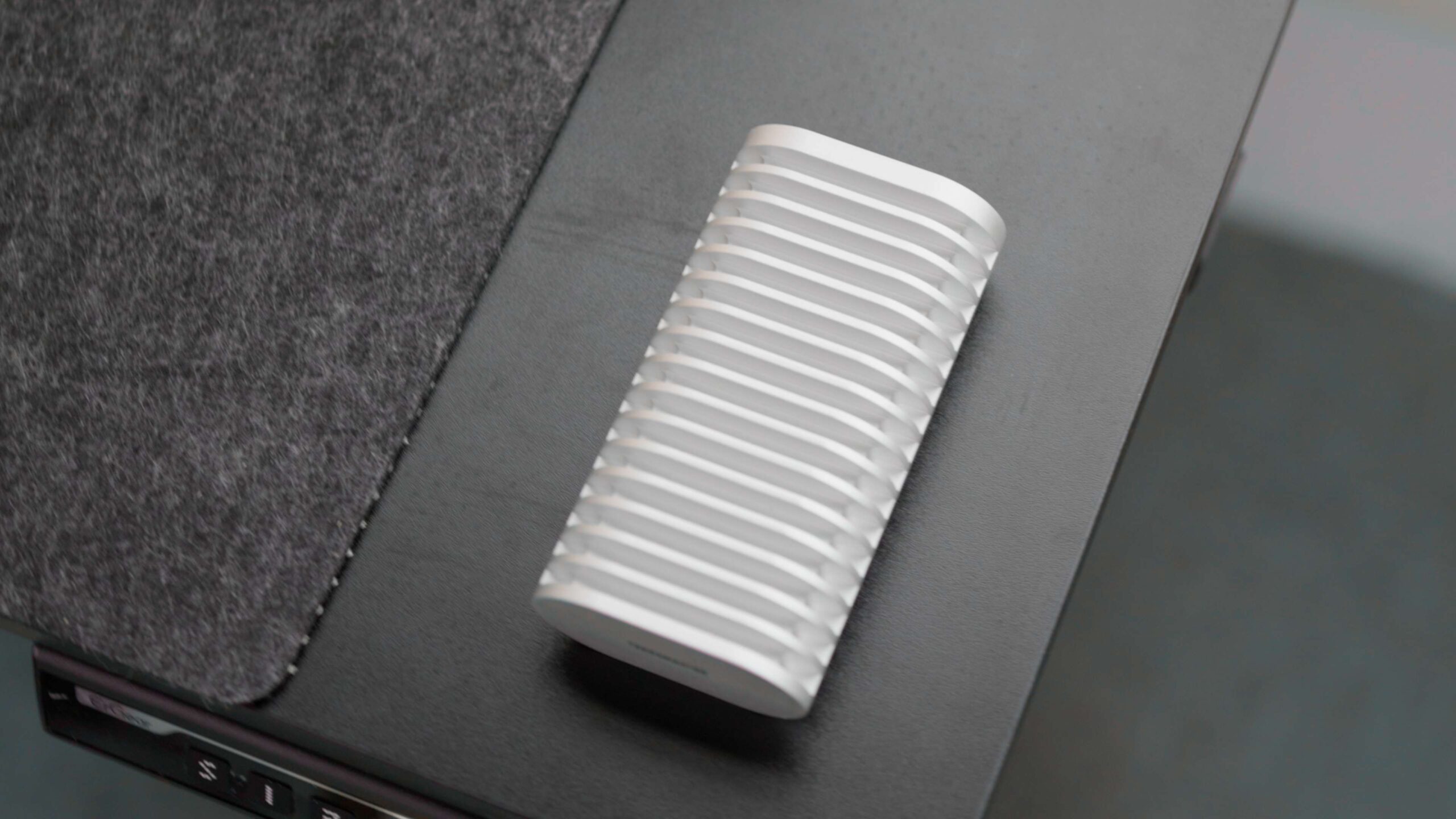
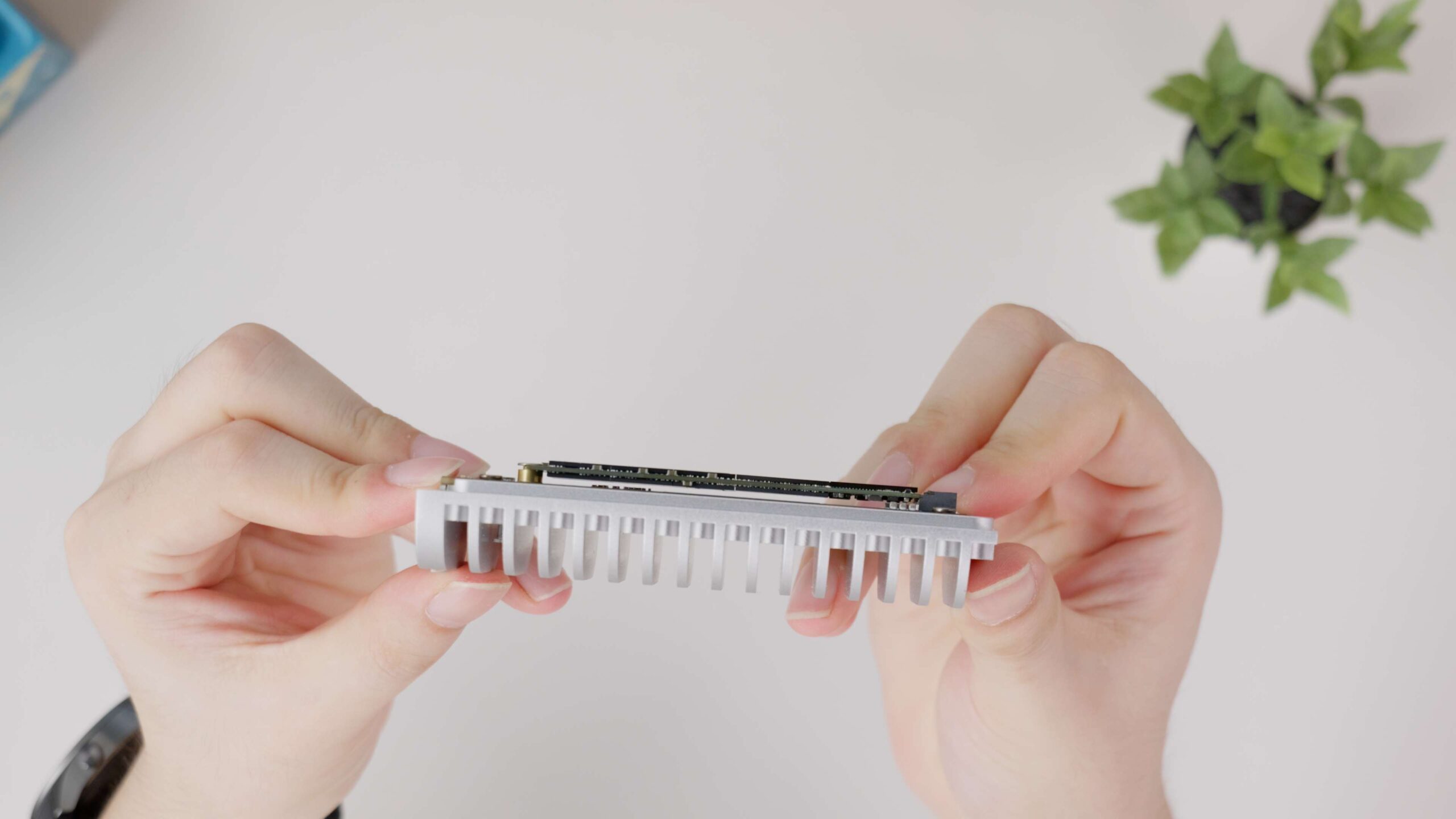
Lastly, there’s this hard disk case. As you can see, the whole box is quite different from other enclosures; the TERRAMASTER casing is more like a heatsink with cooling fins. The heatsink has a low-density design: the fins are thicker and more widely spaced, taking into account the heat dissipation area and air flow to improve natural convection efficiency. Because there are no moving parts, it operates without noise and with improved reliability.
Installation and Disassembly
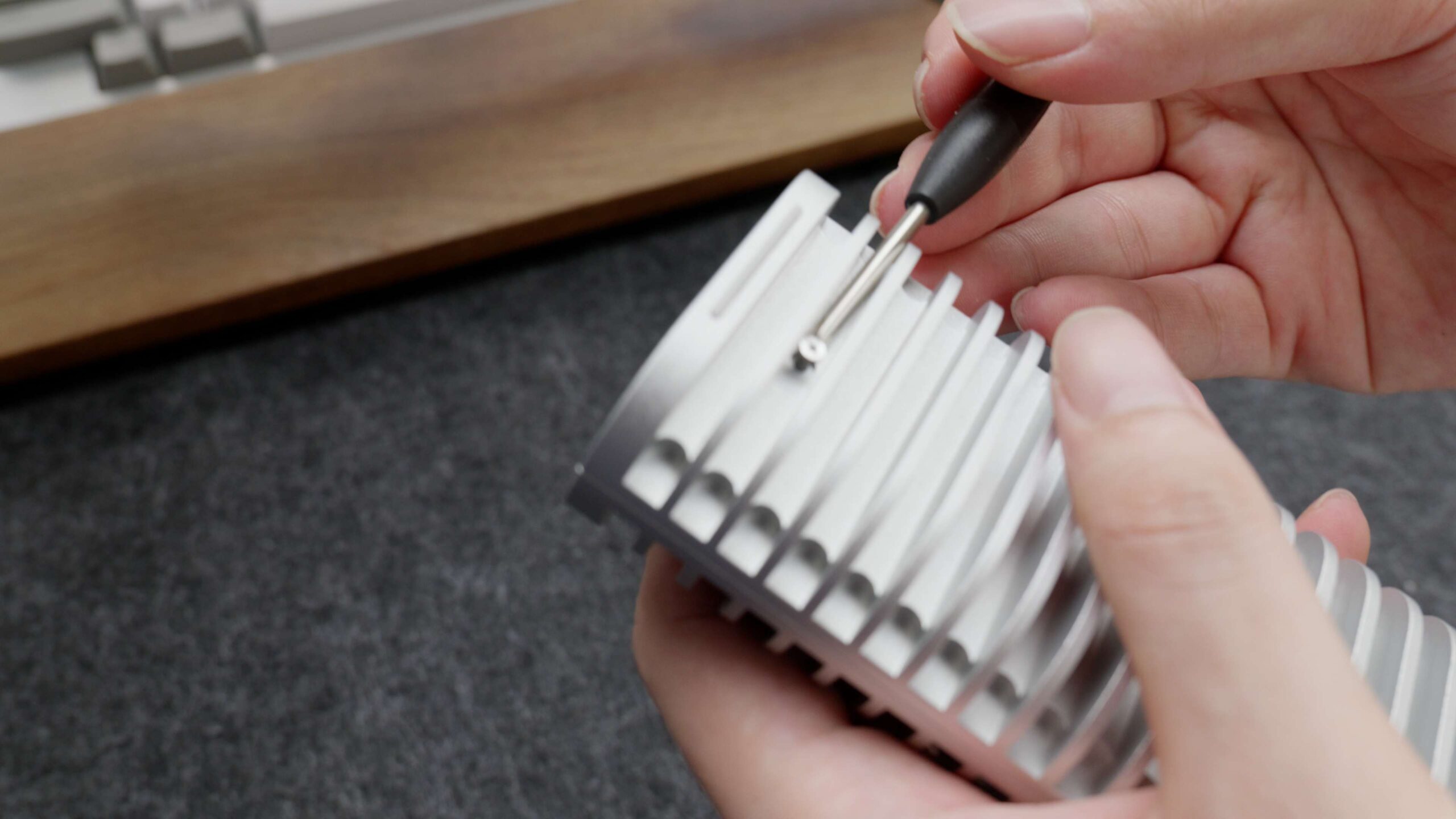
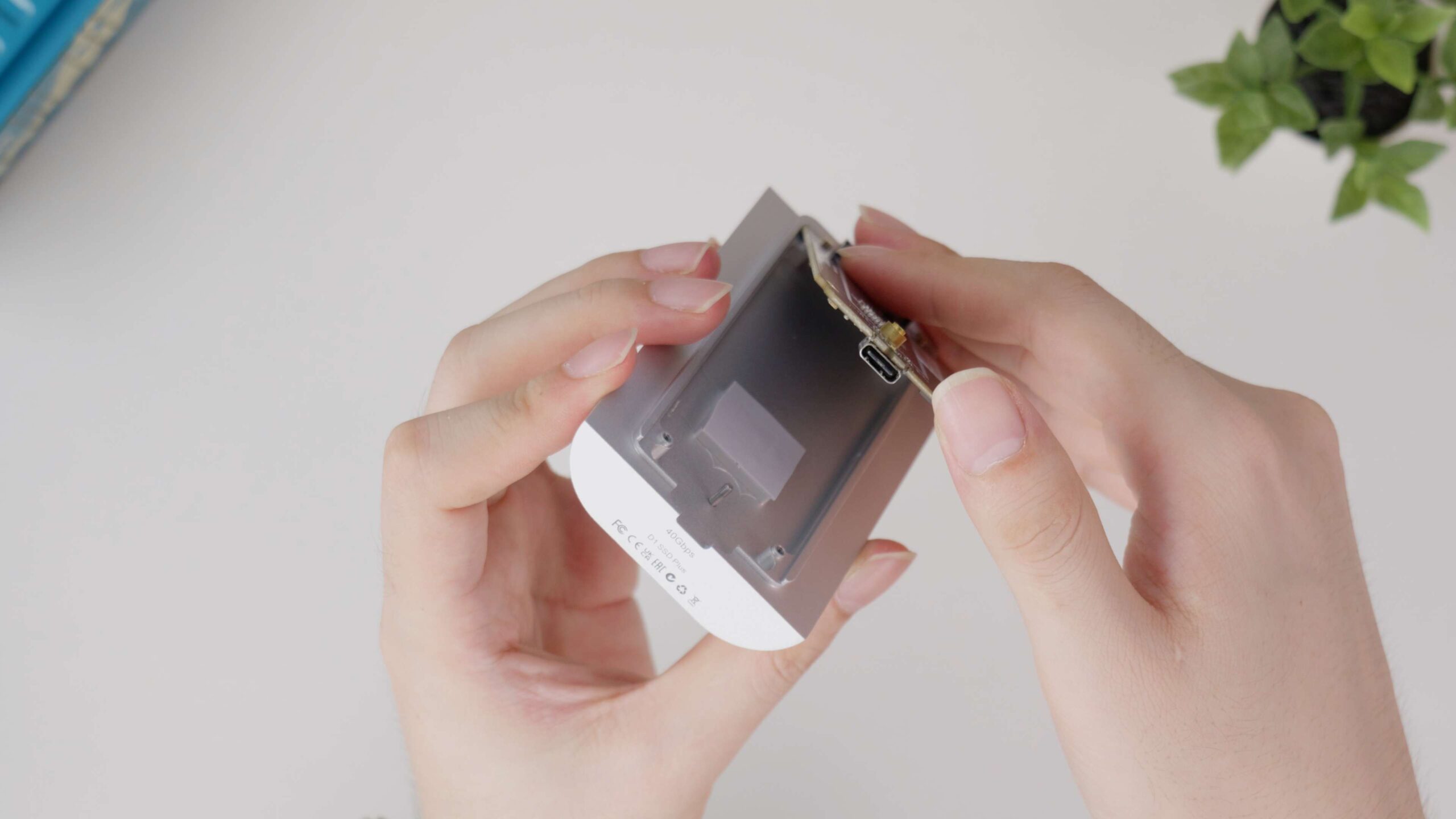
I’ll call the side with the feet the back side. Unscrewing this screw on the back allows us to open the SSD case. You don’t have to worry about losing this screw either, TERRAMASTER has made a limit for it. After unscrewing it, it still snaps onto the screw hole, so it won’t be easily lost. The left side of the case already has pre-installed thermal pads on it, so the thinner one that was just there, I think, is supposed to serve as padding for other thinner SSDs.
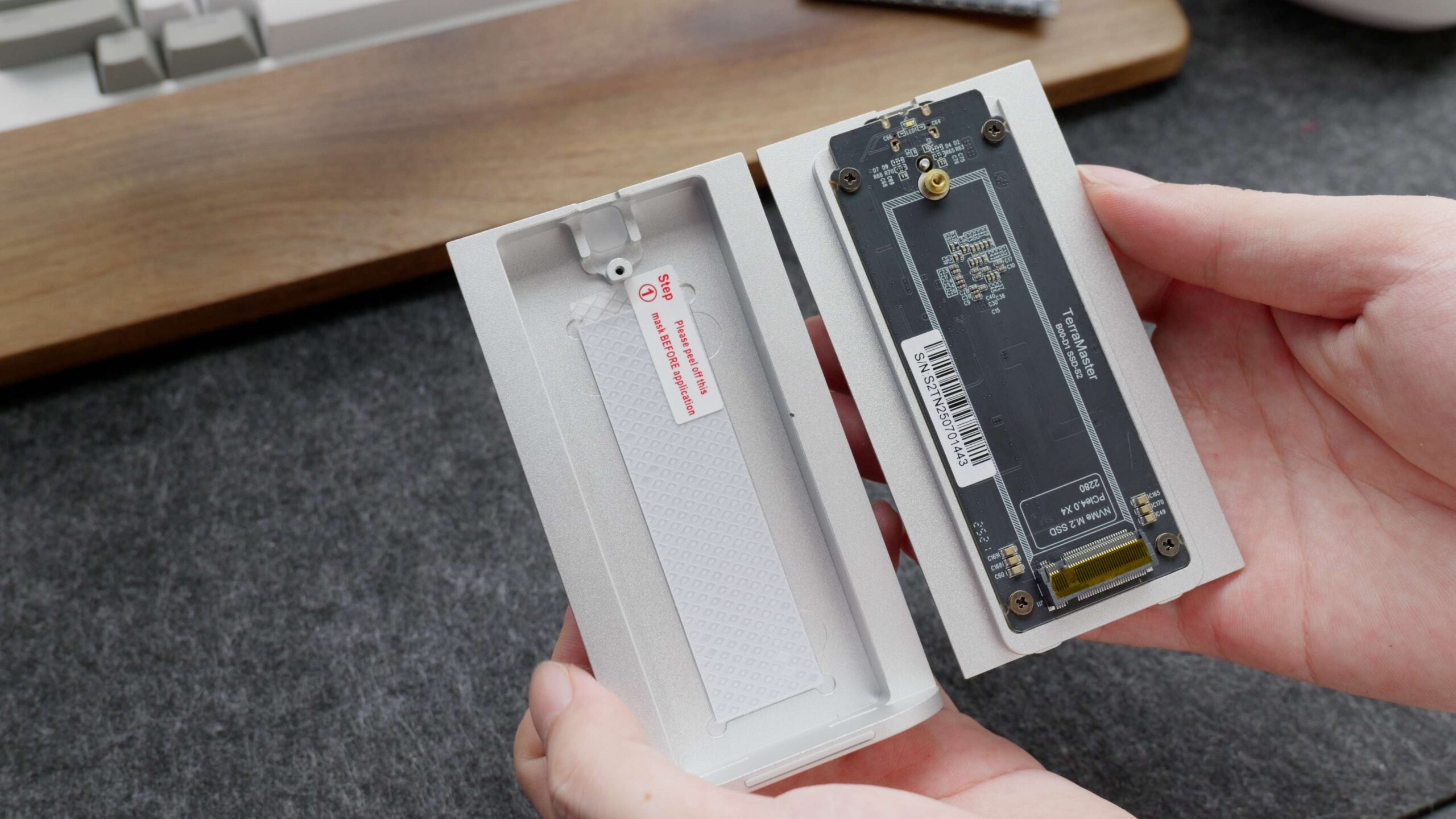
The drive caddy utilizes the M-Key slot, which is a mainstream NVMe SSD interface type that supports up to the PCIe 4.0×4 specification. Some of you here may regret that the D1 SSD PLUS only supports 2280 specification SSDs, but the mainstream SSDs on the market are still of that specification. So I don’t think the lack of 30, 42, and 60 specs will cause too much of a problem. Instead, the ability to install SSDs with double-sided NAND flash particles is more important here. SSDs with this double-sided layout are more common in 4T and up SSDs, and the D1 SSD PLUS is fully adaptable to them.
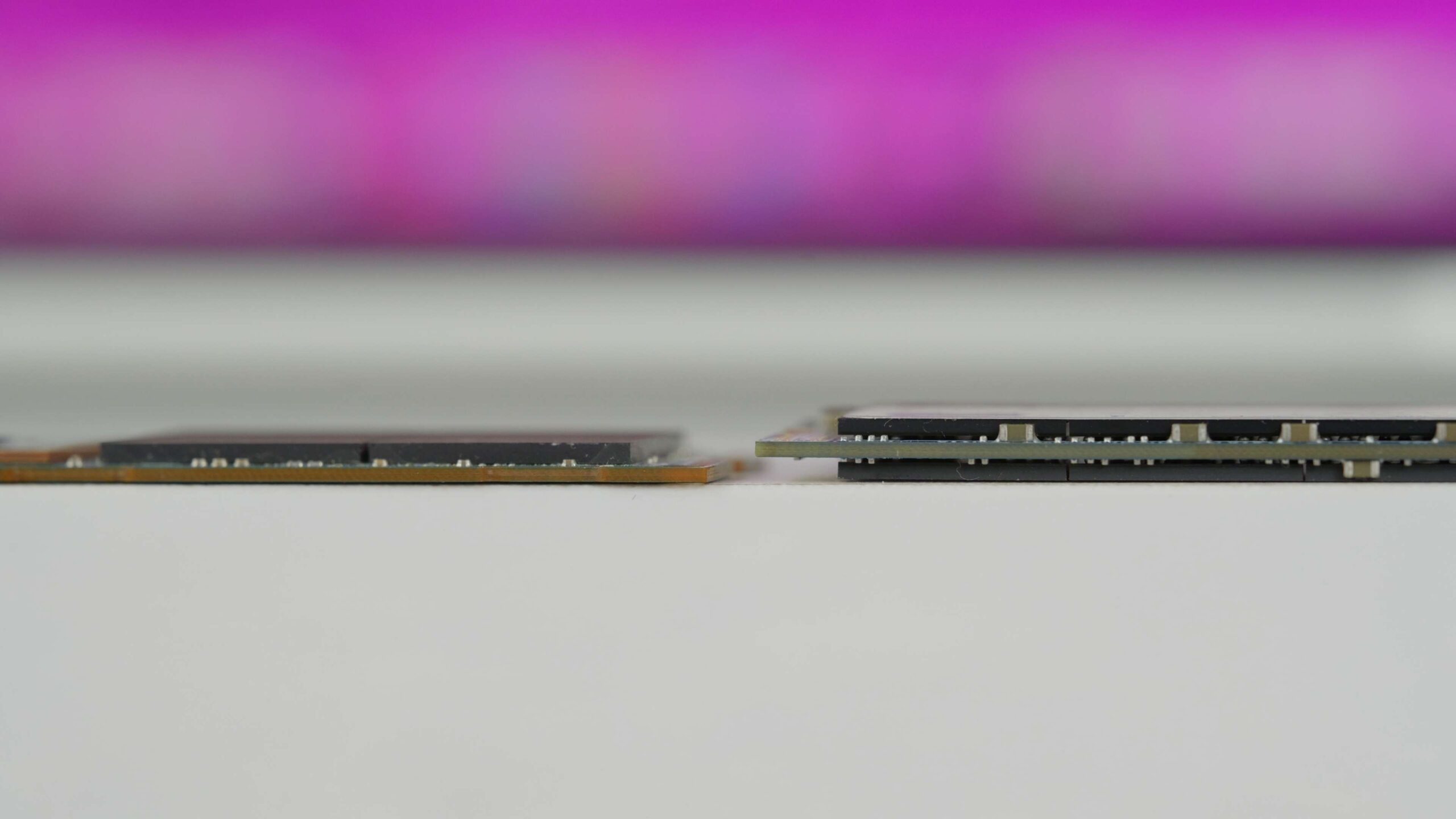
But here I was looking at it, and the four screws on top of the PCB are not protected in any way (bad joke). So I figured we could take it apart together and continue to find out. After removing the PCB, I was shocked by the large number of SMD capacitors on it. Generally speaking, a large number of chip capacitors will be used on top of enterprise SSDs to stabilize the voltage, provide power failure protection, and ensure data safety. The large number of chip capacitors used here corresponds to the security protection advertised by TERRAMSTER.
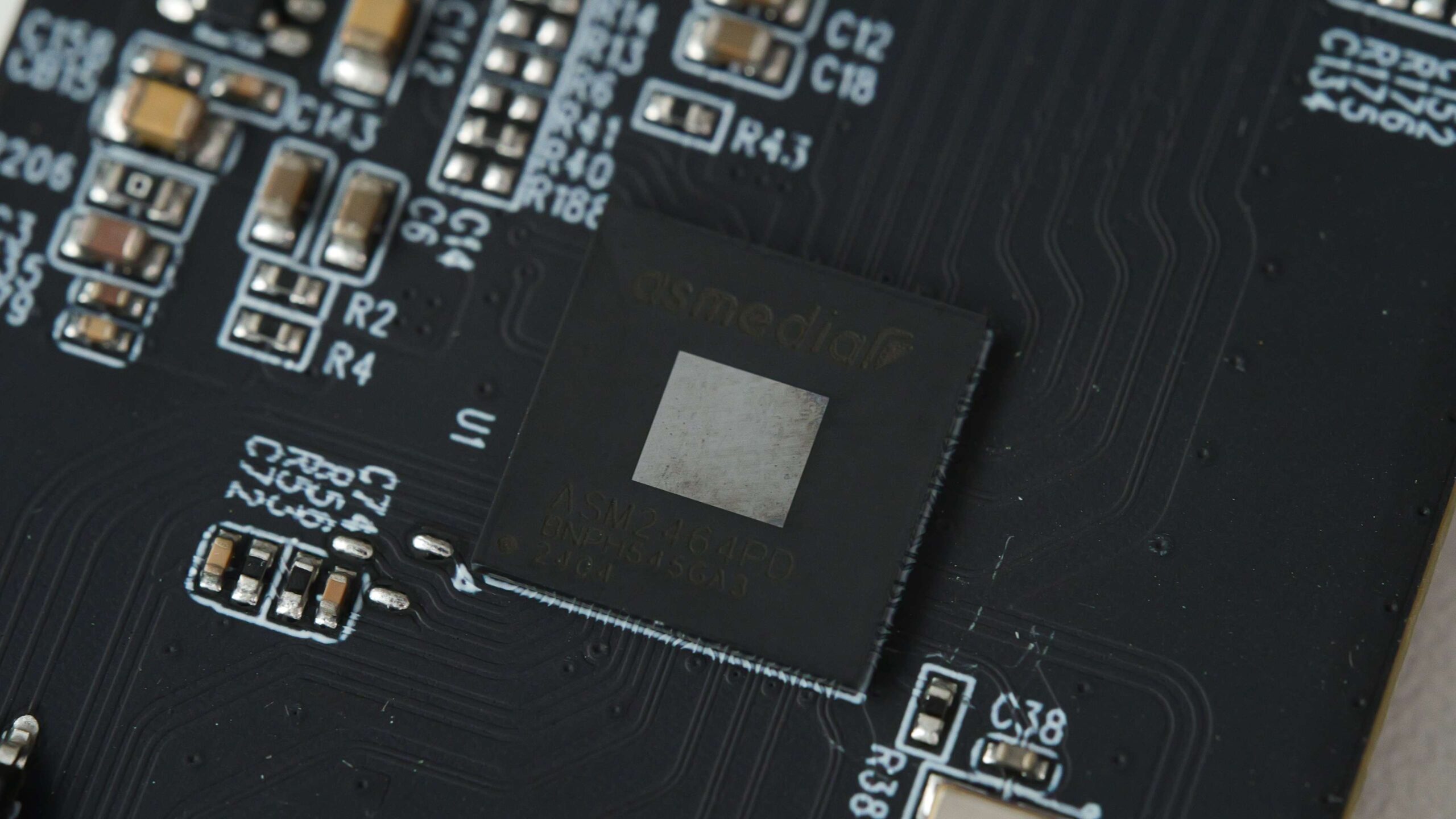
The chip underneath the capacitor is an old acquaintance. The ASM2464PD is the same chip we used to add a NIC to the Mac earlier, and it’s capable of delivering transfer speeds of up to USB4/Thunderbolt 20Gbps x2, and is compatible with existing USB 3.2 ports and Thunderbolt 3.
To deal with the heat that high-speed chip generates, Terramster has also CNC’ed out the case chassis and uses a thermal pad to fill the gap between the chip and the case to enhance heat dissipation.
Performance Test
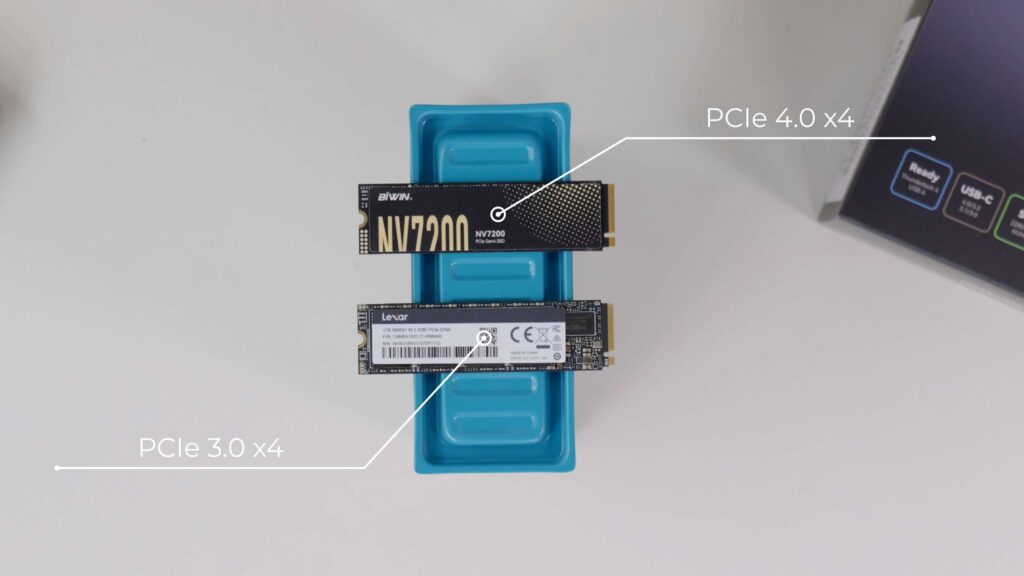
Next, let’s see how it performs. Here we have two SSDs with different speeds, one is a mainstream PCIe Gen4 SSD and the other is a relatively old PCIe-3 SSD.
First, we ran a simple test using AmorphousDiskMark on a MacBook Air. The TERRAMASTER easily hit the package claim of 3200MB/s read and write. Read speeds even reached 3400MB/s. When switching to a Gen3 SSD, both read and write speeds dropped a bit. The same trend was seen in the BlackMagic Disk Speed Test. What’s more interesting is that TERRAMASTER is using both Gen3 SSD and Gen4 SSD. It performs faster than the built-in SSD.


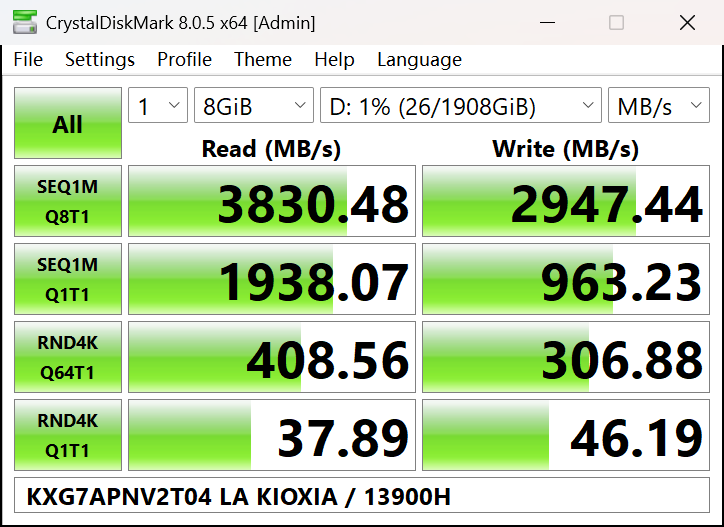
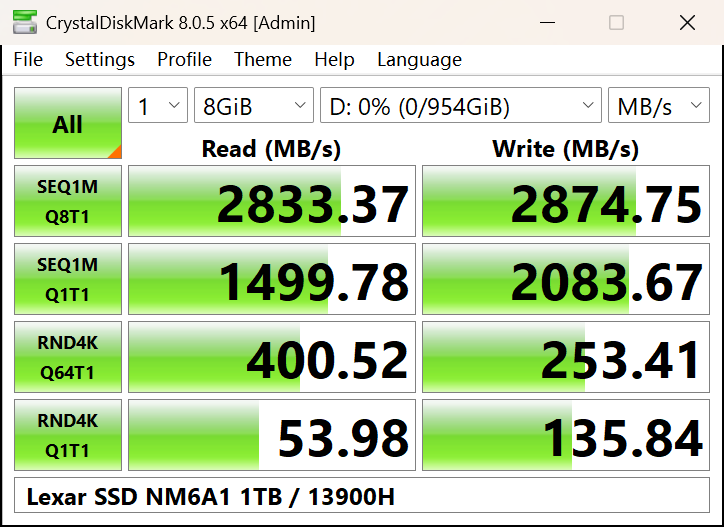
On the PC, the TERRAMASTER breaks out to 3800MB/s for sequential reads. But it is only faster on sequential reads and writes. It’s quite a bit slower with a direct PC install. The SSDs switched to Gen3 performed the same.
Cooling Test
Performance-wise, I think we should all be satisfied. But I was more interested in the thermal performance of this portable SSD hard disk enclosure, after all, this is one of the few products that seriously does a good job of cooling. So we decided to go ahead and use this Gen4 SSD to write all over this 1900 GB hard disk at 27 degrees room temperature.
At the beginning of the test, as the amount of writes increases, the temperature rises rapidly, which shows that TERRAMASTER needs time to adapt and dissipate heat effectively in the initial stage; in the middle of the test, the temperature stabilizes, and TERRAMSTER has already reached the optimal working condition and can control the temperature consistently and effectively; and in the late stage of the test, as the amount of writes decreases, the temperature begins to drop gradually. This reflects the TERRAMSTER’s ability to maintain efficient heat dissipation after a long period of time, ensuring that the SSD cools down safely at the end of a write operation.
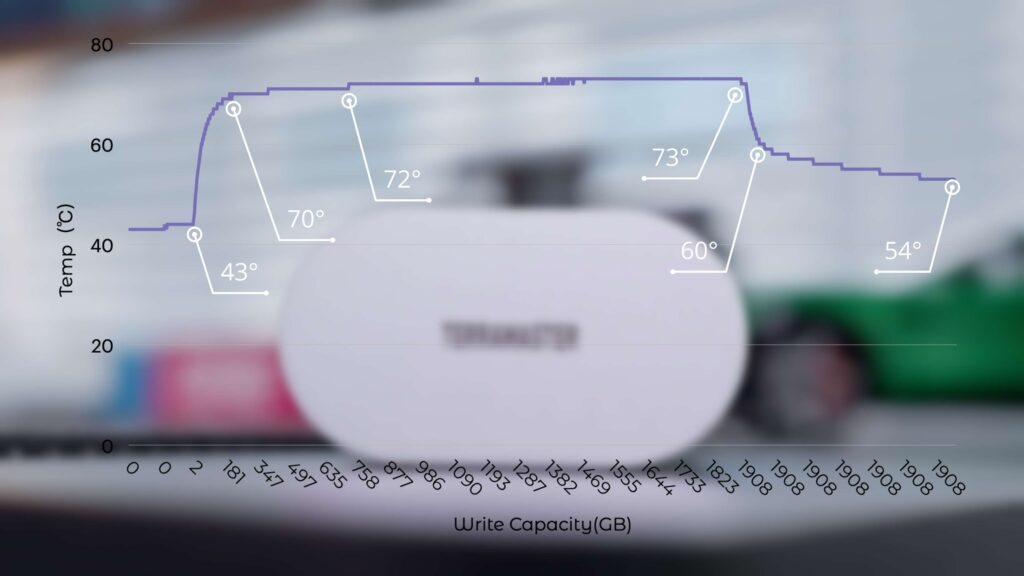
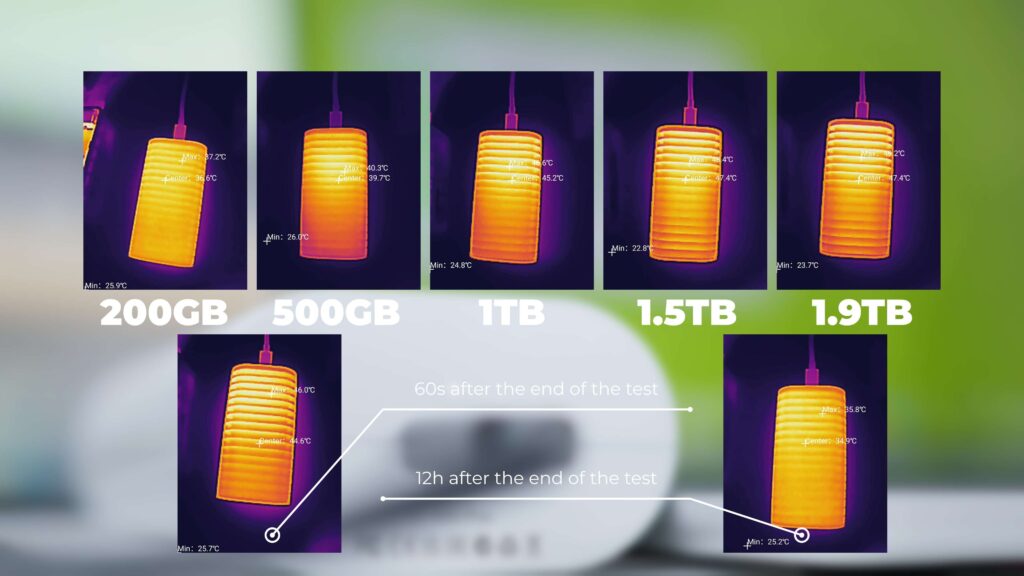
At the same time, we have also recorded the performance of the case temperature at several nodes of writing, and we can find that the case temperature will keep rising with the increase of writing volume. And the later it gets, the slower it rises. At the end of the test, the casing was still slowly dissipating heat, but the SSD temperature dropped from 73 to 60° in less than a minute.
So what if we replace this high-heat generating SSD with a lower-heat generating Gen3 SSD? See, isn’t this result exciting? We just need to slow down a little bit to get a very nice temperature performance. Although we only have 1T on hand with this SSD, I think for the most part. There is no need to write 1T consistently.
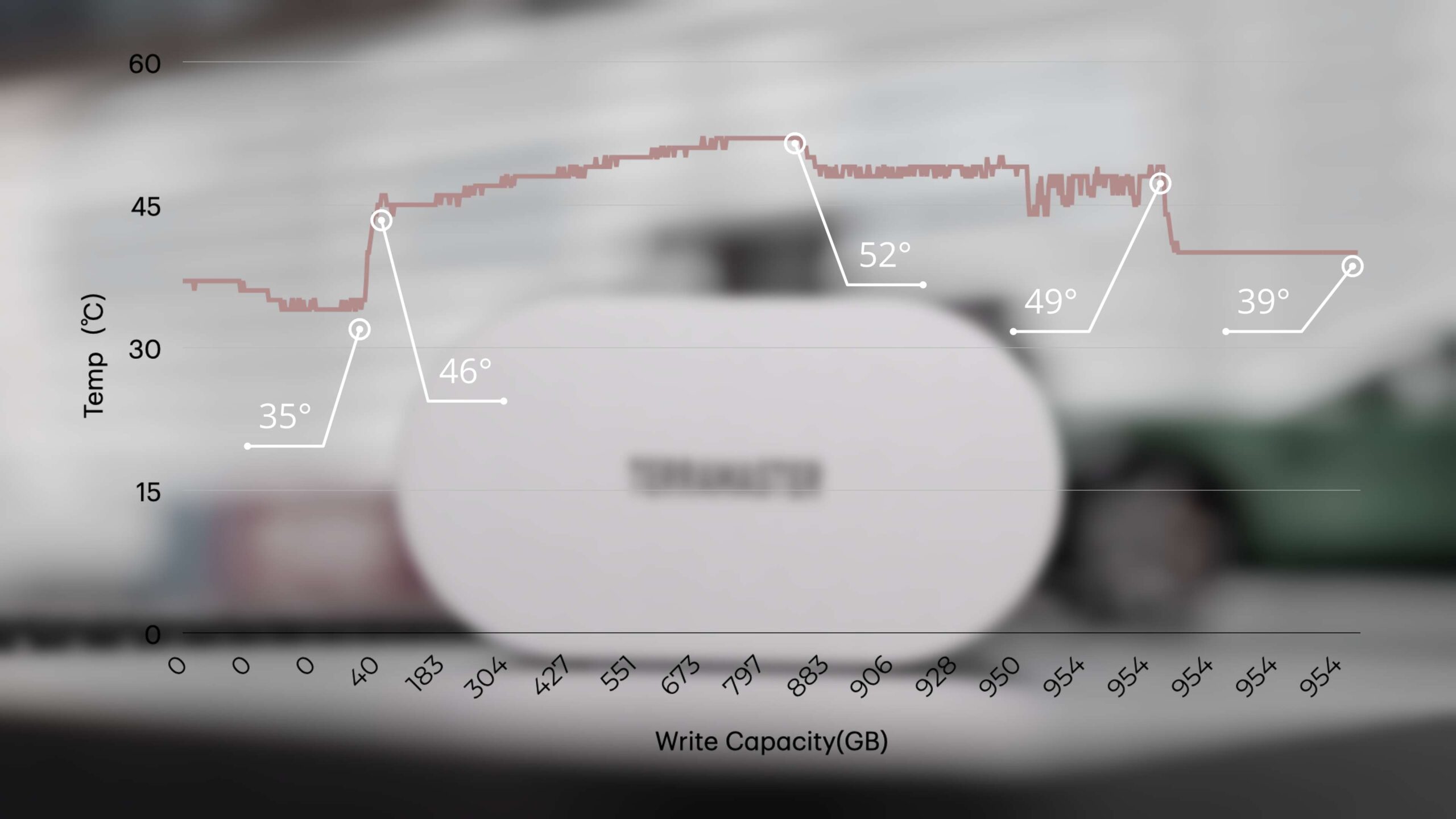
So overall, the D1 SSD Plus dissipates heat very well. Whether you’re dealing with a high heat Gen4 SSD or a low heat Gen3 SSD. It handles it well.
ProRes Recording
Well, for a portable storage device, you can certainly use it with an iPhone to record video.
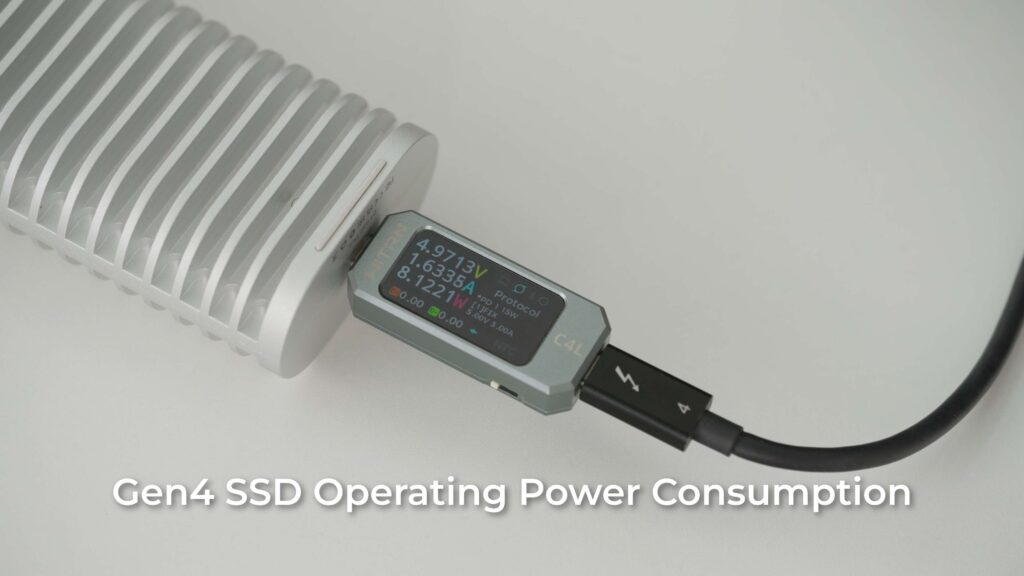
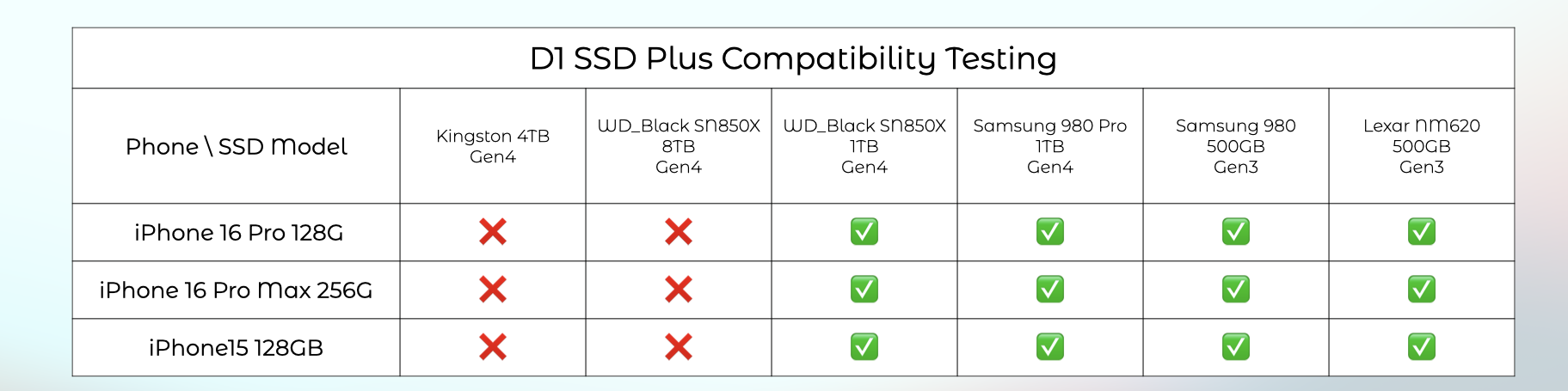
So we tested it on this iPhone 16 Pro. At the beginning, the SSD was not recognized by the iPhone, and after checking, we found that Apple recommends that external storage devices consume less than 4.5W when connecting an SSD to the iPhone, so that should be the reason why we couldn’t recognize it correctly. The typical power consumption of this SSD is 8W, which is far more than the iPhone’s limit.
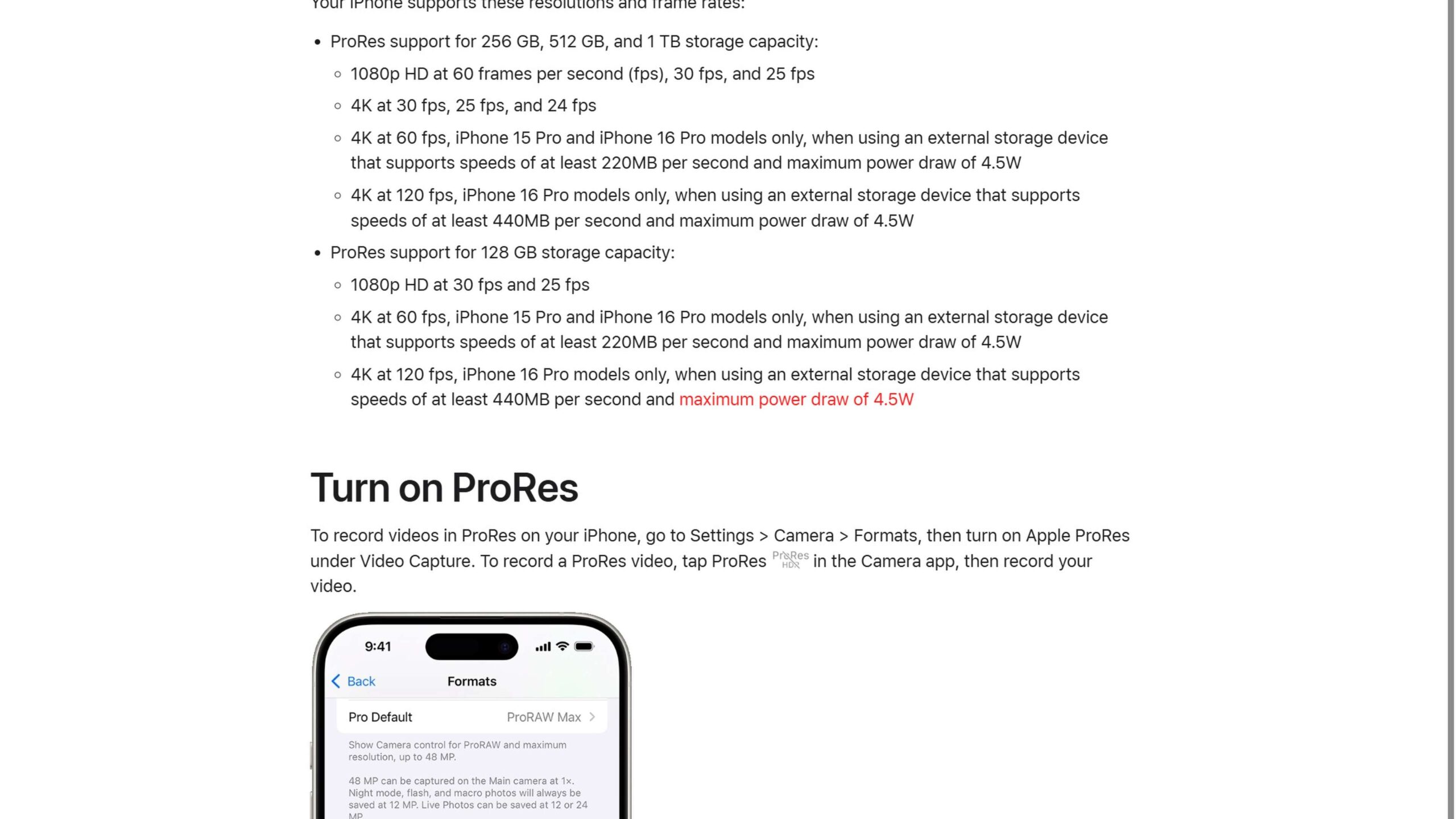
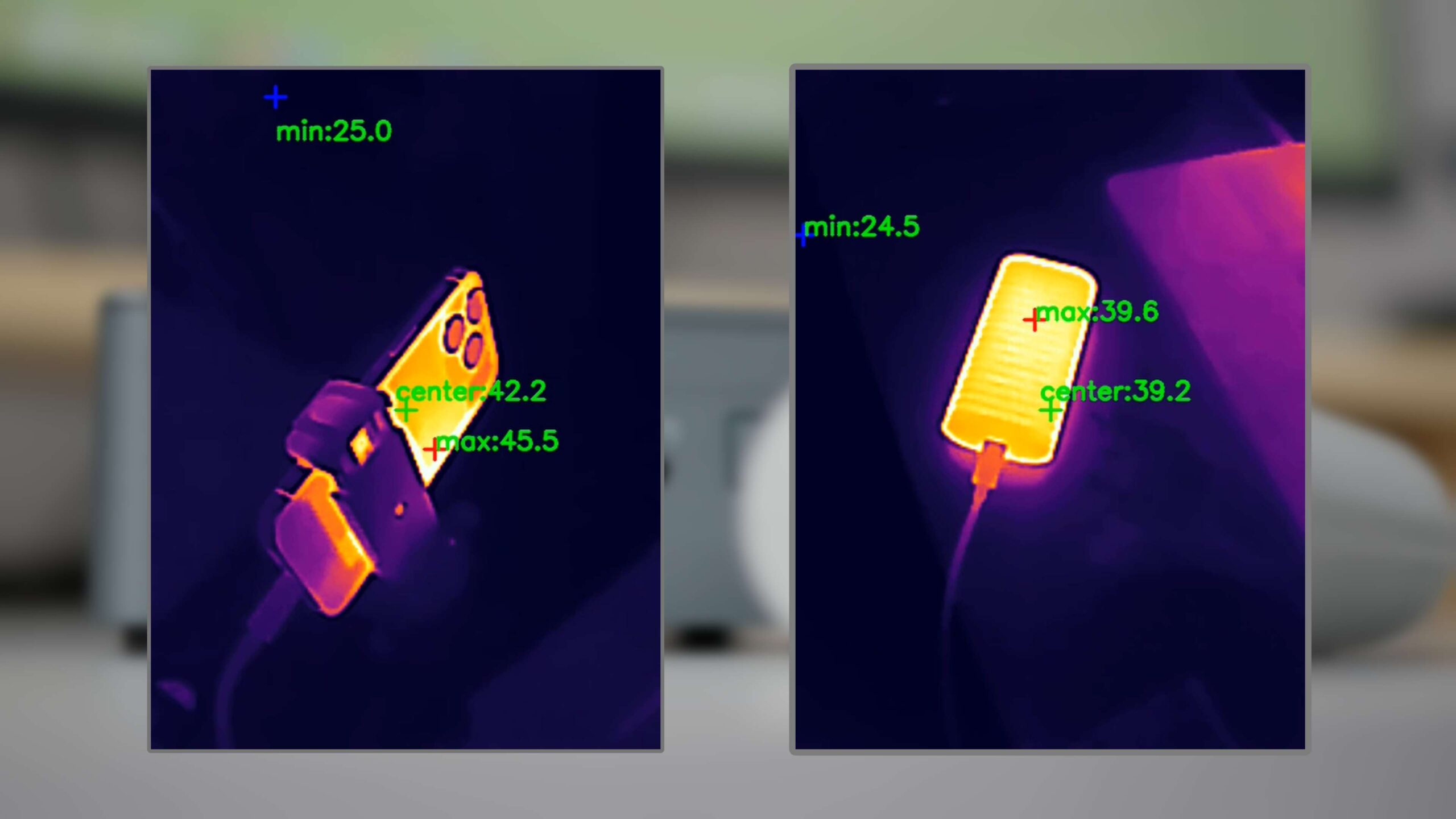
After this, we replaced it with a lower-power Gen3 SSD, and it could be recognized correctly. The iPhone was used to record 4K 120P ProRes video, but after only 18 minutes of recording, the iPhone overheated and shut down automatically. We tested it again after beefing up the iPhone cooling. This time, no one overheated, but ultimately, the performance of this SSD was the problem. It caused the recording to abort. So TERRAMASTER can be used for ProRes recording, but you need to pay attention to the power consumption, as well as the continuous write performance of the SSD.

Or you can check out the compatibility with tested SSD models here. The D1 Plus has good compatibility with most latest SSD models, while only a couple of models with high power inputs may not be supported.
Compatibility Test
Earlier, we tested it using a high-speed interface on a computer. Both Mac and PC worked and performed well. However, most computers are not fully equipped with USB4/Thunderbolt 4 ports, so you may need to downgrade to 10Gbps or 5Gbps ports for actual use.
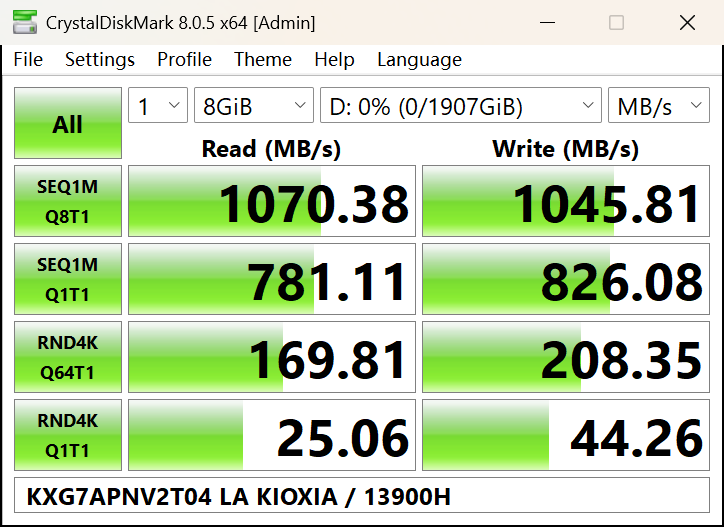
The 10Gbps USB port was tested here first, and the performance was strong. It drained the entire bandwidth of the 10Gbps interface. Then we moved down to the 5Gbps USB interface, which also performed very well.
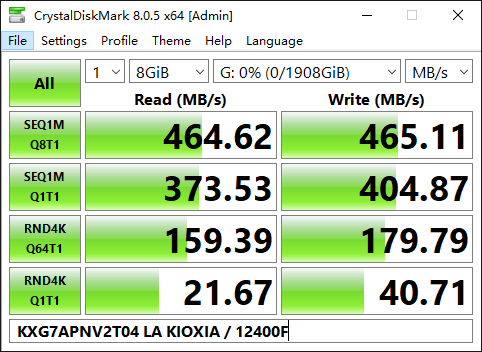
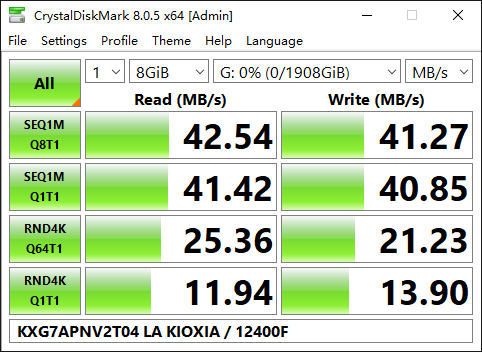
What about USB 2.0, which has a bandwidth of only 480Mbps? Again, it was recognized and used properly. It’s just that the speed is limited by the interface, and it’s very slow.
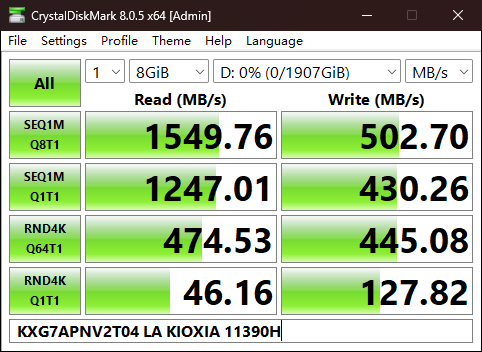
Finally, we tested it again on a USB 3.2 Gen2×2 interface, which has very poor compatibility. Luckily, it was recognized correctly. But once we ran the test, we realized that it was far from performing at 20Gbps. Write speeds were even about the same as the 5Gbps interface.
To summarize
After a series of tests, the TERRAMASTER D1 SSD Plus is undoubtedly an excellent external hard drive enclosure in terms of performance, heat dissipation, and compatibility. It is not only amazing in terms of speed, easily reaching or even exceeding the nominal speed of 3200MB/s and up to 3800MB/s, which perfectly meets the needs of 4K/8K video editing and a large amount of data transfer. Its unique aluminum casing and fanless design not only achieves 0dB silent operation, but also keeps the temperature within a safe range even under prolonged high-load usage, ensuring the stability and reliability of the device.

Overall, the TERRAMASTER D1 SSD Plus is a highly competitive external SSD enclosure. Its outstanding performance, heat dissipation, and compatibility make it a great choice for users seeking efficient data transfer and stable storage solutions. If you are looking for an external hard disk enclosure that can fulfill your dual needs for speed and stability, then the TERRAMASTER D1 SSD Plus is worth your consideration.
Please do not miss the giveaway here.

Comments