
Add GIZMOCHINA as Preferred Source on Google
Realme has announced the timeline for the Realme UI 7.0 Open Beta rollout in India. It starts with the premium Realme GT 7 series and will gradually cover dozens of eligible devices over the coming weeks and months.
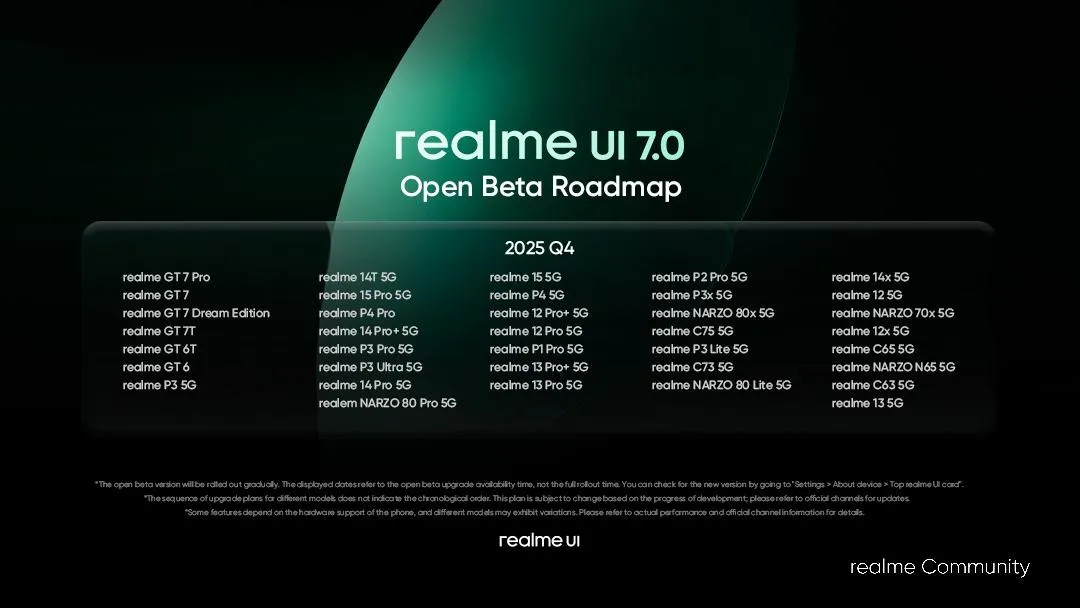
The first wave of Realme UI 7.0 Open Beta rollout includes a total of 37 smartphones across various price segments. While Realme has not announced the exact rollout date in the official community post, it has confirmed that these devices will receive the open beta update in the fourth quarter. Below is a list of devices included in the first wave.
Realme UI 7.0 Open Beta rollout roadmap
Q4 2025
- Realme GT 7 Pro
- Realme GT 7
- Realme GT 7 Dream Edition
- Realme GT 7T
- Realme GT 6T
- Realme GT 6
- Realme P3 5G
- Realme 14T 5G
- Realme 15 Pro 5G
- Realme P4 Pro
- Realme 14 Pro+ 5G
- Realme P3 Pro 5G
- Realme P3 Ultra 5G
- Realme 14 Pro 5G
- Realme Narzo 80 Pro 5G
- Realme 15 5G
- Realme P4 5G
- Realme 12 Pro+ 5G
- Realme 12 Pro 5G
- Realme P1 Pro 5G
- Realme 13 Pro+ 5G
- Realme 13 Pro 5G
- Realme P2 Pro 5G
- Realme P3x 5G
- Realme Narzo 80x 5G
- Realme C75 5G
- Realme P3 Lite 5G
- Realme C73 5G
- Realme Narzo 80 Lite 5G
- Realme 14x 5G
- Realme 12 5G
- Realme Narzo 70x 5G
- Realme 12x 5G
- Realme C65 5G
- Realme Narzo N65 5G
- Realme C63 5G
- Realme 13 5G
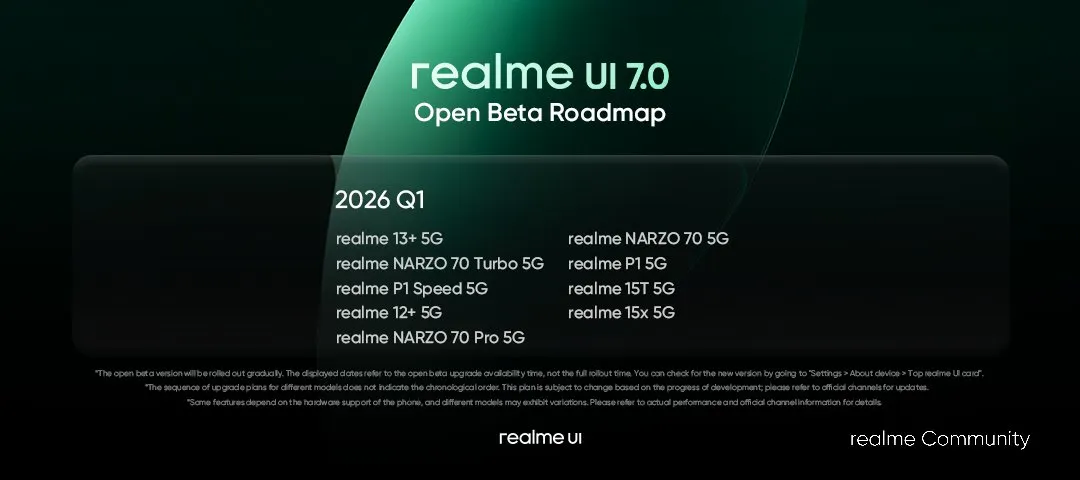
Q1 2026
- Realme 13+ 5G
- Realme Narzo 70 Turbo 5G
- Realme P1 Speed 5G
- Realme 12+ 5G
- Realme Narzo 70 Pro 5G
- Realme Narzo 70 5G
- Realme P1 5G
- Realme 15T 5G
- Realme 15x 5G
The aforementioned devices are planned to receive the Realme UI 7.0 Open Beta update in the coming weeks and months.
How to get Realme UI 7.0 Open Beta update on your device?
Before applying for the open beta program, note that beta builds may contain bugs and unfinished functionalities. Therefore, such builds are recommended to be installed on a secondary device.
To get the beta update, you must go to Settings > Software update, tap on the three-dot menu button in the top-right corner, and then choose “Trial Version” or “Beta Program”. Submit your application and then wait for the Realme UI 7.0 beta update.
Before downloading the update, ensure that your device has at least 5-7GB of free storage, as Realme UI 7.0 is a major upgrade and will have a download size in a few gigabytes. Next, you should ensure that the device is charged at least 30% before installing the update, so that the device doesn’t power off during the process.
To stay up-to-date with the Realme UI 7.0 rollout and the latest information, you can regularly visit our Android 16 section. Alternatively, you can join us on Telegram to get instant notifications.




Comments