
Add GIZMOCHINA as Preferred Source on Google
Microsoft’s new Gaming Copilot feature was pitched as a smart assistant for gamers, designed to offer contextual tips and on-the-fly help inside the Xbox Game Bar. But instead of applause, it’s drawing criticism over potential privacy issues and performance drops — raising concerns about whether the AI is more of a hindrance than a helper.
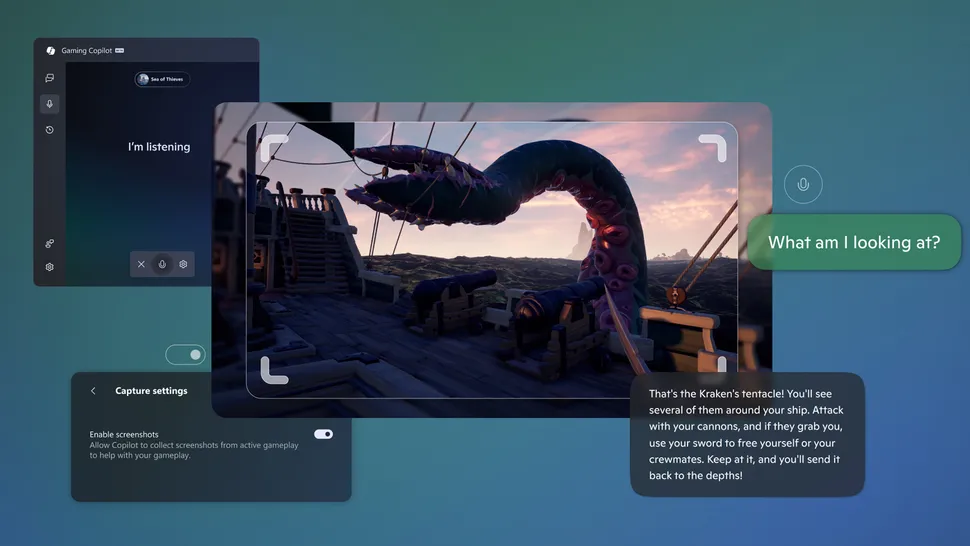
The controversy began on the ResetEra forums, where a user named RedbullCola shared screenshots of unexplained network activity during Gaming Copilot sessions. According to the post, the tool appears to scan gameplay screenshots using OCR (optical character recognition) to identify on-screen text — such as quest objectives or achievement prompts — before sending that data back to Microsoft’s servers for analysis.
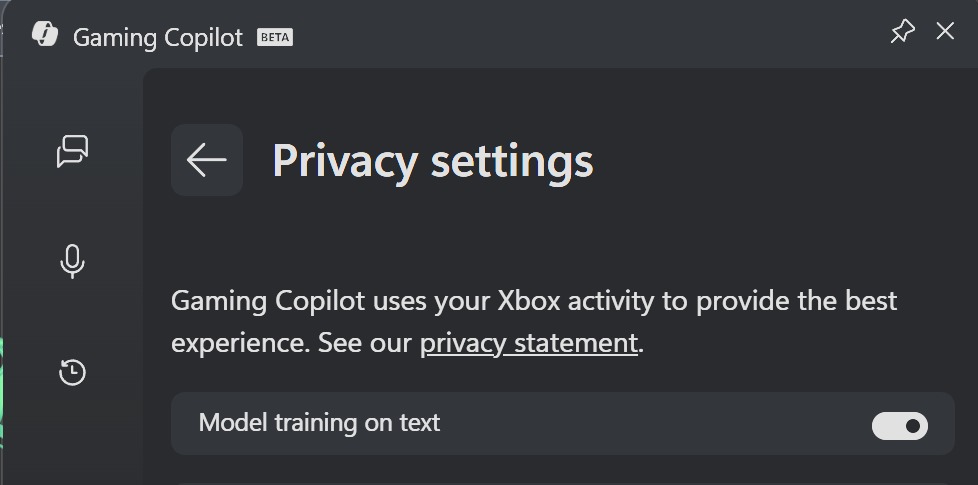
The problem? A “Model training on text” option is reportedly enabled by default, suggesting some user data may be used to improve AI models unless manually disabled. That’s raised eyebrows among privacy-conscious players, especially those testing unreleased or NDA-bound titles. Microsoft has since said that users can turn this off in Gaming Copilot’s privacy settings, though it hasn’t clearly detailed how much processing happens locally versus in the cloud.
Adding to the frustration, early testers report noticeable performance hits. Some users reported frame rate dips of around 4–9 FPS in Dead as Dusk when Gaming Copilot was active, partly because the feature relies on Microsoft Edge running in the background. On high-end rigs, it’s tolerable, but on handhelds like the ROG Ally, it compounds Windows 11’s existing bloat and background load.
Critics argue that the system-level integration feels premature. While AI-assisted gameplay tools like Razer’s Game Co-AI are also in testing, Microsoft’s deep OS tie-in means even minor privacy lapses or inefficiencies draw outsized scrutiny. Unless the company clarifies its data practices and optimizes performance, the feature could backfire with its core audience.
For now, cautious users can disable Gaming Copilot through the Game Bar > Settings > Privacy menu. The idea of AI-enhanced gaming isn’t unwelcome — but as one NeoGAF commenter put it, “AI help shouldn’t need my help to stop spying.”
Don’t miss a thing! Join our Telegram community for instant updates and grab our free daily newsletter for the best tech stories!
For more daily updates, please visit our News Section.




Comments