
Add GIZMOCHINA as Preferred Source on Google
In a surprising move, OnePlus has rolled out a new stable update for the OnePlus 10 Pro, its 2022 flagship. The device originally launched with Android 12 and was guaranteed three major Android updates, a commitment that should have ended with Android 15 last year. This latest release suggests that OnePlus is extending the software lifespan of the device beyond its original promise.
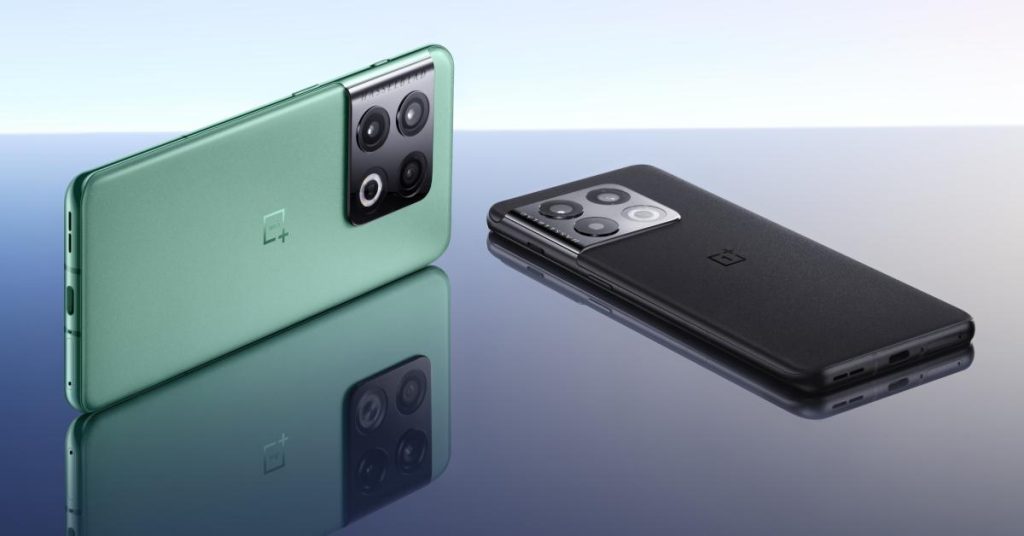
OnePlus 10 Pro OxygenOS 16 features
The release centers on performance optimization through Trinity Engine. It optimizes resources during gaming, video recording, and camera use. The power saving mode now adjusts based on your battery level. Power saving mode now adjusts performance based on battery levels, while photo albums load faster with reduced power consumption.
AI integration features prominently across core apps. The Photos app adds video editing tools, including splitting, merging, speed adjustment, and background music. Notes introduces block editing mode for batch formatting and text highlighting capabilities. The redesigned Recorder app generates automatic titles, applies noise cancellation, and detects recording contexts like meetings or lectures.
Visual changes include new “Flux” home screen icons with light field styling, resizable icon grids, and customizable folder layouts. The system introduces “One Serif” font for enhanced readability and real-time weather visuals through the Luminous Rendering Engine. Lock screens now support custom text and configurable shortcuts.
System animations received significant attention. Apps display smoother transitions, including refined drag-and-drop movements, fluid text selection magnifiers, and improved scrolling mechanics. Parallel processing ensures animations begin and end at logical points during interactions.
Connectivity improvements include My Devices widgets for managing linked gadgets, enhanced Bluetooth pairing for cars, and AI LinkBoost for stable app connectivity. The Quick Settings panel adds 2×1 tiles with expanded customization options.
Privacy features now allow users to lock or hide apps directly from home screen icons. The sharing panel redesign offers faster access to contacts and customizable app links. Data migration from iOS devices sees improved speed and reliability.
For more daily updates, please visit our News Section.
Don’t miss a thing! Join our Telegram community for instant updates and grab our free daily newsletter for the best tech stories!
(Source)



Comments