
Add GIZMOCHINA as Preferred Source on Google
OPPO has started rolling out the stable ColorOS 16 update based on Android 16 for the Find X5 Pro, beginning in Indonesia. This marks the start of the global rollout. The update is notable because the Find X5 Pro launched in 2022 with Android 12 and was officially scheduled to receive major updates only up to Android 15. Despite this, OPPO has extended software support to include Android 16.
The update is currently available for eligible users in Indonesia. OPPO confirmed that the rollout will expand to other regions in stages, with more users gaining access over time.
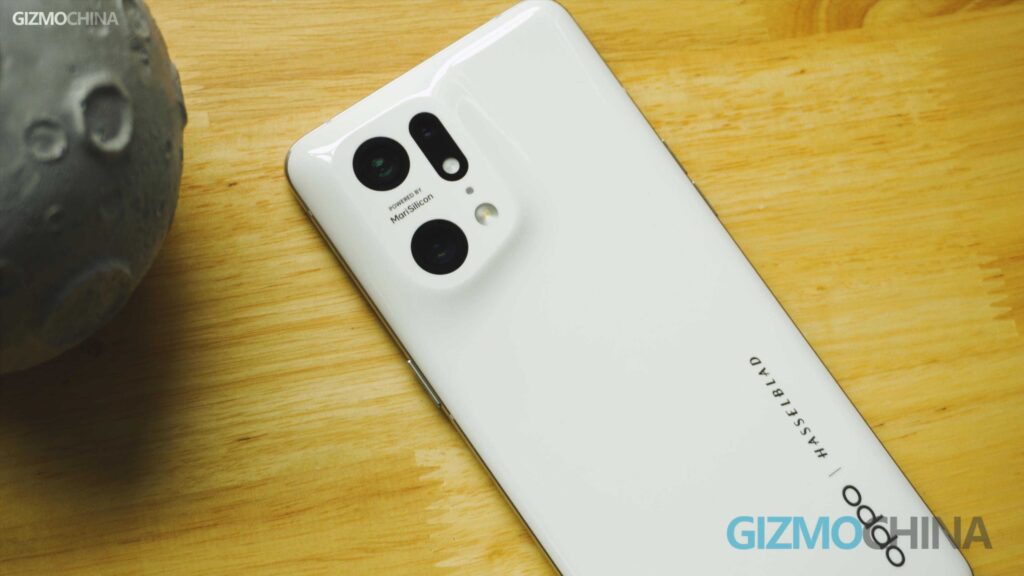
This is an official stable release, not a beta build. Applications for the update opened on January 29. To receive the update, the Find X5 Pro must be running firmware version CPH2305_16.0.3.500(EX01). Devices on older builds will not detect the update.
ColorOS 16 features
ColorOS 16 is built on Android 16 and focuses on faster performance, better system stability, and smoother animations. The update introduces the Luminous Rendering Engine along with an upgraded Trinity Engine. According to OPPO, these changes improve overall system stability by 37 percent and make animations smoother across both mid-range and flagship devices.
The interface also gets noticeable changes. ColorOS 16 introduces the new Flux Home Screen, which supports resizable and adaptive icons that adjust more naturally to different layouts. The Always On Display now runs in full screen and transitions directly into the lock screen, making the unlock experience feel more connected.
AI features are more deeply integrated in this version. ColorOS 16 brings tighter integration with Google Gemini. AI Mind Space works as a central place to collect, organize, and revisit saved notes and information. Creative tools such as AI Portrait Glow and Master Cut aim to simplify photo and video editing without the need for manual adjustments.
Connectivity has also been improved. O Plus Connect offers better integration with both Mac and Windows systems. The updated Touch to Share feature makes it easier to transfer files to iOS devices. For privacy, sensitive AI tasks are handled through OPPO’s Private Computing Cloud.
OPPO recommends backing up important data before installing the update. After updating, the system will run background optimization, which may cause temporary heating, lag, or higher battery drain. Some third-party apps may also face compatibility issues with Android 16 until they are updated.
For more daily updates, please visit our News Section.
Stay ahead in tech! Join our Telegram community and sign up for our daily newsletter of top stories.
(Source)



Comments