
Add GIZMOCHINA on Google:
As an Amazon Associate, Gizmochina earns from qualifying purchases. Links on this page may earn us a commission at no extra cost to you.
I’ve been using Obsbot cameras for quite a while now. Recently, I reviewed their Tiny 3 series, which I absolutely loved for its smooth, robotic tracking, so when Obsbot sent over the new Meet Flip as a review unit, I was eager to see how it fit into their lineup.
I’ve been using this camera for over two weeks now as my primary webcam for work in my home office. Unlike the complex gimbals of the Tiny line, the Meet Flip takes a much simpler approach.
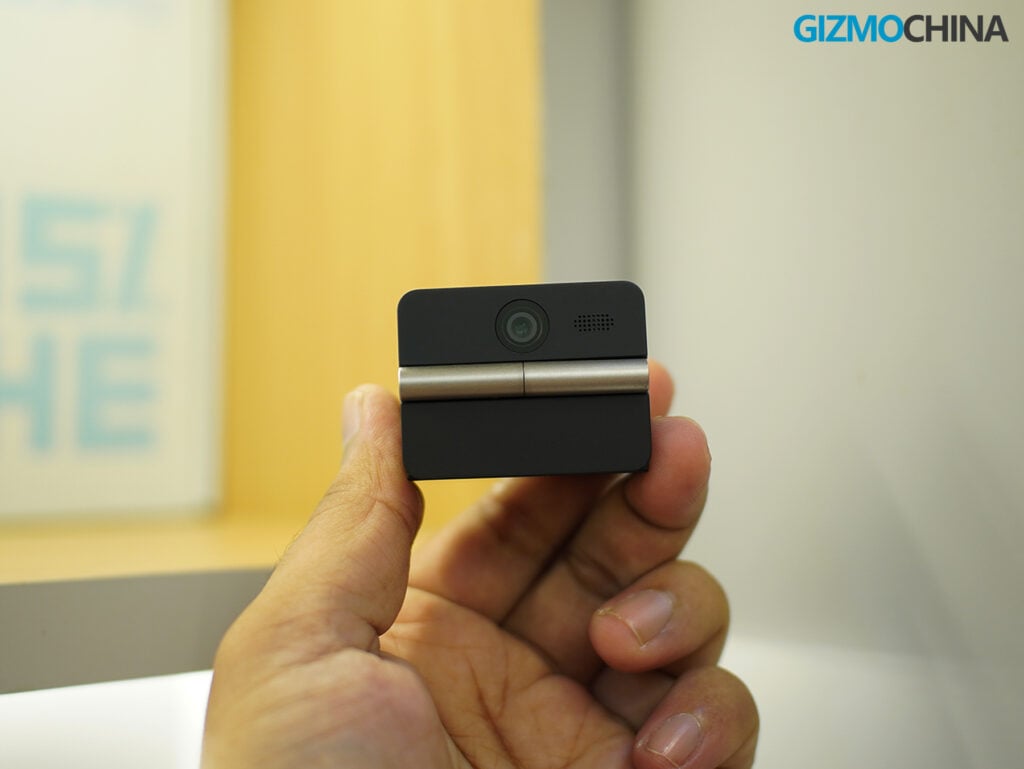
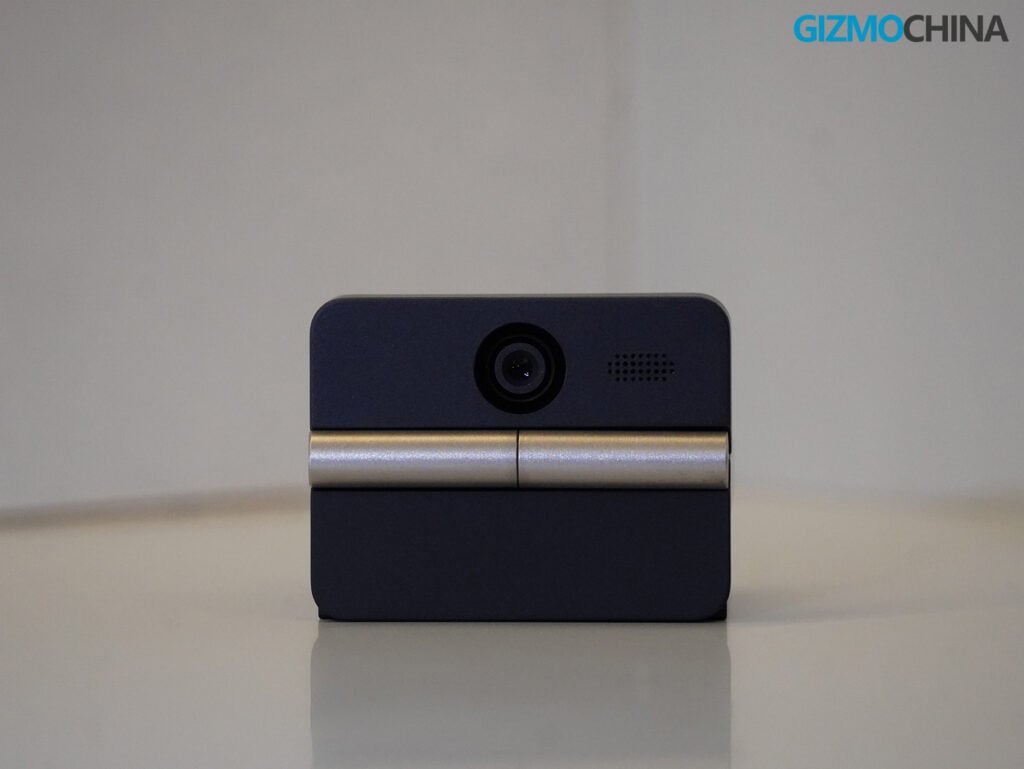
The Meet Flip is a 4K webcam that prioritizes portability and privacy. Its defining feature is right in the name: a hinge that lets you fold the camera lens inward when you aren’t using it. It’s a simple mechanical solution to a modern problem. When the camera is folded, it goes to sleep, and the lens is physically covered.
Here is a realistic look at what it does well, where it falls short, and whether it’s worth adding to your setup.
Design and Build Quality
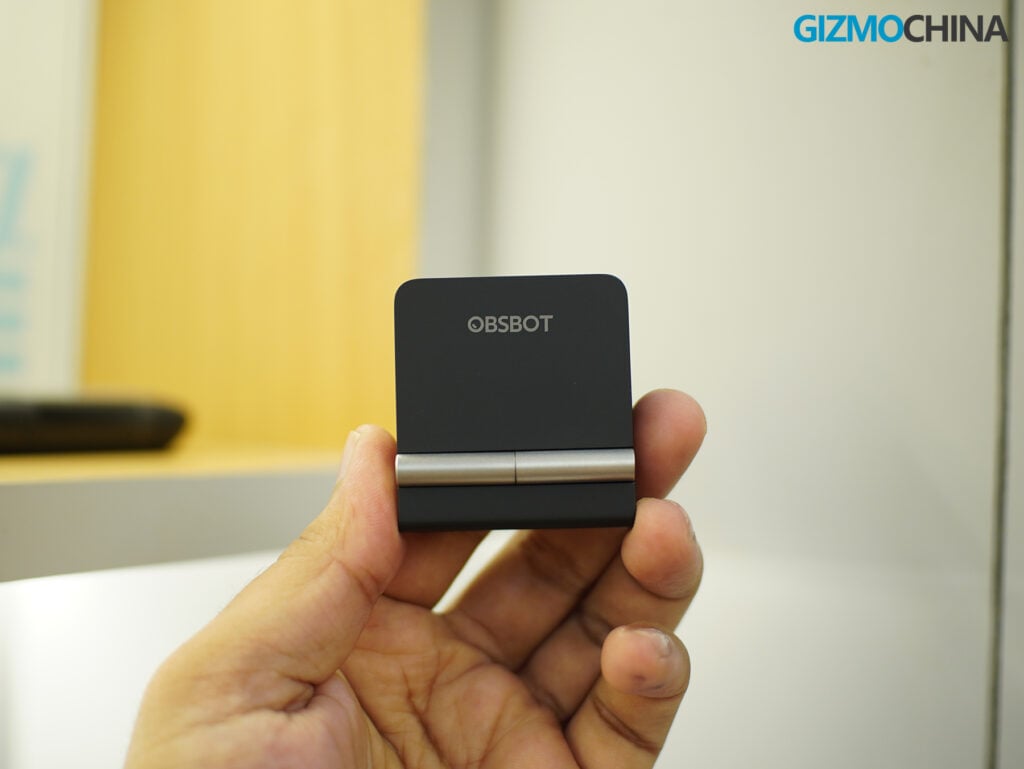
The first thing you notice about the Meet Flip is its size. It weighs just 37.7 grams, and when folded, it measures roughly 1.6 x 1.8 x 0.7 inches. It is remarkably compact, taking up almost no room on a desk or in a laptop bag if you do need to pack it away. You don’t need a special carrying case; the folding design naturally protects the lens from scratches and dust.
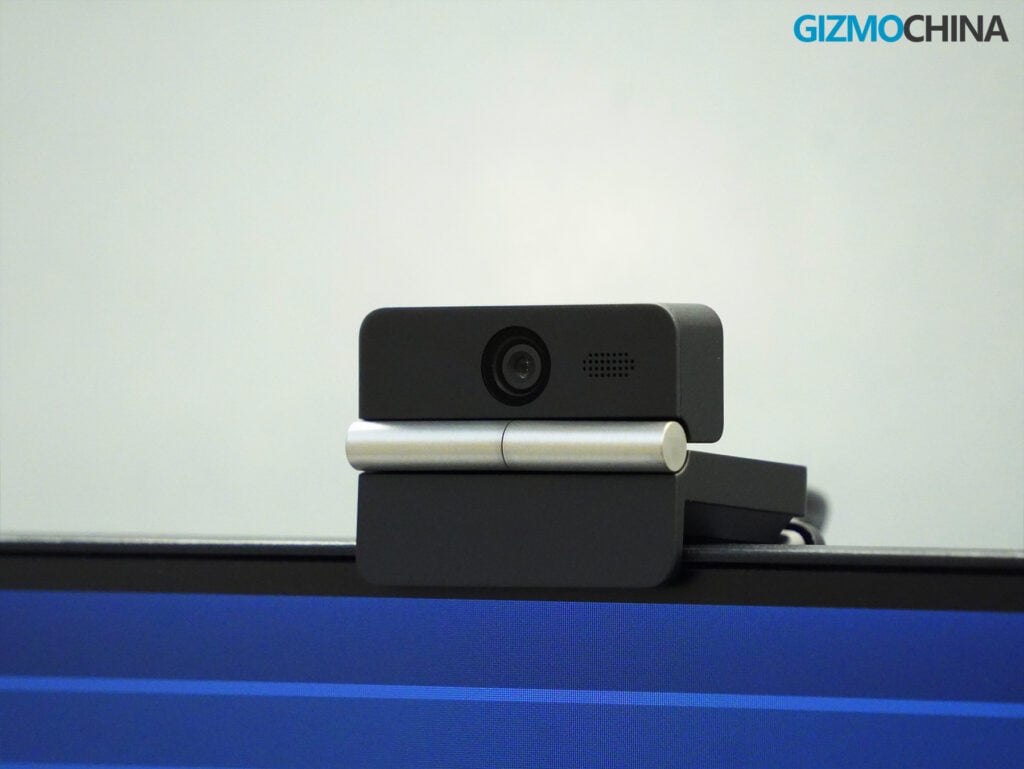
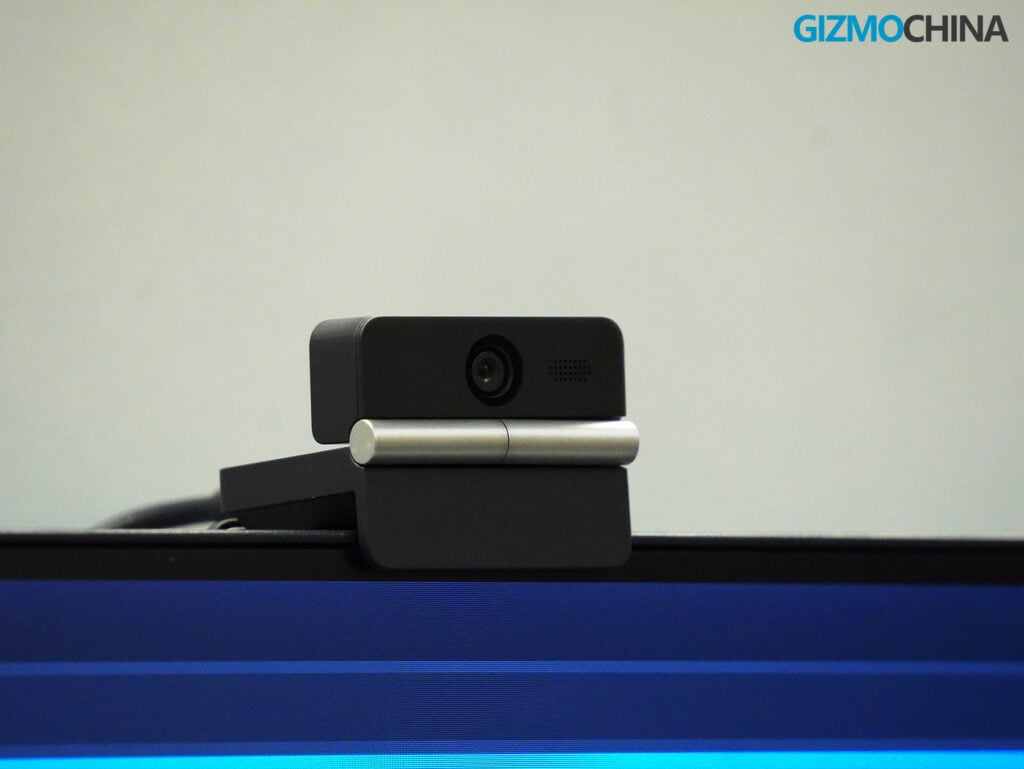
Visually, it’s a very subtle device. It has a matte black finish, a silver hinge in the middle, and a small status light around the lens to let you know when it’s active. It doesn’t draw attention to itself, which I appreciate for a device meant to sit in a professional environment.
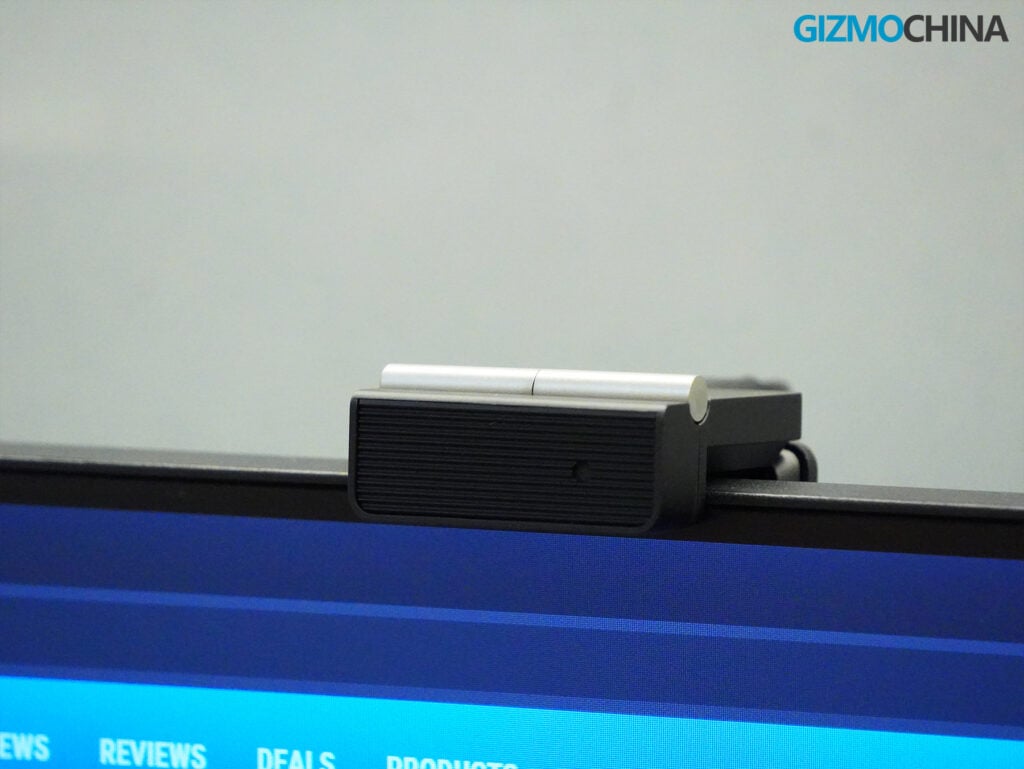
The folding mechanism is easily my favorite part of the design. Many webcams come with flimsy plastic privacy sliders that are easy to forget, or magnetic caps that eventually get lost. The Meet Flip makes privacy the default state of storing the device. You open it to turn it on, and you close it to turn it off. It offers a simple, physical reassurance that your camera isn’t watching you when the meeting is over.
Mounting and Setup
The bottom half of the folded device acts as the mount. It has a rubberized interior that rests securely on most laptop screens and standard desktop monitors. There is also a standard 1/4-inch tripod thread on the bottom, which is a helpful addition if you prefer to mount your webcam on a desk stand for a better angle.
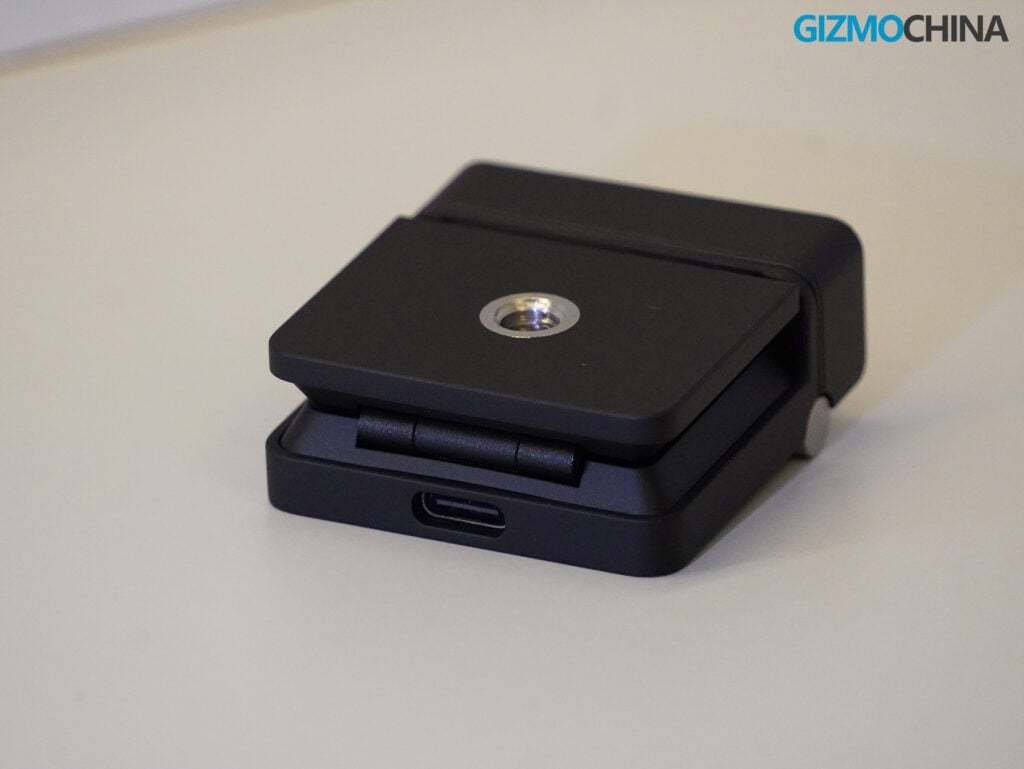
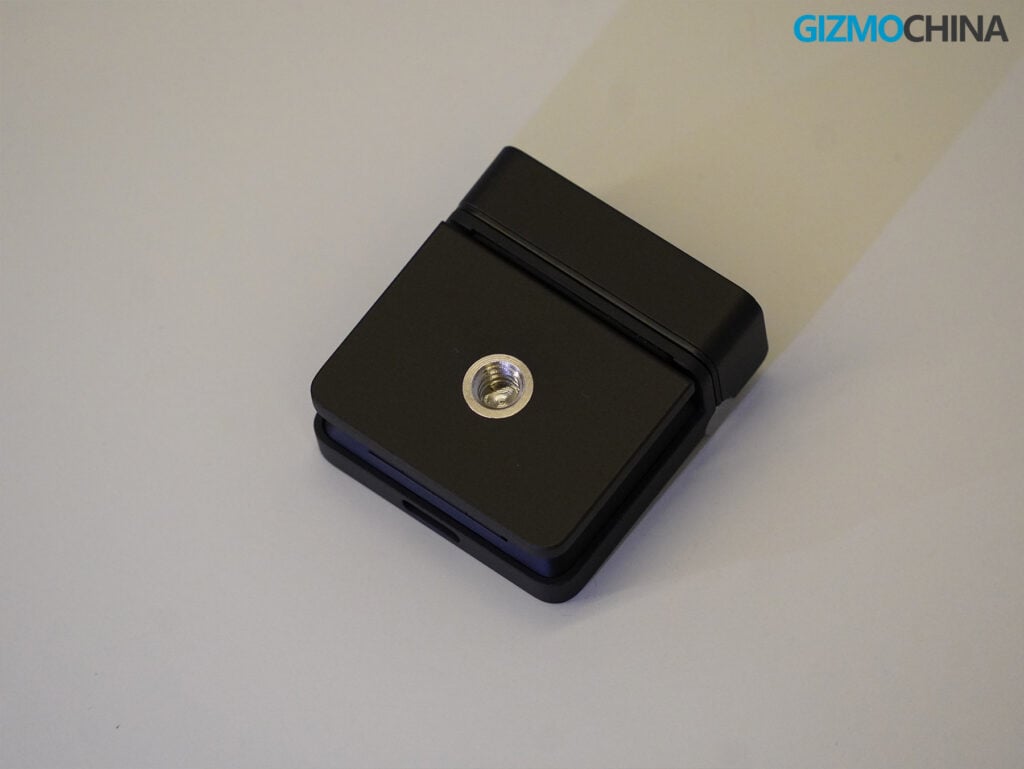
However, the mount isn’t perfect. Because of how the hinge operates and where the USB-C port is located on the back of the camera, the mount only opens to a 90-degree angle. Obsbot says that it supports screens up to 20.5mm thick. If you use an older, thicker monitor or a heavily curved display, the Meet Flip might struggle to sit securely. That said, since most of us use at least a modern laptop or a standard flat monitor these days, it really isn’t much of an issue for the average setup.
What it might lack in hinge flexibility, it makes up for with versatile mounting options. The camera’s design and magnetic base allow you to easily switch between standard landscape shooting, portrait shooting (perfect for mobile-centric formats like TikTok or Reels), and even upside-down shooting, with the software automatically adjusting the image orientation to match.
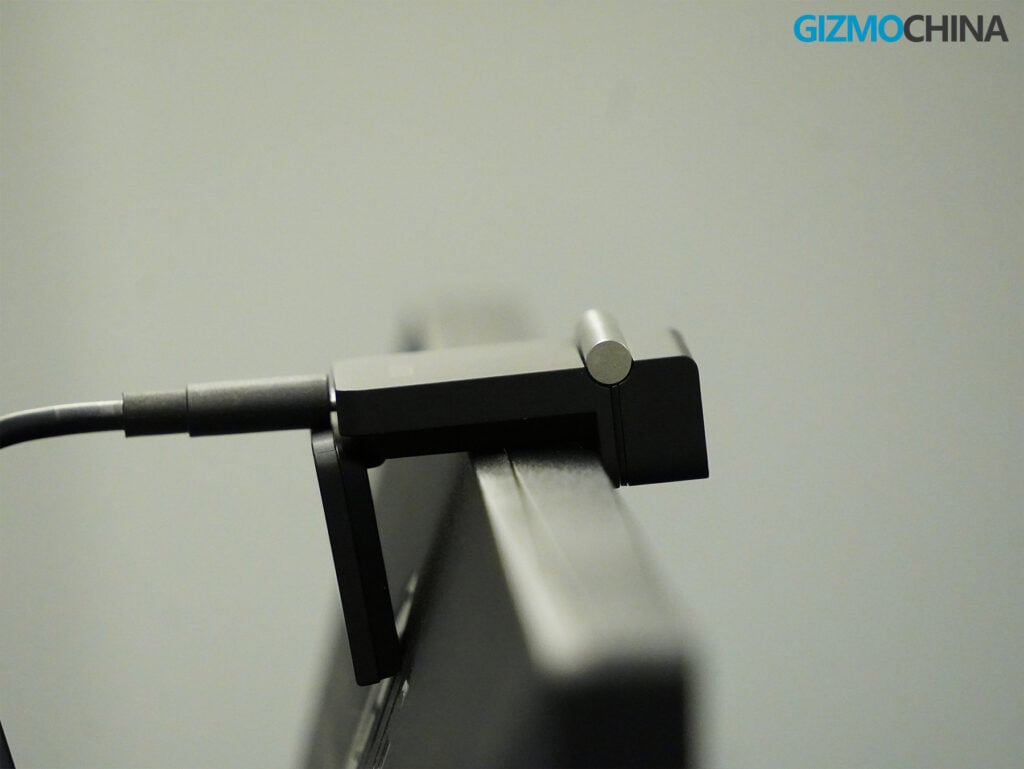
Another minor issue is the included cable. Obsbot includes a USB-C to USB-C cable (along with a USB-A adapter), but the cable itself is quite stiff. Because the cable opening is straight behind the camera, the stiff wire extends directly from the back, requiring more clearance behind your monitor.
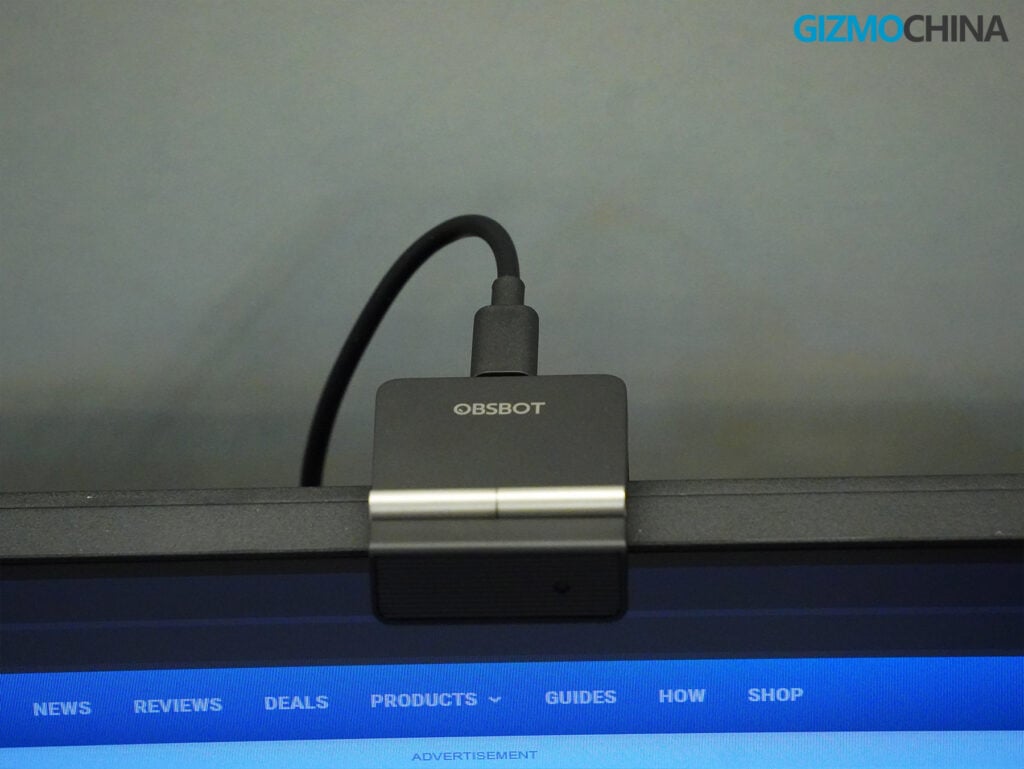
Since the camera is so light, this rigid cable can sometimes pull the camera out of place if you bump the wire on your desk. Including a lightweight paracord cable here would have been the best choice, and an L-shaped connector would have been a great option as well to help manage the rear clearance and keep things tidy.
Video Quality
Inside the Meet Flip is a 1/2-inch Sony CMOS sensor that shoots in either 4K at 30 frames per second or 1080p at 60 frames per second. It also features a fairly wide f/1.8 aperture.
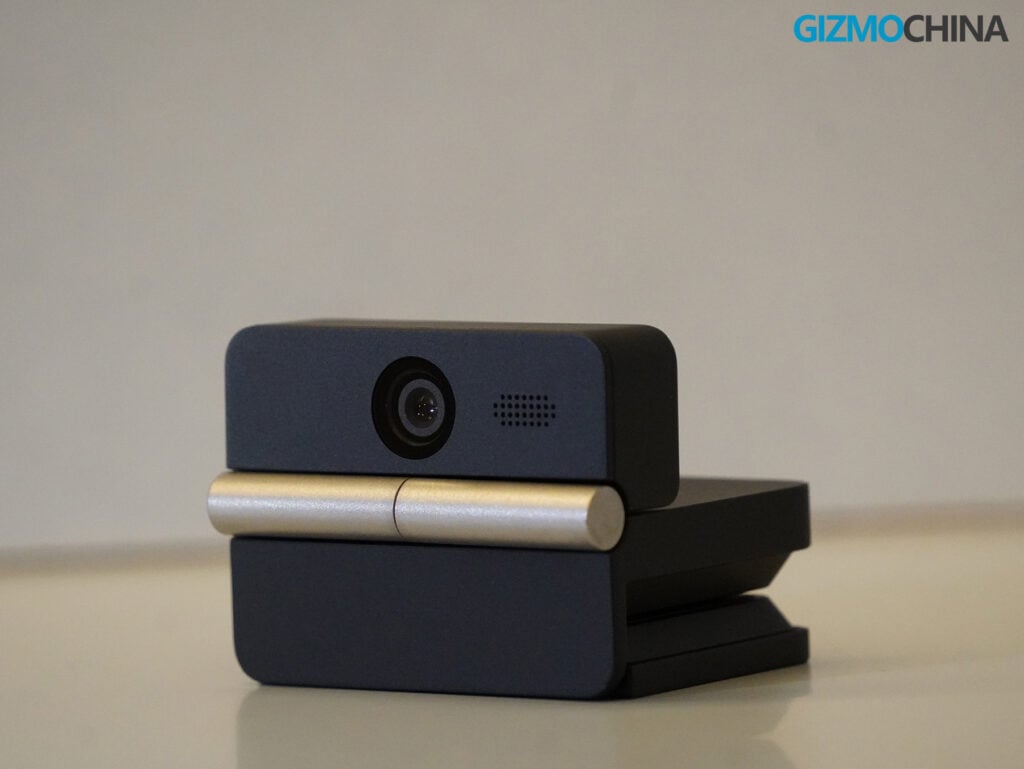
For a webcam in this price range, the image quality is very good. In a well-lit room, the 4K image is sharp and detailed. Out of the box, Obsbot’s default color profile looks really natural and punchy as well, which generally looks nice on skin tones and keeps you from looking washed out by harsh monitor light.
It handles lower light situations reasonably well, too. If you are working in a dimly lit home office with only your screen illuminating your face, the f/1.8 aperture and HDR support help keep the image really usable. You will notice some grain and softness in the darker areas of the room, but it is still a noticeable improvement over the standard 720p or 1080p cameras built into most laptops.
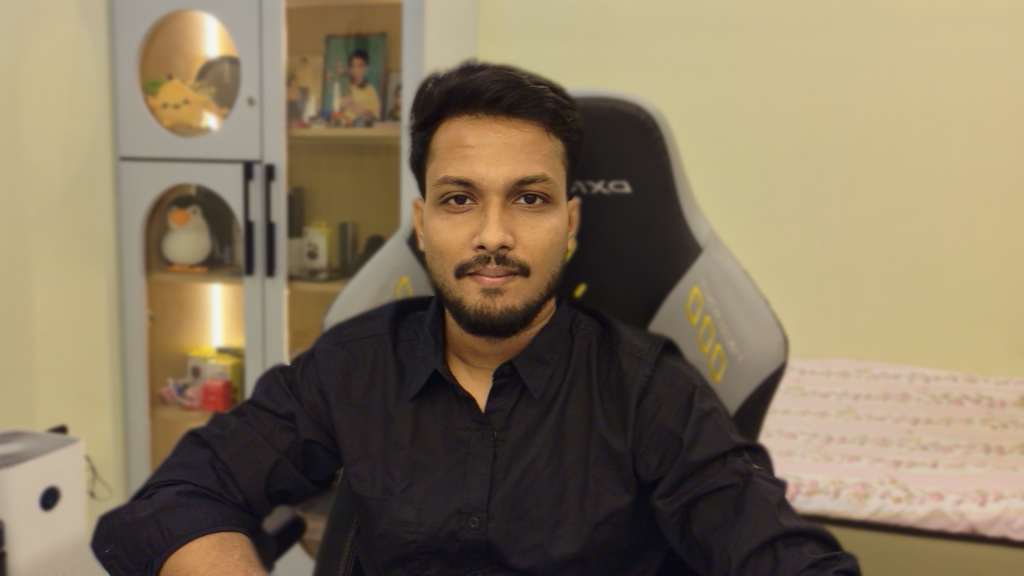
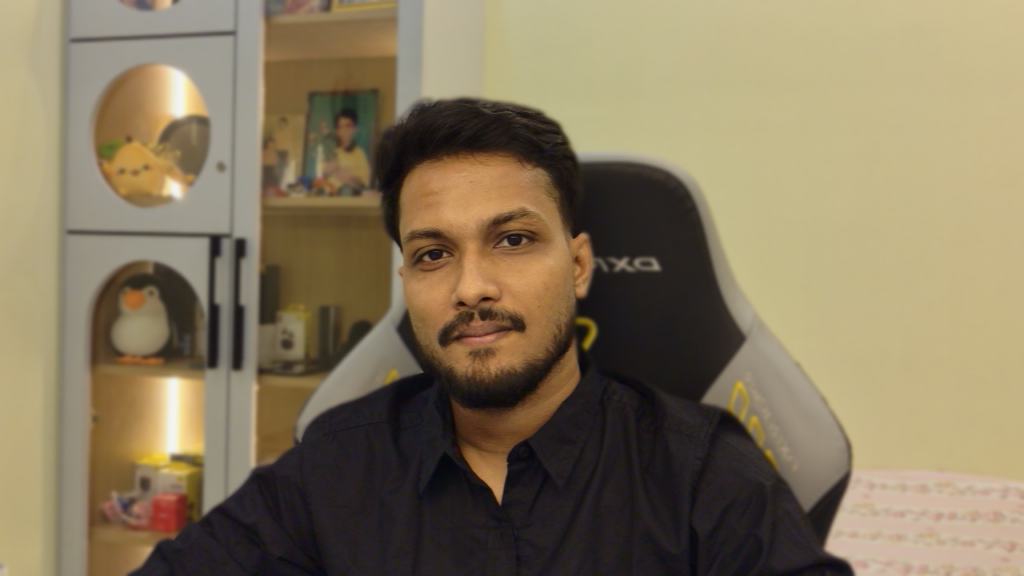
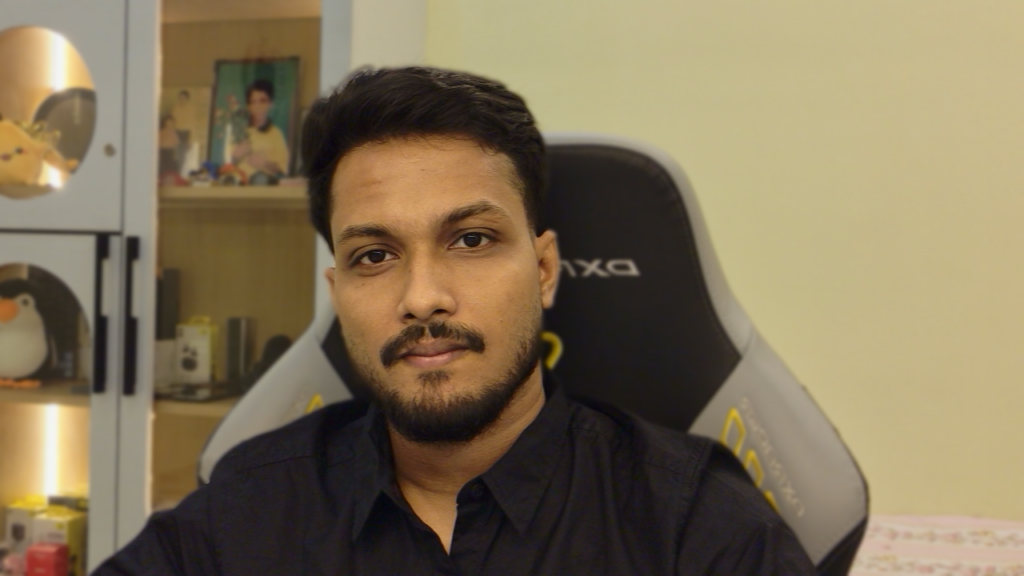
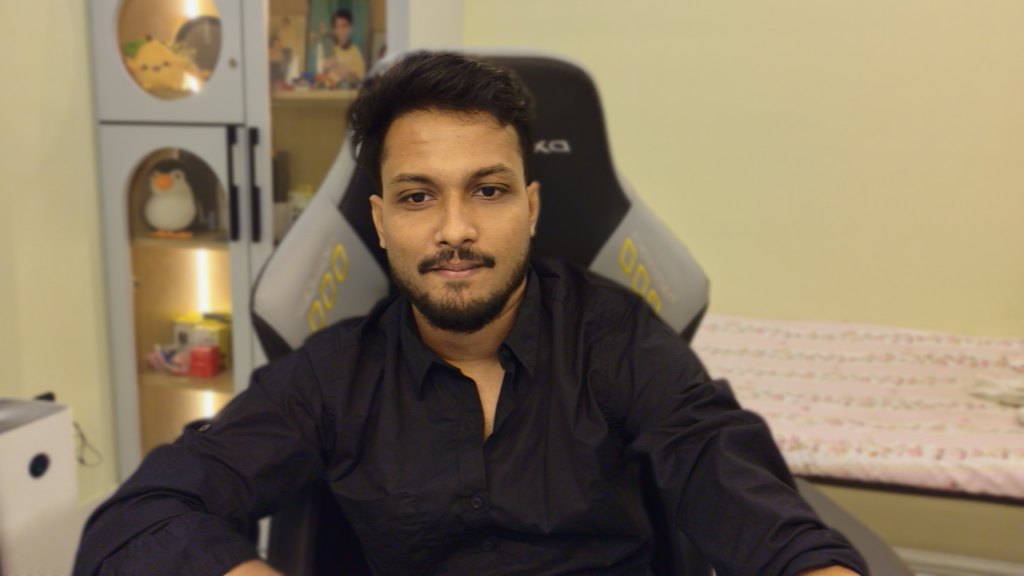
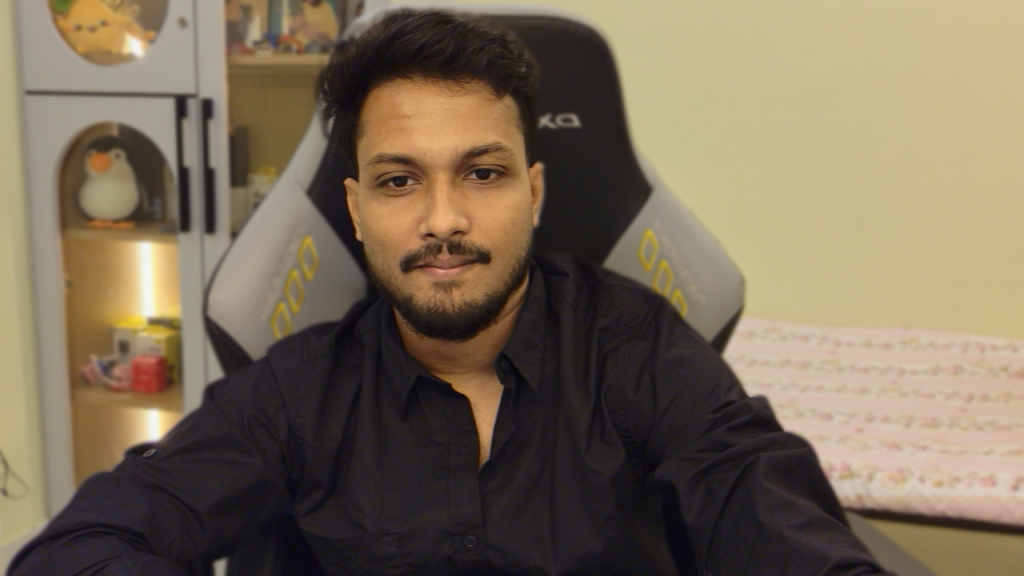
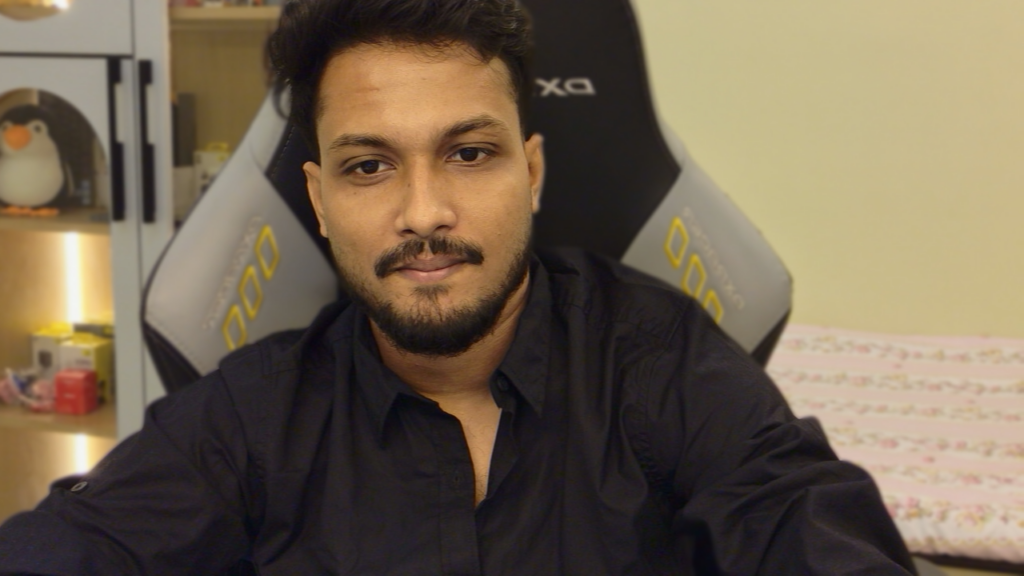
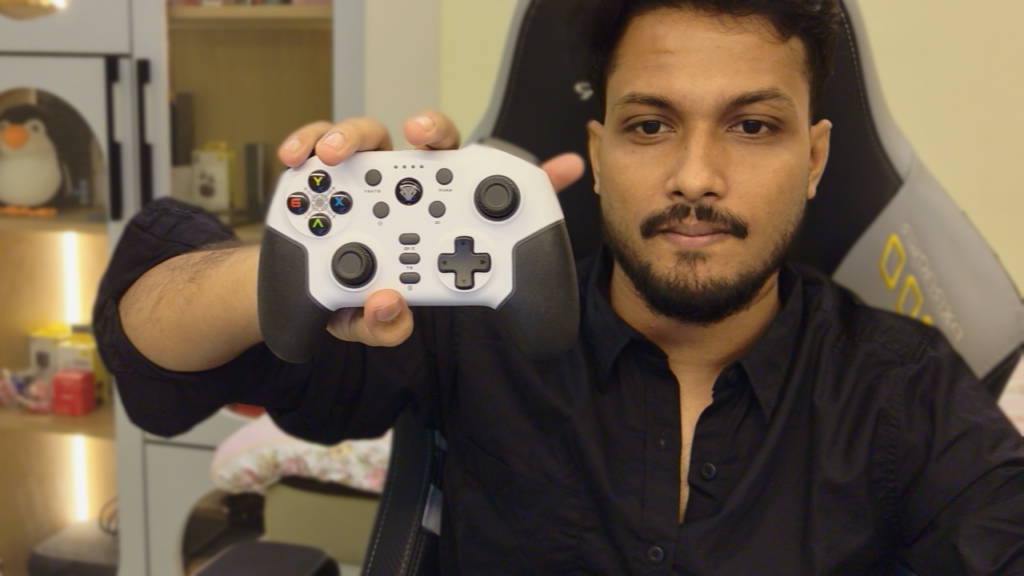
The autofocus is handled by a Phase-Detection Auto Focus (PDAF) system, and it works reliably. If you need to hold a document or a product up to the camera, it focuses on the object quickly and shifts back to your face as soon as you lower it. Just remember to keep your hand near the object so the camera knows where to pull focus.
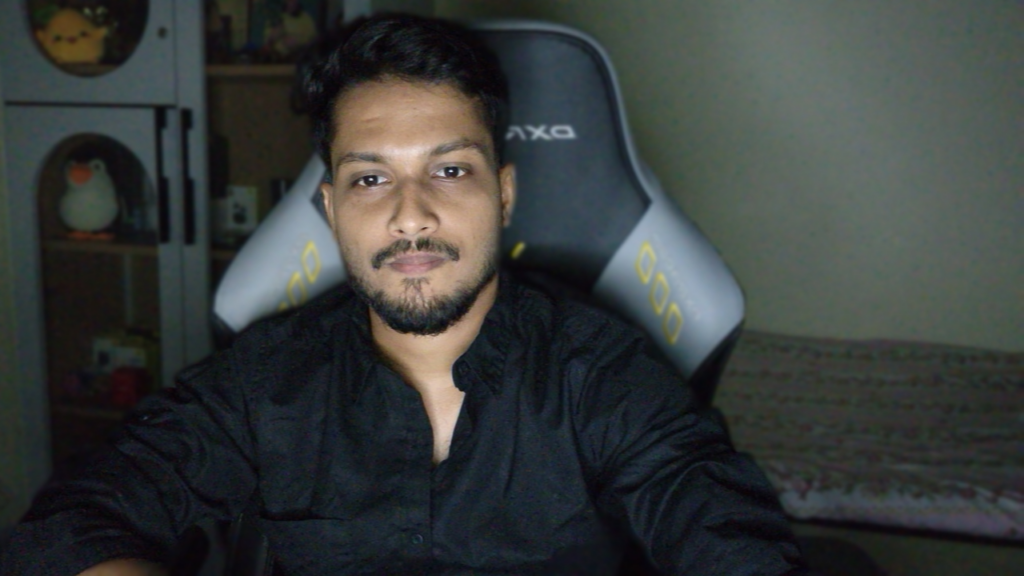
The field of view is also a major plus. The wide angle is excellent, easily accommodating multiple people in the frame if needed. Given how incredibly lightweight the camera is, this flexibility is a huge bonus. It works perfectly whether you’re taking a solo call at your desk or want to showcase a bit more of your background.
Software Features
You can use the Meet Flip right out of the box without installing any software. It works as a standard plug-and-play webcam with Windows and macOS, and it connects easily to Zoom, Teams, OBS, and even the Nintendo Switch 2.
But if you want to adjust the settings, you’ll need to download the Obsbot Center app. Webcam software can sometimes be clunky, but Obsbot’s app is really clean and easy to navigate.
Because the Meet Flip is a stationary camera, its tracking features are entirely digital. The AI Auto Framing feature crops into the 4K image and digitally pans to keep you centered in the frame. It works smoothly and is helpful if you tend to shift around in your chair during long calls. Because it crops the image, you do lose a bit of resolution, but starting from a 4K image means the final result still looks clear on a standard video call.
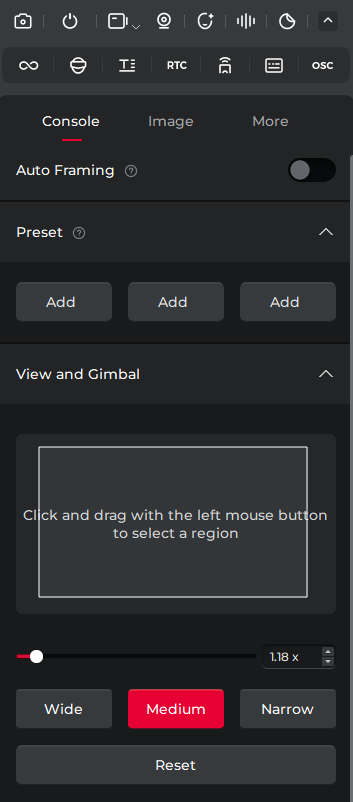
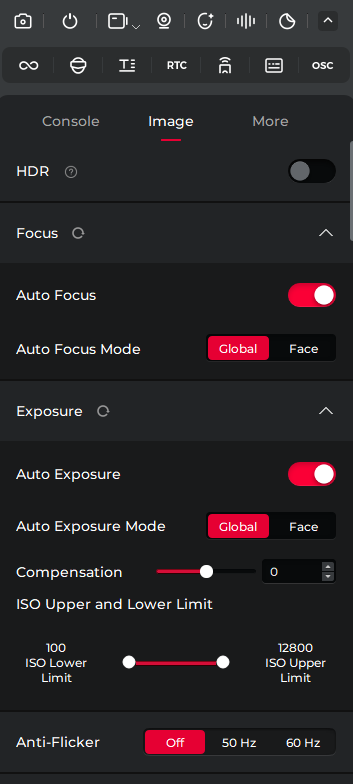
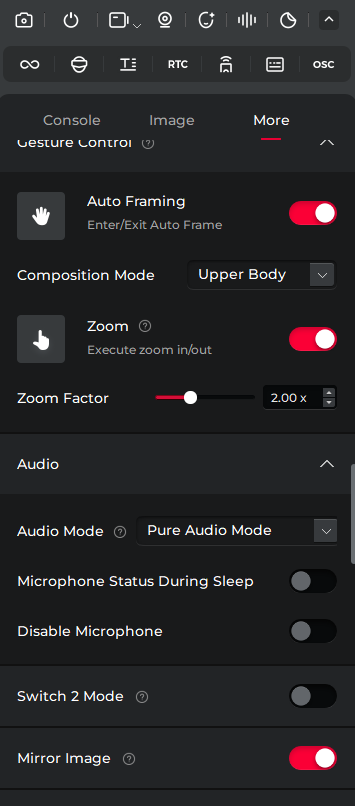
The software also includes gesture controls, allowing you to hold up your hand to turn the tracking on or off, or make an L shape to zoom.
There are a few extra tools in the app, like a built-in teleprompter that lets you read a script over your screen, and a loop recording feature that lets you play a short video of yourself on repeat. You can also play around with Avatar and Overlay features to further customize your video feed, along with background blur and background replacement options if you want to swap out your real-world environment for an image.
Obsbot also includes a feature called AI Magic Notes for transcribing meetings. You get 120 minutes for free before it requires a subscription.
Audio Performance
The Meet Flip uses a dual-microphone system (one omnidirectional and one directional). Through the software, you can choose between four different audio modes depending on your environment: Directional mode (which focuses specifically on sound coming from directly in front of the camera), Omnidirectional mode (which picks up sound from all around, great if you have multiple people in the room), Pure Audio mode (which keeps the original voice and surrounding sounds), and Smart Omni mode (which balances picking up room audio while intelligently filtering out unwanted background hums). For my room, I prefer the Smart Omni mode, as it provides the most natural balance for my setup.
The built-in noise reduction does a decent job of filtering out steady background sounds, like a fan or the hum of an air conditioner. For everyday use, like joining a morning team meeting or taking a quick call from your desk, the microphones are perfectly adequate. Your voice will come through clearly enough for people to understand you.
However, it still sounds like a webcam microphone. Because the device is so small and sits a couple of feet away from your mouth, the audio lacks the depth and clarity of a dedicated microphone. If you are recording a podcast, doing voiceover work, or presenting to a large audience, you will still want to use a separate USB microphone or a good headset.
The Verdict
The Obsbot Meet Flip is a well-designed device that solves a few practical problems for remote workers. It doesn’t overcomplicate things; it just provides a good image in a very compact package.
If you mostly use a laptop and are happy with its built-in camera, you probably don’t need to spend $119 on this. But if you frequently work from an external monitor with your laptop closed, or if you just want a reliable, unobtrusive camera for your home office that guarantees your privacy when the workday is over, the Meet Flip is a solid option.
You can buy this camera from Obsbot’s official website.
For more daily updates, please visit our News Section.
Stay ahead in tech! Join our Telegram community and sign up for our daily newsletter of top stories!

Comments