
Add GIZMOCHINA as Preferred Source on Google
I recently got my hands on the Aula F75 keyboard, a standout contender in the saturated mechanical keyboard market. Launched last year, the Aula F75 strikes an impressive balance between performance, features, and value.
In this comprehensive review, we’ll explore its design, build quality, connectivity, features, performance, and pricing to provide you with the insights needed to make an informed decision.
What’s in the Box?
Inside the Aula F75 box, you’ll find everything you need to get started: the F75 keyboard itself, a 2.4G dongle for wireless connection, a Type-C cable for charging and wired use, two extra switches, a 2-in-1 keycap and switch puller for customization, and a user manual to guide you through the keyboard’s features and functionality.

Design and Build Quality
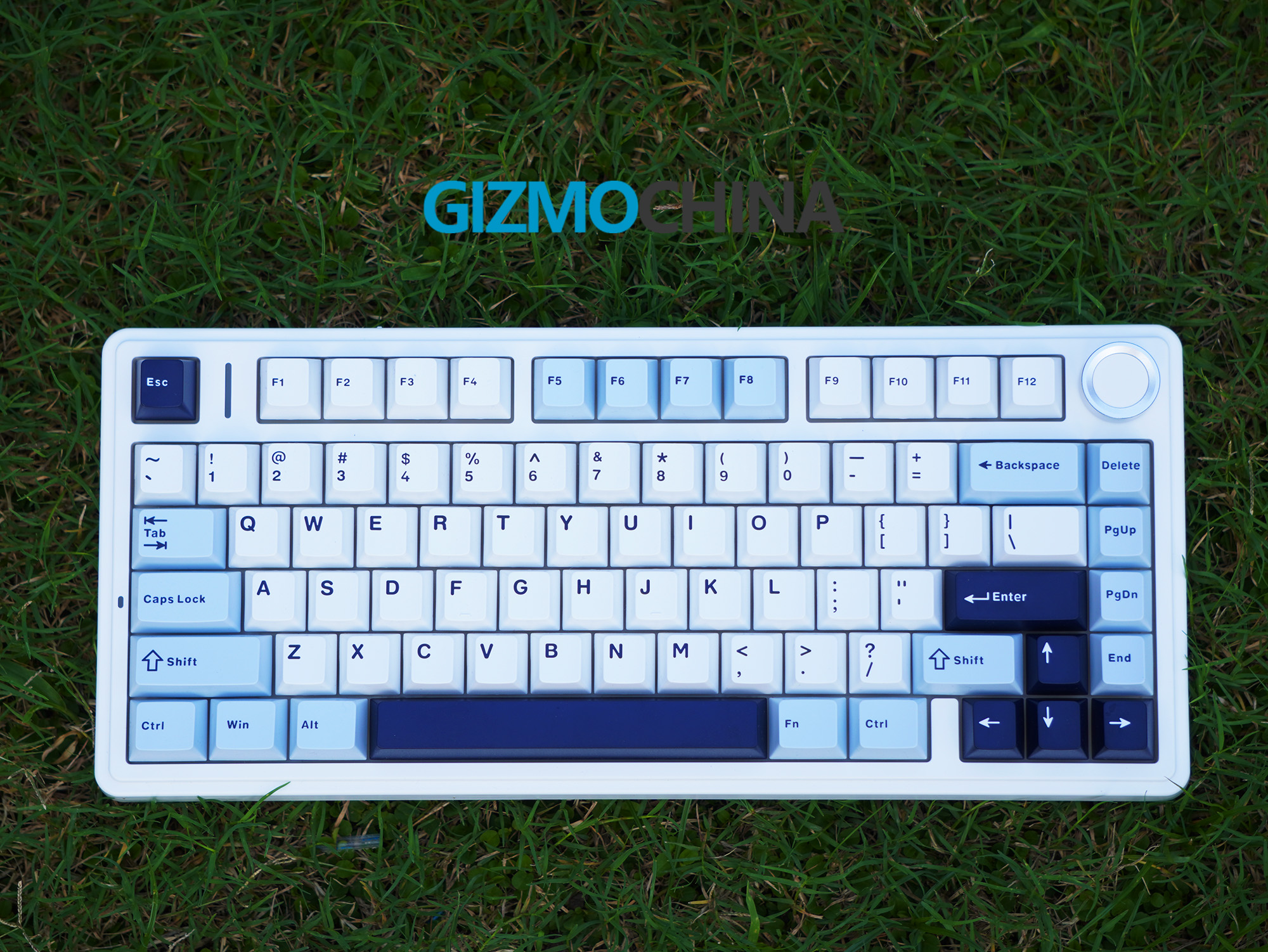
The Aula F75 boasts a clean and minimalist aesthetic with a 75% compact layout. This layout retains all the essential keys while shedding the less frequently used numpad and function keys, making it ideal for space-saving setups.
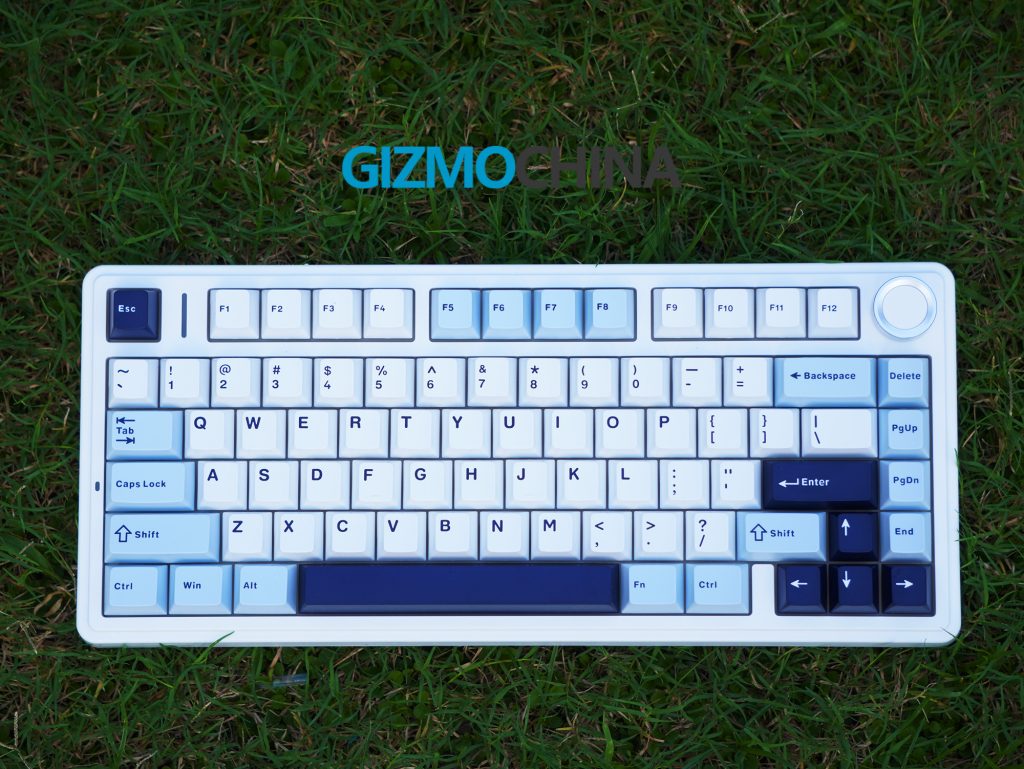
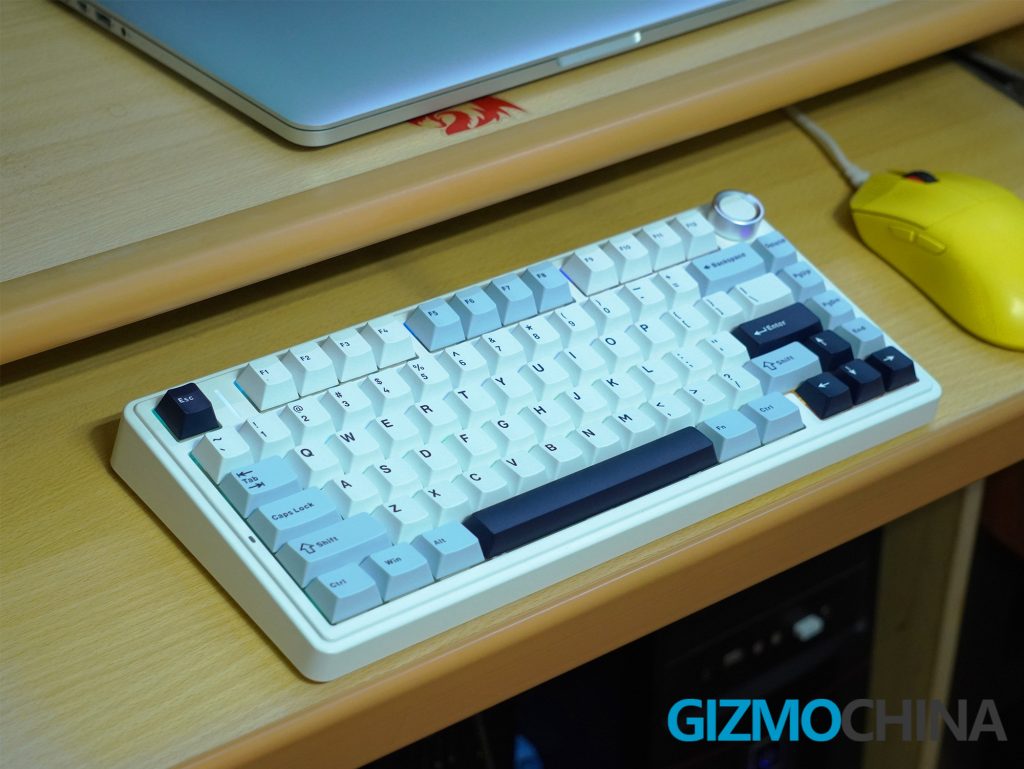
The keyboard comes in a variety of colors, including Glacier Blue, Black, and Sea Salt Blue. The Glacier Blue variant we’re reviewing features a white base with black, white, and blue keycaps, offering a refreshing and modern look.
While the chassis is entirely plastic, it feels sturdy and well-built. There’s no flex in the base, and the keycaps don’t exhibit any wobble. The keyboard has a decent weight to it, thanks in part to the five-layer sound-dampening system incorporated within. This dampening system effectively reduces typing noise, making the F75 a good choice for those who prefer a quieter typing experience.
One minor design gripe is the lack of dedicated multimedia keys. While there’s a multi-function control knob for volume control, additional media keys would have been a welcome convenience.
Connectivity
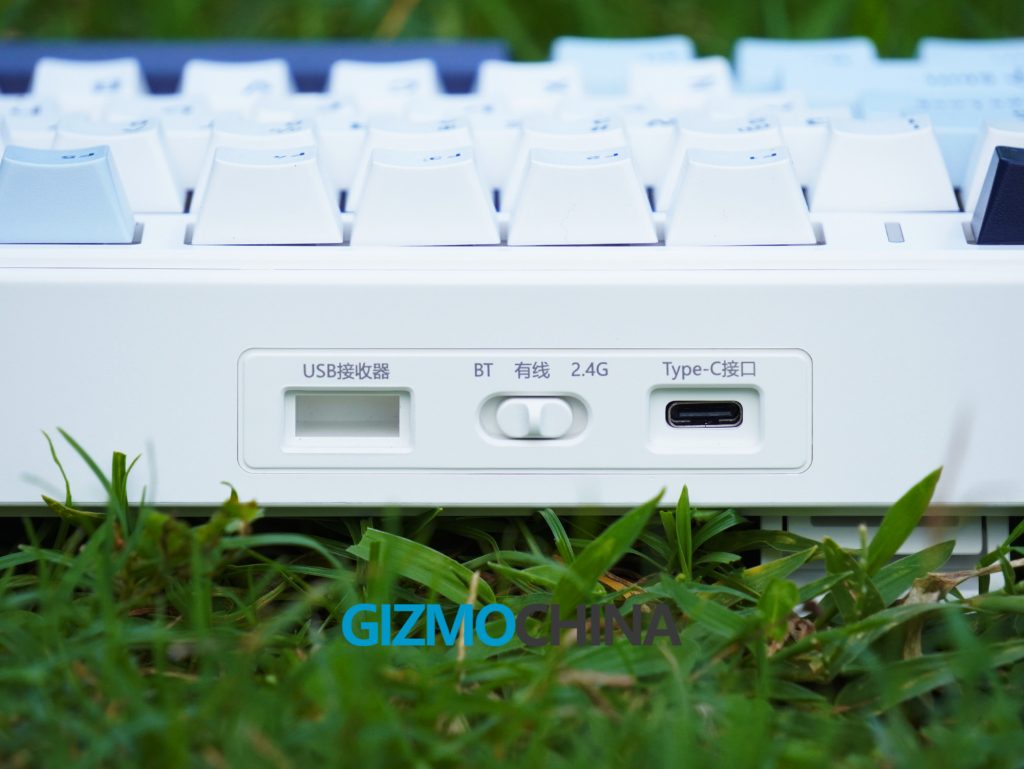
The Aula F75 offers triple-mode connectivity, catering to wired and wireless setups. You can connect via Bluetooth 5.0, 2.4 GHz wireless using the included USB dongle, or the standard wired USB-C connection. The Bluetooth and wireless connections offer a low-latency experience, making the F75 suitable for gaming. The keyboard also comes with a braided USB-C cable, a plus for wired users.
Features
The Aula F75 packs a surprising amount of features for its price range. Here are some of the highlights:
Hot-swappable switches: The F75 features a hot-swappable PCB, allowing you to easily customize the typing experience by swapping in your preferred switches. This opens up a world of possibilities for finding the perfect switch type for your needs, whether you prefer clicky, tactile, or linear switches.
Gasket Mount: The Aula F75 utilizes a gasket mount design, which positions the plate on a layer of silicone gaskets. This mounting style helps to absorb sound and vibrations, contributing to the overall quiet typing experience.
Pre-lubricated switches: In my case, the keyboard comes with pre-lubricated TTC Crescent switches, which are linear switches known for their smooth operation. While some users might prefer to install their own switches, pre-lubrication is a welcome feature for those who want a smooth typing experience right out of the box.
Double-shot PBT keycaps: The keycaps are constructed from double-shot PBT, a high-quality and durable material. PBT is resistant to shine and wear, ensuring your keycaps will look sharp for years to come.
Vibrant RGB lighting: The Aula F75 boasts 16.8 million color RGB backlighting with a variety of lighting effects. You can adjust the lighting to suit your preference using function key combinations, and by turning the knob, you can modify the brightness.
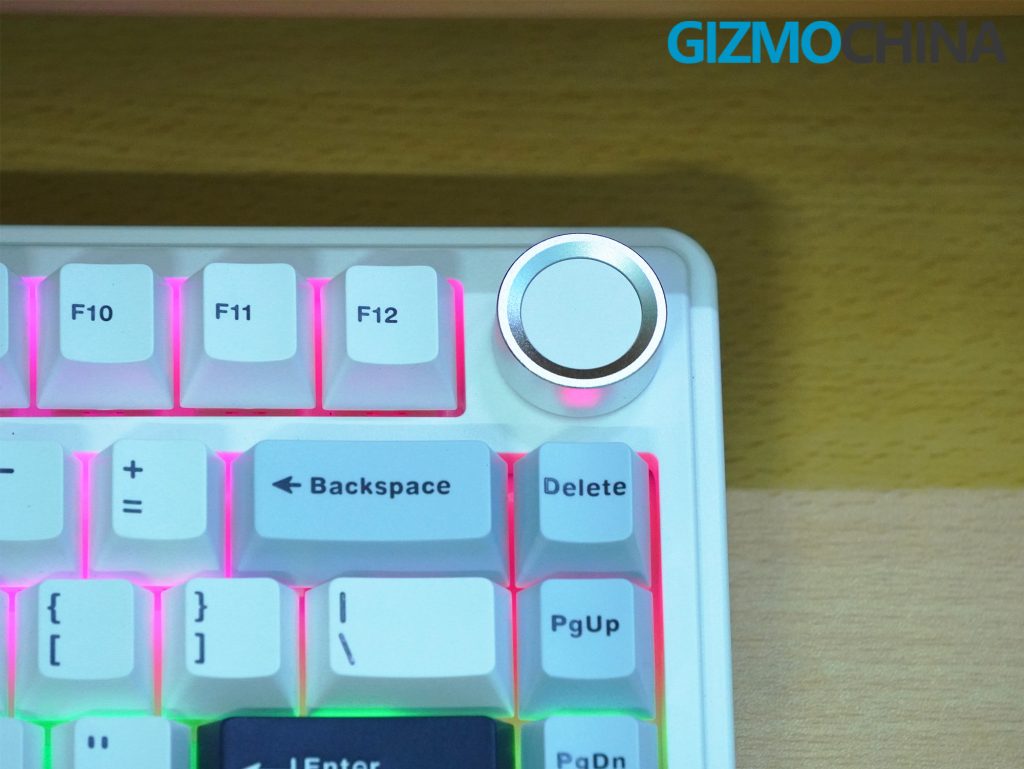
Multi-function control knob: A convenient addition, the multi-function control knob allows you to easily adjust volume and other media settings without interrupting your workflow.
Performance
Firstly, I absolutely love the sound it makes while typing.
Secondly, the typing experience on the Aula F75 is comfortable and quiet thanks to the combination of the leaf-spring gasket mount, sound dampening, and pre-lubricated switches.
The keyboard offers a nice amount of key travel and a satisfying bottom-out feeling. The pre-lubricated switches feel smooth and responsive.
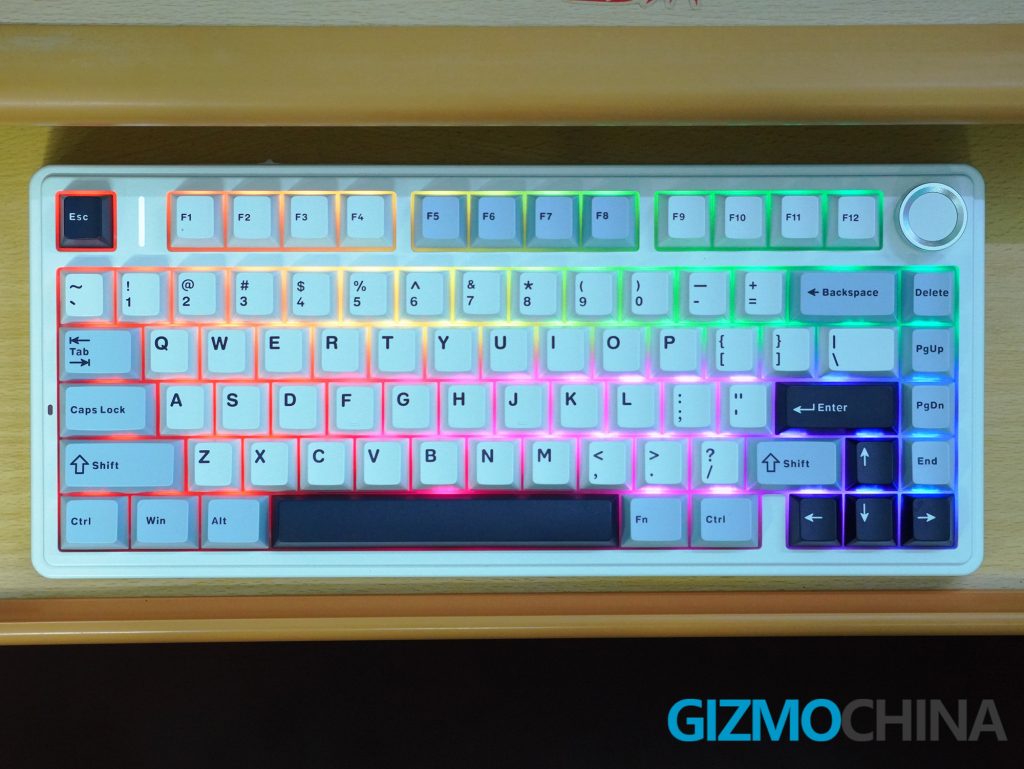
The Aula F75’s performance holds up well in both productivity and gaming scenarios. The low-latency wireless connections ensure a responsive typing experience, and the anti-ghosting technology prevents missed keystrokes during intense gaming sessions.
The keyboard also comes with software where you can customize the RGB lighting effects and create macros. You can also remap any or all of the keys.
The keyboard features a 4000mAh battery that keeps the F75 powered up during wireless use. It can last up to a week on a single charge with moderate use and backlighting off.
Pricing and Verdict
The Aula F75 boasts a very attractive price tag, typically retailing for around $69.99. Considering the features it offers, including hot-swappable switches, pre-lubricated switches, PBT keycaps, and versatile connectivity options, the price makes it a compelling choice for budget-conscious mechanical keyboard enthusiasts. You can purchase it from Mechkeys.





Comments