
Add GIZMOCHINA as Preferred Source on Google
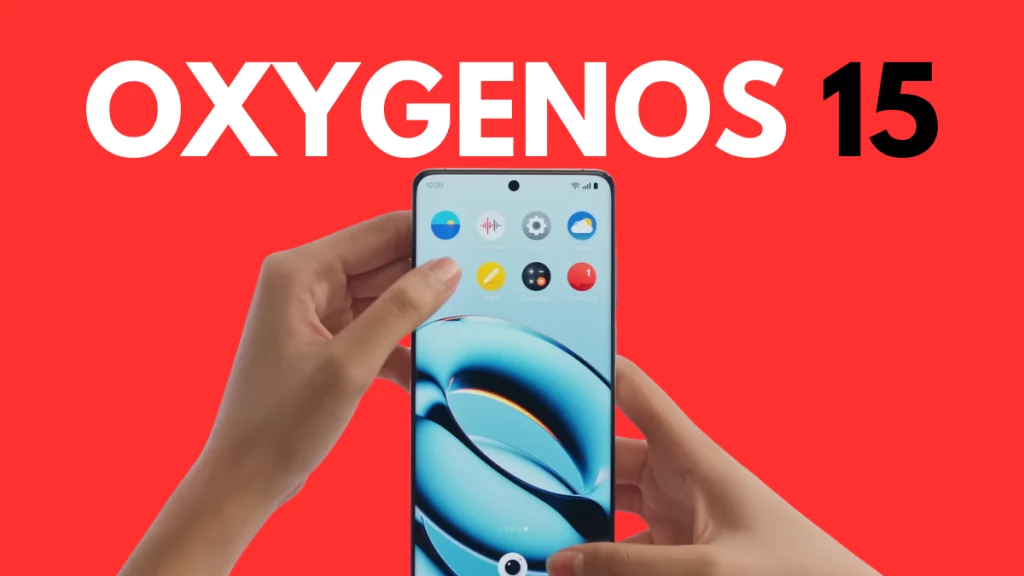
OxygenOS 15 is a pretty significant update, as it includes hundreds of big and small changes on top of what’s already there in Android 15. The animations are getting a huge upgrade, making them a lot smoother and responsive. There are also new flux themes, a bunch of extra customizations, and AI features that make OxygenOS 15 more exciting.
OnePlus has always been quick with OS releases, and Android 15 is no different. It was one of the very first brands to offer an early look at the new OS through the beta program, and the stable build also didn’t take long to arrive. OnePlus 12 was the first phone to get the stable OxygenOS 15 update, and since then, it has expanded to many devices.
To make it easy to track the rollout, we’ve prepared a list of devices below that have started getting the stable OxygenOS 15 update.
- OnePlus 12
- OnePlus 12R
- OnePlus 11
- OnePlus 11R
- OnePlus Nord 4
- OnePlus Nord CE 4
- OnePlus Nord CE 4 Lite 5G
- OnePlus Open
- OnePlus Pad
- OnePlus Pad 2
OnePlus, so far, has pushed the stable OxygenOS 15 update for these devices. As the rollouts are incremental, it may take a few days to weeks to show up on your OnePlus device. In case you haven’t received it yet, check for new updates by navigating to Settings > System > System updates.
We’ll regularly update the list as more OnePlus devices get the OxygenOS 15 treat. You can visit this page later for fresh updates.
Also Read: Here’s the official OxygenOS 15 Open Beta timeline
What’s new in OxygenOS 15?
The biggest changes to OxygenOS 15 include a lot smoother animations and superior rendering capabilities, thanks to a new system graphics engine. The newly-introduced parallel processing dramtically improves animations interaction. The under-the-hood changes promise stability and fluidity under any conditions.
The popular circle to search feature is now available to OnePlus phones as a part of OxygenOS 15. It also brings flux themes, a collection of high-quality themes with customizations for a personalized touch. The lock screen also gets plenty of new customizations, such as blurred wallpapers, AI depth effects, AI auto-fills, and more.
There’s also OnePlus OneTake for a seamless visual experience. It ensures a seamless transition from the always-on display to the lock screen and then to the home screen. There’s also the Live Alerts feature (OnePlus’s take on Apple’s Dynamic Island), which now works with more system functions like hotspots, screen recording, music playback, and more.
Coming to the AI part, OxygenOS 15 introduces many AI features, such as AI Unblur (to restore details in blurred images by upscaling them) and AI Reflection Eraser (to remove all glares from your photos). The Notes app also gets AI features to structure, summarize, and generate texts. You can also use AI to refine voice recordings, fix grammatical errors, and rewrite texts.
OxygenOS 15 also brings new icons and a charging limit feature to pause charging at 80%. It also makes it quicker to access notifications and Quick Settings: swipe down from the top left to open notifications and swipe down from the top right to open Quick Settings. There’s also a new OnePlus Share for easy file sharing with iOS devices, though it still requires a lot of steps.
Tech enthusiast? Get the latest news first! Follow our Telegram channel and subscribe to our free newsletter for your daily tech fix! ⚡
More OxygenOS 15 stories:
1. 7 Reasons why OxygenOS 15 is better than OxygenOS 14
2. You must try these OxygenOS 15 features
3. What’s new in the AI-driven OxygenOS 15



Comments