
Add GIZMOCHINA as Preferred Source on Google
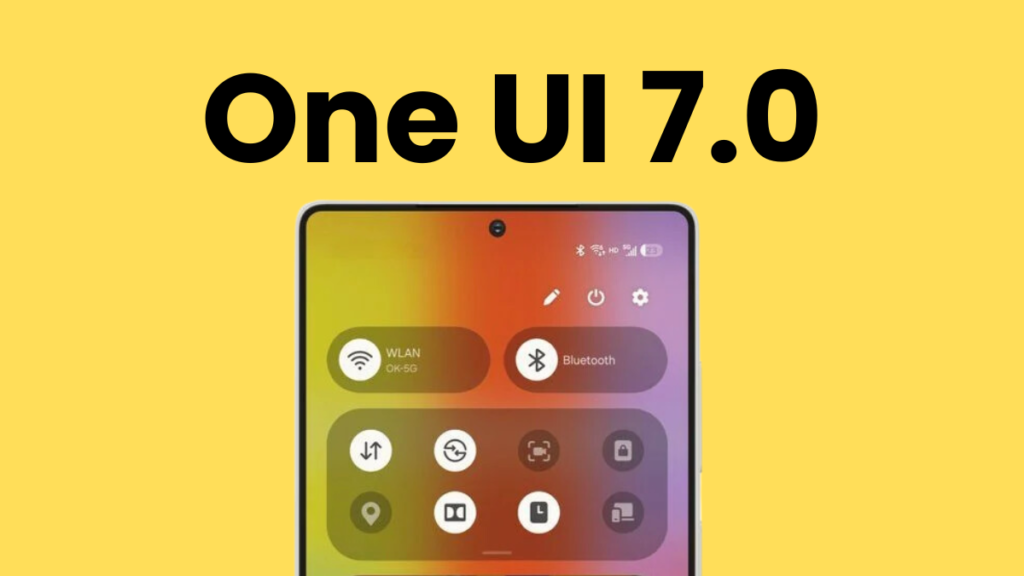
Samsung’s One UI 7 is a pretty significant update that brings plenty of visual changes across the UI, new features, and a host of improvements. From smarter navigation to deeper customizations, this is shaping up to be one of the most exciting upgrades yet. However, the rollout has been disappointing so far. Samsung still hasn’t updated a single Galaxy device to One UI 7.
If you’re also waiting for the One UI 7 update, check the release timeline below. To give you a better picture, we have also shared the complete list of One UI 7 eligible devices and the major highlights of this upgrade in this article.
One UI 7 update: complete list of eligible devices
- Galaxy S series: S24, S24+, S24 Ultra, S24 FE, S23, S23+, S23 Ultra, S23 FE, S22, S22+, S22 Ultra, S21, S21+, S21 Ultra, S21 FE
- Galaxy Z series: Fold SE, Fold 6, Flip 6, Fold 5, Flip 5, Fold 4, Flip 4, Fold 3, Flip 3
- Galaxy Tab series: Tab S10+, Tab S10 Ultra, Tab S9, Tab S9+, Tab S9 Ultra, Tab S9 FE, Tab S9 FE+, Tab S8, Tab S8+, Tab S8 Ultra, Tab S6 Lite (2024), Tab A9, Tab A9+, Tab Active 5, Tab Active 4 Pro
- Galaxy A series: A73, A55, A54, A35, A34, A33, A25, A24, A23, A16 (LTE/5G), A15 (LTE/5G), A14 (LTE/5G), A06, A05s
- Galaxy M series: M55, M55s, M54, M53, M35, M34, M33, M15, M14 (LTE/5G), M05
- Galaxy F series: F55, F54, F34, F15, F05
- Other Galaxy devices: Xcover 7, Xcover 6 Pro, C55
Samsung hasn’t published a list of devices that will be upgraded to One UI 7, but then how did we choose the devices? Well, we took the software update policy into account to prepare this list.
Related:
1. 5 One UI 7 features that are making me impatient for this major upgrade
2. Samsung could skip One UI 7.1 because of delayed One UI 7 rollout
One UI 7 update release timeline
After a long wait, Samsung released the One UI 7 with the Galaxy S25 series in January. Everyone was expecting the rollout to begin with the S25 series launch, but it has been a waiting game so far. The brand still hasn’t updated a single Galaxy device to One UI 7. Even the Galaxy S24 series, which started getting One UI 7 beta in early December, is waiting for a stable update.
Besides a significant delay, Galaxy fans are angry at Samsung for not releasing the One UI 7 release timeline. However, it appeared in a recent leak. The leakster claims this information was being shared by Samsung Romania during a Zoom meeting for the Galaxy S25 series workshop. Here’s the leaked rollout timeline:
Galaxy S series
- Galaxy S24/S24+/S24 Ultra: April 18
- Galaxy S24 FE: April 18
- Galaxy S23/S23+/S23 Ultra: April 25
- Galaxy S23 FE: May 16
- Galaxy S22/S22+/S22 Ultra: May 16
- Galaxy S21/S21+/S21 Ultra: May 23
- Galaxy S21 FE: May 23
Galaxy Z series
- Galaxy Z Fold 6: April 18
- Galaxy Z Fold 5: April 25
- Galaxy Z Fold 4: May 16
- Galaxy Z Fold 3: May 23
- Galaxy Z Flip 6: April 18
- Galaxy Z Flip 5: April 25
- Galaxy Z Flip 4: May 16
- Galaxy Z Flip 3: May 23
Galaxy A series
- Galaxy A54: April 25
- Galaxy A53: May 23
- Galaxy A34: May 16
- Galaxy A33: May 23
It doesn’t take long to realize that many Galaxy devices are missing from the list. This includes several Galaxy A-series models and the entire Galaxy M series, Galaxy Tab series, and Galaxy F series. They will also get the update sometime within the first half of 2025.
The leaked timeline published above seems to be in line with recent leaks. However, I recommend taking it with a pinch of salt.
What’s new in One UI 7?
Design and UI changes:
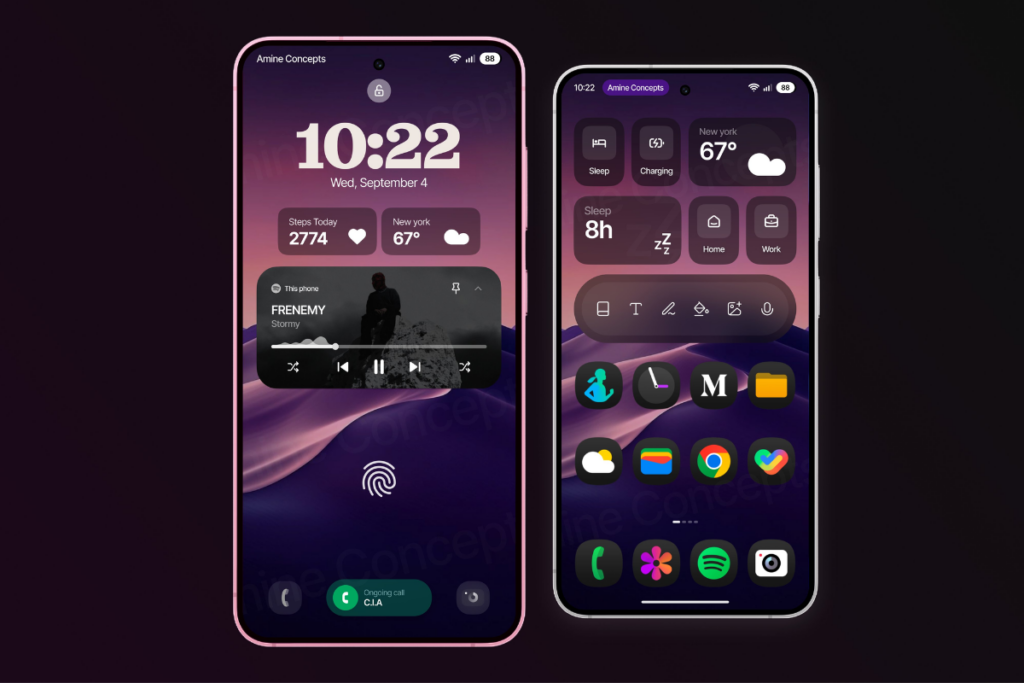
- Now Bar: It’s a pill-shaped UI element that appears at the bottom of the lock screen and provides quick access to ongoing activities, such as music playback, timers, and navigation updates.
- New app icons: Almost all stock apps have received an upgrade to their icons, which offer a more colorful appearance. They look better and are easier to recognize.
- Widgets: The widgets now have a bolder look and a more vibrant color palette, making them visually appealing and consistent across the interface. One UI 7 lets you freely place the widgets on the home screen, and there are new interactive widgets as well.
- Revamped Camera app: The Camera app gets a needed makeover, making it less cluttered and more intuitive. The newer layout has fewer on-screen options and easier zoom controls.
- New charging animations: The newer charging animations look cool and enhance the visual experience. When the device is locked and plugged in, One UI 7 uses the Now Bar to display the charging status and battery level with a unique green progress bar. When the device is unlocked, plugging in the charger causes the battery icon to turn green and show a “Charging” text animation.
- Smoother animations: The animations are way better than before, making opening apps, switching apps, and even navigating the UI a smoother experience.
Customizations:
- Vertical app drawer: Yes, it’s finally here. You can now enjoy a vertical app drawer in One UI 7.
- Home screen: It’s much more customizable than before, with the ability to create free-form layouts. The Home Up integration into One UI Home removes the need for a separate app. You can also add stickers on the home screen.
- Lock screen: New clock styles with customizable fonts, colors, and sizes make the lock screen more personalized. Users can change the clock location and add more widgets. The “Suggest” option generates new background styles based on the current wallpaper.
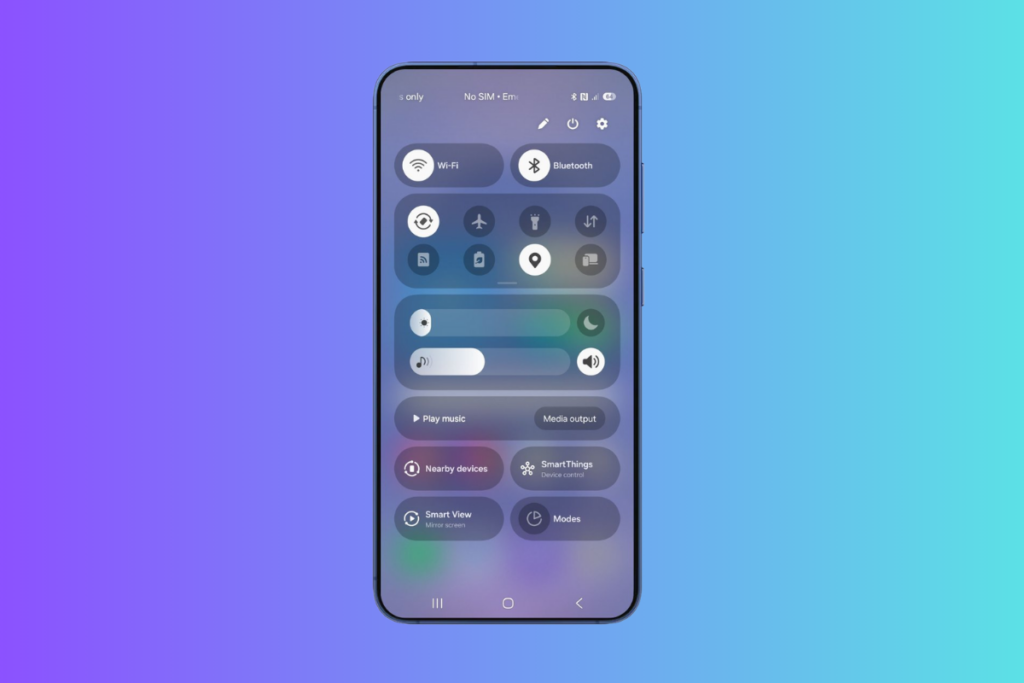
- Quick Settings: The notifications and quick settings panel are now separated. Swiping down from the top left opens notifications, and swiping down from the top right opens the Quick Settings panel. You can revert the changes anytime. One UI 7 brings more freedom to customize the Quick Settings panel.
Galaxy AI features:
- Writing Assist: now works across the UI. You can select texts anywhere on your Samsung Galaxy and improve them on the go.
- Call transcriptions: The feature can automatically transcribe recorded calls in up to 20 languages. So, you don’t have to take manual notes during calls or listen to the entire recording for a specific detail.
- Now Brief: It uses on-device AI to present relevant information based on time and user habits. It uses a “Personal Data Engine” that requires extensive on-device processing. Samsung hinted that this feature might not come to older Galaxy devices (read more about it here).
- Audio eraser for videos: This tool improves the audio quality of videos by removing unwanted background sounds, which improves the overall listening experience.
- Object eraser for videos: The object eraser video now also works for videos in One UI 7. It allows users to select and remove unwanted objects from video frames.
More One UI stories:
1. Samsung reveals the reason behind One UI 7 delay
2. One UI 7 will be the last major upgrade for these Galaxy devices
2. Massive One UI 7 delay making me lose trust in Samsung’s software update policy


Comments