
Add GIZMOCHINA as Preferred Source on Google
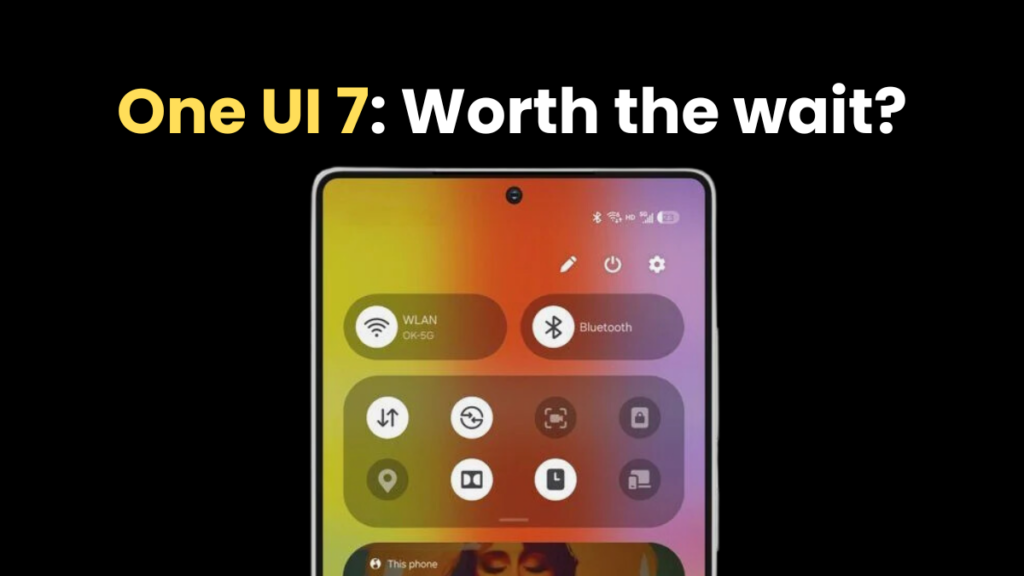
Samsung’s One UI is one of the most popular custom Android skins, offering a clean and smooth software experience with plenty of customization. Every new version brings a new set of features and improvements. However, the last few releases felt almost the same, as there weren’t significant visual upgrades. However, One UI 7 promises a major visual refresh, as well as many new features and dozens of improvements.
The One UI 7 software took longer than usual to cook in the oven. Samsung says it took more than two years on planning and development. However, the rollout has been sluggish so far. Not even a single Galaxy device has received the stable One UI 7 update yet. The stable rollout will begin in April. This significant delay makes people question if waiting for the One UI 7 update makes sense. Is One UI 7 just another upgrade with minor tweaks, or are there significant changes? The answer seems to be a yes because of these five reasons.
1. Significant visual redesign
One UI 7 is Samsung’s biggest visual redesign in recent years, giving users a fresh feel. The update brings bold aesthetics with vibrant, colorful app icons that look visually appealing. The animations feel smoother throughout the interface, creating a fluid experience when switching apps and multitasking.
Samsung has separated the notification panel and Quick Settings for easier access—swiping down from the left reveals the notification panel, and the other side opens the Quick Settings. You can reverse the change at any point, though. The notifications themselves have been upgraded to a pill-shaped design and increased size, making them easier to look at and interact with.
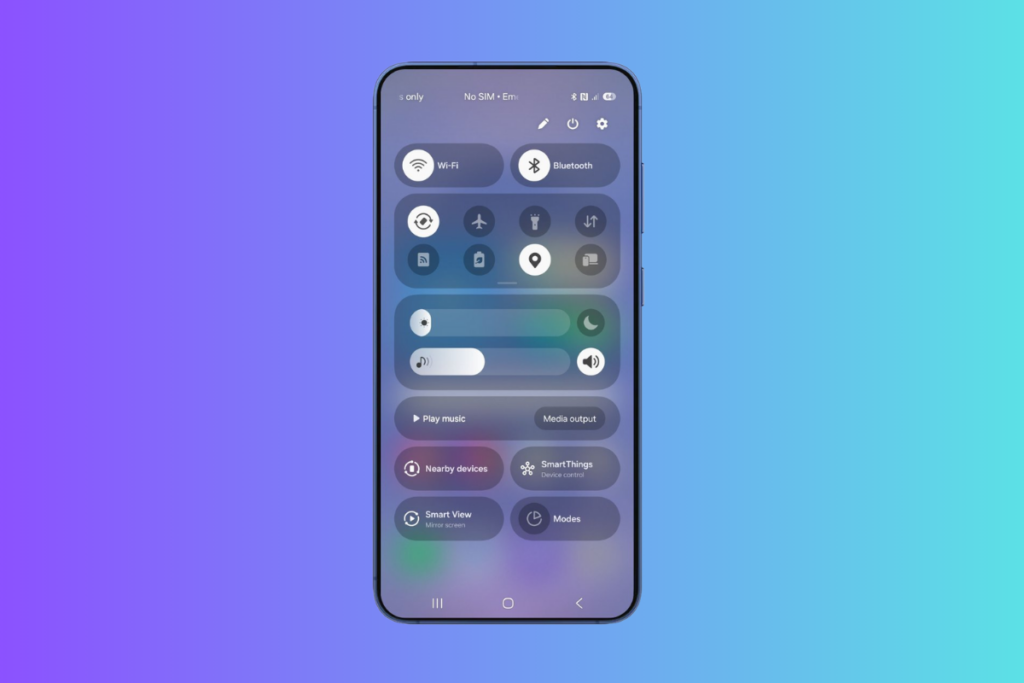
Perhaps the most innovative addition is the new “Now Bar” — a pill-shared dynamic element that appears at the bottom of the lock screen and provides quick access to ongoing activities, such as music playback, timers, and navigation updates. This interactive element reduces the need to switch between apps for common tasks.

One UI 7 also brings new charging animations that look cool and enhance the visual experience. In an unlocked state, the device uses the Now Bar to display the charging status and battery level, and when it’s locked, the battery icon turns green and shows a “Charging” text when connecting the charger.
There are many more visual changes that contribute to a more interactive and enjoyable software experience.
Related:
1. Samsung reveals the reason behind One UI 7 delay
2. These Samsung phones have access to stable One UI 7 software
2. Customizations goes a step further
One UI 7 takes customizations to new heights with new options and improvements throughout the interface. It brings many new widgets that can be customized in many ways to give your home screen a new look.
Speaking of the home screen, it now includes the Home Up options for additional customizations without the need for a separate app. The latest One UI skin lets you add stickers on the home screen and supports free-form layouts, breaking away from grid layouts.
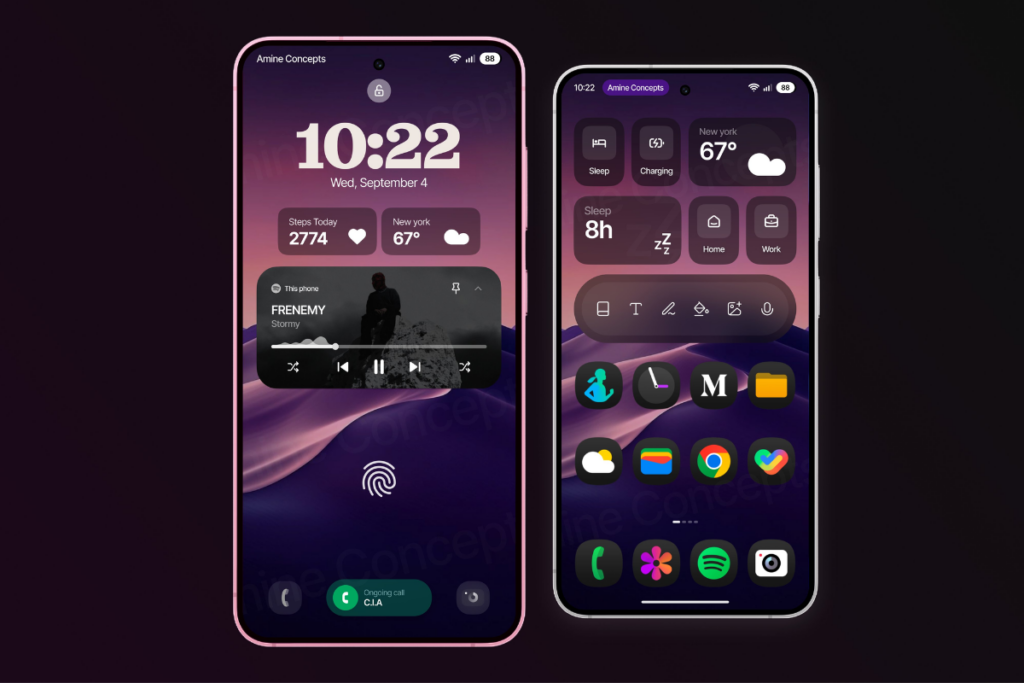
The lock screen has also been updated for improved personalization. There are new clock designs with more control over their placement and sizing. The update also brings new widgets for the lock screen for a more personalized experience. You can also customize the two shortcuts at the bottom.
You can also rearrange the different segments and widgets any way you want. Just hit the pencil icon at the top to go into the editing mode. The brightness and volume slider position can’t be changed, though.
3. Advanced Galaxy AI integration
One UI 7 expands AI capabilities that make Galaxy devices smarter and more helpful than before. The Writing Assist now works across the UI and with any keyboard (previously restricted to Samsung Keyboard). This enables seamless text improvisation on the go without needing to switch the keyboard or the app.
With One UI 7, Samsung has introduced automatic call transcripts in 20 different languages. When call recording is enabled, the device automatically creates a transcript of the conversation, so you don’t need to manually note important details from the conversation.
There’s also an AI audio eraser that improves the audio quality of videos by removing unwanted background sounds. The object eraser tool now also works with videos. It lets users select and remove unwanted objects from video frames.
One UI 7 also introduces Now Brief, which can analyze your habits to present relevant information and suggest helpful actions. Since it requires extensive on-device processing, Samsung might not bring it to less-powerful devices.
4. Cleaner Camera UI
The Camera app in One UI 7 looks less cluttered and provides easier access to controls. The top menu now has fewer options, while the remaining controls are hidden inside an expandable button.
The camera modes have moved below the shutter button, making switching between photo, video, and other modes easier. Another essential addition is a zoom slider in the Pro Video mode.

Samsung has also added an “Audio playback” feature that lets users record videos while playing music in the background. This could be particularly useful for creating dance or lip-sync videos.
5. Essential improvements
One UI 7 brings plenty of other changes, but there are some you should know about. First is the vertical app drawer — yes, it’s here, finally. You can now scroll in a single motion with a sidebar that lets you jump directly to specific letters to find apps even faster.
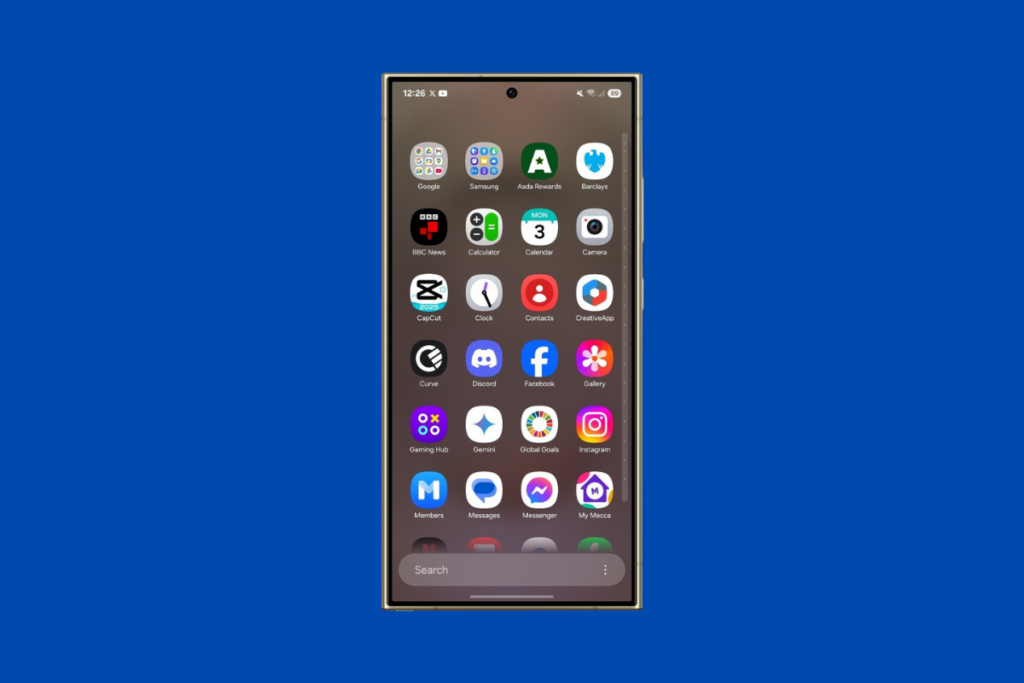
You can go back to the old horizontal layout anytime, but with how intuitive and effortless the new design feels, I doubt many will want to. Samsung has also improved the existing multitasking feature for better productivity.
One UI 7 brings new battery protection modes to optimize battery health. Samsung phones also get the app archiving feature to save some storage by uninstalling the app while keeping the user data around. Although it’s an Android 15 feature, it can be a reason to upgrade to the newest software.
Whether you like visual upgrades, personalizing your phone with new customizations, or using AI to make things easier, there are a host of new features and improvements to look forward to. Which One UI 7 feature are you excited for the most? Share your thoughts in the comments below.
Don’t forget to visit our One UI 7 section for the latest news and updates. Also, follow our Telegram channel and subscribe to our free newsletter for your daily tech updates! ⚡
Also read:
1. Samsung devices that are eligible for One UI 7 update
2. 5 One UI 7 features that are making me impatient for this major upgrade



Comments