
Add GIZMOCHINA as Preferred Source on Google
I’ve used a wide range of mechanical keyboards over the years, from entry-level gaming boards to heavily modded customs with soft gasket mounts and exotic switch lubes. The Varmilo Minilo 75 HE doesn’t aim to be part of either extreme. Instead, it tries to balance performance and utility in a clean 75% form factor using magnetic Hall effect switches. After using it daily for work and gaming over the past few weeks, I’ve found it capable in most areas, though not without its quirks.
What’s in the Box?
The Minilo 75 HE ships with most of what you’d expect: a USB-A to USB-C braided cable, a switch puller cum keycap puller, and extra keycaps for Mac layouts. There’s also a dust cover included. It’s a well-rounded set that doesn’t feel overly generous or too sparse.
Design and Build Quality
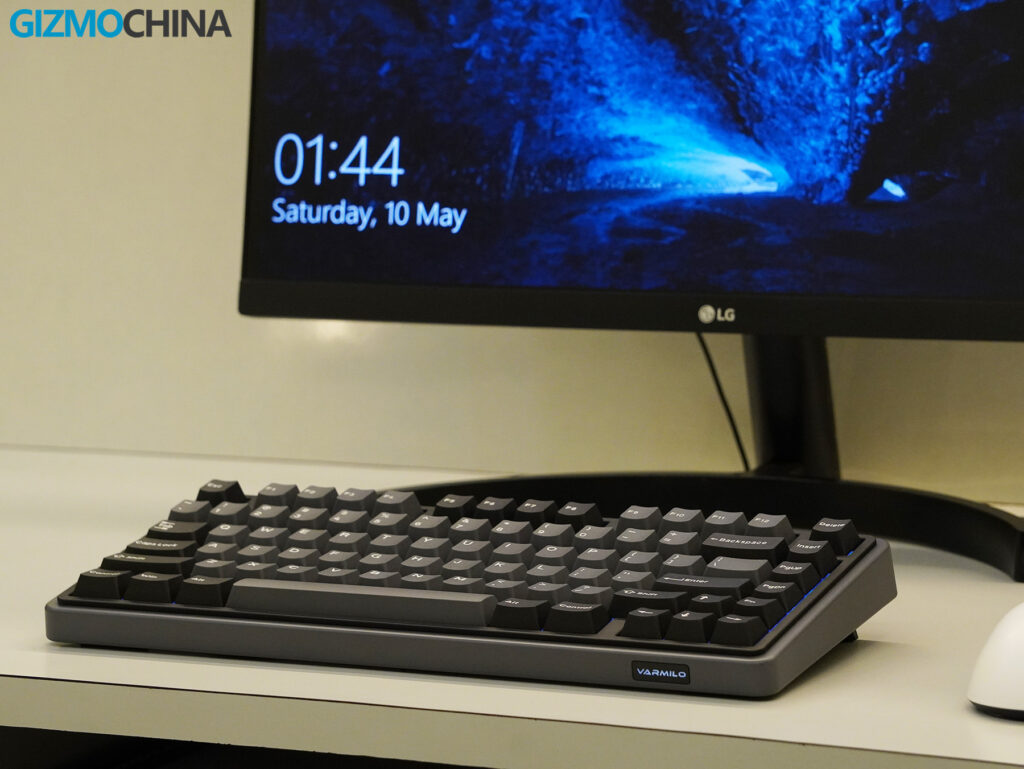
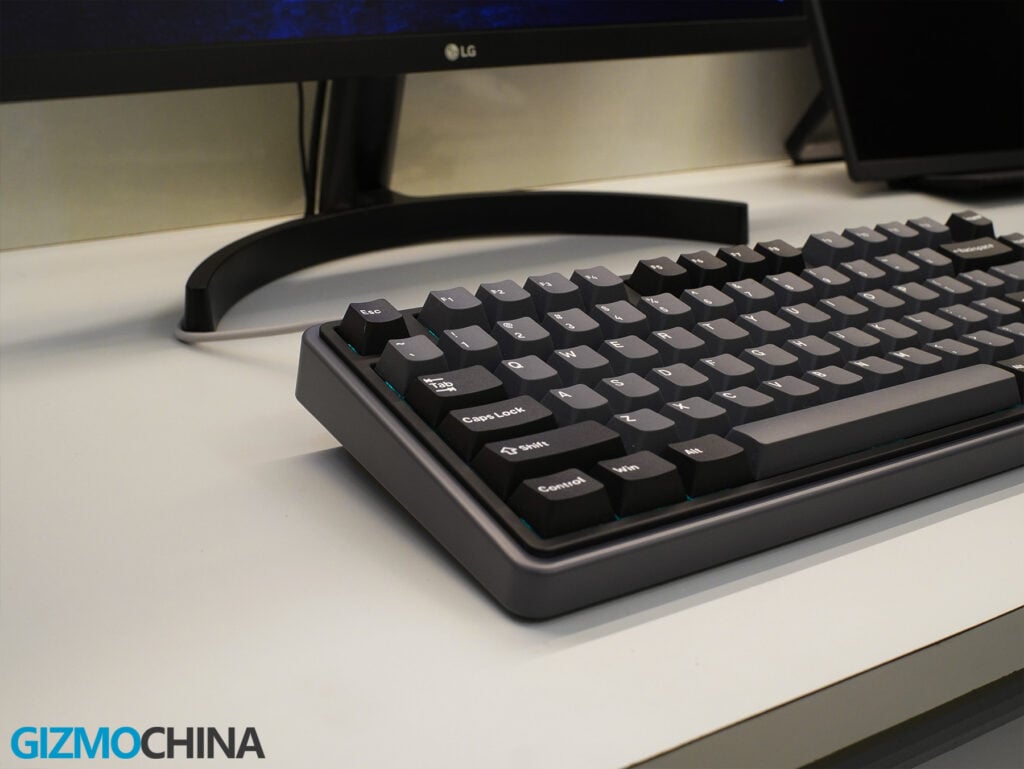
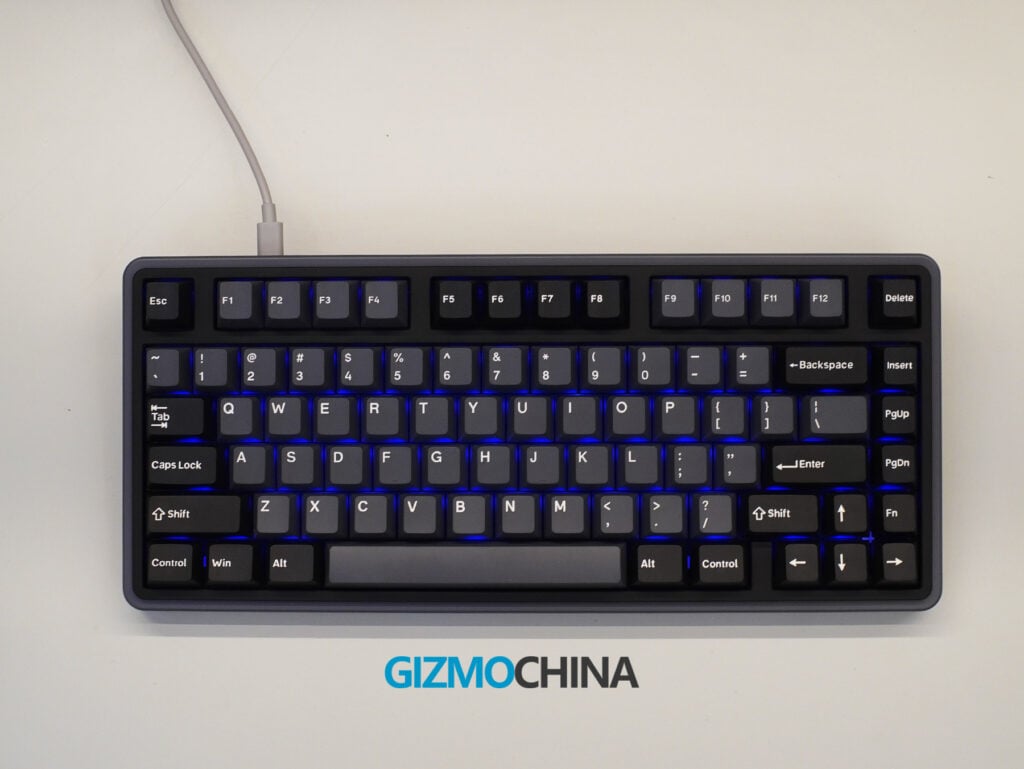
The first thing I noticed when unboxing the Minilo 75 HE was its size. It’s compact, but not cramped. The 75% layout manages to retain all the necessary keys without feeling too dense or too spread out. I’ve used other 75% boards that try to save space by aggressively shrinking the gap between clusters, but here, the spacing feels balanced. My fingers landed where I expected them to, even without looking.
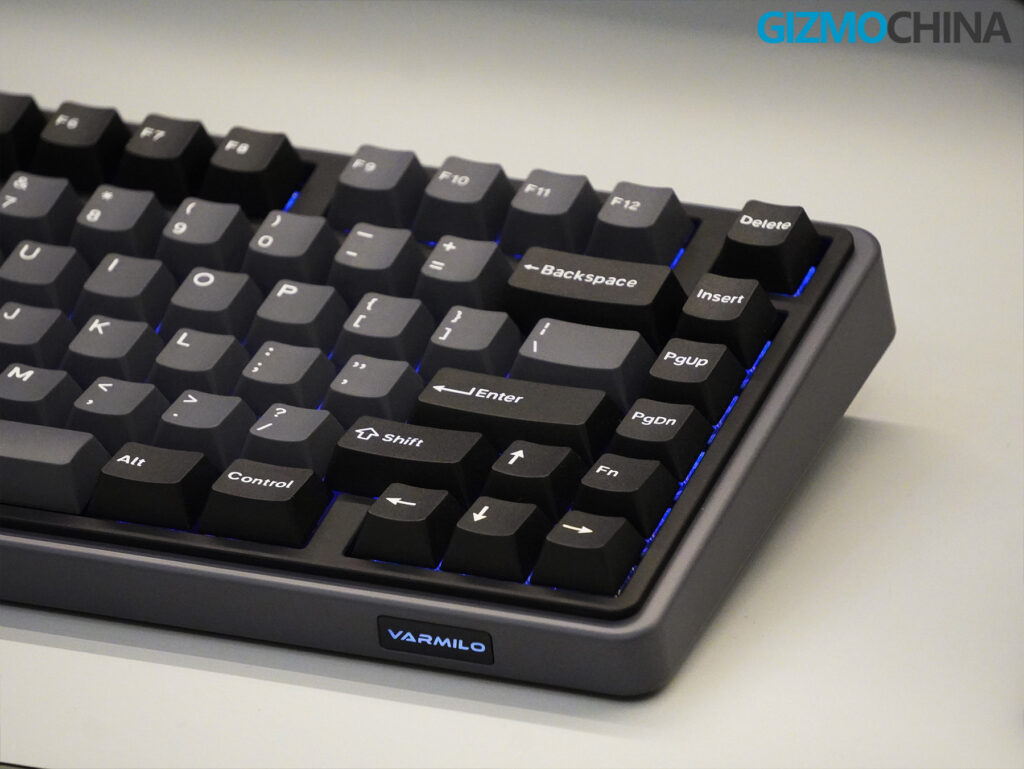
I went with the Black version, which combines a dark plastic top shell with a subtle gunmetal grey inlay that frames the keyboard. It’s a simple visual, but it doesn’t feel cheap. The plastic has a smooth matte finish that resists fingerprints reasonably well, though the edges may pick up oil over time. There’s a soft Varmilo logo up front that glows with white backlight. Thankfully, it’s dim enough not to be distracting. I would’ve preferred no branding at all, but at least it doesn’t clash with the rest of the design.
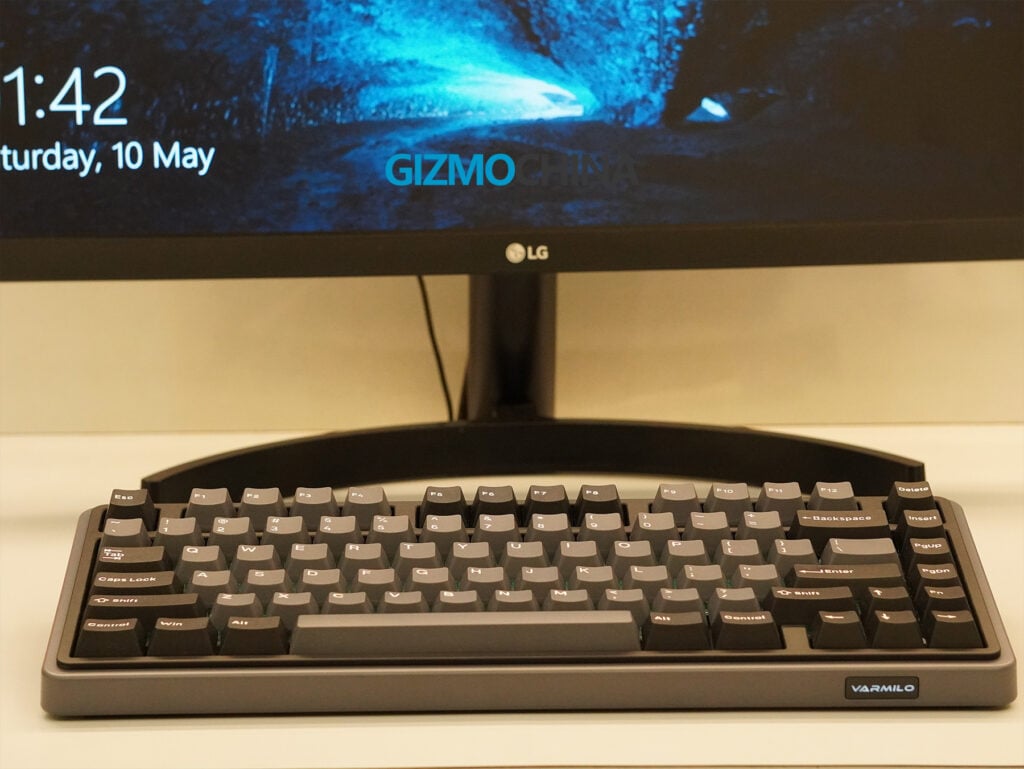
The keyboard uses a tray mount structure with an aluminum plate inside, and that choice clearly influences both the feel and the acoustics. There’s no flex in the middle when typing, even under heavier presses. When I pick it up and try to twist the case, there’s a tiny bit of creaking from the plastic shell, but I noticed nothing during normal use.
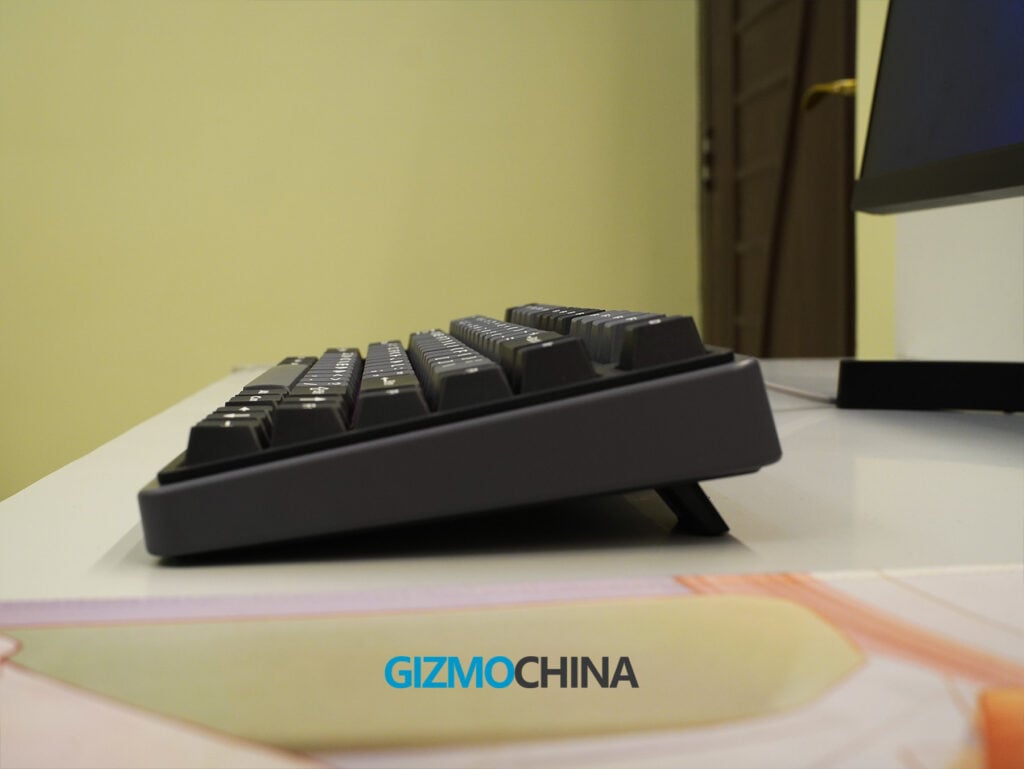
The typing angle is preset but comfortable. The case has a gentle slope, sitting 37mm tall at the back and tapering down smoothly toward the front. There’s enough front height to give your wrists a natural drop, even without a wrist rest. While it includes two-stage adjustable feet, I did end up using them for a slightly steeper angle, though the default position was already quite usable.
Underneath, the rubber feet are wide and provide a decent grip on my desk. I didn’t experience any wobble, even during intense typing or gaming sessions. The overall weight of 0.85kg (about 1.87 pounds) is light enough to move around with one hand but heavy enough to keep it planted.
This isn’t the kind of keyboard you show off for flashy aesthetics or exotic case materials. But if you’re someone who values structure, consistency, and acoustic clarity without excessive modding, the build quality here feels intentional in a way that’s easy to appreciate over time.
Connectivity
The Minilo 75 HE is wired-only, which might be a dealbreaker for some. I usually prefer wireless or Bluetooth options for a cleaner desk and multi-device workflow, but this board is clearly focused on performance. The 8000Hz polling rate and 0.2ms latency wouldn’t be feasible wirelessly.
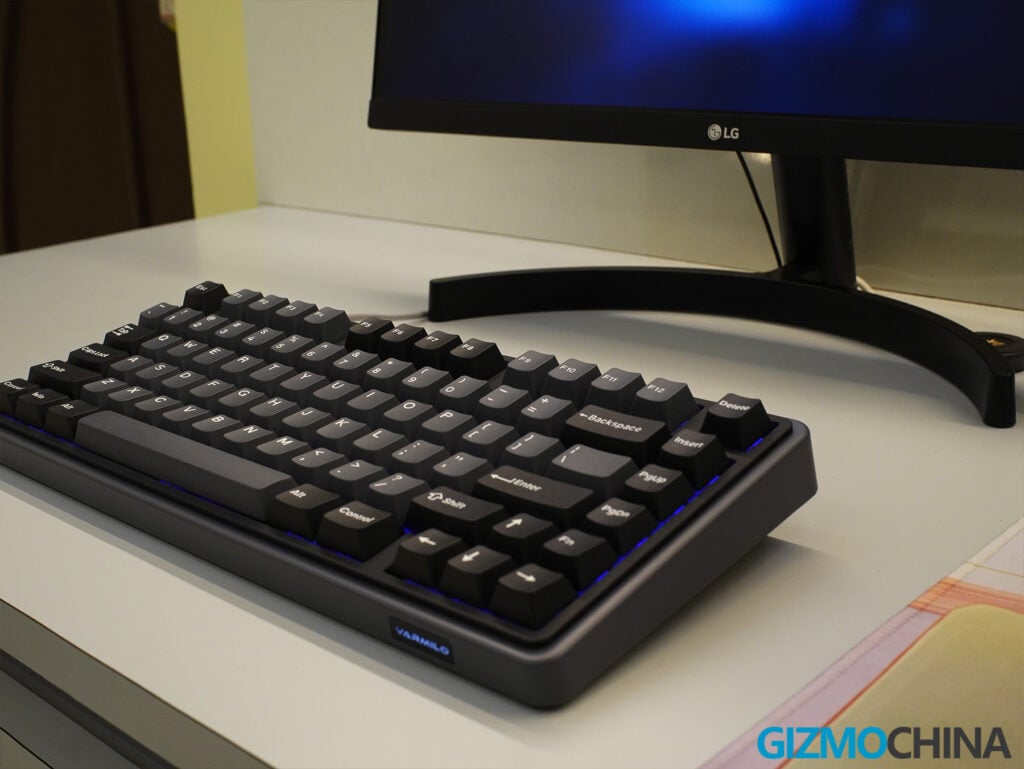
The USB-C port is on the top-left, slightly recessed. The keyboard worked out of the box on both Windows and macOS, and the included Mac keycaps were handy. I frequently switch between platforms, and it was nice not having to remap or tweak too much.
Switches and Features
I chose the Magnetic White switch variant for my Minilo 75 HE. It’s positioned as the more cost-effective option in Varmilo’s lineup of Hall effect linear switches.
Unlike traditional mechanical switches that rely on metal leaf contacts, these switches use magnetic fields and Hall sensors to detect movement. That means there’s no physical actuation point in the usual sense. Instead, the switch responds to the magnet’s proximity to the sensor. This design allows for adjustable actuation points and unlocks features like Rapid Trigger and Dynamic Keystroke (DKS), which I’ll get into in a moment.
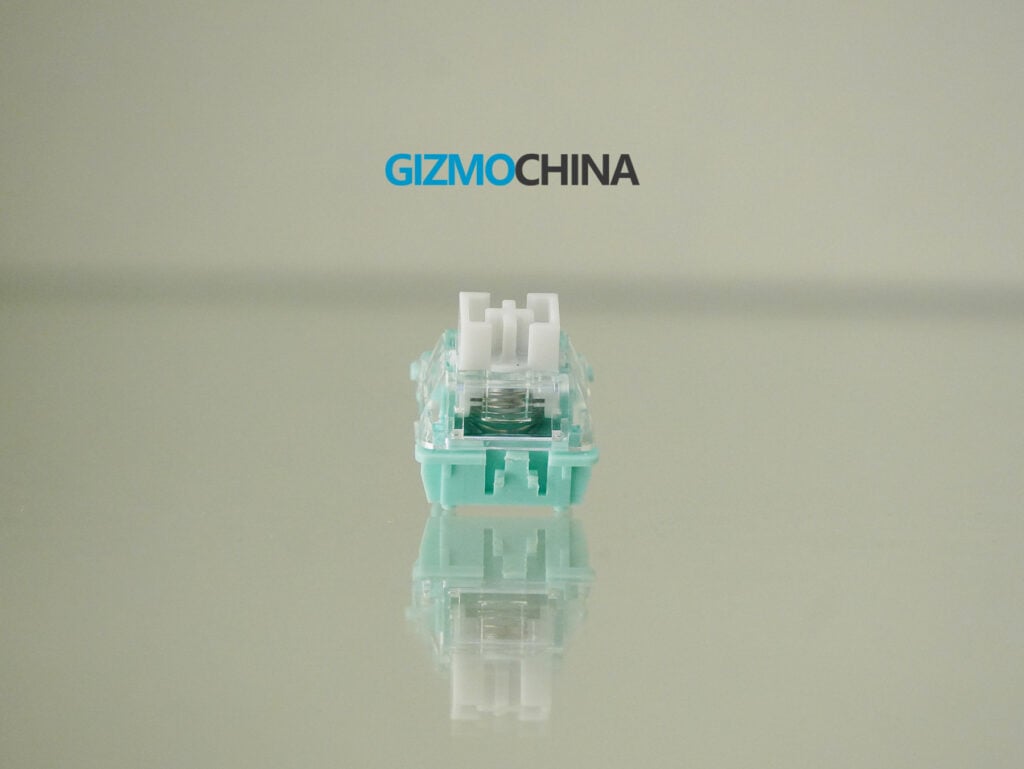
The Magnetic White switches themselves are linear and smooth out of the box. They require around 40 grams of force to actuate and top out at 60 grams at the bottom. The actuation range is wide, from 0.3mm all the way to 3.8mm. I spent some time fine-tuning mine to register slightly earlier than average, around 1.2mm. It made typing feel snappier without being overly sensitive. There’s no scratchiness in travel, and I didn’t notice any wobble on the stem either.
Varmilo also offers other switch choices like the Gateron Magnetic Jade Pro and TTC King of Magnetic RGB, which offer even better actuation points and appear better suited for users who prioritize sound and feel. The White switches I’ve been using have held up well so far, and with a rated lifespan of 100 million keystrokes, durability hasn’t been a concern.
The keyboard offers some regular features commonly found on Hall Effect boards, like full N-key rollover and anti-ghosting. I never had issues with missed inputs, even during fast-paced gameplay.
Rapid Trigger was more noticeable. It resets the key as soon as I lift my finger, which made movement in games feel snappier. It’s subtle but effective, especially for fast games.
Dynamic Keystroke is more niche. I mapped different actions based on press depth, walk on a light press, run on a full one and even set up a few macros. It worked, but I didn’t stick with it for long.
SOCD cleaning is also built in, useful for fighting games with opposing directional inputs. I didn’t test it much, but it’s good to have.
Performance
Once I tuned the actuation and enabled Rapid Trigger on WASD and a few action keys, the board came alive. I’m not a pro gamer, but I play a lot of FPS and other games, and this board felt faster and more precise than anything I’d used recently.
That speed is likely thanks to the polling rate and low latency. I couldn’t measure exact figures, but the feel was undeniable, no input lag, no delays, just fast, accurate response.
The software includes preconfigured gaming presets like Valorant, so you can jump in without needing to fine-tune settings right away. In Valorant, I had better strafing control. In sports games like FIFA or NBA 2K, keystrokes felt responsive and predictable, especially during rapid directional shifts or fast-paced gameplay. For typing, the consistency made long writing sessions comfortable. No fatigue, no surprises.
What helped the most was how confidently the board handled under pressure. Even during intense gameplay, it stayed silent, tight, and predictable. The typing feel was solid. It didn’t have the soft bounce of a gasket mount, but it didn’t need to. It felt grounded and stable.
Software
Varmilo’s HE Driver software strikes a good balance. Installation was easy, and it recognized the board instantly. The dashboard shows a live layout and real-time actuation depths.
Tuning actuation is simple, click a key, slide a marker, and you’re done. The settings are saved onboard, so they persist even when switching devices.
The downside? The software is Windows-only. macOS users can’t make live changes without a PC. RGB controls are available but basic, and the LEDs aren’t very bright, which is typical for most Hall Effect keyboards.
You can also remap keys and set macros. Real-time feedback makes experimenting feel low-risk. I never worried about bricking the board.
Final Thoughts
The Varmilo Minilo 75 HE is a specialized keyboard that tries to blend performance-focused features with solid day-to-day usability. It handles gaming well, thanks to its magnetic Hall effect switches, adjustable actuation, and consistently low latency. It also holds up as a daily typing keyboard, with neutral acoustics, stable construction, and a layout that feels natural right away.
That said, this isn’t a keyboard that’s built for everyone. If you’re looking for wireless flexibility, Bluetooth support, or a broader range of compatible switch types, this HE model isn’t going to tick those boxes. RGB lighting is present, but it’s subtle and not a central feature.
However, if what you need is a high-performance, low-latency keyboard that prioritizes responsiveness and customization, especially for competitive gaming, the Minilo 75 HE makes a strong case. It’s not flashy, and it doesn’t try to be everything at once, but what it does, it does well.
For those who want a more well-rounded option with wireless and Bluetooth support, the standard Minilo 75 (non-HE version) is still available. That model trades out some of the extreme responsiveness of magnetic switches for broader usability across devices. But this HE variant? It’s clearly geared toward serious gamers or performance-focused users who are ready to take full advantage of software-based tuning and ultra-fast inputs.
The keyboard is now up for pre-order on Mechkeys and Varmilo’s official website. It will go on sale on 28th May.
For more daily updates, please visit our News Section.
Stay ahead in tech! Join our Telegram community and sign up for our daily newsletter of top stories! 💡


Comments