
Add GIZMOCHINA as Preferred Source on Google
Last year, while the Chinese mobile device makers were releasing products with the Snapdragon 8 Elite, there was the disappointing Y700 Gen3, which didn’t feature the latest chipset, no TF card slot, and a smaller battery. And crucially, the screen is slow and unresponsive. However, the new Y700 Gen4 has a new look, the TF card slot is back, with the latest flagship processor, a sharper screen, and a larger battery.
Design
The Gen 4 doesn’t differ much from its predecessors in terms of design. It features a one-piece aluminum body, making the entire back cover complete, both to the touch and to the eye. It’s still available in white or black, and although I’m holding the black version, I recommend the white. The black version, like the previous model, is prone to fingerprints.
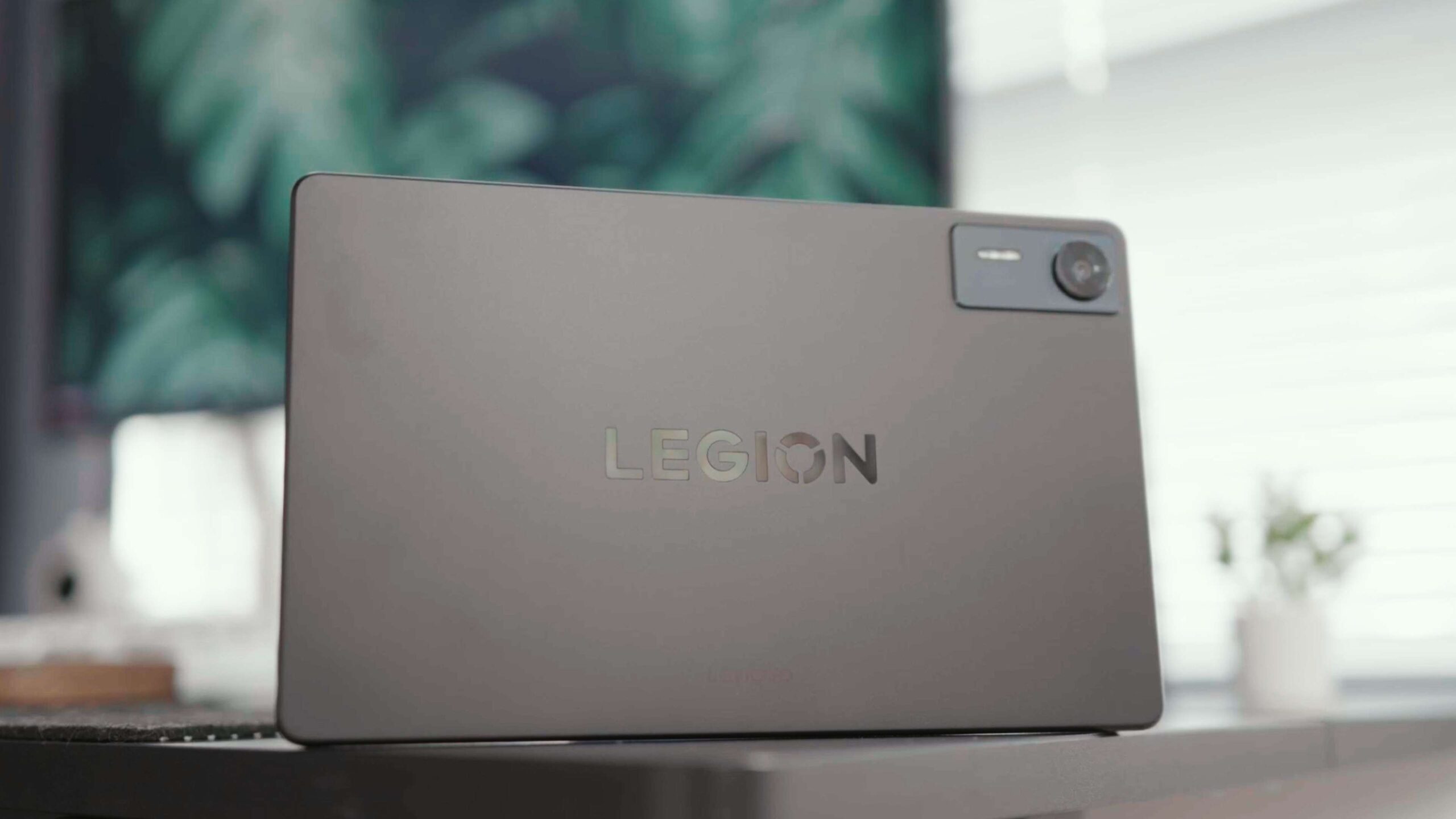
On top of that, Lenovo has removed a camera to make it more of a gaming tablet. It would have been nice to make the camera bump smaller. The thickness of the body has been reduced to 7mm, while not much has changed in terms of weight.
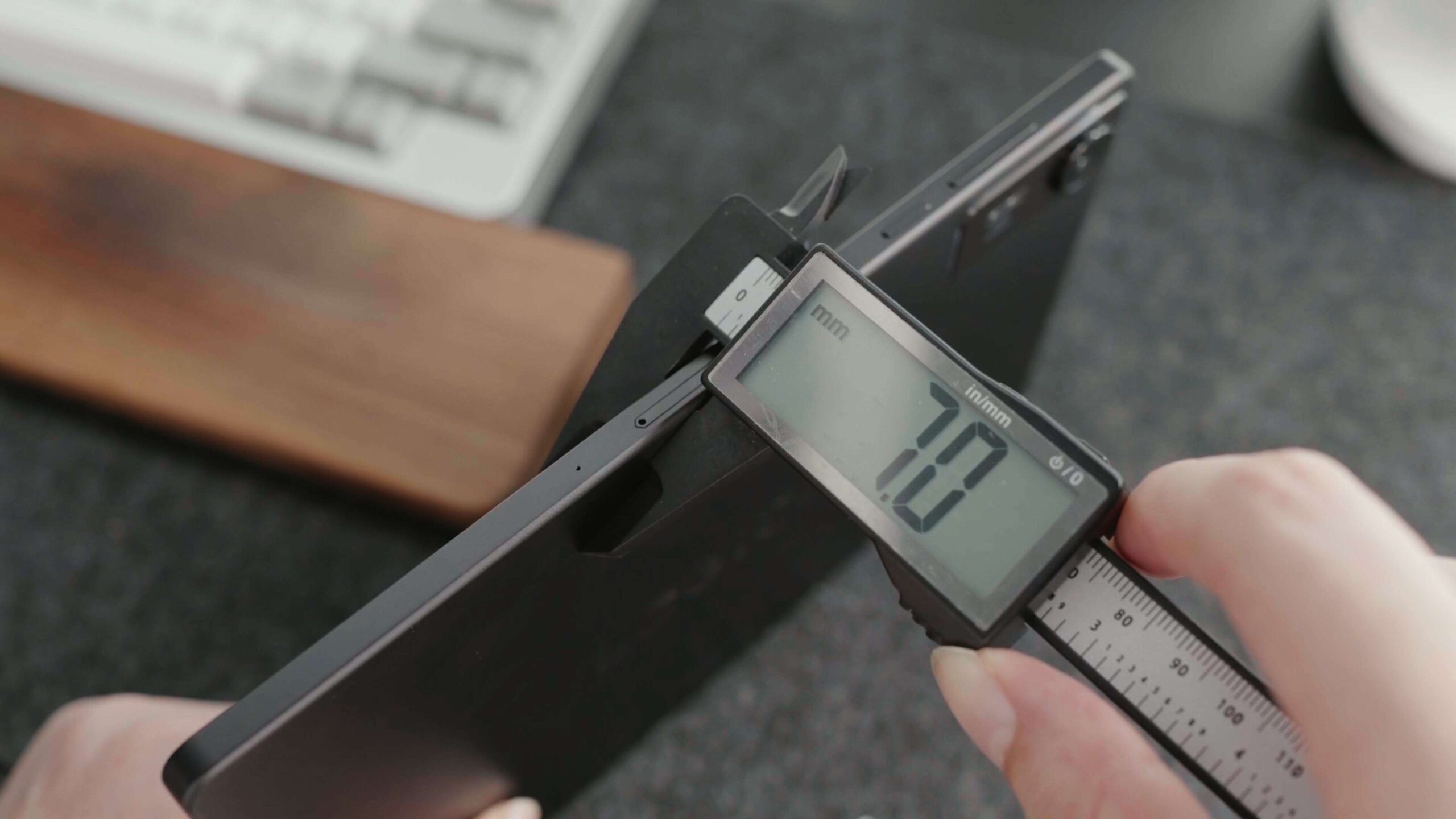
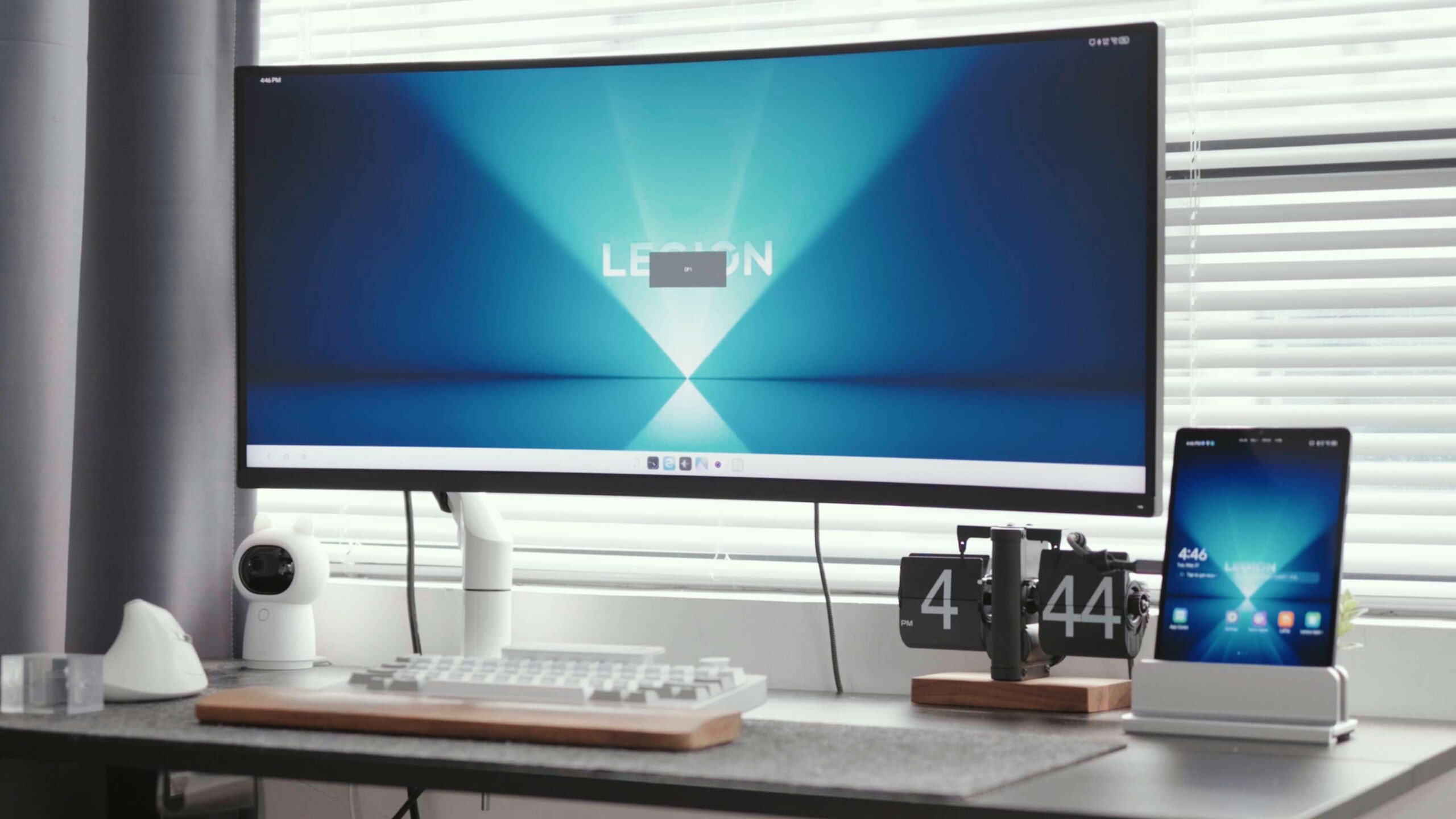
The body comes with a Type-C port on the bottom and right side, both of which are capable of supporting 68W PPS fast charging. The port on the side supports up to 10 Gbps transfer rates and even has DP video output. According to our tests, it can connect up to a 4K 144Hz display. While it offers a 4K 160Hz option, the display will go black in that case. Also, the Y700 doesn’t recognize devices plugged into the USB-HUB that comes with the monitor at the same time. The USB-C recognizes devices, but it only has a rate of 480Mbps and doesn’t allow for video output.
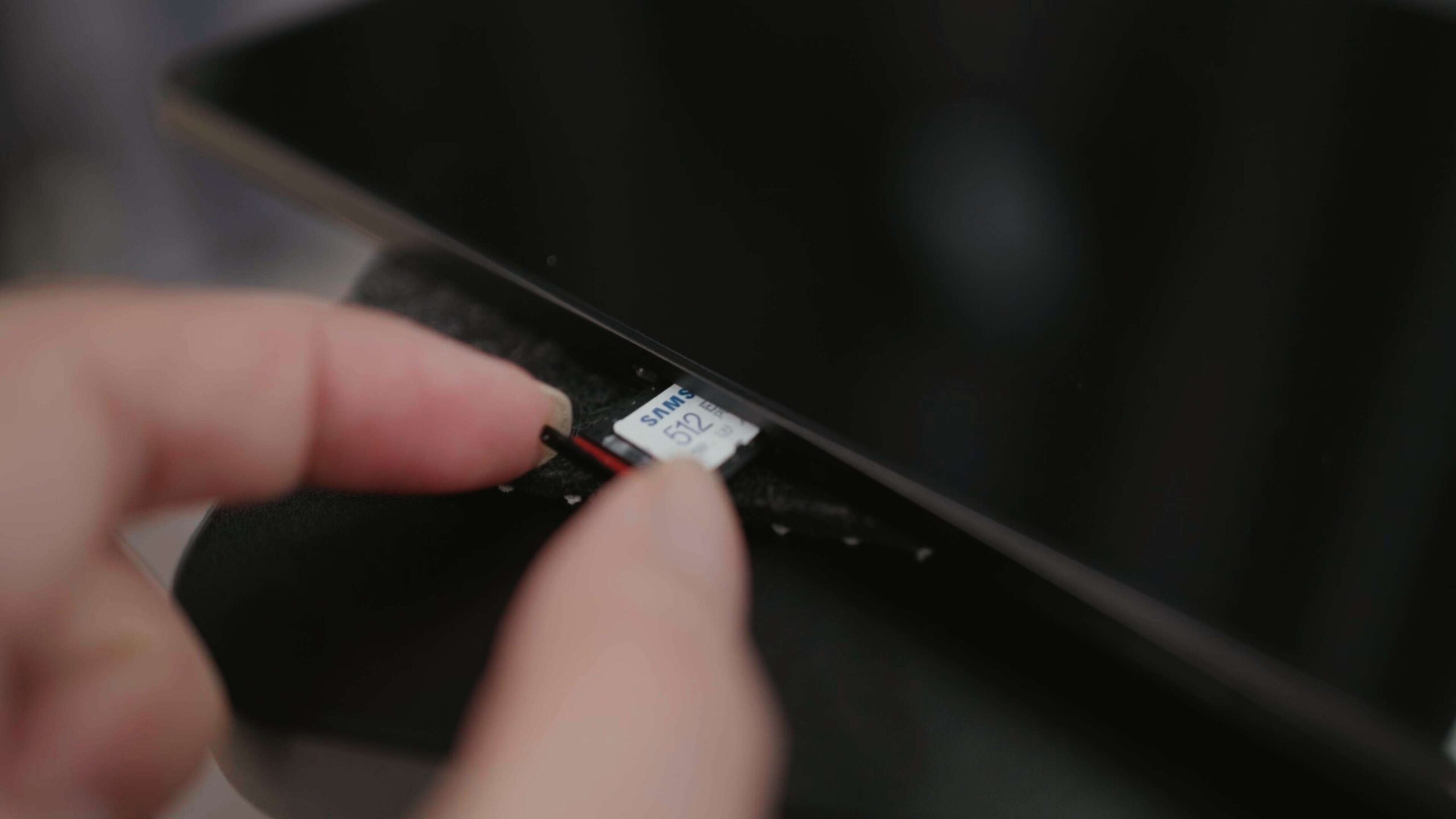
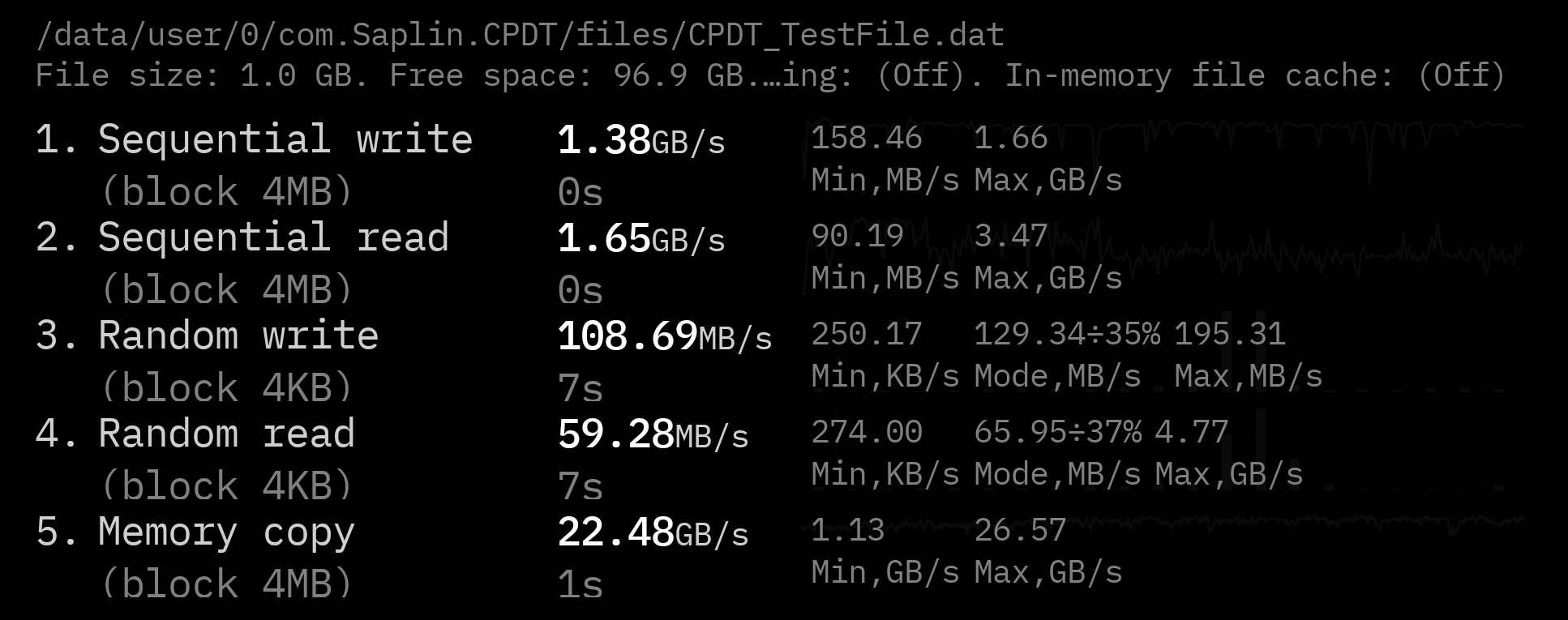
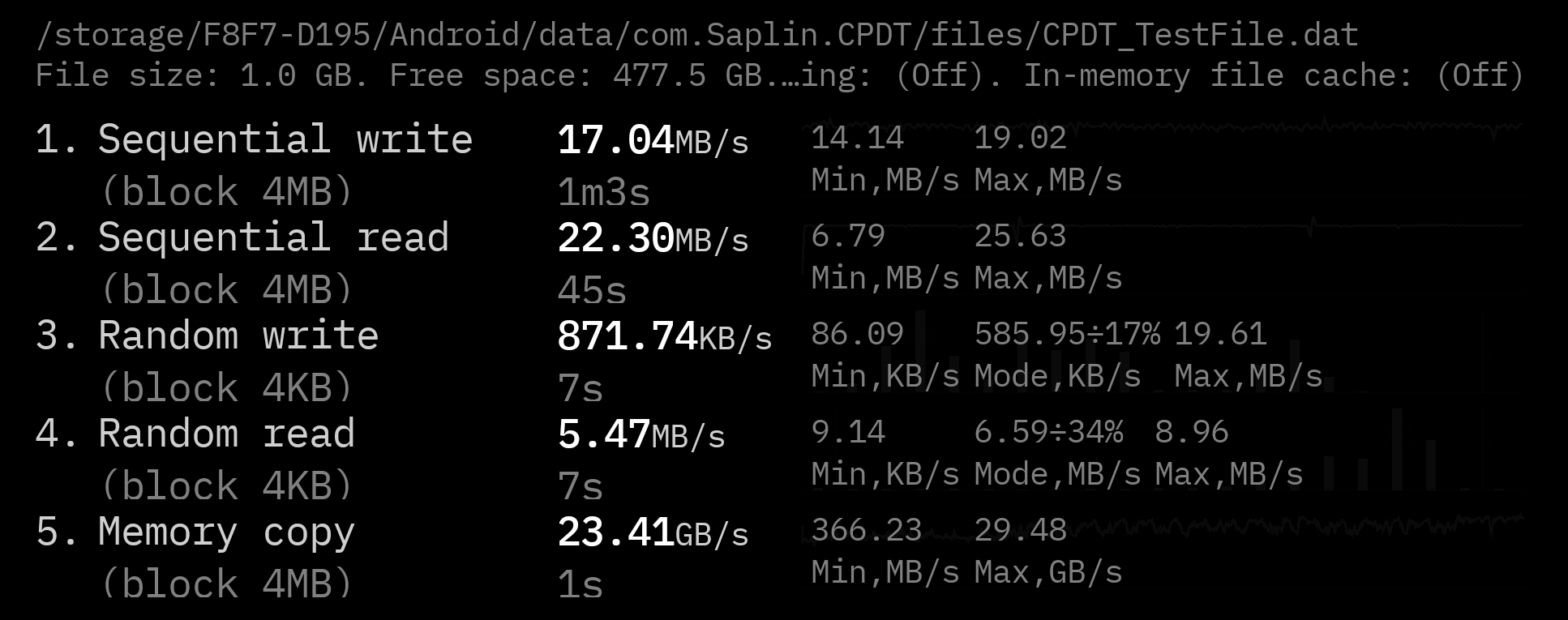
Another thing I like is the TF card slot, which supports microSD cards up to 2 TB. I inserted a Samsung V30 microSD card here and tested the read and write speeds. When compared to the built-in UFS storage, the speeds are slow for this SD card.
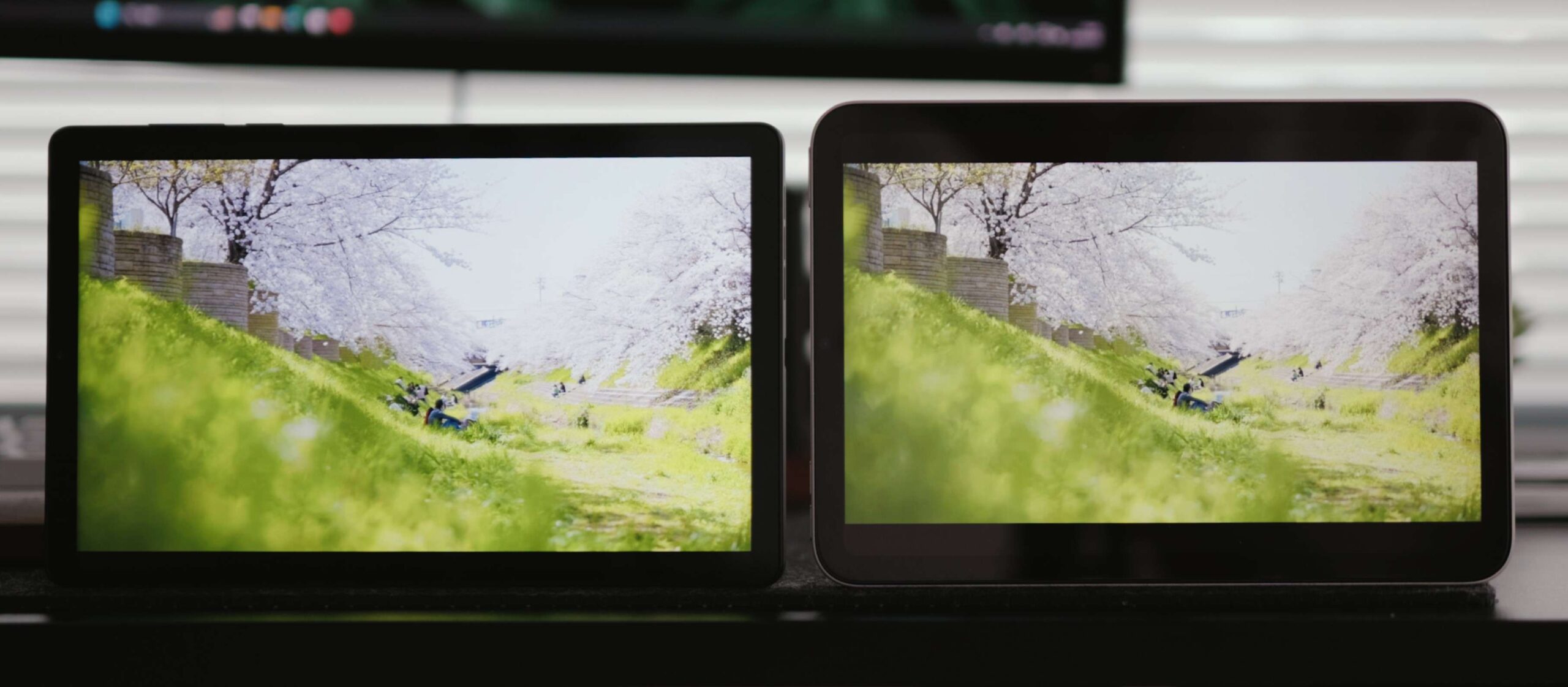
On the front, the screen is still the same 8.8-inch LCD, not the more advanced OLED, but its resolution has been improved a bit, with a PPI of 408, and the display is more detailed than the iPad mini. So let’s put them together for comparison and see the difference. Playing an HDR video first, you can see that the Y700 has a lower contrast ratio and looks a bit gray, while the iPad is a bit better.
In terms of speakers, I don’t think there’s much improvement. So, here is a comparison: we can hear that it has fewer details in the background, like wind and sand sounds, compared to the iPad mini. While playing music, the sound is a bit harsh.
Gaming Performance The performance-related hardware on the
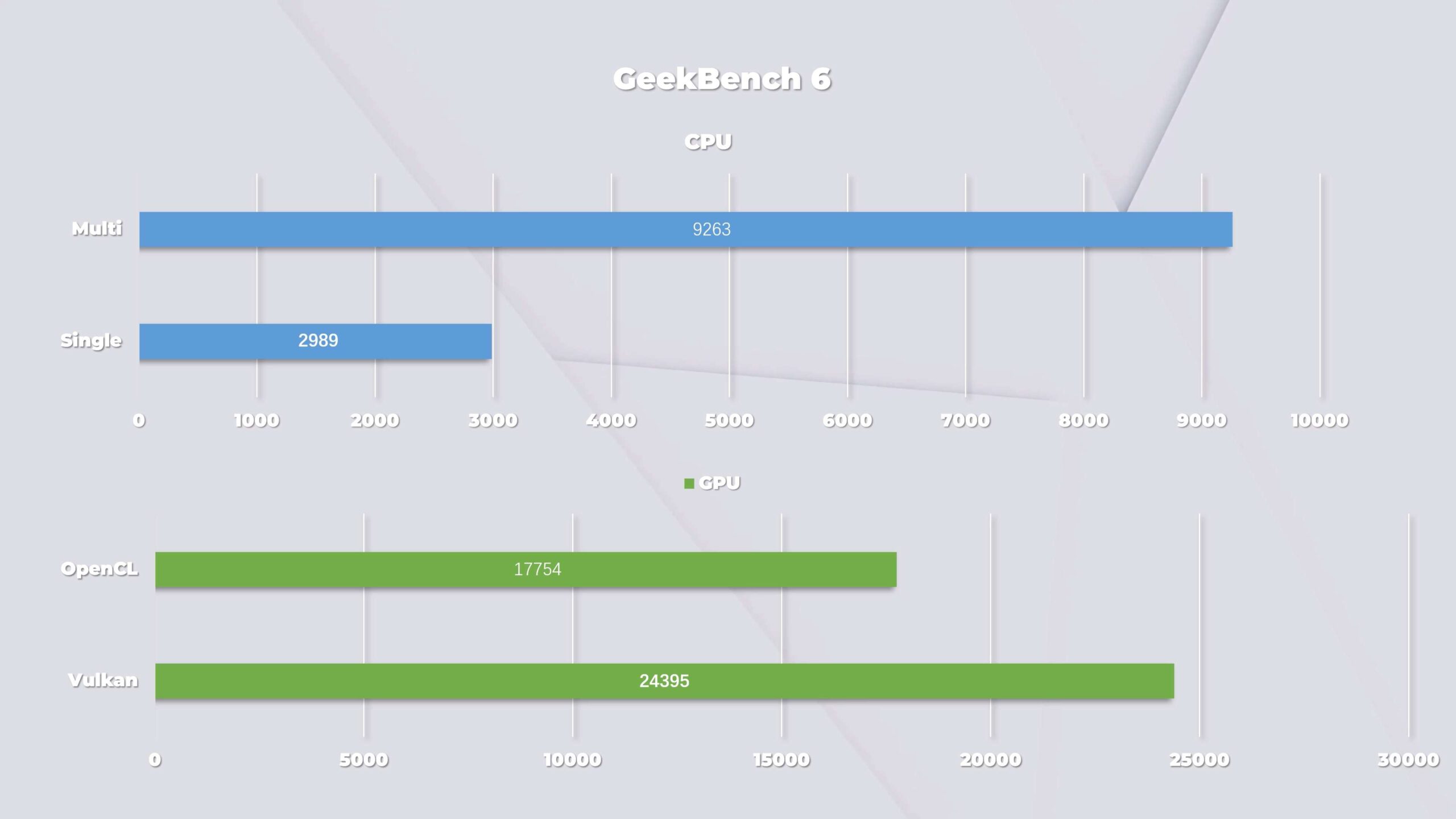
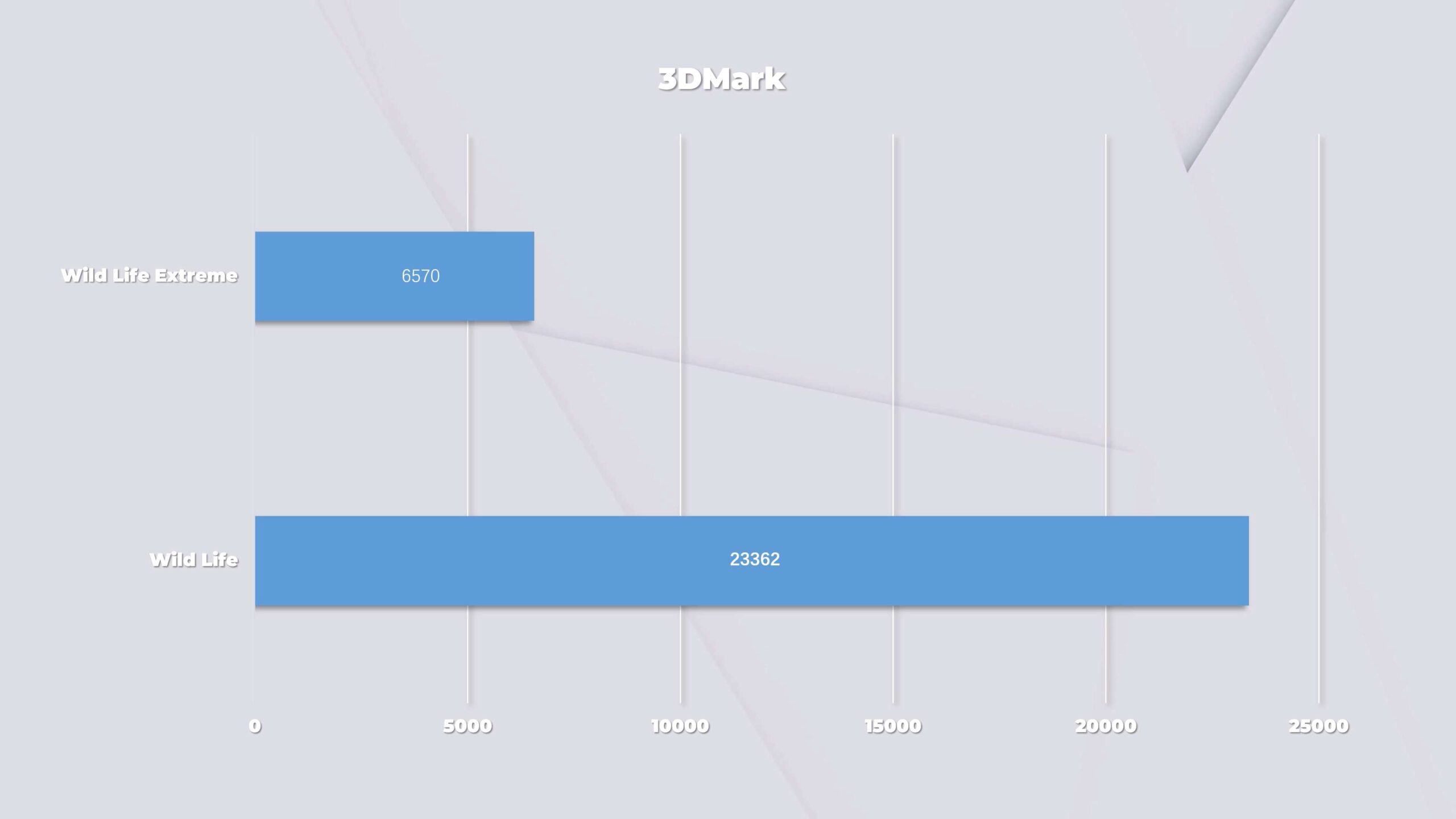
Every hardware on this Gen4 is, without exception, powerful. It packs a Snapdragon 8 Elite processor, LPDDR5X 9600MHz of RAM, and UFS 4.1 flash storage. This is basically the most powerful hardware combo available, so none of its scores are bad. Whether it’s 3DMark or Geekbench, it gets good scores. But as a gaming tablet, you can’t afford to lose frames and lag while you’re playing. So we ran 20 consecutive rounds of performance tests using 3DMark, and the Y700 was 77% stable against the Wild Life test at 2K resolution. If we move up to 4K, it drops to 67%.
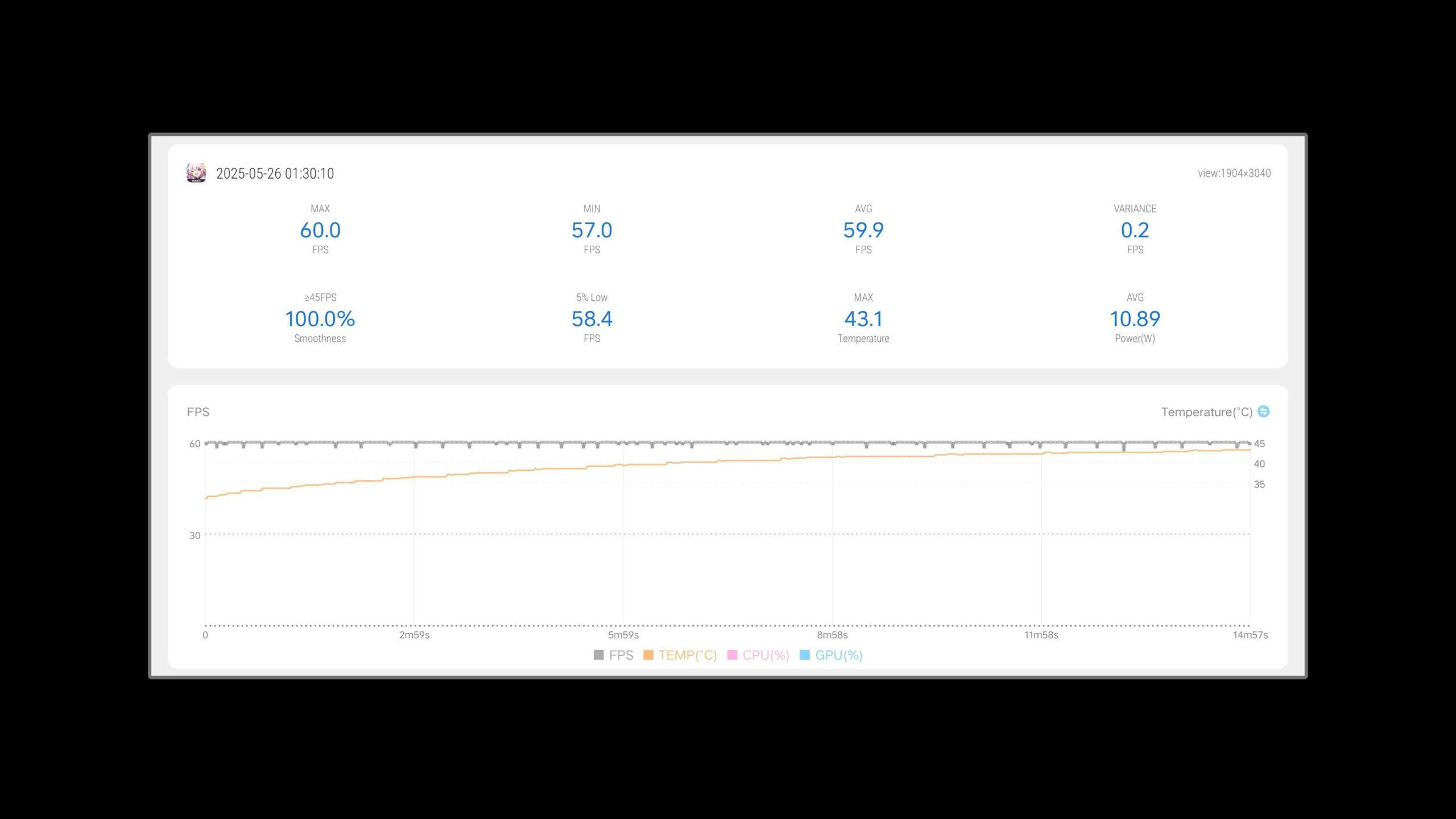
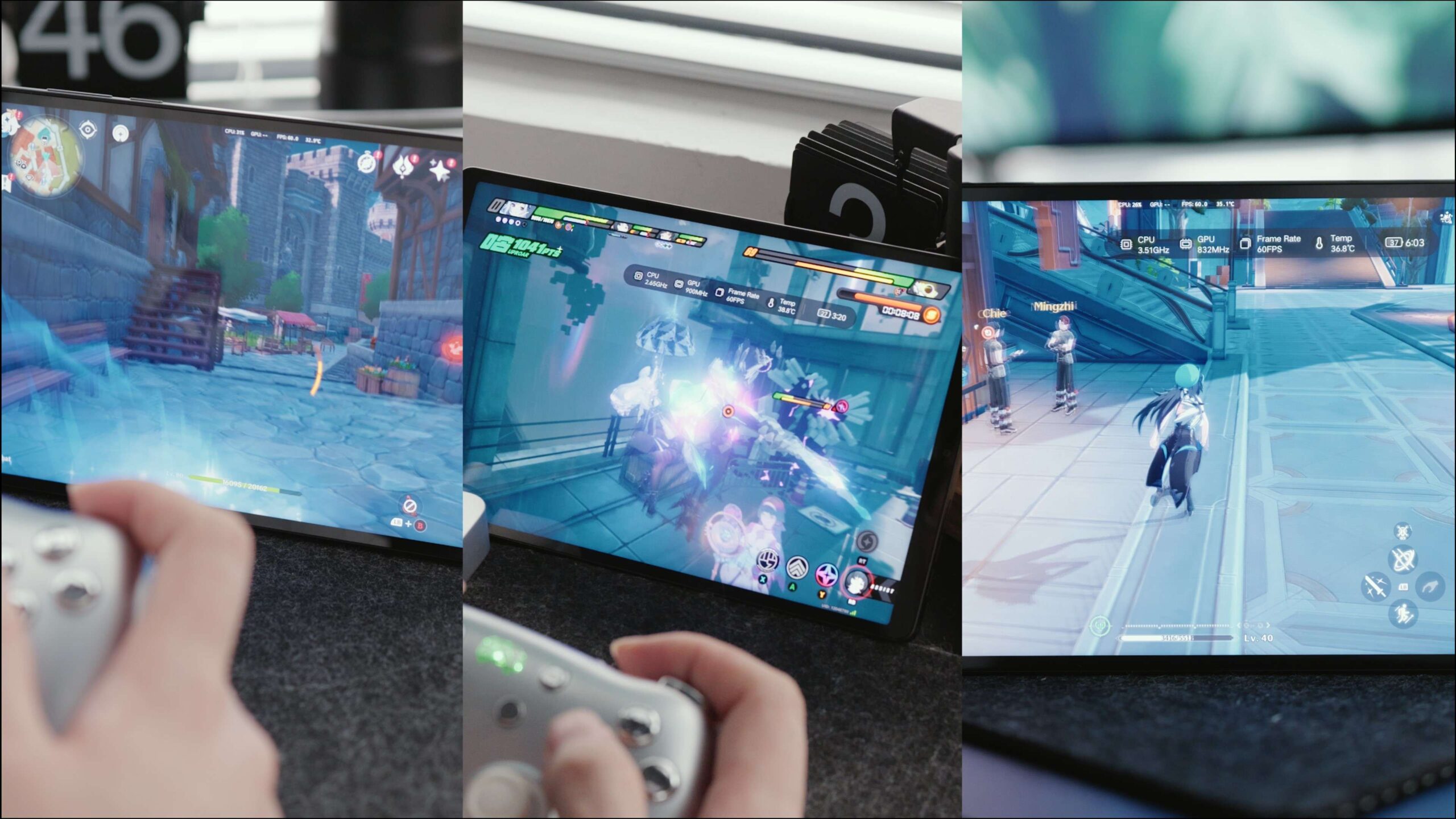
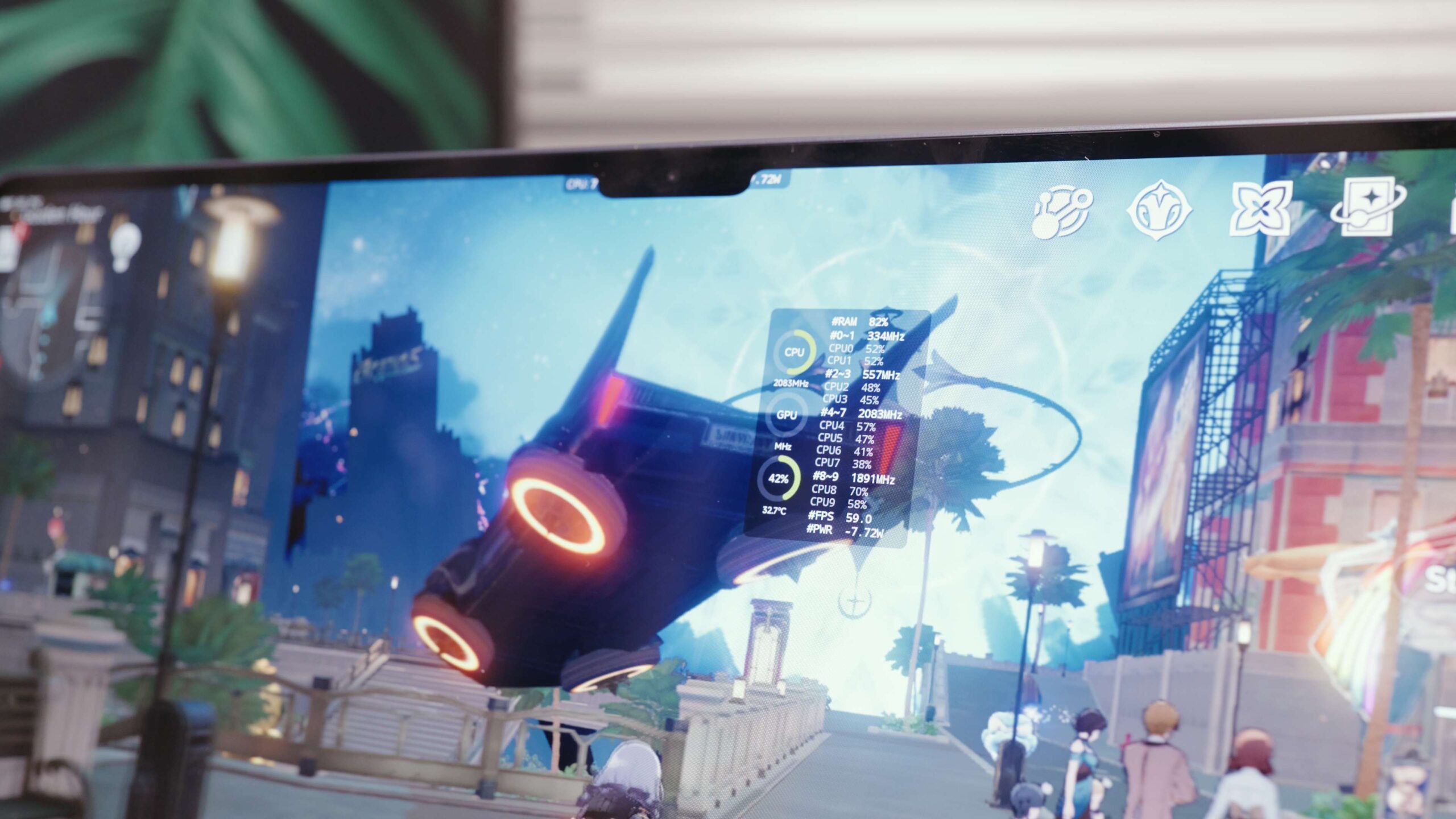
Now let’s do some gaming tests. First up is Hongkai: Star Rail, running in Golden Hour. When we run it at 25 degrees Celsius room temp, with Performance Mode on, the frame rate is nearly perfect. But it was a bit of a power hog here, consuming 10% of the battery in a 15-minute test.
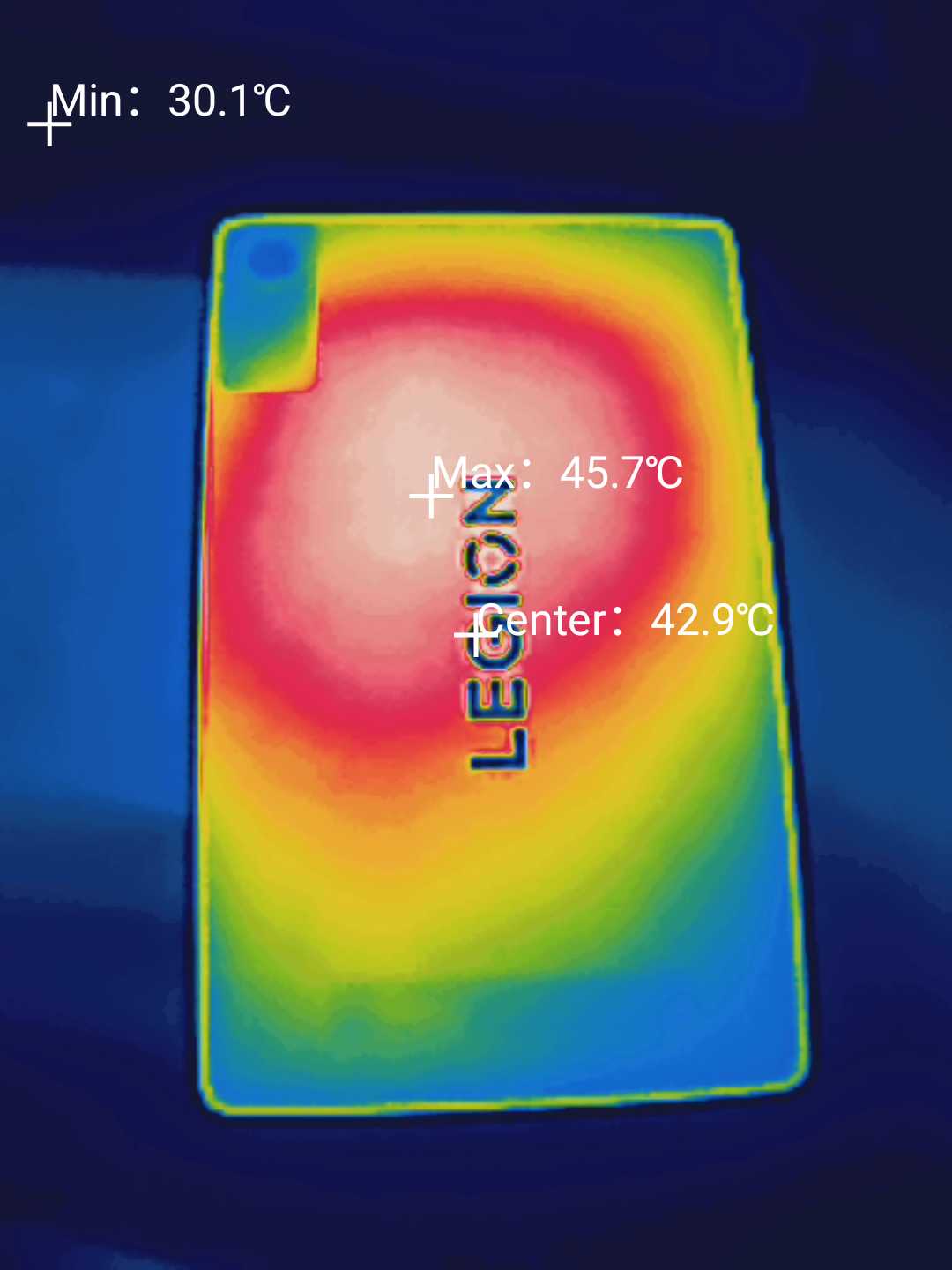
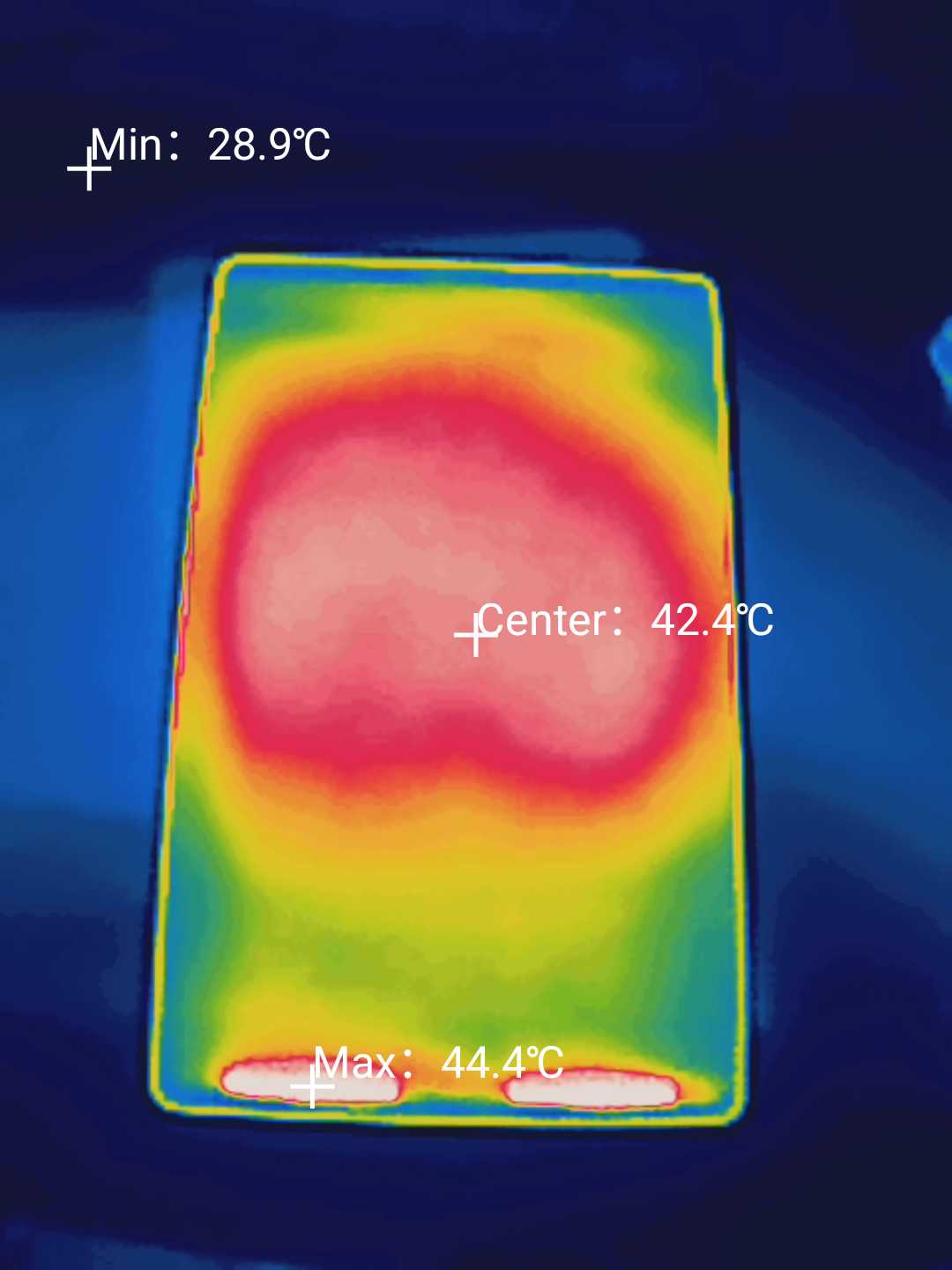
Next, we tried the more difficult game, Wuthering Waves. Right off the bat, the machine ran at 16W, which is pretty close to the power consumption we saw during the 3DMark test. But after about 6 minutes, it started to lag a bit. Occasionally, the frame rate would go back up to 60 fps. But as soon as we hit a complex scene again, the frame rate would still drop. The temperature peaked at 48 degrees, but it was mainly in the center of the back, so it wasn’t too uncomfortable.
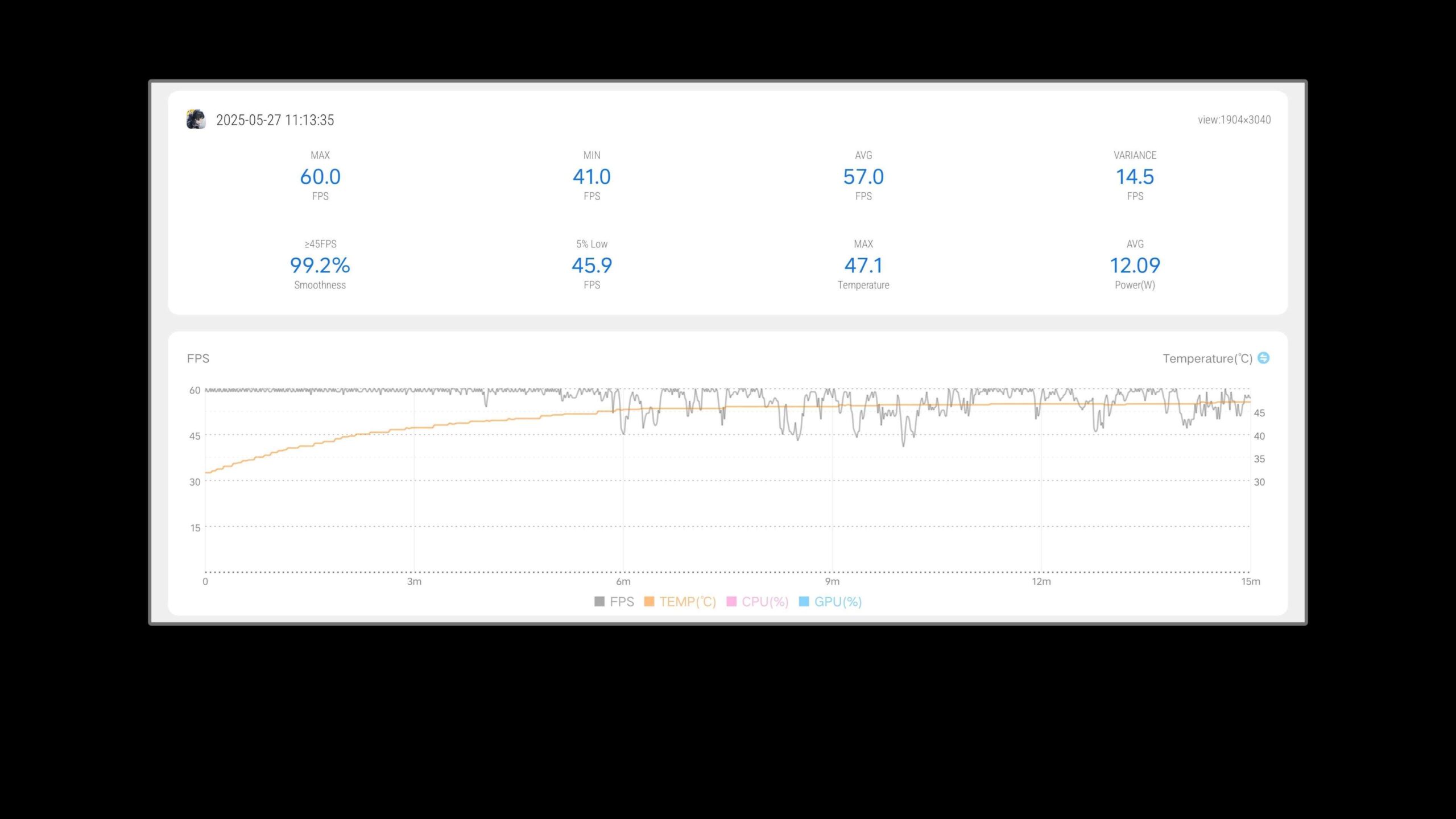
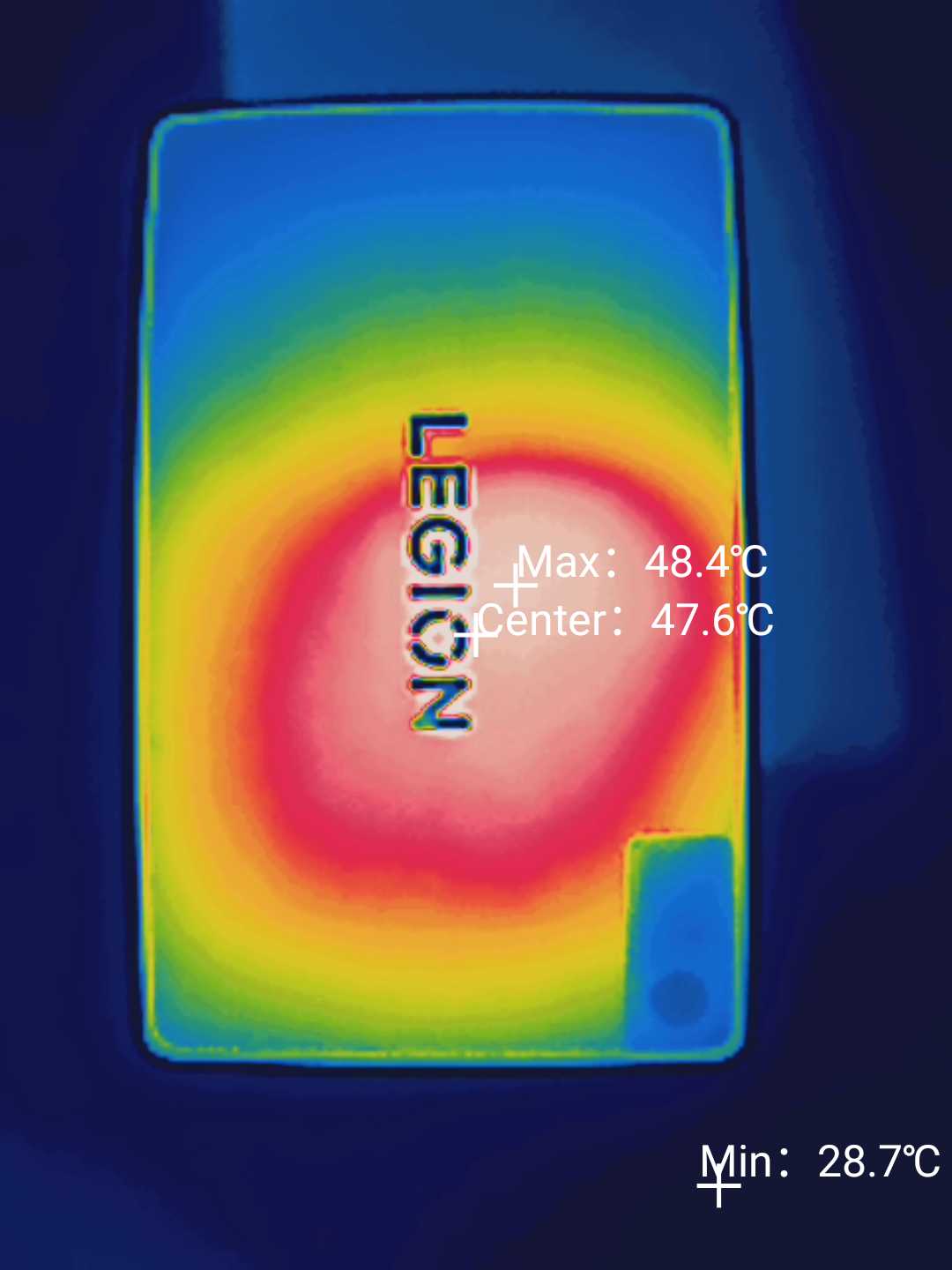
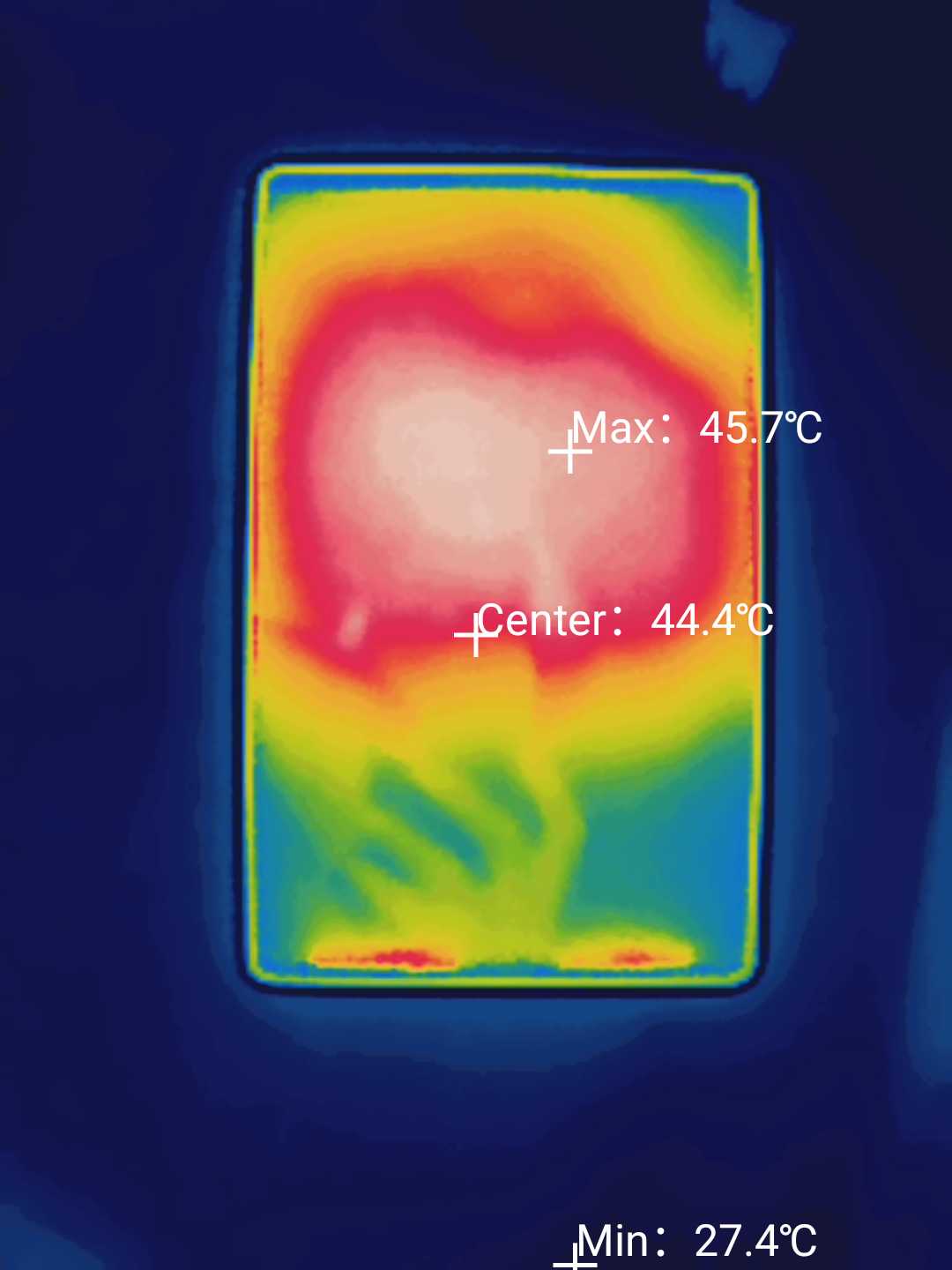
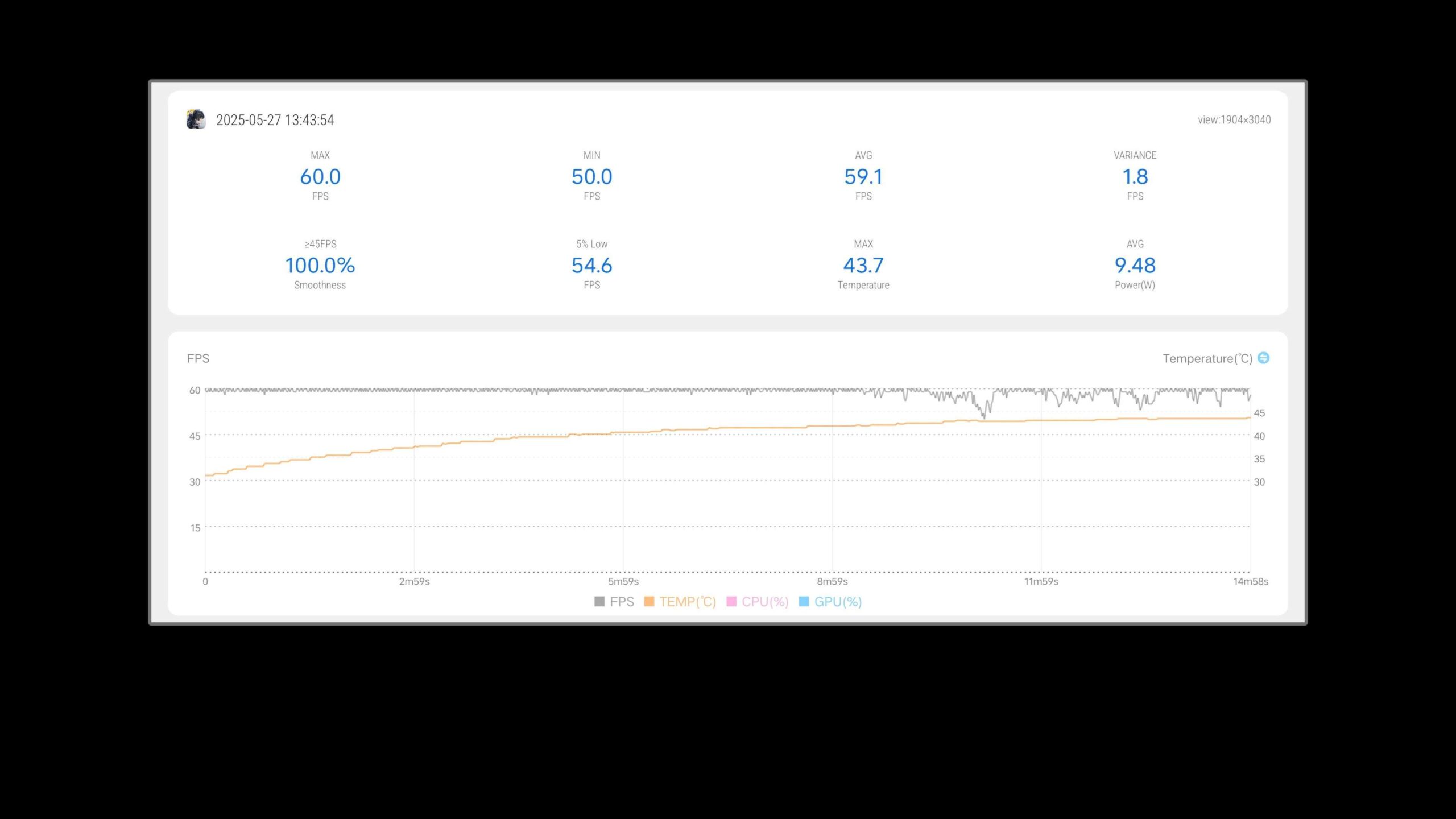
We also found a few other interesting things during our testing. For example, turning off LENOVO’s Gaming Assistant may result in a better gaming experience. Normally, when playing Wuthering Waves in Balanced Mode, the Game Assistant will control the power consumption of the whole machine to around 7W. Although the temperature of the machine is much lower, this will bring the problem of dropped frames. So we tried turning off the Game Assistant and letting the system take over. We found that it performed better than Performance Mode, and at the same time, produced less heat. So sometimes, turning off the Gaming Assistant may be a better option.
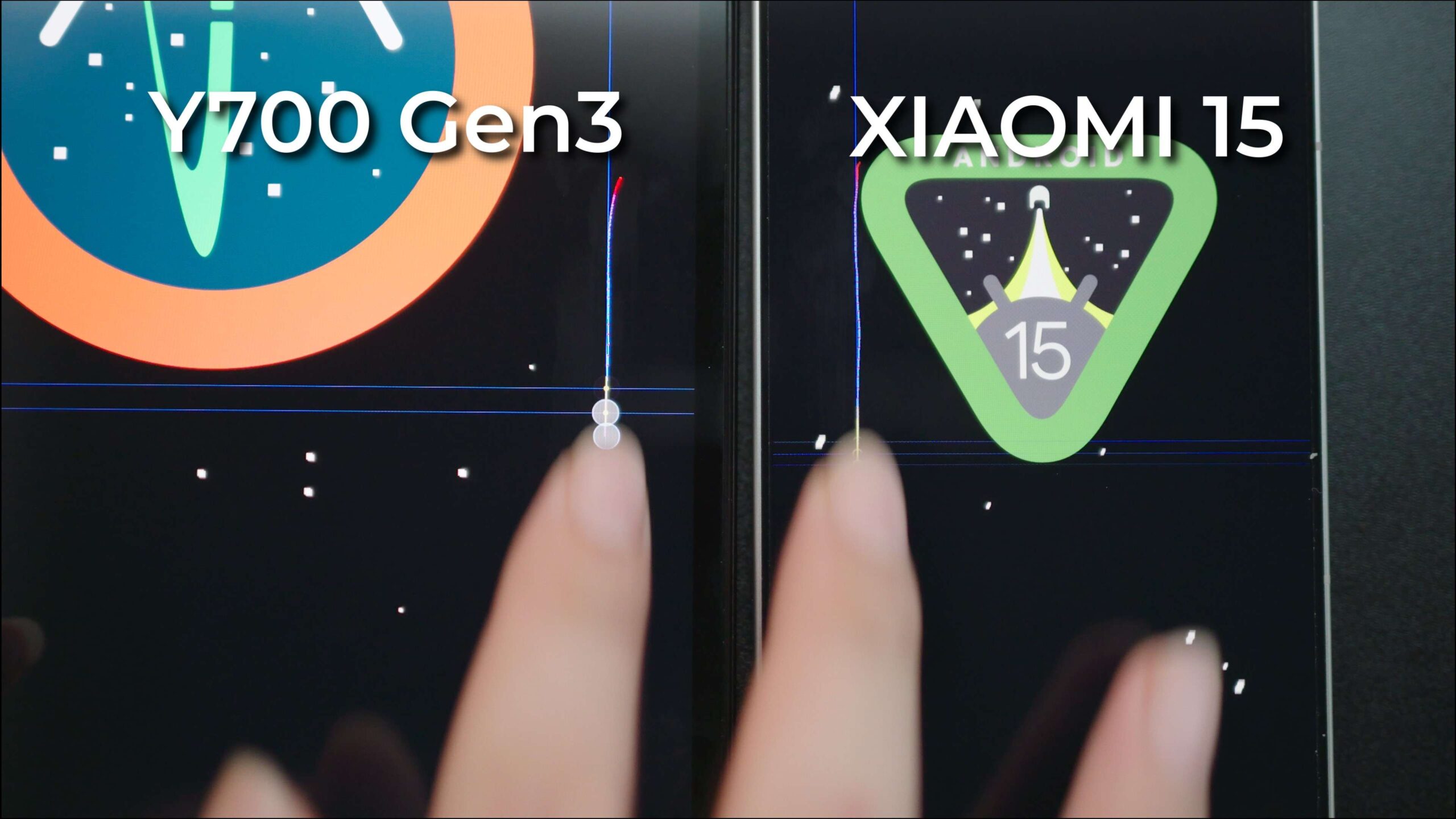
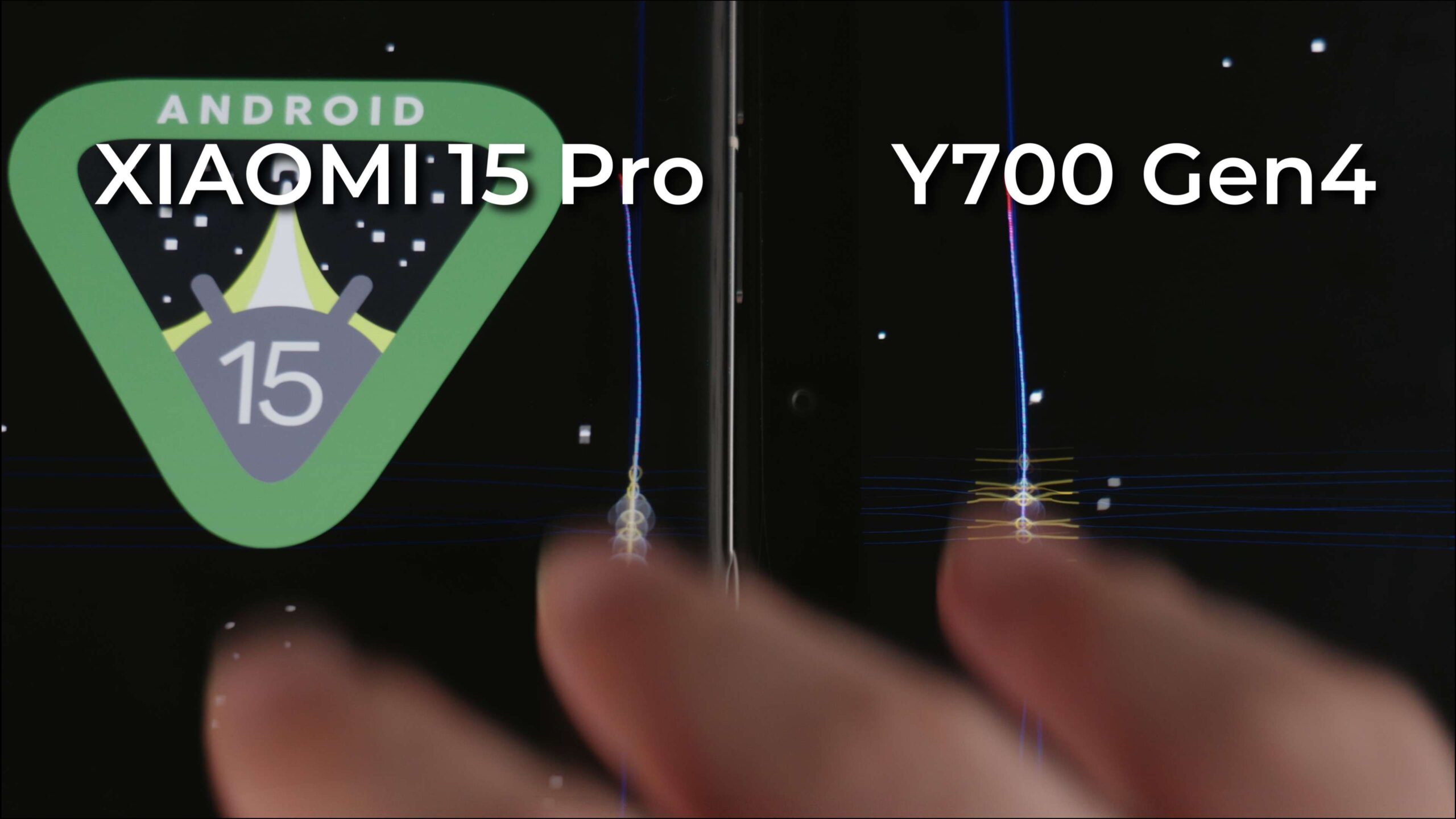
Also, the Y700’s previous generations had a fatal flaw for gamers. While the screen’s touch sampling rate was advertised as “high”, the actual performance was not as good as some flagship phones. However, we found that the Gen4 performed much better compared to the Gen3.
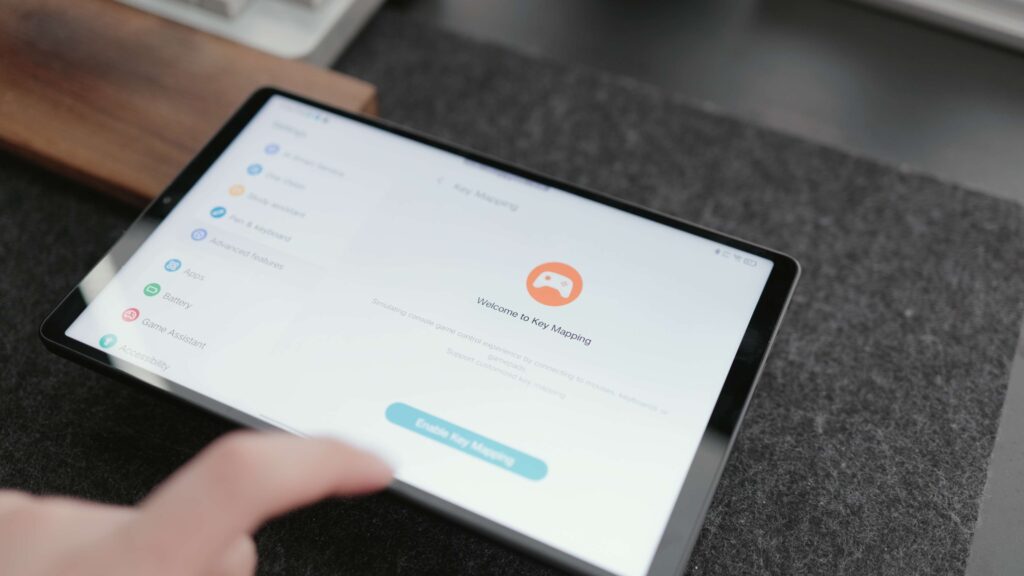
If you’re using an emulator to play a game, but have to use a joystick. You can try turning on the peripheral mode and setting up mapping. But if your game or the emulator itself supports the joystick, such as Genshin Impact, ZZZ, and Wuthering Heights. Then I’d recommend turning it off, otherwise, it can cause some 1conflicts, resulting in the joystick being unavailable.
Battery Life Charging, Wi-Fi
The battery has been upgraded to 29Wh (7600mAh), from the previous 25.3Wh (6550mAh). It may just add 20 to 30 minutes of playtime. It doesn’t use the higher energy density silicon carbide cells. This may sound like bad news, but it could also be good news. That’s because while silicon carbide batteries can achieve larger battery capacity for the same size, they don’t last as long as regular lithium batteries. Still, Lenovo has kept several good settings to optimize battery life to protect the battery.
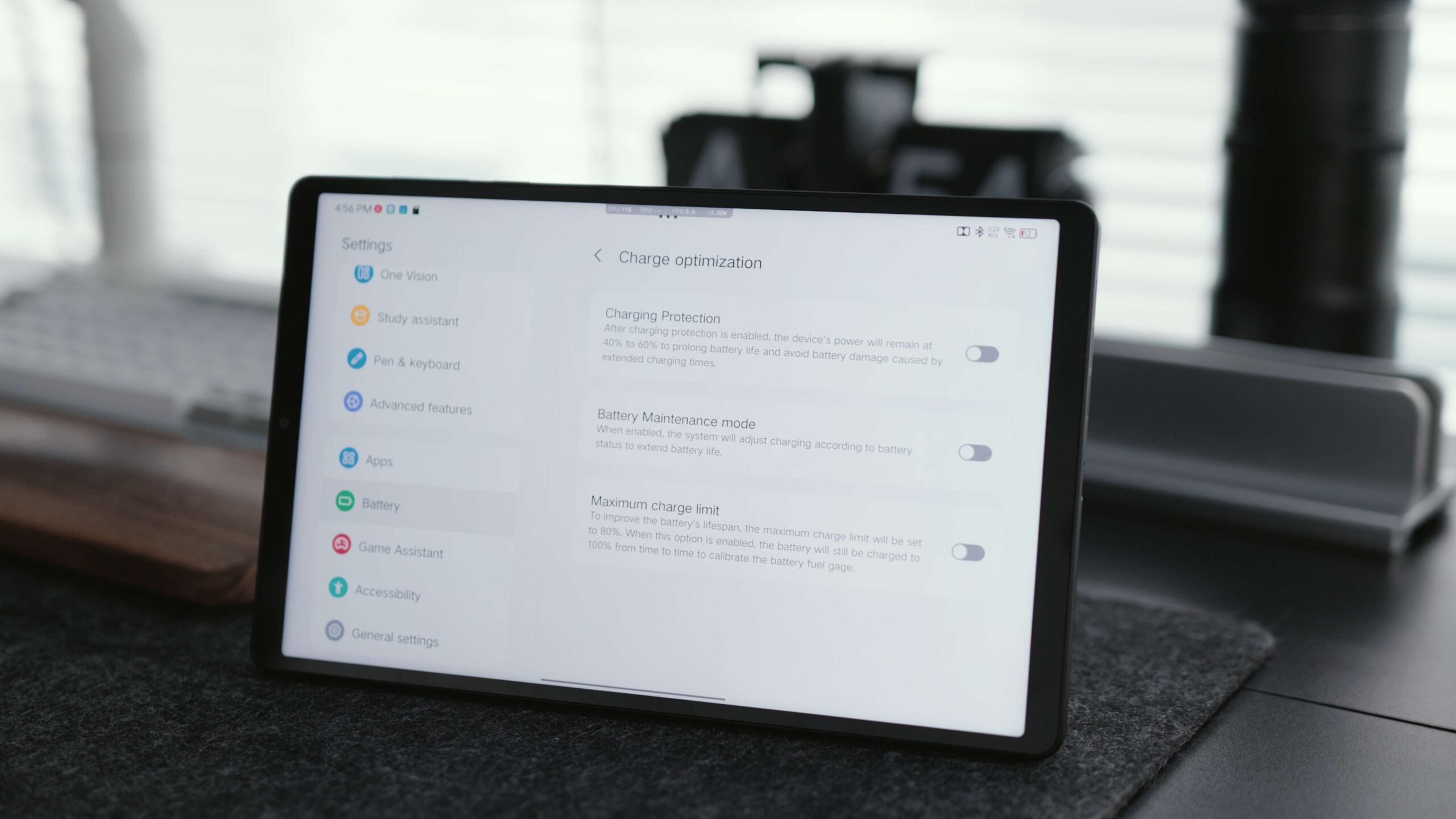
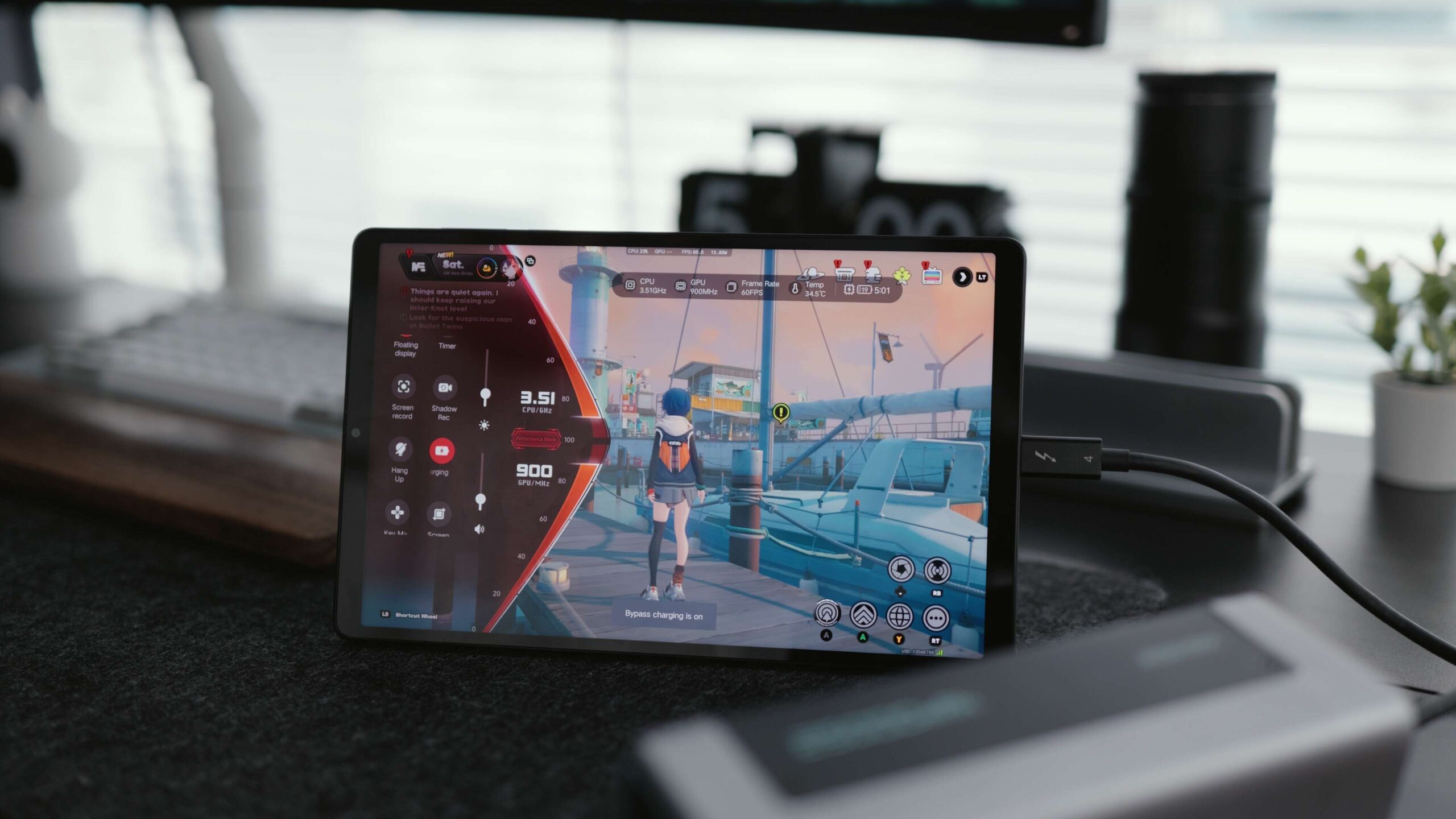
One of the best things about it is the bypass charging. Unlike the OnePlus Ace 5 Pro, which needs a stock charger to do that, the Y700 only requires a PD or PPS charger.
Charging power hasn’t changed much, remaining at 68 W. In real-world testing, it maxed out at 60 W, but only for two minutes, and reached 80 percent at 40 minutes, eventually charging to 90 percent in 61 minutes. If you charge it in a cooler place, say 25 degrees room temperature, it extends the maximum power input to 10 minutes, and reaches 80 percent in 35 minutes, eventually filling up in 58 minutes.
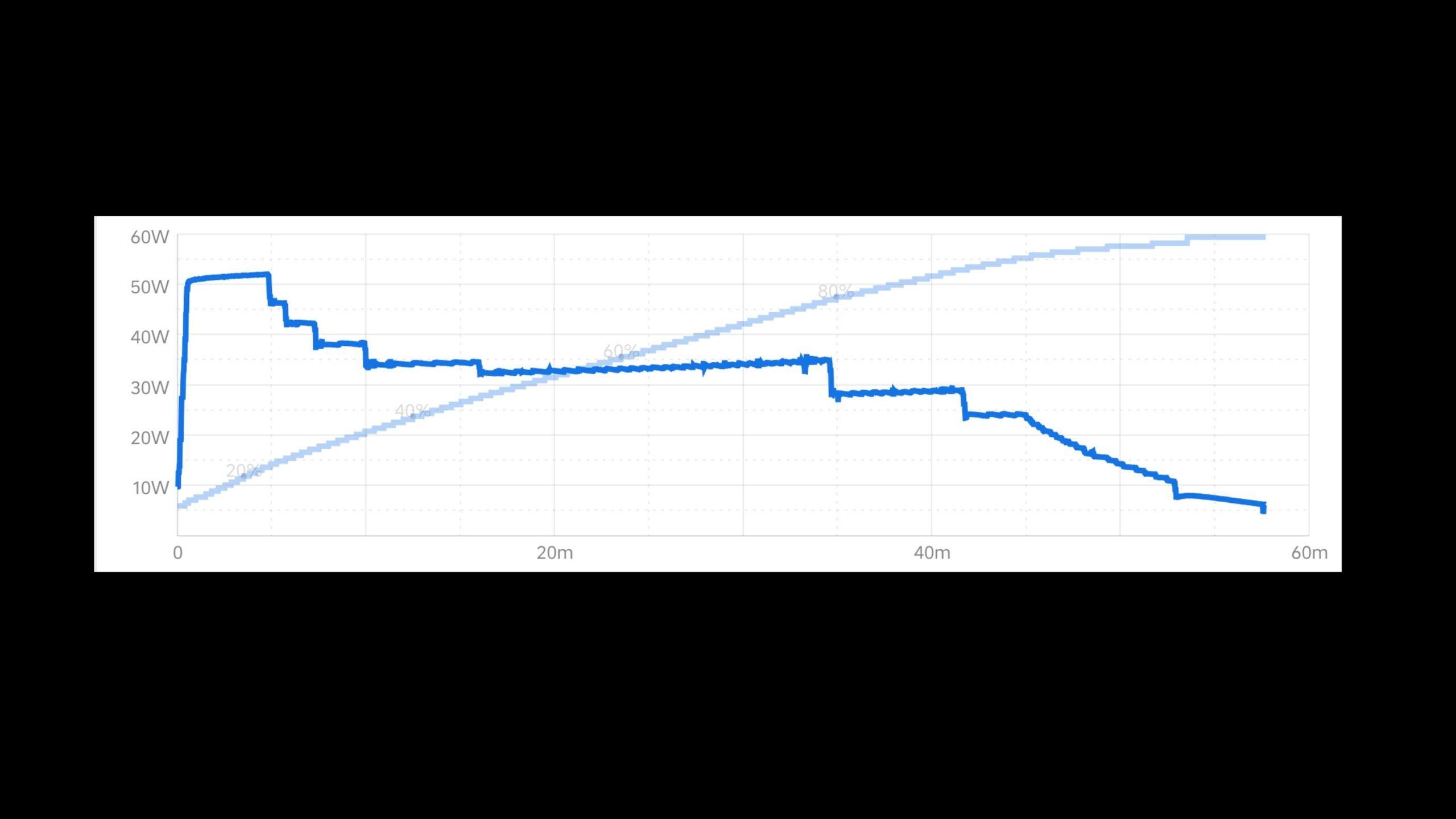
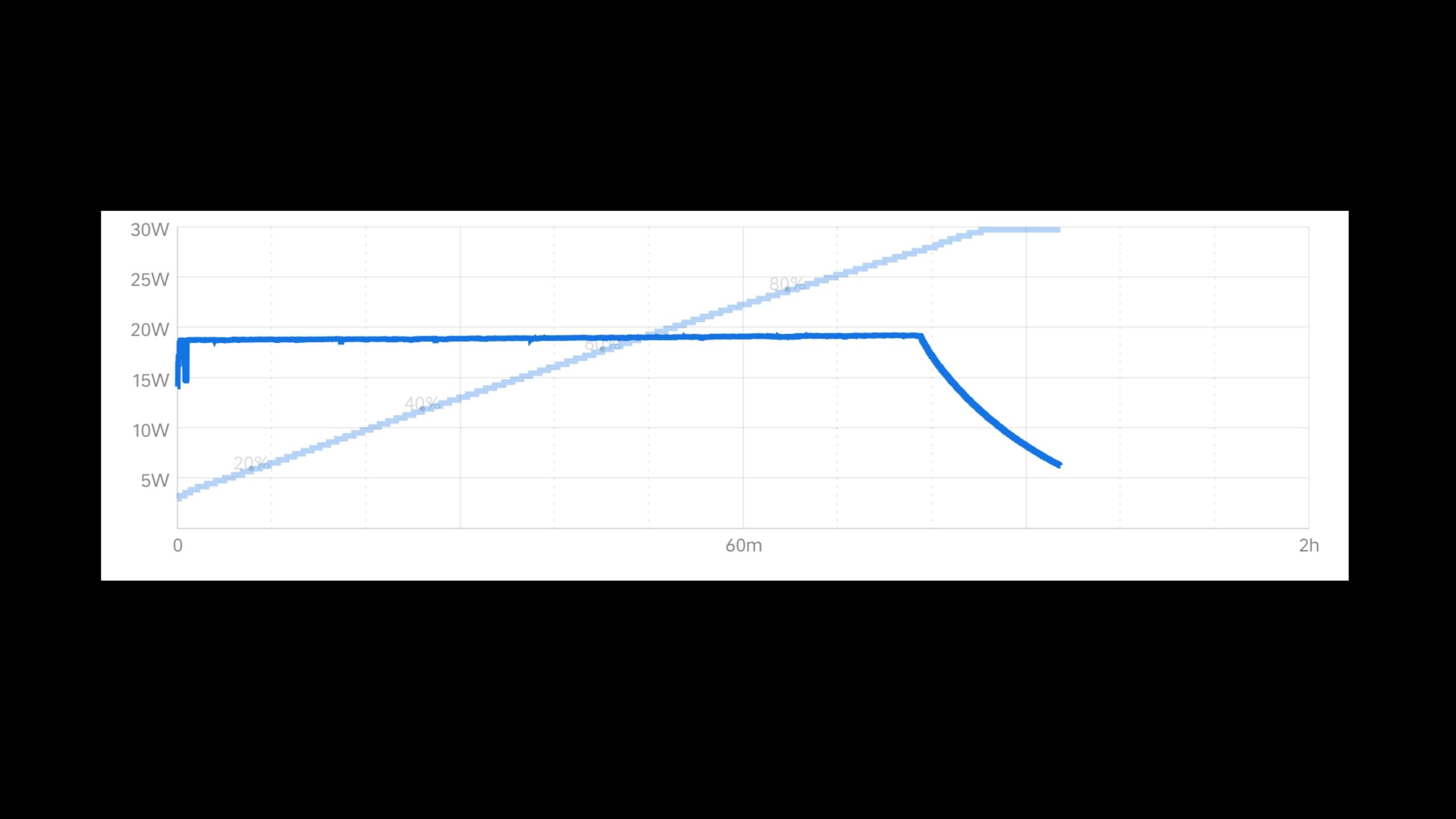
But it’s a deal that doesn’t seem particularly good value, it doesn’t charge much faster after all. If you use a third-party charger that only supports the PD protocol, it’ll reach 80 percent after 65 minutes and eventually take 93 minutes to a full charge.
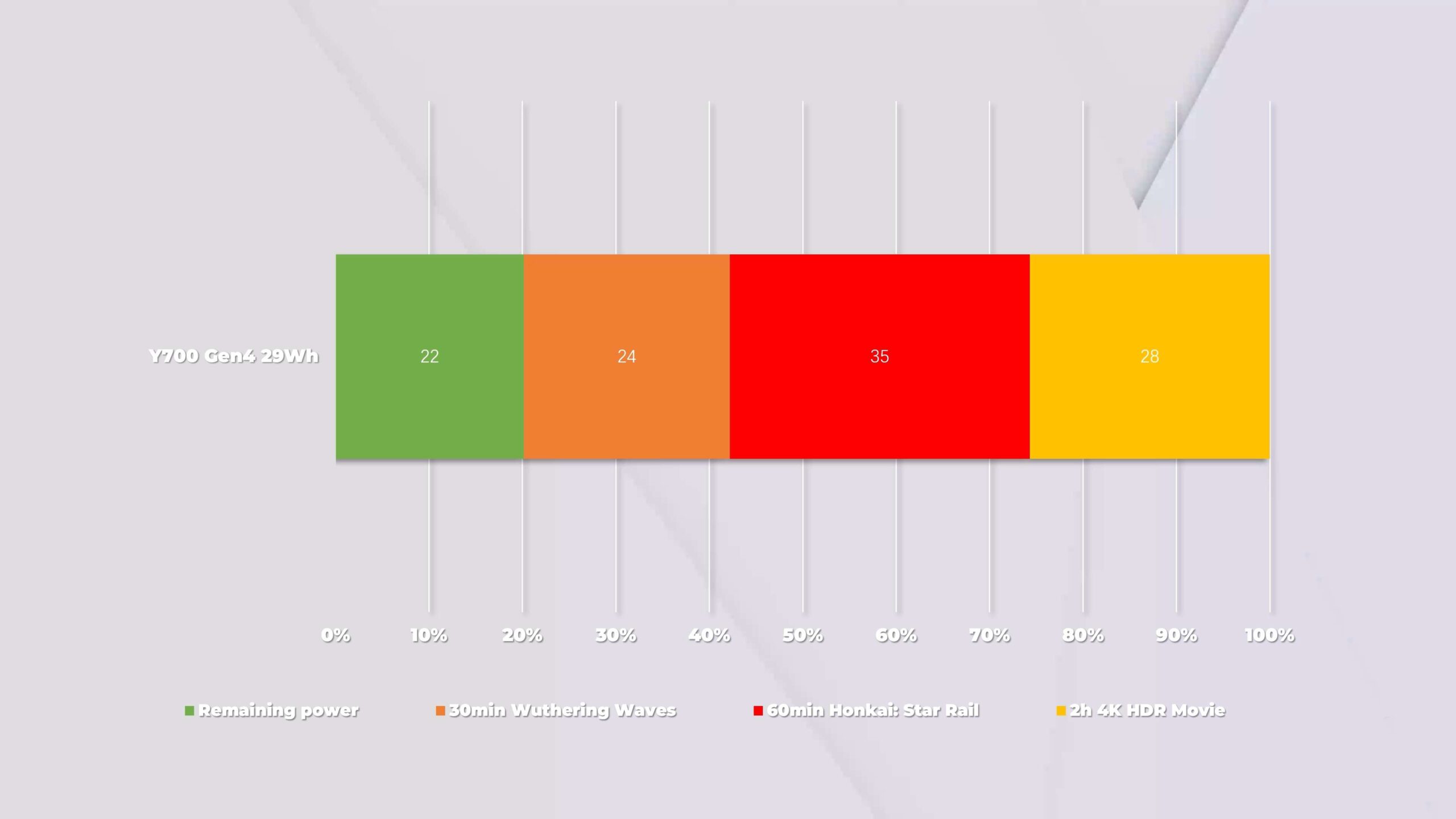
In terms of battery life, we tested it with the following settings: one hour of Hong Kong Star Rail, half an hour of Wuthering Waves, and two hours of a movie. Eventually, 22 percent battery left.
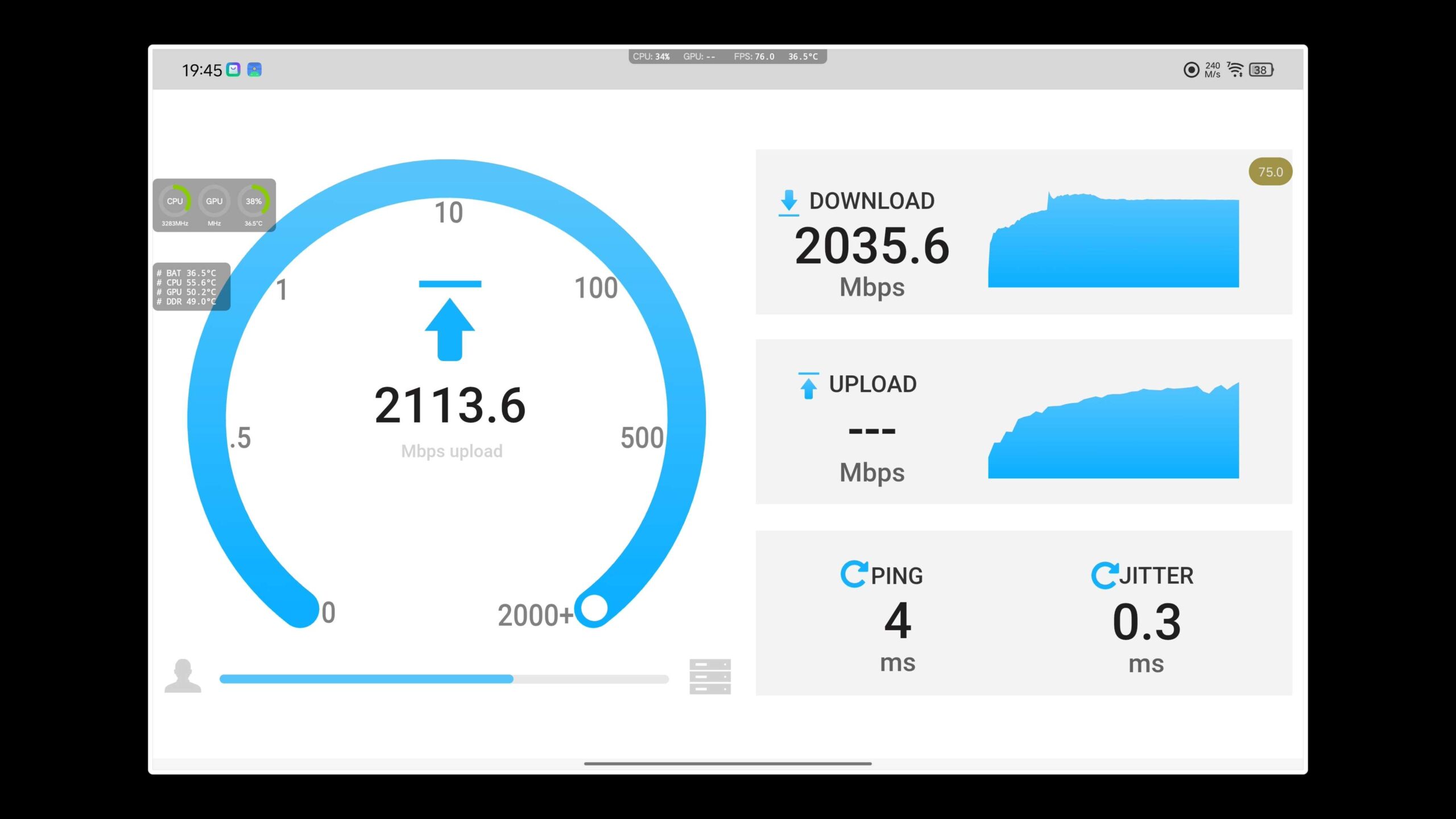
In terms of WiFi, it supports the latest 802.11be standard, also known as WiFi 7. However, due to the impact of China’s 6G construction, the Gen4 only supports up to 160 MHz of bandwidth under WiFi 7. Therefore, its Wi-Fi can only handshake up to 2882Mbps, while the actual rate can reach more than 2000Mbps.
Cons & Summary
The launch price of the Y700 Gen4 is the same as the Gen3, but this time around, it is more like a gaming tablet. The larger heat dissipation plate and new chip layout make it hard to overheat and downclock during gaming. Performance is basically impeccable, and the new screen and new touch ICs have solved the previous touch latency issues.
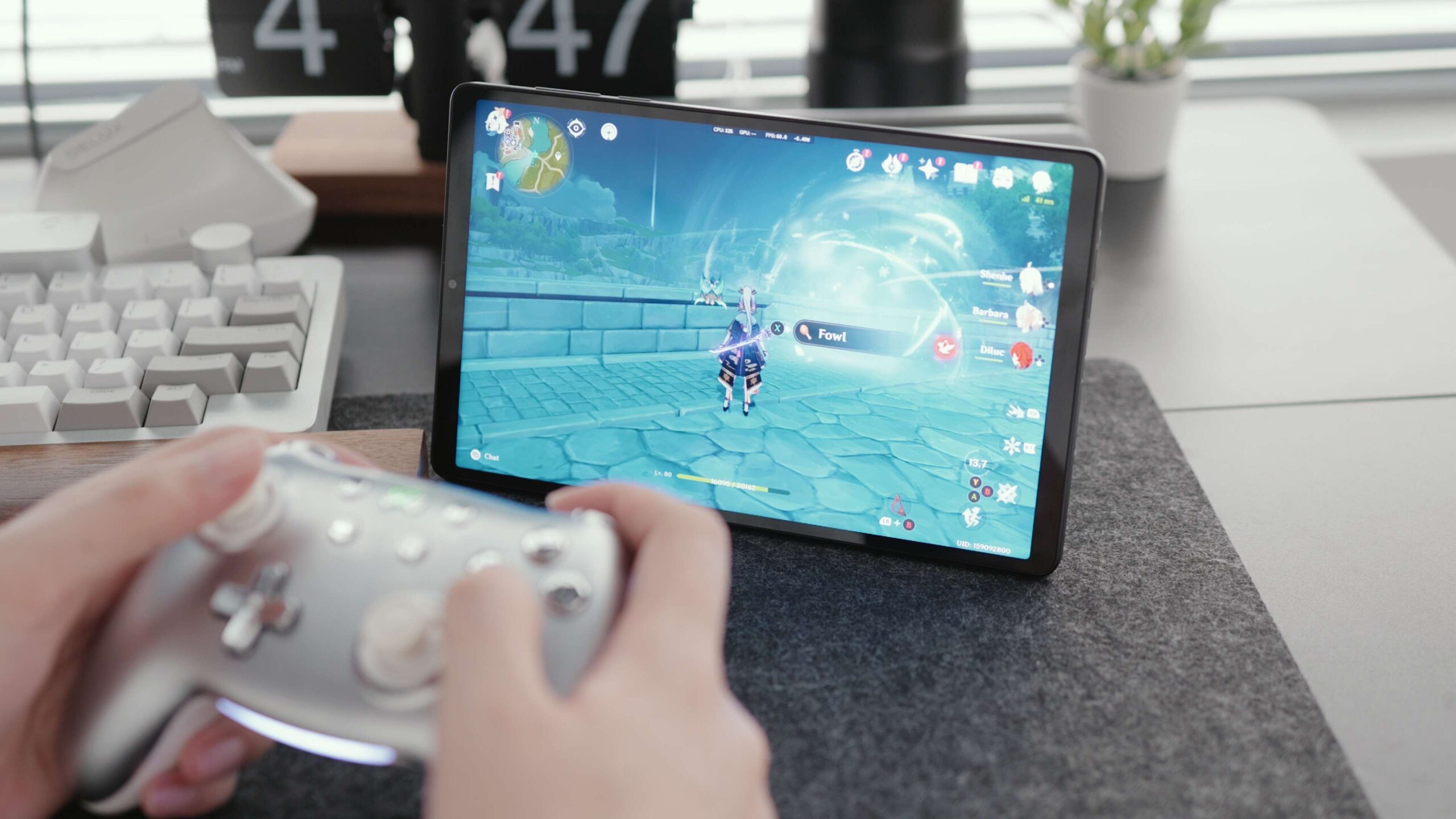
However, it’s not without any drawbacks. The LCD screen, for example, can be a bit outdated against competitors like the iPad mini, or even the future Redmi and Red Magic. It only tops out at 600 nits of brightness, the contrast isn’t great, and it even drags down the Y700’s battery life to some extent. The Xiaomi Tablet 7 Ultra, for example, which we’re testing, is a 14-inch tablet, but the gaming power consumption is lower than that of the 8.8-inch Y700.
We have discussed all the pros and cons of the Y700 Gen4. Do you think it’s a better gaming tablet now?

Comments