
Add GIZMOCHINA as Preferred Source on Google
I’ve used plenty of portable monitors over the years: clunky clip-ons, rigid folding screens, and some clever magnetic options. Most of them are fine in a pinch, but rarely do they feel like a seamless extension of your laptop. That changed a few months ago when I got my hands on an early engineering unit of the FlipGo Horizon from Jsaux.
I had tested the company’s earlier FlipGo model, which was already pretty solid. But the Horizon brings a fresh take. Instead of strapping screens precariously onto your laptop lid, it gives you a full modular stand-based system that is flexible, protective, and very portable. Think of it as building a complete workstation out of thin air, and then packing it into your backpack when you’re done.
Now that the Kickstarter campaign is live and I’ve spent weeks testing the Horizon setup at home and the office, it’s time to talk about how it holds up in real-world use.
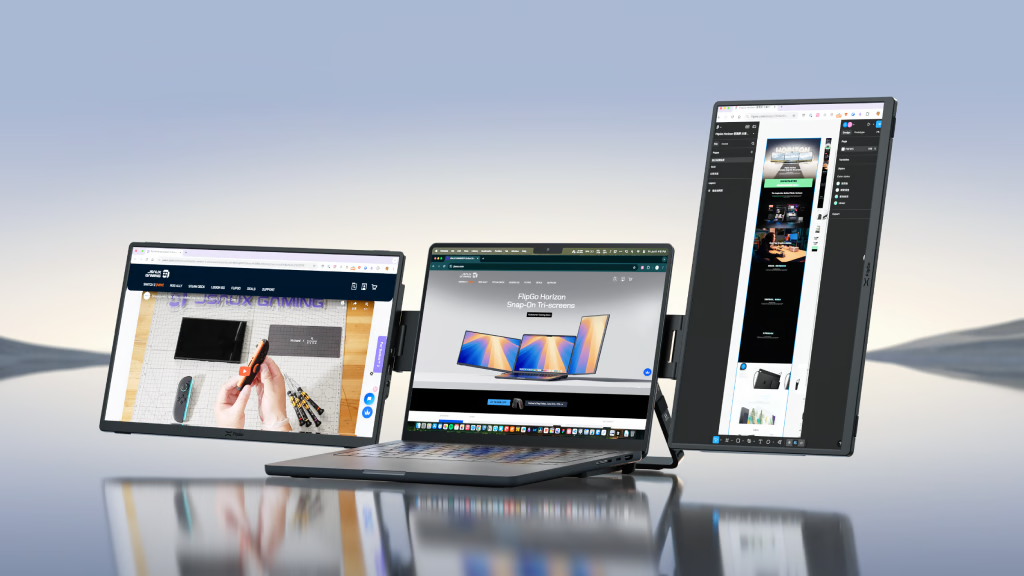
What’s in the Box
FlipGo Horizon comes with a well-thought-out kit that gives you everything you need to set up a multi-screen workspace right away. Here’s what you get:
- 2 × 15.6-inch Snap Screens
- 1 × Snap Stand
- 2 × USB-C 3.2 cables
- 1 × HDMI to mini HDMI video cable
- 1 × 65W power adapter
- 1 × Carrying case
- 1 × Tactical backpack (Retail version)
- 1 × Snap Stand Pro (Pro version only)
- 1 × SnapMag Module (Pro version only)
Design & Build Quality
The FlipGo Horizon immediately feels more polished than most portable screen setups I’ve tried. Out of the box, the engineering sample I received included two 15.6-inch Snap Screens, a basic Snap Stand, USB-C cables, and an assortment of accessories. Even though this was not a final retail unit, the materials and finish already looked solid. The Snap Screens are 357mm wide and just 12mm thick, sleek, but not fragile. Each weighs around 820 grams, which is totally manageable for travel.
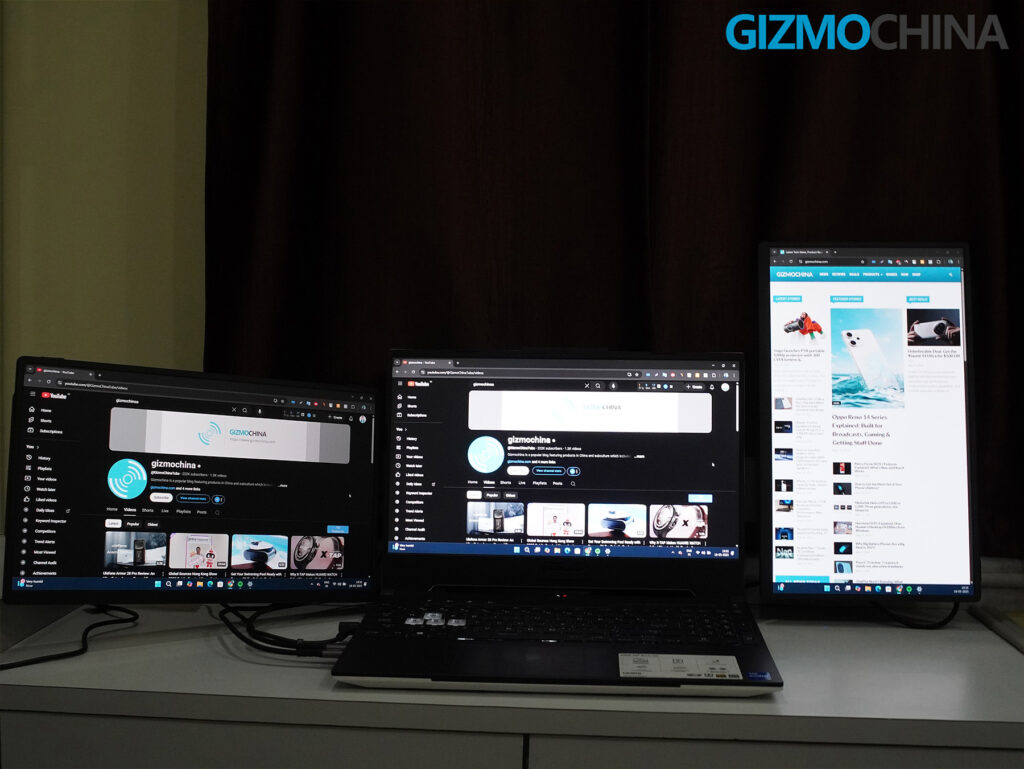
The patented Snap-Lock system is key to the Horizon’s design. Each Snap Screen connects magnetically to the Snap Stand, letting you switch between portrait and landscape modes quickly. The precision alignment magnets and locking clips work as promised. I was impressed by how smoothly the screens aligned with the stand and each other. You just adjust the magnetic arms based on your laptop size and snap the screens on.
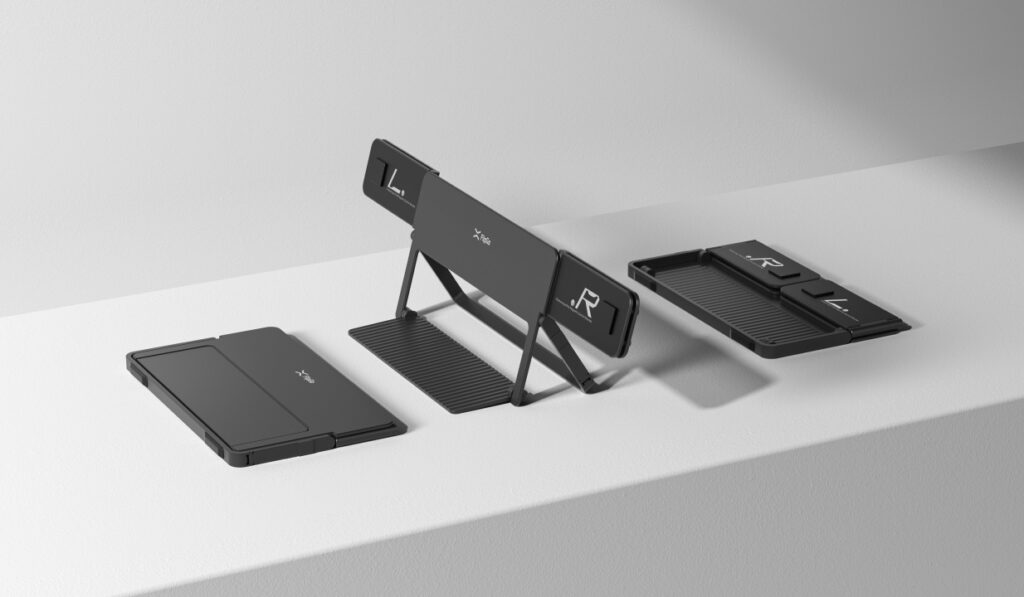
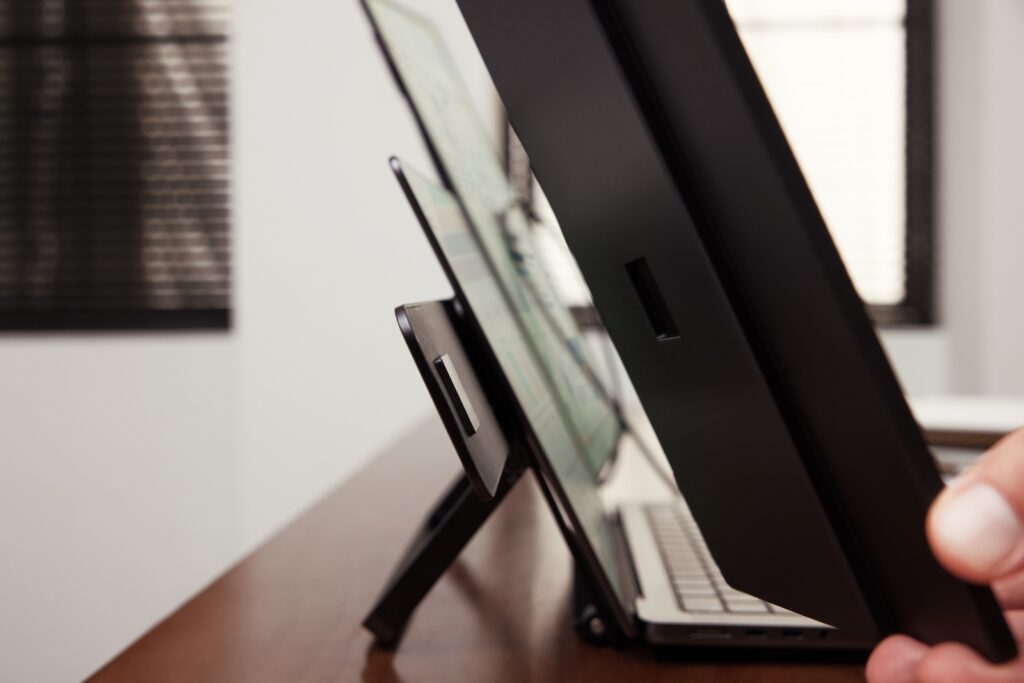
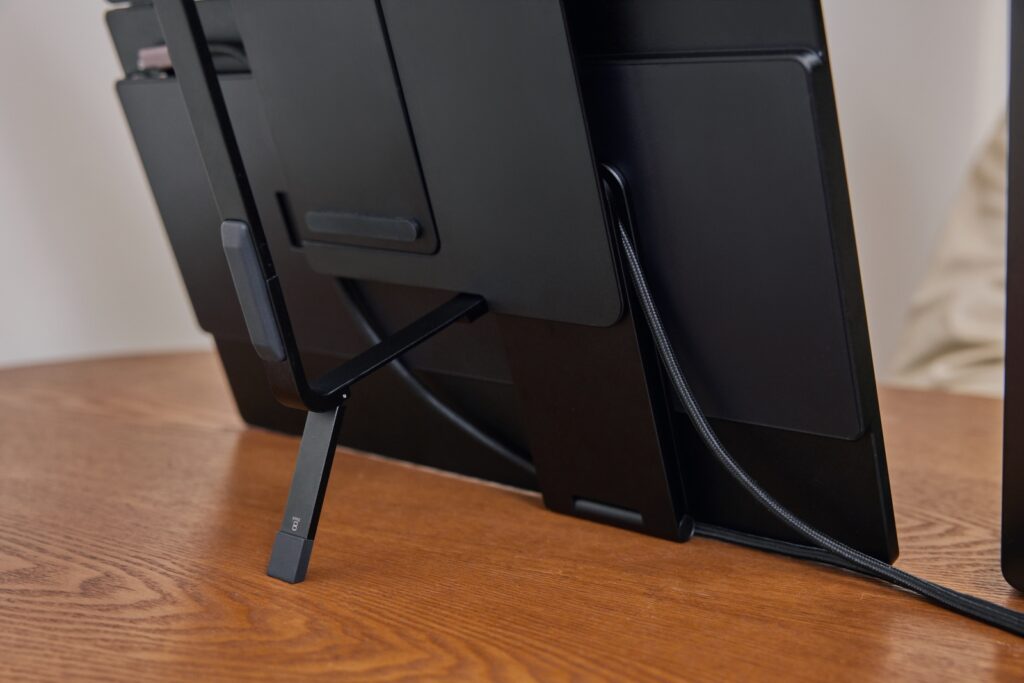
But perhaps the best design change versus older FlipGo models and competing clip-on displays is the stand itself. The Snap Stand takes all the weight off your laptop hinge. This matters — a lot. I’ve seen countless posts of broken hinges on laptops used with clamp-style dual-screen accessories. Here, your laptop sits on the stand’s metal base, and the screens rest on their own supports. This approach protects your device and ensures better stability.
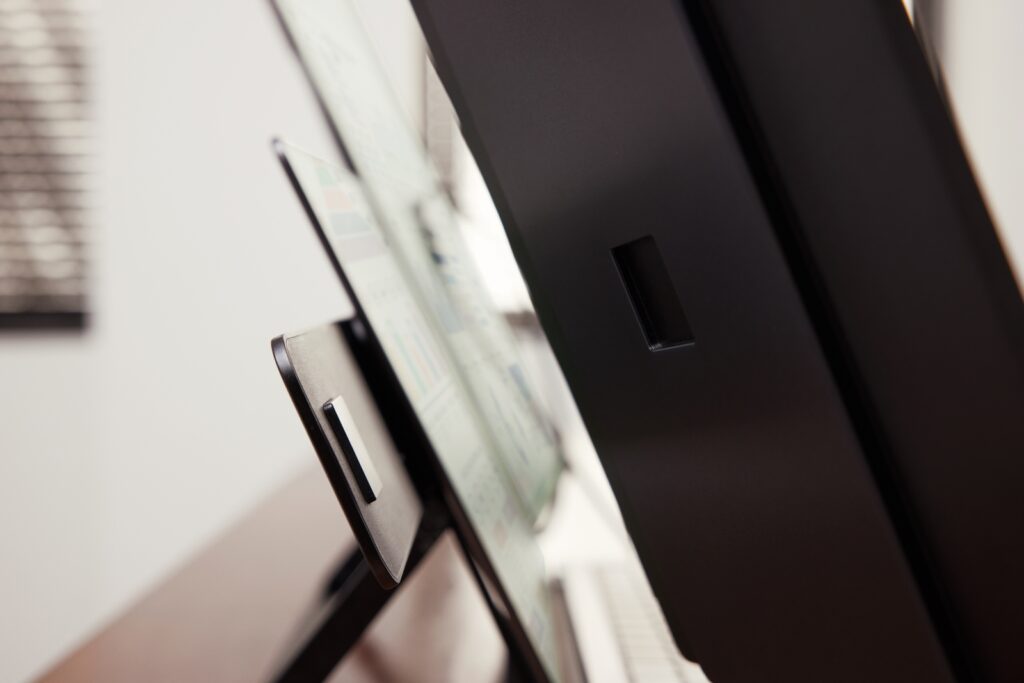
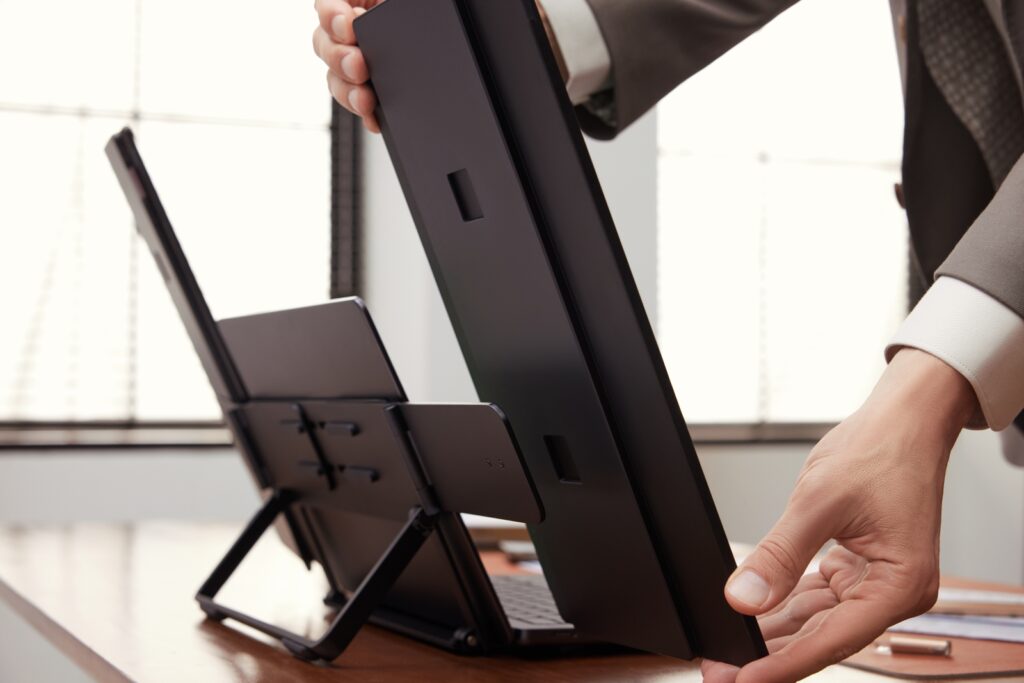
The stand folds down to a very portable form, so the entire system still fits in a backpack (FlipGo even bundles a tactical backpack with the kit). My only small quibble is that the metal base can sometimes feel slippery on certain surfaces unless you’re careful. But overall, the hardware quality here punches above its price.
Connectivity and Setup
The promise of a “one cable, plug and play” experience is mostly true, depending on your device. I used the FlipGo Horizon exclusively with my Asus TUF Gaming F15 for this review. I did not test it with a MacBook, though the company highlights specific limitations with base M1 and M2 Macs.
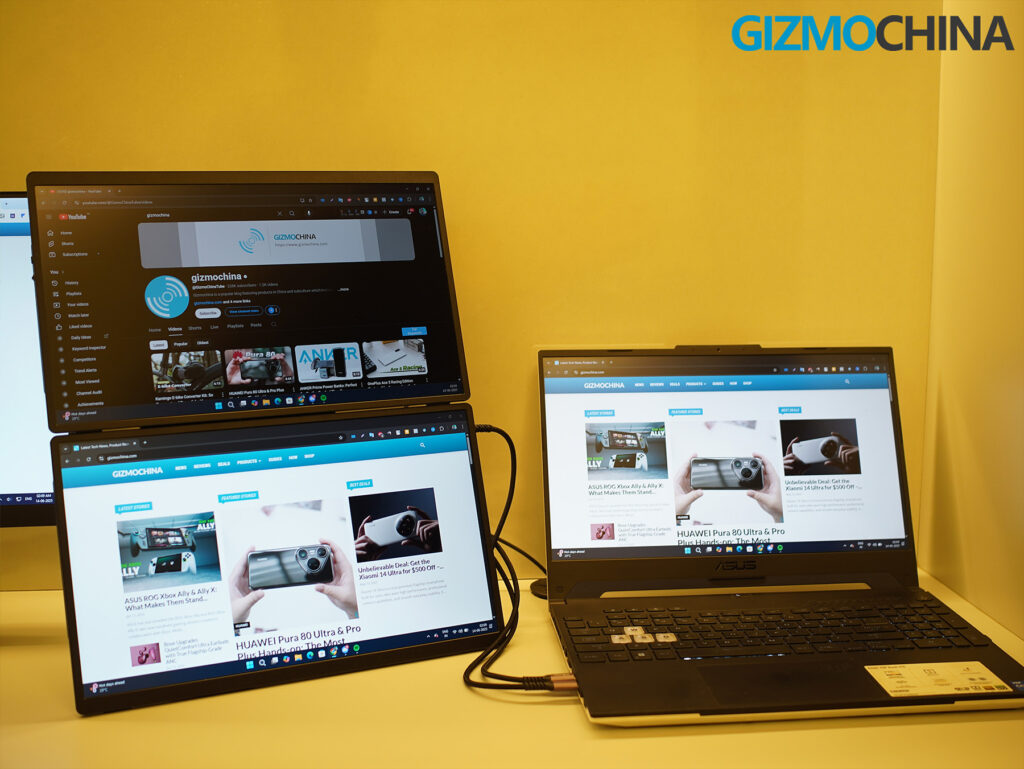
Setup on the Asus TUF Gaming F15 was simple. I connected a USB-C cable, adjusted the display arrangement in Windows, and the screens were detected immediately. Portrait rotation settings are applied without any need for driver installs.
It is worth noting that base M1 and M2 Macs can only support one external display natively. This is a limitation of Apple’s hardware, not FlipGo’s. On these devices, FlipGo Horizon allows only one Snap Screen to work unless additional workarounds like DisplayLink docks or adapters are used.
The Snap Stand Pro aims to address this by adding an internal hub with USB-C expansion, reverse power, Ethernet, and more. It also enables both Snap Screens to function on port-limited laptops. My review unit did not include the Snap Stand Pro, so I could not test this setup, but the company’s demo suggests it works well and reduces cable clutter.
It helps that FlipGo provides a clear compatibility matrix so users know exactly what to expect.
Features
The Horizon system is more than just a triple display kit. The magnetic flexibility and multiple modes really set it apart.
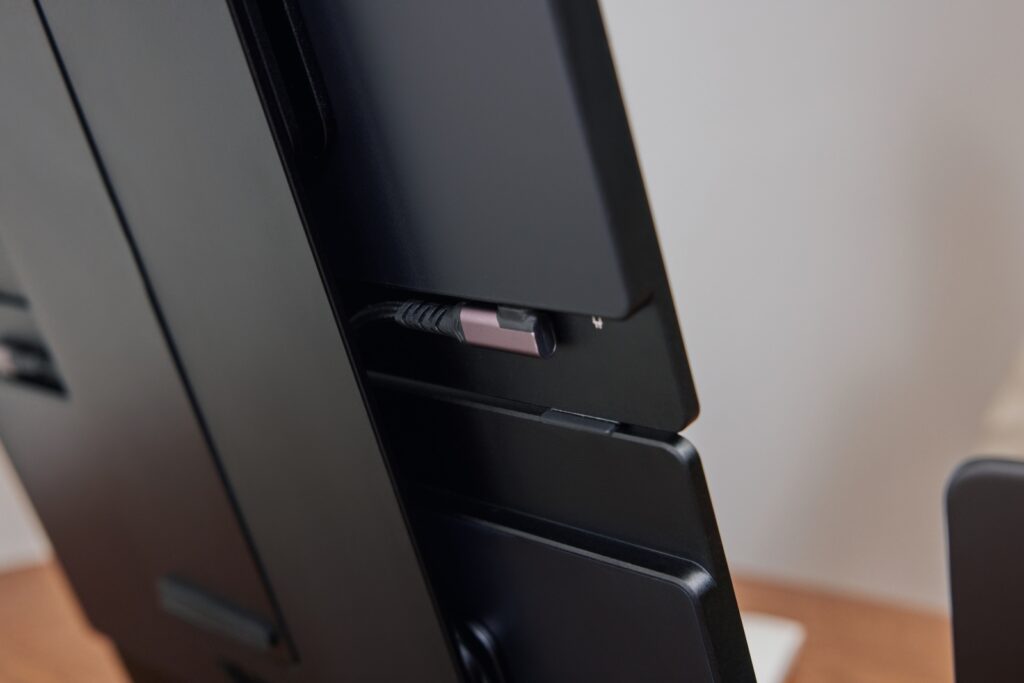
You can configure it in Horizon Mode for a classic side-by-side tri-screen setup, great for video editing or large spreadsheets. Stack Mode lets you create a vertical stack, ideal for coding, writing, or research workflows. Solo Mode enables quick expansion with just one Snap Screen. I mostly used this display in Solo Mode, as I am a desktop user, so it served as a secondary display like a charm.
The Snap-Lock mechanism makes these mode switches intuitive. I loved how easily the screens could be popped off, rotated, or repositioned, with no fiddly screws or brackets required. Even without the magnetic accessories that would enhance this modularity further, I found the system impressively flexible.
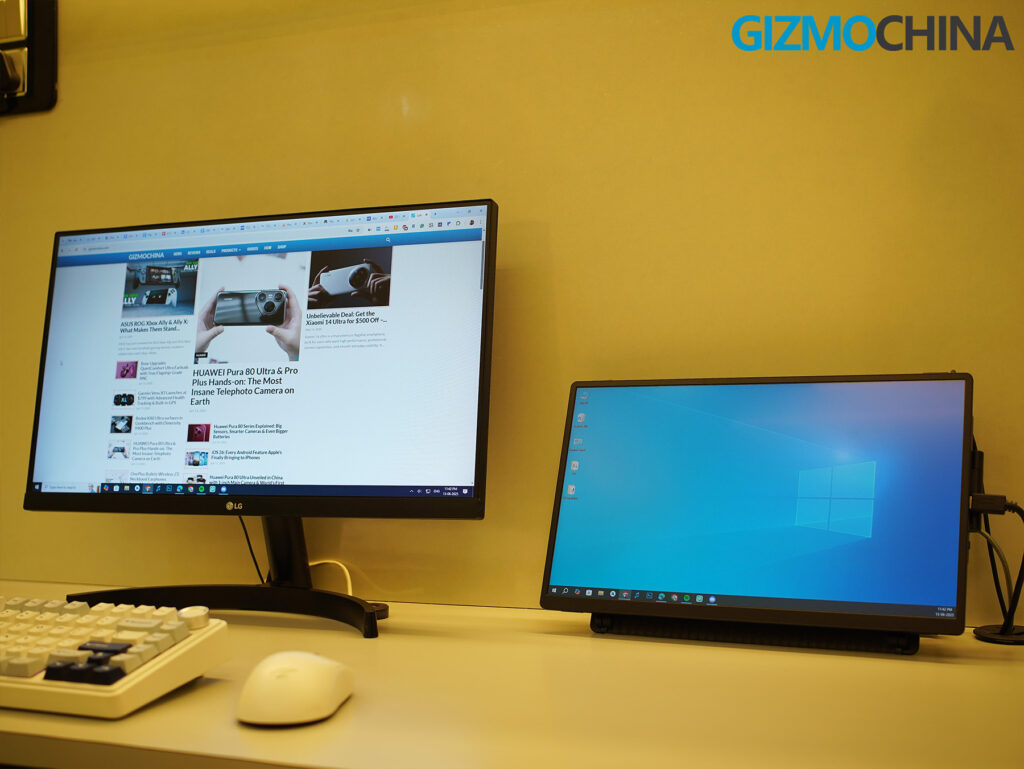
Another clever addition is MagSafe ecosystem support. The SnapMag Module (which I also didn’t receive yet in my early kit) allows iPhones, lights, or other MagSafe-compatible accessories to mount directly on the stand. This kind of thoughtful integration is exactly what you want in a modern modular workspace.
Display and Performance
The FlipGo Horizon’s screens are surprisingly good. Each Snap Screen features a 15.6-inch IPS LCD panel with a crisp 1920×1080 resolution, full 100% sRGB color coverage, and brightness up to 300 nits. While this won’t rival the rich contrast of OLED panels, these are some of the best LCD displays I’ve used in a portable setup.
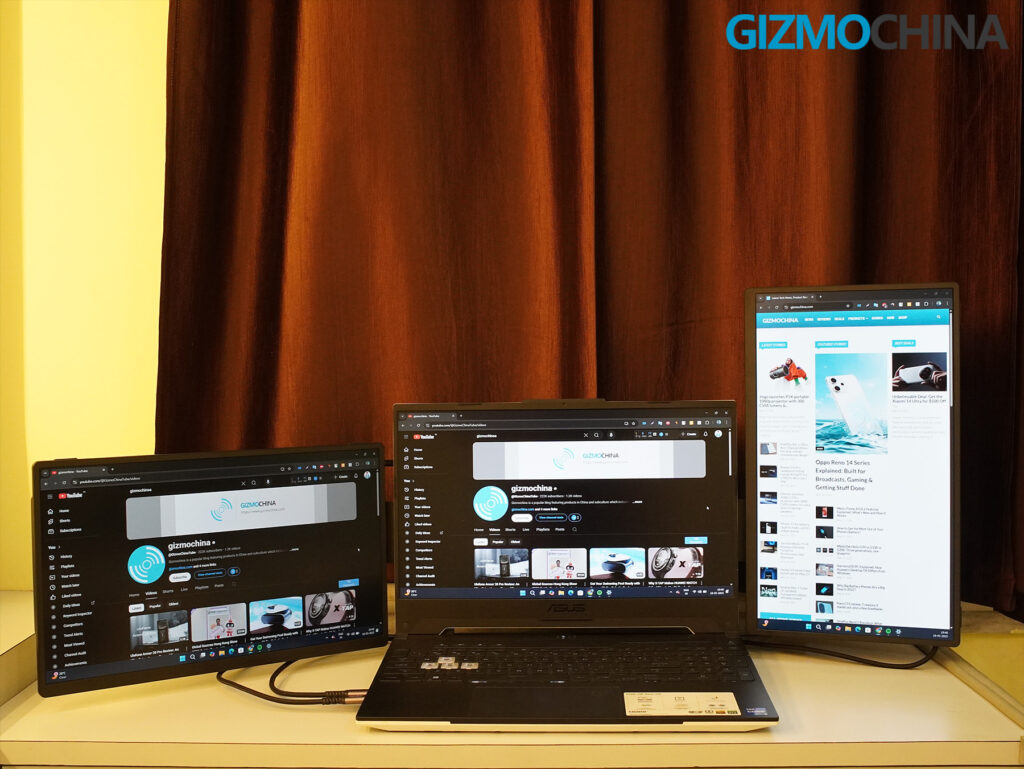
I was immediately impressed by the viewing angles. Even with bright studio lights overhead, the screens remained clear and easy to read. Glare was handled very well, which isn’t always the case with portable monitors. Whether I was editing photos or just running multiple browser windows side by side, the displays held up beautifully.
I used the FlipGo Horizon across a typical week of work. I did a lot of writing and article reading, often with a browser open on one screen, a text editor on another, and Discord or email on the third. The screens were great for this kind of multitasking.
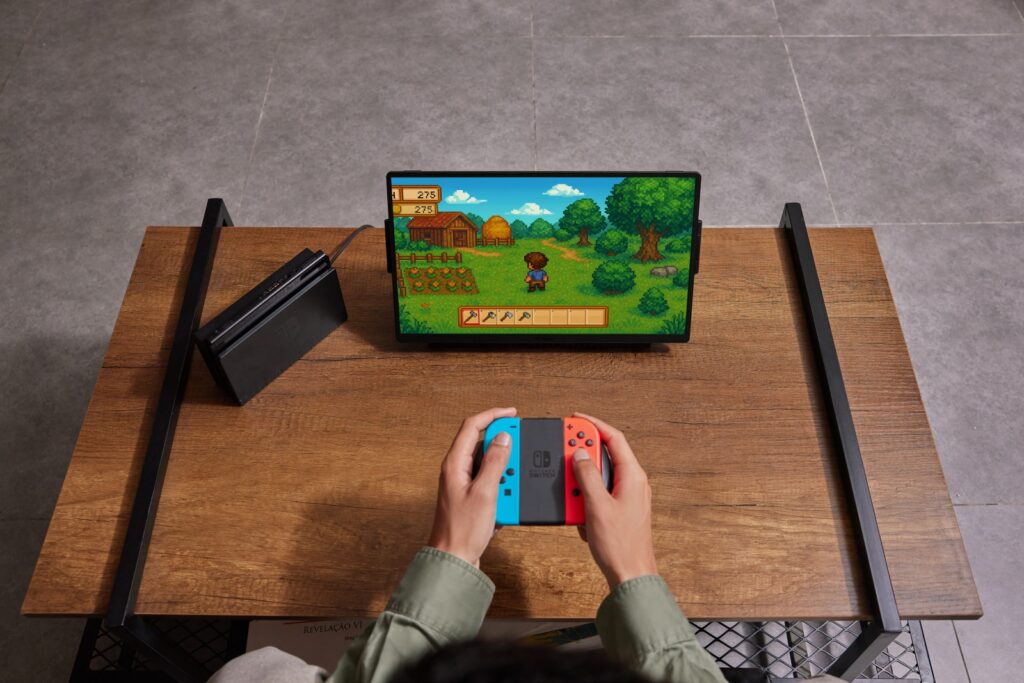
I also spent time editing images in Lightroom, and while an OLED panel would naturally offer better contrast, I found the color accuracy here more than good enough for casual to semi-professional editing. Colors were punchy without being oversaturated. Watching sports on one screen while working on the others was also smooth, with no lag or weird artifacts. The system runs at 60Hz, which is fine for productivity and general media use. You can also play games from handheld consoles.
Each display includes a small control switch on the side. You can easily adjust brightness, contrast, sharpness, black level, and color temperature on the fly. I tweaked mine slightly for photo editing and then bumped up the brightness for a few daylight work sessions. The controls feel responsive and intuitive, making it easy to get the screens looking exactly the way you want.
Although in most parts the setup works fine, you do need to be a bit mindful when detaching the Snap Screens. Occasionally, it takes a little pressure to pull them away from the magnetic Snap-Lock system, and if you’re not careful, a screen could slip and fall, especially when using Stack mode, where the vertical arrangement adds a bit more risk during teardown.
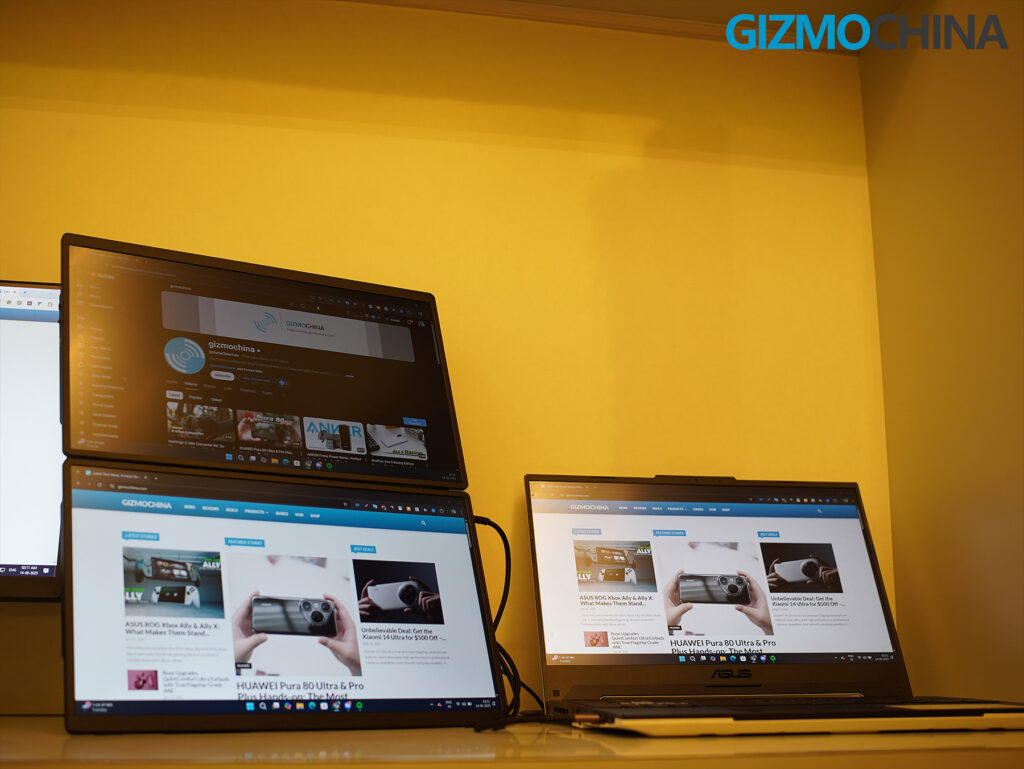
I also found that setting up Stack mode can be a bit more tiresome if you’re working in a shared space or trying to configure everything at a cafe or coworking desk. And one thing to keep in mind: these are large 15.6-inch displays, so they do eat up a fair bit of desk space when fully deployed. It’s worth making sure your work surface is clean and uncluttered before setting up a full triple-screen layout.
Accessories
Since I had an engineering unit, my package didn’t include the Snap Stand Pro or SnapMag Module, both of which add significant functionality.
Based on the official specs and videos, Snap Stand Pro consolidates power delivery, storage expansion, Ethernet, and dual-screen connectivity into a single USB-C cable. That’s a game-changer for port-limited laptops and would eliminate a lot of cable clutter. I am particularly keen to try this version once it’s available.
The SnapMag Module, meanwhile, adds mounting versatility for phones, fill lights, or action cameras. In theory, this would help turn the FlipGo Horizon into a more complete content creation or streaming rig. Again, not something I could test directly, but the potential is obvious.
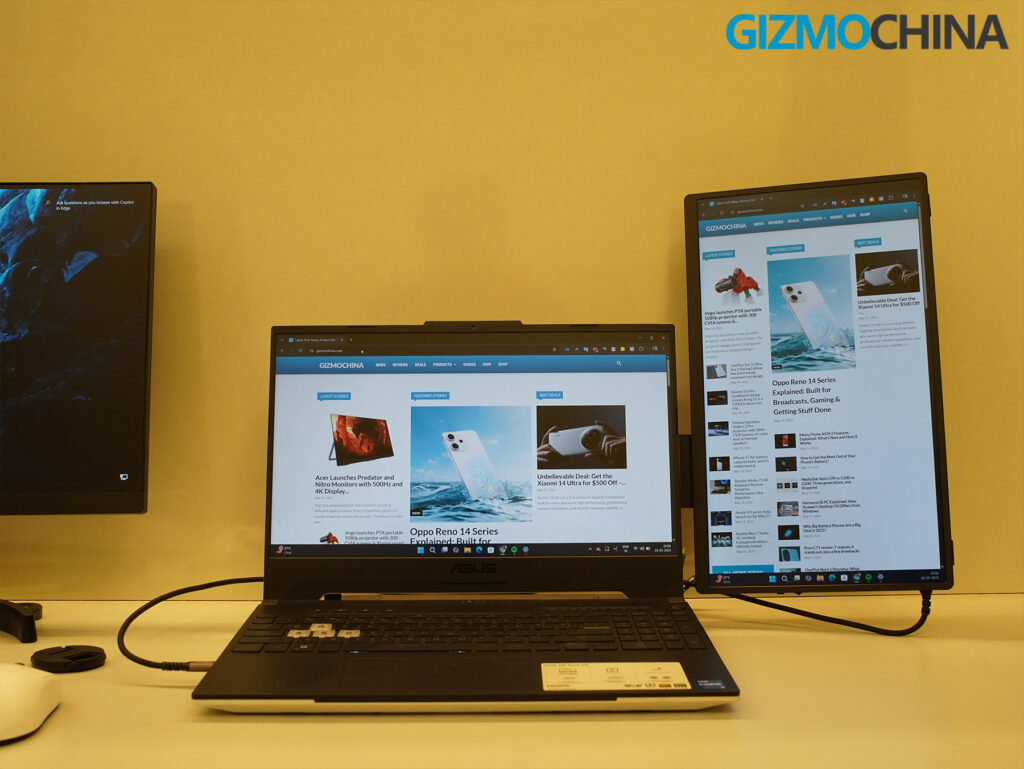
Even with just the basic Snap Stand, the system worked very well. The folding design is clever, making setup and teardown fast. And the included carrying case is a nice touch for travel.
One thing to note: because the Snap Screens rest on the stand rather than clamping to your laptop, you do need to be careful in busy environments. If someone bumps your table or if a child tugs at a screen, it could be knocked over. This is a tradeoff for avoiding hinge stress, but it’s worth keeping in mind.
FlipGo also offers a range of add-ons that you can pick up separately. There’s a 90° USB-C right-angle adapter (useful for cleaner cable routing), a Snap Stand Pro upgrade if you start with the Standard kit, a SnapMag Module, and even a 20,000mAh 65W PD power bank that pairs well with the system for on-the-go setups. If you want a fully modular mobile workstation, these accessories give you plenty of options to expand.
Final Thoughts
After using the FlipGo Horizon for several weeks in real-world scenarios, I came away impressed. It solves many of the pain points that plague other portable display solutions. The modular design, Snap-Lock system, and stand-based approach make it safer for your laptop, more versatile in layout, and genuinely enjoyable to use.
Yes, the system has some limitations. If you’re using a base M1 or M2 Mac, or a laptop that only supports one external display, you’ll need to plan accordingly, or opt for the Snap Stand Pro to unlock full tri-screen capability. And the freestanding design, while excellent for hinge protection, does mean occasional care is needed in dynamic work environments.
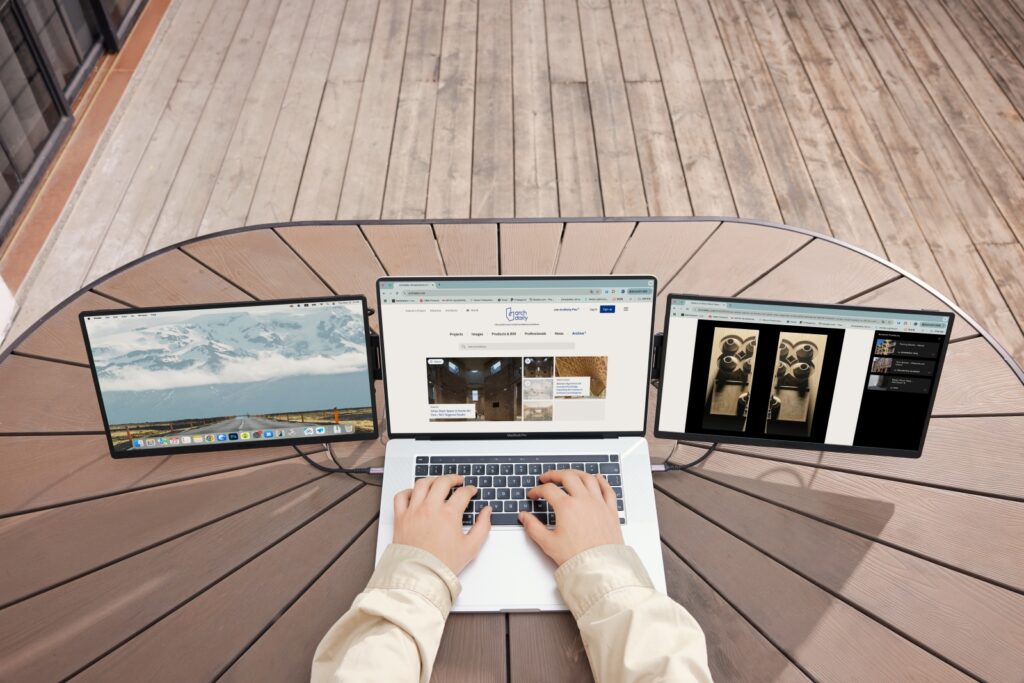
But these are minor tradeoffs when weighed against the flexibility and quality the FlipGo Horizon delivers. For mobile professionals, creatives, and hybrid workers, this system unlocks a level of productivity that a single laptop screen just can’t match.
I’m excited to see how the final retail version performs with the full suite of accessories. Based on what I’ve experienced so far, FlipGo Horizon feels like a thoughtful evolution of the portable workspace, one that fits right into the growing trend of modular, adaptable tech.
If your workflow demands real multi-screen capability on the go, this is absolutely worth a look.
Pricing and Availability
The FlipGo Horizon is available through Kickstarter, with several pricing tiers depending on the version you choose. The Standard version is priced at $359 for Super Early Bird backers (MSRP $459), while the Pro version with Snap Stand Pro starts at $399 (MSRP $499). There are also Early Bird deals that slightly raise the price as the initial stock sells out.
In addition, you can purchase useful add-ons like the Snap Stand Pro separately for $79.99, the SnapMag Module for $15.99, and a 90° USB-C right-angle adapter for $6.99. Shipping is set to begin after the campaign wraps, though as with all crowdfunded products, final delivery dates can vary.
For more daily updates, please visit our News Section.
Stay ahead in tech! Join our Telegram community and sign up for our daily newsletter of top stories! 💡




Comments