AOC has quietly added a new weapon to its arsenal of gaming displays, the C27G4H2, a 27-inch curved monitor that blends speed, color accuracy, and ergonomic flexibility, all wrapped in an aggressive price tag. It’s already listed on JD.com, with an official price of 1,499 yuan ($208), though marketing materials hint at a final retail price closer to 1,099 yuan ($153).
AOC C27G4H2 Specifications
The monitor features a Full HD (1920×1080) Fast VA panel with a tight 1500R curvature, creating a more immersive field of view that wraps around your peripheral vision. It comes with a 200Hz refresh rate and 1ms GtG response time, allowing for responsive gameplay and reduced motion blur in fast-moving scenes.
It equips Adaptive-Sync support, making it compatible with both AMD and Nvidia GPUs to eliminate tearing and stuttering. AOC’s custom MBR Sync motion blur reduction engine further enhances clarity by inserting black frames without sacrificing overall brightness. The panel supports HDR10 and peaks at 300 nits of brightness, allowing bright highlights and deep shadows to coexist with better detail retention.
In terms of colors, the C27G4H2 sports factory-calibrated color tuning with an average Delta E <2. It covers 100% of the sRGB and 93% of the DCI-P3 color gamuts, and supports 8-bit color depth. AOC also includes a 6-axis color adjustment system, letting users fine-tune hue and saturation to match their creative or viewing preferences.
The monitor features a highly adjustable stand with 120mm of height travel, -5° to 23° tilt, and ±30° swivel, ensuring long-session comfort. It’s also VESA-compatible (100x100mm), making wall or arm mounting a breeze.
In terms of ports, it comes with two HDMI 2.0 ports, one DisplayPort 1.4, and a 3.5mm audio jack, all HDR-ready. It includes flicker-free and low blue light modes to reduce eye fatigue and offers preset viewing modes for work, media, or gaming.
Aoostar has introduced the GEM12+ Pro mini PC, a compact desktop that combines strong performance, custom features, and modern connectivity in an impressively small form factor. It is priced starting at 2199 yuan (approximately $304) and features AMD’s enterprise-grade Ryzen 7 Pro 8845HS processor along with a customizable secondary display integrated into the top panel.
Aoostar GEM12+ Pro Specifications
The device features an 8-core, 16-thread Ryzen 7 Pro 8845HS CPU based on the Zen 4 architecture, with clock speeds reaching up to 5.1GHz. It comes with Radeon 780M integrated graphics, built on the RDNA 3 architecture, delivering 12 GPU cores, AV1 hardware decoding, and up to 16 TOPS of AI compute performance.
The GEM12+ Pro sports a CNC-machined aluminum alloy chassis that measures just 13 x 13 x 6 cm and weighs 660 grams. It equips a dual-fan vapor chamber cooling system with graphene VC material and supports performance tuning up to 70W via BIOS, with Silent, Balanced, and Performance modes available.
It supports dual-channel DDR5 memory up to 5600MHz and accommodates up to 96GB of RAM. For storage, it comes with two M.2 2280 PCIe 4.0 x4 SSD slots. It also includes a dedicated OCuLink (PCIe 4.0 x4) port for external GPU or RAID expansions, although it only supports cold-plugging.
On the I/O front, the device equips two USB4 ports (front and rear) with 40Gbps data speeds, DisplayPort output, and PD fast charging up to 100W. It also features an HDMI 2.1 port, a DP 1.4 output, and can support up to four 4K displays at 120Hz. Networking is handled by dual 2.5Gb Ethernet ports powered by Intel I226-V, alongside Wi-Fi 6 and Bluetooth 5.2 support.
The mini PC also comes with a fingerprint scanner on the top panel, supporting Windows Hello for password-free login. The integrated secondary screen can be customized using Aoostar’s Fan 2.0 software to display system stats, clocks, or photos.
For more daily updates, please visit our News Section.
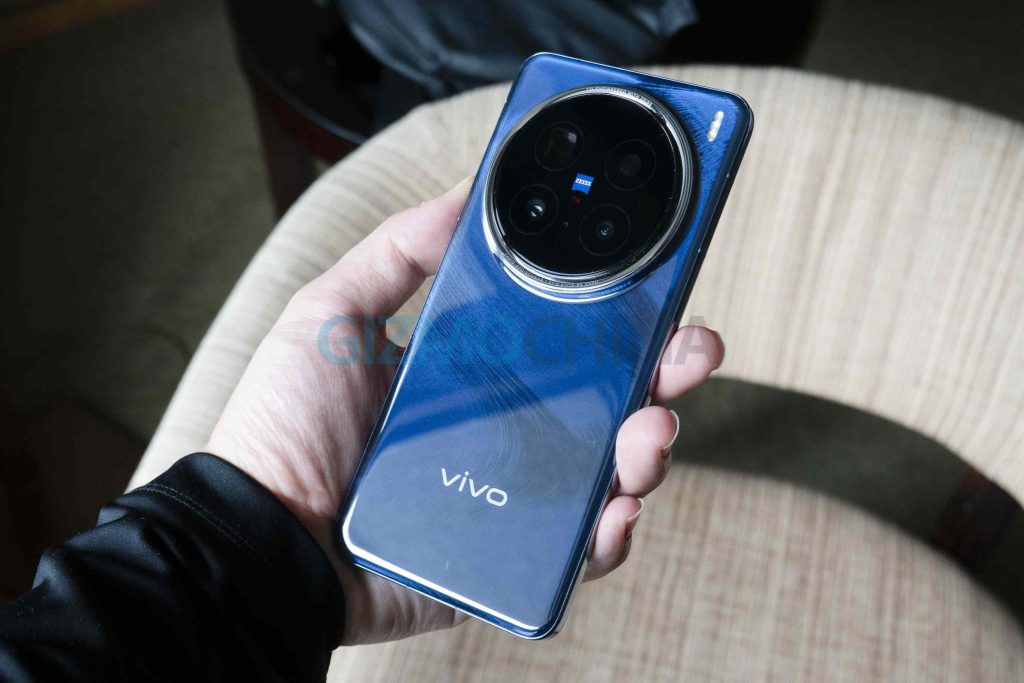
Vivo is preparing to launch its S30 series in China later this month. The new lineup follows last year’s S20 series and brings some changes to how the models are structured. This year, the company is shifting away from its usual formula and introducing a slightly different setup.
Vivo S30 and S30 Pro mini Specifications
The regular Vivo S30 keeps things familiar. It will feature a 6.67-inch OLED display with a 1.5K resolution and is powered by Qualcomm’s Snapdragon 7 Gen 4 (SM7750) chipset. The phone will include a 6500mAh battery and a 50MP IMX882 periscope camera.
What’s different this time is that there’s no standard “Pro” model. Instead, Vivo is replacing it with a new device called the S30 Pro Mini. According to Vivo China’s product VP Ouyang Weifeng and leaker Digital Chat Station, this model will stand in for the usual Pro variant and bring a mix of compact design and high-end specs.
Vivo S30 Pro Mini (left) and Vivo S30 (right)
The S30 Pro Mini will come with a smaller 6.31-inch flat OLED display at the same 1.5K resolution. It’s powered by MediaTek’s Dimensity 9400e SoC and also carries a 6500mAh battery.
Like the standard model, it is said to include a 50MP IMX882 periscope camera. It will feature a metal middle frame for a more premium build than typical mid-range phones.
The S30 Pro Mini is expected to be rebranded as the Vivo X200 FE in international markets. While Vivo hasn’t confirmed the exact launch date yet, the S30 series is expected to be announced in China before the end of May.
For more daily updates, please visit our News Section.
Amazon Basics Wireless Earphones are now retailing at all time low price of Rs 244. The earphones are slightly old, but still at the jaw dropping price, it is worth considering. At the present retail price, it is difficult to find a good wired headphones, and you can get wireless Amazon Basics headphones at the given price.
Amazon in-ear Wireless Bluetooth Neckband offers 13 hours of continuous playtime upon a single full charge. Meanwhile, a 10 minutes of charging can offer 2.5 hours of playback. The magnetic earbuds provide secure fit for comfortable use.
In terms of technical specifications, the earphones offers Bluetooth 5.0 support and can easily pair with iOS and Android devices. It features IPX5 water & sweat resistance. It offers passive noise cancellation to improve the listening experience.
It is good for daily use, and the neckband offers full comfort and sways away the risk of dropping it somewhere. Presently, it is available only in Blue Color option.
Amazon in-ear Wireless Bluetooth Neckband is worth the every dime you spent. The present discount is currently only for a limited time. You may hurry to grab the discount before the stock depletes.
Sony will launch the Xperia 1 VII on May 13. A new leak from Hong Kong reveals the 512GB model will cost HK$10,899 (USD$1401/€1245). That’s HK$400 (US$51) more than last year’s Xperia 1 VI, which was priced at HK$10,499 (US$1347) for the same storage. This increase, about €45, could also apply to the European market. Rising hardware costs, including the use of the Snapdragon 8 Elite chip, are likely behind the higher price.
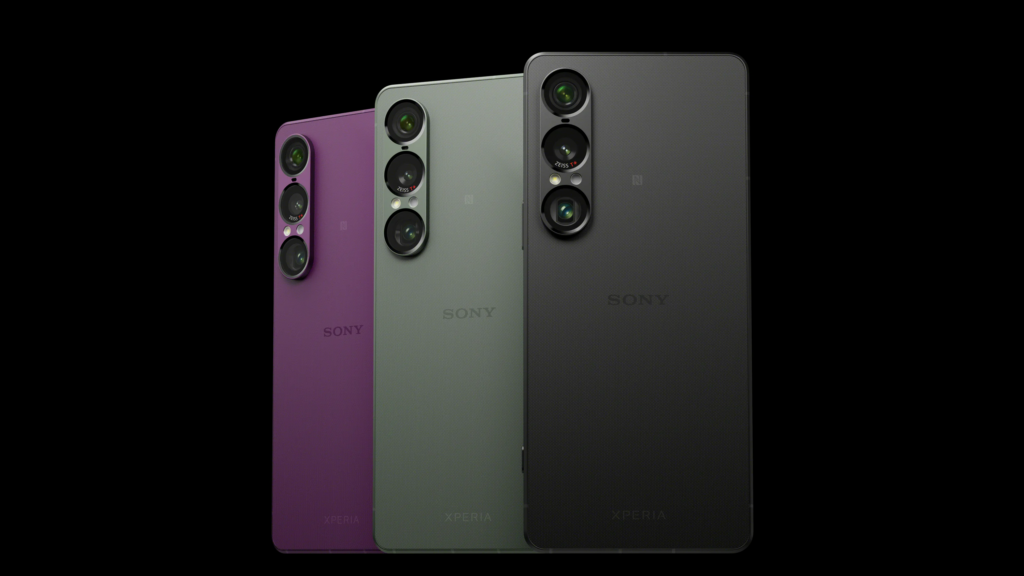
The Xperia 1 VII will be available in black, green, and purple. Audio is a major focus. A recent report revealed that the phone supports high-resolution sound for both wired and wireless headphones. It uses Sony’s DSEE Ultimate AI to improve compressed audio and includes LDAC support for better wireless streaming. The front-facing stereo speakers now deliver 10% more sound pressure in the low-to-mid range, and the audio system uses parts from Sony’s Walkman lineup.
The camera setup adds a new 120mm macro mode with manual focus. It also uses full-size sensors for better low-light photos and has a 2.1x larger ultra-wide sensor. Video features include Auto Framing and AI Camera Work, which track and center the subject while reducing shake. These work together in Dual Video Mode for more stable footage.
The phone has a 6.5-inch 4K OLED display. Sunlight Vision adjusts screen contrast for better outdoor visibility, and BRAVIA tech boosts brightness and color. The rear camera setup includes a 48MP main sensor with OIS, a 12MP ultra-wide, and a 12MP periscope telephoto lens with 70–200mm zoom. The front camera is 12MP.
Other specs include a 5000mAh battery, 3.5mm headphone jack, microSD slot, USB-C port, and dual front speakers. The design features a flat frame, glass back, and textured grip. Sony promises four Android version updates and six years of security patches. The launch livestream starts at 11 AM JST (7:30 AM IST) on May 13.
HONOR will launch its HONOR 400 Series globally on May 22, 2025. Ahead of the launch, the company confirmed a new feature called “AI Image to Video,” which was developed in partnership with Google Cloud.
This feature lets users turn static images into short, 5-second videos or animated photos. It works with real photos, old pictures, and AI-generated images. The tool is built into the phone’s photo gallery, so users won’t need third-party apps. The videos can be easily shared on social media and are supported on both Android and iOS platforms.
HONOR says the 400 Series is aimed at users looking for strong AI camera features in an affordable smartphone. The image-to-video feature is a major part of its AI tools, giving users more control over photo editing and content creation directly from their device.
The phones are expected to offer AI tools that are usually found in more expensive models, helping HONOR compete in the mid-range segment. The company is focusing on ease of use and creative features for people who want to make videos out of still images quickly.
The HONOR 400 Series launch event will be held in London at 4:00 PM BST (8:30 PM IST) and will be livestreamed. Pre-registrations for the phones are already open in the UK. Specifications, while not officially confirmed, have leaked online.
The HONOR 400 is expected to feature a 6.55-inch 1.5K AMOLED display with a 120Hz refresh rate and up to 5,000 nits peak brightness. The phone may run on the Snapdragon 7 Gen 3 chip with 8GB RAM and up to 512GB of storage. The camera setup includes a 200MP main sensor, a 12MP ultrawide, and a 50MP front camera. It is backed by a 5,300mAh battery with 66W fast charging.
The HONOR 400 Pro may include a 6.7-inch 1.5K AMOLED display and be powered by the Snapdragon 8 Gen 3. It is likely to offer 12GB RAM and 512GB storage. The Pro model’s camera system features a 200MP main sensor with OIS, a 50MP telephoto lens, and a 12MP ultrawide. A 50MP selfie camera and IP68/IP69 protection are also expected. The battery capacity remains at 5,300mAh, but supports 100W fast charging.
For more daily updates, please visit our News Section.
With the Nintendo Switch 2 set to release soon, the hype behind the handheld gaming console is building. The company is facing difficulties keeping up with pre-orders. But for those lucky enough to get their hands on the Switch 2, here’s a list of accessories that will level up your gaming experience on the next gen Nintendo console. From upgraded controllers to travel cases and charging docks, these add ons are shaping up to be must-haves.
Nintendo Switch 2 Pro Controller
Kicking off the list, we have the Nintendo Switch 2 Pro Controller. This is an add-on controller that has a more conventional design, appearing similar to the Xbox controller. It arrives with support for motion controls, HD rumble 2, built-in amiibo functionality, Capture Button, C button for GameChat, and a 3.5mm audio jack. The Switch 2 Pro is a wireless controller that charges via a USB-C port (cable included in the box). You can buy this for $84.99 after the Switch 2 drops next month.
Joy-Con 2 Wheel
Joy-Con 2 Wheel
Nintendo has one of the best selling and most fun racing franchises in all of gaming. The Mario Kart series offers endless amounts of fun for friends and family, and what better way to experience this than the Joy-Con 2 Wheel. It comes in a set of two, color coded in blue and orange to match the Joy-Con controllers that are housed within them. The mini wheels offers a more realistic control and a better grip to Nintendo racing games enthusiasts for $24.99.
Nintendo Switch 2 Camera
Along with the Nintendo Switch 2, the company has also announced the new Switch 2 Camera. This connects via a USB-C charging cable, which can be used with the new console even when it is being used in TV mode, handheld mode, or tabletop mode. It allows users to get access to in-game camera features and offers a wide view to capture a whole room. There is also a built-in shutter for better privacy. This camera will go on sale for $24.99.
Joy-Con 2 Charging Grip
The Joy-Con 2 Charging Grip is an add-on for the Switch 2 Joy-Con controllers. Users can also attach the controllers to the charging grip for a more traditional style of controller design. It basically acts as a charging station and arrives with an included USB-C charging cable. The Joy-Con 2 Charging Grip also features a GL/GR Buttons, which can be custom mapped. You can purchase this soon for $39.99.
For more daily updates, please visit our News Section.
Motorola Edge 50 and Edge 50 Fusion are gorgeous-looking smartphones, packed with solid hardware at a mid-range price. The two phones don’t bring a significant gap in the pricing, but deep within there are significant differences. Here, we’ll dig deeper into the differences and find out how these two Motorola phones stack up against each other..
Motorola Edge 50 vs Edge 50 Fusion: Which offers more value for your money?
Both Motorola phones share a premium design aesthetics with curved displays and rounded corners, giving them a sleek and slim appearance. The front looks almost identical, but the Edge 50’s back appears a bit asymmetrical. The vegan leather finish on both phones adds a premium touch and offers a more comfortable grip than traditional glass backs.
While both have a similar design language, the Edge 50 is a step further when it comes to durability. It’s MIL-STD-810H-certified, making it more resistant to challenging conditions.Additionally, the Edge 50 features an aluminium frame, whereas the Edge 50 Fusion has a plastic frame. Both phones are IP68 certified, though.
Display
Both smartphones have a nearly 6.7-inch pOLED curved screen with a peak brightness of 1600nits, which ensures good outdoor visibility. The Edge 50 boasts a higher refresh rate of 144Hz (120Hz in Latin America), while the Edge 50 Fusion sticks to 120Hz. The Edge 50 also offers a higher resolution, resulting in crisper and detailed content.
The curved screen is a common trait among Edge models and contributes to a slimmer profile, but it can also lead to reflections and accidental touches. That shouldn’t bother much if you’ve used a curved screen before.
The Edge 50 features a triple-camera setup on the back, which includes a 50MP OIS-enabled primary sensor, a 13MP ultrawide camera, and a 10MP telephoto camera with OIS and 3x optical zoom. The primary camera captures excellent shots that are vibrant and detailed, particularly when there’s sufficient light around. HDR performance is good, effectively showing details in both darker and lighter areas.
The ultrawide camera on the Motorola Edge 50 isn’t a lot impressive. It generally produces too soft images. However, the third one — telephoto camera — makes this an interesting camera setup on a budget phone. We rarely see this on budget phones, which significantly improves the zoom performance.
On the other hand, the Edge 50 Fusion has dual-rear cameras: a 50MP primary shooter and a 13MP ultrawide camera. The photos are quite good for its price, with solid HDR and decent low-light performance. The ultrawide performance is decent, though the shots can sometimes be blurry.
In terms of video, the Edge 50 can shoot 4K videos from all cameras (including the selfie camera), whereas the Edge 50 Fusion supports 4K only from its main camera. The video quality isn’t particularly impressive across all sensors on both phones. The camera app isn’t impressive either. It may take a few seconds to open, and the lens switching also shows noticeable lag.
Performance and Software
Both Motorola phones offer smooth everyday performance, but the Edge 50 has a slight edge in terms of CPU and GPU performance, although the gap isn’t massive. So, you’ll likely experience better performance on the Edge 50 with demanding activities like gaming, video rendering, and multitasking.
Take a look at the benchmark result below.
AnTuTu performance
Moto Edge 50
Moto Edge 50 Fusion
AnTuTu score
722,133
631,172
CPU
250,766
211,572
GPU
162,656
130,884
Memory
150,446
134,023
UX
158,266
154,693
In AnTuTu benchmarks, the Motorola Edge 50 pulls ahead of the Edge 50 Fusion with a noticeably higher overall score. The Edge 50 delivers better performance across all key areas—CPU, GPU, memory, and UX—indicating it’s the more capable device for multitasking, gaming, and overall responsiveness. The Edge 50, though, isn’t much behind.
Geekbench performance
Moto Edge 50
Moto Edge 50 Fusion
Single core
1,080
1,016
Multi core
2,965
2,917
In Geekbench tests, both the Motorola Edge 50 and Edge 50 Fusion deliver similar results, but the Edge 50 holds a slight advantage. It scores marginally higher in both single-core and multi-core performance.
3DMark Wild Life Extreme Stress Test
Moto Edge 50
Moto Edge 50 Fusion
High score
825
799
Low score
818
793
In the 3DMark Wild Life Extreme Stress Test, both the Motorola Edge 50 and Edge 50 Fusion show excellent thermal stability, with minimal performance drop under sustained load. The Edge 50 delivers slightly better peak and sustained GPU performance, but the difference is very small.
Motorola promises to offer five major Android updates to the Edge 50 but only three for the Edge 50 Fusion. This means the Edge 50 will receive Android 19 as their final upgrade, but for the Fusion model, Android 17 will be the end of the road. The Edge 50 will also receive an additional year of security updates.
Battery and Charging
Both Motorola phones come with a 5,000mAh battery and 68W fast wired charging. The phones easily last for a day on regular usage, and the fast charger gives you hours of use with just a few minutes of plug-in time.
The key difference is that the Edge 50 also supports 15W wireless charging, lacking on the Edge 50 Fusion.
Motorola Edge 50 vs Edge 50 Fusion: Conclusion
The Motorola Edge 50 and Edge 50 Fusion are both solid mid-range smartphones that deliver excellent value. However, if you want a more premium build, sharper display, better long-term software support, and a more versatile camera setup with telephoto capabilities, the Edge 50 is clearly the better choice. It also offers slightly stronger performance and the added bonus of wireless charging.
However, if you’re looking to save a bit without sacrificing too much, the Edge 50 Fusion still delivers a well-rounded experience with solid performance, attractive design, and good battery life.
Edge 50 Pro
Edge 50 Fusion
Release Date
August 2024
May 2024
Body
160.8 x 72.4 x 7.8 mm 180 g IP68 rating MIL-STD-810H compliant
Sonos has just debuted the Arc Ultra soundbar speakers in the Indian market. This is the brand’s latest premium audio product, which also arrives with the Sub 4 subwoofer and Era 100 Pro speakers. These expand the existing Sonos portfolio and also enable it to double as a professional audio setup.
Sonos Arc Ultra: What’s special about the new soundbar speakers?
The audio maker is known for premium built speakers, and the Arc Ultra is no different. Its latest soundbar features a curved design with a matte finish that appears sleek and minimalistic. Sonos packs the Arc Ultra with 14 custom drivers with a Sound Motion woofer, and tweeters that offer a 9.1.4 spatial audio experience that supports Dolby Atmos.
Sonos Arc Ultra Soundbar Speakers
Sonos brings various upgrades in the sound quality to improve vocal clarity and Speech Enhancement that can be tweaked through the Sonos app (on iOS and Android). For a better audio experience, the company collaborated with Chris Jenkins and Onnalee Blank to optimize the Arc Ultra for a tailored home speaker setup. Although, it can even be usable in a professional setting as well.
For connectivity options, the Arc Ultra supports HDMI eARC, WiFi 6, Power over Ethernet, and Bluetooth 5.3. Other notable features include a 5.9kg body, Sonos Voice Control, Amazon Alexa, AirPlay 2, LED indicators, 2GB SDRAM, 8GB NV, and a quad core chip under the hood.
Sonor Sub 4 & Era 100 Pro
Alongside the Arc Ultra, Sonor also unveiled the Sub 4 subwoofers. This promises a rattle and distortion free experience with clear sound. It is a wireless subwoofer that pairs via WiFi 6 for a more reliable connection. You can get this with a matte finish in both black and white to match the Sonos Arc Ultra soundbar.
Sonor Arc Ultra, Sub 4, and Era 100 Pro Speakers
To achieve the professional setup, there are the Era 100 Pro speakers that promise to deliver strong bass performance and high end sound quality. You can even pair the Era 100 Pro with larger systems through the Sonos Zones features for seamless audio connection. These speakers support professional grade mounts, feature 360 degree rotation, 30 degree tilt, and a secure safety attachment.
Pricing and Availability
Sonos has just announced the Arc Ultra for a 99,999 INR price tag, while the Sub 4 is sold for 84,999 INR. Both models are already available for purchase via Amazon India, while the Era 100 Pro is sold in pairs via select authorized retail partners that offer professional installations.
Samsung is expected to add a budget model in its foldable line called the Galaxy Z Flip 7 FE. The device is believed to have entered production and has also appeared in China’s 3C certification database, essentially confirming its existence. Now, it has gone through a benchmark test under the model number SM-F761N.
The listing confirms several details about the hardware, though it doesn’t settle the ongoing confusion around which chipset Samsung is actually using.
Samsung Galaxy Z Flip 7 FE CAD renders
Galaxy Z Flip 7 FE Geekbench
The Geekbench entry lists the Flip 7 FE’s motherboard under the codename s5e9945, and the processor configuration suggests it is powered by the Exynos 2400 chip.
It includes a single prime core clocked at 3.21GHz, two performance cores at 2.90GHz, three additional cores running at 2.59GHz, and four efficiency cores at 1.96GHz. Handling the graphics is an Xclipse 940 GPU, which brings it to the point that it likely is Exynos 2400.
The device in testing has 8GB of RAM and is running Android 16, which is expected to be announced during Google’s I/O Developer Conference later this month. In the benchmark, it gained a single-core score of 1,930 and a multi-core score of 6,276.
That said, there’s still uncertainty around the final chipset choice of the FE. Geekbench now suggests it will be Exynos 2400, whereas earlier reports have floated the possibility of an Exynos 2400e or even an unreleased Exynos 2500.
Of course, these are leaks, and leaks can be inaccurate. So we suggest you take these details with a pinch of salt. Aside from the benchmark, 3C certification reveals the device will support 25W fast charging.
For more daily updates, please visit our News Section.
OnePlus has confirmed that pre-orders for its new tablet, the Pad 2 Pro, will start on May 13, 2025. The company hasn’t shared full specs yet, but the device is expected to be a rebranded version of the Oppo Pad 4 Pro.
If that’s the case, the OnePlus Pad 2 Pro will come with a 13.2-inch IPS LCD display, 3.4K resolution, and a 144Hz refresh rate. It will likely run on the Snapdragon 8 Elite chipset and pack a 12,140mAh battery with 67W SuperVOOC fast charging over USB-C. OnePlus is expected to offer it in four storage and RAM combinations: 8GB+256GB, 12GB+256GB, 12GB+512GB, and 16GB+512GB. Two color options will be exclusive to OnePlus — Glacial Silver and Deep Sea Blue. The company hasn’t confirmed global availability or online platform listings yet.
Earlier leaks showed a Geekbench listing for a device with model number OPD2415, believed to be the Pad 2 Pro. It scored 3067 in single-core and 8897 in multi-core tests. The listing showed an octa-core processor with two cores at 4.32GHz, six at 3.53GHz, and an Adreno 830 GPU. It runs Android 15 and the tested variant had 12GB RAM.
Other expected specs include LPDDR5X RAM, UFS 4.0 storage, and ColorOS 15. The camera setup is said to include a 13MP rear camera and an 8MP front camera. The display may reach 900 nits peak brightness. Connectivity features include WiFi 7, Bluetooth 5.4, and a USB 3.2 Gen 1 Type-C port. The tablet has eight speakers, is 5.97mm thick, and weighs 675g.
Leaked renders show a flat design, pill-shaped camera module, magnetic POGO pins, and two color options — Black/Grey and White/Silver.
For more daily updates, please visit our News Section.
Honor will unveil the Honor 400 series of smartphones this month in China. Recent reports have revealed that the company will unveil the Magic V Flip 2 and Magic V5 foldable phones in June for the home market. In a new development, a new Honor phone, which appears to be the Magic V5, has surfaced in the database of Chinese certification platforms, indicating an imminent launch.
Alleged Honor Magic V5 CMIIT, 3C certified
Alleged Honor Magic V5 CMIIT certified
An upcoming Honor smartphone with model number MBH-AN10 has received MIIT and 3C certifications in China. This phone is believed to be the forthcoming Magic V5. The MIIT certification reveals that the device will feature a 2070mAh + 3880mAh dual-cell battery, offering a total rated capacity of around 5,950mAh.
The typical size of the battery could be around 6,100mAh, indicating that Magic V5 could pack the largest battery seen on a foldable phone. In comparison, the upcoming Vivo X Fold 5 is expected to ship with a 6,000mAh battery.
Honor Magic V5 3C listing
The MIIT certification reveals that the device will also support Beidou-3 short messaging. Additionally, the 3C certification of the alleged Honor Magic V5 reveals that it may support 66W fast charging.
Honor Magic V5 specifications (rumored)
Reports have revealed that the Honor Magic V5 will feature a 6.45-inch 120Hz LTPO OLED cover display and an 8-inch 2K 120Hz inner foldable screen. Under the hood, the device will feature the Snapdragon 8 Elite chipset. Its rear camera setup may include a 50-megapixel camera with OIS support, an ultra-wide lens, and a 200-megapixel periscope telephoto camera. The device is expected to offer other features, such as wireless charging, satellite connectivity, IPX8 water resistance, and a side-facing fingerprint scanner.
Whlie the MBH-AN10 appears to be the Magic V5, readers are advised to wait for further reports to know its final moniker.
For more daily updates, please visit our News Section.
Samsung is reportedly gearing up to launch a new pair of truly wireless earbuds dubbed the Galaxy Buds Core. This model could be aimed squarely at budget conscious buyers. While the brand’s flagship Buds series typically competes in the premium segment, this upcoming TWS could be targeting the affordable segment. So here’s what we know.
Samsung Working on a Cheap New Galaxy Buds Core TWS
The Galaxy Buds Core just broke cover after being spotted on two certification platforms. Back in April 2025, we spotted a supposed Galaxy Buds FE 2 on the BIS database carrying the SM-R410 model number. However, another listing on the Nemko certification hints at the Samsung Galaxy Buds Core moniker. This listing also confirms that the earbuds pack a 200mAh battery, while the charging case houses a 500mAh cell.
The case was also seen with the EP-QR410 model number. If this model is actually called the Galaxy Buds Core, it is the direct successor to the Galaxy Buds FE. To recall, the Buds FE was a pair of budget truly wireless earbuds that was positioned below its premium Galaxy Buds 3 series. Based on recent rumors and reports, the South Korean tech giant may announced the Galaxy Buds Core along with the brand’s next gen foldable phones.
Samsung Galaxy Buds FE
The Galaxy Z Fold 7 and Galaxy Z Flip 7 are set to debut sometime in late July. So we could be getting fresh teasers soon. Just like its predecessors, we can expect it to offer ANC (Active Noise Cancellation) and at least 30 hours or higher battery life as generational upgrades.
For more daily updates, please visit our News Section.
On May 27, Realme will hold a global launch event to unveil the Realme GT 7 and GT 7T smartphones. Touted as the “flagship killer phones” by the brand, both models are expected to arrive as performance-focused devices with aggressive pricing across different markets. While Realme has already revealed the design of both smartphones, it has just started unveiling key specifications. Today, the brand rolled out new posters revealing the battery size and charging capabilities of the GT 7 series.
Realme GT 7 series to house 7,000mAh battery
Reakne GT 7 series battery
The posters suggest that the Realme GT 7 and GT 7T will be equipped with a large 7,000mAh battery. Both devices will support 120W fast charging. However, further specifications are yet to be officially confirmed.
As per reports, both models may feature a 6.78-inch flat OLED display with 1.5K resolution, a 120Hz refresh rate, and an under-display fingerprint scanner. The phones could be available with up to 12GB of RAM and up to 512GB of storage. They are expected to run Android 15 with Realme UI 6.
For photography, the Realme GT 7 may offer a triple rear camera setup comprising a 50-megapixel OIS main lens, an 8-megapixel ultra-wide, and a 50-megapixel telephoto lens. In contrast, the GT 7T might feature an OIS-assisted 50-megapixel + 8-megapixel dual-camera system. Both phones are likely to feature a 16-megapixel front camera for selfies and video calls.
The GT 7T will arrive in yellow, blue, and black options, whereas the GT 7 will be available in black and blue.
For more daily updates, please visit our News Section.
Chinese smartphone makers are ahead of the curve in terms of battery technology, which is especially true for two upcoming compact devices. The Vivo X200 FE and Xiaomi 16 are expected to bring massive battery packs. While the X200 FE has already been spotted in recent leaks, the Xiaomi 16 is getting a new compact flagship rival with the Vivo X300 Pro Mini.
Vivo X300 Pro Mini: Upcoming compact flagship with big batteries
The latest information arrives from known tipster Yogesh Brar, who shared details regarding the Vivo X200 FE, Xiaomi 16, and even the Vivo X300 Pro Mini. In a recent tweet, Brar claimed that the Vivo X200 FE will pack a sizeable 6,500mAh battery pack, which is in line with our previous reports. On the other hand, the Xiaomi 16 has an even larger 6,800mAh cell.
Vivo X200 Pro Mini
But one of the more interesting details revealed in the tweet was info regarding the new Vivo X300 Pro Mini. Just like the X200 series, the Vivo X300 lineup is rumored to consist of a X300, X300 Pro Mini, X300 Pro, X300 Ultra. Now, the tweet claims that the Vivo X300 Pro Mini is “in between” the Xiaomi 16 and Vivo X200 FE in terms of battery size, which is around 6,500mAh and 6,800mAh capacity.
The tipster states that the Vivo X200 FE is set to debut in the first half of this year, so the device should be here by July. It is expected to be a rebranded version of the Vivo S30 Pro Mini. Meanwhile, the Xiaomi 16 is expected to launch in H2 2025. Considering how the Xiaomi 15 debuted in China in October 2024, the next gen flagship might also get a similar launch timeframe.
For more daily updates, please visit our News Section.
First introduced at CES 2025 in January, Samsung is rolling out the Odyssey OLED G6 globally. Billed as the world’s first 500Hz OLED monitor, the G6 is now officially launching in select Southeast Asian markets, including Singapore, Thailand, Vietnam, and Malaysia.
Samsung Odyssey OLED G6 Specifications
The Odyssey OLED G6 (G60SF) is a 27-inch QHD display (2560 x 1440) that uses QD-OLED technology to reach a 500Hz refresh rate and 0.03ms gray-to-gray response time.
While the 500Hz refresh rate is the headliner, Samsung is pairing it with features targeted at performance-focused gamers. The panel supports both AMD FreeSync Premium Pro and NVIDIA G-SYNC Compatible certifications to reduce screen tearing. It also meets the VESA DisplayHDR True Black 500 standard to maintain dynamic range and deliver deeper blacks.
The monitor can automatically reduce brightness on static images like logos and taskbars to prevent burn-in. Whereas, it has a dedicated OLED Safeguard+ technology to mitigate burn-in issues during prolonged use. There’s also anti-reflective Glare Free coating to minimize distractions from ambient lighting.
The display hits a peak brightness of 1,000 nits, though you are only likely to reach that level in specific HDR content rather than sustained brightness in regular use.
The monitor is also Pantone Validated, which means it conforms to Pantone’s standards for color accuracy. Samsung says it can reproduce over 2,100 colors and more than 110 skin tones from Pantone’s library.
To keep thermals under control, it has a dynamic cooling system with pulsating heat pipes that use a coolant that evaporates and condenses to dissipate heat five times faster than a graphite sheet.
Price and Availability
The Odyssey OLED G6 is priced at SGD 1,488 (~ USD 1,147) and the pre-order is now live in Singapore, Thailand, Vietnam, and Malaysia. Samsung has not confirmed specific release dates for markets beyond Southeast Asia, but a gradual global rollout is expected in the coming months.
For more daily updates, please visit our News Section.
I’ve spent the last few weeks living with the Eureka J15 Pro Ultra, testing it in my home under real-life conditions, on dusty floors, under furniture, and around the daily messes that collect thanks to human hair and open windows in an Indian summer.
I don’t just want a robot vacuum that scrapes the surface. I want something that actually earns the “hands-free” badge by automating the dirty stuff: emptying, mop-washing, hair-cutting, even navigating the weird corner of my hall where furniture and a doormat always trip up my older bots.
Eureka calls the J15 Pro Ultra its flagship, and by all accounts, it has the specs to match: 16,200Pa suction, hot water mop cleaning, an extending mop pad for edges, and self-maintaining features that sound great on paper. But after weeks of testing, does it actually deliver? Mostly yes, with some frustrating caveats that keep it a notch below industry leaders like Roborock and Narwal.
Let’s break it down.
Design & Build Quality
The first thing I noticed when unboxing the Eureka J15 Pro Ultra was how serious the hardware felt. The robot and dock combo doesn’t try to be minimalist or discreet. It leans into the idea that it’s a full-service cleaning machine, and honestly, I respect that. It looks like a flagship product should.
The robot itself is a rounded-square shape, which at first seemed a bit unconventional to me since most robot vacuums are still clinging to the circular form factor. But after using it in rooms with sharp corners, this shape started making sense. It gets into tighter edges and up against walls more naturally than any of my circular bots ever could. The robot isn’t slim though. It measures around 4.6 inches tall, which means it won’t slide under low sofas or coffee tables. That’s largely because of the LiDAR turret and the onboard RGB camera system sitting up top like a little periscope. The turret doesn’t retract either, so you’re stuck with that height.
Visually, the J15 Pro Ultra has an understated but premium look. My unit is in black, and the finish alternates between matte and gloss depending on where you’re looking. The main shell is matte, which I appreciate because it resists fingerprints and minor scuffs. The glossy sections around the camera and edges give it a more polished, high-tech look, but they do attract dust and smudges more easily. If you live in a sunny home like I do, you’ll notice those dust flecks more often than you’d like. Still, the overall impression is that of a solidly built device. Nothing feels cheap or rushed.
Everything on the robot feels well-integrated. The front bumper is thick and has a satisfying click when you press it. It’s not a hollow rattle like you’d find on mid-tier vacuums. It’s surrounded by a soft rubber ring that helps buffer impacts when the robot bumps into furniture. I’ve seen it lightly tap table legs and cabinets and then course-correct without leaving marks.
Underneath, the design gets more interesting. The side brush is mounted at a slight angle and sits on a spring-loaded arm, which lets it dip into low grooves or thresholds without snapping. The main roller brush is part-bristle, part-rubber, and it’s surrounded by the FlexiRazor hair-cutting mechanism. I didn’t realize how well this worked until I opened the brush after a week of use and found almost zero tangled human hair.
The mop pads are circular and attach magnetically underneath. They’re firm but flexible, with textured microfiber that rotates during use. One of the pads is connected to a mechanical arm that extends sideways. This is Eureka’s “ScrubExtend” design, and it gives the mop that extra reach for baseboards and corners. When I watched it operate in narrow areas like behind the dining table or along the bedroom skirting, I could see it actually pushing the pad out beyond the robot’s chassis to grab that extra inch.
The wheels are robust and coated with textured rubber treads. Each wheel has independent suspension, and you can feel the resistance when you press them. They’re clearly built to handle uneven surfaces and moderate carpet pile. I’ve seen the J15 Pro Ultra cross over thick rugs and slight thresholds between rooms without slowing down or scraping. Even my bath mat, which tends to curl at the edges, didn’t trip it up.
Now, the dock. It’s big. Bigger than I expected. Taller too. At 18.4 inches tall and 16 inches wide, it demands real estate. If you’re trying to tuck it behind a couch or into a corner, you may have to rearrange. It’s a blocky matte-finish station with an angled front that houses the dust bin, water tanks, and cleaning tray. On top, two large compartments pop open to reveal the 3-liter clean water tank and an equally sized dirty water tank. Both have ergonomic handles built in, which makes removing them and refilling or emptying them far less annoying than on some other systems I’ve used.
The dock has an LED indicator that glows softly during operation and fades out afterward. It doesn’t feel like a spotlight in the room, and it dims automatically when idle. That’s a nice touch for anyone who keeps this in a bedroom or shared space.
Build-wise, there are still some quirks. There’s no compartment or slot for cleaning solution, unlike some premium competitors, which means you’ll have to manually add a few drops of detergent to the clean water tank if you want that extra shine on your floors. Not a huge deal, but it’s a quality-of-life feature I’ve come to expect at this price point. Also, while the robot and dock feel solid, they are heavy. Moving the whole setup isn’t something you’ll want to do often. Once it’s installed, it’s best left in place.
Setup
Setting up the J15 Pro Ultra was mostly smooth, though not without some first-time friction. For starters, the robot only supports 2.4GHz Wi-Fi, which isn’t uncommon, but worth remembering if you use a mesh system. I had to split my network temporarily just to get it paired.
The Eureka app walks you through the setup process step by step. It takes a bit of time, but once you’re through the initial pairing and firmware updates, the robot maps your space fairly quickly. My advice is to let it run a full mapping cycle before initiating any cleaning jobs. The map editor in the app lets you merge, rename, and zone out areas, which helps a lot in daily use.
After the setup, it’s mostly hassle-free. I mapped my house, adjusted the zones, and the robot has since handled regular cleaning on a schedule without much intervention, except when I purposely pushed it with edge cases.
Performance
Once the setup was complete and the Eureka J15 Pro Ultra got to work on its first scheduled cleaning, it didn’t take long to see both the potential and the quirks of this robot in real-world use. Over the past few weeks, I’ve run it through a mix of conditions: dusty corners, long strands of human hair (I don’t own pets), kitchen drips, and a hallway rug that’s seen better days. The takeaway? This machine can be excellent but it’s not flawless.
Let’s start with vacuuming. On hardwood and tile, the suction performance is consistently strong. I typically keep it on the “Standard” or “Turbo” setting, depending on how recently I’ve cleaned, but even on “Quiet,” the robot picks up fine dust, food crumbs, and hair fairly well. The 16,200Pa suction power is no gimmick. It has the raw power to dig into grout lines and clean between subtle floor textures where grime tends to accumulate.
One feature I genuinely appreciated is the robot’s ability to recognize surface types and respond accordingly. When it hits a low-pile carpet, it automatically boosts suction. On tile or vinyl, it slows the side brush slightly to avoid scattering debris. This transition is smooth and almost imperceptible unless you’re watching it closely. I didn’t have to configure these reactions. They’re part of the IntelliView AI system baked into the firmware. Though not perfect, it’s smart enough to handle the basics of mixed flooring without babysitting.
That said, the robot has a strange habit of leaving behind debris that it has clearly seen. This isn’t a mapping problem or an obstacle confusion issue. It’s more like the robot simply passes over something and doesn’t bother to suck it up. I noticed this a few times with longer strands of hair and once with a small piece of plastic near the hallway baseboard. It’s frustrating because you can literally see the path it just followed, and the debris is sitting right in the center of it. Even with multiple passes turned on, the issue occasionally resurfaced. This didn’t happen often, but enough to make me double-check after runs.
On the mopping front, things are mostly excellent. The dual spinning mop pads do a better job than traditional flat drag-mop systems at lifting dried stains and tackling sticky areas like the faint dried tea or coffee trail I didn’t notice until it had been there for a few hours.
Eureka has nailed mop pad maintenance here too. After each cleaning session, the robot returns to the dock where the mops are washed with hot water and then dried with warm air. The mop pads still look fresh after multiple uses, and there’s no lingering odor in the station.
Still, there are some blind spots. The J15 Pro Ultra consistently avoids the area immediately in front of its own dock, which means the very zone it exits from remains untouched unless you specifically add it to a custom cleaning zone. This became more noticeable over time. Hair and dust would build up right at the threshold of the dock and go completely ignored. I ended up manually drawing a spot clean zone in the app to hit that area daily, but it feels like a small oversight that shouldn’t exist in a robot this advanced.
When it comes to hair handling, though, I’ve been genuinely impressed. My home is cursed with long human hair, mine and others. But the FlexiRazor anti-tangle tech in the J15 Pro Ultra actually works. The robot returns to base and initiates a self-clean cycle where a hidden blade cuts through hair wrapped around the brush roll. I’ve pulled the brush a few times to check, and aside from minor buildup at the edges, it’s been remarkably clean.
Navigation is another high point, especially after the initial mapping. The combination of LiDAR and RGB camera allows the robot to “see” not just furniture but small obstacles like trash bins, shoes, bags, or boxes. I left a small trash bin half-open in the living room just to see how it would react. It approached slowly, mapped around it, and moved on. No bumping, no struggling. It even tiptoes around cables, although if one is loose and hanging mid-air, it still might get snagged.
Threshold climbing and rug transitions were also solid. The robot had no problem getting up onto my medium-pile hallway runner, nor did it trip over the fringes. It doesn’t roll over doormats like a bulldozer, but it doesn’t avoid them either. It treats them like any other surface unless they’re unusually thick. I’ve seen robots get caught at transitions before. This one glides over most of them like it’s no big deal.
Noise levels are worth discussing. During regular cleaning, it’s relatively quiet. Not whisper-silent, you’ll hear it humming in the background, but never loud enough to disrupt a phone call. The app’s “Quiet” mode helps reduce noise further, but the real disruption comes after the cleaning ends. That’s when the robot returns to base and the self-emptying and mop washing kick in. The suction burst to clear the dustbin is jarringly loud, easily the noisiest part of the entire process. It only lasts 10 to 15 seconds, but if you’re working from home or on a call, you’ll notice. The mop drying is more subtle, emitting a low white noise hum that fades into the background, but it does run for a while.
In day-to-day use, the Eureka J15 Pro Ultra has been reliably consistent. The only time it got stuck was when it tried to squeeze between my office chair and a storage cabinet. That’s a win in my book, especially when so many robots still struggle with cables, rugs, or low furniture.
So while the AI smarts still lag a step behind what Narwal and Roborock offer in terms of visual obstacle refinement and nuanced object avoidance, the J15 Pro Ultra is no slouch. It does the job and does it well enough that most people, myself included, won’t care that it missed a stray hair strand or a few centimeters of baseboard once in a while. In a house with real clutter and real dust, it feels dependable and that’s what ultimately matters.
[affiliate_genie_cta]
Software
Eureka’s companion app is better than I expected. Compared to some of the clunky UIs I’ve used from other brands, this one feels responsive and thoughtfully designed.
You can customize nearly every aspect of the cleaning routine: suction power, mop water levels, path style (zigzag, crisscross, quick clean), and even the drying time and water temperature for mop cleaning. There’s also support for Alexa, Google Assistant, and Siri, though I haven’t found voice control to be that essential.
I also spent some time with the patrol camera function, which lets you drive the robot around like a slow-moving home monitor and view a live feed from its front camera. It’s a weird feature, kind of like strapping a GoPro to your vacuum, but surprisingly fun. You can snap images and even record short clips through the app. It’s more gimmick than necessity, but it works.
Another underrated gem is the history tab. It shows where the robot cleaned, what it missed, and why it returned to the dock. This helps troubleshoot if a room isn’t cleaned properly.
Still, the AI-driven cleaning logic needs polish. For example, the robot often resumes cleaning too early after recharging and ends up needing another charge mid-job. There’s also occasional lag when adjusting maps or switching between modes. Eureka has been pushing updates, so I hope this improves over time.
Limitations
No product is perfect, and the J15 Pro Ultra has a few noticeable shortcomings.
First, the robot can get quite loud, not during the cleaning process itself, but during self-cleaning and mop drying. If you’re nearby when it starts rinsing with hot water or drying pads, it can be jarring. It’s quieter than some earlier robots I’ve used, but it’s still something to consider if your dock is near a living area or workspace.
Second, there’s no detergent tank. You can manually add a bit of cleaner to the water tank, but there’s no automatic dispenser like some Narwal and Roborock models offer. For the price, that omission stings.
Battery life is just okay. It’s rated at 100 minutes, but real-world use often clocks in at 75 to 85 minutes with vacuum and mop combined. In larger homes or during deep cleaning, it may need multiple charges to finish.
Lastly, the robot occasionally misidentifies areas on the map or creates duplicate zones if a door is opened mid-cleaning. It’s rare, but when it happens, you’ll need to re-map.
Final Thoughts
After weeks of testing the Eureka J15 Pro Ultra, I can confidently say that it’s a compelling robot vacuum-mop combo with real flagship potential. It gets a lot of things right: the hot water mop cleaning, the hair-cutting system, the detailed app control, and surprisingly good edge cleaning.
It’s not flawless. The AI could be smarter, the base station is massive, and the self-cleaning process isn’t exactly whisper-quiet. But for the price, especially when discounted to around $850, the J15 Pro Ultra punches above its weight.
If you want a smart cleaning companion that can mostly run on autopilot, tackle human hair without tangling, and doesn’t need babysitting every day, this robot is a solid investment. Just don’t expect it to be as refined as the Roborock flagship models or as intuitive as the Narwal flagships. Eureka is almost there, and if they keep iterating, I wouldn’t be surprised if their next-gen model lands among the very best.
OnePlus has started rolling out OxygenOS 15.0.0.821 for the OnePlus 13 in India. The update, carrying the build number CPH2649_15.0.0.821(EX01), is being released in stages and will gradually reach more users over the next few days.
This update fixes an issue where third-party apps could accidentally delete photos. If such a deletion happens, users will now get a notification to review the deleted photos in the “Recently deleted” section.
Several new privacy features have been added. Users can now set a password to protect recently deleted items in the My Files, Notes, and Photos apps. The Phone Manager app has been updated to show storage usage by apps and the system while freeing up space. During screen sharing, users now have the option to block selected apps and notifications by navigating to Settings, then Security & privacy, and selecting Screen sharing protection.
The update brings a number of user interface changes. It improves how notifications look and behave on the Lock screen. Swiping right on the Lock screen now opens Lock Screen Magazine. A new Drag & Drop feature allows users to perform actions on text and images across third-party apps using gestures. This feature can be enabled or disabled from the Accessibility & convenience settings.
[affiliate_genie_cta]
Floating windows will now retain their size and position, making multitasking easier. The app drawer has been redesigned for a more consistent look, and updates to icon design and overall UI aim to improve usability across the system. Floating window interactions have also been made smoother. The update includes the May 2025 Android security patch.
This is an incremental OTA rollout. A small number of users will get the update first, with a wider release planned soon.
For more daily updates, please visit our News Section.
Samsung‘s 7th generation foldable lineup will include the Galaxy Z Fold 7, Flip 7, and Flip 7 FE, and a new tri-fold device — and according to the latest leak, the fan edition flip phone might actually pack a superior chipset compared to the regular Flip 7.
The chipset rumors around the upcoming Galaxy flagships (both the 7th-gen foldables and the S26 series) have been a rollercoaster. While Samsung has always powered its foldables with Snapdragon chips, the delayed development of the Exynos 2500 series suggests it may finally make its way into the foldables — at least the Z Flip 7. The latest leak reaffirms this speculation. However, the new FE model is rumored to be a “lazy rebrand” of the Z Flip 6, which means it’ll likely include the Snapdragon 8 Gen 3.
There have been consistent yield and performance issues holding back the Exynos 2500. And while most Exynos chips over the last 5–6 years have launched with promises of better efficiency and stability, those expectations have rarely been met. So, if history is any indication — especially with the known production issues on Samsung’s 3nm node — it’s best not to keep high hopes for a device powered by this new chip.
The Snapdragon 8 Gen 3, on the other hand, is a proven chipset and is expected to be more stable and power-efficient, even if it doesn’t quite match the Exynos 2500 in peak performance.
The Galaxy Z Fold 7 is expected to feature the Snapdragon 8 Elite, which further suggests that the Exynos 2500 may not yet be ready to handle heavy workloads. The lineup is expected to launch in early July, and more details should surface as we get closer to the launch.
In a recent Weibo post, popular tipster Digital Chat Station revealed that a new smartphone prototype powered by the Snapdragon 8 Elite 2 (SM8850) chip is currently undergoing internal testing. Though not explicitly named, the device is widely believed to be the upcoming OnePlus 15. The leak outlines key display and camera specifications that suggest a shift in design philosophy for OnePlus’s next flagship.
OnePlus 15 key specifications tipped
OnePlus 15 key specs leak
As per the leak, the OnePlus 15 prototype reportedly features a 6.78-inch flat LTPO display with 1.5K resolution. Unlike the curved 2K screen on the OnePlus 13, the new panel is said to adopt a large-radius corner design, drawing visual parallels to the iPhone.
It also uses LIPO packaging technology, which may allow for ultra-slim bezels and better front symmetry. The design emphasis is said to be on delivering a lightweight and minimalistic look from the front, giving it a sleek, edge-to-edge screen appearance similar to Apple’s recent models.
OnePlus 13 display
In terms of performance, the OnePlus 15 is expected to run on the Snapdragon 8 Elite 2 chip. For photography, the device could feature a 50-megapixel triple rear camera setup. A recent report revealed that the device could be equipped with a 200-megapixel periscope telephoto camera.
The leak further states that the OnePlus 15 will have a simple and lightweight design. While other details of the phone are under wraps, it is likely to pack a massive battery of around 6,500+mAh capacity,
For more daily updates, please visit our News Section.
We use cookies on our website to give you the most relevant experience by remembering your preferences and repeat visits. By clicking “Accept”, you consent to the use of ALL the cookies.
This website uses cookies to improve your experience while you navigate through the website. Out of these, the cookies that are categorized as necessary are stored on your browser as they are essential for the working of basic functionalities of the website. We also use third-party cookies that help us analyze and understand how you use this website. These cookies will be stored in your browser only with your consent. You also have the option to opt-out of these cookies. But opting out of some of these cookies may affect your browsing experience.
Necessary cookies are absolutely essential for the website to function properly. This category only includes cookies that ensures basic functionalities and security features of the website. These cookies do not store any personal information.
Any cookies that may not be particularly necessary for the website to function and is used specifically to collect user personal data via analytics, ads, other embedded contents are termed as non-necessary cookies. It is mandatory to procure user consent prior to running these cookies on your website.