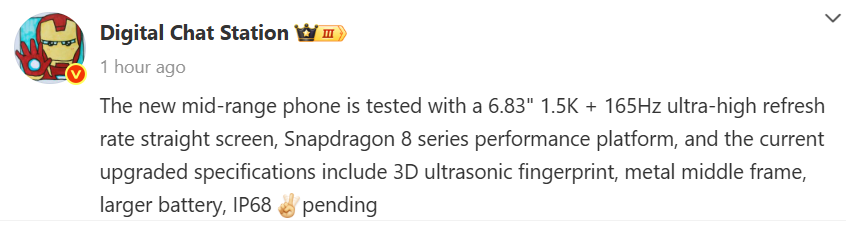
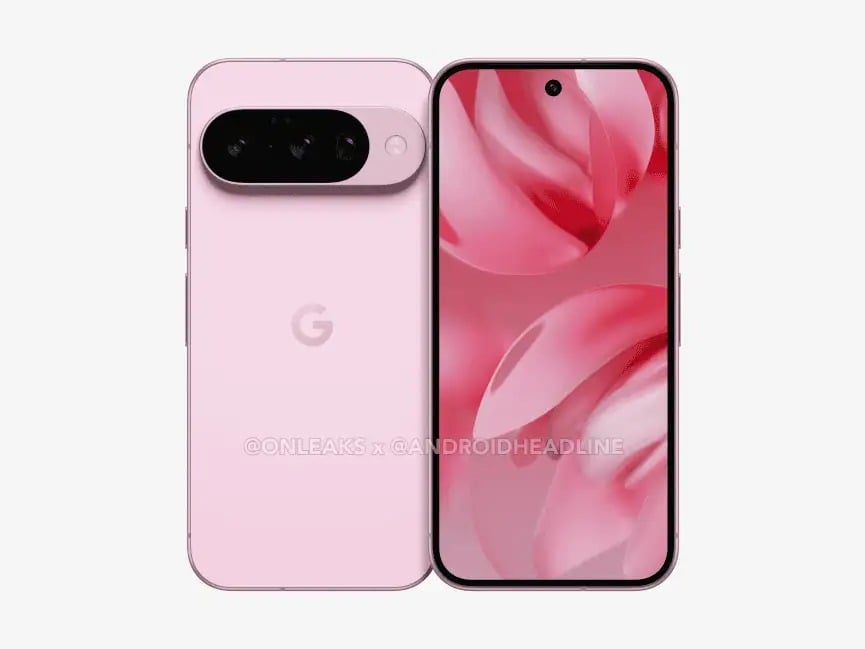
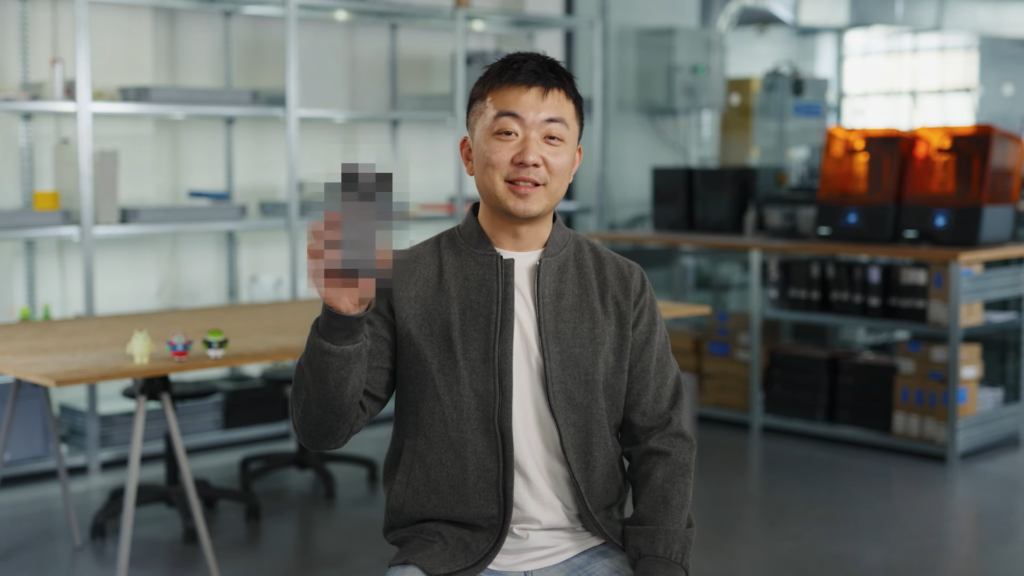
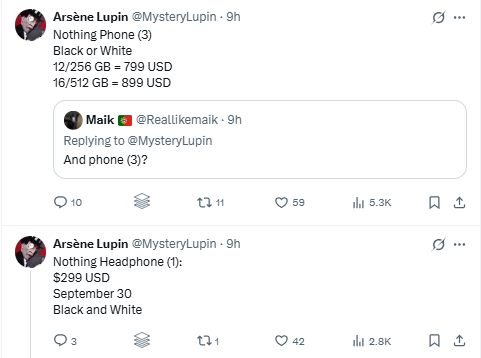
JBL has unveiled the Authentics 200 Platinum Edition in the Chinese market, a premium Bluetooth speaker that seamlessly blends retro aesthetics with modern audio engineering. Now available on JD.com, the speaker is priced at 1,999 yuan ($276).
JBL Authentics 200 Platinum Edition Specs
Drawing inspiration from the legendary JBL L100 Classic, the Authentics 200 Platinum Edition sports the brand’s iconic Quadrex grille design, evoking a sense of nostalgia while exuding contemporary sophistication. The exclusive platinum color variant gives it a refined touch, making it a stylish centerpiece in any space, whether perched on a bookshelf, bedside table, or office desk.
JBL isn’t just flexing its design muscles here, the Authentics 200 delivers on audio performance, too. This speaker packs a two-way independent driver system, featuring dual 25mm silk dome tweeters for crisp highs and a robust 5-inch long-throw full-range driver that ensures deep, punchy mids. JBL further enhances the low-end response with a 6-inch racetrack-shaped passive radiator, bringing a full-bodied bass presence that rounds out its 90W RMS power output. The result? A spacious, immersive soundstage with excellent instrument separation and dynamic depth.
JBL has equipped the Authentics 200 with dual wireless streaming options, allowing users to switch between Bluetooth 5.3 for instant device pairing and Wi-Fi connectivity for high-resolution streaming. Supporting both 2.4GHz and 5GHz Wi-Fi bands, the speaker ensures smooth, lag-free playback. For those who prefer wired connections, JBL has included an AUX input and an Ethernet port, adding to its versatility.
Beyond just sound, the speaker incorporates an intuitive control panel featuring a brushed gold-tone rotary dial and a subtle starry LED light strip, enhancing the user experience with a visually striking interface. The JBL One app unlocks even more customization, offering EQ adjustments and audio personalization options to tailor the listening experience.
Measuring 266mm x 172mm x 167mm and weighing 3.12kg, the JBL Authentics 200 Platinum Edition is compact yet powerful, delivering an impressive frequency response from 50Hz to 20kHz.
Earlier this year, JBL introduced a smart Bluetooth speaker featuring a built-in alarm clock and wireless charging. Additionally, the JBL Flip 7 arrived with AI-powered audio, Bluetooth 5.4, and IP68-rated durability.
For more daily updates, please visit ourNews Section.
ASUS is gearing up to launch the TUF Gaming F16 (FX607) laptop in India on March 12, 2025, at 12 PM. The device is now listed on Amazon India, confirming key specifications.
Key Specifications
The ASUS TUF Gaming F16 will feature the NVIDIA GeForce RTX 4050 Laptop GPU, offering high performance for gaming and content creation. It will be powered by the 13th Gen Intel Core i7-13650HX processor, equipped with 14 cores (6 performance cores and 8 efficiency cores) and a maximum clock speed of 4.9 GHz.
The laptop sports a 16-inch FHD+ (1920 x 1200) anti-glare display with a 16:10 aspect ratio, 250 nits brightness, and a 120Hz refresh rate. It is designed in Mecha Gray with thin bezels, ensuring an immersive gaming experience. Weighing 2.27 kg, it measures 35.5 x 25.2 x 2.21 ~ 2.82 cm. The device comes with 16GB DDR5 RAM and a 512GB PCIe 4.0 NVMe M.2 SSD, ensuring fast boot times and efficient multitasking.
It features an RJ45 LAN port, Thunderbolt 4 with DisplayPort support, a USB 3.2 Gen 2 Type-C port with power delivery and G-SYNC, and two USB 3.2 Gen 1 Type-A ports. The laptop runs on Windows 11 Home and comes with a two-year global warranty.
Availability & Pricing
The ASUS TUF Gaming F16 is expected to be available via Amazon India post-launch. Pricing details are yet to be revealed, but given its specifications, it is likely to be positioned as a mid-range gaming laptop.
For more daily updates, please visit our News Section.
One UI 7.0 introduces a range of new visual features, which includes the Now Bar—a lock screen widget that is designed to display ongoing activities like timers, music playback, and food delivery tracking.
Unfortunately, more affordable phones like the Galaxy A56 cannot offer the same visual experience as the S25 or S24 series. On the A56, the UI element is positioned much higher on the screen, which takes away the clean look.
It’s not because the phone is cheaper than the flagships
On the Galaxy S24 and S25, the Now Bar is positioned neatly at the bottom of the screen, between the quick-launch shortcuts and below the ultrasonic fingerprint scanner. However, on the more affordable Galaxy A series models, the fingerprint scanner itself is positioned at the very bottom of the screen, which means the fingerprint icon would overlap with the Now Bar. So, the reason behind this difference is not the type of fingerprint scanner, but the placement of it.
That said, models with side-mounted fingerprint scanners, such as the Galaxy A26 and A06, should face no problem in displaying the Now Bar at the bottom of the screen, just like the flagships. I also assume the placement of the optical fingerprint scanner can be adjusted to match the needs of the UI.
So, I’m hoping to see a uniform look of the lock screen across different price segments, starting with future models. Still, it remains to be seen whether this slightly unpleasant look is enough for the giant to allocate some time and effort to it.
And for Galaxy A56 users, the feature can be turned off by navigating to Settings » Lock Screen and AOD » Now Bar.
A bunch of iPhones have just gone on discount on Flipkart during the Big Savings Days Sale. This includes newer models like the iPhone 16e, along with the flagship iPhone 16 series and even some older iPhones as well. So here are all the details.
Apple iPhone 16e Already On Sale Via Flipkart
The discounts are available for the entire iPhone 16 series and a few iPhone 15 models, which include the iPhone 16e, iPhone 16, iPhone 16 Plus, iPhone 16 Pro, iPhone 16 Pro Max, iPhone 15, and iPhone 15 Plus. This sale is on Flipkart during the Big Savings Days Sale, which is live between March 7 and will last till March 13. So here’s a list of all the deals:
Apple iPhone 16e
iPhone 16e – Has a regular price tag of 59,900 INR but can be purchased for just 47,900 INR thanks to a 4,000 INR instant bank cashback and up to 8,000 INR exchange bonus.
iPhone 16 – Has a regular price tag of 79,900 INR but can be purchased for just 56,205 INR thanks to a 9,901 INR price drop and up to 9,799 INR exchange bonus.
iPhone 16Plus – Has a regular price tag of 79,900 INR but can be purchased for just 56,205 INR thanks to a 9,901 INR price drop and up to 9,799 INR exchange bonus.
iPhone 16Pro – Has a regular price tag of 1,19,900 INR but can be purchased for just 44,900 INR thanks to a 7,000 INR price drop, up to 2,000 INR UPI transaction discount, and up to 65,200 INR exchange bonus.
iPhone 16Pro Max – Has a regular price tag of 1,44,900 INR but can be purchased for just 61,655 INR thanks to a 9,000 INR price drop, up to 2,000 INR UPI transaction discount, and up to 65,200 INR exchange bonus.
iPhone 15 – Has a regular price tag of 69,900 INR but can be purchased for just 56,205 INR thanks to a 4,901 INR price drop, 1000 INR instant bank discount, and up to 2,799 INR exchange bonus.
iPhone 15 Plus – Has a regular price tag of 79,900 INR but can be purchased for just 57,205 INR thanks to a 10,901 INR price drop, 1000 INR credit card discount, and up to 6,799 INR exchange bonus.
For more daily updates, please visit our News Section.
Apple has once again triumphed in a high-stakes patent battle, securing a crucial win against AliveCor in a fight that could have led to an import ban on the Apple Watch. The U.S. Court of Appeals for the Federal Circuit today upheld the invalidation of AliveCor’s patents, closing a chapter in a years-long legal saga that has pitted the Cupertino giant against a smaller medical tech company claiming Apple unfairly leveraged its innovations.
Federal Court Sides with Apple, Invalidating AliveCor’s ECG Patents
The dispute dates back to 2020, when AliveCor accused Apple of infringing its patents related to ECG technology, which was integrated into the Apple Watch starting with the Series 4. AliveCor, best known for its KardiaBand accessory that brought FDA-cleared electrocardiogram capabilities to the Apple Watch before Apple introduced its own version, claimed the tech giant copied its innovations while simultaneously blocking third-party developers like AliveCor from operating freely on its platform. The company sought an import ban at the U.S. International Trade Commission (ITC), which initially ruled in AliveCor’s favor, determining that Apple had indeed infringed its patents.
But Apple wasn’t going down without a fight. The company took the matter to the U.S. Patent and Trademark Office’s Patent Trial and Appeal Board (PTAB), which ultimately ruled in Apple’s favor, stating that AliveCor’s patents were unpatentable due to prior art. That decision weakened AliveCor’s case, and today’s ruling from the Federal Circuit cements the outcome: AliveCor’s patents won’t stand, and there will be no Apple Watch import ban.
AliveCor, unsurprisingly, isn’t happy. The company expressed disappointment over the decision, stating that it threatens smaller innovators by allowing corporate giants to dominate the industry unchecked. But for Apple, this is yet another victory in its battle to maintain the Apple Watch’s position as the go-to wearable for health tracking. Meanwhile, a separate Apple Watch import ban over Masimo’s blood oxygen technology remains in effect—at least for now.
For more daily updates, please visit ourNews Section.
We’re three months into 2025, and Samsung still hasn’t rolled out a stable One UI 7 update to its devices. It’s running very late this year.
Right now, only the Galaxy S24 series, along with the Z Fold 6 and Z Flip 6 (which just entered beta testing a day ago), have access to the update. At this pace, Android 15 might not make its way to all eligible Galaxy devices until Q4.
Source: Huawei Central
But this won’t likely be the case with One UI 8 as the company is preparing to roll out the Android 16 update much sooner than expected.
And now, according to reports from two X users (1, 2), the company has already begun internal testing of One UI 8 for the Galaxy S25 series, along with the Z Fold 6 and Flip 6.
It’s ironic, but not surprising
Yes, you read that right—Samsung is already working on One UI 8 before One UI 7 has even finished rolling out. It sounds ironic, but this early internal testing is standard practice, happening months before a public beta launch.
What’s notable, though, is that Samsung seems to have started development two months ahead of schedule. That lines up with rumors that Android 16 is dropping in June, which would explain the accelerated timeline.
Samsung Galaxy S25 Ultra – S Pen
The S25 series’ internal One UI 8 test build carries the firmware version SM-S938B, while the Z Fold 6 and Flip 6 builds are listed as SM-F956B and SM-F741B, respectively.
Now the question is — will Samsung speed up its One UI releases, or are we looking at another slow rollout? Hopefully, it’s the former, and the company picks up the pace with One UI 7.
What’s really frustrating is the lack of a clear timeline. Samsung hasn’t given users any concrete details on when to expect the update, leaving them in the dark. A little transparency would go a long way.
For more daily updates, please visit our News Section.
If you’re a One UI enthusiast, you must be waiting for Samsung to announce the One UI 7 beta program for your Galaxy device. This program lets users access the latest features and upgrades ahead of the official release. However, the wait has been unusually long this time, especially for those who don’t own a Galaxy S24.
Even though there has been a significant delay to the One UI 7 beta rollout, it’s nice to have the latest features on our devices before the majority get to experience them. In this post, we’ve included everything you need to know about the One UI 7 beta program, including the eligible devices, release timeline, and registration process.
One UI 7 beta eligible devices
Galaxy S24
Galaxy S24+
Galaxy S24 Ultra
Galaxy S23
Galaxy S23+
Galaxy S23 Ultra
Galaxy A55
Galaxy Z Fold 5
Galaxy Z Flip 5
Galaxy Tab S10+
Galaxy Tab S10 Ultra
These Galaxy phones and tablets are officially confirmed to be eligible for the One UI 7 beta program. Check out the next section to learn when they will get access to the beta program.
One UI 7 beta rollout timeline
Samsung began the One UI 7 beta program a little later than usual in the first week of December 2024. The Galaxy S24 was obviously the first to get an early taste of the software, but it didn’t expand to any other Galaxy device until this week.
On March 5, Samsung finally announced the expansion of the One UI 7 beta program to more Galaxy devices and revealed some important details about the release timeline. Samsung confirmed that the Galaxy Z Fold 6 and Galaxy Z Flip 6 would get the beta update in the same week (it is already rolling out). It also revealed that the remaining devices, including the Galaxy S23 series, Galaxy Tab S10 series, and Galaxy A55, will get the beta update in March 2025.
So, here’s the confirmed beta release timeline:
Galaxy S23 series: March 2025
Galaxy Tab S10 series: March 2025
Galaxy A55: March 2025
It’s important to note that the One UI 7 beta program is only available in select countries, which include India, Korea, the UK, and the US.
Samsung offers the beta program only to a few Galaxy devices. Therefore, to participate in the beta program, you must have a device that’s actually eligible for it (see the complete list of eligible devices above).
The second eligibility criteria is your current region, as the One UI 7 beta program is only available in select countries, including India, Korea, the UK, and the US.
Step 2: Enroll for the beta program
Now, you have to register your Galaxy device to participate in the One UI 7 beta program. To do this, you must check if Samsung has opened the beta program for your Galaxy device.
Open the Samsung Members app on your Galaxy device and look for the One UI Beta Program banner. It usually appears at the top. If you don’t see the banner, it means Samsung hasn’t opened the beta program for your Galaxy device (or it’s yet to reach your country). You should check again later. Once you see the One UI Beta Program banner, tap on it and click the Enroll button.
Now, fill in the required details. After this, you can install the beta update on your device.
Step 3: Install the beta update
To install the One UI 7 beta update, open Settings and go to Software update. Tap on Download and install to check for new updates. Now, download the update package.
Before you hit the Install now button, ensure that the battery is above 40% to avoid potential update failure. Also, take a complete backup beforehand to avoid any data loss.
MWC has come to an end, which means it’s time for the Best of MWC 2025 list, featuring the standout smartphones, accessories, and gadgets that we saw at the event.
This year, AI was everywhere, in smartphones, IoT gadgets, and even network solutions. But more importantly, there were a bunch of hardware innovations too. Brands from Honor, Xiaomi, Realme, Huawei, Lenovo, and even Samsung shared the latest innovations with the world, some of them really unique and interesting.
So here were some of the best products at MWC 2025. I have included a special AI category in this list; after all, 2025 is the year of AI.
Xiaomi 15 Ultra stole the show at MWC 2025 with its high-end specs, an extremely capable camera, and a strikingly familiar camera design that either people love or hate.
For me personally, the phone and its huge circular camera module look beautiful and futuristic, and if you can get your hands on the photography kit, it could be the perfect camera smartphone.
You can check out our detailed review of the phone and the photography kit in our video below.
Another interesting smartphone we saw at MWC was from HMD.
HMD Xplora X1
The HMD Xplora X1 focuses on a very unique niche that traditional smartphones forget about: parents and children.
The phone comes with operating system-level parental controls that allow customization of app and internet access, screen time limits, location tracking, emergency SOS calling, and a school mode to minimize distractions. All these features can be managed remotely via the Xplora app.
Its perfect for children and parents who want to protect their children from unwanted online risks.
2. BEST INNOVATIVE SMARTPHONE
Huawei Mate XT Ultimate
What impressed us about the Mate XT is how well-crafted it is. The foldable is just 3.6mm thick when completely unfolded and measures 12.8mm—just 0.7mm thicker than the Samsung Galaxy Z Fold 6 when unfolded too. This is quite an achievement given that this is the world’s first triple fold smartphone.
But thanks to its innovative design, the Mate XT offers a giant 10.2-inch tablet-sized screen with a comfortable 16:11 aspect ratio, making it ideal for browsing and productivity.
With impressive cameras, a large battery, and a beautiful design, there’s no doubt the Mate XT Ultimate was of the most innovative smartphones we saw at MWC 2025.
There are smartphones that impressed us and are available for purchase, and there are smartphones that are concepts, but we wish they could be made available soon.
The Tecno Spark Slim was one such device, refreshing our views on a slim smartphone. Featuring a respectable 5200mAh battery in a super slim 5.75mm thick body, the phone redefines what slim smartphones are capable of.
The Spark Slim comes with a polished, shiny, and curved body that fits well in your palm and features a futuristic LED-equipped camera bar, much like the Nexus 6P. At 166 grams, it weighs less than your traditional flagship too.
It was a cool prototype that adds practicality to a beautiful form factor. Unfortunately, we don’t know if the device will ever see the light of day.
Xiaomi Modular Camera Concept
Speaking of concepts, I can’t move to the next category without talking about Xiaomi’s Modular Camera Concept.
The concept phone features Qi2 magnets on the back (similar to MagSafe), connecting via Xiaomi’s proprietary LaserLink technology and allowing access to the phone’s ISP for super-fast processing.
The technology allows users to connect external lenses (showcased with a 100MP Light Fusion X Micro Four Thirds sensor) to the smartphone via the pins on the back. Users can shift between the lenses within seconds, and it acts like an additional camera for the phone.
It was a really cool concept, but given the challenges in production, I am not sure if it’ll ever be commercially released.
4. BEST EARBUDS
Honor Earbuds Open
The Honor Earbuds were a surprisingly good pair of open earbuds, offering impressive sound quality for its category.
It comes with Bluetooth 5.2, an IP54-rated design, and a 58mAh battery on each earbud, offering up to 6 hours of playback. The earbuds produced good quality output in a comfortable and lightweight design.
You also get ANC, but don’t expect anything spectacular given its open ear design. There’s AI translation too when paired with the Honor Magic 7 Pro.
HMD Amped Earbuds
Meet HMD Amped Earbuds, which, in addition to being your traditional earbuds, also offer a magsafe-compatible wireless charging case. But its not just for iPhones, since it can charge any Qi-enabled smartphone in the market.
Its sleek, comes in good color options, and is handy, making it a smart product in your pocket.
5. BEST HARDWARE INNOVATION
Lenovo MagicBay Dual Screen Concept
Lenovo’s booth was filled with innovations, which has become a tradition of sorts.
There was a solar charging laptop, a laptop screen that extended, a 3D Thinkbook laptop, and even an AI stick. But what really stood out for me personally was the Magic Bay Dual Display concept. It uses pogo pin connectors on the back, which was initially shown off a year ago at CES.
The concept machine showcased at its booth featured a pair of 13.3-inch 2.8K displays on the sides, in addition to the regular 16-inch display at the center. I can imagine carrying these additional screen accessories on the go, adding significant real estate to your workflow.
The best part about this accessory is the simplicity of its connection. The screen module connects via magnetic pogo pins at the back, so it simply snaps on to your laptop in seconds.
Really cool and really practical.
Samsung Flex Gaming Concept
Samsung’s Flex Gaming concept features a 7.2-inch foldable OLED display that folds right in the middle, offering unmatched portable gaming.
Traditional handheld gaming consoles like Steam Deck and Nintendo Switch are bulky, which might hinder their portability factor. However, Samsung is trying to solve this problem by adding a hinge mechanism, allowing the device to fold similar to the Galaxy Z Flip series.
Like other traditional gaming handhelds, the Flex Gaming concept comes with joysticks and D-pads on either side. However, the console has a clever cavity design to house the joystick in the folded position.
While still a concept, the idea behind this design was pretty refreshing.
6. BEST TABLET
Huawei MatePad 13.2
The Huawei MatePad 13.2 is one of the most beautiful tablets on the market right now. It comes with a 13.2-inch OLED display with a resolution of 2880 × 1920 pixels, a 144Hz refresh rate, and a peak brightness of 1000 nits. It also features professional-grade color accuracy with a ∆E < 1 and incorporates anti-reflection PaperMatte display technology to reduce glare, enhancing visibility in bright settings.
Apart from the beautiful display and very high screen-to-body ratio, the tablet weighs just 580g and is just 5.5mm thick, adding to the portability factor.
7. BEST AIINNOVATION
Honor Agentic AI
There is no doubt 2025 is the year of AI, and its finally coming onto your smartphones. No, I am not talking about fancy AI editing features like object removal. I’m talking about access to full-fledged AI assistants and agents running on devices!
Honor also showcased its AI agent at the event, soon to be coming on the Magic 7 series. In the near future, you can outsource a lot of the menial tasks, like finding and booking a table for dinner, with these AI agents while you focus on the important stuff.
The possibilities with AI seem endless, solving even something as simple as changing a setting on your phone without having to figure out where exactly the option is located.
Honor’s Agentic AI gave us a glimpse of what our future smartphones would look like, and I’m pretty sure we are going to be amazed with what’s coming our way soon.
8. BEST LAPTOP
Lenovo Solar
With ARM chips coming onto laptops, battery life has become less of a worry.
However, there is a section of the population that would still wish for longer batteries, or rather alternative charging solutions for existing laptops.
How about a laptop that features a solar panel harnessing the power of the sun? That’s exactly what we got to see at the Lenovo Booth this year, including an additional set of solar panels to speed up the charging process.
The laptop actually looked good even with the solar panel grids on its front, and Lenovo said to me that they were even testing other color options, so you are not only limited to one color.
On a regular day, you could get up to 1 hour of battery life with 20 minutes of charging. Pretty cool, right?
9. BEST SMARTWATCH
Huawei Watch Ultimate
Like the MatePad, the Huawei Watch Ultimate is one of the most beautiful smartwatches that you can get. It features a luxurious design, resembling high-end traditional timepieces like the Rolex Submariner, a zirconium Liquid Metal case, a nano microcrystalline ceramic bezel and even a titanium strap option.
As for features, the upper right crown handles zoom, scroll, and navigation, while the lower right crown serves as a customizable button—defaulting to exercise mode—and doubles as an electrode for ECG heart rhythm monitoring, surpassing standard heart rate detection.
It is a perfect example where a beautiful style blends modern features, making it our favorite watch displayed at MWC 2024. You can read our review here.
Xiaomi’s 15 series flagship lineup finally made its global debut this week, and its Indian launch is scheduled for March 11. While it may seem too early to discuss the Xiaomi 16 series, the ever-churning smartphone rumor mill says otherwise.
According to a new leak, the Xiaomi 16 Pro could feature 3D-printed frames. The tip comes from TF Securities International analyst Ming-Chi Kuo, who shared the information on X (formerly Twitter).
Kuo claims the Xiaomi 16 Pro will feature a metal mid-frame produced with 3D printing technology from Chinese supplier Bright Laser Technologies.
Kuo notes that the 3D-printed structure’s hollow design could help reduce the phone’s weight while improving thermal performance — all without compromising structural strength.
3D tech has its limitations
That said, 3D printing isn’t exactly the most efficient manufacturing process, as it builds objects layer by layer, slowing down production. There’s also the question of cost, which is likely to be higher than conventional manufacturing methods.
My latest industry survey shows that Xiaomi’s upcoming flagship, the Xiaomi 16 Pro, set to launch in late 2025, is also adopting a metal mid-frame produced with Bright Laser Technologies (BLT)’s 3D printing technology. This points to an accelerating trend of using 3D printing for…
But Kuo suggests smartphone makers could increasingly adopt 3D printing if its advantages outweigh the downsides, especially in applications where efficiency isn’t the primary concern.
It’s a bit reminiscent of what Sharp attempted back in the early 2000s with the mova SH251iS, the first phone with a glasses-free 3D display. The concept was ahead of its time, but the tech had its limitations—working only from certain angles.
Fast-forward a couple of decades, and we now have devices like the ZTE Nubia Pad 3D, which offer vastly improved glasses-free 3D screens.
3D-printed smartphone frames shouldn’t be as complex as making true 3D displays, but widespread adoption will take time.
For more daily updates, please visit our News Section.
Samsung has long been lauded for its swift software updates, often setting the pace for other Android manufacturers. But with One UI 7, the company seems to have lost its grip on the very thing that made its software stand out: consistency. Unexpected delays and poor communication have frustrated users who expect timely software improvements, especially from a brand like Samsung.
For years now, Samsung has been one of the fastest OEMs to push major Android updates. One UI 6, for example, rolled out to the Galaxy S23 series on October 30, 2023 — less than a month after Android 14’s official release on October 4.
So naturally, expectations were high for One UI 7 to follow a similar timeline. But things didn’t go as planned. The beta which was initially expected in October was delayed until December 5, 2024, when it finally arrived for the Galaxy S24 series — nearly two months behind schedule.
Even after that, the progress has been very sluggish. Samsung has released three additional beta updates for the S24 series in December, January, and February. But it wasn’t until March 7 — five months after Android 15’s release — that Samsung finally opened the One UI 7 beta to Galaxy Z Fold 6 and Flip 6 users.
Currently, the stable One UI 7 build is available only on the Galaxy S25 series and the latest A-series devices (Galaxy A56, A36, and A26), which shipped with the new interface pre-installed. Meanwhile, Galaxy S24 owners — along with users of older models — remain in limbo, with no official timeline for the stable update in sight.
2. Official Explanations
In response to the delays, Sally Hyesoon Jeong, Samsung’s Executive Vice President and Head of the Framework R&D Team, acknowledged that the company had bigger ambitions for One UI 7.
Jeong explained that Samsung aimed for a “big breakthrough” with the update — a goal that required extensive planning which reportedly started two to three years before the project even began.
“We wanted to create something more impactful,” Jeong said. “This longer preparation time allowed us to make significant improvements.”
As SamMobile notes, Samsung clearly indicates that the delay is due to the scale of the update. However, that explanation offers little comfort to users, especially as there is still no clear rollout schedule in sight.
3. Does This Hurt Samsung’s Reputation?
Samsung has built a reputation as one of the most reliable Android OEMs for updates. In fact, its recent promise of seven years of software support for flagship devices puts it ahead of most competitors. However, delayed updates like One UI 7 risk undermining that trust.
For many users, fast and reliable software updates are a key reason to choose a Samsung device over a competitor’s. If that consistency starts slipping, Samsung could lose the competitive advantage it has worked hard to establish.
4. The Road Ahead
Looking ahead, it’s crucial for Samsung to regain user trust by offering transparent communication and a clear timeline for the One UI 7 rollout.
According to reports, the stable update for the Galaxy S24 series may not arrive until April or May 2025 — seven months after Android 15’s initial release.
Worse yet, there’s still no word on when users with older flagship devices, like the Galaxy S23 and S22 series, will receive the update. As things stand, it looks like One UI 7 won’t reach most Samsung devices until later this year — possibly not until Q4.
Meanwhile, Google has expedited the rollout of Android 16. It’s expected to launch in June. This means the next major Android version could arrive before Samsung even ships One UI 7 — putting the company two OS versions behind.
So if Samsung wants to maintain user confidence, it needs a more transparent update strategy. A public roadmap, clearer communication, and a structured beta rollout could help reassure users. Otherwise, the company may lose the trust it has worked hard to build in the Android ecosystem.
For more daily updates, please visit our News Section.
Sony has introduced a The Last of Us Limited Edition DualSense wireless controller, developed alongside Naughty Dog, to mark the franchise’s legacy. Priced at $84.99 (€84.99/£74.99), the controller includes black gloss trophy icons depicting symbols from The Last of Us Part I and Part II. Pre-orders open March 14, 2025, on PlayStation Direct and at retailers, with shipping starting April 10, 2025.
Design Features
The controller highlights three symbols: a firefly (representing Part I’s rebel group logo), a moth, and a wolf (reflecting Ellie and Abby’s stories in Part II). “We aimed to honor both games through meaningful visuals,” said Neil Druckmann, Naughty Dog’s Head of Studio. Graphic Designer Megan Mehran noted the icons “capture the series’ emotional themes.”
The controller coincides with The Last of Us Part II Remastered’s PC launch (Steam/Epic Games Store) on April 3, 2025, and HBO’s The Last of Us Season 2 premiere on April 13, 2025.
The controller also features white joysticks, a white PS logo, and white trigger and shoulder buttons, contrasting against the fully black back, which includes the game’s title and Sony branding in white. However, the large text stands out more prominently than the rest of the design.
Availability
Available in limited quantities, the controller will be priced at $84.99 in the US, €84.99 in Europe, and £74.99 in the UK. Pre-orders begin on March 14 at 10 AM local time (7 AM PT in the US) on PlayStation Direct and participating retailers. It will be available for general purchase starting April 10, 2025.
For more daily updates, please visit our News Section.
LG has quietly introduced the 27G850A, a 27-inch gaming monitor claiming multiple industry firsts, including a 4K (3840 x 2160) resolution and 240Hz refresh rate on an IPS Black panel. Initially spotted on LG’s Japan and Hong Kong websites, the monitor is now listed in Europe with a March launch slated at €799 (~$870).
Key Features
The 27G850A uses LG.Display’s Nano IPS Black technology, delivering a 2000:1 contrast ratio—double standard IPS panels. A dual-mode function allows users to switch between 4K/240Hz and 1080p/480Hz, with LG noting that the latter reduces the screen size to 24 inches.
The monitor supports AMD FreeSync Premium Pro, NVIDIA G-Sync Compatibility, and VESA AdaptiveSync for tear-free gaming. It boasts a 1ms GtG response time, 10-bit color depth, and 99% DCI-P3 coverage. Hardware-level calibration—a rarity in consumer monitors—ensures color accuracy. Its brightness reaches 450 nits (SDR) and peaks at 670 nits for HDR.
Despite including DisplayPort 2.1, LG specifies UHBR13.5 bandwidth (54Gbps), which is insufficient for uncompressed 4K/240Hz signals. Two HDMI ports, a USB hub, and a DTS Headphone:X-enabled audio jack round out connectivity. The monitor has an ergonomic stand that offers tilt, height, swivel, and pivot adjustments.
Pricing and Availability
Listed at HK$6,980 (US$900) in Hong Kong and €899 in Europe, the monitor’s US/UK launch remains unconfirmed.
For more daily updates, please visit our News Section.
Creality Falcon A1 Laser Engraver is a game-changing device that combines cutting-edge technology with user-friendly features, making it an ideal choice for hobbyists, DIY enthusiasts, and aspiring artisans. With hassle-free setup, smart automation, and advanced safety mechanisms, this laser engraver redefines accessibility and efficiency.
Materials Auto Recognized
One of the standout features of the Falcon A1 is its Automatic Material Recognition. The built-in camera scans materials such as wood, leather, and acrylic using a QR code system, instantly adjusting engraving and cutting parameters for optimal results. With just a single click, users can apply the correct settings, ensuring precision and consistency across various projects.
Smart Camera for Enhanced Precision
The smart HD full-frame camera significantly enhances usability by providing a clear, real-time view of the workspace. The live camera preview allows users to drag and drop their designs onto the material, ensuring precise positioning before engraving begins. The one-click batch fill feature optimizes productivity by automating design placement, while graphic outline extraction enables users to capture contours for creative and precise engravings. These innovations make the Falcon A1 an intuitive tool for both beginners and professionals looking for efficiency and accuracy.
CoreXY Motion System – 600mm/s Ultra-Fast Speed
Speed and precision define the Falcon A1, thanks to its CoreXY motion system. This advanced dual-motor setup enables speeds of up to 600mm/s, allowing for rapid engraving without sacrificing detail. It achieves instant acceleration from 0 to 600mm/s in just 0.03 seconds, ensuring quick turnaround times. Additionally, automatic belt tensioning prevents slippage, maintaining a precision level of 0.01mm. This combination of speed and accuracy makes it ideal for intricate designs and large-scale projects alike.
Vivid Laser Engravings with High Precision
Equipped with a 10W laser module, the Falcon A1 delivers exceptional engraving quality with an ultra-fine 0.06 × 0.08mm laser spot. This ensures intricate details and sharp contrasts, making it perfect for delicate designs. In terms of cutting power, it can cut 9.6mm black acrylic and 5mm wood in a single pass, providing impressive depth and clarity.
The included free-air assist set improves the quality of cuts by clearing smoke and debris, resulting in polished edges and a cleaner finish. Whether for engraving jewelry, creating decorative pieces, or producing professional-grade products, the Falcon A1 excels in precision and efficiency.
Beginner-Friendly for Effortless Creativity
Designed with accessibility in mind, the Falcon A1 is perfect for beginners. Zero assembly is required and users can start engraving immediately after unboxing. A starter material kit is included, allowing new users to experiment and learn without additional purchases. The intuitive three-step operation makes engraving as simple as selecting a model, allowing the auto material recognition to set the parameters, and pressing start. Additionally, the software is designed for ease of use, featuring tools like Edit Nodes, Shape Split & Close, and a Free Line Drawing Pen. These features empower users to unleash their creativity with minimal learning curves.
Care-Free Use at Home with Five Safety Protections
Safety is a top priority with the Falcon A1, making it suitable for home use. The fully enclosed design ensures secure operation, while five layers of protection add peace of mind:
Class 1 Laser Safety Compliance – Meets international safety standards for home and office environments.
Eye-Protection Cover – Shields users from harmful laser exposure while maintaining visibility.
Efficient Smoke Extraction – Dual fans and filtration systems keep air clean, reducing fumes and odors.
Laser Leak Protection – Automatically stops operation if the lid is opened, preventing accidents.
Emergency Stop Button – Provides an instant shutdown mechanism for enhanced safety.
These safety measures make it a reliable and worry-free choice for small studios, homes, and apartments.
Compact and Intuitive Design
The space-saving design of the Falcon A1 makes it 47% more efficient in terms of footprint compared to similar models, allowing it to fit comfortably on desks or shelves. Weighing only 20 lbs, it is easy to transport and reposition as needed. The clear dual windows provide real-time visibility, ensuring users can monitor progress without opening the device. Built with aerospace-grade aluminum, it boasts durability with a tensile strength of ≥205MPa and Brinell hardness of ≥75HBW.
Practical and Affordable
The Creality Falcon A1 offers professional-grade laser engraving at an affordable price, costing less than a high-end smartphone. Its zero-assembly design, automated material recognition, and smart camera ensure effortless operation. Compact and quiet, it’s perfect for homes and small workshops. Ideal for hobbyists and entrepreneurs, it delivers exceptional value without breaking the bank.
Exclusive Deal: Limited-Time Savings
For a limited time (March 11–21), get the Creality Falcon A1 10W Laser Engraver at a special discounted price across multiple regions. You can use the code ZFA130 where applicable for extra savings.
In the US, grab it for $499 (was $549) via theofficial store. Discounts apply globally: €529 in the EU, Germany, France, and Spain (€589 original), £479 in the UK (£529 original), C$709 in Canada, A$849 in Australia, MX$11,799 in Mexico, and ¥75,999 in Japan.
Get the Creality Falcon A1 at a special limited-time discount from March 11–21. Shop now and enjoy savings across multiple regions. Join the Falcon community, download the design software, and subscribe for updates to enhance your engraving experience.
Razer is bringing more style to its Kraken Kitty V2 headset lineup with new color options. Fans can now grab the Kraken Kitty V2 and its Bluetooth version in a sleek white edition, while the Bluetooth model also gets a fresh black variant.
This expansion comes in response to community demand, as the Kraken Kitty has become more than just a gaming headset—it’s a cultural icon. With over 10 million social media views under #RazerKrakenKitty, it’s been embraced not just by gamers but also by celebrities and fashion lovers.
The new white edition still packs Razer Chroma RGB lighting, letting users customize colors and effects across 300+ games and sync with 500+ devices. On the audio side, the wired version features Razer’s TriForce 40mm drivers and a HyperClear Cardioid Mic, while the Bluetooth model comes with beamforming noise-canceling mics for clear communication. Plus, plush ear cushions ensure long-lasting comfort.
The new editions are available now at Razer.com, RazerStores, and select retailers. The white Kraken Kitty V2 and black Kraken Kitty V2 BT are available for $99.99. Similarly, the BlackShark V2 X in white and quartz is currently priced at around $50.
In other news, Razer and Mojang Studios have launched a line of officially licensed Minecraft gaming peripherals. The collection includes the BlackWidow V4 X keyboard ($169.99), Kraken V4 X headset ($99.99), Cobra mouse ($59.99), and Gigantus V2 mouse mat. Each device features Minecraft-inspired aesthetics and unlocks exclusive in-game items.
For more daily updates, please visit our News Section.
Nothing and POCO are brands that are unique for different reasons. One is known for its quirky smartphone design, while another is a popular choice for those looking for great specs at an aggressive price point. But which one is better for you? Which one should you choose between the two? Here’s everything you might need to consider.
Nothing is renowned for its minimalist and futuristic designed smartphones. The brand took a bold step in the smartphone industry with its transparent smartphones that showcased some internal components and its eye catching Glyph LED interface. If you’re looking for a unique looking device that turns head, Nothing is easily a conversation starter that sets you apart from the crowd. The company also blends form and function as the LED strips serve various different purposes.
On the other hand, POCO leans more towards performance at an affordable price range. The aesthetic isn’t groundbreaking and fits more into the conventional designs. This is the safer bet for those who don’t want to stand out. But safe doesn’t mean boring as some of their models offer a sleek design that matches premium devices. A great example is the POCO X7 Pro which features a sleek design and a flat back.
2. Performance and Software
POCO X7 Pro
When it comes to performance, Poco has made a name for itself by offering high-powered hardware at competitive prices. The company typically releases mid range smartphones with flagship level chips. While these are usually a generation behind the current premium smartphones, the devices are great for gaming or other heavy use. POCO branded devices use Xiaomi’s custom UI called HyperOS that is jam packed with various features that can be useful in everyday use or even for gamers.
While being new to the market, Nothing strikes a balance in performance and design. The company isn’t simply packing the best hardware but crafting distinct devices. This inspiration from Apple helps in improving the overall user experience. It has been a while since Nothing launched a flagship level phone, but the recent Phone (3a) Pro showcase the brand’s philosophy perfectly. Three useable cameras, unique design, and decent specs to ensure smooth performance without breaking the bank. Its Nothing UI aims to be bloat free and has a minimalist design that promises efficiency as well. So it is clear that both brands have a very distinct approach to their smartphones.
3. Target Audience and Market Positioning
POCO X7 Pro Iron Man Edition
Poco is primarily aimed at performance-oriented users like gamers, tech enthusiasts, and others. Those who need the power and do not wish to splurge on flagship prices. Thus, its marketing focuses on high-speed performance in the budget segment.
In contrast, Nothing targets consumers who appreciate design innovation and a refined user experience. It is not all about specs as their devices also serve as conversation pieces. Its minimalist approach and unique design philosophy resonate with users who prioritize aesthetics and simplicity.
4. Conclusion
Nothing Phone (3a)
Both Nothing and Poco have successfully carved a different space in the highly competitive smartphone landscape. If you’re looking for a high-performance, budget-friendly option that doesn’t compromise on power, Poco is hard to beat. However, if you value design innovation, a sleek, and minimalist aesthetic, Nothing could be the perfect choice for you. So it all depends on what you prioritize in your smartphone. Raw performance and affordability, or standout design a unique user experience.
For more daily updates, please visit our News Section.
Xiaomi confirmed the India debut of its flagship Xiaomi 15 Ultra smartphone and Professional Imaging Kit Legend Edition on March 11, following their recent global rollout. Ahead of the launch, the Xiaomi 15 Ultra Photography Kit Legend Edition has been spotted on Xiaomi India’s along with its price.
As per a screengrab shared by Tipster Mukul Sharma (@stufflistings), the Xiaomi 15 Ultra Photography Kit Legend Edition will cost Rs 13,900 in India. As we already know, the Xiaomi 15 Ultra Photography Kit includes a metal photography grip with a hand strap, two detachable shutter buttons, a 67mm filter adapter ring, and a protective case.
Key features include a 2000mAh battery capable of charging the phone, IP54 dust/water resistance, and a customizable track wheel for adjusting exposure, ISO, shutter speed, and white balance. A dedicated video button allows quick access to camera settings, while a 67mm filter ring supports professional-grade lens attachments. The kit also enables 0.6-second photo processing and adds a Leica watermark to images.
The Xiaomi 15 Ultra itself has yet to receive Indian pricing. In Europe, the smartphone starts at €1,500 for the 16GB + 512GB model. The Xiaomi 15 Ultra and Imaging Kit will be available via Xiaomi’s Indian website and authorized stores starting March 11. The accessory’s listing suggests it will be sold separately, catering to photography enthusiasts and content creators.
For more daily updates, please visit our News Section.
Casio has introduced the G-Shock DW-5000R in India, following its launch in markets like the US, UK, and EU. This model is a tribute to the original 1983 G-SHOCK DW-5000C, staying true to its classic design while incorporating modern updates.
The DW-5000R closely resembles the original with its bezel design, featuring a flat top surface with “PROTECTION” lettering and the G-SHOCK logo. The dial retains the red, blue, and yellow accents from the 1983 model, each representing a key feature: red for passion, blue for 200-meter water resistance, and yellow for shock resistance. A textured brick-patterned dial enhances its rugged look.
Made at Yamagata Casio, the brand’s premium manufacturing facility, the watch has a stainless-steel case with a mirror-polished finish, maintaining the original “Shock Resistant” design. Modern additions include a high-brightness “Super Illuminator” LED backlight for better visibility in low light and a bezel and band made from bio-based resin for a reduced environmental impact.
Weighing 76 grams and measuring 48.9 × 42.3 × 13.1 mm, the watch retains G-SHOCK’s signature durability, offering shock resistance and a five-year battery life via a CR2016 cell. Functional enhancements include a multi-function alarm, 24-hour countdown timer, and 1/100-second stopwatch.
Pricing & availability
Priced at INR 14,995, this timepiece will be available at select Casio and G-SHOCK exclusive stores nationwide, as well as online at casio.com/in.
In other news, Casio has unveiled its G-Shock GM-110D series in Japan, featuring a forged stainless steel bezel with an intricate finish, paired with a shock-absorbing glass-fiber-reinforced resin case. It offers 200-meter water resistance, shockproof construction, anti-magnetic protection, an analog-digital display, LED backlight, world time, a stopwatch, and a three-year battery life.
For more daily updates, please visit ourNews Section.
At one point, it seemed like the One UI 7 beta program would remain exclusive to the Galaxy S24 series while other Galaxy devices would directly get the stable build. That’s not happening, as Samsung has begun rolling out the One UI 7 beta update to other Galaxy devices as well. The latest recipients are the Galaxy Z Fold 6 and Galaxy Z Flip 6.
Samsung is rolling out the One UI 7.0 beta for Galaxy Z Fold 6 and Z Flip 6 in eligible countries (India, Korea, the US, and the UK). These users now have a chance to explore the One UI 7.0 features and enhancements ahead of the stable release next month. This is a pretty significant update that brings tons of visual upgrades and enhancements, as well as many exciting features.
One UI 7.0 brings Now Bar that provides quick access to ongoing activities such as timers, music, and maps. The Quick Settings panel is redesigned and lets you customize it the way you want. The update brings redesigned icons for almost all stock applications and a vertical app drawer, finally. The home screen brings many new customizations and lets you freely place icons without any rules. The lock screen also gets more customizable to make it more personal.
Below is the complete One UI 7.0 beta changelog for the Galaxy Z Fold 6 and Flip 6, which reveals every change this major upgrade brings.
Galaxy Z Fold 6, Flip 6 One UI 7.0 beta changelog
[Galaxy AI]Write like a pro
Let Galaxy Al help you with writing tasks wherever you can select text. You can correct spelling and grammar, change tone, summarise, or apply formatting. You can even start with a short snippet and let the Al do the writing for you.
Transcribe recorded calls
It's easier than ever to review the content of your recorded calls in the Samsung Phone app. You can view the entire conversation as a text transcript on the Recents screen
[Bold new look]Visual enhancements
Enjoy a more sophisticated and unique look. One Ul 7 introduces a stunning redesign to key components including buttons, menus, notifications and control bars, providing a more consistent visual experience with curves and circles. Beautiful new colors, soft animations, and an innovative blur effect that's unique to One UI make information hierarchy clearer and help you focus on important information.
Reimagined icons and widgets
Fresh new app icons will look great on your home screen with new visual metaphors and color schemes that make it easier to recognize the app you need. Widgets have also been completely redesigned with more colorful images and more consistent layouts.
[Enhanced Home screen]Simplified Home screen grid
Your Home screen now looks even better than before. A new standard grid layout keeps things symmetrical and makes it easier to use One Ul widgets in standard sizes.
Improved Home screen landscape view
Get a more consistent look for your Home screen, even when using your phone horizontally. Widgets now have a similar aspect ratio in landscape view, and text labels appear below icons instead of beside them.
Customize your app and widget style
Make your Home screen look just the way you like it. You can now adjust the size of app icons and choose whether or not to show text labels below app icons and featured widgets.
New widget settings
Get the right look for your widgets. You can adjust shape, background color, and transparency in the settings for each widget.
Larger Home screen folders
You can make folders on your Home screen larger so you can open apps immediately without the need to open the folder first.
Easier access to Finder
The Finder search bar has been moved to the bottom of the Apps screen so it's easier to access it with one hand. You can also add a button Finder button to your quick panel so you can access it any time.
[Lock screen and Always On Display]Stay on top of important tasks with the Now Bar
Check the information you need right now and start essential features without unlocking your phone. Ongoing tasks will appear in the Now bar at the bottom of your Lock screen so you can check key information quickly. Information includes media controls, Interpreter, Stopwatch, Timer, Voice Recorder, Samsung Health, and more.
Make your clock look just the way you like it
Discover a variety of new clock styles for your Lock screen. You can adjust the thickness of lines in the default clock style, or try one of the new animated clocks to match your tastes.
More flexible editing
It's easier than ever to edit your Lock screen. You can resize your clock to any size you like and drag it to your desired position.
More widgets and shortcuts
You can now see more and do more even when your phone is locked. Add a widget to show pictures and stories from your Gallery, or try a shortcut that opens the QR code scanner with a quick swipe.
[Quick panel and notifications]Separate notification and quick panels
Instantly access the panel you need with more space for quick settings. Swipe down from the top right corner of the screen to open the quick settings panel. Swipe down from anywhere else on the top of the screen to open the notification panel. To go back to the previous layout, you can choose to view notifications and quick settings together in quick panel settings.
Live notifications
Stay on top of what's happening right now. Live notifications show you the progress of ongoing activities like timers, voice recordings, exercises, and more so you can take quick actions related to them. Live notifications will appear on the Now bar on the Lock screen, on the status bar, and at the top of the notification panel.
New notification layout
Icons on notifications are now the same as the icon that appears on your Home screen, making it easy to recognize which app sent each notification. Grouped notifications appear as a stack of cards. Tap a stack to show all notifications in the group.
Customize your quick panel
Create the quick panel layout that's right for you. You can tap the pencil icon at the top of the quick panel to enter Edit mode, then move buttons and controls up and down to match your preferences.
[Capture images with ease]
New Camera layout
Camera buttons, controls, and modes have been reorganized to make it easier to find the features you need and to give you a clearer preview of the picture you're taking or the video you're recording.
Mode selection improvements
The More modes menu has been redesigned. Instead of filling the whole screen and blocking the camera view, you can now choose a mode from a small pop-up that only covers the bottom of the screen.
Enhanced zoom controls
It's now easier to choose the right zoom level. A 2x lossless zoom button is now available by default, and additional zoom options appear after you select a lens.
Save exposure settings for each mode
Control how bright or dark your images are with the Exposure option in the camera quick controls. After you set the exposure for a mode, it will stay set in that mode even if you switch to a new mode and come back.
Improved Pro/Pro video modes
Pro and Pro video modes have a simplified layout that makes it easier to focus on the picture you're taking or the video you're recording. A new zoom control is available whenever you're recording in pro video mode that lets you control the zoom speed for smooth transitions. Mic controls in Pro video mode have been moved to quick controls.
Line up the perfect shot
Get help adjusting the camera's position with grid lines and levels. Grid lines can now be turned on and off separately from the horizontal level. There's also a new option to show a vertical level.
[Enjoy your special moments]Free-form collages
Go beyond the preset layouts for collages in Gallery. You can now adjust the size, position, and rotation of images in your collage to create your own unique layout.
Edit collages in stories
Make your story's collage look just the way you like it. You now have full control to edit collages created in stories. Replace images, remove or add images, or adjust the position and size.
Motion photo effects
Apply fun playback effects to your motion photos such as slow motion or boomerang. After applying an effect, you can instantly share the result as a video.
[Powerful video editing]Easily undo your edits
Don't worry about making mistakes. Undo and Redo options are now available when editing videos for actions such as transformations, filters, and tone changes.
Animate your videos
Add fun animation effects to stickers and text in your videos in Studio. Choose from fade in, fade out, wipes, rotation, and more.
[Manage your health]Stay mindful
The new Mindfulness feature in Samsung Health can help you manage stress and anxiety in your daily life. Keep track of your moods and emotions, practice breathing exercises and meditation, and more.
New Samsung Health badges
Stay motivated and work toward your health goals while earning new badges in Samsung Health. Challenge yourself to earn the new badges for energy score, exercise, activity, food, water, body composition, and more.
Never forget your medications
You can now set up medication reminders in Samsung Health so you always know when it's time to take your medicine. You can also check precautions and interactions for the medication you take.
Check your health records
Securely access your health records from hospitals, clinics, and other healthcare providers all in one place in Samsung Health.
[Boost your productivity]Previews for minimized apps
When multiple pop-up windows from the same app are minimized, they'll be combined into a single icon. Tapping the icon will show a preview of all open windows from the app, allowing you to easily select the window you want.
Group your alarms
Create groups of alarms that you want to control together in the Clock app. You can turn off all the alarms in one group with a single tap.
Keep all your alarms at the same volume
For simpler setup, all of your alarms will use the same volume by default. If you prefer to set different volumes for each alarm, you can choose this in Clock Settings.
Enhanced file selection
The new File Picker makes it easier to attach and select files in a variety of apps. It's easy to switch between different storage locations and categories, and previews are shown to make sure you get the right files.
View more on large screens
My Files lets you see even more than before on large screen devices. On the right side of the screen, you can see a preview of supported files along with the file path, size, and modified date.
Advanced options for routines
Program your phone to do almost anything you want. Routines are more powerful than ever before with If-Else logic and the ability to get data as variables.
[Plan tasks and events]Easily reschedule calendar events
Just drag and drop an event from one date to another on your calendar in Month view to change the event date.
Show separate calendars on widgets
You now have more control over which calendars appear on your calendar widgets. You can choose just one calendar and show only events from it on your Home screen, or create 2 separate calendar widgets with a different calendar on each one.
Count down the days to an important event
It's easier than ever to create a countdown widget for an event on your calendar. Go to the event details, then select Add countdown widget from the more options menu. A widget will appear on your home screen showing the number of days until your birthday, anniversary, vacation, or any other event that you choose.
Move all events from one calendar to another
Avoid the hassle of moving events one at a time. You can now move all events from one calendar to another, such as moving all events from the calendar on your phone to a cloud-based calendar.
More options for repeating reminders
When you create a repeating reminder, you can now choose multiple dates for repeating instead of just one.
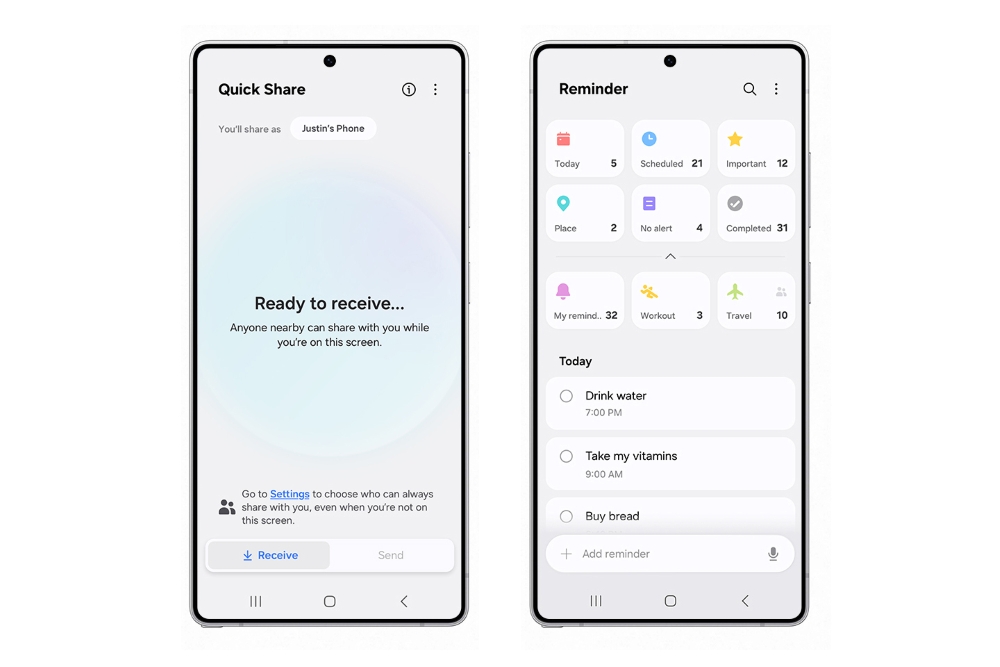
Enhanced quick add menu
It's now easier to create reminders quickly. The quick add menu now provides preset options for time and location conditions.
Automatically delete completed reminders
Clear out the clutter from your reminder list. A new optional setting lets you automatically delete completed reminders after a certain period of time.
Reuse completed reminders
You can now duplicate completed reminders so you can reuse them without entering all of the information again.
[Connect and share]Recommended devices for Quick Share
Don't waste time searching for the right device to share with. Devices signed in to your Samsung account and devices you've shared with in the past will appear at the top of the list so they're easy to find.
Continue sharing over the internet
No need to worry about failed file transfers. When sharing files using Quick Share, if the devices become too far apart to continue a direct transfer, the transfer will continue seamlessly over the internet using Wi-Fi or mobile data.
[Protect your security]Check the security status of your devices
Find out about security risks and solve them quickly. Knox Matrix monitors supported devices signed in to your Samsung account using a secure private blockchain. Each device can check the security status of other devices and let you know if there are any threats.
Stay safe from security threats
Auto Blocker does even more to protect you from cyber attacks when Maximum restrictions is turned on. 2G networks are now blocked, and your phone won't automatically reconnect to Wi-Fi networks. These restrictions can help prevent an attacker from intercepting your network traffic.
[Battery and charging]More options for power saving
You now have more control over what happens when your phone is in Power saving mode. Choose exactly the features you want to limit to save the amount of battery that's right for you. You can even change these options while Power saving is on.
More control over battery protection
When you turn on battery protection ,you can now adjust the maximum charging level anywhere between 80% and 95%.
New charging effect
When you plug in a charger, the charging confirmation is smaller and appears at the bottom of the screen instead of the middle to prevent interruptions while still making it easy to check the charging status.
[Accessible to everyone]Zoom in and out with just one finger
Zooming in and out just got easier. For people who have difficulty using pinch zoom, you can now activate 1-finger zoom from the Assistant menu, Swipe up or right to zoom in. Swipe down or left to zoom out.
Enhanced screen controls
The Assistant menu now does even more to help you control the screen. You can now double tap and touch and hold just by tapping a single button. New scroling controls let you move around the screen a specific distance by tapping the start and end points on the screen.
Customize your touch interactions
Get help choosing the settings that are most comfortable for you. New tests are available for the Touch and hold delay, Tap duration, and Ignore repeated touches settings. The test can tell you if your current settings are appropriate or need adjustments.
[Even more improvements]Watch videos again
In Video Player, a button will appear at the end of each video that lets you start the video over again from the beginning.
Improved contacts list
For a more consistent experience, the same contact list now appears in both the Phone app and Contacts app. Menus and options are the same in both locations so you can always find what you're looking for. When searching for contacts, contacts you've searched for frequently appear at the top of the search results, helping you find the right person quickly.
Quickly add boarding passes to Samsung Wallet
When you view a supported airline or travel webpage that includes a boarding pass in Samsung Internet, a button will appear so you can add it to Samsung Wallet quickly and easily.
Activity forecasts
It's now easy to check if the weather is suitable for outdoor activities such as running, gardening, camping, and more. You can choose up to 3 activities to show in the Weather app.
Custom place labels
It's easier to keep track of different locations in the Weather app. You can now set custom labels to the locations you add, such as Home, Office, School, or any other place where you want to check the weather.
Boost your gaming
Game Booster's in-game panel has been redesigned, making it easier to change settings quickly without leaving the action.
Set performance for each game
Game Booster now lets you adjust performance settings separately for each game. You can set some games to high performance and others to save battery for longer gameplay time. Find the settings that work best for you.
Apple‘s long awaited foldable iPhone may is still a while away from launch, but a fresh report has hinted at its possible launch timeline. The news arrives from a credible source and offers us some insight regarding the brand’s plans for its first ever foldable device.
Foldable iPhone may debut in Q4 2026
The latest news arrives from known Apple analyst Ming-Chi Kuo who shared the details on the Medium. In this report, he claimed that the Cupertino based giant plans on finalizing the entire specs of the foldable iPhone by the second quarter of this year. However, its release will follow more than a year later. The brand is expected to unveil the foldable iPhone sometime in Q4 2026.
Foldable iPhone
In other words, it could be released around the same time as the iPhone 18 lineup. Kuo further adds that the first foldable iPhone will have limited production at least till 2027. The analyst also believes that shipment of Apple’s first foldable product could hit between 3 to 5 million units in 2026 alone, with 2027 bumping this figure to a 20 million units. Since the company is known for its premium price tags, Kuo claims that the pricing is likely between 2,000 US Dollars and 2,500 US Dollars.
The first foldable from Apple is expected to be a notebook style model similar to the Galaxy Z Fold 6. It is unclear if it is an iPhone or an iPad model. There have already been various rumors like Samsung being its primary display supplier. Another rumor hints at the primary screen being a 7.74-inch inner folding panel, with the cover screen being a 5.49-inch display. This is all the information we have at the moment, so stick around for more.
For more daily updates, please visit our News Section.
LG Electronics has launched the ARTCOOL AI Air, a residential air conditioner equipped with AI Core-Tech to optimize indoor temperature control and energy efficiency. The system learns user habits over time, automatically adjusting airflow strength and direction based on room layouts and occupants’ positions. Users can remotely modify settings via LG’s ThinQ app, and the Sleep Timer+ feature adjusts nighttime temperatures to individual routines for better sleep quality.
The unit features a modern-minimalist design with a black mirror glass exterior and a multi-line grille at the base. The grille’s horizontal bars improve airflow distribution, enabling a 180-degree “wind spread” to ensure gentler airflow.
The air conditioner comes with many energy-saving tools, including the AI kW Manager, accessible through the ThinQ app, which tracks real-time electricity consumption and lets users set usage limits. Sensors further reduce waste: Window Open Detection switches to energy-saving mode if sudden temperature changes occur (e.g., an open window), while the Human Detecting Sensor activates power-saving settings when rooms are empty.
“The ARTCOOL AI Air combines advanced AI with thoughtful design to offer tailored comfort and efficient energy use,” said James Lee, president of LG ES Company.
Pricing and availability details were not disclosed, but the model is positioned as a premium offering.
In other news, LG has launched the PuriCare AeroHit, a compact cylindrical air purifier with an ultra-slim white design. It features an Aero Series H Filter for 360-degree air purification, removing dust, odors, viruses, and pollutants. A PM 1.0 sensor detects ultra-fine particles as small as 0.01 micrometers, offering real-time air quality monitoring.
For more daily updates, please visit our News Section.
We use cookies on our website to give you the most relevant experience by remembering your preferences and repeat visits. By clicking “Accept”, you consent to the use of ALL the cookies.
This website uses cookies to improve your experience while you navigate through the website. Out of these, the cookies that are categorized as necessary are stored on your browser as they are essential for the working of basic functionalities of the website. We also use third-party cookies that help us analyze and understand how you use this website. These cookies will be stored in your browser only with your consent. You also have the option to opt-out of these cookies. But opting out of some of these cookies may affect your browsing experience.
Necessary cookies are absolutely essential for the website to function properly. This category only includes cookies that ensures basic functionalities and security features of the website. These cookies do not store any personal information.
Any cookies that may not be particularly necessary for the website to function and is used specifically to collect user personal data via analytics, ads, other embedded contents are termed as non-necessary cookies. It is mandatory to procure user consent prior to running these cookies on your website.