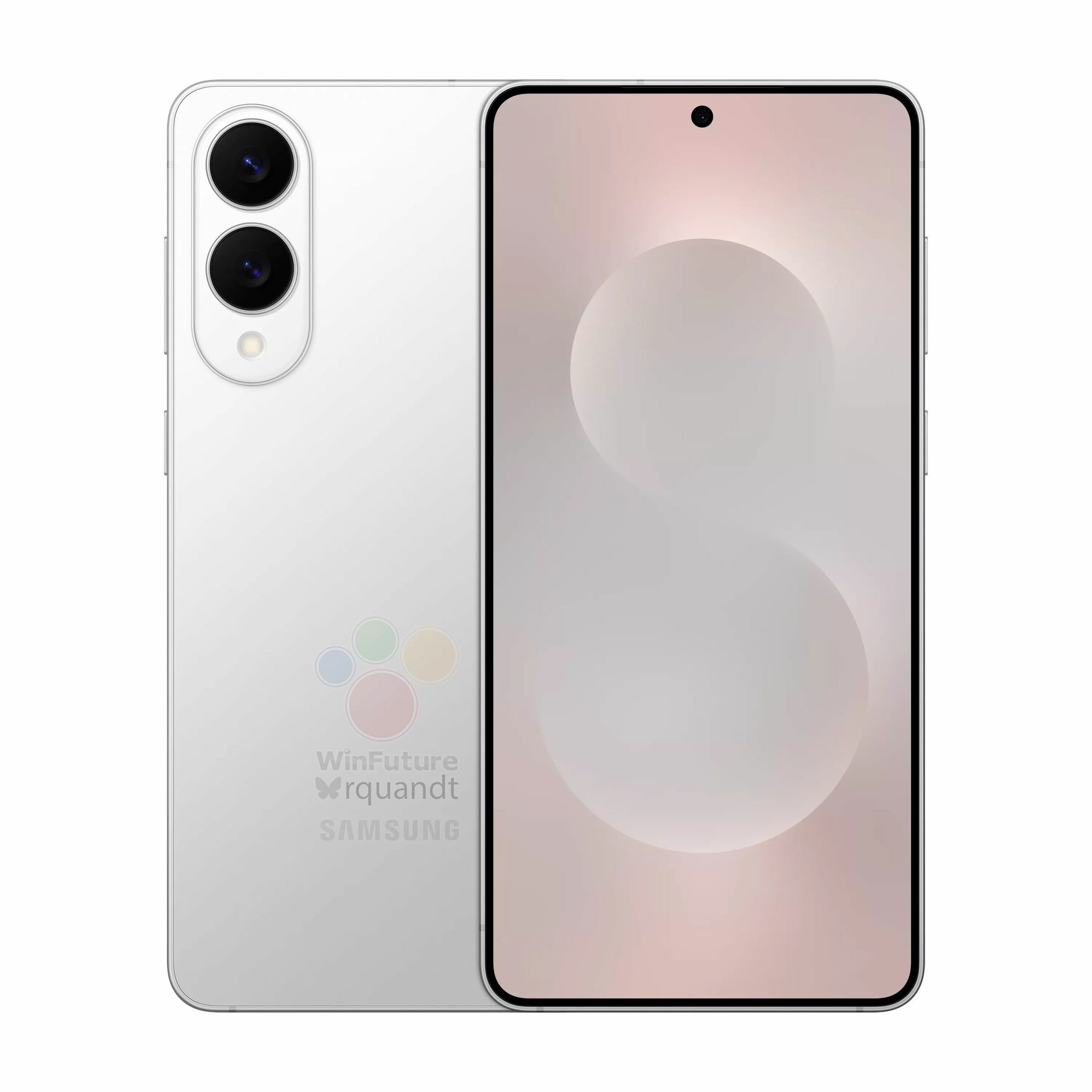
At launch, Samsung confirmed that the Galaxy S25 will be available in two configurations, such as 12GB+256GB and 12GB+512GB. However, there is speculation that the S25 will also come in a 12GB+128GB version. A report by 91mobiles Hindi has shared what appears to be an internal document designed for Samsung partners that mentions the price of the new configuration.
Samsung Galaxy S25 128GB price leaked (rumored)
The above document shared by the publication reveals that the Galaxy S25’s 12GB+128GB variant will be priced at Rs 74,999. In comparison, the existing 256GB and 512GB variants are priced at Rs 80,999 and Rs 92,999.
Currently, the Galaxy S25’s 256GB and 512GB variants are available for pre-orders in India. While the device is scheduled to go on sale by Feb. 3, there is no clarity whether the brand will also make the 12GB+128GB version available on the said date.
Samsung Galaxy S25 specifications
Samsung Galaxy S25
The Galaxy S25 is a compact flagship phone featuring a 6.2-inch AMOLED display that offers an FHD+ resolution, a 120Hz refresh rate, and an ultrasonic in-screen fingerprint sensor. The device is powered by the Snapdragon 8 Elite for Galaxy chip, LPDDR5x RAM, UFS 4.0 storage, and a 4,000mAh battery. The S25 supports 25W wired and 15W wireless charging.
The S25 runs on the latest One UI 7-based Android 15. It is confirmed to receive seven years of Android OS upgrades and security updates. It supports 25W wired and 15W wireless charging.
The S25 has a 12-megapixel camera on the front. The back panel of the device has a 50-megapixel primary camera with OIS support, a 12-megapixel ultra-wide lens, and a 10-megapixel telephoto camera with OIS and 3x optical zoom support. The device also offers other features, such as dual speakers, an aluminium frame, Gorilla Glass Victus 2 protection for the screen, and an IP68 rating.
The S25 comes in shades like Navy, IceBlue, Silver Shadow, and Mint. It also comes in exclusive colors like Blueblack, Coral Red, and Pinkgold, which can be purchased through Samsung India’s website.
Pre-order Samsung Galaxy phones now & get up to $1,250 off + a chance to win $5,000 credit (US only) – https://howl.link/erlejlgnge89i
For more daily updates, please visit our News Section.
When I first came across the Zhiyun Cinepeer Crane 4E, I was intrigued by its positioning as a budget-friendly gimbal in Zhiyun’s lineup. It’s marketed as a slightly stripped-down version of the Crane 4, removing a few features but keeping the essentials intact. With my lightweight Sony ZV-E10 setup, this gimbal seemed like an ideal match. After putting it through its paces, I can say it delivers solid value, but it’s not without its quirks.
The Zhiyun Cinepeer Crane 4E comes with all the essential accessories needed to get started right away. Here’s what you’ll find inside the box:
Crane 4E Gimbal
Tripod
Quick-Release Plate
Lens Support
Lens Support Screw
3/8″ Screw
1/4″ Screws (x3)
Wrench
USB-C Cables (x2)
2. Design and Build Quality
The Zhiyun Cinepeer Crane 4E is crafted from a mix of aluminum alloy and high-grade plastic, giving it a durable yet lightweight feel. Despite being part of Zhiyun’s budget-friendly Cinepeer line, it doesn’t feel cheap or flimsy. Every component feels solid and well-assembled, which speaks volumes about Zhiyun’s attention to detail in crafting this gimbal.
The handle is designed with ergonomics in mind, providing a comfortable grip that reduces strain on your wrist during long shooting sessions. It has a slightly textured finish to ensure a secure hold, even if your hands get sweaty. The weight distribution of the gimbal is well-optimized, reducing the fatigue typically associated with prolonged handheld use. The gimbal weighs 1.63 kg, which is slightly lighter than the Crane 4.
The layout of the buttons and controls is intuitive, but it does require a short adjustment period, especially if you’re new to gimbals. On the front of the handle, there’s a customizable control wheel that allows you to adjust zoom or focus depending on your preference. Directly on top of it, you’ll find the record button, which is easy to access. This button doubles as a focus trigger when held down.
On the side of the gimbal, there’s another control wheel designed for adjusting camera parameters like ISO, shutter speed, and aperture. The side wheel is placed conveniently for quick adjustments, making it easy to switch settings without needing to touch your camera. Adjacent to this wheel is the power button, which feels firm and responsive. The button placement, while functional, feels slightly right-hand oriented. Left-handed users might need some time to get used to it.
The back of the gimbal features a 1.2-inch display screen that serves as the control hub for the gimbal’s settings and modes. The screen is small but offers excellent clarity, making it easy to navigate the menus. You can select shooting modes, check the gimbal’s status, and even run balance checks through this display. The Crane 4E features a sleek mix of grey and black, a color combination I really liked for its cool and modern aesthetic.
Every axis of the gimbal has a locking mechanism, which I found very useful during transport and setup. These locks ensure the gimbal doesn’t move around when it’s not in use, preventing accidental damage. The adjustment levers on each axis feel sturdy, though the process of fine-tuning balance can sometimes be a little fiddly, especially for beginners.
In terms of accessories, the package includes all the essentials. However, I was disappointed by the lack of a carrying case or bag, which would have been a practical addition. For a gimbal aimed at budget-conscious users, this feels like an oversight. Including even a basic carry bag would make it easier to transport and protect the gimbal.
3. Balancing and Setup
Setting up the Zhiyun Crane 4E requires a bit of patience, especially if you’re new to gimbals, but once you get familiar with the process, it becomes straightforward and manageable.
When starting the setup, the first step is to attach your camera to the included quick-release plate. The plate has a solid construction and slides smoothly into the mounting bracket on the gimbal. It’s equipped with a locking mechanism to ensure that your camera stays secure during use. The quick-release system allows for easy detachment of the camera, which is particularly helpful if you frequently switch between handheld shooting and gimbal operation.
The balancing process itself involves adjusting the tilt, roll, and pan axes until the camera stays level in all orientations without motor assistance. This can be tricky for beginners because even a millimeter of adjustment on one axis can throw off the balance of another. The gimbal’s design includes clear markings on the adjustment arms, which help in making incremental changes. The levers used to adjust the axes feel sturdy, though it can be a bit fiddly to find the optimal balance point, especially with longer or heavier lenses.
One limitation of the Crane 4E is the absence of balance indicator lights, a feature available in the higher-end Crane 4 model. These lights provide visual feedback to confirm when each axis is properly balanced, which can be very helpful for beginners. Without this feature, you’ll need to rely on manual checks and the balance test feature within the gimbal’s menu system. The balance test runs a diagnostic of the motor strength and performance after balancing, providing a pass/fail result for each axis. While not as intuitive as indicator lights, it’s a functional workaround.
Switching between horizontal and vertical shooting orientations is another part of the setup that requires attention. The Crane 4E supports native vertical mounting, but this requires you to detach and reattach the quick-release plate in a different position. Rebalancing is necessary when switching orientations, but the process is relatively quick once you’ve balanced the camera a few times and understand how each axis behaves. This native vertical capability is a useful feature for content creators producing social media videos, as it eliminates the need for additional accessories to achieve vertical shots.
The gimbal’s menu system, accessed via the small display on the back, includes a motor calibration feature. This is particularly useful after balancing, as it ensures that the motors are optimized for your specific camera setup. Automatic motor calibration takes only a few seconds and adjusts the torque settings based on the camera’s weight and balance. This feature helps reduce motor noise and vibration, ensuring smoother performance during operation.
For first-time users, the balancing process might feel overwhelming, especially if you’re unfamiliar with gimbals. I highly recommend watching setup tutorials or referring to Zhiyun’s official resources for guidance. The manual included in the box is limited, but Zhiyun’s online videos for the Crane 4 can be used as they share a similar design. With a bit of practice, balancing becomes a quicker and more intuitive task.
4. Features
The Zhiyun Cinepeer Crane 4E is loaded with features that make it a versatile and user-friendly gimbal for various shooting scenarios, whether you’re a casual content creator or a professional filmmaker. Its functionality strikes a great balance between creative flexibility and ease of use, offering tools that enhance both shooting efficiency and the final output.
It offers a Bluetooth Shutter Control feature, which allows you to control your camera’s recording and photo capture directly from the gimbal. This feature eliminates the need to touch your camera mid-shoot, reducing the risk of unintentional movements that might disrupt your composition. It’s a particularly handy feature for solo operators who need to manage both camera operation and stabilization on their own.
The shooting modes offered by the Crane 4E are another highlight, providing a versatile toolkit for creating various cinematic effects. There are five primary modes: Pan Follow, Lock, POV, Vortex, and Go, each catering to different shooting requirements.
Pan Follow Mode (PF): This mode ensures the camera follows the pan movements of the gimbal, while keeping the tilt and roll locked. It’s ideal for capturing smooth, sweeping shots, like tracking a subject across a room or following a moving object.
Lock Mode (L): In this mode, all axes are locked, ensuring the camera stays fixed on a specific direction, regardless of how you move the gimbal. This is perfect for static framing when you need stability in shots like interviews or establishing scenes.
Point of View Mode (POV): The POV mode unlocks all axes, allowing the camera to follow the tilt, roll, and pan movements of the gimbal. This mode is great for creating immersive, first-person-style footage where the camera mimics the operator’s perspective.
Vortex Mode: One of the most exciting and creative modes, Vortex Mode allows the camera to rotate 360 degrees around the roll axis, enabling barrel-roll effects. This adds a dramatic, cinematic flair to your footage, especially in music videos or high-energy scenes. While this mode is a lot of fun to use, it can become physically demanding if you’re working with heavier camera setups, as it requires precise control and stability.
Go Mode: This is a high-speed tracking mode designed for fast-paced scenes. In Go Mode, the gimbal reacts to your movements much quicker than in other modes, making it suitable for action sequences or scenarios where you need rapid adjustments to follow a subject.
Switching between these modes is seamless and can be done through the gimbal’s touchscreen or via the ZY Play app. The touchscreen interface is intuitive, showing clearly labeled options, while the app allows for remote adjustments, giving you greater control when operating the gimbal in challenging shooting setups.
5. Performance in Real-World Scenarios
In real-world use, the Zhiyun Cinepeer Crane 4E proves to be a highly capable and reliable tool for various shooting situations. Whether you’re filming indoors, outdoors, or in fast-paced environments, the gimbal demonstrates excellent stabilization and adaptability, making it a great choice for both beginner and intermediate videographers.
The gimbal performs exceptionally well with a variety of camera setups. While Zhiyun doesn’t officially specify a payload capacity, the Crane 4E effortlessly supports heavy rigs. During testing, I used it with my Sony ZV-E10 paired with the lightweight 16-50mm kit lens (116 grams), the 50mm lens (186 grams), and even the much bulkier Sony 55-210mm lens (345 grams), and it handled them all with ease.
The gimbal delivered smooth, jitter-free footage across all these configurations. With the 55-210mm lens attached, I made use of the lens support accessory included in the package. This small addition played a crucial role in stabilizing the heavier lens and ensuring proper balance during operation. The fact that the Crane 4E can manage such varied setups highlights the strength of its motors and overall engineering.
When filming moving subjects, the gimbal’s responsiveness is impressive. The Crane 4E reacts quickly to directional changes, ensuring that the camera remains focused on the subject without lag or overcorrection. This is particularly noticeable when using modes like Pan Follow or POV, where smooth transitions are critical.
During a test shoot at a park, I followed a moving cyclist, and the gimbal performed remarkably well, even when I had to make rapid adjustments to keep the subject in the frame. The precision of the motors and their ability to compensate for sudden movements was evident in the resulting footage, which was stable and professional-looking.
The gimbal’s stabilization capabilities also shine in handheld shots where walking or climbing stairs is involved. Even in these challenging situations, the Crane 4E effectively smooths out vibrations and jerks. This was particularly useful during a test shoot in an uneven, outdoor environment where I had to move over rocky terrain. Despite the natural shakiness of walking on such surfaces, the footage came out fluid and steady, eliminating the need for additional post-production stabilization.
Another area where the Crane 4E excels is in creative shooting scenarios. For instance, Vortex mode, which allows the camera to perform barrel rolls, adds a dynamic and cinematic element to footage. While using this mode during a low-light shoot indoors, the gimbal maintained precision and control. However, I did notice that prolonged use of this mode can become physically demanding without accessories like a wrist rest or sling grip, particularly if you’re using a weighty camera setup.
In controlled, static environments like indoor shoots or interviews, the Crane 4E offers a stable foundation for capturing consistent, well-framed shots. During one such session, I tested its Lock Mode to keep the camera firmly fixed on a subject. The results were impressive, with no unwanted drift or movement, showcasing the gimbal’s reliability for professional or semi-professional settings such as corporate videos or sit-down interviews. Additionally, the Crane 4E’s motors operate quietly, making it an excellent choice for scenarios where audio recording is critical, as it minimizes interference with sound quality.
6. Battery Life and Charging
The Cinepeer Crane 4E offers a reliable battery life of up to 12 hours, sufficient for most filming sessions. It supports PD fast charging, allowing a full recharge in approximately two hours via USB-C, minimizing downtime during shoots. The gimbal also functions as a power bank for your camera, extending its runtime via the included USB-C cable, which is helpful for longer projects.
The battery performs efficiently, adjusting power output based on the weight of the attached camera and lens. While heavier setups may reduce battery life slightly, it remains consistent throughout use.
7. Final Thoughts
The Zhiyun Cinepeer Crane 4E is a capable, budget-friendly gimbal that delivers strong performance for its price. While it lacks some premium features like a fill light or balance indicator lights, its ergonomic design, customizable controls, and excellent stabilization make it a solid choice for beginners and intermediate videographers. The gimbal handles lighter setups like my Sony ZV-E10 with ease but also has the motor strength to support heavier rigs when needed.
Its minor limitations, like the absence of a carrying case or screen lock, don’t detract much from its overall value. For those new to gimbals or looking for an affordable yet reliable stabilizer, the Crane 4E is worth considering. It has a slight learning curve, but once you get the hang of it, it becomes a dependable tool for creative filmmaking.
8. Pricing and Availability
The Zhiyun Cinepeer Crane 4E, originally priced at $499, is now available for $399.20. You can purchase it on Zhiyun’s official website and Amazon.
Three years after Sony unveiled the flagship WH-1000XM5 headphones, a successor is finally in the works. The company’s WH-1000XM6 premium headphones have just been spotted on a certification platform. So here’s what we know so far.
Sony WH-1000XM5 in Smoky Pink
Sony WH-1000XM6 visits FCC
The Sony WH-1000XM6 was spotted on FCC carrying the YY2984 model number on the FCC database (Via SmartPrix). We also get a glimpse at its design elements. The upcoming WH-1000XM6 features an overhauled hinge design with removable earpads. To recall, the Sony WH-1000XM5 was released back in May 2022 with a revamped design, which had a mixed reception. So the brand could be improving on its design. However, the overall size might remain the same.
The brand could be planning on offering a more durable body on these headphones and these removable earpads could also offer a variety of color variants for added customization. Sony’s WH-1000XM6 is expected to launch with support for Bluetooth 5.3 along with support for Bluetooth LE Audio. Under the hood, a chipset from MediaTekcould power these premium headphones, which might bring fast charging support as well. The WH-1000 series is known for its impressive audio quality and ANC (Active Noise Cancellation), so we can expect high-end audio and great noise cancellation.
An official launch date is still unclear, but the confidentiality period for the new WH-1000XM6 lasts till 22nd July 2025. This isn’t an official release timeframe. Considering how the WH-1000XM5s released in mid-2022, the next gen model could debut around the same time. Keep in mind that this is still just speculation, so take this with a pinch of salt for now. This is all the information we have at the moment, so stick around for more.
For more daily updates, please visit our News Section.
With the launch of the OnePlus 13 and OnePlus 13R, OnePlus offers two compelling options catering to different audiences. While the OnePlus 13 aims to redefine the flagship experience, the 13R targets users seeking premium features at a more accessible price. This comparison highlights the key differences, upgrades, and unique features to help you decide which device aligns better with your needs and budget.
The OnePlus 13 sports a premium design with a Ceramic Guard glass front and back, or an eco-leather option, paired with an aluminum frame. It boasts an IP68/IP69 rating for superior water and dust resistance, making it highly durable. Its 6.82-inch LTPO 4.1 AMOLED display offers a crisp 1440 x 3168 resolution with a peak brightness of 4500 nits. In contrast, the OnePlus 13R uses Gorilla Glass 7i, also paired with an aluminum frame and rated IP65 for basic dust and water resistance. Its slightly smaller 6.78-inch AMOLED display has a lower 1264 x 2780 resolution, but still delivers excellent visuals with the same peak brightness.
The OnePlus 13 feels more premium, thanks to its better build quality, superior water resistance, and higher-resolution display, making it ideal for users who value flagship aesthetics and performance.
Please Note: When you buy something using the links in our articles, we may earn a small commission at no cost to you.
2. Specifications
OnePlus 13R
The OnePlus 13 is powered by the Qualcomm Snapdragon 8 Elite (3 nm) chipset, paired with up to 1TB of UFS 4.0 storage and 24GB of RAM. Its 6000mAh battery supports 100W wired charging, reaching 100% in just 36 minutes, alongside 50W wireless and reverse wireless charging. Meanwhile, the OnePlus 13R runs on the Snapdragon 8 Gen 3 (4 nm), with a maximum configuration of 512GB and 16GB RAM. Its battery offers the same capacity but charges slower, with 80W wired charging and no wireless support.
The OnePlus 13’s faster charging options and higher configuration choices make it the better pick for power users who demand speed and versatility.
3. Camera
OnePlus 13
The OnePlus 13 features a versatile triple-camera setup with three 50MP lenses (wide, telephoto with 3x optical zoom, and ultrawide), Hasselblad Color Calibration, and 8K video recording. The 13R, while capable, offers a similar setup with less advanced sensors, 50MP wide, 50MP telephoto with only 2x zoom, and an 8MP ultrawide camera. The 13R’s selfie camera is also less advanced, at 16MP compared to the 32MP shooter on the 13.
The OnePlus 13 outshines its sibling with superior camera hardware and advanced Hasselblad tuning, making it the go-to choice for photography enthusiasts.
4. Pricing
The OnePlus 13 is priced at ₹69,998 , while the OnePlus 13R is available at ₹42,998. The significant price gap reflects their target audiences—premium flagship seekers versus those looking for a mid-tier device with solid features.
While the 13R is more affordable, the 13 justifies its price with top-tier specs, making it worth the investment for users seeking the best experience.
5. Conclusion
OnePlus 13 R
The OnePlus 13’s standout features include IP68/IP69 water resistance, Hasselblad-enhanced cameras, 8K video recording, and 50W wireless charging. On the other hand, the 13R excels in affordability while still offering robust specs like the Snapdragon 8 Gen 3 processor and excellent AMOLED display.
The OnePlus 13 is the obvious choice for those seeking cutting-edge technology, but the 13R offers remarkable value for those on a budget.
Last week, Samsung unveiled the Galaxy S25 series of smartphones in various markets, including India. Following the launch, the South Korean tech giant has slashed the price of last year’s Galaxy S24, and it now costs as low as Rs 54,999 with an HDFC credit card offer. Here is a look at the revised pricing of the Galaxy S24.
Samsung Galaxy S24’s revised pricing in India
Galaxy S24’s revised pricing on Samsung India website
At launch, the Galaxy S24 variants, such as 8GB+128GB and 8GB+512GB were priced at Rs 79,999 and Rs 89,999, respectively. A bit later, the 8GB+128GB variant arrived with a price tag of Rs 74,999.
After the arrival of the Galaxy S25, the three variants of the Galaxy S24 are now available on Samsung India’s official website with revised prices, such as Rs 64,999, Rs 70,999, and Rs 82,999, respectively.
Buyers can also take advantage of the HDFC credit card offer that brings an instant discount of Rs 10,000. This offer allows buyers to purchase the Galaxy S24’s base model for as low as Rs 54,999. Additionally, the company is providing no-cost EMI options on eligible cards, along with exchange discounts that can go up to Rs. 10,000.
At the time of writing this post, Flipkart was offering the 8GB+128GB variant of the Galaxy S24 for a lower price of Rs 62,999. Interestingly, on Amazon, the same variant is available for Rs 53,999. These prices are without any additional offers or discounts. Applying available offers, like bank discounts or exchange deals, can further reduce the Galaxy S24’s price on both platforms.
Please Note: When you buy something using the links in our articles, we may earn a small commission at no cost to you.
Samsung Galaxy S24 is listed for Rs 53,999 on Amazon India
In comparison, the Galaxy S25 is available in two variants, such as 12GB+256GB and 12GB+512GB. These are priced at Rs 80,999 and Rs 92,999. There is speculation that Samsung will soon add a 12GB+128GB variant with a price of Rs 74,999.
Pre-order Samsung Galaxy phones now & get up to $1,250 off + a chance to win $5,000 credit (US only) – https://howl.link/erlejlgnge89i
For more daily updates, please visit our News Section.
Samsung’s Galaxy S25 Ultra has made an unexpected change to its S Pen – it no longer supports Bluetooth connectivity. While the stylus retains its core writing and drawing capabilities, some advanced features that relied on Bluetooth have been removed. Here’s a breakdown of what’s missing and why Samsung decided to make this change.
The removal of Bluetooth has led to the loss of some key functionalities:
No Air Actions: Previously, the S Pen allowed users to perform gesture-based commands using Air Actions. By waving the stylus in different directions, users could control apps like PowerPoint, switch slides remotely, or navigate certain UI elements. With Bluetooth gone, Air Actions are no longer available, making it less convenient for tasks that require remote gestures.
No remote clicker functionality: Another popular use case was using the S Pen button as a remote shutter for the Camera app. This feature allowed users to take photos without physically touching the phone—useful for group shots or stable tripod photography. Unfortunately, this function is now missing.
Samsung Galaxy S24 Ultra – Air Actions
While these features were niche, they added a layer of convenience and innovation that set the S Pen apart from other styluses. Their removal marks a significant shift in how the S Pen integrates with the Galaxy ecosystem.
Despite the removal of Bluetooth, the Galaxy S25 Ultra S Pen is still an excellent tool for drawing, note-taking, and precision tasks. While Air Actions, a similar sound feature called the Air Commands still exists. For those who don’t know, this feature provides quick access to S Pen tools, apps, and shortcuts and can be activated by tapping the small bubble that appears when the S Pen is removed from its slot. Since it doesn’t rely on Bluetooth, users can still customise and access Air Command as usual.
The removal of Bluetooth functionality in the Galaxy S25 Ultra’s S Pen does not affect its lost detection feature, as this capability operates independently of Bluetooth.
The lost detection feature relies on the electromagnetic field (EMF) communication between the S Pen and the Galaxy S25 Ultra. When the S Pen is inserted into its slot, it establishes a connection with the phone through this EMF link. If the S Pen is separated from the phone beyond a certain distance, the device detects the disconnection and can alert the user. This mechanism does not require Bluetooth, as it uses the built-in EMF sensors in the phone and the S Pen.
3. Why did Samsung remove Galaxy S25 Ultra S Pen’s Bluetooth functions?
Samsung Galaxy S25 Ultra – S Pen
According to Samsung, the decision to remove Bluetooth from the Galaxy S25 Ultra’s S Pen was based on low user engagement. The company claims that only a small percentage of users actively used features like Air Actions and remote camera control. While this move may disappoint power users, it reflects Samsung’s focus on optimizing features based on actual usage patterns.
4. Can users buy a Bluetooth-enabled S Pen separately?
Samsung Galaxy S25 Ultra S Pen
Following the launch of the Galaxy S25 Ultra, some reports suggested that Samsung would sell a Bluetooth-enabled S Pen separately. However, Samsung has officially denied this, stating that no such product exists. This means users who relied on Bluetooth features will need to adapt to the new limitations or explore alternative solutions.
5. Is the Galaxy S25 Ultra S Pen still good?
Samsung Galaxy S24 Ultra S Pen (left) and S25 Ultra S Pen (right)
Even without Bluetooth, the Galaxy S25 Ultra S Pen remains a top-tier stylus like the Galaxy S24 Ultra S Pen. It features a 0.7mm tip, 4,096 levels of pressure sensitivity, and excellent responsiveness for writing, drawing, and sketching. For users who primarily use the S Pen for these functions, the experience will remain largely unchanged. However, those who relied on the remote capabilities may find this downgrade disappointing.
What do you think? Did you frequently use the Bluetooth features on your S Pen, or are the core functionalities enough for your needs? Share your thoughts in the comments below!
Pre-order Samsung Galaxy phones now & get up to $1,250 off + a chance to win $5,000 credit (US only) – https://howl.link/erlejlgnge89i
Garmin watch users worldwide are facing a significant GPS issue, with devices crashing or getting stuck on boot-up screens. Affected watch series include the Fenix, Epix, Forerunner, Vivoactive, Venu, and Lily models. Garmin has acknowledged the problem but has yet to release a permanent fix, stating it is their “priority number one.”
Some users report crashes when starting a GPS workout, while others have found temporary relief by performing full factory resets. However, backing up your watch before attempting a reset is highly recommended.
Which watches are crashing?
Garmin watches blue triangle of death (AI-generated image)
The issue appears to impact a wide range of Garmin models, including:
Garmin Epix Pro (Gen 2)
Garmin Fenix 8, Fenix 7
Garmin Forerunner 165, 255, 265, 955, 965, and 55
Garmin Vivoactive 5
Garmin Venu 3 and Venu 2
Garmin Lily 2 and Lily 2 Active
Garmin Instinct 3
Other GPS-enabled models may also be affected.
Garmin’s response
Garmin’s US website has a red banner for addressing the issue
A red banner on Garmin’s US and UKwebsites addresses the issue. The message states that they are researching reports of devices showing a blue triangle when starting a GPS activity. They suggest that a reset by pressing and holding the power button might restore functionality. Garmin also mentions that they will share more information on a permanent fix once it is available.
Users are advised to power off their devices, restart them, and sync with the Garmin Connect app or Garmin Express. While the root cause remains unclear, a faulty firmware update affecting GPS subsystems is the likely culprit.
Does the fix work?
The temporary fix has yielded mixed results. Some users report success after resetting their devices, while others claim the issue resurfaces later. Notably, factory resets erase Connect IQ content, Body Battery data, Garmin Wallet information, and custom settings. Until a permanent solution is released, Garmin watch owners are urged to stay updated and proceed with caution.
For more daily updates, please visit our News Section.
Alright, let’s talk about Samsung’s next big thing—the Galaxy Z Flip7 and Z Fold7—which will launch this summer. While we’re all excited to see what’s new, a recent leak about their pricing has left us with some mixed feelings. Tipster @PandaFlashPro on X spilled the beans.
Samsung Galaxy Z Fold 6 and Galaxy Z Flip 6
The Galaxy Z Flip7 and Fold 7 are expected to start at the same price as their predecessors: $1,099 for the Flip 7, and $1,899 for the Fold 7. So, if you were worried about Samsung jacking up the prices, you can breathe a sigh of relief.
It’s both good news and bad news, depending on your expectations
While it’s good that prices aren’t going up, they’re not going down either. Many of us were hoping for a price cut. Foldables are still niche compared to regular flagship phones, while brands have surely optimized their manufacturing process for cost-effectiveness over the last few years. A lower price tag could’ve helped them break into the mainstream. But nope, Samsung is reportedly sticking to last year’s numbers.
Exynos 2500 instead of Snapdragon 8 Elite on upcoming foldables
And on top of that, the Z Flip7 and Z Fold7 are almost confirmed to ditch Qualcomm’s Snapdragon chips for Samsung’s own Exynos 2500 (chip details). Now, if you’ve been following the Exynos vs. Snapdragon debate, you know Exynos chips have mostly failed to live up to the hype. The first-time switch to Exynos for foldables is happening because Exynos 2500 wasn’t ready for S25 series due to some manufacturing issues. Reportedly, Samsung has fixed the issues and has decided to power the foldables with the chip.
If you’re a foldable fan with deep pockets, this probably doesn’t change much for you. The Z Flip7 and Z Fold7 will still be the cream of the crop when it comes to software experience. But if you were on the fence, hoping for a more affordable entry point, this leak might leave you feeling a little underwhelmed. Check out the leaked camera specs of the Galaxy Z Flip 7 here.
Of course, this is all based on rumors, so take it with a grain of salt until Samsung makes it official. But one thing’s clear: foldables are still a luxury item, and Samsung’s not backing down from that anytime soon.
The S Pen has been a very useful tool for a small group of Galaxy years. It has helped them take notes, draw, and even control their phones remotely. Some of you are probably already aware of Samsung’s decision to shake things up with the Galaxy S25 Ultra, and, of course, not everyone’s happy about it.
User regrets lack of gesture support in product review
Samsung claimed less than 1% users use the functionality
Here’s the deal: Samsung’s removing the Bluetooth functionality from the S Pen. That means no more using it as a remote for your camera or waving it around for air gestures. Why? Well, according to Samsung, less than 1% of users actually used those features.
Offering the functionality to the 99% means charging them for something they don’t use, and removing it makes it easier for Samsung to reduce the manufacturing cost amid the higher price of the Snapdragon 8 Elite for Galaxy. So, from a numbers perspective, it makes sense to remove Bluetooth functionality. But for that 1%? They’re not thrilled.
But that 1% demands Samsung to reintroduce Bluetooth in S Pen
In fact, some fans are so upset that they’ve started a petition on Change.org titled “Demand Samsung Mobile to Reintroduce Bluetooth S Pen for Galaxy S26 Ultra.” Yep, they’re already looking ahead to 2026, hoping Samsung will bring back the Bluetooth features they love. The petition is basically saying, “Hey Samsung, we know it’s a small group of us, but we really care about this stuff!”
Now, let’s be real—online petitions don’t always lead to big changes, especially in the tech world. Most of them don’t go viral, and even if they do, companies like Samsung tend to stick to their data-driven decisions. But hey, signing a petition doesn’t cost anything, and it’s a way for people to feel like they’re being heard.
Pre-order Samsung Galaxy phones now & get up to $1,250 off + a chance to win $5,000 credit (US only) – https://howl.link/erlejlgnge89i
This whole situation is a classic example of the balancing act tech companies have to pull off. On one hand, they need to streamline features and focus on what the majority of users want. On the other hand, they risk ticking off their most loyal fans who’ve come to rely on those niche features.
So, if you’re one of those people who loves using the S Pen’s Bluetooth capabilities, you might want to check out that petition. It’s a long shot, but who knows? Maybe Samsung will listen.
Okay, so foldable phones are already pretty cool, but Oppo is about to take things to a whole new level with its upcoming Oppo Find N5. It might be slimmer than Apple’s iPad Pro (M4), which, by the way, is already ridiculously thin at 5.1mm. For more context, the OnePlus Open/Oppo Find N3 measures 5.8 mm (unfolded) and the Galaxy S25 Edge is rumored to measure 6.4 mm.
Slimmer than the iPad Pro M4
Oppo’s new foldable could be around 4mm thick when unfolded, making it the thinnest foldable phone in the world. The Honor Magic V3 measures 4.35mm when unfolded.
Oppo’s President of Overseas Marketing, Billy Zhang, recently took to X (formerly Twitter) to tease the Find N5’s slim profile by comparing it to the iPad Pro M4. And this isn’t the first time Oppo has flexed about how thin this thing is. Earlier, they compared it to the iPhone 16 Pro Max, which is 8.25mm thick. I mean, come on, that’s almost twice as thick! Pete Lau, Oppo’s Chief Product Officer and OnePlus founder, even called it the “world’s thinnest foldable” in a post. So, yeah, they’re pretty confident about this one.
But all the focus isn’t actually concentrated on the thickness. This phone packs some serious specs too. According to rumors, it will run on Qualcomm’s Snapdragon 8 Elite chipset. So performance should be top-notch, comparable to the latest flagship bar phones. The display? A 6.85-inch LTPO screen with 2K resolution. The crease has also improved than the Find N3, noted a company official on a Weibo post.
And as for the camera, there’s a triple rear setup with Hasselblad tuning. A previously revealed hands-on image of the phone also shows a less protruding camera than the Find N3.
Despite the thin form factor, the battery is also rumored to be getting a big upgrade to 5,900mAh (up from 4,805mAh in the OnePlus Open). Plus, it’s expected to support 50W wireless charging and might even have an IPX9 rating for water resistance. So, not only is it slim and powerful, but it’s also built to last.
After showing off the design of the Android XR at the Galaxy Unpacked event, Samsung finally let someone actually try it out—and that someone was none other than Marques Brownlee (aka MKBHD). His hands-on video gives us our first proper look at the headset’s features, and honestly, it’s pretty exciting.
It runs all apps on Play Store, and can arrange them like Vision Pro
Let’s take a look at what this thing can do. First things first, it runs on Android XR OS, with Google Gemini baked right in. It supports apps on the Google Play store.
The the spatial computing experience is where the headset really shines. You can arrange app windows side by side, resize them, drag them around your virtual desktop, or just ask Gemini to do that for you.
While smartphone users also get to interact with Gemini, the live video viewing feature and the conversations feel much more natural with this form factor, as it can already see what you’re seeing instead of you separately having to hold your phone at the subject.
Build and functions:
The headset equips several cameras—eight on the front, paired with two inside for eye-tracking. It offers all the usual controls like a power button, volume rocker, and a touchpad on the side. The outer surface is a mix of metal, glass, plastic, and fabric. You can even pop on a face plate to block out light if you want, or leave that in the box if you prefer a sense of connection with the real world. Oh, there’s also a dial on the back to adjust the fit.
Just like the Vision Pro, power comes from an external battery pack, connected via USB-C. As Marques noted, the advantage of the connector being SUB-C is that you can also connect the device to a different power source with a higher capacity. It not only lets you quickly switch to a different battery, but also allows you to get a higher battery life in every session.
When you put it on, the headset automatically detects your eyes and adjusts the lenses for the sharpest view. Controlling it is all about hand gestures—like pinching your thumb and index finger to open the app launcher, which has all your favorite Google apps ready to go. You can also use Bluetooth keyboards and mice, and there’s talk of Samsung releasing its own controllers, which could be cool for gaming.
What about the pricing and launch?
Now, the big question: when can you get one, and how much will it cost? Samsung is aiming to launch it within 2025. According to Sammobile, it could launch alongside the Galaxy Z Flip 7 and Z Fold 7 in mid-2025. As for the price, rumors say it could be around $2,000, which would make it a bit more affordable than Apple’s Vision Pro.
For more daily updates, please visit our News Section.
Samsung officially unveiled its flagship Galaxy S25 Ultra smartphone during its global product launch event on January 23. Among the many highlights of the device was the S Pen, a long-standing staple of the Ultra series. This time, however, Samsung has made some notable changes to its design and functionality, sparking mixed reactions from fans.
S Pen for Galaxy S25 Ultra Comes with Air Command Support
Samsung has listed the new S Pen for the Galaxy S25 Ultra on its official website for $49.99. Available in Black, Light Grey, and Light Silver, the stylus features a 1.5mm tip and 4096 levels of pressure sensitivity, offering precision for writing and drawing. It also retains Air Command functionality.
However, Samsung’s decision to move the S Pen to a “passive specification” has raised eyebrows. Unlike its predecessors, the S25 Ultra’s S Pen does not support Bluetooth connectivity, effectively removing features like Air Actions (it is different from Air Command), remote camera control, and other hover-based operations.
This marks a significant shift from the previous models, which included advanced capabilities that many Note series loyalists relied upon. The absence of Bluetooth also means that the S Pen no longer needs charging, aligning with Samsung’s cost-saving and design simplification measures.
Adding to the confusion, a Samsung blog post initially suggested compatibility with Bluetooth-enabled S Pens, such as the S Pen Pro. This sparked excitement among fans hoping for a workaround to access Bluetooth functionalities.
However, Samsung later clarified to Android Authority that this was a mistake, confirming that the Galaxy S25 Ultra does not support any Bluetooth-equipped S Pens. This retraction has left many users feeling disappointed, particularly those accustomed to the advanced stylus features from earlier models.
The removal of Bluetooth connectivity has not been well-received by fans. Social media platforms and forums are filled with frustrated reactions from users who relied heavily on features like remote camera control and air gestures. Many are questioning the rationale behind Samsung’s decision, given the popularity of these functionalities among loyal Note and Ultra users.
Samsung justifies the move by pointing to low usage statistics for these features and the added complexity and cost they introduced. However, this change could signal a broader shift in Samsung’s strategy, potentially phasing out the S Pen entirely in future models. Longtime fans of the stylus worry that this downgrade may foreshadow the gradual decline of one of the Galaxy Ultra line’s defining features.
For those who primarily use the S Pen for note-taking or basic tasks, the changes may not be deal-breaking. But for power users who depend on Bluetooth-enabled features, the Galaxy S25 Ultra’s S Pen represents a significant step backward. Whether Samsung’s decision pays off remains to be seen, but for now, it’s clear that the move has left a sizeable portion of the fan base dissatisfied.
For more daily updates, please visit our News Section.
At first glance, the Snapdragon 7+ Gen 3 might seem like a generation behind the Snapdragon 8 Gen 1, but in reality, the story is completely different. The former boasts stronger CPU and GPU performance, whereas the latter gets advantage in terms of a higher peak download speed and higher resolution video recording.
Here, we’ll compare the Snapdragon 7+ Gen 3 and Snapdragon 8 Gen 1, diving into their benchmark details to see how the two chips stack up against each other.
Let’s begin with the spec sheet:
Snapdragon 7+ Gen 3
Snapdragon 8 Gen 1
Announced
March 2024
December 2021
Process node
4nm
4nm
Manufacturer
TSMC
Samsung
Cores
8
8
CPU architecture
1 x Cortex-X4 @ 2.8 GHz 4 x Cortex-A720 @ 2.6 GHz 3 x Cortex-A520 @ 1.9 GHz
1 x Cortex-X2 @ 3 GHz 3 x Cortex-A710 @ 2.5 GHz 4 x Cortex-A510 @ 1.8 GHz
GPU
Adreno 732 Snapdragon Elite Gaming
Adreno 730 Snapdragon Elite Gaming
NPU
Hexagon NPU
Hexagon NPU
Camera
Spectra 18-bit triple ISPs Up to 200MP single camera Up to 4K/60FPS recording
Spectra 18-bit triple ISPs Up to 200MP single camera Up to 8K/30FPS video recording
Snapdragon X65 5G modem Downlink: 10 Gbps Qualcomm FastConnect 6900 Wi-Fi 6E (peak speed: 3.6 Gbps) Bluetooth 5.3
Snapdragon 7+ Gen 3 vs 8 Gen 1: Benchmark comparison
[Note: We’ve tested Realme GT 6T (powered by Snapdragon 7+ Gen 3) and Realme GT 2 Pro (powered by Snapdragon 8 Gen 1) for benchmark results.]
AnTuTu comparison
AnTuTu is a popular benchmarking tool for measuring different aspects of a device, such as CPU, GPU, memory, and UX performance. The total AnTuTu score represents the overall strength of a device.
Here’s how the Snapdragon 7+ Gen 3 and 8 Gen 1 have performed:
The Snapdragon 8 Gen 1 is nowhere close to 7+ Gen 3 on AnTuTu. It has scored just over a million AuTuTu points, whereas the Snapdragon 7+ Gen 3 has an AnTuTu score close to 1.5 million.
Here’s the breakdown of AnTuTu score:
SD 7+ Gen 3
SD 8 Gen 1
AnTuTu score
1,448,293
1,057,645
CPU
376,122
291,119
GPU
488,799
370,425
Memory
334,990
169,641
UX
248,382
226,460
Geekbench comparison
Geekbench is a popular benchmarking tool for measuring the CPU capabilities of devices. The single-core score tells the CPU performance when a single core is at work, and the multi core score shows the performance when all cores are at work.
The Snapdragon 7+ Gen 3 crushes the Snapdragon 8 Gen 1 on Geekbench as well, thanks to powerful and efficient CPU cores.
SD 7+ Gen 3
SD 8 Gen 1
Single core
1,834
1,192
Multi core
4,498
3,561
Snapdragon 7+ Gen 3 vs 8 Gen 1: Key differences
Both chips are fabricated on a 4nm process node, but there’s a key difference in manufacturing. The Snapdragon 7+ Gen 3 is built by TSMC, while the Snapdragon 8 Gen 1 is produced by Samsung, leading to significant variations in performance.
Many 8 Gen 1 phones have heating issues, which leads to poor sustained performance. This problem is largely attributed to Samsung’s 4nm process node. The 7+ Gen 3 doesn’t struggle with heating issues and performance drops, thanks to TSMC’s highly-efficient and advanced manufacturing technology.
The two chips also have different CPU configurations. The 7+ Gen 3 brings one Cortex-X4 prime core clocked at 2.8GHz, four Cortex-A720 performance cores at 2.6GHz, and three Cortex-A520 efficiency cores at 1.9GHz. The 8 Gen 1 has one Cortex-X2 core at 3GHz, three Cortex-A710 cores at 2.5GHz, and four Cortex-A510 cores at 1.8GHz.
Another factor that contributes to better performance on 7+ Gen 3 is faster UFS 4.0 storage and LPDDR5X RAM at 4200MHz, while the 8 Gen 1 supports UFS 3.1 and LPDDR5 RAM at 3200MHz.
While the Snapdragon 7+ Gen 3 has a lower peak CPU frequency, it has highly-efficient and powerful cores than 8 Gen 1, which also reflects on benchmarks. The graphics performance is also better on the 7+ Gen 3, thanks to Adreno 732 (vs. Adreno 730 on 8 Gen 1).
Both chips have similar imaging capabilities, except for video recording. The 8 Gen 1 lets you record up to 8K/30fps, while the 7+ Gen 3 limits at 4K/60fps.
There isn’t a clear winner on the connectivity front, though. The 7+ Gen 3 has a Snapdragon X63 5G modem with up to 5Gbps peak download speed, whereas the X65 5G modem on the 8 Gen 1 offers 10Gbps peak download speed. The coin flips when you switch to Wi-Fi connection, as 7+ Gen 3 with Wi-Fi 7 offers up to 5.8Gbps speed, while the 8 Gen 1 with Wi-Fi 6E peaks at 3.6 Gbps.
Snapdragon 7+ Gen 3 vs 8 Gen 1: Conclusion
The Snapdragon 7+ Gen 3 has faster and more efficient CPU cores than those in Snapdragon 8 Gen 1. It also has a faster GPU. So, whether you do everyday stuff like surfing the internet or scrolling through social media feeds, or playing your favorite games, the Snapdragon 7+ Gen 3 will smoothly handle your processing needs.
The Snapdragon 7+ Gen 3 also supports faster RAM and storage, which adds to better performance. Other aspects such as camera capabilities and connectivity features are excellent on both chips.
It’s pretty clear that the Snapdragon 7+ Gen 3 is much better than the Snapdragon 8 Gen 1.
OnePlus has rolled out the latest ColorOS 15.0.0.403 update for the OnePlus Pad Pro, bringing a host of new features, optimizations, and fixes aimed at enhancing the user experience. This update introduces functionality improvements, visual refinements, and critical bug fixes, alongside better system security.
Key Features and Updates
The update introduces a “Floating Window Reply” toggle, allowing users to enable or disable replying to messages in a floating window via Settings > Notifications & Control Center > Banner Notifications, enhancing multitasking customization.
The update also adds charging information and a flashlight toggle to the Fluid Cloud interface, allowing users to easily monitor charging status and access the flashlight for a more intuitive and seamless experience.
The system’s floating window functionality has also been upgraded. Users can now drag floating windows to their maximum size, which will automatically transition the app to full-screen mode when released.
Application Updates
The update brings new features to the Calendar app, including cards for birthdays, anniversaries, and countdowns. This enhancement makes the app more versatile for tracking important dates. Furthermore, the tablet migration tool now supports transferring iOS Live Photos, streamlining the process of moving data from iOS devices.
A fix has also been applied to the Notes app, resolving an issue that caused crashes in certain scenarios, ensuring a more stable experience for users.
System Optimizations and Security
The ColorOS 15.0.0.403 update also focuses on system-wide optimizations. The visual effects of the Fluid Cloud interface have been refined, ensuring frequently used icons appear more prominently on the right side of the status bar. Additionally, the icon layout within the Control Center has been adjusted for improved accessibility.
Performance has been enhanced in specific scenarios, improving overall system stability and extending battery life. To ensure user security, the update includes the December 2024 Android security patch, addressing potential vulnerabilities.
Bug Fixes
The update resolves a range of issues, including the occasional flickering of black blocks during screen rotation on the home screen.
The OnePlus Pad Pro, launched in China last June, features a 12.1″ 3K 144Hz IPS display with a 7:5 aspect ratio, 900 nits brightness, and Dolby Vision HDR support. It is powered by a Snapdragon 8 Gen 3 SoC, with up to 16GB RAM and 512GB storage, and runs ColorOS for Pad based on Android 14. The tablet has a slim 6.49mm metal design, weighs 584g, and includes a 9500mAh battery with 67W fast charging. The tablet also includes quad speakers, a 13MP rear camera, an 8MP front camera, Wi-Fi 6, Bluetooth 5.3, NFC, and accessories like the Smart Stylus Pro and Smart Touch Keyboard.
For more daily updates, please visit our News Section.
AOC launched the CQ32G4E gaming monitor late last year in the global market. Now the monitor has hit the shelves in China. It is priced at 1,449 yuan ($200) and is now available on JD.com. Let’s check out its key specs.
AOC CQ32G4E Monitor Specifications
The CQ32G4E features a large 31.5-inch screen with a 1500R curvature, delivering a broader and more comfortable viewing angle, ideal for gaming, video editing, and entertainment. The monitor comes equipped with a QHD resolution of 2560×1440, offering crisp and detailed visuals, complemented by a 3500:1 contrast ratio for sharper and clearer imagery.
For smooth gaming performance, the CQ32G4E sports a 180Hz refresh rate and 1ms GTG response time, ensuring minimal motion blur and lag-free gameplay. Additionally, it supports Adaptive-Sync technology (compatible with FreeSync), providing a tear-free and seamless gaming experience. It is also compatible with HDR10, which enhances dynamic range and image detail, offering lifelike and vibrant visuals for both gaming and movie-watching.
This monitor equips a Fast VA panel for excellent color reproduction and deep contrast. It covers 92% of the DCI-P3 color gamut and 99% of the sRGB color space, with factory calibration ensuring a Delta E of less than 2 for color accuracy.
It also boasts Dark Boost technology, which enhances both bright and dark scene details, giving gamers an advantage in visually complex scenarios. The MBR Sync technology in the monitor reduces motion blur and ghosting, ensuring clarity in high-speed action scenes.
Designed with user comfort in mind, the CQ32G4E features low blue light and flicker-free technologies, reducing eye strain during extended use. The monitor includes versatile connectivity options, with HDMI 2.0, DP 1.4, and audio output ports, making it easy to connect to various devices. It is also VESA mount-compatible with 100x100mm mounting options.
The monitor features a sturdy yet portable build, weighing 7.15kg with the stand and 6.08kg without. It comes with a stylish space-grey triangular stand and sports red accents, exuding a premium gaming aesthetic.
In related news, Acer has launched two new monitors: the Predator X27U X1, a 26.5-inch 2K QD-OLED gaming monitor with a 240Hz refresh rate, and the PE320QK X, a 32-inch OLED monitor with Calman certification designed for professionals.
For more daily updates, please visit our News Section.
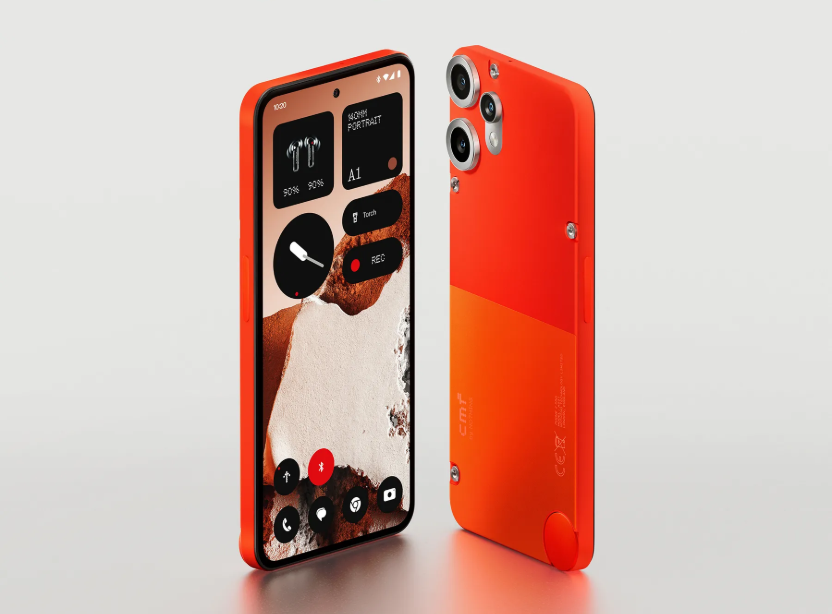
Nothing has officially announced an event on March 4th, 2025, where it is expected to unveil the Phone (3a) and Phone (3a) Plus. The upcoming devices have been the subject of numerous leaks and certifications, and now, key specifications and features have surfaced, giving us a clearer picture of what to expect.
Nothing Phone (3a) leaked specifications
As per details shared by @gadget_bits on X, the Phone (3a) is rumored to feature a 6.8-inch FHD+ AMOLED display with a 120Hz adaptive refresh rate, powered by the Snapdragon 7s Gen 3 chipset. This 4nm processor, coupled with up to 12GB of RAM and 256GB of storage. The device will run on Android 15 with Nothing OS 3.1, offering a clean and customizable user experience.
In terms of cameras, the Phone (3a) is expected to sport a 50MP main camera with OIS, an 8MP ultra-wide camera, and a 50MP telephoto camera. While the ultra-wide camera is a downgrade from the Phone (2a)’s 50MP sensor, the addition of a telephoto lens is a notable upgrade. The front camera will likely remain a 32MP shooter. The Phone (3a) Plus, on the other hand, might feature a periscope telephoto camera, as per earlier rumors.
The device will also include a 5000mAh battery with 45W wired charging support. Connectivity options will include 5G, Wi-Fi 6, Bluetooth 5.4, and NFC. The signature glyph lights on the back will make a return, adding to the unique design language of Nothing phones.
The launch has been confirmed through a microsite on Flipkart and the Nothing.tech India website, which redirects to Flipkart. The URL link of the Flipkart page also confirms that the device launching on February 4 is indeed the Nothing Phone (3a).
German consumer electronics brand Blaupunkt, best known for its high-quality audio products has launched the SBW600 Xceed Dolby Atmos Home Theatre in India.
Blaupunkt SBW600 Xceed features
The SBW600 Xceed Dolby Atmos Home Theatre comes with a comprehensive speaker setup, including top, front, and side speakers integrated into the soundbar, along with dual rear satellite speakers. This configuration supports 360° audio immersion, enhanced by Dolby Atmos, DTS, and IMAX technologies for a rich, clear sound environment. It provides true 9.1.4 surround sound, 3D audio with a wireless subwoofer, and acoustically balanced performance.
The SBW600 Xceed is built with all-metal components, ensuring durability while maintaining high sound quality. It offers multiple connectivity options, including HDMI-ARC, Optical, Coaxial, AUX, USB, and Bluetooth, making it compatible with a wide range of devices and easy to set up. It comes with accessories such as a remote control, HDMI-ARC cable, and AUX cable, and is available in black.
Pricing & availability
The Blaupunkt SBW600 Xceed is priced at Rs. 49,999 and can be purchased directly from the Blaupunkt website.
In other news, Zebronics has launched the Zeb StudioX One, a 240W RMS portable Bluetooth speaker with a 16.5 cm subwoofer, dual mid-range drivers, and quad tweeters for balanced sound. It supports Bluetooth 5.3, USB, microSD, AUX, TWS pairing, and functions as a power bank with its 9000mAh battery offering 11 hours of playback.
For more daily updates, please visit our News Section.
TCL has launched the P10 Color Ink Eye Protection smartphone in China, which is now available for purchase at 1,998 yuan ($276).
TCL P10 features
The device features a 6.78-inch NXTPAPER technology screen with a resolution of 1080 × 2460 and supports a 120Hz high refresh rate. For those unaware, NXTPAPER is a display technology developed by TCL that delivers a paper-like, glare-free viewing experience while prioritizing eye comfort and energy efficiency. It features a matte, anti-reflective surface that minimizes glare and filters over 50% of harmful blue light, reducing eye strain during prolonged use.
Unlike e-ink, NXTPAPER supports full-color visuals, making it versatile for reading, media consumption, and gaming. It eliminates the need for a backlight by reflecting natural light, ensuring clear and vibrant visuals while conserving energy, enabling extended battery life in devices such as tablets and e-readers.
Under the hood, the phone is powered by a Dimensity 6000 series processor, the phone offers configurations of 12GB RAM with either 256GB or 512GB of storage. The TCL P10 boasts a triple rear camera setup, including a 108-megapixel main camera, an 8-megapixel ultra-wide-angle lens, and a 2-megapixel macro lens. For selfies, it has a 32-megapixel front camera. A unique feature is the NXTPAPER button on the side, which allows users to quickly activate the super reading mode for an enhanced reading experience.
Measuring 167.6 x 75.5 x 7.99mm and weighing 196g, the phone is designed to be sleek and portable. It is equipped with a 5010mAh battery, ensuring long usage times. The device also includes a global AI assistant, offering functionalities such as AI eye protection, AI writing, and AI voice memos.
The TCL P10 features NXTPAPER technology, designed to reduce blue light and glare for improved eye comfort during extended use. This makes it suitable for users who spend a lot of time reading or browsing on their phones.
The itel Zeno 10 is the first smartphone in the brand’s new Zeno series, designed specifically for first-time smartphone users and Generation Z. Priced at Rs 5,699 for the base variant, this ultra-affordable device offers a balanced mix of functionality and affordability. With Android 14 (Go Edition) pre-installed, the itel Zeno 10 aims to cater to basic smartphone needs while introducing features that resonate with younger users. Here’s our detailed hands-on review.
The itel Zeno 10 has a practical design with flat edges and a textured back panel, complemented by a matte finish around the dual-camera setup. It is available in two striking colours: Phantom Crystal (dark green) and Opal Purple. As seen in the images, we tested the Phantom Crystal variant, which stands out with its subtle yet stylish appearance. It has a thickness of 8.7 mm and weighs 185 grams.
The phone features a side-mounted fingerprint sensor integrated into the power button offers quick and reliable unlocking. The device also includes a USB Type-C port, a 3.5mm headphone jack, and a single speaker grille at the bottom. The SiM slot available on the left edge has slots for two nano-SIM cards and a microSD card. While the speaker is adequately loud for its class, sound quality takes a hit at higher volumes. itel has included a very attractive study case instead of a simple plastic one in the retail box.
2. Display and Audio
The itel Zeno 10 features a 6.67-inch HD+ IPS LCD with a resolution of 1600 x 720 pixels and a pixel density of 267ppi. The 90Hz refresh rate, paired with a 120Hz touch sampling rate, ensures a smooth touch experience for basic operations. Colours appear reasonably vivid, and viewing angles are decent, making the screen suitable for casual video streaming and web browsing. An interesting feature is the customizable notch, which can transform into a pill-shaped bar for notifications and reminders, adding a touch of modernity to the user interface. For audiophiles, the device is equipped with a single bottom-firing speaker and a 3.5mm audio jack.
3. Performance and Software
itel Zeno 10
Powering the itel Zeno 10 is the Unisoc T603 chipset, paired with either 3GB or 4GB of RAM and 64GB of internal storage. The 3GB RAM variant supports up to 5GB of virtual RAM, while the 4GB version offers up to 8GB of virtual RAM. While 4GB of RAM may seem modest in today’s smartphone landscape, it is adequate for this price range, especially with virtual RAM extending its multitasking capabilities.
To avoid lag, users should focus on light to moderate usage, such as messaging, browsing, and running basic apps. Minimising the number of background apps and clearing the cache regularly can help maintain smooth performance. Casual 2D games run without any issues, but heavier games struggle even at the lowest settings.
The itel Zeno 10 is equipped with a 5,000mAh battery that easily lasts a full day with moderate usage. Activities such as browsing, social media, and video playback are comfortably supported on a single charge. However, the 10W charging speed means it takes over 2:30 hours to recharge, which could be inconvenient for some users. While the battery life is commendable, faster charging would have added more convenience.
4. Cameras and Software
itel Zeno 10
The itel Zeno 10 is equipped with an 8-megapixel primary camera paired with an AI lens, while the front houses a 5-megapixel selfie shooter. The camera app offers photography modes, such as Portrait, Wide, HDR, Panorama, Short Videos, Slow Motion, and AR Shot. In well-lit conditions, the main camera captures decent photos with natural colours and satisfactory detail. However, focus can be slow, and the shutter lags at times, making it less ideal for action shots. The selfie camera is suitable for casual use, offering sharp but slightly overexposed images. Video recording is limited to 1080p at 30fps, which is acceptable for basic needs but lacks stabilisation. I found the camera app to be a bit laggy.
1xSelfiePortrait selfie1x1x2x1x1x2x
The Zeno 10 runs on Android 14 (Go Edition), a lightweight operating system tailored for entry-level devices. The interface is clean and user-friendly, with minimal bloatware that can be uninstalled if not required.
5. Final Thoughts
itel Zeno 10 shows this cool digital clock on the lock screen when the phone is kept for charging.
The itel Zeno 10 is priced at Rs 5,699 for the 3GB+64GB variant and Rs 6,099 for the 4GB+64GB version. It is available in two attractive colour options: Phantom Crystal and Opal Purple.
The itel Zeno 10 is a well-rounded entry-level smartphone that strikes a good balance between affordability and essential features. The inclusion of a large display, a 5,000mAh battery, and Android 14 (Go Edition) makes it a practical choice for budget-conscious buyers.
While the Zeno 10’s performance and cameras are basic, they are sufficient for light users. If you are looking for an affordable device for calling, messaging, and casual entertainment, the Zeno 10 is worth considering. However, those seeking gaming or advanced multitasking capabilities may need to explore higher-tier options.
For more daily updates, please visit our News Section.
Two upcoming models of the Huawei Band 10, identified by model numbers ‘NOR-B29’ and ‘NOR-B19,’ have been certified by Malaysia’s SIRIM platform. The certification, valid until January 26, 2030, confirms the devices’ impending launch in the Malaysian market. Both models are listed under the ‘watch’ category, with the ‘Huawei Band 10’ name explicitly mentioned in the SIRIM database.
Previously, these models received certifications from SDPPI and TUV SUD, revealing IP68-rated builds for durability. Based on the launch timelines of earlier versions, the Huawei Band 10 is expected to debut in April or May 2025.
Rumored specifications include a 1.47″ AMOLED rectangular display with 194 x 368 pixels resolution and 2.5D glass. The device is expected to run on HarmonyOS 4.0 and feature Bluetooth 5.3, NFC support, and compatibility with the Huawei Health app. Health and fitness tracking capabilities will likely include heart rate, SpO2, step counting, and sleep monitoring, alongside over 100 sports modes. The Band 10 is also rumored to have a 5-ATM waterproof rating, a polycarbonate body, silicone straps, a 200 mAh battery, and up to 14 days of battery life. We can take a look at its predecessor, the Huawei Band 10 to get a better idea of what to expect.
Huawei Band 9 features
Huawei Band 9
The Huawei Band 9 features a 1.47-inch HD AMOLED display with Always-on Mode, a 9-axis IMU sensor, heart rate, ambient light sensors, and advanced health monitoring through TruSeen 5.5, TruSleep 4.0, TruRelax, and menstrual tracking. It supports 100 workout modes, automatic detection for four exercises, Bluetooth 5.0 connectivity, and is compatible with Android 8.0+ and iOS 13.0+. With 5ATM water resistance, it includes a music control, a remote camera, quick replies, and call alerts. Weighing 14g, it offers a 14-day battery life with fast charging in 45 minutes.
We use cookies on our website to give you the most relevant experience by remembering your preferences and repeat visits. By clicking “Accept”, you consent to the use of ALL the cookies.
This website uses cookies to improve your experience while you navigate through the website. Out of these, the cookies that are categorized as necessary are stored on your browser as they are essential for the working of basic functionalities of the website. We also use third-party cookies that help us analyze and understand how you use this website. These cookies will be stored in your browser only with your consent. You also have the option to opt-out of these cookies. But opting out of some of these cookies may affect your browsing experience.
Necessary cookies are absolutely essential for the website to function properly. This category only includes cookies that ensures basic functionalities and security features of the website. These cookies do not store any personal information.
Any cookies that may not be particularly necessary for the website to function and is used specifically to collect user personal data via analytics, ads, other embedded contents are termed as non-necessary cookies. It is mandatory to procure user consent prior to running these cookies on your website.