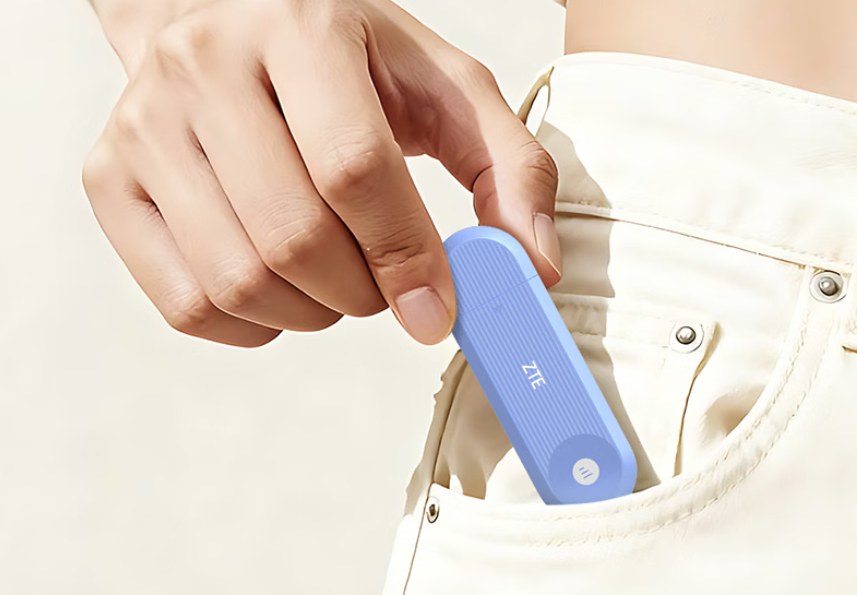
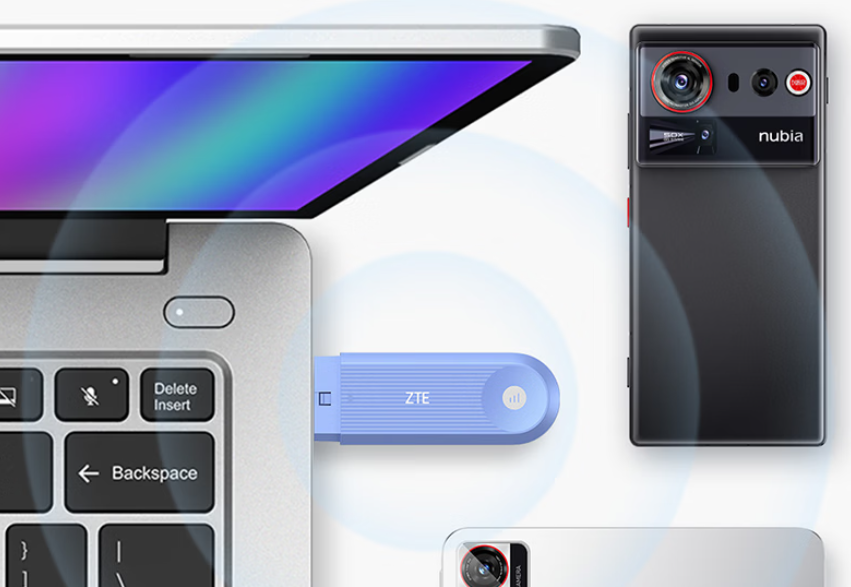
ZTE has officially launched a new compact 5G RedCap portable Wi-Fi device in China. The F40 is priced at 179 yuan ($26) for the standard model and 219 yuan ($31) for the variant with a nano SIM card slot. The company is offering 10GB of trial data with each purchase.
ZTE F40 Specifications
The ZTE F40 is designed for users who need portable internet access during travel, work, or study. It weighs around 34 grams and measures 104mm x 34mm x 11mm. The compact form factor makes it easy to carry in a pocket or laptop bag.
The device uses 5G RedCap technology, which reduces power consumption by 10 to 20% compared to standard 5G while offering a 50% speed improvement over 4G and 70% lower latency. These improvements aim to support smoother video calls, online gaming, and cloud-based productivity.
ZTE has equipped the F40 with broad mobile network support, covering 5G and 4G connectivity across major Chinese carriers. The SIM variant supports both eSIM and a physical nano SIM, with dual-network switching between China Mobile and China Telecom.
For local connectivity, it features dual-band Wi-Fi 6 support and operates on both 2.4GHz and 5GHz frequencies using a 1×1 configuration. The device supports up to 16 connected devices simultaneously, including smartphones, laptops, tablets, and other Wi-Fi-enabled gadgets.
It comes with dual USB interfaces, including USB-A and USB-C. The F40 supports USB direct connection mode, allowing it to function as a wired network adapter when connected to a computer. It also supports standard Wi-Fi hotspot mode, enabling instant wireless sharing when plugged into a power source.
In related news, ZTE has recently launched the WenTian BE7200 Max Octopus router with Wi-Fi 7 support and RGB lighting, alongside the F50 Pro portable Wi-Fi device that offers 5G connectivity, dual-network switching, and Wi-Fi 6.
For more daily updates, please visit ourNews Section.
OnePlus may be evaluating a new mid-size performance-focused smartphone, according to a January 13 leak from trusted Weibo tipster @DigitalChatStation. The post mentions a “Jiajia” factory testing a 6.59-inch 1.5K LTPS flat display, widely believed to be for an upcoming OnePlus device, despite the brand not being named directly.
The display is described as having large, rounded corners and visually equal bezels on all four sides, continuing OnePlus’ recent move toward flat-screen designs. The panel is reportedly sourced from a domestic Chinese supplier, rather than Samsung. The phone is positioned as a “mid-screen performance phone,” suggesting a balance between usability and power rather than oversized dimensions.
Image is for illustrative purposes only
Battery discussions tied to the leak indicate that a 6.59-inch form factor can support 8,000mAh-class batteries, while larger 6.78-inch phones struggle to scale as efficiently. This aligns with earlier reports of a OnePlus engineering prototype featuring a 6.78-inch 1.5K 165Hz LTPS flat screen and batteries starting in the 8,000mAh range, with internal targets reportedly reaching 9,000mAh.
If launched, this device could sit between the Nord and Ace series, targeting users who want strong performance and long battery life in a manageable size. The move also mirrors a wider trend, with brands like Redmi, iQOO, and Realme already pushing flat-screen performance phones with ultra-large batteries.
CMF by Nothing has introduced the CMF Headphone Pro in India, which is its first over-the-ear headphone. The new model stands out with a modular build, swappable ear cushions, and an impressive battery life. There are also a bunch of great features that are being offered for an affordable price tag, so here are all the details.
CMF Headphone Pro Specifications
The CMF Headphone Pro takes a modular approach to over-ear headphones, letting users swap ear cushions to change both the look and feel of the headset. Three color options are available at launch, including Light Gray, Dark Gray, and Light Green. These retain the tactile physical controls that were first seen in the Nothing Headphone (1), offering a multifunctional roller for volume adjustment, ANC, and controlling playback. An energy slider helps tweak the bass/treble on the go, and another programmable button that can trigger other features like Spatial Audio.
Nothing’s CMF Headphone Pro
It houses large 40mm dynamic drivers, with support for Hi-Res Audio and LDAC codec. CMF Headphone Pro features adaptive ANC that reduces noise by up to 40 decibels. On a single full charge, these hearables promise up to 100 hours of audio playback with ANC disabled. This falls to just 38 hours with ANC enabled and LDAC playback. You also get fast charging support, with just 5 minutes of charging offering up to 5 hours of battery life.
The CMF Headphone Pro was announced in India for Rs 7,999. But as a part of its introductory launch offer, the headphones are listed with a discounted price tag of just Rs 6,999. First sales kick off on 20th January 2026 via Flipkart and offline retailers.
For more daily updates, please visit our News Section.
A fresh leak has shed light on Huawei’s upcoming Pura 90 Ultra, hinting that the brand is preparing a strong upgrade in its premium smartphone lineup. At the same time, a schematic showcasing the Pura 90 Ultra has emerge to give an hint about its design. Here’s a look at the new details about Huwaei’s upcoming premium flagship phone.
Huawei Pura 90 Ultra camera specs, design emerge
According to information shared by the above Chinese tech blogger, the Huawei Pura 90 Ultra is expected to feature a powerful rear camera setup led by a 200-megapixel telephoto camera. This long-range sensor is said to be the SmartSens SCC80XS, manufactured using a 22nm process. The newer fabrication process is believed to help with better power efficiency, lower read noise, and improved dynamic range, which could translate into clearer zoom shots and better low-light performance.
The main camera is tipped to be a 50-megapixel 1-inch sensor with support for variable aperture. This combination is likely to offer greater control over depth and light intake, especially in challenging shooting conditions. Together, the primary and telephoto cameras indicate that Huawei is targeting users who value photography flexibility across focal lengths rather than just high megapixel counts.
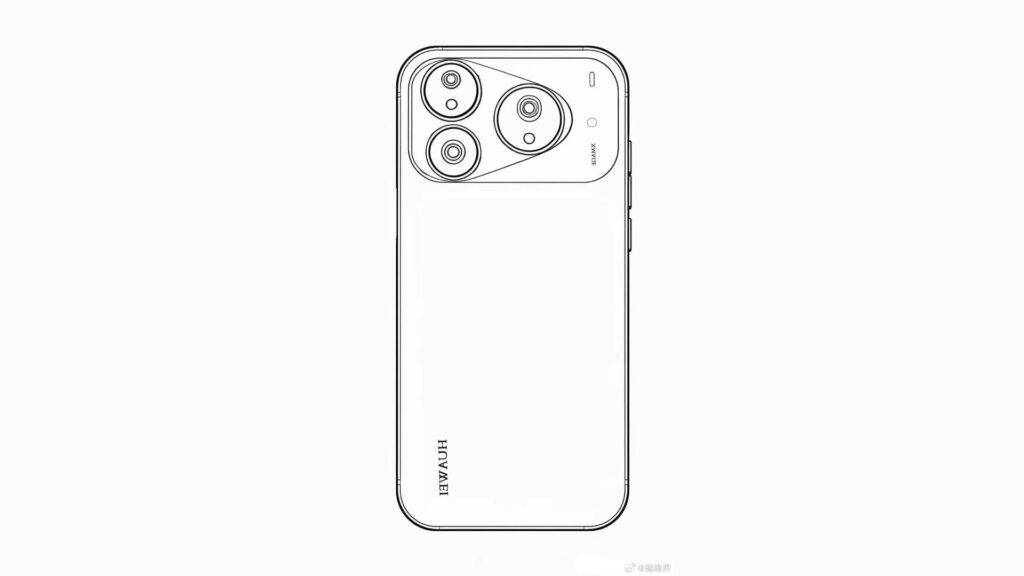
Shown below is a concept image of the Pura 90 Ultra’s design shared by the same source. It carries forward Huawei’s signature triangular camera design while also aligning with the current horizontal camera layout trend. There is a possibility that the final design could be different from what’s depicted here.
Huawei Pura 90 Ultra schematic
As per other reports, the Huawei Pura 90 series is rumoured to return to flat displays, with screen sizes of 6.58 inches and 6.87 inches, along with 3D face recognition. It is expected to arrive with Huawei’s Kirin 9030 lineup. Reports suggest that the standard model may run on the Kirin 9030 chip, while the Pro and Ultra variants could feature the more powerful Kirin 9030 Pro.
The next-generation Pura series will ship with HarmonyOS 6.1, focusing on smoother multitasking and tighter device integration. The standard Pura 90 may pack around a 6,000mAh battery, while the Pro and Ultra versions could go up to 6,500mAh or even 7,000mAh. Fast charging support of 100W wired and 50W wireless is expected across the range.
Huawei Pura 90 series launch timeframe (rumored)
Huawei is expected to launch the Pura 90 series in May, with prices in China likely starting around 5,499 Yuan (~$790) for the base model, scaling higher for the Ultra variant.
For more daily updates, please visit our News Section.
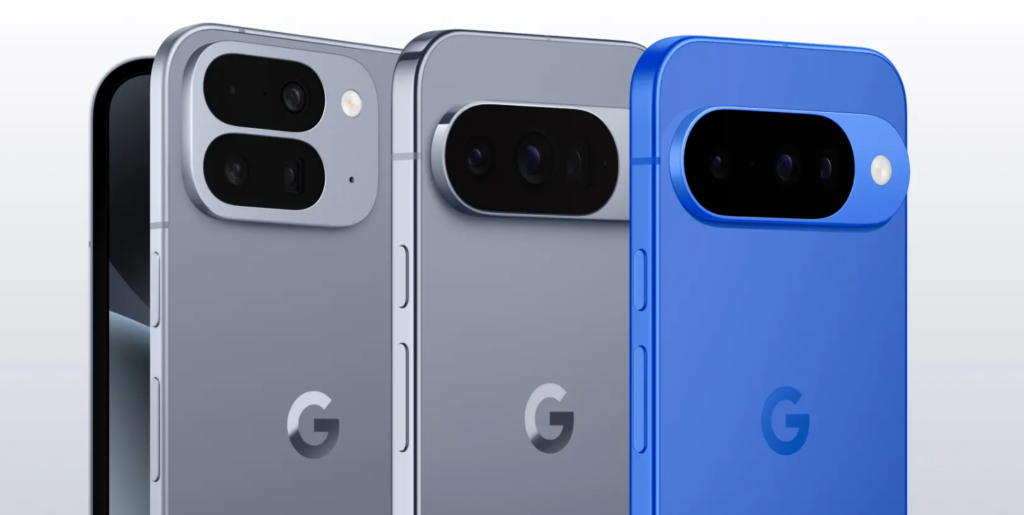
Google is planning a major change in how it builds its premium Pixel smartphones. According to a Nikkei Asia report, the company is expected to start developing and manufacturing its high-end Pixel models in Vietnam from 2026. This includes the Pixel, Pixel Pro, and Pixel Fold. Until now, China has played a central role in both the development and production of these devices. Entry-level Pixel A series phones will continue to be handled in China for the time being.
This move shows that Google is expanding Vietnam’s role beyond simple assembly and trusting the country with the most important stages of smartphone production.
What Will Happen in Vietnam
Google will begin the New Product Introduction process in Vietnam. This is the most critical stage in making a new smartphone. It includes testing designs, checking how parts work together, setting up production lines, and preparing the phone for mass manufacturing. This phase requires hundreds of engineers, advanced testing equipment, and close coordination with suppliers.
In the smartphone industry, handling NPI work is seen as a sign of high manufacturing capability. It also means long-term trust from global technology companies.
Google Pixel series
Where Pixel Phones Were Made Before
For many years, China has been the main location for developing and manufacturing Pixel smartphones. China has the world’s most advanced smartphone supply chain, with experienced factories and suppliers that can handle complex products from the ground up. More recently, Google shifted some Pixel assembly work to Vietnam, but development and early-stage production remained in China.
With this new plan, Vietnam will take on full responsibility for developing premium Pixel models from scratch.
Why Google Is Making This Change in 2026
The decision reflects growing confidence in Vietnam’s manufacturing ecosystem. Google already produces some high-end Pixel phones in Vietnam and carries out testing and verification there. This makes it possible to move the entire development process to the country.
Another reason is the need to reduce supply-chain risk. Relying too much on one country can be risky due to trade tensions, policy changes, or disruptions. By spreading production across different countries, Google can make its supply chain more stable and flexible.
Chinese assembly line
Impact on Geopolitics and the Economy
This shift has wider effects beyond Google. For China, it shows that global tech companies are slowly reducing their dependence on its manufacturing system. For Vietnam, it is a major win. High-end smartphone development brings investment, skilled jobs, and stronger supplier networks, helping the country move up the technology value chain.
From a global perspective, this move fits into a larger trend where tech companies are reshaping supply chains across Asia to balance economic and political risks. It also strengthens Vietnam’s position as a key technology manufacturing hub in the region.
Google has not officially commented on the report, but if the plan moves forward, it will mark a turning point for Pixel smartphones. Vietnam could soon become one of the most important locations in the world for developing and producing high-end smartphones, signaling a new chapter in the global tech manufacturing landscape.
As a tech editor focused on wellness, I hold a firm belief: no product can truly substitute for regular movement. No matter how advanced or expensive a chair may be, prolonged static sitting inherently challenges our health. Yet, the reality for many of us is unavoidable—long hours at a desk, with our backs and necks sustaining biomechanical stress, often without adequate support. Discomfort, over time, becomes routine.
While regular exercise remains the ideal solution, when extended sitting is necessary, a well-designed ergonomic chair can serve as a vital form of support. This brings us to the Hbada X7. We put it to the test in daily scenarios—here’s how it performs.
Unboxing & Build Design: Sturdy, User-Friendly, and Packed with Extras
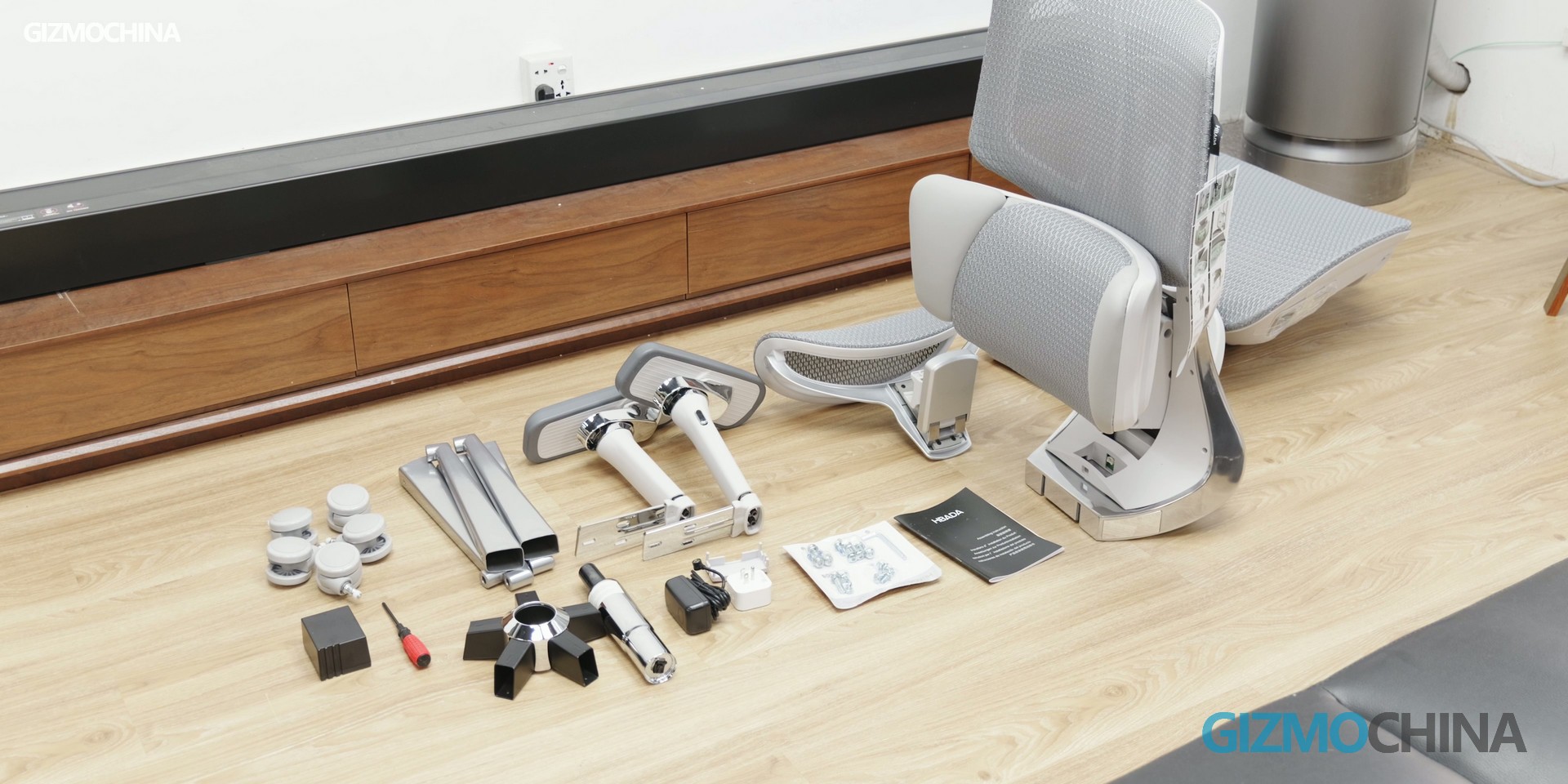
The Hbada X7 ships in a substantial box with its core components largely pre-assembled. Although the array of parts may initially appear overwhelming, the included manual provides clear, step-by-step guidance. This allows users to complete the entire assembly—a streamlined and intuitive process—in roughly 15 to 20 minutes.
The chair’s frame is constructed from high-grade aluminum alloy, a material choice that prioritizes structural integrity without compromising on manageable weight. This design not only ensures notable durability but also, as emphasized by Hbada, provides robust support for users with larger builds—a consideration that enhances the chair’s reliability and suitability for extended, daily use.
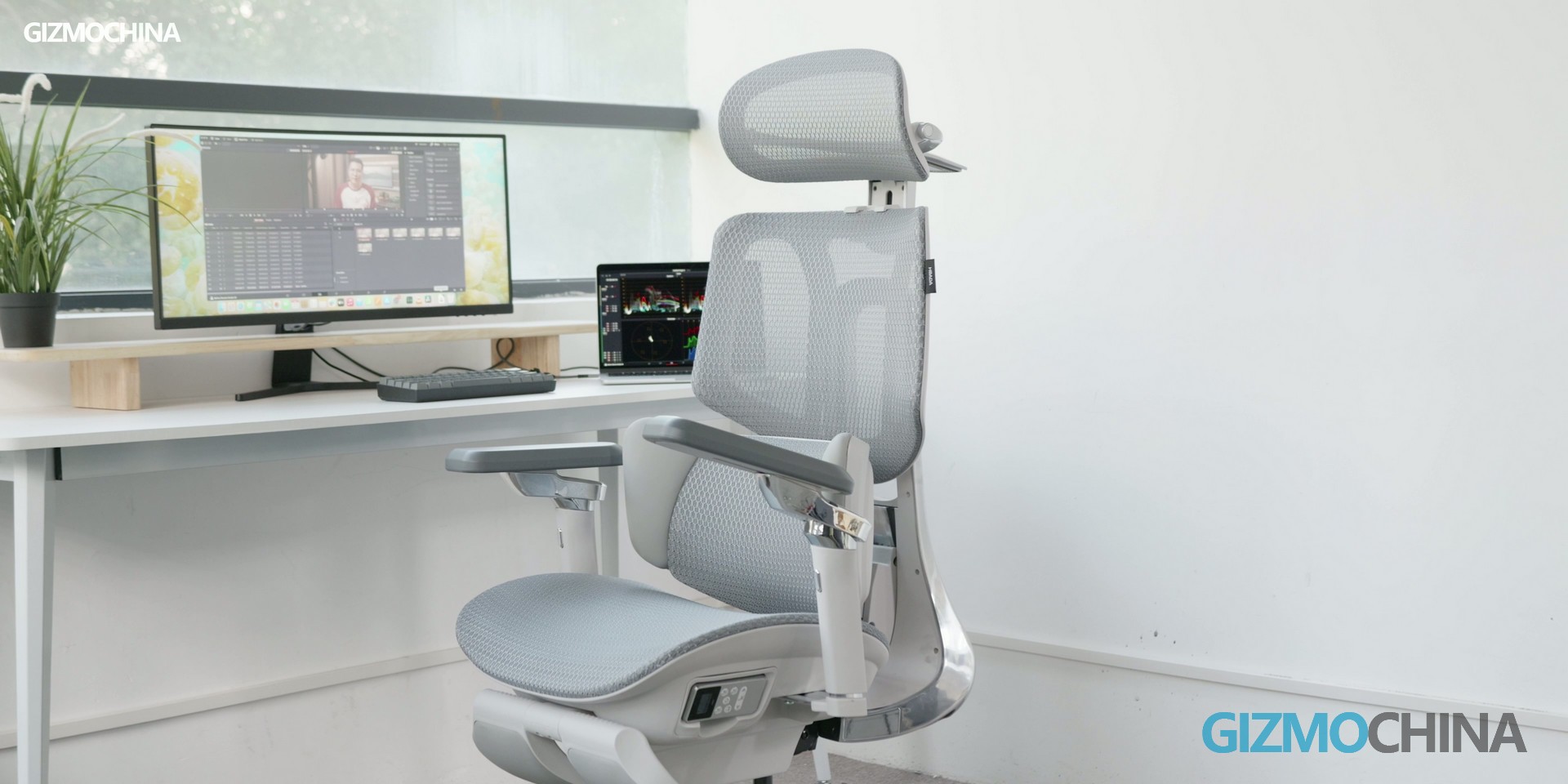
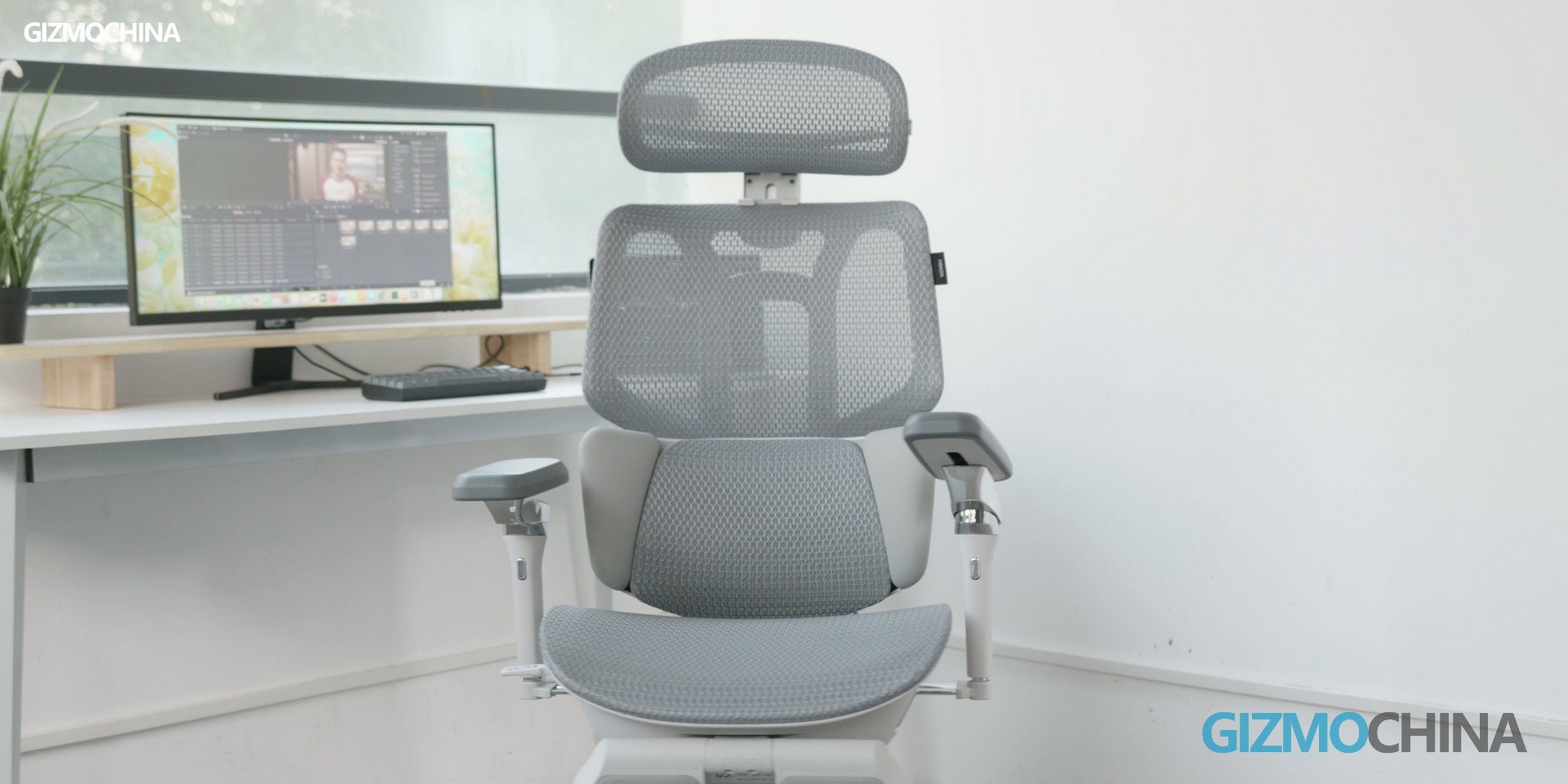
Visually, the Hbada X7 distinguishes itself with a sleek, minimalist profile that departs from conventional ergonomic chair designs. Yet, its real advantage lies in meaningful functional innovation. Moving beyond basic posture support, the X7 incorporates two notable upgrades: a seat-integrated cooling system and a built-in lumbar massage module. These features directly target two frequent complaints during prolonged sitting—heat buildup and lower-back stiffness—giving the X7 a clear edge in everyday comfort.
Adaptive Lumbar Support: The Star Feature for Customized Posture Correction
After weeks of daily testing, the smart lumbar tracking system of the Hbada X7 emerged as its most impressive selling point. This feature is engineered to adapt to your sitting posture in real time, eliminating the need for constant manual adjustments — a flaw that plagues most traditional ergonomic chairs.
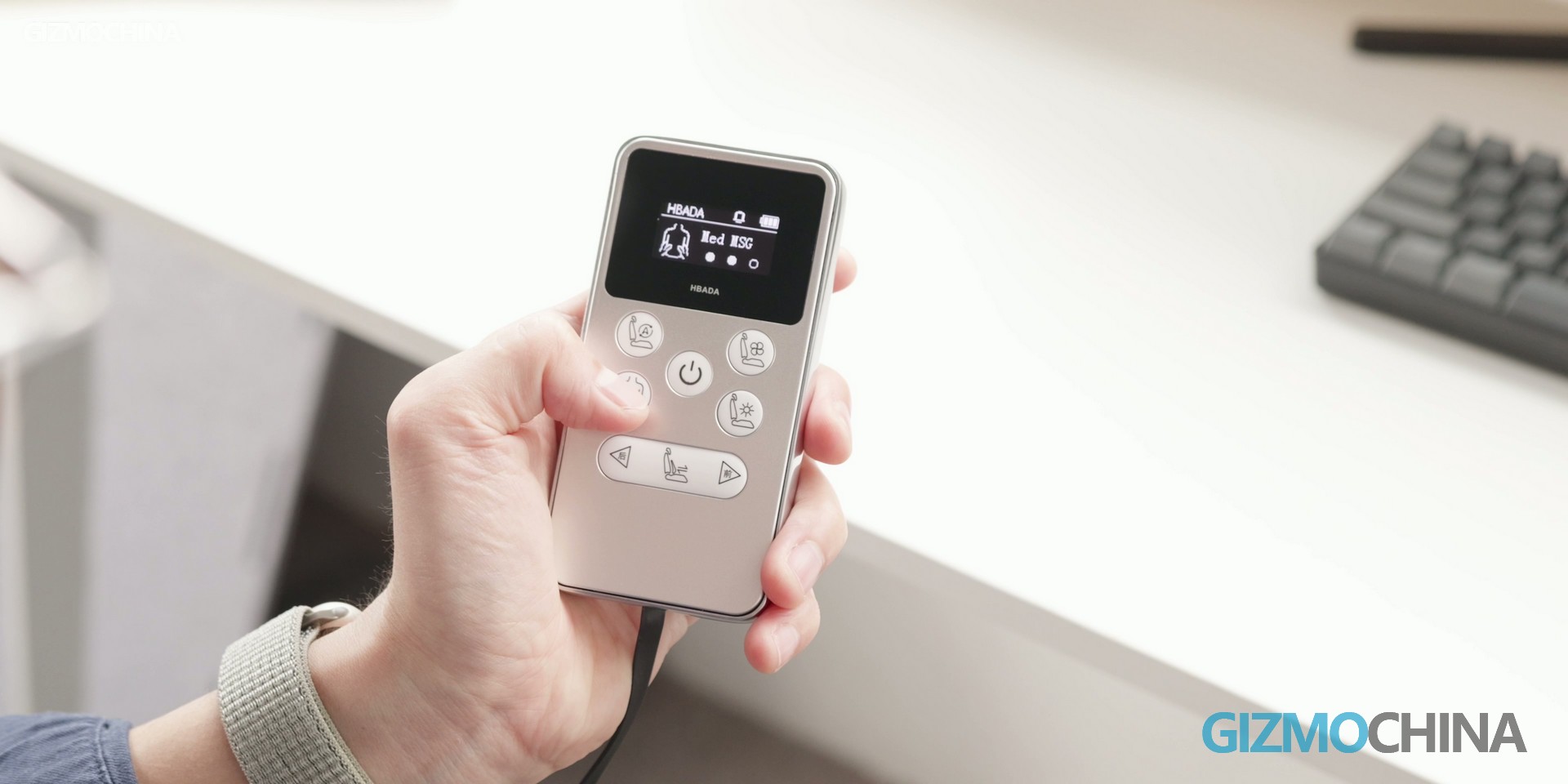
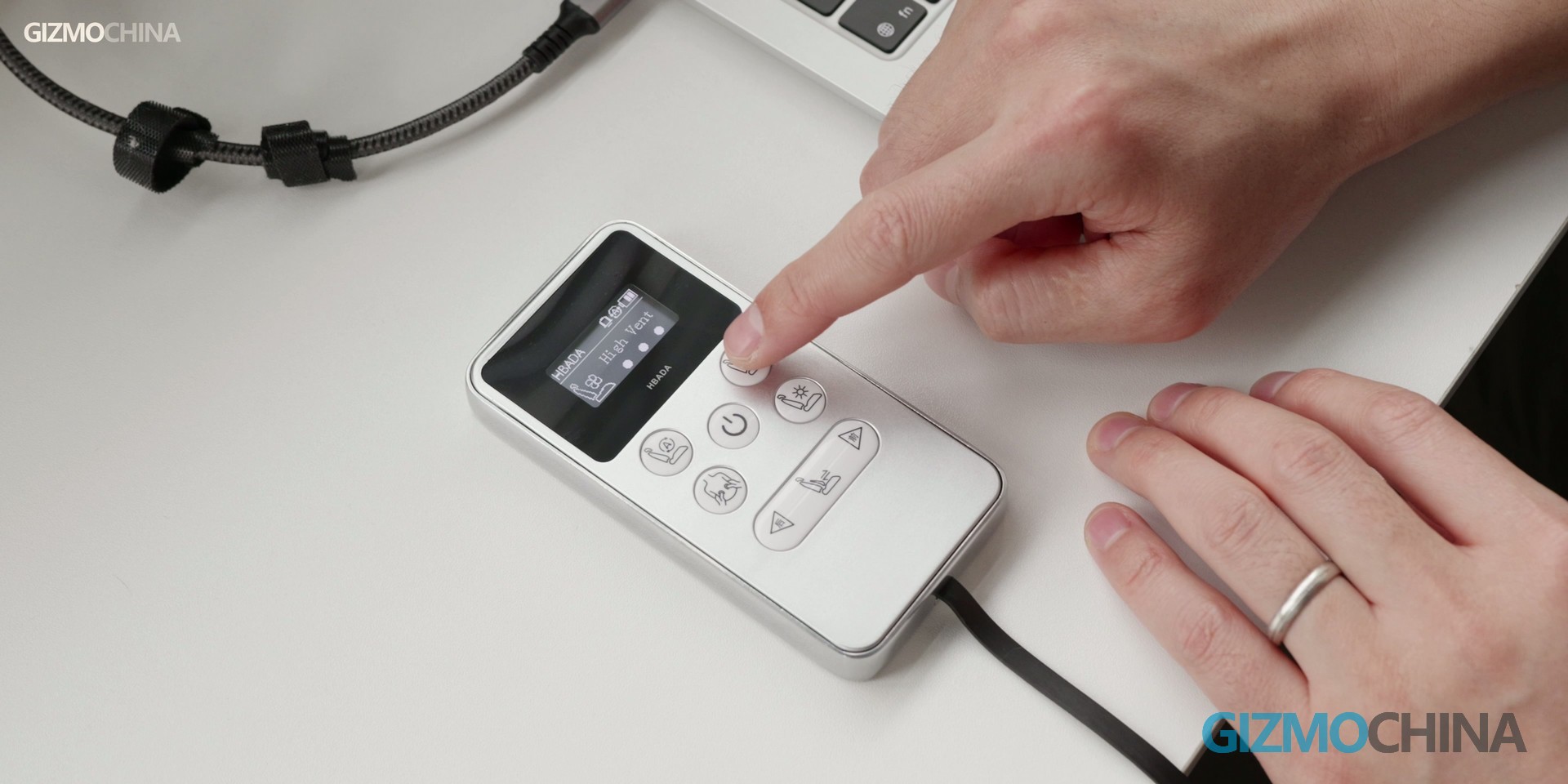
Here’s how it works: users can control the system via a pullable remote located under the seat, which unlocks two key adjustment modes:
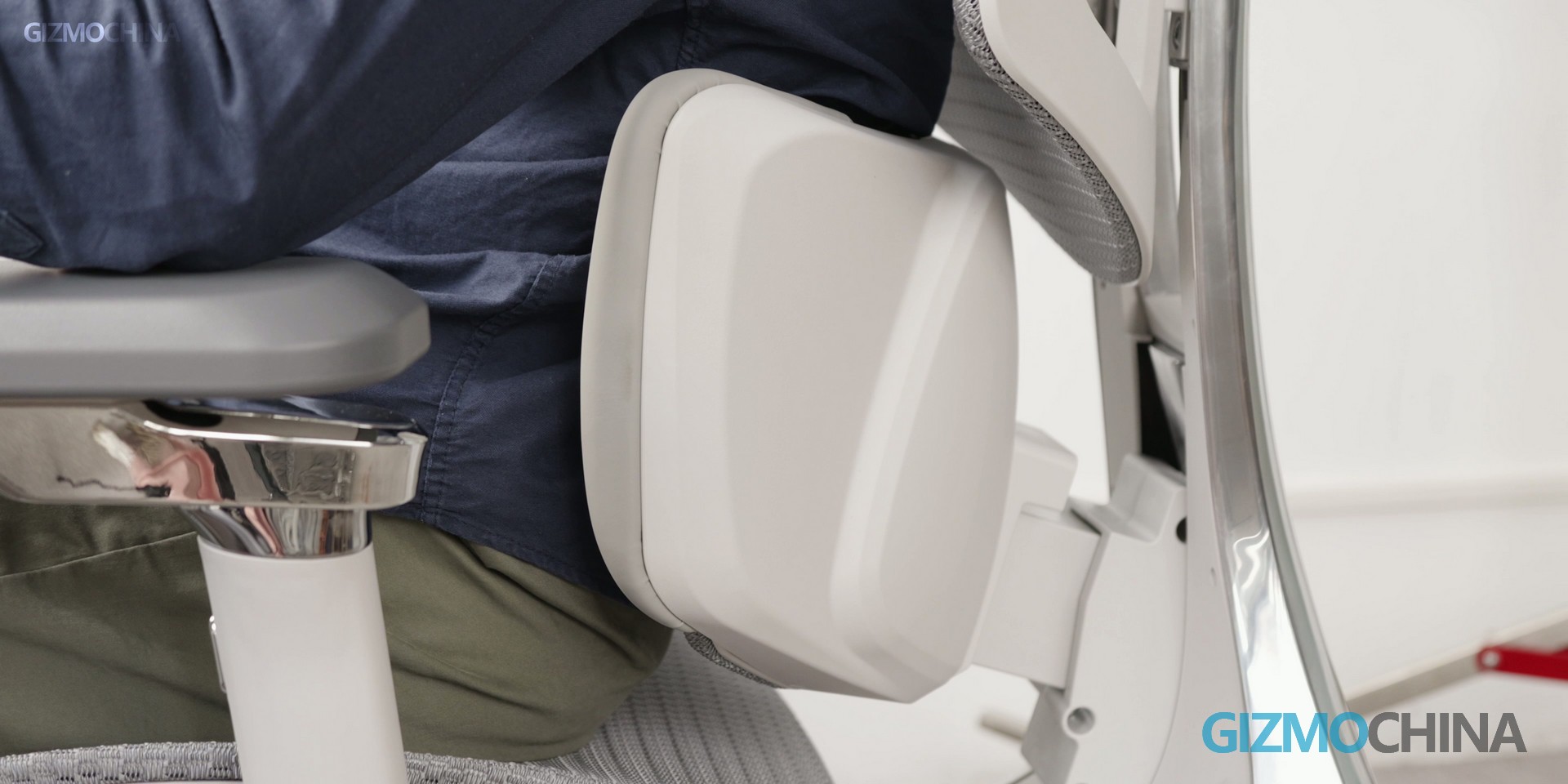
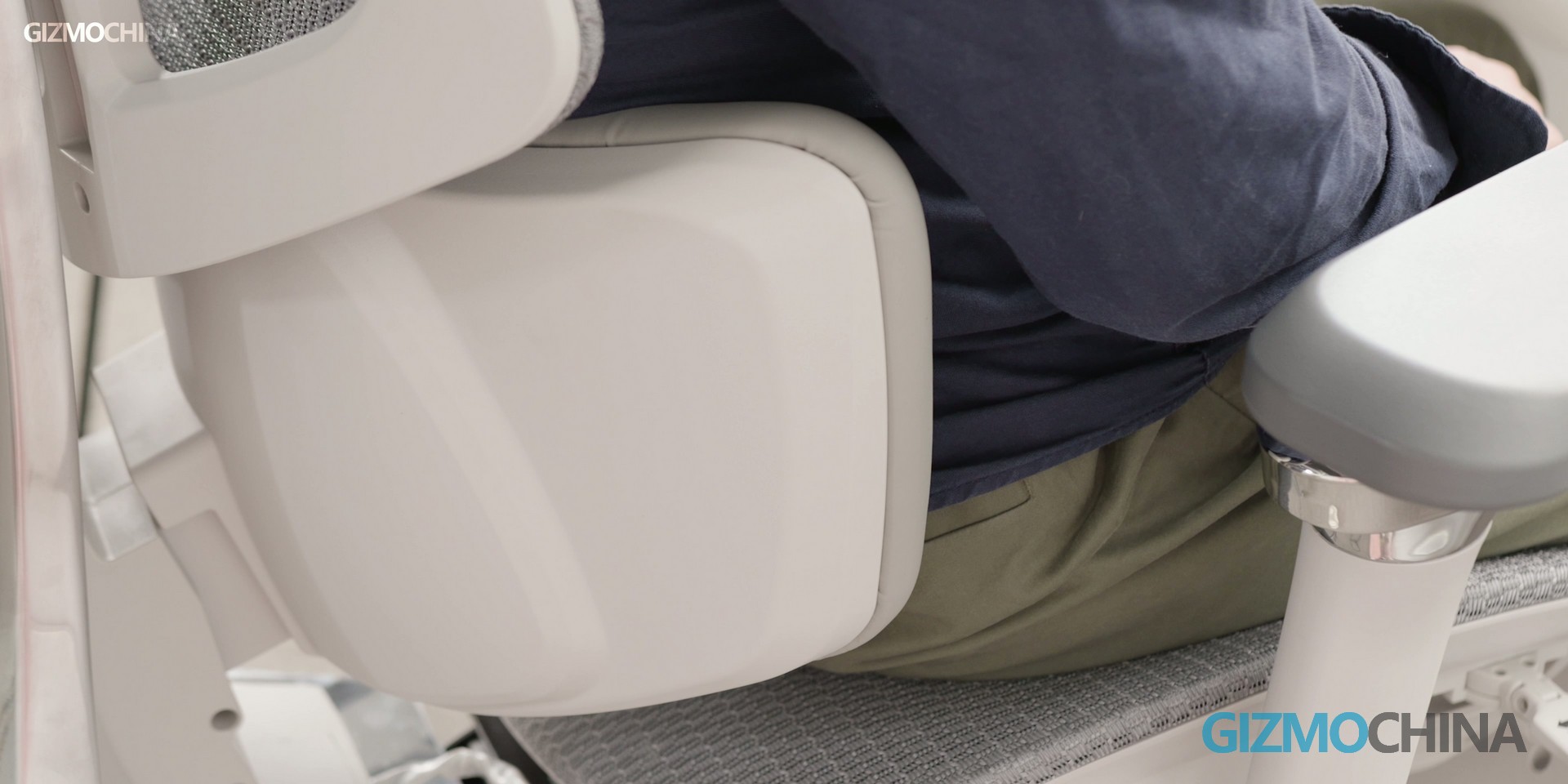
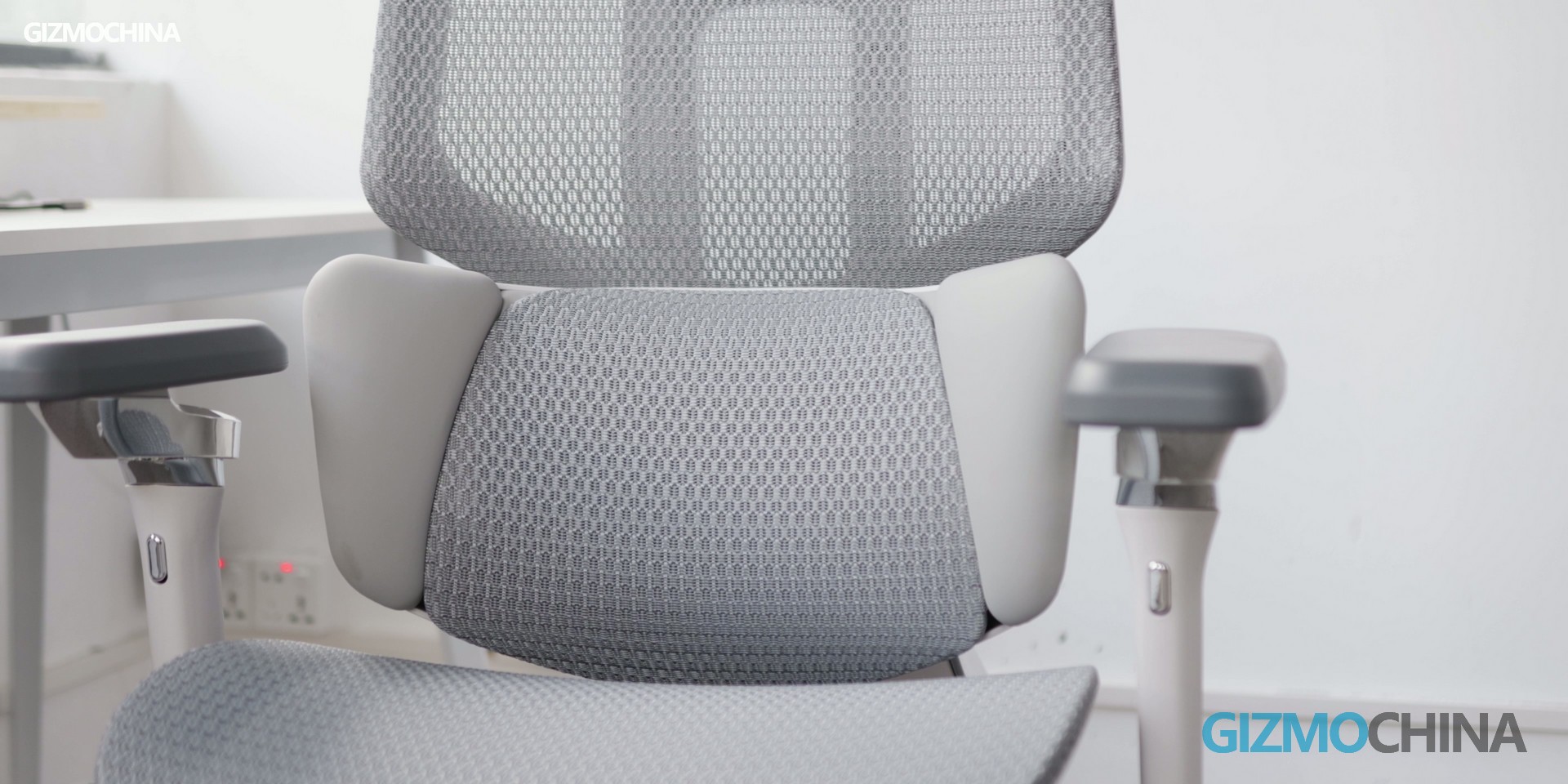
5cm electric lumbar adjustment: The lumbar pad moves vertically to fit the natural curve of your spine, providing targeted support that aligns with your body shape, whether you’re sitting upright for work or leaning back for a break.
4.5cm manual height fine-tuning: For users with specific spinal curves, this manual adjustment allows for precise customization to ensure zero gaps between the lumbar pad and your lower back.
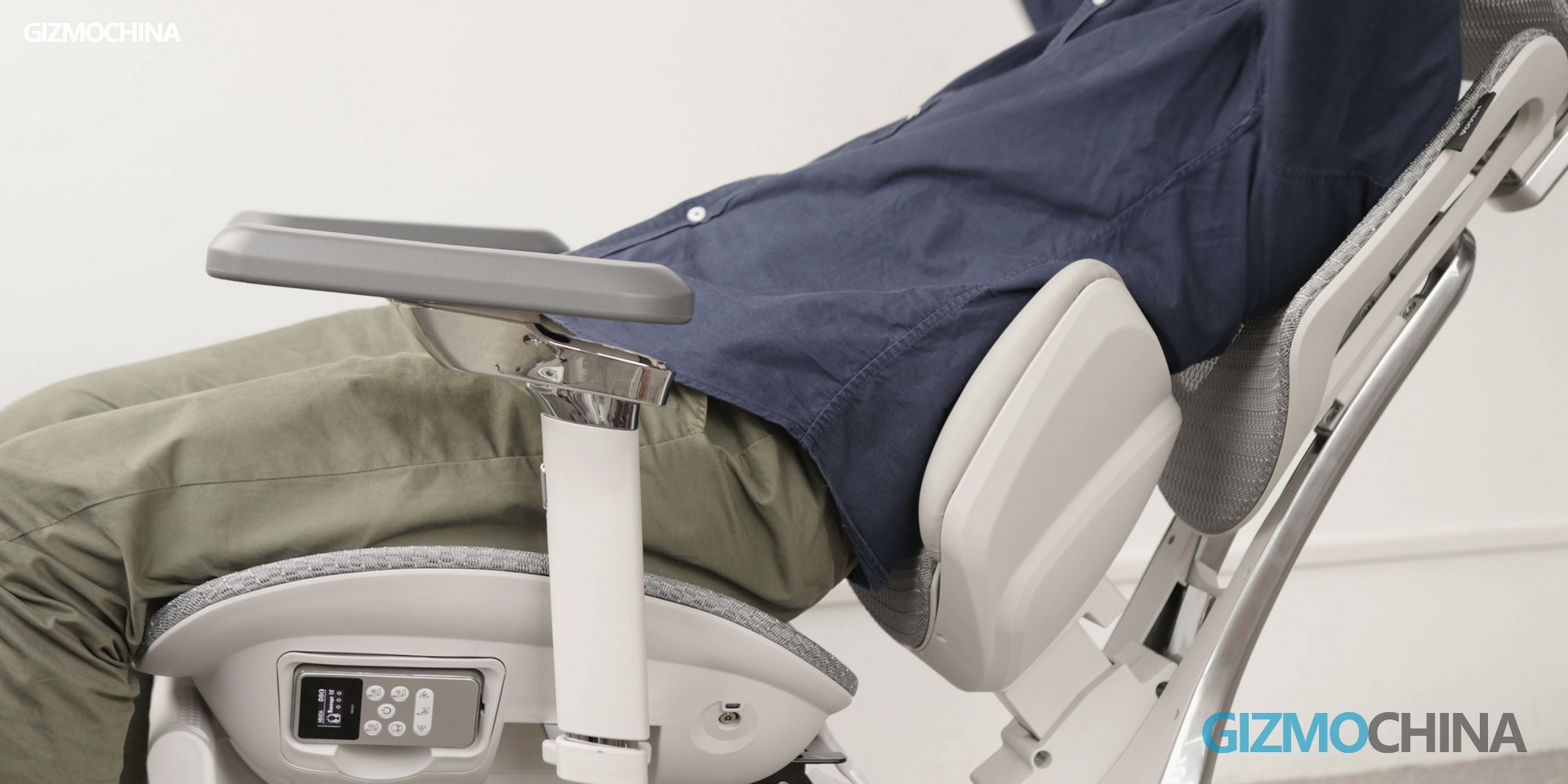
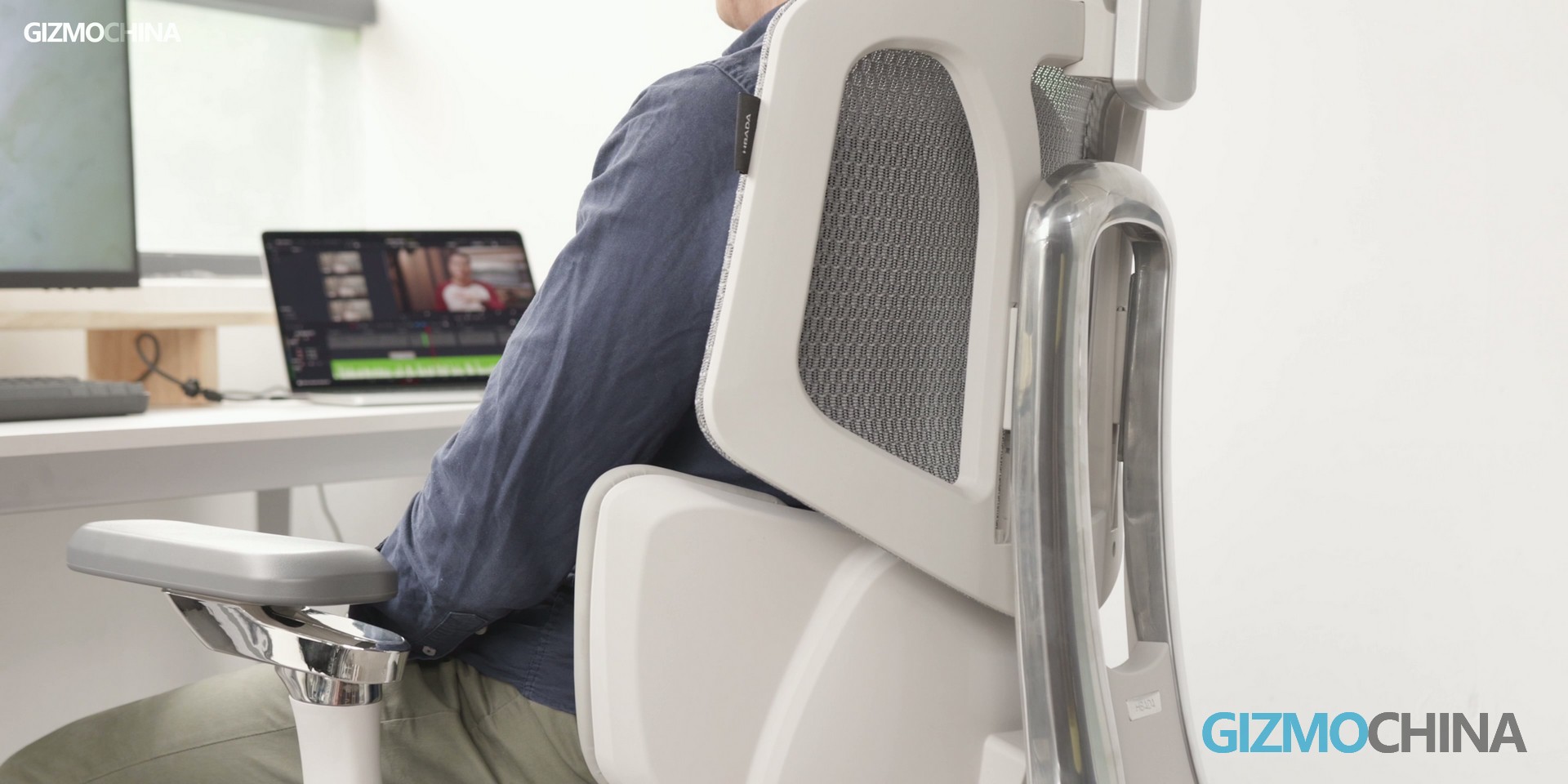
Complementing the lumbar tracking system is the chair’s 10° adaptive tilt mechanism. When you lean back, the entire backrest slides and tilts in sync with your body, maintaining optimal spinal alignment at all times. When you lean forward to type or focus on your screen, the lumbar pad automatically moves forward to keep your lower back supported — no need to pause work to fiddle with levers or buttons.
Hbada claims its 3D Multi-Dimensional Lumbar Support is 3x more stable than traditional fixed lumbar pads, and our testing confirmed this claim. Even with frequent posture shifts during 4+ hour work sessions, the lumbar area remained fully supported, effectively reducing the pressure on the lower back that usually leads to soreness and stiffness.
Lumbar Massage & Heating: Wellness Functions for Fatigue Relief
Prolonged sitting inevitably leads to lumbar muscle fatigue, and the Hbada X7 tackles this issue head-on with its integrated bionic massage and targeted heating system — a rare combination in the ergonomic chair market.
The built-in lumbar massage function mimics the kneading technique of a professional masseuse, with three adjustable intensity levels to suit different preferences. A standout detail is that when the massage function is turned off, the massage components retract completely into the backrest, leaving no bulges or discomfort that could disrupt your sitting posture — a problem we’ve encountered with many budget massage chairs.
To enhance the convenience of its features, the X7 includes an intelligent auto-trigger mode: when no body movement is detected for 45 minutes, the massage function automatically initiates a 5-minute session. This is a considerate addition, especially for those who become immersed in work or gaming and lose track of time.
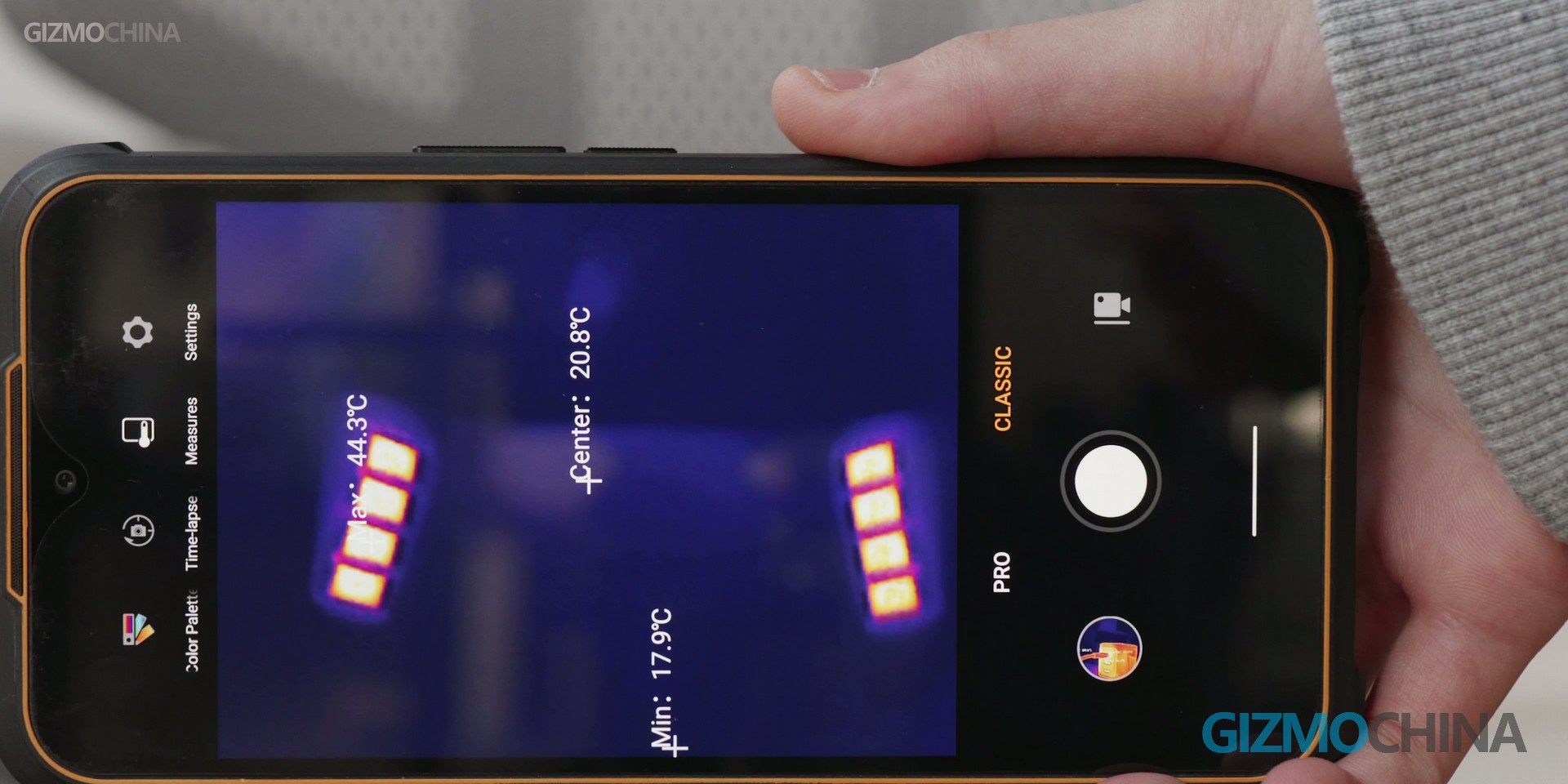
Complementing the massage is a dual-layer graphene heating system, which also incorporates eight discreet red LED lights to provide red light therapy. The heating function offers three adjustable temperature levels and warms up in just 2–3 minutes, delivering consistent, soothing heat to ease tension in the lower back. For users working in cooler environments or dealing with persistent back discomfort, this combined massage and heating system offers meaningful relief and improves overall comfort after long hours of sitting.
Cloud Ventilation Cushion: Breathable & Cool for Long Sessions
Sweaty, stuffy seat cushions are a common complaint with mesh ergonomic chairs, but the Hbada X7 solves this problem with its dual-fan cloud ventilation cushion — a design that prioritizes breathability without compromising comfort.
The seat cushion is made of DuPont fiber with Italian flocking, a material that boasts 83% higher elasticity than standard mesh fabrics. The tight, dense weave prevents the sagging and deformation that plagues cheap mesh chairs, while the flocked surface adds a soft, skin-friendly touch. During our testing, the cushion maintained its shape even after 3 hours of continuous sitting, with no signs of indentation.
Hidden beneath the cushion are two high-speed, silent fans with three adjustable speed settings. On low and medium speeds, the fans operate nearly silently, with no distracting buzzing that could disrupt your work or gaming. Even on high speed, the noise level is minimal — far quieter than the loud, fan-like hum of budget ventilated chairs.
To put the feature to the test, we used the chair for a 3-hour gaming session in a warm room (28°C/82°F). The result? The seat cushion remained cool to the touch, with zero moisture buildup — a stark contrast to the sweaty experience we’ve had with other mesh chairs. Additionally, the textured surface of the cushion provides just the right amount of friction to prevent sliding, without feeling restrictive or uncomfortable.
Beyond the three core features mentioned above, the Hbada X7 is packed with small but impactful design details that enhance its usability:
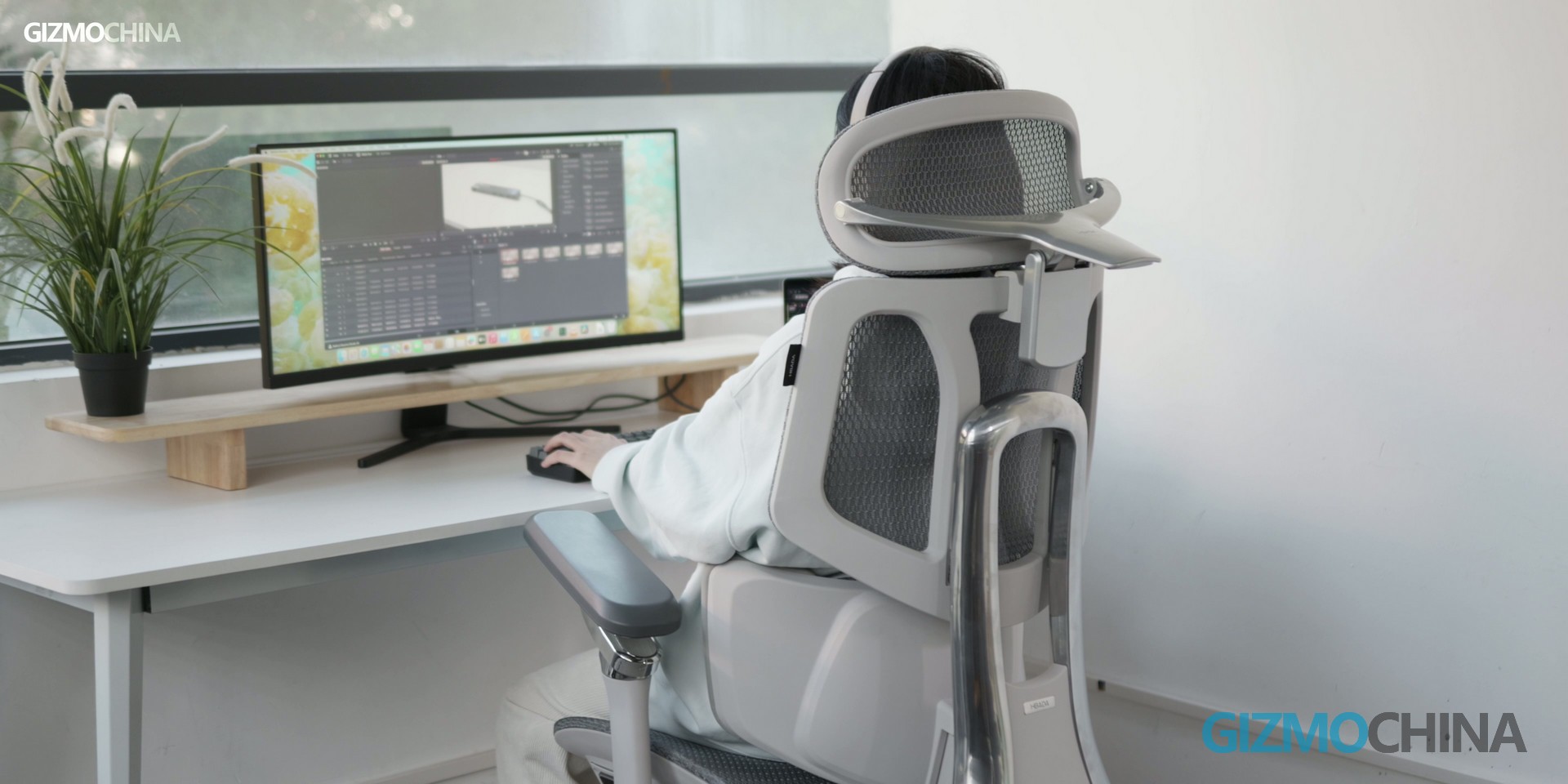
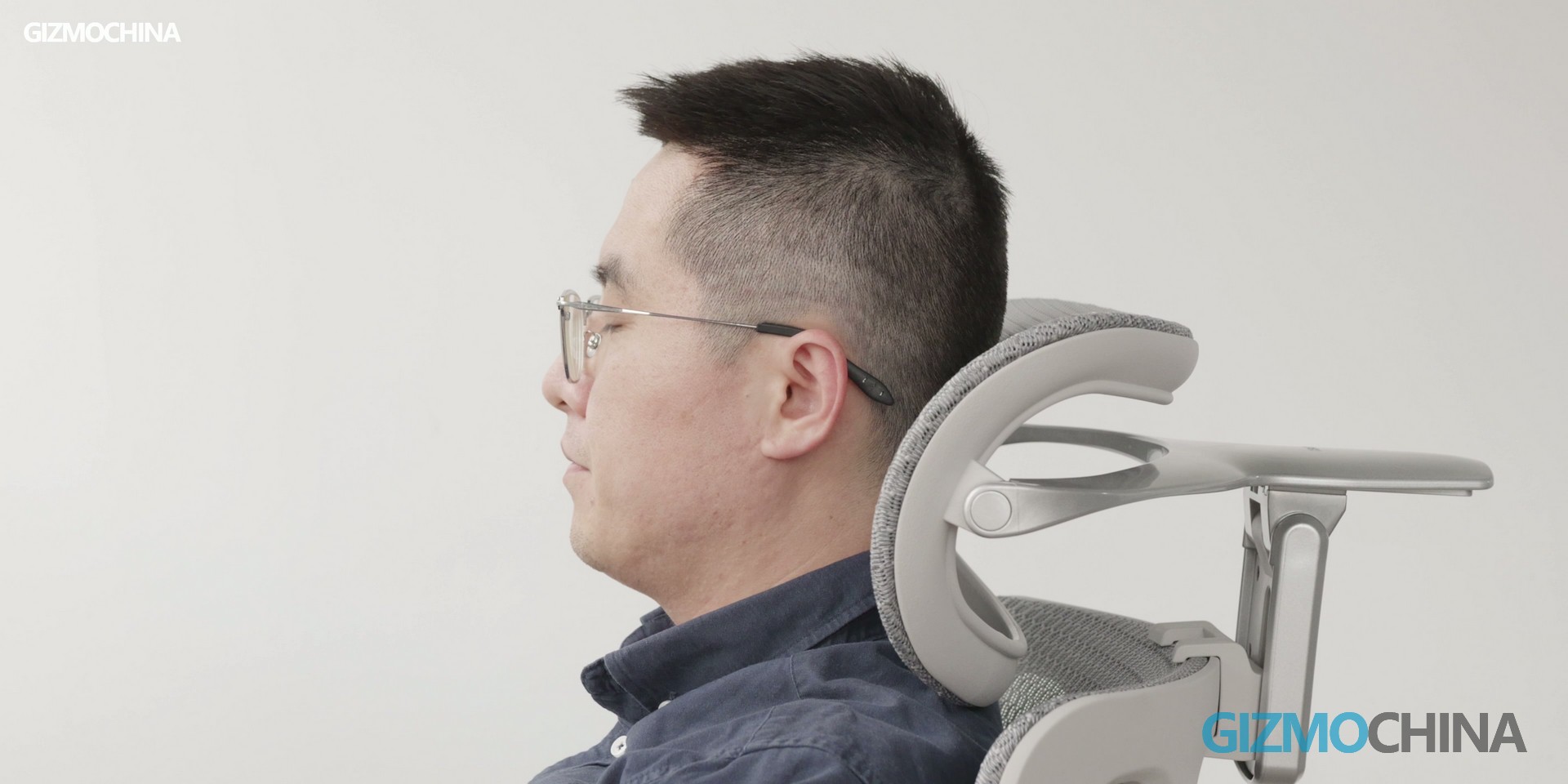
4D dual-axis headrest: The headrest adjusts vertically, horizontally, and at an angle, providing customized support for users of all heights — from 150cm (4’11”) to 190cm (6’3”).
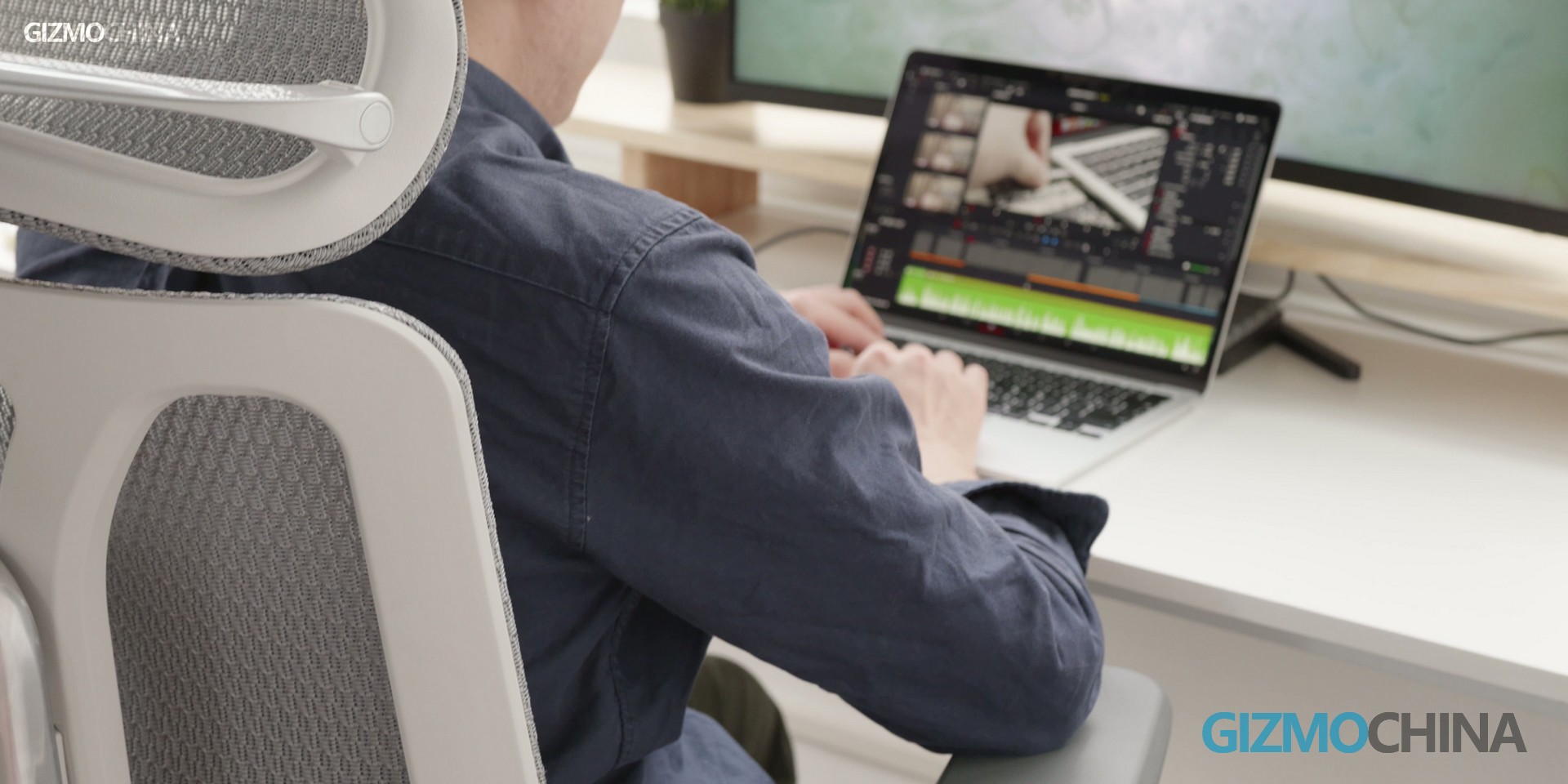
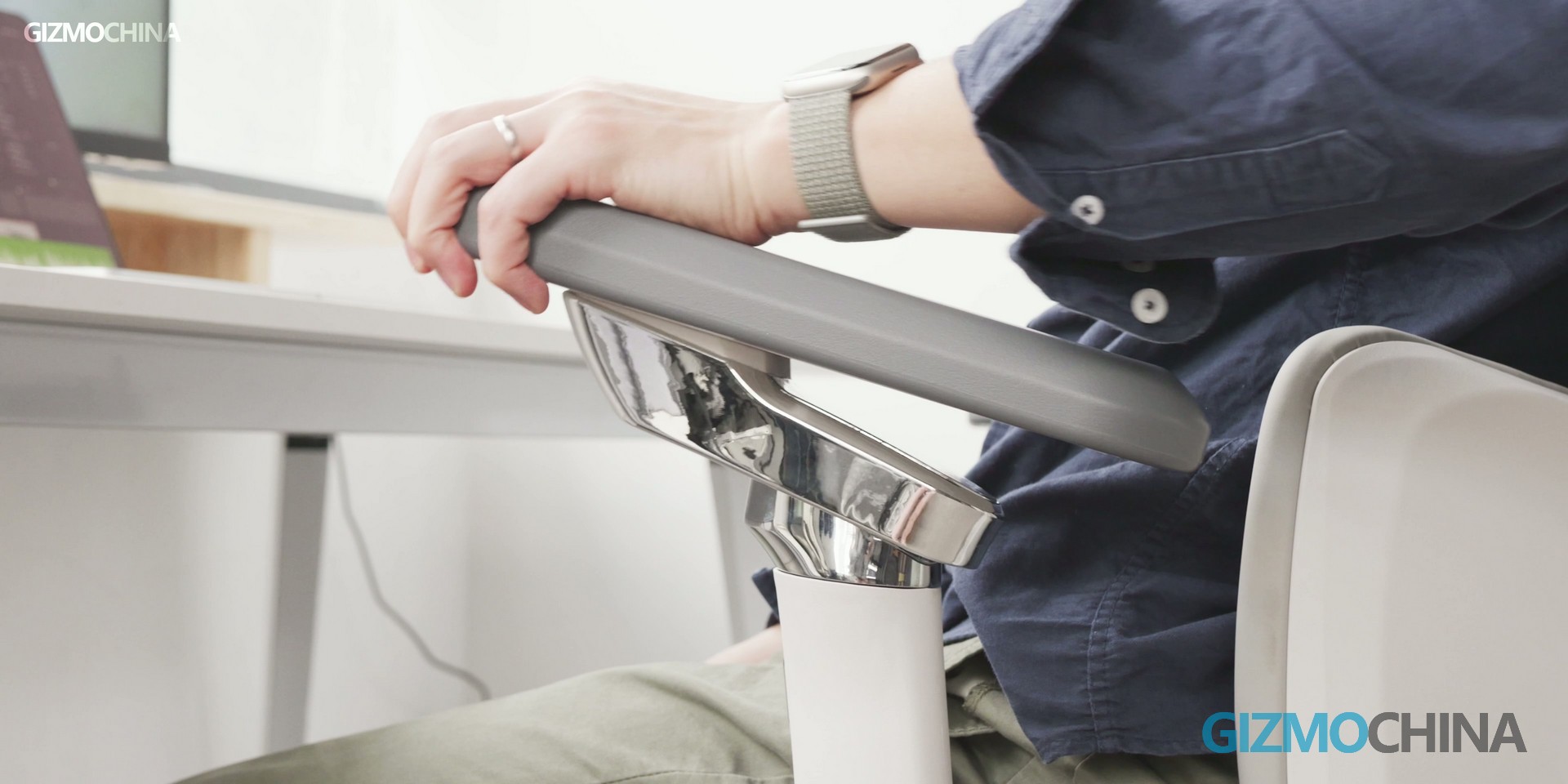
720° fully adjustable armrests: The armrests can be adjusted in height, width, depth, and angle, making them suitable for office work (typing with arms parallel to the desk), gaming (elbows resting comfortably), and reclining (arms supported in a relaxed position).
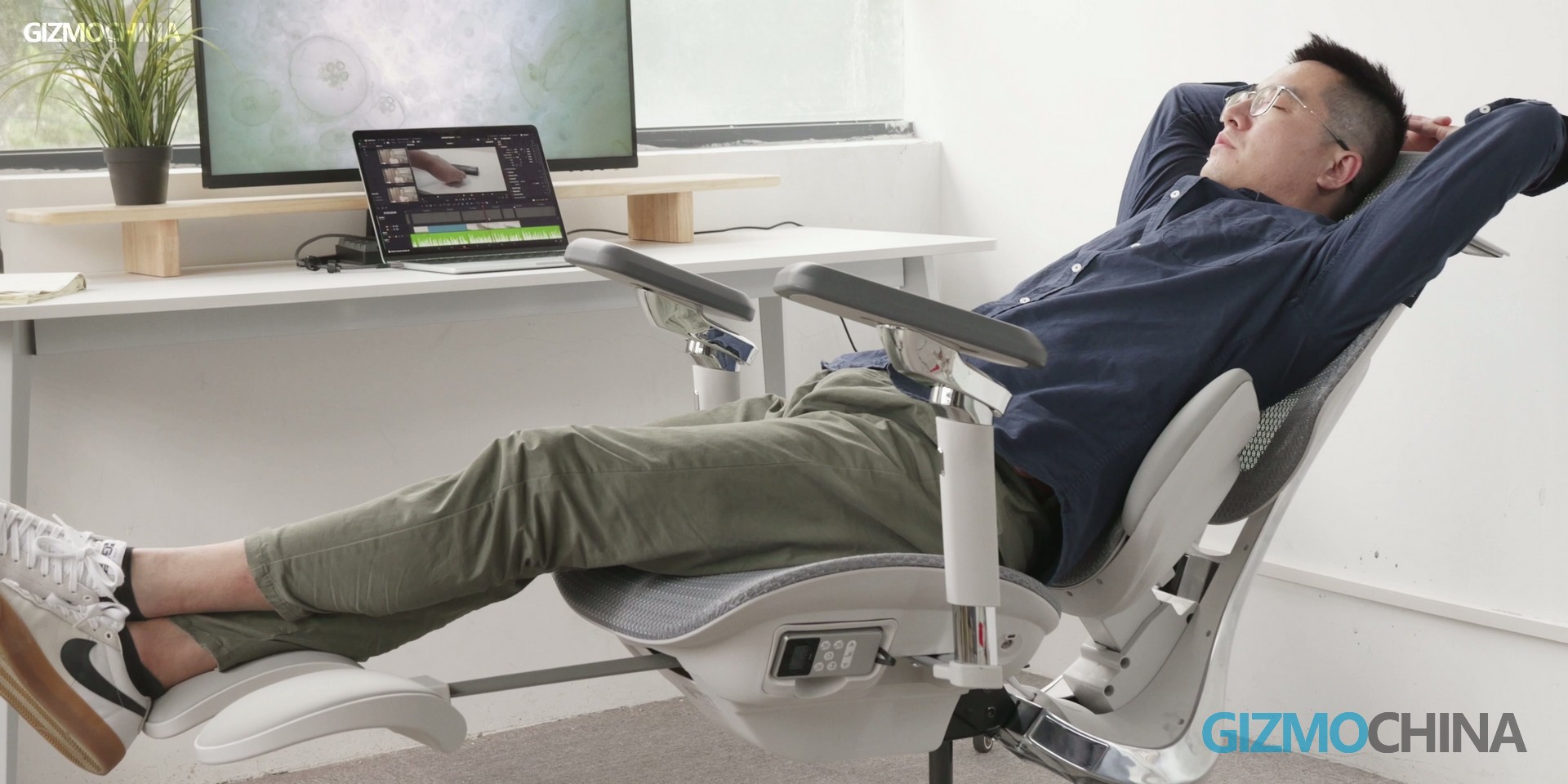
Retractable footrest: A hidden footrest pulls out from under the seat, providing support for your feet when you recline the chair for a nap or break.
To add to its credibility, the Hbada X7 holds German IGR certification — a globally recognized standard for ergonomic products that ensures the chair meets strict criteria for posture correction and durability. This certification gives users peace of mind about the chair’s long-term performance and health benefits.
Final Verdict: A Premium Ergonomic Chair Worth the Investment
The Hbada X7 transcends the conventional definition of an ergonomic chair, positioning itself as an integrated support system that blends posture correction, wellness technology, and sustained comfort. Unlike many mainstream alternatives that excel in only one or two areas, it distinguishes itself through a combination of intelligent lumbar tracking, active massage and heating, and enhanced seat ventilation—directly addressing the multifaceted discomfort associated with prolonged sitting.
Priced above entry-level models, the X7 justifies its position with a robust build, a comprehensive suite of features, and independent certification from the German IGR association. For anyone regularly spending four or more hours seated daily—be it office professionals, dedicated gamers, or individuals managing back discomfort—this chair represents a meaningful long-term investment in adaptive support and tangible well-being benefits.
If you’ve grown skeptical of generic “ergonomic” promises, the Hbada X7 delivers a substantiated, feature-rich alternative. It doesn’t just adjust to your posture—it actively contributes to your comfort, truly earning its title as a wellness-focused chair for the long haul.
Ready to experience the Hbada X7 for yourself?
For a limited time, our readers can access an exclusive discount on this feature-rich ergonomic chair.
🛒 Purchase the HBADA X7 directly via the Official Store: Use discount code gizmoX7 at checkout to save.
📦 Or order conveniently on HBADA Amazon: Apply coupon GIZMODX7 to secure your deal.
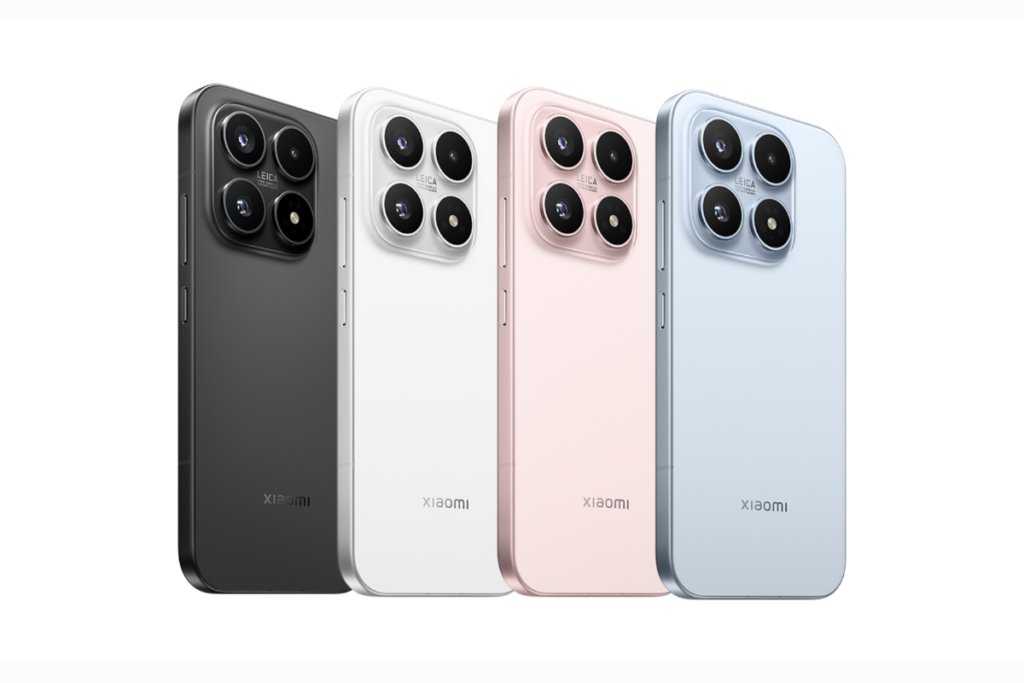
Recent reports have consistently leaked details about the Xiaomi 17 Max smartphone for the Chinese market. The device is expected to become the fifth model in the Xiaomi 17 series, joining the Xiaomi 17, 17 Pro, 17 Pro Max, and 17 Ultra. The latest leak reveals several details, with a strong focus on the battery capacity and fast charging capabilities of the Xiaomi 17 Max.
Xiaomi 17 Max key details leaked
Xiaomi 17 Max’s key details leaked
As per tipster Digital Chat Station, the Xiaomi 17 Max will pack a massive 8,000mAh battery. The leak further claims that the device will support 100W wired charging along with 50W wireless charging, placing it among the fastest-charging phones with such a large battery capacity.
Since it is a non-Pro model, the Xiaomi 17 Max is not expected to feature a secondary rear display, which is currently available on the Xiaomi 17 Pro and 17 Pro Max. Instead, its rear design is said to be similar to that of the standard Xiaomi 17, suggesting a cleaner and more conventional design approach.
Xiaomi 17 Max’s camera details
In terms of cameras, the Xiaomi 17 Max is tipped to feature a periscope telephoto camera, which is said to offer better performance than the existing Xiaomi 17 series models, excluding the 17 Ultra. The 17 Max is expected to borrow the Xiaomi 17’s OmniVision Light Fusion 950 primary camera, but overall photography performance is said to be improved compared to the standard model.
The leak also suggests that the Xiaomi 17 Max will be powered by the same chipset used across the Xiaomi 17 lineup. On the front, it is expected to feature a large flat OLED display measuring either 6.8 inches or 6.9 inches, with ultra-thin bezels on all four sides, giving it a modern and immersive appearance. Like the other 17 series models, the Max edition will also feature the Snapdragon 8 Elite Gen 5.
Xiaomi 17 Max launch timeframe (rumored)
Xiaomi 17 color options
The Xiaomi 17 Max is rumoured to launch in April in China. At the moment, there is no clarity on whether the device will be released in other markets. Its engineering prototype has been spotted by DCS in a white color option, but there is no information yet regarding additional color variants.
For more daily updates, please visit our News Section.
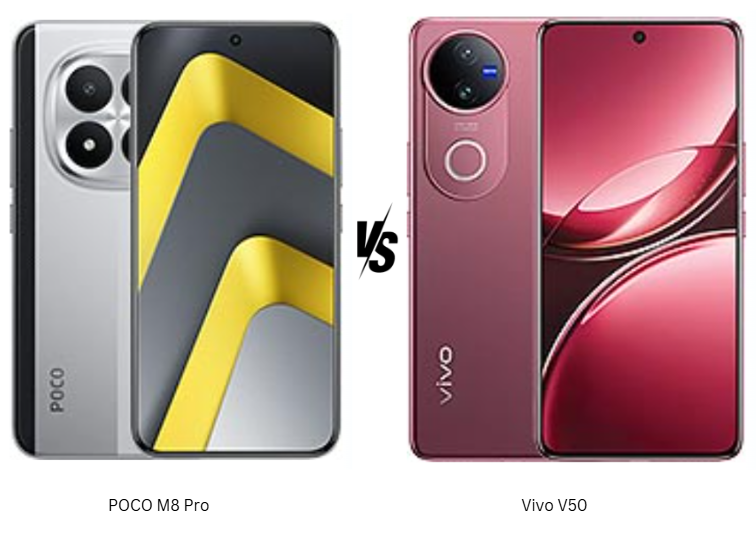
POCO M8 Pro vs Vivo V50 5G highlights how competitive the mid-range segment has become. One focuses on power, durability, and fast charging, while the other emphasizes camera quality and premium design. Both run Android 15 and promise smooth daily performance, but their priorities differ. This comparison matters because choosing between value-driven strength and refined features isn’t as straightforward as it seems.
Major Features:
Feature
POCO M8 Pro
Vivo V50 5G
Winner
Build & Protection
Gorilla Glass Victus 2, IP68/IP69K
Diamond Shield Glass, IP68/IP69
POCO – tougher glass and stronger durability focus
The POCO M8 Pro clearly prioritizes durability, with a tougher construction and stronger protection that feels built for long-term use. It gives off a solid, dependable vibe that suits users who value resilience over aesthetics. The Vivo V50 5G takes a different route, focusing on a cleaner, more refined design that feels modern and stylish. Its finish and material choices make it more visually appealing and comfortable for daily handling. The POCO feels more utilitarian, while the Vivo feels more lifestyle-oriented. Those who prefer a phone that feels reassuringly tough may lean toward POCO, while Vivo better suits users who care about elegance and design finesse.
Display Quality
Both phones feature AMOLED panels with 120Hz refresh rates and high-frequency PWM dimming. POCO adds Dolby Vision support and stronger HDR tuning, making video content feel more cinematic. Vivo counters with extremely high peak brightness and punchy color calibration that stands out in outdoor use. Vivo’s screen looks more vibrant at first glance, while POCO’s feels better tuned for extended media consumption.
Verdict
POCO M8 Pro wins on durability and cinematic display features, while Vivo V50 5G excels in refinement and visual pop.
2. Specifications
Performance
POCO M8 Pro runs on the newer Snapdragon 7s Gen 4 chipset, delivering stronger GPU performance and better stability during demanding tasks. Gaming and multitasking feel more consistent, especially over longer sessions. Vivo V50 5G’s Snapdragon 7 Gen 3 remains smooth for everyday use, social apps, and casual gaming, but it feels slightly less future-proof. Software tuning also shapes the experience. POCO’s HyperOS feels performance-focused, while Vivo’s Funtouch OS emphasizes fluid animations and camera optimizations. Overall, POCO feels more suited for power users, while Vivo prioritizes smoothness over raw output.
Battery and Charging
Battery life is strong on both devices, but POCO’s larger battery and faster charging clearly stand out. It reaches full charge noticeably quicker, making it more convenient for heavy usage days. Vivo still offers solid endurance, but its charging feels more conservative.
Verdict
POCO M8 Pro delivers better long-term performance, confidence, and charging convenience.
3. Camera
Main and Secondary Lenses
Both phones offer stabilized main cameras, but their strengths differ. POCO focuses on consistency, producing reliable images with balanced colors and good dynamic range. Its ultra-wide camera is functional but clearly secondary. Vivo V50 5G takes photography more seriously, featuring Zeiss optics, a higher-quality ultra-wide lens, and more advanced image processing. Photos from Vivo often show better color accuracy, sharper edges, and improved low-light handling. The inclusion of a color spectrum sensor adds to its photographic precision. Vivo’s camera setup feels more refined and purpose-built for photography enthusiasts.
Selfie Camera
The difference is more obvious on the front. Vivo’s high-resolution selfie camera with autofocus delivers sharper photos and cleaner video output. POCO’s selfie camera performs well for casual use but lacks the same level of detail.
Verdict
Vivo V50 5G clearly offers the superior overall camera experience, especially for selfies and content creation.
4. Pricing
The POCO M8 Pro is priced at around $300, making it a strong value-focused option. At this price, it offers excellent durability, fast charging, a large battery, and competitive performance. It feels designed to maximize hardware value, especially for users who prioritize endurance and speed over luxury touches.
The Vivo V50 5G is priced higher at approximately $350, positioning it as a more premium alternative. The extra cost reflects its stronger camera system, refined design, and polished display tuning. Vivo’s pricing makes sense for buyers who care about photography, aesthetics, and a more premium daily experience.
Verdict
POCO M8 Pro offers better raw value at a lower price, while Vivo V50 5G justifies its premium with camera quality and design refinement.
5. Conclusion
POCO M8 Pro stands out with its rugged build, advanced water resistance, large battery, and extremely fast charging. It feels engineered for users who want reliability, long battery life, and strong performance without spending extra.
Vivo V50 5G distinguishes itself with Zeiss-tuned cameras, a high-quality selfie experience, and a more elegant design. Its display brightness and camera consistency give it a strong appeal for photography lovers and style-conscious users.
Verdict
If your priority is overall value, performance longevity, durability, and faster charging, the POCO M8 Pro is the smarter pick, especially at its lower price point. However, if camera quality, design refinement, and a more premium everyday experience matter more, the Vivo V50 5G is worth the extra spend. For most users seeking a balanced all-rounder without compromises, the POCO M8 Pro edges ahead as the better overall choice.
CES 2026 didn’t just show us the future, it redefined entire product categories. From televisions that hit 10,000 nits to robot vacuums that can climb stairs, the year’s biggest tech showcase was full of bold ideas, wild prototypes, and products that blur the line between sci-fi and shipping soon. Here’s a look at the most jaw-dropping tech from Las Vegas.
TCL has redefined what LED TVs can do. The X11L marks the debut of the company’s new SQD-Mini LED technology, delivering the kind of black levels expected from OLED while pushing brightness into uncharted territory. It is the first consumer TV to reach 10,000 nits peak brightness, a milestone for HDR visuals. Scenes like sunlight reflecting off water now come across with a realism previously unseen in LED displays.
To handle blooming, TCL integrated 20,000 individual dimming zones, and color accuracy has been pushed to its limit with 100% BT.2020 gamut coverage. The TV is powered by the TSR AI Processor, which uses generative AI to upscale legacy content into crisp, near-native 4K in real time.
2. Clicks Communicator
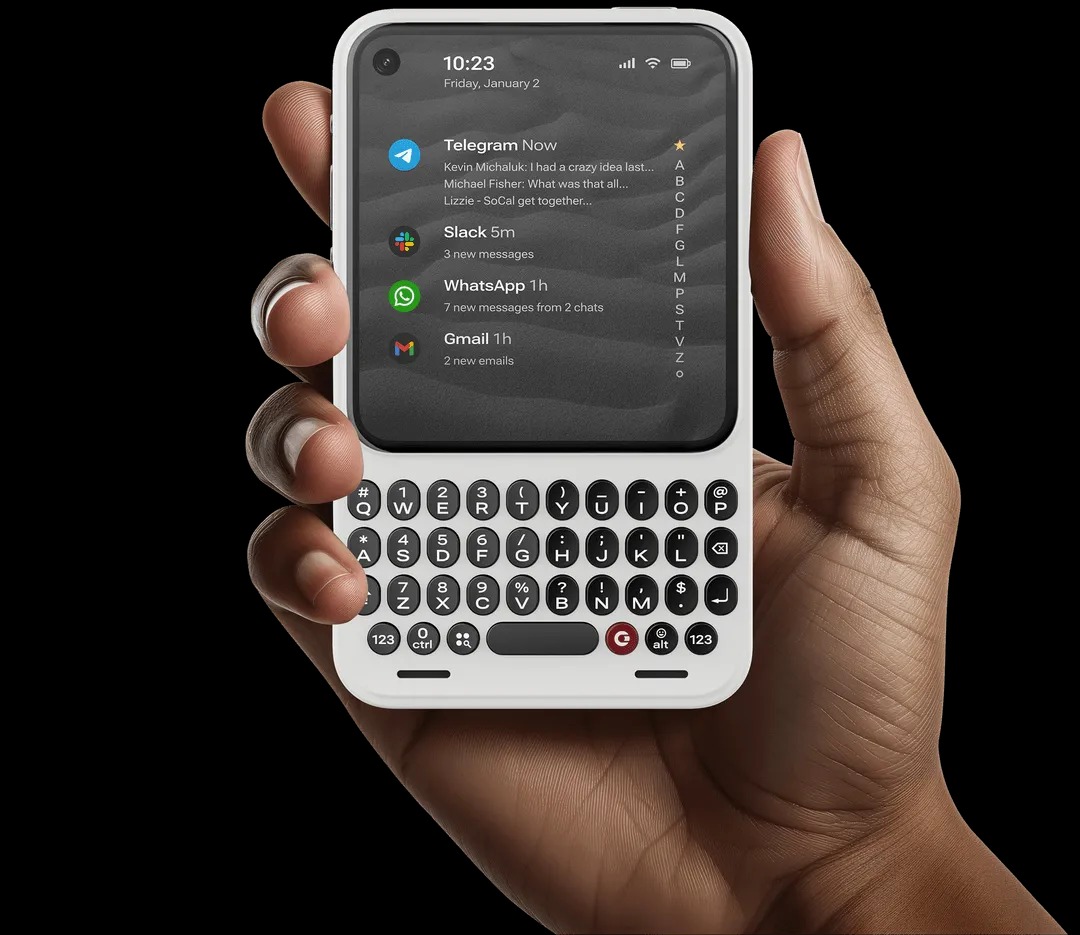
Inspired by BlackBerry, the Clicks Communicator isn’t just a quirky retro phone, it’s a deliberate rethinking of mobile use. Built as a standalone messaging-first smartphone, it encourages productivity without the pull of doomscrolling. The design is compact, the use case is focused, and the intention is clear.
It comes with a physical QWERTY keyboard that supports touch input and integrates a fingerprint scanner into the spacebar. The 4.03-inch AMOLED display keeps the experience clean and focused.
Running Android 16, the phone supports 5G, eSIM, and a physical SIM, while also offering a 50MP rear camera and a 3.5mm headphone jack. It also features a side-mounted Signal LED that lets users assign custom colors to notifications from specific contacts.
3. Roborock Saros Rover
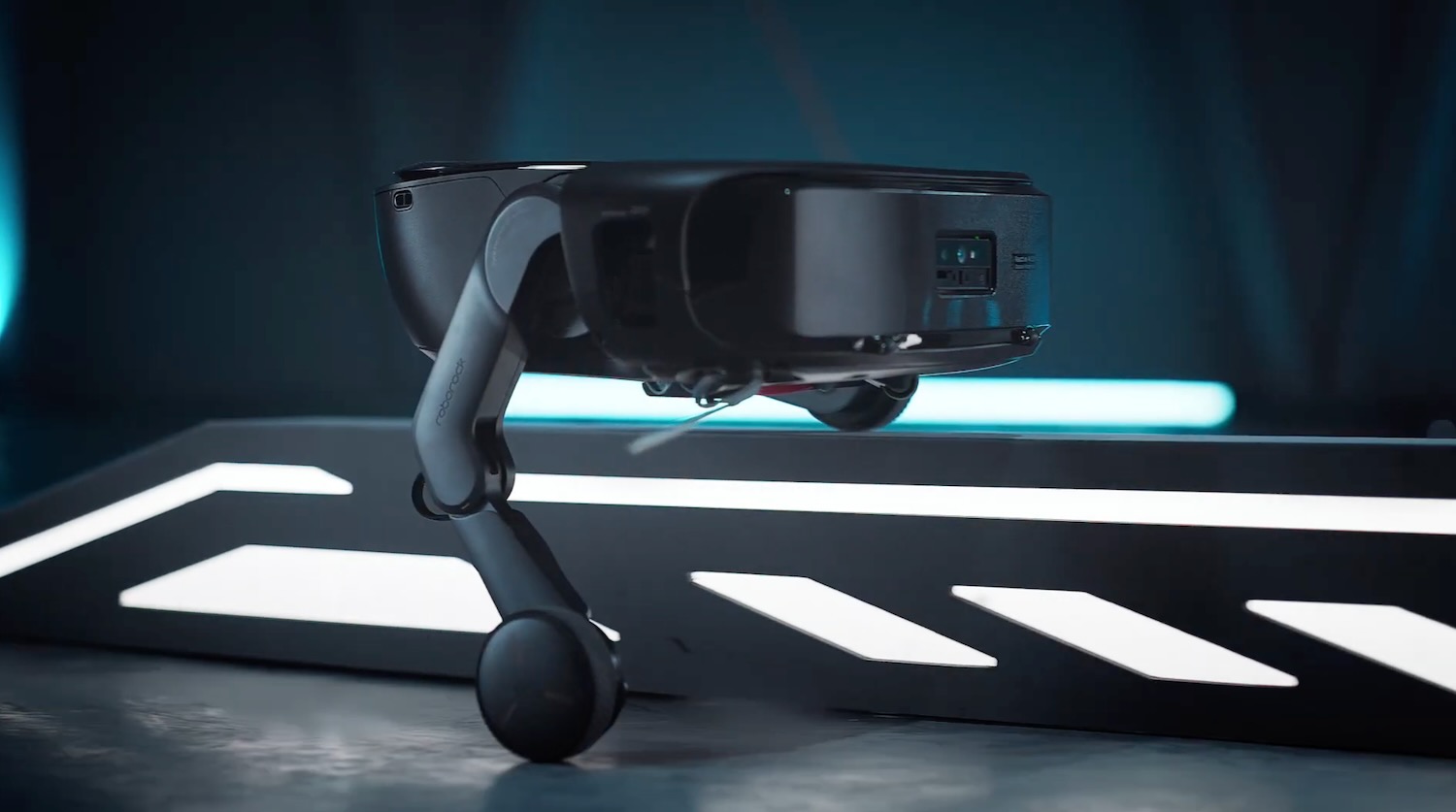
The Roborock Saros Rover might be the first robot vacuum that finally gets it. With bendable legs and a dual-motor drive system, it can climb stairs and clean each riser, effectively killing off the notion that robot vacuums are limited to single-floor living.
It uses LiDAR 4.0 and something Roborock calls Physical AI to recognize step geometry in real time. This is a fundamental shift, it’s no longer a cleaning gadget, it’s an autonomous whole-home solution.
4. Lego Smart Play System
Lego has made its iconic bricks smarter. The Lego Smart Play System introduces Smart 2×4 Bricks with built-in sensors, accelerometers, speakers, lights, and Bluetooth. These blocks recognize nearby smart components and trigger interactive responses.
In a Star Wars kit, an X-Wing will produce engine sounds during play. Detect a nearby TIE Fighter and the system responds with battle effects. The system bridges the gap between tactile fun and digital logic, letting kids program behaviors using a simple app. The first sets, including Star Wars kits, hit stores on March 1.
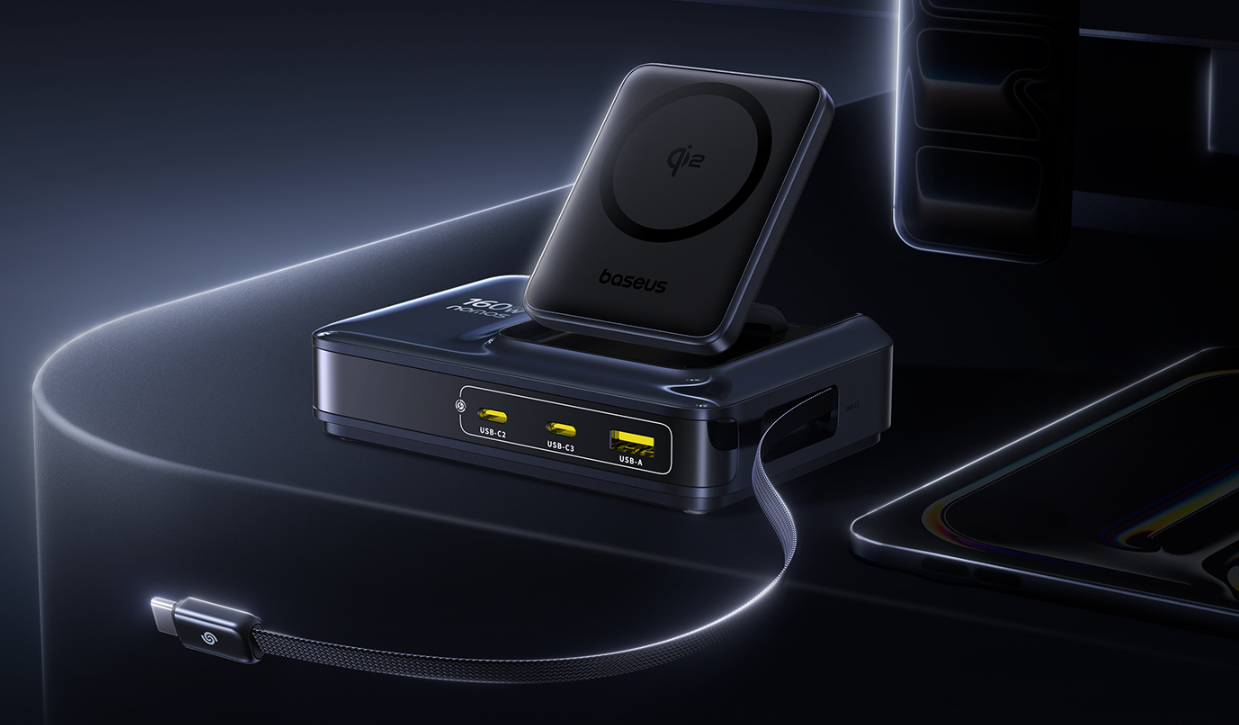
5. Baseus Nomos NH21
Baseus Nomos 6-in-1 NH21 is what happens when power delivery meets good design. With two retractable USB-C cables, two extra USB-C ports, a USB-A slot, and Qi2-certified wireless charging, it juices up six devices simultaneously, with a peak output of 245W.
Each primary USB-C can deliver 140W, enough to fast-charge even dual MacBook Pros. Baseus uses GaN technology and a split thermal structure to minimize heat. There’s even a real-time digital power display. It’s launching in the US later this month.
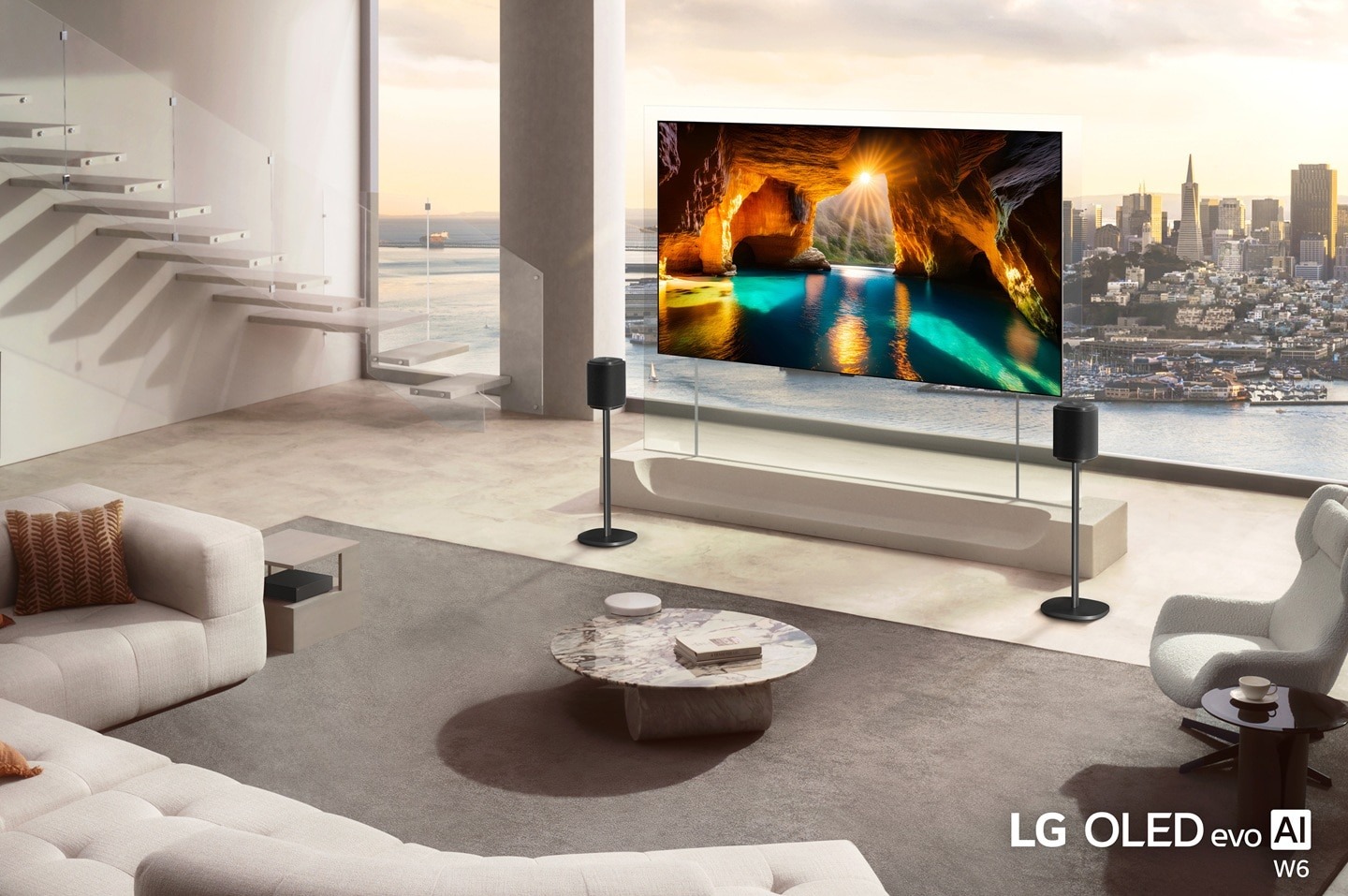
6. LG OLED evo W6
LG’s return to the “Wallpaper TV” category is a stunner. The OLED evo W6 is just 9mm thick and mounts flush to the wall with zero gap, hiding wires through a Zero Connect Box that wirelessly transmits 4K video and audio from up to 10 meters away.
It’s also 3.9x brighter than standard OLEDs thanks to Hyper Radiant Color tech, making it perfect for bright rooms. LG even tackled reflection issues with a new coating that earned the first-ever “Reflection Free Premium” certification.
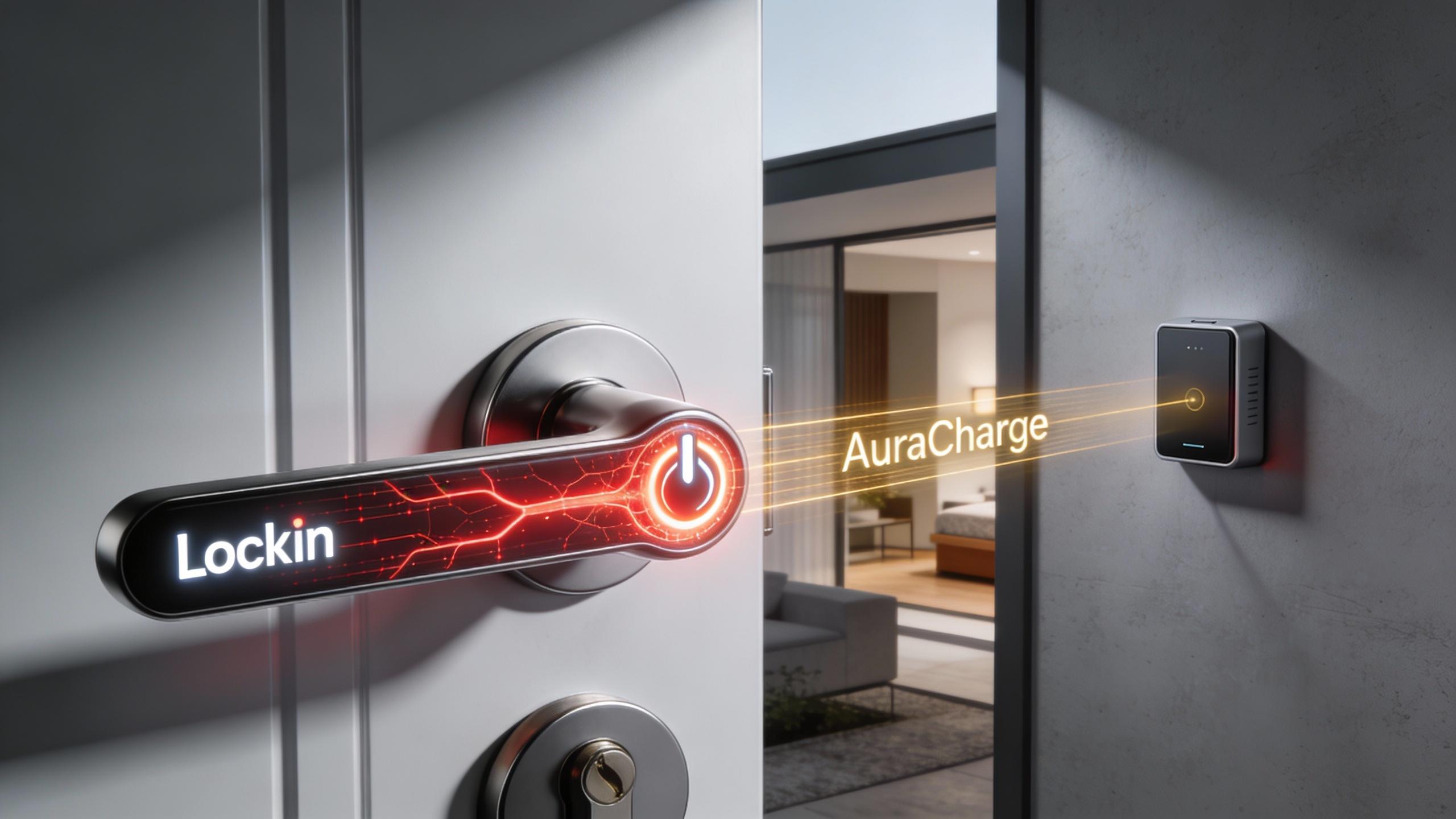
7. Lockin V7 Max
The Lockin V7 Max introduces AuraCharge, a wireless optical charging system that beams energy to the lock from a dedicated transmitter placed up to 13 feet away. This removes the need for replaceable or rechargeable batteries, solving one of the biggest pain points in smart locks.
The V7 Max supports finger vein, palm vein, and 3D facial recognition. It has dual 5-inch displays, two HD cameras, and Matter compatibility for integration with all major smart home platforms.
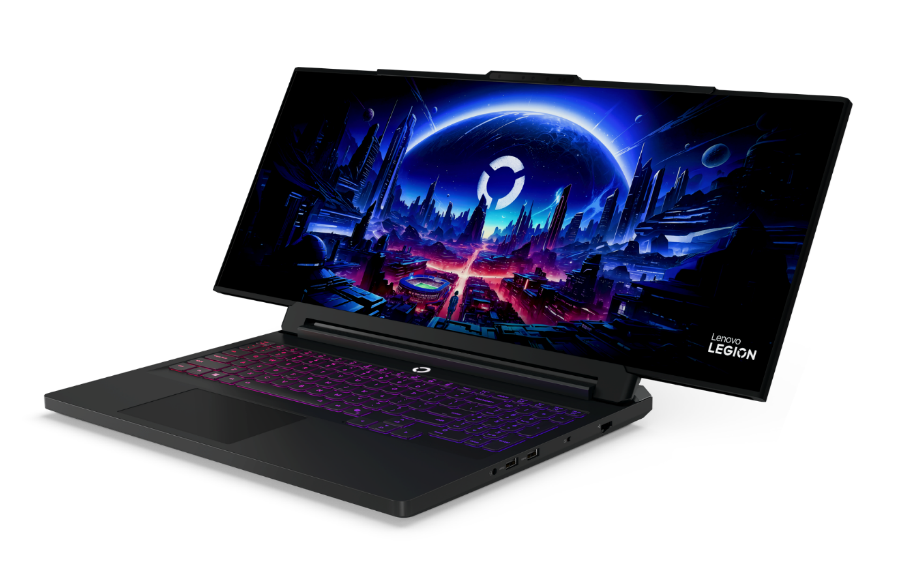
8. Lenovo Legion Pro Rollable
Lenovo’s Legion Pro Rollable may be the boldest concept at CES. It starts as a 16-inch OLED laptop and transforms into 21.5 inches or 24 inches with the push of a button. The screen expands sideways using a dual-motor tension system, giving users the ability to shift aspect ratios from 16:10 to 24:9 depending on their gameplay needs.
Underneath, it’s a beast, built on the Legion Pro 7i chassis with Intel Core Ultra CPUs and NVIDIA RTX 5090 Laptop GPU. Powered by Lenovo AI Engine+, it dynamically adjusts performance based on the use scenario. The concept opens a new frontier for portable, competitive gaming.
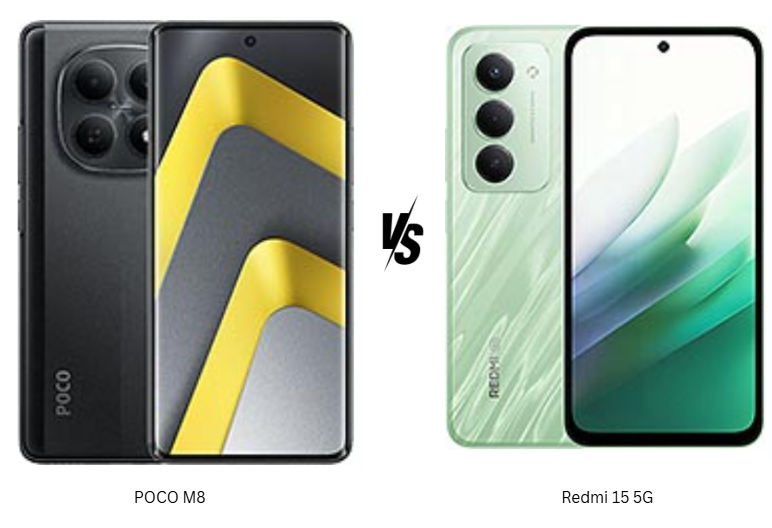
In the $200 smartphone segment, small spec differences can completely change the day-to-day experience. The POCO M8 and Redmi 15 5G may look closely matched on paper, but they target very different users. One focuses on display quality, performance balance, and a more premium feel, while the other bets big on battery life and screen size. For buyers trying to decide between long endurance and a more refined all-around experience, this comparison highlights which phone actually fits better into real-world usage rather than just winning a spec sheet battle.
POCO M8 focuses on a cleaner, more premium everyday feel with stronger durability features like higher water resistance and drop protection. It feels built for users who want peace of mind without a bulky design. Redmi 15 5G, on the other hand, leans toward a bigger, more utilitarian approach with a glass front and plastic build. While solid, it feels more functional than refined. The POCO’s in-display fingerprint sensor adds to its modern appeal, while Redmi’s side-mounted scanner feels practical but less futuristic. Overall, POCO M8 feels more polished for daily handling, whereas Redmi 15 5G prioritizes size and robustness over finesse.
Display Quality
POCO M8’s AMOLED panel delivers deeper contrast, richer colors, and better HDR support, making content consumption feel more immersive. The high refresh rate paired with PWM dimming also helps with smoother visuals and eye comfort. Redmi 15 5G counters with a larger IPS LCD and a faster refresh rate, which works well for scrolling and gaming but lacks the punchy blacks and vibrancy of AMOLED. In direct comparison, POCO’s display simply feels more premium.
Verdict
POCO M8 wins this section for its superior display quality and more refined overall design.
2. Specifications
Performance
POCO M8 runs on the Snapdragon 6 Gen 3, built on a newer process, delivering stronger GPU performance and better long-term efficiency. Everyday tasks feel smoother, and gaming benefits from the more capable Adreno GPU. Redmi 15 5G’s Snapdragon 6s Gen 3 is reliable for daily use but feels slightly less future-ready, especially under sustained load. POCO also promises longer software support, which adds value beyond raw numbers.
Battery and Charging
Redmi 15 5G clearly dominates on battery capacity, making it ideal for users who prioritize multi-day usage. It’s built for endurance rather than speed. POCO M8 counters with significantly faster charging, which feels more convenient for modern usage patterns. While the battery is smaller, the efficiency of the chipset and quicker top-ups make it easier to live with. Both support reverse charging, adding versatility.
Verdict
Redmi 15 5G wins for battery life, but POCO M8 feels more balanced due to better performance and faster charging.
3. Camera
Main and Secondary Lenses
Both phones use a similar 50MP main sensor, but POCO M8 pulls ahead with better processing and 4K video recording. Photos tend to have better dynamic range and more consistent results across lighting conditions. Redmi 15 5G handles daylight shots well but feels more limited due to capped video resolution and fewer shooting features. The lack of advanced video options makes it feel more basic overall.
Selfie Camera
POCO M8’s higher-resolution selfie camera delivers sharper images and smoother video output, making it better suited for social media and video calls. Redmi 15 5G’s front camera is serviceable but clearly more entry-level, especially in low light and video clarity.
Verdict
POCO M8 is the clear winner in cameras, offering better video, stronger selfies, and more versatile imaging overall.
4. Pricing
Both POCO M8 and Redmi 15 5G are priced at approximately $200, placing them firmly in the same competitive segment. At this price, the value equation becomes more about priorities than affordability. POCO M8 delivers more premium features for the money, including an AMOLED display, faster charging, stronger camera performance, stereo speakers, and longer software support. These additions make it feel closer to an upper mid-range experience despite the aggressive pricing.
Redmi 15 5G justifies its price through sheer battery capacity and a large display, appealing to users who want maximum endurance and screen real estate. However, compromises in camera, display technology, and charging speed are more noticeable at this price point. When viewed purely on feature density per dollar, POCO M8 offers more tangible upgrades that are felt daily.
For buyers comparing purely on price-to-features ratio, POCO M8 feels like the smarter deal, while Redmi 15 5G suits a more specific usage pattern.
5. Conclusion
POCO M8 stands out with its AMOLED display, Dolby Atmos stereo speakers, faster charging, stronger durability ratings, and longer update promise. These features combine to create a phone that feels more refined and future-ready. Redmi 15 5G’s standout trait is its massive battery, making it ideal for users who value long screen-on time above all else. Its large display and reliable performance suit media consumption and basic gaming, but it doesn’t push boundaries elsewhere.
Verdict
If one clear choice has to be made, POCO M8 is the better all-around smartphone. It delivers a more premium experience across display, camera, performance, and charging without costing more. Redmi 15 5G remains a solid option for battery-focused users, but POCO M8 feels better suited for most buyers looking for balance, longevity, and everyday satisfaction in the $200 segment.
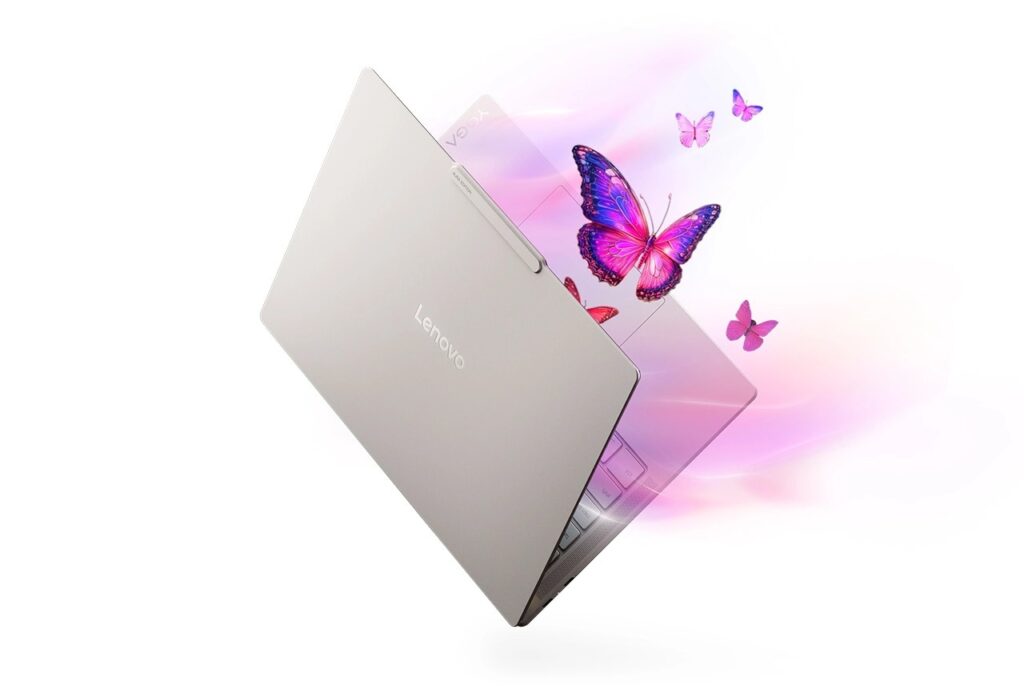
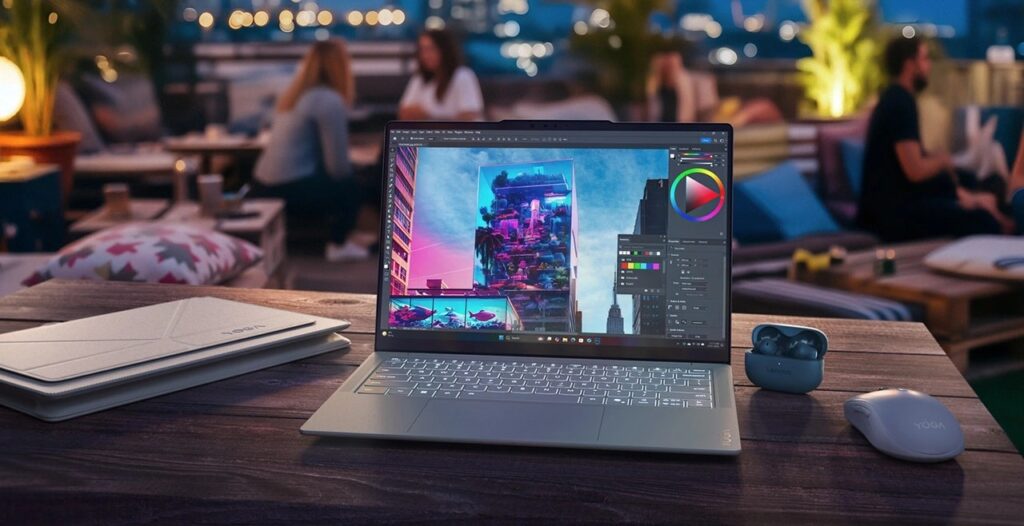
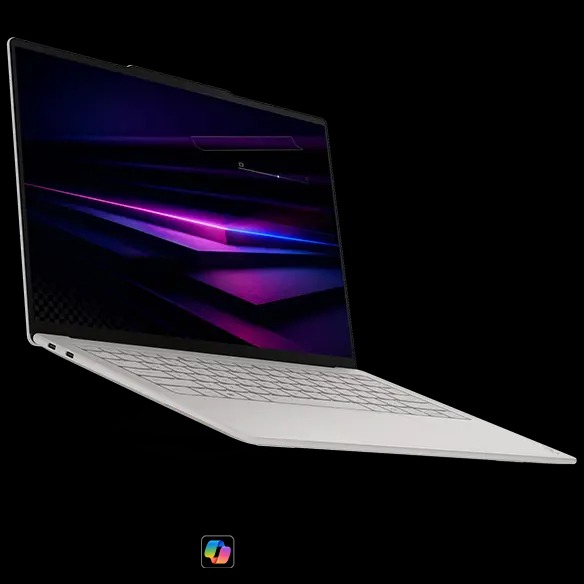
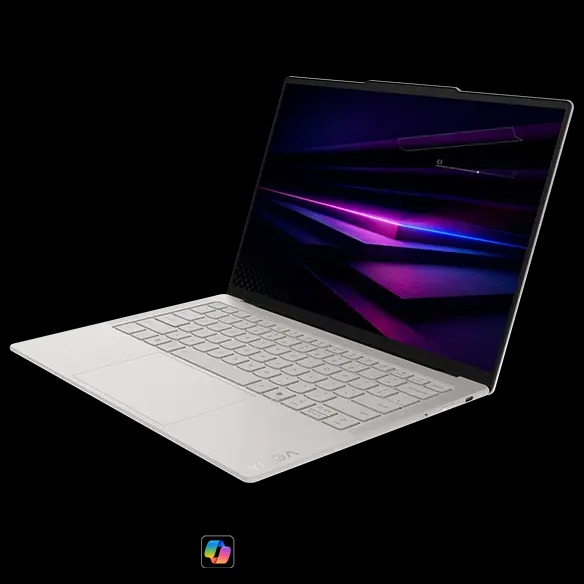
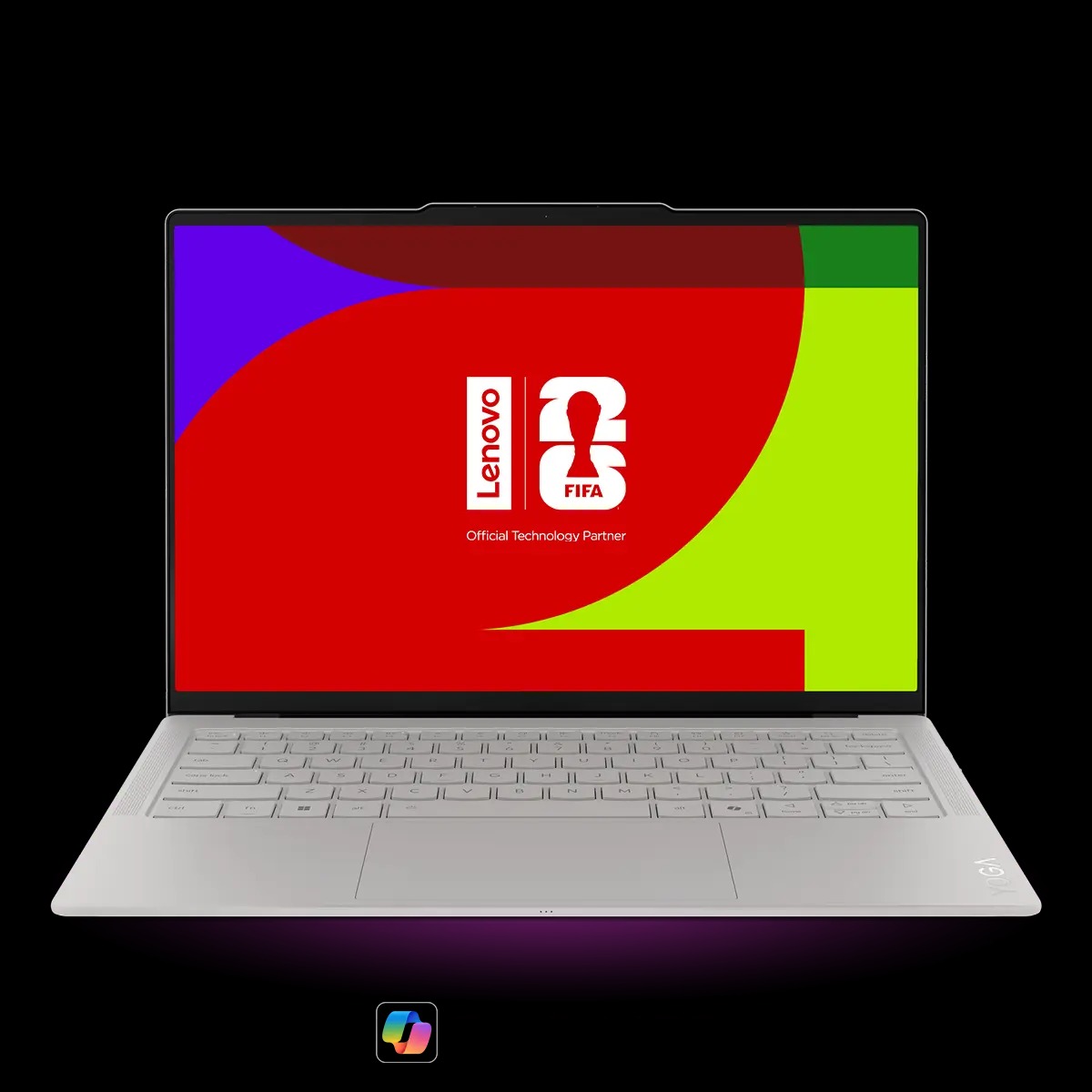
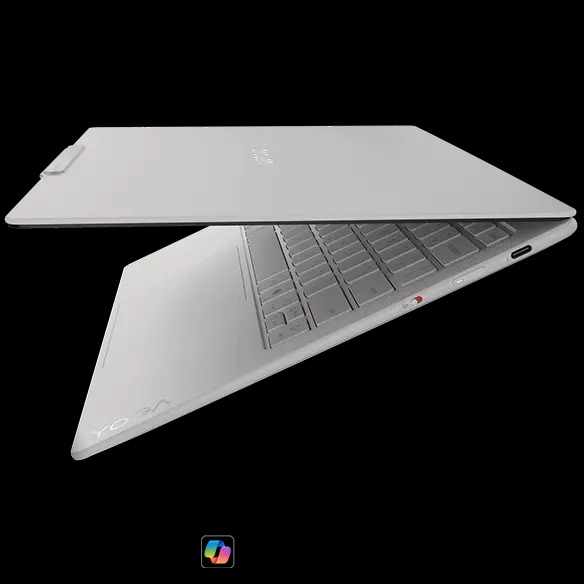
Lenovo has started selling the Yoga Slim 7i Ultra Aura Edition in the UK, after recently showing it at CES 2026. The 14-inch laptop is part of Intel’s new Panther Lake lineup and replaces the earlier Lunar Lake-based Yoga Slim 7i Aura Edition.
At CES, Lenovo promoted the laptop with the Core Ultra X9 388H processor. However, the first retail units in the UK ship with the Core Ultra 7 355 instead. This processor has 8 cores, split into 4 performance and 4 efficiency cores. The X9 model shown at launch features a more complex 16-core setup with 4 performance, 8 efficiency, and 4 low-power efficiency cores. For graphics, the Core Ultra 7 355 includes an iGPU with 4 Xe3 integrated GPU cores.
Other hardware specifications remain unchanged. The Yoga Slim 7i Ultra Aura Edition features a 2.8K OLED display with a 120 Hz refresh rate and up to 1,110 nits of peak HDR brightness. The panel covers 100 percent of AdobeRGB and sRGB color spaces and carries VESA DisplayHDR True Black 1000 certification. Lenovo pairs the display with 32 GB of LPDDR5X RAM running at up to 9,600 MHz. Storage options include either 1 TB or 2 TB M.2 2242 SSDs.
The laptop is built around a magnesium alloy chassis designed to minimize weight. It weighs 975 grams, which is under 2.2 lbs, and measures 312 x 212 x 13.9 mm. A 75 Wh battery is included, and Lenovo uses a matte Yoga coating across the chassis to reduce fingerprints and surface oils during daily use.
As for pricing in the UK, Lenovo store prices the 1TB configuration at £1,620. The 2 TB version costs £1,879 and includes a Windows 11 Pro license. All prices include VAT. These models will be available from February 6 on the brand’s website.
In the US, the Yoga Slim 7i Ultra Aura Edition is still marked as coming soon, with pricing expected to start at $1,499.99 and availability planned for Q2 2026. Lenovo has not confirmed whether a Core Ultra X9 388H version will be sold later.
For more daily updates, please visit our News Section.
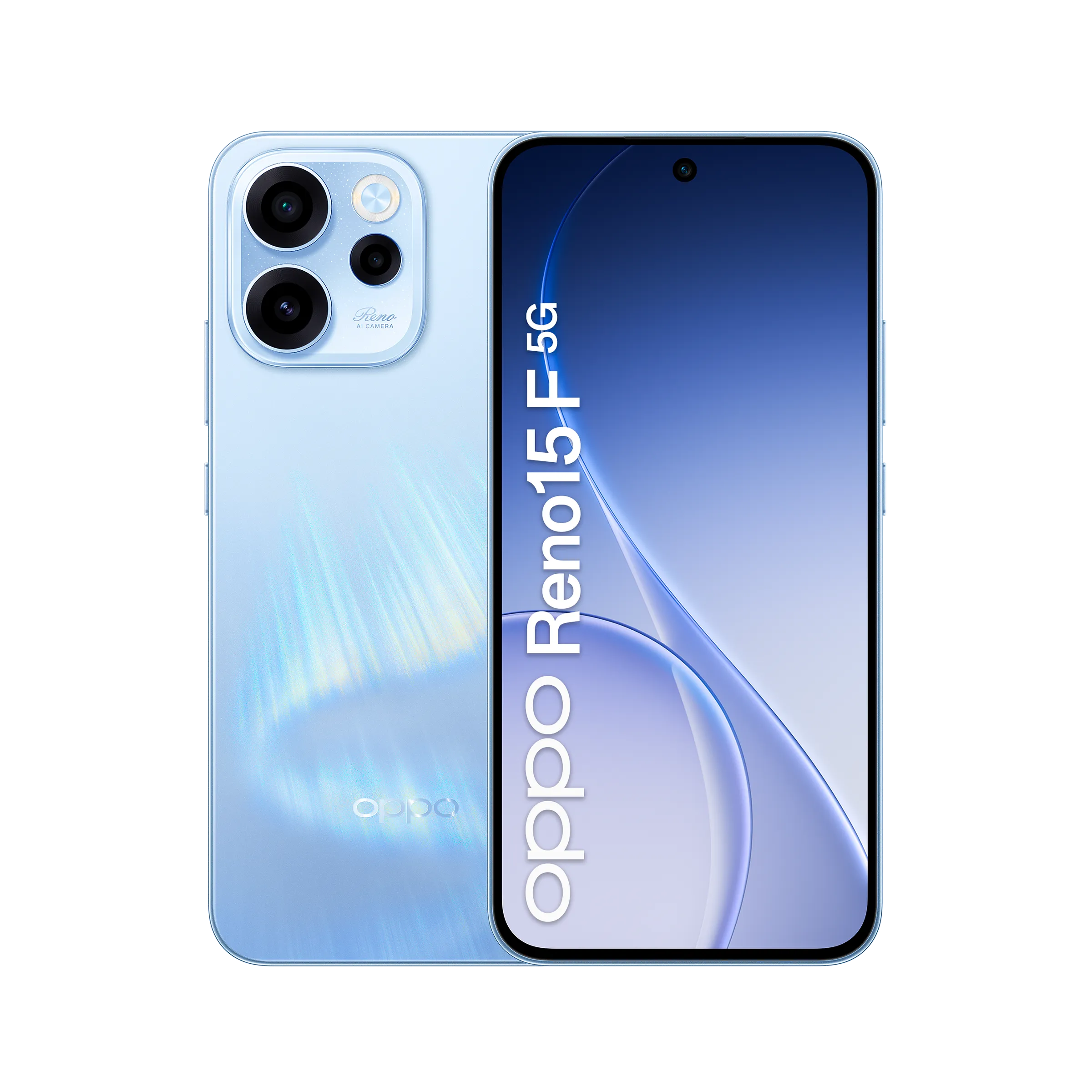
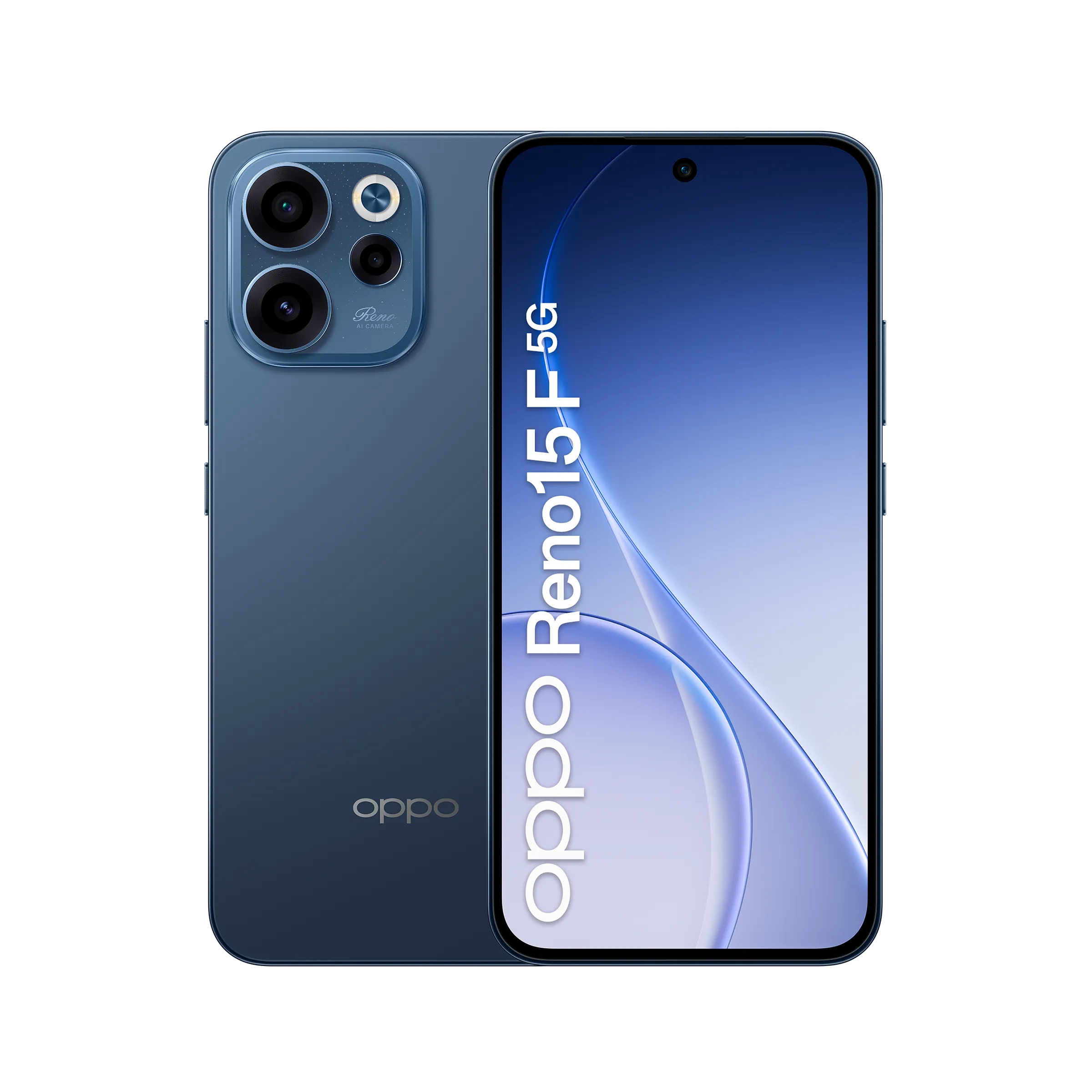
The Oppo Reno 15 series already includes multiple models such as the Reno 15F (5G), Reno 15, Reno 15c, Reno 15 Pro, and the Reno 15 Pro Mini, also known as the Reno 15 Pro Max in some markets. Oppo has now expanded the lineup with the launch of the Reno 15 FS 5G in Italy.
The new model focuses on a premium AMOLED display, a large 6,500mAh battery with 80W fast charging, and an IP69-rated durable design. It also brings a 50-megapixel camera with OIS and the Snapdragon 6-series chipset. Read on to know its full specifications, features, and pricing details.
Oppo Reno 15 FS 5G specifications and features
Oppo Reno 15 FS 5G key features
The Oppo Reno 15 FS 5G features a 6.57-inch AMOLED FHD+ display that supports a dynamic 120Hz refresh rate, 10-bit color depth, 100 percent P3 color gamut, and reaches up to 1,400 nits in high brightness mode. Splash and gloves touch support and AGCDT STAR D+ protection are also included.
Powering the device is the Snapdragon 6 Gen 1 5G processor, paired with 8GB of LPDDR4X RAM, along with virtual RAM expansion options, and 256GB of UFS 3.1 storage, which can be expanded up to 2TB.
The phone packs a 6,500mAh battery that supports 80W wired charging, taking it from 0 to 100 percent in around 54 minutes, and also offers reverse charging.
Oppo Reno 15 FS 5G-Oppo Reno 15 FS 5G-
The Reno 15 FS 5G runs on ColorOS 16 based on Android 16. For photography, it features a 50-megapixel SmartSense SC532HS primary camera with OIS, an 8-megapixel ultra-wide camera, and a 2-megapixel macro sensor. The front camera uses a 50-megapixel Samsung JN5 sensor.
Other features of the Oppo Reno 15 FS 5G include WiFi 6, dual 5G support, Bluetooth 5.1, NFC, dual SIM with eSIM support, an in-display fingerprint sensor, face unlock, Hi-Res Audio, and an IP69 rating. It measures 158.18 × 74.93 × 8.14mm and weighs 189g.
Oppo Reno 15 FS 5G price and availability
The Oppo Reno 15 FS 5G is available in a single 8GB + 256GB variant priced at 399 euros (~$465) in Italy. It is offered in two colour options, as shown in the official images. As of now, there is no confirmation on its availability in other markets.
For more daily updates, please visit our News Section.
Vivo’s upcoming V70 lineup has quietly been in the works in the background. The series is expected to include four phones — the Vivo V70, V70 Lite, V70 Elite, and V70E — but not all of them may be headed to India.
A new report from SmartPrix claims Vivo is planning to launch the V70 series in India by mid-February. However, only two models will make the cut: the standard Vivo V70 and the higher-end V70 Elite.
The V70 Lite and V70E, which have shown up in earlier leaks, are likely intended for other markets.
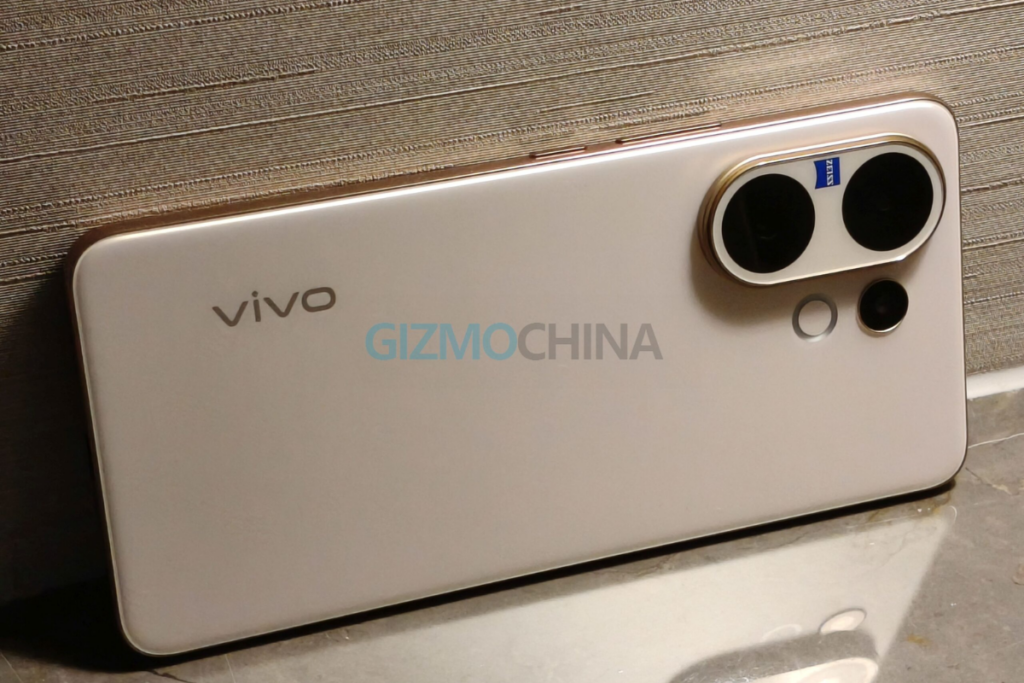
Vivo V60
However, an earlier report suggested that Vivo could launch the V70 phones alongside the Vivo X200T in India. The latter device is expected to arrive in late January, and Vivo has already started teasing it, which makes this earlier timeline feel more grounded.
In other words, the mid-February claim doesn’t quite line up with what we’ve heard before, so it’s best to treat the latest leak with some caution.
What to expect from the Vivo V70
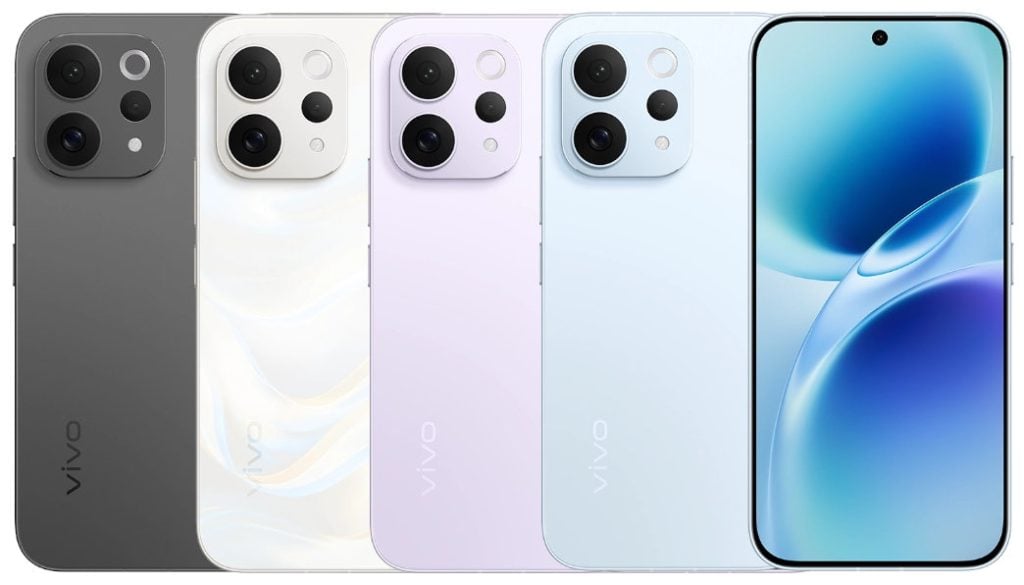
The Vivo V70 is expected to be offered in a single configuration with 8GB of RAM and 256GB of storage. Color options are reportedly limited to red and yellow.
The phone is said to feature a 6.517-inch display with a 1.5K resolution and a 120Hz refresh rate. On the back, Vivo is expected to include a triple-camera setup with a 50-megapixel main camera, an ultrawide lens, and a 50-megapixel 3x telephoto camera.
Pricing is rumored to land around ₹45,000 for the Vivo V70, while the V70 Elite could be closer to ₹50,000.
As for the V70 Elite itself, details are still thin. What we do know is that the phone exists; it recently showed up in BIS certification listings in India. But beyond that, we don’t know how it will differ from the standard V70.
For more daily updates, please visit our News Section.
At first glance, One UI 8.5 may seem like an incremental upgrade over One UI 8.0, but the beta suggests it’s a much more substantial release, featuring more extensive visual redesigns, new cross-device ecosystem features, and stronger security enhancements. Samsung has already released multiple beta builds for One UI 8.5, with the recent ones featuring no critical bugs, suggesting the rollout could begin soon.
Most Samsung users should be looking forward to this exciting One UI 8.5 upgrade. So, we’ve prepared this post to provide you with all the relevant information you need to know, including the release date, a list of eligible devices, and new features.
One UI 8.5 release date
The One UI 8.5 is confirmed to debut with the Galaxy S26 series. Samsung hasn’t announced a launch date for the upcoming Galaxy S-series, but several leaks point towards a Galaxy event on February 26.
A few weeks later, the brand should start rolling out One UI 8.5 to older Galaxy devices, starting with recent flagship models, such as the Galaxy S25, Galaxy Z Fold 7, and Galaxy Z Flip 7.
While the official rollout schedule is under wraps, Samsung has been found testing One UI 8.5 on various Galaxy devices lately, including many Galaxy A-series phones. This suggests the brand may be focusing on a quicker One UI 8.5 rollout, which means a less-longer wait for mid-range and cheaper Galaxy devices.
One UI 8.5 update: List of eligible devices
The One UI 8.5 update should reach every Galaxy device that is eligible for One UI 8.0, as both are based on Android 16. So, even if Android 16 is the last OS upgrade for your device, it should still be eligible for One UI 8.5.
Here’s the complete list of One UI 8.5 eligible devices:
Galaxy S series
Galaxy S25, S25+, S25 Ultra, S25 FE, S25 Edge
Galaxy S24, S24+, S24 Ultra, S24 FE
Galaxy S23, S23+, S23 Ultra, S23 FE
Galaxy S22, S22+, S22 Ultra
Galaxy S21 FE
Galaxy Z series
Galaxy Z Fold 7, Z Flip 7
Galaxy Z Fold SE (Special Edition)
Galaxy Z Fold 6, Z Flip 6
Galaxy Z Fold 5, Z Flip 5
Galaxy Z Fold 4, Z Flip 4
Galaxy Tab series
Galaxy Tab S10+, Tab S10 Ultra, Tab S10 Lite
Galaxy Tab S10 FE, Tab S10 FE+
Galaxy Tab S9, Tab S9+, Tab S9 Ultra
Galaxy Tab S9 FE, Tab S9 FE+
Galaxy Tab S8, Tab S8+, Tab S8 Ultra
Galaxy Tab S6 Lite (2024)
Galaxy Tab A11, Tab A11+
Galaxy Tab A9, Tab A9+
Galaxy Tab Active 5, Active 5 Pro
Galaxy A series
Galaxy A73
Galaxy A56, A55, A54, A53
Galaxy A36, A35, A34, A33
Galaxy A26, A25, A24
Galaxy A17 (LTE/5G), A16 (LTE/5G), A15 (LTE/5G)
Galaxy A07
Galaxy A06 (LTE/5G)
Galaxy F series
Galaxy F56, F55, F54
Galaxy F36, F34
Galaxy F17, F16, F15
Galaxy F07, F06
Galaxy M series
Galaxy M56, M55, M55s, M54, M53
Galaxy M36, M35, M34, M33
Galaxy M17, M16, M15
Galaxy M07, M06
Galaxy XCover series
Galaxy XCover 7, 7 Pro
Galaxy XCover 6 Pro
What to expect from the One UI 8.5 upgrade?
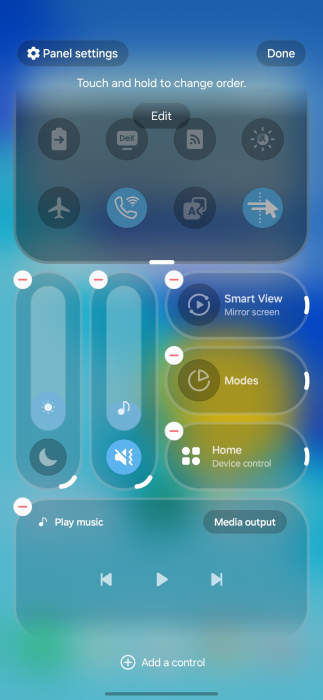
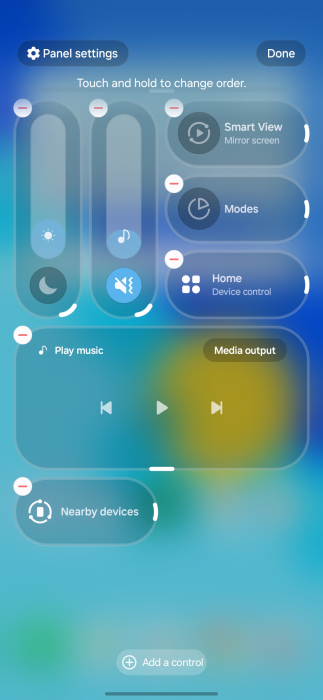
Samsung has already released multiple One UI 8.5 beta builds, so we already know most of the new features and upgrades that will be included in the final build. The new split Quick Panel, introduced in One UI 8.0, offers greater control in One UI 8.5, allowing users to adjust the layout of every toggle and slider. The scrolling is now edge-to-edge, removing unused empty spaces.
image credit: 9to5Google
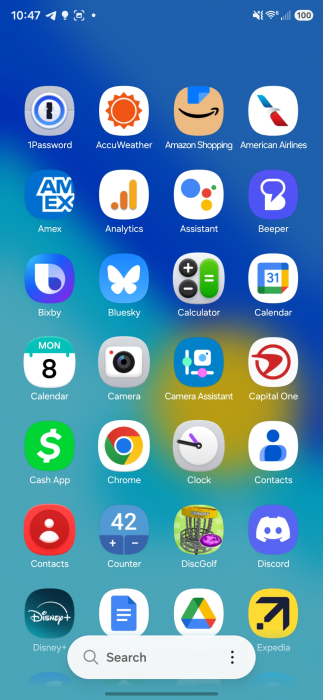
The app icons (at least Samsung’s apps) now feature a bit of a 3D effect. Some first-party apps also show a similar effect. There are some UI changes inspired by Apple’s Liquid Glass, emphasizing floating elements, soft shadows, and frosted glass effects. The transparency effect isn’t anything like Apple’s. Samsung’s implementation has subtle depth effects throughout the system, creating a more refined aesthetic.
image credit: 9to5Google
The Photo Assist feature has been updated to allow interrupted image generation and editing. Users can now utilize multiple Photo Assist features, such as AI Eraser and Move, continuously without needing to save each iteration. Previously, each edit had to be saved separately.
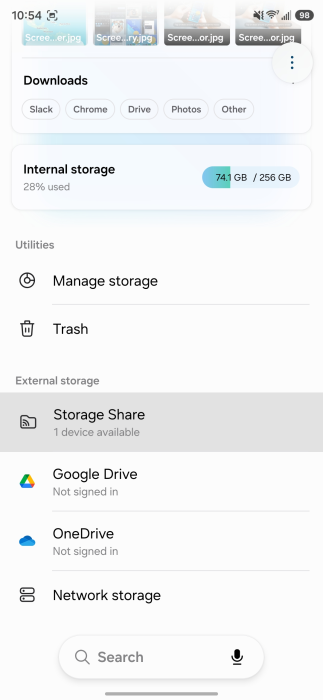
One UI 8.5 enhances the Galaxy ecosystem’s robustness with new features and necessary improvements. It introduces a Storage Share feature that lets you access files from other Galaxy devices, including tablets and PCs, directly within the My Files app.
image credit: 9to5Google
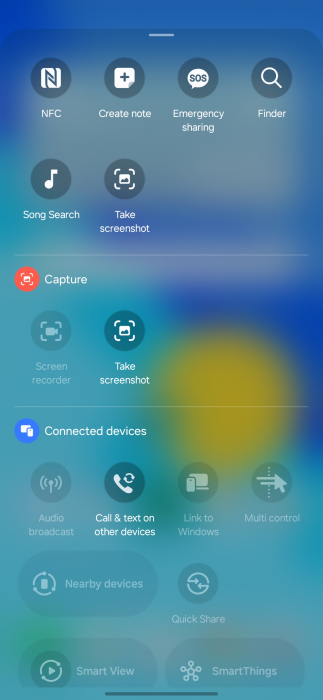
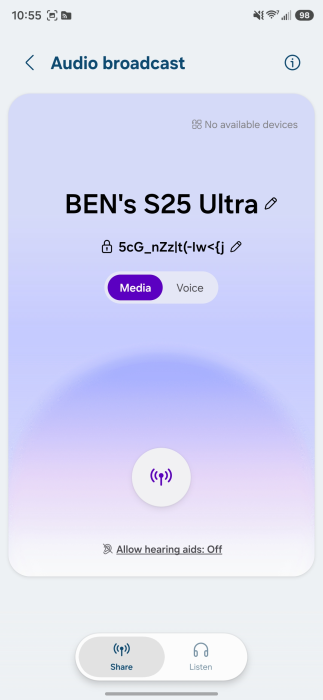
There’s also a new Audio Broadcast feature that enables your Galaxy phones to function as a microphone and broadcast your voice to nearby Bluetooth LE Audio devices using Auracast technology. Improvements have been made to Smart View and Galaxy DeX to create a more unified ecosystem experience.
One UI 8.5 also adds AI-generated dynamic weather animations to the lock screen. The alarms, when ringing, now show real-time weather conditions. There have also been various improvements made to strengthen security and privacy, including better theft protection and an improved Identity Check feature.
We’ll update this page periodically with the latest information. So, make sure to revisit this page for fresh updates. Alternatively, you can join us on Telegram to get instant notifications about the latest product launches, software updates, and major tech events.
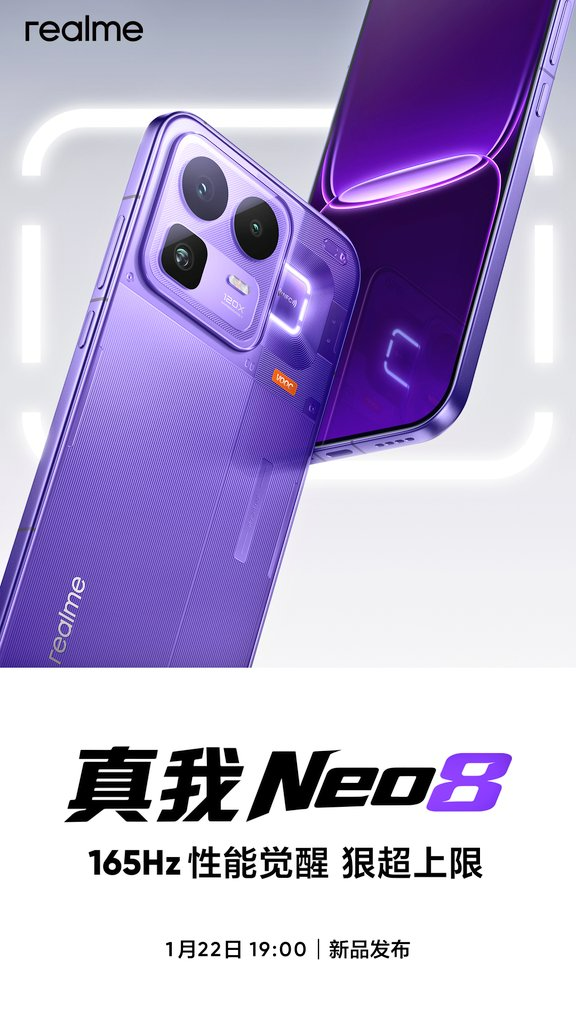
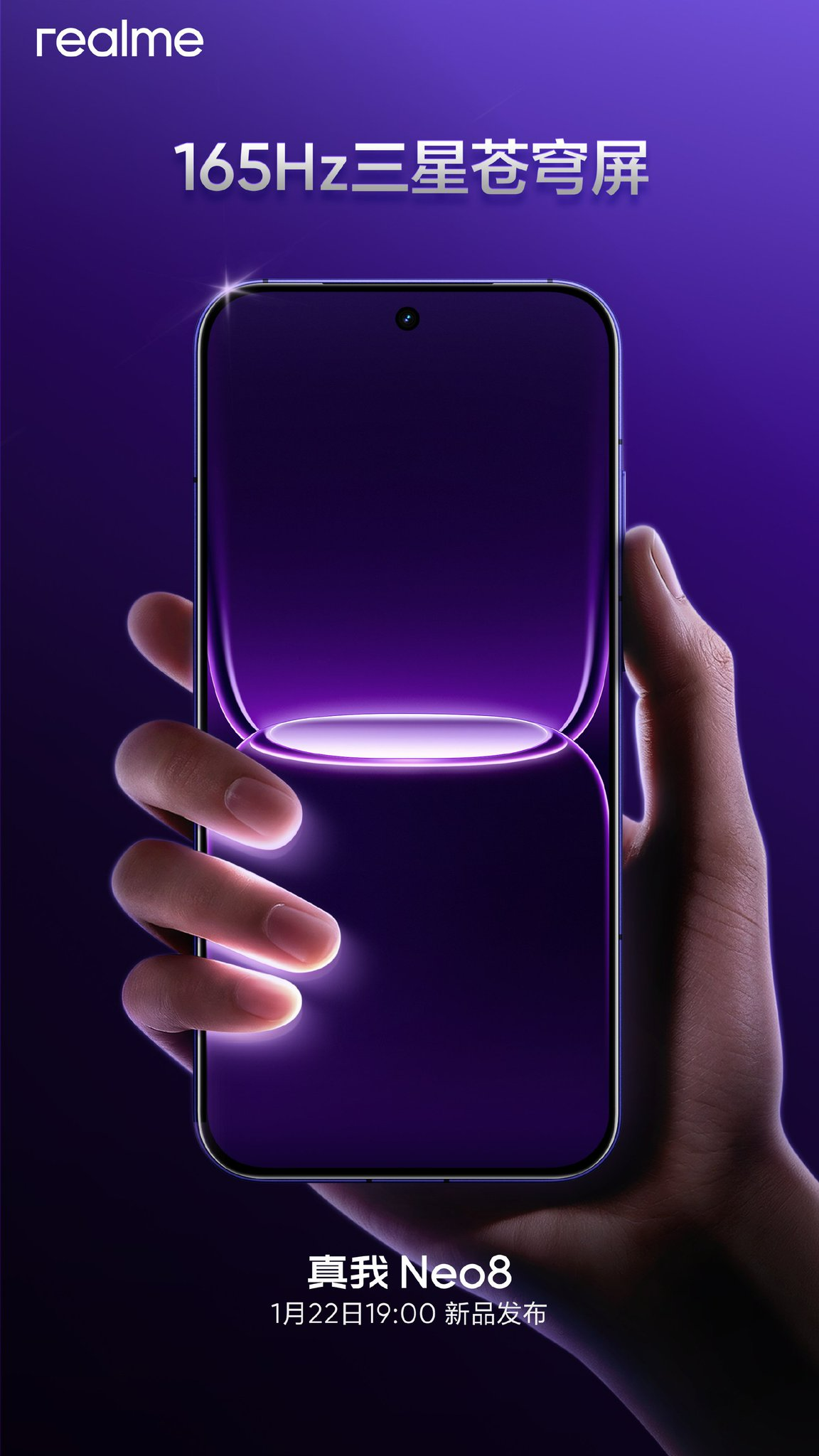
Realme has finally confirmed the Realme Neo 8’s launch date for China after teasing its arrival for the past few days. This phone will rival the likes of the iQOO Z11 Turbo and OnePlus Ace 6T in China, as all of them are powered by the same Snapdragon 8 Gen 5 chipset. Continue reading ahead to know everything about it.
The Realme Neo 8 will come equipped with the Snapdragon 8 Gen 5 chipset. The TENAA certification of the device reveals support for up to 24GB of RAM and up to 1TB of storage. It will house an 8,000mAh battery with 80W fast charging.
The Realme Neo 8’s rear camera setup will include a 50-megapixel main camera with OIS support, an 8-megapixel ultra-wide lens, and a 50-megapixel periscope telephoto camera with 3x optical zoom. The back panel will also feature Halo Awakening RGB lighting, similar to the older Realme GT Neo 5.
The Realme Neo 8 is expected to arrive with a 16-megapixel camera on the front. It will also include other features such as an ultrasonic in-screen fingerprint sensor, an IR blaster, a metal frame, a glass back, and IP68/69-rated dust and water resistance. At present, there is no information about the Neo 8’s price.
For more daily updates, please visit our News Section.
OnePlus Open was one of the standout foldables of 2023, not just because of its hardware, but also thanks to surprisingly polished software. With such success, it was natural to expect a successor that would build on it.
But OnePlus never shipped an Open 2 in 2024 or 2025. And now, even 2026 doesn’t look promising either.
According to a report from Smartprix, OnePlus has canceled the global launch of the OnePlus Open 2 for 2026. Otherwise, it was scheduled to launch in Q3, 2026.
The report doesn’t specify why OnePlus pulled the plug, but rising RAM and storage costs may have played a role.
What makes the move especially strange is that the phone had already entered internal testing. Scrapping a product this late in development is unusual, especially for a device that has spent the last two years building hype among foldable fans.
That said, people curious about what the Open 2 could have been may want to look at Oppo’s upcoming Find N6 instead. The OnePlus Open 2 was expected to be based on Oppo’s foldable, following the same shared-hardware strategy OnePlus used for the original Open.
OnePlus Open 2: expected specs
The Open 2 was expected to feature an 8.12-inch 2K folding display paired with a 6.6-inch AMOLED cover screen, with both panels running at a smooth 165Hz refresh rate.
Under the hood, the phone would have used Qualcomm’s Snapdragon 8 Elite Gen 5, combined with up to 16GB of RAM and 1TB of storage.
OPPO Find N5
For cameras, OnePlus reportedly planned a triple 50-megapixel rear setup, including ultrawide and telephoto lenses. The phone also featured a 32MP selfie camera on the cover screen and a 20MP camera on the inner display.
There’s apparently a 6000mAh battery, 80W wired and 50W wireless charging support, and the prototype model had a black faux-leather finish and used a chassis design similar to Huawei’s Mate X7.
For more daily updates, please visit our News Section.
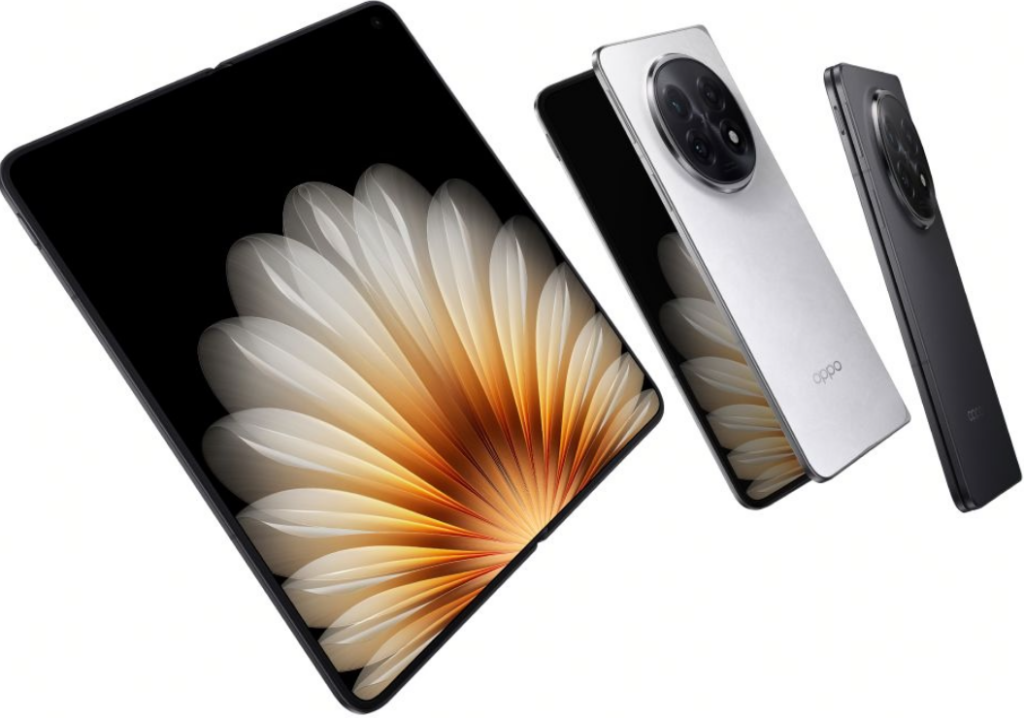
Much of the Oppo Find N6’s specs were revealed in a leak from late December. The foldable will feature an 8.12-inch main display and a 6.62-inch cover screen, and will be powered by the Snapdragon 8 Elite Gen 5.
Today, tipster Digital Chat Station on Weibo has added a few missing details about the foldable, making the spec sheet more complete.
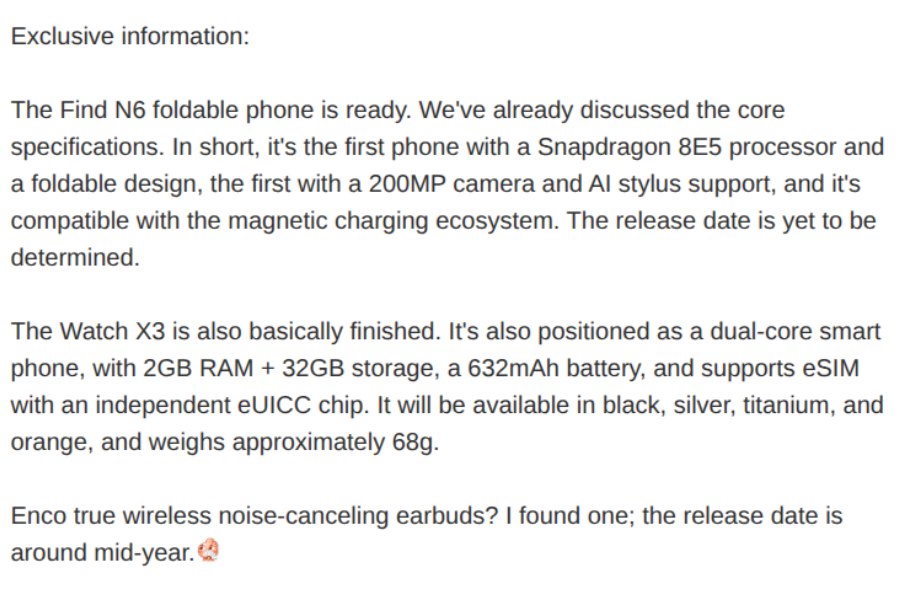
According to DCS, the Oppo Find N6 will support a new AI stylus and will also be compatible with a magnetic charging ecosystem. However, the device is unlikely to have magnets built in. Instead, the foldable may support magnetic charging and accessories via a case — at least, that’s what the tipster suggests in the comments.
The Find N6 will also have a 200MP rear camera with a 50MP and a 2MP multispectral lens. For selfies, the main and cover screen will house a 20MP camera.
Moreover, the foldable is said to ship with 12GB or 16GB of RAM and up to 1TB of storage. Battery specs include a dual-cell design that totals 6000mAh in typical value.
Oppo Watch X3
DCS also talks about the upcoming Watch X3 in the same post. Like the Watch X2, it will feature a dual-chip system, paired with 2GB of RAM and 32GB of storage.
It will also support eSIM via an independent eUICC chip. Powering it will be a 632mAh battery. The wearable is said to be available in Black, Silver, Titanium, and Orange, and reportedly weighs around 68 grams.
Oppo Watch X2
The tipster also adds that Oppo is preparing its next Enco earbuds, with a launch planned for mid-2026.
Meanwhile, the Find N6 is expected to debut this month in China with a global rollout later in the year.
For more daily updates, please visit our News Section.
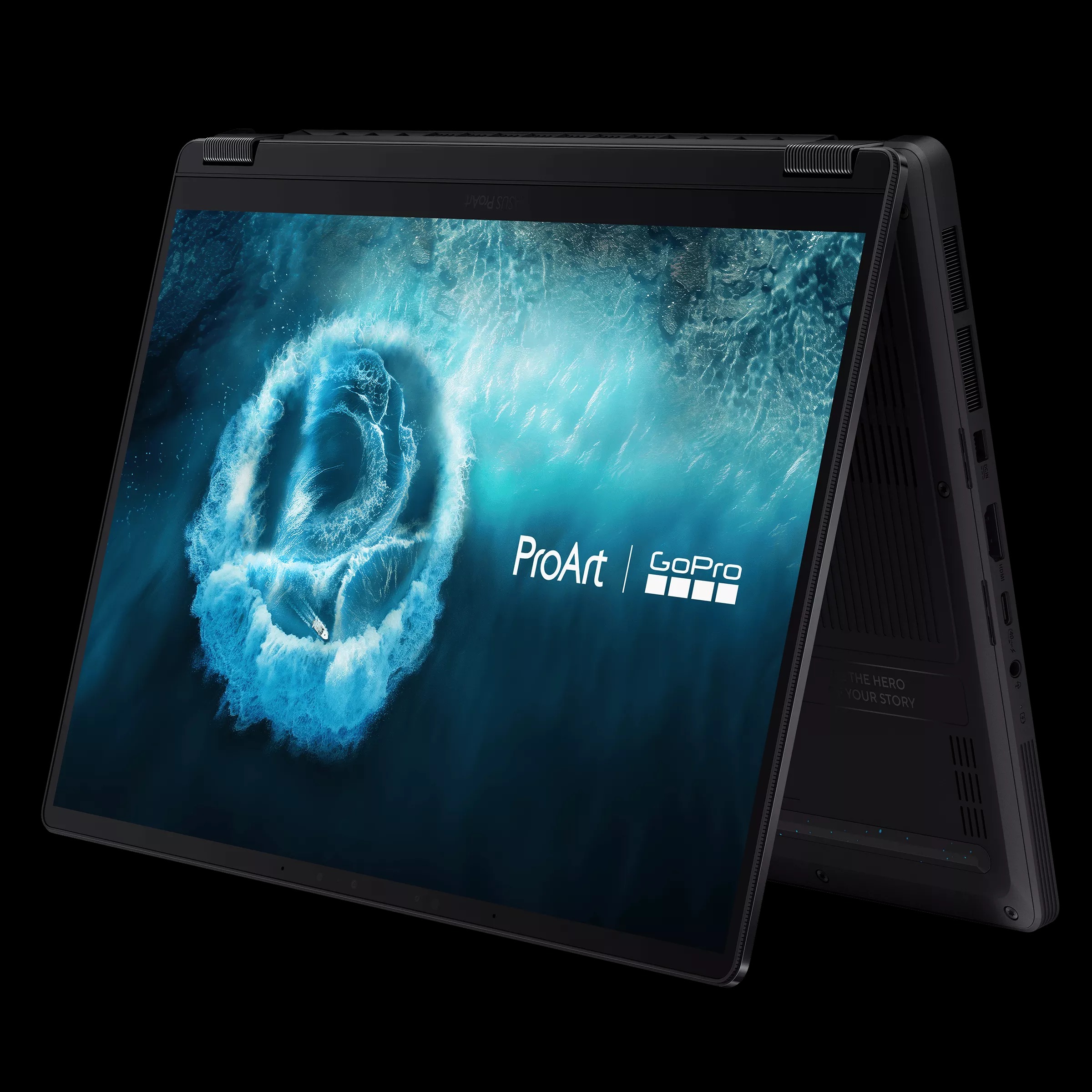
At CES 2026, ASUS just dropped the ProArt GoPro Edition (PX13), a 13-inch convertible laptop they built with GoPro. It’s made for creators who shoot content on location and need to edit quickly afterward. The laptop mixes tough build quality, AI features, and tight GoPro integration into something that actually works for this kind of workflow.
The PX13 has a 360-degree hinge that works in laptop, tablet, tent, or monitor mode. It comes in a Black Metal finish with GoPro design elements and includes a matching protective sleeve. The chassis is MIL-STD-810H certified to handle vibration, temperature changes, and frequent travel. It measures 15.8mm thick and weighs 1.39kg.
The key feature is StoryCube, the first Windows app with direct GoPro Cloud access and native 360-degree video support. Connect your GoPro account and StoryCube automatically syncs footage, applies AI tagging, and organizes files for faster retrieval. A dedicated GoPro Hotkey launches GoPro Player instantly for 360-degree editing, cutting down manual file management time. The laptop functions as a central workflow hub for multi-shoot projects. ASUS includes a 12-month GoPro Premium+ subscription with unlimited cloud storage.
The laptop uses an AMD Ryzen AI Max+ 395 processor with a 50 TOPS NPU for local AI processing. This handles real-time denoising, upscaling, and AI-assisted editing without cloud dependency. It supports up to 128GB of LPDDR5X memory at 8000MHz for high-resolution video, batch photo processing, and multiple applications running simultaneously. Local AI processing also improves power management for extended mobile work sessions.
The display is a 13.3-inch 3K ASUS Lumina OLED touchscreen with a 16:10 aspect ratio. It delivers high contrast, accurate color reproduction, and comes factory calibrated for professional color grading. It supports an MPP 2.6 stylus and the ASUS DialPad for precise timeline control, exposure adjustments, and brush settings.
Pricing and availability details of this laptop will be revealed in the coming days on Asus’s website.
Apple has confirmed a long-term collaboration with Google that will influence the next phase of Apple Intelligence. While the announcement has sparked strong reactions online, the partnership is focused on improving Apple’s AI foundation rather than changing how iPhones work for users. At first glance, nothing appears different on the surface, but the agreement plays an important role in Apple’s AI roadmap.
Apple and Google collaboration explained
Apple Google collab (AI-generated image)
Apple has revealed that future Apple Foundation Models will be built using Google’s Gemini models and cloud infrastructure as a training base. This does not mean Gemini will run on iPhones or replace Siri. Instead, Gemini is being licensed as a learning and development tool to strengthen Apple’s own models. Apple Intelligence will continue to function through on-device processing and Apple’s Private Cloud Compute, maintaining its existing privacy framework.
According to reports, Apple evaluated several AI technologies before choosing Gemini, concluding that it currently offers the most capable base for large-scale model training. As part of the deal, Apple is reportedly paying Google around $1 billion annually. Despite this, Apple retains full control over how its AI systems are deployed, and no user data is shared with Google during normal usage.
A major concern among users has been the belief that Siri will now be powered by Google or that personal data will flow to Google servers. Both Apple and Google have clarified that this is not the case. Siri and Apple Intelligence will still rely on Apple Foundation Models, running either locally on devices or on Apple-controlled servers.
This partnership is also seen as a temporary acceleration step. Apple is reportedly developing its own trillion-parameter AI model, expected around 2027. Even after that, Gemini may continue to be used for comparison and reinforcement during training. Similar to how Apple once depended on Google Maps before launching Apple Maps, this collaboration fills a strategic gap without changing the user experience.
For users, the outcome is simple. Apple Intelligence remains Apple-built, privacy-focused, and tightly integrated into iOS. The collaboration strengthens Apple’s AI capabilities without compromising its core principles.
For more daily updates, please visit our News Section.
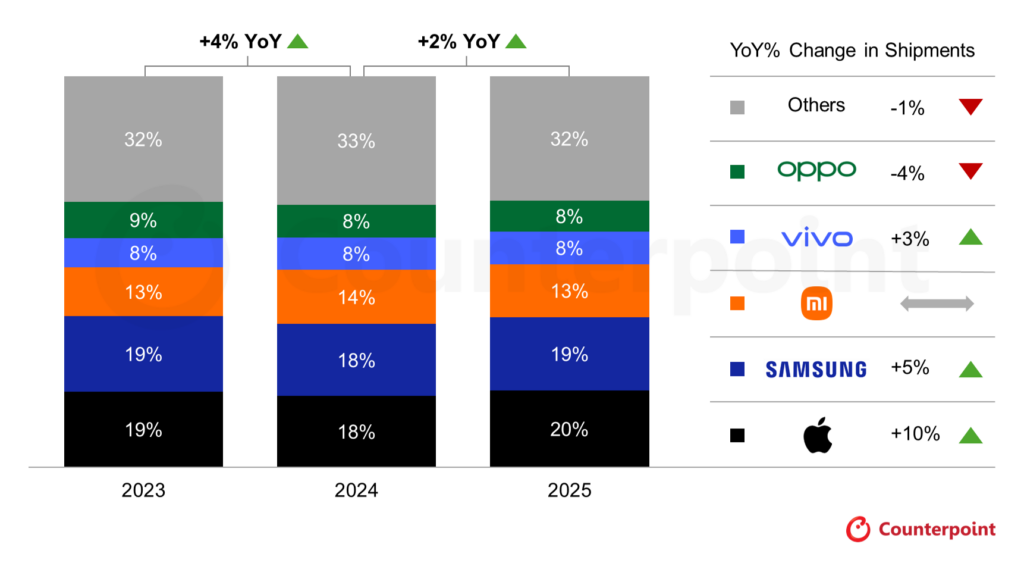
Apple emerged as the world’s leading smartphone vendor by shipments in 2025, according to preliminary data from Counterpoint Research. The company captured 20% of the global market, registering 10% year-over-year growth, the highest among the top five brands.
Premium upgrades and emerging markets drive 2025 recovery
Global smartphone shipments grew 2% in 2025, marking a second consecutive year of recovery. This growth was supported by premium demand, wider adoption of 5G in emerging markets, and financing options that made high-end phones more accessible. Apple saw strong momentum for the iPhone 17 series in the fourth quarter, while the iPhone 16 remained popular in regions like India, Japan, and Southeast Asia.
Samsung ranked second with a 19% market share and 5% annual growth. Its mid-range Galaxy A series remained a key driver, while the Galaxy S25 and Fold 7 helped sustain traction in the premium category. The company posted gains in Japan but faced pressure in Latin America and Western Europe.
Xiaomi maintained its third-place position with a 13% share. The brand saw steady demand in Southeast Asia and Latin America, supported by a balanced portfolio of premium and mid-tier smartphones. Based on the report’s methodology, Xiaomi likely ranked first in smartphone shipments in the Chinese market in 2025.
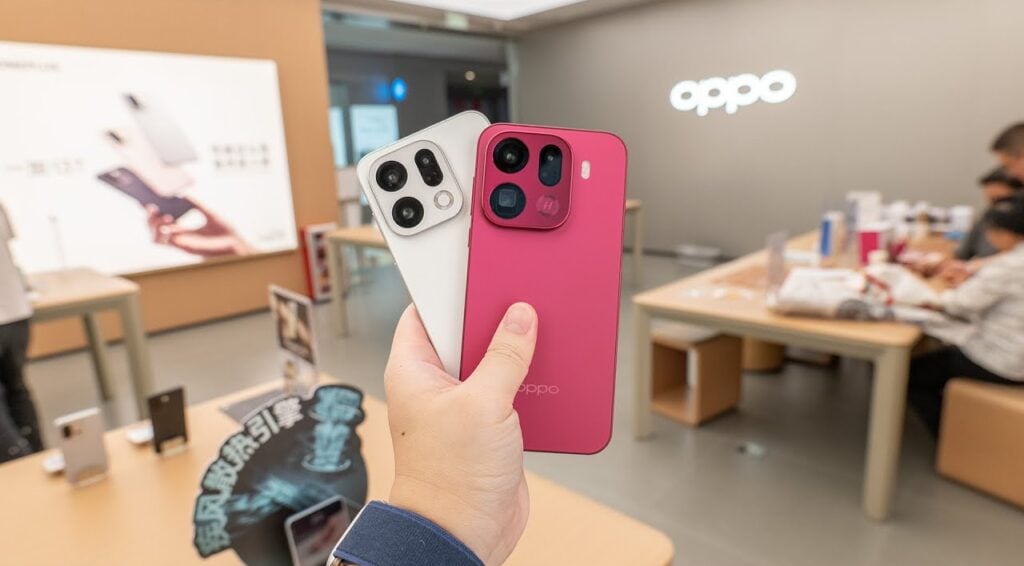
Vivo came in fourth, aided by premium segment growth and strong offline performance in India. Oppo dropped to fifth after a 4% decline, impacted by weak demand in China and rising competition across the Asia-Pacific. The combined Oppo and Realme shipment share stood at 11%.
Counterpoint analysts issued a cautious outlook for 2026. They expect smartphone growth to slow due to rising memory prices and component shortages, as chipmakers shift resources to AI data centers. Apple and Samsung are projected to remain resilient, while Chinese OEMs may face increased supply-side challenges.
For more daily updates, please visit our News Section.
We use cookies on our website to give you the most relevant experience by remembering your preferences and repeat visits. By clicking “Accept”, you consent to the use of ALL the cookies.
This website uses cookies to improve your experience while you navigate through the website. Out of these, the cookies that are categorized as necessary are stored on your browser as they are essential for the working of basic functionalities of the website. We also use third-party cookies that help us analyze and understand how you use this website. These cookies will be stored in your browser only with your consent. You also have the option to opt-out of these cookies. But opting out of some of these cookies may affect your browsing experience.
Necessary cookies are absolutely essential for the website to function properly. This category only includes cookies that ensures basic functionalities and security features of the website. These cookies do not store any personal information.
Any cookies that may not be particularly necessary for the website to function and is used specifically to collect user personal data via analytics, ads, other embedded contents are termed as non-necessary cookies. It is mandatory to procure user consent prior to running these cookies on your website.