Advertisement

Motorola Razr Fold FIFA World Cup 26 Edition launched in India, brings UI customizations, FIFA logo, and more

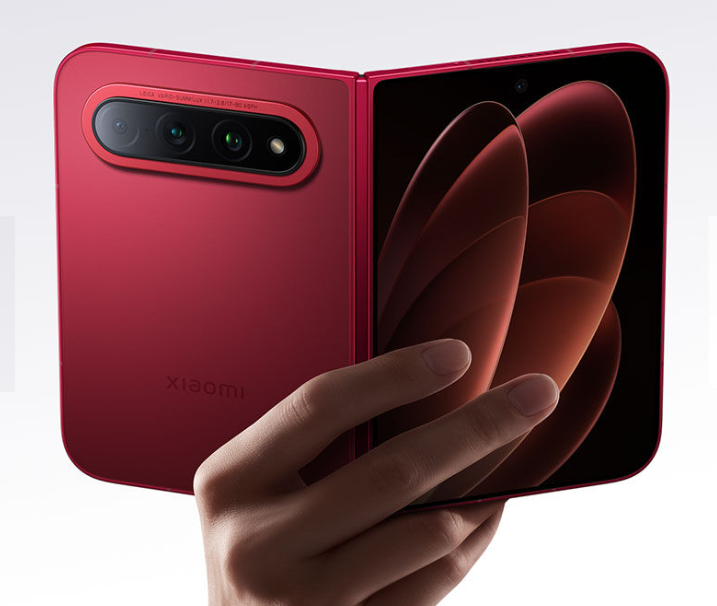
Motorola has officially launched the Razr Fold in India after introducing its first book-style foldable smartphone in select global markets earlier this year. Alongside the standard models, India is also getting the special Motorola Razr Fold FIFA Edition, which comes with exclusive FIFA-themed UI customizations, a FIFA Heroes game and 24 karat FIFA logo plating on the rear panel. The limited-edition model is available only in the 16GB+512GB configuration and adds a more premium appeal to Motorola’s latest foldable lineup.

Motorola Razr Fold specifications and features

Motorola Razr Fold FIFA World Cup 26 Edition

The Motorola Razr Fold features a slim body measuring 9.9mm when folded and just 4.6mm when unfolded. The device weighs 244 grams and carries IP48/IP49 certification for dust and water resistance. Motorola has also added support for the Motorola Pen Ultra, targeting users interested in productivity and creative tasks on the large foldable display.

Motorola has equipped the phone with a 6000mAh silicon-carbon battery along with 80W wired charging, 50W wireless charging and 5W reverse wired charging support. The foldable is powered by the Snapdragon 8 Gen 5 chipset coupled with up to 16GB LPDDR5X RAM and up to 512GB storage.

For photography, the Razr Fold packs a triple rear camera setup featuring a 50-megapixel Sony LYTIA 828 primary camera with OIS, a 50-megapixel ultra-wide camera with a 122-degree field of view and an OIS-enabled 50-megapixel periscope telephoto camera with 3x optical zoom and OIS. The device also gets a 32-megapixel external front camera and a 20-megapixel camera on the inner display.

The phone sports a 6.6-inch external pOLED display with a 165Hz refresh rate, Gorilla Glass Ceramic 3 protection and up to 6000 nits peak brightness. Inside, it features an 8.1-inch LTPO foldable display with a 120Hz refresh rate and up to 6200 nits brightness. The Razr Fold runs Android 16 out of the box and Motorola promises seven Android upgrades along with seven years of security updates.

moto buds 2 plus

Motorola has also launched the Moto Buds 2 Plus alongside the Razr Fold. The earbuds are powered by Sound by Bose tuning and feature 11mm dynamic drivers, Dynamic ANC, LHDC and LDAC codec support, and up to 40 hours of total playback time with the charging case.

Motorola Razr Fold price and availability

The Motorola Razr Fold 12GB + 256GB variant is priced at Rs 1,49,999 (~$1,570), while the 16GB + 512GB model costs Rs 1,59,999 (~$1,670). The special Motorola Razr Fold FIFA Edition with 16GB+512GB storage is priced at Rs 1,69,999 (~$1,780). The phone comes in Lilly White and Blackened Blue shades and will go on sale starting May 20. Meanwhile, the Moto Buds 2 Plus are priced at Rs 5,999 (~$65).

Motorola is also offering launch benefits for buyers. Customers purchasing the Razr Fold can avail either an instant bank discount of Rs 10,000 or an exchange bonus of Rs 10,000. The company is additionally offering no-cost EMI options for up to 18 months on select bank cards. Buyers of the Moto Buds 2 Plus can get an instant bank discount of Rs 1,000.

For more daily updates, please visit our News Section.

Stay ahead in tech! Join our Telegram community and sign up for our daily newsletter of top stories! 💡

Oppo begins ColorOS 16.1 rollout with major visual changes and AI upgrades

ColorOS 16.1 rollout

Alongside Android 17, Oppo has been working on a mid-cycle upgrade, ColorOS 16.1, which has just started rolling out to initial devices. It’s still based on Android 16, but there are a host of visual changes, AI upgrades, and enhancements that make it feel like more than an incremental upgrade.

ColorOS 16.1 rollout progress and timeline

The ColorOS 16.1 update is currently rolling out to Oppo Find X9 series phones, with expansion to the Reno 15 series and the Find X8 series expected to follow soon. The upcoming Oppo Find X9s and Find X9 Ultra will boot the latest software out of the box.

Oppo has yet to announce a global rollout schedule for ColorOS 16.1. The rollout schedule for China has already been released, which suggests the update will only be released for a limited set of devices, mainly recent flagship phones and select mid-range phones. We’ll update you on the website when the global rollout schedule is announced.

ColorOS 16.1 update: New features and major upgrades

1. Live Space

It’s one of the biggest additions to ColorOS 16.1, which looks and functions similar to the Now Bar on Samsung phones. It’s a capsule-shaped UI element that sits at the bottom of the screen and displays ongoing activities, such as timers, music playback, food delivery tracking, and notifications.

You can tap a capsule to expand it for more controls, and swipe between multiple live activities to see updates without unlocking your phone or opening apps.

Live Space also works with Google Maps. You can tap the album art to expand it to full-screen mode, which offers more controls and real-time scrolling lyrics on the lock screen.

2. Contour Glow effect

ColorOS 16.1 brings the Contour Glow effect to Settings, adding a subtle shimmer animation around UI elements like Control Center toggles, lock screen widgets, and the search bar. You can enable or disable this feature anytime.

3. Redesigned Camera app

The Camera app receives several big upgrades with the ColorOS 16.1 update. It now features translucent layers, glossy blur effects, floating cards, and smoother transitions throughout the interface.

As Smartprix noted, the controls have been moved as well. EV and exposure controls now don’t sit together, and the swipe-up function from the viewfinder opens quick controls like aspect ratio, macro mode, action mode, and soft light. The Settings section now opens in pop-up cards instead of full-screen. Modes like Portrait and Text now use popup-style menus.

4. MindPilot AI

ColorOS 16.1 introduces MindPilot AI to Mindspace, a deeply integrated AI assistant to manage everyday contextual requests. It supports ChatGPT, Gemini, and Perplexity models to ask questions and suggestions, with Mindspace content and integrations as context, for a more personalized response.

5. AI Bill Manager

The update also introduces a new AI Bill Manager to help you track your expenses. It can track expenses, income, daily averages, and monthly spending patterns.

You can manually add expense records and import older data from supported apps or use Excel and CSV files. Further, users can also set spending limits and ask the AI to get spending data.

6. AI Menu Translation

Those who frequently travel abroad would find this feature very helpful, as it instantly translates foreign languages through the camera. So, you don’t need to take the image and paste it into a translator app. The AI Menu Translation feature can also identify prices and convert currencies.

You can download the language packs, totaling about 518MB, for offline translation support. This new feature can also generate AI summaries during real-time conversations.

7. AI Home Screen Organization

The AI can also handle home screen organization, grouping apps by category (such as games, social media, music) or by icon color. The feature also saves layout history, so you can restore it later.

8. AI Document Scanning

The upgraded AI Document Scanning feature now filters out shadows, glare, blur, and distortion, resulting in better output. With upgraded capabilities, it can now recognize handwriting, long paragraphs, and tables more accurately.

Scanned docs are automatically saved in the Documents app and can be exported to Word or copied instantly.

9. Audio Sharing

ColorOS 16.1 adds support for Audio Sharing, allowing users to connect two audio devices at the same time. You can play the audio through both connected audio devices simultaneously. This feature works with earbuds and supported Audio devices.

All you need to do is connect the second audio device through the Audio Sharing menu.

10. Smoother animations

Oppo continues to refine animations to make it feel smoother and more polished, with ColorOS 16.1 taking it a step further. You’ll experience better animations with floating windows, app closing, and app opening. Scrolling inside apps also feels more refined with reduced jitters.

11. Quick Share with AirDrop support

Oppo has added AirDrop support to Quick Share on several devices running ColorOS 16.1. It allows users to share files with Apple devices without third-party apps. This feature is currently available on the Oppo Find X9 and Find X9 Pro.

Remember to visit the Oppo section regularly to get the latest updates. Alternatively, you can join our Telegram channel to get instant notifications when we post new stories.

Xiaomi Pad 8 Pro vs iPad Air 11 (2026): Which Tablet Is Actually Worth Buying?

Xiaomi Pad 8 Pro and the Apple iPad Air 11 (2026) represent two very different ideas of a premium tablet. One focuses on flagship hardware and aggressive value, while the other leans on ecosystem polish and professional-grade performance. From gaming and entertainment to productivity and creative work, this comparison breaks down which tablet actually delivers the better experience for the price. 

Major Features:

FeatureXiaomi Pad 8 ProiPad Air 11 (2026)Winner
Display11.2-inch IPS LCD, 144Hz, HDR10, Dolby Vision, 800 nits11-inch Liquid Retina IPS LCD, 60Hz, 500 nitsXiaomi – Smoother refresh rate and richer HDR support
Resolution2136 × 3200 pixels, 345 ppi1640 × 2360 pixels, 264 ppiXiaomi – Sharper and more detailed panel
ChipsetSnapdragon 8 EliteApple M4iPad – Better efficiency and professional performance
GPUAdreno 830Apple 9-core GPUiPad – Stronger optimization for creative apps
RAMUp to 16GB12GBXiaomi – Higher maximum memory option
StorageUp to 512GBUp to 1TBiPad – Higher storage ceiling
Operating SystemAndroid 16, HyperOS 3iPadOS 26iPad – Better tablet app ecosystem
Rear Camera50MP12MPXiaomi – Higher-resolution hardware
Front Camera32MP ultrawide12MP ultrawideXiaomi – Sharper selfies and video calls
Video Recording4K 60fps4K 60fps with gyro-EISiPad – Better stabilization quality
SpeakersQuad stereo speakers, Dolby AtmosStereo speakersXiaomi – More immersive audio setup
Battery9200mAh7606mAhXiaomi – Larger battery capacity
Charging67W wired, reverse chargingStandard wired chargingXiaomi – Much faster charging speeds
ConnectivityWi-Fi 7, Bluetooth 5.4, IR blasterWi-Fi 7, Bluetooth 6.0iPad – Newer Bluetooth standard
USB PortUSB Type-C 3.2USB Type-C 3.1 Gen2 with DisplayPortiPad – Better external display support
Stylus SupportYesYesTie – Both support stylus accessories
Build QualityAluminum frame and backAluminum frame and backTie – Both feel premium
Starting Price₹47,000 / $500₹65,000 / $600Xiaomi – Better hardware value for the price
Overall ValueFlagship specs at lower costPremium ecosystem experienceXiaomi – More features for less money
Disclaimer: Specs are based on available data. Actual performance may vary. Verify details from official sources before buying.

1. Design and Display

Build and Feel

The Xiaomi Pad 8 Pro and the Apple iPad Air 11 (2026) both use premium aluminum builds, but they target slightly different users. Xiaomi focuses on a sharper entertainment-first approach with stylus support, Dolby Atmos quad speakers, and a more aggressive hardware package. The iPad Air 11 feels cleaner and more refined in software integration, especially for users already invested in the Apple ecosystem. The anti-reflective coating on the iPad also helps during long reading or editing sessions.

Display Quality

Xiaomi clearly pushes harder on display specifications. Its 144Hz IPS LCD panel supports HDR10, Dolby Vision, HDR Vivid, and reaches higher brightness levels, making streaming and gaming noticeably smoother. The taller 3:2 aspect ratio also works well for productivity. The iPad Air’s Liquid Retina display still looks accurate and natural, but the 60Hz refresh rate feels conservative in this price range. Apple’s color tuning remains excellent, though Xiaomi’s panel simply feels more modern for media-heavy users.

Verdict

The Xiaomi Pad 8 Pro delivers a more exciting display and entertainment experience, while the iPad Air 11 prioritizes polish and ecosystem consistency. For pure visual value, Xiaomi takes the lead.

2. Specifications Including Battery

Performance

The Xiaomi Pad 8 Pro runs on the Snapdragon 8 Elite chipset paired with up to 16GB RAM and fast UFS 4.1 storage, making it a powerhouse for Android gaming and multitasking. However, the iPad Air 11’s Apple M4 chip still sets the benchmark for tablet-class performance. Video editing, creative workloads, and long-term optimization feel more effortless on iPadOS. Apple’s app ecosystem also remains stronger for professional tablet software.

Battery and Charging

Xiaomi packs a larger 9200mAh battery with 67W fast charging and reverse wired charging support. The charging speed difference is dramatic in daily use, especially for users constantly on the move. Apple’s battery optimization is reliable, but the slower charging experience feels dated compared to modern Android tablets. Xiaomi’s setup simply offers more flexibility and convenience.

Verdict

The iPad Air 11 wins in raw processing efficiency and professional app optimization, but Xiaomi balances flagship performance with faster charging and better battery practicality. For gaming and daily versatility, the Xiaomi Pad 8 Pro feels more complete.

3. Camera

Main and Secondary Lenses

Neither tablet is designed primarily for photography, but both handle casual shooting and document scanning comfortably. Xiaomi uses a 50MP rear camera with HDR support and 4K recording at up to 60fps. The higher resolution helps with sharper detail and better flexibility in bright lighting. Apple counters with a 12MP sensor supported by strong image processing and gyro-EIS, producing cleaner and more natural-looking video stabilization.

Selfie Camera

The Xiaomi Pad 8 Pro includes a 32MP ultrawide front camera that performs well for online classes and video conferencing. It captures more detail and offers a wider field of view for group calls. The iPad Air 11 uses a 12MP ultrawide selfie camera with Apple’s reliable video optimization, resulting in smoother and more consistent FaceTime quality. Apple still feels slightly more polished for video communication.

Verdict

Xiaomi offers better camera hardware overall, especially on the front side, while Apple delivers more refined image processing and stabilization. Users focused on video meetings and casual content creation may prefer Xiaomi’s sharper setup.

4. Pricing

The Xiaomi Pad 8 Pro is priced at around ₹47,000 ($500), while the iPad Air 11 (2026) starts at around ₹65,000 ($600). That pricing gap changes the overall value discussion significantly. Xiaomi offers a flagship Snapdragon chipset, 144Hz display, larger battery, faster charging, quad speakers, and high-resolution cameras at a noticeably lower price. On pure hardware specifications, it delivers exceptional value.

The iPad Air 11 justifies its higher pricing through the Apple M4 chip, longer software support expectations, a premium app ecosystem, and smoother ecosystem integration with other Apple devices. Creative professionals and users deeply tied into macOS or iPhone workflows may still find the premium worthwhile. However, casual users could find the extra cost difficult to justify when Xiaomi already covers most high-end tablet needs.

Verdict

The Xiaomi Pad 8 Pro is the stronger value-for-money option. The iPad Air 11 makes sense mainly for users prioritizing Apple’s ecosystem and professional software advantages.

Disclaimer:
Prices are approximate and may vary based on country, region, launch timing, and applicable taxes. Always check whether the listed price is for a China unit or a global/international variant when purchasing.

5. Conclusion

The Xiaomi Pad 8 Pro stands out with its 144Hz Dolby Vision display, Snapdragon 8 Elite processor, massive battery, and ultra-fast charging. It feels designed for users who want maximum hardware value, gaming power, and multimedia performance without crossing ultra-premium pricing territory. The feature-to-price ratio is difficult to ignore.

The iPad Air 11 focuses more on efficiency, ecosystem continuity, and long-term software refinement. The Apple M4 chip brings desktop-level power to a thin tablet experience, and iPadOS still offers some of the best optimized creative applications available on any tablet platform. The overall experience feels cleaner and more mature for productivity-focused buyers.

Verdict

The Xiaomi Pad 8 Pro is the better all-rounder for entertainment, gaming, and hardware value. The iPad Air 11 remains the stronger choice for professional workflows and ecosystem-driven users. For most buyers comparing specifications against price, Xiaomi delivers the more compelling package.

Disclaimer: This comparison is based on the specifications provided and is intended for general informational purposes. Actual performance, camera results, battery life, and overall experience may vary depending on real-world usage, software updates, and individual preferences.

Read More:

Samsung’s second One UI 9 beta rollout brings Android 17 features to more regions

Samsung has confirmed that a second wave of the One UI 9 beta rollout will begin later this month for Galaxy S26 users in additional regions. The Android 17-based software was recently introduced in limited markets, and the company is now preparing to expand beta access gradually. Apart from visual changes, the update also introduces AI-focused features, customisation improvements and stronger security tools.

One UI 9 beta expands to more Galaxy S26 users

One UI 9
One UI 9 beta

According to Samsung, the second phase of the One UI 9 beta rollout will begin on May 26. The company had previously announced beta availability for countries including India, the US, the UK, Germany, South Korea and Poland, although not all users received access during the first phase. Galaxy S26 owners can register for the beta program through the Samsung Members app once it becomes available in their region.

One UI 9 introduces several interface changes across the system. Samsung has redesigned the Quick Panel, allowing users to independently adjust the size and placement of controls for brightness, media playback and sound. The update also adds new features to Samsung Notes, including additional pen styles and decorative tape effects aimed at improving journaling and note customization.

Samsung has also integrated Creative Studio tools inside the Notes app, allowing users to create profile cards without switching between multiple applications. Accessibility features have been improved as well, with adjustable Mouse Key speeds and enhanced TalkBack integration. A new Text Spotlight feature enlarges selected text inside a floating window to make reading easier.

The company says One UI 9 also focuses heavily on proactive security. The software can reportedly detect suspicious or potentially harmful apps more aggressively and warn users before installation or execution. Samsung may also recommend deleting risky applications through updated security policies.

While the beta is currently limited to the Galaxy S26 lineup, Samsung is already rolling out stable One UI 8.5 updates for older devices, which suggests wider One UI 9 beta support could arrive later. The stable version of One UI 9 is expected to debut alongside Samsung’s next flagship Galaxy smartphones later this year. Which One UI 9 feature are you most excited to try on your Galaxy device?

For more daily updates, please visit our News Section.

Stay ahead in tech! Join our Telegram community and sign up for our daily newsletter of top stories! 💡

Oppo Find X9 Ultra with 10x optical zoom is launching on May 21 in India, Find X9s tags along

Oppo has confirmed that the Find X9s and Find X9 Ultra will launch in India on May 21. The new additions to the Find X9 lineup are heavily focused on photography, video recording and sustained flagship performance. Alongside upgraded Hasselblad camera systems, both devices also feature large silicon-carbon batteries and dedicated cooling technologies designed for extended camera use.

Oppo Find X9 Ultra focuses on long-range photography

The Find X9 Ultra introduces Oppo’s latest Hasselblad Master Camera System paired with the company’s LUMO Image Engine for computational photography enhancements. The device features a 200-megapixel primary camera, a 200-megapixel 3x telephoto camera, and a dedicated 50-megapixel 10x optical telephoto camera designed for long-range shooting.

Oppo says the phone uses an industry-first Quintuple Prism Periscope Structure, where incoming light is reflected five times internally before reaching the sensor. This allows the device to deliver an approximate 230mm equivalent focal length without making the camera module excessively large. The company says the setup prioritizes optical image capture before software processing to preserve more natural details at higher zoom levels.

The Find X9 Ultra also supports O-Log2 recording, ACES color workflows, custom 3D LUT integration, 8K 30fps video recording and 4K 120fps recording across both the primary and telephoto cameras. Powering the device is the Snapdragon 8 Elite Gen 5 chipset paired with OPPO’s Trinity Engine and a next-generation 3D Cryo-velocity Cooling System. The phone packs a 7050mAh silicon-carbon battery aimed at longer shooting endurance.

Oppo Find X9s brings flagship imaging in a slimmer body

The Find X9s comes with a triple 50-megapixel Hasselblad camera setup housed inside a slim 7.99mm body. It supports 4K 60fps Dolby Vision recording across all cameras and includes dual-video capture capabilities alongside AI-powered features through ColorOS 16.

The device is powered by the MediaTek Dimensity 9500s chipset built on a 3nm process. OPPO has also included an advanced vapor chamber cooling system with a 32,052.5mm² heat dissipation area and a 7025mAh silicon-carbon battery. To sum up, it is a toned-down version of the existing Find X9.

Pricing details for both models will be announced during the India launch event on May 21.

For more daily updates, please visit our News Section.

Stay ahead in tech! Join our Telegram community and sign up for our daily newsletter of top stories! 💡

Garmin’s new GPS Forerunner watches could be the sweet spot for everyday runners

Garmin has launched the Forerunner 70 and Forerunner 170, two new running-focused smartwatches aimed at users who want structured training tools without moving into the company’s higher-end watch lineup. Both models will be available from May 15, with prices starting at $249.99.

Smartwatch

What does the Forerunner 70 offer?

The Forerunner 70 is the entry point in the new range. It has a 1.2-inch AMOLED display, touchscreen support, and Garmin’s familiar five-button layout, which remains useful during sweaty workouts or runs in the rain. The watch includes built-in GPS, wrist-based heart-rate tracking, pace, distance, time, smart notifications, and safety tools such as LiveTrack.

Smartwatch

Garmin is also adding more guided training features to this price tier. Quick workouts can be created using basic inputs such as fitness level, time, and intensity. Garmin Coach plans adjust daily using health and recovery data, while Garmin Run Coach adds run/walk and lower-volume training options for newer runners or users easing back into training.

The watch also supports daily suggested workouts, training readiness, training status, wrist-based running power, and running dynamics. Garmin says these features are powered by its Human Performance Lab. The Forerunner 70 also includes more than 80 sports modes, covering running, cycling, swimming, strength training, and other activities.

Health tracking includes sleep monitoring, sleep coach, HRV status, Pulse Ox, breathing variations, lifestyle logging, and Health Status. Battery life is rated at up to 13 days in smartwatch mode. Color options include citron, soft pink, tidal blue, cool lavender, black, and whitestone.

What does the Forerunner 170 add?

The Forerunner 170 carries the same core training, recovery, and health features as the Forerunner 70, but adds Garmin Pay for contactless payments. The Forerunner 170 Music variant also supports offline music downloads from compatible third-party services, with a subscription required, and playback through Bluetooth headphones.

Smartwatch

That makes the Forerunner 170 the more convenient pick for runners who want to leave their phone behind during workouts. It keeps the same fitness tracking tools, while adding payments and music support for everyday use.

How much do the new Garmin watches cost?

The Forerunner 70 costs $249.99, the Forerunner 170 costs $299.99, and the Forerunner 170 Music costs $349.99. Garmin says all three models will be available from May 15.

For more daily updates, please visit our News Section.

Stay ahead in tech! Join our Telegram community and sign up for our daily newsletter of top stories! 💡

Sony Xperia 1 VIII launches with Snapdragon 8 Elite Gen 5, upgraded 48MP telephoto camera

Sony has officially unveiled the Xperia 1 VIII, introducing a mix of camera-focused upgrades, AI-driven software features, and hardware elements that are becoming increasingly rare in flagship smartphones. The latest Xperia model continues Sony’s creator-first approach while refining imaging performance, audio quality, and overall processing capabilities.

Sony Xperia 1 VIII specifications and features

Sony Xperia VIII
Sony Xperia VIII

The Sony Xperia 1 VIII features a 6.5-inch OLED LTPO display with up to 120Hz refresh rate support, Gorilla Glass Victus 2 protection, and creator-focused color tuning. One of the biggest highlights of the Xperia 1 VIII is its upgraded telephoto camera system. Sony has replaced the previous continuous zoom setup with a new 70mm telephoto camera featuring a much larger 1/1.56-inch sensor and 48-megapixel resolution.

According to the company, the larger sensor is designed to capture better detail and improved low-light shots. The phone also includes a 48-megapixel primary camera, a 48-megapixel ultra-wide sensor, and a 12-megapixel front camera. Sony says RAW multi-frame processing works across all rear cameras to improve dynamic range and reduce image noise.

Sony Xperia VIII
Sony Xperia VIII

The smartphone is powered by Qualcomm’s Snapdragon 8 Elite Gen 5 chipset. It comes with up to 16GB of RAM and up to 1TB of UFS 4.1 storage. The support for microSD cards up to 2TB remains intact.

Sony has also retained several signature Xperia features, including a dedicated two-stage camera shutter key and a 3.5mm headphone jack. The phone includes stereo speakers with identical left and right speaker units for balanced audio output. A 5000mAh battery powers the device with support for 30W wired charging and wireless charging.

Sony Xperia 1 VIII price and availability

The Xperia 1 VIII is available for pre-orders starting May 13 in select regions. The standard 256GB variant is priced at €1499 / £1399, while the exclusive 1TB Native Gold edition costs €1999 / £1849 and will be sold through Sony’s online store in select markets. Sony is also bundling WH-1000XM6 headphones with eligible pre-orders for a limited period.

For more daily updates, please visit our News Section.

Stay ahead in tech! Join our Telegram community and sign up for our daily newsletter of top stories! 💡

iQOO 15T launch date confirmed, to be first Dimensity 9500 Monster Edition phone with 2K display

iQOO has officially confirmed the launch date of the iQOO 15T, with the smartphone set to debut in China on May 20 at 7 PM local time. The company has also revealed key details about the phone’s display, chipset, battery, and gaming-focused features, giving a clearer idea of what to expect from the upcoming flagship.

iQOO 15T aims to stand out with a rare 2K gaming display

iQOO 15T launch date-
iQOO 15T launch date

The iQOO 15T will become the first smartphone to feature the Dimensity 9500 Monster Edition chipset globally. The company claims the chip includes exclusive low-level tuning alongside the in-house Q3 gaming chip to deliver smoother frame rates and lower power consumption in demanding games such as Genshin Impact. iQOO says the phone can maintain near full-frame gameplay for 30 minutes while keeping power draw under 5W.

One of the biggest highlights of the device is its 6.82-inch 2K “Everest” flat display with narrow bezels. While many flagship phones have shifted back to 1.5K panels to reduce costs and simplify game optimisation, iQOO appears to be positioning the 15T as a premium performance phone that still prioritises display sharpness. The Q3 chip is also expected to support simultaneous 2K resolution and 144Hz frame interpolation during gaming.

The Dimensity 9500-powered phone is expected to pack an 8000mAh battery with support for 100W wired fast charging. iQOO has also confirmed a dual rear camera setup consisting of a 200-megapixel primary sensor and a 50-megapixel secondary camera, while the front camera uses a 16-megapixel sensor.

In terms of design, the iQOO 15T follows the styling of the iQOO 15 Ultra with a transparent-inspired square camera module. The device will be available in Qingyun, Track Edition, and Legend Edition color variants. It is expected to run OriginOS 6 based on Android 16 and weighs around 216 grams.

For more daily updates, please visit our News Section.

Stay ahead in tech! Join our Telegram community and sign up for our daily newsletter of top stories! 💡

Xiaomi 17 Max’s first teaser released, confirmed to launch this month

Xiaomi has officially started teasing the Xiaomi 17 Max ahead of its launch later this month, giving users an early look at the phone’s design and some of its key upgrades. The device appears to focus heavily on offering a premium large-screen experience while improving battery life, camera hardware, and overall performance compared to the standard Xiaomi 17.

Xiaomi 17 Max focuses on a true big-screen flagship experience

Xiaomi 17 Max teaser

The Xiaomi 17 Max features a 6.9-inch flat display with narrow bezels and a design language similar to the Xiaomi 15 series. Official images show a rounded camera module integrated smoothly into the rear panel, while reports suggest the phone could continue using premium materials such as ceramic or a carbon fibre-inspired finish on select variants. Xiaomi has confirmed black, blue, and white color options for the device.

Lu Weibing, who is a partner and president of Xiaomi Group, president of the mobile phone division, and general manager of the Xiaomi brand, described the 17 Max as a “fully upgraded” version of the standard Xiaomi 17 rather than just a bigger phone.

Xiaomi 17 Max: What’s known so far?

Xiaomi 17 Max teaser
Xiaomi 17 Max color options

As per reports, the Xiaomi 17 Max is expected to feature a 1.5K LTPO panel with a 120Hz refresh rate and symmetrical dual speakers. It is also tipped to come with advanced water resistance and an ultrasonic in-display fingerprint scanner.

The phone is expected to include an 8000mAh battery, which could become the largest battery ever offered on a Xiaomi-branded smartphone. Charging support may include 100W wired fast charging alongside 50W wireless charging with PPS compatibility.

The camera setup is also expected to receive notable upgrades, including a 200-megapixel Samsung ISOCELL HP-series primary sensor, paired with a 50-megapixel ultra-wide camera and a 50-megapixel periscope telephoto lens offering 3x optical zoom. Leica branding is expected to remain part of the imaging system. Powering the device could be Qualcomm’s Snapdragon 8 Elite Gen 5 chipset paired with LPDDR5X RAM and UFS 4.1 storage.

For more daily updates, please visit our News Section.

Stay ahead in tech! Join our Telegram community and sign up for our daily newsletter of top stories! 💡

Google is bringing Android to laptops with its new AI-focused Googlebooks

Google is trying something new with laptops. Fifteen years after introducing the Chromebook, the company has announced the Googlebook. Instead of ChromeOS, these new laptops will run on an Android-based operating system that heavily integrates its Gemini Intelligence.

Googlebooks

The basic idea is to combine the standard Chrome browser with standard Android apps. The most noticeable change is how you interact with the mouse. Google and DeepMind built a feature called Magic Pointer.

If you wiggle your cursor, Gemini pops up to offer contextual actions based on what’s on your screen. For example, pointing at a date in an email can create a calendar event, or selecting two images can merge them visually. It’s a different approach to standard clicking.

It also includes a prompt-based widget maker. You can type what you need, and Gemini will pull information from your Google apps or the web to make a custom widget. If you’re planning a trip, it can gather your flight details and hotel reservations into one temporary spot on your screen.

Googlebooks

Because it runs on Android, the OS is designed to work closely with Android phones. You can open your phone apps on the laptop screen to reply to a message or finish a quick task. It also offers a Quick Access feature that lets you browse your phone’s files directly from the laptop’s file manager without having to transfer them to the cloud first.

Google is working with Acer, Asus, Dell, HP, and Lenovo to build the hardware. The laptops are expected to use higher-end materials and will feature a physical glowbar to distinguish them from regular Chromebooks. There is no word on pricing or an exact release date yet, but Google says more details are coming later this year.

For more daily updates, please visit our News Section.

Stay ahead in tech! Join our Telegram community and sign up for our daily newsletter of top stories! 💡

(Google)

Google is turning Android into an AI agent with Gemini Intelligence

Google just announced a new set of AI tools for Android called Gemini Intelligence. The basic idea is to have your phone handle more of your daily busywork. These features are rolling out this summer, starting with the new Samsung Galaxy S26 and Google Pixel 10, and will eventually come to other Android phones, smartwatches, and laptops later in the year.

Gemini Intelligence

The main change is app automation. Instead of just answering questions, Gemini can now navigate your phone to do things like book a workout class or order groceries. You can even long-press the power button over a screenshot of a grocery list, and Gemini will build the cart for you. You can watch its progress through a notification and just confirm the final purchase.

Browsing is getting a similar update. In late June, Chrome for Android will add an auto browse tool to help with routine tasks like reserving parking. Android’s Autofill is also getting a boost, pulling context from your apps to fill out complex forms so you don’t have to type as much.

Gemini Intelligence

For texting, Gboard is adding a voice feature called Rambler. If you tend to use filler words, pause, or switch languages while using voice dictation, Rambler will clean up the audio and turn it into a clear text message before you send it.

Google is also adding a text-to-widget tool. You can type a prompt, like asking for a weekly recipe list or a widget that only shows wind speed, and Android will build a custom widget for your home screen.

Because giving AI access to your screen requires trust, Google is keeping these features opt-in. The company says it uses secure environments to process the data, and an upcoming update to the Android Privacy Dashboard will let you see exactly which apps the AI interacted with over the past 24 hours.

And whenever the assistant is doing something in the background, a notification will stay at the top of your screen that you can’t swipe away, so you’ll always know when it’s running.

For more daily updates, please visit our News Section.

Stay ahead in tech! Join our Telegram community and sign up for our daily newsletter of top stories! 💡

(Google)

Sony launches Reon Pocket Pro Plus wearable AC with improved cooling

Wearable climate control often feels like a novelty, but Sony has been steadily developing its Reon Pocket lineup in Japan since 2019. Now, the company is launching its latest version, the Reon Pocket Pro Plus, in the US. Retailing for €229 in Europe and £199 in the UK (approximately $268), this compact device is a personal temperature regulator designed to rest on the back of your neck.

Sony Reon Pocket Pro Plus Specifications

According to Sony, this version improves cooling performance by 20% compared to the previous generation. The cooling plate can drop an additional 2 degrees Celsius, which should make a noticeable difference in how cold it actually feels against your skin when you are walking outside.

The physical design has also been tweaked to make it easier to wear. Sony added a flexible neckband that grips your shoulders a bit better, keeping the main unit from shifting around when you walk or bend over. More importantly, the exhaust vent is now adjustable. You can extend it and change the angle so that the hot air blowing out of the device doesn’t get trapped under a high shirt collar or jacket.

Inside, the device uses dual thermo-modules and a sensor system to monitor your skin temperature. If you use the companion app, you can set a target temperature, and the device’s smart modes will automatically adjust its output as your environment changes. If you don’t want to rely on your phone, there are physical buttons on the side to turn it on and switch between heating and cooling modes.

Sony says the battery lasts up to 15 hours on the smart cooling setting, and because it operates quietly, you can wear it indoors or at work without bothering anyone. The company is also offering a companion accessory called the Wearable Sensing Device (or Reon Pocket Tag 2). It is a small sensor you can clip to your bag or belt loop that measures the ambient temperature and humidity, feeding that data back to the main unit so it can adjust itself more accurately.

The Reon Pocket Pro Plus will be sold exclusively through Sony’s online store in the US starting in the summer of 2026. The exact US pricing isn’t announced yet.

In related news, Sony has recently introduced the Sony Bravia 3 II with AI-powered picture enhancements, 4K 120Hz gaming support, and display sizes going up to 100 inches.

For more daily updates, please visit our News Section.

Stay ahead in tech! Join our Telegram community and sign up for our daily newsletter of top stories! 💡

(Sony)

Lenovo Legion Y70 2026 key specs revealed ahead of May 19 launch

Lenovo is finally returning to the gaming phone market after staying quiet for the last few years, and the new Legion Y70 2026 looks like the company is jumping back in pretty aggressively. The phone is officially scheduled to launch in China on May 19, and based on the early details, Lenovo seems to be focusing heavily on battery life and thermal management rather than just chasing benchmark numbers.

One of the first things that stands out is the display. The Legion Y70 2026 uses a 6.82-inch 2K OLED panel with a 144Hz refresh rate, alongside a claimed peak brightness of 7,000 nits. Lenovo is using BOE’s Q10 display panel, which is claimed to be more power-efficient than many of the 1.5K panels used by competing gaming phones right now.

Under the hood is Qualcomm’s Snapdragon 8 Gen 5 chip, though notably not the Elite version. Even so, performance should still land fairly close to last year’s top-tier flagship processors.

Lenovo also seems to be putting a lot of emphasis on cooling this time around. The company mentions a large vapor chamber cooling system paired with something described as “10W thermal conductivity gel”, alongside gaming-focused network optimizations like a dedicated antenna setup for lower latency and more stable connectivity during online gaming sessions.

But honestly, the battery may end up being the phone’s biggest selling point. The Legion Y70 packs an 8,000mAh battery, which is massive even by current gaming phone standards. Lenovo claims up to 19.3 hours of gaming and over 57 hours of regular use, though real-world numbers will obviously vary quite a bit depending on brightness, game load, and network usage.

Charging is handled through 90W wired fast charging, and the phone also supports bypass charging to reduce heat buildup during extended gaming sessions while plugged in. Other specs include up to 16GB LPDDR5X Ultra RAM, UFS 4.1 storage, Android 16, and surprisingly strong durability ratings including IP66, IP68, and IP69 resistance.

Pricing is expected to start around CNY 3,999 (roughly $588 at the current exchange rate), which could make the Legion Y70 2026 fairly competitive against other gaming-focused devices.

Don’t miss a thing! Join our Telegram community for instant updates and grab our free daily newsletter for the best tech stories!

For more daily updates, please visit our News Section.

(Source)

OnePlus 11 vs OnePlus 13 vs OnePlus 15: Should You Upgrade?

If you have used a OnePlus phone from a few years back (like the OnePlus 11), you might know what OnePlus used to focus on. The company built phones that gave you flagship-level speed, fast charging, clean Android software, and decent cameras without charging Samsung or Apple prices. 

Yes, you may have had to compromise on a few things. Like the OnePlus 11 skipped wireless charging, offered only basic water resistance, and missed some premium extras. However, it was a bargain for its launch price. 

OnePlus 13
OnePlus 13

Things started to change with the OnePlus 13. It actually fixed most of the missing features of the OnePlus 11 while keeping the same overall idea intact. But it was the start of a change. And the OnePlus 15 finally took the lineup in a different direction. 

With its latest generation, OnePlus dropped Hasselblad, lowered the display resolution, used smaller camera sensors, and started focusing on gaming features rather than making an all-around flagship. 

So if you still use a OnePlus 11 and are wondering whether you should upgrade, this comparison covers what’s changed across generations, what OnePlus tried to achieve, and which phone actually makes sense for you.

Quick note: We are skipping the OnePlus 12 here because the OnePlus 13 is a bigger jump and still sells in most markets.

1. OnePlus 11 still handles things well 

OnePlus launched the OnePlus 11 in January 2023 with a simple goal: bring back the kind of phone people expect from OnePlus. As such, we titled our review OnePlus is getting better.” 

The phone runs on Snapdragon 8 Gen 2, has a 6.7-inch QHD+ AMOLED display with a 120Hz refresh rate, a 5,000mAh battery, and 100W charging that can fully charge the phone in roughly 25 minutes. OnePlus priced it at $699, which made it much cheaper than Samsung or Google flagships back then.

The camera has Hasselblad tuning and includes a 50MP main sensor, a 32MP 2x telephoto camera, and a 48MP ultrawide camera. The photos looked good overall, although the 2x zoom felt weaker compared to phones offering 3x or 5x optical zoom.

However, to hit that lower price, OnePlus made a few obvious cuts. It only has an IP64 rating that protects the phone from splashes but not full water immersion. The company skipped wireless charging completely, even though some cheaper phones already offered it. The optical fingerprint sensor also felt slower than the ultrasonic scanners Samsung used. Heavy gaming pushed the phone harder than expected, too, especially in demanding games like Genshin Impact.

That said, even in 2026, the OnePlus 11 still handles daily use well enough. OnePlus is also supporting it with up to Android 16 update, so software is not the problem. The bigger issue is that the hardware now sits two generations behind newer flagship phones. The lack of wireless charging and the weaker water resistance also stand out more today than they did in 2023.

2. OnePlus 13 is a more complete flagship

OnePlus launched the OnePlus 13 in China in late 2024 before bringing it globally in early 2025. Instead of changing everything, the company focused on fixing the weak spots from the OnePlus 11.

The phone now runs on the Snapdragon 8 Elite, which improved both performance and efficiency. OnePlus also increased the battery size from 5,000mAh to 6,000mAh using silicon-carbon battery technology. And… OnePlus finally brought back 50W wireless charging. 

We also got an IP rating jump to IP68 and IP69; the fingerprint scanner is now ultrasonic, too.

Moreover, the display also improved in several ways. The 6.82-inch QHD+ AMOLED panel uses LTPO 4.1 technology and reaches up to 4,500 nits peak brightness. OnePlus also moved away from curved edges and switched to a flat display design.

It’s the cameras that have had the biggest improvement. The fifth-generation Hasselblad system used three 50MP sensors, including a proper periscope telephoto camera with 3x optical zoom. The main sensor also grew larger than the one inside the OnePlus 11, so photos looked more natural, with better color balance and less aggressive processing.

Of course, these upgrades mean users had to pay more. The OnePlus 13 launched at $899, which was $200 more than the OnePlus 11. At this point, OnePlus was no longer selling this as a budget-friendly alternative to premium flagships. It was pricing itself alongside them. That said, it still came in below the Pixel 9 Pro and Galaxy S25 at launch.

3. OnePlus 15 changed the formula

OnePlus 15

The OnePlus 15 launched in late 2025, and this is where the lineup changed its direction.

Before launch, OnePlus confirmed that its partnership with Hasselblad had ended. Instead, the company introduced its own image processing system called DetailMax Engine. OnePlus also removed the circular camera design it had used for years and replaced it with a more standard rectangular camera bump.

The display became another major talking point. OnePlus introduced a 165Hz refresh rate; however, to make that happen, the company lowered the resolution from QHD+ to 1.5K.

According to OnePlus, current display panels cannot support both QHD+ resolution and 165Hz refresh rates at the same time. As a result, the company chose refresh rate over resolution, and we think that decision may have influenced the entire phone. 

It runs on the Snapdragon 8 Elite Gen 5. OnePlus also increased the battery size again, from 6,000mAh to 7,300mAh, making it one of the largest batteries in a mainstream flagship phone. And the charging speeds increased from 100W to 120W.

The company also added several gaming-focused features, including a UAV-grade gyroscope, a dedicated touch processing chip, improved cooling, and a gaming Wi-Fi chip designed to reduce latency.

The 165Hz display needs some context, though. The phone only reaches 165Hz in supported games like Call of Duty: Mobile, Battlegrounds Mobile India, Clash of Clans, and Blood Strike. Outside of gaming, the system still runs mostly at 120Hz. Even so, the 3,200Hz touch sampling rate makes controls feel more responsive during gaming sessions.

The software side improved further with OxygenOS 16 on Android 16. OnePlus added AI tools for summarizing content, scanning documents, writing assistance, and easier file sharing with iPhones. The company also extended software support to four Android updates and six years of security patches. Despite all these changes, the price stayed at $899.

4. So, should you upgrade?

That really depends on how you use your phone.

OnePlus 11 to OnePlus 13

This feels like the most balanced and straightforward upgrade path. The OnePlus 13 fixes almost every major complaint people had about the OnePlus 11. You get stronger water resistance, wireless charging, a brighter display, faster fingerprint unlocking, better cameras, and much longer battery life.

Since the phone has been out for some time, prices have likely dropped as well. If you find it on sale, the value becomes even better.

OnePlus 11 to OnePlus 15

This upgrade makes more sense if gaming matters more to you than cameras. The larger battery, gaming hardware, cooling system, and 165Hz support all target mobile gamers directly.

You do give up some camera quality and display sharpness compared to the OnePlus 13, though. If you care about photography, the OnePlus 13 still offers a better overall camera system. But if battery life and gaming performance matter most, the OnePlus 15 fits that role better.

OnePlus 13 to OnePlus 15

This one is harder to justify.

Yes, the OnePlus 15 runs faster and lasts longer on a charge. But it also lowers the display resolution, reduces camera sensor sizes, and loses the Hasselblad tuning that made the OnePlus 13 cameras stand out.

Unless gaming or battery life sits at the top of your priority list, the OnePlus 13 still could be a more balanced flagship, if you really wanna upgrade. Waiting another generation might make more sense, especially if OnePlus improves the camera system again.

For more daily updates, please visit our News Section.

Stay ahead in tech! Join our Telegram community and sign up for our daily newsletter of top stories! 💡

Ugreen launches 25,000mAh 200W power bank with built-in USB-C cables in the US

Ugreen has launched its latest power bank in the US market. Previously introduced in Europe, the device is officially listed as the Ugreen 200W Power Bank 25000mAh Fast Charging Built-in Cable. It carries a retail price of $139.99, although Ugreen is currently offering it at a discounted price of $109.99 through its official website.

Ugreen 200W 25000mAh power bank

Ugreen 200W Power Bank Specifications

For the price, you get a 25,000mAh battery with a total power output of 200W. The charging setup consists of four options. There is a 68cm retractable USB-C cable, a shorter 35cm USB-C cable that loops around to function as a carrying handle, a standard USB-C port, and a single USB-A port. According to Ugreen’s testing data, the built-in cables are rated to survive 10,000 bends, while the retractable mechanism is rated for 25,000 pulls.

If you need to charge two laptops at the same time, the power bank can supply 100W to two separate USB-C connections simultaneously. If you plug devices into three USB-C connections at once, the total output drops to 115W.

It supports standard 100W Power Delivery, which Ugreen says will charge a 16-inch MacBook Pro to 43% in 30 minutes. It also supports Xiaomi’s 90W charging protocol. Capacity-wise, 25,000mAh translates to about 1.3 charges for a 13-inch MacBook Air, 3.4 charges for a Galaxy S25 Ultra, or 4.7 charges for an iPhone 17 Pro.

Ugreen 200W 25000mAh power bank

Following a recent trend in portable batteries, this model includes a small TFT smart display on the front. The screen provides a practical breakdown of the battery’s status, showing real-time input and output wattage for each individual port, the remaining battery percentage, and the estimated time until the bank is empty or fully recharged. It also includes a battery health menu that tracks total cycle counts.

When the power bank is depleted, it supports 100W input. If you use a wall charger capable of those speeds, it takes 2.2 hours to recharge from zero to 100%.

It is a relatively heavy device, weighing 631 grams with dimensions of 15.8 x 5.4 x 5.0 cm. Ugreen states the battery cells will maintain at least 80% of their original capacity after 300 charge cycles, and the outer shell is built from V-0 flame-retardant material with standard thermal and short-circuit protections.

In related news, Ugreen has recently launched the P6 45W 10,000mAh power bank featuring a built-in display and integrated charging cable.

For more daily updates, please visit our News Section.

Stay ahead in tech! Join our Telegram community and sign up for our daily newsletter of top stories! 💡

(Ugreen, Via)
Honor announces AI Projector Pro with keystone correction, obstacle avoidance

Honor has quietly added a new budget-friendly projector to its portfolio. It’s called Honor Choice AI Projector Pro and is set to launch in China on May 15 at a price tag of 1,410.5 yuan or some $207. You can choose from Titanium Gray and Starlight White color options.

The AI Projector Pro is an incremental step up from the 2025 Honor Firefly AI Projector Air, which launched at a far lower 599 yuan price point. The newer Pro model focuses more on image quality and smarter setup features rather than portability or pricing.

Honor Choice AI Projector Pro Specifications 

The projector ships with Android 9.0 pre-installed and promises a cleaner experience than many inexpensive smart projectors by removing startup ads entirely. 

It also has automated setup features like intelligent obstacle avoidance, curtain adaptation, automatic focus, and four-way keystone correction. These are becoming increasingly common in portable projectors, but they still matter because they reduce the amount of manual adjustment required when moving the device between rooms.

Honor Choice AI Projector Pro Launch Specs Price

The projector outputs at a native 1920 x 1080 resolution and supports a maximum compatible resolution of the same size. Honor pairs that with a 2500:1 contrast ratio, a 16:9 aspect ratio, and a 1.2:1 throw ratio. The company lists screen brightness at 750 nits, although we did not find the exact measurement standard being used. 

For comparison, the previous Air model was rated at 280 CVIA lumens, suggesting the new Pro version could deliver a noticeably brighter image, at least on paper.

Inside, the projector runs on a HiSilicon V352 chip and includes 2GB of RAM with 32GB of storage. It also features an all-glass lens, a 2.69-inch LCD display chip, and a built-in 5W speaker. 

The projector supports near-field voice control, Bluetooth, Wi-Fi connectivity, wireless screen casting, HDMI 2.0, and dual USB ports. There’s no Ethernet port, no optical zoom support, and no Type-C connection. It also skips features like MEMC motion smoothing and 3D playback. 

For more daily updates, please visit our News Section.

Stay ahead in tech! Join our Telegram community and sign up for our daily newsletter of top stories! 💡

(Via)

Lexar launches D70E portable SSD with USB-C and USB-A connectors

Lexar has released a new portable SSD called the Dual Drive Portable SSD D70E. It comes with both USB-C and USB-A connectors, allowing it to plug directly into computers, tablets, and phones without requiring adapters or extra cables.

Lexar D70E portable SSD

Lexar D70E Specifications

The D70E is built with a metal housing and uses a retractable, flip-open mechanism to expose the ports. On one end, there is a USB-C connector that supports the USB 3.2 Gen 2×2 standard.

When plugged into a compatible port, Lexar says the drive can reach sequential read speeds of up to 2,000 MB/s. The write speeds on this connection vary by capacity: the 1TB and 2TB models max out at 1,800 MB/s, while the 512GB version is capped at 1,300 MB/s.

On the other end, the USB-A port runs on the USB 3.2 Gen 2 standard. Because of this interface limit, speeds on the USB-A side are capped at 1,000 MB/s for reads and 900 MB/s for writes across all storage sizes.

It is worth keeping in mind that while 2,000 MB/s is a high ceiling for a drive of this size, you will need a host device that specifically supports USB 3.2 Gen 2×2 to actually see those speeds. Many current devices, including Apple’s entire Mac lineup, do not support this specific standard and will fall back to 10Gbps (1,000 MB/s) speeds even when using the USB-C port.

Lexar D70E portable SSD

Beyond standard file transfers, Lexar is pointing to the drive as a tool for mobile backups. It works directly with Android devices, iPads, and recent iPhones with USB-C. The company also provides a companion app designed to automatically back up photos and videos from a phone when the drive is connected.

Pricing and Availability

The D70E is available in three capacities at launch. The base 512GB model is priced at $119.99/£129.99, the 1TB version costs $199.99/£199.99, and the top-tier 2TB drive goes for $299.99/£299.99. All versions of the drive are covered by a five-year limited warranty.

In related news, SanDisk has recently introduced a new 1TB portable SSD offering read speeds of up to 600MB/s, while ADATA recently launched the Urban Tapsafe portable SSD featuring NFC unlocking and transfer speeds of up to 1900MB/s.

For more daily updates, please visit our News Section.

Stay ahead in tech! Join our Telegram community and sign up for our daily newsletter of top stories! 💡

(Lexar)

Samsung patent reveals brilliant trick to store S Pen in Galaxy Z TriFold 2

Samsung may have found a way to solve one of the biggest missing features on its tri-fold phones: where to put the S Pen. A newly discovered Samsung patent suggests the company is experimenting with a built-in stylus slot integrated directly into the hinge area of a future tri-fold device, likely something along the lines of a second-generation Galaxy Z TriFold.

The idea itself is actually pretty clever. Instead of storing the stylus inside the main body like the Galaxy S Ultra series, Samsung’s design places the S Pen vertically along part of the hinge structure. Patent illustrations shared by tipster @xleaks7 show the stylus sitting inside a dedicated compartment built into the foldable hinge assembly itself. And it apparently does more than just hold the pen in place. The patent mentions magnetic retention, charging support while docked, and detection systems that can recognize whether the stylus is properly inserted.

That’s important because Samsung’s first tri-fold device skipped S Pen integration altogether, likely due to space limitations and internal complexity. A tri-fold phone already has to manage multiple hinges, flexible display layers, batteries, and cooling systems inside a relatively thin chassis. Finding extra room for a stylus was always going to be difficult.

This new hinge-based approach could help work around that problem, though it may introduce a few compromises of its own. Based on the patent images, the soft inner display itself seems to form much of the storage channel around the stylus on three sides. That could become a durability concern, since repeated insertion and removal of the S Pen may end up rubbing directly against the folding display layer over time unless Samsung redesigns the stylus with a softer exterior material.

There’s also the question of thickness. Samsung has reportedly been trying to make the Galaxy Z TriFold 2 thinner and lighter than its predecessor, but integrating a built-in S Pen system could end up pushing the design in the opposite direction.

Still, for a productivity-focused foldable, built-in stylus support makes a lot of sense. A tri-fold display naturally lends itself to multitasking, note-taking, sketching, and document work far more than a standard slab phone. So the lack of integrated pen support on the first-generation model felt like a pretty noticeable omission.

Of course, this is still just a patent for now, which means there’s no guarantee Samsung will actually ship this exact design. Companies file experimental ideas all the time. But the fact that Samsung is actively exploring ways to integrate the S Pen into a tri-fold device at least suggests the company sees stylus support as an important part of the category going forward.

(Sources: @xleaks7, Saskaitu Israsymas)

OnePlus Pad 4 vs Xiaomi Pad 8 Pro: Which Android Tablet Should You Buy in 2026?

The Android tablet market is finally getting exciting again, and the OnePlus Pad 4 and Xiaomi Pad 8 Pro are proof of that. One focuses on delivering a massive laptop-like experience with flagship power and huge battery life, while the other aims to balance premium performance with portability and value. From gaming and multitasking to media consumption and ecosystem features, both tablets take very different approaches despite sharing high-end hardware.

Major Features:

FeatureOnePlus Pad 4Xiaomi Pad 8 ProWinner
Display Size13.2-inch IPS LCD, 144Hz11.2-inch IPS LCD, 144HzOnePlus – Larger display feels better for multitasking and entertainment
Resolution & Sharpness2400 × 3392, 315ppi2136 × 3200, 345ppiXiaomi – Higher pixel density gives sharper visuals
Brightness1000 nits (HBM)800 nits peakOnePlus – Brighter panel for HDR and outdoor use
Multimedia SupportDolby Vision, 8 speakersDolby Vision, HDR10, HDR Vivid, 4 speakersOnePlus – Superior speaker setup creates a richer media experience
BuildAluminum frame & backAluminum frame & backTie – Both offer premium metal builds
Weight672g485g / 494gXiaomi – Much lighter and easier to carry
ChipsetSnapdragon 8 Elite Gen 5Snapdragon 8 EliteOnePlus – Newer and more powerful flagship chip
GPUAdreno 840Adreno 830OnePlus – Better graphics performance for gaming
RAM & StorageUp to 12GB / 512GBUp to 16GB / 512GBXiaomi – Higher RAM option improves heavy multitasking
SoftwareAndroid 16, OxygenOS 16Android 16, HyperOS 3OnePlus – Cleaner and smoother UI experience
Rear Camera13MP50MP with PDAFXiaomi – Significantly stronger camera hardware
Front Camera8MP32MP ultrawideXiaomi – Better for video calls and online meetings
Video Recording4K@30fps4K@60fpsXiaomi – Higher frame rate recording support
SpeakersStereo, 8 speakersStereo, 4 speakersOnePlus – Louder and more immersive audio
Battery13,380mAh9,200mAhOnePlus – Much larger battery capacity
Charging80W wired67W wiredOnePlus – Faster charging speeds
Reverse ChargingNo22.5W reverse wiredXiaomi – Extra utility for charging accessories
Fingerprint ScannerNoSide-mountedXiaomi – More convenient unlocking method
BluetoothBluetooth 6.0Bluetooth 5.4OnePlus – Newer connectivity standard
Price~$630 / ₹60,000~$500 / ₹47,000Xiaomi – Better overall value for the price
Disclaimer: Specs are based on available data. Actual performance may vary. Verify details from official sources before buying.

1. Design and Display

Build Quality

OnePlus Pad 4 and Xiaomi Pad 8 Pro both use premium aluminum bodies with slim profiles, but they target different users. The OnePlus Pad 4 feels more like a desktop replacement thanks to its massive 13.2-inch form factor and ultra-thin 5.9mm chassis. However, its 672g weight makes it noticeably heavier during long handheld sessions. The Xiaomi Pad 8 Pro is far more portable at under 500g, making it easier to carry for travel, gaming, and casual use. Xiaomi also adds a side-mounted fingerprint scanner and magnetic stylus integration, which improves convenience slightly.

Display & Multimedia

OnePlus clearly focuses on immersive entertainment. Its 13.2-inch IPS panel offers a sharper cinematic feel with Dolby Vision, 144Hz refresh rate, and up to 1000 nits HBM brightness. The 8-speaker setup also delivers a more powerful media experience. Xiaomi counters with a denser 3:2 display, HDR Vivid support, and better portability for reading and productivity. While the 4-speaker setup is good, it lacks the fuller soundstage of the OnePlus tablet.

Verdict

OnePlus Pad 4 wins for entertainment and large-screen productivity, while the Xiaomi Pad 8 Pro feels more practical for everyday portability and mixed usage.

2. Performance and Software

Processor & UI Smoothness

OnePlus Pad 4 ships with the newer Snapdragon 8 Elite Gen 5 chipset paired with Adreno 840 graphics, giving it a noticeable edge in raw performance. Heavy gaming, AI workloads, and multitasking should feel faster and more future-proof. OxygenOS 16 also tends to deliver cleaner animations and smoother transitions with minimal visual clutter. Xiaomi’s Snapdragon 8 Elite remains extremely powerful, though it sits slightly behind in GPU and CPU capability. HyperOS 3 introduces more ecosystem-focused features, but it can feel visually busier compared to OxygenOS.

Productivity & Multitasking

OnePlus benefits greatly from the larger 13.2-inch display for split-screen work, document editing, and laptop-style multitasking. The wider workspace simply feels better for serious productivity. Xiaomi, however, balances power with flexibility. The lighter chassis, optional 16GB RAM variant, and tighter ecosystem integration make it excellent for students and hybrid users. Both tablets support stylus accessories, though Xiaomi’s magnetic implementation feels slightly more refined.

Verdict

OnePlus Pad 4 offers stronger peak performance and better multitasking potential, but Xiaomi delivers a more balanced experience for users wanting portability alongside flagship power.

3. Battery and Accessories

Battery Life

Battery capacity is one of the biggest differences between these tablets. The OnePlus Pad 4 packs a massive 13,380mAh battery, which should comfortably handle long gaming sessions, media consumption, and full-day productivity workloads. Combined with 80W charging, it is built for power users who rarely want battery anxiety. Xiaomi’s 9,200mAh battery is smaller, but its more compact display helps maintain efficient endurance. The 67W charging remains quick enough for daily use, and reverse wired charging adds extra flexibility.

Stylus, Keyboard & Ecosystem

Both tablets support stylus accessories, but Xiaomi appears slightly more polished for ecosystem usage. HyperOS integration across Xiaomi phones, tablets, and accessories creates a smoother connected experience. The magnetic stylus implementation also feels more seamless. OnePlus focuses more on workstation-style usage with its larger display and accessory connector pins. Users looking for laptop-style workflows may appreciate the extra screen space more than Xiaomi’s ecosystem advantages.

Verdict

OnePlus Pad 4 wins battery life and long-session usability, while Xiaomi offers better portability and ecosystem convenience. The better choice depends heavily on whether mobility or endurance matters more.

4. Camera & Media

Rear and Front Camera

Tablet cameras are rarely a deciding factor, but Xiaomi clearly puts more effort into imaging hardware. The Xiaomi Pad 8 Pro includes a 50MP rear camera with PDAF and a 32MP ultrawide selfie camera, making it much stronger for video calls, scanning documents, and occasional content creation. The OnePlus Pad 4 uses a simpler 13MP rear sensor and 8MP front camera setup that mainly handles basic tasks. For professional meetings and online classes, Xiaomi’s front camera advantage is significant.

Video & Audio Quality

Xiaomi supports 4K recording at up to 60fps and includes HDR features for better dynamic range. However, OnePlus takes the lead in multimedia audio. Its 8-speaker stereo setup creates a far more immersive cinematic experience for movies and gaming. Dolby Vision support on the larger panel also enhances streaming quality noticeably. Xiaomi’s Dolby Atmos tuning is still strong, but the physical speaker limitation is noticeable during louder playback.

Verdict

Xiaomi Pad 8 Pro is the better choice for cameras and video calls, while the OnePlus Pad 4 dominates for movies, gaming audio, and large-screen entertainment.

5. Pricing

Xiaomi Pad 8 Pro delivers stronger overall value at around $500 / ₹47,000. It offers flagship-grade performance, excellent cameras, premium build quality, and multiple RAM/storage configurations at a lower price point. For most users, it hits the sweet spot between portability, power, and affordability.

OnePlus Pad 4 costs around $630 / ₹60,000, but the higher price mainly targets users wanting a larger display, bigger battery, stronger chipset, and superior speaker setup. It feels more like a premium productivity tablet than a traditional multimedia slate.

Users focused on value and portability will likely lean toward Xiaomi, while heavy multitaskers and entertainment-focused buyers may justify the higher OnePlus pricing.

Disclaimer:
Prices are approximate and may vary based on country, region, launch timing, and applicable taxes. Always check whether the listed price is for a China unit or a global/international variant when purchasing.

6. Conclusion

OnePlus Pad 4 stands out with its enormous 13.2-inch display, Snapdragon 8 Elite Gen 5 processor, huge 13,380mAh battery, and immersive 8-speaker system. It feels designed for users replacing a lightweight laptop or want a large-screen entertainment device.

Xiaomi Pad 8 Pro shines with portability, stronger cameras, a sharper pixel density, reverse charging, an optional 16GB RAM configuration, and tighter ecosystem integration. Its lighter design makes it more versatile for travel and daily carry.

Verdict

OnePlus Pad 4 is the better premium productivity and entertainment tablet, especially for power users who prioritize screen size and battery life. The Xiaomi Pad 8 Pro, however, offers the smarter overall balance for most buyers thanks to its lower pricing, lighter build, and well-rounded feature set.

Disclaimer: This comparison is based on the specifications provided and is intended for general informational purposes. Actual performance, camera results, battery life, and overall experience may vary depending on real-world usage, software updates, and individual preferences.

Read More:

Keychron launches retro-style split mechanical keyboard with 8K polling

Chinese keyboard maker Keychron has recently announced the new Z11 Ultra 8K mechanical keyboard. It uses a 65 percent layout with a split-panel Alice-style design, which slightly angles the keys to make typing feel more natural. 

The company says the keyboard will go on sale tonight at 8 PM in China for 849 yuan, or roughly $120, depending on exchange rates.

Keychron Z11 Ultra 8K launch Specs price

Keychron Z11 Ultra 8K Mechanical Keyboard Specifications 

Visually, the keyboard leans into a retro aesthetic. Keychron says the Z11 Ultra 8K uses a CNC-machined unibody aluminum chassis inspired by 1970s arcade machines. 

The lower-left corner includes a metal plate designed to look like a cassette cartridge, and it doubles as storage for the 2.4GHz wireless receiver. On the bottom, there’s also an X-shaped silicone pad that likely helps with desk grip and sound dampening.

Keychron Z11 Ultra 8K keyboard design

Internally, the keyboard uses a gasket mount structure alongside six layers of sound-absorbing material to soften typing noise and reduce harsh vibrations. Keychron has also included a single-key slotted PCB and a PP positioning plate, both of which are often used to create a slightly softer and more flexible typing feel.

The keyboard ships with custom HUANUO mechanical switches and original CHERRY high-profile PBT keycaps with double-shot molding. 

Keychron Z11 Ultra 8K keyboard design(1)

One of the more notable features here is the polling rate. The Z11 Ultra 8K supports an 8,000Hz polling rate in both wired USB-C mode and wireless 2.4GHz mode, using the ZMK low-power firmware platform. Higher polling rates reduce input latency, which matters more to competitive gamers than average office users.

Keychron says each side includes a built-in 4,000mAh battery, which should help offset the higher power draw that can come with wireless 8K polling.

There’s no word on global availability yet, though we will keep you in the loop about it.

For more daily updates, please visit our News Section.

Stay ahead in tech! Join our Telegram community and sign up for our daily newsletter of top stories! 💡