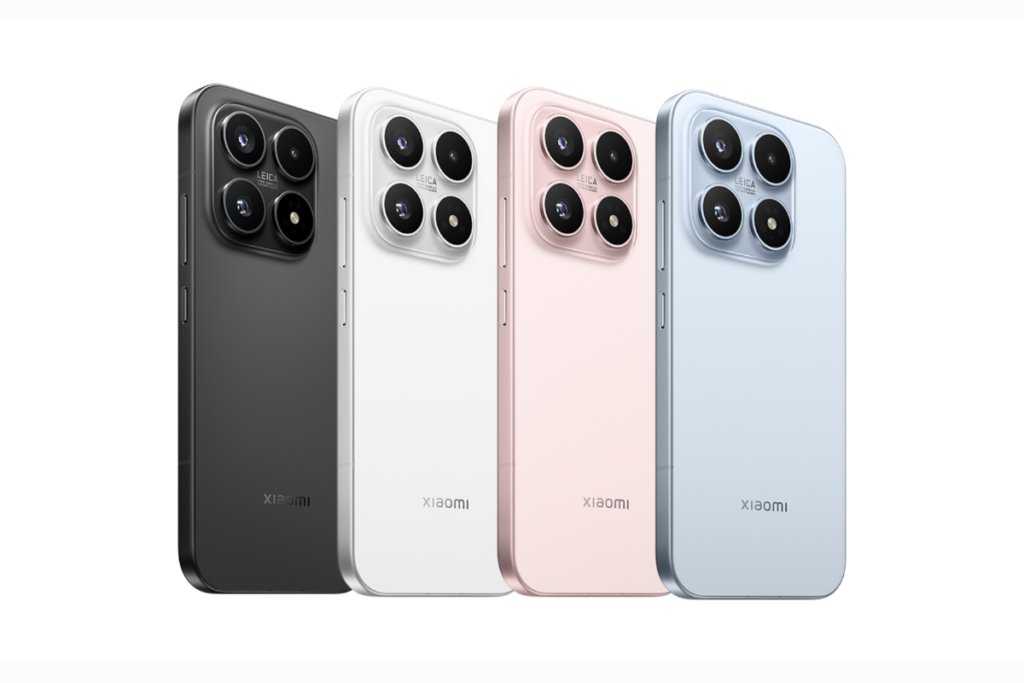
Recent reports have consistently leaked details about the Xiaomi 17 Max smartphone for the Chinese market. The device is expected to become the fifth model in the Xiaomi 17 series, joining the Xiaomi 17, 17 Pro, 17 Pro Max, and 17 Ultra. The latest leak reveals several details, with a strong focus on the battery capacity and fast charging capabilities of the Xiaomi 17 Max.
Xiaomi 17 Max key details leaked
Xiaomi 17 Max’s key details leaked
As per tipster Digital Chat Station, the Xiaomi 17 Max will pack a massive 8,000mAh battery. The leak further claims that the device will support 100W wired charging along with 50W wireless charging, placing it among the fastest-charging phones with such a large battery capacity.
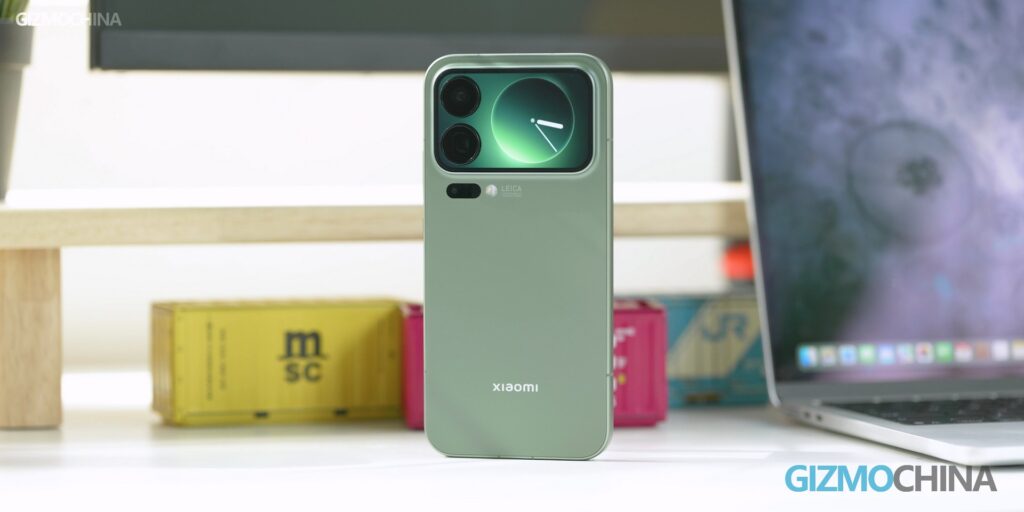
Since it is a non-Pro model, the Xiaomi 17 Max is not expected to feature a secondary rear display, which is currently available on the Xiaomi 17 Pro and 17 Pro Max. Instead, its rear design is said to be similar to that of the standard Xiaomi 17, suggesting a cleaner and more conventional design approach.
Xiaomi 17 Max’s camera details
In terms of cameras, the Xiaomi 17 Max is tipped to feature a periscope telephoto camera, which is said to offer better performance than the existing Xiaomi 17 series models, excluding the 17 Ultra. The 17 Max is expected to borrow the Xiaomi 17’s OmniVision Light Fusion 950 primary camera, but overall photography performance is said to be improved compared to the standard model.
The leak also suggests that the Xiaomi 17 Max will be powered by the same chipset used across the Xiaomi 17 lineup. On the front, it is expected to feature a large flat OLED display measuring either 6.8 inches or 6.9 inches, with ultra-thin bezels on all four sides, giving it a modern and immersive appearance. Like the other 17 series models, the Max edition will also feature the Snapdragon 8 Elite Gen 5.
Xiaomi 17 Max launch timeframe (rumored)
Xiaomi 17 color options
The Xiaomi 17 Max is rumoured to launch in April in China. At the moment, there is no clarity on whether the device will be released in other markets. Its engineering prototype has been spotted by DCS in a white color option, but there is no information yet regarding additional color variants.
For more daily updates, please visit our News Section.
POCO M8 Pro vs Vivo V50 5G highlights how competitive the mid-range segment has become. One focuses on power, durability, and fast charging, while the other emphasizes camera quality and premium design. Both run Android 15 and promise smooth daily performance, but their priorities differ. This comparison matters because choosing between value-driven strength and refined features isn’t as straightforward as it seems.
Major Features:
Feature
POCO M8 Pro
Vivo V50 5G
Winner
Build & Protection
Gorilla Glass Victus 2, IP68/IP69K
Diamond Shield Glass, IP68/IP69
POCO – tougher glass and stronger durability focus
The POCO M8 Pro clearly prioritizes durability, with a tougher construction and stronger protection that feels built for long-term use. It gives off a solid, dependable vibe that suits users who value resilience over aesthetics. The Vivo V50 5G takes a different route, focusing on a cleaner, more refined design that feels modern and stylish. Its finish and material choices make it more visually appealing and comfortable for daily handling. The POCO feels more utilitarian, while the Vivo feels more lifestyle-oriented. Those who prefer a phone that feels reassuringly tough may lean toward POCO, while Vivo better suits users who care about elegance and design finesse.
Display Quality
Both phones feature AMOLED panels with 120Hz refresh rates and high-frequency PWM dimming. POCO adds Dolby Vision support and stronger HDR tuning, making video content feel more cinematic. Vivo counters with extremely high peak brightness and punchy color calibration that stands out in outdoor use. Vivo’s screen looks more vibrant at first glance, while POCO’s feels better tuned for extended media consumption.
Verdict
POCO M8 Pro wins on durability and cinematic display features, while Vivo V50 5G excels in refinement and visual pop.
2. Specifications
Performance
POCO M8 Pro runs on the newer Snapdragon 7s Gen 4 chipset, delivering stronger GPU performance and better stability during demanding tasks. Gaming and multitasking feel more consistent, especially over longer sessions. Vivo V50 5G’s Snapdragon 7 Gen 3 remains smooth for everyday use, social apps, and casual gaming, but it feels slightly less future-proof. Software tuning also shapes the experience. POCO’s HyperOS feels performance-focused, while Vivo’s Funtouch OS emphasizes fluid animations and camera optimizations. Overall, POCO feels more suited for power users, while Vivo prioritizes smoothness over raw output.
Battery and Charging
Battery life is strong on both devices, but POCO’s larger battery and faster charging clearly stand out. It reaches full charge noticeably quicker, making it more convenient for heavy usage days. Vivo still offers solid endurance, but its charging feels more conservative.
Verdict
POCO M8 Pro delivers better long-term performance, confidence, and charging convenience.
3. Camera
Main and Secondary Lenses
Both phones offer stabilized main cameras, but their strengths differ. POCO focuses on consistency, producing reliable images with balanced colors and good dynamic range. Its ultra-wide camera is functional but clearly secondary. Vivo V50 5G takes photography more seriously, featuring Zeiss optics, a higher-quality ultra-wide lens, and more advanced image processing. Photos from Vivo often show better color accuracy, sharper edges, and improved low-light handling. The inclusion of a color spectrum sensor adds to its photographic precision. Vivo’s camera setup feels more refined and purpose-built for photography enthusiasts.
Selfie Camera
The difference is more obvious on the front. Vivo’s high-resolution selfie camera with autofocus delivers sharper photos and cleaner video output. POCO’s selfie camera performs well for casual use but lacks the same level of detail.
Verdict
Vivo V50 5G clearly offers the superior overall camera experience, especially for selfies and content creation.
4. Pricing
The POCO M8 Pro is priced at around $300, making it a strong value-focused option. At this price, it offers excellent durability, fast charging, a large battery, and competitive performance. It feels designed to maximize hardware value, especially for users who prioritize endurance and speed over luxury touches.
The Vivo V50 5G is priced higher at approximately $350, positioning it as a more premium alternative. The extra cost reflects its stronger camera system, refined design, and polished display tuning. Vivo’s pricing makes sense for buyers who care about photography, aesthetics, and a more premium daily experience.
Verdict
POCO M8 Pro offers better raw value at a lower price, while Vivo V50 5G justifies its premium with camera quality and design refinement.
5. Conclusion
POCO M8 Pro stands out with its rugged build, advanced water resistance, large battery, and extremely fast charging. It feels engineered for users who want reliability, long battery life, and strong performance without spending extra.
Vivo V50 5G distinguishes itself with Zeiss-tuned cameras, a high-quality selfie experience, and a more elegant design. Its display brightness and camera consistency give it a strong appeal for photography lovers and style-conscious users.
Verdict
If your priority is overall value, performance longevity, durability, and faster charging, the POCO M8 Pro is the smarter pick, especially at its lower price point. However, if camera quality, design refinement, and a more premium everyday experience matter more, the Vivo V50 5G is worth the extra spend. For most users seeking a balanced all-rounder without compromises, the POCO M8 Pro edges ahead as the better overall choice.
CES 2026 didn’t just show us the future, it redefined entire product categories. From televisions that hit 10,000 nits to robot vacuums that can climb stairs, the year’s biggest tech showcase was full of bold ideas, wild prototypes, and products that blur the line between sci-fi and shipping soon. Here’s a look at the most jaw-dropping tech from Las Vegas.
TCL has redefined what LED TVs can do. The X11L marks the debut of the company’s new SQD-Mini LED technology, delivering the kind of black levels expected from OLED while pushing brightness into uncharted territory. It is the first consumer TV to reach 10,000 nits peak brightness, a milestone for HDR visuals. Scenes like sunlight reflecting off water now come across with a realism previously unseen in LED displays.
To handle blooming, TCL integrated 20,000 individual dimming zones, and color accuracy has been pushed to its limit with 100% BT.2020 gamut coverage. The TV is powered by the TSR AI Processor, which uses generative AI to upscale legacy content into crisp, near-native 4K in real time.
2. Clicks Communicator
Inspired by BlackBerry, the Clicks Communicator isn’t just a quirky retro phone, it’s a deliberate rethinking of mobile use. Built as a standalone messaging-first smartphone, it encourages productivity without the pull of doomscrolling. The design is compact, the use case is focused, and the intention is clear.
It comes with a physical QWERTY keyboard that supports touch input and integrates a fingerprint scanner into the spacebar. The 4.03-inch AMOLED display keeps the experience clean and focused.
Running Android 16, the phone supports 5G, eSIM, and a physical SIM, while also offering a 50MP rear camera and a 3.5mm headphone jack. It also features a side-mounted Signal LED that lets users assign custom colors to notifications from specific contacts.
3. Roborock Saros Rover
The Roborock Saros Rover might be the first robot vacuum that finally gets it. With bendable legs and a dual-motor drive system, it can climb stairs and clean each riser, effectively killing off the notion that robot vacuums are limited to single-floor living.
It uses LiDAR 4.0 and something Roborock calls Physical AI to recognize step geometry in real time. This is a fundamental shift, it’s no longer a cleaning gadget, it’s an autonomous whole-home solution.
4. Lego Smart Play System
Lego has made its iconic bricks smarter. The Lego Smart Play System introduces Smart 2×4 Bricks with built-in sensors, accelerometers, speakers, lights, and Bluetooth. These blocks recognize nearby smart components and trigger interactive responses.
In a Star Wars kit, an X-Wing will produce engine sounds during play. Detect a nearby TIE Fighter and the system responds with battle effects. The system bridges the gap between tactile fun and digital logic, letting kids program behaviors using a simple app. The first sets, including Star Wars kits, hit stores on March 1.
5. Baseus Nomos NH21
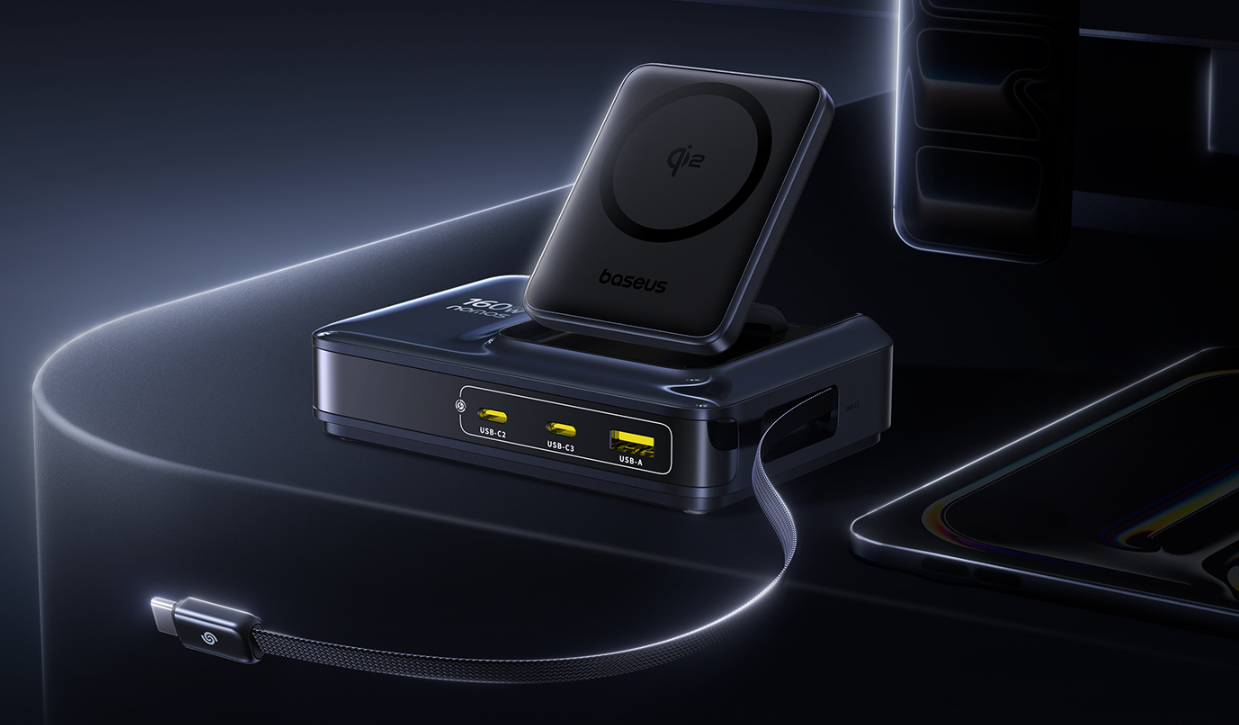
Baseus Nomos 6-in-1 NH21 is what happens when power delivery meets good design. With two retractable USB-C cables, two extra USB-C ports, a USB-A slot, and Qi2-certified wireless charging, it juices up six devices simultaneously, with a peak output of 245W.
Each primary USB-C can deliver 140W, enough to fast-charge even dual MacBook Pros. Baseus uses GaN technology and a split thermal structure to minimize heat. There’s even a real-time digital power display. It’s launching in the US later this month.
6. LG OLED evo W6
LG’s return to the “Wallpaper TV” category is a stunner. The OLED evo W6 is just 9mm thick and mounts flush to the wall with zero gap, hiding wires through a Zero Connect Box that wirelessly transmits 4K video and audio from up to 10 meters away.
It’s also 3.9x brighter than standard OLEDs thanks to Hyper Radiant Color tech, making it perfect for bright rooms. LG even tackled reflection issues with a new coating that earned the first-ever “Reflection Free Premium” certification.
7. Lockin V7 Max
The Lockin V7 Max introduces AuraCharge, a wireless optical charging system that beams energy to the lock from a dedicated transmitter placed up to 13 feet away. This removes the need for replaceable or rechargeable batteries, solving one of the biggest pain points in smart locks.
The V7 Max supports finger vein, palm vein, and 3D facial recognition. It has dual 5-inch displays, two HD cameras, and Matter compatibility for integration with all major smart home platforms.
8. Lenovo Legion Pro Rollable
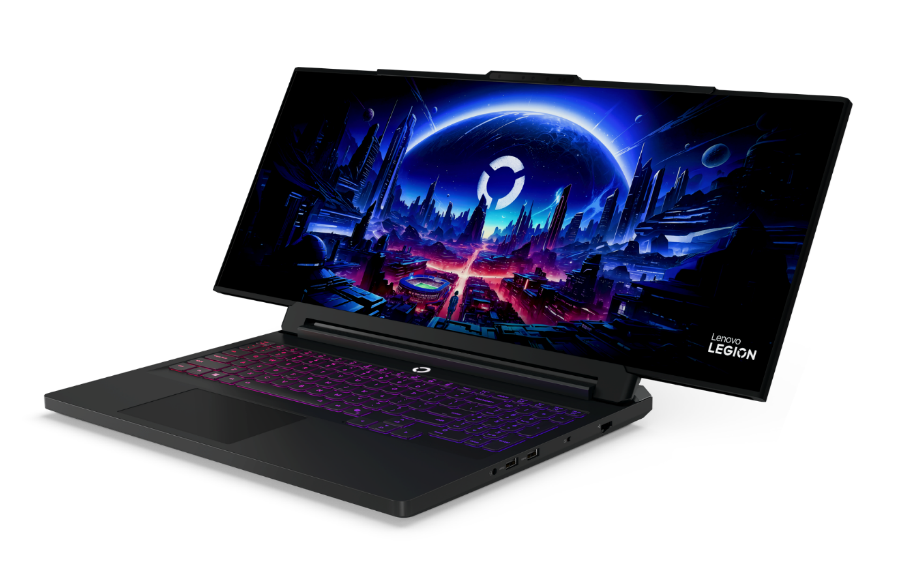
Lenovo’s Legion Pro Rollable may be the boldest concept at CES. It starts as a 16-inch OLED laptop and transforms into 21.5 inches or 24 inches with the push of a button. The screen expands sideways using a dual-motor tension system, giving users the ability to shift aspect ratios from 16:10 to 24:9 depending on their gameplay needs.
Underneath, it’s a beast, built on the Legion Pro 7i chassis with Intel Core Ultra CPUs and NVIDIA RTX 5090 Laptop GPU. Powered by Lenovo AI Engine+, it dynamically adjusts performance based on the use scenario. The concept opens a new frontier for portable, competitive gaming.
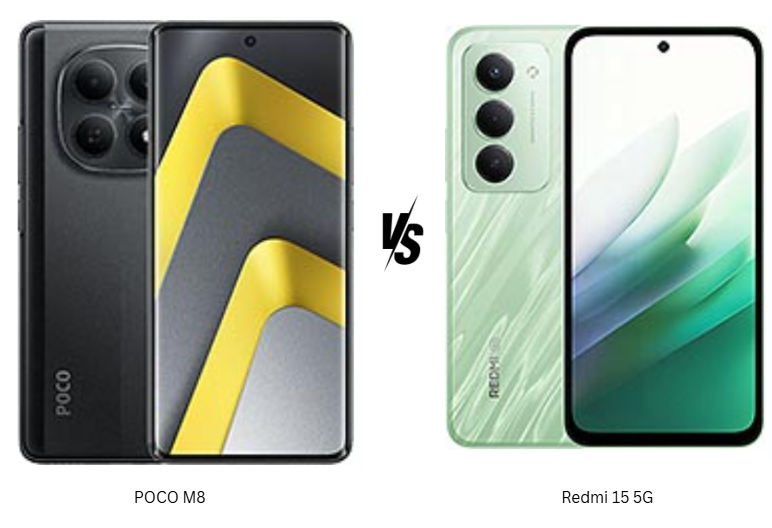
In the $200 smartphone segment, small spec differences can completely change the day-to-day experience. The POCO M8 and Redmi 15 5G may look closely matched on paper, but they target very different users. One focuses on display quality, performance balance, and a more premium feel, while the other bets big on battery life and screen size. For buyers trying to decide between long endurance and a more refined all-around experience, this comparison highlights which phone actually fits better into real-world usage rather than just winning a spec sheet battle.
POCO M8 focuses on a cleaner, more premium everyday feel with stronger durability features like higher water resistance and drop protection. It feels built for users who want peace of mind without a bulky design. Redmi 15 5G, on the other hand, leans toward a bigger, more utilitarian approach with a glass front and plastic build. While solid, it feels more functional than refined. The POCO’s in-display fingerprint sensor adds to its modern appeal, while Redmi’s side-mounted scanner feels practical but less futuristic. Overall, POCO M8 feels more polished for daily handling, whereas Redmi 15 5G prioritizes size and robustness over finesse.
Display Quality
POCO M8’s AMOLED panel delivers deeper contrast, richer colors, and better HDR support, making content consumption feel more immersive. The high refresh rate paired with PWM dimming also helps with smoother visuals and eye comfort. Redmi 15 5G counters with a larger IPS LCD and a faster refresh rate, which works well for scrolling and gaming but lacks the punchy blacks and vibrancy of AMOLED. In direct comparison, POCO’s display simply feels more premium.
Verdict
POCO M8 wins this section for its superior display quality and more refined overall design.
2. Specifications
Performance
POCO M8 runs on the Snapdragon 6 Gen 3, built on a newer process, delivering stronger GPU performance and better long-term efficiency. Everyday tasks feel smoother, and gaming benefits from the more capable Adreno GPU. Redmi 15 5G’s Snapdragon 6s Gen 3 is reliable for daily use but feels slightly less future-ready, especially under sustained load. POCO also promises longer software support, which adds value beyond raw numbers.
Battery and Charging
Redmi 15 5G clearly dominates on battery capacity, making it ideal for users who prioritize multi-day usage. It’s built for endurance rather than speed. POCO M8 counters with significantly faster charging, which feels more convenient for modern usage patterns. While the battery is smaller, the efficiency of the chipset and quicker top-ups make it easier to live with. Both support reverse charging, adding versatility.
Verdict
Redmi 15 5G wins for battery life, but POCO M8 feels more balanced due to better performance and faster charging.
3. Camera
Main and Secondary Lenses
Both phones use a similar 50MP main sensor, but POCO M8 pulls ahead with better processing and 4K video recording. Photos tend to have better dynamic range and more consistent results across lighting conditions. Redmi 15 5G handles daylight shots well but feels more limited due to capped video resolution and fewer shooting features. The lack of advanced video options makes it feel more basic overall.
Selfie Camera
POCO M8’s higher-resolution selfie camera delivers sharper images and smoother video output, making it better suited for social media and video calls. Redmi 15 5G’s front camera is serviceable but clearly more entry-level, especially in low light and video clarity.
Verdict
POCO M8 is the clear winner in cameras, offering better video, stronger selfies, and more versatile imaging overall.
4. Pricing
Both POCO M8 and Redmi 15 5G are priced at approximately $200, placing them firmly in the same competitive segment. At this price, the value equation becomes more about priorities than affordability. POCO M8 delivers more premium features for the money, including an AMOLED display, faster charging, stronger camera performance, stereo speakers, and longer software support. These additions make it feel closer to an upper mid-range experience despite the aggressive pricing.
Redmi 15 5G justifies its price through sheer battery capacity and a large display, appealing to users who want maximum endurance and screen real estate. However, compromises in camera, display technology, and charging speed are more noticeable at this price point. When viewed purely on feature density per dollar, POCO M8 offers more tangible upgrades that are felt daily.
For buyers comparing purely on price-to-features ratio, POCO M8 feels like the smarter deal, while Redmi 15 5G suits a more specific usage pattern.
5. Conclusion
POCO M8 stands out with its AMOLED display, Dolby Atmos stereo speakers, faster charging, stronger durability ratings, and longer update promise. These features combine to create a phone that feels more refined and future-ready. Redmi 15 5G’s standout trait is its massive battery, making it ideal for users who value long screen-on time above all else. Its large display and reliable performance suit media consumption and basic gaming, but it doesn’t push boundaries elsewhere.
Verdict
If one clear choice has to be made, POCO M8 is the better all-around smartphone. It delivers a more premium experience across display, camera, performance, and charging without costing more. Redmi 15 5G remains a solid option for battery-focused users, but POCO M8 feels better suited for most buyers looking for balance, longevity, and everyday satisfaction in the $200 segment.
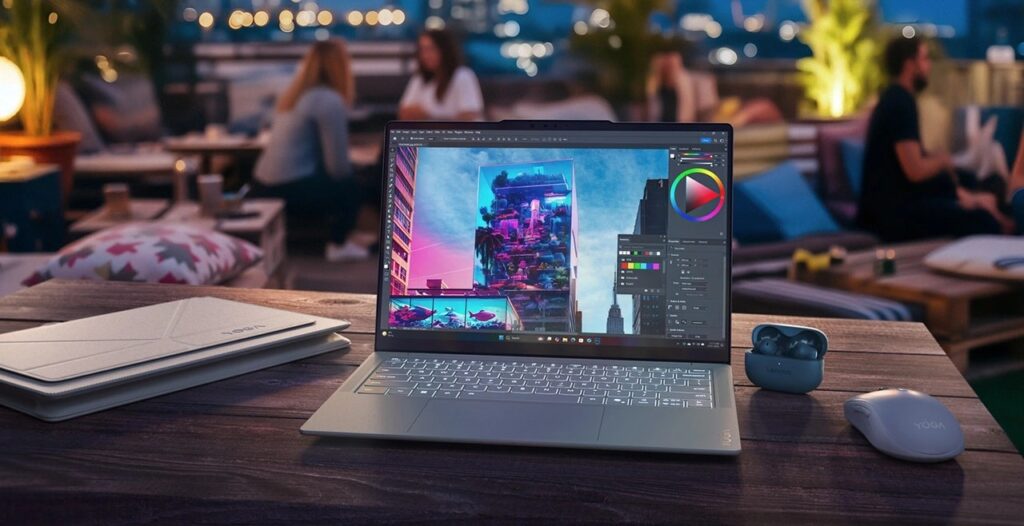
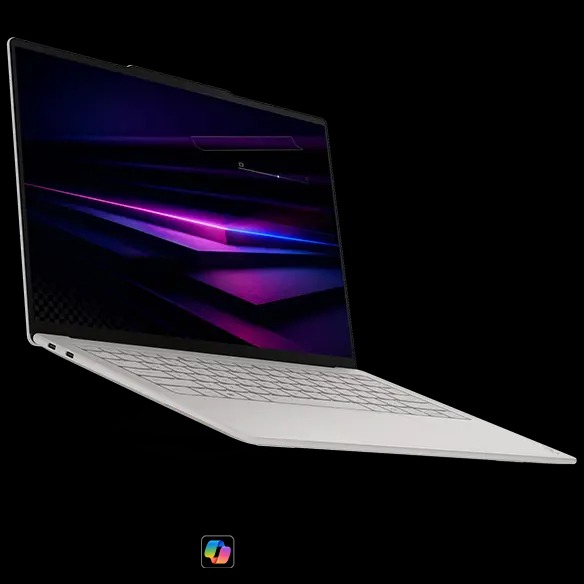
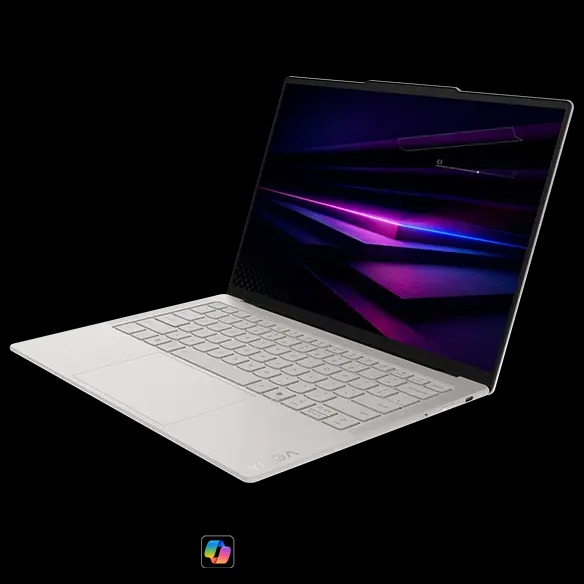
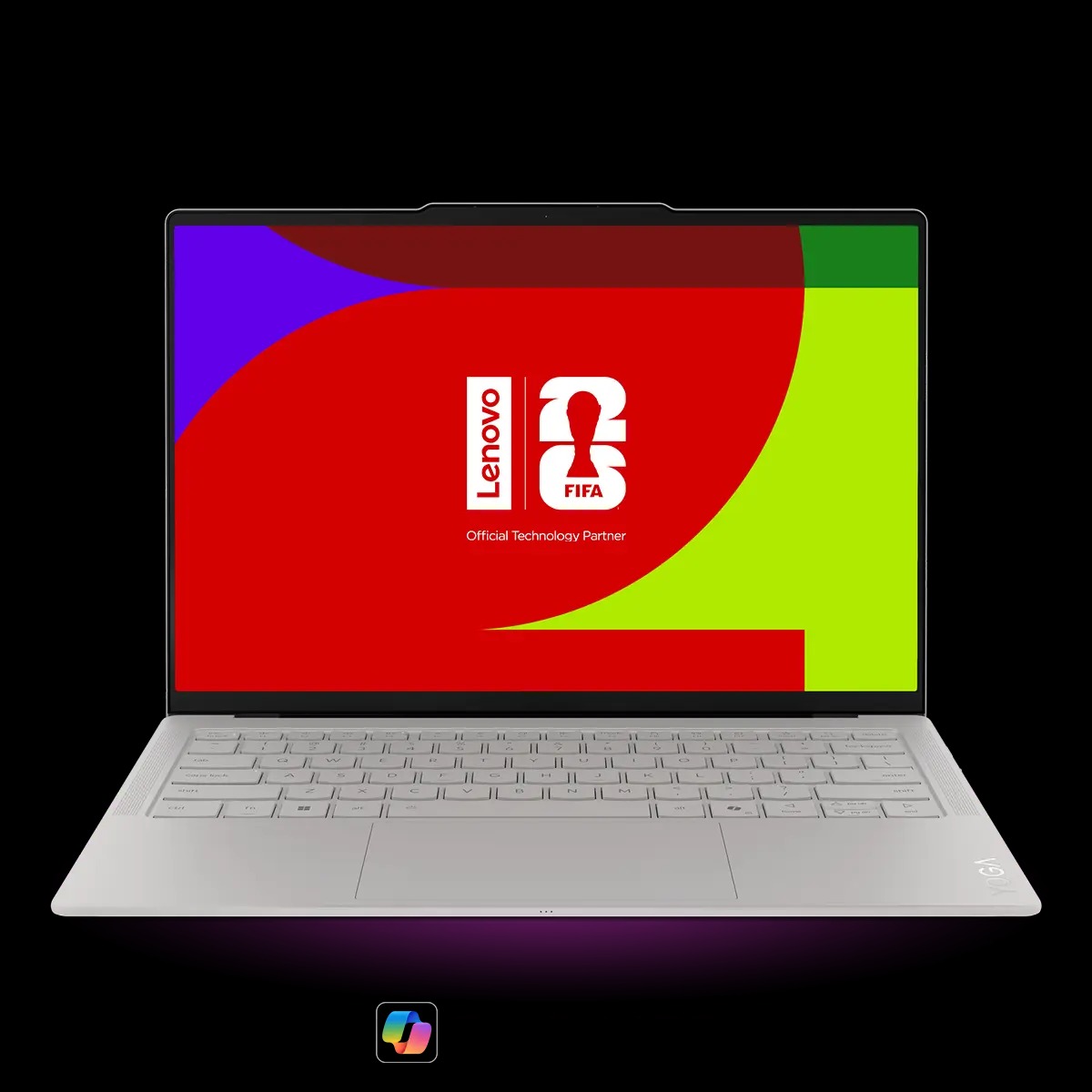
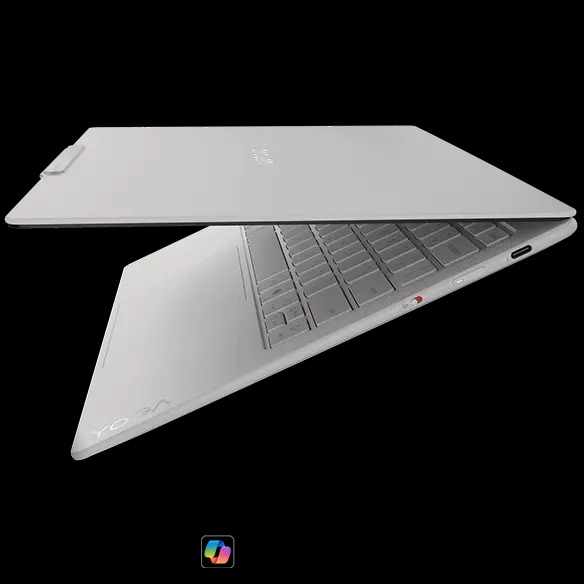
Lenovo has started selling the Yoga Slim 7i Ultra Aura Edition in the UK, after recently showing it at CES 2026. The 14-inch laptop is part of Intel’s new Panther Lake lineup and replaces the earlier Lunar Lake-based Yoga Slim 7i Aura Edition.
At CES, Lenovo promoted the laptop with the Core Ultra X9 388H processor. However, the first retail units in the UK ship with the Core Ultra 7 355 instead. This processor has 8 cores, split into 4 performance and 4 efficiency cores. The X9 model shown at launch features a more complex 16-core setup with 4 performance, 8 efficiency, and 4 low-power efficiency cores. For graphics, the Core Ultra 7 355 includes an iGPU with 4 Xe3 integrated GPU cores.
Other hardware specifications remain unchanged. The Yoga Slim 7i Ultra Aura Edition features a 2.8K OLED display with a 120 Hz refresh rate and up to 1,110 nits of peak HDR brightness. The panel covers 100 percent of AdobeRGB and sRGB color spaces and carries VESA DisplayHDR True Black 1000 certification. Lenovo pairs the display with 32 GB of LPDDR5X RAM running at up to 9,600 MHz. Storage options include either 1 TB or 2 TB M.2 2242 SSDs.
The laptop is built around a magnesium alloy chassis designed to minimize weight. It weighs 975 grams, which is under 2.2 lbs, and measures 312 x 212 x 13.9 mm. A 75 Wh battery is included, and Lenovo uses a matte Yoga coating across the chassis to reduce fingerprints and surface oils during daily use.
As for pricing in the UK, Lenovo store prices the 1TB configuration at £1,620. The 2 TB version costs £1,879 and includes a Windows 11 Pro license. All prices include VAT. These models will be available from February 6 on the brand’s website.
In the US, the Yoga Slim 7i Ultra Aura Edition is still marked as coming soon, with pricing expected to start at $1,499.99 and availability planned for Q2 2026. Lenovo has not confirmed whether a Core Ultra X9 388H version will be sold later.
For more daily updates, please visit our News Section.
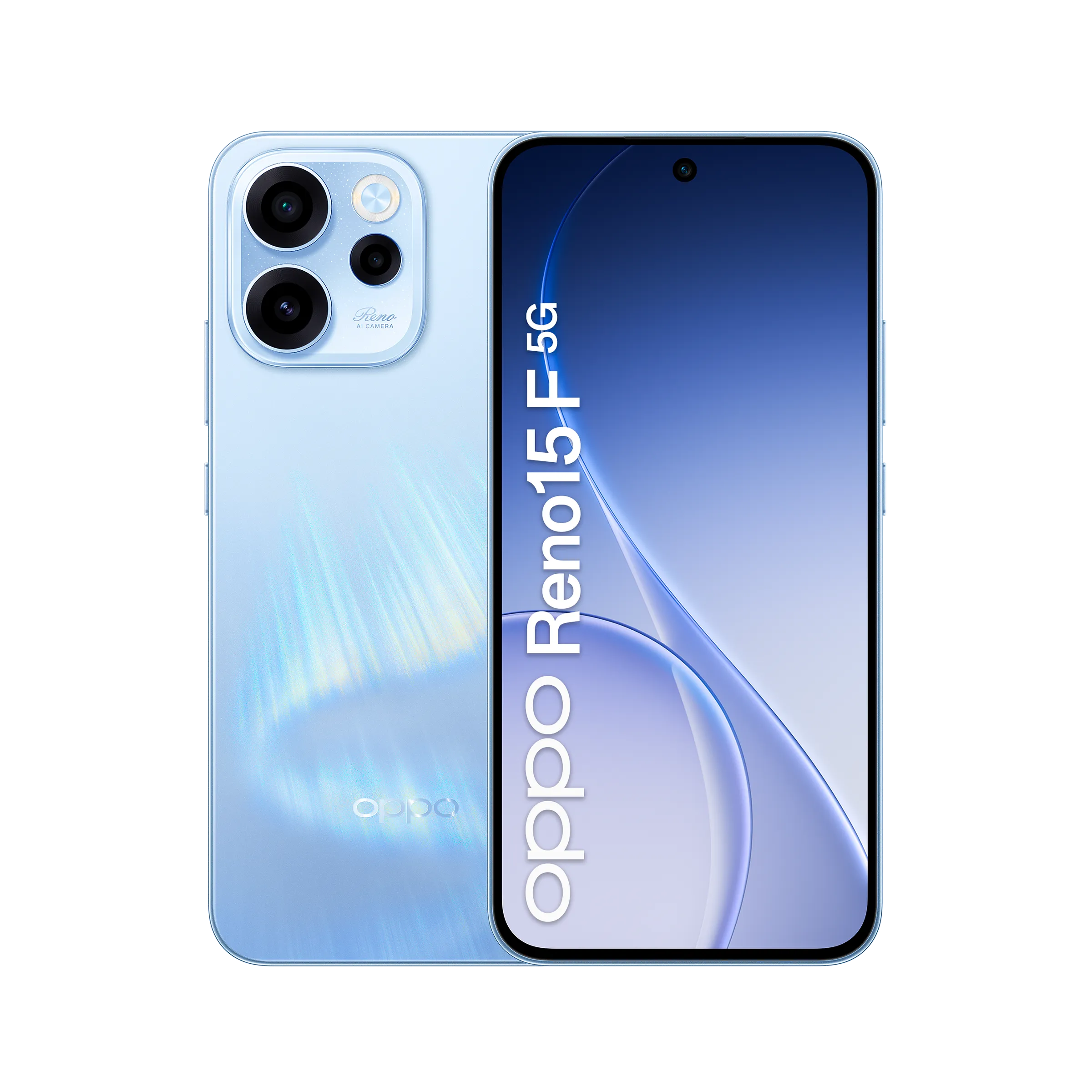
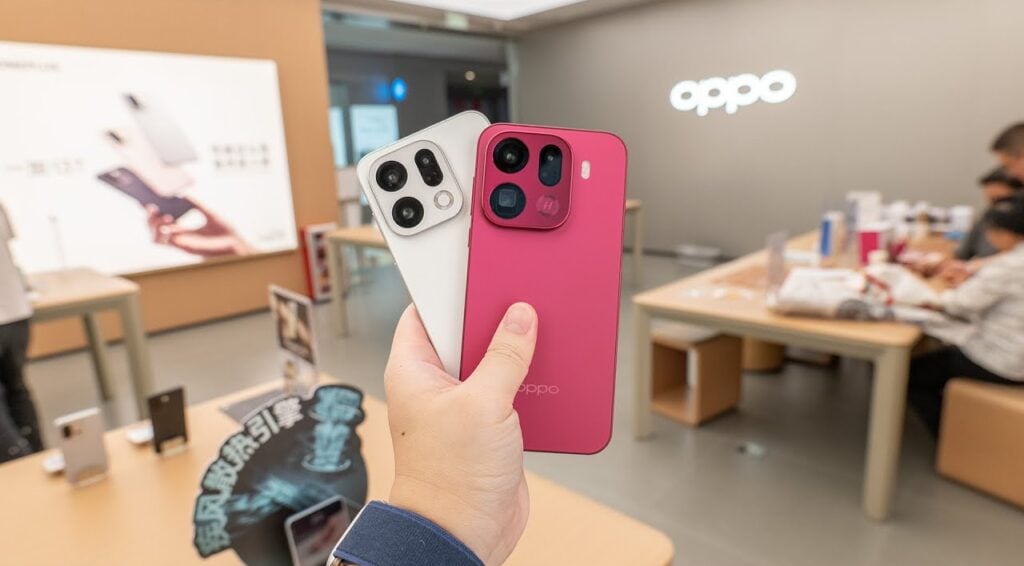
The Oppo Reno 15 series already includes multiple models such as the Reno 15F (5G), Reno 15, Reno 15c, Reno 15 Pro, and the Reno 15 Pro Mini, also known as the Reno 15 Pro Max in some markets. Oppo has now expanded the lineup with the launch of the Reno 15 FS 5G in Italy.
The new model focuses on a premium AMOLED display, a large 6,500mAh battery with 80W fast charging, and an IP69-rated durable design. It also brings a 50-megapixel camera with OIS and the Snapdragon 6-series chipset. Read on to know its full specifications, features, and pricing details.
Oppo Reno 15 FS 5G specifications and features
Oppo Reno 15 FS 5G key features
The Oppo Reno 15 FS 5G features a 6.57-inch AMOLED FHD+ display that supports a dynamic 120Hz refresh rate, 10-bit color depth, 100 percent P3 color gamut, and reaches up to 1,400 nits in high brightness mode. Splash and gloves touch support and AGCDT STAR D+ protection are also included.
Powering the device is the Snapdragon 6 Gen 1 5G processor, paired with 8GB of LPDDR4X RAM, along with virtual RAM expansion options, and 256GB of UFS 3.1 storage, which can be expanded up to 2TB.
The phone packs a 6,500mAh battery that supports 80W wired charging, taking it from 0 to 100 percent in around 54 minutes, and also offers reverse charging.
Oppo Reno 15 FS 5G-Oppo Reno 15 FS 5G-
The Reno 15 FS 5G runs on ColorOS 16 based on Android 16. For photography, it features a 50-megapixel SmartSense SC532HS primary camera with OIS, an 8-megapixel ultra-wide camera, and a 2-megapixel macro sensor. The front camera uses a 50-megapixel Samsung JN5 sensor.
Other features of the Oppo Reno 15 FS 5G include WiFi 6, dual 5G support, Bluetooth 5.1, NFC, dual SIM with eSIM support, an in-display fingerprint sensor, face unlock, Hi-Res Audio, and an IP69 rating. It measures 158.18 × 74.93 × 8.14mm and weighs 189g.
Oppo Reno 15 FS 5G price and availability
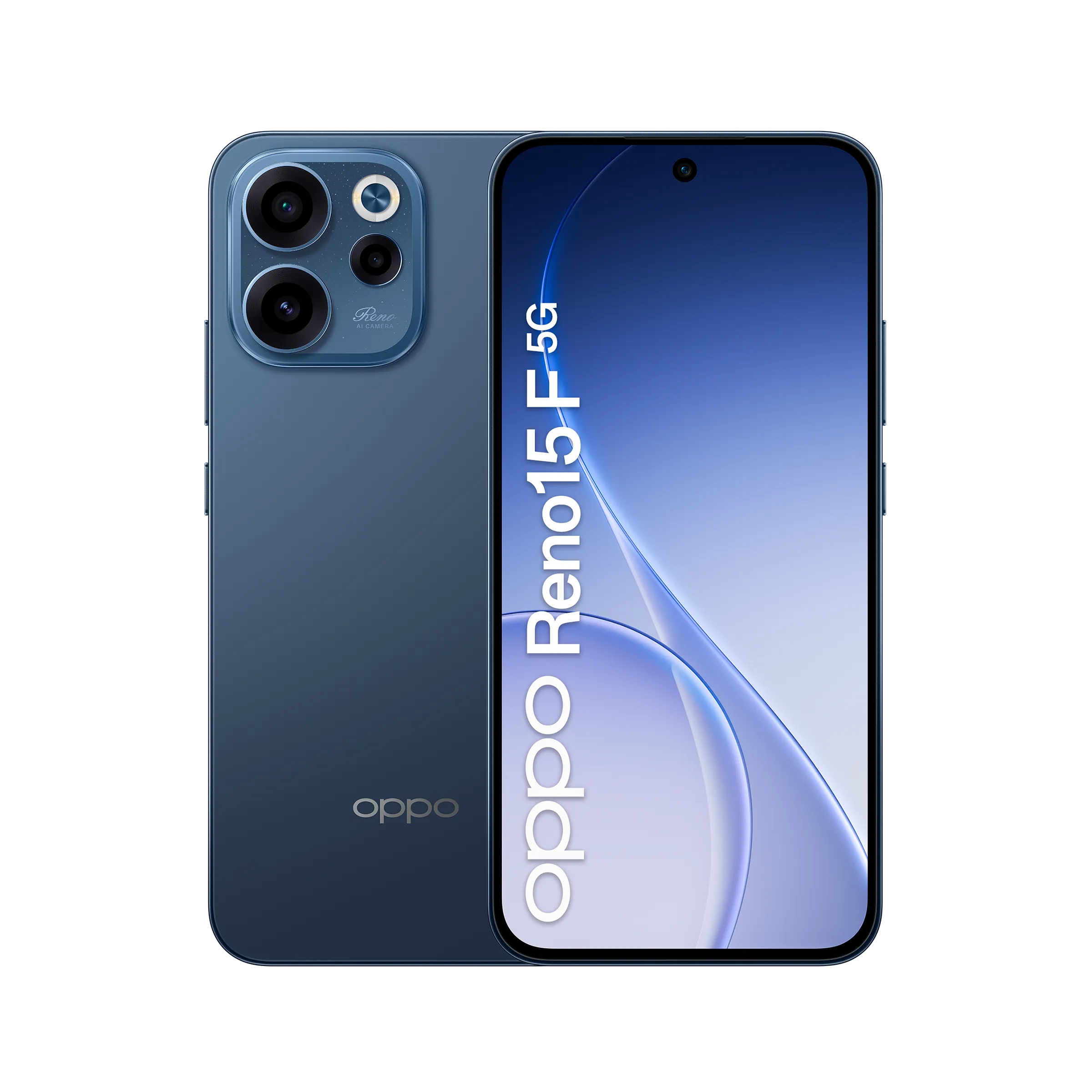
The Oppo Reno 15 FS 5G is available in a single 8GB + 256GB variant priced at 399 euros (~$465) in Italy. It is offered in two colour options, as shown in the official images. As of now, there is no confirmation on its availability in other markets.
For more daily updates, please visit our News Section.
Vivo’s upcoming V70 lineup has quietly been in the works in the background. The series is expected to include four phones — the Vivo V70, V70 Lite, V70 Elite, and V70E — but not all of them may be headed to India.
A new report from SmartPrix claims Vivo is planning to launch the V70 series in India by mid-February. However, only two models will make the cut: the standard Vivo V70 and the higher-end V70 Elite.
The V70 Lite and V70E, which have shown up in earlier leaks, are likely intended for other markets.
Vivo V60
However, an earlier report suggested that Vivo could launch the V70 phones alongside the Vivo X200T in India. The latter device is expected to arrive in late January, and Vivo has already started teasing it, which makes this earlier timeline feel more grounded.
In other words, the mid-February claim doesn’t quite line up with what we’ve heard before, so it’s best to treat the latest leak with some caution.
What to expect from the Vivo V70
The Vivo V70 is expected to be offered in a single configuration with 8GB of RAM and 256GB of storage. Color options are reportedly limited to red and yellow.
The phone is said to feature a 6.517-inch display with a 1.5K resolution and a 120Hz refresh rate. On the back, Vivo is expected to include a triple-camera setup with a 50-megapixel main camera, an ultrawide lens, and a 50-megapixel 3x telephoto camera.
Pricing is rumored to land around ₹45,000 for the Vivo V70, while the V70 Elite could be closer to ₹50,000.
As for the V70 Elite itself, details are still thin. What we do know is that the phone exists; it recently showed up in BIS certification listings in India. But beyond that, we don’t know how it will differ from the standard V70.
For more daily updates, please visit our News Section.
At first glance, One UI 8.5 may seem like an incremental upgrade over One UI 8.0, but the beta suggests it’s a much more substantial release, featuring more extensive visual redesigns, new cross-device ecosystem features, and stronger security enhancements. Samsung has already released multiple beta builds for One UI 8.5, with the recent ones featuring no critical bugs, suggesting the rollout could begin soon.
Most Samsung users should be looking forward to this exciting One UI 8.5 upgrade. So, we’ve prepared this post to provide you with all the relevant information you need to know, including the release date, a list of eligible devices, and new features.
One UI 8.5 release date
The One UI 8.5 is confirmed to debut with the Galaxy S26 series. Samsung hasn’t announced a launch date for the upcoming Galaxy S-series, but several leaks point towards a Galaxy event on February 26.
A few weeks later, the brand should start rolling out One UI 8.5 to older Galaxy devices, starting with recent flagship models, such as the Galaxy S25, Galaxy Z Fold 7, and Galaxy Z Flip 7.
While the official rollout schedule is under wraps, Samsung has been found testing One UI 8.5 on various Galaxy devices lately, including many Galaxy A-series phones. This suggests the brand may be focusing on a quicker One UI 8.5 rollout, which means a less-longer wait for mid-range and cheaper Galaxy devices.
One UI 8.5 update: List of eligible devices
The One UI 8.5 update should reach every Galaxy device that is eligible for One UI 8.0, as both are based on Android 16. So, even if Android 16 is the last OS upgrade for your device, it should still be eligible for One UI 8.5.
Here’s the complete list of One UI 8.5 eligible devices:
Galaxy S series
Galaxy S25, S25+, S25 Ultra, S25 FE, S25 Edge
Galaxy S24, S24+, S24 Ultra, S24 FE
Galaxy S23, S23+, S23 Ultra, S23 FE
Galaxy S22, S22+, S22 Ultra
Galaxy S21 FE
Galaxy Z series
Galaxy Z Fold 7, Z Flip 7
Galaxy Z Fold SE (Special Edition)
Galaxy Z Fold 6, Z Flip 6
Galaxy Z Fold 5, Z Flip 5
Galaxy Z Fold 4, Z Flip 4
Galaxy Tab series
Galaxy Tab S10+, Tab S10 Ultra, Tab S10 Lite
Galaxy Tab S10 FE, Tab S10 FE+
Galaxy Tab S9, Tab S9+, Tab S9 Ultra
Galaxy Tab S9 FE, Tab S9 FE+
Galaxy Tab S8, Tab S8+, Tab S8 Ultra
Galaxy Tab S6 Lite (2024)
Galaxy Tab A11, Tab A11+
Galaxy Tab A9, Tab A9+
Galaxy Tab Active 5, Active 5 Pro
Galaxy A series
Galaxy A73
Galaxy A56, A55, A54, A53
Galaxy A36, A35, A34, A33
Galaxy A26, A25, A24
Galaxy A17 (LTE/5G), A16 (LTE/5G), A15 (LTE/5G)
Galaxy A07
Galaxy A06 (LTE/5G)
Galaxy F series
Galaxy F56, F55, F54
Galaxy F36, F34
Galaxy F17, F16, F15
Galaxy F07, F06
Galaxy M series
Galaxy M56, M55, M55s, M54, M53
Galaxy M36, M35, M34, M33
Galaxy M17, M16, M15
Galaxy M07, M06
Galaxy XCover series
Galaxy XCover 7, 7 Pro
Galaxy XCover 6 Pro
What to expect from the One UI 8.5 upgrade?
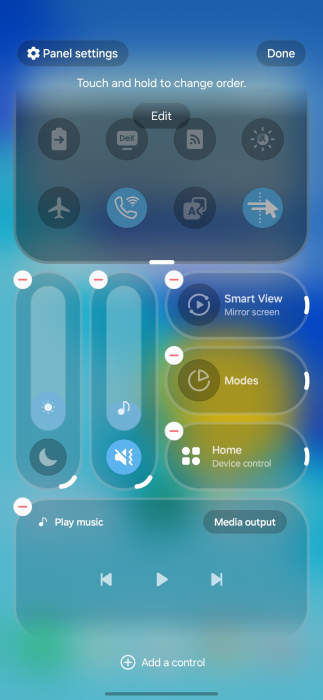
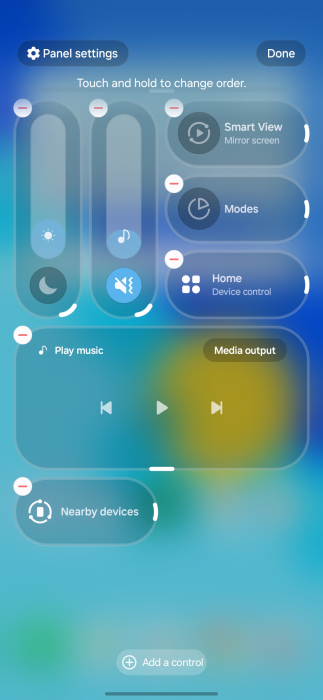
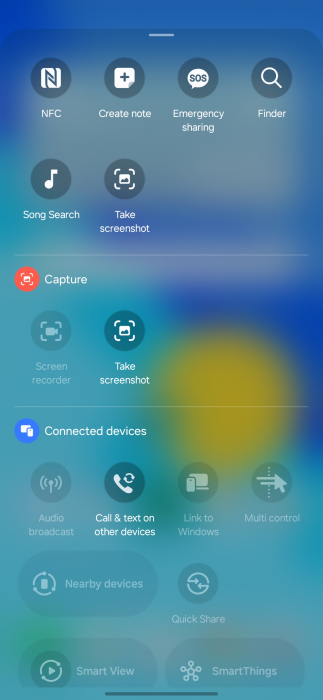
Samsung has already released multiple One UI 8.5 beta builds, so we already know most of the new features and upgrades that will be included in the final build. The new split Quick Panel, introduced in One UI 8.0, offers greater control in One UI 8.5, allowing users to adjust the layout of every toggle and slider. The scrolling is now edge-to-edge, removing unused empty spaces.
image credit: 9to5Google
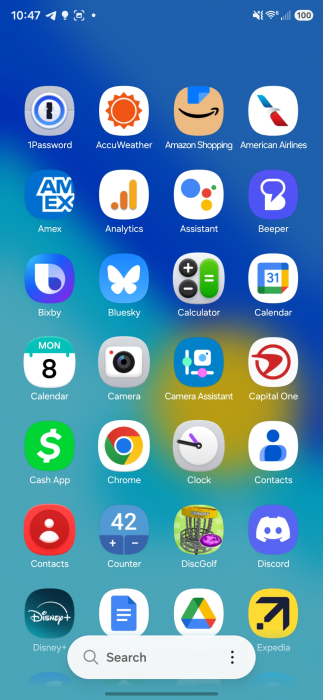
The app icons (at least Samsung’s apps) now feature a bit of a 3D effect. Some first-party apps also show a similar effect. There are some UI changes inspired by Apple’s Liquid Glass, emphasizing floating elements, soft shadows, and frosted glass effects. The transparency effect isn’t anything like Apple’s. Samsung’s implementation has subtle depth effects throughout the system, creating a more refined aesthetic.
image credit: 9to5Google
The Photo Assist feature has been updated to allow interrupted image generation and editing. Users can now utilize multiple Photo Assist features, such as AI Eraser and Move, continuously without needing to save each iteration. Previously, each edit had to be saved separately.
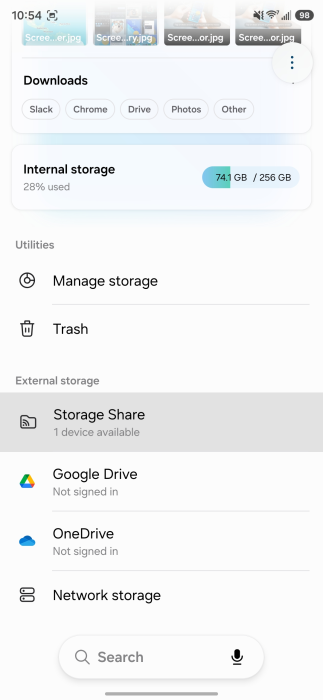
One UI 8.5 enhances the Galaxy ecosystem’s robustness with new features and necessary improvements. It introduces a Storage Share feature that lets you access files from other Galaxy devices, including tablets and PCs, directly within the My Files app.
image credit: 9to5Google
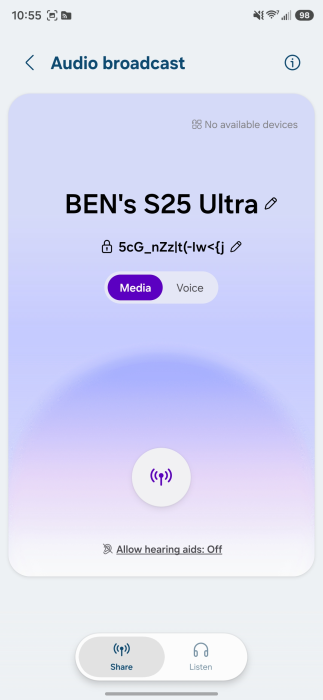
There’s also a new Audio Broadcast feature that enables your Galaxy phones to function as a microphone and broadcast your voice to nearby Bluetooth LE Audio devices using Auracast technology. Improvements have been made to Smart View and Galaxy DeX to create a more unified ecosystem experience.
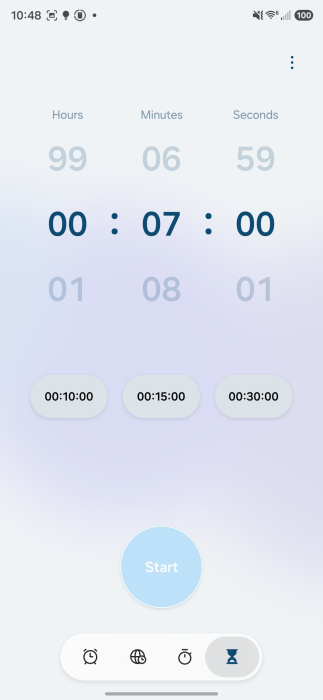
One UI 8.5 also adds AI-generated dynamic weather animations to the lock screen. The alarms, when ringing, now show real-time weather conditions. There have also been various improvements made to strengthen security and privacy, including better theft protection and an improved Identity Check feature.
We’ll update this page periodically with the latest information. So, make sure to revisit this page for fresh updates. Alternatively, you can join us on Telegram to get instant notifications about the latest product launches, software updates, and major tech events.
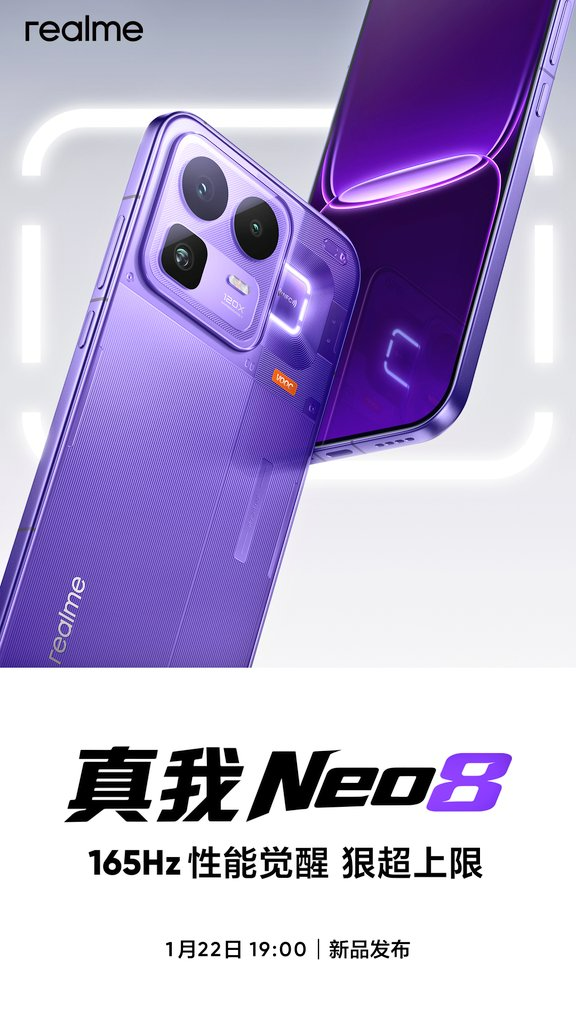
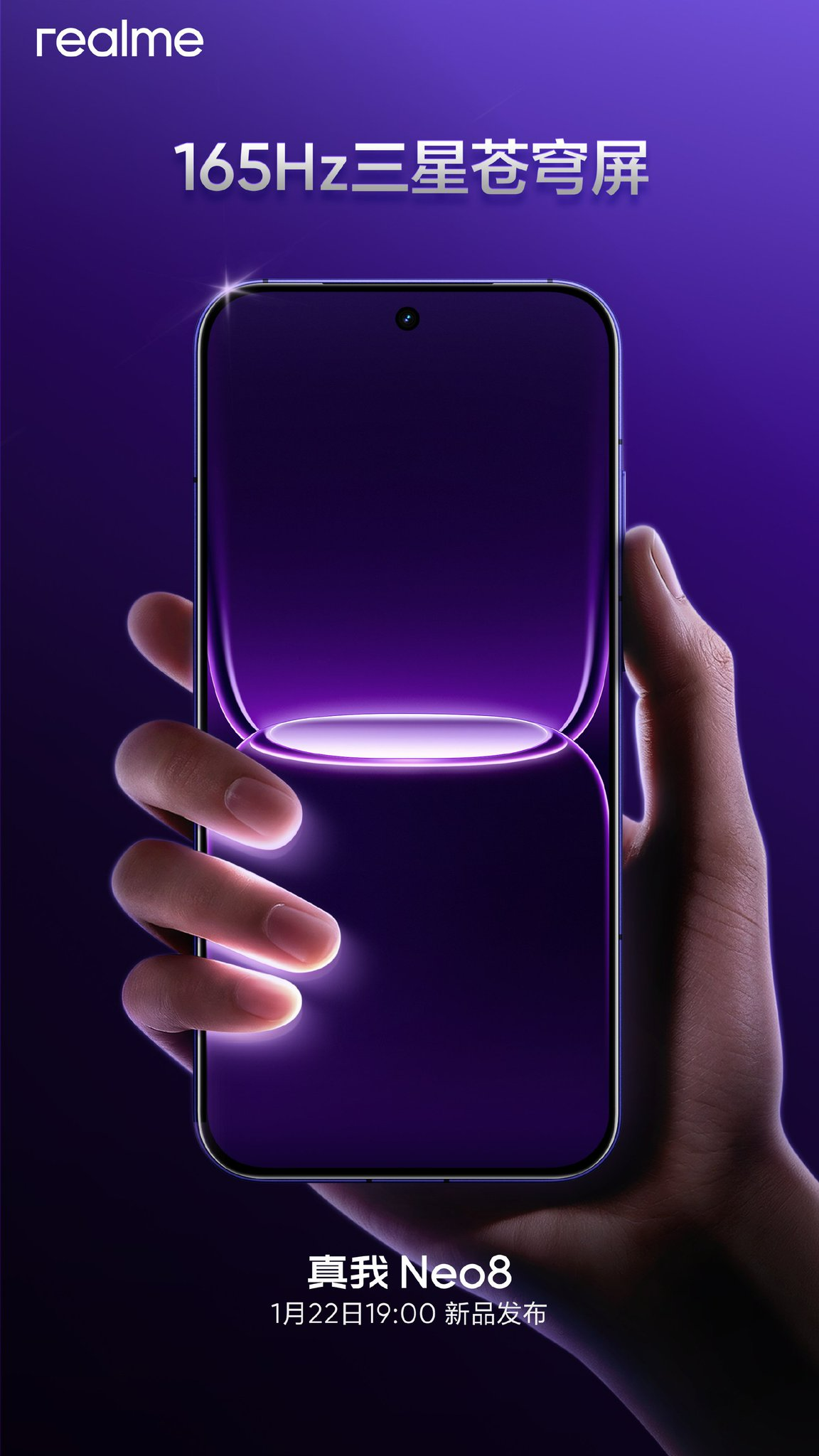
Realme has finally confirmed the Realme Neo 8’s launch date for China after teasing its arrival for the past few days. This phone will rival the likes of the iQOO Z11 Turbo and OnePlus Ace 6T in China, as all of them are powered by the same Snapdragon 8 Gen 5 chipset. Continue reading ahead to know everything about it.
The Realme Neo 8 will come equipped with the Snapdragon 8 Gen 5 chipset. The TENAA certification of the device reveals support for up to 24GB of RAM and up to 1TB of storage. It will house an 8,000mAh battery with 80W fast charging.
The Realme Neo 8’s rear camera setup will include a 50-megapixel main camera with OIS support, an 8-megapixel ultra-wide lens, and a 50-megapixel periscope telephoto camera with 3x optical zoom. The back panel will also feature Halo Awakening RGB lighting, similar to the older Realme GT Neo 5.
The Realme Neo 8 is expected to arrive with a 16-megapixel camera on the front. It will also include other features such as an ultrasonic in-screen fingerprint sensor, an IR blaster, a metal frame, a glass back, and IP68/69-rated dust and water resistance. At present, there is no information about the Neo 8’s price.
For more daily updates, please visit our News Section.
OnePlus Open was one of the standout foldables of 2023, not just because of its hardware, but also thanks to surprisingly polished software. With such success, it was natural to expect a successor that would build on it.
But OnePlus never shipped an Open 2 in 2024 or 2025. And now, even 2026 doesn’t look promising either.
According to a report from Smartprix, OnePlus has canceled the global launch of the OnePlus Open 2 for 2026. Otherwise, it was scheduled to launch in Q3, 2026.
The report doesn’t specify why OnePlus pulled the plug, but rising RAM and storage costs may have played a role.
What makes the move especially strange is that the phone had already entered internal testing. Scrapping a product this late in development is unusual, especially for a device that has spent the last two years building hype among foldable fans.
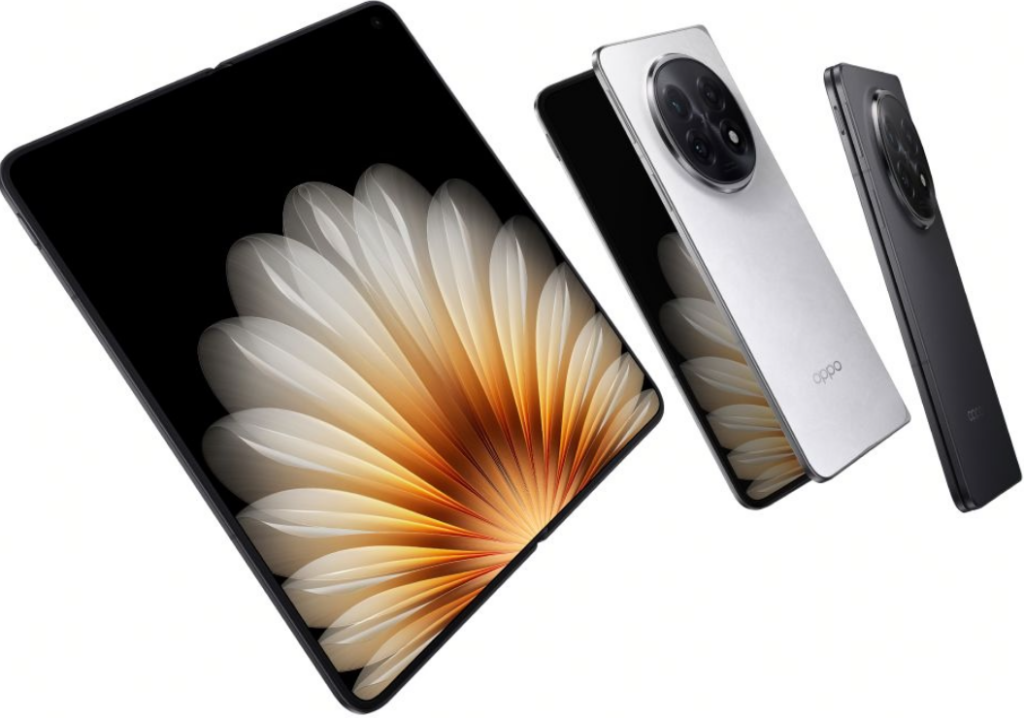
That said, people curious about what the Open 2 could have been may want to look at Oppo’s upcoming Find N6 instead. The OnePlus Open 2 was expected to be based on Oppo’s foldable, following the same shared-hardware strategy OnePlus used for the original Open.
OnePlus Open 2: expected specs
The Open 2 was expected to feature an 8.12-inch 2K folding display paired with a 6.6-inch AMOLED cover screen, with both panels running at a smooth 165Hz refresh rate.
Under the hood, the phone would have used Qualcomm’s Snapdragon 8 Elite Gen 5, combined with up to 16GB of RAM and 1TB of storage.
OPPO Find N5
For cameras, OnePlus reportedly planned a triple 50-megapixel rear setup, including ultrawide and telephoto lenses. The phone also featured a 32MP selfie camera on the cover screen and a 20MP camera on the inner display.
There’s apparently a 6000mAh battery, 80W wired and 50W wireless charging support, and the prototype model had a black faux-leather finish and used a chassis design similar to Huawei’s Mate X7.
For more daily updates, please visit our News Section.
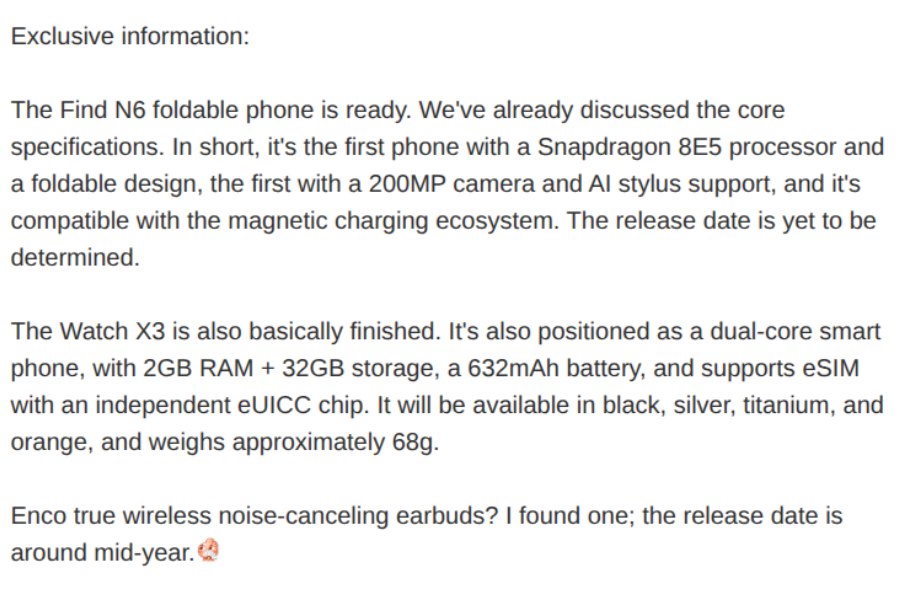
Much of the Oppo Find N6’s specs were revealed in a leak from late December. The foldable will feature an 8.12-inch main display and a 6.62-inch cover screen, and will be powered by the Snapdragon 8 Elite Gen 5.
Today, tipster Digital Chat Station on Weibo has added a few missing details about the foldable, making the spec sheet more complete.
According to DCS, the Oppo Find N6 will support a new AI stylus and will also be compatible with a magnetic charging ecosystem. However, the device is unlikely to have magnets built in. Instead, the foldable may support magnetic charging and accessories via a case — at least, that’s what the tipster suggests in the comments.
The Find N6 will also have a 200MP rear camera with a 50MP and a 2MP multispectral lens. For selfies, the main and cover screen will house a 20MP camera.
Moreover, the foldable is said to ship with 12GB or 16GB of RAM and up to 1TB of storage. Battery specs include a dual-cell design that totals 6000mAh in typical value.
Oppo Watch X3
DCS also talks about the upcoming Watch X3 in the same post. Like the Watch X2, it will feature a dual-chip system, paired with 2GB of RAM and 32GB of storage.
It will also support eSIM via an independent eUICC chip. Powering it will be a 632mAh battery. The wearable is said to be available in Black, Silver, Titanium, and Orange, and reportedly weighs around 68 grams.
Oppo Watch X2
The tipster also adds that Oppo is preparing its next Enco earbuds, with a launch planned for mid-2026.
Meanwhile, the Find N6 is expected to debut this month in China with a global rollout later in the year.
For more daily updates, please visit our News Section.
At CES 2026, ASUS just dropped the ProArt GoPro Edition (PX13), a 13-inch convertible laptop they built with GoPro. It’s made for creators who shoot content on location and need to edit quickly afterward. The laptop mixes tough build quality, AI features, and tight GoPro integration into something that actually works for this kind of workflow.
The PX13 has a 360-degree hinge that works in laptop, tablet, tent, or monitor mode. It comes in a Black Metal finish with GoPro design elements and includes a matching protective sleeve. The chassis is MIL-STD-810H certified to handle vibration, temperature changes, and frequent travel. It measures 15.8mm thick and weighs 1.39kg.
The key feature is StoryCube, the first Windows app with direct GoPro Cloud access and native 360-degree video support. Connect your GoPro account and StoryCube automatically syncs footage, applies AI tagging, and organizes files for faster retrieval. A dedicated GoPro Hotkey launches GoPro Player instantly for 360-degree editing, cutting down manual file management time. The laptop functions as a central workflow hub for multi-shoot projects. ASUS includes a 12-month GoPro Premium+ subscription with unlimited cloud storage.
The laptop uses an AMD Ryzen AI Max+ 395 processor with a 50 TOPS NPU for local AI processing. This handles real-time denoising, upscaling, and AI-assisted editing without cloud dependency. It supports up to 128GB of LPDDR5X memory at 8000MHz for high-resolution video, batch photo processing, and multiple applications running simultaneously. Local AI processing also improves power management for extended mobile work sessions.
The display is a 13.3-inch 3K ASUS Lumina OLED touchscreen with a 16:10 aspect ratio. It delivers high contrast, accurate color reproduction, and comes factory calibrated for professional color grading. It supports an MPP 2.6 stylus and the ASUS DialPad for precise timeline control, exposure adjustments, and brush settings.
Pricing and availability details of this laptop will be revealed in the coming days on Asus’s website.
Apple has confirmed a long-term collaboration with Google that will influence the next phase of Apple Intelligence. While the announcement has sparked strong reactions online, the partnership is focused on improving Apple’s AI foundation rather than changing how iPhones work for users. At first glance, nothing appears different on the surface, but the agreement plays an important role in Apple’s AI roadmap.
Apple and Google collaboration explained
Apple Google collab (AI-generated image)
Apple has revealed that future Apple Foundation Models will be built using Google’s Gemini models and cloud infrastructure as a training base. This does not mean Gemini will run on iPhones or replace Siri. Instead, Gemini is being licensed as a learning and development tool to strengthen Apple’s own models. Apple Intelligence will continue to function through on-device processing and Apple’s Private Cloud Compute, maintaining its existing privacy framework.
According to reports, Apple evaluated several AI technologies before choosing Gemini, concluding that it currently offers the most capable base for large-scale model training. As part of the deal, Apple is reportedly paying Google around $1 billion annually. Despite this, Apple retains full control over how its AI systems are deployed, and no user data is shared with Google during normal usage.
A major concern among users has been the belief that Siri will now be powered by Google or that personal data will flow to Google servers. Both Apple and Google have clarified that this is not the case. Siri and Apple Intelligence will still rely on Apple Foundation Models, running either locally on devices or on Apple-controlled servers.
This partnership is also seen as a temporary acceleration step. Apple is reportedly developing its own trillion-parameter AI model, expected around 2027. Even after that, Gemini may continue to be used for comparison and reinforcement during training. Similar to how Apple once depended on Google Maps before launching Apple Maps, this collaboration fills a strategic gap without changing the user experience.
For users, the outcome is simple. Apple Intelligence remains Apple-built, privacy-focused, and tightly integrated into iOS. The collaboration strengthens Apple’s AI capabilities without compromising its core principles.
For more daily updates, please visit our News Section.
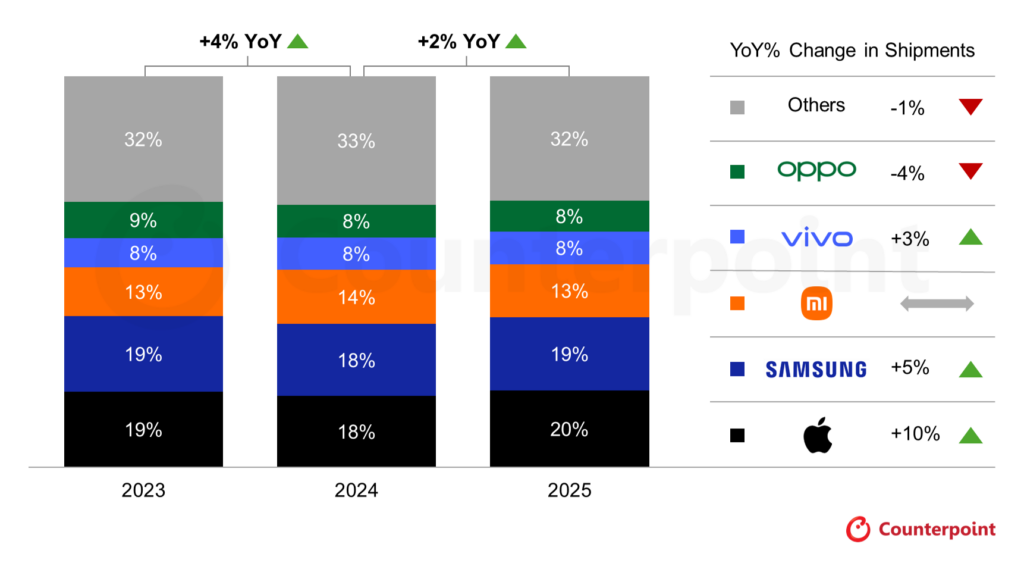
Apple emerged as the world’s leading smartphone vendor by shipments in 2025, according to preliminary data from Counterpoint Research. The company captured 20% of the global market, registering 10% year-over-year growth, the highest among the top five brands.
Premium upgrades and emerging markets drive 2025 recovery
Global smartphone shipments grew 2% in 2025, marking a second consecutive year of recovery. This growth was supported by premium demand, wider adoption of 5G in emerging markets, and financing options that made high-end phones more accessible. Apple saw strong momentum for the iPhone 17 series in the fourth quarter, while the iPhone 16 remained popular in regions like India, Japan, and Southeast Asia.
Samsung ranked second with a 19% market share and 5% annual growth. Its mid-range Galaxy A series remained a key driver, while the Galaxy S25 and Fold 7 helped sustain traction in the premium category. The company posted gains in Japan but faced pressure in Latin America and Western Europe.
Xiaomi maintained its third-place position with a 13% share. The brand saw steady demand in Southeast Asia and Latin America, supported by a balanced portfolio of premium and mid-tier smartphones. Based on the report’s methodology, Xiaomi likely ranked first in smartphone shipments in the Chinese market in 2025.
Vivo came in fourth, aided by premium segment growth and strong offline performance in India. Oppo dropped to fifth after a 4% decline, impacted by weak demand in China and rising competition across the Asia-Pacific. The combined Oppo and Realme shipment share stood at 11%.
Counterpoint analysts issued a cautious outlook for 2026. They expect smartphone growth to slow due to rising memory prices and component shortages, as chipmakers shift resources to AI data centers. Apple and Samsung are projected to remain resilient, while Chinese OEMs may face increased supply-side challenges.
For more daily updates, please visit our News Section.
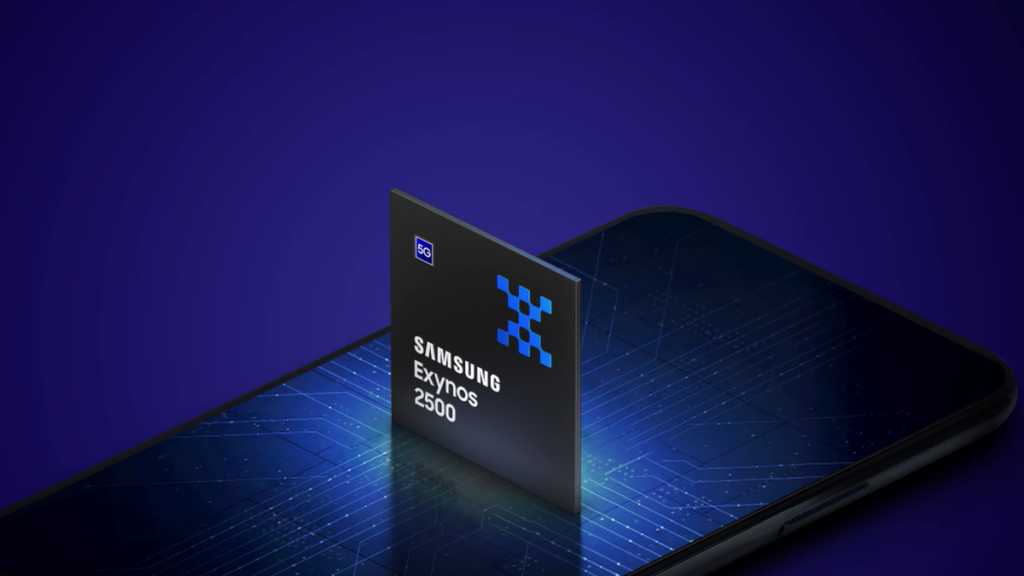
Samsung is looking to shatter the Exynos curse with its 2027 flagship processor, the Exynos 2700. Codenamed Ulysses, the chip is expected to be a pivotal component for the Galaxy S27 series, focusing on solving the persistent thermal and efficiency issues that have historically plagued Samsung’s in-house silicon.
Exynos 2700 Specs (Rumored)
According to recent leaks from tipster Kaulenda, the Exynos 2700 will be built on Samsung Foundry’s second-generation 2nm process, known as SF2P.
This cutting-edge node utilizes a refined Gate-All-Around (GAA) architecture, which is projected to deliver a 12% performance boost and a massive 25% reduction in power consumption compared to the upcoming SF2-based Exynos 2600. The transition to SF2P could allow the chip’s prime CPU core to reach a stable clock speed of 4.2 GHz.
Architecturally, the Exynos 2700 is rumored to adopt ARM’s next-generation C2 cores, likely labeled as C2-Ultra and C2-Pro. This shift could result in a 35% gain in instructions per clock (IPC), pushing Geekbench 6 scores to an impressive 4,800 in single-core and 15,000 in multi-core tests.
To tackle heat, Samsung is reportedly introducing FOWLP-SbS (Side-by-Side) packaging. Unlike traditional vertical stacking, this layout places the die and DRAM horizontally under a unified copper-based Heat Path Block. This design increases the contact area for the heatsink, significantly improving thermal dissipation during heavy workloads.
The graphics side will also see a transformation. Pairing a next-gen AMD-based Xclipse GPU with LPDDR6 memory (supporting up to 14.4 Gbps) and UFS 5.0 storage, the chipset could see data transfer speeds nearly double.
This synergy is expected to yield a 40% jump in graphics performance, positioning the Exynos 2700 as a formidable rival to Qualcomm’s Snapdragon 8 Elite Gen 6 and a potential ticket for Samsung to regain its silicon independence.
For more daily updates, please visit our News Section.
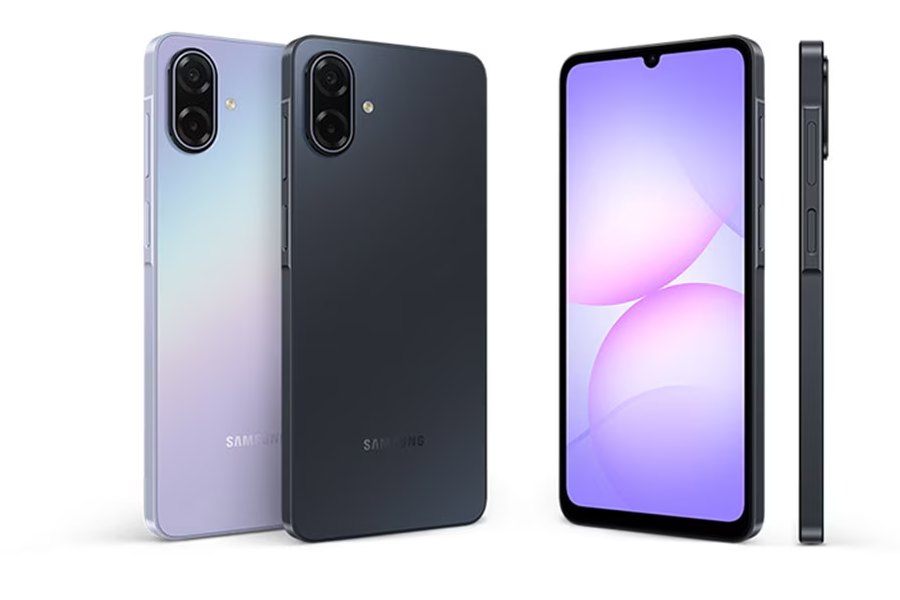
Samsung is expanding its entry-level A-series with a new 5G option. After launching the Galaxy A07 4G in August last year, the company has now quietly introduced the Galaxy A07 5G in the Myanmar market.
As is usual for Samsung now, the Galaxy A07 comes with a promise of long software support. It will receive six major Android version updates, along with ongoing security updates.
Samsung Galaxy A07 Specifications
On the front, the Galaxy A07 5G features a 6.7-inch PLS LCD with an HD+ resolution (720 x 1600), a 120Hz refresh rate, and 800 nits of brightness. The panel uses a waterdrop notch design, which feels dated in 2026, but Samsung is fixated with this in the budget segment.
Powering the phone is a MediaTek Dimensity 6300 chipset. This gets paired with either 4GB or 6GB of RAM and 128GB of storage. The latter is expandable up to 2TB via a microSD card, and Samsung includes dual physical SIM slots.
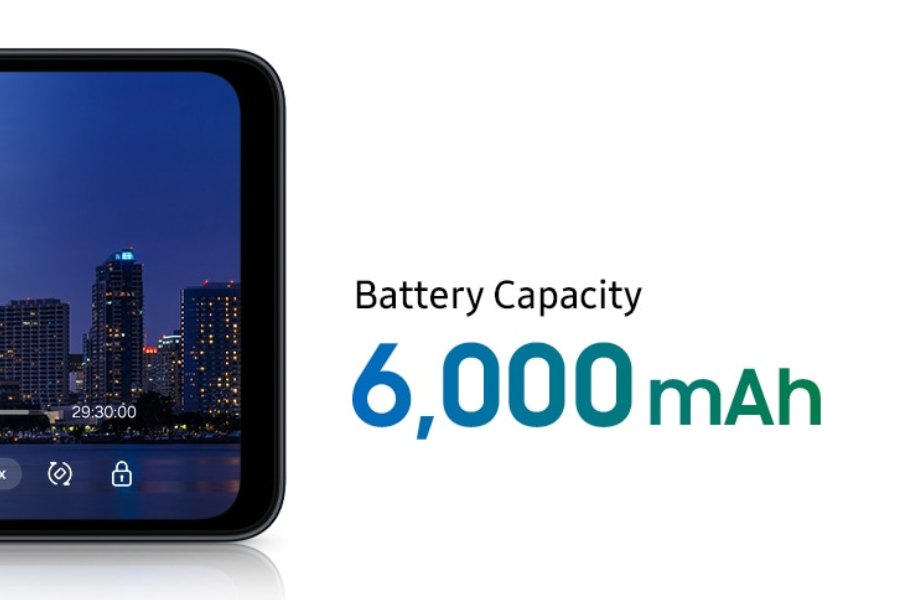
The phone runs Android 16 out of the box and runs on a large 6,000mAh battery. There’s also a side-mounted fingerprint sensor, IP54-rated dust and water resistance, and standard connectivity options like USB-C, dual-band Wi-Fi, and 5G Sub-6 support.
As for the camera, the back gets a 50-megapixel main camera with an f/1.8 aperture, paired with a 2-megapixel depth sensor. Around the front is an 8-megapixel selfie camera. Video recording tops out at 1080p at 30fps.
Physically, the Galaxy A07 5G measures 167.4 x 77.4 x 8.2mm and weighs 199 grams. Samsung is offering two variants in Myanmar: 4GB RAM with 128GB storage priced at ฿5,499 (~USD 176), and 6GB RAM with 128GB storage priced at ฿5,999 (~USD 193). It is available in Light Violet and Black colors.
For more daily updates, please visit our News Section.
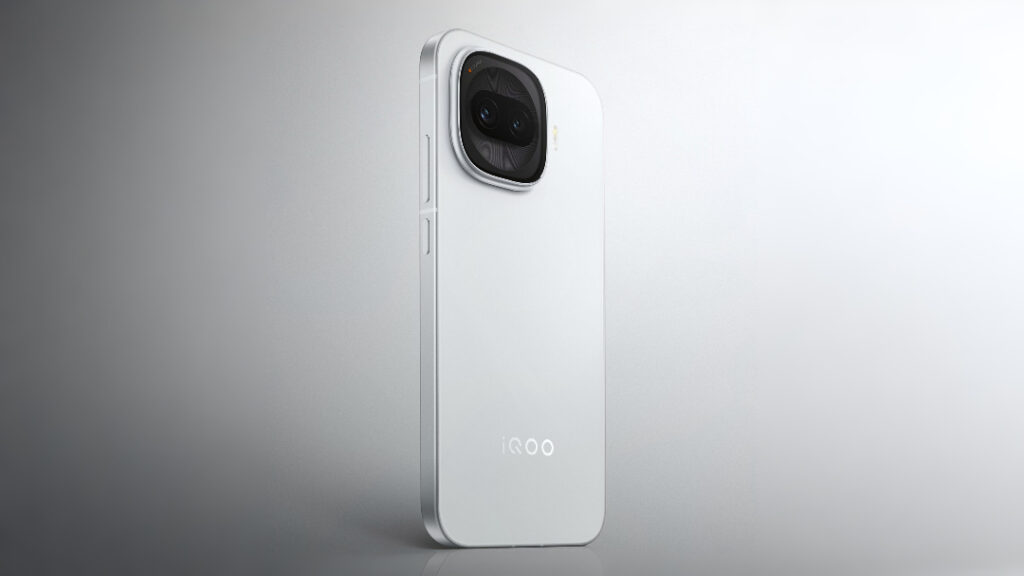
iQOO has confirmed that the iQOO Z11 Turbo will launch in China on January 15. Ahead of the launch, the company has been sharing key specifications on its official Weibo channel, and it has now revealed detailed camera specifications for the device.
According to the company, the Z11 Turbo will be the first iQOO phone to feature a 200MP primary camera. The main sensor measures 1/1.56 inches and uses an f/1.88 aperture lens. iQOO has equipped it with optical image stabilization and claims CIPA 4.5-level professional-grade stabilization.
The camera supports 4x lossless zoom and up to 40x magnification using software enhancements. It also includes AI-based features like cinematic storyboarding and secondary photo recomposition for the gallery. The front camera has a 32MP wide-angle sensor with support for 0.8x, 1x, and 2x focal lengths.
Yesterday, the company also revealed gaming related connectivity features. The iQOO Z11 Turbo will debut with the Global Esports Network System 2.0, powered by the Thunder Z1 gaming signal enhancement chip. iQOO claims the system can reduce game stutter by 76.47% when Wi Fi 5GHz signals pass through four walls.
Talking about other specs, the iQOO Z11 Turbo is expected to feature a 6.59-inch LTPS OLED display with a 1.5K resolution and a 144Hz refresh rate. The phone is tipped to run on the Snapdragon 8 Gen 5 processor, paired with up to 16GB of LPDDR5X RAM and up to 1TB of UFS 4.1 storage.
It is also expected to get a 7,600mAh battery along with support for 100W fast charging. Despite the large battery, the device is expected to measure around 7.9mm in thickness and weigh about 202 grams.
Additionally, the device will include an ultrasonic 3D fingerprint sensor, IP68 and IP69 ratings for water and dust resistance, and Android 16 out of the box with OriginOS 6.
For more daily updates, please visit our News Section.
While Motorola has improved its update policy to offer up to five years of Android updates to many devices, that list is still much smaller compared to those that promise just three OS updates. Unfortunately, the list also includes many of the latest Edge models, as well as the premium Razr foldable phones.
We’ve curated a list of Motorola smartphones that promise to offer three generations of major Android OS updates. For better clarity, we’ve also added the last OS upgrade for every device on the list.
Motorola phones eligible to receive three major Android OS updates
It’s sad to see the latest Edge models, such as Edge 60 and Edge 70, on the list when its rivals are offering up to six years of Android updates to their mid-range phones. At the very least, Motorola could have offered longer updates to its premium Razr models, which typically receive updates for only up to three years.
On the plus side, Motorola appears to be working towards longer and timely software updates for its smartphones. Last year, it launched the Edge 50 Neo with a promise to offer five Android OS updates, which was later expanded to include the Moto G75, ThinkPhone 25, and Edge 60 Neo. We’d love to see more Motorola devices with this updated policy.
Earlier this year, Motorola took another significant step by promising up to seven Android OS updates for the newly announced Motorola Signature smartphone, matching Google and Samsung. This is certainly a good move from the brand, but it will only make sense if more Motorola devices come with the same software support.
The company has also worked on improving the speed of software rollouts. The Android 16 rollout, for instance, has been expanding to the eligible devices at an improved pace.
Don’t forget to visit our Motorola section regularly for the latest information. Alternatively, you can join our Telegram channel to get instant notifications about the latest product launches, software updates, and tech breakthroughs.
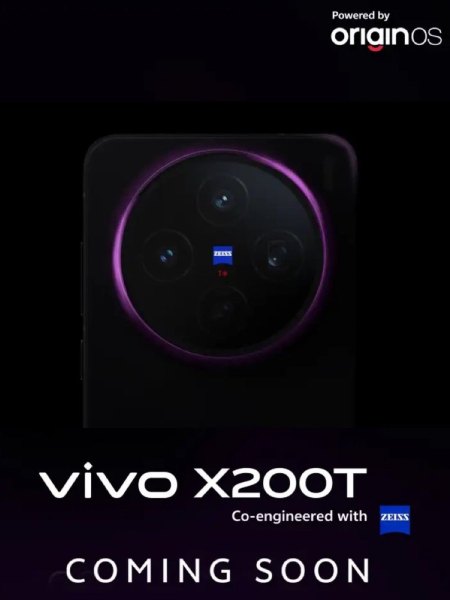
While the Vivo X300 series recently made its global debut, the brand is now gearing up to unveil a new smartphone from its older X200 lineup. Fresh teasers have revealed that the Vivo X200T model is in the works, but finer details are still at large. However, leaks and rumors have revealed a bunch of key details of this device, which could be Vivo’s latest budget flagship. So here’s what you can expect from the Vivo X200T.
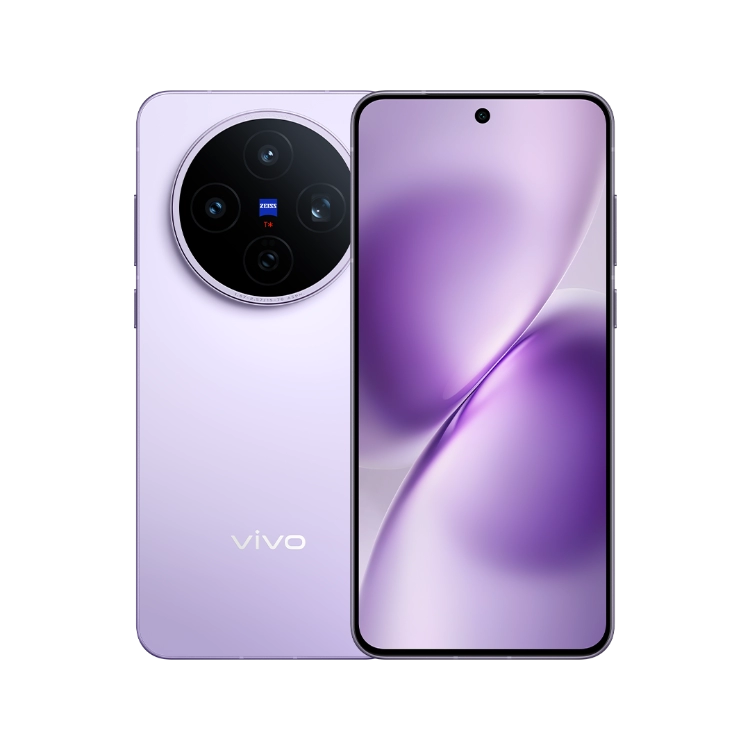
From official teasers, the Vivo X200T adopts a familiar yet refined look reminiscent of the X200 FE series, featuring a circular triple-camera module with Zeiss branding on the rear. So we can expect a strong focus on photography. The teaser images confirm at least one new purple colorway. Since it is a premium model, Vivo likely offers an IP rating for water and dust resistance (possibly IP68 + IP69), a glass back, and a metallic frame.
On the front, the Vivo X200T is expected to sport a 6.67-inch AMOLED display with a 1.5K resolution (around 2800 x 1260 pixels) and a 120Hz refresh rate. Another notable inclusion is an ultrasonic in-display fingerprint scanner for fast and secure unlocking.
2. Performance
Under the hood, the Vivo X200T is rumoured to be equipped with MediaTek’s Dimensity 9400+ chipset. This is a powerful flagship level SoC, which powered older flagship smartphones from last year. From gaming to everyday use, the chip is expected to offer very capable daily performance. Notably, this is also a step up from the Dimensity 9300+ that was featured on the Vivo X200 FE model.
Recent leaks have also hinted at this chip being coupled with up to 16GB of RAM and up to 1TB of internal storage. Battery life is another highlight, as the Vivo X200T is reportedly housing a huge 6,200mAh battery pack that should deliver excellent endurance. In real life use, this device should last for more than a day. For charging, the upcoming budget flagship brings 90W wired fast charging and 40W wireless fast charging.
Keeping these beefy specs cool is an acoustic vapor chamber or the brand’s nanofluid cooling tech. Out of the box, the Vivo X200T will debut with the Android 16 OS based OriginOS 6 custom skin with 5 years of major Android updates and 7 years of security patches.
3. Photograhy
Photography is a major focus for Vivo’s X-series, and the X200T looks to continue that trend. Rumors suggest a Zeiss tuned triple camera setup, so here’s the expected hardware:
50MP Sony LYT702 main camera (OIS, 1/1.56″)
50MP Samsung JN1 ultra-wide sensor (1/2.76″)
50MP Sony LYT600 periscope telephoto shooter (1/1.95″, OIS)
For selfies and video calls, the front could feature a 32MP shooter. The telephoto sensor should offer at least 3x optical zoom, which is common for this Sony sensor.
4. Availability and Pricing
Multiple reports have suggested that the Vivo X200T is launching in India soon, possibly by the end of this month. Teasers have already gone live with certification listings, further solidifying their imminent arrival. Pricing is rumored to be around Rs 50,000–Rs 55,000, which positions it as a strong contender in the budget flagship category.
For more daily updates, please visit our News Section.
Xiaomi’s latest flagship phones are doing really well in China. According to well-known Chinese tech blogger Digital Chat Station, only three flagship phones released toward the end of the year have crossed one million activations so far. These models are the Xiaomi 17 Pro, 17 Pro Max, and Huawei Mate 80.
Among these, the Xiaomi 17 Pro series stands out because both models — the Pro and the Pro Max — have individually surpassed one million activations. That makes the 17 Pro lineup the biggest winner among China’s year-end flagship launches.
Xiaomi Group partner and president Lu Weibing shared the milestone on social media, thanking users for their support. He also used the moment to underline just how important this launch is for the company, calling the Xiaomi 17 series the best-selling product line in Xiaomi’s history.
A big reason for that attention is Xiaomi’s most distinctive design choice this year. Both the 17 Pro and Pro Max have a rear screen. Unlike the small notification panels seen on earlier experimental devices, Xiaomi’s rear screen is a functional second display.
It can show a clock, AI-generated avatars, or virtual pet images, while also letting users interact with notifications and reminders. Users can even pin important notes or tasks to the back screen with a single tap.
The rear display also supports live previews for selfies taken with the main rear camera. When someone else is taking the photo, users can see the framing in real time on the back screen.
Crucially, Xiaomi hasn’t treated the rear screen as a one-off gimmick. Over the past few months, the company has rolled out frequent updates, adding features like dialogue translation, photo booth mode, dynamic photo and video wallpapers, and even the ability to take screenshots from the back screen while using a case.
Just last week, Xiaomi expanded its usefulness further with stock-quote tracking and a video teleprompter mode.
For more daily updates, please visit our News Section.
We use cookies on our website to give you the most relevant experience by remembering your preferences and repeat visits. By clicking “Accept”, you consent to the use of ALL the cookies.
This website uses cookies to improve your experience while you navigate through the website. Out of these, the cookies that are categorized as necessary are stored on your browser as they are essential for the working of basic functionalities of the website. We also use third-party cookies that help us analyze and understand how you use this website. These cookies will be stored in your browser only with your consent. You also have the option to opt-out of these cookies. But opting out of some of these cookies may affect your browsing experience.
Necessary cookies are absolutely essential for the website to function properly. This category only includes cookies that ensures basic functionalities and security features of the website. These cookies do not store any personal information.
Any cookies that may not be particularly necessary for the website to function and is used specifically to collect user personal data via analytics, ads, other embedded contents are termed as non-necessary cookies. It is mandatory to procure user consent prior to running these cookies on your website.