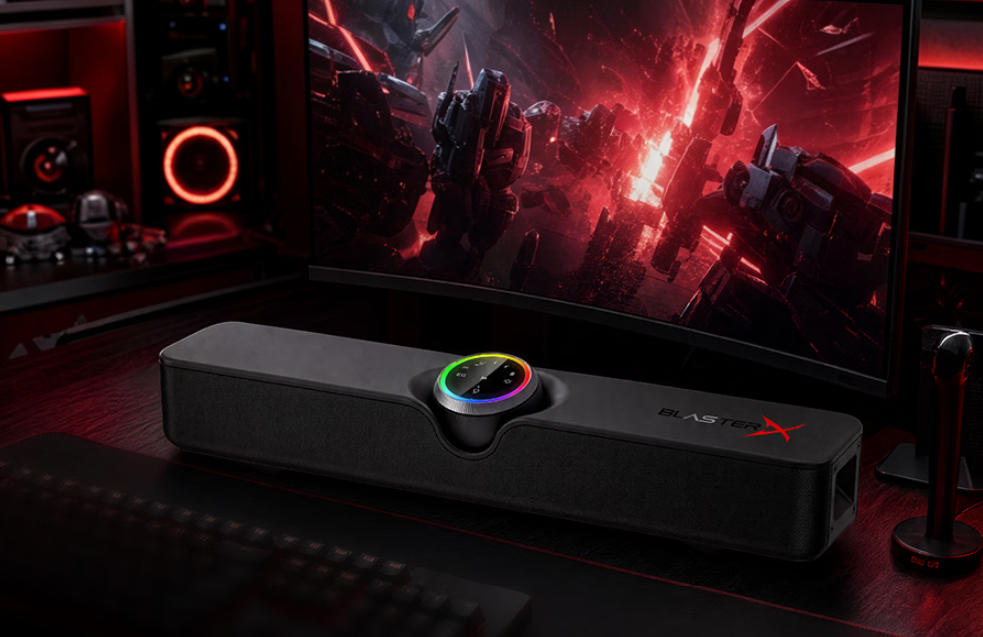
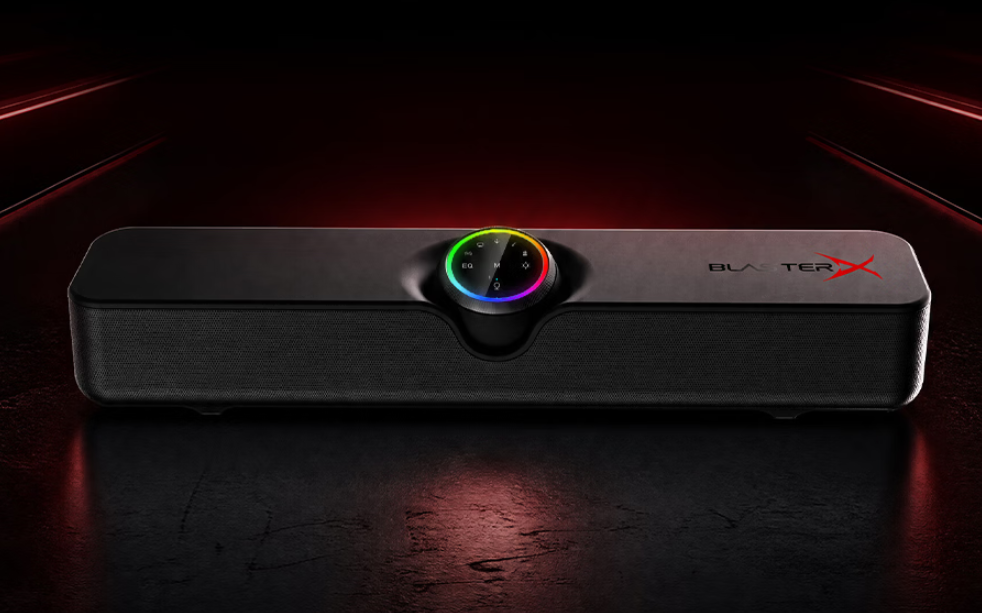
Creative has launched a new desktop soundbar in China, the Creative B3, which is currently listed on JD.com. The soundbar has a standard retail price of 429 yuan ($64), with an initial launch price set at 339 yuan ($50).
Inside the 420mm-wide unit, the B3 features a four-driver acoustic system. It uses a symmetrical two-way design, pairing two 58mm bass drivers with two 40mm high-frequency drivers. This configuration separates the low and high frequencies to maintain audio clarity during media playback and gaming.
The system is managed by an Actions Semiconductor audio chipset with a 32-bit processing core and a DSP programmed for gaming audio. It has a frequency response range of 20Hz to 20kHz and delivers a peak output of 20W. The power output is divided into 4W for the left and right channels, and 6W for each of the two subwoofer channels.
The soundbar supports Bluetooth 6.0, utilizing a wireless transmission chip designed to reduce audio latency and keep game audio synchronized with on-screen visuals. Alongside the wireless option, the rear panel includes ports for USB-C, optical, and 3.5mm AUX connections.
This allows the B3 to connect to PCs, macOS devices, smartphones, and TVs. It is also compatible with the PlayStation 5 and Nintendo Switch, though it requires users to switch the soundbar to a dedicated console mode for those systems.
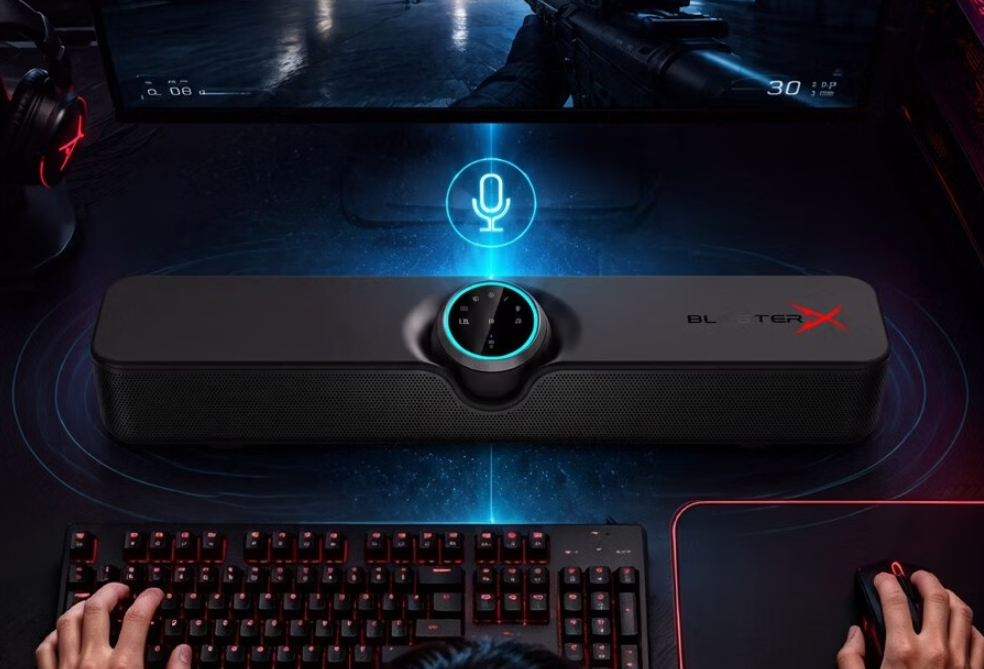
For voice communication, Creative included a built-in omnidirectional microphone with noise-reduction capabilities to filter out background noise during multiplayer sessions.
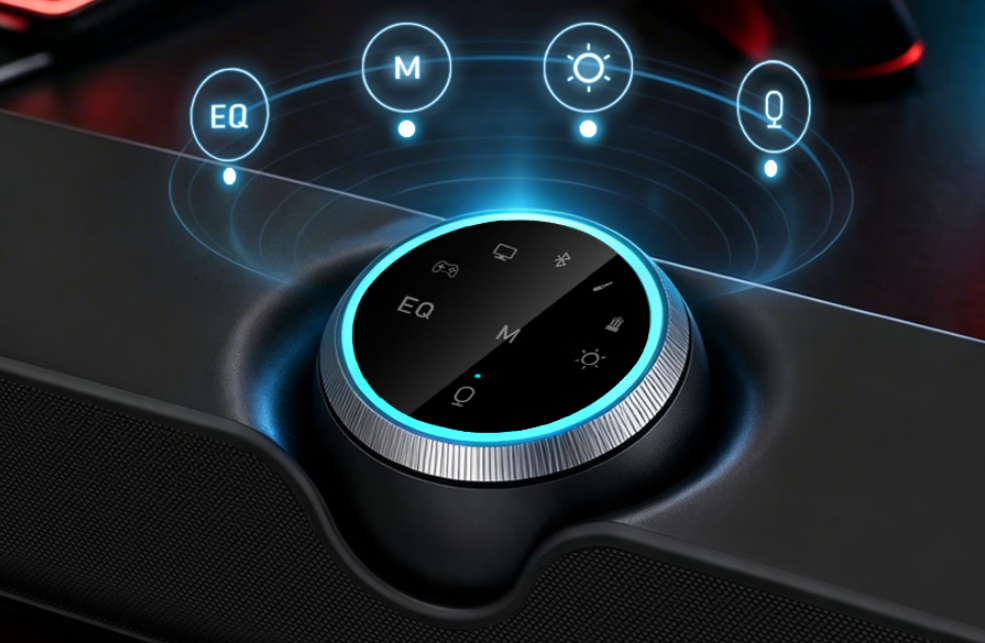
On the front panel, a spherical control unit combines a rotary dial and touch controls. This hub manages power, volume, media playback, and the circular RGB lighting, which can be disabled entirely via a dedicated button. The control dial also allows users to switch between four EQ presets. The B3 measures 420 x 87 x 87.4mm and weighs 1.28kg, fitting under most standard monitors.
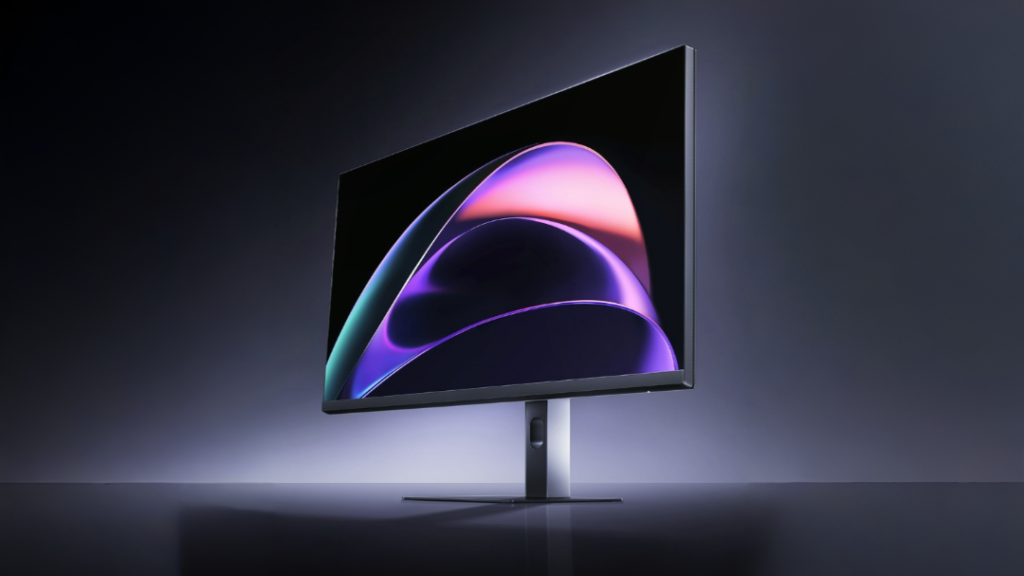
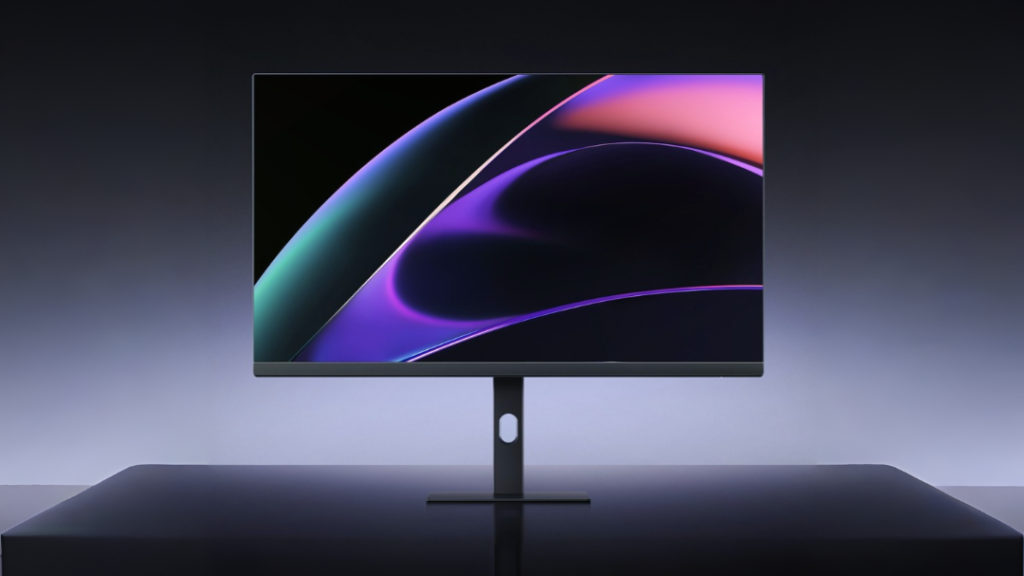
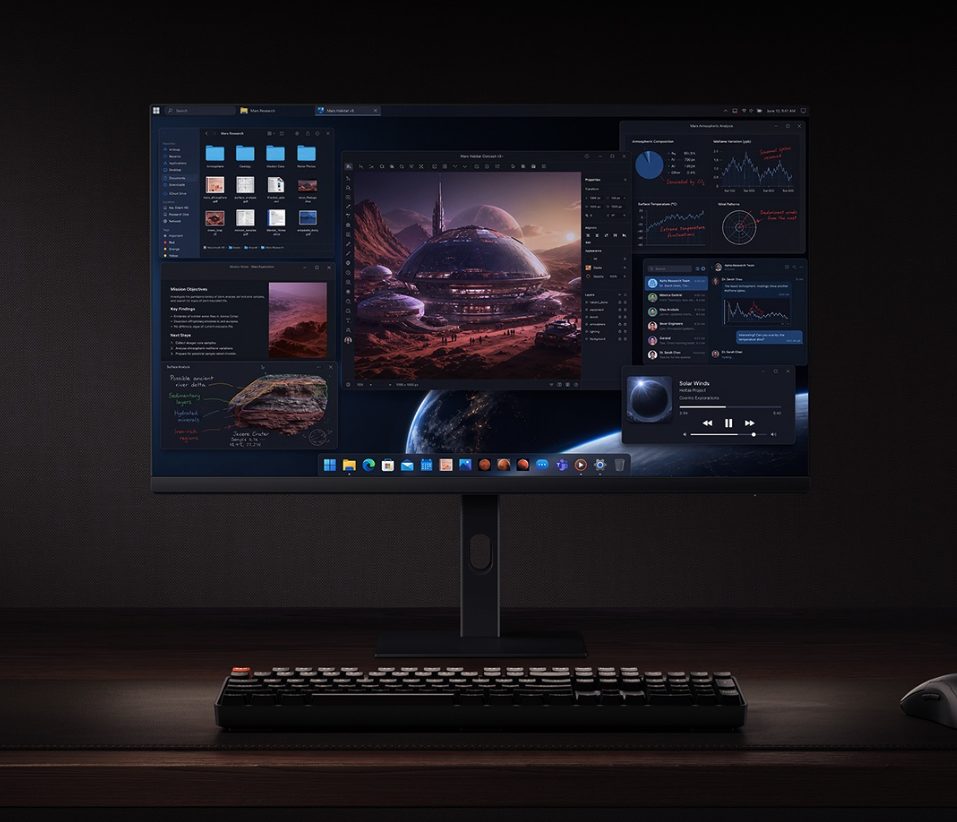
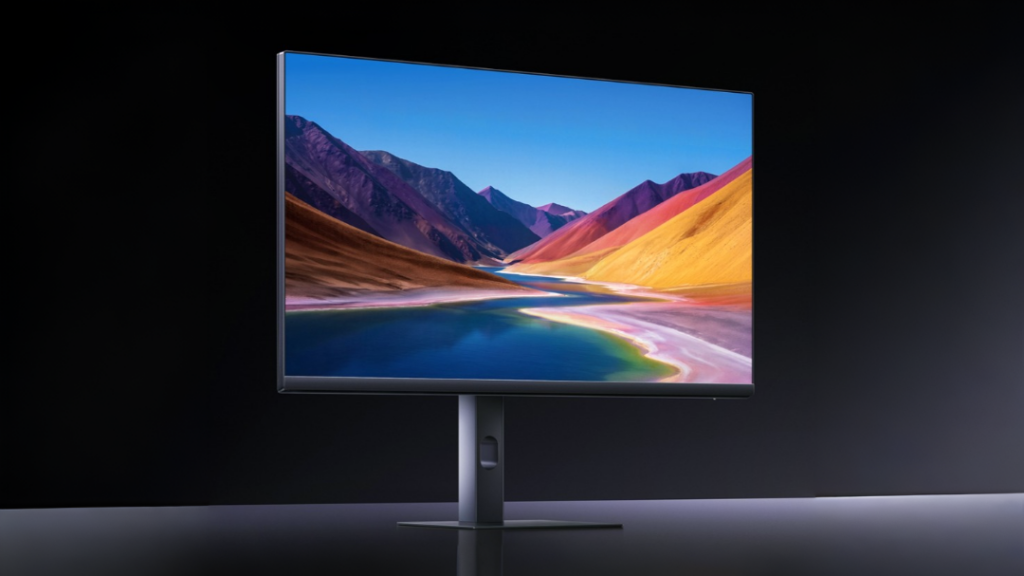
Xiaomi is currently taking pre-orders in China for a new desktop monitor, the Redmi Monitor A27U Type-C 120Hz 2027. It costs 1,699 yuan (about $253), making it a relatively affordable option for people who want one screen that can handle both daily work and gaming.
The monitor uses a 27-inch 4K IPS panel with slim bezels on three sides. It has a standard 1500:1 contrast ratio and a typical brightness of 400 nits, which meets the basic DisplayHDR 400 certification.
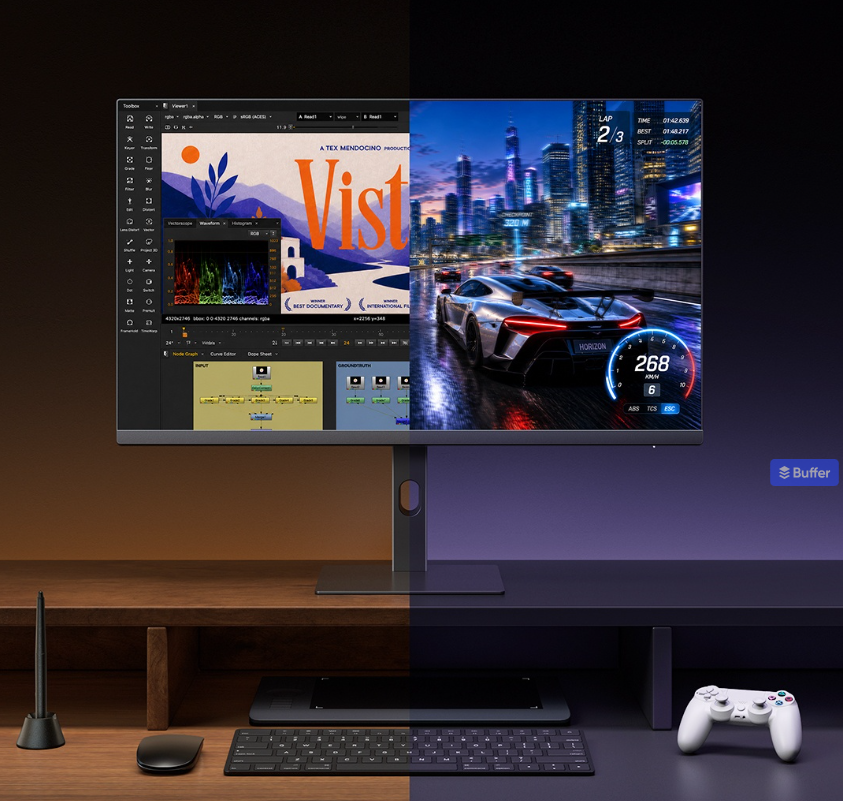
Instead of sticking to a single refresh rate, it offers a dual-mode setup. For regular desktop use and content creation, it runs at its native 4K resolution at 120Hz. If you want to play games and prefer higher frame rates over resolution, you can switch it to a 1080p mode that runs at 240Hz.
For color, the screen covers 100% of the sRGB gamut and 98% of DCI-P3. Xiaomi says each monitor is calibrated at the factory to ensure an average Delta E of less than 1. If you use a Mac, there is a specific M Mode designed to match Apple‘s Display P3 color output. This should help keep colors looking consistent when you plug in a MacBook or iPad.
To reduce glare from windows or office lights, the screen has an anti-reflective coating that Xiaomi says brings overall reflectance down to 2.6 percent. It also includes standard eye-care features, like DC dimming to prevent screen flickering and a hardware-level blue light filter certified by TÜV Rheinland.
You can connect a laptop to the monitor using a single USB-C cable, which handles video and data while providing up to 90W of power to keep your computer charged. The back of the monitor also includes two HDMI 2.1 ports, one DisplayPort 1.4, two USB 2.0 ports for basic accessories, and a standard headphone jack.
The included stand lets you adjust the height, tilt, and swivel, and you can rotate the screen vertically into portrait mode. The monitor is available for pre-order in China now and comes with a three-year warranty.
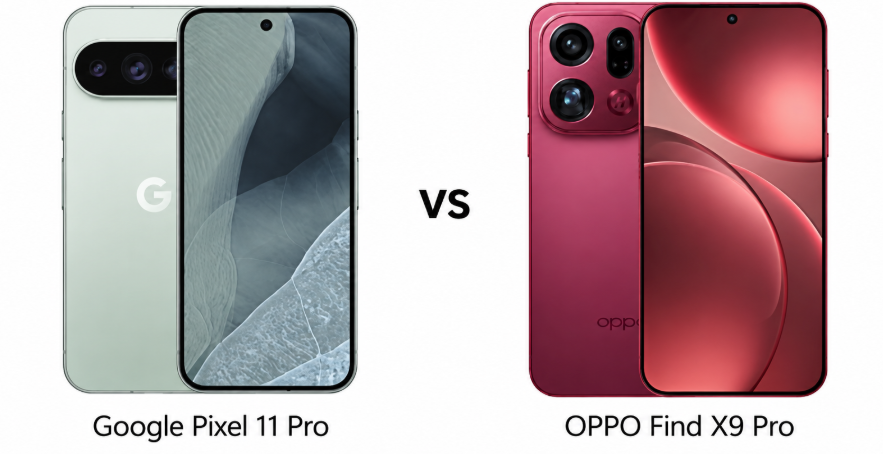
Google Pixel 11 Pro and OPPO Find X9 Pro take very different approaches to the premium Android phone. The Pixel focuses on computational photography, clean software, long-term updates, and Google’s custom Tensor platform, while OPPO pushes hardware with a huge battery, faster charging, and an unusually capable 200MP telephoto camera.
This comparison matters because both phones sit around the same flagship price range, yet prioritize different strengths. The Pixel 11 Pro looks more appealing for software longevity and photography, while the Find X9 Pro is built for buyers who want maximum hardware value. The better choice ultimately depends on whether refinement or raw hardware flexibility matters more.
Both phones use premium glass construction with aluminum frames and Gorilla Glass Victus 2 protection on the front. They also offer IP68 water and dust resistance, while the Find X9 Pro adds IP69 protection for greater resistance to high-pressure water jets. Both feature ultrasonic in-display fingerprint sensors and stereo speakers. The OPPO feels more feature-packed from a durability perspective, although the Pixel’s design remains more understated and cohesive.
The Pixel 11 Pro also offers UWB, which expands its potential for device tracking and ecosystem features. OPPO counters with an infrared port, making the Find X9 Pro more useful as a universal remote. Neither phone has a headphone jack. For everyday flagship use, both are well equipped, but OPPO delivers a slightly broader hardware feature set.
Display Quality
The Pixel 11 Pro has a 6.3-inch LTPO OLED panel with a 120Hz refresh rate, HDR10+, and up to 3,600 nits peak brightness. Its higher pixel density should produce exceptionally crisp text and images, while adaptive refresh rates help balance smoothness and efficiency. It is particularly well suited to users who prefer a compact flagship screen.
The Find X9 Pro counters with a larger 6.78-inch LTPO AMOLED display supporting Dolby Vision, HDR10+, HDR Vivid, 1 billion colors, and 3,600 nits peak brightness. Its 2,160Hz PWM dimming can also be easier on sensitive eyes. For movies and gaming, OPPO’s larger canvas feels more immersive, while Pixel wins for compact usability.
Verdict
OPPO Find X9 Pro wins the display section for its larger panel, Dolby Vision, richer format support, and high-frequency PWM dimming. Pixel remains preferable for buyers who value a smaller flagship screen.
2. Specifications Including Battery
Performance
The Pixel 11 Pro uses Google’s Tensor G6, built on a 3nm process, paired with up to 16GB RAM and UFS 4.x storage. Its seven-core design is optimized around Google’s software and AI workloads rather than headline specifications alone. The phone should therefore feel particularly well integrated for everyday tasks, photography processing, and Pixel-exclusive AI features.
The Find X9 Pro uses the 3nm Dimensity 9500 with an octa-core CPU, Arm G1-Ultra graphics, up to 16GB RAM, and faster UFS 4.1 storage. On paper, its configuration is more performance-oriented and better suited to demanding gaming and sustained workloads. OPPO has the stronger hardware proposition here, especially for users who prioritize raw performance.
Battery capacity is one of the biggest differences. The Pixel 11 Pro packs a 4,850mAh battery with 30W wired charging and 25W magnetic wireless charging. It also supports reverse wired charging and bypass charging. Google’s software optimization should help, but the charging hardware is conservative for a modern flagship.
OPPO dramatically raises the bar with a 7,500mAh silicon-carbon battery, 80W wired charging, and 50W wireless charging. It also supports 10W reverse wireless charging. The difference is substantial in practical terms, giving the Find X9 Pro much greater endurance potential and faster top-ups. OPPO clearly feels more practical for heavy users.
Verdict
OPPO Find X9 Pro wins comfortably, combining a much larger battery with 80W wired and 50W wireless charging. Pixel’s charging features are useful, but OPPO offers substantially better hardware value.
3. Camera
Main and Secondary Lenses
The Pixel 11 Pro combines a 50MP main camera, 48MP 5x periscope telephoto, and 48MP ultrawide. Google adds features such as Best Take, Zoom Enhance, Pixel Shift, Ultra HDR, and multi-zone laser autofocus. The long 5x optical zoom is particularly useful for distant subjects and complements Pixel’s computational photography approach.
The Find X9 Pro uses a 50MP f/1.5 main camera, 200MP 3x periscope telephoto, and 50MP ultrawide. Its large telephoto sensor and high resolution give it considerable cropping flexibility, while Hasselblad color calibration and LOG video target enthusiasts. OPPO has the more ambitious camera hardware, but Pixel’s processing could produce more consistently polished results.
Selfie Camera
Google equips the Pixel 11 Pro with a 42MP ultrawide selfie camera featuring PDAF and 4K video recording at up to 60fps. The wider field of view makes it particularly useful for group selfies and video calls, while autofocus should improve consistency compared with fixed-focus alternatives.
OPPO uses a 50MP wide selfie camera with PDAF, a 21mm equivalent field of view, and 4K recording at up to 60fps. It offers strong hardware on paper, while gyro-EIS adds stabilization for video. OPPO’s higher-resolution sensor is appealing, but Pixel’s ultrawide framing gives it greater flexibility. Both are strong selfie systems.
Verdict
The Pixel 11 Pro wins for computational photography and its versatile 5x zoom, while OPPO offers stronger camera hardware. For predictable point-and-shoot results, Pixel has the edge.
4. Pricing
The Pixel 11 Pro is priced around $1,100 or ₹120,000, while the OPPO Find X9 Pro is priced around $1,000 or ₹100,000. That gives OPPO a meaningful price advantage despite offering a larger battery, faster charging, and a 200MP periscope telephoto camera.
The gap becomes more significant when the hardware is considered as a package. Pixel’s premium is easier to understand if long-term software support, Google’s ecosystem, and computational photography are priorities. However, buyers primarily comparing specifications get considerably more hardware from OPPO for less money. On pure hardware value, the Find X9 Pro looks difficult to beat.
Is the price justified?
The Pixel 11 Pro can justify its higher price through seven major Android updates, Google’s software experience, AI features, and camera processing. Those advantages matter to buyers intending to keep a phone for many years rather than upgrading frequently.
The Find X9 Pro offers five major Android updates, which is still substantial, but falls behind Google’s commitment. However, its stronger charging system, enormous battery, premium camera hardware, and broader feature set make its lower price especially compelling. OPPO delivers more physical hardware for the money, while Pixel makes a stronger case through software longevity.
Verdict
The OPPO Find X9 Pro offers better value for money, thanks to its lower price and substantially stronger battery and charging hardware. Pixel earns its premium through software longevity and camera processing.
Disclaimer: Prices are approximate and may vary based on country, region, launch timing, and applicable taxes. Always check whether the listed price is for a China unit or a global/international variant when purchasing.
5. Conclusion
The Pixel 11 Pro stands out with seven major Android updates, Tensor G6 processing, UWB, satellite SOS, magnetic Qi2.2 wireless charging, and Google’s computational photography features. Its 5x periscope also gives it a different imaging strategy from OPPO’s high-resolution 3x telephoto. It is the more software-focused flagship, designed around Google’s ecosystem and long-term ownership.
The Find X9 Pro answers with a 7,500mAh silicon-carbon battery, 80W wired charging, 50W wireless charging, IP69 protection, an IR blaster, and a 200MP periscope camera. Its hardware package is unusually aggressive for the price. For demanding users, frequent travelers, gamers, and anyone prioritizing endurance, OPPO offers more immediately useful hardware.
Verdict
Overall winner: OPPO Find X9 Pro. Its bigger battery, faster charging, versatile camera hardware, stronger durability, and lower price make it the more compelling all-round flagship. Pixel 11 Pro remains the better choice for long-term software support and computational photography.
FAQs
1. Which phone has the better camera, Pixel 11 Pro or Find X9 Pro? The Pixel 11 Pro offers stronger computational photography, while OPPO provides more ambitious camera hardware and a 200MP telephoto.
2. Is the Pixel 11 Pro faster than the Find X9 Pro? The Find X9 Pro has the stronger performance-focused chipset configuration, making it the better choice for demanding workloads and gaming.
3. Which phone has better battery life? The Find X9 Pro should deliver longer battery life thanks to its significantly larger 7,500mAh battery.
4. Which phone offers better value for money? The Find X9 Pro offers better value with a lower price and a stronger overall hardware package.
5. Should you buy the Pixel 11 Pro or Find X9 Pro? Choose the Pixel for software longevity and Google’s camera processing; choose OPPO for battery, charging, performance, and hardware value.
Disclaimer: Prices, specifications, and availability may vary by region and retailer. Recommendations in this article are based on editorial opinion, feature-based value, and market positioning at the time of writing. Readers are advised to do their own research before making a purchase.
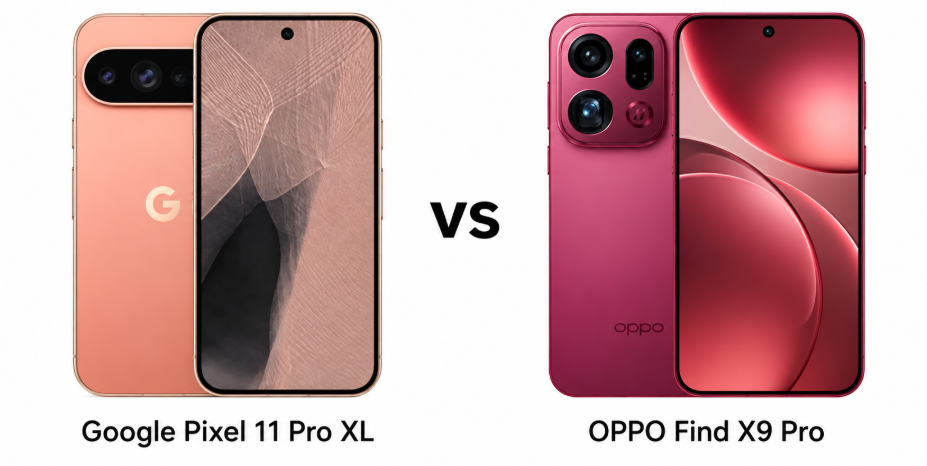
Google Pixel 11 Pro XL and OPPO Find X9 Pro take different approaches to the premium Android phone. Pixel emphasizes computational photography, clean software, and long-term updates, while OPPO pushes hardware with a huge battery, faster charging, and a 200MP telephoto camera. The comparison matters for buyers deciding whether Google’s software experience or OPPO’s hardware advantage is more compelling.
The Pixel 11 Pro XL combines Gorilla Glass Victus 2 with an aluminum frame and an IP68 rating, giving it a familiar premium flagship design. OPPO uses Gorilla Glass Victus 2 on the front, a glass rear, aluminum frame, and stronger IP68/IP69 protection. Both offer ultrasonic fingerprint readers and stereo speakers, but OPPO feels more practically equipped for demanding everyday use.
The Pixel has a slightly larger 6.8-inch LTPO OLED panel with a 120Hz refresh rate, HDR10+, and up to 3600 nits peak brightness. OPPO counters with a 6.78-inch LTPO AMOLED display supporting Dolby Vision, HDR10+, HDR Vivid, and 2160Hz PWM. Pixel’s higher resolution is appealing, while OPPO’s broader HDR support makes its screen more versatile.
Verdict
OPPO Find X9 Pro edges the display and durability category with IP69 protection, Dolby Vision, and an excellent AMOLED experience. Pixel remains compelling for sharper resolution and Google’s polished display tuning.
2. Specifications Including Battery
Performance
The Pixel 11 Pro XL uses Google’s Tensor G6, paired with up to 16GB RAM and UFS 4.x storage. OPPO uses the Dimensity 9500, also reaching 16GB RAM, with faster UFS 4.1 storage. OPPO’s flagship MediaTek chip looks stronger for demanding performance, while Pixel’s Tensor advantage lies more in Google’s AI-focused software integration.
Battery and Charging
This is where OPPO pulls decisively ahead. Its 7500mAh silicon-carbon battery supports 80W wired and 50W wireless charging, alongside 10W reverse wireless charging. Pixel’s 5115mAh battery supports 45W wired and 25W magnetic wireless charging, plus bypass charging. OPPO offers substantially more endurance and faster charging, making it the more practical choice for heavy users.
OPPO Find X9 Pro wins the specifications and battery section. Its Dimensity 9500, UFS 4.1 storage, massive 7500mAh battery, and faster charging create a stronger hardware package.
3. Camera
Main and Secondary Lenses
Pixel’s triple-camera system pairs a 50MP main camera with a 48MP 5x periscope and 48MP ultrawide. OPPO uses a 50MP main sensor, 200MP 3x periscope, and 50MP ultrawide. Pixel offers greater native telephoto reach, while OPPO’s enormous 200MP telephoto sensor promises stronger detail and cropping flexibility. For versatile zoom photography, both are unusually well equipped.
Selfie Camera
The Pixel features a 42MP ultrawide selfie camera with PDAF and 4K video recording, while OPPO uses a 50MP wide selfie camera with PDAF and 4K recording. Pixel’s wider perspective can suit group shots and framing, but OPPO’s higher-resolution sensor gives it a stronger hardware advantage. Pixel’s image processing could still make the real-world comparison closer.
Verdict
Pixel 11 Pro XL wins for its 5x optical telephoto and established computational photography approach. OPPO is the more exciting hardware package, particularly for users who prioritize detailed zoom and camera versatility.
4. Pricing
The Pixel 11 Pro XL is priced around $1300 or ₹135,000, while the OPPO Find X9 Pro is priced around $1000 or ₹100,000. That creates a significant gap between two premium phones with broadly comparable flagship ambitions. Pixel asks buyers to pay more for Google’s software ecosystem and longer update commitment.
Pixel’s premium is easier to justify for buyers who prioritize seven major Android updates, Google’s AI features, Pixel photography, and a clean Android experience. OPPO offers substantially more battery capacity, faster charging, stronger storage, and an impressive 200MP telephoto for less money. For hardware-focused buyers, OPPO clearly offers better value.
Verdict
OPPO Find X9 Pro is the stronger value choice. Its lower price combined with a larger battery, faster charging, and impressive camera hardware makes the premium paid for Pixel harder to justify.
Disclaimer: Prices are approximate and may vary based on country, region, launch timing, and applicable taxes. Always check whether the listed price is for a China unit or a global/international variant when purchasing.
5. Conclusion
The Pixel 11 Pro XL stands out with seven major OS updates, Tensor G6, Google’s computational photography, 5x optical zoom, magnetic Qi2.2 charging, UWB, and Satellite SOS. OPPO counters with a 7500mAh silicon-carbon battery, 80W charging, 50W wireless charging, IP69 protection, an infrared port, and a 200MP periscope. Each targets a different definition of a flagship.
Verdict
OPPO Find X9 Pro is the overall winner. It delivers stronger hardware, dramatically better battery endurance, faster charging, excellent cameras, and lower pricing, making it the more complete value-focused flagship.
FAQs
1. Which phone has the better camera, Pixel 11 Pro XL or OPPO Find X9 Pro? The Pixel excels at computational photography, while OPPO offers impressive zoom hardware and greater sensor resolution.
2. Is the OPPO Find X9 Pro faster than Pixel 11 Pro XL? Yes. Its Dimensity 9500 is better suited to demanding gaming and sustained performance.
3. Which phone has better battery life? The OPPO Find X9 Pro should last longer, thanks to its substantially larger 7500mAh battery.
4. Is Pixel 11 Pro XL worth the higher price? It can be for buyers prioritizing Google’s software, AI features, camera processing, and longer update support.
5. Which phone should you buy overall? Choose OPPO for hardware and value; choose Pixel for Google’s software experience and computational photography.
Disclaimer: Prices, specifications, and availability may vary by region and retailer. Recommendations in this article are based on editorial opinion, feature-based value, and market positioning at the time of writing. Readers are advised to do their own research before making a purchase.
iPhone Duo and Huawei Mate XT 2 Ultimate are not simply two expensive foldables chasing the same idea. They represent two very different answers to the question of what a folding phone should become. The Duo turns a familiar iPhone into a larger, book-style device, while Huawei takes the concept much further with a tri-fold design that opens into a 10.2-inch tablet-like screen. That makes this comparison especially interesting for buyers who want more than another premium smartphone.
The choice is also less obvious than the price tags suggest. The iPhone Duo brings Apple’s A20 Pro chip, 120Hz OLED displays, advanced video recording and a tightly integrated iOS experience. Huawei counters with a larger canvas, 16GB RAM, a 5600mAh battery, faster charging and a three-camera system with a dedicated periscope lens. The real question is not which phone has more technology. It is which approach makes more sense when the novelty wears off.
Major Features:
Category
iPhone Duo
Huawei Mate XT 2 Ultimate
Winner
Design
Titanium frame, Ceramic Shield, IP68, stylus support
Tri-fold design, IP58/IP59, stylus support
Huawei — more innovative tri-fold design
Inner Display
7.6-inch LTPO OLED, 120Hz, Dolby Vision
10.2-inch LTPO OLED, 90Hz
Huawei — much larger tablet-style canvas
Cover Display
5.4-inch LTPO OLED, 120Hz
6.5-inch LTPO OLED, 120Hz
Huawei — larger external screen
Display Brightness
Up to 3000 nits peak
Not specified
Apple — significantly higher stated peak brightness
Performance
Apple A20 Pro, 12GB RAM
Kirin 9050 Pro, 16GB RAM
Apple — stronger flagship performance platform
Storage
Up to 2TB
Up to 1TB
Apple — offers twice the maximum storage
Main Camera
48MP wide + 48MP ultrawide
50MP wide + 50MP periscope + 40MP ultrawide
Huawei — more versatile triple-camera setup
Optical Zoom
No dedicated telephoto
3.5x periscope telephoto
Huawei — dedicated optical zoom camera
Video
Up to 4K 120fps, Dolby Vision, ProRes, spatial video
Up to 4K 60fps, HDR Vivid
Apple — much stronger video capabilities
Selfie Cameras
Under-display + 12MP cover camera
Dual 8MP cameras
Apple — higher-resolution cover camera
Battery
Li-Ion, fast wired charging
5600mAh silicon-carbon
Huawei — larger battery capacity
Wired Charging
50% in 20 minutes
66W
Huawei — faster charging hardware
Wireless Charging
25W MagSafe/Qi2
50W
Huawei — twice the stated wireless charging speed
Software
iOS 27
HarmonyOS 7.0
Apple — stronger ecosystem and software integration
Connectivity
Wi-Fi 7, Bluetooth 6.0, UWB, satellite features
Wi-Fi 7, Bluetooth 6.0, infrared port
Apple — broader premium connectivity features
Durability
IP68
IP58/IP59
Apple — stronger water and dust resistance
Price
Priced around $2,000 / ₹3,00,000
Priced around $2,800 / ₹2,80,000 based on supplied figures
Apple — stronger overall value proposition
Disclaimer: Specs are based on available data. Actual performance may vary. Verify details from official sources before buying.
The iPhone Duo feels like Apple’s attempt to make folding technology disappear into a conventional iPhone experience. Its titanium frame, Ceramic Shield protection and IP68 rating give it the sort of premium durability buyers expect from a flagship. More importantly, the hinge and subtle inner crease make the foldable format feel less experimental. Stylus support adds another layer of practicality for notes and creative work.
Huawei takes the bolder route. The Mate XT 2 Ultimate folds in three sections and uses an improved hinge design, while IP58/IP59 protection is a welcome upgrade for such a complex device. Its real appeal, however, is what happens when it opens. Instead of simply becoming a larger phone, it becomes something much closer to a compact tablet. That is the kind of difference that can genuinely change how the device is used.
Display Quality
The iPhone Duo’s 7.6-inch LTPO OLED display is arguably the more polished panel. It supports 120Hz, HDR10, Dolby Vision and up to 3000 nits peak brightness, while the nano-texture and anti-reflective treatment should make the large screen easier to use in bright environments. The 5.4-inch cover display also keeps the 120Hz experience intact.
Huawei’s 10.2-inch LTPO OLED is the spectacle. It offers a 2232 x 3184 resolution, 1 billion colours and 90Hz refresh rate, with a 6.5-inch 120Hz outer display. The lower inner refresh rate is noticeable on paper, but the extra screen real estate is far more consequential for multitasking, documents and video. Huawei wins the size argument; Apple wins the refinement argument.
Verdict
The Mate XT 2 Ultimate has the more exciting display concept, but the iPhone Duo offers the better overall panel experience. Its 120Hz inner screen, higher peak brightness and refined viewing features make it easier to recommend for everyday use.
2. Specifications Including Battery
Performance
Apple’s A20 Pro gives the iPhone Duo the clearest performance advantage on paper. The 2nm chip is paired with 12GB RAM and storage options reaching 2TB. That combination should make demanding games, editing and multitasking feel effortless, while iOS 27 gives Apple greater control over how the foldable hardware and software work together.
Huawei responds with the Kirin 9050 Pro and 16GB RAM, giving the Mate XT 2 Ultimate more memory for its ambitious multitasking setup. That extra RAM makes sense when several apps are being used across the enormous screen. Still, Apple’s chip is the more convincing performance story. Huawei has built the more unusual device, but Apple appears to have built the faster one.
Battery and Charging
Huawei’s 5600mAh silicon-carbon battery is one of the Mate XT 2 Ultimate’s strongest hardware advantages. It supports 66W wired charging, 50W wireless charging and reverse wireless charging. Those numbers matter more here because Huawei is powering a much larger display and a device designed for intensive multitasking.
The iPhone Duo takes a more conservative approach, with wired fast charging and 25W MagSafe/Qi2 wireless charging. Apple’s advantage comes from efficiency and tight hardware-software integration rather than headline charging speeds. For people who regularly top up their phone during busy days, however, Huawei’s charging system is simply more impressive. It feels better matched to the ambition of the device.
Verdict
The iPhone Duo has the stronger performance platform, but Huawei wins battery and charging. For sustained heavy use, the Mate XT 2 Ultimate’s 5600mAh cell and 66W/50W charging setup are hard to ignore.
3. Camera
Main and Secondary Lenses
The iPhone Duo keeps things relatively simple with two 48MP rear cameras: a main sensor and an ultrawide. That may sound modest next to Huawei’s triple-camera setup, but Apple’s strength is video. The Duo supports 4K recording at up to 120fps, Dolby Vision HDR, ProRes and spatial video, giving it a serious advantage for creators who shoot as much video as they do photos.
Huawei’s hardware is more versatile for photography. Its 50MP main camera has a variable aperture, while a 50MP periscope telephoto provides 3.5x optical zoom and a 40MP ultrawide handles wider scenes. Laser autofocus and a colour-spectrum sensor add further flexibility. For portraits, distant subjects and general photographic experimentation, Huawei has the more interesting toolkit.
Selfie Camera
The iPhone Duo uses an under-display inner selfie camera alongside a 12MP cover camera with autofocus. That makes the internal screen cleaner and keeps the front-facing camera experience consistent with Apple’s broader video focus. It is a particularly sensible solution for a foldable, where a visible camera cutout can become more distracting on a large canvas.
Huawei uses 8MP selfie cameras, including one for the external display. The resolution is considerably lower than the rear cameras, but both support 4K video recording. Huawei’s approach is functional rather than headline-grabbing. For selfies alone, neither phone looks like the main reason to buy it; the rear-camera systems are where this comparison gets genuinely interesting.
Verdict
Huawei wins for camera versatility thanks to its dedicated 3.5x periscope and higher-resolution ultrawide. The iPhone Duo is the better choice for serious video, making the overall camera decision depend heavily on how the phone will be used.
4. Pricing
The iPhone Duo starts at $1,999 for the 256GB model, while higher-storage versions climb significantly further. In India, it is priced around ₹3,00,000. That puts it firmly into luxury-phone territory, but the entry model at least gives buyers access to Apple’s foldable experience without immediately moving into the highest storage tier.
The Mate XT 2 Ultimate is priced around ₹2,80,000, while launch pricing varies significantly by market and configuration. Huawei is asking buyers to pay for something few other phones can offer: a device that genuinely transforms from a phone into a large tablet-style display. That makes the comparison more complicated than simply looking at the price difference.
Is the price justified?
Neither phone is remotely aimed at mainstream value buyers. The iPhone Duo’s premium is easier to defend for users already invested in Apple’s ecosystem, particularly those who value performance, video, software support and a polished foldable experience. It feels like a very expensive iPhone rather than a technology demonstration.
Huawei’s value proposition is stranger but arguably more exciting. The Mate XT 2 Ultimate combines a huge tri-fold display, 16GB RAM, a large battery, fast wireless charging and a highly versatile camera system. For buyers who will actually use that tablet-sized screen, the hardware premium makes sense. For everyone else, much of that extra technology risks becoming an expensive novelty.
Verdict
The iPhone Duo offers the safer value proposition because its strengths benefit almost every owner. Huawei offers more unusual hardware, but its premium only makes sense if the tri-fold design and tablet-sized display are central to the buying decision.
Disclaimer: Prices are approximate and may vary based on country, region, launch timing, and applicable taxes. Always check whether the listed price is for a China unit or a global/international variant when purchasing.
5. Conclusion
The iPhone Duo’s biggest strength is how deliberately Apple has approached the foldable format. Its 120Hz displays, A20 Pro chip, advanced video capabilities, nano-texture inner screen and iOS integration make the hardware feel like an extension of the iPhone rather than a completely new category. It also brings a familiar ecosystem advantage that Huawei cannot easily replicate for international buyers.
The Mate XT 2 Ultimate is the more ambitious piece of hardware. Its 10.2-inch tri-fold OLED display, optional privacy display, 16GB RAM, 5600mAh silicon-carbon battery, 66W wired charging and 50W wireless charging push the smartphone concept much further. The dedicated 3.5x periscope camera is another meaningful advantage. It is the phone that makes people stop and ask, “How is that even a phone?”
Verdict
The iPhone Duo is the overall winner, but it is far from an easy victory. The Huawei Mate XT 2 Ultimate is the more ambitious foldable, with a larger tri-fold display, more versatile cameras, bigger battery and faster charging. However, the Duo delivers the stronger all-round smartphone experience with its A20 Pro chip, 120Hz display, advanced video features, IP68 protection, up to 2TB storage and mature iOS ecosystem.
Huawei is the better choice for buyers who prioritise screen size and hardware innovation; the iPhone Duo makes more sense for those who want a premium foldable that feels polished and practical every day.
FAQs
1. Which phone is better for photography, iPhone Duo or Mate XT 2? Huawei offers more camera versatility, especially for zoom photography, thanks to its dedicated 3.5x periscope telephoto lens.
2. Which phone is faster for demanding apps and gaming? The iPhone Duo should deliver stronger sustained performance, thanks to Apple’s A20 Pro chip and tight hardware-software optimisation.
3. Which phone charges faster, iPhone Duo or Mate XT 2? The Mate XT 2 charges faster, supporting 66W wired and 50W wireless charging for quicker top-ups.
4. Is the Mate XT 2 worth its premium price? It can be, particularly for buyers who will use its tri-fold display, tablet-style multitasking and versatile camera system.
5. Which foldable offers better value for money? The iPhone Duo offers better overall value, while Huawei makes more sense if its unique tri-fold design is the priority.
The Nothing OS 5.0 Open Beta rollout went live last month, starting with the flagship Phone (3), and is now expanding to Phone (4a) Pro users. The Android 17-based update brings tons of changes across the software, including a redesigned control center, Lucent themes, expanded lock screen customizations, and new AI features.
The Nothing OS 5.0 beta update for the Phone (4a) Pro has been released a week later than the brand promised earlier. It comes with a total download size of 2.73GB. To get the beta update on your phone, you must first sign up for the beta program. We have a step-by-step guide for this you can find on this page.
What upgrades does Nothing OS 5.0 beta offer to Phone (4a) Pro?
Nothing OS 5.0 is one of the biggest upgrades for Nothing phones in recent years. From new icons to building apps with AI, there are plenty of exciting changes packed into this major upgrade. As for the visual changes, there’s a redesigned Control Center with an iOS flavor, a brand-new theme, a separate notification panel, and upgraded status bar icons and animations.
The lock screen and home screen also receive notable upgrades, including wallpaper-adaptive colors for app icons and quick settings tiles, the Away Time and Collector widgets, Glyph Timer, and improved depth effects.
Nothing OS 5.0 strongly focuses on upgrading the AI capabilities on Nothing phones. It brings an upgraded on-voice engine and enables MCP support. There’s a new Smart Selection feature inside Essential Space that automatically groups, sorts, and organizes your scattered photos and screen captures. Plus, an Essential Apps Builder to allow users to build custom apps using text prompts.
Nothing phones finally receive a dedicated Glyph app, allowing users to control custom lighting animations, ringtone schedules, and sounds. The update package also includes several Android 17 core features, including expanded Dark Mode, cross-platform Quick Share, a floating screen recorder, improved privacy indicator, and isolated audio controls.
Two missing upgrades are coming with a stable release
Nothing OS 5.0 introduces two new clock faces: Gooey and Micrographics. “Gooey” features a bold, playful design and is being rolled out to beta devices, but “Micrographics”, which is inspired by mechanical typography, is still undergoing final development, and so it isn’t available to Phone (4a) Pro just yet.
Nothing has confirmed that the refreshed home screen is also under development.
These two unfinished upgrades will ship with the general release starting in October.
The foldable phone battle is getting more interesting as Apple and Samsung take very different approaches to large-screen smartphones. The iPhone Duo focuses on Apple’s ecosystem, display quality, and video capabilities, while the Galaxy Z Fold 8 Ultra pushes multitasking, cameras, and desktop-style productivity. For buyers spending flagship money, the choice is far from straightforward.
Major Features:
Category
iPhone Duo
Samsung Galaxy Z Fold 8 Ultra
Winner
Build
Titanium frame, Ceramic Shield, IP68
Armor Aluminum, Gorilla Glass, IP48
Apple — Better protection and more premium materials
Inner Display
7.6-inch OLED, 120Hz, 3000 nits
8-inch AMOLED, 120Hz, 3000 nits
Samsung — Larger display for multitasking
Cover Display
5.4-inch OLED, 120Hz
6.5-inch AMOLED, 120Hz
Samsung — More usable outer screen
Processor
A20 Pro
Snapdragon 8 Elite Gen 5
Apple — Stronger flagship-class silicon
RAM
12GB
Up to 16GB
Samsung — More RAM for demanding multitasking
Storage
Up to 2TB
Up to 1TB
Apple — Offers twice the maximum storage
Rear Cameras
48MP + 48MP
200MP + 50MP + 10MP
Samsung — More versatile triple-camera system
Optical Zoom
Up to 2x optical-quality
3x optical
Samsung — Dedicated telephoto lens
Video
Up to 4K/120fps, Dolby Vision, ProRes
Up to 8K/30fps
Apple — More advanced professional video features
Selfie Cameras
12MP cover + under-display
10MP cover + 10MP inner
Apple — More capable cover camera setup
Battery
Li-Ion, fast charging
5000mAh, 45W
Samsung — Larger specified battery and reverse charging
Wireless Charging
25W MagSafe/Qi2
20W Qi2.2
Apple — Faster wireless charging
Software
iOS 27
Android 17, One UI 9
Samsung — Better multitasking and DeX support
Unique Features
Apple Pencil support, ProRes, MagSafe
Samsung DeX, reverse wireless charging
Samsung — More productivity-focused extras
Price in India
Priced around ₹3,00,000
Priced around ₹1,90,000
Samsung — Much better value for money
Overall
Premium Apple foldable experience
Versatile productivity-focused foldable
Samsung — Better overall hardware and value
Disclaimer: Specs are based on available data. Actual performance may vary. Verify details from official sources before buying.
The iPhone Duo combines a titanium frame with Ceramic Shield glass and offers IP68 protection, giving it a more premium and reassuring construction. Samsung uses Armor Aluminum, Gorilla Glass protection and an IP48 rating. The Galaxy is also notably lighter, which makes it easier to carry and handle throughout the day. Apple’s titanium construction feels more luxurious, while Samsung’s design prioritises practicality. The iPhone Duo also supports a stylus, adding another layer of functionality for compatible workflows.
The iPhone Duo has a 7.6-inch LTPO Super Retina XDR OLED panel with 120Hz refresh rate, Dolby Vision and a nano-texture finish. Samsung counters with a larger 8-inch Dynamic AMOLED 2X display, 120Hz refresh rate and 3000-nit peak brightness. Both offer anti-reflective treatment, but Samsung’s larger canvas is better suited to multitasking and media. Apple’s display should appeal more to users who value colour, HDR and a premium viewing experience.
Verdict
Samsung wins for productivity thanks to its larger inner display and lighter design. The iPhone Duo counters with stronger water resistance, titanium construction, stylus support and an especially polished display experience.
2. Specifications Including Battery
Performance
The iPhone Duo is powered by Apple’s A20 Pro chip, paired with 12GB RAM and storage options reaching 2TB. Samsung uses the Snapdragon 8 Elite Gen 5, with up to 16GB RAM and 1TB storage. Both are designed for demanding apps and multitasking, but Apple’s chip gives the Duo a particularly strong performance foundation. Samsung’s extra RAM and Android flexibility make the Fold 8 Ultra more appealing for heavy multitasking and desktop-style workflows.
Battery and Charging
Samsung packs a 5000mAh battery and supports 45W wired charging, 20W wireless charging, and 4.5W reverse wireless charging. The iPhone Duo’s battery capacity is not specified here, but it supports 50% wired charging in 20 minutes and 25W MagSafe or Qi2 wireless charging. Samsung clearly has the more versatile charging setup. Reverse charging is also useful for powering accessories, giving the Fold a practical advantage for travellers and power users.
Verdict
The Galaxy Z Fold 8 Ultra wins this section with its larger battery, faster wired charging and reverse wireless charging. The iPhone Duo remains compelling for users prioritising Apple’s high-performance silicon.
3. Camera
Main and Secondary Lenses
The iPhone Duo uses a dual-camera system with 48MP wide and 48MP ultrawide sensors. It supports advanced video recording, including Dolby Vision HDR, ProRes, and spatial video. Samsung goes further with a 200MP main camera, 10MP telephoto with 3x optical zoom, and 50MP ultrawide. It also records up to 8K. Samsung offers considerably more shooting flexibility, particularly for zoom photography. Apple’s advantage is its extensive professional video toolkit, which makes the Duo more attractive to serious video creators.
Selfie Camera
The iPhone Duo has an under-display selfie camera alongside a 12MP cover camera with autofocus. Samsung uses a 10MP inner ultrawide camera and a separate 10MP cover camera. Apple’s cover camera offers a more capable specification and autofocus, while Samsung gives users greater flexibility between the inner and outer screens. For everyday selfies and video calls, the iPhone Duo’s cover camera looks more versatile. Samsung’s dual-camera approach remains useful when switching between folded and unfolded use.
Verdict
Samsung wins for overall camera versatility with its high-resolution main sensor, dedicated telephoto, and 8K recording. The iPhone Duo is the stronger choice for buyers who prioritise advanced professional video features.
4. Pricing
The iPhone Duo is priced around $2,000 or ₹3,00,000, placing it firmly in ultra-premium territory. The Galaxy Z Fold 8 Ultra is priced around $2,100 or ₹1,90,000 based on the supplied pricing. That makes Samsung significantly more affordable in India despite its higher approximate US price. For buyers comparing local value, the difference is substantial. The Fold also offers more RAM options, a larger battery and a more elaborate camera system at its Indian price.
Is the price justified?
The iPhone Duo’s premium can be justified by its titanium build, Apple silicon, advanced display technology, strong video capabilities and integration with the iOS ecosystem. However, the price gap makes Samsung considerably easier to recommend on pure hardware value. The Galaxy combines a bigger display, stronger camera versatility, a larger battery, and DeX support. For buyers focused on features per rupee, Samsung delivers the more convincing package.
Verdict
Samsung is the clear value winner based on the supplied Indian pricing. The iPhone Duo justifies its premium through Apple’s ecosystem, materials, display and video features, but costs considerably more.
Disclaimer: Prices are approximate and may vary based on country, region, launch timing, and applicable taxes. Always check whether the listed price is for a China unit or a global/international variant when purchasing.
5. Conclusion
The iPhone Duo stands out with its titanium construction, Ceramic Shield protection, IP68 rating, nano-texture foldable display, Apple A20 Pro chip, MagSafe charging and advanced Dolby Vision, ProRes and spatial video capabilities.
Samsung counters with an 8-inch inner screen, 200MP main camera, 3x optical zoom, 8K recording, a 5000mAh battery, reverse wireless charging and Samsung DeX. Its lighter design also improves everyday practicality.
The two phones target different definitions of a premium foldable. Apple focuses on ecosystem polish and creator-friendly features, while Samsung leans harder into productivity, versatility and hardware value.
Samsung Galaxy Z Fold 8 Ultra is the overall winner. Its larger display, versatile cameras, bigger battery, DeX support and substantially lower Indian price make it the more complete foldable package.
FAQs
1. Is the iPhone Duo better for photography? Samsung offers greater camera versatility, while the iPhone Duo is better suited to advanced video recording.
2. Which phone is faster for demanding apps? The iPhone Duo’s A20 Pro delivers excellent performance, while Samsung offers more RAM for intensive multitasking.
3. Which foldable has better battery life? Samsung has the larger 5000mAh battery and supports 45W wired charging, making it the stronger battery-focused choice.
4. Is the iPhone Duo worth its higher price? It can be for Apple ecosystem users, but Samsung offers considerably more hardware value at its lower Indian price.
5. Which phone should buyers choose overall? Samsung is the better all-round choice for buyers seeking productivity, camera versatility and stronger value.
Disclaimer: Prices, specifications, and availability may vary by region and retailer. Recommendations in this article are based on editorial opinion, feature-based value, and market positioning at the time of writing. Readers are advised to do their own research before making a purchase.
A month after the HyperOS 4 beta program was unveiled in China, it’s finally expanding to the global markets. Xiaomi has already begun the global beta rollout to three phones, with more scheduled to receive it later this month.
Xiaomi will release the HyperOS 4 global beta update to seven smartphones. The beta recruitment is already live for the first round of devices, which includes Xiaomi 17, Xiaomi 17 Ultra, and Xiaomi Leica Leitzphone. Remaining devices will be eligible for the beta program starting September 17th.
The beta program isn’t being rolled out to all global markets at the same time. It’s currently limited to Global and EEA models, with more regions likely to join in the coming days and weeks.
The number of seats may be limited, so you must submit your application as early as possible. To apply for the beta program, go to Xiaomi Community > ME > Beta testing > Recruiting test and fill in the required details. If your application gets selected, you’ll soon receive a beta OTA update.
It’s important to note that beta builds are prone to bugs and errors. It’s also recommended to back up your important data before upgrading to HyperOS 4 beta. There won’t be easy going back, though. If you wish to roll back to HyperOS 3, you’ll need to flash the device.
Nothing is getting ready to step up its audio game with a more premium over-ear pair. The Headphone (1) Pro looks like a clear upgrade from their earlier model, aimed at people who want stronger sound and a few more refined features.
According to Dealabs, these should drop on September 29. It’s expected to be priced at €349 in Europe and $399 in the US. They’re coming in the usual black and white, keeping Nothing’s signature semi-transparent look but stepping it up with an aluminum shell and scratch-resistant glass. An IP52 rating means they can handle a bit of dust and light water, which is nice for everyday use.
The big audio jump is a three-driver setup where different drivers handle different frequency ranges. The high-frequency segment reportedly uses xMEMS, a solid-state micro-speaker system built entirely out of silicon, which is interesting.
The headphones also getting tuning help from Metropolis Studios in London (the same place that works on a lot of proper recording and mastering work), plus Hi-Res Audio certification and LDAC support. There’s a Flat EQ option and some more detailed “recording-grade” sound tools if you like tweaking.
On the noise-cancelling side, ten microphones power adaptive ANC, and there’s a transparency mode when you need to hear what’s going on around you. Connectivity covers Bluetooth 6.1 and a proper 3.5 mm jack (still useful). Battery life is claimed at up to 60 hours, with fast charging support.
Overall it feels like Nothing is trying to position this as a more serious, better-sounding version of their existing over-ears: multi-driver sound, studio input, and solid everyday durability. Nothing themselves haven’t officially confirmed specs yet.
Huawei just opened pre-orders for its new Smart Screen S7 RGB, a smart TV that puts a big focus on better, more accurate colors. The big claim is upgraded backlight tech that should make everyday viewing look richer and more precise. The 55″ model starts at 3,999 yuan (~€513).
The key upgrade is RGB-MiniLED. Instead of the usual single-color backlight, this setup lets red, green, and blue light shine independently. Pair that with a super-focusing lens and you get less screen halo and cleaner, more accurate colors. Huawei says it covers 105% of the BT.2020 color gamut, about 66% more color richness than regular MiniLED TVs, and offers 94-bit color control precision.
A self-developed light-and-color control chip handles the brightness and color of each LED bead in real time. There’s also an AI color calibration algorithm that aims to keep things looking natural and with more depth. It uses a new high-end LCD panel that boosts brightness by 21%. The more efficient lighting and better packaging help with lower power use and heat management.
All three sizes are 4K (3840×2160) on an LCD IPS hard screen. They run a native 120 Hz refresh rate, and with double-refresh tech they can go up to 300 Hz if you plug in a PC, console, or other device that actually outputs a 300 Hz signal. The TVs run HarmonyOS 4.3 with 3 GB of RAM and 64 GB of storage.
Audio depends on the size. The 55″ and 65″ models get two 12.5 W full-range speakers in a simple 2.0 setup at the bottom. The 75″ adds a pair of 12.5 W high-frequency speakers on top of that. All of them support Huawei’s Histen sound processing.
There are three sizes: 55″ for 3,999 yuan (~€513), 65″ for 4,999 yuan (~€641), and 75″ for 6,999 yuan (~€898). Pre-orders are already live in China. The series is currently available exclusively in China.
Xiaomi just dropped a new flagship range hood that’s basically trying to make kitchen smoke a non-issue. The Mijia Smart Range Hood 3 Max is their most capable smoke-handling appliance yet, and it’s built to suck up fumes fast while using AI to react in real time.
Pre-orders are already open in China. The regular price sits at 5,999 yuan (~€770), but with the national subsidy it drops to 4,599 yuan (~€590). Xiaomi is calling it Mijia’s top smoke-purifying model, and the numbers back that up. Compared with the previous generation you get 34.6% more wind speed, an 89% jump in static pressure, and noise intensity cut by 84%.
There’s a four-vortex cyclone that grabs smoke right at the source, a high-speed backward-tilting airflow for those heavy stir-fry moments, and an air curtain that tries to keep the fumes from floating up into your face. Top fan speed hits 17.5 m/s, the highest Mijia has recorded, powered by a 360 W motor and eight “hurricane” suction levels. Max static pressure is 1,700 Pa.
A constant air-volume algorithm senses how much resistance the flue is giving and adjusts automatically, so it should still work properly whether you’re on the 1st floor or the 67th.
The smart side is where it gets interesting. A 3MP camera paired with a VLA visual model (trained on more than 100,000 real cooking clips) checks the smoke situation every 0.1 seconds and can change speed within 0.6 seconds. Xiaomi claims over 98% accuracy.
There’s also AI anti-overflow protection: it watches for a pot that’s about to boil over, sounds an alarm, and can even tell a compatible Mi Home cooktop to cut the heat. It keeps an eye on gas and smoke around the clock, has a micron-level PM2.5 sensor with a three-color display, and can push alerts to your phone through the Mi Home app. If it senses you need ventilation, it can turn itself on.
Other practical bits: negative-ion sterilization that Xiaomi says removes 97% of PM2.5 and hits 98% sterilization rates, an oleophobic coating on the impeller plus a smart dry-cleaning mode that doesn’t require taking anything apart, and durability testing equal to 1,680 hours that supports their claim of strong suction lasting ten years. Noise control uses 17 different design tricks and lands at 59 dB(A) on high power.
It launches alongside the new Mijia Timer Gas Stove 3 Max, so Xiaomi is clearly pushing the whole smart-kitchen ecosystem. If you do a lot of high-heat cooking and hate lingering smells or constant filter cleaning, this looks like a big step up in what a connected range hood can do.
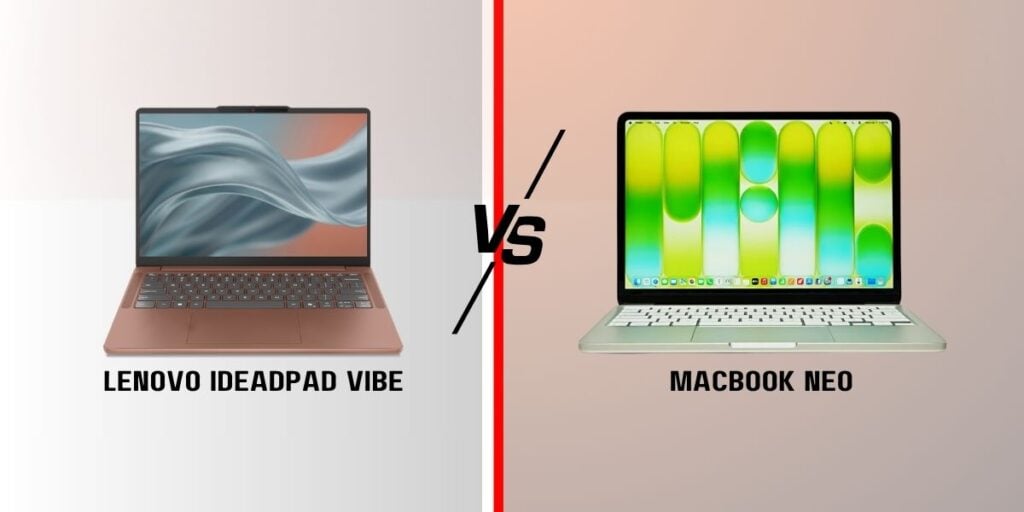
Lenovo has put its new IdeaPad Vibe in a very interesting spot. It starts at $699.99, exactly the same price Apple now charges for the MacBook Neo after raising its price from the original $599. With both laptops targeting buyers who want a relatively affordable machine, the similar pricing makes the comparison hard to ignore.
Of course, a spec sheet can’t tell you everything. Keyboard feel, trackpad quality, display tuning, and overall software experience still need to be tested in person. But the specifications already show that Lenovo and Apple are taking very different approaches to the budget laptop market.
Apple’s pitch with the MacBook Neo was always about restraint. You get a 13-inch Liquid Retina display, an A18 Pro chip borrowed from the iPhone 16 Pro, 8GB of unified memory, and a fanless body that starts at 256GB of storage. No upgrades once you buy it, no configuring your way to more RAM later. What you order is what you live with.
Lenovo’s IdeaPad is more flexible. It comes in 14- and 15-inch sizes, with a choice of AMD Ryzen AI 400 or Snapdragon X chips, and RAM that tops out at 32GB on the AMD side versus the Neo’s fixed 8GB. Storage runs up to 1TB, and Lenovo’s sticking dual SSD slots in there so you can add capacity down the line instead of committing upfront. If you’re the type who keeps a laptop for five years and wants room to grow into it, that alone tips things in Lenovo’s favor.
Apple gave the MacBook Neo a more colorful look than its usual Mac lineup. It comes in Blush, Citrus, Indigo, and Silver, unlike the classic silver and gray finishes on pricer Macs.
Lenovo, meanwhile, offers even more options. It comes in seven Pantone-developed colors including Dreamy Violet and Radiant Coral, and Lenovo also sells interchangeable keycaps separately. It’s a small thing, but it gives the IdeaPad Vibe a more personal look. I
There is one important catch, though. If you want an OLED display, your color choices are limited to Moody Blue and Lowkey Grey. The other finishes come with a 120Hz IPS panel instead.
3. Lenovo wins on ports
The difference in connectivity is much easier to see. The MacBook Neo has two USB-C ports and a 3.5mm headphone jack. And that’s fine if most of your accessories are wireless or USB-C, but if you have peripherals like monitors, SD cards, and other devices, you’ll definitely need a separate adapter.
The IdeaPad Vibe is much more practical here. It has two USB-A ports, two USB-C ports, HDMI, and a microSD card reader, along with Wi-Fi 7 support. The USB ports are limited to 5Gbps, so this isn’t a laptop designed around extremely fast external storage. But for everyday use, having more built-in ports means fewer dongles to carry around.
4. The Neo is lighter, but Lenovo has a bigger battery
Apple still has an advantage when it comes to weight. The MacBook Neo weighs 1.23kg, while the 14-inch IdeaPad Vibe starts at 1.3kg. The Neo also has a 36.5Wh battery, which Apple claims delivers up to 16 hours of video playback.
Lenovo hasn’t published an official battery-life rating yet, but the AMD version can be equipped with a battery as large as 65Wh. That doesn’t automatically mean it will last longer than the Neo, since battery life also depends heavily on the processor and software, but the larger capacity gives Lenovo some room to work with.
The webcams also favor Lenovo. The Neo uses a 1080p FaceTime HD camera without a physical privacy shutter. The IdeaPad Vibe has a 5MP IR camera with a privacy cover and Windows Hello support.
5. Performance is still the big unknown
This is the one area where it’s difficult to conclude without actually testing the laptops. Apple’s A18 Pro is already a known quantity, and the company’s close control over its hardware and software means the Neo’s 8GB of memory doesn’t necessarily tell the whole story. For browsing, writing, streaming, and other everyday tasks, it should be more than capable.
Lenovo’s Ryzen AI 400 and Snapdragon X options are also promising, particularly for users who want more RAM and on-device AI capabilities. With up to 32GB of memory, the IdeaPad Vibe also has a clear advantage for heavier multitasking.
Still, processor performance isn’t something you can judge from core counts and memory numbers alone. Cooling, software optimization, battery settings, and the difference between Windows and macOS all matter.
Apple is also reportedly working on a MacBook Neo successor with an A19 Pro chip and more RAM for next year, so the current Neo is unlikely to remain the company’s entry-level MacBook for long.
6. Which one makes more sense?
The MacBook Neo is still the simpler option. If you’re already using an iPhone and other Apple devices, want a lightweight laptop, and mainly need something for browsing, writing, streaming, and everyday work, the Neo is a no-brainer.
On the other hand, the IdeaPad Vibe is more flexible with more ports, more RAM, more storage options, two SSD slots, larger screen choices, and far more customization. Those things become more useful if you plan to keep the laptop for several years.
The biggest catch is the display and color trade-off. If OLED matters to you, you’ll have to choose between just two IdeaPad Vibe colors. Lenovo’s AMD models are expected to arrive in October, while Snapdragon versions are scheduled for November.
Until both laptops have been properly tested, it’s too early to say which one is faster or better overall. But at the same $699.99 starting price, the IdeaPad Vibe clearly offers more flexibility on paper, while the MacBook Neo keeps things simple. Which approach makes more sense will mostly depend on whether you value Apple’s simpler experience or Lenovo’s upgradeability and wider range of hardware options.
For more daily updates, please visit our News Section.
iPhone Duo and iPhone 18 Pro Max represent two very different interpretations of Apple’s flagship future. The Duo brings a foldable design, larger internal display, and stronger multitasking potential, while the Pro Max remains focused on conventional smartphone refinement and camera hardware.
Both phones share Apple’s A20 Pro chip, iOS 27, 120Hz OLED technology, and premium connectivity. That makes the decision less about raw performance and more about how you’ll actually use the phone. The Duo is designed to change shape around different tasks, whereas the Pro Max prioritizes a familiar experience with fewer compromises. For buyers spending flagship money, the key question is whether to choose flexibility or traditional refinement.
Major Features:
Category
iPhone Duo
iPhone 18 Pro Max
Winner
Design
Foldable titanium design with glass panels and stylus support
Traditional glass-and-aluminum flagship design
Duo — More versatile design
Display
7.6-inch 120Hz LTPO OLED + 5.4-inch cover display
6.9-inch 120Hz LTPO OLED
Duo — Larger, more flexible viewing
Durability
IP68, Ceramic Shield 2, titanium hinge and frame
IP68, Ceramic Shield 2, aluminum frame
18 Pro Max — Simpler conventional build
Performance
A20 Pro, 12GB RAM
A20 Pro, 12GB RAM
Duo — Equal performance
Rear Cameras
Dual 48MP wide + ultrawide
Triple 48MP wide + ultrawide + 4x telephoto
18 Pro Max — More complete camera system
Zoom
No dedicated telephoto camera
100mm periscope telephoto with 4x optical zoom
18 Pro Max — Better zoom capability
Selfie Camera
Under-display camera + 12MP cover camera
18MP autofocus camera
18 Pro Max — Stronger selfie hardware
Video
Up to 4K 120fps, Dolby Vision, ProRes, spatial video
Up to 4K 120fps, Dolby Vision, ProRes RAW, Apple Log 2
18 Pro Max — More advanced pro video features
Battery
Li-Ion, 25W MagSafe/Qi2
Up to 5,567mAh, 25W MagSafe/Qi2
18 Pro Max — Larger battery capacity
Charging
50% in 20 minutes wired
50% in 15 minutes wired
18 Pro Max — Faster wired charging
Multitasking
Large foldable display designed for multitasking
Conventional large-screen interface
Duo — Better productivity potential
Gaming
7.6-inch 120Hz internal display
6.9-inch 120Hz display
Duo — More immersive screen
Entertainment
Larger 7.6-inch OLED when unfolded
6.9-inch OLED
Duo — Bigger viewing area
Portability
Folds into a compact phone
Conventional slab design
Duo — More adaptable form factor
Storage
256GB to 2TB
256GB to 2TB
Duo — Equal storage options
Connectivity
Wi-Fi 7, Bluetooth 6.0, USB-C 3.2 Gen 2
Wi-Fi 7, Bluetooth 6.0, USB-C 3.2 Gen 2
Duo — Similar connectivity
Price
Priced around $2,000 / ₹3,00,000
Priced around $1,300 / ₹1,80,000
18 Pro Max — Better value
Overall
More versatile foldable experience
More balanced flagship package
18 Pro Max — Better cameras and value
Disclaimer: Specs are based on available data. Actual performance may vary. Verify details from official sources before buying.
The iPhone Duo is the more radical design, opening into a 7.6-inch LTPO Super Retina XDR OLED display with 120Hz refresh rate, HDR10 and Dolby Vision. Its Nano Texture finish and anti-reflective coating also make the large screen better suited to reading and productivity.
The iPhone 18 Pro Max counters with a 6.9-inch 120Hz OLED panel that remains simpler and more conventional. It gets Ceramic Shield 2, an anti-reflective coating and the same impressive brightness ratings, making it arguably the safer choice for everyday durability and consistency.
Verdict:iPhone Duo wins for display versatility and sheer screen area, while the Pro Max feels more straightforward and familiar.
2. Performance — same A20 Pro, but different form factors
Both phones use Apple’s A20 Pro chip built on a 2nm process, paired with 12GB RAM and storage options reaching 2TB. On paper, that creates a remarkably even performance battle, with both capable of demanding apps, editing and intensive AI features.
The bigger difference comes from how that performance is used. The Duo’s foldable screen provides more room for multitasking, while the Pro Max offers a conventional interface optimized around a single large display. Neither has an obvious chipset advantage, so everyday speed should be similarly excellent.
Verdict:Tie. The A20 Pro makes both flagships performance powerhouses, with the Duo gaining practical advantages from its foldable format.
3. Cameras — Duo’s flexibility vs Pro Max’s superior camera hardware
The iPhone Duo uses a dual rear-camera system with 48MP wide and 48MP ultrawide sensors. It supports advanced 4K recording, Dolby Vision HDR, ProRes and spatial video, while its foldable design can provide more creative framing flexibility.
The iPhone 18 Pro Max goes further with three 48MP rear cameras, adding a 100mm periscope telephoto with 4x optical zoom and a LiDAR scanner. Its 18MP autofocus selfie camera is also considerably more sophisticated than the Duo’s under-display camera. For serious photography, the Pro Max is the stronger choice.
Verdict:iPhone 18 Pro Max wins because its dedicated telephoto and LiDAR hardware give it a more complete camera system.
4. Battery — important because foldables have different usage patterns
The iPhone Duo’s battery has to power two displays and a larger internal screen, making real-world endurance particularly important. Its wired charging reaches 50% in 20 minutes, while 25W MagSafe and Qi2 wireless charging offer respectable convenience for a foldable flagship.
The iPhone 18 Pro Max has a large battery, with market-dependent capacities listed around 5,391mAh or 5,567mAh. It also reaches 50% in about 15 minutes through wired charging. Its conventional display should make power management more predictable than on the Duo.
Verdict:iPhone 18 Pro Max wins for predictable endurance, while the Duo remains competitive for users who prioritize its larger screen.
5. Multitasking & productivity — major Duo advantage
This is where the iPhone Duo makes the biggest case for itself. Its 7.6-inch internal display provides substantially more workspace for reading documents, browsing, managing multiple apps and editing content. The foldable format can effectively transform a phone into a miniature productivity device.
The Pro Max has plenty of screen real estate for conventional smartphone tasks, but it cannot replicate the Duo’s tablet-like canvas. Its advantage is simplicity: everything works within a familiar slab-style interface without requiring users to adapt to a folding design.
Verdict:iPhone Duo wins easily for productivity, especially for users who frequently multitask, read or work from their phone.
6. Gaming & entertainment — 7.6-inch Duo display vs 6.9-inch Pro Max
The iPhone Duo’s 7.6-inch internal OLED screen is naturally more immersive for games, movies and streaming. Its 120Hz refresh rate, Dolby Vision and large viewing area create a more expansive entertainment experience, while stereo speakers complement the bigger canvas.
The iPhone 18 Pro Max still delivers an excellent entertainment experience with its 6.9-inch 120Hz OLED display. It is arguably more convenient for quick gaming sessions because the screen requires no unfolding, while its conventional design also avoids foldable-specific distractions.
Verdict:iPhone Duo wins for immersive gaming and video, although the Pro Max is more convenient for quick, casual sessions.
7. Portability — compact when folded vs conventional slab
The iPhone Duo becomes substantially more compact when folded, making its form factor particularly interesting for pockets and bags. It can also function like a conventional smartphone through its 5.4-inch cover display, then open when a larger workspace is needed.
The iPhone 18 Pro Max takes the familiar approach of remaining a single-screen smartphone at all times. There is no hinge or folding mechanism to manage, which makes the experience simpler and potentially more reassuring for buyers who prefer conventional hardware.
Verdict:iPhone Duo wins for adaptable portability, while the Pro Max remains the better fit for buyers who prefer uncomplicated traditional hardware.
8. Price & value
The iPhone Duo is priced around $2,000 / ₹3,00,000, putting it firmly into luxury territory. That premium buys a foldable display, more versatile form factor and productivity benefits, but those advantages only justify the cost for users who will regularly exploit them.
The iPhone 18 Pro Max is priced around $1,300 / ₹1,80,000, making it dramatically cheaper while offering the same A20 Pro platform, 12GB RAM and a stronger camera system. For most buyers, it delivers considerably more conventional flagship value.
Verdict:iPhone 18 Pro Max wins on value. The Duo’s premium is justified only if its foldable functionality is central to the buying decision.
Disclaimer: Prices are approximate and may vary based on country, region, launch timing, and applicable taxes. Always check whether the listed price is for a China unit or a global/international variant when purchasing.
9. Who should buy which?
The iPhone Duo makes more sense for buyers who want something genuinely different from a conventional iPhone. Its foldable display, multitasking potential and larger entertainment canvas suit users who read extensively, work on the move or want one device serving both phone and mini-tablet roles.
The iPhone 18 Pro Max is better suited to buyers prioritizing cameras, battery predictability, gaming performance and traditional flagship usability. Its triple-camera system, periscope zoom and LiDAR give enthusiasts more photographic flexibility without paying the Duo’s substantial premium.
Verdict: Choose iPhone Duo for flexibility and productivity; choose iPhone 18 Pro Max for cameras, value and a more conventional flagship experience.
Disclaimer: Prices, specifications, and availability may vary by region and retailer. Recommendations in this article are based on editorial opinion, feature-based value, and market positioning at the time of writing. Readers are advised to do their own research before making a purchase.
Dwarflab has announced the Draco, a new smart telescope that integrates a 90mm aperture and automated tracking into a 5.5 kg (12.1 lbs) unit. The device is designed to simplify deep-sky astrophotography by automating the alignment and capture process, while still offering the hardware necessary for long exposures.
Dwarflab Draco Specifications
The Draco can capture single-frame exposures lasting up to 300 seconds. Standard alt-azimuth telescope mounts often suffer from field rotation during long exposures, which can make stars appear blurred as the sky moves.
To solve this, the Draco physically rotates its CMOS image sensor to keep up with the movement of the sky. Its built-in guide scope monitors tracking and corrects errors in real time. The metal base can also be tilted to switch the telescope into equatorial mode, so there is no need for a separate mounting system.
Optically, the telescope features a folded f/3.8 design with a 340mm focal length. The primary telephoto camera uses a 1/1.3-inch, 50-megapixel sensor. When shooting dim deep-sky targets like galaxies, the system applies 2×2 pixel binning to output 12-megapixel images. This increases the effective pixel size to 2.4µm, which improves light collection and reduces noise.
For brighter targets within the solar system, the Draco uses the sensor’s full 50-megapixel resolution to capture finer details. The telescope also includes a secondary wide-angle camera with a 23.3mm equivalent focal length for capturing wider landscapes and Milky Way shots.
Dwarflab offers the Draco in two configurations. The Standard Edition costs $1,399 and comes with a built-in H+O dual-narrowband filter for capturing emission nebulae, along with an internal ND filter for solar imaging. The app automatically switches to the ND filter when you want to observe the Sun.
If you want more complex narrowband data, the SHO Edition is available for $1,599. This model replaces the internal ND filter with an S+O filter. The system can automatically sequence the two internal filters to capture Sulfur, Hydrogen, and Oxygen data, which the app then combines into standard blue-and-gold SHO images. Solar imaging on the SHO model requires manually attaching an included external ND filter.
The companion app handles key smart telescope functions such as autofocus, plate solving, and live stacking with automatic dark-frame calibration. Pro Mode gives you manual control over exposure and gain, while support for FITS and TIFF exports lets you process raw data using external editing software.
The hardware is powered by a 10,000 mAh battery that provides up to five hours of runtime. It also features active sensor cooling to mitigate thermal noise during long sessions. Pre-orders are currently open on Dwarflab’s website, with shipping estimated in three months.
Apple has bumped up the prices on a bunch of current iPhone models right after launching its newest ones, which is the opposite of what smartphone brands usually do.
The increases hit the iPhone 17, iPhone 17e, iPhone Air, and iPhone 16. Each one is now $100 more expensive than it was before. In the US, that puts the base iPhone 17 at $899, the iPhone 17e at $699, the iPhone Air at $1,099, and the 128GB iPhone 16 at $799. The new prices are rolling out everywhere these models are still being sold.
This is unusual because Apple typically drops the price of last year’s phones once the fresh ones arrive. The current hikes are being tied to an ongoing shortage of memory chips, driven by heavy demand from AI data centers. Apple has already done similar price increases on other products like Macs, iPads, and HomePods because of the same rising component costs.
In India the new starting prices are ₹99,900 for the iPhone 17, ₹1,49,900 for the iPhone Air, ₹79,900 for the iPhone 17e, and ₹89,900 for the iPhone 16. The changes came after Apple announced the iPhone 18 Pro series and the new foldable iPhone Duo, at which point it also pulled the iPhone 17 Pro and 17 Pro Max from its direct lineup.
The timing shows how tightly supply-chain issues are still squeezing consumer prices, even on phones that have been out for a while. Carrier deals and trade-in offers might still soften the blow for some buyers, but the official list prices going up is a clear break from Apple’s usual playbook and a sign that component costs continue to ripple through the whole smartphone market.
Some pretty serious privacy claims about smart TVs have been floating around, and LG has just pushed back hard.
It started with a long investigation from the YouTube channel Gamers Nexus, made with security researchers, that looked closely at LG smart TVs. The video claimed the sets keep logging and uploading data even when they’re offline or in standby, scan the local Wi-Fi network, pick up audio, and identify other devices on the home network.
The researchers said the built-in mic could still capture ambient sound while the TV looked like it was switched off, with that audio stored locally and possibly sent later. They backed it up with packet captures and firmware analysis, and also talked about Automatic Content Recognition (ACR) tech used to identify what’s on screen.
LG responded in a statement to Tom’s Hardware and basically said the main claims aren’t true. According to the company, its TVs only process voice data in two specific situations: when you press and hold the voice button on the remote, or when the far-field voice recognition feature is turned on and it hears the wake word (“Hi LG”).
Outside of those cases, LG says the TVs do not collect or record ambient conversations. Any audio used just for detecting the wake word stays on the device and gets deleted if there’s no match, nothing is sent to LG’s servers.
LG did admit that its smart TVs can scan for other devices on the same local network. It called this a normal feature that lots of smart TVs and connected home products use to handle device connections and content sharing. On the ACR side, the company said it’s an optional setting that needs user consent and can be turned off. Data from ACR isn’t used for advertising unless you specifically allow it.
LG stressed that users still control the privacy settings and that security is something they keep monitoring and updating. They didn’t respond to every single secondary claim in the video, but the statement clearly focuses on the biggest privacy worry, continuous eavesdropping, and tries to reassure people that isn’t happening.
Vivo is adding a couple of new wearables to the mix that’ll launch alongside its next flagship phones. The company has officially shown off the Vivo WATCH 6 smartwatch and the Vivo Buds Clip earbuds, both arriving with the highly anticipated X500 series.
The WATCH 6 runs BlueOS out of the box. It gets a sapphire crystal glass cover for better durability and clarity, and Vivo is pushing the ultra-thin, lightweight design so it should stay comfortable all day. It’s also packing more advanced running guidance and fitness tracking features, so it looks geared toward people who actually want useful workout data.
The Buds Clip are open-ear clip-style earbuds that weigh just 5.2g each. The focus is on a secure but comfortable fit for longer wear. Audio-wise they’re promising high-definition sound with clear vocals, plus seamless connectivity that works across different devices and platforms.
Vivo X500 Pro Max
Both will be officially unveiled on September 21 at 19:00 China time, at the same event as the Vivo X500 series. That timing lets Vivo show a fuller ecosystem package instead of just the phones. Vivo has also confirmed Jay Chou as its imaging ambassador and dropped an unboxing video of the X500 Pro Max, so the hype train is already rolling.
Full pricing, detailed specs, and color options for the watch and earbuds still aren’t out yet. But from what’s been shown so far, premium materials, light weight, and practical features, they seem aimed at people who want accessories that look good and work well with their Vivo phone. We’ll get the complete picture on the 21st.
iPhone Duo and Google Pixel 11 Pro Fold represent two very different approaches to the next generation of foldables. Apple’s highly anticipated Duo brings a familiar iPhone experience into a foldable design, while Google’s Pixel 11 Pro Fold focuses on a larger inner screen, versatile cameras, and Android flexibility. For buyers considering premium foldables, this is a particularly interesting head-to-head.
The iPhone Duo takes a distinctly premium approach with a titanium frame, Ceramic Shield 2 glass, and a titanium hinge. It also carries an IP68 rating and supports stylus input. The Pixel 11 Pro Fold uses an aluminum frame, Gorilla Glass Victus 2 on the rear, and a glass-ceramic cover. Both feel flagship-grade, but Apple’s materials give the Duo a more luxurious character.
The biggest design difference appears when these phones are opened. The Duo has a wide 7.6-inch inner OLED with a subtle crease, while the Pixel offers an even larger 8-inch foldable OLED with a near-square aspect ratio. Both panels run at 120Hz and support HDR, but the Pixel reaches a higher 3600-nit peak brightness. Apple’s anti-reflective, nano-texture treatment should make the Duo particularly pleasant for reading and outdoor use.
The Pixel 11 Pro Fold wins for sheer screen real estate, but the iPhone Duo feels like the more refined premium device, particularly for users who value Apple’s materials and display treatment.
2. Specifications Including Battery
Performance
The iPhone Duo uses Apple’s A20 Pro chip, built on a 2nm process, paired with 12GB RAM and storage options reaching 2TB. The Pixel 11 Pro Fold runs Google’s Tensor G6 on a 3nm process, with 16GB RAM and up to 1TB storage. Raw performance should favor Apple, while Google’s extra memory suits heavy multitasking.
Battery specifications reveal a more substantial advantage for Google. The Pixel packs a 4806mAh battery, supports 30W wired charging, 25W magnetic wireless charging, and bypass charging. Apple offers wired charging capable of reaching 50% in 20 minutes, alongside 25W MagSafe or Qi2 wireless charging. The Pixel’s bypass charging is a useful addition for demanding users who keep the phone plugged in for extended periods.
Verdict
The iPhone Duo looks stronger for performance, while the Pixel 11 Pro Fold offers the more practical battery package. For demanding multitaskers, Google’s approach feels more flexible.
3. Camera
Main and Secondary Lenses
The iPhone Duo features dual 48MP cameras, combining a wide sensor with a 120-degree ultrawide. Its video capabilities are particularly impressive, including 4K recording up to 120fps, Dolby Vision HDR, ProRes, and spatial video. The Pixel 11 Pro Fold counters with a triple-camera system featuring a 48MP main sensor, 10.8MP 5x telephoto, and 10.5MP ultrawide.
That dedicated telephoto gives the Pixel a clear advantage for zoom photography. Google also adds Pixel-focused features such as Best Take, Pixel Shift, Ultra-HDR, and Zoom Enhance. Apple’s camera setup is less versatile on paper, but its video toolkit is considerably more advanced. For creators, the Duo’s combination of Dolby Vision, ProRes, and high-frame-rate recording is hard to overlook.
Selfie Camera
The Duo includes an under-display selfie camera plus a 12MP cover camera with autofocus, while the Pixel uses 10MP cameras on both the inner and cover displays. The Pixel offers a simpler, consistent setup, but Apple provides more flexibility across its displays.
Verdict
The Pixel 11 Pro Fold wins for photographic versatility and optical zoom, while the iPhone Duo is the stronger choice for serious video recording and content creation.
4. Pricing
The iPhone Duo is priced around $2,000 or ₹3,00,000, putting it firmly into ultra-premium territory. The Pixel 11 Pro Fold is priced around $1,900 or ₹1,87,000, making Google’s foldable notably more affordable despite offering more RAM and a larger inner display.
That difference matters because both phones target essentially the same luxury segment. The Pixel delivers a triple-camera system, 16GB RAM, 1TB storage, and a larger foldable panel for less money. The Duo, meanwhile, commands a substantial premium for Apple’s ecosystem, design language, software experience, and highly anticipated entry into foldables.
Is the price justified?
The Duo’s price will make sense primarily for buyers already invested in Apple’s ecosystem or those specifically seeking Apple’s first major foldable experience. The Pixel is easier to justify purely on hardware value.
Verdict
The Pixel 11 Pro Fold offers better value for money, while the iPhone Duo is the more aspirational purchase. Apple’s premium makes sense mainly for buyers who specifically want the iPhone foldable experience.
Disclaimer: Prices are approximate and may vary based on country, region, launch timing, and applicable taxes. Always check whether the listed price is for a China unit or a global/international variant when purchasing.
5. Conclusion
The iPhone Duo stands out with its titanium construction, Ceramic Shield 2, nano-texture inner display, A20 Pro chip, 2TB storage option, advanced Dolby Vision and ProRes video, and MagSafe/Qi2 charging. It also brings the enormous excitement surrounding Apple’s long-awaited entry into foldables, making it arguably the hottest device in this comparison.
The Pixel 11 Pro Fold answers with an 8-inch inner screen, 16GB RAM, a 5x optical telephoto camera, 4806mAh battery, bypass charging, and up to seven major Android updates. It is the more feature-packed value proposition and arguably the more practical foldable for multitasking and photography. Yet the Duo feels like the more significant product, particularly for existing Apple users.
Verdict
Overall best: iPhone Duo — especially if the priority is the most premium and exciting foldable experience. Best practical buy: Pixel 11 Pro Fold — it gives you more hardware for considerably less money.
FAQs
1. Which phone is better for everyday use? The iPhone Duo offers a polished iOS experience, while the Pixel 11 Pro Fold excels at multitasking and Android customization.
2. Which phone is better for photography? The Pixel 11 Pro Fold has the edge for photography thanks to its dedicated 5x telephoto and computational photography features.
3. Which phone is better for gaming and demanding apps? The iPhone Duo should have the performance advantage, with the A20 Pro built on a newer 2nm process.
4. Which phone should you buy for longer battery use? The Pixel 11 Pro Fold has a 4806mAh battery and bypass charging, making it better suited to extended heavy use.
5. Which foldable offers better value for money? The Pixel 11 Pro Fold offers stronger hardware value, particularly with 16GB RAM, three cameras, and a significantly lower price.
Disclaimer: Prices, specifications, and availability may vary by region and retailer. Recommendations in this article are based on editorial opinion, feature-based value, and market positioning at the time of writing. Readers are advised to do their own research before making a purchase.
Xiaomi’s Xring O3 is the company’s latest mobile chipset, and a successor to the Xring O1. But why did the company skip the O2? Xiaomi hasn’t commented on this, but tests show O3 delivers a two-generation improvement in energy efficiency. The performance gains and NPU capabilities are also worth more than a generational leap.
The Xring O3’s CPU features an all-big-core CPU design, featuring ARM’s powerful C1-series cores at higher speeds. The new 16-core GPU also delivers big on performance and efficiency, plus the NPU has been upgraded to achieve 200 TOPS, up from 44 TOPS. There are more major upgrades to the O3 that we’ll discuss later in this detailed comparison.
Let’s begin with the spec sheet:
Xring O3
Xring O1
Announced
August 2026
May 2025
Process node
3nm (TSMC)
3nm (TSMC)
Transistor count
24 billion
19 billion
Die size
133 sq. mm.
114.7 sq. mm.fl
CPU
2 x 4.35 GHz (C1-Ultra) 4 x 3.68 GHz (C1-Premium) 4 x 3.15 GHz (C1-Pro)
2 x 3.9 GHz (Cortex-X925) 4 x 3.4 GHz (Cortex-A725) 2 x 1.9 GHz (Cortex-A725) 2 x 1.8 GHz (Cortex-A520)
An Xring O3-powered Xiaomi device is yet to reach Gizmochina’s office, so we used the benchmark numbers posted by a Chinese outlet, Xiaobai’s Tech. The test was performed using Xiaomi’s recently-launched Pad 9 Pro Max. For Xring O1, we’ve already performed tests using the Xiaomi 15s Pro.
Geekbench score
In the Geekbench 6 CPU test, the Xring O3-powered Xiaomi Pad 9 Pro Max achieved a 2,910 single-core score, about 27% higher than the Xring O1. The gap only widens in the multi-core testing.
The Xring O3’s multi-core score is massive. It stands at 14,350, which is higher than any other mobile chipset, including the Apple A19 Pro and Snapdragon 8 Elite Gen 5. When compared with Xring O1, the newer O3 delivers a 57% higher score.
Xring O3
Xring O1
Single core
3,699
2,910
Multi core
14,350
9,153
3DMark Wild Life Extreme
The GPU gains are substantial. In the 3DMark Wild Life Extreme test, the Xring O3 posts a total score of 11,378, while the O1 gets 5,998. That’s over 89% jump for the Xring O3 – one of the reasons why Xiaomi named it O3 instead of O2.
Xring O3
Xring O1
score
11,378
5,998
The benchmark numbers are pretty solid for the Xring O3. But what has actually changed inside the new silicon? Let’s look at the major hardware upgrades to get better clarity.
Xring O3 vs Xring O1 – What has actually changed?
The Xring O3 uses TSMC’s 3nm node, the same as the O1, instead of the newer 2nm node. The difference here is that O3 uses the ‘N3P’ version, which delivers slightly better performance than the ‘N3E’ version used for the O1.
24 Billion Transistors
Xiaomi reveals that the Xring O3 has 24 billion transistors, up from 19 billion on the Xring O1. As a result, the die size has also grown to 133 sq mm, from O1’s 114.7 sq mm.
All-Big-Core CPU Design
The CPU brings pretty significant upgrades, now featuring a completely redesigned all-big-core CPU, designed to unlock maximum performance. The new chip features C1-series cores, which deliver better performance and efficiency compared to those in the O1. Plus, they run at higher speeds, further enhancing performance. The Xring O3 has a peak speed of 4.35 GHz, while the O1 can reach up to 3.9 GHz.
Massive Uplift in GPU Performance
The GPU upgrades are even more substantial. The Xring O3 features a 16-core Mali-G2 Ultra NX GPU for the first time in a mobile chipset. It has 8 standard graphics cores and 8 dedicated “NX” neural network units. The NX units allow games to render at low internal resolution and use a trained neural network to upscale the image and generate extra frames.
World’s first mobile chipset with LPDDR6
The peak GPU frequency has also jumped 25% to 1.6 GHz. The Xring O3 is the first mobile chipset to use next-generation DDR6 memory, allowing the chip to run at 10,667 Mbps. It can deliver a massive 113.8 GB/s of peak memory bandwidth, nearly 48% larger than LPDDR5T on Xring O1.
Massive 200 TOPS AI Capability
The GPU upgrades combined deliver a multi-generational leap in graphics performance, which is reflected in benchmark numbers. The older Xring O1 uses Mali-G925 Immortalis MP16 GPU with no “NX” units, and it also suffered from high thermal output and power drain.
The Xring O3 can perform massive 200 trillion operations per second (TOPS), while the O1 is limited to 44 TOPS. This massive speed will allow O3-powered devices to run complex AI assistants, advanced photo editing, and other AI actions on the device without an internet connection.
iPhone Duo and Samsung Galaxy Z Fold 8 represent two very different takes on the premium foldable. Apple is entering a category Samsung has shaped for years, while Samsung is responding with a slimmer, lighter Fold that remains focused on productivity. For buyers spending flagship money, the choice is about more than screen size.
The iPhone Duo stands out with Apple’s ecosystem, A20 Pro chip, 2TB storage option and a large foldable OLED with a matte, anti-reflective finish. The Galaxy Z Fold 8 counters with DeX, S Pen support, Android flexibility, and a more conventional foldable design. This makes the comparison especially interesting because each phone targets a different definition of a premium foldable.
Major Features:
Category
iPhone Duo
Samsung Galaxy Z Fold 8
Winner
Design & Build
Titanium frame, Ceramic Shield glass, IP68
Armor Aluminum, Gorilla Glass, IP48
Apple — More premium materials and stronger water resistance
Inner Display
7.6-inch OLED, 120Hz, 3,000 nits, Nano Texture
7.6-inch LTPO AMOLED 2X, 120Hz, 3,000 nits
Apple — Nano Texture and anti-reflective finish give it a more premium viewing experience
Cover Display
5.4-inch OLED, 120Hz
5.5-inch Dynamic AMOLED 2X, 120Hz
Samsung — Slightly larger cover screen and practical foldable layout
Processor
A20 Pro, 2nm
Snapdragon 8 Elite Gen 5, 3nm
Apple — Stronger next-generation chip architecture
RAM & Storage
12GB, up to 2TB
Up to 16GB, up to 1TB
Apple — 2TB maximum storage offers more capacity
Battery
Li-Ion, fast wired charging, 25W wireless
4,800mAh, 45W wired, 20W wireless
Samsung — Larger stated capacity and faster wired charging
Main Camera
48MP wide + 48MP ultrawide
50MP wide + 50MP ultrawide
Apple — Stronger creator-focused video features and stabilization
Video
Up to 4K 120fps, Dolby Vision, ProRes, spatial video
Up to 8K 30fps, 4K 120fps
Apple — More advanced professional video tools
Selfie Camera
Under-display inner camera + 12MP cover camera
10MP inner + 10MP cover camera
Apple — Under-display camera creates a cleaner inner-screen experience
Productivity
iOS 27 multitasking
One UI 9, Samsung DeX, S Pen support
Samsung — DeX and S Pen make it more versatile for work
Connectivity
Wi-Fi 7, Bluetooth 6, UWB, satellite features
Wi-Fi 7, Bluetooth 6, UWB
Apple — Satellite connectivity adds useful emergency features
Price
Priced around $2,000 / ₹3,00,000
Priced around $1,900 / ₹1,80,000
Samsung — Offers broader functionality at a significantly lower price
Overall
Premium Apple foldable with powerful hardware and ecosystem integration
More mature productivity-focused foldable with better value
Samsung — Better overall balance of price, productivity and versatility
Disclaimer: Specs are based on available data. Actual performance may vary. Verify details from official sources before buying.
The iPhone Duo takes a distinctly Apple approach, combining a titanium frame and hinge with Ceramic Shield glass and IP68 protection. Its foldable design feels more like an oversized iPhone transformed into a tablet, while the matte inner display is an unusual touch for a foldable. It also offers satellite-based Emergency SOS and Find My features.
Samsung uses Armor Aluminum, Gorilla Glass protection, and IP48 resistance, with Flex Titanium technology helping its foldable construction. The Fold 8 feels more established as a productivity device, particularly with its wider landscape-oriented inner screen. For everyday versatility, Samsung’s software-first design feels more mature, while Apple’s hardware approach is arguably more distinctive.
Display Quality
Both phones feature 7.6-inch 120Hz LTPO OLED panels with peak brightness reaching 3,000 nits. Apple adds HDR10, Dolby Vision, an anti-reflective coating, and a Nano Texture finish, potentially making the Duo particularly appealing for reading and outdoor viewing. Its smaller 5.4-inch cover screen also keeps the folded experience closer to a compact phone.
The Fold 8 offers a 4:3 inner display with 2,448 x 1,848 resolution and HDR10+, alongside a 5.5-inch cover display. Samsung’s inner panel is more square and productivity-friendly, while Apple’s display could deliver a more premium visual experience. The Duo gets the edge for display refinement; Samsung remains stronger for multitasking.
Verdict
The iPhone Duo wins for display sophistication, anti-reflective technology, and premium materials, while the Galaxy Z Fold 8 remains the more productivity-oriented foldable.
2. Specifications Including Battery
Performance
Apple’s A20 Pro chip gives the iPhone Duo a major performance advantage on paper, with a 2nm design and a seven-core GPU. It also offers up to 12GB RAM and an unusually high 2TB storage option. iOS 27 should make the hardware particularly attractive to users already invested in Apple’s ecosystem.
Samsung counters with the Snapdragon 8 Elite Gen 5, up to 16GB RAM and UFS 4.x storage. Its eight-core processor and Adreno 840 GPU make it a serious flagship performer, while Android 17 and One UI 9 provide more customization. Samsung’s 16GB configuration is compelling for power users, but Apple’s chip could make the Duo the more exciting performance proposition.
Battery and Charging
Samsung packs a 4,800mAh battery with 45W wired charging, 20W wireless charging and 4.5W reverse wireless charging. That combination gives the Fold 8 a clear hardware advantage for users who prioritize charging flexibility and battery capacity. Reverse charging also makes it more useful as part of a larger accessory ecosystem.
The iPhone Duo uses a Li-Ion battery with 50% charging in around 20 minutes through wired charging, while MagSafe and Qi2 wireless charging reach 25W. Apple does not provide a stated capacity here, making direct capacity comparisons difficult. Samsung looks more versatile, although Apple’s charging ecosystem remains more polished.
Verdict
The Galaxy Z Fold 8 wins on battery capacity and charging flexibility, but the iPhone Duo looks stronger for raw performance thanks to its A20 Pro chip.
3. Camera
Main and Secondary Lenses
The iPhone Duo uses a 48MP main camera with sensor-shift stabilization alongside a 48MP ultrawide with a 120-degree field of view. Its video credentials are particularly ambitious, including 4K recording at up to 120fps, Dolby Vision HDR, ProRes and spatial video. This makes the Duo unusually focused on creators for a foldable.
Samsung also uses a 50MP main camera and 50MP ultrawide, with autofocus on the latter and support for 8K video at 30fps. The higher-resolution ultrawide and 8K recording give Samsung useful versatility. However, Apple’s combination of advanced stabilization, Dolby Vision, ProRes and spatial capture makes the Duo feel like the more serious video machine.
Selfie Camera
The iPhone Duo has an under-display selfie camera, complemented by a 12MP cover camera with autofocus. The cover camera is particularly interesting because its multi-aspect design is built around flexible framing rather than simply offering another basic selfie sensor. That could make the folded shooting experience more natural.
Samsung uses a 10MP inner selfie camera and another 10MP cover camera. These are conventional solutions and should handle calls and casual selfies well, but they lack the novelty of Apple’s under-display approach. Samsung’s simpler setup may produce predictable results, while Apple’s implementation better preserves the uninterrupted inner-screen experience.
Verdict
The iPhone Duo takes the camera win, particularly for video, stabilization, and creator-focused features, although Samsung offers 8K recording and a stronger-looking ultrawide setup.
4. Pricing
The iPhone Duo is priced around $2,000 / ₹3,00,000, putting it firmly into ultra-premium territory. Its 2TB configuration, titanium construction, and Apple ecosystem help explain the positioning, but the asking price makes it a luxury purchase even among foldables.
The Galaxy Z Fold 8 is priced around $1,900 / ₹1,80,000, depending on market and configuration. That gives Samsung a substantial advantage, particularly for buyers who want a high-end foldable without reaching Apple’s pricing level. The difference becomes even more meaningful for users who do not need the Duo’s maximum storage or ecosystem benefits.
The iPhone Duo can justify its premium through the A20 Pro chip, advanced camera capabilities, titanium build, 2TB storage, and Apple-specific features such as satellite services. However, those benefits matter most to users already committed to Apple’s ecosystem or demanding the highest-end configuration.
Samsung offers a more balanced proposition. DeX, 16GB RAM, a large productivity-focused display and S Pen support make the Fold 8 feel like a phone, tablet and lightweight workstation combined. For most buyers, Samsung provides more functionality per rupee, while Apple feels aimed at enthusiasts willing to pay for exclusivity.
Verdict
The Galaxy Z Fold 8 offers significantly better value for money. The iPhone Duo is more aspirational, but Samsung delivers broader functionality at a lower price.
Disclaimer: Prices are approximate and may vary based on country, region, launch timing, and applicable taxes. Always check whether the listed price is for a China unit or a global/international variant when purchasing.
5. Conclusion
The iPhone Duo’s biggest strengths are its A20 Pro processor, 2TB storage ceiling, titanium construction, Nano Texture foldable display, Dolby Vision video and Apple ecosystem integration. Its under-display inner camera and satellite connectivity further separate it from conventional foldables. More importantly, it introduces a distinctly Apple interpretation of the category.
The Galaxy Z Fold 8 remains the more versatile workhorse. Samsung DeX, S Pen support, 16GB RAM, 8K video, reverse wireless charging and Android’s flexibility make it better suited to users who want their foldable to replace more traditional computing devices. The Duo feels more luxurious; the Fold 8 feels more useful.
Samsung Galaxy Z Fold 8 is the overall winner for its stronger value, productivity features and versatility, while the iPhone Duo is the more exciting choice for Apple fans and premium-focused buyers.
FAQs
1. Which phone is better for photography, iPhone Duo or Galaxy Z Fold 8? The iPhone Duo offers a more creator-focused camera system, especially for video recording and stabilization.
2. Which phone delivers better gaming performance? The iPhone Duo’s A20 Pro should deliver excellent gaming performance, while Samsung offers more RAM for demanding multitasking.
3. Which foldable has better battery life? The Galaxy Z Fold 8 has a 4,800mAh battery and faster 45W wired charging.
4. Is the iPhone Duo worth its higher price? It can be worthwhile for Apple users wanting premium hardware, advanced video features and up to 2TB storage.
5. Should you buy iPhone Duo or Galaxy Z Fold 8? Choose the iPhone Duo for Apple’s ecosystem and premium features; choose Samsung for productivity and better value.
Disclaimer: Prices, specifications, and availability may vary by region and retailer. Recommendations in this article are based on editorial opinion, feature-based value, and market positioning at the time of writing. Readers are advised to do their own research before making a purchase.
We use cookies on our website to give you the most relevant experience by remembering your preferences and repeat visits. By clicking “Accept”, you consent to the use of ALL the cookies.
This website uses cookies to improve your experience while you navigate through the website. Out of these, the cookies that are categorized as necessary are stored on your browser as they are essential for the working of basic functionalities of the website. We also use third-party cookies that help us analyze and understand how you use this website. These cookies will be stored in your browser only with your consent. You also have the option to opt-out of these cookies. But opting out of some of these cookies may affect your browsing experience.
Necessary cookies are absolutely essential for the website to function properly. This category only includes cookies that ensures basic functionalities and security features of the website. These cookies do not store any personal information.
Any cookies that may not be particularly necessary for the website to function and is used specifically to collect user personal data via analytics, ads, other embedded contents are termed as non-necessary cookies. It is mandatory to procure user consent prior to running these cookies on your website.