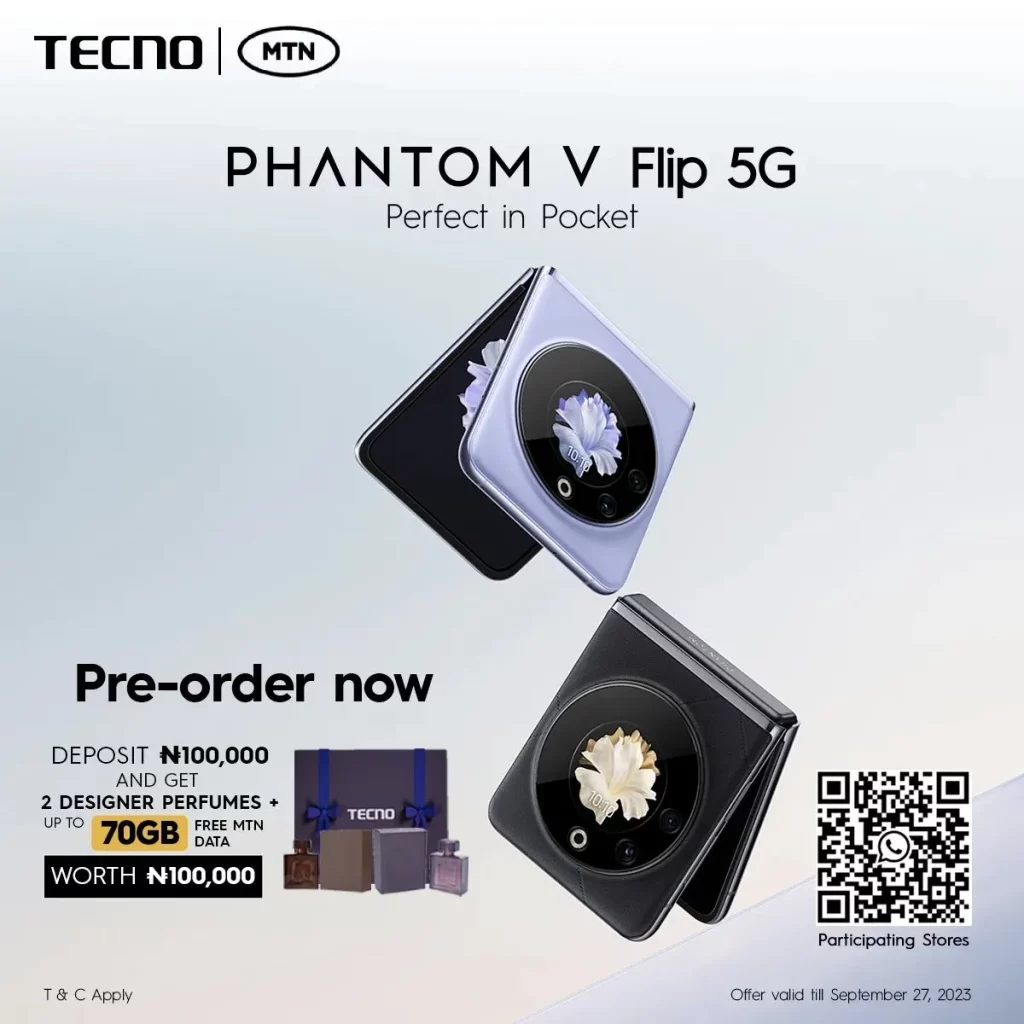
Tecno is preparing for a worldwide flagship launch event scheduled for September 22, during which they will introduce the Phantom V Flip. This flip smartphone is speculated to target the mid-range market segment, making it accessible to a broader audience. While the official pricing details have not been disclosed by the brand, a well-known tipster named Paras Guglani has shared the expected price range for the Phantom V Flip in India.
As per a recent tweet by Paras, the Phantom V Flip is expected to debut in the 50-55K INR segment in India. At this price point, the device will go head-to-head with the Motorola Razr 40. Currently, it is unclear when Tecno plans to launch this device in India, although the teasers have started to come out.
Tecno Phantom V Flip specs
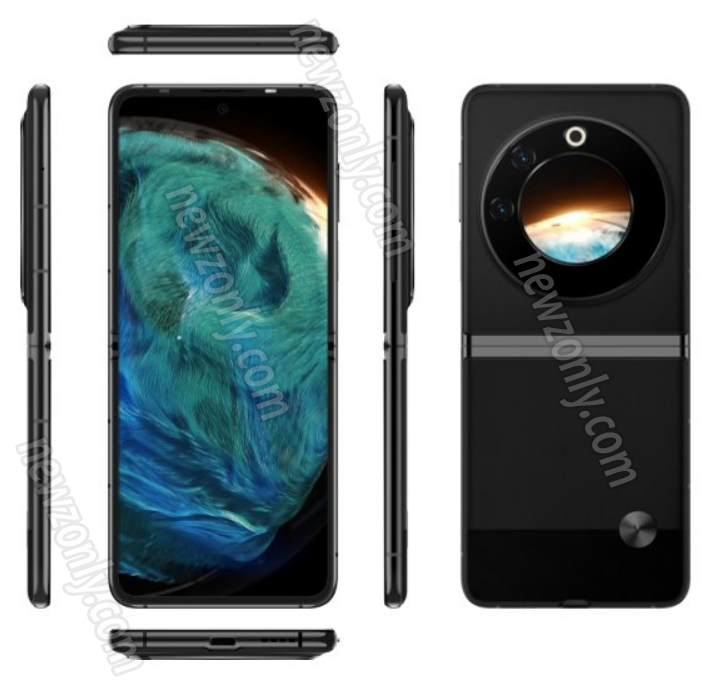
The Phantom V Flip is said to boast a 6.9-inch foldable AMOLED display, delivering a crisp FHD+ resolution of 1080 x 2460 pixels and an immersive 20.5:9 aspect ratio. On the front, you’ll find a powerful 32MP camera for high-quality selfies. Additionally, there’s a 1.32-inch cover display with a resolution of 466 x 466 pixels for quick access to notifications and information.
In the photography department, the phone features a 64MP primary rear camera with autofocus capabilities, accompanied by a 13MP secondary rear camera with an ultra-wide lens. Powering this device is a 4,000mAh battery with fast charging support via a USB-C port.
Under the hood, the Phantom V Flip is said to be equipped with the Dimensity 8050 chip, providing robust performance. It also offers a generous 8GB of RAM and 256GB of internal storage. Connectivity options are expected to include Wi-Fi 802.11ax, Bluetooth 5.3, and 5G connectivity with support for 14 different 5G bands, ensuring you stay connected at high speeds. additionally, it will have an Android 13-based HiOS 13 operating system.
Xiaomi has launched its latest water purifier, the Mijia Water Purifier 800G, at an introductory price of 1799 yuan ($246). This smart purifier offers a range of features designed to improve water quality and user convenience. Let’s check out the key features.
Xiaomi Mijia Water Purifier 800G key features:
The Mijia Water Purifier 800G boasts a smart display, allowing users to monitor real-time TDS levels and the lifespan of its dual filter cartridges. Additionally, it features Wi-Fi status indicators and fault warning lights for added convenience.
The purification process is impressive, featuring a dual-filter system with an RO composite filter and a PPC composite filter. This combination results in a 5-level deep purification process, achieving a flow rate of 2.12 liters per minute, with a pure water production rate of 70.3% and a pure wastewater ratio of 2:1, meeting stringent national water efficiency standards.
A notable feature is the inclusion of RFID anti-counterfeiting chips in both filter cartridges. These chips provide timely prompts on the faucet screen when the filters are nearing expiration, ensuring easy replacement. Each filter cartridge has a five-year lifespan and is priced at 899 yuan ($123).
The Mijia Water Purifier 800G also uses pure water circulation technology, guaranteeing chlorine-free water in the main water supply line. It offers two intelligent self-cleaning modes to prevent filter clogging and extend the filter cartridge’s lifespan.
In terms of noise reduction, the device utilizes a low-noise pump with increased cavities, effectively reducing pump speed, and minimizing noise and vibration levels during operation.
Ulefone has been a trusted name in the rugged smartphone industry, and their latest offering, the Ulefone Armor 22, lives up to the reputation they’ve built over the years. This slim and stylish smartphone combines exceptional design with outstanding performance, making it a top choice for users seeking a rugged device that doesn’t compromise on aesthetics.
Price and Availability: Ulefone is currently offering an incredible discount of up to 50% on the Armor 22. This offer is valid only till September 22nd, 2023. For the next three days, you can get the Ulefone Armor 22 for just $149.99. The phone is available at the official AliExpress store.
Design: Unlike typical rugged phones known for their bulkiness, the Armor 22 breaks the mold with its ultra-slim design, measuring just 15mm in thickness. This slim profile not only adds to its aesthetics but also provides a comfortable grip, ensuring a pleasant user experience.
Camera: The Armor 22 doesn’t skimp on camera features either. It boasts a 64MP wide-angle camera and a 64MP night vision camera, accompanied by IR LEDs and flash modules. The night vision lens incorporates the NightElf Ultra 2.0 algorithm, ensuring excellent low-light photography, even in pitch darkness.
Display: Featuring a 6.58-inch FHD+ display with a 120Hz high refresh rate and a resolution of 1080×2408, the Armor 22 offers vibrant visuals and smooth scrolling, enhancing your multimedia and gaming experiences.
Performance: Under the hood, the Armor 22 is powered by the MediaTek Helio G96 chipset, coupled with up to 16GB of RAM. This combination significantly improves multitasking capabilities, ensuring speedy performance for gaming, video playback, and more.
Battery and Charging: With a massive 6600mAh battery and support for 33W fast charging, the Armor 22 keeps you connected all day long. Additionally, it offers reverse charging functionality, allowing you to charge your other devices like watches, smartphones, or earbuds.
Storage Options: The Armor 22 caters to different user preferences with two storage configurations: 8GB + 128GB and 8GB + 256GB. Whether you need ample storage for your files and apps or prefer a more streamlined setup, there’s an option that suits you.
Operating System: Running on Android 13, the Armor 22 ensures you have access to the latest features and security updates for an optimized user experience.
Ulefone Armor 22 is a remarkable device that combines an elegant design with high-end features. With its camera capabilities, vibrant display, robust performance, and long-lasting battery, it’s a smartphone that can keep up with your demanding lifestyle. So head over to AliExpress for this limited-time offer to own the Armor 22 at a discounted price.
The most used Browser – Chrome is receiving new features that will enhance the user’s ability to multitask. Developers are working on a new feature in Chrome that will automatically play YouTube videos in Picture-in-Picture (PiP) mode once the user switches tabs. The video will automatically move to the corner and will keep playing until the user pauses it.
The Auto PiP feature is currently present in the development and may the part of the next Canary build. It may debut on the Stable build by the end of this year. It is quite a helpful feature offering more convenience to the user.
Auto PiP feature will turn into a productive feature under various circumstances. For Eg: It can be helpful to watch a tutorial video in the corner while performing the steps in another tab or window.
This CL adds a draft of the allow / block content setting UI for AutoPiP windows. It doesn’t try to match any UI mocks; it just adds some scaffolding to use while we build out the functionality and the UI itself. Right now, it’s triggered for any document PiP window if blink feature that corresponds to AutoPiP is enabled, even for pip windows that aren’t opened because of AutoPiP. Video PiP windows are never affected, though that will be added in the future.
The feature will be compatible with Windows 11, Windows 10, macOS, and ChromeOS. A similar feature is already present in Microsoft Edge Canary which is labeled as “Automatically turn on picture in picture for video sites.”
Apart from the Auto PiP feature on Chrome, Google is working on several other enhancements that will surely enhance Chrome’s feature set. The developers are working on a new incognito mode for better “Tracking Protection”. Some design changes related to the Material theme are also in the works and will soon see the light of day via a new update.
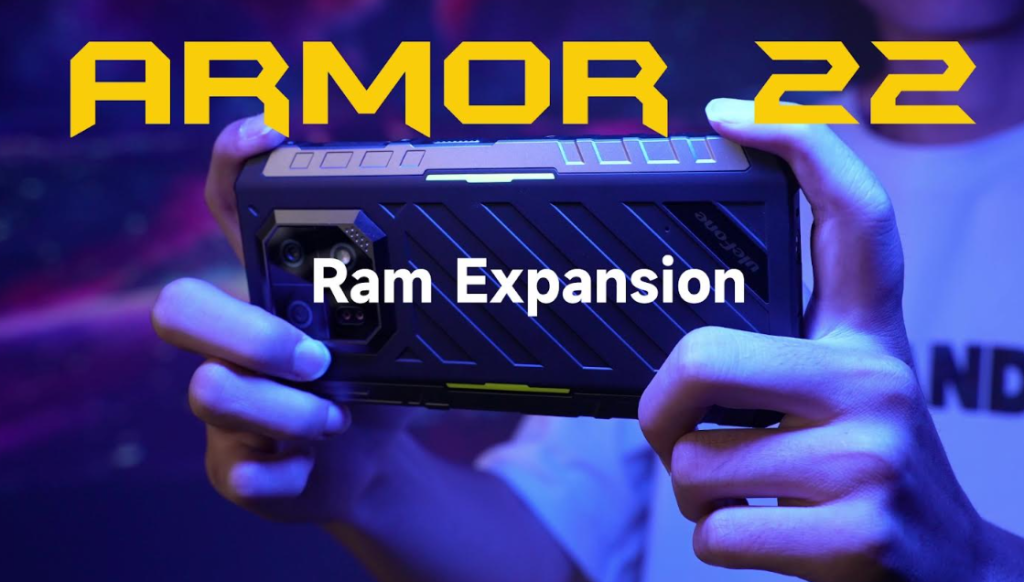
In today’s fast-paced digital world, smartphones play a pivotal role in our daily lives. They have evolved from mere communication devices to powerful multitasking tools. One crucial component that ensures smooth and efficient multitasking on your smartphone is RAM (Random Access Memory). In the context of the Ulefone Armor 22, a new feature called RAM expansion has been introduced to enhance multitasking capabilities. In this article, we will delve into the concept of RAM expansion and how to use it effectively.
What is Virtual RAM and How Does it Work?
RAM, or Random Access Memory, is a volatile memory in your smartphone that operates at lightning speed compared to other forms of storage. When you open an application on your phone, it becomes a process, and these processes, including multiple apps, are temporarily stored in physical RAM in the background. This allows for faster app loading and reduces lag or delays.
Virtual RAM, on the other hand, utilizes your phone’s internal storage as a temporary substitute for RAM. When your Android smartphone is running multiple apps simultaneously, and there’s no more space in the physical RAM, Android takes action by closing apps that are neither active in the background nor engaged in dynamic tasks. Apps with low priority or the oldest among the running apps are the first to be closed.
For instance, apps like the calendar, which don’t have many dynamic background tasks, may be shifted to Virtual RAM if needed. However, it’s important to note that internal storage is considerably slower than RAM and isn’t suitable for handling dynamic apps or heavy tasks.
Armor 22 Expansion RAM Performance
The Ulefone Armor 22 introduces a RAM expansion feature that significantly enhances multitasking capabilities. By setting the maximum virtual RAM to 8GB, you can run numerous apps in the background while improving overall performance. This translates to smoother gameplay and video playback.
How to Use RAM Expansion in Armor 22 Device?
If you own the Ulefone Armor 22 and want to harness the power of RAM expansion, here’s how you can do it:
Go to Settings among the apps on your device. Then Scroll down and tap on Special Function. Then you can select RAM Expansion. Now turn on the RAM expansion toggle. You will have three virtual expansion options to choose from 3GB, 5GB, and 8GB. Select 8GB and tap on Activate and Restart. By following these simple steps, you can maximize your device’s multitasking capabilities and experience improved performance.
As for its features, the Ulefone Armor 22 presents an ultra-slim design with a comfortable grip. Its camera setup includes a 64MP wide-angle camera, a 64MP night vision camera, and two IR LEDs for improved low-light photography. The 6.58-inch display offers a 120Hz refresh rate and a 2408 x 1080 FHD+ resolution. Powered by an 8-core MediaTek Helio G96 processor and featuring 8GB of RAM, with an option for 8GB virtual RAM expansion, the device ensures smooth multitasking. It’s available in 128GB and 256GB storage variants.
Additional features include an IR Blaster for remote control, a robust 6600mAh battery with 33W fast charging, and it runs on Android 13 for the latest software experience. These features collectively provide a well-rounded smartphone experience.
RAM expansion is a valuable feature in the Ulefone Armor 22 that enhances multitasking capabilities, allowing you to run multiple apps smoothly. By understanding how it works and following the simple steps to activate it, you can make the most of your smartphone’s performance. Keep an eye out for the Ulefone Armor 22, launching exclusively on official AliExpress.
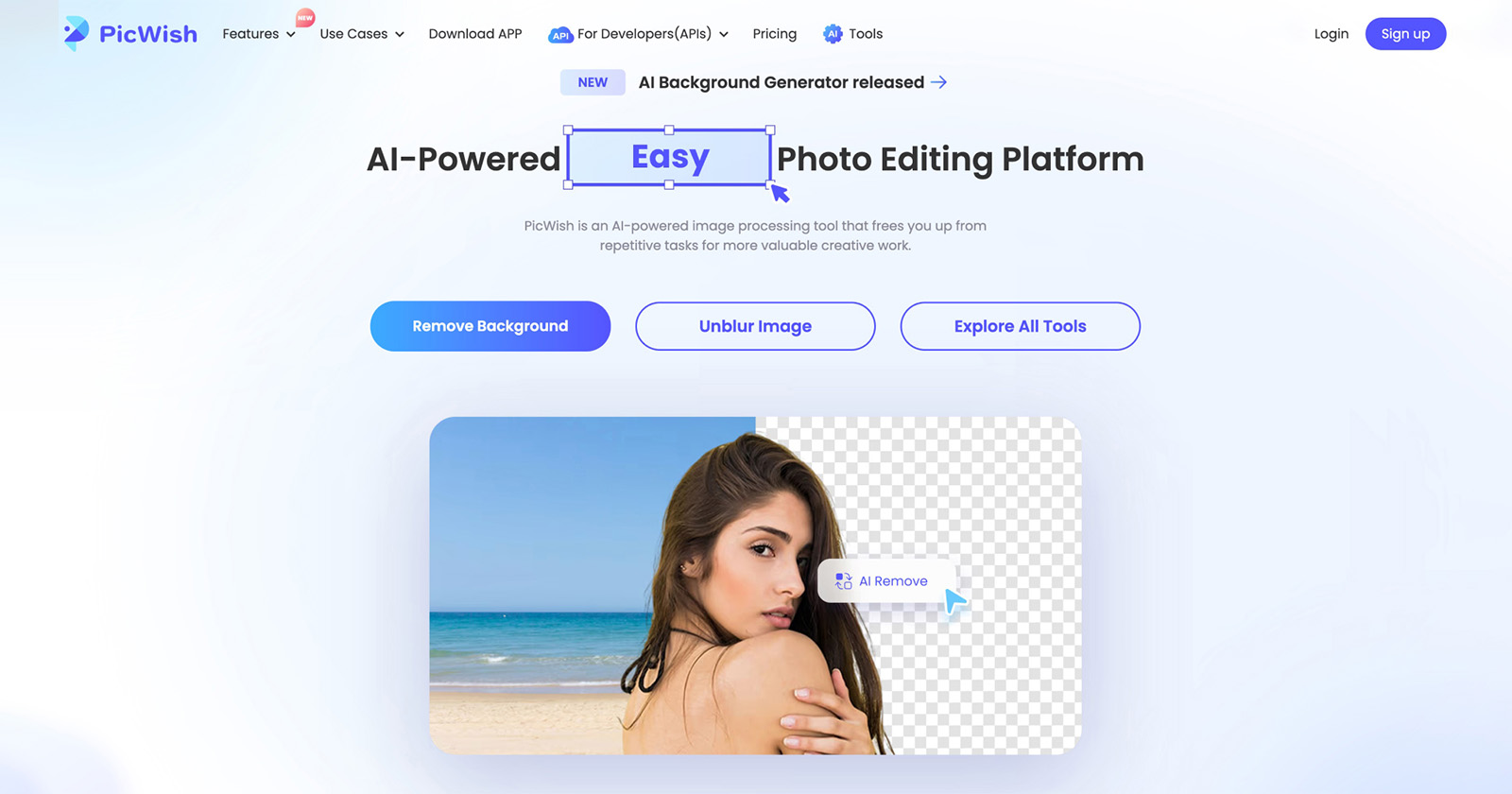
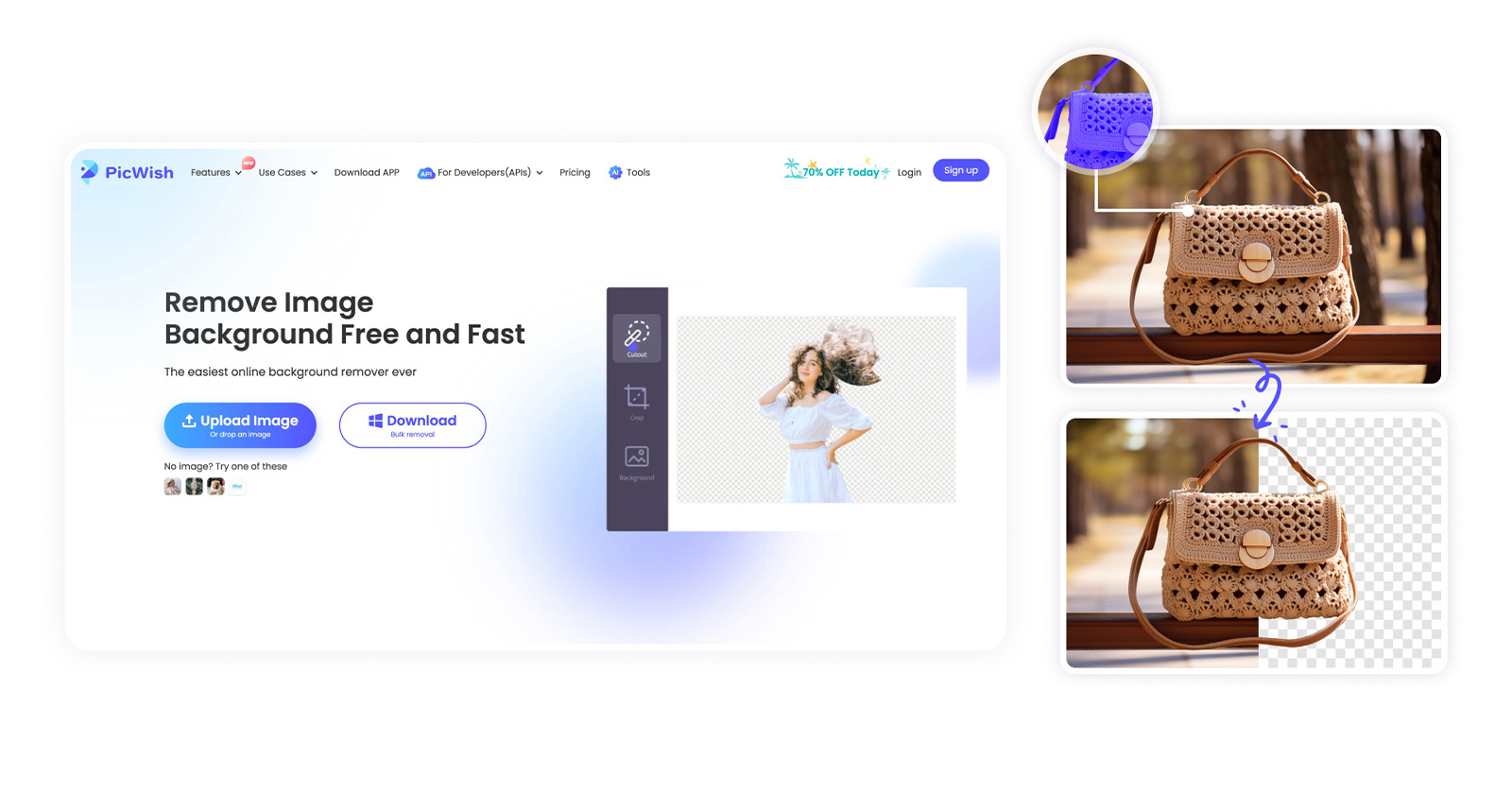
PicWish is one of the rising tools that uses AI technology to aid users with their photo editing needs. It ensures a fast processing speed that can produce results within seconds. This tool is a perfect platform for eCommerce businesses, photo editors, or casual users who love photo editing.
Price:
Most of its online functions are free; Offers free trial; Pro subscription starts at $0.008/credit
PicWish Most Popular Tools
Background Remover
AI Background Generator
Photo Enhancer
Remove Objects from Photos
Image Enlarger
AI Art Generator
There are lots of options to remove, customize, and add a background using PicWish. The features of the tool are perfect for eCommerce staff and designers. Here, users can choose which function is necessary according to their needs. The best part about the tool is that it is quick and is very easy to use.
The tool also features a background remover to achieve a transparent background needed for logos and icons. You can select the white background tool which is perfect for product photos. Or generate a customized background among preset scenes available to enhance the subject image.
PicWish Background Remover
If you’re looking for a precise way to remove the background from an image, PicWish still has got you covered. Its background remover function can handle complex backgrounds within 3 seconds. Additionally, it lets you change the background to preset colors like white, black, and others. Plus, users can customize the background by uploading any personalized photo they prefer to use. In case you’re not satisfied with a transparent or white background to promote your brand, you can try their AI background generator.
Pros
Produces high-quality output
Clear interface
Offers resize features
Affordable compared to other photo editing tools
No watermark after log in even for free images
Cons
Bulk feature is only available on its desktop version
Could not download full image size for free users
PicWish AI Background Generator
With its new update, the tool has a new feature, the AI Background Generator. Empowered by advanced AI technology, it produces realistic AI backgrounds perfect for your product images. It can recognize a product and produce a natural-looking background that complements the lighting and shadows.
PROS
Generates high-quality background
Has unique scenes compared to others like stone, etc.
User-friendly interface
Can resize and change the location of the subject image before generating a background
Offers free 55 credits for first-time users
CONS
Only has 14 scenes available, but will be adding more in the next updates
Could generate 2 scenes per process, but will add more next time
Sometimes, the background does not match the background naturally
Lacks other editing tools
PicWish is undoubtedly one of the most affordable and easy-to-use photo editing platforms out there. It also offers other notable functions such as a photo colorizer, image cropper, JPG converter, face enhancement, and others. Furthermore, PicWish is perfect for all type of users. Starting from beginners who casually have to process multiple photos, up to professionals who want to make their photo editing work faster.
MOONDROP PARA full-size Planar Headphones are meticulously crafted to deliver exceptional sound quality and comfort, making them a must-have for audiophiles and music enthusiasts alike. The headphones is now available on GeekWills for $299 only.
Sensitivity: The MOONDROP PARA headphones boast an impressive sensitivity rating of 101dB/Vrms at 1kHz. This high sensitivity ensures that even the subtlest nuances in your music are faithfully reproduced, providing an immersive listening experience.
Impedance: With an impedance of 8Ω +/-15% at 1kHz, these headphones strike the perfect balance between power efficiency and audio fidelity. They can be easily driven by a variety of audio sources, ensuring compatibility with your existing equipment.
Wide Frequency Range: The MOONDROP PARA headphones offer an expansive frequency range, spanning from 15Hz to an astonishing 53kHz in a free field environment (according to IEC61094 standards). This extended range ensures that you can enjoy deep, thunderous bass notes as well as crystal-clear highs, capturing the full spectrum of your music.
Universal Compatibility: Equipped with a standard 3.5mm headphone jack, these headphones can be effortlessly connected to a wide range of devices, from smartphones to dedicated audio amplifiers. This versatility allows you to enjoy their exceptional sound quality wherever you go.
Effective Frequency Range: For accurate sound reproduction within the human hearing range, the MOONDROP PARA headphones cover an effective frequency range of 20Hz to 20kHz (per IEC60318-4 standards), ensuring that every note is delivered with precision and clarity.
MOONDROP PARA full-size Planar Headphones, with their remarkable sensitivity, impedance balance, wide frequency range, and universal compatibility, are a testament to precision engineering, designed to elevate your music to new heights.
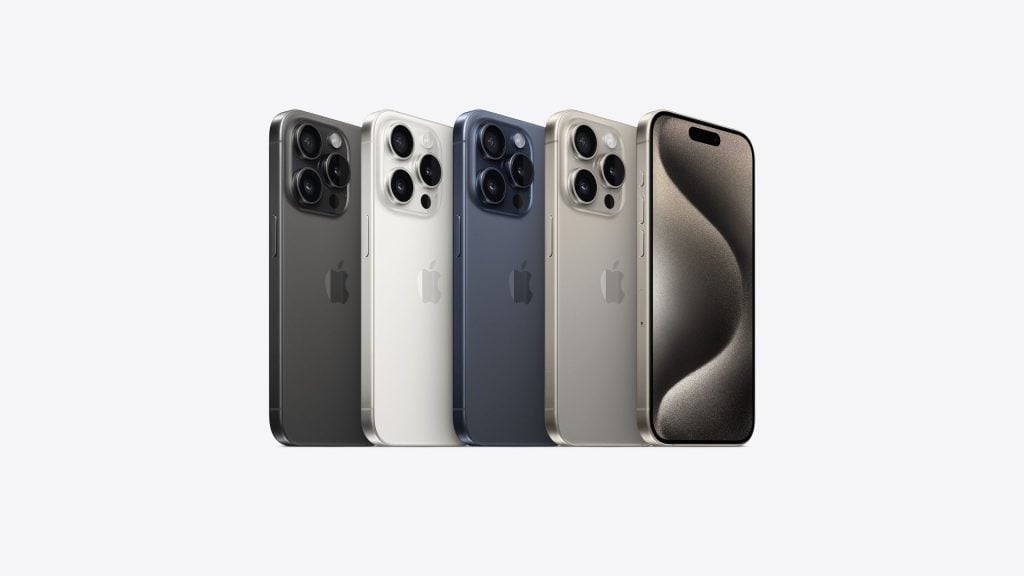
The Apple iPhone 15 series was finally unveiled recently. The 2023 iPhone lineup is currently available for pre-order and the brand is even bringing discounts for the new smartphones. Apple India has announced discounts for the new iPhone 15 series along with some older iPhone models, so here are all the details.
Apple iPhone 15 series
The Cupertino based giant is offering up to 6,000 INR discount on the iPhone 15 lineup. So now, the Apple iPhone 15 and iPhone 15 Plus are getting a discount of 5,000 INR. Meanwhile, the iPhone 15 Pro and iPhone 15 Pro Max are also getting a 6,000 INR discount. In other words, the iPhone 15 now starts from 74,900, while the iPhone 15 Plus starts from 84,900 INR. The iPhone 15 Pro and iPhone 15 Pro Max will have an effective price tag of 128,900 INR and 153,900 INR respectively.
Apple iPhone 15 Pro, iPhoen 15 Pro Max
Fresh offers on iPhone 14, iPhone 13, iPhone SE, and Others
Apple India isn’t offering discounts exclusively on the iPhone 15 lineup but even some older iPhones and some Apple Watch models. The iPhone 14 and iPhone 14 Plus will see a 4,000 INR discount, while the iPhone 13 price tag is lowered by 3,000 INR. The last iPhone model on discount is the iPhone SE, which is discounted by 2,000 INR. Apple’s Watch Series 9, Watch Ultra 2, and Watch SE now feature a 2,500 INR, 3,000 INR, and 1,500 INR discount respectively.
Keep in mind that these discounts are available through HDFC bank cards and the devices are set to be sold on 22nd September 2023.
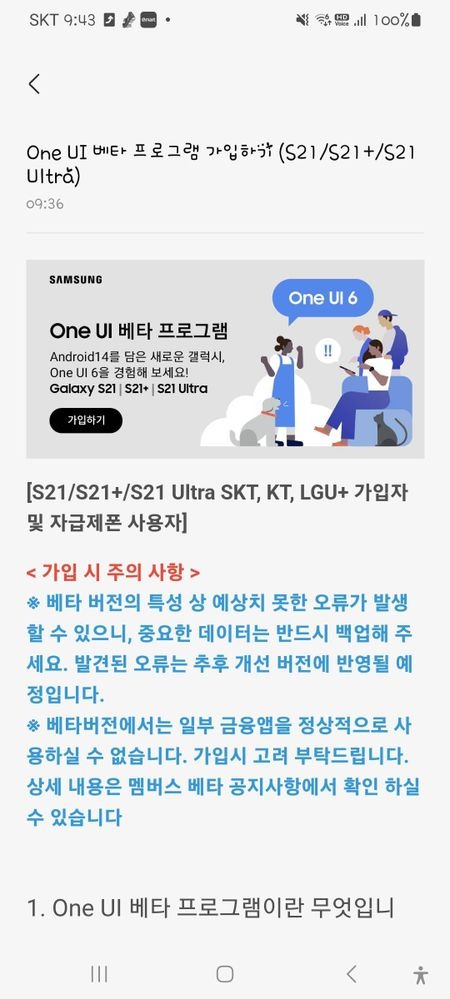
Samsung is bringing much much-awaited OneUI 6.0 Beta program for the Galaxy S21 series. The program is now live in South Korea and users in other countries can expect it soon. In order to join the program, the user must use the Samsung Members app and look for the banner as shown below.
The Samsung Galaxy S21, Galaxy S21+, and Galaxy S21 Ultra owners can enjoy the latest OneUI 6.0 beta which brings some exciting new features. All the unlocked and carrier-locked units with KT, LGU, and SKT in South Korea can participate in the program
The update weighs 2.5GB in size and is available for the participant. Below are the steps to participate in the OneUI 6.0 beta program:
Steps to Install OneUI 6.0 on Galaxy S21
The user must install and sign in to the Samsung Members app.
Upon Signing in, the user should see a banner with OneUI 6.0 on the App’s home.
Follow the instructions, and register for the update follow the steps.
Once registered, the users can check for the update by heading to Settings > Software Update and then Tap Download and Install.
The smartphone will restart upon the installation of OneUI 6.0 Beta.
Samsung is expected to bring the same update for the Galaxy S21 series in other countries like China, Germany, the UK, Poland, and the US soon.
OneUI 6.0 Beta Features
There are plenty of improvements and new features that are part of the OneUI 6.0 Beta. It has fully improved the Quick Panel with a new Button layout, new gestures, and much more. It also brings a better brightness control feature and the new Dynamic Lock Screen amalgamated new features. There’s a new default font to give a modern and elegant look. A new Notification management system is present which even allows to sorting of notifications with time.
The OneUI 6.0 Beta program is already live for the Galaxy S23 Series, Galaxy S22 Series, Galaxy A54 5G, and Galaxy A34 5G. We expect the program to expand to more devices across different countries.
Nothing is a young brand that is seeking to disrupt the market with its products. Recently, it announced a sub-brand called CMF, which will focus on products outside of smartphones. One of its upcoming launches is the CMF Watch Pro, which is also the brand’s first smart wearable.
CMF By Nothing Watch Pro
The CMF by Nothing is gearing up for a series of launches that is set for the 26th of September 2023. During this event, the company will announce the new Watch Pro, Buds Pro, and Power 65W GaN. But ahead of the release, the CMF Watch Pro’s key display spec was revealed thanks to a Flipkart listing. For those unaware, Flipkart is a popular e-retailer in India. Looking at the listing, we can see that the Watch Pro model will sport a tall 1.96-inch AMOLED display.
Apparently, this panel will even feature 600 nits of peak brightness. The image basically offers us a look at the design of the upcoming smartwatch. The CMF’s Watch Pro has rounded corners on its squarish display. On the e-commerce website, the company states “As designers, it’s our responsibility to question the world. The objects that surround us and their true meaning.” Unfortunately, the finer details regarding its specs and full design are still unclear.
Other details revealed include dimensions of 46.9 x 39.87 x 11.4 mm with 31.1 grams of weight. The device will also feature an aluminum alloy, Bluetooth 5.3, SpO2 blood oxygen monitoring, heart rate tracking, stress monitoring, sleep tracking, and support for over 110 sports modes.
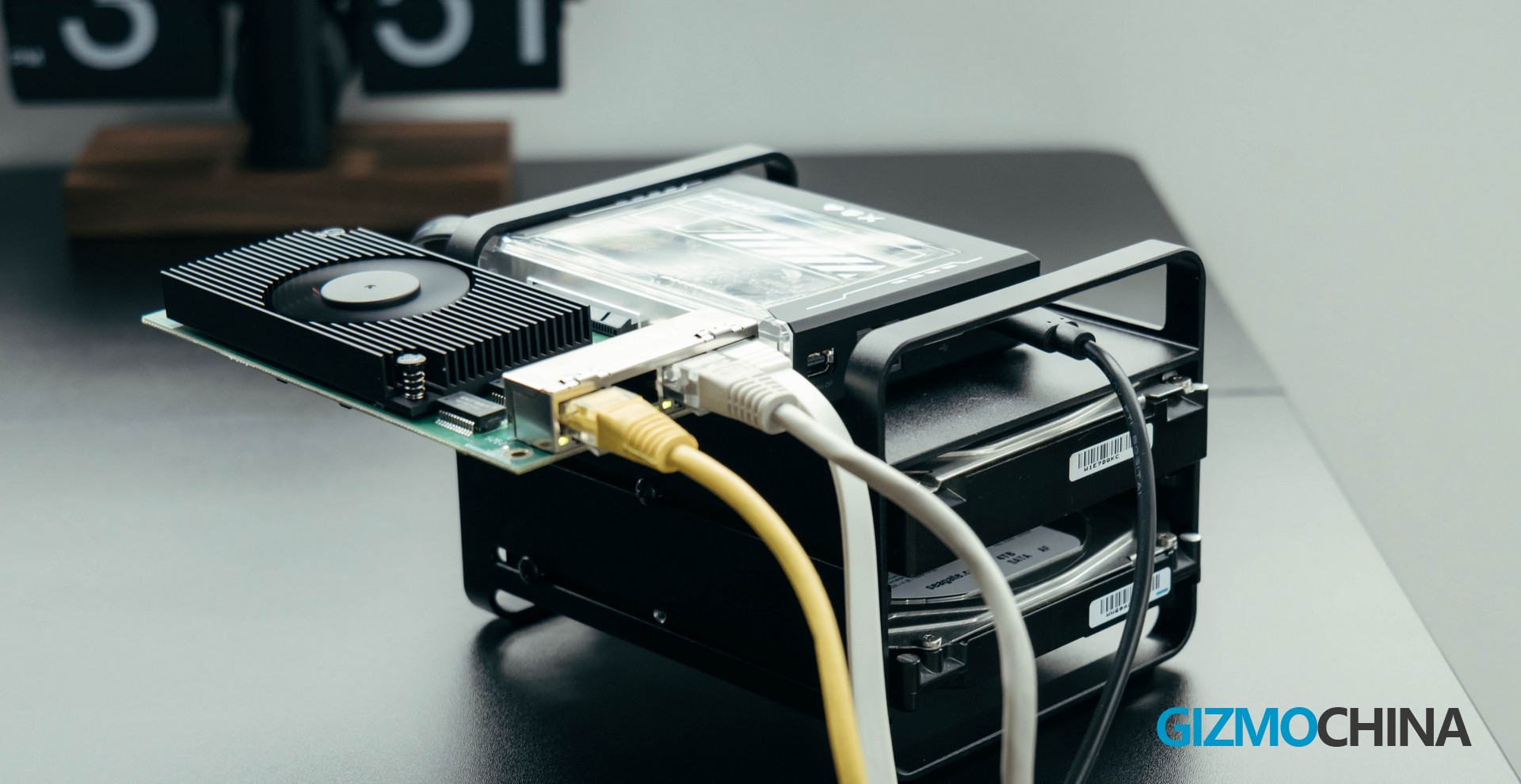
Previously we have used and reviewed ZimaBoard, the world’s First Hackable Single Board Server with amazing possibilities. ZimaBoard, as a modularized Single Board Server, was truly impressive with its unique design and customizability. In the niche market of geeks, the ZimaBoard has been widely welcomed. But they don’t seem to want to stop there. The brand is taking it a step further with a tool more focused on protecting digital freedom, which is the ZimaBlade, another x86 personal server. It’s particularly designed for local execution and control of everything from file sharing and media playback to key management and encrypted P2P transmission. For a simple example, build up a private network storage with the NAS kit it offers.
The ZimaBlade is even designed in a more compact size, however, with more powerful performance and a more special look!
Unboxing
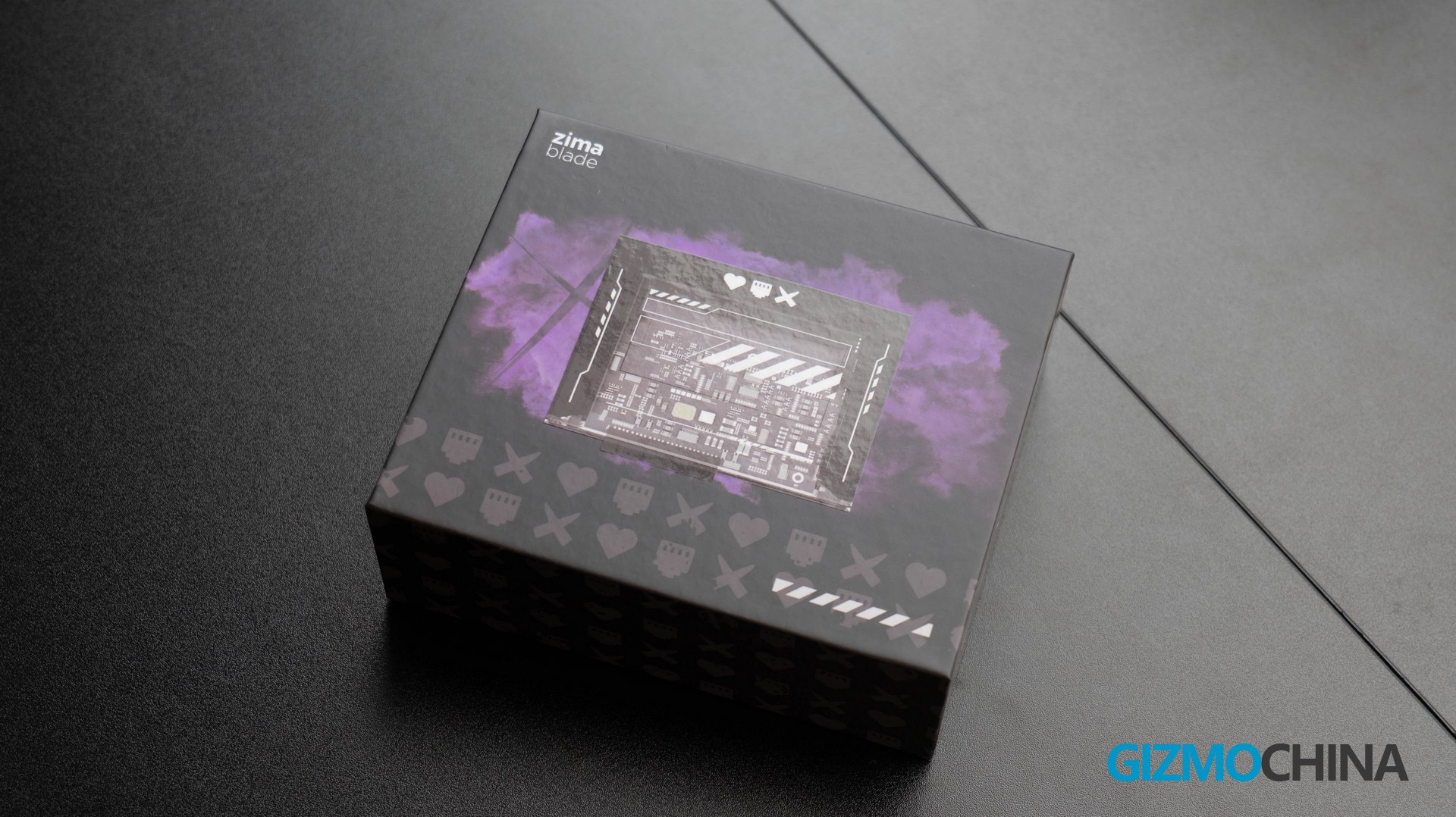
The packaging of ZimaBlade is unexpectedly small, similar to the size of some mobile phone charger boxes, which was hard to convince me at first that there was an x86 server inside. But it truly is. The whole package is in black design, with the product picture on the front, where it’s worth paying attention to the packaging and the three symbols. It reminds me of the Netflix animated series– Love, Death & Robots.
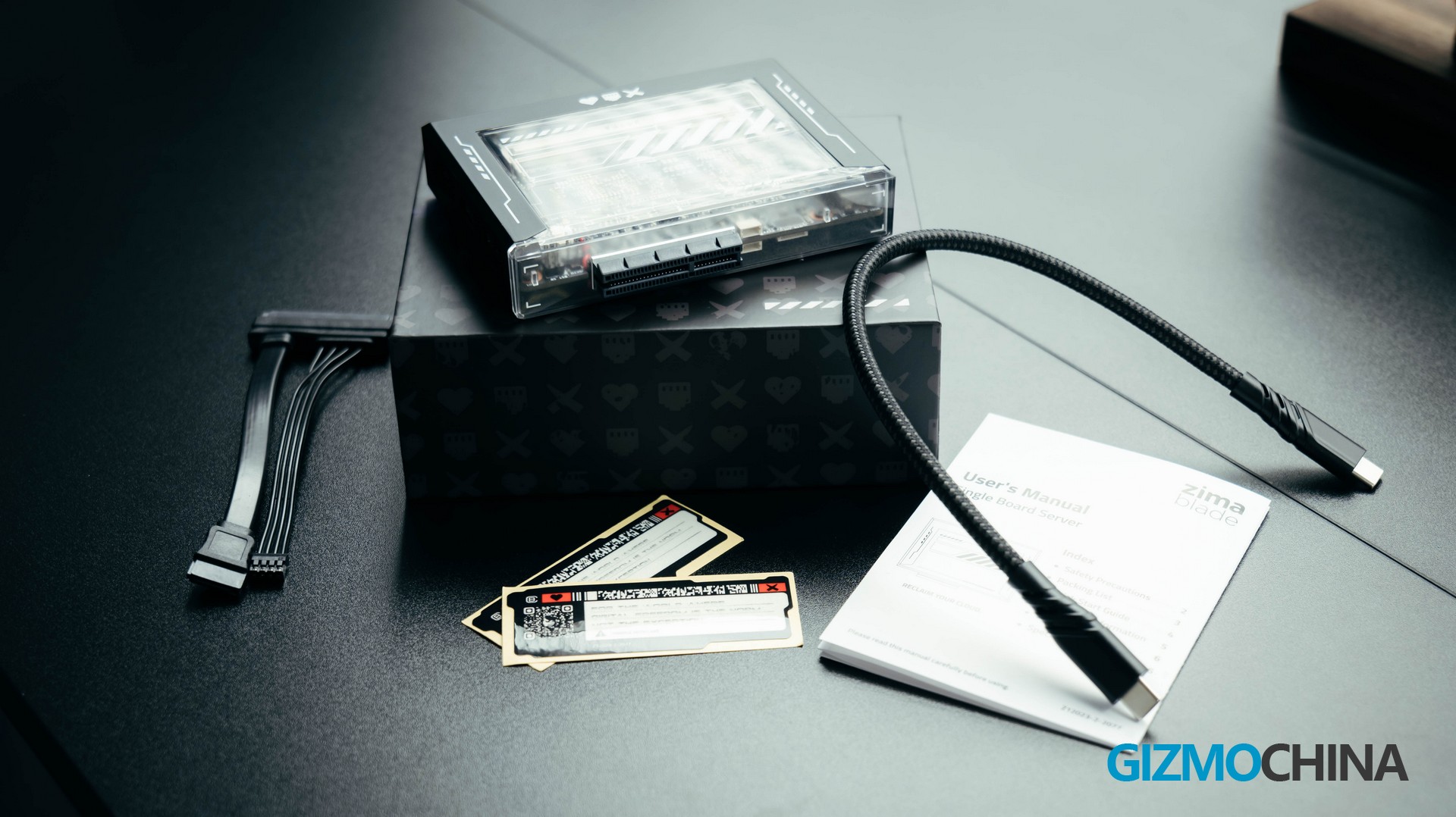
That’s pretty cool. Inside the package, apart from the machine, there is a SATA cable, a type-c power cable, a user manual, and two stickers.
Design
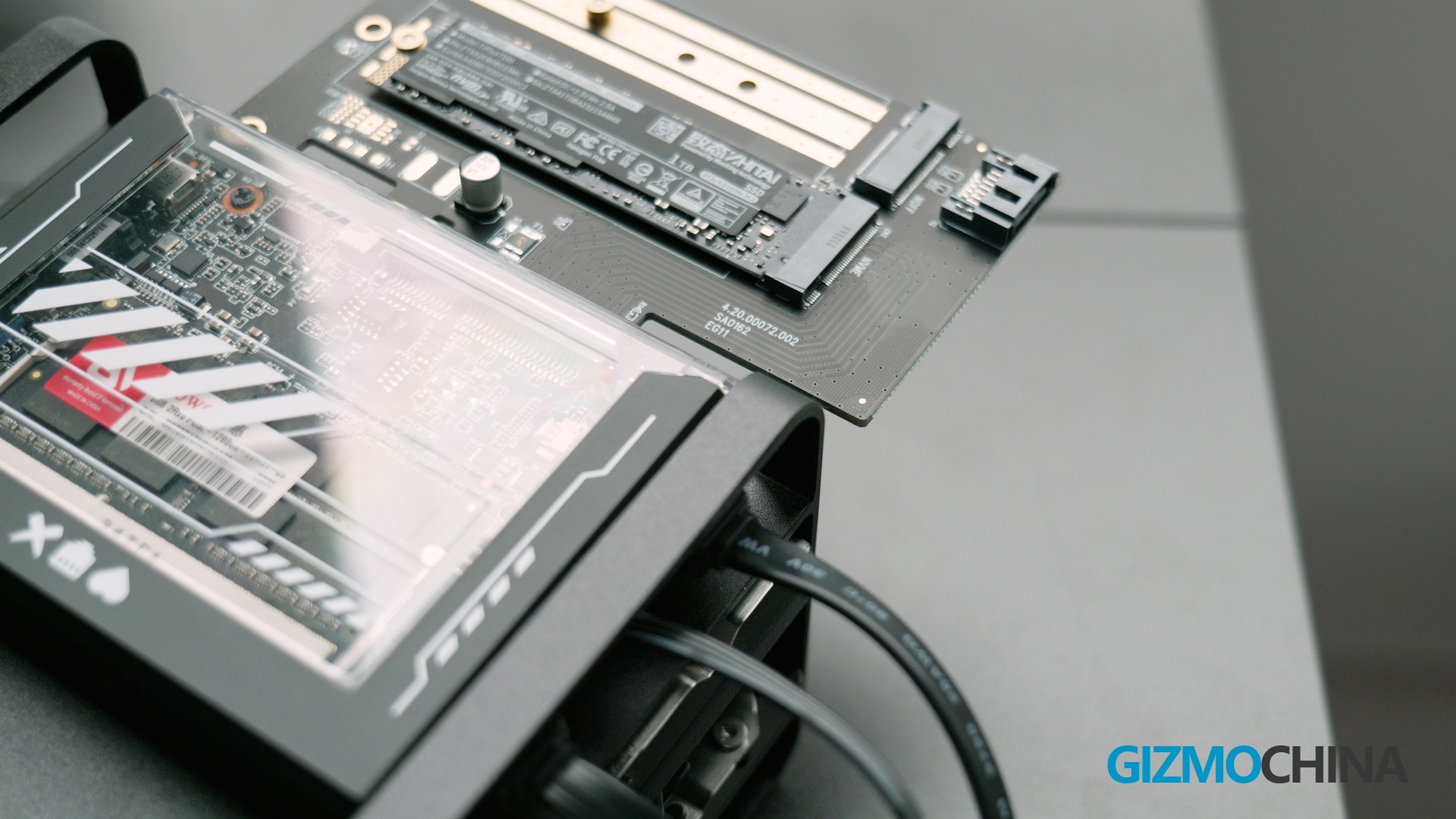
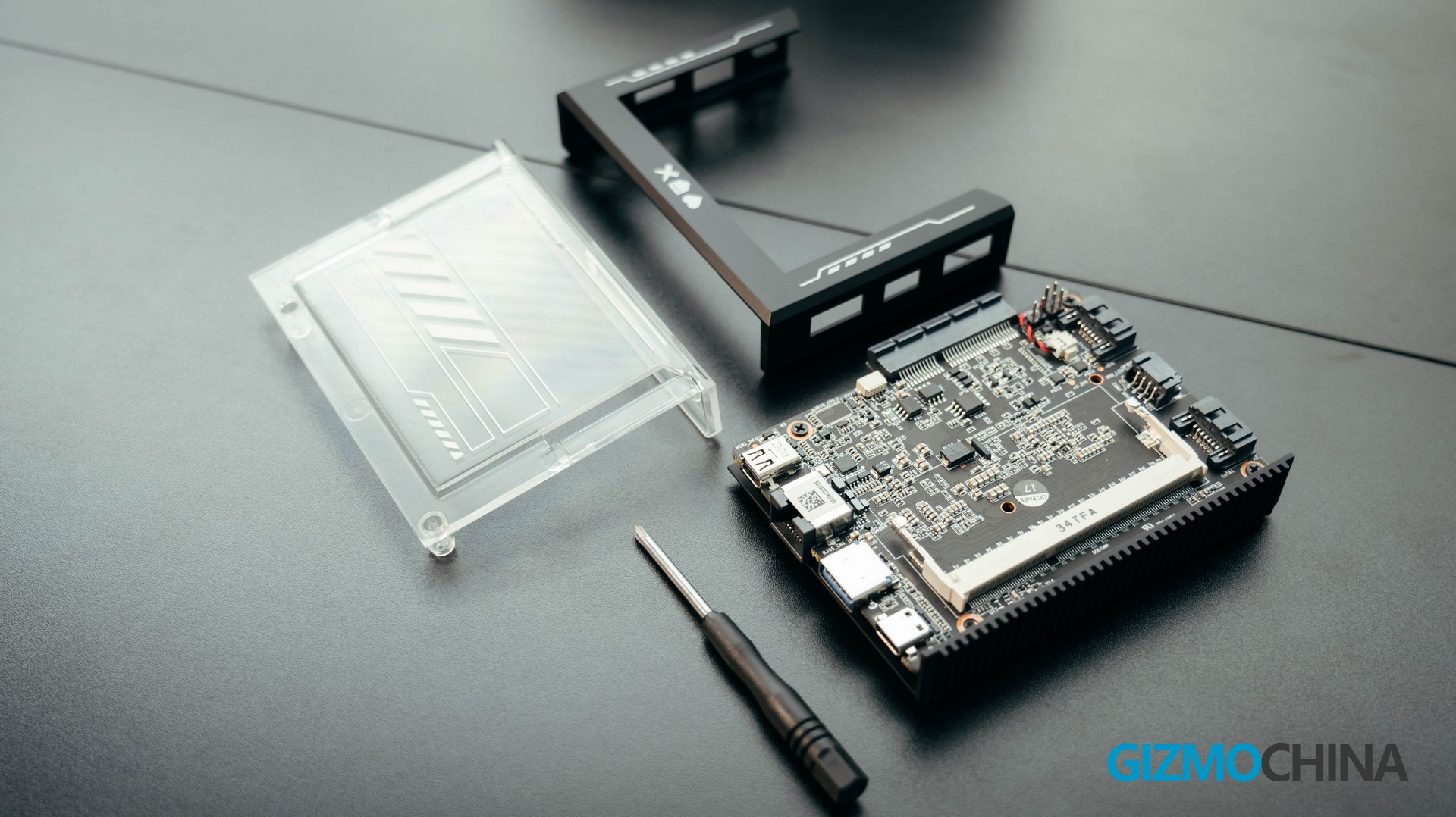
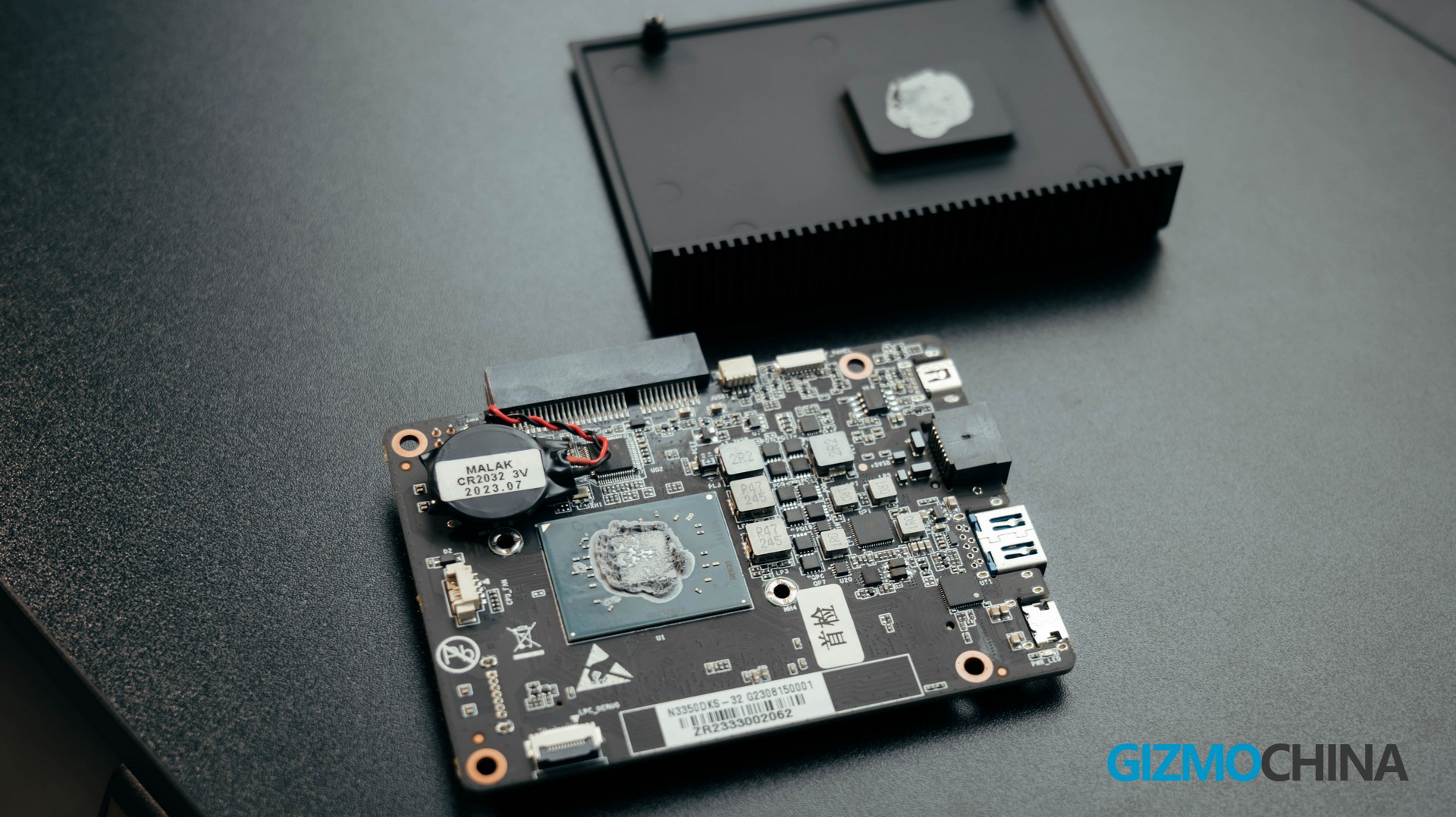
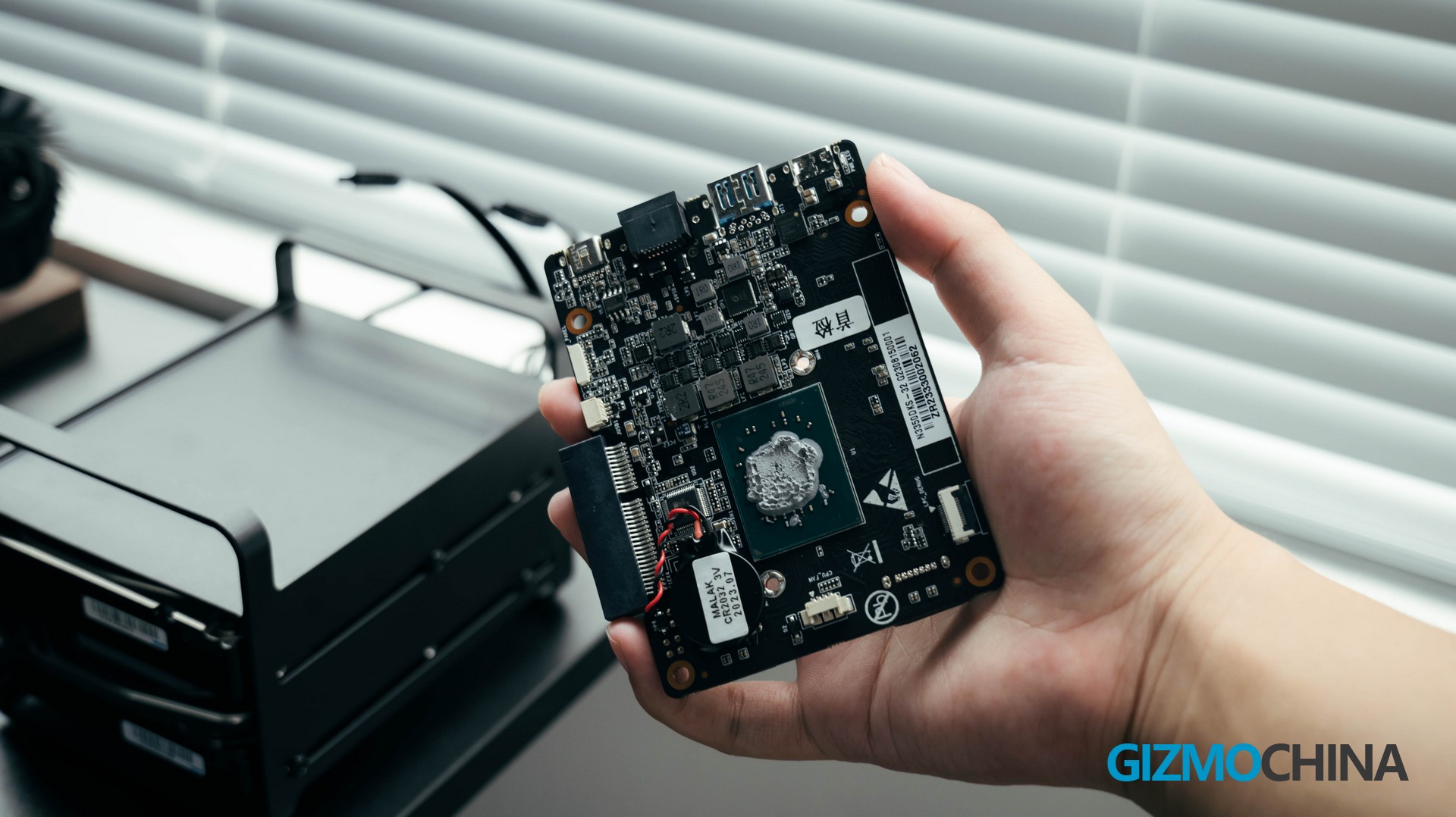
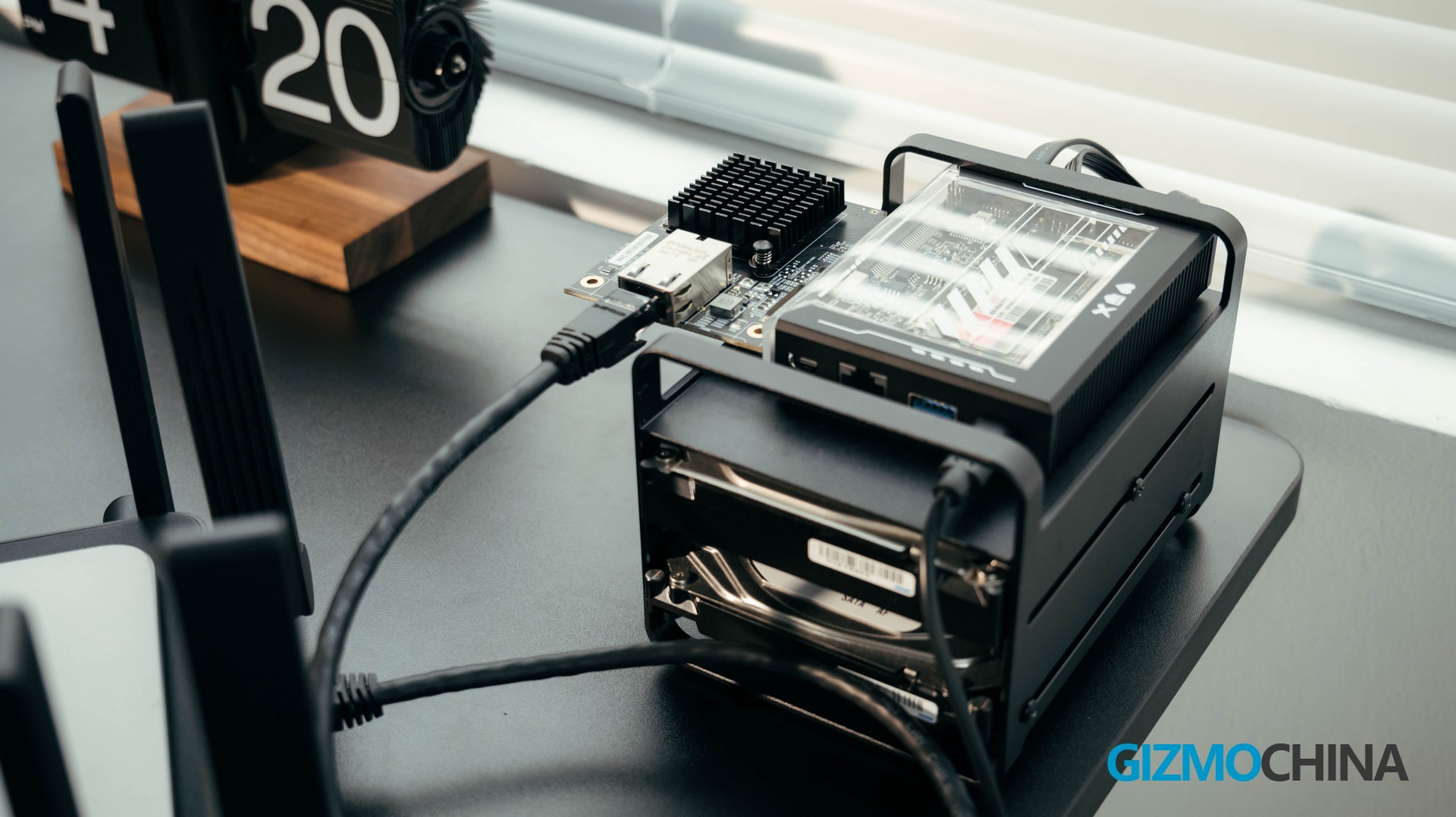
ZimaBlade uses a solid card-like design. Two screws on the front to fix a transparent plate with a rugged, custom enclosure. You can clearly see the elegant PCB. The bottom and side of the enclosure use a whole piece of protecting metal, which has direct contact with the CPU for passive heat dissipation. This unique design balances the overall design aesthetics with practicality. I really like it as I can completely disassemble it in less than a minute and have very easy access to the ports and terminal on the motherboard.
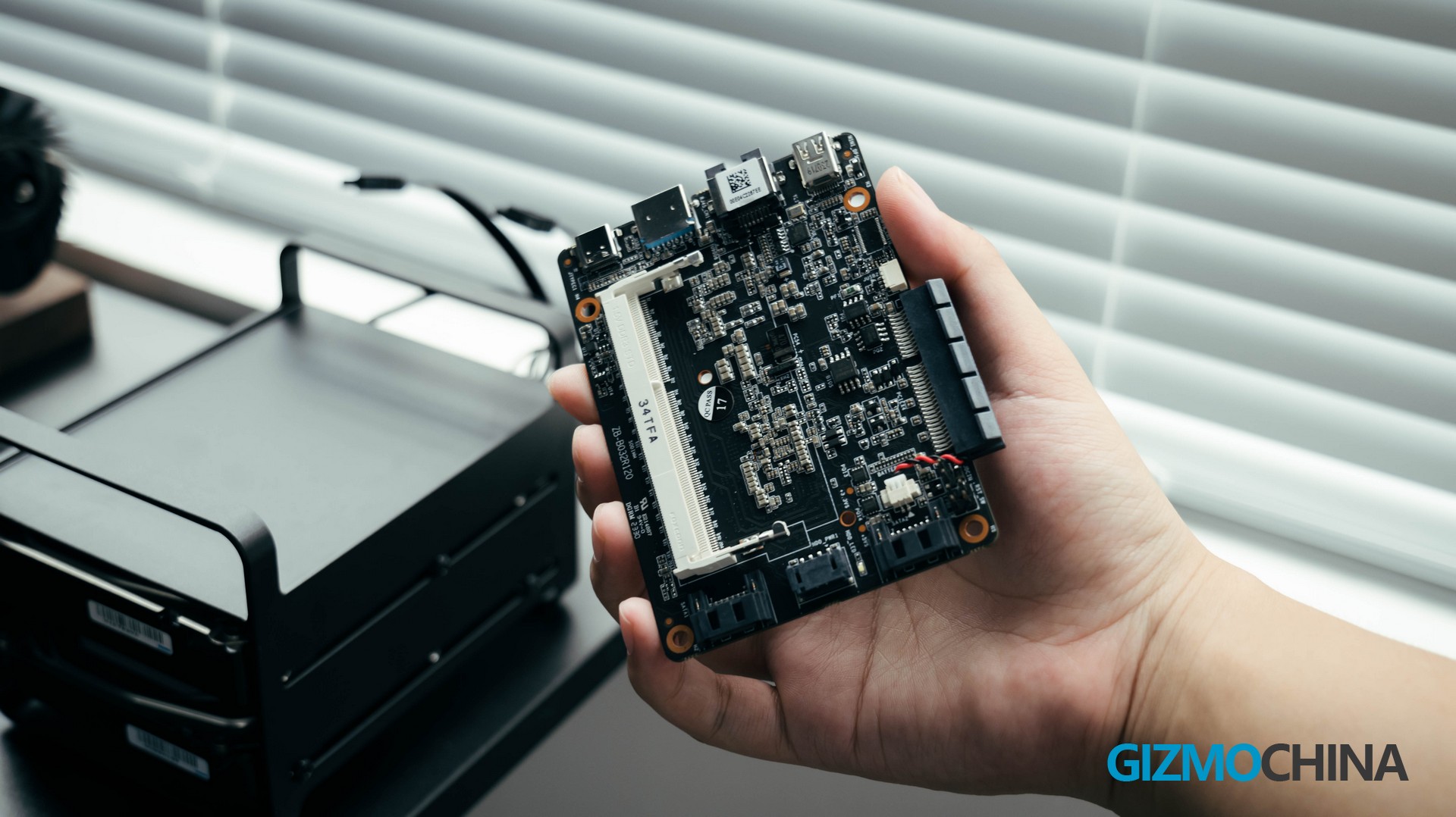
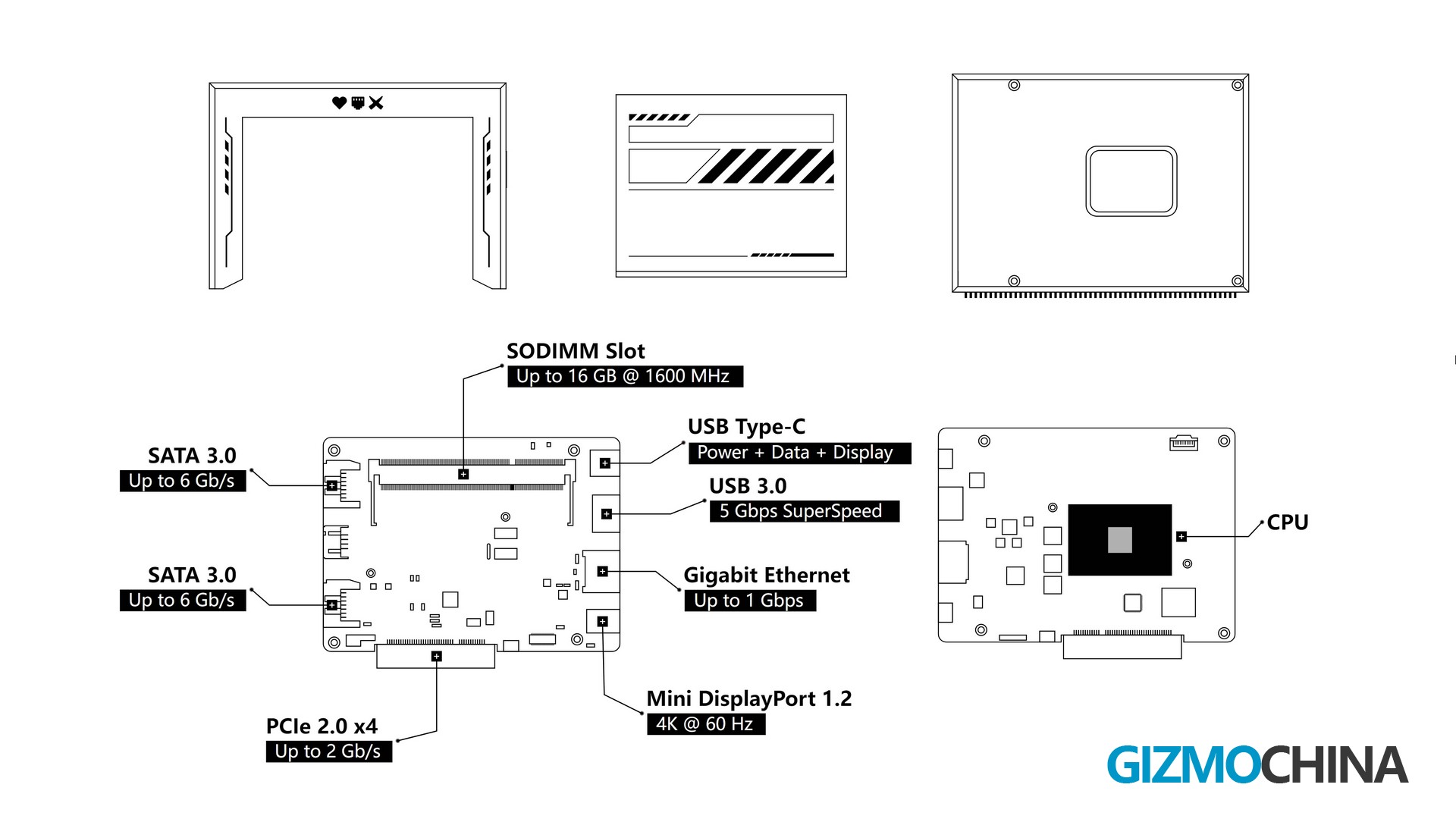
In terms of connectivity and expandability, one side of the motherboard has a full-featured USB-C port, another USB 3.0 port, a 1GBE (Gigabit Ethernet) network port and a mini-DP port, while the other has two SATA 3.0 ports and a SATA Power port. The motherboard also provides two USB 2.0 terminals, and a 4-pin fan terminal. And of course, the most important is the pcie2.0 x4 Slot.
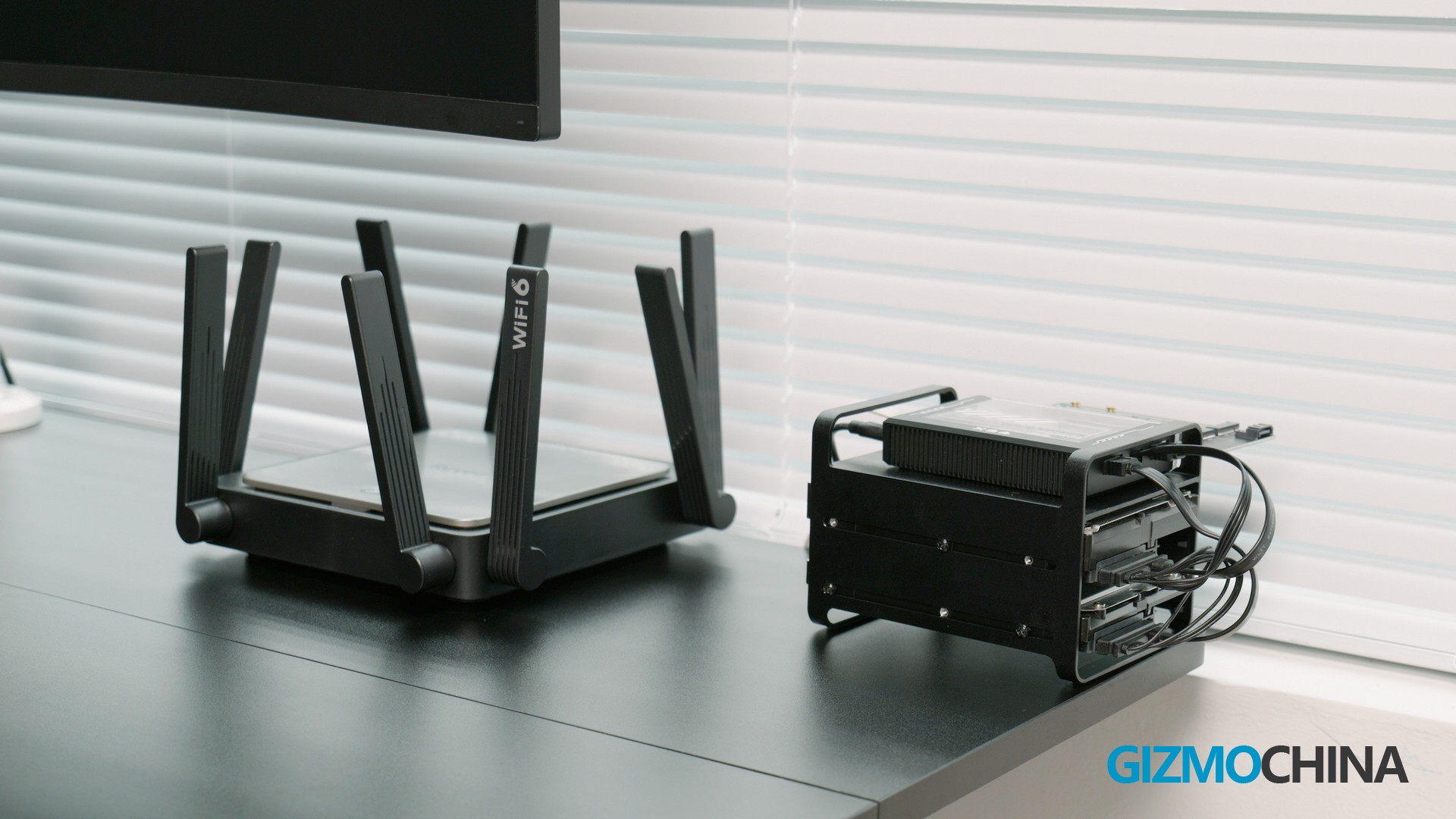
With the dual SATA 3 ports and PCIe slots, the ZimaBlade can provide wide expandability like creating a personal NAS with up to 154TB of storage and accessing data over either a Wi-Fi module or an Ethernet connection.
Also, in my eyes as a Desk-aesthetic fanatic, it’s probably the coolest device on my entire desktop – Well, ZimaBoard, you’re a close second.
Connectivity/Expandability specs
– 1 x mini DP 1.2 (4K/60Hz)
– 1 x Full Function C-port (Display, data, power support)
– 1 x Gigabit Ethernet port
– 1 x USB 3.0 Type-A
– 2 x USB 2.0 Type-A
– 2 x SATA 3.0
– 1 x PCI 2.0 x4 Slot
– 1 x SODIMM slot, compatible with 16 GB DDR3L RAM max.
– Build-in 32GB eMMC Storage
Performance
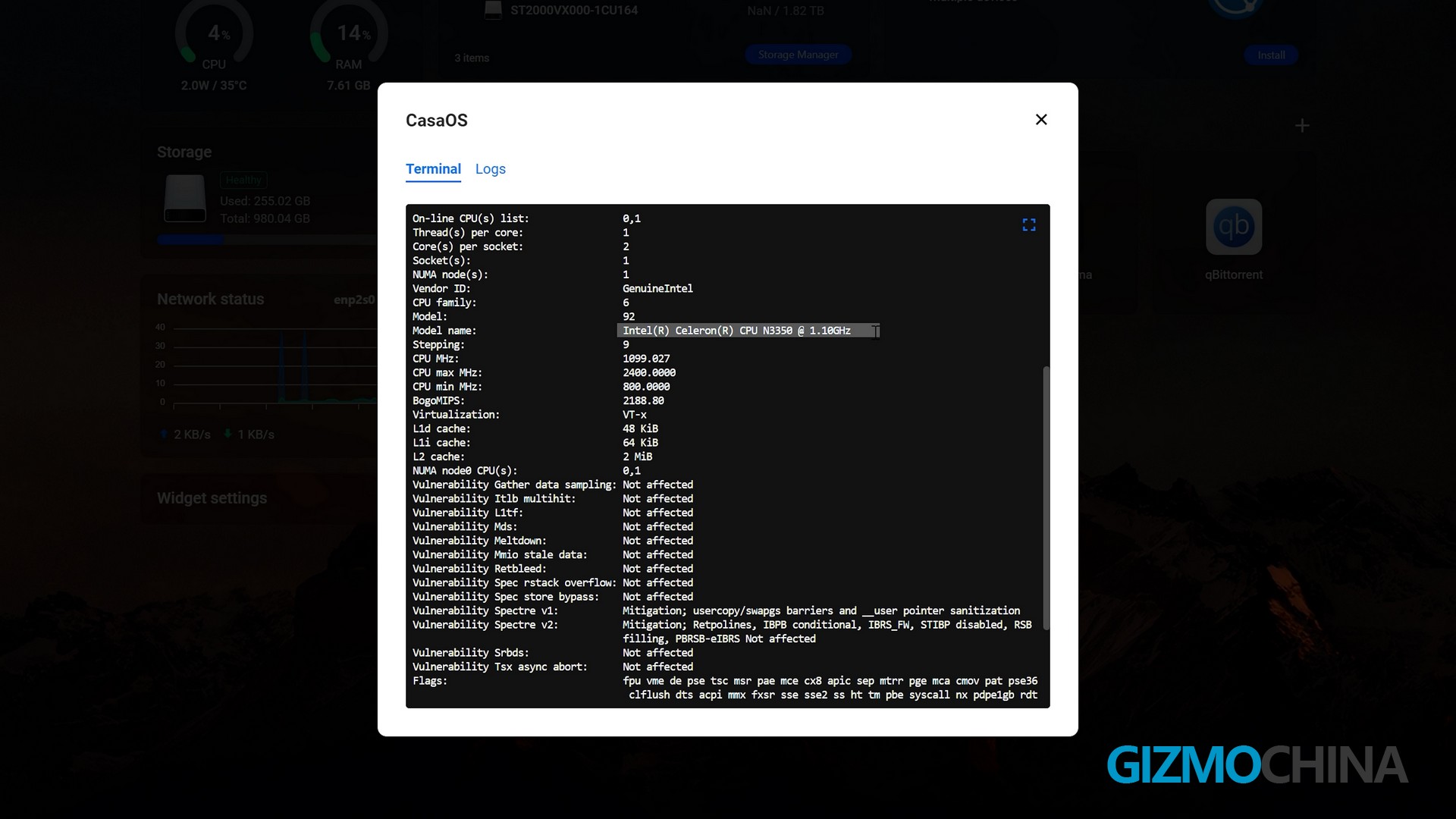
The ZimaBlade gives a wide range of options. The version I got is a basic variant – ZimaBlade 3760, powered by an Intel® Celeron N3350 dual-core processor. Apart from the dual-core model, there are also qual-core variants for options, powered by Celeron J3455 or E3950.
Focusing back to the standard N3350 processor. It has a good and stable performance in terms of network packet forwarding, personal storage, and working as a web server. It’s worth noting that the ZimaBlade is officially available in an off-system version, and with the sodimm slot on the motherboard, it can be fitted with up to 16GB of DDR3L RAM, which means that the ZimaBlade is more than capable of running multiple dockers.
I also tested the ZimaBlade’s cooling performance by configuring the ZimaBlade for use as a NAS and copying 80GB files over the LAN-connecting network. The surface temperature of the ZimaBlade was around 45°C, which is a very good result, but of course, if you are in a hot area, installing an external fan via the 4-pin connection or increasing the passive cooling area is a wiser solution.
CasaOS
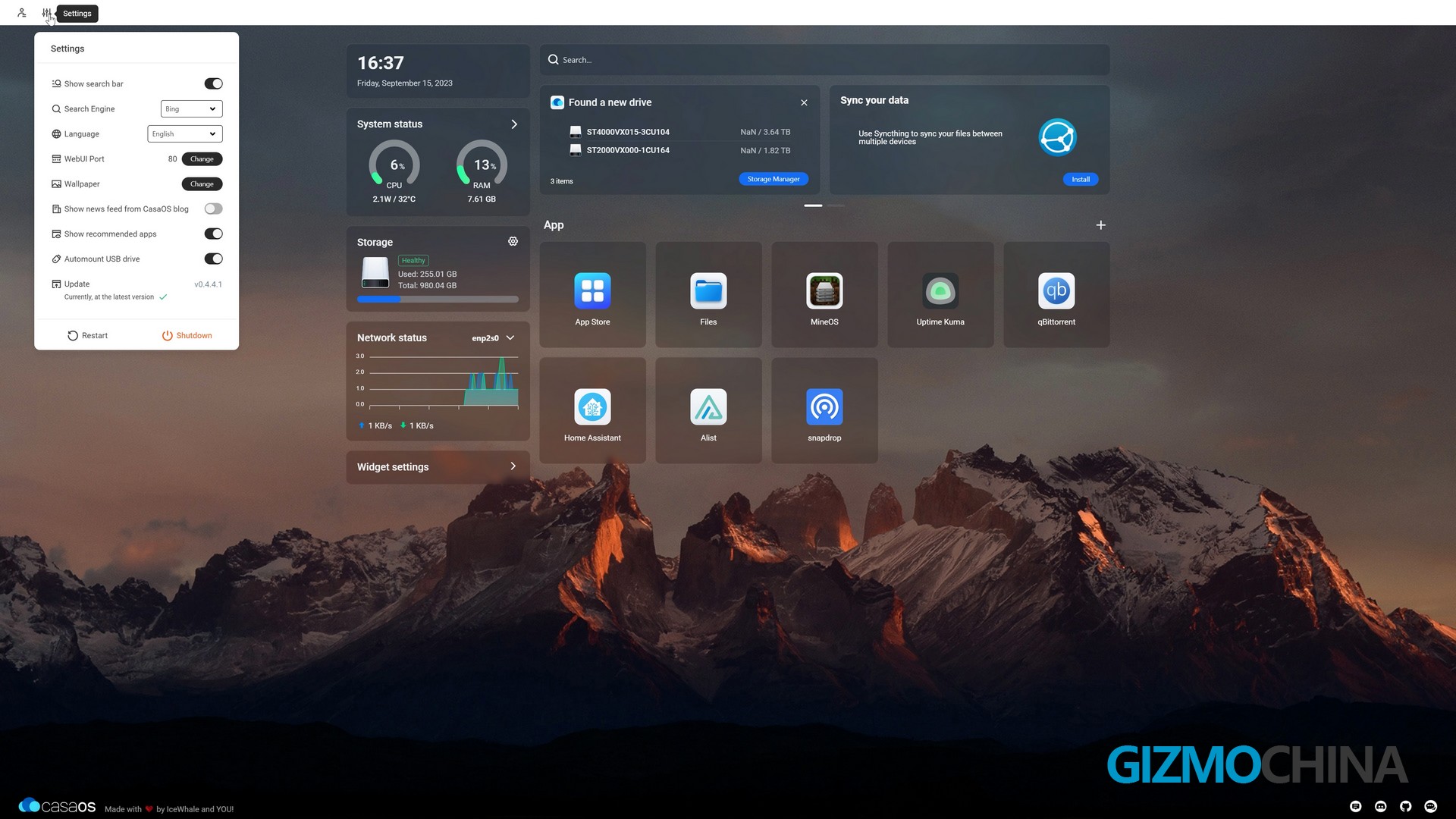
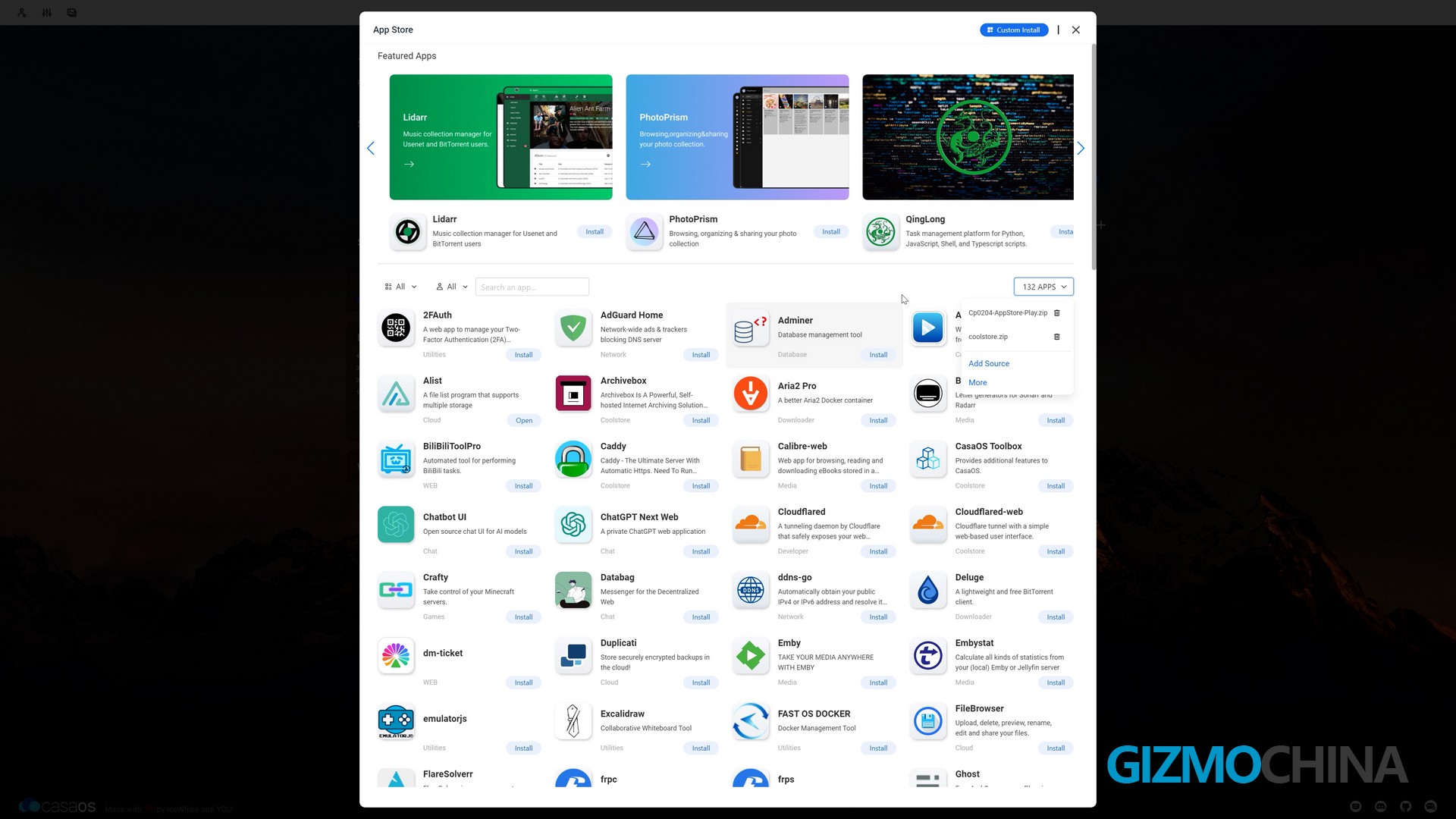
ZimaBlade comes pre-installed with CasaOS (Based on Debian), which is a lightweight open-source home automation system. When used with ZimaBlade, you can deploy multiple Docker apps with a single click from the CasaOS app shop, which allows you to configure ZimaBlade as a home server with no complicated setups and no command line.
Of course, CasaOS also supports adding repositories and installing third-party applications. ZimaBlade with casaos is perfect as a first personal server for entry geek users. And the brand’s Discord server has over 12,000 members who are participating in discovering all the possibilities from the ZimaBlade series. If you’re learning how to build your own digital security and personal servers, that should be a good club for learning.
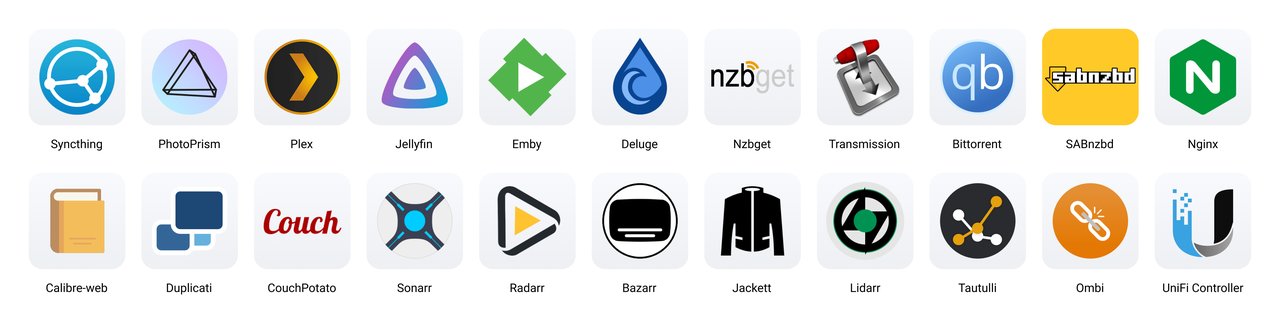
Or if you’re tired of secondary customization or modification, the over 20-pre-installed apps and 50+ verified apps also can boost your experience with the ZimaBlade. You can easily access downloaders, data management, entertainment, utilities and so on.
Pcie Slot
The ZimaBlade offers a Pcie 2.0 × 4 slot. If you want to set up NAS, the Pcie to 5-port SATA III Adapter can support connecting a 100TB+ (Max. 154TB) hard drive to store your data securely locally. If you use PCIe to 4-Port 2.5G Ethernet Adapter, you can use ZimaBlade as a hardware router or Video monitoring server.
Of course, if you need higher transfer speeds, ZimaBlade also supports 10G Ethernet Adapter and NVME Adapter.
Anyway, all these accessories and modules from ZimaBlade’s official website are pretty recommendable, as all of them should have been verified for compatibility.
By far all the modules we collected from the official store have worked pretty well without any problems. Here’re all the modules and adapters we tested and recommended for the ZimaBlade players:
m.2 NGFF TO PCIE
PCIe to 4-Channel USB Adapter
PCIe×4 to 10 Gigabit Ethernet
PCIe×4 to 4-Port 2.5 Gigabit Ethernet
PCIe to 5-Port SATA Adapter
Conclusion
The ZimaBlade’s great look and expandability are unmatched by any other mass-productive device in its class, and another important message we want to share with you is that the ZimaBlade has better performance than Raspberry Pi. At the same time, considering the prices as low as $64, we couldn’t find any reasonable alternatives for it. At least for the moment, the ZimaBlade is perfect as a first personal server for entry-level geeks.
If you’ve been a bit excited about the ZimaBlade, we really recommend you check out the link here to learn more.
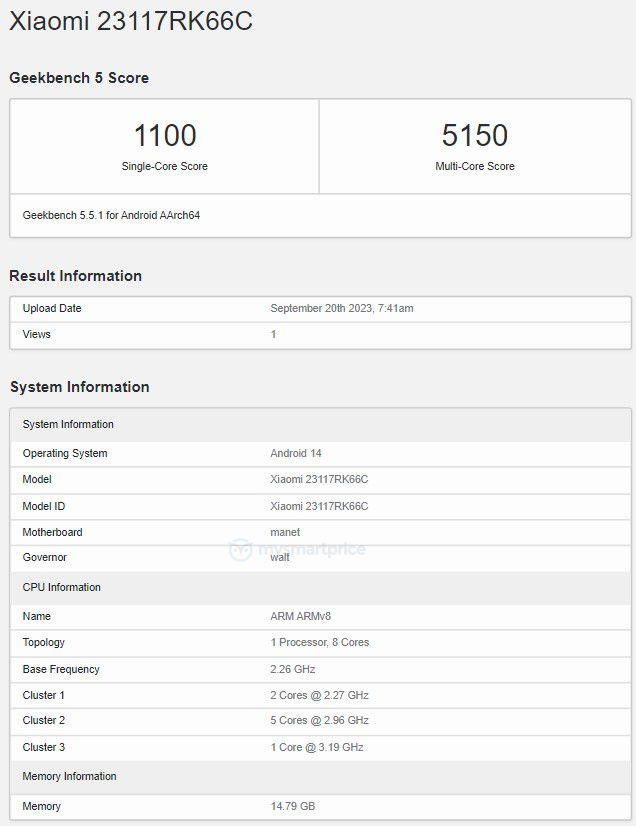
Qualcomm is set to introduce the Snapdragon 8 Gen 3 at its 2023 Snapdragon Summit event in October this year. Following its debut, leading Chinese smartphone manufacturers are anticipated to release flagship devices powered by the SD8G3 chip in the subsequent weeks. The Redmi K70 Pro is also one of the devices that is expected to feature the said chipset. Earlier this month, tipster Digital Chat Station revealed that the K70 series has three devices with codenames Ingress, Vermeer, and Manet. These devices are likely to be called the Redmi K70e, Redmi K70, and Redmi K70 Pro when they launch in the Chinese market in December of this year. Well before the launch, the Manet device appeared with model number 23117RK66C in the database of Geekbench 6. Here is a look at the details that have emerged through the listing.
Redmi K70 Pro Geekbench listing
Redmi K70 Pro Geekbench listing
On Geekbench 6, the Redmi K70 Pro has emerged with the Snapdragon 8 Gen 3 chip. Although the name of the chip is not explicitly mentioned, the CPU and GPU (via source code) details that have emerged through the Geekbench listing confirm that it will feature the said chipset.
The SD8G3 chip will be accompanied by 16 GB of RAM, and the device will come preloaded with the forthcoming Android 14, which will possibly have a layer of MIUI 14 on top. In the single-core test, the device scored 1100 points, and it recorded a score of 5150 points in the multi-core test.
According to rumors, the Redmi K70 Pro will have a flat OLED screen that will offer a 2K resolution, a 120Hz refresh rate, and an in-screen fingerprint scanner. The device may offer up to 1 TB of UFS 4.0 storage and draw power from a 5,500mAh battery that supports 120W rapid charging. The camera setup on its back may include a 50-megapixel (Sony IMX707, with OIS) main camera, an ultra-wide lens, and a telephoto camera with a 3.2x zoom. It may lack support for wireless charging.
In August, the Redmi K70 Pro was listed on Geekbench with a purported Dimensity 9200 Plus chipset. It is important to note that this listing was fraudulent and should be disregarded.
Xiaomi is gearing up to launch the new Redmi Note 13 series in its home market of China soon. The Note 13 Pro+ is set to be the top-end model of the lineup and its color options have just been revealed ahead of the announcement.
Redmi Note 13 Pro+ Colors
The Chinese tech giant has officially confirmed that the Note 13 Pro+ will be available in two additional color options. Last week, the Light Dream Space color option was unveiled, which features a leather rear panel. But today (20th September 2023), the company has offered us a look at the new color variants of the Redmi Note 13 Pro+. The white model is dubbed Mirror White, while the black edition is called the Midnight Black. Both models feature a glossy rear panel, although it is unclear if it is a glass or plastic material used on the back. This showcased the full design of the smartphone.
Redmi Note 13 Pro+ Specs
The device sports a tall 6.67-inch OLED display that features 1.5K resolution, 120Hz refresh rate, and an in-display fingerprint sensor. Under the hood, the smartphone will be equipped with the MediaTek Dimensity 7200 Ultra SoC that is paired with up to 1TB storage and 16GB of RAM. A large 5,120mAh battery pack is expected to power this device, which supports 120W fast charging.
The front houses a 16-megapixel selfie shooter, while the rear features a 200-megapixel triple camera setup. Other notable features include IP68 water and dust resistance, 9mm thickness, 204 grams, and more. The Redmi Note 13 Pro+ is set to launch on 22nd September 2023 along with a bunch of other products. So stick around for more updates.
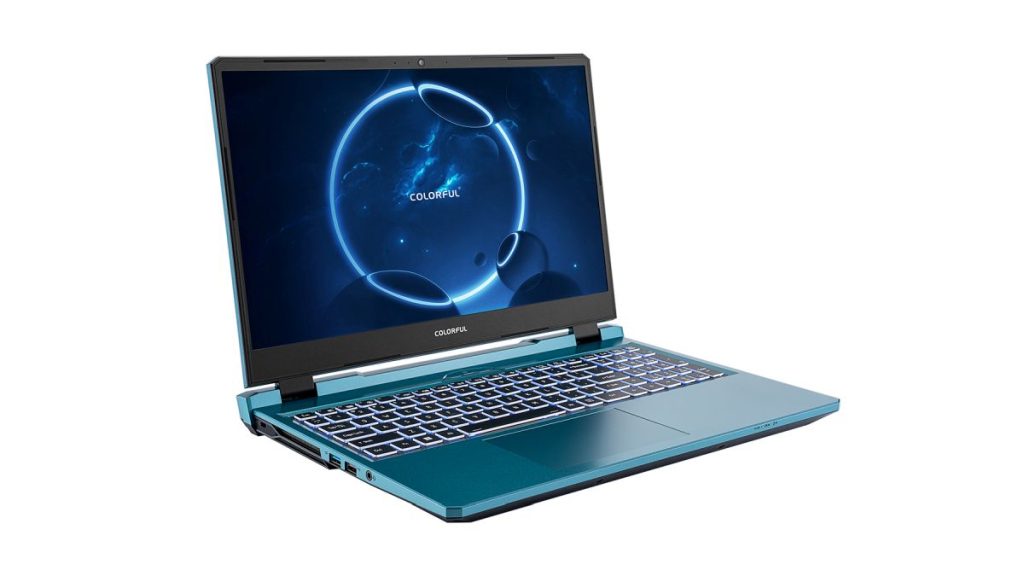
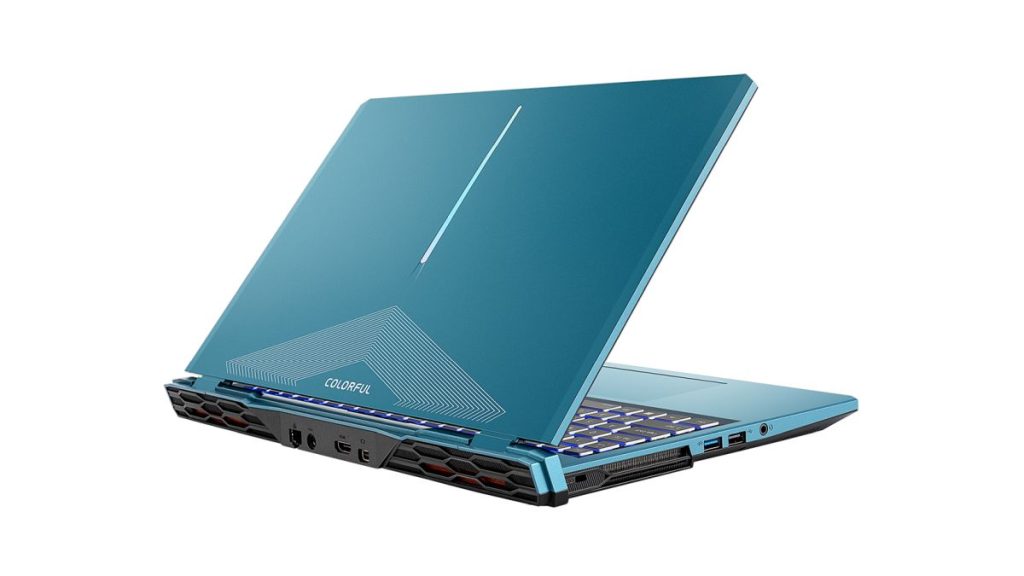
Colorful has launched the Evol P15 gaming laptop in India. It features a retro-futuristic design with a Steel Blue finish and RGB lighting on the lid, appealing to gamers. It comes with other key features, such as a 165Hz Quad HD display, 12th generation Intel Core CPUs, GeForce RTX 40 series graphics, 180W charging, and more. Here is a look at the detailed specifications of the Colorful Evol P15 gaming laptop.
Evol P15 specifications and features
Evol P15
The Evol P15 gaming laptop has a 15.6-inch IPS display with options for either a Full HD (144Hz) or a QHD (165Hz) panel. These displays offer vibrant colors with 72 percent NTSC or 100 percent NTSC coverage and offer G-SYNC support for smooth gaming visuals.
The Evol P15 comes in two CPU options: the 12th generation Intel Core i5-12450H or the Core i7-12650H. For graphics, it is equipped with either an NVIDIA GeForce RTX 4050 6GB or a higher-end NVIDIA GeForce RTX 4060 8GB. In terms of memory, the Evol P15 features 16 GB of DDR5 4800Hz RAM, and there are two DDR5 SO-DIMM slots available, allowing for a maximum capacity of 64GB.
Storage options include a 512GB PCIe 3.0X4 NVMe SSD in Slot 1, with an additional Slot 2 for expansion, supporting PCIe 4.0×4 for faster data transfer. The notebook comes preloaded with Windows 11.
In terms of connectivity, the Evol P15 features a 1Gbps LAN port, Wi-Fi 6E, and Bluetooth 5.3. It offers I/O ports, such as a USB 2.0 port (Type A), a USB 3.2 Gen 1 port (Type A), a USB 3.2 Gen 2 port (Type A), and a USB 3.2 Gen 2 port (Type C), along with a Mini DisplayPort 1.4 and an HDMI 2.1 port with HDCP support. There is also a 3.5mm microphone / headphone combo audio jack Jack, an RJ-45 LAN port, and a DC-in jack for power.
The audio experience on the Evol P15 is enhanced with Sound Blaster Cinema 6+ technology. For video calls, it is equipped with a 1-megapixel HD webcam. It comes with a 54Wh battery and packs a 180W power brick. The device measures 361 x 264 x 24.9mm and weighs 2.35kg without the adaptor.
Evol P15
The Evol P15’s cooling system includes a 6-heatpipe heatsink, dual fans, and four air vents for heat dissipation. Users can easily switch between three cooling modes with the one-key cooling mode (Fn+1). Colorful is yet to confirm the pricing and availability of the Evol P15.
For those who don’t know, the China-based Colorful brand, which was established in 1995, specializes in computer peripherals such as motherboards, graphics cards, SSDs, RAMs, and AIO PCs. Colorful is one of the largest players in the Chinese graphics card market and has strategic partners with Nvidia, Intel, and AMD in the home market.
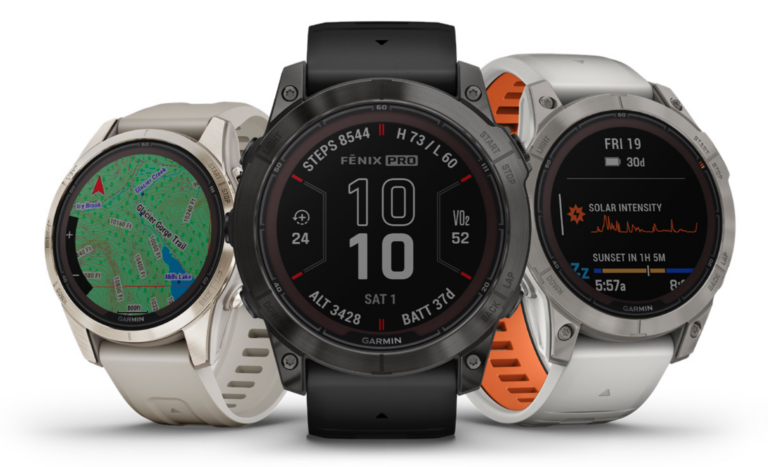
According to a recent announcement, Garmin is rolling out a new Beta version on eligible watches. The new update arrives with a 14.66 build version.
For those unaware, Garmin recently started its Public Beta program to test out new features on the watches. However, the beta did arrive with a few bugs and issues, which the company tried to fix over time. The complete list of the watch models that have received the new update can be found below.
One thing to note is that only the above devices that have enrolled in the Public Beta program will receive this patch. Users with eligible devices can go to Menu > System > Software Update > Check for updates to download the latest beta version. For those wondering what the new patch has to offer, check the changelog provided below.
Beta 14.66 Change log
Fixed issue where Body Battery was incorrectly written to some activities.
Fixed potential shutdown in plan overview for a primary race.
Fixed some translation issues.
Fixes and improvements to the music player.
It is worth mentioning that the beta updates are not available on Tactix 7 and MARQ Aviator Gen2. If you have encountered an issue with the beta, you can report it on the company’s beta bug reports forum.
The Samsung Galaxy S23 FE is a highly anticipated smartphone from the company’s popular FE (Fan Edition) lineup. This model is expected to launch soon, but ahead of the official release, the device surfaced in a new certification platform.
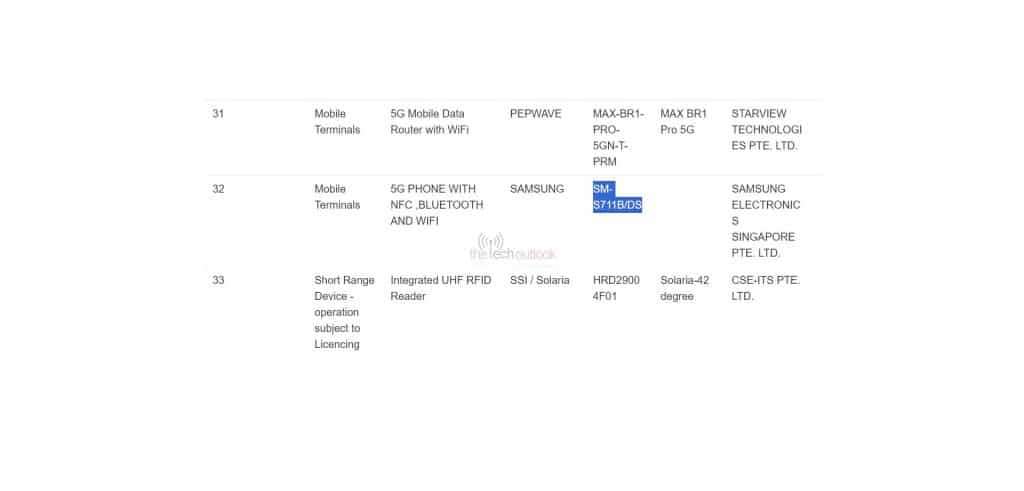
Samsung Galaxy S23 FE IMDA
The South Korean tech giant’s Galaxy S23 FE recently surfaced on IMDA. The upcoming smartphone was expected to arrive in the fourth quarter of this year, although a recent sighting on Flipkart hints that the release could be right around the corner. Now, the device was spotted on Singapore’s IMDA certification platform, carrying the SM-S711B/DS model number. The certification confirms that it is a 5G enabled handset along with support for NFC, Bluetooth, and WiFi connectivity.
Unfortunately, the certification listing did not reveal any other finer details regarding the Samsung Galaxy S23 FE model. Just recently, the S23 FE’s design was revealed in a leaked 360 degree video, which showcased its boxy design. Based on what we know so far, the Galaxy S23 FE is expected to be offered in two chip variants, namely a Snapdragon 8 Gen 1 and Exynos 2200 SoC. On the front, it is rumored to sport a 6.3-inch AMOLED display and a 10-megapixel selfie shooter on the front, while the rear features a 50-megapixel triple camera setup.
A 4,500mAh battery pack is expected to power this device which will support fast charging. Apart from IMDA, the device has also surfaced on other certification platforms like NBTC, TDRA, Bluetooth SIG, BIS, and others.
Pokémon Go is undoubtedly one of the most successful mobile games of all time. Introduced in 2016, the game boasts millions of users on both Android and iOS platforms, and has generated over $5 billion in revenue for its developers. Naturally, this large player base also brings intense competition. Trainers from around the world are vying to be the best Pokémon trainer.
This is where Pokémon GO GPS spoofers come into play. This technology is a software application that allows users to change their location in the game. This can be especially useful for players living in rural areas or in places with limited access to PokéStops and Gyms. It can also be used by those looking to catch Pokémon exclusive to certain regions.
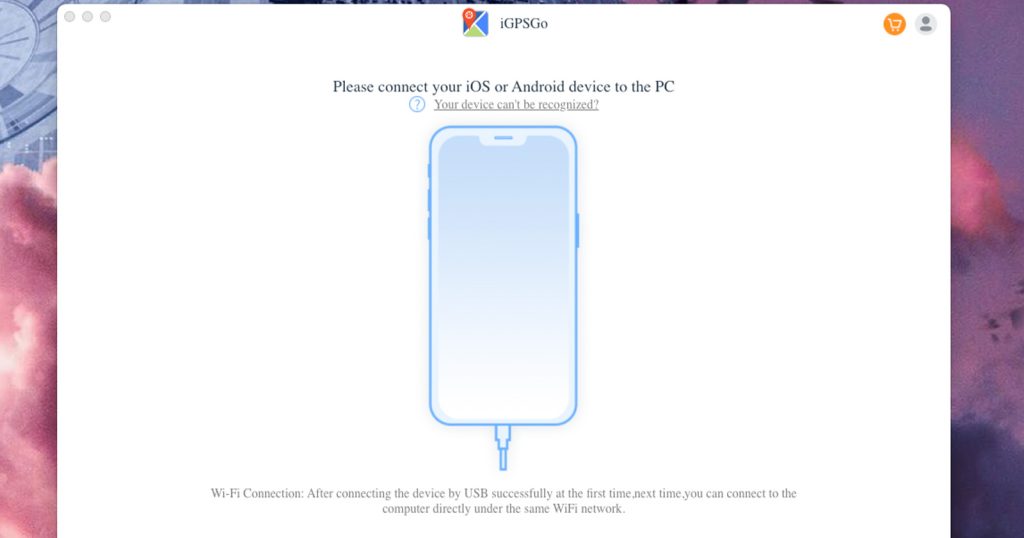
However, finding a reliable Pokémon GO GPS spoofer or similar “hacks” can be frustrating for players, particularly due to issues like having to watch constant ads or facing high prices, especially for iOS users. Thankfully, iToolPaw’s specially developed Free Pokémon GO GPS Spoofer for iOS 17, called iGPSGo, aims to solve all these issues.
Free Pokémon GO GPS Spoofer iOS 17 No Verification – iToolPaw iGPSGo
iToolPaw iGPSGo Pokemon Go Spoofer iOS is for players looking for a seamless location spoofing experience. It can be downloaded directly from the iToolPaw official website, without the need to download any other apps or submit endless surveys for verification. This makes it a convenient and easy-to-use option for players on the go. iGPSGo also offers a variety of features that make it a powerful spoofing tool, including:
Simulated GPS movement on actual roads.
Ability to adjust Pokémon avatar’s ‘walking’ speed.
A function to save coordinates, ensuring trainers can swiftly revisit their favorite Pokémon hotspots.
Engage with a clean, user-friendly interface that simplifies location spoofing.
However, when you search pokemon go spoofer on YouTube, you can see many videos that promote the iPogo app that need verification, you need to download many other apps first, and do a lot of surveys.
Download the iPoGo app from their official website without verification.
Comparing iGPSGo and iPogo
While both tools empower players with Both iGPSGo and iPogo are excellent Pokémon GO GPS spoofers. However, they have different strengths and weaknesses. iGPSGo is a better choice for players who want to plan and simulate multi-spot routes. It also offers a joystick feature, which can be useful for controlling your avatar’s movements. Also they cater to different user needs like:
User Experience: Both tools boast user-friendly interfaces, but iGPSGo emphasizes multi-spot movement planning.
Features: While iPoGo offers speed and saved coordinate adjustments, iGPSGo emphasizes route planning and swift location changes. iPogo also have many features that help you catch pokemons.
The Mystery of Human Verification in Pokémon GO Spoofer iOS
Many Pokémon GO GPS spoofers require users to complete a human verification process before they can download or use the spoofer. This process can involve filling out surveys, downloading other apps, or providing personal information. Human verification is a way for the spoofer developers to make money.
Each time a user completes a human verification task, the developers earn money. However, human verification can also be a way for scammers to collect personal information or install malware on users’ devices. It is important to be careful when downloading Pokémon GO GPS spoofers from third-party sources. Always check the reviews of the spoofer before downloading it.
One common experience many players have when seeking pokemon go spoofing tools or in-game resources is the dreaded “verification loop.” Here’s how it typically works:
Initial Attraction: The website promises a valuable service, like location spoofing or in-game coins, without verification. The website is not official website.
First Step: Users are asked to input some information or make a selection. This gives the illusion of authenticity.
The Loop Begins: Before accessing the promised tool or resources, users are asked to complete a quick verification— this could be a survey, an app download, or another action. Sometimes it may ask you to enter your Pokemon Go user name and password.
Endless Tasks: Even after completing the verification, the website redirects to another task, then another. It becomes an endless cycle.
The Reality: These loops rarely, if ever, end with the user getting what was promised. Instead, the website operators earn money each time a user completes an action, and the user gets nothing but wasted time.
Always download pogo spoofer apps from reputable sources like Google Play for Android or the App Store for iOS.
Third-party app stores and direct downloads from websites can be riskier.
Is There Any Free Pokémon GO Coin Generator Hack No Human Verification?
Real, trustworthy coin generators without human verification are elusive. Always be cautious; many are scams or can result in game bans. You need buy the Pokemon go coins from the game store.
Is There Any Pokémon GO Candy Generator No Verification?
Candy generators can impact gameplay and are frequently detected by Niantic. Use these tools wisely. You can earn Pokemon go candy by walking with your buddy.
Is There Any Pokémon GO Joystick iOS No Verification?
A joystick tool simulates “walks” in the game. Both iGPSGo and iPoGo offer joystick functionalities without verifications.
Is it safe to download Pokémon GO Spoofer iOS that Need Verification?
Since you cannot download a Pokémon GO spoofer directly from the Apple App Store (due to its violations), you’d need to use a third-party source. These sources often carry a higher risk of malware or unwanted software. Many websites that promote game cheats, hacks, or spoofers might ask users to complete “human verification” steps, which can include filling out surveys, downloading other apps, or providing personal information. These can lead to phishing attempts, unwanted software downloads, or other scams.
Previously, we reported that Samsung started rolling out One UI 6 Beta 3 in the US, Germany, and India. The Galaxy S23 series was one of the eligible devices that received this beta 3. Now, according to a recent report, the company has started releasing hotfixes for beta 3.
The latest One UI 6 Beta 3 update for the Galaxy S23 series is a hotfix. As we all are aware, One UI 6 is currently in its testing phase, and it arrived with some known issues. However, after observing and receiving constant feedback from the beta-testing community, the company is trying to fix some of these issues.
This minor hotfix comes with the build version ending in ZWIB with a size of around 360MB, and it is currently available in Germany and South Korea. With time, we expect the company to release these hotfixes for a broader audience and other regions.
Furthermore, the patch brings a few bug fixes and UI improvements to make the device more stable and provide better performance. Those who live in Germany or South Korea and have opted for the One UI 6 Beta should be able to receive this new hotfix on eligible devices automatically. To check for the update, users can go to Settings > Software update > Download and install.
In related news, Samsung has recently released One UI 6.0 Beta for the Galaxy S22 series. This Beta is currently live in South Korea and may soon arrive in other regions anytime. Those who wish to know more about this can check out our OneUI 6 Beta update for the Samsung Galaxy S22 series story here.
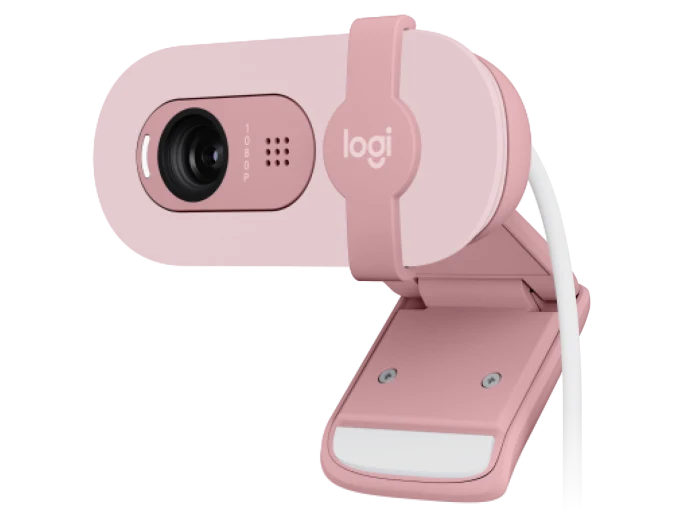
Logitech recently introduced the Brio 100 webcam in international markets. Featuring 1080P resolution and RightLight technology for 50% brighter video calls, the new model has caught attention. But here’s the catch: China’s Brio 90 seems to be the same webcam, just with a different name.
It seems like Logitech is rebranding its old Brio 90 series
Logitech’s China website reveals that the Brio 90 shares the Brio 100’s key specs—Full HD 1080p resolution and RightLight brightness enhancement. The Brio 90 is also offered in three colors: pearl white, rose pink, and graphite black. However, the price is still unknown for both models.
In terms of size and weight, the two models are identical. They measure 31.91 mm in height, 72.91 mm in width, and 66.64 mm in depth, weighing a mere 75 grams. Each comes with a 1.5-meter cable for easy placement.
The striking similarities between the Brio 100 and Brio 90 raise questions about Logitech’s marketing strategy. Are they simply rebranding a product for different geographic markets, or are there subtle differences yet to be announced?
For consumers, the main takeaway is that these two webcams seem to offer the same features. As the tech community waits for more details, including pricing, one thing is clear: whether you’re shopping for a Brio 100 (Amazon US listing) or a Brio 90 (Amazon), you’ll likely end up with similar performance.
It is finally happening. Elon Musk‘s Neuralink has opened the doors to its first human trials, known as the PRIME study. Though it arrives almost a year after its initial reveal and a month after its competitor, Synchron, the announcement marks a significant milestone in the field of brain-computer interfaces (BCIs).
It seems like science fiction is finally one step closer to coming to life
While flashy promises of learning Kung Fu from an SD card and mind-controlling your gadgets have been floating around, the company is, for now, focusing on the basic yet life-altering objective. Neuralink aims to test the safety and initial utility of its N1 system for people suffering from paralysis caused by spinal cord injuries or ALS. The goal is simple but groundbreaking: allow users to control a computer cursor or keyboard with mere thought.
However, the journey to this point wasn’t smooth. Neuralink found itself in hot water last year when allegations of animal cruelty surfaced, slowing down its research and prompting federal investigations. But having recently obtained FDA approval under the investigational device exemption, Neuralink is ready to forge ahead.
The technology involves a Utah Array, a complex grid of ultra-thin probes inserted into the patient’s brain by Neuralink’s specialized robot, R1. Unlike Synchron’s Stentrode, which can be implemented without surgery, Neuralink’s device requires a robotic keyhole surgical procedure. The system will convert the brain’s electrical signals into digital commands, essentially serving as a high-tech mediator between mind and machine.
The question now is, does the late entry and cautious approach put Neuralink at a disadvantage, or does it indicate a more meticulous and potentially successful route to integrating BCIs into daily life? With the trials finally underway, the tech world waits with bated breath for the outcomes, which could either catapult Neuralink to the forefront or set it back even further.
At this rate, Neuralink’s caution could be its greatest asset, making sure that every ‘i’ is dotted and every ‘t’ crossed. A full-scale application of Neuralink would be far easier if the company keeps treading the safer path.
We use cookies on our website to give you the most relevant experience by remembering your preferences and repeat visits. By clicking “Accept”, you consent to the use of ALL the cookies.
This website uses cookies to improve your experience while you navigate through the website. Out of these, the cookies that are categorized as necessary are stored on your browser as they are essential for the working of basic functionalities of the website. We also use third-party cookies that help us analyze and understand how you use this website. These cookies will be stored in your browser only with your consent. You also have the option to opt-out of these cookies. But opting out of some of these cookies may affect your browsing experience.
Necessary cookies are absolutely essential for the website to function properly. This category only includes cookies that ensures basic functionalities and security features of the website. These cookies do not store any personal information.
Any cookies that may not be particularly necessary for the website to function and is used specifically to collect user personal data via analytics, ads, other embedded contents are termed as non-necessary cookies. It is mandatory to procure user consent prior to running these cookies on your website.