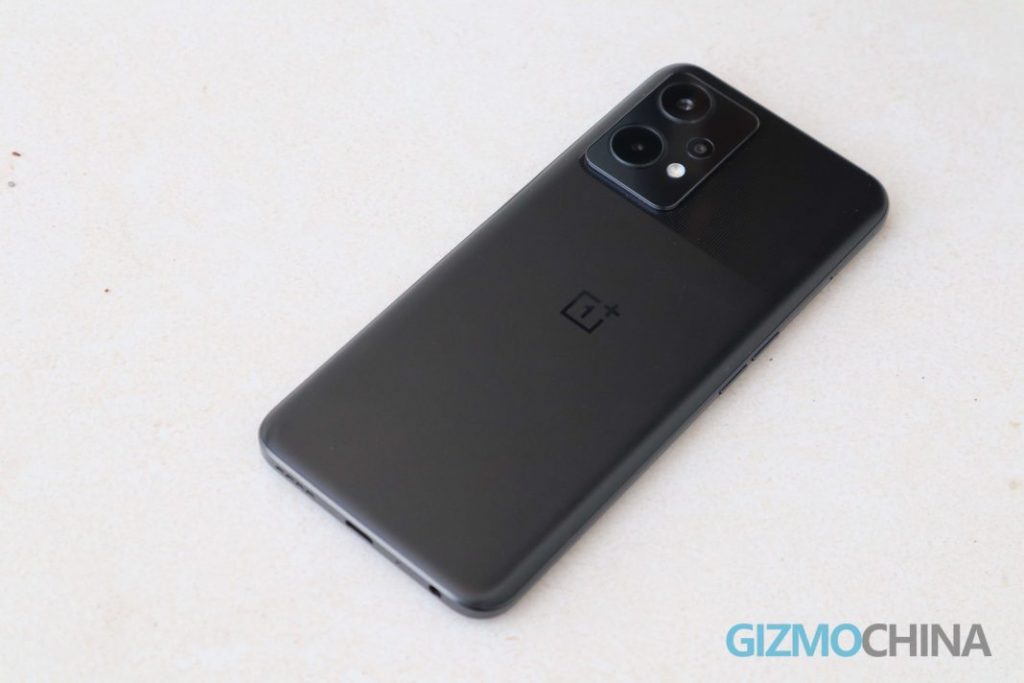
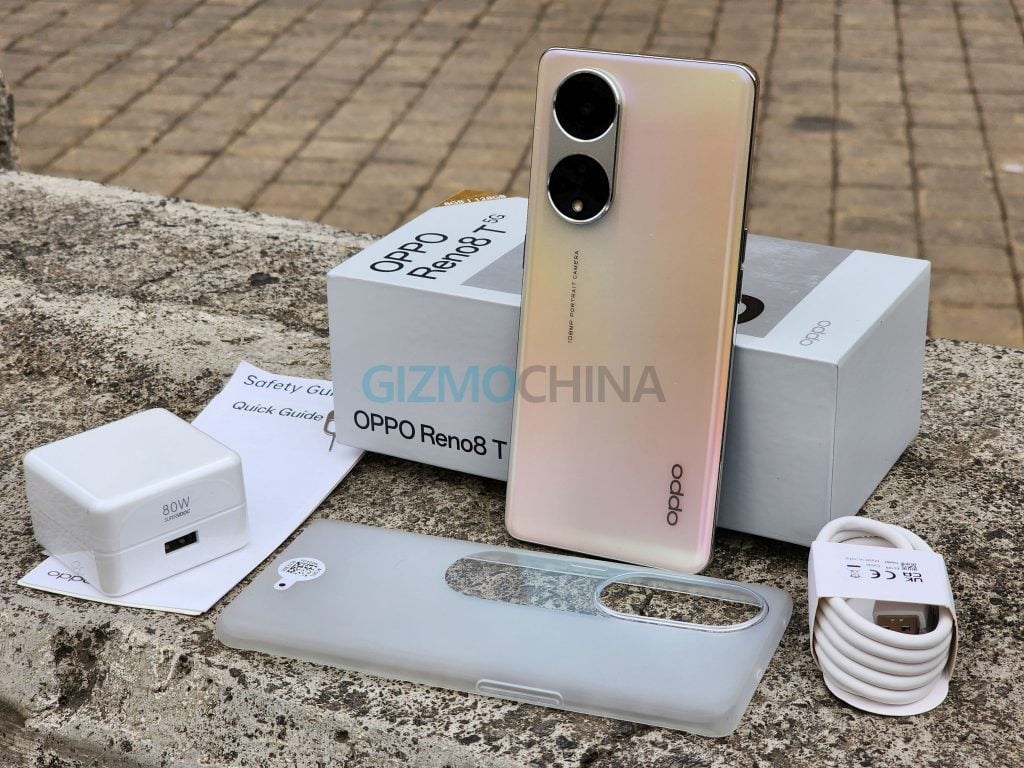
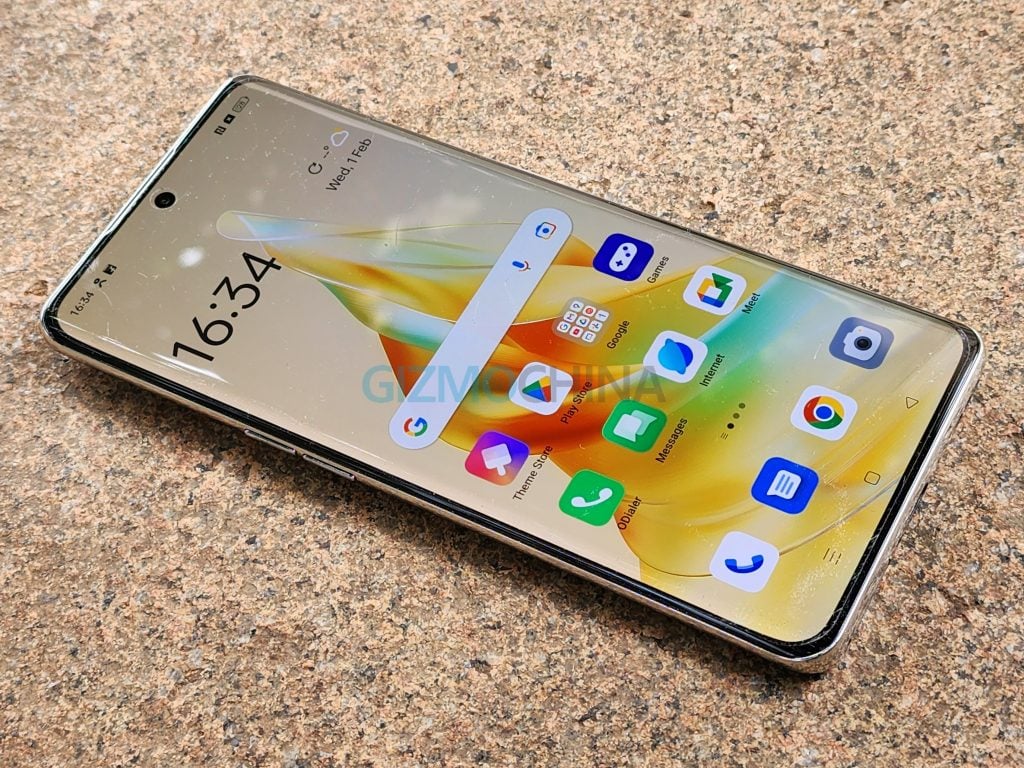
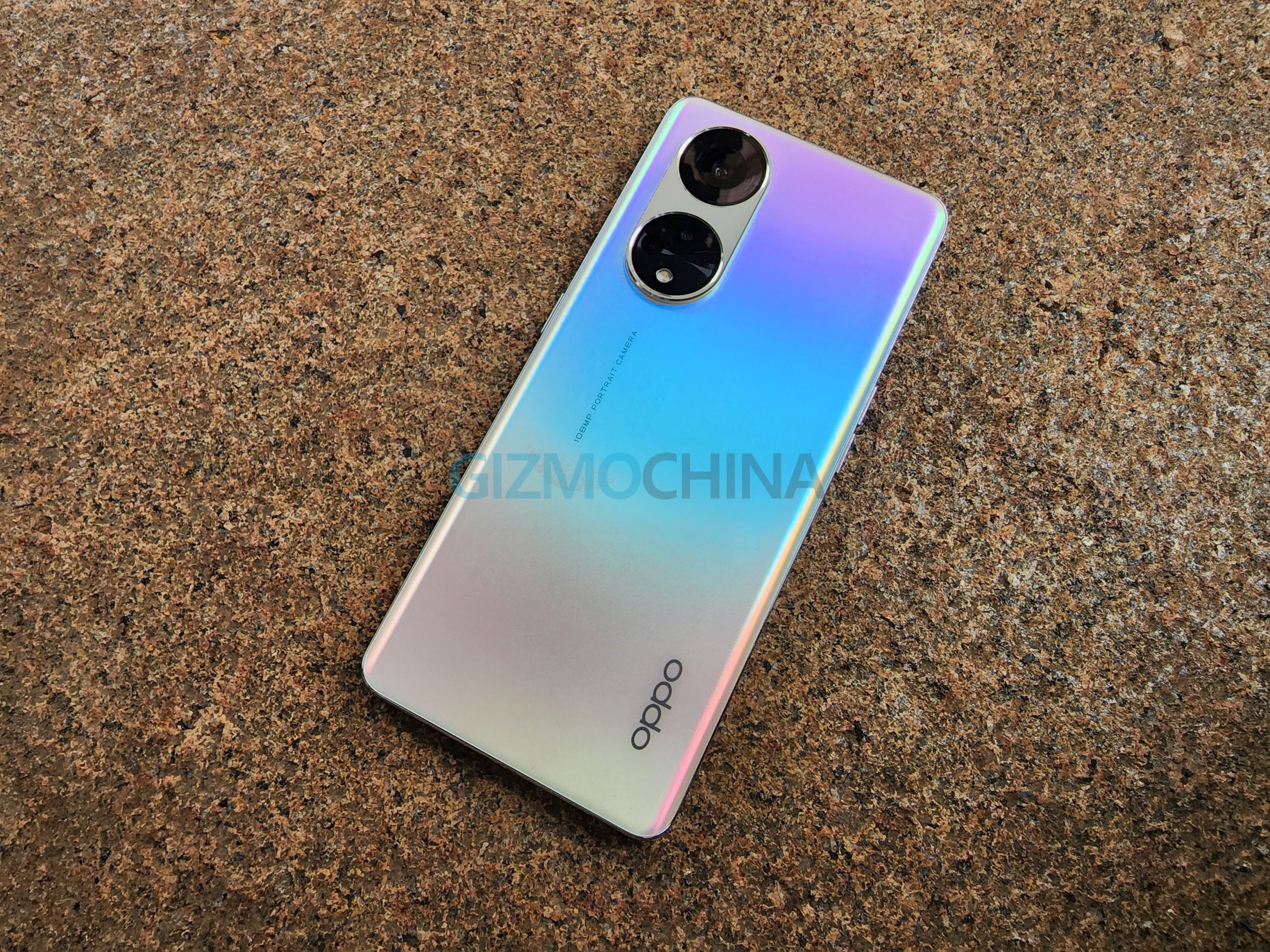
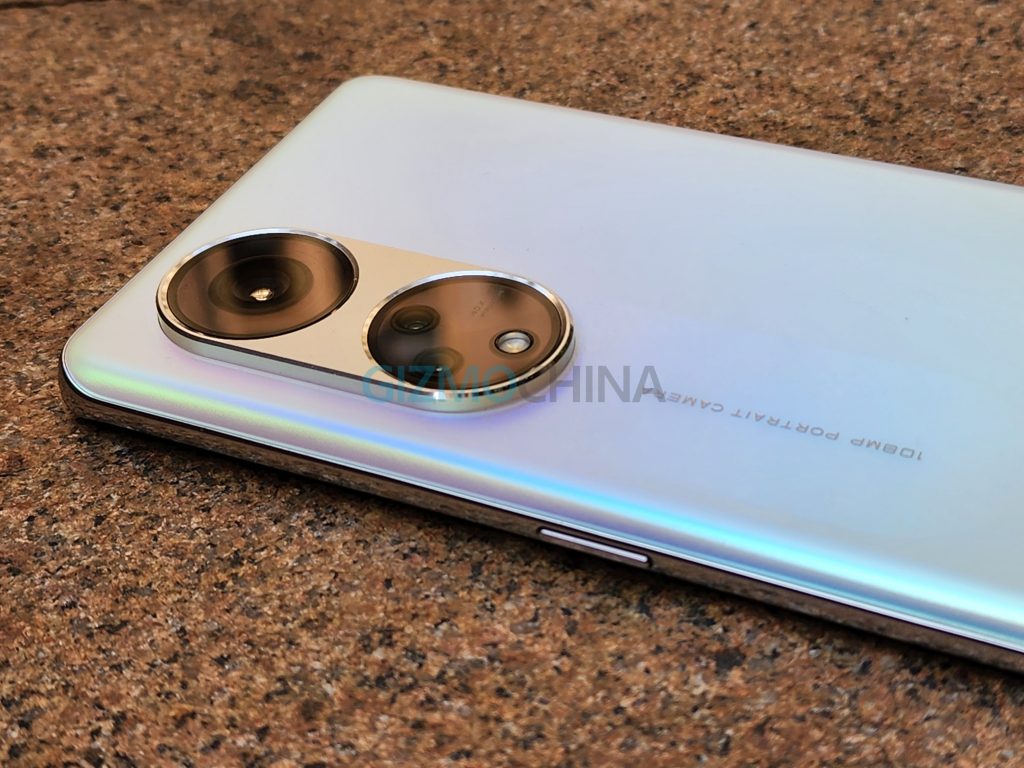
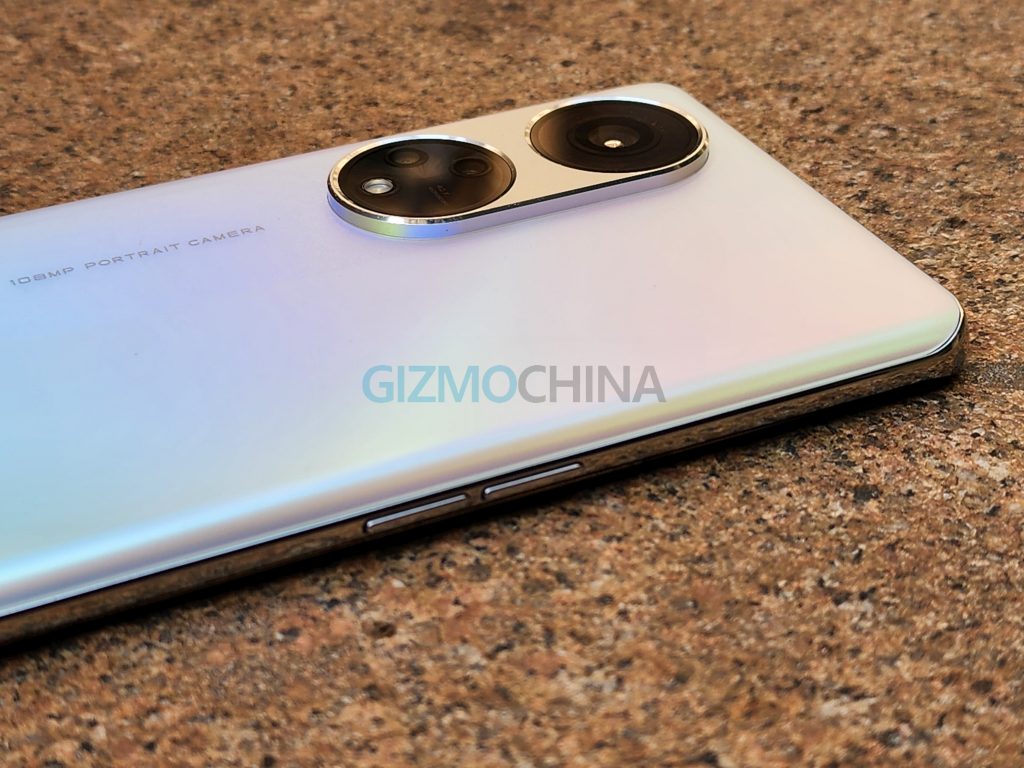
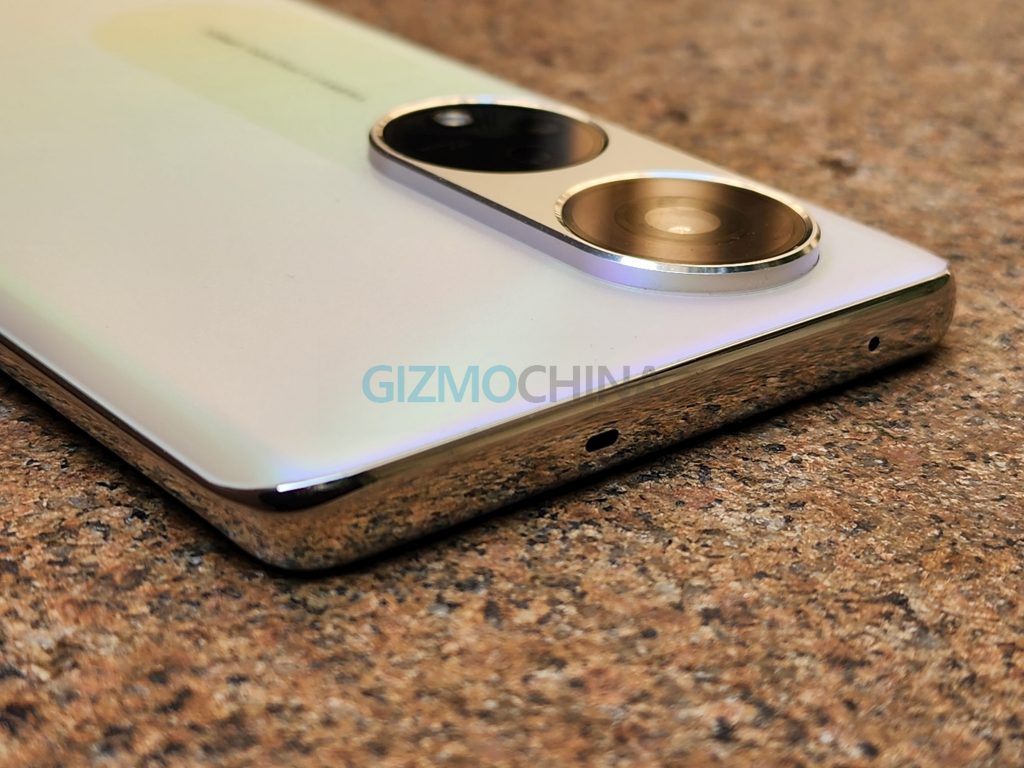
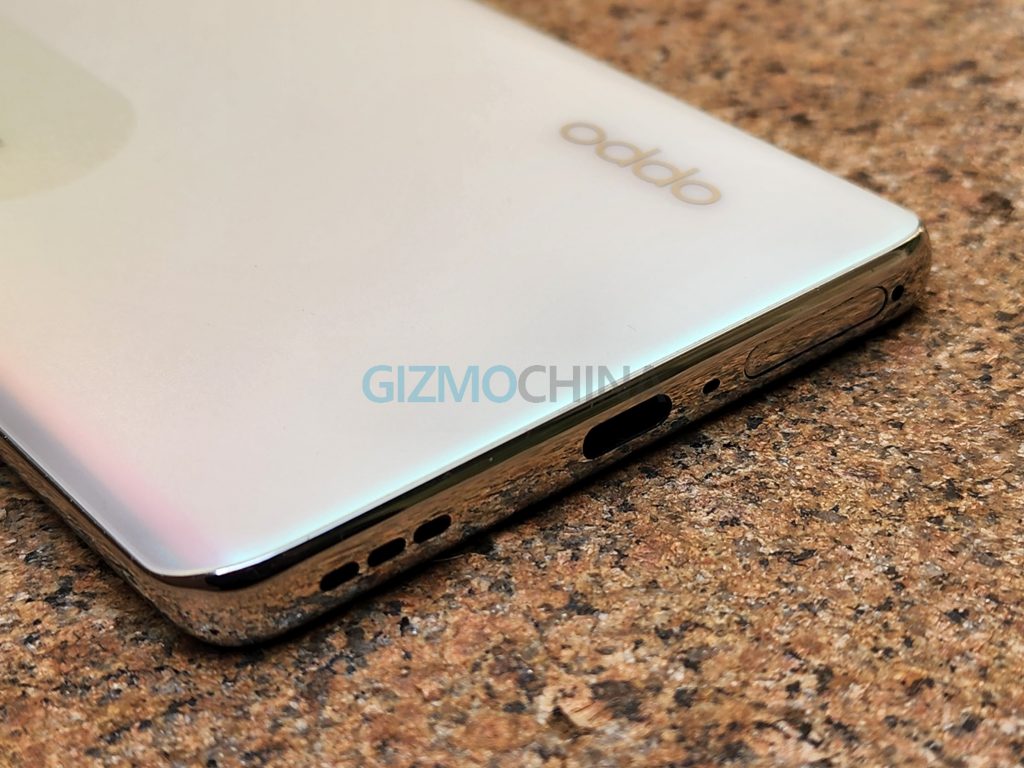
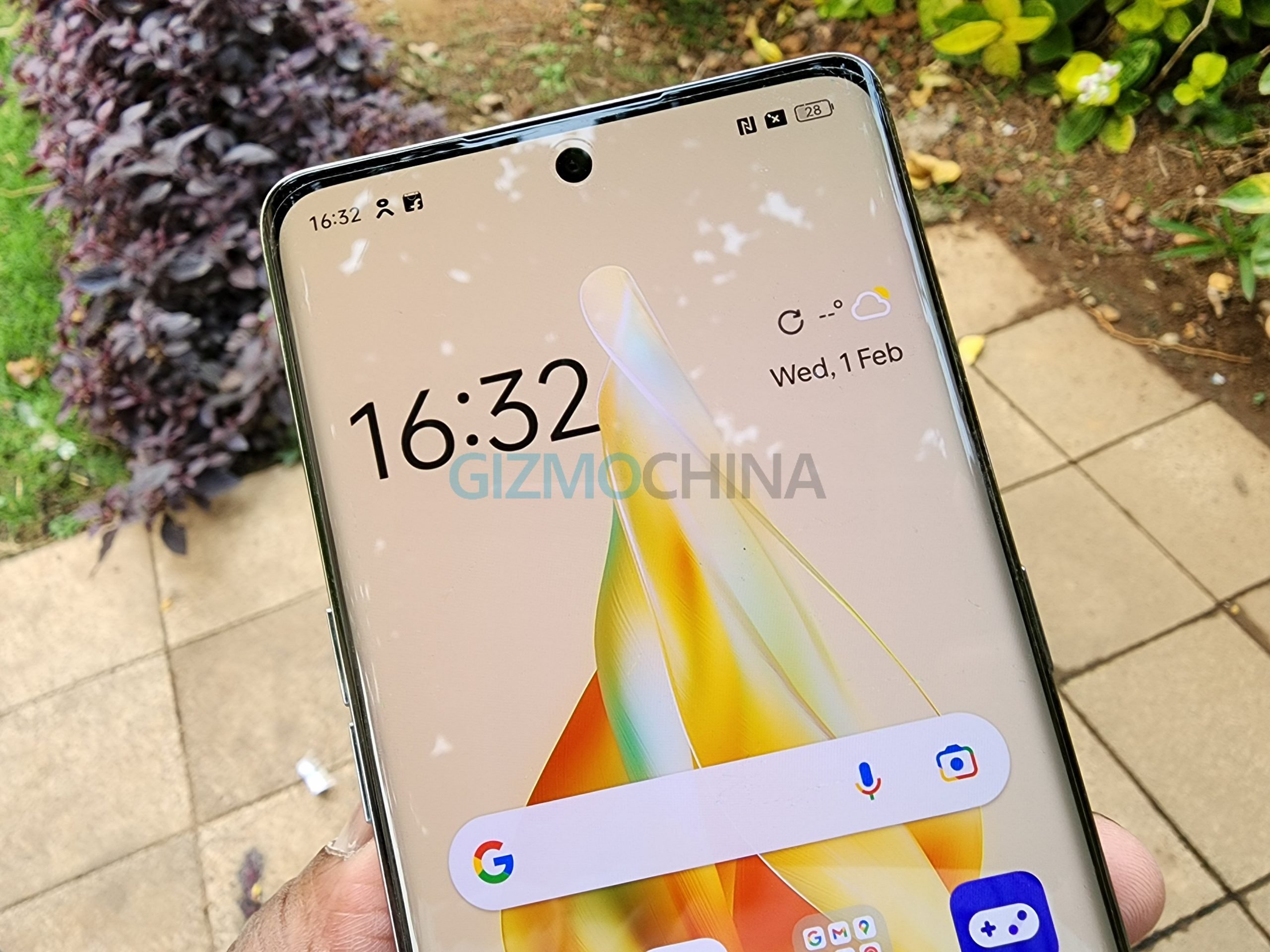
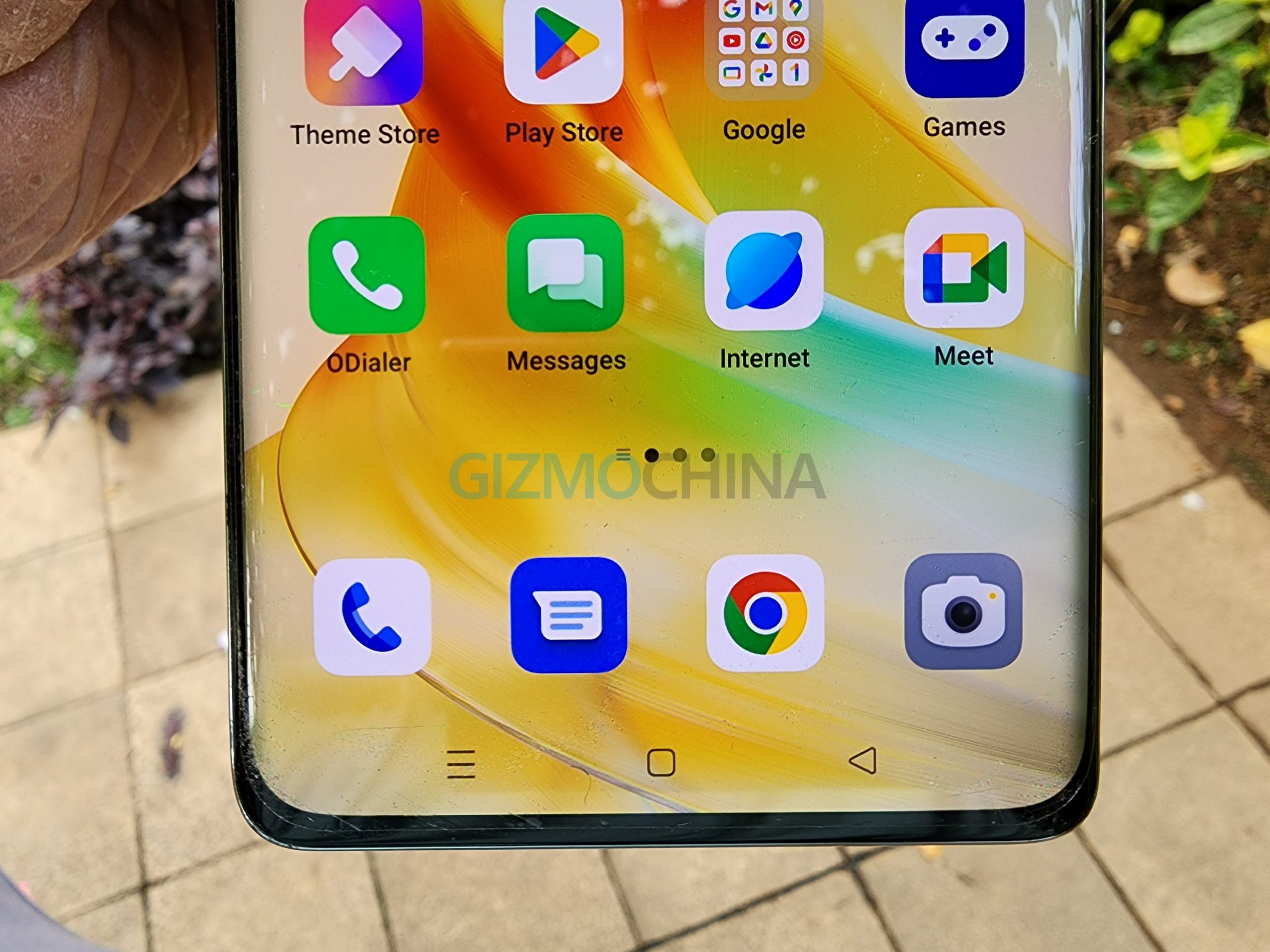
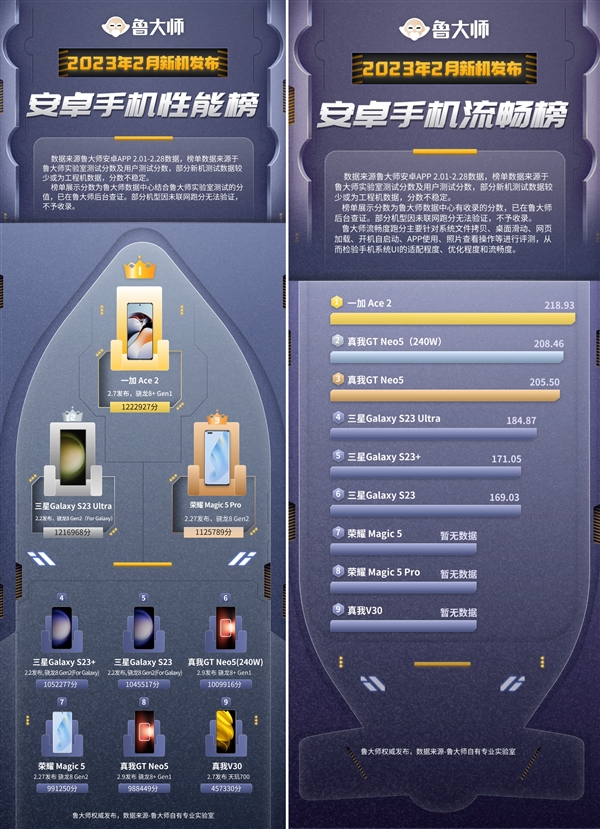
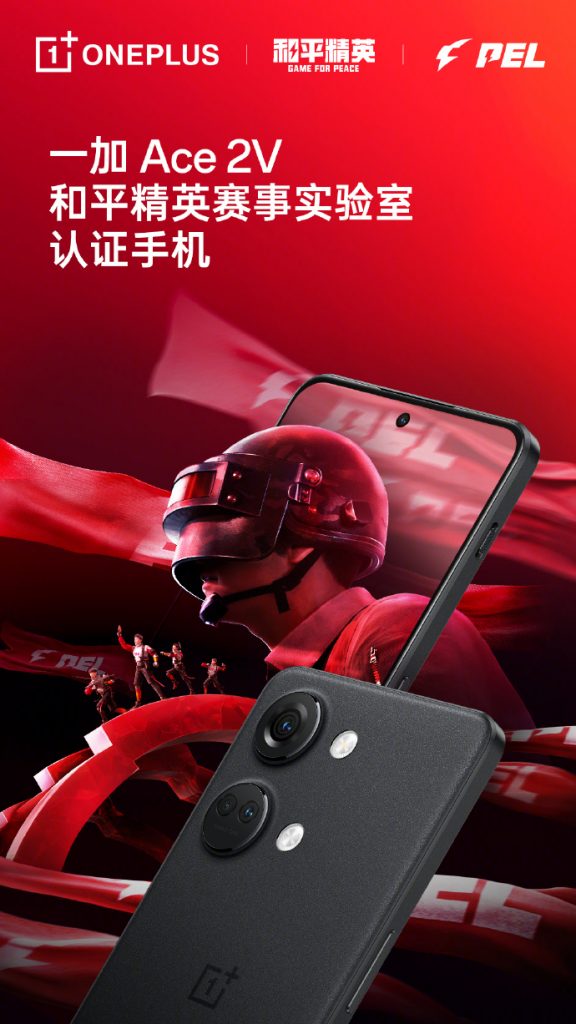
The OnePlus 11 is expected to launch soon in China. It was recently spotted on the 3C certification site and has also been seen on benchmarking sites like AnTuTu and Geekbench. The flagship phone has now appeared on Geekbench with some of its entire specifications. The specs of the OP11 have already leaked in the past. Let us have a look at the TENAA listing to find out whether it is in line with the leaked specs.
OnePlus 11 specifications (rumoured)

The OnePlus 11 has a 6.7-inch AMOLED display that offers a Quad HD+ resolution of 3216 x 1440 pixels, 10-bit colors, and an under-screen fingerprint scanner. It is expected to support a refresh rate of up to 120Hz. The device is expected to run on ColorOS 13-based Android 13 in China.
OnePlus 11 5G leaked poster
The Snapdragon 8 Gen 2 chip powers the OnePlus 11. It will arrive with 12 GB / 16 GB of RAM and 256 GB / 512 GB of storage in the home market. It packs a 5,000mAh dual-cell battery (single cell – 2,435mAh rated value) that reportedly supports 100W charging.
The OnePlus 11 has a 16-megapixel camera for selfies and video calls. On the back, it has a 50-megapixel primary camera, a 48-megapixel (ultra-wide) snapper, and a 32-megapixel telephoto camera. The TENAA listing states that the device supports only 2x optical zoom. It measures 163.1 x 74.1 x 8.53mm and weighs around 205 grams.
The OnePlus 11 has surfaced with the model number PHB110 at Geekbench, AnTuTu, 3C, and TENAA. Its global edition has the CPH2451 model number. With TENAA certification under its belt, the OP11 is likely to launch either by the end of this month or early January in China. It will be debuting in India on Feb. 7.
A few days ago, Lenovo-owned Motorola announced a new Limited Edition smartphone, dubbed Moto S30 Pro Pantone Edition, that comes in a unique Magenta colored body, and the device is now on sale in China.
The Moto S30 Pro Pantone Edition smartphone, which packs 12GB of RAM and 512GB of internal storage, is now available for purchase in the Chinese market for the price of 2,699 yuan, which is about $387.
Moto S30 Pro Pantone Edition
Pantone, which is a color consulting agency, has announced Viva Magenta or Extraordinary Magenta as the 2023 Color of the Year. The color is a relatively purple-pink shade in the red color spectrum and is said to be inspired by the natural red dye inside the cochineal insect.
The Moto S30 Pro Pantone Edition is basically a Moto Edge 30 Fusion smartphone available globally. It features a 6.55-inch centered punch-hole 10-bit curved OLED display with Full HD+ resolution, up to 144Hz refresh rate, and 360Hz touch sampling along with support for HDR10+, DCI-P3 color gamut, and DC Dimming.
Under the hood, the device comes powered by a relatively older Qualcomm Snapdragon 888 Plus chipset, coupled with LPDDR5 RAM and UFS 3.1 internal storage. There’s also a VC liquid cooling system to keep the phone’s temperature in check during intense workloads.
In the camera department, the smartphone features a triple camera system on the back, comprising a 50MP OmniVision OV50A primary sensor, a 13MP ultra-wide unit with auto-focus for macro, and a 2MP depth sensor. On the front side, there’s a 32MP snapper for taking selfies and video calling.
The phone, which has an in-display fingerprint sensor for added security, runs the Android 12 operating system out-of-the-box with the company’s MyUI custom interface on top. It is powered by a 4,270mAh battery that supports 68W fast charging.
The Asus Zenbook 17 Fold OLED has been available in the US and Canada since October this year. When it arrived in India in November, I got the opportunity to lay my hands on India’s first laptop with a foldable screen. I am writing this review after using it as my primary device for over a month. I had planned to post by early December but delayed it to see if the Zenbook 17 Fold OLED’s foldable screen would get any creases. I can say that I am quite impressed with Asus’ first iteration of a foldable screen laptop. In fact, I felt the void when I had to return to the review unit. Here’s my review of the Asus Zenbook 17 Fold OLED.
The Zenbook 17 Fold OLED comes in a big retail package. Inside it is a uniquely designed box (which can be seen below), which houses the following items:
The Zenbook 17 Fold OLED has a sturdy build, with a combination of magnesium alloy for the Asus arrow logo and dark green (almost black) faux leather on the remaining back. The latter protects the hinge and houses a kickstand. There is no need for a rear camera on such a device. Hence, it does not have one. In the folded state, the Bluetooth keyboard can be placed between the two halves of the device.
When unfolded, the topside of the device features a power key with an LED, air vents, a battery charger indicator, a 3.5mm headphone / audio jack, and a Thunderbolt 4 port (for data transfer / charging). On the bottom, it has other air vents. The speakers are available on the right and the left. The right side also features the Dolby Vision Atoms and Harman / Kardon logos, whereas the left side also has another Thunderbolt 4 port and a volume button.
Internally, the upper half of the Zenbook 17 Fold OLED packs the motherboard, processor, RAM, SSD storage, cooling fan, and other components. Asus’ proprietary hinge is in the middle, and the other half packs the battery.
Internal view of the Zenbook 17 Fold OLED
The Ergosense Bluetooth keyboard comes equipped with a trackpad. It has a power switch, a charging indicator, and a USB-C port for charging. More on the keyboard a bit later in the review. Including the keyboard, the device weighs around 1.8kg, which makes it quite bulky. When unfolded, the device has a thickness of 8.7mm. The keyboard is also quite slim, measuring only 5.5mm in thickness.
What about the durability of the Zenbook 17 Fold OLED? Asus claims that the hinge of the device has been tested for 30,000 opening and closing cycles. In addition, it meets the MIL-STD-810H standard for reliability and durability, which means it is built to withstand the toughest environments, including extreme altitudes, temperatures, and humidity.
Foldable Display and Crease
The Zenbook 17 Fold OLED can be used in multiple modes, such as desktop mode, laptop mode (with Bluetooth keyboard), laptop mode (with on-screen keyboard), extended mode, reader mode, and tablet mode.
Asus Zenbook 17 Fold
When fully unfolded and used in desktop mode, the device offers a 17.3-inch screen with a 2560 x 1920 pixels resolution, and a 4:3 aspect ratio. The bezels were not too thick in my opinion, but they are not as thin as those found on some flagship laptops. The left bezel (in desktop mode) houses the webcam with IR sensors. When folded and used in laptop mode, it offers a 12.5-inch screen space, 1920 x 1080 pixels resolution, and a 3:2 aspect ratio.
I mostly used the Zenbook 17 Fold OLED in desktop mode for working, and I even watched a couple of F1 races on it. While travelling or in a café, I switch to laptop mode. I truly liked working on this device. The bright OLED panel produces realistic colors. In addition, it supports Dolby Vision and HDR.
The display crease is visible when the device is off, and when it is turned on, the crease is slightly visible when viewed from the right or left. It can also be felt when the screen is touched at the center. However, it does not affect its use at all. In fact, it was never visible when I worked on it. Since I got the chance to use it for more than four weeks, neither the display crease nor the underlying hinge developed any issues.
desktop modedesktop modeextended modelaptop modelaptop mode with virtual keyboard
So, what issues did I face with the foldable screen? I mostly used the screen with a brightness setting of around 34 percent. However, when I connected a charger, the display would go off and come back in a second. I am not really sure whether this issue is specific to the review unit I received. Every time it happened, the display would come back brighter as if it were set at 80 percent brightness, even though it was actually set at 35 percent. The brightness would then gradually decrease on its own. It’s not a major problem, and it could be resolved with a software update. The other thing that I felt was that the screen should have offered a higher refresh rate.
Even when the display brightness is high, the foldable OLED panel does not cause eye fatigue. According to Asus, the screen produces 70 percent less harmful blue light than an LCD display.
It would have been good if the Zenbook 17 Fold OLED had supported a stylus. The footnote on the official page of the device reads, “When using the device, please avoid using a stylus or sharp items to touch the display, as they might damage the display.” The reason for this is that foldable screens are not made of glass, but of plastic, which is sensitive to scratches and damage. Also, there is no protective layer like the UTG (ultra-thin glass), which is available on Samsung’s Galaxy Z Fold-series foldable smartphones.
The Bluetooth keyboard is designed to be placed inside the Zenbook 17 Fold OLED. Hence, it has a slim profile of only 5.5mm and weighs 300 grams. This seems to be the reason why it offers 1.4mm key travel and has no backlight. A good thing about the Bluetooth keyboard, which comes with Bluetooth 5.2 connectivity, is that it can be paired with up to two devices. The full-sized keyboard is comfortable to use, and I did not experience any lag while using the keyboard. The Fn key can be used to access additional features like volume increase / decrease, brightness increase / decrease, access webcam, turn on / off touchpad, print screen, and more.
The touchpad comes with a hydrophobic and anti-fingerprint coating. It is clickable and supports gesture control. However, I preferred using the touchscreen to navigate around. When the device is in laptop mode, the webcam half is on top. The Bluetooth keyboard can be magnetically attached only to the other half of the device. It frequently happened that I would forget to turn off the keyboard, and it would just lose its battery juice. While in use, it can last for up to two days. It takes up to four hours to charge the keyboard. It would have been better if the keyboard could be charged while it was attached to the device. By doing so, there would have been no need to separately charge the keyboard.
Performance and Battery Life
12th generation Intel Core i7-1250U processor
1TB M.2 NVMe PCIe 4.0 SSD storage
Intel Xe graphics
75Whr (4-cell Li-Ion), 65W USB-PD charging
16GB of LPDDR5 RAM
Windows 11 Home / Pro
extended modelaptop modereader modelaptop mode with virtual keyboard
The Zenbook 17 Fold OLED features a 12th-generation Intel Core i7-1250 processor, which has a TDP (Thermal Design Power) of 9W. The processor is paired with 16GB of RAM, which is soldered on the motherboard. There are not many laptops powered by the same processor available on the market. The same processor is used in the HP Envy X360 13 and Dell XPS 9315, both of which cost around Rs 130,000 ($1,570) in India.
The U-series i7 chip is designed for professional use. However, since Asus has used it to power the Zenbook 17 Fold OLED, it appears that it has taken a conservative approach, meaning it is not a very powerful notebook. Nonetheless, I had no problems using three browsers at the same time: Chrome, Edge, and Opera. However, users are going to encounter hiccups in performance if intensive tasks like video editing as it does not feature a discrete GPU.
The ZenFold 17 Fold OLED can be used for light gaming. For heat dissipation, it has a cooling fan and a heatpipe. The 1TB storage space is sufficient for this device. Users can expand the device’s storage, but it is best to do so by contacting Asus technical support.
It runs on Windows 11 Home / Pro and there are some preloaded apps like Disney+, McAfee LiveSafe (trial version), and Microsoft Office Home & Student 2021. Asus’s own apps, such as MyAsus, ScreenXpert 3, and GlideX, also come preinstalled on the device. MyAsus can be used to optimize the performance of the device as well as contact Asus for support. ScreenXpert 3, which stays as a small icon on all screens, provides features like app switching, navigating between opened apps, and a camera / microphone privacy switch. The GlideX app can be used for wired or wireless cross-device screen sharing. These Asus apps are handy, but I seldom use them.
The Zenbook 17 Fold OLED took about 1:30 hours to fully charge. On average, it lasted me around 6 hours in desktop mode. In laptop mode, it offered around 1-2 hours of additional usage time.
Connectivity and Other Features
5MP HD webcam
Wi-Fi 6E
HD infrared camera
Bluetooth 5
Harman / Kardon quad-speakers
2 x Thunderbolt 4 ports
Dolby Atmos support
1 x 3.5mm combo audio jack
laptop modelaptop mode
When the Zenbook Fold 17 OLED is used a laptop mode, the 5-megapixel camera is at the top, and the image appears in portrait mode. When it is used in desktop mode, the camera sits on the left side of the screen. The video quality is for video calls. The noise-cancelling array microphones do a pretty good job of making the voice output better.
The HD infrared camera onboard brings support for Windows Hello authentication. It automatically locks the laptop when the user moves away from it. It dims the screen when the user looks away from it. The device lacks a fingerprint scanner. A color sensor is also built into the camera unit. This sensor helps adjust the display’s brightness and color temperature.
The Harman / Kardon quad-speaker system with Dolby Atmos support produces an impressive audio output, that is free of distortion, at the loudest setting. I did not face any issues while connecting to Wi-Fi and Bluetooth on the device.
Verdict
I really loved the experience of using India’s first foldable screen notebook—the Zenbook 17 Fold OLED. The versatile design of the device, which allows it to be used as a compact laptop as well as a desktop PC, is quite impressive.
The two things that I hope Asus improves with the next iteration of the Zenbook 17 Fold OLED, apart from the hefty price, are the keyboard and weight. Because Asus is selling it for Rs 3,29,900 ($3,499 in the US), it is clear that the company is not targeting people looking to buy a device in the mid-range or high-end segment.
The Zenbook 17 Fold OLED can be enticing to people who work in different environments like office, home, travelling, and relaxing. It appears only enthusiasts will be ready to pay such a hefty amount to purchase it. With the company getting almost everything right with its first-generation foldable screen laptop, it is certain that its future foldable screen will certainly offer a better experience. It appears that it will take a couple of years for such a device to become a mass-market product.
Disclaimer: The opinions expressed in this Asus Zenbook 17 Fold OLED review are solely mine based on my experience, and there has been no editorial input from Asus.
Let’s start with the conclusion that Xiaomi 13 series is very likely to become another memorable model in the Xiaomi digital series. Especially for the Xiaomi 13 Pro, it’s no longer like previous Pro models and looks embarrassing sandwiched between the standard and the Ultra variants. The new Pro finally has the potential to beat the 12s Ultra and win the gold belt as the strongest Xiaomi Phone for this moment, although it still looks a bit ordinary and not so ‘Leica-like’ compared to the Ultra.
It’s not an easy task to surpass Xiaomi’s heaviest product of this year. The reason we’re so bullish on the Pro model is actually simple: in addition to the regular performance upgrades, the ordinary-looking camera module puts a lot of pressure on the Ultra, knowing that the camera performance is the proudest part of the Ultra model.
But this is a truly full review of the Xiaomi 13 Pro, so we decided to divide it into two parts. This video will include most specs of the new phone except for its cameras, and next video we will talk about its camera performance. In some parts, we will compare it with another start model from Xiaomi, the 12s Ultra, such as performance and camera.
Design
Anyway, let’s start with its design. Well compared with the Standard variant, the Xiaomi 13 Pro doesn’t give us much surprise. It looks not really different from the flagships that we reviewed last few years. But Xiaomi did add something to the Pro model, such as the ceramic back cover and the bigger square camera module. But meanwhile, it also reminds us of the Xiaomi Mix 4. They both have a ceramic back cover and a square camera module.
Xiaomi 13 Pro
Xiaomi Mix 4
But unfortunately, as a result, it weighs about 235g, which is truly heavy in hand. Unlike the Xiaomi 13, the Pro still uses an edge-curved design, which does make it feel more comfortable to hold. And I have to say that the light-green ceramic is the most pleasing material that we’ve had on a Xiaomi phone, though it unavoidably makes the phone weigh more. But it actually feels a bit thinner and lighter than the Xiaomi 12s Ultra.
Display
The front face is covered with an upgraded 6.67-inch AMOLED display. It’s a 2K 120Hz panel that comes from Samsung, which is added with new features like high-frequency PMW dimming and higher boosted window brightness of up to 1900 nits, while manually adjustable brightness still remains at a maximum of around 530 nits. But the global brightness can go up to 1220 nits.
Like the Vivo X90 series, its high-frequency PMW dimming can also offer an anti-flicker effect for eye protection.
Xiaomi is still the same Xiaomi, IR Remote and the USB2.0 charging port are still not absent, so wired projection is still not available. The dual speaker units sound good as usual, but there’s no tunning certification of Harman Kardon. The difference is not that obvious, so you can check it out by yourself here.
A delightful experience during daily use is the strong and tense haptic vibration, which is even more interesting and stronger than the X90 that we reviewed before. Xiaomi offers various vibrating effects that simulate different feedbacks in reality. It’s pretty fresh when it vibrates in a new way that you never experienced before.
And now let’s seriously talk about the Snapdragon 8 Gen 2 chipset inside the Xiaomi 13 Pro. Qualcomm finally changed its mind and decided not to fool mobile users. After all the tests, we strongly believe that the 8 Gen 2’s performance will eventually be remembered and mentioned in the future. It’s so powerful that we can hardly show you its full picture by simply posting the benchmarks and gaming results here.
In addition to the increase in peak performance, its improvement is also reflected in the change in CPU architecture, no longer 3 A710 Middle cores but a new combination of 2 new A715 and 2 A710 mid cores. It leads to a powerful optimization of heavy or mid-running with much better thermal performance, and more efficient power consumption as well.
For example, in 3DMark Wild Life extreme stress test, the 13 Pro completed the 20-min test with a higher peak score; the stability of 78% is even slightly better than the Xiaomi 12s Ultra, while it didn’t get overheated at the same time. And the framerate power ratio is also significantly higher than the 12S ultra.
And then we moved to the PUBG mobile to simulate a mid-loading environment. With consistent graphical settings, both of them could achieve 59.9fps. But the new model only required 2.76W power output on average and a maximum power of 4.5W, both of which are much lower than the 12s Ultra’s power output.
Then we did a gaming test in Genshin Impact. Under the same highest graphic settings. The Xiaomi 13 Pro also achieved better results in both framerate and power output, which is close to what we got on the Vivo X90 Pro +. It’s almost the best result you can achieve on a mobile phone.
And it completed the test with ease, only requiring 5.07W of power support and being heated up to 44.1℃. This means that when you play Genshin Impact, you not only get better performance but also longer battery life.
Another surprise of the Xiaomi 13 Pro for playing Genshin Impact is hidden in Game Turbo. You can adjust the game’s GPU option to the High-quality mode in the Game space, and then you will find the gaming graphics get sharper and clearer. Because the gaming resolution just got boosted from 720P to 864P, which is a 20% improvement. And we also tested the high-resolution mode. The phone can still achieve an average framerate of 59.8 without any throttling issue, which means that we still haven’t been able to touch the upper limit of this chipset.
There’s no doubt that the 8Gen 2 chipset has been the most powerful chipset for mobile gaming at the moment. Compared to its predecessors, its CPU performance can have a 15%-30% improvement, and from the tests we did, its performance power ratio also can achieve a 25% to 35% efficiency increase, which is also attributed to the GPU upgrade.
And I believe that phones like Xiaomi 13 Pro have even overshadowed many game phones. But I still have to remind you that if you’re only using phones for light applications, you might hardly feel the gap we showed here since its low-frequency running didn’t get as much improved as its heavy-loaded performance.
And by the way, the phone also comes with a combination of UFS4.0 storage and LPDDR5X memory, which also speeds up the system response and game loading.
Battery & Charging
I’m not a fan of MIUI OS, but one has to admit that the OS is one of the smoothest and most stable mobile systems with rich features. And it seems that Xiaomi is considering giving up the strategy of adding features, but more working on building a lightweight system. On the Xiaomi 13 series, now you can remove almost all pre-installed apps except for several essential apps. In addition, compared to its predecessors, it’s quite surprising that the new OS is pretty stable. Is this still the latest Xiaomi phone? Shouldn’t it be selling phones while fixing a bunch of bugs?
As for battery and charging, the new Pro model comes with a 4820mAh battery and supports 120W fast charging. The battery performance did get improved and get a better result compared to the 12s Ultra. And it can be fully charged in just 22 mins with the 120W fast charger.
Verdict
So that’s all we want to share in the first part of the full review. The Xiaomi 13 Pro is possibly the best and most balanced Xiaomi phone in these few years. In addition to the explosive performance, the next part of the camera review probably will let you better understand what I mean.
Xiaomi just launched the brand-new top-tier flagship Xiaomi 13 Pro in the Chinese market. While waiting for its global launch, it is time to let you understand whether or not this is the best flagship out there by comparing it to the best devices from the other brands. So, welcome to our comparison article on the Xiaomi 13 Pro and the Google Pixel 7 Pro. In this article, we will be taking a closer look at these two popular smartphones and comparing their specifications and overall performance. Both of these devices have received a lot of attention for their impressive cameras, sleek designs, and powerful processors, but which one is the better option for you? Read on to find out.
Both Xiaomi 13 Pro and Google Pixel 7 Pro have an original design, but the latter is definitely more interesting. It does not look like the iPhones at all and it comes with a unique horizontal camera module. The phone is made with a glass back and an aluminum frame, and it is waterproof with the IP68 certification. It also comes with a very high screen to body ratio and a centrally-placed punch hole. With the Xiaomi 13 Pro, you get a curved display at the sides, as well as a special color option with a ceramic back. If we consider this color option, I would prefer it to the Pixel, but for the remaining ones, the Google phone looks more interesting to me. Do you agree or do you have a different idea?
Display
The displays of these two phones are more or less at the same level, so you would better focus on the other specifications. These are amazing displays, among the best ones you can get on a phone. The Xiaomi 13 Pro has an OLED panel with a diagonal of 6.73 inches, one billion colors, LTPO technology enabling an adaptive refresh rate from 1 to 120 Hz, a Quad HD+ resolution of 1440 x 3200 pixels, Dolby Vision support, HDR10+ certification, and an in-display fingerprint reader. With the Google Pixel 7 Pro, you get an AMOLED display with a diagonal of 6.7 inches, a Quad HD+ resolution of 1440 x 3120 pixels, a 120 Hz refresh rate with the LTPO technology, HDR10+ certification, and an in-display fingerprint reader.
Specs & Software
The hardware setup of the Xiaomi 13 Pro is definitely better if compared to the Google Pixel 7 Pro. It is powered by the Snapdragon 8 Gen 2 mobile platform built with a 4 nm production process and sporting an octa-core architecture. It is composed of a Cortex X3 performance core running at 3.2 GHz, two Cortex A715 cores running at 2.8 GHz, two Cortex A710 cores running at 2.8 GHz, and three Cortex A510 cores running at 2 GHz. Alongside the chipset, there are up to 12 GB of RAM and up to 512 GB of native storage. Unfortunately, the Google Pixel 7 Pro has an inferior chipset: we are talking about the Tensor G2, nothing more than a rebrand of the latest Exynos. The memory configuration is the same. Both phones ship with Android 13, but the Pixel will get more updates and for a longer time.
Camera
On the paper, the Xiaomi 13 Pro looks to have a superior camera department, with three 50 MP cameras co-engineered with Leica. But the Google Pixel 7 Pro is amazing too with its triple camera composed of a 50 MP main sensor, a 48 MP telephoto lens, and a 12 MP ultrawide shooter. Which one will shoot the best photos?
The Google Pixel 7 Pro is equipped with a bigger battery and it will most likely last more on a single charge in several scenarios: the battery capacity is 5000 mAh. On the other hand, the Xiaomi 13 Pro charges a lot quicker thanks to 120W fast charging and 50W wireless charging.
Price
The Google Pixel 7 Pro starts from $680/€641, while the Xiaomi 13 Pro starts from $899/€848 (prices vary depending on the market). Which one would you pick?
A consumer survey conducted by Counterpoint Research has shown that Transsion Holdings subsidiary itel is the preferred brand in the sub-Rs. 8,000 category of the mobile phone market in India. The Chinese brand enjoys the highest proportion of repeat users among first-time handset buyers in the segment. Counterpoint Research claims that it conducted both offline and face-to-face interviews in 23 Indian cities with mobile users in the sub-Rs. 8,000 price category while compiling the report.
The report shows that 55% of respondents whose first mobile phone was an itel branded phone have upgraded to another device from the same brand. Samsung and Lava also ranked second and third respectively in terms of first-time mobile phone users who have stuck to the same brand while upgrading to a new model.
It is estimated that half of current Itel mobile subscribers purchased their first phone from Itel. However, that has not translated to brand satisfaction as the report also shows that itel consumers were the least satisfied (1%) with their existing phones among the top three brands in this sector in terms of current mobile phone ownership. This may not be unconnected with the not-so-impressive battery life that is associated with itel mobile phones, especially smartphones.
However, the survey revealed that the majority of users sampled selected itel as their next choice brand based on brand trust, cost, after-sales services, appearance, and durability, according to the report. An estimated 76% of current itel consumers expect to recommend the brand to friends based on their overall experience.
In another aspect, itel ranks third in terms of market share in the sub-Rs. 8000 segment.
Till 2019, the Galaxy J series acted as the cornerstone of Samsung‘s plans for the mid-range market. However, the role was later passed on Galaxy A lineup, which consists of some decent value-for-money smartphones like Galaxy A53, A23, and more. There are also the more premium Galaxy A72 and A73. However, it seems the company will not launch the Galaxy A74.
A new Galaxyclub report suggests Samsung might be planning to discontinue the Galaxy A7x series, which means there will be no Galaxy A74 in 2023. The publication points out that the upcoming A-series smartphones, such as the Galaxy A54 and Galaxy A14, have been leaking a lot recently but there’s no sign of the Galaxy A74. The device has not surfaced on any certification sites yet and there are no firmwares either.
However, the report is based on assumptions and there’s no official confirmation from the brand yet. It’s very well possible that Samsung Galaxy A74 is in development and may launch sometime next year.
To recall, the Galaxy A72 and A73 are midrange smartphones that fall between flagships and affordable models. They pack an immersive display, decent cameras, and a mediocre processor. Although these phones are not exactly performance-oriented, they are still powerful enough for regular usage.
Separately, Samsung is working on the Galaxy A54, which is expected to debut soon. The handset recently appeared on the Geekbench website with an Exynos 1380 processor and scored 776 points in the single-core test and 2599 points on the multicore test. It is rumored to pack a 50MP primary camera along with a 5100mAh battery and 25W fast charging. It will run One UI 5 based on Android 13 out of the box.
Along with the 4K webcam and laptops, Lenovo announced a new wireless keyboard/mouse combo. According to the tech giant, a large percentage (up to 65%) of the materials used in the manufacture of both devices are recovered ocean-bound plastics. The Lenovo wireless keyboard and mouse make use of the same 2.4 GHz dongle and can manage up to three connections at the same time. The combo will be available for purchase for EUR 79 (US$83) in July 2023.
Lenovo’s wireless keyboard/mouse combo lacks the bells and whistles featured in higher-end options such as Logitech’s MX Master 3S and mechanical keyboards. That is no surprise considering its low pricing. However, it has a lightweight design, weighing just 586g. The keyboard crams a 420mAh Lithium-Ion Polymer rechargeable battery that can last up to 3 months on a single charge. The battery can be fully charged in just two hours.
The wireless mouse, on the other hand, has four programmable buttons and enables on-the-fly DPI change. The optical sensor has a maximum DPI of 4,000 and can track practically any surface. The mouse packs a 380mAh Lithium Ion Polymer rechargeable battery that can also last up to 3 months on a full charge. This estimation will be based on the usage pattern, though. Both devices charge via a USB-C port which is convenient.
Furthermore, the mouse’s left and right-click buttons can withstand up to 10 million clicks before giving up. The same thing applies to the keyboard keys which unfortunately don’t come with backlighting. The keyboard and mouse set are compatible with Windows Swift Pair, Bluetooth 5.1, and Bluetooth LE.
Samsung Galaxy S22 series debuted earlier this year, and the Korean OEM has long been at work on its successor, the Galaxy S23 series. Several reports have suggested that the new flagship lineup could debut in the first half of February 2023, but there hasn’t been an official confirmation. Now, a popular tipster has seemingly confirmed the exact launch date of the forthcoming Galaxy S23 series. Here are the details.
Tipster Ice Universe claims the Samsung Galaxy S23 series will debut at the Galaxy Unpacked 2023 launch event scheduled on February 1, 2023. This could be the launch date for the US market and other regions may get the new smartphones on February 2.
Previously it was reported that the Samsung Galaxy S23 lineup has been delayed and will be released in mid-to-late February. Apparently, the South Korean company was unable to decide on the final pricing structure for the devices, thus the delay.
As mentioned, Samsung hasn’t revealed the launch date of the new series yet. So, it’s recommended that you take the above info with a pinch of salt.
Past leaks reveal the Galaxy S23 series will be equipped with the Snapdragon 8 Gen 2 chip. The standard Galaxy S23 will pack a 3900mAh battery, and the S23 + will have a larger 4700mAh battery. Both devices will support 25W charging.
The vanilla model will use a 6.1-inch 1080p 120Hz display, and the Galaxy S23+ could feature a 6.6-inch 1080p 120Hz display. For photography, they are said to have a 12MP front-facing camera, a 50MP main camera on the rear accompanied by a 12MP ultra-wide-angle lens, and a 10MP telephoto lens.
The higher-end Galaxy S23 Ultra is rumored to have a 200MP primary camera. It will also have a better display, a bigger battery, and faster charging support.
Earlier this year, Huawei launched the MateBook 14s laptop in China with Intel 12th-gen core processors and a 2.5k resolution display. Now, the company has unveiled a new intel core i9 processor variant of the device in its home country. The device packs 16GB of RAM and 1TB of storage. Here are all the details.
The new Huawei MateBook 14s i9 version, equipped with 16GB of memory and 1TB SSD, is priced at 8699 yuan ($1,245). It is offered in three colors: Space Gray, Bright Moon Silver, and Spruce Green. The device comes with a metal body design and weighs around 1.43kg.
The MateBook 14s i9 version will be available for pre-sale tomorrow and will go on sale on December 29. This new variant is only available in China as of now. However, a 12th-gen Core i7 version of the laptop is available in Europe with a price tag of £1299.99 ($1,522).
Talking about the specifications, the MateBook 14s is equipped with a 14.2-inch with 2.5K resolution and a 3:2 aspect ratio. It offers a 90Hz refresh rate, 400 nits of peak brightness, and 100% sRGB color gamut. The display supports a 10-point touch.
As mentioned, the laptop is powered by an intel core i9 processor with a 45W performance release. It packs up to 16GB LPDDR4X memory, and a 512GB / 1TB SSD. In other respects, the device features a four-speaker audio system, a built-in 60Wh battery, and a 90W GaN charger.
Connectivity options on the laptop include Thunderbolt 4, HDMI, and USB-A. On the software front, the new MateBook 14s supports HyperTerminal, which facilitates interconnectivity with mobile phones, tablets, monitors, smart screens, and other devices.
Earlier this month, Motorola threw its hat in the ring and introduced its first smartphone equipped with the latest Snapdragon 8 Gen 2 processor. The device is called the Moto X40 and it comes packed with some impressive hardware. And starting today, the Motorola smartphone can be pre-ordered in China. Here are the details.
The all-new Moto X40 can now be pre-ordered in China through Jingdong. Those who’ll pre-order the device will get 180-day service without repair and a maximum subsidy of 600 Yuan in case of exchange.
If we talk about the pricing, the smartphone starts at 3,399 Yuan ($487) for the base 8GB + 128GB variant. The 8GB + 256GB and 12GB + 256GB variants of the handset are priced at 3,699 Yuan ($530) and 3,999 Yuan ($573), respectively. The top-of-the-line 12GB + 512GB version has a price tag of 4,299 Yuan ($617).
Moving to the specs, the Moto X40 comes with a 6.7-inch AMOLED screen with an FHD+ resolution, a 165Hz refresh rate, 10-bit colors, HDR support, and an integrated fingerprint scanner. Under the hood, it is powered by the Snapdragon 8 Gen 2 chipset, paired with up to 16GB of LPDDR5x RAM and up to 512GB of UFS 4.0 storage.
For photography, there’s a triple-rear camera setup with a 50MP main sensor with OIS support. It also has a 50MP ultra-wide-angle lens and a 12MP telephoto unit. On the front, the smartphone houses a 60MP selfie snapper.
The handset is equipped with a three-dimensional liquid cooling system. Fueled by a 4,600mAh battery, the smartphone supports 125W wired and 15W wireless charging. On the software front, the device runs on Android 13 OS with MY UI 5.0 skin on the top.
Lenovo will introduce its 500 USB Type C Universal Dock during CES 2023. The new universal dock is capable of ramping up the data speed when connected via a USB-C cable. It offers up to 10Gbps from two ports. The new Lenovo accessory is being propped as a perfect companion to the Lenovo IdeaPad‘s latest laptops.
It will be interesting to see how the IdeaPad and the 500 USB-C universal dock combine. The wait is virtually over as the two items will be showcased during CES 2023. The 500 USB-C universal docks can indeed work with any Type-C laptop. It comes in a compact and simple white chassis. It has a Display port, an HDMI port, two USB-A ports, and a PC-in Type C port. On the other side of the universal dock are two USB-C ports rated 10Gbps. The power ratings of the ports vary and they allow you to charge an array of devices and accessories.
While CES 2023 is expected to kick off on January 5, 2023, the new universal dock is not expected before April 2023. However, glimpses of the dongle-like USB-C Universal Dock will be seen during CES 2023.
The annual CES event is a global stage for innovation. It’s a melting pot of an array of industry-defining new products and a large gathering of OEMs. Every year, the world’s biggest brands explore new partnerships and products.
The CES is organized by the Consumer Technology Association ad it features all aspects of the tech ecosystem. Next year’s event, CES 2023 holds from 5-8 January 2023 in Las Vegas, Nevada in the United States.
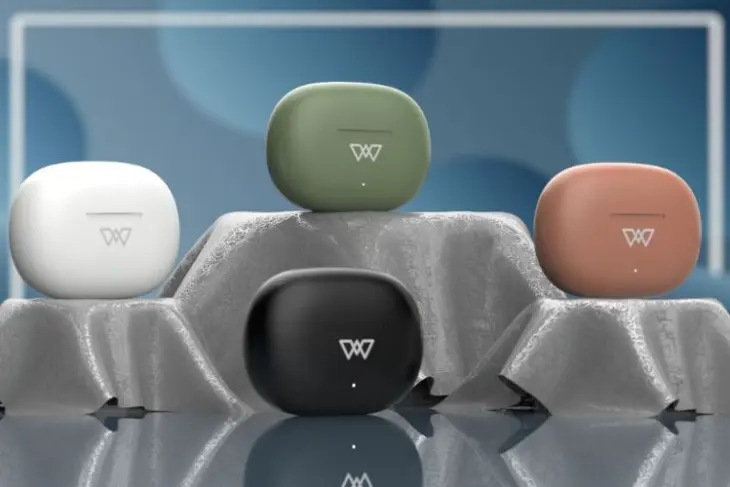
Indian accessories maker Wings have launched two new gaming earbuds together with the Wings Sync companion app. The Wings Phantom 760 and Phantom 800 gaming earbuds join a growing list of exquisite Wings earbuds.
The feature-rich Wings Sync app can be used to customize their Wings earbuds’ and control various settings. The Wings Sync companion app also comes with a beautiful and solid user interface. You can use the touch controls to adjust the volume and modulate playback. You can customize and configure the touch controls with options including single tap, double tap, long press, and triple tap.
The EQ modes could also be adjusted to suit the user’s mood. EQ modes include soft pitch, classic, popular, country, rock, folk, etc. In addition, a manual 10-band EQ mode is also featured. The app can also help you to locate your missing buds. It utilizes the location sensing algorithm by playing a sound to locate the earbuds. The app also helps you to keep track of the earbuds in terms of battery status and connectivity status. Firmware updates for the earbuds are delivered via the app.
The Phantom 760 and Phantom 800 gaming earbuds are excellent accessories for mobile gamers. They support Bluetooth 5.3 rapid connectivity, and instant pairing, and 13mm dynamic drivers deliver excellent audio. The earbuds have four HD mics which deliver crystal clear environmental noise cancellation (ENC). The gaming mode features super-low latency 40ms response time. Both earbuds also feature LED lighting to create an immersive gaming environment.
The Phantom 760/ 800 earbuds have a battery life of 50 hours and feature fast charging. Ten minutes of charging the device yields up to 100 minutes of game time. The earbuds are rated IPX5 for sweat and water resistance.
Two color options are available for the Phantom 800 – black and white, but the Phantom 760 comes in black color. Both models come with a one-year warranty and will be available from December 29. As per pricing, the Phantom 800 will retail at Rs. 1,499 (~$18). They can be purchased directly from Wings or leading e-commerce platforms like Amazon and Flipkart. The Wings Sync app is available on iOS and Google play store.
OnePlus Buds Pro debuted last year with decent sound quality, effective noise cancellation, and an attractive design. Now the company is all set to introduce the OnePlus Buds Pro 2 in February and has even confirmed its design today. The upcoming earbuds look virtually identical to the brand’s first-gen hearables with a few changes here and there. Let’s have a closer look at the details.
OnePlus has confirmed that it will launch the brand new OnePlus Buds Pro 2 in India on February 7 alongside the flagship OnePlus 11. However, it seems the earbuds will debut sooner in China as the brand has already started teasing its design.
The Chinese OEM recently took to Weibo to reveal the design of the upcoming OnePlus Buds Pro 2. As mentioned, they look a lot more similar to the original OnePlus Buds Pro. Of course, there are minor changes. For instance, the stem of each bud has a microphone cutout that seems twice as large as before.
The TWS earphones are pictured in Arbor Green color and they look quite premium. The company has only revealed one color but it’s likely that there will be more options. There’s also a Dynaudio logo on the buds, which suggests OnePlus has teamed up with the Danish audio company for better tuning.
The case of the OnePlus Buds Pro 2 also looks quite familiar. It is compact and shaped liked a pebble. There’s a glossy finish with the OnePlus logo embossed on the top.
Previous reports suggest the earbuds will have 11mm and 6mm dual drivers, and support Active Noise Cancellation (ANC) up to 45db, LHDC 4.0 codec as well as spatial audio. They may offer up to 9 hours of playtime with ANC off and extra 38 hours with the charging case.
Lenovo has just recently sent us one of its gaming laptops that launched earlier this year. So here’s our review of the IdeaPad Gaming 3i mid-range gaming laptop. Will this laptop offer a great gaming experience that is worthwhile its price tag? Keep reading to find out as we have made a detailed review that tests the laptop’s gaming performance, benchmarks, and more.
Lenovo IdeaPad Gaming 3i: Design & Ergonomics
Build Quality
With gaming laptops, the norm is to expect OEMs to offer a gaming inspired aesthetic. This typically includes angular design or heavy emphasis on RGB lighting and their iconic branding. A great example of this is Lenovo’s very own gaming brand, Legion. However, this model is a more affordable gaming notebook offering compared to those top end Legion laptops. But it does not cut corners in terms of build quality. While the gaming laptop might not be as premium as something like a MacBook with aluminum alloys, it still comes with a robust design.
Getting the parameters out of the way first, the laptop weighs around 2.6 kilograms and measures 359.6 x 277.8 x 20.9 mm in dimensions. The design borrows elements of some of the more expensive Legion models, with the cooling design being taken directly from its higher end siblings. The back protrudes around an inch from the rear after the display’s hinge. This region houses the two primary air vents and a bunch of different ports, including an HDMI, Ethernet, USB Type C, and the power connector. Meanwhile, the left side houses a USB port and a 3.5mm headphone jack, while the right has another USB port.
Lenovo has built a solid laptop, which does not feel cheap in any way, despite the use of polycarbonate instead of metallic materials. However, there are a few caveats because of the use of plastic. Primarily, the display feels like it can flex quite a bit, and accidentally bending it too much feels like it might snap off. Although the hinge is pretty secure and you can even open the laptop with just one hand. Apart from this, the lower half of the body is quite firm and doesn’t feel flimsy in any way.
We got the Onyx Grey color variant of the IdeaPad Gaming 3i notebook.
Keyboard, Trackpad, & RGB
For gaming enthusiasts, the accessories and peripherals like keyboards and mouse for their gaming systems are very important. Lenovo knows this and offers a high quality keyboard that it calls the TrueStrike Keyboard with 100% Anti Ghosting. Each individual key has a 1.5mm key travel that is decent for both games and typing. I used the laptop for both my daily work and gaming. While I would still prefer my mechanical keyboard on my PC, using solely the built-in keyboard wasn’t any issue. The keys were evenly spread out, and their placements only took a few minutes to get used to for gaming or work.
The trackpad of the laptop is housed just underneath the keyboard and is slightly off center towards the left. It was quite accurate the few times I used it for work and never felt that it disturbed me during gaming. Although, the company offers you a way to disable the trackpad to avoid accidental inputs. Now let’s talk about the most important aspect of the laptop, the RGB. The keyboard has a 4 Zone RGB Backlit that is fully customizable. There are multiple profiles of RGB lighting that users can set up with the Lenovo Vantage app, offering in depth customization for different lighting patterns and different thermal modes as well.
Display
Being a gamer for years now, I have primarily been acquainted with the Full HD (1920x1080px) resolution, which is said to be the golden resolution for any gamer that plays competitive titles. But, the Lenovo IdeaPad Gaming 3i’s top model comes with a WQHD+ display (2560x1600px), which has honestly spoiled me. The display is crisp and the colors a fair bit accurate. The display is a 16-inch panel that has a 16:10 aspect ratio and a high 165Hz refresh rate.
This panel is also capable of 500 nits of peak brightness and 100% sRGB color gamut. Thanks to its 2K display, consuming any form of multimedia content like movies or videos was very enjoyable. Gaming on this resolution also has you appreciate in game textures a lot more in single player titles. Although, there were times where I had to drop the resolution, but we shall discuss that in the Performance section. Overall, the viewing angles were also decent and the experience was just top notch despite the laptop being a mid range gaming notebook.
Performance
The laptop is equipped with an Intel 12th Gen Core i7-12700H CPU that has a base clock speed of 2.3GHz and a boost speed of 4.7GHz. It consists of 14 cores (6 performance and 8 efficiency cores) and 8 threads. This processor is paired with an NVIDIA GeForce RTX 3060 GPU. For memory, our unit housed 16GB of RAM (dual channel 2x8GB DDR4) and 1TB of SSD storage. So let’s have a look at its performance:
Gaming
I played multiple titles on the Lenovo IdeaPad Gaming 3i, which ranged from multiplayer and single player games across various genres. But I will only be talking about 6 such titles in the review, which should give us a broad idea on the performance you can expect across the board.
In the online multiplayer side, I chose Apex Legends as a popular Battle Royale title, followed by the recently released Overwatch 2 that has been a buzz in the gaming market, and even Valve’s massively successful competitive shooter Counter-Strike: Global Offensive. For a more narrative driven experience, I went with the Witcher 3: Wild Hunt, which recently got a next gen update that brings ray tracing support, along with Control, and the God of War that recently got ported from the PlayStation to the Windows platform.
Overwatch 2 is a hero shooter that primarily focuses on 5v5 team battles. It is a competitive title and is a highly polished and optimized game from Blizzard. At high settings, the laptop was easily crossing 150+ fps in its native 2K resolution. It even hit more than 200 fps, but during intense team fights and clashes, the frame rate fell down to the 140s. Dropping the graphics settings to more competitive options easily had the game run at a higher 200 fps stably. For those looking to get the absolute most from this laptop, they can even drop the resolution down to 1080p.
Overwatch 2
Apex Legends, on the other hand, is a bit more intensive than Overwatch 2 owing to its Battle Royale genre. The huge maps are a lot more draining on your laptops resources as well. But the laptop still managed to get over 120 fps in High settings. Again, intense close quarter combat with various particle effects has the frame rate drop to the 90s. However, with competitive and even low settings, I managed to hit over 140 fps, which was stable for the most part. Keep in mind that this was in 2K resolution and 1080p offers better performance even in High settings.
Apex Legends
Counter-Strike: Global Offensive aka CSGO is by far one of the most popular competitive shooters out there. It is the most played game on Steam and also has a robust esports around it. One of the reasons the game is popular is because it can run on low end systems too. So it is no surprises that we hit 180+ fps in very high settings even at 2K resolution.
Counter-Strike-Global Offensive
God of War (2019) was finally ported from the PS4 and PS5 series this year, after being a Sony PlayStation exclusive since its initial launch. The game was released for the Windows platform with improved graphical fidelity, which one can turn on from the settings. In the original graphics, the Lenovo IdeaPad Gaming 3i managed to get over 70 fps at 2K resolution. Turning the settings up to High saw this drop down to just 60 fps, but with occasional stutters. You can drop the resolution down to 1080p here as well, but I’d recommend playing at its native resolution since this is a single player title.
God of War 2019
Control was developed by Remedy, which is the same studio behind the iconic Max Payne series. This game was released as one of the first to feature support for NVIDIA’s ray tracing technology. At native resolution, a stable 60 fps was only attained with mixed Medium to low settings, while the low preset had it hit near 80 fps. DLSS helped out a lot in this game and if you plan on using ray tracing, I’d recommend running it with DLSS and at 1080p resolution for a less stuttering experience.
Control
Witcher 3: Wild Hunt was originally launched back in 2015, however, CD Projekt Red recently released a new update that brought this game up to current gen standards. This includes new 4K textures and support for Ray Tracing. Even with Ray Tracing turned off, the laptop struggled to maintain a stable 60 fps in medium to high settings on 2K resolution. But, it was relatively smooth in low settings. Dropping the resolution helped the most, but I couldn’t turn on Ray Tracing since DLSS wasn’t supported for whatever reason. This should be fixed in a hot fix or a patch soon.
Witcher 3: Wild Hunt
Benchmarks
For synthetic benchmarks, I ran the laptop through three popular benchmarking platforms, which included the Cinebench R23, 3DMark, and FurMark. So here are the results:
Cinebench R23 basically benchmarks the performance of the CPU, in a single core only and multi core test. In the former, the laptop achieved a score of 1,701 points, while it scored 15,288 points in the multi core test.
Cinebench R23
3DMark Time Spy test is a DirectX 12 benchmark that is popular for gaming systems. It is generally considered as an ideal test for benchmarking modern graphics, which in our case is the RTX 3060. The CPU score clocked in at 9,452 points and the Graphics score came in at 7,958 points. Thus, the overall score sits at a decent 8,151 points.
3DMark Time Spy
FurMark is a stress test for your graphics cards. This benchmark runs your GPU at 99 percent usage, which basically ramps up its temperature and checks for a point of stabilization and throttling. Here, the laptop was able to sit stably on the lower 70 degree Celsius mark without dropping below 70fps.
FurMark
Battery
Battery life is typically one of the few areas where gaming laptops struggle with. During gaming or productivity related tasks, one will always have their notebook plugged in to ensure maximum performance. So once you’re strictly on battery, the Intel iGPU and the efficiency core kicks in to save up on battery life. But still, the endurance of the laptop is not as great as Ultrabooks in the market. This is to be expected considering it houses some power hungry specs and a 2K display panel.
I used the laptop for a regular work day along with some other basic tasks like playing music or browsing through YouTube for a bit. In a single full charge, I got around 5 hours of total battery life. Notably, the charging was quick from its 230W adapter. For some basic work or consuming media, you won’t ever find an issue with the laptop. But for intensive creative productivity based tasks, gaming, or prolonged usage, you will have to plug in the charger that thankfully offers rapid charging.
Thermals
I have played games on laptops for far longer than I have on desktop PCs. However, heating and thermal performance was always one of the major ache points for notebooks geared for gaming. Stuffing such capable hardware in such a compact form would obviously lead to a lot of heat that needs to be efficiently dissipated. This is where this Lenovo gaming laptop shines. Just from its appearance, we can see that there are four vents (2 on the back and 1 on each side) that blow out hot air, with the main intake vent being housed underneath. The laptop’s cooling mechanism is primarily driven by two fans under the hood, along with two heat pipes that are shared between the CPU and the GPU. There is also a third heat pipe that is placed on top of the VRM and graphics memory modules.
Across the multiple games I played, the temperature did hit the 80 degree Celsius mark but it never crossed that limit or stayed at such a high temperature for too long. I did notice some slight throttling in performance, but it was never too intense enough to make the experience choppy or laggy. While the temperature during gaming was impressive, it was a bit on the warmer side during regular use. Another thing to note is the Even without the charger plugged in, I found that the top port of the keyboard tended to get warmer than usual after a couple of minutes of regular use. Nothing too intense, but still odd for running just a tab on YouTube.
Verdict
For a price tag of around 1.15 lakhs INR (roughly 1,390 US Dollars) in India, the IdeaPad Gaming 3i 16IAH7 isn’t exactly an affordable gaming laptop. There are plenty of options that would be a lot more economical but for its price tag, it undoubtedly offers plenty of high-end features. The 2K 165Hz panel is an absolute gem for a mid-range gaming laptop. While I have said mid-range, the 12th Gen Core i7 and RTX 3060 are no slouches either. With some tweaking, one can easily run any current gen title in the market and get high frame rates in every competitive esport games as well.
So, I can easily recommend this laptop to gamers that have a budget for it. This laptop isn’t limited to just gaming, and buyers can also use this model for other productivity tasks like video or photo editing. It even has a 1080p camera on the front, which makes it useful in a more professional setting as well like for online conferences and meetings. For those that do not wish to break the bank, note that this is the top end configuration of this model, so you can also find a more affordable variant online as well.
Ahead of CES 2023 which begins next month, Lenovo has unveiled new devices. The brand has also updated its IdeaPad and Slim series laptops with the latest processors. The IdeaPad Pro 5 is offered in two display variants and both pack premium specifications. Read on to know what the laptops offer out of the box.
Starting with the Lenovo IdeaPad Pro 5 14-inch, it is offered in two options i.e. one with a 2.8K resolution, 400 nits brightness, and 120Hz refresh rate. There is another variant with a 2.2K display, 300 nits brightness, and a 60Hz refresh rate. On the other hand, the IdeaPad Pro 5 16 features a 2.5K IPS display, 350 nits brightness, and a 120Hz refresh rate.
The Lenovo IdeaPad Pro 5 14 and 16 feature an infrared FHD camera with Time of Flight (ToF) sensor. There is also a privacy shutter. On the audio front, both laptops are equipped with dual 2W speakers tuned by Dolby Audio and a dual microphone array. Both machines also have Windows Hello authentication.
Under the hood, the Lenovo IdeaPad Pro 5 14 and 16-inch variants are equipped with up to seventh-generation AMD Ryzen 7 processors. The 14-inch model has integrated graphics whereas the 16-inch has an NVIDIA GeForce Next-Gen laptop GPU onboard. Both machines pack up to 32GB LPDDR5 RAM and 1TB SSD storage. The 16-inch model features a dynamic display switch that boosts frames per second. There is also an additional SSD expansion slot.
The Lenovo IdeaPad Pro 5 duo are backed by a 75WHr battery unit with support for quick charging. Connectivity options on the laptops include WiFi – 6E, Bluetooth 5.1, USB 4.0 Type-C port, USB 3.2 Gen1 Type-C port, Type-A port, HDMI 2.1, and SDcard reader.
The Lenovo IdeaPad Pro 5 laptops are offered in Arctic Grey and Frost Blue colours. The 14-inch variant starts at $1,215 whereas the 16-inch model starts at $1,702.
Lenovo has announced the Lenovo Go 4K Pro webcam with improved features and Microsoft Teams compatibility. The Lenovo Go 4K Pro is equipped with an AI-assisted autofocus system and it can record HDR videos. The new webcam also comes with a physical privacy shutter and will work with IdeaPad and ThinkPad laptops. The physical privacy shutter is used to cover the lens when the webcam is not in use.
The new Lenovo webcam can record 4K videos at a frame rate of 30fps. It is capable of 5x digital zoom and also supports facial recognition. The Lenovo Go 4K Pro also supports M.JPEG, YUY2, and H.264 video compression formats. It is a plug-and-play webcam but when additional software is installed, the full features of the webcam are unlocked. The Lenovo Go Central provides software support to manage its configurations. The webcam also supports auto-framing.
The integration of the Lenovo Go 4K Pro into the Teams architecture means that it could be deployed for video conferencing. Its enhanced video capabilities, coupled with its AI functionality mean that video clarity is assured always.
You can connect the webcam to the PC via its USB port (Type A, Type C). Its design like a hook allows the webcam to nestle atop a monitor. It also has a standard 0.25-inch tripod thread socket. The webcam’s LED indicator is illuminated whenever the device is in use. It is equipped with a single microphone with a 48kHz sampling rate.
The Lenovo Go 4K Pro webcam is compatible with Windows and ChromeOS platforms. Lenovo says the webcam will be released in July 2023 and is priced at €119 (~$126). The company will offer a 3-year warranty on the gadget and it is unclear whether it will be globally available.
Lenovo has unveiled the P32pz-30 and P27pz-30 ThinkVision mini-LED monitors with impressive brightness and local dimming capabilities. The new mini-LED monitors can deliver a peak brightness of 1,200 nits and 1,152 local dimming zones. The monitors also come with a KVM switch and target graphic artists and other professionals.
The two premium Lenovo mini-LED monitors support 10-bit colors with up to 98% DCI-P3 color gamut. Lenovo is making inroads into the high-end color-accurate mini-LED monitor segment of the market with its latest products.
Both monitors have a resolution of 3840 x 2160 pixels and DisplayHDR1000 support. The monitors also achieve 99% Adobe RGB and 80% BT2020 color gamuts.
Connectivity options for the ThinkVision mini-LED monitors include HDMI 2.1, USB 4.0 Type-C, DP 1.4 (in and out), and USB 3.2 (Type C). The monitors also have four USB-A ports and a KVM switch to control multiple devices. You can also charge your devices via the USB-C port of the monitors.
The models support up to 178 degrees of viewing in both horizontal and vertical directions. Both models support up to 40Gbps data and video via USB 4.0 and up to 140W power. The power delivery rating of the Lenovo ThinkVision mini-LED monitors (140W) make them stand out in the crowd. Most of the current models deliver less than 100W.
Lenovo says each of the monitors can support up to two daisy-chained 4K monitors. They also feature another USB-C port with 15W output for smartphones and smaller devices. The typical brightness of the monitors is 600 nits. The Lenovo P27pz-30 and P21pz-30 mini-LED monitors are priced at $1,699 and $1,999 respectively. Both models will be available in August 2023.
boAt has launched a new smartwatch in India. It falls under the brand’s Wave series. The latest offering is called boAt Wave Electra. It is an affordable budget smartwatch and competes against the likes of the Noise Colorfit Loop, Amazfit Pop 2, and more in the market. Read on to know what the boAt Wave Electra offers out of the box.
The boAt Wave Electra features a square dial with a 1.81-inch display bearing an HD resolution and 550 nits peak brightness. It is IP68-certified dust, sweat, and splash-resistant. The device has a premium aluminium alloy design.
The boAt Wave Electra comes with health-centric features like a heart rate monitor, SpO2 sensor, and a sleep tracker. There is also a daily activity tracker, breathing training, and hydration alert. The wearable device packs support for more than 100 sports modes.
The boAt Wave Electra is equipped with a built-in microphone, speaker, and Bluetooth for hands-free calling. Users can save up to 50 contacts on the device and there is also dial pad for easier access. The device features Google Assistant and Siri. It also packs Whack-A-Mole and 2048 built-in games. Other convenient features include music and camera control, weather updates, find my phone etc. The boAt Wave Electra is claimed to deliver 7 days of battery on a single charge and 2 days with Bluetooth usage.
The boAt wave Electra is offered in Black, Blue, and Pink colours. It carries a special launch price tag of Rs 1,799 and can be purchased from Amazon starting December 24th.
The Honor Pad V8 Pro is set to launch in China on December 26. It is a premium tablet and will debut as the successor of the Honor Pad V7 Pro.
The brand has been teasing the features of this device for the last few days. Today’s teasers talk about the product’s display. Let’s check them out.
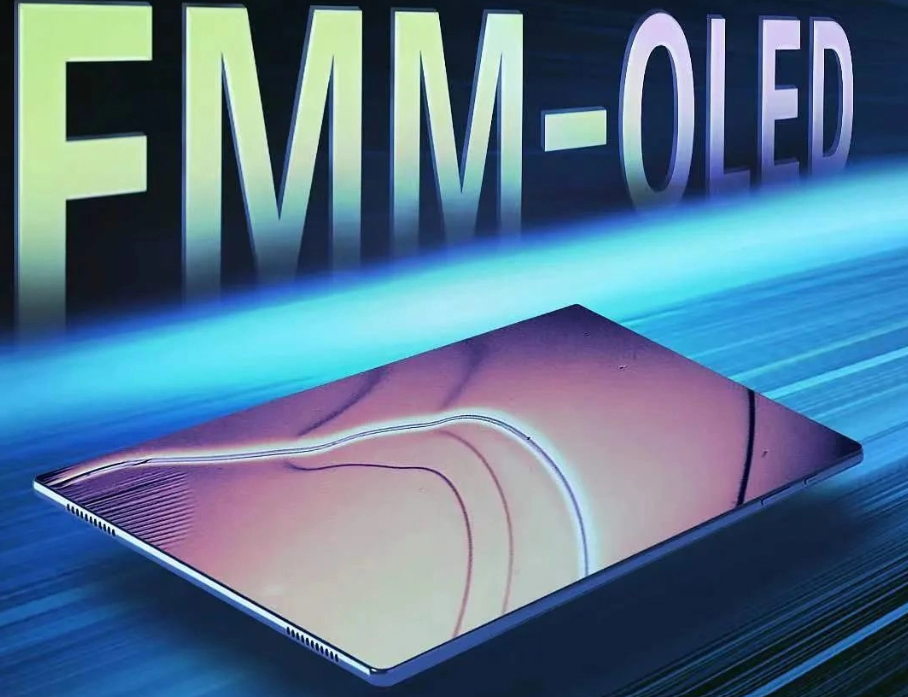
According to Honor, the forthcoming Honor Pad V8 Pro will flaunt a display with a 2.5K resolution. The panel will offer protection for eye fatigue. Most importantly, the product will be the world’s first large-screen tablet to offer a 144Hz adaptive refresh rate.
As per the product listing for reservations, the tablet’s display will measure 12.1 inches. It will not sport a notch like the Samsung Galaxy Tab S8 Ultra as the front-facing camera will be located on the side bezel.
As per previous teasers, the device will be powered by a MediaTek Dimensity 8100 chipset. Once again, a first for a tablet. Similarly, it will be also the first tablet to debut with Android 13 as it will boot MagicOS 7.0.
In fact, Honor has been teasing this product to arrive with six firsts on a tablet. As the brand has now revealed the first three, we are looking forward to learning about the remaining three.
That said, as per earlier leaks and teasers, the Honor Pad V8 Pro will carry support for 33W fast wired charging. It will be available in two colors and will feature a magnetic pogo connector for the official keyboard accessory.
We use cookies on our website to give you the most relevant experience by remembering your preferences and repeat visits. By clicking “Accept”, you consent to the use of ALL the cookies.
This website uses cookies to improve your experience while you navigate through the website. Out of these, the cookies that are categorized as necessary are stored on your browser as they are essential for the working of basic functionalities of the website. We also use third-party cookies that help us analyze and understand how you use this website. These cookies will be stored in your browser only with your consent. You also have the option to opt-out of these cookies. But opting out of some of these cookies may affect your browsing experience.
Necessary cookies are absolutely essential for the website to function properly. This category only includes cookies that ensures basic functionalities and security features of the website. These cookies do not store any personal information.
Any cookies that may not be particularly necessary for the website to function and is used specifically to collect user personal data via analytics, ads, other embedded contents are termed as non-necessary cookies. It is mandatory to procure user consent prior to running these cookies on your website.