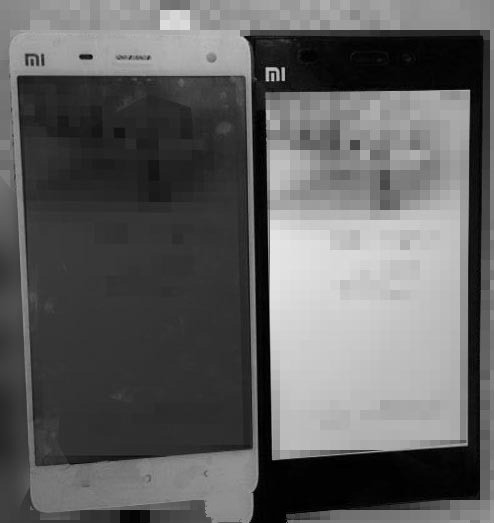
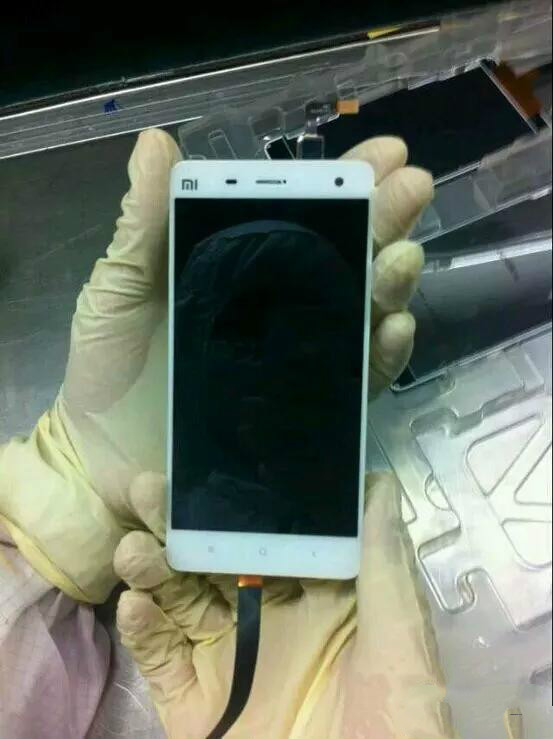
On the afternoon of July 4, someone in Weibo posted a photo of a mysterious device with Xiaomi’s logo on it. Based on comparisons with another photo that was leaked a while back, there is a big possibility that this device is the upcoming Mi 4. From the photo, we can see that the edges of the phone are fuller than the Mi 3’s. At the same time, it shows a very narrow bezel case, which solves the biggest problem that most people have with the Mi 3.
This photo could have been leaked from the factory it was made in based on the photographer wearing a glove in the photo and the environment surrounding it. This adds more credibility to the fact that this may be Xiaomi’s new phone.
The Mi 4 is predicted to come out this month or the next. What do you think it will look like?
From comparing the phone in the photo with the Mi 3, the Mi 4 should use a 5.2-inch (approximately) display screen. For now, a screen with this small should only have a resolution of 1080p.
This phone will probably use be the Snapdragon 805, have 3GB RAM and a 13mp camera with F/18 aperture, and be 4G-supported. Do you think it will cost 1999 RMB? (321.80 USD)
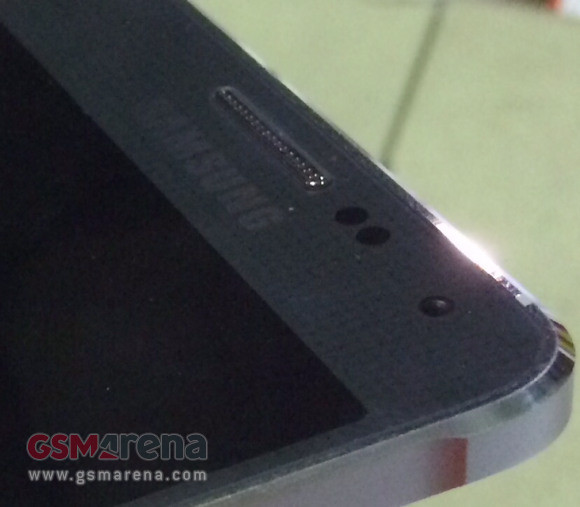
Samsung is rumored to release their new flagship premium galaxy smartphone, the phone has been spread as the rumor as the Galaxy F name. And now the first picture of Samsung Galaxy F is leaked online.
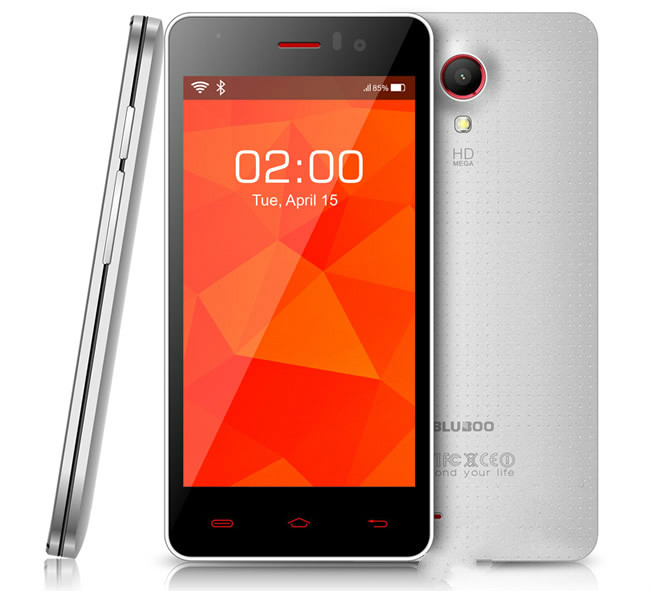
Bluboo is the latest cell phone manufacturer to join the 4G wave. They recently introduced their new phone, the Blueboo X4, to the world.
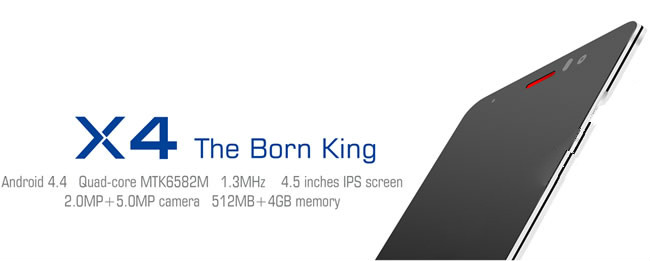
The X4 is Bluboo’s first 4G-supported product. It uses a combination of MediaTek’s new MT6582M (quad-core processor with 1.3GHz frequency) and the MT6290. According to official reports, the Bluboo X4 supports TDD-LTE and FDD-LTE 4G internet as well as WCDMA/TD and GSM.
Despite supporting many kinds of internet networks, the X4 is not a high-end phone. It has an IPS display screen that is only 4.5 inches and only has FVGA resolution (854 x 480). Its memory is not that special either. It has 512M RAM and 4GB ROM. It sport a 2mp/5mp dual-camera and its operating system is the new Android 4.42 kitkat.
It’s worth mentioning the Bluboo X4’s design. The frames are split in the middle by a black line. Its measurements are 134.3×65.5×9.6mm.
Like the X2, the X4 should be released overseas first. Whether or not it will be released in China remains to be seen.
A while ago, Lenovo released their answer to the Hongmi Note, the Golden Warrior S8. However, at the time, the only version available had 2GB RAM. Now, they finally released a cheaper edition that only has 1GB RAM. Besides lowering the RAM, Lenovo also decreased the S8’s internal memory storage from 16GB to 8GB. As a result, the S8’s price dropped from 988 RMB (159.12) to 788 RMB.
As of right now, most stores only have the 988 RMB version. Those who want the 1GB version still need to be pre-order as it has just been released today.
Other than the memory, both versions are practically the same. They sport a 5.3-inch 720p display screen and 5mp/13mp camera, and run on the 1.4GHz MT6592M octa-core processor. Both also support dual-SIM.
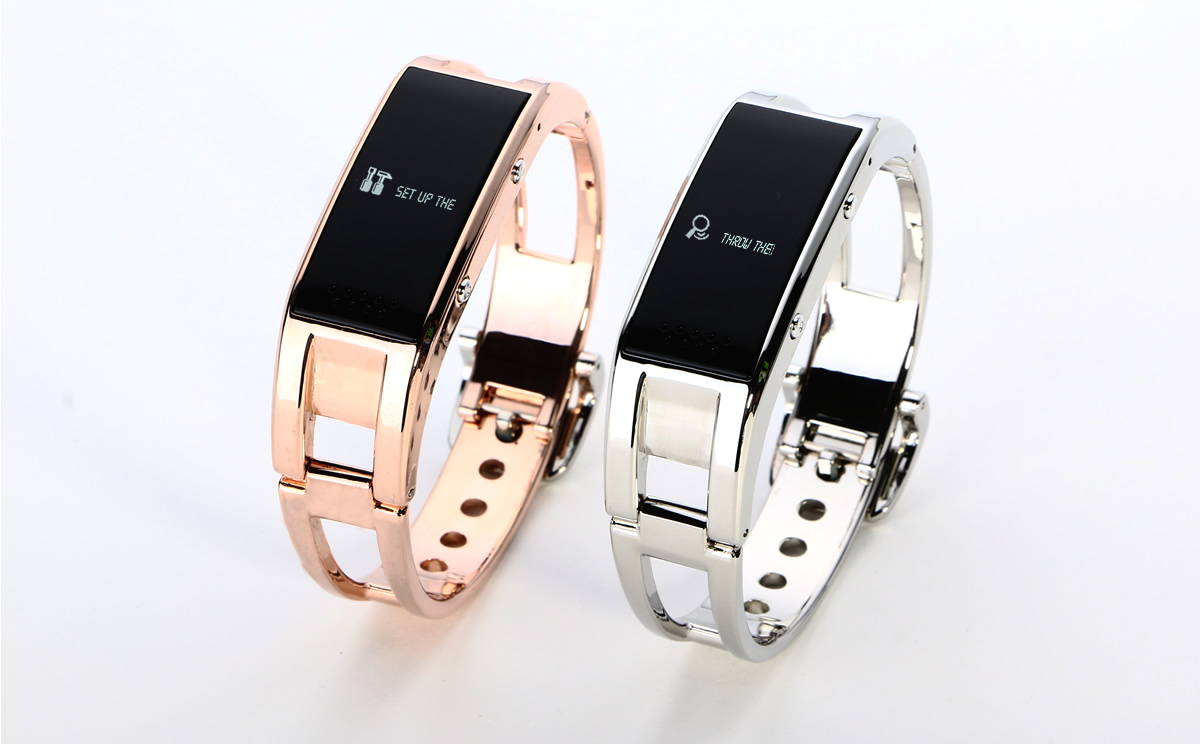
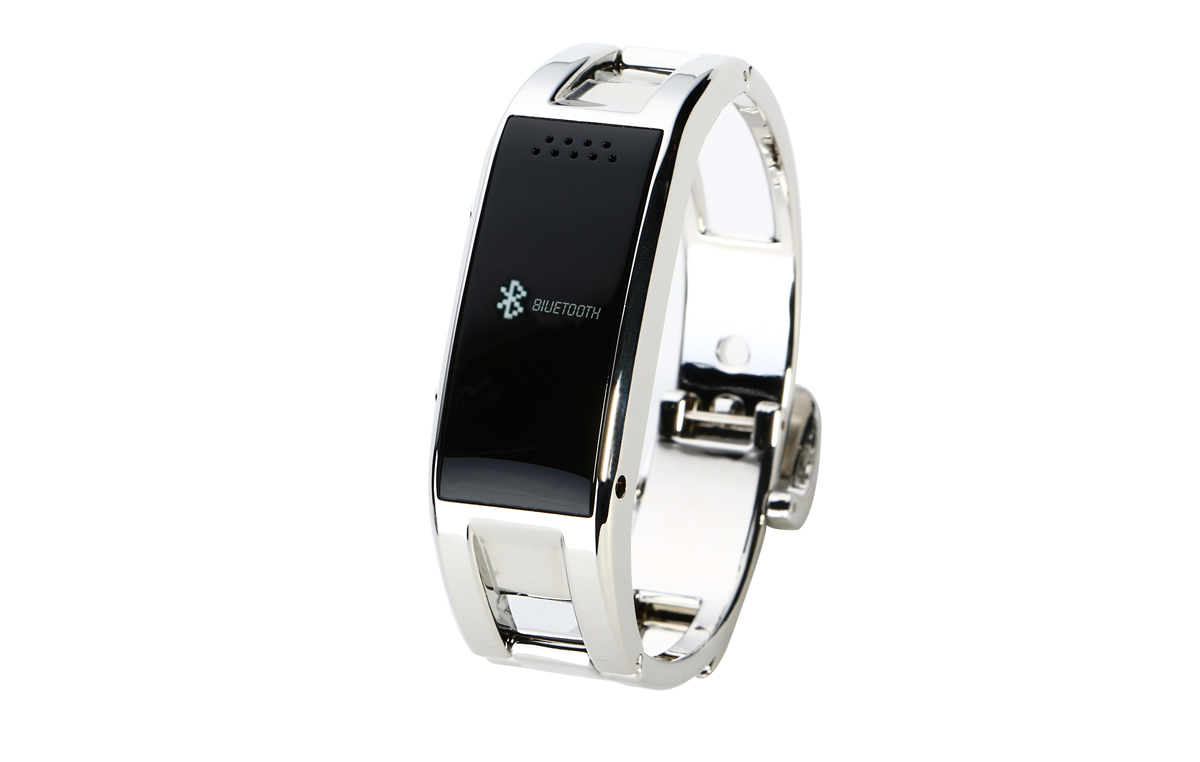
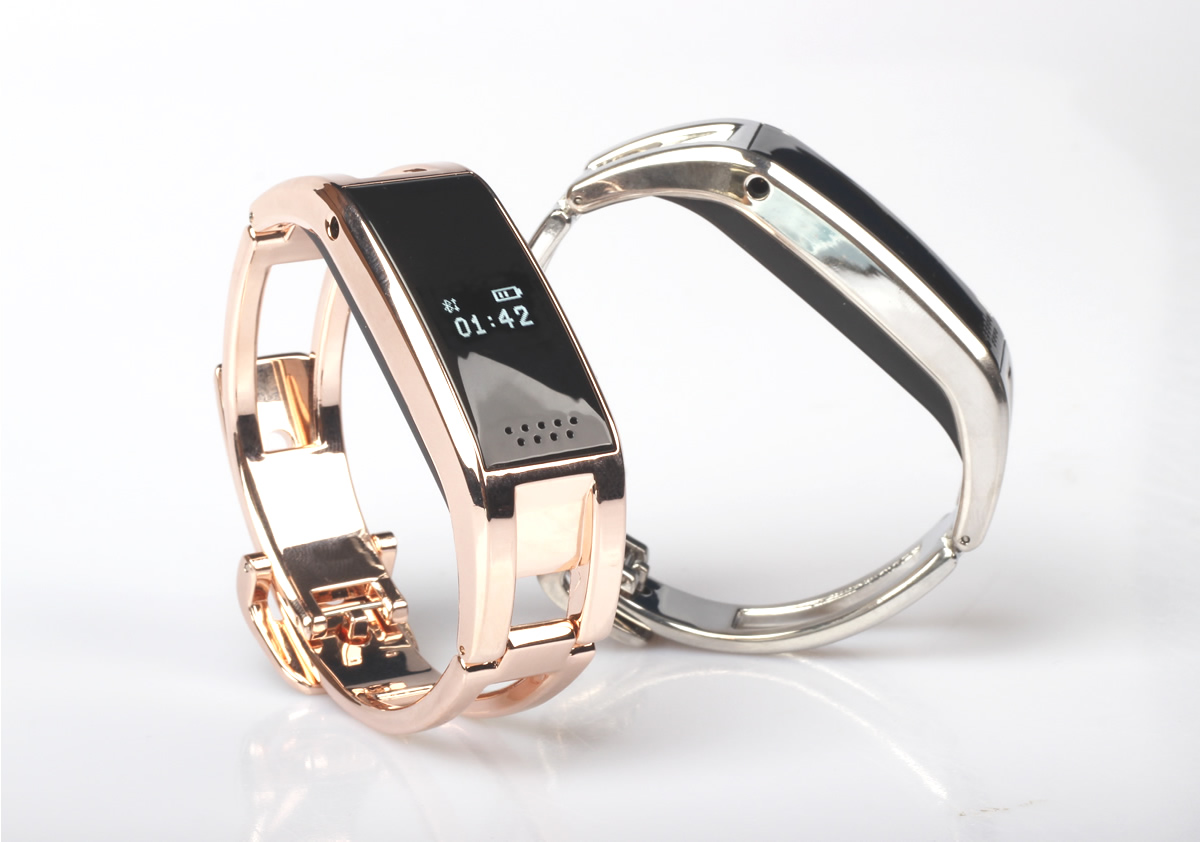
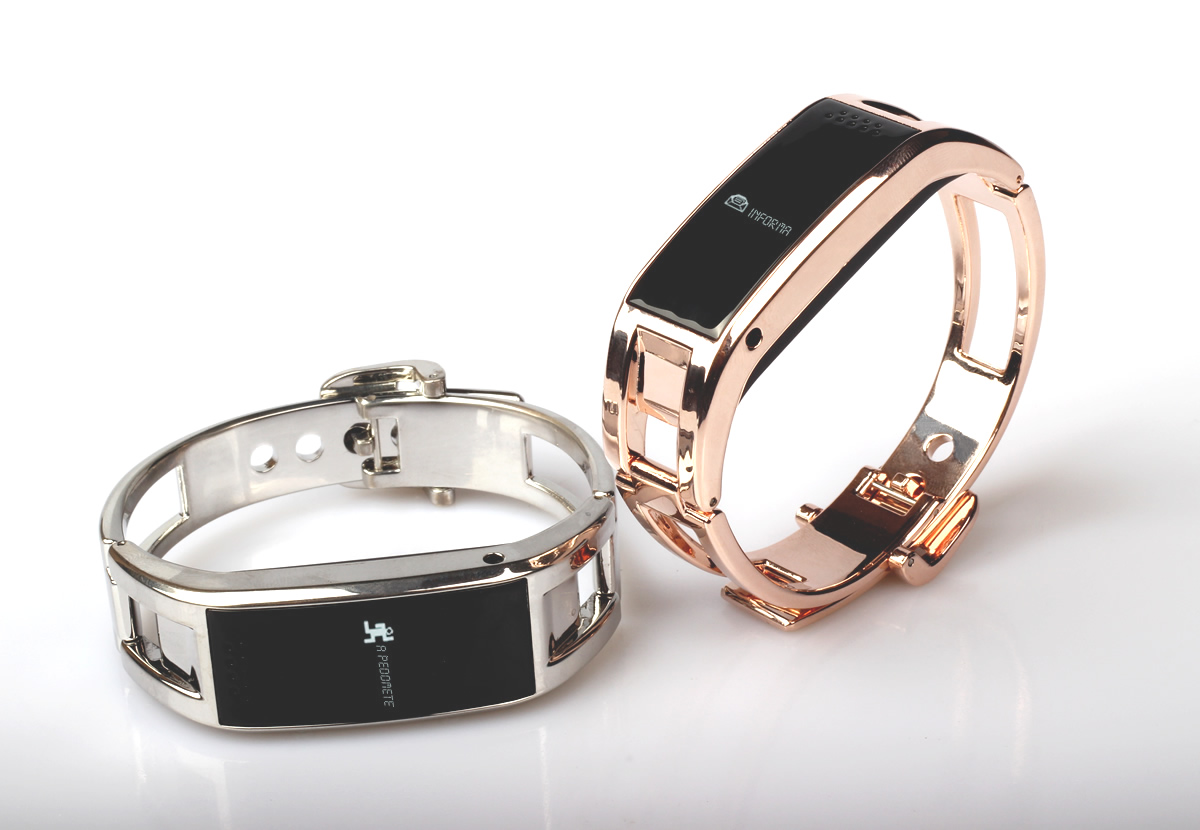
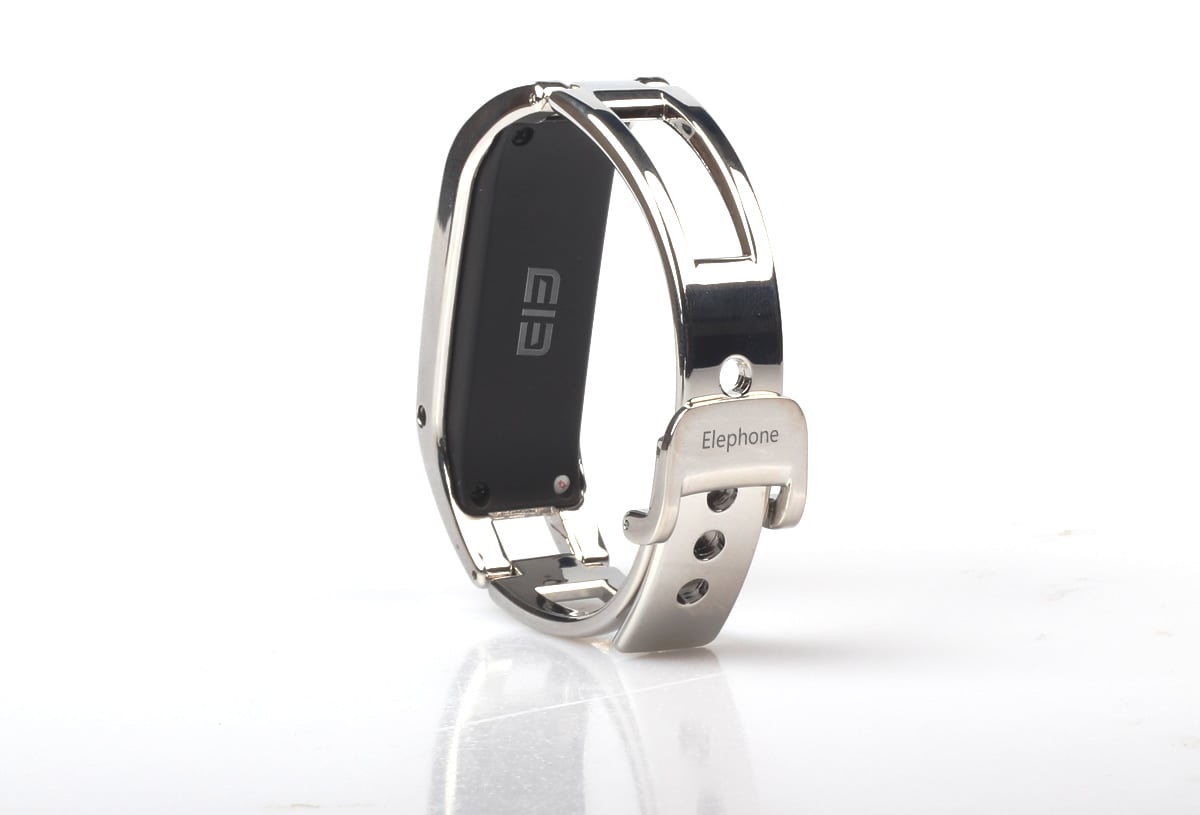
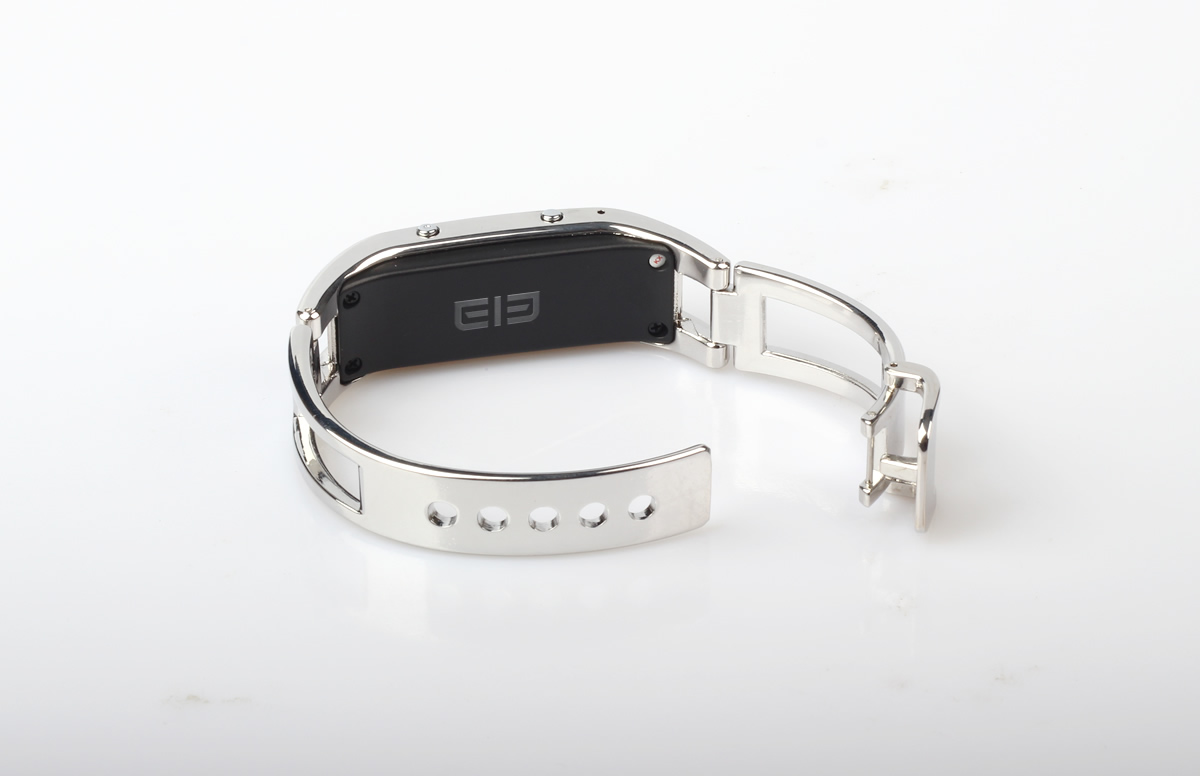
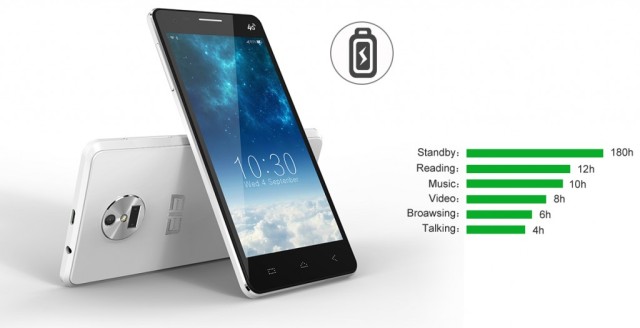
The Elephone W1 had been announced, it is equipped with MTK6260 and G-Sensor internal storage (32 + 32), it supports Bluetooth 2.1 and 3.0. the display is a 64 x 32 resolution LCD screen. It is available in two smart colours, gold and silver.
The battery is a 180mAh, providing an impressive 180 hours of standby time, over a month. This is reduced to 72 hours when connected via Bluetooth but is USB rechargeable.
The Elephone W1 can perform many handy features when connected to your smartphone via Bluetooth, here’s a list of the functions:
Calls and Caller ID. The W1 gives the ability to answer, mute and reject calls to your mobile. It vibrates when your mobile has an incoming call and displays the caller ID on screen.
It allows for operation of your phone camera remotely. Just hold one button to activate your camera and then quickpress to take pictures.
Find Your Phone feature. When chosen from the menu, this option activates your phone alarm, making it easy to find.
Remote Anti-Theft function; the device switches itself off if the distance between it and the phone is greater than 10 metres, or if your mobile is switched off.
Remote synchronisation enables alerts to IM messages and social media notifications.
Pedometer function records the time and amount of steps taken, the data is then transferable to your mobile for analysis and can be linked to an exercise plan.
Sleep Management function, also records information to your mobile for analysis if required.
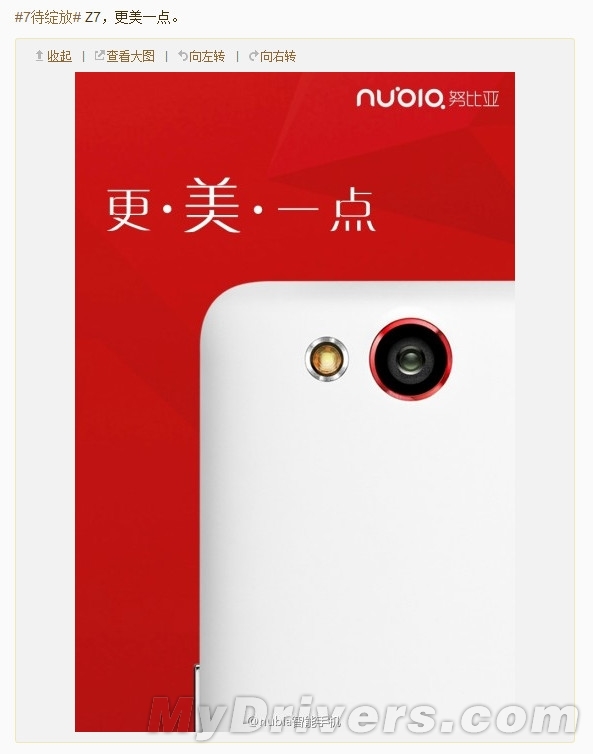
On July 8, ZTE will hold a launch event for its new phone, the Nubia Z7. In the meantime, a lot has been reported about it. How does it look like? What specs does it have? Hopefully, we can satisfy anyone’s curiosity by giving a brief summary of the facts (and rumors) about the Z7 before its launch.
Regarding its design, it has been reported that the Z7 is 9mm thick and weighs about 200g. It also sports a 5.5-inch QHD display screen with a resolution of 1440 x 2560 which is the strongest so far. Only Vivo has been able to make a phone with such high display specs so far. There has not been any confirmation on what processor the Nubia Z7 will use but some reports say that it may either use the Snapdragon 805 or 801. Nevertheless, its processor is supposed to be composed of four A15 cores and four A7 cores giving it a frequency of 1.4GHz. It’s also supposed to support LTE 4G high-speed internet as well as dual-SIM card, MHL, and NFC. Regarding its camera, the Z7 sports a large 16mp rear camera with an LED flash and supports OIS. It has 4GB RAM and 128 GB ROM and is powered by a 4000mah battery. It’s expected to cost around 3500 RMB (563.82 USD).
Will the Nubia Z7 actually exceed our expectations? We’ll just have to wait until Monday.
Will the Nubia Z7 actually exceed our expectations? We’ll just have to wait until Monday.
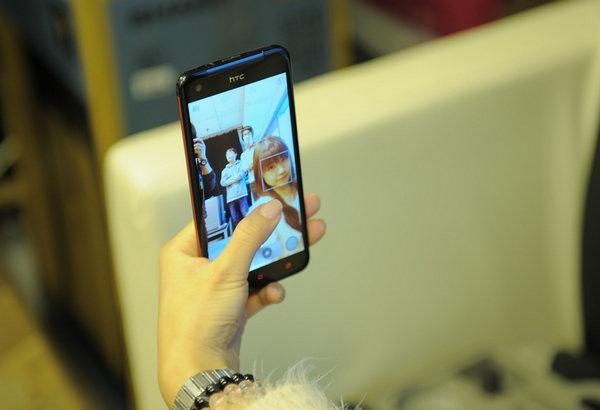
Back on June, HTC is reporting to develop the new smartphone that’s called as HTC Eye and now the @Evleaks has been spread the same news that the phone is will becoming more powerfull selfie phone for the user since has great front-facing camera feature.
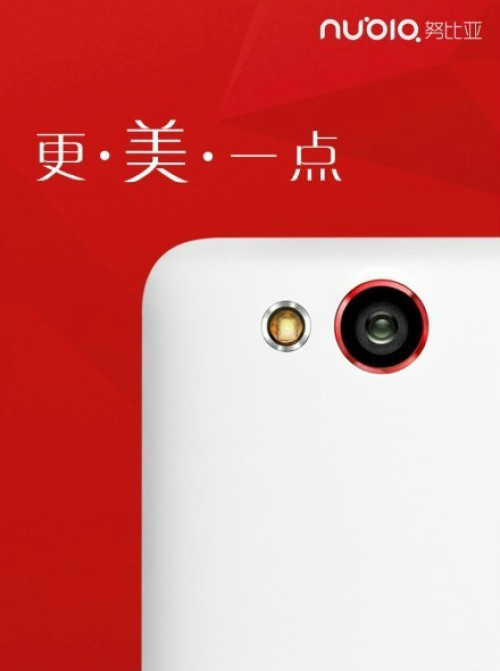
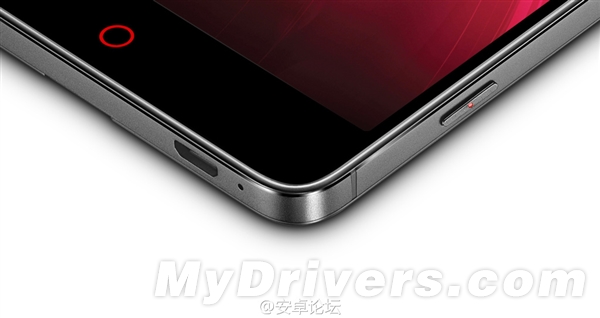
ZTE Nubia Z7 launching event will come on July 8th in Beijing, there is lots of rumors about this Nubia new generation flagship smartphone. Today, we found this phone from oppomart, a China international online shop, which ever leaked OPPO Find 7 and other top level China phones.
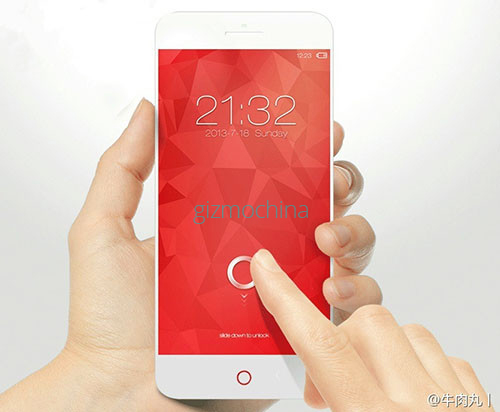
The ZTE Nubia Z7 render picture looks like Nubia Z5, with smaller bezel and red home button. As some rumors, the ZTE Nubia Z7 will equip Qualcomm Snapdragon 805 quad-core processor, 3GB RAM, packs 5.5-inch 2K screen, 16-megapixel OIS camera and dual SIM cards design. ZTE Nubia Z7 support all network, included GSM, WCDMA and 4G FDD LTE bands worldwide.
ZTE Nubia Z7 will be a big competitor to OPPO Find 7 and Oneplus one, so we just waiting for the launching event surprise.
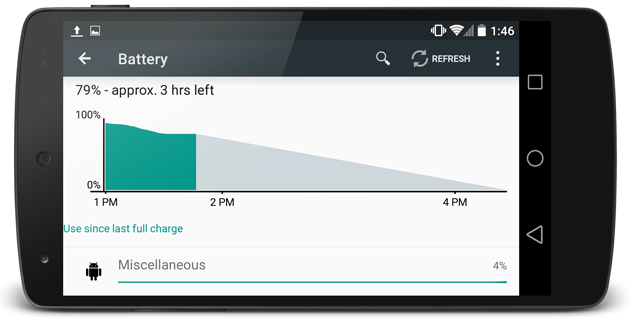
At Google I/O 2014 events, Google has announced about their new Android 5.0 operating system version or also known as Android L. The new operating system has ability to further increase battery life. And Arch Technica has prove it.
Xiaomi is now becoming popular, since this company is expanding their market and hire fomerly Google employee Hugo Barra. On the first half of 2014 Xiaomi has sold 26.1 million units of smartphones.
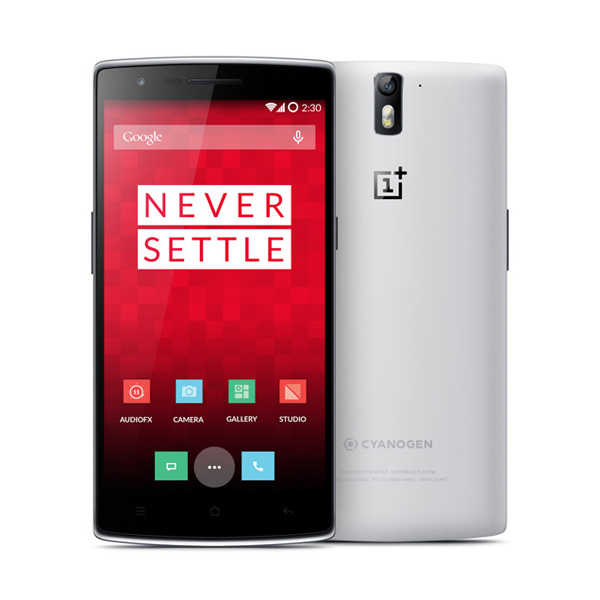
More and more people are modifying their phones, whether to fix problems or to take advantage of the numerous options available. There are mods just for fun, and some that provide excellent fixes to common problems. The OnePlus One is such a new phone and such a rare phenomenon that there isn’t a massive amount of support out there yet for people to fall back on when they run into problems and need assistance. We thought we ought to put some help out there, so this is how to put CyanogenMod 11S on your Oneplus One, whether out of necessity or not. It can also be used by people who bought the ColorOS version of the OnePlus to change over, the procedures are the same and the hardware is exactly the same on the phones. Hopefully this guide should save you some trouble. The job is not too difficult to do either, just a simple copy and paste job, nothing too terrifying to the newcomer.
Alright, let’s begin. To start off you need to get all the tools and files you need. Get the Nexus Toolkit as that contains all the files you’ll need to perform the task and you’ll also need to get the entire set of stock files from the CyanogenMod OnePlus One Product Page, they’re near the bottom and make sure yo get the one with ‘fastboot’ in the title. Unzip these files in the same directory where you’re keeping the Nexus Toolkit files.
The unzipped files should look something like the list below, and need to be stored together in the same directory as the fastboot.exe file.
Once you have all of this sorted out you’re half way there. Now for the installation then, here goes.
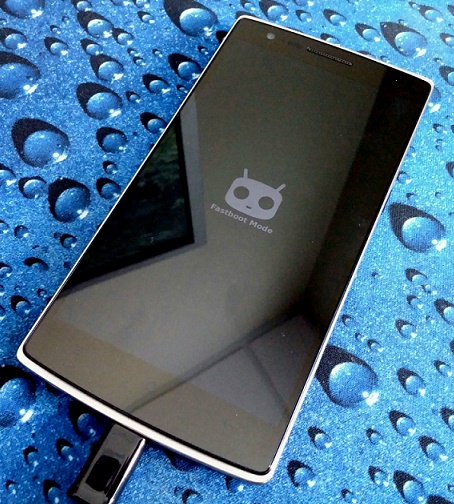
Firstly, hold down the power button until the phone goes off, and then hold power and volume up simultaneously until a boot logo appears, your OnePlus is now in Fastboot mode. At this point a final reminder that continuing this entire process will involve losing all files on the phone. Not a problem if it is a new phone at factory spec, but if you’ve just taken a video if your child’s first steps or stored your first novel on it, there is a possible way to save some data, it will be explained further when we get there.
Once your phone is in fastboot mode then, open a command prompt and go to the directory where your Nexus Toolkit files are stored. From here issue the following commands one at a time, only proceeding to the next after the first one is confirmed to be successful or completed:
fastboot flash boot boot img
After this you need to decide whether to wipe the phone (for new phones without important files on) or if there are things worth trying to save. If you need to save any files, skip this step for now and see if the phone will boot at the end. If you want to wipe the phone, you need to next select the right file for the phone you have. If you have a 16GB OnePlus One use this command
fastboot flash userdata userdat.img
If you have the 64GB OnePlus One issue this command instead:
fastboot flash userdata userdata 64g.img
After this issue these commands in order, still waiting for the success message after each one before continuing:
fastboot flash system system.img
fastboot flash recovery recovery.img
fastboot flash cache cache.img
fastboot flash modem NON-HLOS.bin
fastboot flash sb11 sb11.mbn
fastboot flash dbi sdi.mbn
fastboot flash aboot emmc_appsboot.mbn
fastboot flash rpm rpm.mbn
fastboot flash tz tz.mbn
fastboot flash LOGO logo.bin
fastboot reboot
At this point your OnePlus One should boot into CyanogenMod 11S as if you bought it new. If your phone does not boot and you skipped the step to clear all files, you’ll probably have to just wipe your phone at this point, so go back to the beginning and follow the steps again entirely. Everyone else, enjoy your new CyanogenMod 11S OnePlus One.
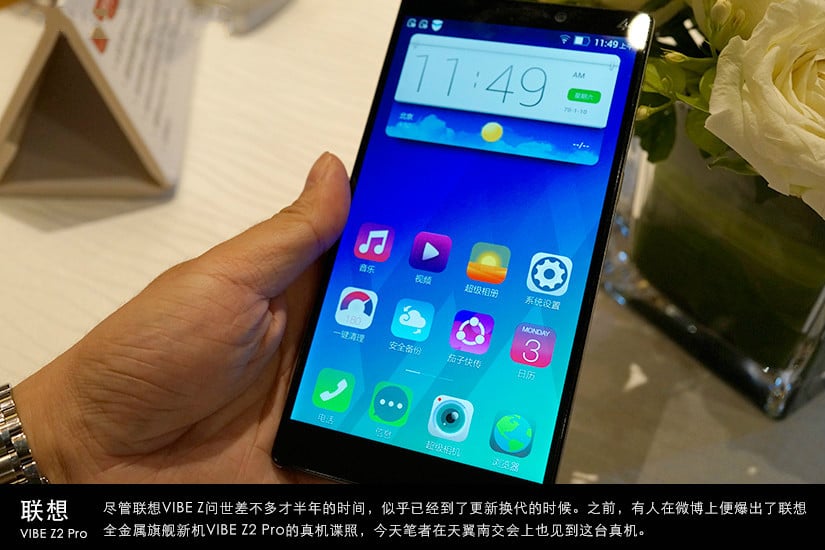
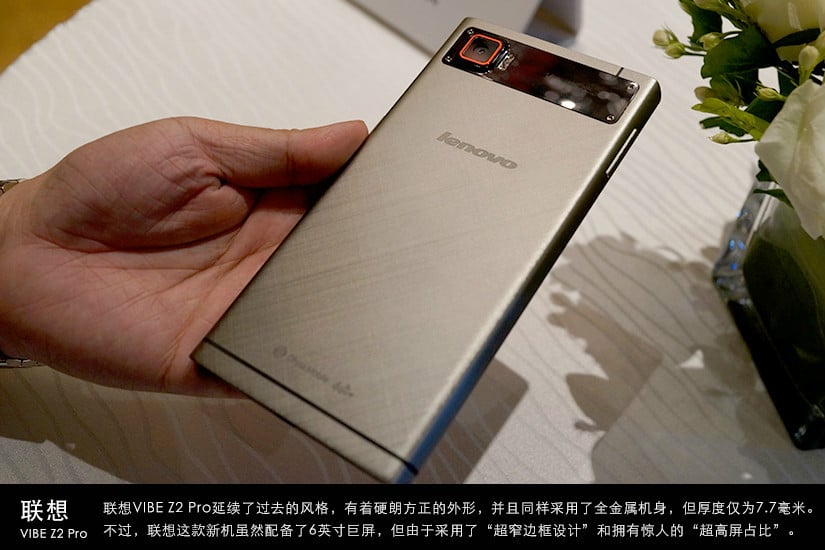
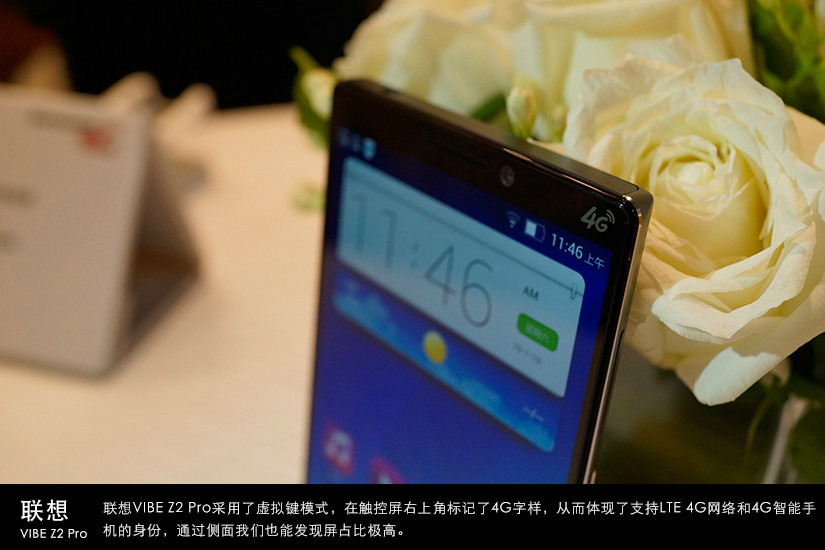
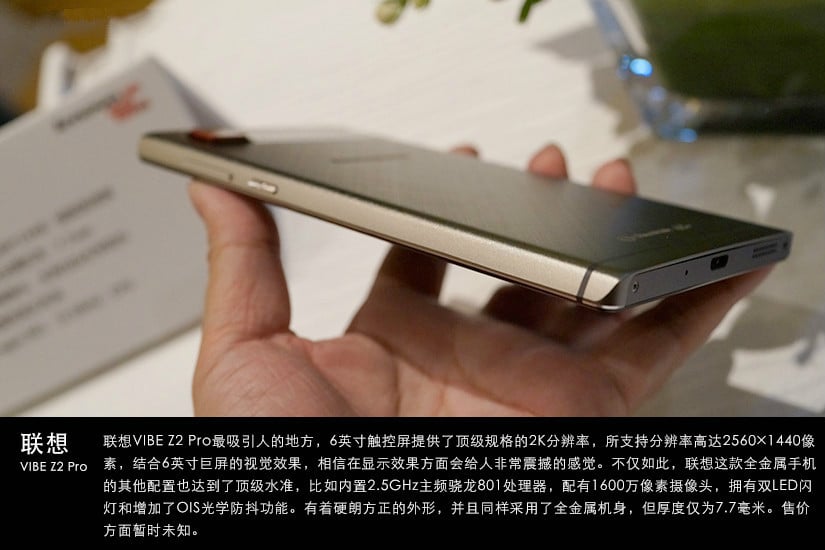
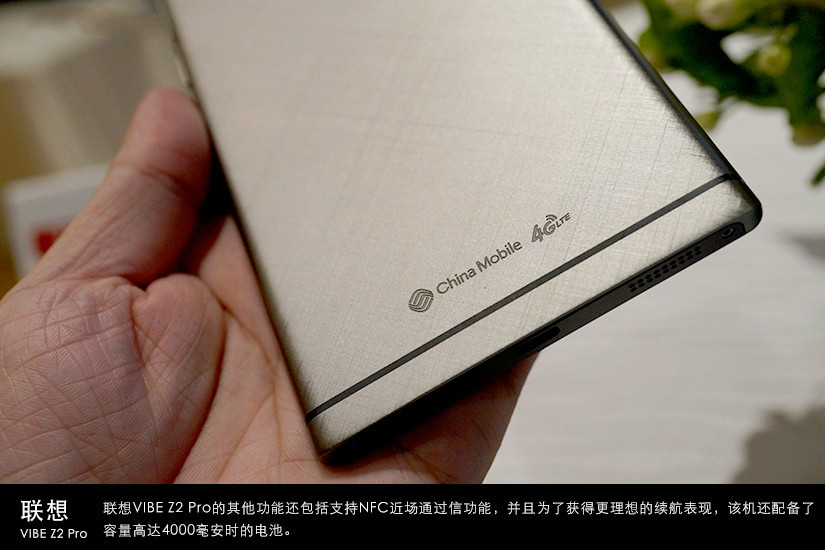
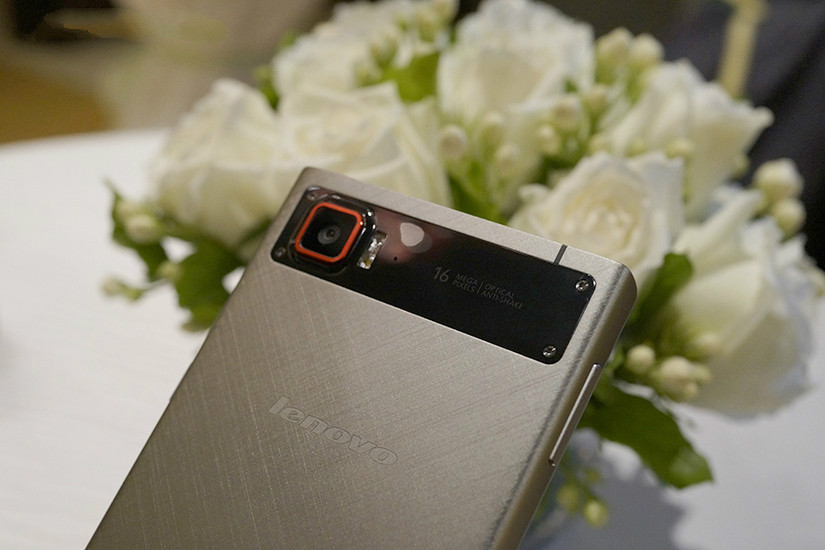
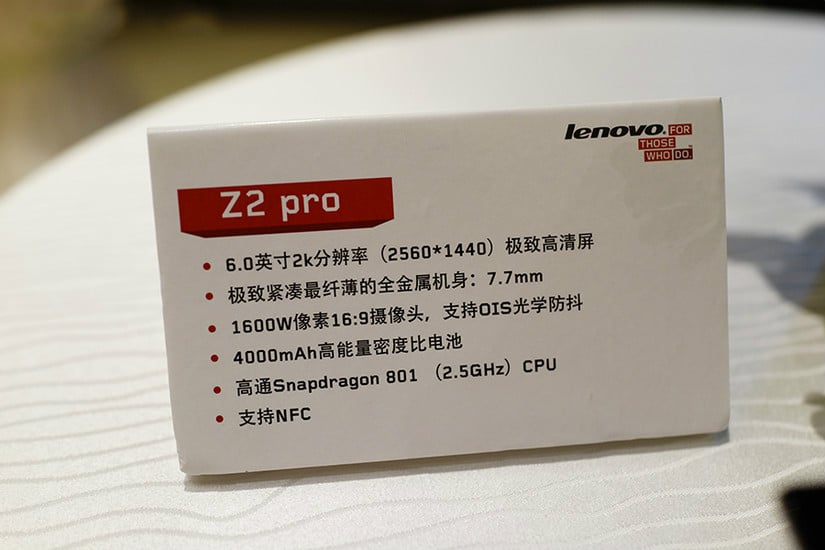
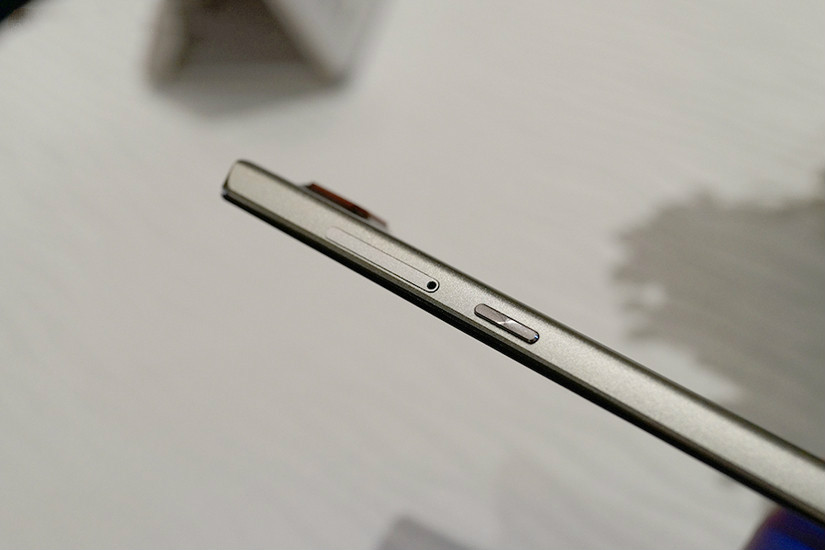
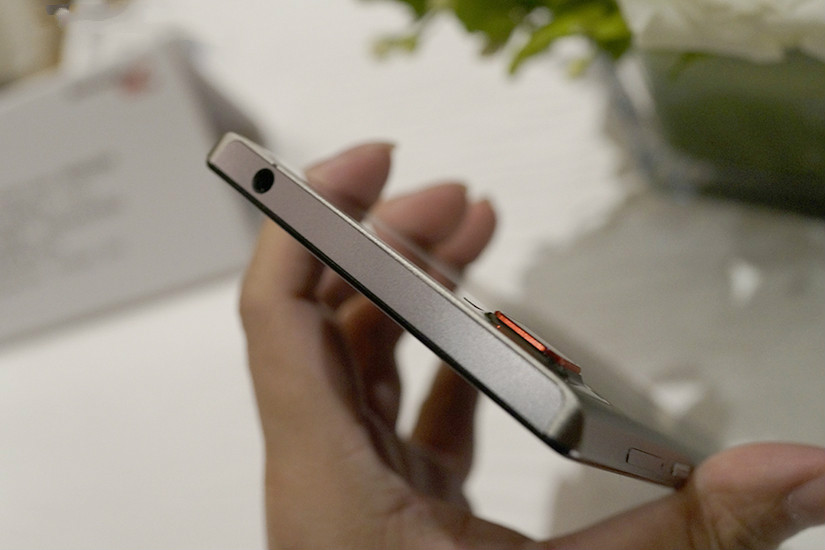
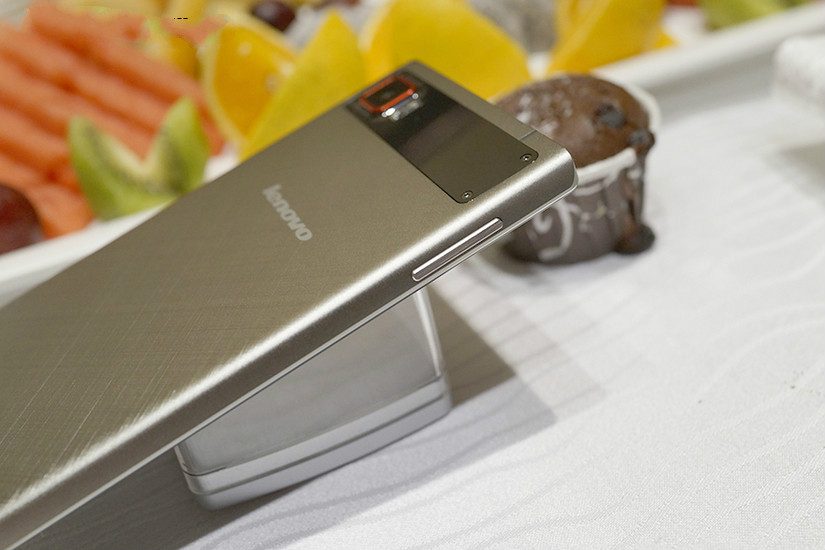
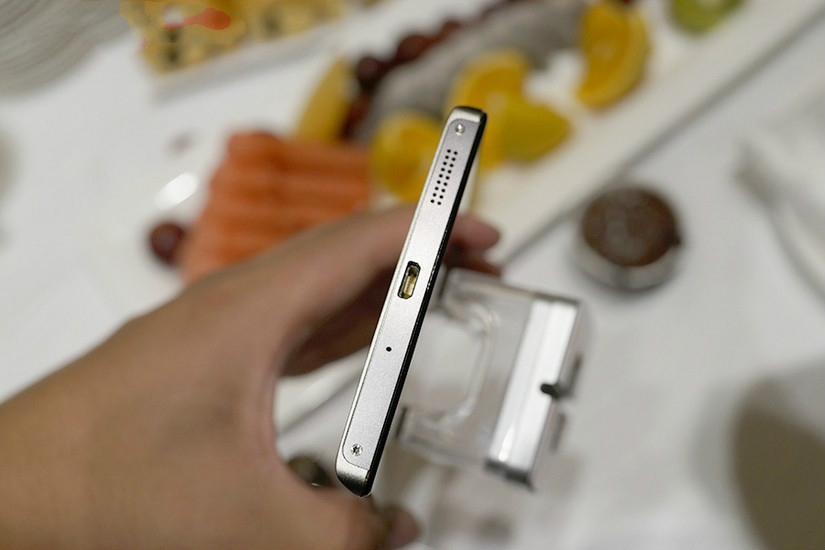
The best part about the Lenovo VIBE Z2 Pro is its 6-inch touch screen with a 2560 x 1440 resolution. Users should be amazed at the quality of videos shown in the screen considering its specs. In addition, the VIBE Z2 Pro’s metal case and other specs are amazing. For example, it uses the 2.5GHz Snapdragon 801 and sports a 16mp camera. It also has an LED flashlight and OIS function. It is 7.7mm thick. It is powered by a 4000mah battery and supports NFC as well as LTE 4G internet. Also after trying it out, we also discovered that it has a high screen ratio. The price hasn’t been revealed as of now.
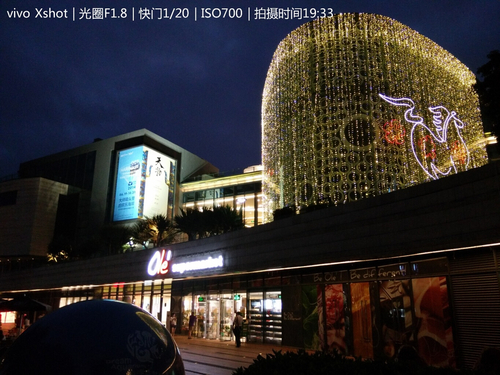
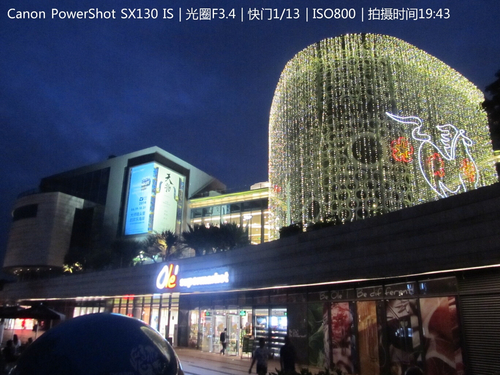
Due to fierce competition between different smart phones, the quality of smart phone cameras has greatly improved in the last several years. So how does the quality of photos taken by cell phones compare with those taken by regular cameras?
An internet user recently attempted to answer this question by taking night photos using the vivo Xshot phone and Canon’s Powershot SX130 camera.
Night shot taken by the vivo Xshot in auto-snap mode
When in auto-snap mode, the photos taken by the Canon SX130 are slightly overexposed, but you can still see the darkness of the night. As for night photos taken using the Vivo Xshot, the photo is very clear but the night’s darkness is slightly underexposed.
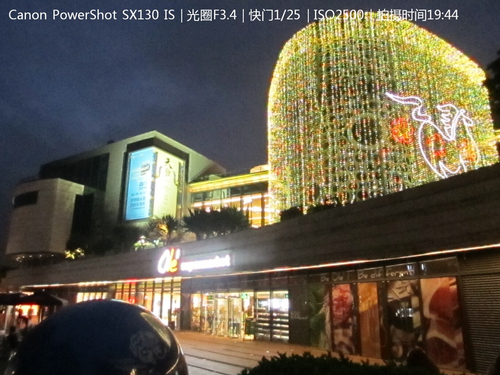
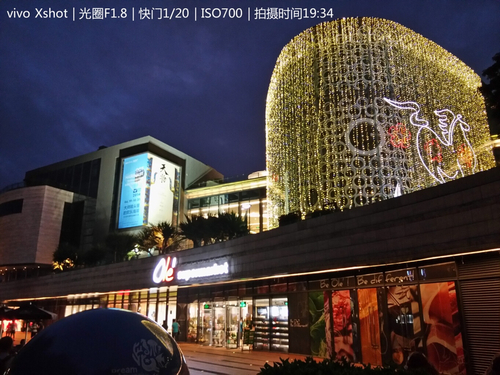
Let’s see what happens when they are are set to “night setting” mode.
Canon SX130 at night setting mode
Vivo X shot at night setting mode
Canon improved the SX130’s ISO for its night setting mode as well as the shutter. However, the noise in the picture is unbearable. When the vivo Xshot is put in night mode, is able to brighten the darker parts.
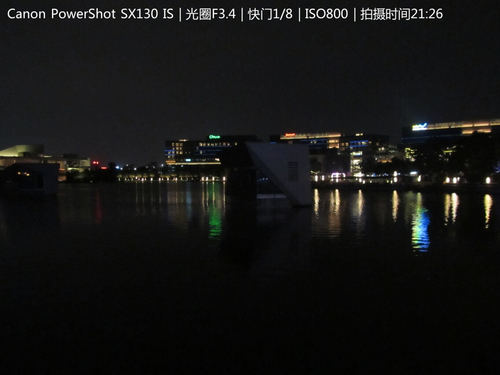
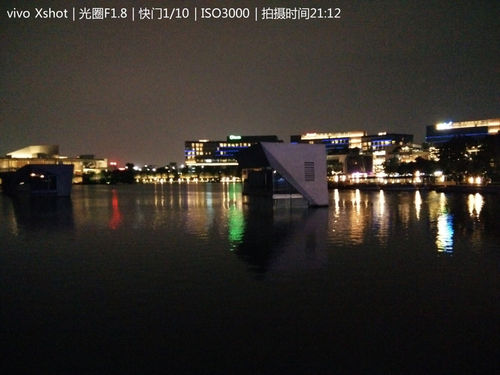
Let’s now point the camera to a river.
Canon SX130 at auto-snap mode
Night mode increases the SX130’s ISO and shutter speed. This is not the case with the Vivo Xshot where they remain the same, however, the number of noise spots drop.
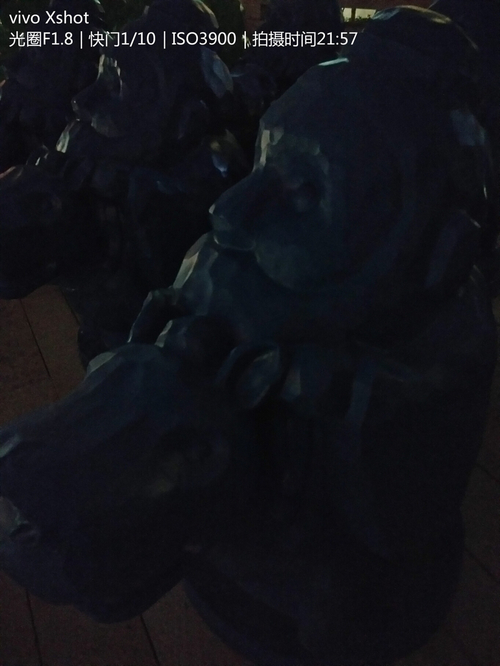
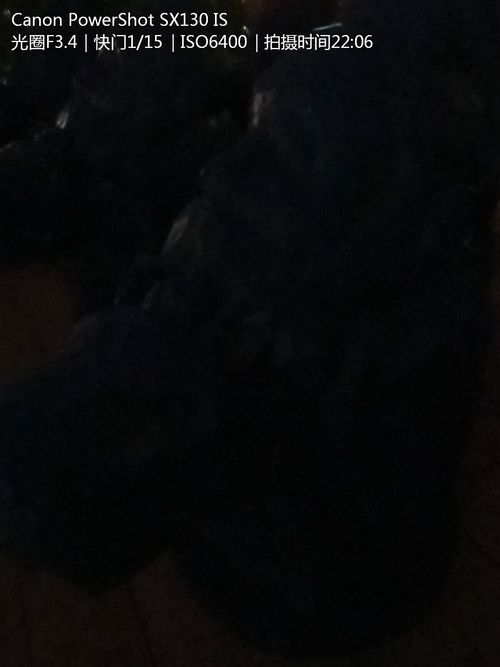
A photo of a statue was taken as well but with no flash. Because the lightning was terrible, the photographer took it using night mode.
The Vivo Xshot was able to take a shot of the statue but the SX130 couldn’t. While these photos are pretty bad, at least we know how far cell phone camers have gone in the last several years.
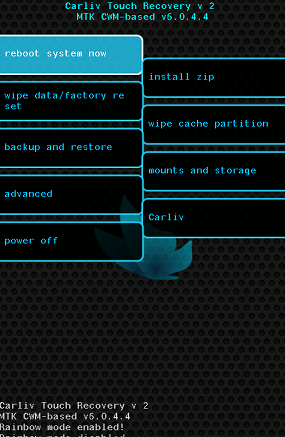
CWM is a crucial part of the life of a developer. Many beginners have a problem flashing it to a MTK device, but there is a way to do it without having to extract or edit any files. Carliv Touch Recovery is an excellent app that makes flashing CWM a very simple process thanks to the great options available and by following these simple instructions even a beginner should have no trouble getting the job done.
Carliv Touch Recovery is compatible with devices using the following chipsets: MTK6575, MTK6577, MTK6517, MTK6589, MTK6582 and MTK6592. Also, apart from of course your (rooted!) Android smartphone, you need a USB cable, ADB drivers for your smartphone and CWM magic create program
The first step is to install ADB drivers for your phone.
Then run the CWM Magic Create application, remembering to paste the extracted files of the CWM Magic Create to the Desktop itself. Open the CTRv2.2
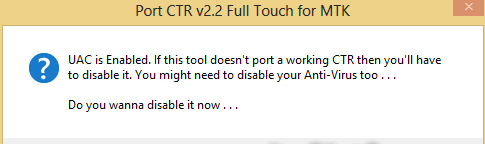
3. Select ‘yes’ at this point because the antivirus software can cause issues by blocking the program.
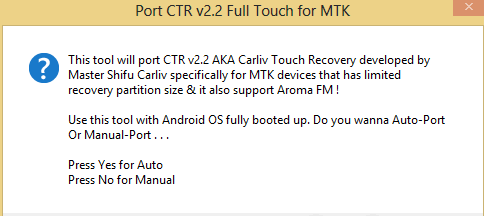
4. Again select ‘yes’ to use the ‘Auto-Port’ option.
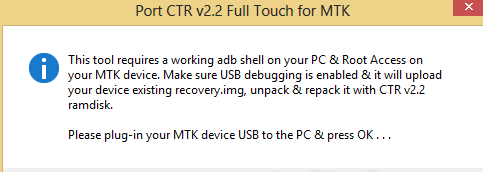
5. Now plugin your MTK Android Phone (with USB debugging enabled) and then press ‘Ok’. You might get a security screen asking you for permissions, if you do grant the permissions.
When installation is complete, your phone will restart, and in case of a problem your original backup is stored in the CWM magic recovery program folder. You are now finished, you have installed CWM.
The new Elephone P3000 has been announced, a budget smartphone with some interesting features.
It has some promising features, such as a quad-core MT6582 chipset (1.3GHz) with an MT6290 LTE modem providing 4G LTE capability. There is a rear-mounted fingerprint scanner, a 5inch HD 1280 x 720 screen, 1GB RAM, 8GB storgae memory, 3150mAh battery, 13MP rear camera and 5MP front shooter. The design seems to be the sort that will polarise opinion, pretty square with the fingerprint scanner quite prominent on the reverse.
All in all, this promises to be a great piece of kit for the expected price range, with the 4G LTE capacity an excellent addition, the fingerprint scanner should provide something reasonable unique to play with and the battery life is relatively good. There have of course been some compromises made to keep the price down, and the screen resolution has taken a hit at 720p rather than 1080p and also the RAM is pretty low with only 1GB to play with.
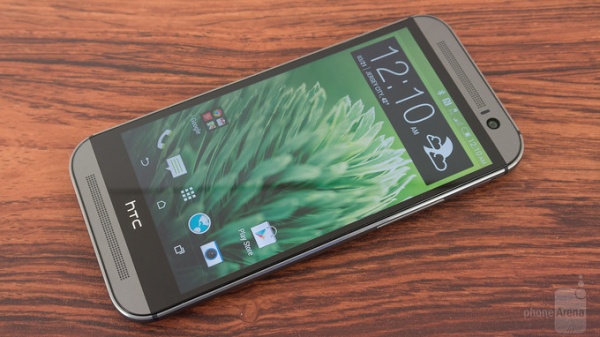
HTC has officially announced that it will release a dual-SIM variant of its flagship – HTC One. This HTC One (M8) Dual SIM will be available in Germany, Austria and Switzerland, starting from next week. It will be priced at €799, with the single-SIM HTC One (M8) priced at €570.
Besides the dual-SIM feature, HTC One (M8) Dual SIM has the same specifications as its single-SIM variant. They are both equipped with a 5-inch display, powered by the Snapdragon801 processor and run on Android Kitkat with its Sense 6.0 UI. However, for photo lovers, the selling point of HTC One (M8), both single-SIM or dual-SIM, should be its dual rear cameras, including a 4-UltraPixel camera and a depth sensing camera.
It is likely that HTC One (M8) Dual SIM will come only in the color of Gunmetal Grey. HTC does not say whether this dual-SIM flagship smartphone will come to other countries, but we are sure that it will be available soon in Russia and will not make it in the US.
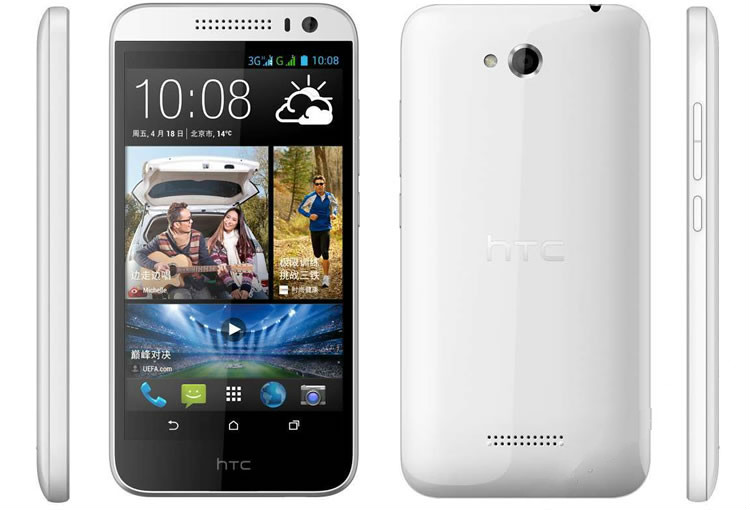
To join the mid and low-end market, this year, HTC started selling a series of products, one of which is the HTC D616W which uses the MT6592 octa-core processor.
Although its initial cost was 1699 RMB (273.46 USD), HTC has recently started lowering it depending on the store. In Suning, the D616W is now 1499 RMB (241.27 USD) while in other online stores, HTC lowered its price to as low as 1200 RMB (193.15 USD).
It has a very thick version of HTC’s usual design. It has curved edges and the logo is located at the bottom of the screen.
As for its specs, the HTC D616W sport a 5-inch 720p IPS display screen and a 2mp/8mp dual-camera. Its processor is the 1.7GHZ MT6592 octa-core chip, and it has 1GB RAM and 4GB ROM. It is powered by a 2000ma battery and its UI is built on the Android 4.2. Users can now cut video clips among other functions, and it supports WCDMA+GSM dual-SIM internet.
Internal storage is key to the smooth running of a device, especially where it is not expandable. When a phone is overloaded with files and apps it slows the phone’s performance and causes that annoying pop-up reminding you your phone is ‘Running Low on Storage’. One method of increasing the storage capacity of your device without affecting performance is to partition the internal storage. What follows is a guide of exactly how this can be done on any MTK6589 device.
If you have met all these conditions, proceed with these instructions.
1. To start with you need to make a full copy of all the ROM. You need to go to ‘Recovery’ and then ‘Backup’ to do this.
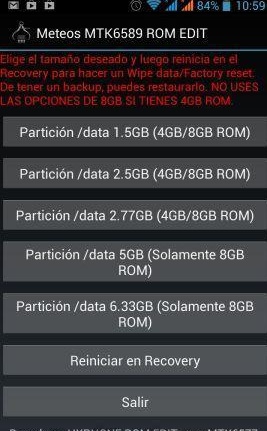
2. Install and Run the Meteos MTK6589 app and run it. You will then see a screen like this:
3. Select the best option for your device. If you have a 4GB storage capacity, choose the third option in the list to increase the stock storage from 1GB to 2.77GB, making a big difference to your running speed but this of course will come from the internal storage memory, so it is best to do this only if you have SD-card support.
4. After selecting the option you require, boot into ‘Recovery’, choose the ‘Wipe’ section and then ‘Wipe Data/Factory Reset’. Select ‘Wipe Data’.
5. Now you can restore the backup you made earlier. To do this select ‘Backup’ and then ‘Restore’ and finally ‘Select Restore’.
6. Next you need to reboot your device, which you can do from the recovery menu.
Once your phone has rebooted, you can check your phone’s increased inbuilt storage out and marvel at the new smooth running performance you just achieved thanks to the developers of this really useful app.
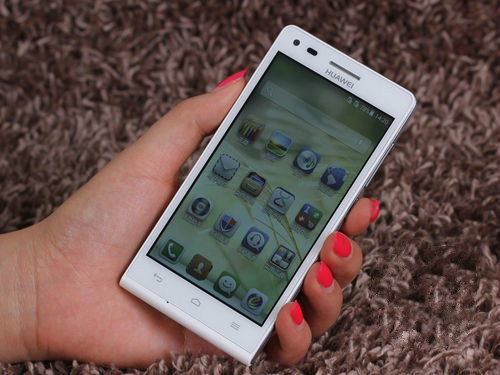
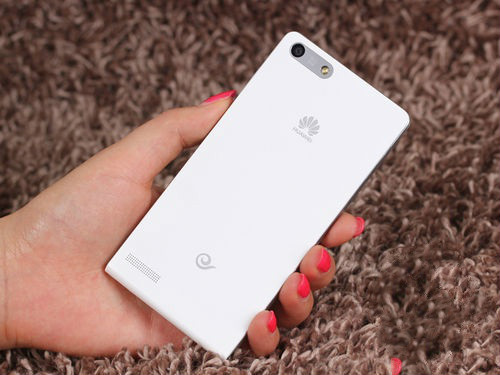
Recently, Huawei decided to promote sales for the Ascend G6 (TD-SCDMA/GSM/dual-SIM) by lowing its price to 1170 RMB. The G6 uses Huawei’s popular “double C” design. It is only 7.5mm thick and weighs 115g.
The Huawei Ascend G6 is available in eight colors and sports a 4.5-inch IPS display screen with a 960 x 540 resolution. Its processor is the 1.2GHz Snapdragon 400 quad-core chipset and it has 1GB RAM and 8GB internal memory storage. Ir uses the Android 4.2 OS and the new Emotion UI 2.0. As for camera specs, it has a 5mp front-facing camera and supports beauty enhancement.
The back has a very simple design. The main camera is located at the top left. Beside it is the phone’s LED light. In the middle of the back is Huawei’s logo.
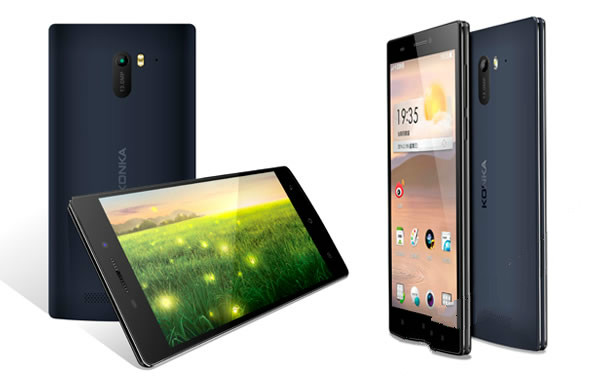
Konka has recently entered the 4G age with their L series. The problem is that it’s only for the mid and low-end market. To target the mid and high-end market, they will soon release the F series, their first three-mode 4G cell phone.
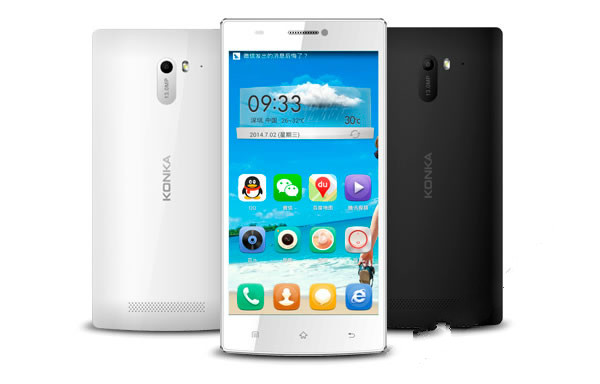
The Konka F1 has a pretty sweet design. Having a curvy top-edge gives it a very individualist look. The arc-shaped back also makes it comfortable for the user when holding it. It’s a very slender phone with a thickness of about 7mm and is available in black and white.
Not only does the Konka F1 have an excellent design but its specs are better than the recently released L827. It sports a 5.5-inch HD display screen with 1280 x 720 resolution which is covered by Corning gorilla glass 2 and uses OGS. It also sports a 5mp front-facing camera and supports beauty enhancement and 8mp Sony rear-facing camera. It also has 1GB RAM and 16GB ROM and its operating system is the Android 4.3. It supports TD-LTE/TD-SCDMA/GSM internet and sports the usual sensory programs and a dual-microphone.
Given its trendy deign and standard specs, the F1’s cost should ibe in the mid and high-end range.
We use cookies on our website to give you the most relevant experience by remembering your preferences and repeat visits. By clicking “Accept”, you consent to the use of ALL the cookies.
This website uses cookies to improve your experience while you navigate through the website. Out of these, the cookies that are categorized as necessary are stored on your browser as they are essential for the working of basic functionalities of the website. We also use third-party cookies that help us analyze and understand how you use this website. These cookies will be stored in your browser only with your consent. You also have the option to opt-out of these cookies. But opting out of some of these cookies may affect your browsing experience.
Necessary cookies are absolutely essential for the website to function properly. This category only includes cookies that ensures basic functionalities and security features of the website. These cookies do not store any personal information.
Any cookies that may not be particularly necessary for the website to function and is used specifically to collect user personal data via analytics, ads, other embedded contents are termed as non-necessary cookies. It is mandatory to procure user consent prior to running these cookies on your website.