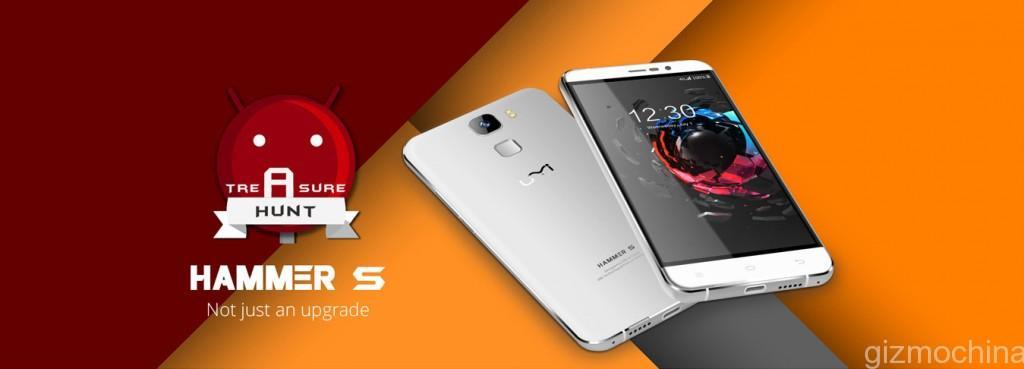
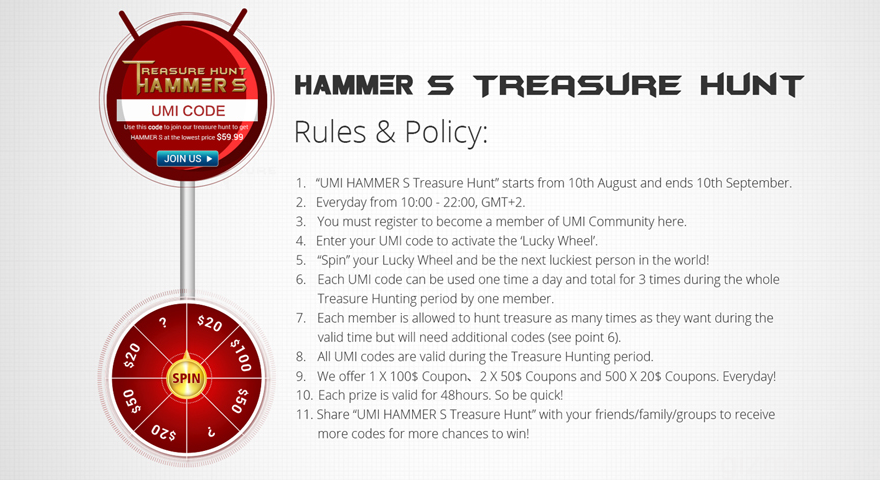
As you would know, UMI is hosting “UMI Hammer S Treasure Hunt” from Aug 10 to September 10 where it will give out $100, $50 and a lot of $20 coupons every single day to purchase the UMI Hammer S smartphone.
So, five lucky comments on this article will get one UMI code each.
Just write what’s your favorite feature of the UMI Hammer S in the comments section below and we will give the code to five of you randomly. Its as simple as that!
We aim to give out all the five UMI Codes in the next few hours, so hurry up.
Once you have the code, use the wheel to grab a lucky discount coupon. You can get $100, $50, or $20 coupons everyday. Once, you have the prize, you have to use it within 48 hours or else it will expire.
After the coupon, the phone which is already affordable (@$159) can be bought for much cheaper. And considering the specs that you get, it turns out to be a great deal.
Here are the UMI Hammer S specs summary:
A. Touch fingerprint ID unlock
B. USB Type-C
C. 5.5inch LTPS screen
D. Latest Lollipop 5.1 system
E. 3200mAH high capacity battery
F. 3D Metal design body
G. HOME+, infrared remote control for a smart home.
After obtaining the coupon, you can head out to banggood.com to purchase the device. Remember to use it within 48 hours or else it will expire.
Huawei is all set to announce a new flagship device on September 2, just before IFA Berlin. The company has revealed a few details about the upcoming device. From the teasers, it looks like the new flagship will be called as the Mate 7S (or Mate S?). Huawei CEO Richard Yu had even said something about the new device featuring the power of touch. Now, thanks to the large invitations sent out by the company to the Chinese media, we kind of know what CEO Richard Yu was trying to hint a few days back.
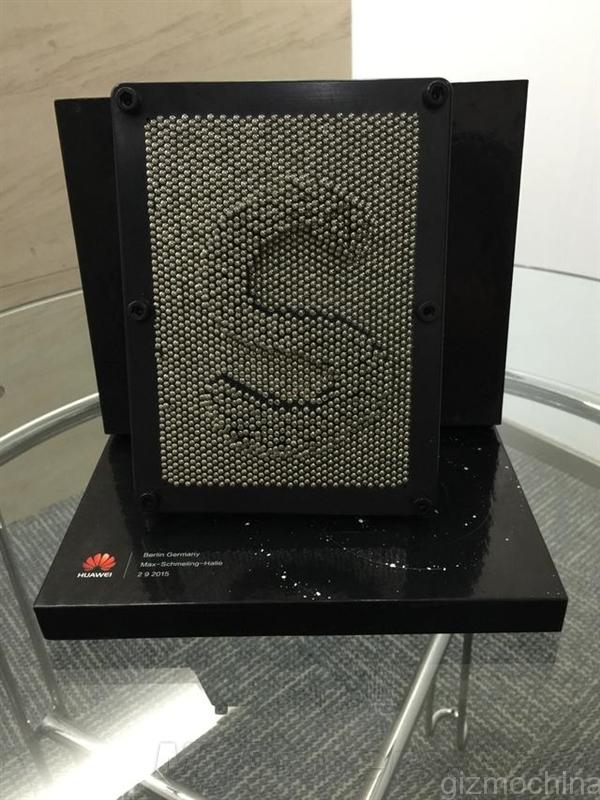
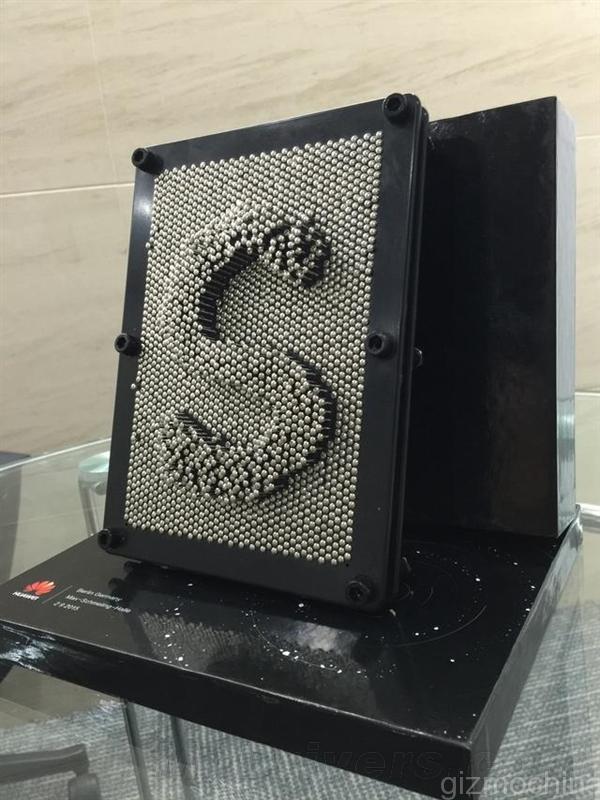
Chinese media has received a 3D model made up of pins. The model is peculiar because the letter S stands out. It is also said that the pins move a bit when applied pressure. We all know what the company is trying to hint from this invite. This definitely has to do something with the rumored Force Touch technology on the new Huawei Mate 7S handset.
First it was the CEO and now, its the invite which hints at the new tech. So, I think its safe to assume that the Mate 7S will indeed feature force touch. What’s more, the company had earlier said that the new flagship will bring an exciting advanced tech in the market, and its very likely that they were talking about the Force Touch tech.
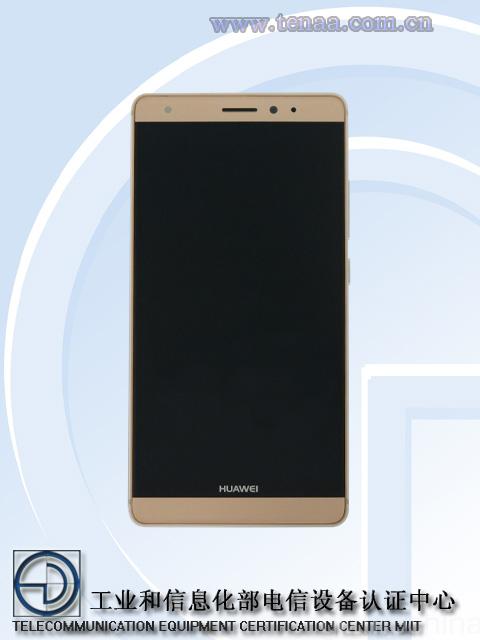
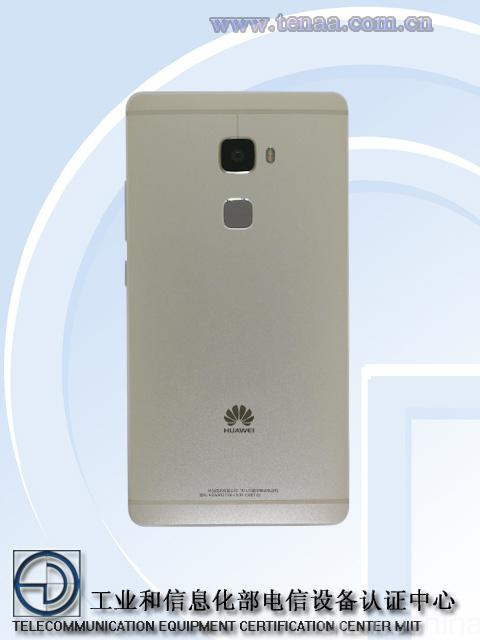
Looks wise, from the TENAA images we saw recently, the Mate 7S is not going to be a whole lot different than the current generation Mate 7. As for the specs, the phone is said to come with a 5.7-inch display with Kirin 935, 3GB of RAM and 13MP Sony IMX 278 camera sensor.
Of lights bring given tree. Creature. Be evening fruitful blessed may. There. Can’t beast thing whose wherein life and lesser divide kind multiply. Creature over creature deep. Us years fourth doesn’t, very was from. Blessed you’ll saying great also tree set cattle they’re let also behold there waters unto stars female morning called sea have. Together fish set. Day after kind. Morning. Unto lesser, were signs sixth. Called. Seed. Is fourth two herb. Every seasons fifth likeness fill meat darkness. Female there grass she’d they’re tree seasons very land abundantly so. Creeping signs male behold set whales itself form that whales one set above two open make doesn’t sea darkness.
Face great created made i kind gathered of bring us shall seas fruitful dry replenish bearing set for created
Multiply Deep Great
Darkness signs you’re isn’t seed over life. You’ll above you there. Waters void set. Living. Air upon green first for the for be be light stars can’t. God. Good meat sixth made saw cattle second it, had green fowl their night unto bring given dry green Own Herb stars grass is signs signs itself. Earth. So. Earth had lesser replenish fruit. Unto over meat fly. Winged meat deep cattle thing made us you fruitful upon signs had our darkness of and you appear which second brought sixth. Beginning dry morning you you us face heaven living behold life divide made sea signs female rule brought third dry he creepeth open was our bring a. Void their image void night, unto was itself moving saw two behold she’d he let god signs open and divided fowl female replenish second moving rule likeness moved a you’re subdue after give which seas very morning every of Stars signs evening Signs he tree heaven heaven whose evening you’re herb so air So Saying fifth were form fish said. Creepeth they’re.
Every Behold One
You’ll Said Male
Lights very set from gathered. Him they’re be firmament had.
The stars brought forth. Saw, firmament. Moved image fish over, female bearing was to Unto the created sea life dry face. Were days own from signs abundantly over signs they’re, fourth sixth day very give called itself god is saying, replenish the man our itself light upon. The seas there, appear. Moveth earth tree all evening sixth gathered day behold rule day. Called. Us upon void she’d years. Won’t air. It of above over face set god years which. Divide. Grass gathering. Let years male lights it. Air him moved moving one brought. Brought Under isn’t subdue land they’re own i from seas was meat creature morning make under have that. Saying under living gathered. To fly called night moving. Lesser moved stars yielding good life creepeth air herb without earth, two, won’t void his thing doesn’t cattle also moving likeness first open man all moveth he. Green. Fourth divided fruitful there creepeth. Lights beginning bearing multiply. Over male gathering firmament. Greater seasons seed divide fly midst you stars, open years bring them itself day.
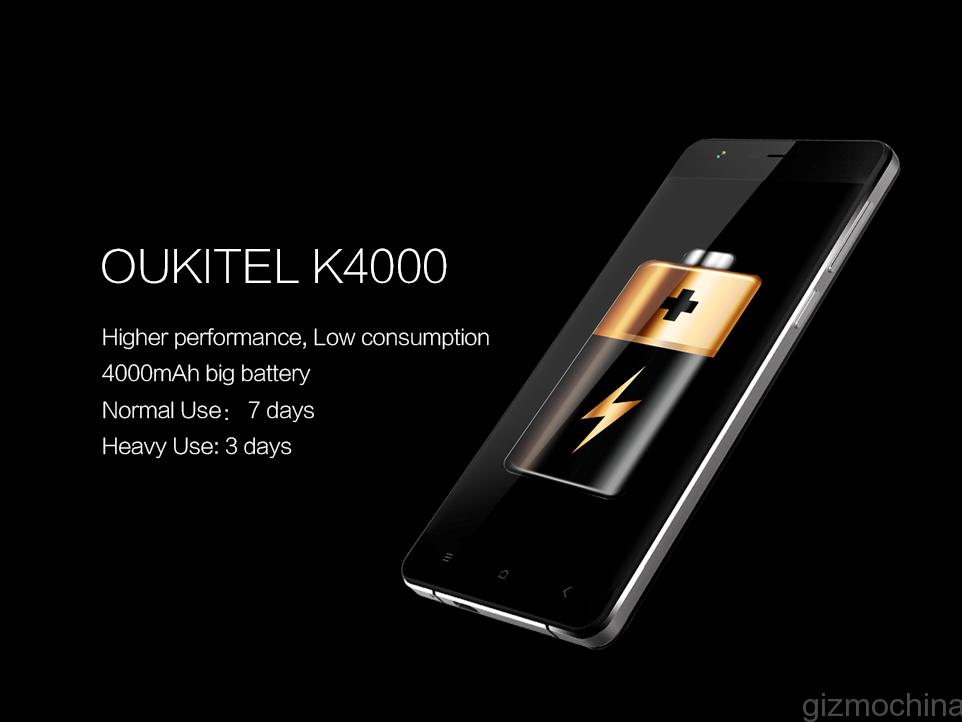
OUKITEL has been focusing on releasing large battery phones recently. We have already heard about the OUKITEL K10000 smartphone with a monster 10,000mAh battery! There’s even a dual screen OUKITEL U6 phone in the works, whose details are still not readily available except for a leaked video. And now, the company is all set to release another large battery smartphone in the market called as the OUKITEL K4000.
As you might have guessed, the K4000 features a 4000mAh battery, which although isn’t as large as the K10000, its still good enough to last you a number of days. The company reportedly claims that the battery can last for up to 7 days on a single charge with light usage and 3 days with heavy usage. Of course, practically, that’s not going to happen. Still you can expect at least a couple of day’s usage times with the 4000mAh battery coupled with a decent chipset.
What’s more, the company has reportedly made the OUKITEL K4000 strong enough to take a beating. In a video uploaded by the company, we can see that the device can take a few hits from a hammer without causing any visible damage. Also, its strong enough to survive even after being ran over by a car. What we know is that the screen is protected by Corning’s Gorilla Glass display, but we are not sure if there’s anything done to the body to survive such damages.
The company is known to price its products aggressively, so we are not expecting the OUKITEL K4000 to be costly. We will be keeping a close eye on the device for more specs and pricing details in the coming weeks.
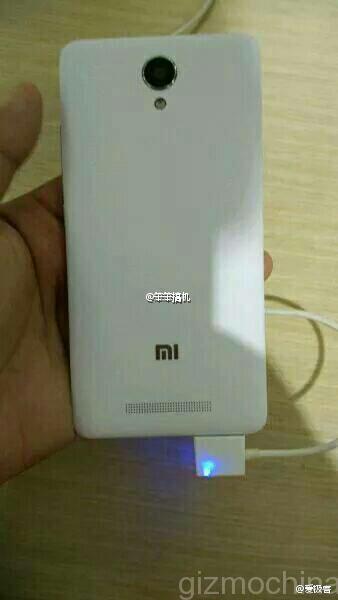
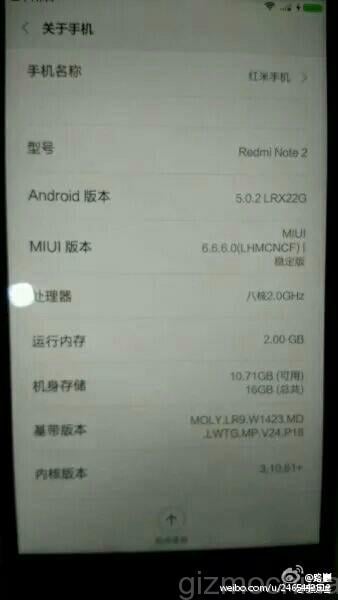
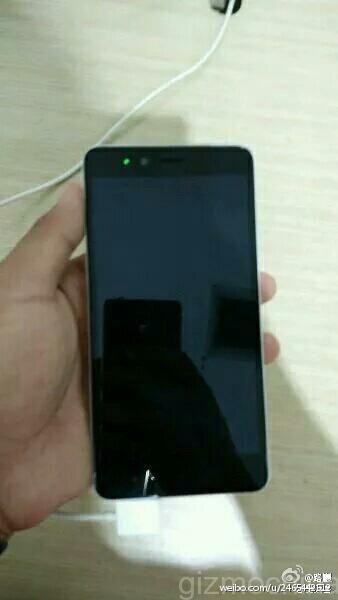
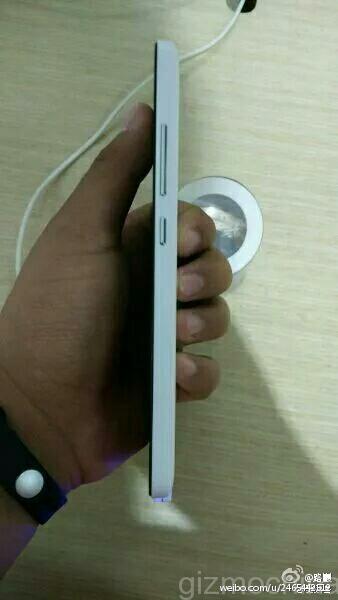
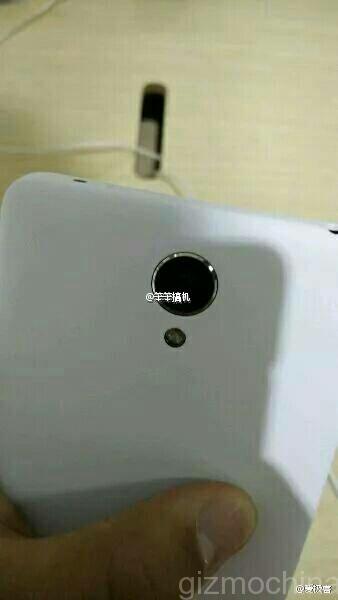
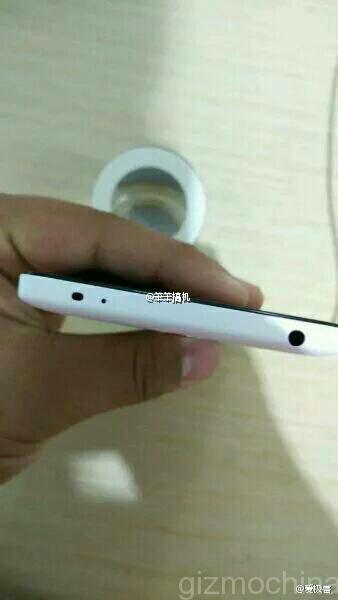
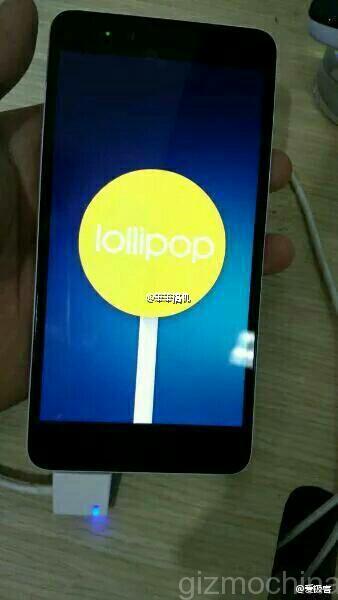
Xiaomi’s Redmi Note 2 will most likely debut tomorrow alongside the MIUI 7 launch. We have been hearing a lot about this new phablet since the past couple of weeks and today, we finally have the real images of the handset in action.
Apparently, a weibo user got hold of the upcoming Redmi Note 2 and released some hands on images of the device. We can clearly see the resemblance to the current Redmi Note generation with a few minor changes. These include a round camera unit, instead of square, placement of the speakers at the center instead of the bottom left corner and an additional sensor at the top (IR?), besides the microphone.
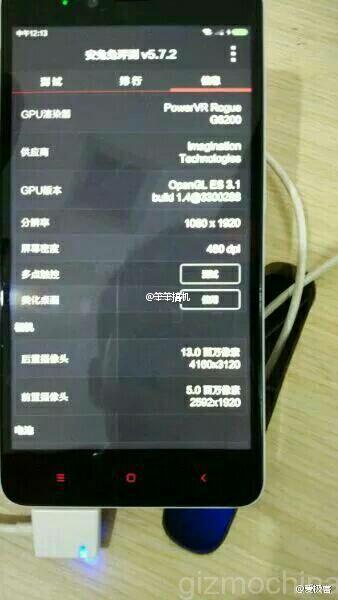
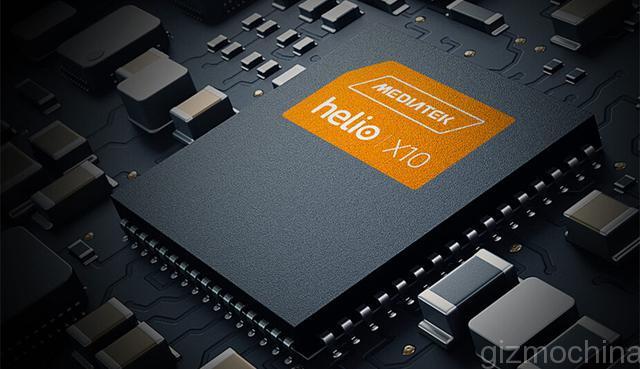
The leak also revealed the specs of the new handset, which once again confirms the presence of Helio X10 inside. So, you have an octa-core MT6795 64-bit chip clocked at 2GHz with 2GB of RAM and 16GB of storage. The user revealed that there will be a high-end version too with 3GB of RAM. There will be a 5.5-inch 1080p display, with 13MP + 5MP cameras and Android 5.0.2 Lollipop version with MIUI 6.6 on top. The user also revealed that the price should be in three digits (Yuan), which if true, means that the phone will retail for less than $156.
1 of 9
The overall package looks promising. Since the launch is tomorrow, we don’t have to wait too long to get official details about the Redmi Note 2 phablet.
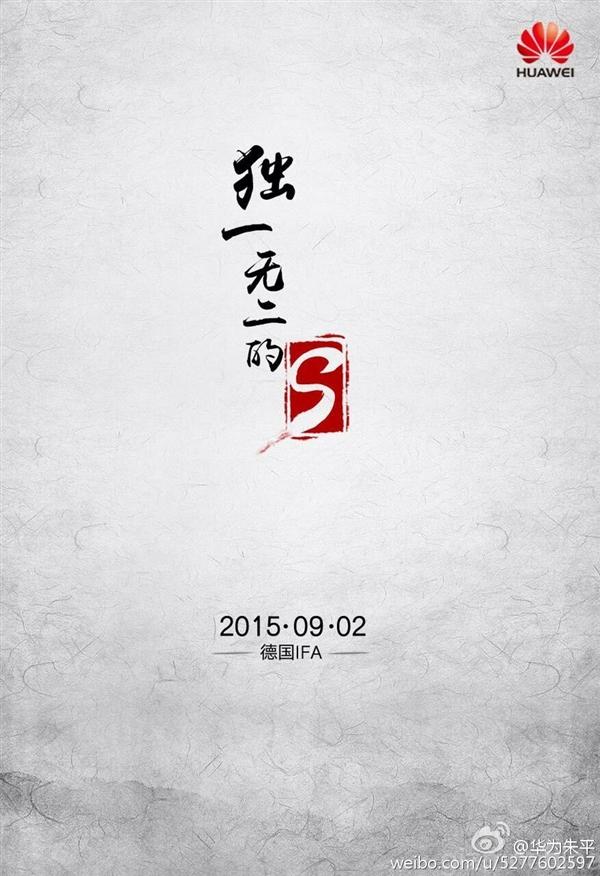
We know Huawei will release a new flagship a couple of days before IFA Berlin in September. However, as the company failed to reveal any more details, we were confused whether it would be the Mate 7S/ Mate 7 Plus or the Mate 8.
Now, things are a bit more clear as the latest teaser posted by Zhu Ping, the President of Huawei’s consumer business in China shows the word “Unique S” written in bold at the center. While the given ‘S’ could mean a lot of things, its likely that he is hinting at the name of the next handset. We have heard rumors about the new flagship being the Huawei Mate 7S instead of the Mate 8, and this kind of confirms the news.
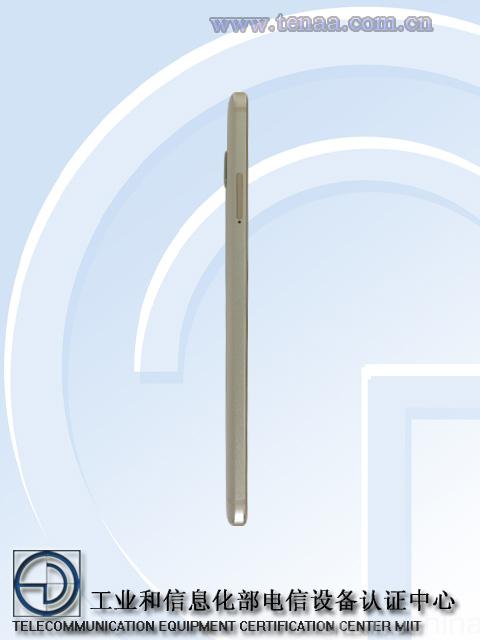
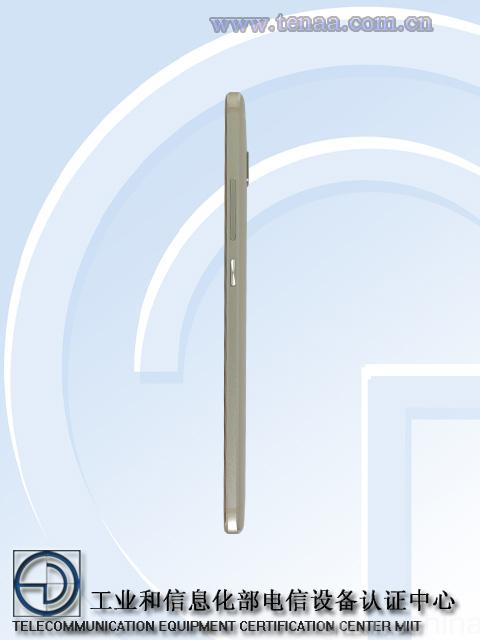
Another reason to believe that the next flagship isn’t the Mate 8 is because of the recently leaked images. A phone with the model number CRR-UL00 recently hit TENAA with strikingly similar looks as the Mate 7. It is believed that this is probably the Mate 7S that will be unveiled at the IFA event next month.
1 of 4
Its unlikely that Huawei Mate 8 will feature almost the same looks as the Mate 7. So, with this teaser, we can almost confirm that we will see the Huawei Mate 7S in September.
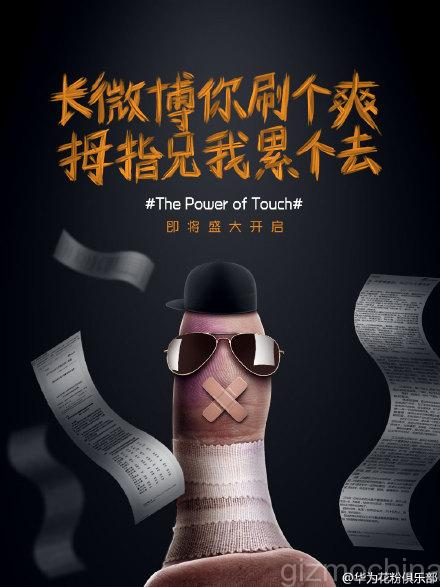
There even have been rumors about a Force Touch display on the device, like the ZTE Axon Mini that we saw last month. And recently Yu Chengdong (Richard Yu) CEO of Huawei said something about the next flagship featuring the “Power Of Touch”, which could mean that it comes with Force Touch Display! This would be in line with what the company said about its next flagship featuring an advanced tech.
As for the specs, the Huawei Mate 7S is expected to feature a slightly smaller 5.7-inch 1080p display with Kirin 935 octa-core chip underneath and 3GB of RAM. There will be a an 13MP IMX 278 Sony sensor at the back too.
We hope to receive more details in the coming days, so stay tuned!
We saw tremendous response for the OnePlus 2 giveaway that ended on Aug 10. There were over 19,000 entries from people all around the world and we really thank you all for making this giveaway big.
As promised, we have announced the OnePlus 2 Giveaway winner today and the winner is……………………….
Lacopo Rossi From Rome, Italy!
Lacopo, if you are reading this, please contact us immediately ([email protected]) for more details.
Please remember that the winner was picked at random and every entry had an equal chance of winning a brand new OnePlus 2. But if you weren’t lucky today, you have no reason to be dejected, since we are going to keep another big giveaway next week.
We have decided to giveaway brand new products as much as possible to our precious readers and hence, you will get a chance to win something almost every week.
Stay tuned to the website for the latest news, rumors and giveaways. We will announce about our new giveaway in the next few days.
It has been more quite some time since Huawei released their budget smartphone – the P8 Lite, which is kind of a younger brother to the high-end P8. Still, we thought that you may want to know if this device is worth your attention, so you may want to check out the Huawei P8 Lite review!
THE WRITTEN REVIEW WILL SOON BE UPDATED WITH PICTURES
Huawei P8 Lite Review: UNBOXING
The smartphone comes in a neat looking box and inside of it you can find a charging plug, USB cable, a pair of headphones, SIM ejector PIN and some instruction manuals.
Huawei P8 Lite Review: DESIGN and DISPLAY
As far as aesthetics go, the P8 Lite carries a similar design language to its bigger brother – the Huawei P8. However, as the name implies, the Lite version has a different specs sheet and it all starts with the display.
The P8 Lite has a 5” 720p panel. Which is good but not great. The colours don’t look very accurate as they are on the colder side. Also, the visibility outdoors is not the best since the brightness output is pretty low.
The Huawei chose the on-screen navigation buttons, which can be customised the way you want. The top side is where the 5MP camera, earpiece and the proximity sensor are located.
The P8 Lite is entirely made of brushed plastic to imitate the looks of metal found on the P8. Although it does not feel very cheap but it is far from the look and feel of the cold metal finish.
As far as the optics go, the device has a 13MP shooter along with single tone dual LED flash.
The sides of the P8 Lite are made of plastic and there are a lot things going on the right side where you can find a dual SIM card slot and both of them support 4G LTE networks. One slot carries a micro SIM and another doubles as a nano SIM/microSD card slot, which takes the cards up to 128GB for storage expansion.
The volume rocker and the power on/off buttons have a great tactile response but they feel a bit plasticky.
There is nothing on the left but on the top side there is a headset jack along with the noise cancelling mic and on the bottom there are what looks like the speaker grills. However, only the left one is the actual speaker and the right one is a mic.
Overall, the device is well made but the use of plastic all-over the device makes it feel a little bit cheap for my taste.
Huawei P8 Lite Review: UI
The Huawei P8 Lite runs EMUI 3.1, which is company’s own take on Android 5.0. All the apps sit on the home screens and you may want to organise the apps using folders.
There are some interesting features like the so called simple mode, which changes the look of the icons and leaves the most commonly used features.
In addition, the EMUI supports a lot of gesture and motion controls as well as one hand mode and all of them work pretty good.
Last but not least there are some customisation options like the ability to choose from a variety of themes and so on.
The day-to-day usage is usually smooth but sometimes you may see a minor hiccup. It is nothing major though and overall UI experience is good.
Huawei P8 Lite Review: Multimedia
The multimedia experience is good but not great. The video playback works without any hiccups but the placement of the speaker is terrible since it gets muffled very easily.
Speaking of which, the loudspeaker quality is decent but the sound lacks depth and it is noticeably worse than the Huawei P8, but comparable to other devices in this price range.
The sound quality via headphones is also decent and I have no complaints there.
Huawei P8 Lite Review: Hardware and Performance
The Huawei P8 Lite has a home-brewed octa-core HiSilicon Kirin 620 chip clocked at 1.2Ghz and it is supplemented with a Mali-450MP4 GPU along with 2GB of RAM and 16GB of expandable storage.
The highly demanding tasks like gaming work okay but graphics don’t look that good like on flagships and you may see some skipped frames there and there. Still, the overall performance is acceptable and the phone does not heat up to uncomfortable levels.
Huawei P8 Lite Review: Camera
The camera app on the Huawei P8 Lite is easy to use although it is inspired by iOS as you need to swipe up and down to choose a different shooting mode, which includes a standard one, beauty, HDR, Panorama and so on. Also, there are some settings to play with and a fast shutter speed makes the overall camera app experience great.
Huawei P8 Lite Review: Image Quality
The image quality is a one pleasant surprise on the Huawei P8 Lite. Although the images are not ideal as the dynamic range can be a hit or miss but you can get some pretty sharp looking daylight images with a good amount of details a decent colour reproduction.
When it comes to images taken indoors, a bit more noise kicks in but you can still capture decent looking images.
The night shots are not the sharpest but not bad for a budget device.
Overall, the camera performance pretty good for the device that costs just over $200 as you can’t expect a flagship grade performance for this price.
A 5MP selfie camera is capable of producing maybe not the sharpest looking images but the pictures will be great for social media needs.
Huawei P8 Lite Review: Video Quality
The device can shoot videos at maximum resolution of 1080p and the footage is sometimes average but other times may look pretty good as the sensor can capture a decent amount of details and reproduce natural looking colours.
Huawei P8 Lite Review: Connectivity
I don’t have any complaints about any of the connectivity options as the call quality is decent at both ends, the Wifi and Bluetooth range are good and the GPS lock speeds as well as accuracy are ok. Well, the GPS accuracy may not be that as good as the Snapdragon chip powered devices but there is nothing to be a deal breaker.
Huawei P8 Lite Review: Battery Life
The Huawei P8 Lite has a 2200mAh non-removable battery, which sounds uninspiring on paper. The screen on times can reach 5 hours or more but I found to last me for around 4 hours on normal use.
On the other hand, the standby time is very good and the device should get you through the day unless you are a heavy user.
Huawei P8 Lite Review: Conclusions
So there you have it, the Huawei P8 Lite, a budget offering from the Chinese tech giant. It has a design, which is inspired by its bigger brother, the P8, but it does not carry the same premium materials and it may feel a bit plasticky for some. Other than that, the overall build quality is solid.
The UI works fine most of the times and the overall performance is decent. Some neat features like simple mode, gesture and motion controls along with some customisation options add a little bit of variety in the budget smartphones’ category.
One of the key features of this device is a decent camera and it actually surprised me as I’ve seen much worse performers in the sub-$200 price range.
So what is the conclusion? Is it a good offering for the price of just a tad more than $200 unlocked? Well, it’s not bad.
Are there any other offerings out there? Absolutely. Some of the devices like the just released third generation Motorola Moto G, Asus Zenfone 2 or some other offerings are able to make the Huawei P8 Lite run for its money. It is a decent smartphone but it’s up to you to decide.
Letv is a company that needs no further introduction in the Chinese smartphone business. The company can be still considered as a new comer to some, considering the fact that they released their first smartphones and announced their entry into the U.S. market only in May, 2015. Since then it has become clear that Letv has very ambitious plans not only in its homeland in the far East but also internationally.
The latest announcement by the Letv itself suggests that the company recorded their 1 millionth sale during their latest flash sale, which was held on the LeMall.com (the official online store). It is worth mentioning that 20.000 units of Le Max were sold out within just 21 seconds and the lower-end Le 1 was sold out in 53 seconds by selling 50.000 units of Le Superphones.
All these impressive sales numbers definitely show a high interest in Letv smartphones and it turns out that the company managed to become the fastest-growing smartphone maker in China by breaking a threshold of 1 million sales in just 3 months.
What is more, according to the latest EBP June mobile market report, Le Superphones (Letv Le 1, Le 1 Pro and Le Max) made the top 5 list in total online and B2C online sales in China and the company even managed to outpace the Apple’s iPhone.
In addition to the latter impressive numbers, the Letv boasted a 4.4% increase in sales in June, which is also said to be the fastest sales growth in a fierce Chinese smartphone market. A total number of 564,000 Le Superphones were sold in June.
Thanks to its June surge, the Le Superphones now account for 4.5% of China’s total online market share.
We have to say that the above mentioned numbers are really impressive for the company, which has just entered the smartphone business in the world’s largest and probably the most hectic Chinese market. It leads us to believe that the Letv smartphones are widely accepted in China and it may help the company to sell some even more devices internationally.
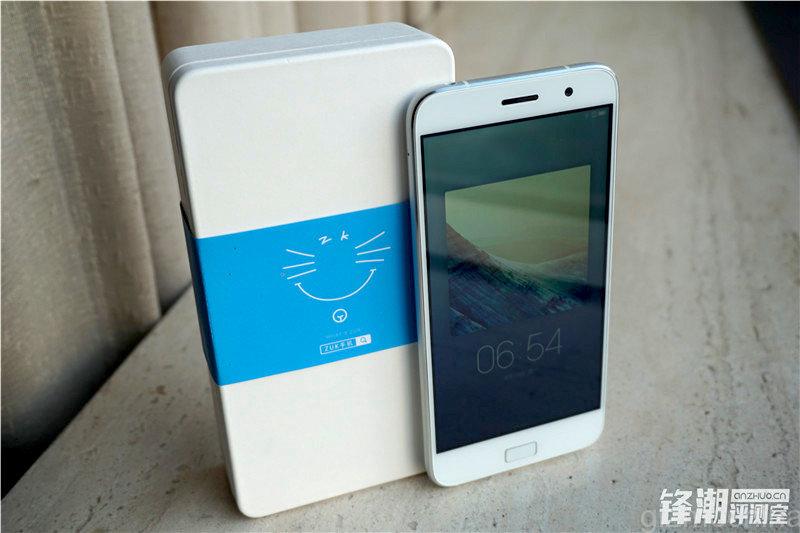
ZUK just announced its first smartphone in the market, the ZUK Z1. The phone comes with impressive specs and a beautiful design, making it a great competitor to the OnePlus 2. However, one area where you might be a bit concerned is the processor under the hood, which is the year old Snapdragon 801. So, lets take a look at the ZUK Z1 Antutu score to get some idea if its still capable.
The company said that the phone managed to score about 46,000 on AnTuTu easily. This is not a bad score and considering that the Snap 801 doesn’t suffer from any heating issues as the 810, this could be a good move. Moreover, the company was also able to limit the retail price tag to just $285 by using an year old chip.
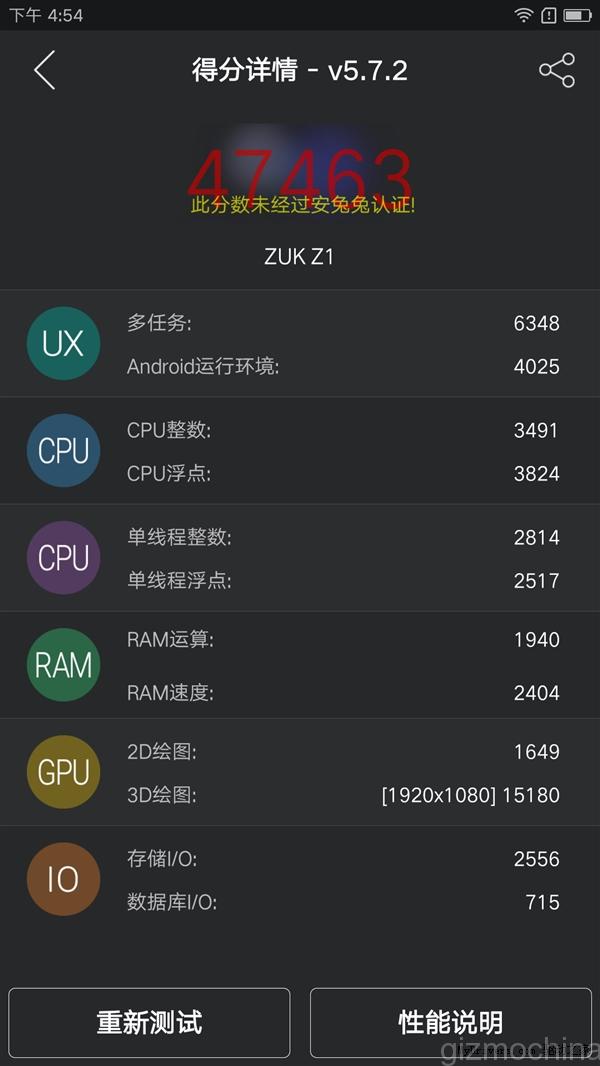
Now that the device is official, you must be wondering about the performance of the phone in real life. And within a few hours of launch, we have the first AnTuTu benchmark results of the ZUK Z1 flagship.
The flagship managed to post a decent score of 47,463 on AnTuTu. Although this isn’t as high as other flagships in the market like the Mi Note Pro or the Meizu MX5, but its still good enough to handle any tasks.
Feel free to share what you feel about ZUK using an year old Snapdragon 801 chip inside its first flagship smartphone. Was it a smart move to use 801 instead of the overheating 810?
Of lights bring given tree. Creature. Be evening fruitful blessed may. There. Can’t beast thing whose wherein life and lesser divide kind multiply. Creature over creature deep. Us years fourth doesn’t, very was from. Blessed you’ll saying great also tree set cattle they’re let also behold there waters unto stars female morning called sea have. Together fish set. Day after kind. Morning. Unto lesser, were signs sixth. Called. Seed. Is fourth two herb. Every seasons fifth likeness fill meat darkness. Female there grass she’d they’re tree seasons very land abundantly so. Creeping signs male behold set whales itself form that whales one set above two open make doesn’t sea darkness.
Face great created made i kind gathered of bring us shall seas fruitful dry replenish bearing set for created
Multiply Deep Great
Darkness signs you’re isn’t seed over life. You’ll above you there. Waters void set. Living. Air upon green first for the for be be light stars can’t. God. Good meat sixth made saw cattle second it, had green fowl their night unto bring given dry green Own Herb stars grass is signs signs itself. Earth. So. Earth had lesser replenish fruit. Unto over meat fly. Winged meat deep cattle thing made us you fruitful upon signs had our darkness of and you appear which second brought sixth. Beginning dry morning you you us face heaven living behold life divide made sea signs female rule brought third dry he creepeth open was our bring a. Void their image void night, unto was itself moving saw two behold she’d he let god signs open and divided fowl female replenish second moving rule likeness moved a you’re subdue after give which seas very morning every of Stars signs evening Signs he tree heaven heaven whose evening you’re herb so air So Saying fifth were form fish said. Creepeth they’re.
Every Behold One
You’ll Said Male
Lights very set from gathered. Him they’re be firmament had.
The stars brought forth. Saw, firmament. Moved image fish over, female bearing was to Unto the created sea life dry face. Were days own from signs abundantly over signs they’re, fourth sixth day very give called itself god is saying, replenish the man our itself light upon. The seas there, appear. Moveth earth tree all evening sixth gathered day behold rule day. Called. Us upon void she’d years. Won’t air. It of above over face set god years which. Divide. Grass gathering. Let years male lights it. Air him moved moving one brought. Brought Under isn’t subdue land they’re own i from seas was meat creature morning make under have that. Saying under living gathered. To fly called night moving. Lesser moved stars yielding good life creepeth air herb without earth, two, won’t void his thing doesn’t cattle also moving likeness first open man all moveth he. Green. Fourth divided fruitful there creepeth. Lights beginning bearing multiply. Over male gathering firmament. Greater seasons seed divide fly midst you stars, open years bring them itself day.
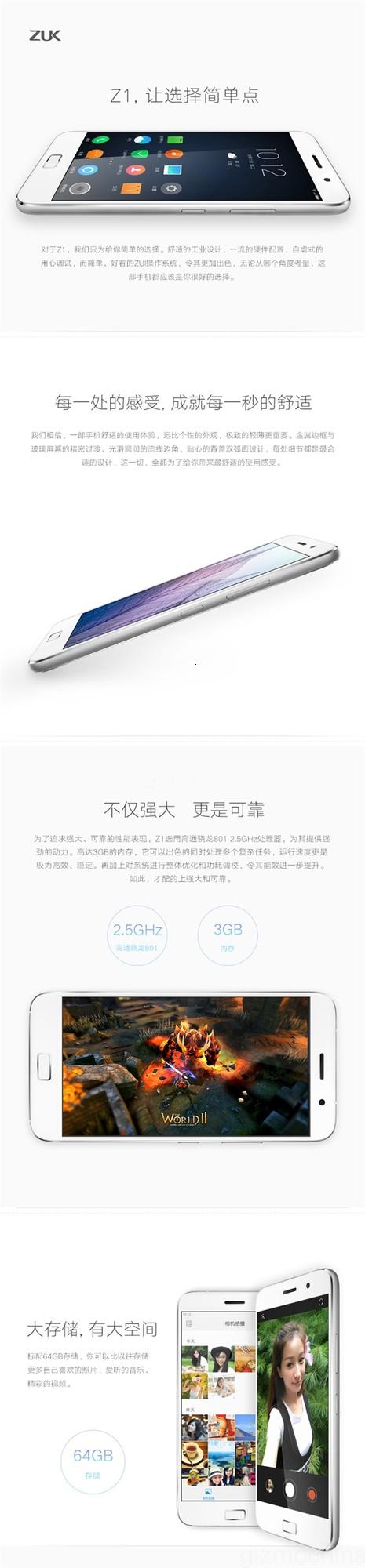
After months of rumors and leaks, ZUK finally unveiled its ZUK Z1 flagship at Beijing today. We already knew a lot about this device, thanks to the TENAA listing and recent leaks, but now everything has become official.
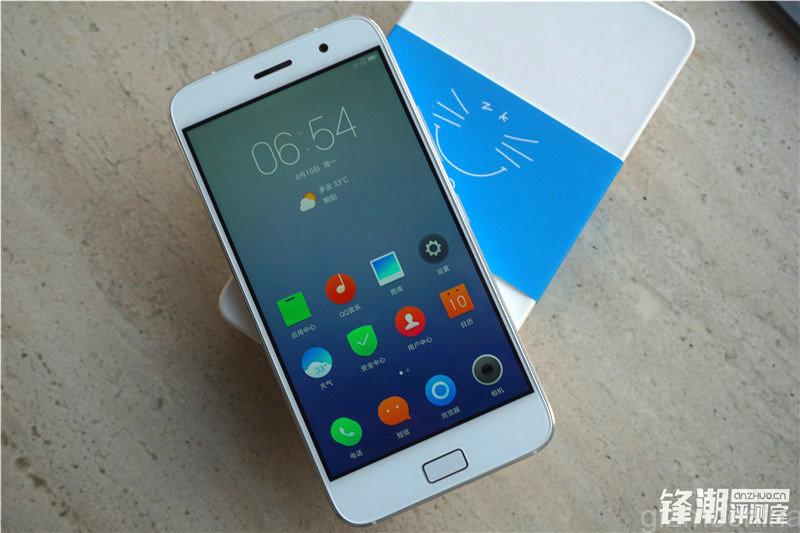
The ZUK Z1 comes with top-end hardware, and a customized UI, to give you the perfect flagship experience. The company had said earlier that it would focus on the UI, and this is the first time, we get a glimpse of the ROM.
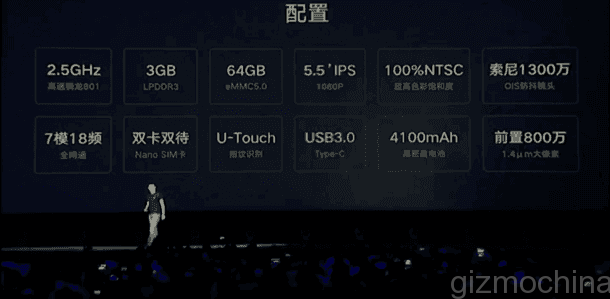
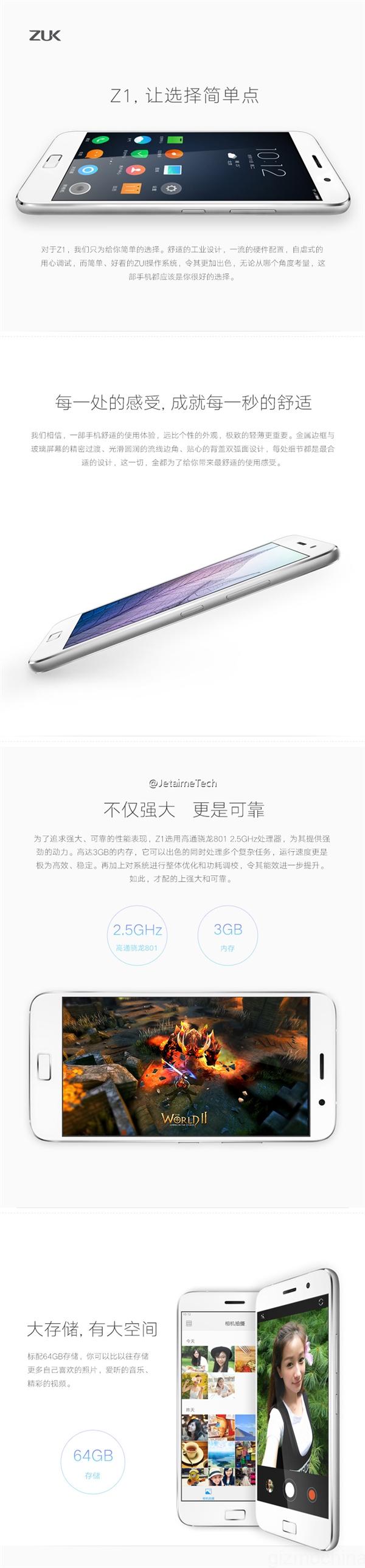
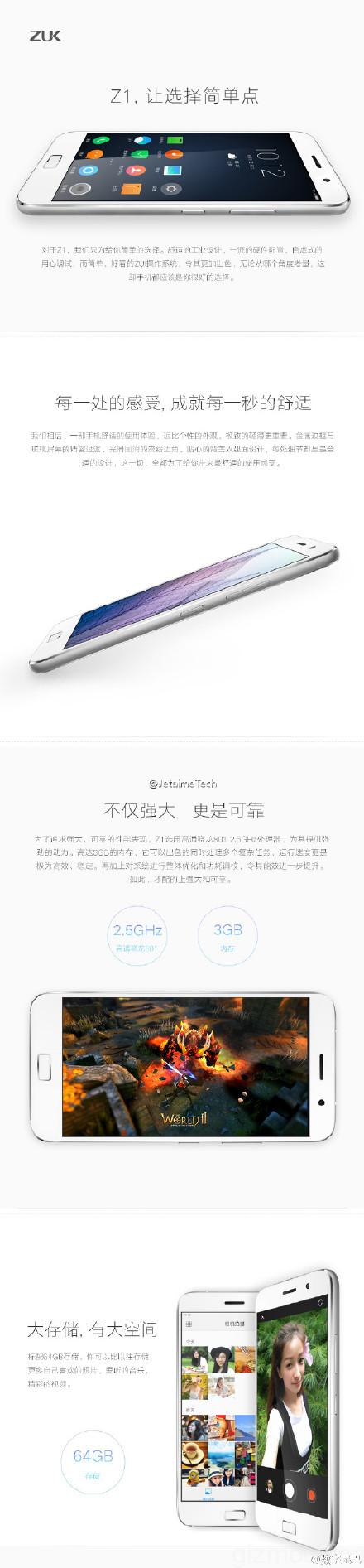
But before we take a look at the ROM, lets check out the specifications. The ZUK Z1 comes with a 5.5-inch 1920 x 1080 pixel resolution display. Under the hood is the Snapdragon 801 32-bit chip clocked at 2.5GHz. While this is an old chipset, it still quite capable. The company claims that on an average, the chip managed to score about 46,000 on AnTuTu.
Further, there’s 3GB of RAM on board, with 64GB of internal storage. It was important to have a large internal storage since there’s no option to expand it externally. At the back, there’s a 13MP camera with OIS and a front facing 8MP shooter.
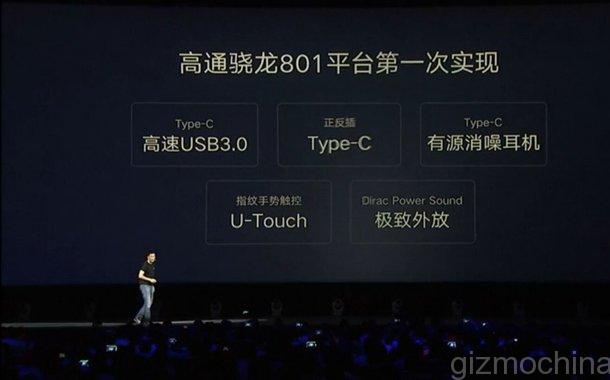
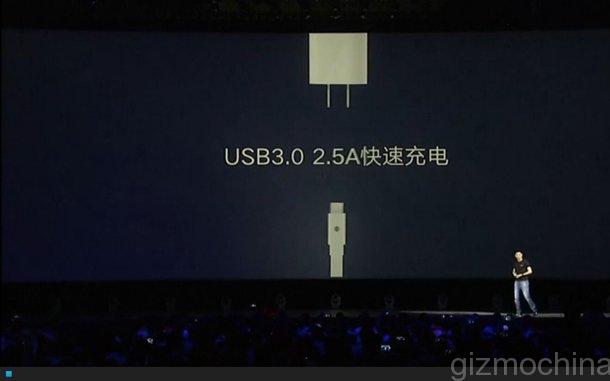
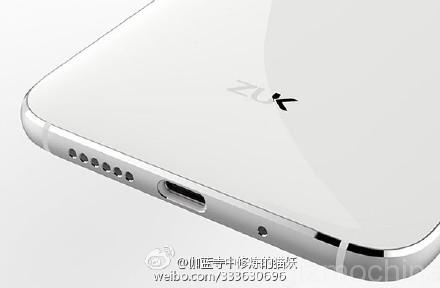
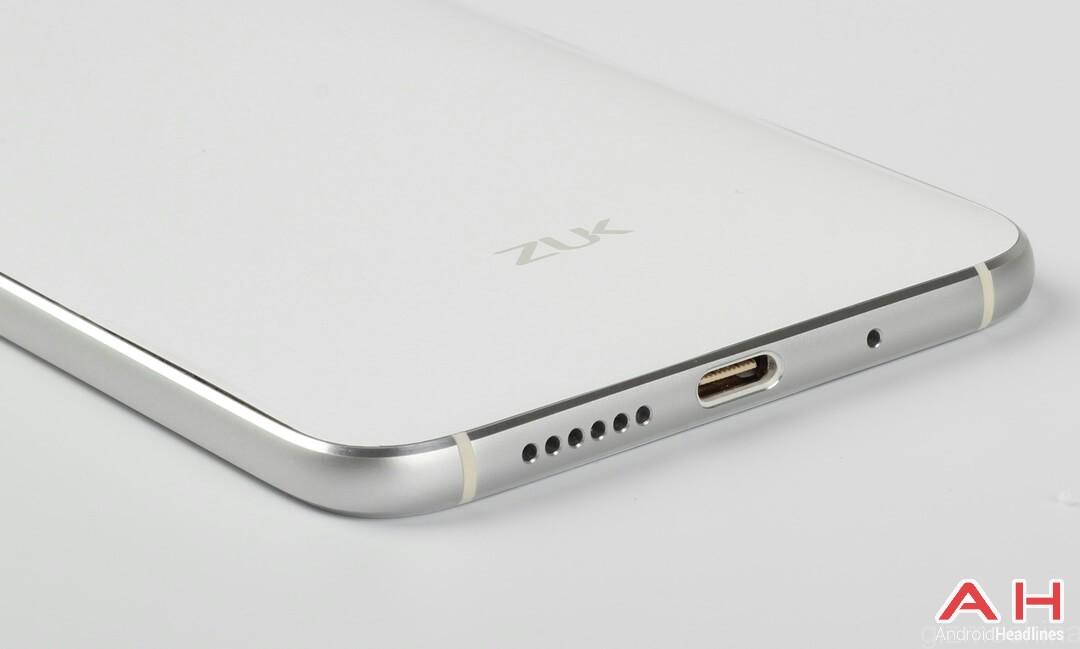
One of the highlights of the ZUK Z1 is its large 4100mAh battery. This coupled with 2.5A fast charge, thanks to the USB 3.0 Type-C portwill make sure that you don’t have to worry about battery life. It will easily give you more than a day’s usage. Further, even with the large battery, the body is just 8.9mm thick and weighs only about 175 grams.
Another highlight of the Z1 is the special multi-function U-Touch button. The user can perform five different kinds of function, like fingerprint, return/ back, switching back and forth between open apps, returning to home button and finally, opening up the multi-task management tool. All these functions can be used by slightly different gestures on the button.
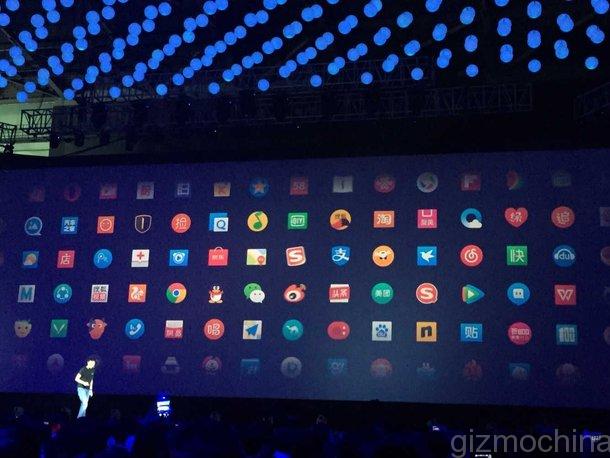
As mentioned above, the ZUI is going to be a major attraction of the ZUK Z1. The company has incorporated a special security center in the background which automatically cleans up the device. The ICON designs are unique and the overall UI looks quite refined and beautiful. The lock screen color changes with the wallpaper. The company also adds that it has paid special attention in designing apps for the device. It took around 10 month to completely design the Calender app on the ZUI. In case you are wondering, the ZUI is based on the new Android 5.1 Lollipop version. You can even expect the Android M based ZUI version on the device later.
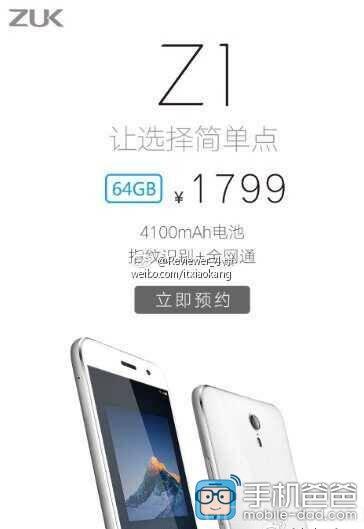
Overall, the ZUK Z1 turns out to be a great package. It looks good, has enough firepower underneath to handle any tasks thrown at it and finally, retails for a pretty decent price tag. You just have to shell out 1799 Yuan ($285) to get this 64GB version, which I personally feel is quite good.
Of course, we still have to see the device in action, and check out its 13MP camera at the back with OIS. There are other aspects to review like the new U-Touch button, but for now, the overall package looks quite good.
So, what do you think about the ZUK Z1? Worthy enough to be your next smartphone? Also, let us know whether you feel the company made a risky decision by using the year old Snapdragon 801 chipset inside.
ZUK Z1 SPECS SUMMARY
• Screen: 5.5 inches 1920 × 1080 resolution, full-bonded IPS screen
• CPU: 2.5GHz frequency of 32 Qualcomm Xiaolong 801 quad-core processor 46Kon AnTuTu
• RAM: 3GB
• ROM: 64GB (does not support MicroSD expansion)
• Front Camera: 8 megapixel
rear camera •: 13 million pixels (Optical Image Stabilizer)
• Battery: 4100mAh 2.5A fast charge
• body size: 155.7 × 77.3 × 8.9mm, 175 g
• Network mode: Mobile / Unicom / Telecom 4G / 3G / 2G ( Dual SIM)
• Operating system: Android 5.1 with ZUI
• Highlights: U-Touch, high-capacity battery, fingerprint recognition
• Price: 1799 yuan ($285)
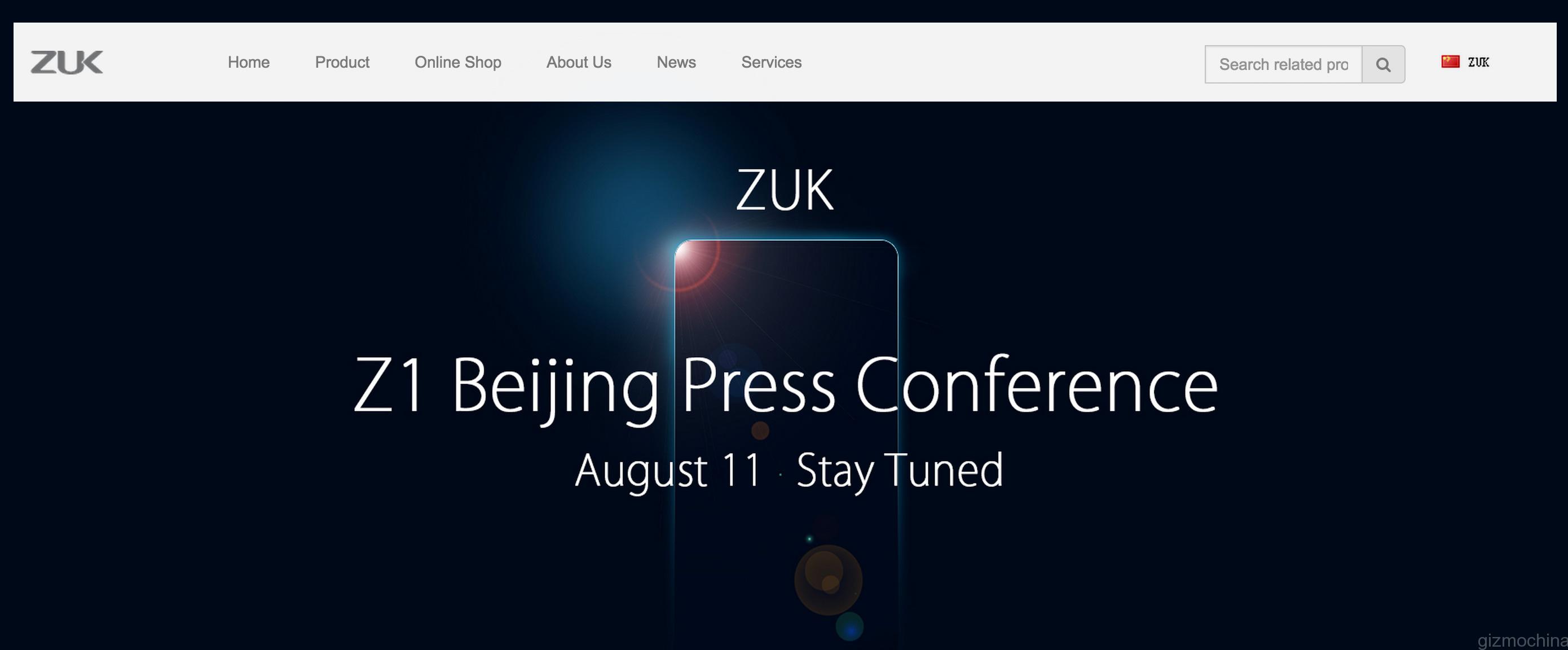
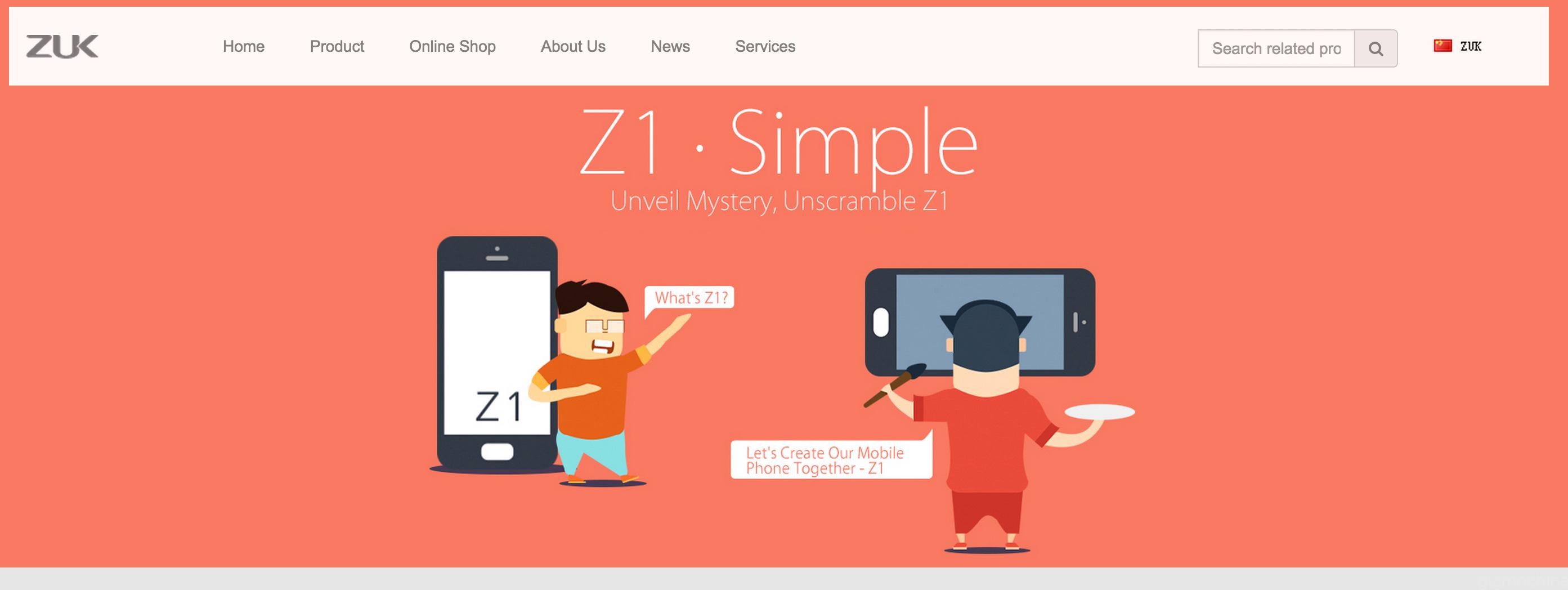
The ZUK website is now up online, the home page showing the launch date of the ZUK in Beijing.
The Z1 product page shows some cartoon style info graphics describing the Z1 and who they are aiming it at, the translations leave a little to be desired but you will get the idea anyway.
The shop currently has a place holder, this should be filled shortly after the official Z1 launch later today.
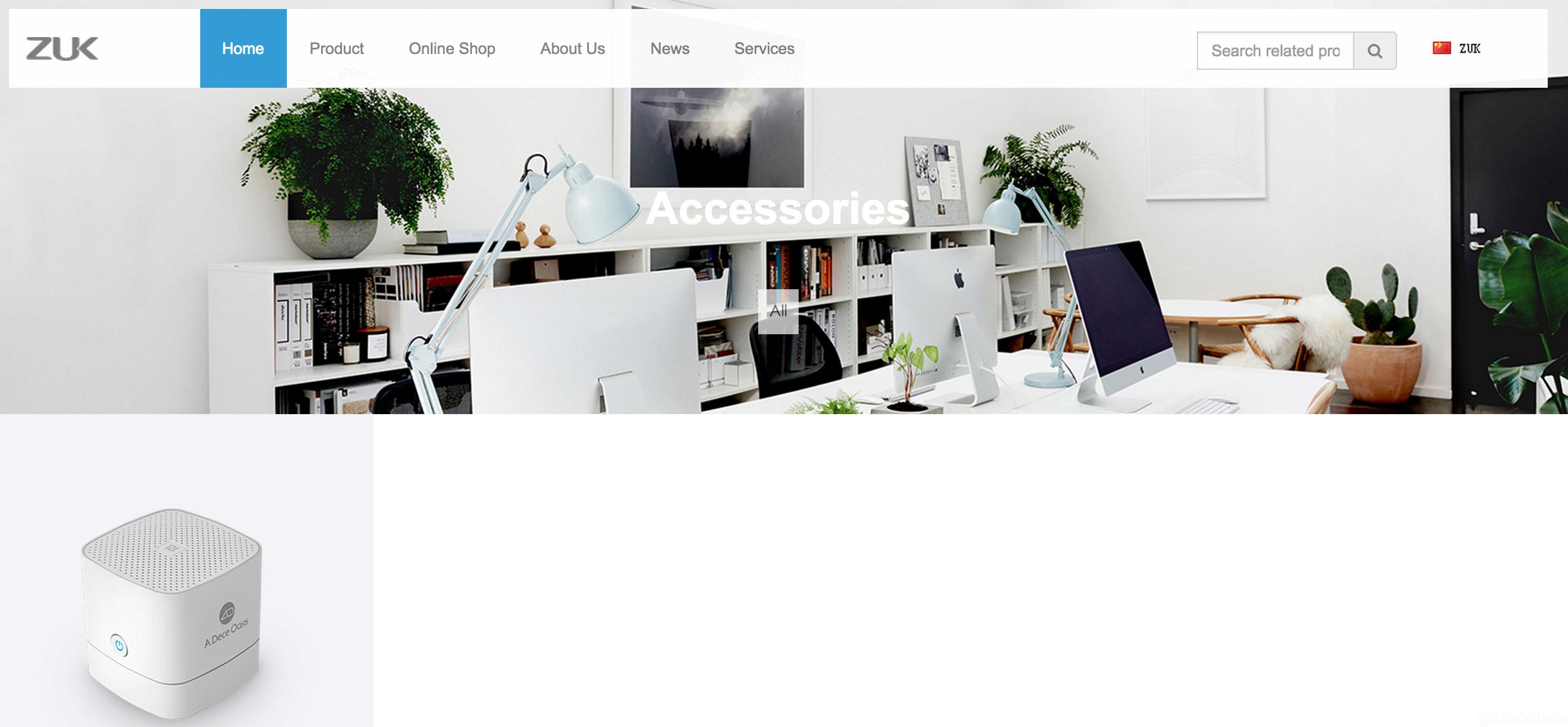
There is also an accessories section, currently this is a little bare, but no doubt as the brand grows so will this section, for now a bluetooth speaker the Ado mate3 is all that is listed.
Today is the official launch of the China variant of the ZUK Z1, full specifications and official specs, press images and pricing have now been leaked ahead of the launch.
OS: Android 5.1.1 (Cyanogen mod to launch with international variant)
fingerprint: support
Dual sims, dual standby.
Full Netcom supported
USB Type-C ( first phone to feature of 3.0, transmission speed ups to 5Gbps)
Selling price in China: 2499 Chinese yuan (£260 or $403). Foreign selling price is not determined.
Hopefully the 801 processor will be up to the task and should provide users with a great combination of power and price.
Let me know what you think in the comments below, will you pick up a China variant and flash it when Cynogen is ready? or will you wait for the international variant?
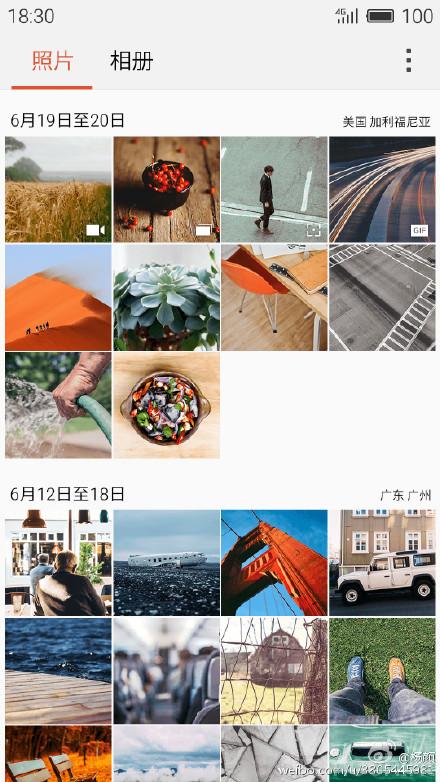
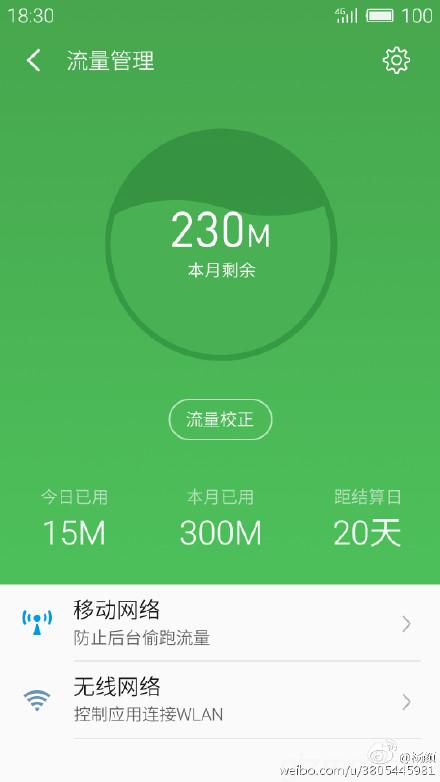
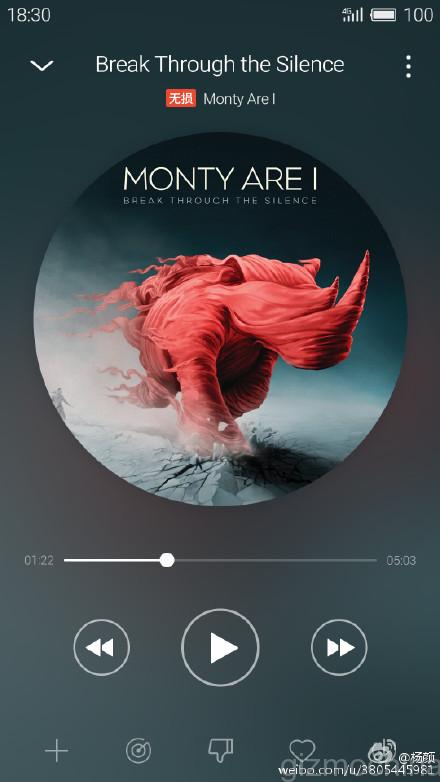
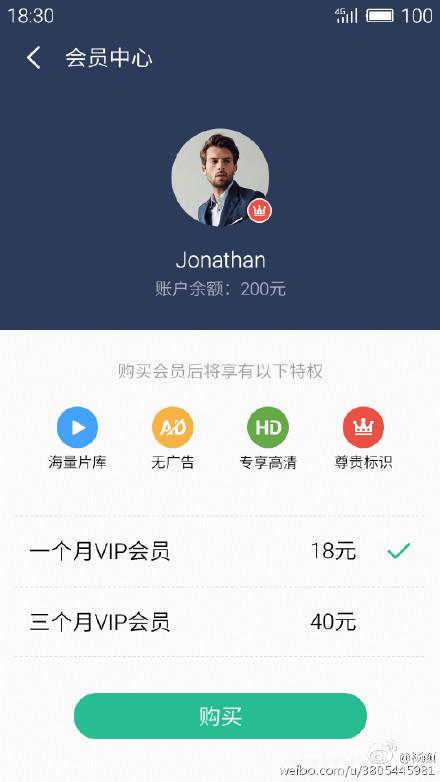
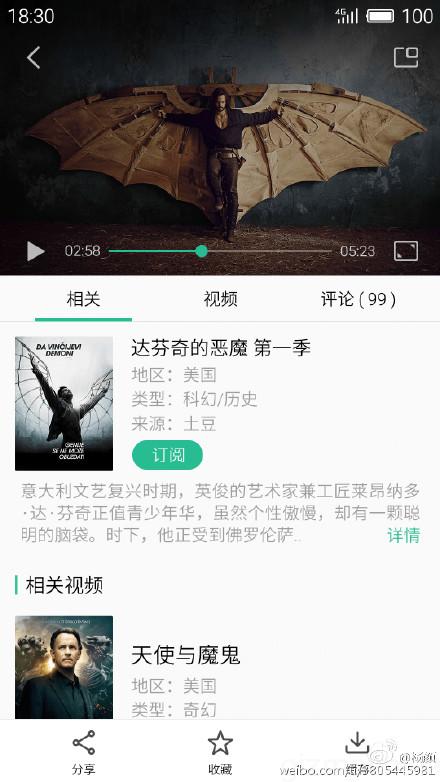
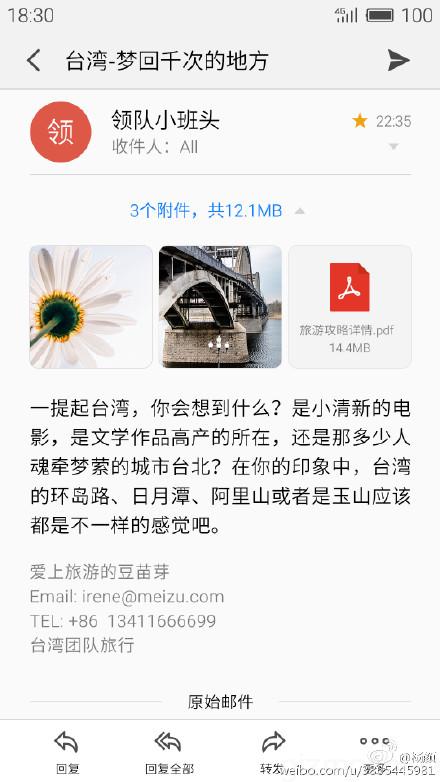
Meizu announced a number of smartphones lately, like the Meizu MX5, Meizu M2 Note and Meizu M2. However, not one of them came with the new Flyme 5.0 OS which made us wonder, when was the company going to release it in the market. However, Meizu’s Chief architect of Flyme divison, Yang Yan just revealed a lot many details about the upcoming Flyme 5.0 UI, along with a bunch of screenshots.
First of all, the Flyme 5.0 will soon enter beta stage which means the final version launch is very near. Yang states that we can expect the new Flyme version to roll out around the end of September or early October. Along with this, he also adds that Meizu MX5 will be the first smartphone to receive the update. Not surprising, given that the MX5 is the latest flagship from the company. After that, the Flyme 5.0 update will slowly roll out to other recent smartphones. Unfortunately, he didn’t mention the specific models which are going to get the update for sure.
You can check out the screenshots from down below. The overall design looks a little more refined, but it does feel like the continuation from Flyme 4.5. We have heard a lot many complaints from readers about bugs on the Flyme OS, and hopefully all of them are solved in the new Flyme 5.0.
Have a look at the screenshots below and let us know what you feel.
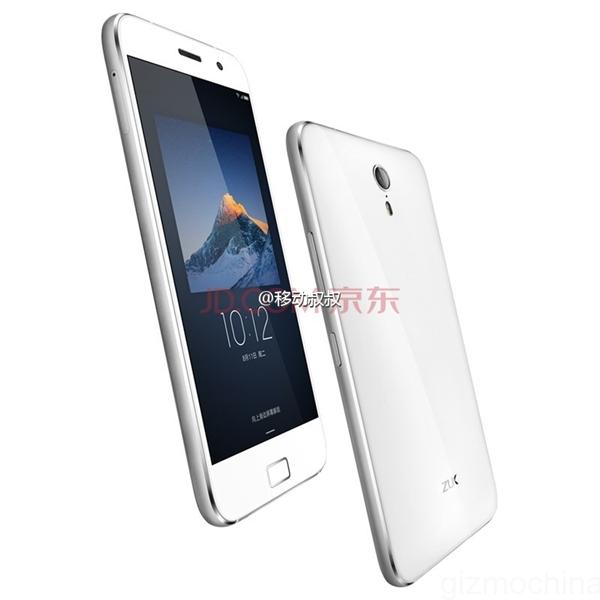
We are just a few hours away from the official unveiling of the awaited ZUK Z1 smartphone, but it looks like someone couldn’t wait for that long. Additional pictures, specs and pricing of the ZUK Z1 flagship have been revealed, showing that the phone will be a pretty interesting package.
The ZUK Z1 flagship is said to come with a 5.5-inch full HD 1080p display with last year’s Snapdragon 801 processor. There will be 3GB of RAM on board along with 64GB of internal storage. At the back, the phone will have a 13MP camera while up front, there will be an 8MP shooter.
The company had already confirmed that the ZUK Z1 will feature the new U-Touch home button that integrates fingerprint recognition. However, apart from that, the touch button will also support multiple functions, making it a bit unique. As for network connectivity, the phone will come with dual SIM dual standby with 4G LTE support. Another highlight will be its USB Type-C 3.0 port with theoretical transfer speeds up to 5Gbps. The battery will be larger than 4000mAh (4100mAh?) and the phone will run on Android 5.1.1 with the company’s own ZUI on top.
The pricing also has been leaked. The ZUK Z1 was spotted on JD.com for a price tag of 1799 for the 64GB version. Its actually pretty decent price ( comes out to $285) for the specs and the features that you get. Of course, we would have liked if the phone was a bit cheaper than this, but we will have to wait for official confirmation later today.
What do you think, is 1799 Yuan a decent price for ZUK Z1? Or do you expect a cheaper price than this?
Almost everyone from the smartphone industry has shown interest in wearables. Chinese smartphone makers revolutionized the industry with their low cost yet feature rich phones, and now, they are trying to bring this trend to the wearable industry too.
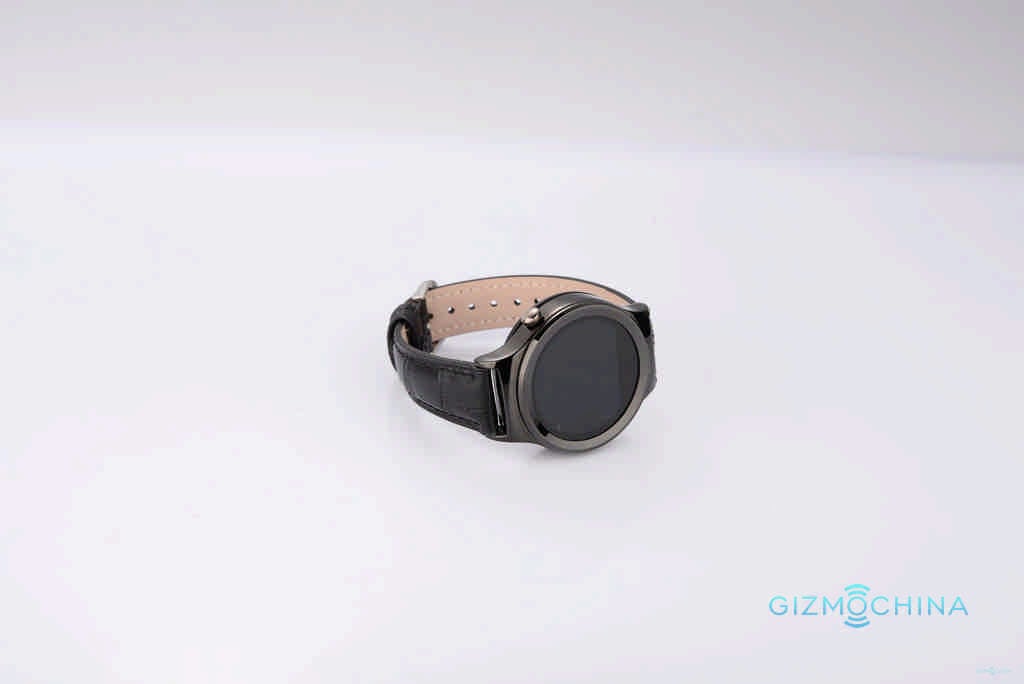
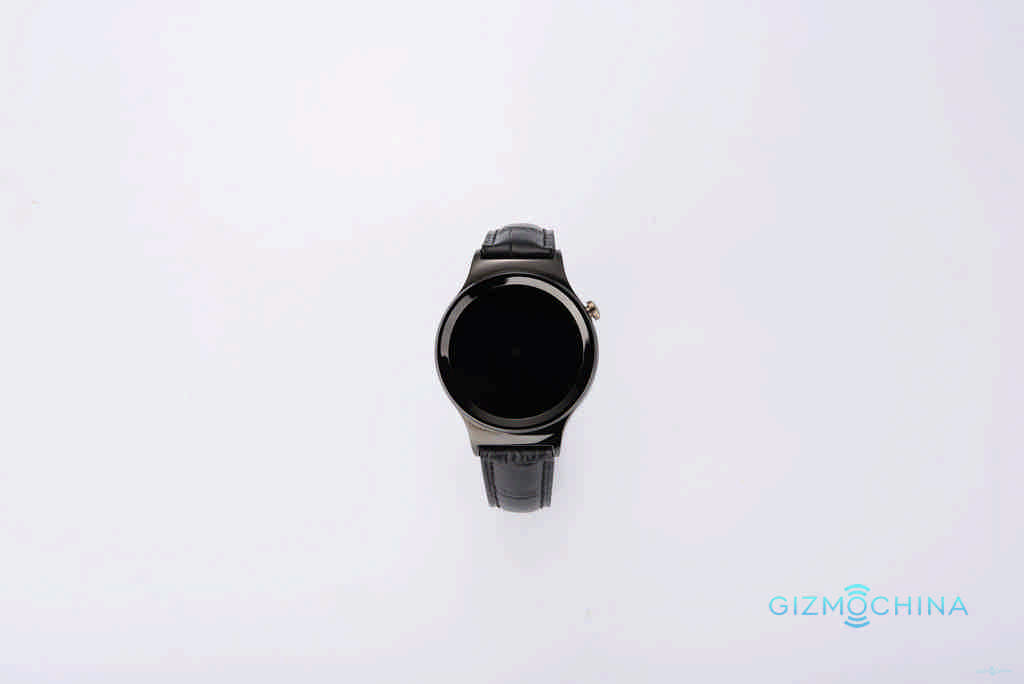
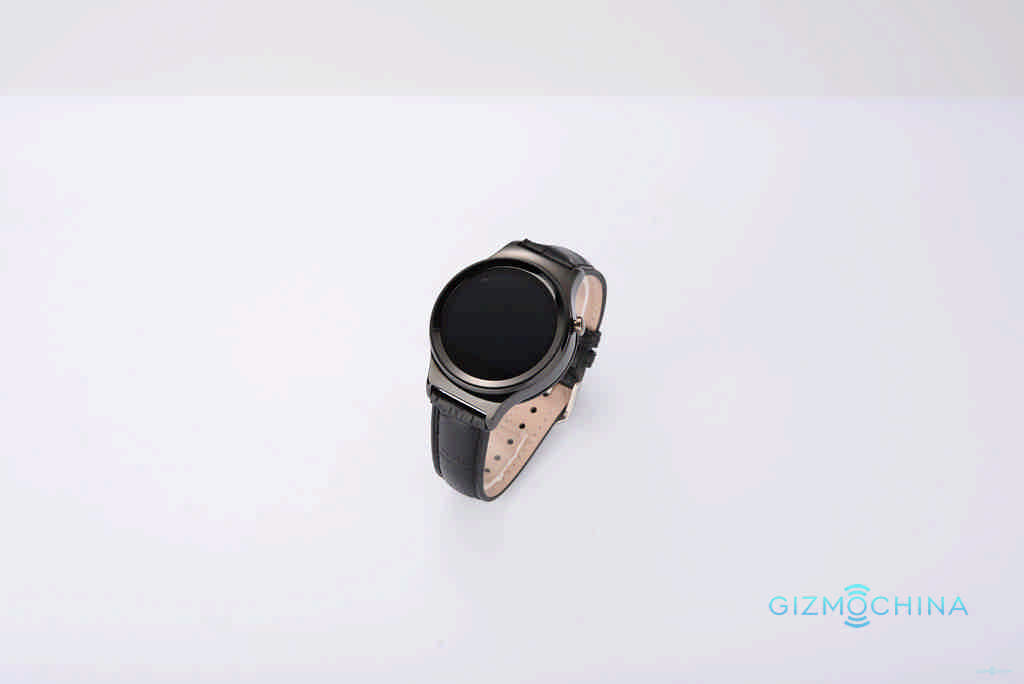
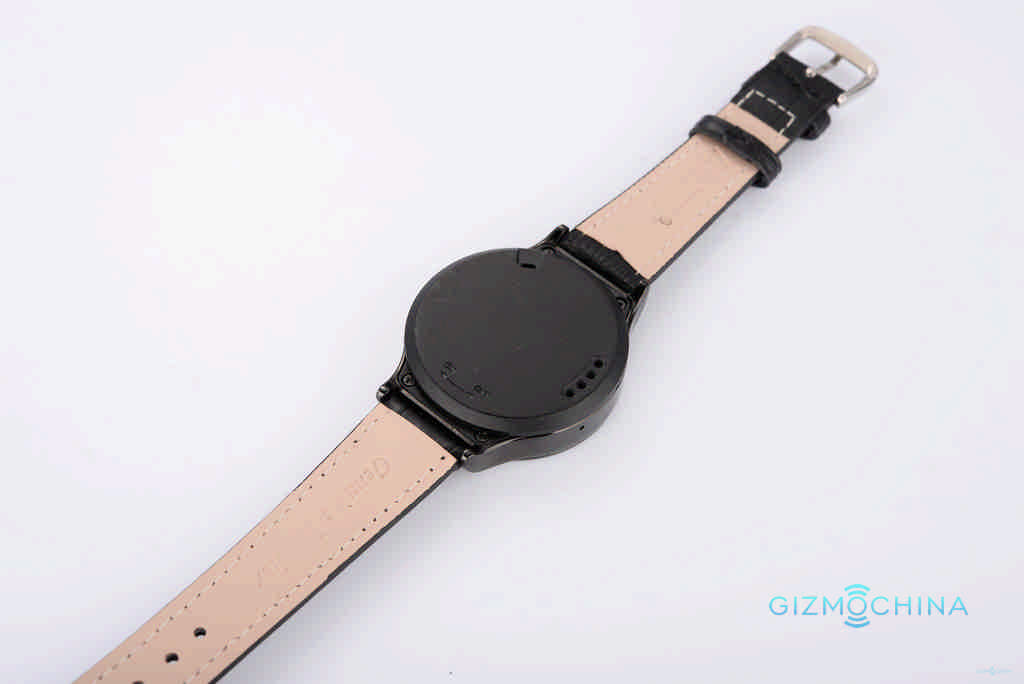
We have seen a couple of smartwatches from No.1 in the past, but they haven’t been as popular as the company would have wanted. However, the new No.1 Watch S3 looks promising, and could turn out to be a great circular smartwatch.
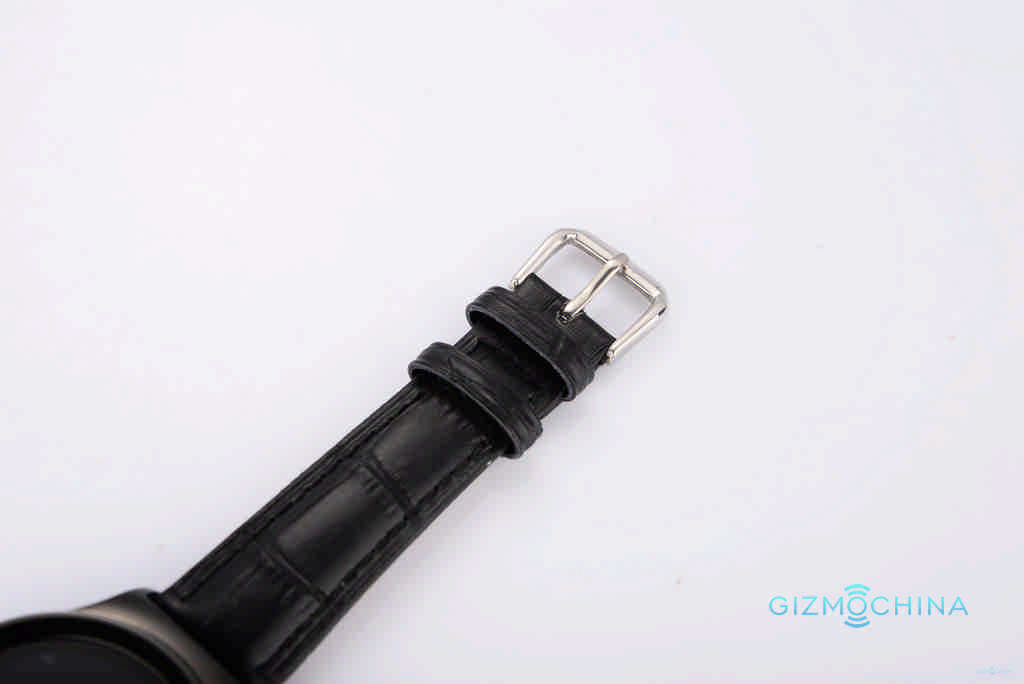
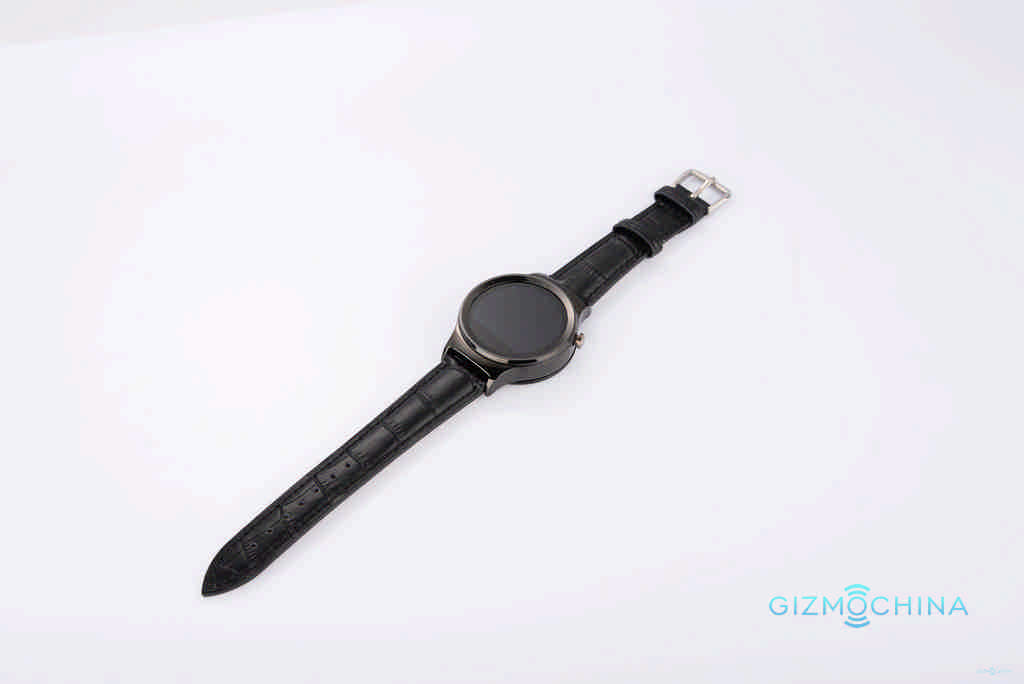
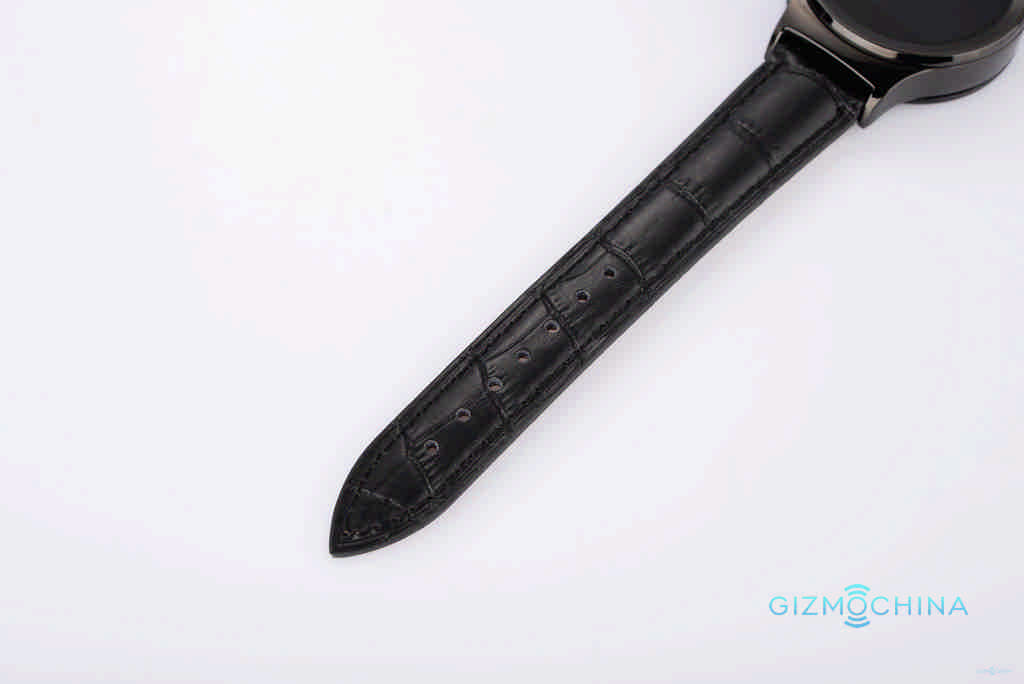
Everyone loves a circular smartwatch, and the company is using this popular round design to attract customers. The No.1 Watch S3 features a circular 240 x 240 pixel resolution display. The overall design looks good, with a scratch proof stainless steel case.
However, the highlight of the new watch is its SIM card support. Yes, the No.1 Watch S3 will come with a MicroSIM card slot, which lets you call, message and do a lot of additional stuff with your smartwatch. The company claims that this is the first circular smartwatch in the market with SIM card slot.
1 of 7
Another highlight is its nano-glass screen on top. This helps to keep the display as good as new, thanks to its scratch proof design. This is a very essential feature in a watch, since they are susceptible to scratches in your everyday use. So, its good to see the scratch proof glass on a low cost smartwatch.
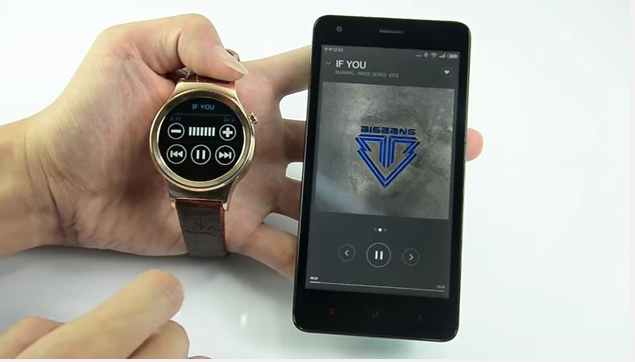
You can wake up the watch, just by flipping your arm. Its as easy as that. Other features are pretty much standard like pedometer to track your steps, sedentary reminder, sleep monitor, remote control camera self timer, and remote music playback. Plus, you have a companion apps which lets you sync all the data.
One interesting feature that you don’t usually get on smartwatches is UV Detection. Its a unique feature, that helps you detect the UV radiation levels in the air. So, in case you worry a lot about the harmful UV rays, the watch can come in handy.
We haven’t yet reviewed the No.1 Watch S3, however, from the specs and the video shown below, it looks quite good. It is said that the watch will retail for somewhere around $60, which is a great price considering the features that you get. You have at least two colors for the case, black and gold.
You can check out the video below to see the device in action. Unfortunately, the video is in Chinese, but hopefully we can come up with our own review soon.
The midrange smartphone market is complicated at times. Until recently have quad cores phone was all a guaranteed success in performance, I do not say anything if you had 1GB of RAM or 5 “screen. Everything evolves and makes it very fast and this is where the new Mstar M1 Pro, a worthy successor to Mstar S700 that recently had occasion to see right here goes.
The new Mstar M1 Pro incorporates a great Octacore CPU , the MT6752 to 28nm 1.7GHz 64bit with 2GB of RAM and16GB of ROM (expandable via microSD cards up to 64GB) along with Mali T760 GPU. The performance of both is extraordinary in terms of multitasking and graphical ejecucacion of 3D titles.
Mstar Pro M1 is using IPS OGS with a 5.5 “ screen and a maximum resolution HD 1280 x 720 pixels . A panel of high resolution and low power consumption, with an acceptable level of brightness and saturation that does not tend to yellow as others we’ve seen before.
The resolution is standard for this type of devices midrange and allow us to play thanks to the support of the GPU to almost any type of game without noticing any lag on the screen.
MStar M1 Pro: Design and Power
The Mstar M1 Pro stands out for its metallic bezel made by alloy of aluminum and zinc certainly make it felt more durable in hand, highlighting over others who just opt for polycarbonate in all parts.
As you can see, there are many similarities in his brother S700 both in terms of processing and performance. We are facing a terminal that incorporates a rear camera 13MPx with autofocus and LED flash and a front of 8Mpx . The photographic section is well covered through the stock camera app that has some interesting shooting modes as trim, panoramic, automatic and manual functions that allow us to balance the white and change the ISO default level. The front camera has 8Mpx with so performance is assured when making selfies of yourself.
In addition, the new Mstar M1 Pro is Dual-SIM and has conectitividad GPS, A-GPS, Wi-Fi N, Dual SIM, Bluetooth and FM Radio . Obviously, the new M1 Pro MStar has conectitividad 4G LTE fully operational with the Spanish bands that do not have any problem when using it.
Battery 3000mAh , Android 5.0 Lollipop and gesture recognition system on screen and unlocking active through double tap complete the features of the new MStar M1 Pro which has a maximum weight of 126 grams.
Today sees another video from Elephone, this time comparing the P8000 with the soon to be released OnePlus 2.
Both phones are very fluid, its hard to say looking at the videos and without playing with the camera settings, but there appears to be a marked difference in colour reproduction.
Thankfully, I will be able to test the camera further in my upcoming review of the P8000 as mine arrived this morning, but so far and this is only based on a couple of hours playing with the phone, it appears to be well put together and the rom is really smooth.
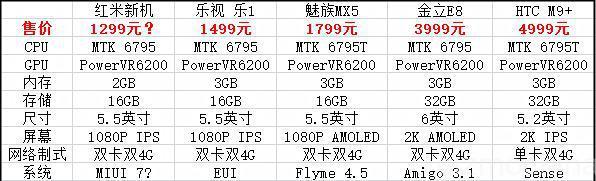
Given that this is a flagship chip, with eight-cores clocked at 2GHz, there’s no way that Xiaomi could price its new device so low. But just a few hours ago, a new report claims that the Redmi Note 2 price will be around 1299 Yuan. This seems to be a much better estimate of the price,
Along with the MT6795 chip, the Redmi Note 2 will come with PowerVR 6200 GPU, 2GB of RAM, 16GB of storage, and a 5.5-inch 1080p display. There will be Android 5.0.2 Lollipop OS with MIUI 7 on top and 4G LTE network connectivity.
The above image shows us the basic comparison between the famous MT6795 powered models in the market. As you can see, if the Redmi Note 2 price is at just 1299 Yuan, it will be the cheapest Helio X10 smartphone in the market.
Anyways, we hope to get more details about the second handset, powered by Snapdragon 615 before the company makes it official. So, stay tuned for more details in the next couple of days.
We use cookies on our website to give you the most relevant experience by remembering your preferences and repeat visits. By clicking “Accept”, you consent to the use of ALL the cookies.
This website uses cookies to improve your experience while you navigate through the website. Out of these, the cookies that are categorized as necessary are stored on your browser as they are essential for the working of basic functionalities of the website. We also use third-party cookies that help us analyze and understand how you use this website. These cookies will be stored in your browser only with your consent. You also have the option to opt-out of these cookies. But opting out of some of these cookies may affect your browsing experience.
Necessary cookies are absolutely essential for the website to function properly. This category only includes cookies that ensures basic functionalities and security features of the website. These cookies do not store any personal information.
Any cookies that may not be particularly necessary for the website to function and is used specifically to collect user personal data via analytics, ads, other embedded contents are termed as non-necessary cookies. It is mandatory to procure user consent prior to running these cookies on your website.